AI Coding Agent for Real-World Software Projects
Kimi Code is an AI coding agent that reads your codebase, edits files, runs commands, tests changes, and turns natural-language requests into reviewable code. You define the goal, review the plan, approve important steps, and inspect the final diff from the terminal, browser, IDE, or on the desktop.


From context to reviewable code
Understand any codebase, starting from zero
Open a repository and ask Kimi Code how it works. Starting at the entry point, it traces the execution flow and maps how the modules connect, producing a structured walkthrough of the codebase.
Turn multimodal contexts into actionable tasks
Programming work goes beyond code and written requirements. Kimi Code can read multimodal inputs such as log screenshots, design references, charts, and even videos. It pulls out the key details and brings them into the task as working context.
Turn requirements into reviewable changes
Describe the goal in plain language, and Kimi Code works out where it belongs in the codebase. It identifies the implementation path, updates the necessary files, and returns a focused diff instead of a wall of edits.
Deliver code changes that already pass tests
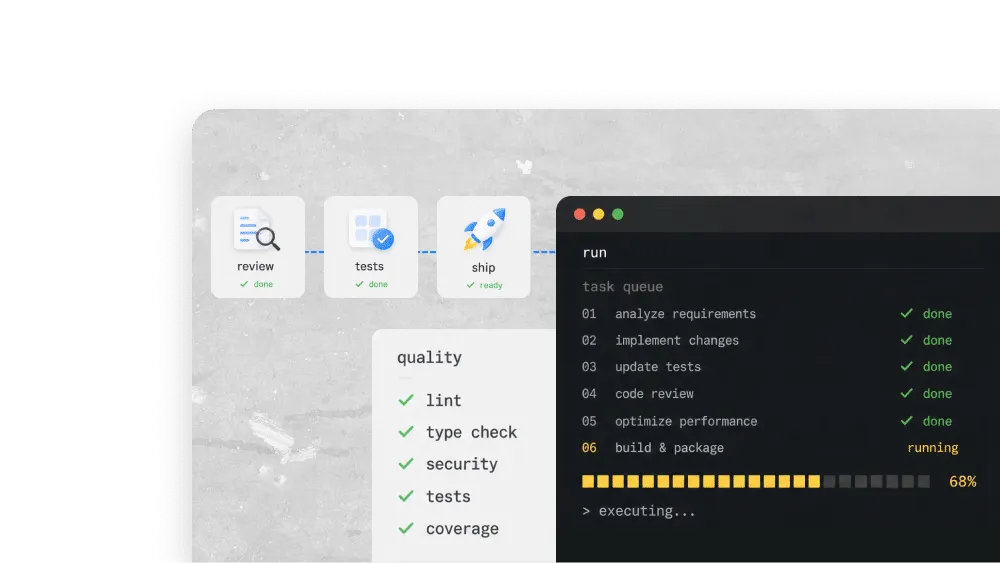
Kimi Code runs the test suite, reads the failures, and fixes what breaks, iterating against real feedback from the development environment. By the time a change reaches review, it has already been exercised.
Kimi's AI coding agent, make it work the way you work
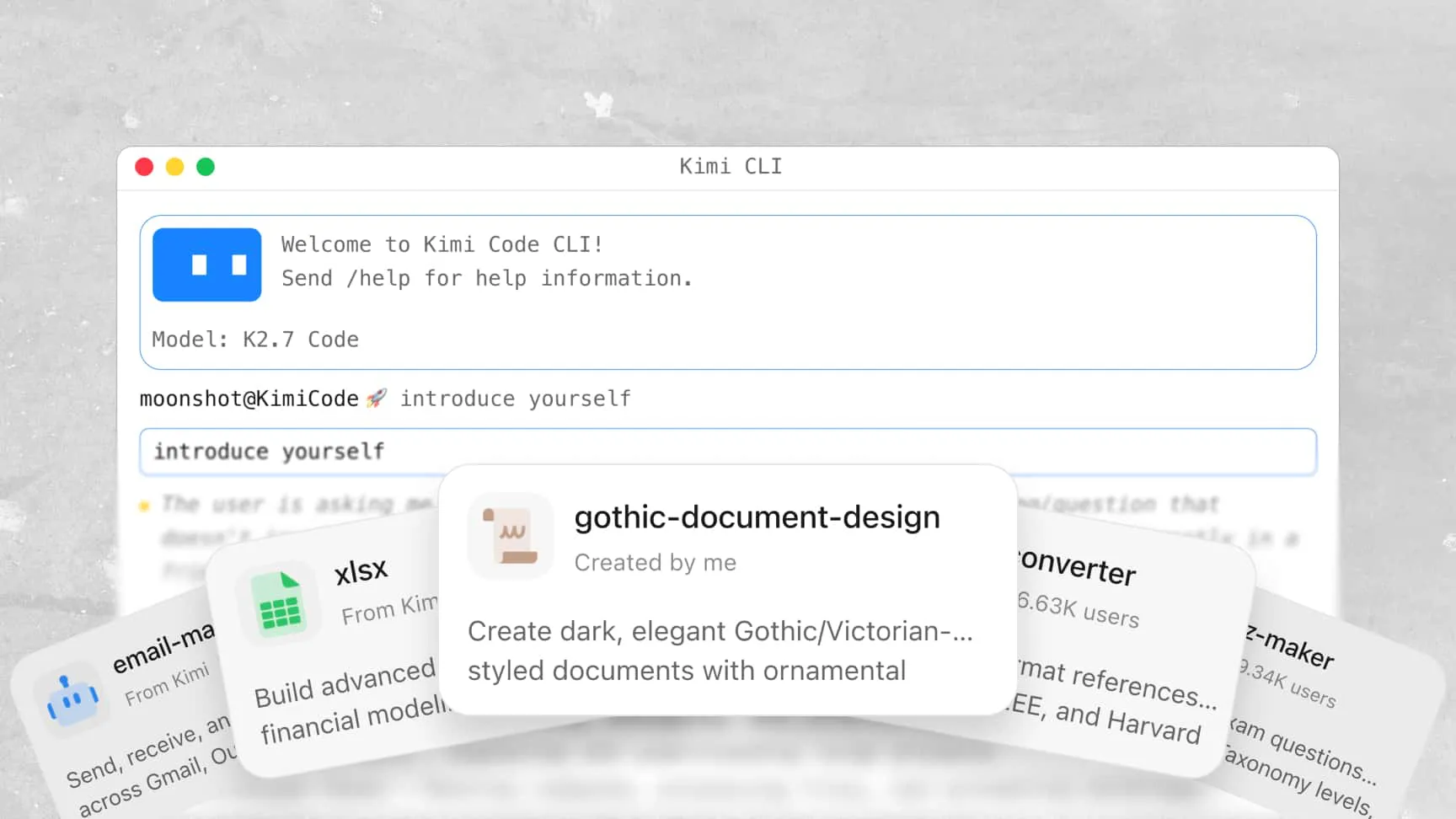
Turn good workflows into skills
Package proven workflows as skills. Kimi Code follows the same process every time to standardize code reviews, task execution, content creation, and more.
Sync your habits with hooks
Hooks run predefined actions at key moments in a task, from enforcing team conventions to triggering internal scripts, so the agent works the way you do.
Call familiar tools through MCP
Connect Kimi Code to tools you already know. Tools with MCP server can be called mid-task, so the agent works with your real stack.
Package stronger capabilities as plugins
Bundle skills, hooks, & MCP configuration into one plugin. Give Kimi Code a complete working setup, ready to share across the team.
Built for long-horizon tasks
Explore before editing & execution
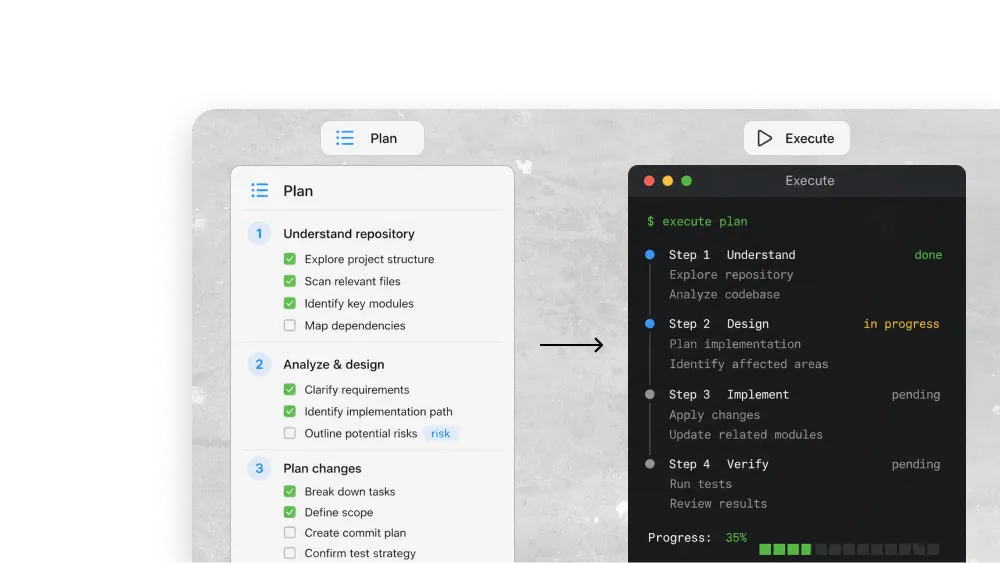
For complex changes, Kimi Code can use plan mode to understand the repository before making edits: it explores the relevant files, identifies the likely implementation path, and turns the work into a clear plan.
Keep moving toward a goal
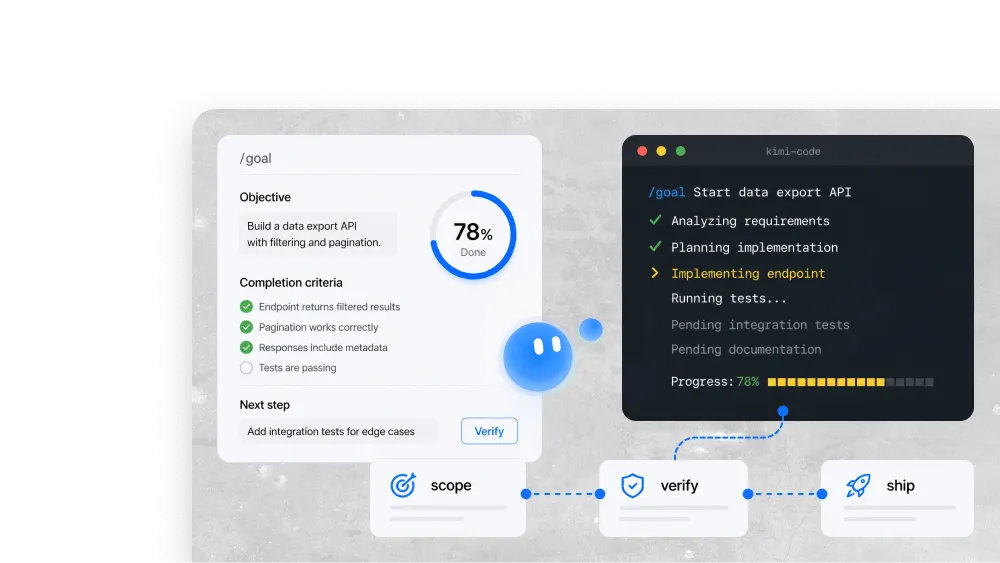
With “/goal”, Kimi Code can work toward a defined outcome. Given an objective and completion criteria, it tracks progress, chooses the next useful step, and continues until the goal is complete.
Split the work, merge the results
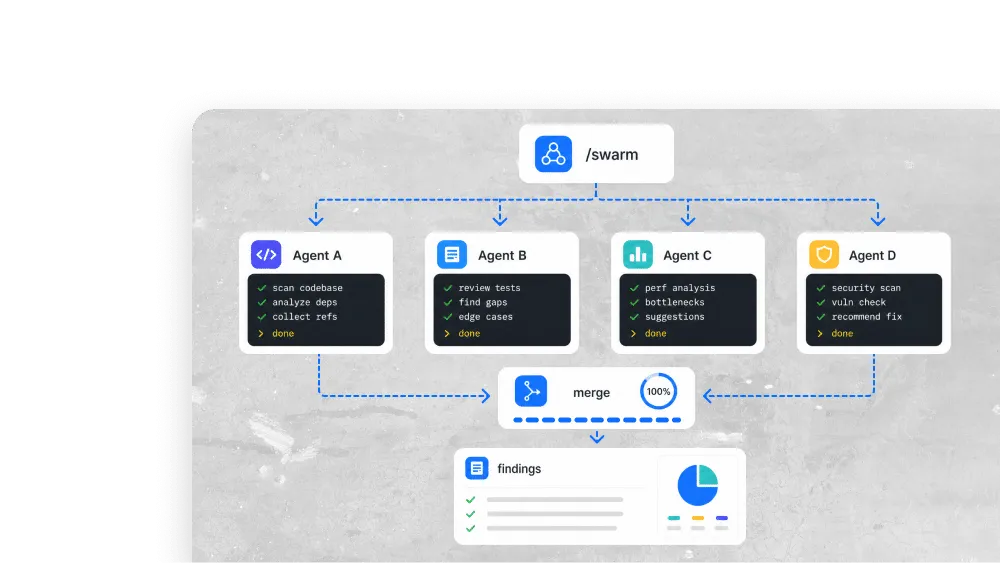
Kimi Code can split work across sub-agents with independent contexts. For batch tasks, Agent Swarm can launch multiple sub-agents at once, aggregate their findings into the main workflow, and improve overall efficiency.
Move faster, stay thoughtful
Kimi Code high-speed model delivers output 5–6× faster than the standard edition. Switch to it for routine work and get the same coding capability with far less waiting. Speed becomes a choice, not a trade-off.
FAQ
kimi web, and inside editors. It also supports the ACP protocol, so editors such as Paseo, JetBrains, and Zed can connect to it through the CLI. Now Kimi Code has a desktop version, available for macOS, Windows, and Linux.kimi in your project folder. For VS Code, install the Kimi Code extension from the VS Code Marketplace. Follow the setup prompts to sign in or configure a model, then open your project and start a conversation.kimi-for-coding to use your quota there./goal keeps the agent working toward a defined outcome, and Agent Swarm splits large jobs across parallel sub-agents. So an AI development agent can carry a task from requirement to reviewable change without constant supervision.