Your Ideas Deserve Better Slides. Meet Your AI Presentation Maker.

Create professional slides from text, documents, images, or templates. Get structured, polished, and fully editable presentations in minutes. Kimi Slides adapts to your content, your brand, and your audience.

Start from anything. Kimi handles the rest.

Text to slides

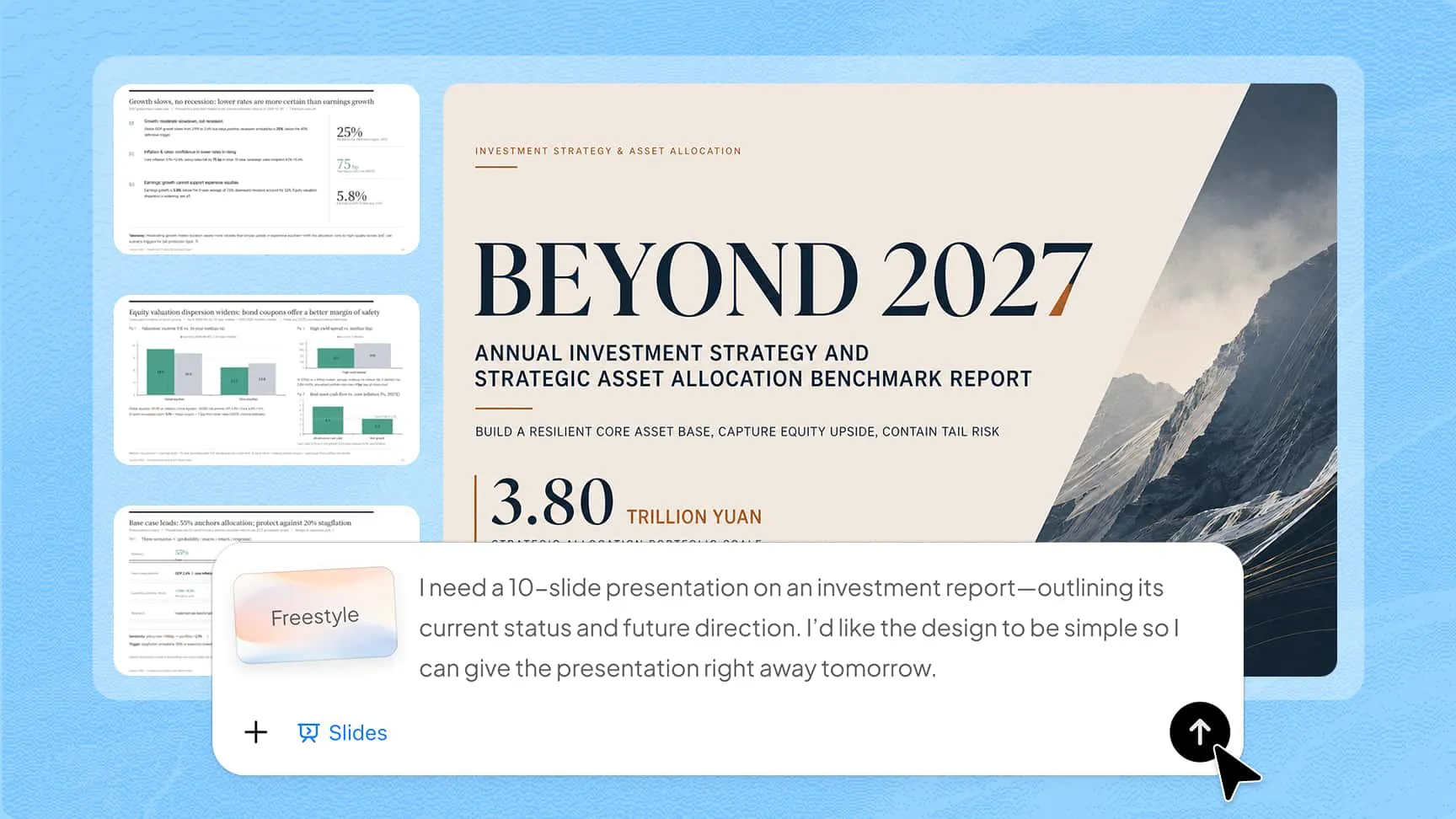
Describe your idea or paste your content in plain language. Kimi Slides turns it into a clear, structured outline and builds a professional slide deck with consistent, designer-grade formatting.

Documents to slides

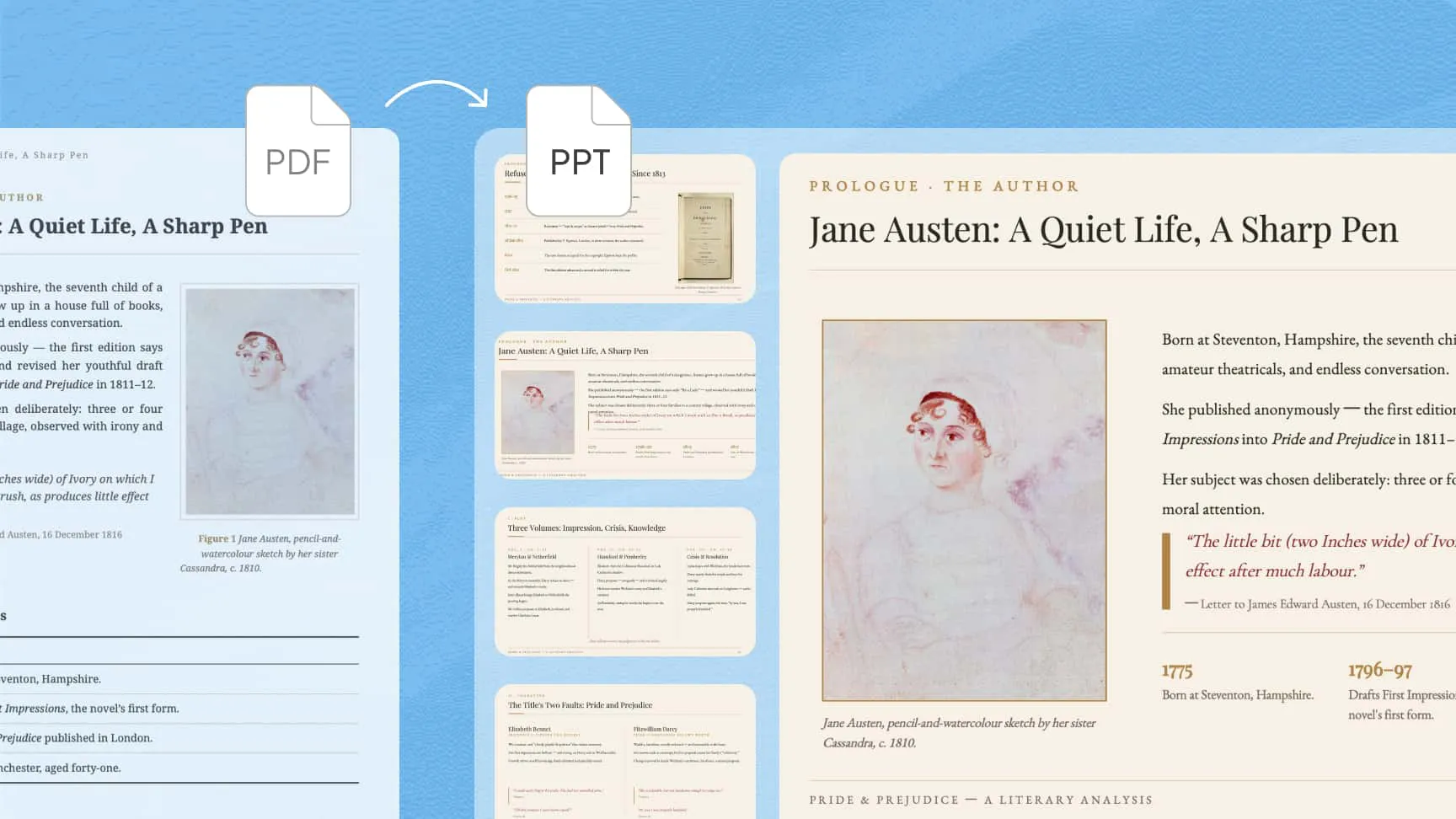
Turn PDFs, Word, Excel, or Markdown files into structured slides while maintaining content integrity. Kimi Slides faithfully parses long documents, keeps key details intact, and can extract embedded images to reuse in your new deck.

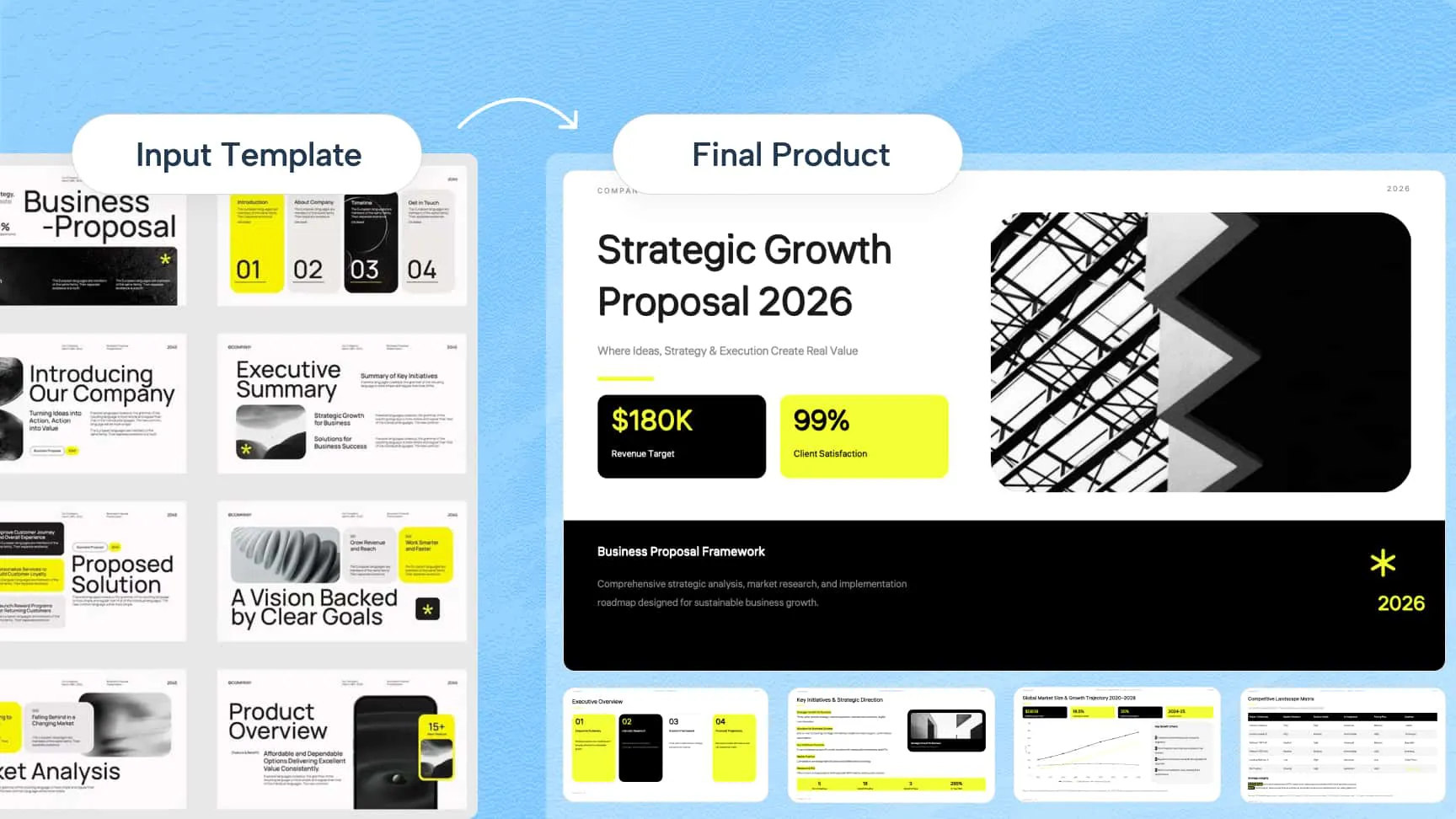
Templates to branded slides

Upload your company or school’s PowerPoint template to keep your brand consistent. Kimi Slides understands your slide master, fonts, and grid system, and generates slides that stay aligned with your existing design.

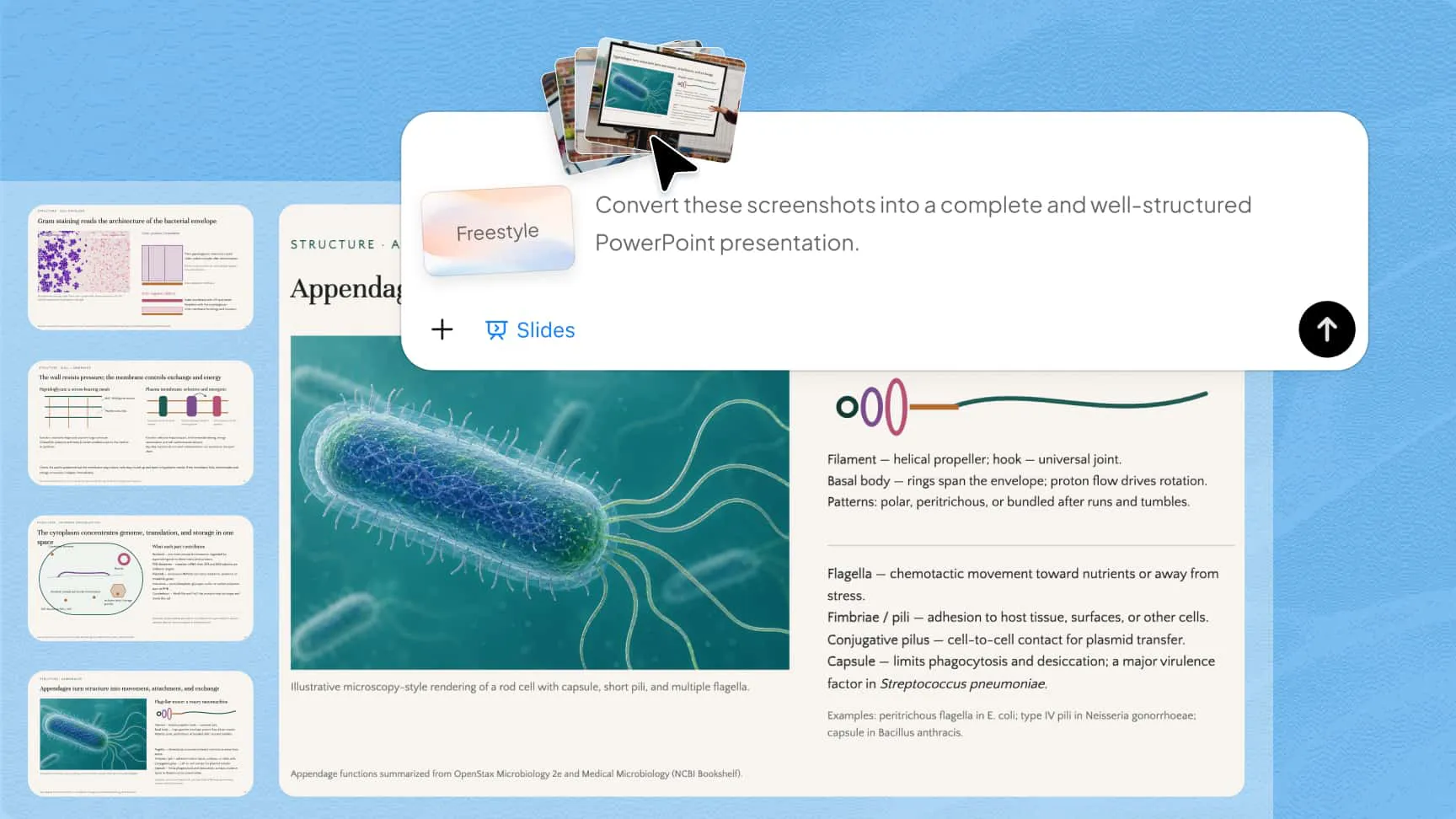
Images to slides

Turn photos, screenshots, or design references into editable slides. The AI presentation generator recreates layout, structure, and visual style from your image, so even slides captured during meetings or classes can be turned into clean, structured presentations.

Text to slides feature in Kimi's AI presentation maker, showing a prompt generating an AI industry analysis PowerPoint presentation

Define your presentation style, your way

Select from curated styles collection

Explore Kimi's official collection of PPT styles designed for different subjects and presentation contexts. Each style brings together a distinct color system, typography, layout rhythm, visual density, and overall mood, giving your deck a polished creative direction from the start.
Match the vibe with your preferences

Upload an existing presentation, brand asset, or reference image, and Kimi Slides can translate its visual characteristics into a new deck. It analyzes elements such as color palettes, heading hierarchy, image-to-text balance, spacing, and composition to create slides that stay close to your preferred look.

Build your own custom styles

Turn any generated presentation into a custom style and add it to your personal collection. You can apply your custom styles just like preset ones, making it easier to maintain a consistent visual identity across presentations without rebuilding the design each time.

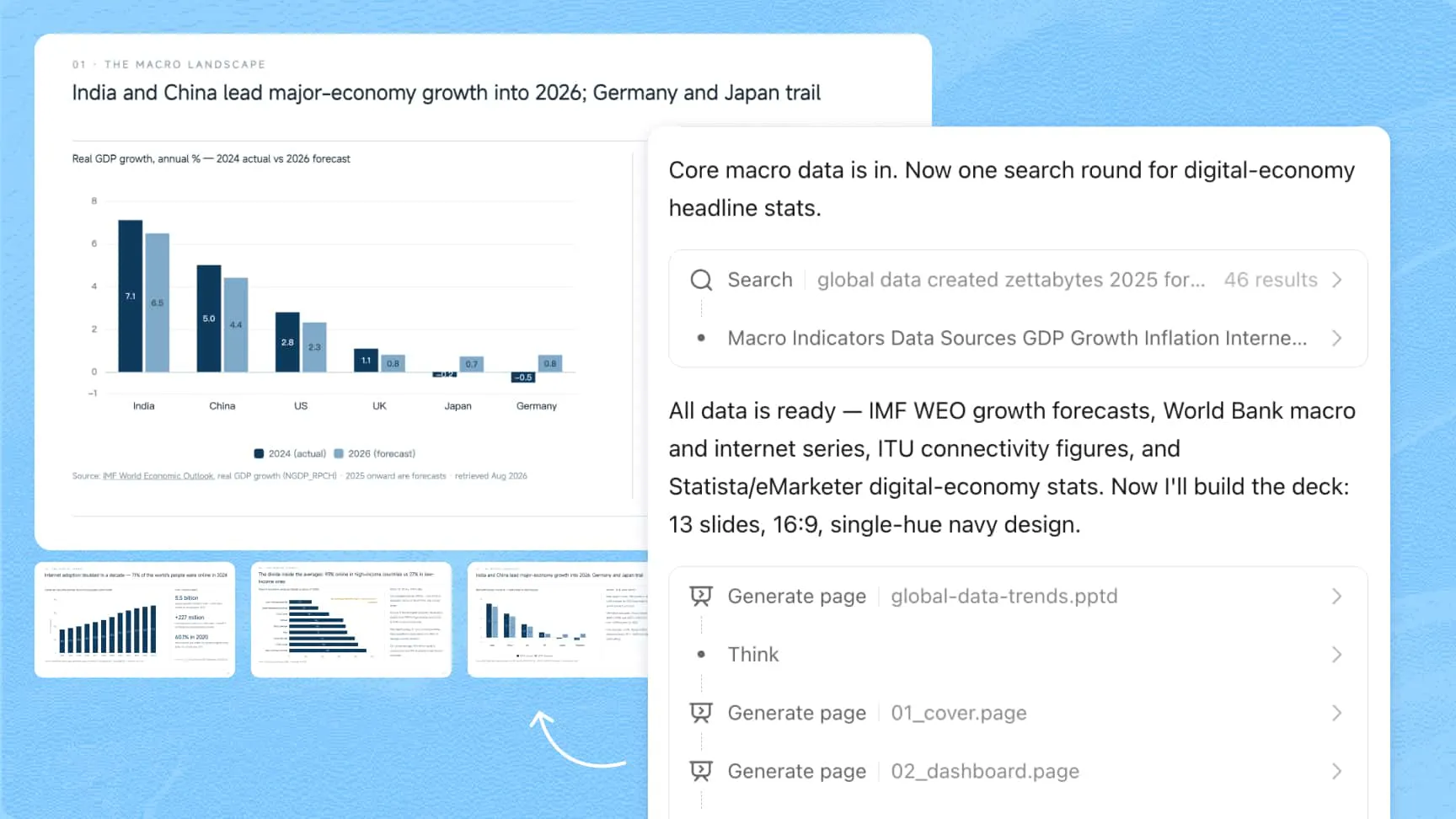
Research-backed, structured content with transparent sourcing

Kimi Slides gathers high-quality information from reliable sources and organizes it into clear, structured slide content, with logic and depth calibrated to your topic. Key insights include on-slide citations you can trace, allowing your audience to verify sources directly within the deck.

Kimi Slides AI presentation generator creating research-backed slides with traceable citations

Designed to make every presentation land

The right look and tone for every audience

The AI slide generator adapts each deck to its purpose and audience, adjusting visual style, tone, content density, and image-to-text balance for everything from business reports to investor pitches.

Motion that brings your story to life

Turn static slides into a smoother presentation with refined animations and transitions that guide attention and reveal information at the right pace.

Rich visuals, built directly into every slide

Kimi Slides turns data and complex ideas into polished charts, diagrams, and SmartArt, all fully editable, from data and text to shapes, layout, and styling.

Refine every detail. From first edit to final delivery

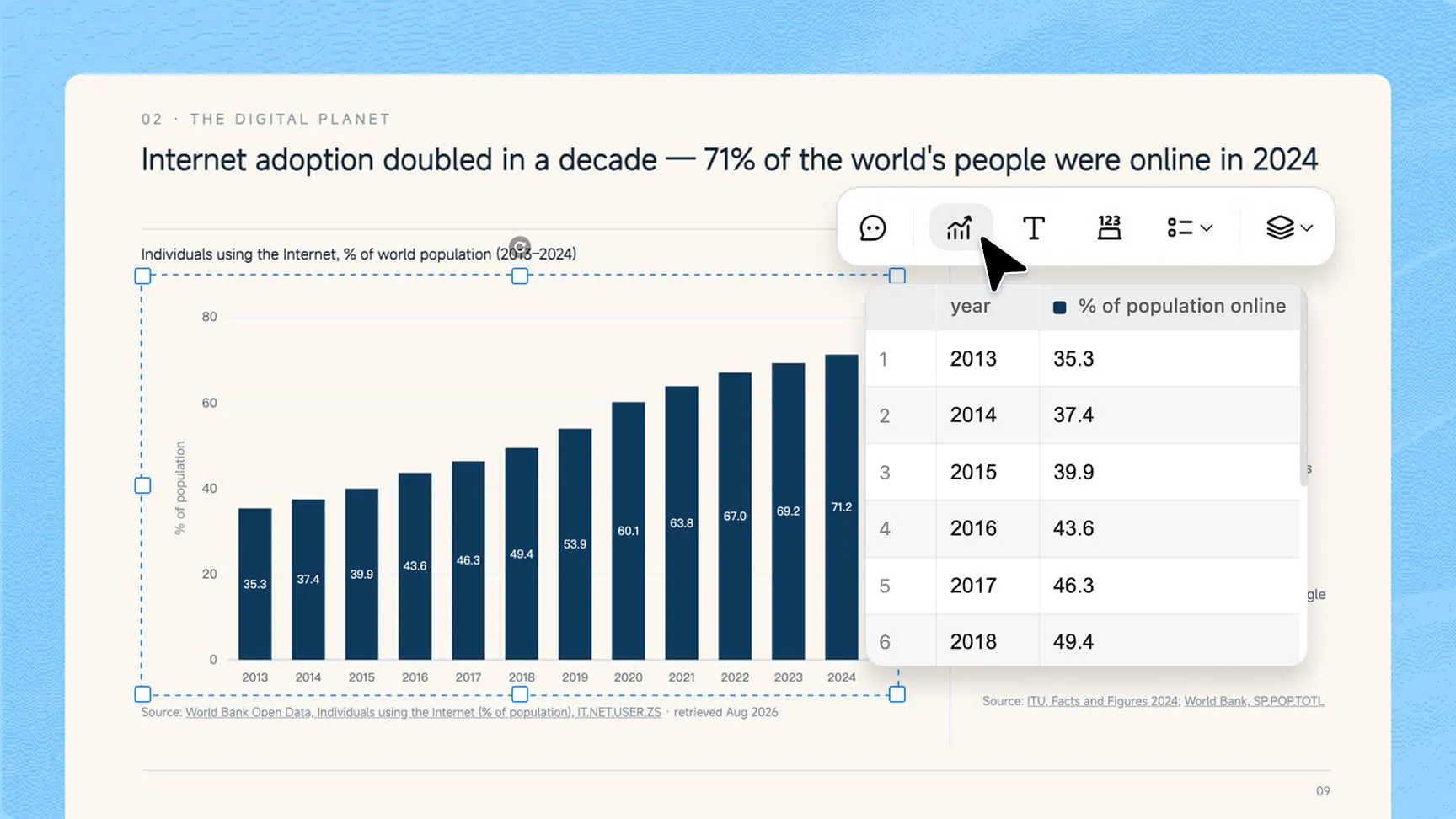
Edit any element with precision

Edit any text, image, chart, shape, or slide order directly, and fine-tune individual elements without affecting the rest of the presentation.

Make broad or precise changes with AI

Continue the conversation with Kimi AI presentation maker what to change in chat or through comments on a specific slide area to rewrite content, update visuals, restyle slides, or refine a precise element.

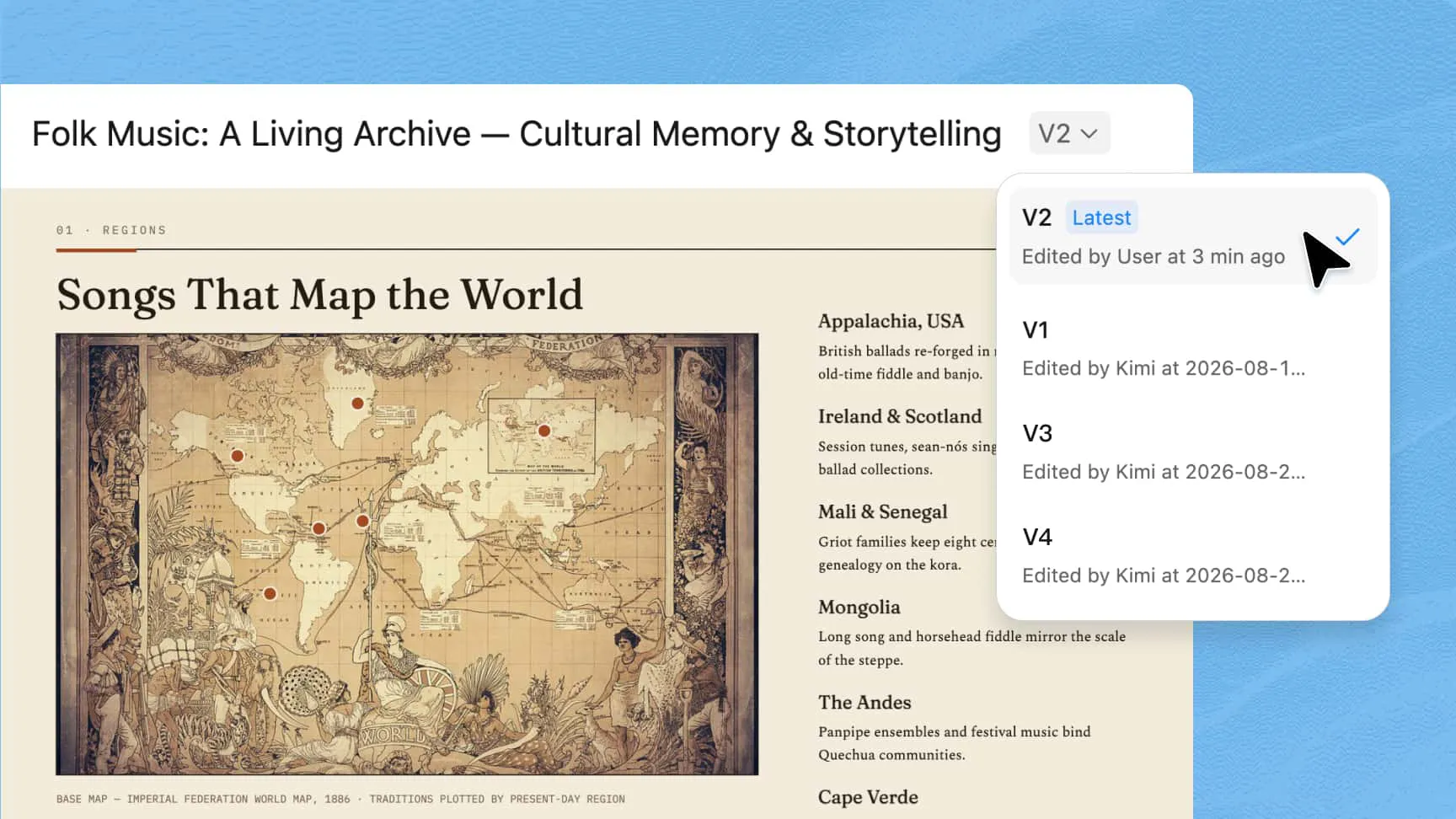
Flexible slides version control

Each edit is automatically saved as a new version, so you can compare changes, restore earlier versions, and explore different directions without losing your work.

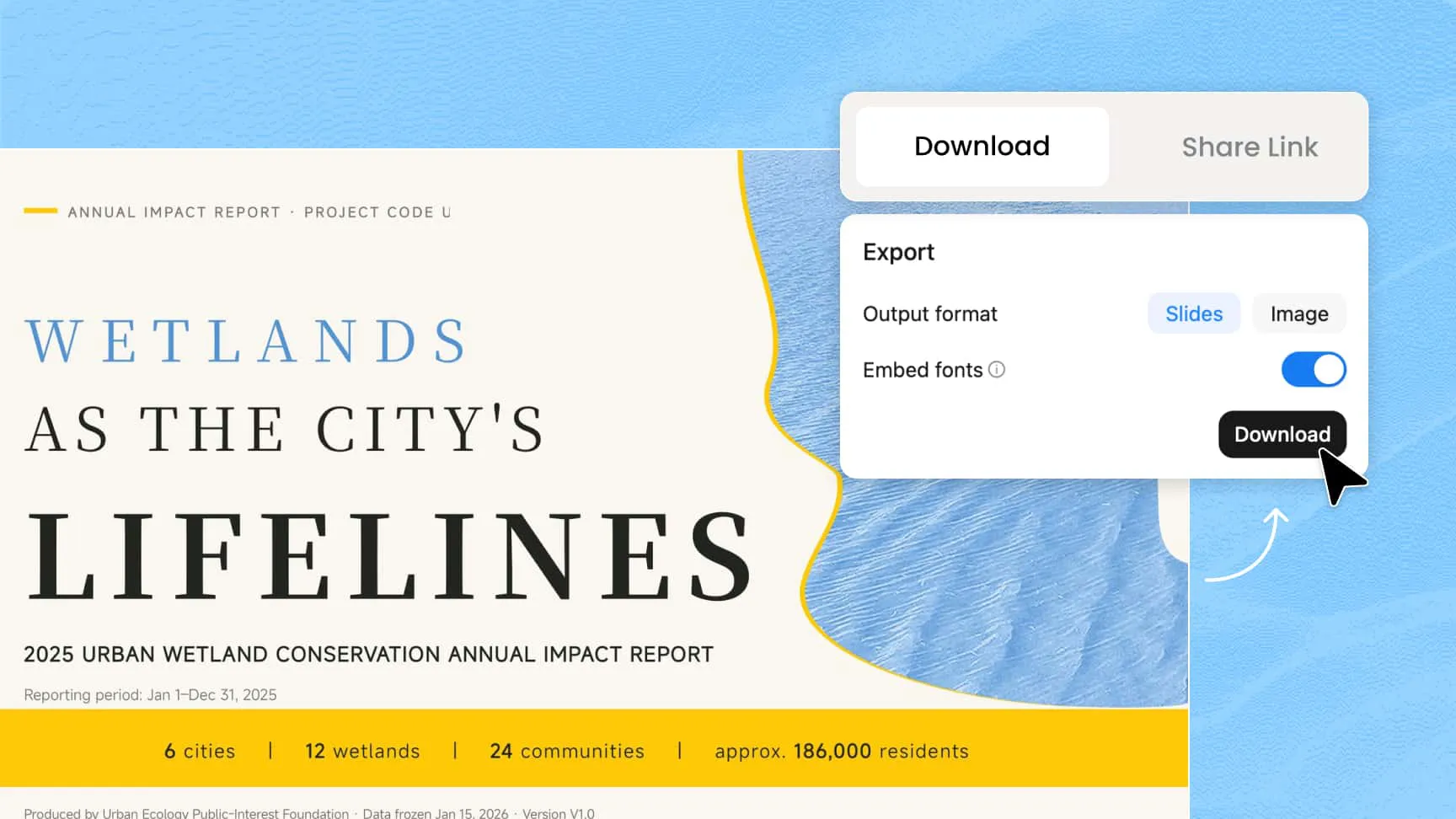
Present or export in preferred format easily

Present directly in Kimi Slides, or export to Google Slides, PowerPoint, or PNG for further editing and sharing.

Kimi Slides AI presentation maker editing text, images, charts, shapes, and slide order

Empower every scenario with our AI presentation generator

Illustration of a pitch deck created with Kimi's AI presentation maker, featuring investor-ready slides with market sizing charts and financial projections

Pitch Decks

Generate investor-ready slides featuring TAM/SAM/SOM market sizing, competitive quadrants, and financial projections to close your next round.

Collage illustration of a business strategy presentation made with Kimi Slides, showing SWOT analysis and strategic roadmap slides for board meetings

Business & Strategy

Convert complex plans into structured SWOT analyses, Porter's Five Forces models, and strategic roadmaps, built for board presentations and high-stakes reviews.

Illustration of an AI-generated work report presentation in Kimi Slides, featuring Gantt charts, KPI progress bars, and task completion breakdowns

Work Reports

Turn monthly updates into visual progress, such as Gantt charts, KPI progress bars, and task completion breakdowns, so your next report takes minutes, not hours.

Collage illustration of a marketing and sales presentation created with Kimi's AI slide generator, showing sales funnels and conversion trend charts

Marketing & Sales

Turn market insights into high-impact sales funnels, conversion trend lines, and side-by-side comparison tables that make your case clearly.

Illustration of an education and training presentation made with Kimi's AI presentation creator, featuring visual mind maps, historical timelines, and infographic slides

Education & Training

Transform lesson plans into visual mind maps, historical timelines, and infographics that make complex concepts easy to grasp.

Collage illustration of an academic research presentation created with Kimi Slides, showing slides with LaTeX formulas, scatter plots, and distribution curves

Academic & Research

Deliver research-grade slides with integrated LaTeX formulas, scatter plots, and distribution curves, ready for academic conferences and journal presentations.

How to create a presentation with AI?

1

Describe & upload

Describe your idea or upload documents, images, or visual styles to begin. Kimi turns your input into polished slides with logical structure and professional design.

2

Edit and refine the generated slides

Fine-tune any elements, or ask Kimi to revise through ongoing conversation or specific comments. Each PPT version created by Kimi will be saved, and you can restore previous versions.

3

Present online or export your slides

During and after editing, you can preview PPT online anytime, or export as Slides, images, or PDF.

FAQ

Unlike tools that only handle design, Kimi Slides covers the full workflow from research and content structuring to layout and formatting. It accepts almost any input, including text, documents, images, or your own PowerPoint template, and turns it into a polished, structured deck. Complex diagrams and charts are rendered as fully editable native components, not static images, so every element stays adjustable after generation. It also gathers research and automatically adds on-slide citations, so your content is not just well-designed but also credible and easy to verify.
No. AI-powered tools like Kimi Slides automatically apply clean layouts and structure, so you can create professional presentations without any design experience.
Start with a clear topic and include context such as your target audience, the purpose of the presentation, and the tone you want, formal for business or conversational for training sessions. That said, Kimi Slides works well with simple inputs too, so you don't need a complex prompt to get structured, high-quality slides.
Yes, Kimi Slides makes it easy to create presentations directly from text. Just describe your idea or paste your content in plain language, and Kimi Slides will organize it into a structured outline and build a complete slide deck with consistent formatting. Whether you are working from rough notes, a detailed report, or a research summary, the result is a clean, professional presentation ready to deliver.
Kimi Slides supports a wide range of input formats, including PDF, Word, Excel, Markdown, images, and PowerPoint templates. Simply upload your file, and Kimi Slides will parse the content and turn it into structured slides while preserving key details. This means you can start with existing materials without manually rewriting or reformatting anything.
Using an AI tool like Kimi Slides makes PDF-to-deck conversion seamless. Simply upload your PDF, and Kimi Slides will parse the content, organize it into a structured slide deck, and keep key details intact throughout. Once generated, you can edit any element directly and export the presentation as a PowerPoint file, ready to use or share.
Yes. Upload an existing PPTX or reference image, and Kimi Slides will analyze its color palette, typography, layouts, and overall visual language to create a custom style inspired by your design. You can then save that style to your collection and apply it to future presentations just as easily as a preset style.
Yes. Slides created with Kimi Slides remains fully editable, from text and images to shapes, charts, and slide order. You can refine elements manually, ask Kimi for changes in natural language, or leave comments directly on a specific slide or element for more precise revisions. Each round of edits is saved as a separate version, so you can review your history, switch between versions, or restore an earlier result at any time.
Once your slides are ready, Kimi Slides offers several export options. You can download your presentation as a PowerPoint file to continue editing in your preferred tool, export it as a Google Slides presentation for easy sharing and collaboration, or save it as a PNG for quick sharing. You can also present it directly online without downloading anything.

One prompt away from a polished deck