Vibe coding was introduced in early 2025 by AI researcher Andrej Karpathy, who previously worked at OpenAI and Tesla. He described it as a new way to create software using advanced language models. The idea caught on after he talked about it publicly and on social media. Developers and startups soon began experimenting with it, and the term quickly gained popularity in tech circles focused on AI programming.
What is vibe coding?
Vibe coding uses AI to help you build software by describing your idea in plain language, rather than writing code yourself. The AI figures out what you want and creates the program for you. It can also test and fix mistakes along the way. This keeps your attention on the main goal and how the software should work, not on the technical details. It makes prototyping faster, though you might have less control over the fine points of the code. Tools that work as an AI app builder can even turn a single prompt into a complete, shareable app.
AI vibe coding vs traditional coding
Traditional coding requires developers to write, test, and debug each line of code themselves. In vibe-based coding, the user explains the task in simple language, and the AI creates the program. Traditional coding needs strong technical knowledge, while vibe coding reduces that requirement. It is faster for quick prototypes, but traditional coding provides more control and reliability.
Practical examples of vibe coding
The best way to understand vibe coding is by looking at real projects people have made. Even those without much programming experience are building useful tools for daily tasks. Here are some examples:
1. Sales dashboard
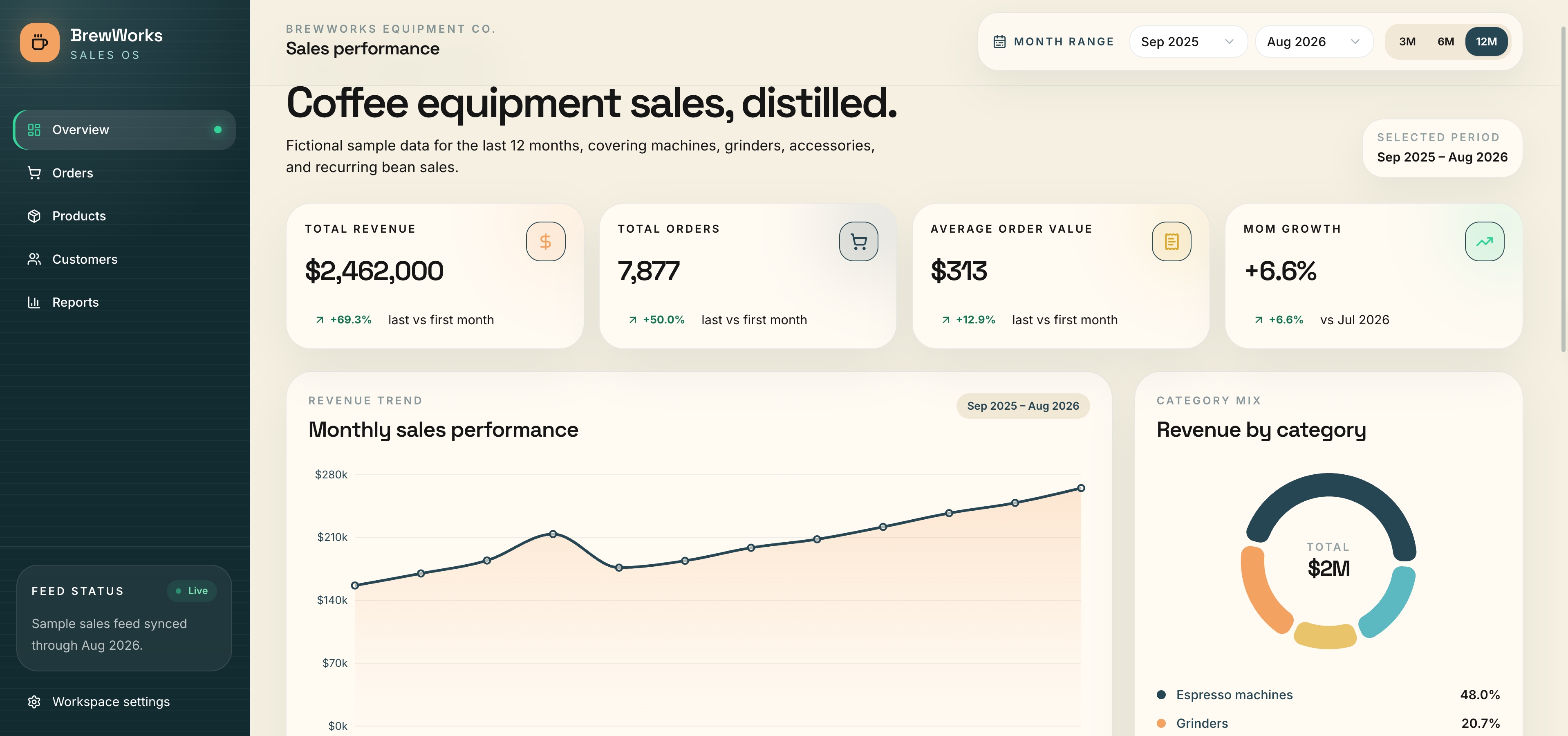
An operations analyst with no coding background built a sales dashboard for her weekly reports. The app turns twelve months of sample sales data into KPI cards, a revenue trend chart, a category breakdown, and a best-sellers list, all filterable by month range. Numbers that used to take an afternoon to compile now update with one click. This shows how vibe coding can handle everyday data work, not just websites.
The prompt that built it:
2. Portfolio website
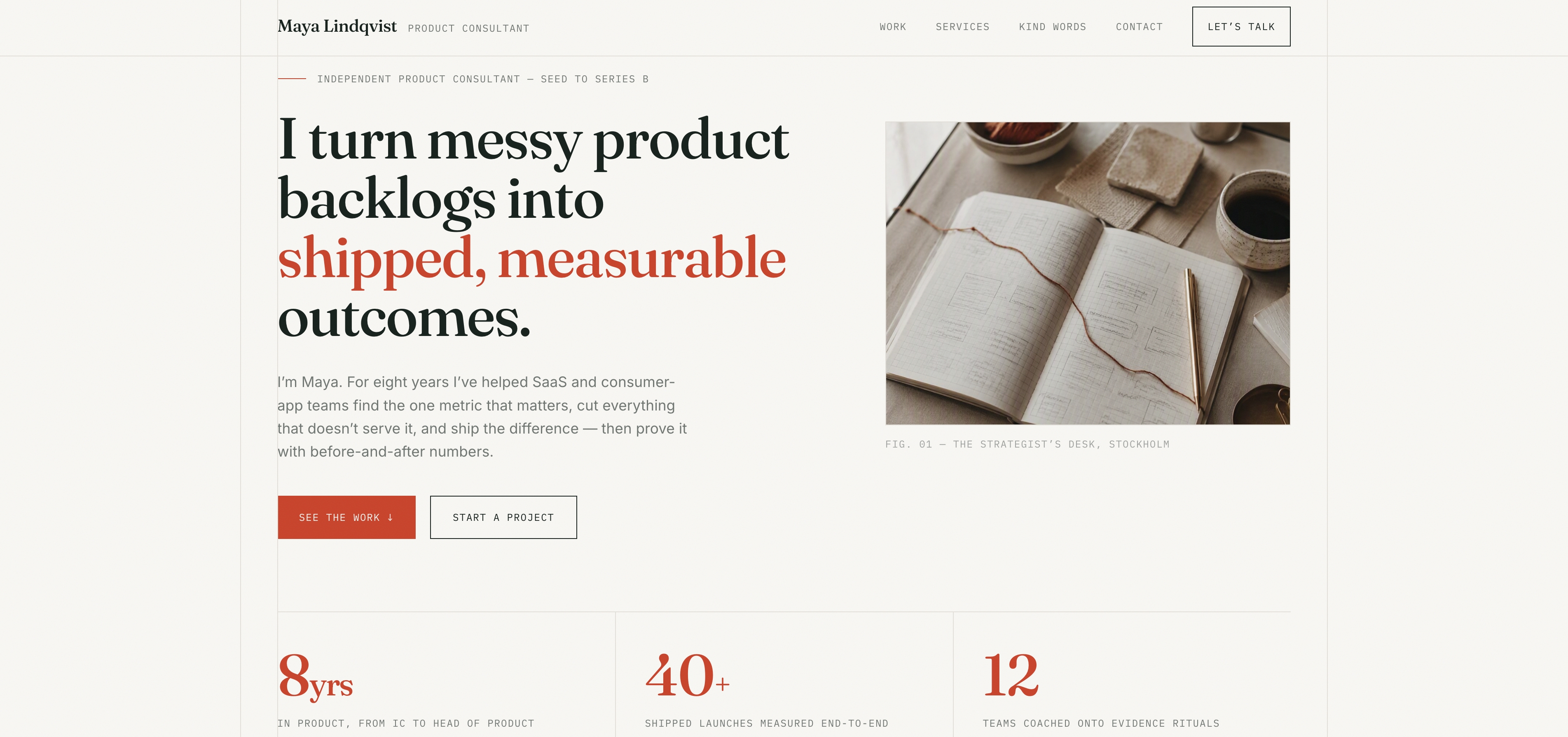
A product manager built a personal case-study website without writing any code. Instead of a plain resume page, every project leads with its measurable outcome, visitors can filter case studies by industry, and the site walks them through services, testimonials, and a contact form that promises a reply within 24 hours. The project proves that even non-developers can quickly create a credible online presence that is built to win clients.
The prompt that built it:
3. Minesweeper, redesigned
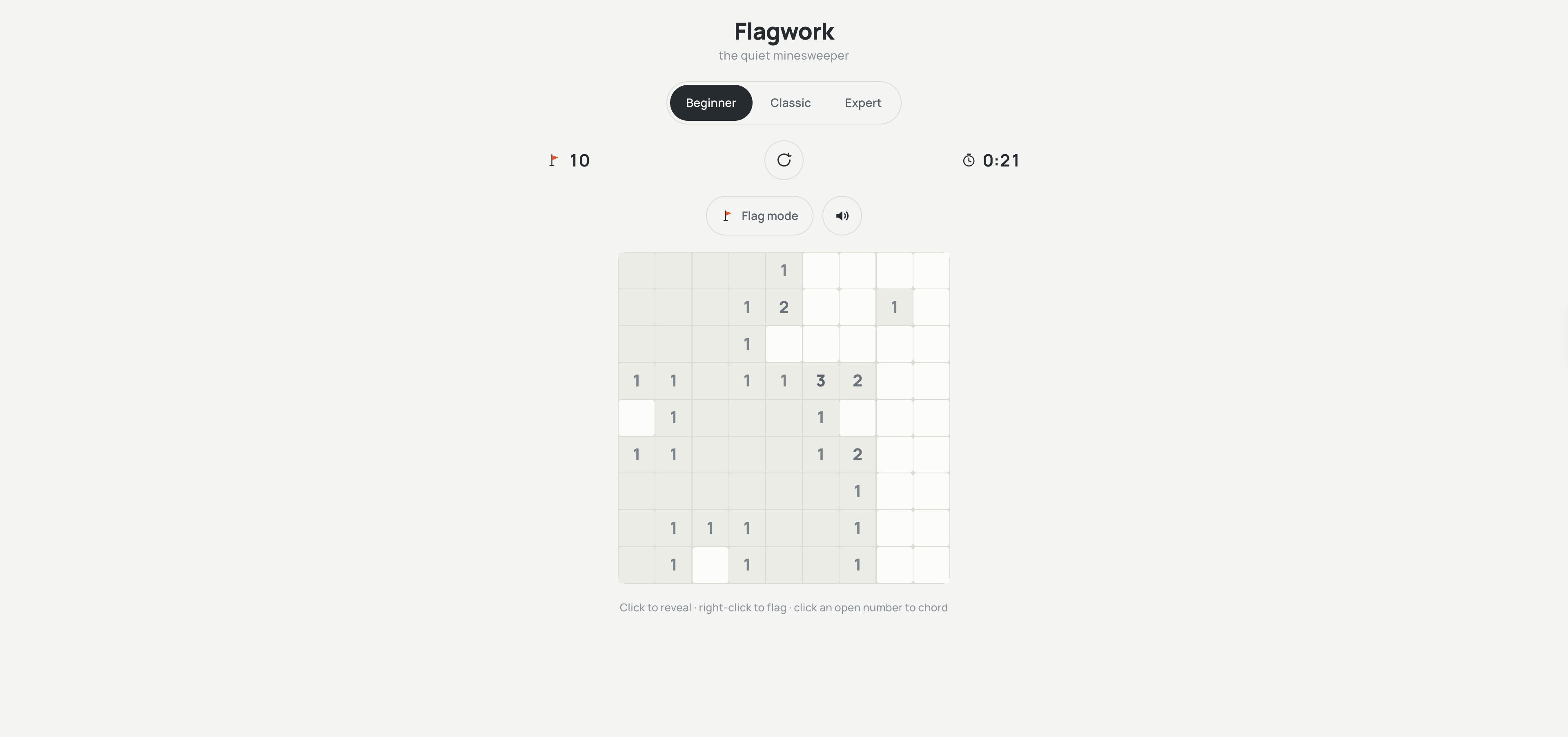
A product designer rebuilt the classic mine puzzle he grew up with, giving it a calmer, modern look. The board plays exactly the way you remember — reveal tiles, flag mines, clear the field — but the rainbow numbers are replaced by a single-color depth scale, and a hidden zen mode removes the timer entirely. Three difficulties run smoothly on both phone and desktop. This project shows how vibe coding can give a familiar game a fresh, polished feel.
The prompt that built it:
4. Crypto profit simulator
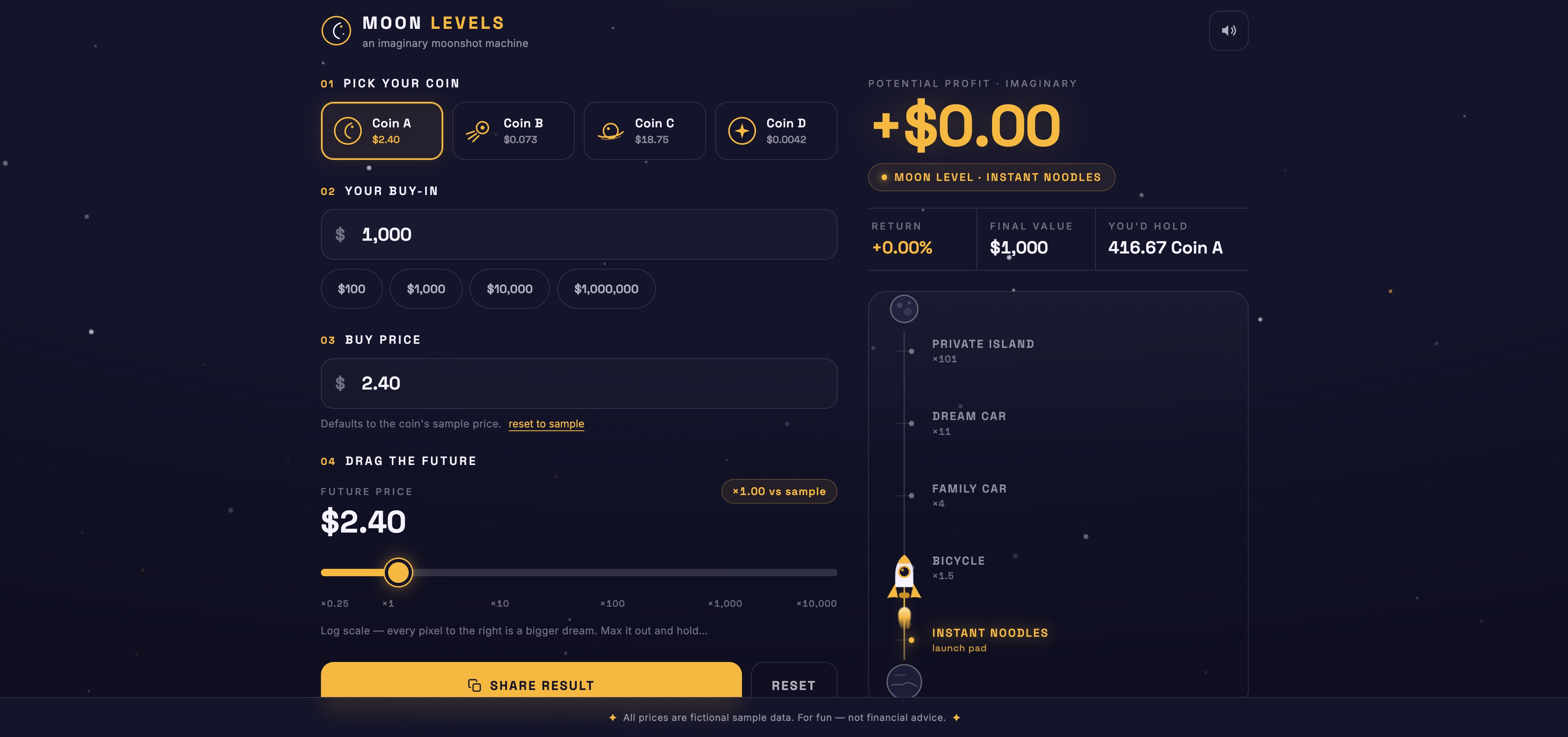
A growth marketer made a fun web app for crypto-curious friends. Users pick a fictional coin, enter an imaginary investment, and drag a slider to see how much they might make if the price climbs — while a rocket gauge rises from "Instant Noodles" all the way to "Private Island". All prices are sample data, so it is a what-if toy, not financial advice. This project shows how vibe coding can turn simple ideas into interactive apps.
The prompt that built it:
5. Plywood cutting planner
An educational technologist built a handy web tool to help with carpentry planning. You enter the size of your plywood sheet and the pieces you need, and the app draws a to-scale cutting layout — down to the 3mm saw kerf — plus a waste report and a ready-to-use cut list. This saves time measuring by hand and helps reduce wasted material. The project is a good example of how simple instructions can become a genuinely useful tool.
The prompt that built it:
How to vibe code with Kimi Build?
Kimi Build is an AI website maker that helps you turn an idea into a working, shareable web app in minutes. In many cases, a single prompt is all it takes. It's built for fast prototyping, AI-driven design, and generative AI applications. Just follow the steps below to get started quickly:
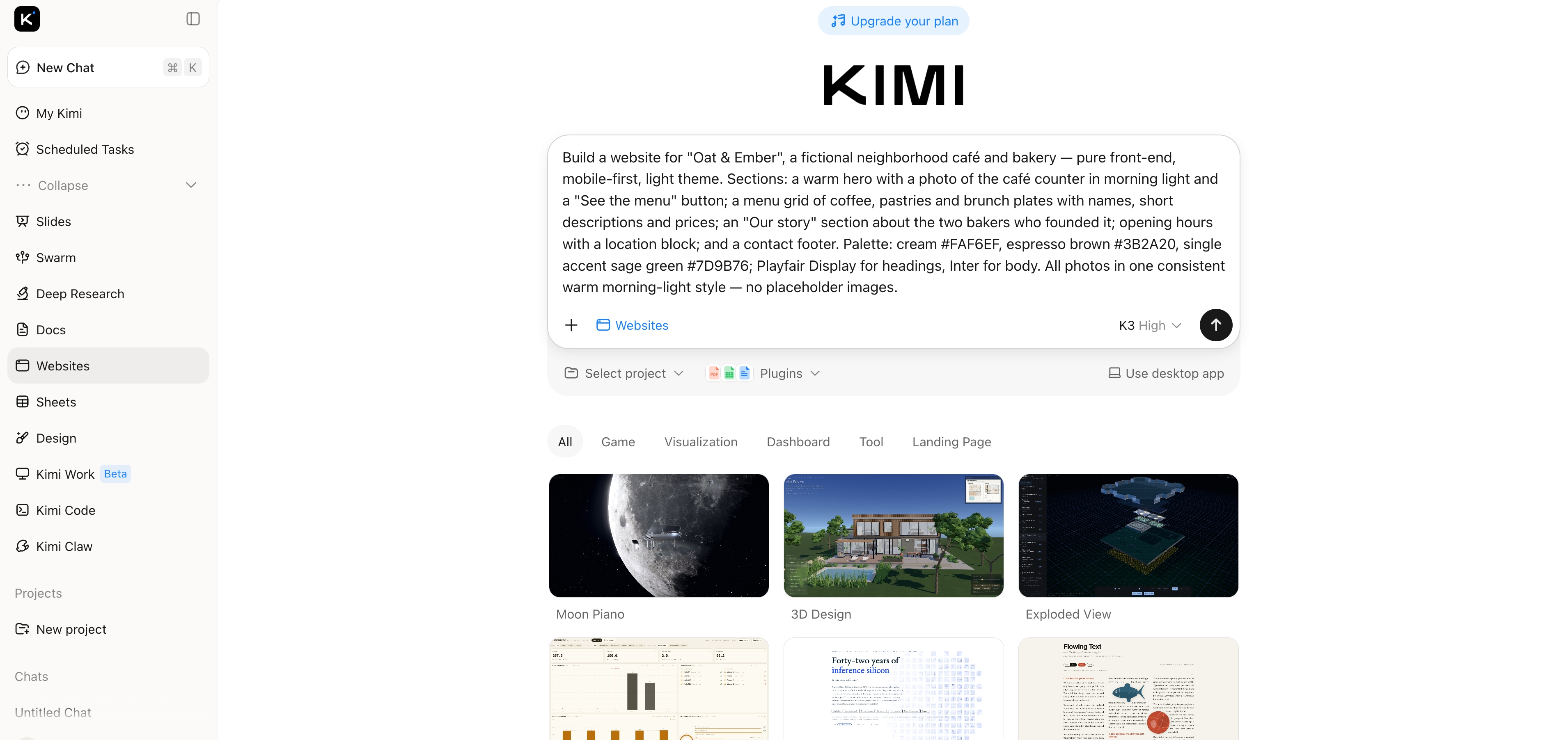
Step 1: Send a prompt and generate
Write your idea in clear, simple language. Describe layout, sections, style, features, and target users. Submit and let AI generate a ready visual draft instantly.
Example prompt:
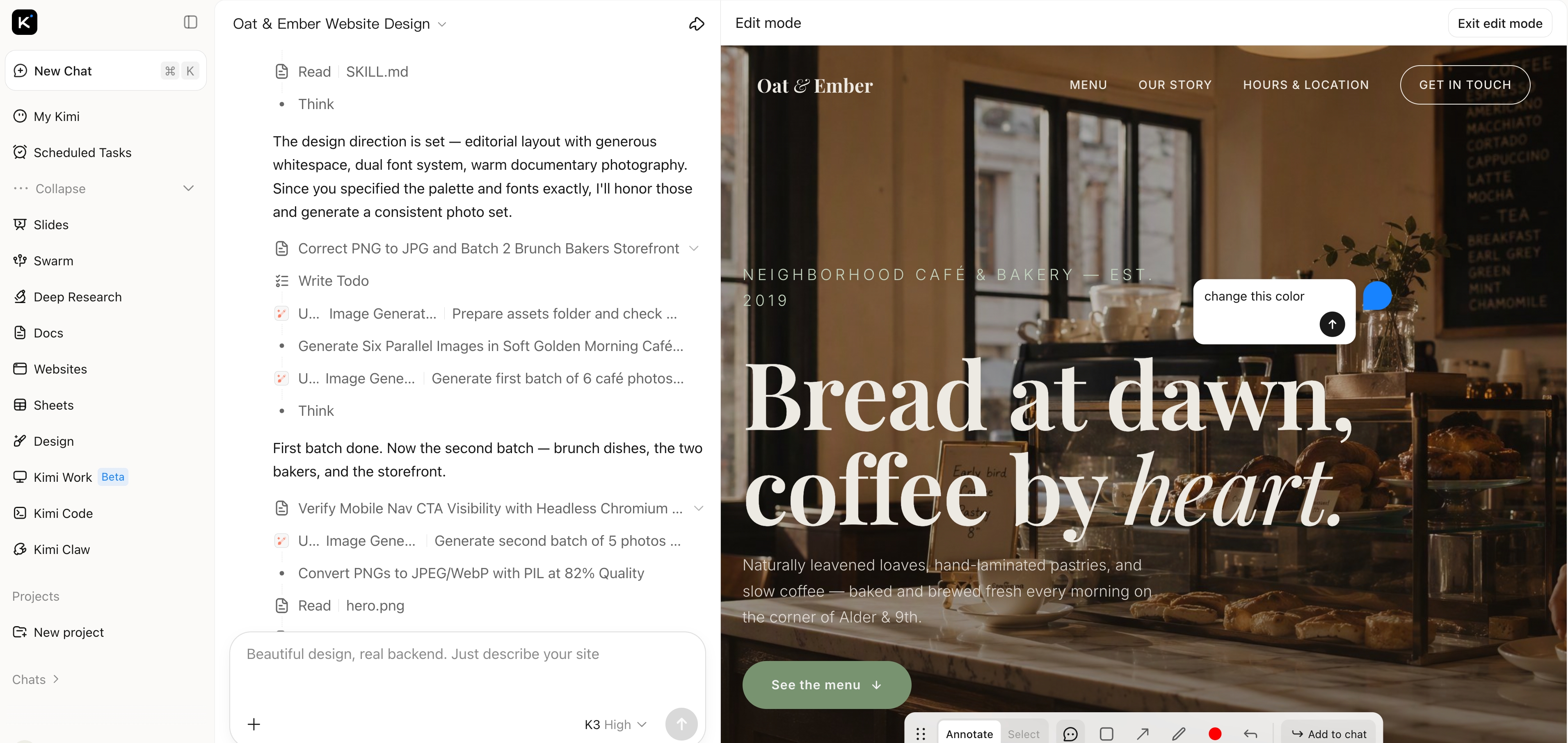
Step 2: Visual editing and conversation editing
Edit directly on the page layout. Adjust text, sections, spacing, images, or colours visually. Use chat to refine structure, rewrite content, add features, or improve design.
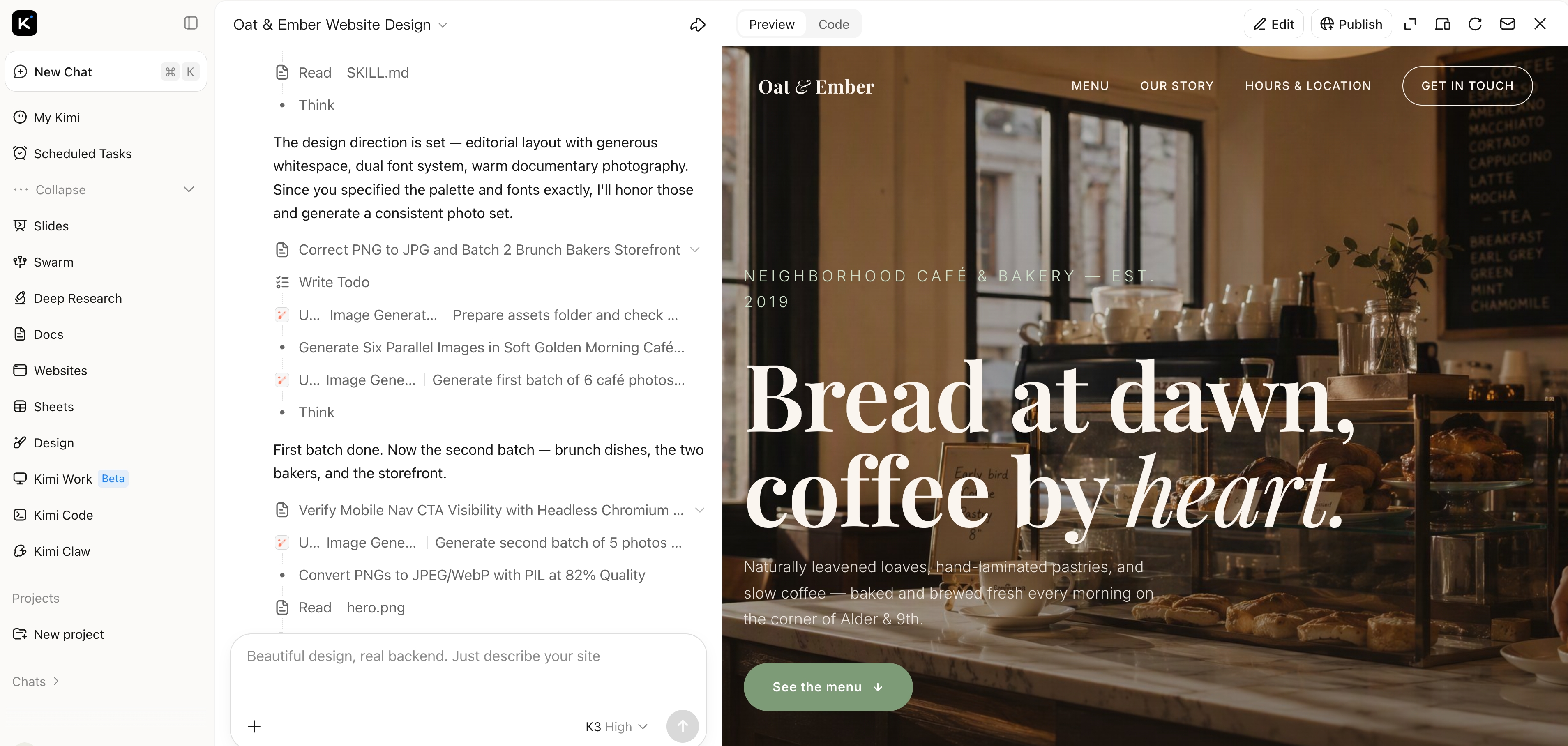
Step 3: Publish and share
Once satisfied, publish the website instantly. Share the live link with others, use it as a prototype, or continue refining anytime.
How to use Kimi Code for vibe coding?
Kimi Code is an AI agent designed for developers who want a terminal-first vibe coding experience. You can describe tasks in plain language, browse projects, and automate workflows directly from your terminal. Whether you're fixing bugs, adding features, or writing new code, it makes development much easier. Just follow these steps to get started quickly:
Step 1: Install and set up Kimi Code CLI
Run the installation script for your system (Linux/macOS or Windows) to install Kimi Code CLI along with uv, the Python package manager.
Linux/macOS (recommended):
Windows (PowerShell):
Alternative via uv:
After installation, verify it using the following command and ensure Python 3.12–3.14 is installed, with 3.13 recommended for best performance.
Step 2: Configure your API and project
Navigate to your project folder and run kimi to start Kimi Code CLI:
Use the /login command to select Kimi Code as your API source, complete OAuth authorisation, and save the settings. If your project lacks an AGENTS.md file, run /init to help Kimi understand the project structure.
Step 3: Interact and execute tasks
You can now chat with Kimi Code CLI in natural language or switch to shell mode to run commands directly. Use it to explore codebases, automate tasks, generate or modify code, and view the project structure. Use /help to see all commands and optimize your workflow.
How does vibe coding work?
Understanding the structure behind this approach helps clarify how it turns ideas into working software. Here's its complete overview:
Vibe coding workflow
It has a simple workflow. First, describe your problem or task in plain language. The AI then creates the first version of the solution automatically. You review, fix, and test it. Repeat this process until you're happy with the final results. Finally, check and tidy up the code carefully. This way, everything works well, even if you're not an experienced coder.
Vibe coding framework
To make vibe coding work, a structured framework is essential. The vibe coding framework is built on three core pillars: a natural language interface, an LLM-driven engine, and an automated testing loop. Unlike traditional programming, this framework treats the LLM as the primary executor while the developer acts as a high-level conductor. The developer sends clear instructions to the LLM, which then generates code and automatically tests the results. This seamless feedback loop is exactly what makes vibe coding work.
Is vibe coding good or bad?
Here's a look at the pros and cons of vibe coding to help you decide when it's useful:
Pros of vibe coding
Saves time: Many developers report saving 1–2 hours per week by using it. The AI handles repetitive coding tasks, letting you focus on bigger-picture work.
Faster prototyping: In a fraction of the time, you can transform concepts into functional prototypes. Vibe coding makes it considerably easier for teams to test new features or concepts quickly.
Low barrier for beginners: Functional tools may be made by anyone, even without much coding knowledge. It makes software development easier by eliminating the need to learn intricate grammar.
Encourages experimentation: Developers can try multiple approaches without worrying about mistakes. The AI generates and adapts code quickly, allowing freer exploration of ideas and solutions.
Focus on high-level design: Since AI handles the details, you can concentrate on architecture, UX, and overall design. Vibe-based coding shifts attention from small syntax issues to strategic planning.
Boosts creativity: By reducing technical friction, developers can innovate faster. It creates an environment where trying new concepts and iterating on ideas becomes easier and dynamic.
Cons of vibe coding
Less control over code: You may not know exactly how the AI wrote the code. This can make debugging or modifying complex sections harder in coding projects.
Potential for errors: AI-generated code isn't always perfect. Mistakes or inefficient solutions can slip through, requiring careful review before deployment.
Overreliance on AI: Relying too much on it may reduce hands-on coding skills. Beginners might miss out on learning important programming fundamentals.
Limited optimization: AI focuses on functionality rather than efficiency. AI vibe coding might produce working code that isn't the most performant, which can matter in large-scale projects.
Security risks: Automatically generated code can introduce vulnerabilities. Developers need to check AI outputs to ensure safety and compliance with it.
Not ideal for complex systems: Highly complex or specialized projects often need manual precision. Vibe coding works best for prototypes or exploratory development rather than full-scale systems.
Vibe coding risks and security issues
One key concern with vibe coding is that automatically generated code can unintentionally include security vulnerabilities. The AI may produce insecure practices like weak authentication, exposed API keys, or unsafe data handling. Users might overlook these risks if they rely too heavily on AI without reviewing the output. Sensitive information could be accidentally embedded in the code, leading to potential data leaks. Regular security checks and careful auditing are essential to prevent such issues.
Common problems with vibe coding
Quality depends on prompts: The AI only produces what it's told. Vague or unclear instructions can lead to fragile or incorrect code, so precise and structured prompts are crucial for reliable results.
Security risks: Automatically generated code may include vulnerabilities like weak authentication, unsafe data handling, or exposed keys. Users must carefully review outputs to avoid potential breaches.
Lack of reasoning traceability: It doesn't explain why it chose a particular approach or library. This makes debugging and understanding the logic behind code harder compared to human-written code.
Performance limitations: The generated code might work, but it isn't always optimized. This can result in slower execution, higher resource use, or problems scaling for larger applications.
Need for human review: Even with perfect prompts, developers still need to test, refine, and validate the AI output. Skipping this step can lead to logical errors or misaligned project goals.
Risk of over-reliance: Relying too heavily on AI can reduce hands-on engineering judgment. Teams may unintentionally introduce bugs, security flaws, or technical debt that's difficult to fix later.
Vibe Coding vs Vibe Debugging
Relying too heavily on AI can reduce hands-on engineering judgment. Teams may unintentionally introduce bugs, security flaws, or technical debt that becomes difficult to fix later. For that reason, AI-assisted development should not replace critical thinking, it should complement it. This is where the difference between vibe coding and vibe debugging becomes especially important.
Vibe coding is best for prototyping, small tools, or when you want to quickly test a concept. Vibe debugging, on the other hand, focuses on finding and fixing problems in existing AI-generated or human-written code. It helps improve reliability, security, and performance. While coding prioritizes speed and creativity, debugging emphasises accuracy and correctness. Use coding when building or experimenting, and debugging when refining, optimising, or securing your project.
Is vibe coding the future?
In the future, we can expect it to become big in software development. It accelerates coding, democratizes programming to new users and supports exploration. Developers can now spend more time on design and strategy rather than boring parts. As AI gets better, the generated code will get better and more complex. More likely, though, it will help inside existing skills rather than replace them and be a useful tool for prototyping and efficient development.
Conclusion
Vibe coding offers a faster, more creative way to build software, helping both beginners and experienced developers turn ideas into working tools with minimal friction. It saves time, encourages experimentation, and allows you to focus on design, strategy, and innovation rather than repetitive coding. Anyone looking to prototype quickly, automate small tasks, or explore new project ideas can benefit from using it. For those ready to experience this efficiency first, Kimi stands out as a powerful, flexible, and beginner-friendly option. Start vibe coding with Kimi today and turn your ideas into working products faster.