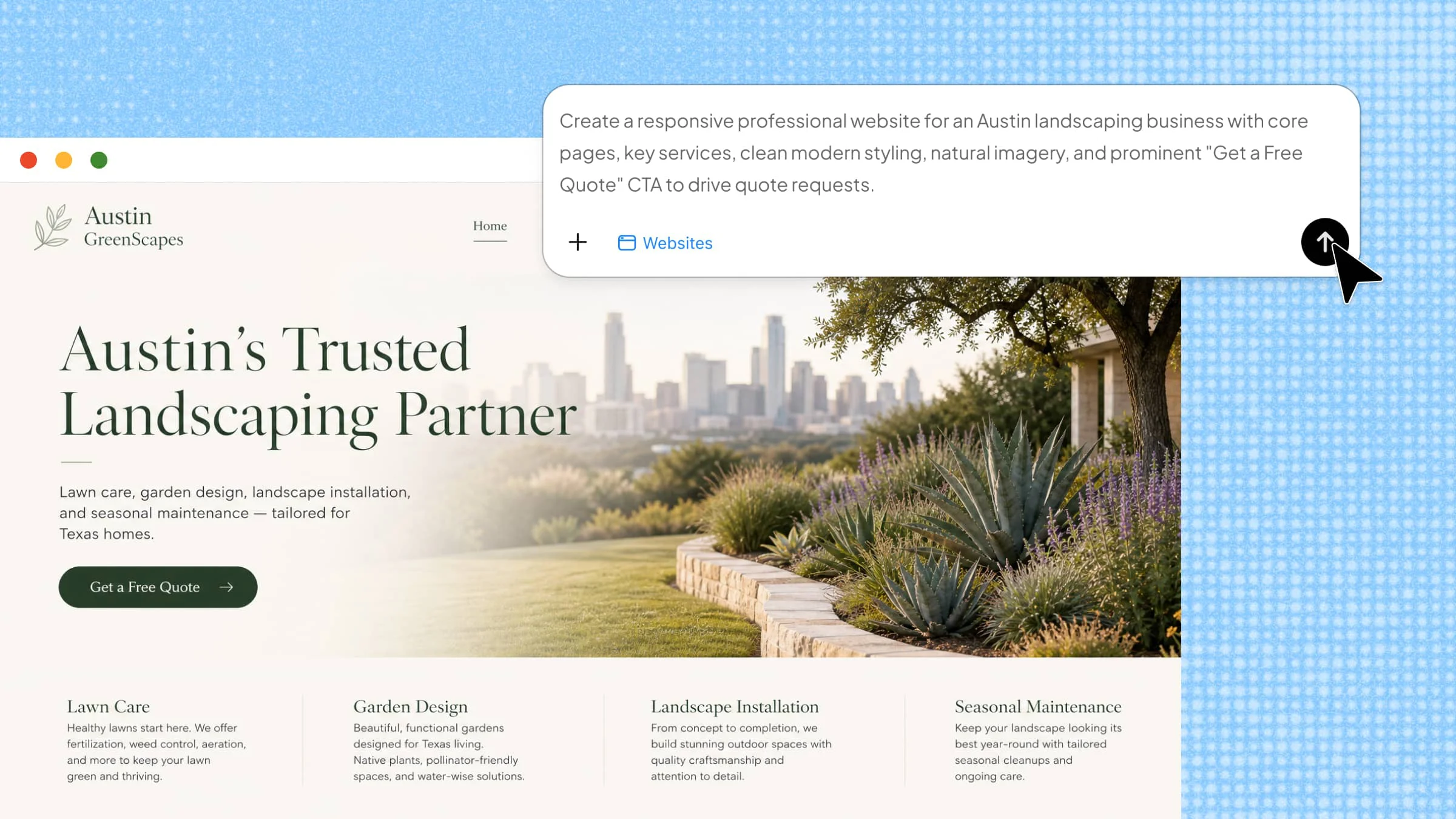
Choosing the right visual coding software can be challenging when tools vary in their control, project support, and development options. A poor choice can create problems when your project needs more advanced features or room to grow. This guide compares six useful platforms and shows how Kimi Websites can further simplify development, helping you choose an approach that fits your project.
Overview of 6 user-friendly visual coding software
Each platform takes a different approach to visual development, from no-code web apps to enterprise software and internal tools. The table below highlights six popular options, covering their development approaches, key features, customization options, and typical use cases.
| Software | Development approach | Key features | Code / customization | Suitable for |
|---|---|---|---|---|
| OutSystems | Low-code visual development | Visual app building, database & API connectivity, reusable components, testing & deployment | High control with low-code development | Enterprise apps, complex digital projects, scalable web & mobile apps |
| Bubble | No-code visual development | Visual editor, built-in database, workflows, API integration | Visual customization with plugins and integrations | Web apps, SaaS products, marketplaces, startup ideas |
| Mendix | Low-code visual modeling | App modeling, workflow automation, data integration, multi-cloud deployment | Flexible customization with low-code | Enterprise apps, complex business processes, system integration |
| Retool | Low-code internal app development | Visual builder, data connections, workflows, roles & permissions | JavaScript available for advanced customization | Internal tools, dashboards, admin & support systems |
| FlutterFlow | Visual app development based on Flutter | Responsive design, animations, custom code, external data connections | Strong customization with custom code and code export | Mobile apps, responsive web apps, interactive interfaces |
| Appsmith | Open-source low-code development | Visual UI builder, database & API connections, JavaScript, self-hosting | High control with JavaScript, self-hosting, and source control | Internal tools, dashboards, admin panels |
6 visual coding software options worth exploring
Choosing a visual coding software depends on what happens after the initial drag-and-drop work. Some tools let you connect databases and APIs, others generate production-ready mobile interfaces, while enterprise platforms add workflow management and application governance. The six options below represent these different development paths, so you can compare them according to the software you want to create and the level of control you need.
OutSystems
OutSystems is designed for creating business applications where speed and reliability both matter. Its visual environment lets developers model data, map processes, connect APIs, and build user interfaces within the same project. This makes it useful for turning detailed business requirements into working web and mobile applications with less hand-written code.
Main features
Visual app development environment
Database and API connectivity
Reusable application components
Integrated testing and deployment
Suitable for
Enterprise application development
Large business teams
Complex digital projects
Professional developers
Scalable web and mobile apps
| Component | Image |
|---|---|
Bubble
Bubble is a no-code platform for developing web applications through a visual editor rather than traditional programming. It combines page design with database structures, user actions, and workflow logic, which allow creators to build features such as accounts, forms, payments, and dynamic content. It is particularly useful for marketplaces, SaaS products, dashboards, and other web apps that require custom functionality.
Main features
No-code visual development
Built-in database management
Custom workflow automation
API integration
Suitable for
Building startup ideas
Creating web apps
Making online stores and marketplaces
Developing business tools without coding
| Component | Image |
|---|---|
Mendix
Mendix is visual coding software that helps organizations create business software with visual models rather than relying entirely on handwritten code. It brings together application logic, data structures, process flows, and user interfaces, while supporting connections to tools already used by a company. This makes it useful for projects that involve several departments, changing requirements, and large amounts of business data.
Main features
Visual app modeling
Workflow automation
System and data integration
Multi-cloud deployment
Suitable for
Large business applications
Enterprise development teams
Complex business processes
Projects that need system integration
| Component | Image |
|---|---|
Retool
Retool is designed for building internal applications that connect directly with the systems a business already uses. It supports SQL databases, REST or GraphQL APIs, SaaS services, and other data sources, while JavaScript can extend the app when built-in options are not enough. Teams can use it to create admin panels, approval tools, support systems, inventory apps, and data-heavy workflows.
Main features
Visual screen builder
Flexible data connections
Action-based workflows
User roles and permissions
Suitable for
Internal business applications
Data management tools
Team dashboards
Admin and support systems
| Component | Image |
|---|---|
FlutterFlow
FlutterFlow is a visual development platform built around Flutter for creating mobile and web applications. Its visual workspace supports responsive layouts, animations, live data, custom Dart functions, and other features for building interactive app experiences. It also allows developers to extend their projects with custom code and export Flutter code for further development outside the platform.
Main features
Flutter app creation
Responsive screen design
Custom code options
Connections with external data services
Suitable for
Mobile app development
Web apps with responsive layouts
Interactive interface design
Projects that need editable source code
| Component | Image |
|---|---|
Appsmith
Appsmith is an open-source platform for creating internal tools that work with business data and services. It provides ready-made interface elements for building dashboards, admin panels, forms, and management screens, while JavaScript can handle more specific tasks. Teams can also host it on their own infrastructure when they need greater control over application data and access.
Main features
Visual interface builder
Database and API connections
JavaScript for added flexibility
Self-hosting and source control
Suitable for
Internal business tools
Data-focused dashboards
Admin and management panels
Teams needing more control over hosting
| Component | Image |
|---|---|
Visual coding software gives you control over how an application works, but AI website builders take a more automated route. They use prompts to generate website structure, content, and design, which makes the next step easier for users who want faster results.
Moving beyond visual coding with AI website creation
AI website builders take a more automated approach than visual coding. Instead of building a website piece by piece, you can describe what you want and let AI generate the initial structure, layout, content, and page elements for you. Tools such as Kimi Websites make it easier to turn an idea into a working website, then refine the result through AI instructions without manually rebuilding each part.
Main features
Create refined, distinctive designs with AI
Kimi Websites creates polished web experiences with refined aesthetics and engaging front-end interactions. It can recreate designs from screenshots or videos with high fidelity, while MusePool brings in real design references to help avoid generic, repetitive AI-generated styles.
Build full-stack websites, not just pages
Create connected multi-page websites with navigation, rich content, and functional features. Kimi Websites supports full-stack development, giving you more flexibility to build complete web experiences around your needs.
Edit with instructions instead of blocks
Natural-language editing makes website updates easier without manually rearranging individual components. Content, sections, layouts, and specific elements can be refined through conversational requests.
Go from generated site to published website
Kimi Websites supports responsive previews, final adjustments, and website publishing within the same workflow. The finished site can be shared through a link, while its source code remains available for further customization.
| Component | Image |
|---|---|
How to create your website with AI
AI can handle much of the website-building process, from turning an idea into a page structure to refining the final design. Follow the steps below to create your website with Kimi.
Step 1: Enter a clear prompt
Open Kimi Websites and describe the website you want, including its purpose, target audience, preferred style, key pages, and required sections. The more specific your prompt is, the closer the first version will be to your needs.
Create a modern business website for a digital design agency offering web design, branding, and AI-powered creative services. Use a clean, professional layout with simple navigation, clear headings, strong visuals, and a responsive design. Include Home, About, Services, Portfolio, Testimonials, and Contact pages with concise content. Add clear CTAs, a contact form, and social media links. Keep the design modern, easy to navigate, and consistent across all pages.| Component | Image |
|---|---|
Step 2: Let Kimi process and generate results
Kimi Websites converts your prompt into a structured website with page layouts, navigation, content, and interactive elements. Review the generated version to ensure it reflects your requirements.
| Component | Image |
|---|---|
Step 3: Review and export
Check the website's content, layout, and appearance across different screen sizes. Request any necessary changes, then publish the completed site or export its source code for further customization.
| Component | Image |
|---|---|
Conclusion
Visual coding software can reduce development time while giving you a clear way to build and manage digital projects. The six platforms covered here differ in their strengths, so the best choice depends on your project type, technical needs, and future plans. For a more AI-driven approach, Kimi Websites can help turn ideas and requirements into structured digital experiences with less hands-on work. By matching the tool to your goals, you can build more efficiently and avoid unnecessary complexity.