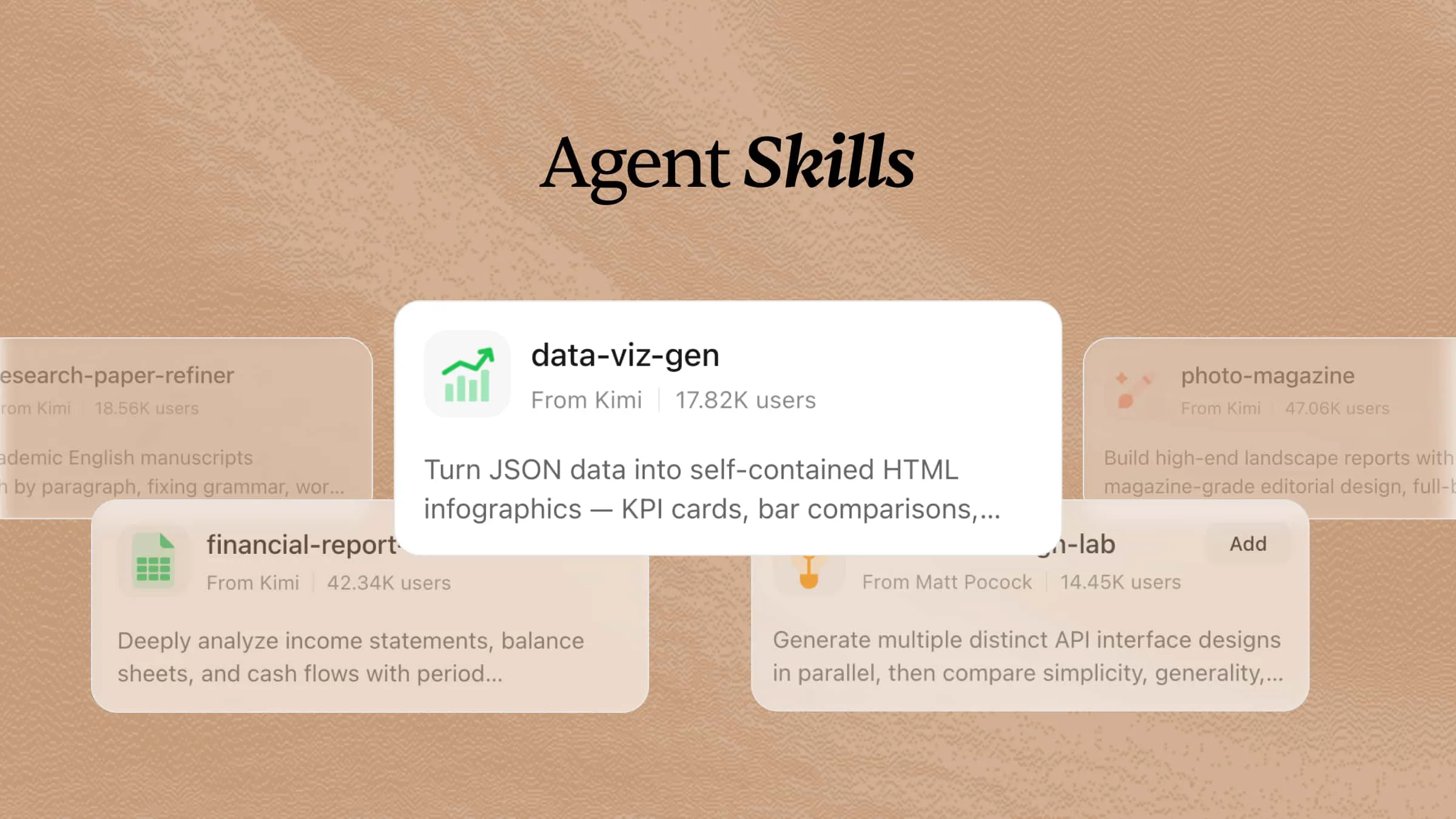
Agent skills are reusable packages of instructions and optional scripts, references, and templates that guide an AI agent through a specific task. In the open Agent Skills format, each package is a folder built around a SKILL.md file. Compatible agents can discover skills and load their instructions when relevant, rather than keeping every procedure in the conversation at once. This guide explains the format, shows practical examples, and walks you through creating and testing your first skill.
What are agent skills?
Agent Skills is a lightweight, open format for packaging specialized knowledge and workflows. A skill contains a SKILL.md file with YAML frontmatter describing its name and purpose, followed by Markdown instructions. Supporting files can include scripts, reference documents, and templates.
The term “AI skills” can refer to several things, including people’s ability to use AI. In this guide, agent skills and AI agent skills refer specifically to reusable SKILL.md packages for compatible agents.
For example, a meeting-summary skill can define the sections of a team’s minutes, how to record decisions, and how to flag missing owners or deadlines. You save those rules once and reuse them with new meeting notes. The skill guides the agent’s work; it does not retrain the underlying model.
The open specification requires name and description in the frontmatter. The name must be 1–64 characters, use lowercase letters, digits, and hyphens, and match the directory name; it cannot begin or end with a hyphen or contain consecutive hyphens. The description must be 1–1,024 characters and explain both the task and when to use the skill.
How do agent skills work?
The format is designed for progressive disclosure: agents receive enough information to select a skill before loading its full instructions.
Discovery. The agent receives the available skills’ names and descriptions. This metadata still uses context, but the full procedures are not all loaded upfront.
Activation. When the agent selects a relevant skill, it reads SKILL.md. Some tools also let you invoke a skill by name or disable automatic selection.
Execution. The agent follows the procedure and reads supporting references or runs scripts when needed and permitted.
This reduces the context used by inactive procedures. Actual context use depends on the number and length of descriptions, the active skills, and any resources loaded. Clear descriptions help selection, but activation and output quality still need testing.
Agent skills vs. prompts, MCP, and tools
The AI tooling vocabulary is crowded, and "skill" sits next to several concepts that look similar. Here is how they differ:
| Capability | What it is | When it is active | Best for |
|---|---|---|---|
| Prompt | Instructions supplied in a conversation; can also be saved | While retained in the conversation context | One-off instructions |
| Always-on instructions (such as AGENTS.md, QWEN.md) | Project facts and constraints | According to the agent’s project scope and loading rules | Project-wide rules |
| Agent skill | Versioned folder of instructions and resources | Loaded on demand when relevant | Repeatable workflows and procedures |
| MCP server / tool | A running integration exposing actions and data | When configured, connected, and permitted | Taking action, accessing live data |
| Subagent | A separate worker with its own context window | When spawned | Isolated or parallel work |
Skills vs. prompts. A prompt gives instructions in a conversation; a skill stores a reusable procedure and supporting resources for discovery or explicit invocation. Prompts can also be saved and reused. A skill becomes useful when a repeated task needs a maintained workflow, examples, references, or scripts.
Skills vs. MCP. MCP provides an agent with capabilities, that is, connections to live tools and data. A skill provides an agent with knowledge: how to perform a task well, in what sequence, and with which verification steps. The two are complementary. A code-review skill defines what constitutes a thorough review, while a GitHub MCP server enables the agent to read the actual pull request.
Skills vs. project instructions. Files such as AGENTS.md provide project guidance under the agent’s loading and scope rules. Keep broadly applicable conventions there, and use skills for task-specific procedures that should load when relevant. The exact behavior depends on the tool.
Why agent skills matter
Reusable expertise: capture task-specific methods, checklists, and templates so you do not have to explain them each time.
More consistent procedures: give agents the same steps and review criteria across repeated tasks. Results still require verification.
Context efficiency: load detailed instructions when needed instead of putting every procedure in always-loaded guidance.
Cross-tool reuse: share the core SKILL.md format across compatible agents, checking tool access, dependencies, and platform-specific fields before use.
Team maintenance: keep skill folders in version control so changes to a shared workflow can be reviewed.
Which AI tools support agent skills?
Agent skills are supported by a growing range of AI tools, including Claude Code, OpenAI Codex, Cursor, GitHub Copilot, and Kimi Code. These tools use reusable skill packages to give agents task-specific instructions, workflows, and supporting resources.
The shared SKILL.md format makes skills easier to reuse across compatible tools, though installation paths and invocation methods vary by product. If a skill relies on scripts or external tools, check that those dependencies are available in the environment where you plan to use it.
Agent skills examples and use cases
A useful skill captures the rules that make a repeated task specific to your team. These examples show what to package and what to check in the result:
| Skill | Input | Reusable rules | Output to verify |
|---|---|---|---|
| Meeting summary | Meeting notes or a transcript | Separate decisions from discussion; include task owners and deadlines; flag missing details | Minutes with Summary, Decisions, and Action items |
| Brand content review | A draft and brand guidelines | Check approved terminology, tone, prohibited claims, and required messaging | A list of issues with suggested revisions |
| Code review | A pull request diff | Check error handling, tests, dependency changes, and project conventions | A report separating required fixes from suggestions |
| Weekly report | Progress notes and metrics | Use a fixed reporting period and sections; distinguish completed work, risks, and next steps | A report that preserves supplied metrics and flags missing data |
Document processing and recurring data analysis are also good candidates, but they often require tools or scripts beyond SKILL.md. Start with a narrow workflow, verify its outputs, and add dependencies only when the task needs them.
Using agent skills with Kimi AI
Choose the environment that matches your task. The creation methods above cover natural-language authoring and a local file-based workflow.
Agent skills in Kimi Code
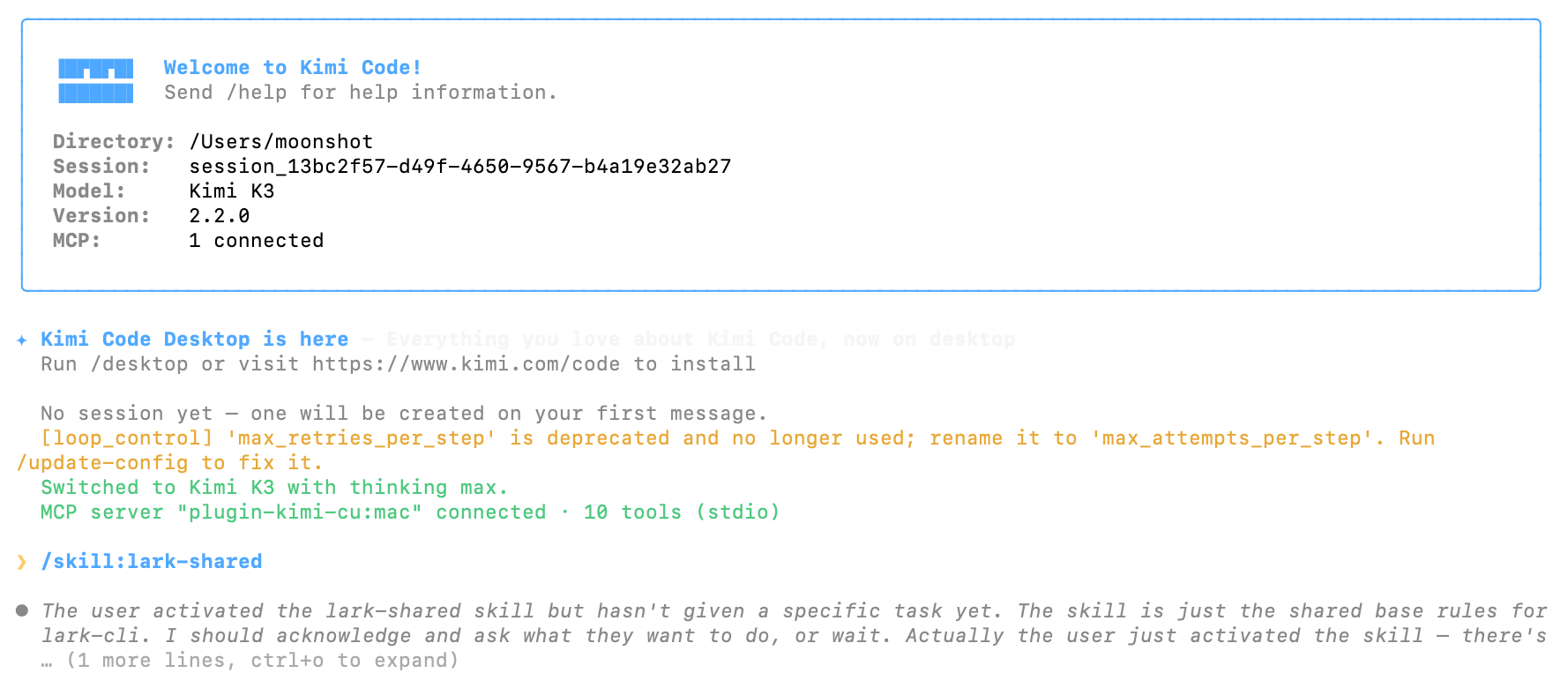
Kimi Code CLI discovers skills in project directories .agents/skills/ and .kimi-code/skills/, and user directories ~/.agents/skills/ and ~/.kimi-code/skills/. The Kimi-specific user directory can change with KIMI_CODE_HOME. Invoke a skill with /skill:<name>, or let the model select it based on its description and supported trigger fields. Automatic selection can be disabled for individual skills. Check the current CLI documentation when configuring paths or platform-specific fields.
Agent skills for everyday work in Kimi
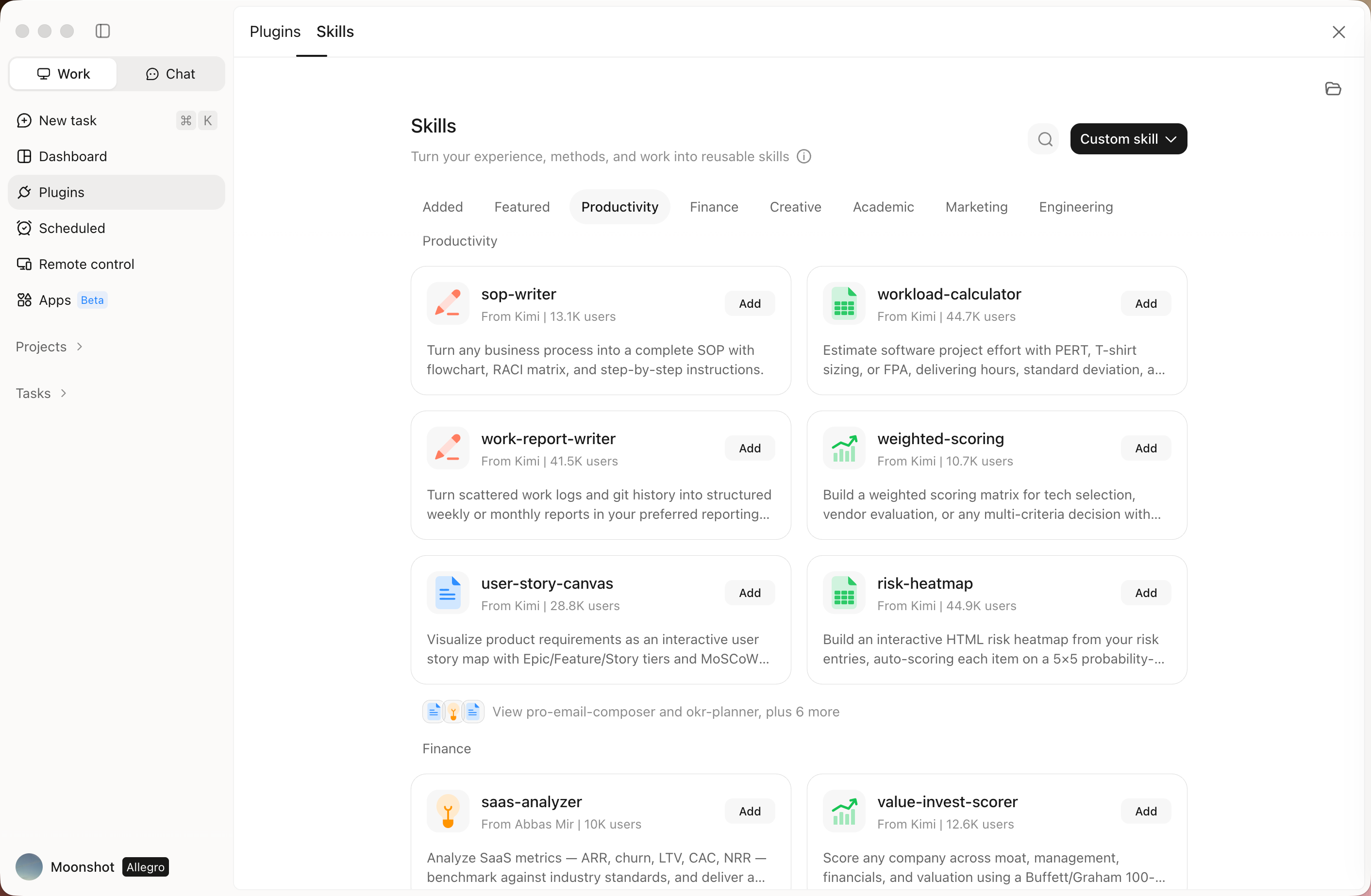
There’s no need to set things up from scratch. Open Kimi on desktop or web, browse the Skill Store, and install a Skill with one click to start using it in Kimi. From research and writing to coding and data analysis, the Kimi Skill Store offers skills for a wide range of tasks. Browse the store on Kimi’s desktop or web app, install a Skill with one click, and start using it in Kimi.
How to create your own agent skill
You can create a skill by describing a workflow to an AI tool or by writing SKILL.md yourself. Start with one repeated task and an output you can easily check, such as meeting minutes.
Method 1: Create an agent skill with Kimi
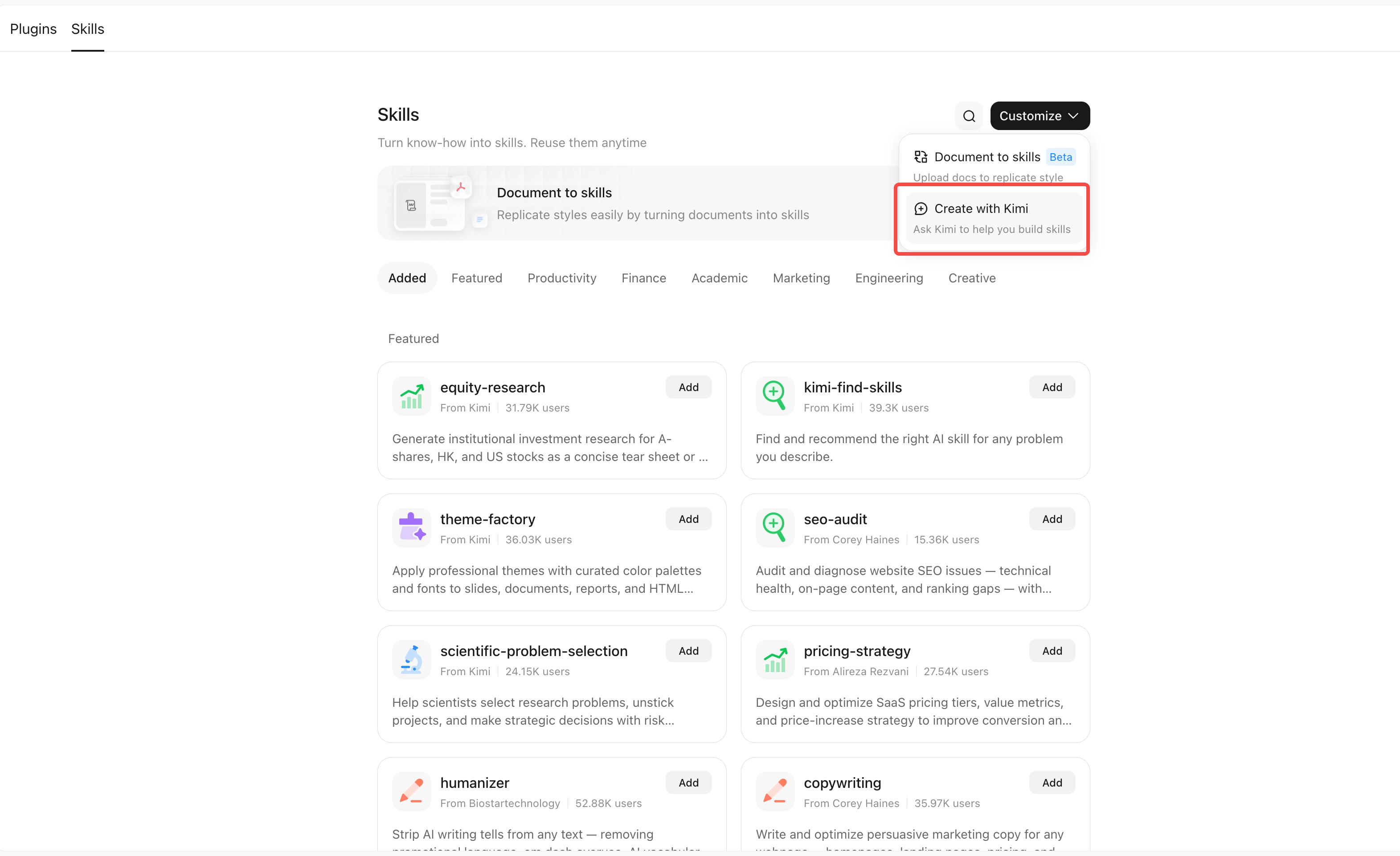
In Kimi, open the Skills panel to discover or install skills. To create your own, upload a procedure or describe what you want in a skill-creation conversation. You can also use /skill-creator. See Kimi’s Skills guide for current entry points.
Step 1: Open Kimi's Skills store and click "customize" > "Create with Kimi".
Step 2: Describe the skill you need.
Give Kimi the task, the expected input, the output structure, and rules for missing information.
For example:
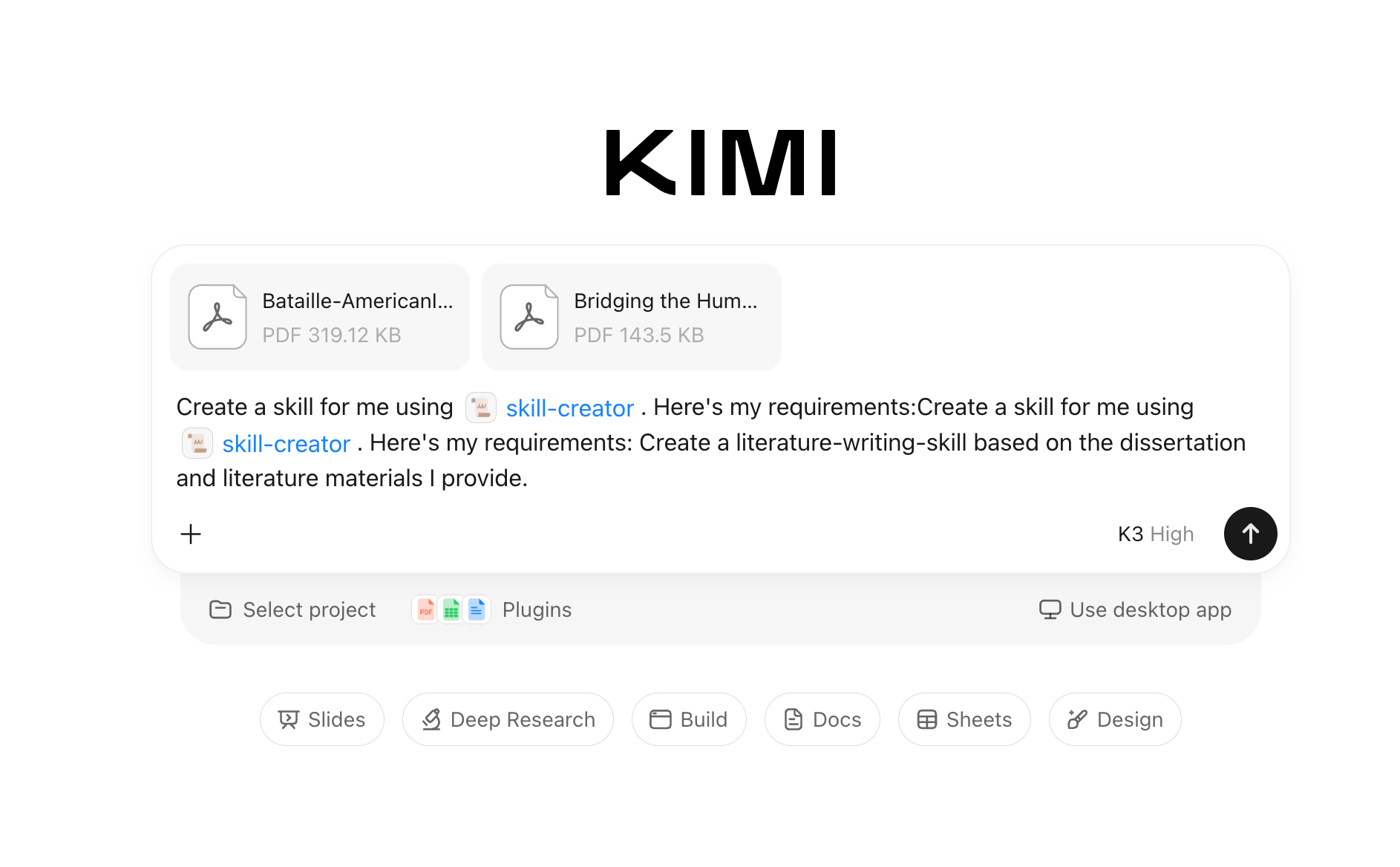
If the result misses a rule, ask Kimi to revise that rule and repeat the test. For an existing SOP, specify which parts are instructions and which are background material; remove irrelevant or sensitive content before packaging it. When the skill is created, you can use it with Kimi right away.
Method 2: Writing agent skills yourself
This example uses only text instructions and needs no additional scripts. It uses Kimi Code CLI to demonstrate installation and invocation; other agents may use different paths and commands.
Step 1: Create the folder. For a user-level skill in Kimi Code CLI, create ~/.agents/skills/meeting-summary/. For a repository-level skill shared with a team, use .agents/skills/meeting-summary/ under the repository root instead.
Step 2: Save SKILL.md. Create ~/.agents/skills/meeting-summary/SKILL.md and paste the following. The description identifies the task; the body defines the output and missing-information rules.
Step 3: Start a new session and invoke it. After saving the file, start a new Kimi Code CLI session. Enter this command in the chat input:
Step 4: Check the result. The following is an illustrative expected output, not a recorded product run. Wording may vary; the sections, decision, owners, and deadlines should follow the skill.
Step 5: Test automatic selection and boundaries. In a fresh conversation, ask “Turn these meeting notes into minutes” without the slash command and provide the same notes. Check whether the agent loads the skill using the interface’s activity record, where available, and whether the output follows its rules. Then try an unrelated request such as “Explain recursion in Python”; the meeting-summary skill should remain inactive. Also invoke it without notes: it should ask for input.
What if an agent skill does not work?
| Symptom | What to check |
|---|---|
| The skill is not discovered | Check the scan directory, exact SKILL.md filename, valid YAML frontmatter, and matching folder/name. Start a new session after adding it. |
| Manual invocation works, but automatic selection does not | Make the description more specific to the intended task. Check whether automatic invocation is disabled; retry in a fresh conversation. |
| The skill activates for unrelated requests | Narrow the description and test unrelated requests as negative examples. |
| The output misses a rule | Make the rule explicit, add an input/output example, and retest with missing-information cases. |
| A script or integration fails | Check the required packages, permissions, network access, and configured tools. A skill does not install all dependencies automatically. |
For scripts, long references, or templates, add scripts/, references/, or assets/ as needed and link to them from SKILL.md. See the Kimi Code CLI Skills documentation for current paths and invocation options.
Best practices for using and creating agent skills
Define a clear trigger: explain both the task and when to use the skill. Include the terms users naturally use, and test relevant and unrelated requests.
Keep instructions focused: the specification recommends fewer than 500 lines and fewer than 5,000 tokens for the main file. These are separate guidelines, not a line-to-token conversion. Move detailed references into supporting files.
Specify observable outputs: include required sections, example inputs and outputs, and rules for missing information.
Document dependencies: identify required tools and packages, and use compatibility metadata where appropriate. Keep platform-specific extensions separate from the portable core.
Control consequential actions: use explicit invocation and appropriate approval rules for workflows that send messages or deploy changes. Manual invocation alone does not replace permission checks.
Review third-party packages: inspect instructions and bundled scripts before installation, including what data and permissions they use.
Conclusion
Agent skills turn repeated tasks into reusable workflows that compatible AI agents can load when needed. Start with a focused SKILL.md that defines when to use the skill and what it should produce. Add scripts or references only when the task requires them, then test when the skill activates and the quality of its output.