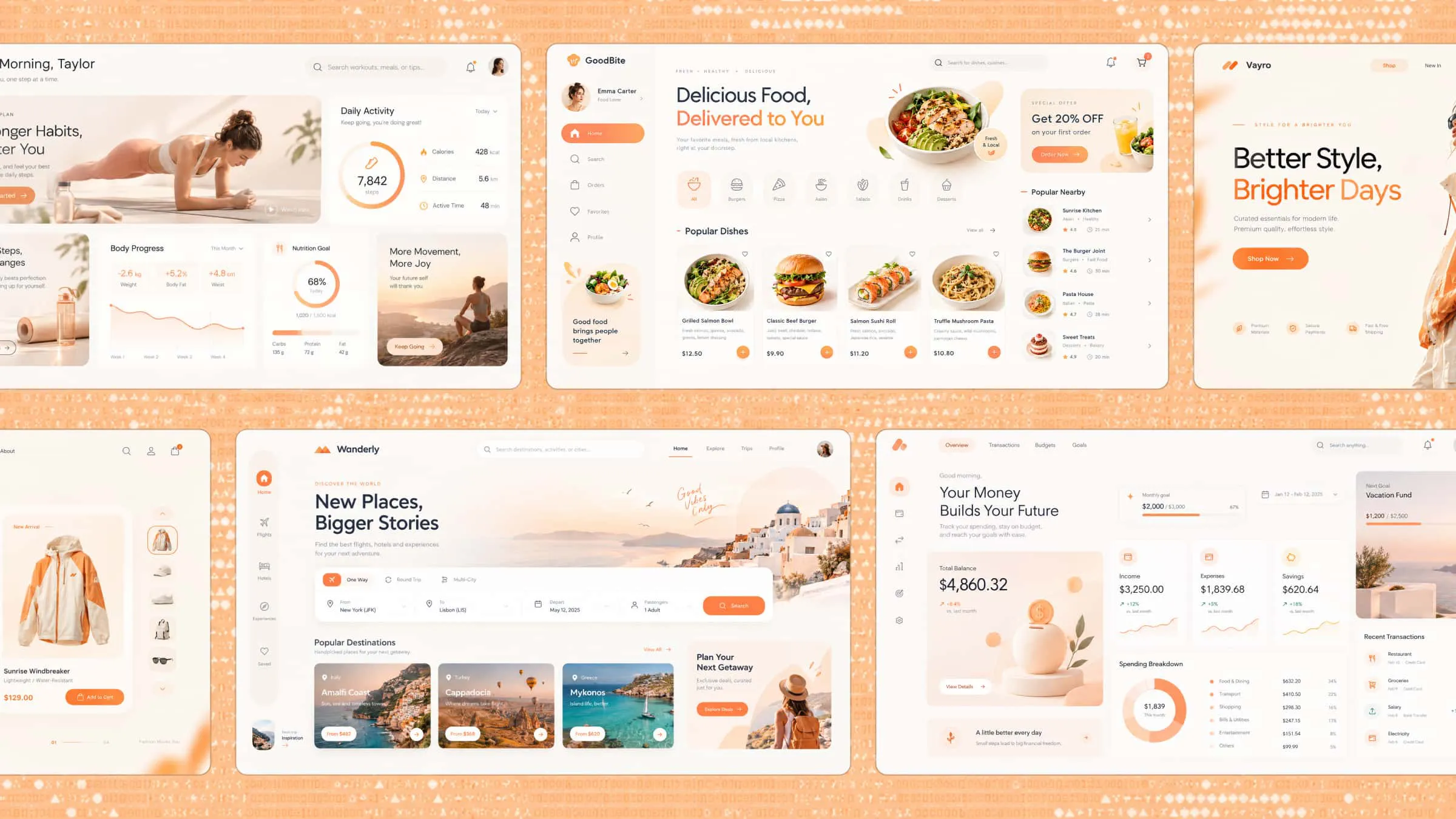
Every successful app has something that makes people want to explore it, whether it is a clever layout, a fresh visual style, or a feature that solves a common problem. But coming up with a design that feels both creative and easy to use is not always simple. Looking at different app design ideas can help you discover new possibilities and see how small design choices can make a big difference. Let's explore 10 inspiring concepts that could spark your next app project.
Overview of 10 app design inspirations for you
Choosing an app design becomes easier when you know what kind of experience you want to build. Some projects need a strong visual identity, while others depend more on clear navigation and well-organized features. Use this overview to find an idea that fits your project.
10 app design ideas for different types of mobile apps
Every app serves a different purpose, so its design should reflect what users need and how they interact with it. Using Kimi Build, an AI website builder, you can turn ideas into functional app interfaces through prompts and refine them with natural language editing. From simple shopping experiences to feature-rich productivity tools, here are 10 app design examples created with Kimi Build to inspire your next project.
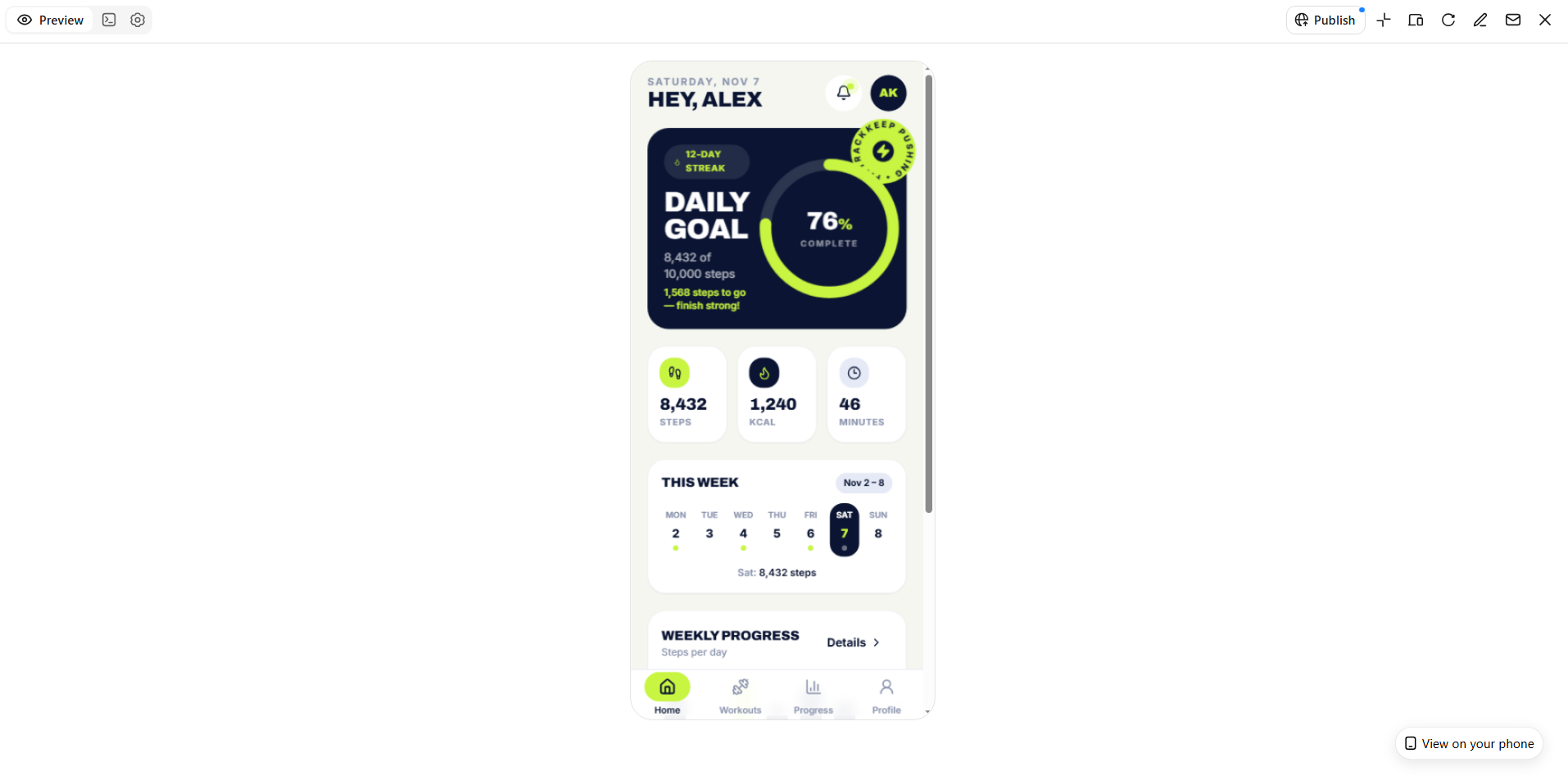
Fitness app design
A fitness app should help users manage workouts, track activity, and stay motivated. A simple dashboard with daily goals, exercise plans, and progress charts makes everything easy to follow. Bright accents and clear visuals can make the experience more engaging.
How to use
Step 1: Enter your prompt
Describe the fitness app, its main features, target users, and preferred visual style to Kimi Build.
Prompt:
Step 2: Let AI generate your design
Submit the prompt and let Kimi Build create the fitness dashboard, workout cards, and progress sections.
Step 3: Review and export the design
Check the charts, workout details, and navigation, make any needed changes, and export your final design.
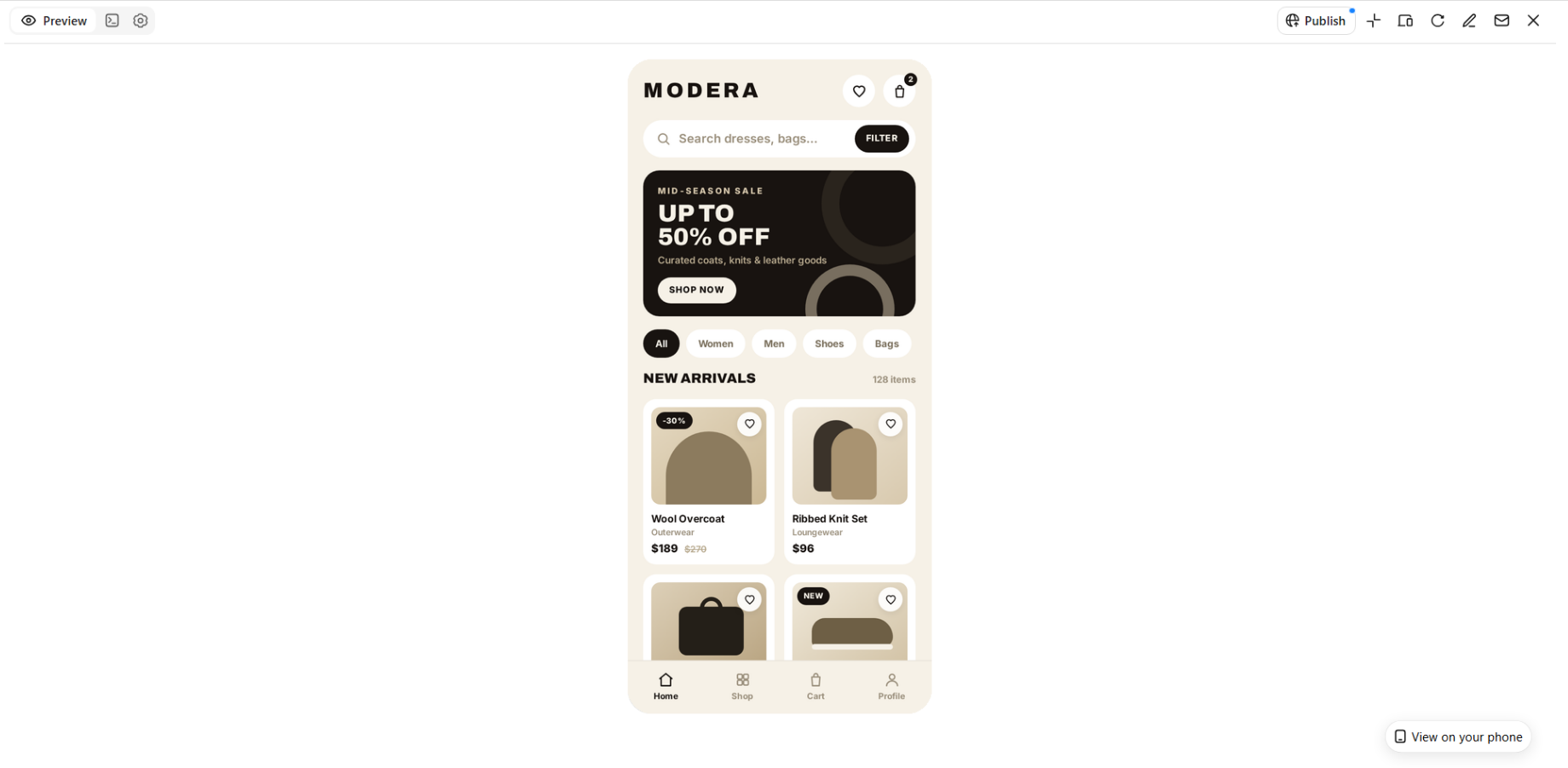
E-commerce app design
An e-commerce app makes browsing products and shopping feel effortless. Attractive product images, clear prices, useful categories, and simple checkout options help customers find what they need. A well-organized layout also makes the shopping experience more enjoyable.
How to use
Step 1: Enter your prompt
Specify the store type, product categories, promotional sections, and shopping features you want to include.
Prompt:
Step 2: Let AI generate your design
Generate the storefront, product listings, product details, and checkout screens from your description.
Step 3: Review and export the design
Check product images, prices, shopping buttons, and checkout flow before making final adjustments and exporting.
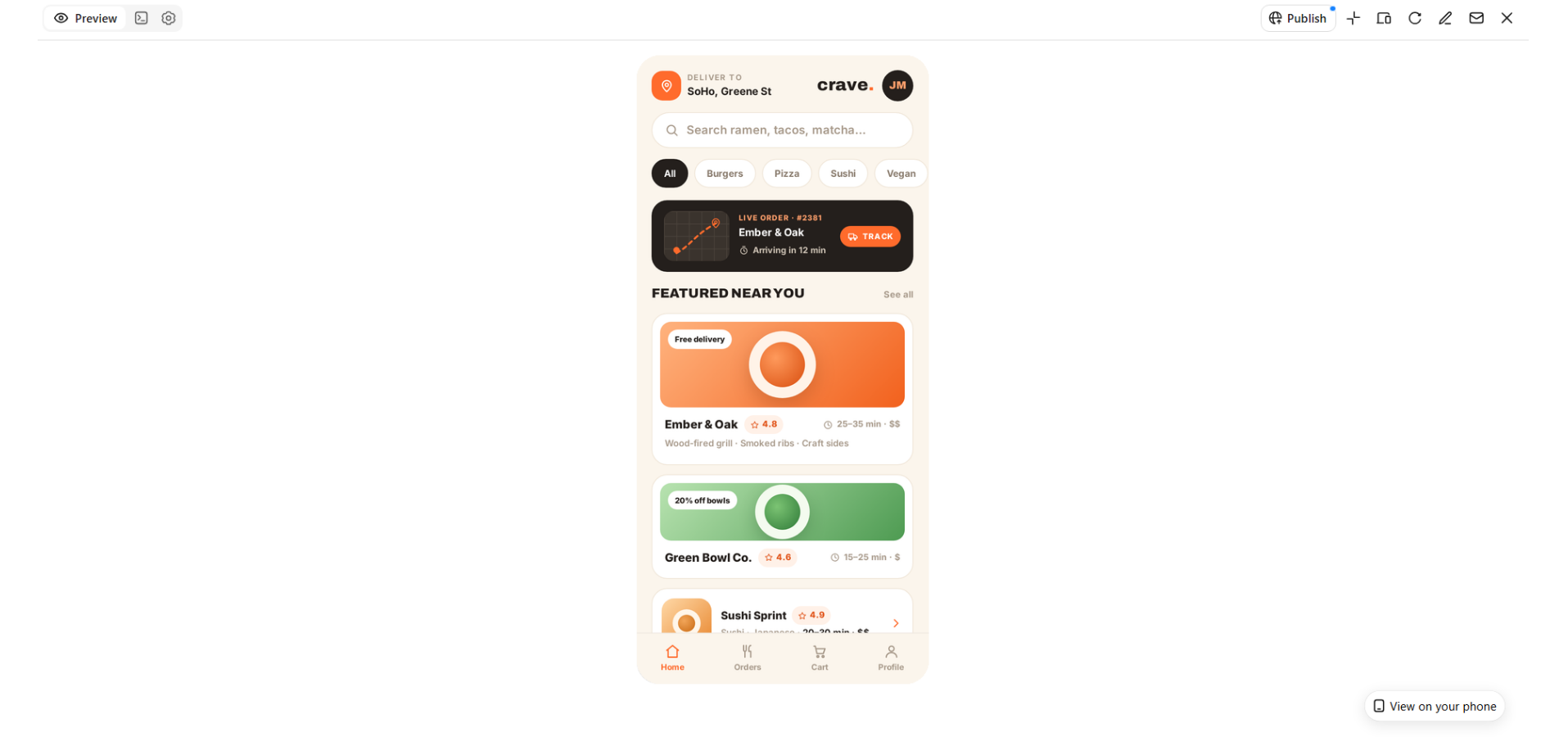
Food delivery app design
A food delivery app helps users discover meals, compare restaurants, and place orders without confusion. Food photography, clear menus, delivery estimates, and visible order details make the experience more appealing. Simple navigation helps customers move from browsing to checkout quickly.
How to use
Step 1: Enter your prompt
Explain the restaurant categories, food listings, delivery tracking, and ordering options you want in the app.
Prompt:
Step 2: Let AI generate your design
Allow Kimi Build to create the restaurant listings, food menus, ordering screens, and delivery-tracking layout.
Step 3: Review and export the design
Make sure food details, prices, order buttons, and tracking information are clearly displayed before exporting.
Travel app design
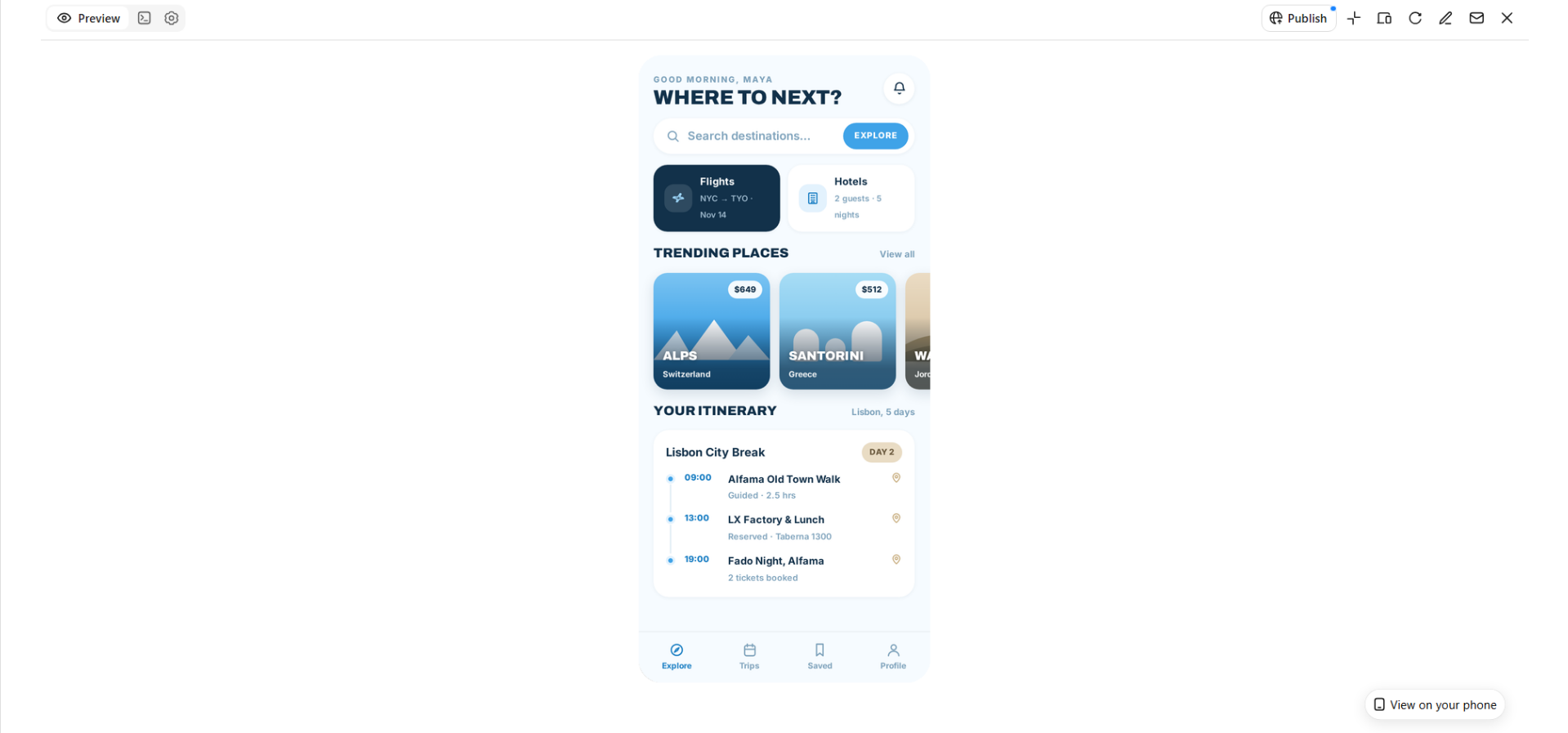
A travel app should make planning trips, finding destinations, and managing bookings easier. Beautiful destination images, interactive maps, and organized itineraries can help users explore their options. A clear layout also keeps important travel information within easy reach.
How to use
Step 1: Enter your prompt
Describe the travel experience, including destination discovery, trip planning, hotel bookings, and itinerary management.
Prompt:
Step 2: Let AI generate your design
Generate the destination pages, booking sections, itinerary, and map layout using your prompt.
Step 3: Review and export the design
Review destination images, booking information, and trip details, then refine and export the design.
Personal finance app design
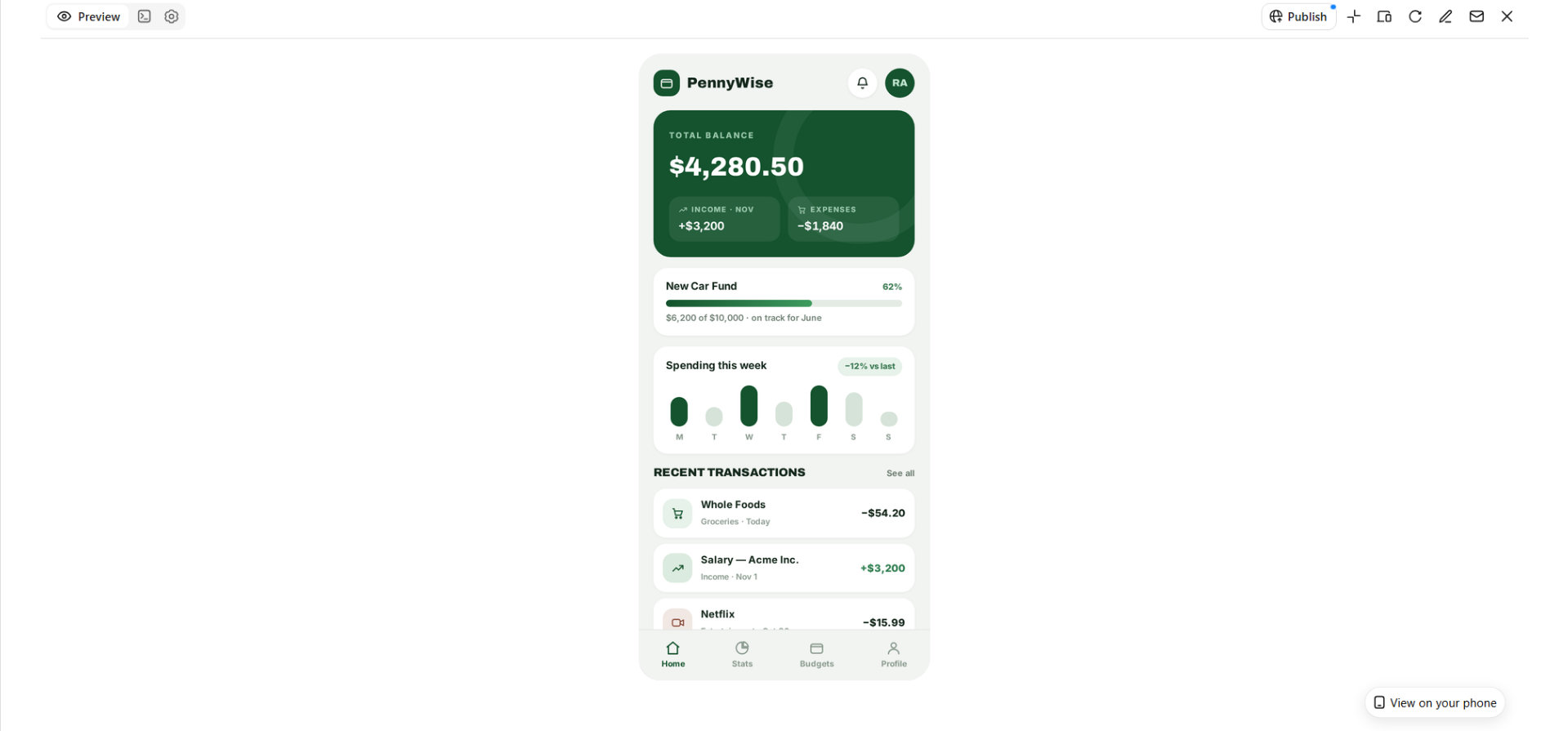
A personal finance app should help users understand their spending, manage budgets, and keep track of savings. Clear charts, transaction lists, and monthly summaries make financial information easier to understand. A simple dashboard can help users stay organized and make better money decisions.
How to use
Step 1: Enter your prompt
Mention the budgeting tools, spending categories, savings goals, and account overview you want to display.
Prompt:
Step 2: Let AI generate your design
Let Kimi Build turn your description into a financial dashboard with charts, budgets, and transaction sections.
Step 3: Review and export the design
Check the readability of financial figures, charts, and budget sections before refining and exporting.
Education and learning app design
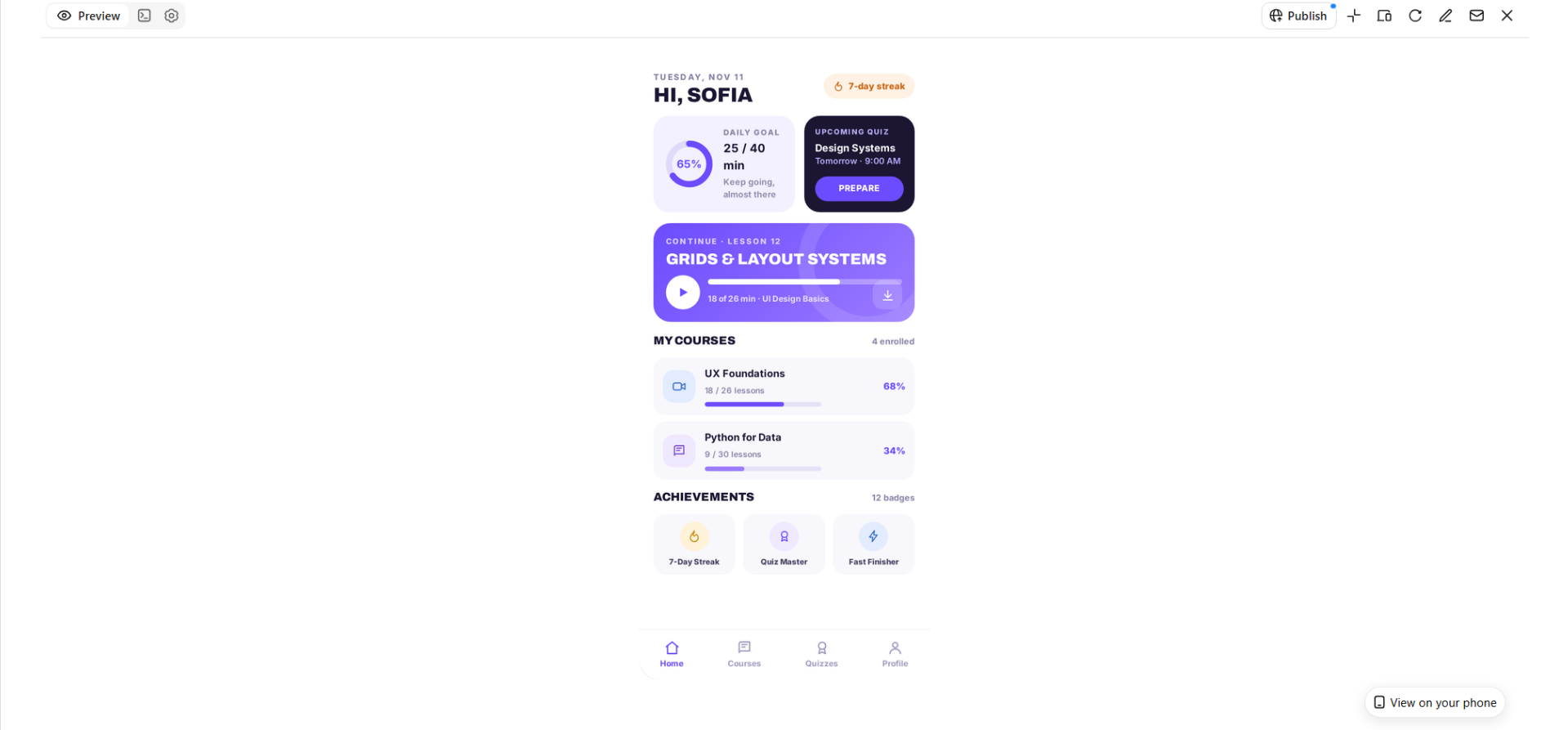
A learning app makes studying more interactive and helps users follow their progress. Organized courses, short lessons, quizzes, and achievement badges can keep learners interested. A friendly design with clear learning paths makes it easier to stay focused.
How to use
Step 1: Enter your prompt
Describe the learning subjects, course sections, quiz features, and progress-tracking tools you want to include.
Prompt:
Step 2: Let AI generate your design
Generate the course dashboard, lesson screens, quizzes, and learning progress sections.
Step 3: Review and export the design
Check course organization, quiz layouts, and progress indicators, then make improvements and export your design.
Social networking app design
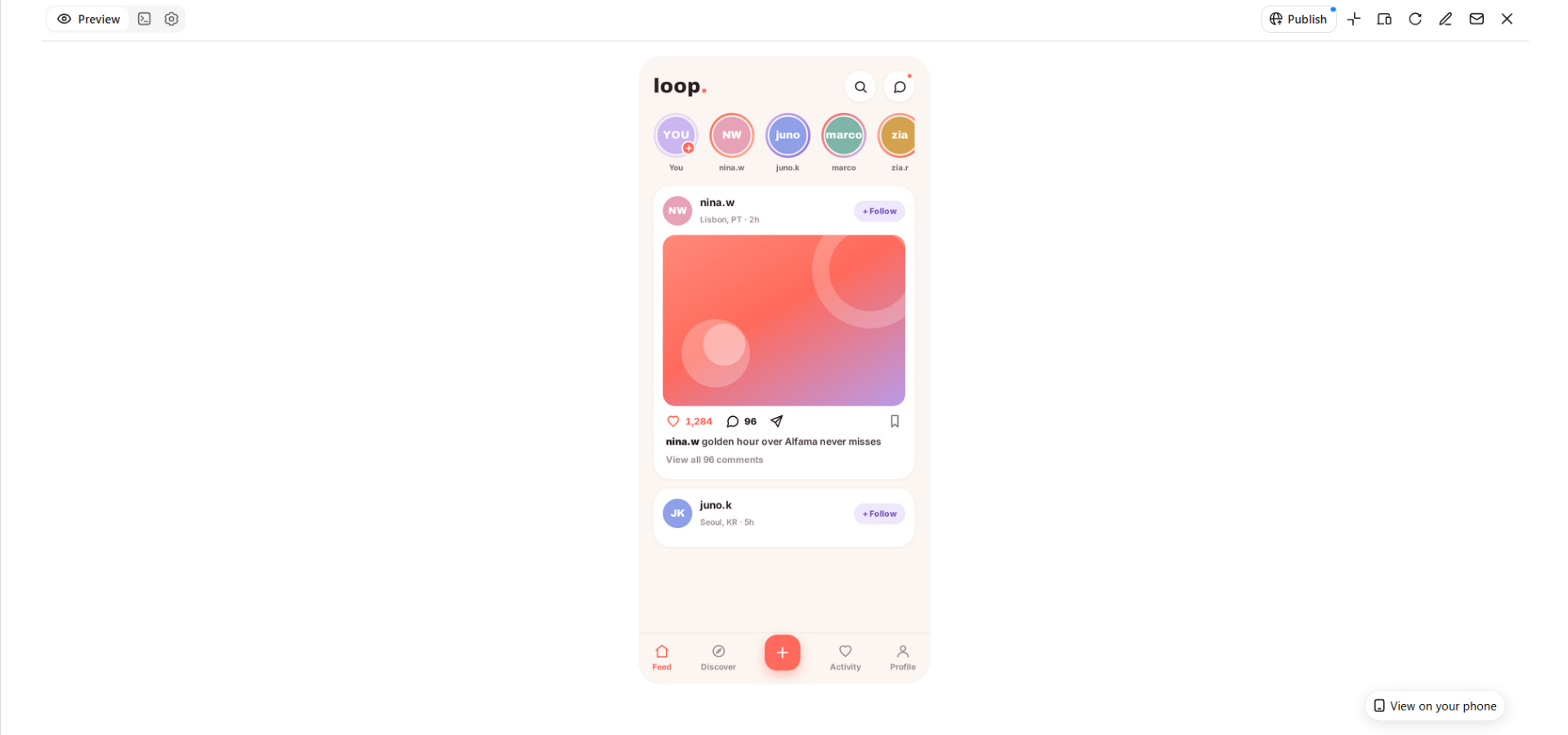
A social networking app should make connecting, sharing, and discovering content feel natural. User profiles, interactive feeds, stories, and messaging features help people stay connected. A balanced layout keeps content engaging without making the screen feel crowded.
How to use
Step 1: Enter your prompt
Outline the social features, profile sections, content feed, and messaging options you want in your app.
Prompt:
Step 2: Let AI generate your design
Let Kimi Build create the social feed, profile pages, stories, messaging screens, and notification sections.
Step 3: Review and export the design
Review the feed layout, profile details, and messaging screens to ensure everything feels connected and easy to use.
Productivity and task management app design
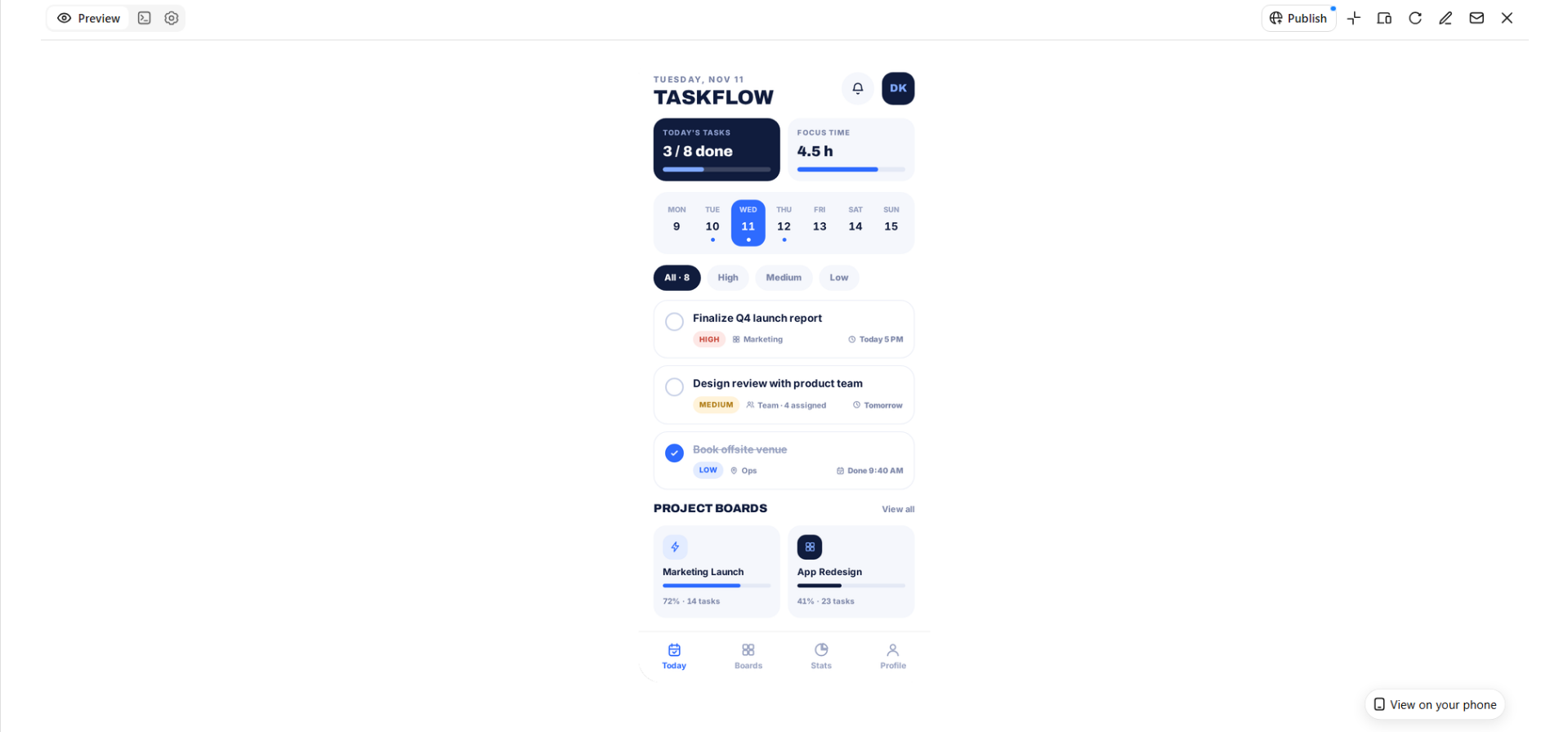
A productivity app helps users organize their schedules, manage tasks, and keep track of deadlines. A clear calendar, task lists, and priority labels make daily planning less stressful. Simple visuals and organized sections help users focus on what matters.
How to use
Step 1: Enter your prompt
Specify the task categories, calendar views, reminders, and collaboration features needed for the app.
Prompt:
Step 2: Let AI generate your design
Generate the task dashboard, project boards, calendar, and reminder sections based on your description.
Step 3: Review and export the design
Check task visibility, calendar organization, and priority labels, then adjust the layout and export.
Music and entertainment app design
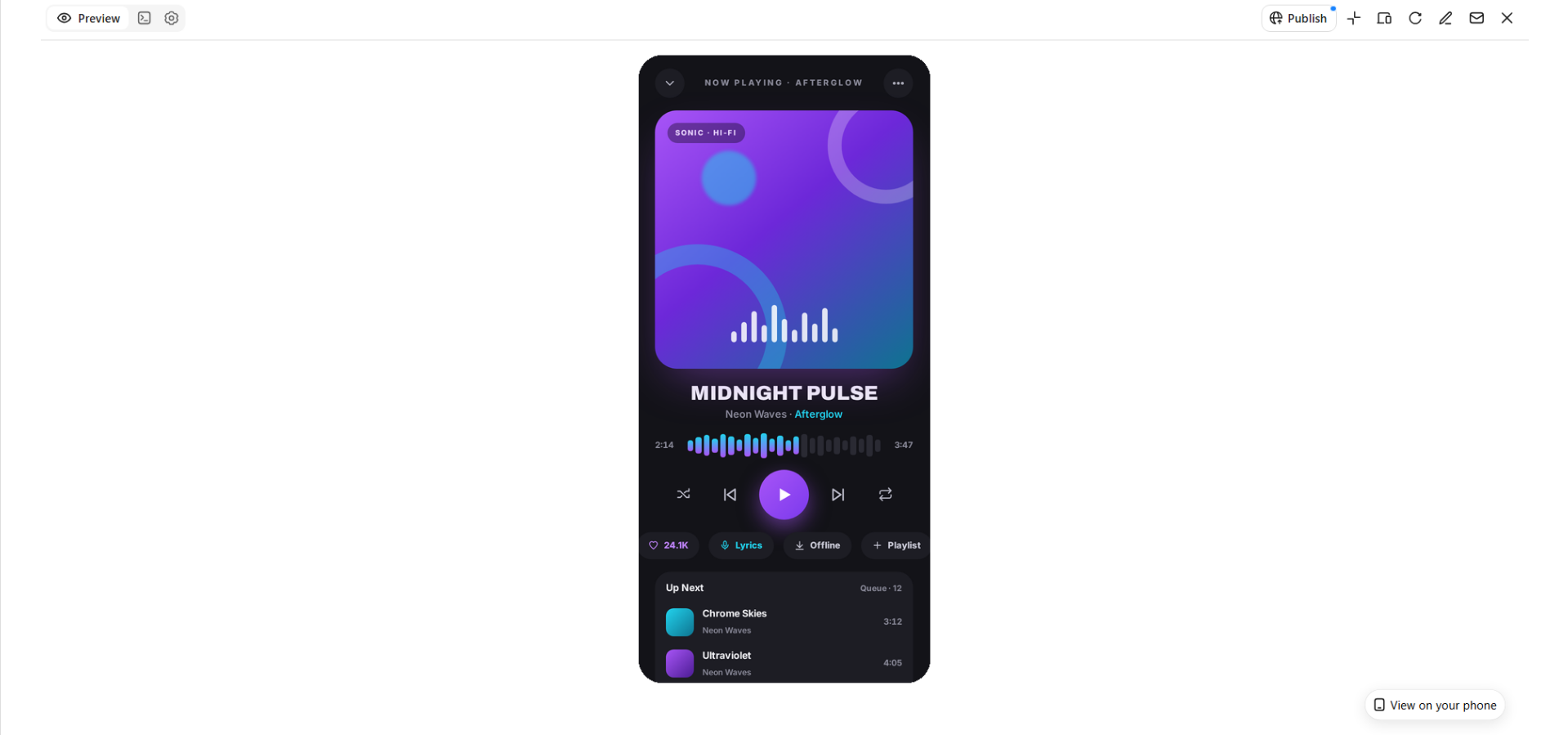
A music app should make discovering songs, exploring artists, and managing playlists enjoyable. Album artwork, playback controls, and personalized recommendations give the app a familiar and engaging feel. A visually rich design can make listening feel more immersive.
How to use
Step 1: Enter your prompt
Describe the music library, playlists, music players, artist profiles, and recommendation features you want.
Prompt:
Step 2: Let AI generate your design
Allow Kimi Build to create the music discovery page, playlist sections, artist profiles, and playback screen.
Step 3: Review and export the design
Check album artwork, player controls, and playlist organization before making final changes and exporting.
Healthcare and wellness app design
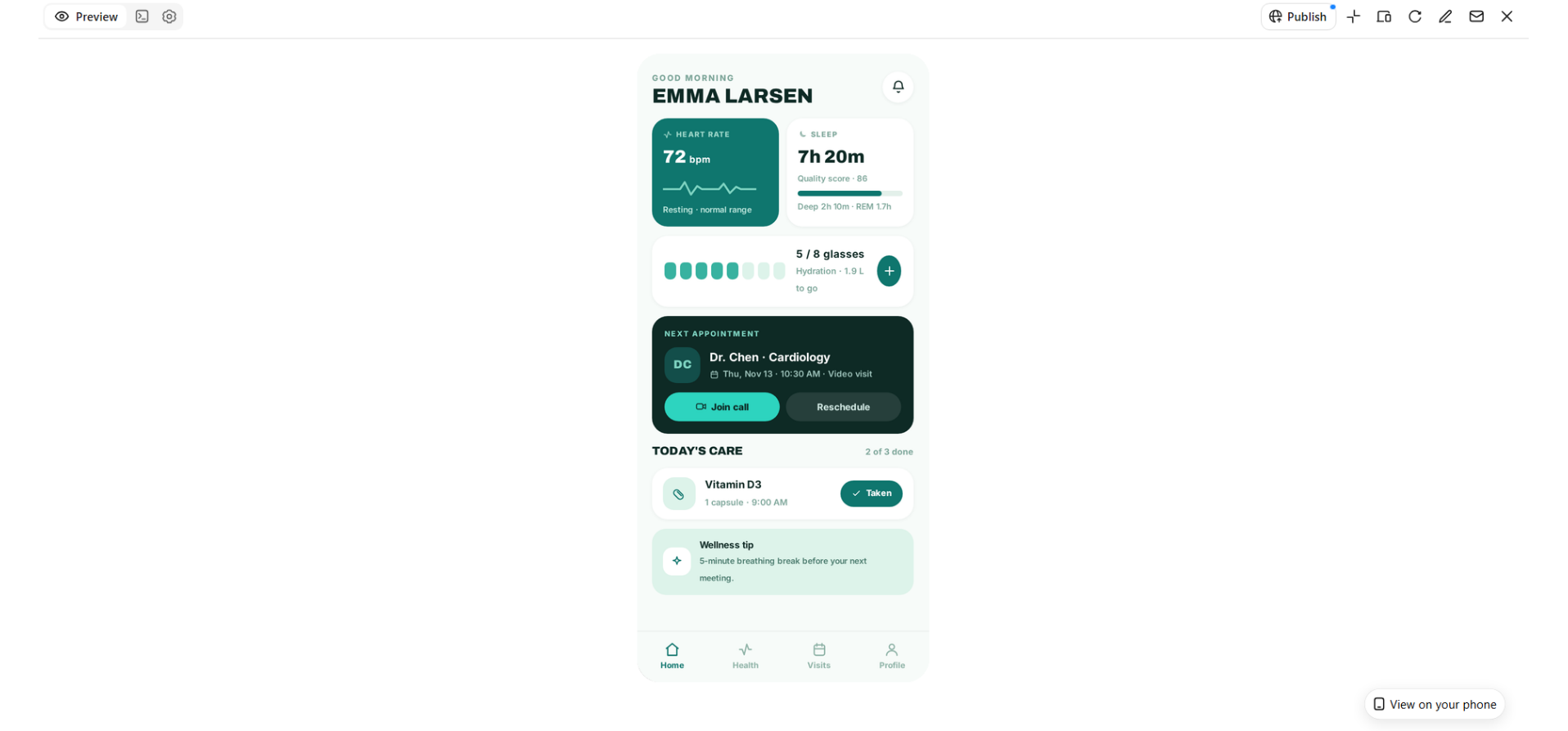
A healthcare app should make it easier for users to manage appointments, monitor their health, and access useful information. Appointment cards, medication reminders, and health summaries help keep important details organized. A calm color palette and simple navigation can make the experience feel more comfortable.
How to use
Step 1: Enter your prompt
Explain the health-tracking tools, appointment booking options, medication reminders, and wellness features you need.
Prompt:
Step 2: Let AI generate your design
Turn your description into a health dashboard with appointment booking, medication schedules, and wellness sections.
Step 3: Review and export the design
Check health information, appointment details, and reminder layouts for clarity before refining and exporting.
Why consider Kimi Build for designing apps
Designing an app from scratch can take time, especially when you need to plan layouts, organize features, and decide how everything should look. Kimi Build makes this process easier by turning simple text descriptions into visual app designs. Here are some ways it can help you bring your app ideas to life.
Generate app interfaces from prompts and visual references
Describe your app concept, target audience, core features, page structure, and preferred visual style in a natural-language prompt. You can also upload screenshots, images, or videos as references to guide the interface design.
Create interactive app experiences
Go beyond static interface mockups by generating functional web-based app experiences. Kimi Build can create page structures, navigation, buttons, animations, and interactive elements, helping you explore how different app features work together in a usable interface.
Customize layouts and visual styles
Shape the appearance of your app by describing preferred layouts, colors, typography, spacing, and visual elements. You can experiment with different design directions, from minimalist dashboards and colorful shopping interfaces to modern productivity tools, and refine the results to match your product identity.
Edit individual elements with flexible controls
Refine generated interfaces through conversational instructions, comments on specific elements, or manual adjustments. You can select elements in the preview and request changes, or directly modify supported content and layouts to improve the overall design without rebuilding the entire app.
Iterate on designs with version history
Explore different app design directions through multiple rounds of revisions. Kimi Build supports iterative editing and version management, allowing you to review previous versions and return to an earlier design when needed.
Preview, publish, and share your app
Preview your app to review its appearance and interactions before publishing. Once the design and functionality are ready, you can deploy it online, share a public link, or configure access permissions. You can also export the project files for further development and customization.
Tips for creating impressive app designs
Creating an app that looks good is only one part of the design process. It should also feel easy to use and help people complete their tasks without confusion. Keep the following tips in mind to make your app design more useful and appealing.
Understand your target audience and their needs
Start by understanding who will use your app and what they expect from it. Think about their goals, common problems, and the features they would find useful. This will help you make design choices that match their needs instead of adding unnecessary elements.
Keep the interface clean and intuitive
Arrange the content so users can quickly find what they are looking for. Use clear labels, familiar icons, and enough spacing to keep each screen easy to follow. Avoid adding too many elements, as a crowded layout can make even simple tasks confusing.
Choose a consistent color palette and typography
Pick colors and fonts that match your app's purpose and create a consistent visual style. Use a small set of complementary colors and readable fonts across different screens. Keep headings, buttons, and other text elements visually consistent so the app feels connected.
Prioritize mobile usability and responsive layouts
Make sure your app works comfortably on different mobile screen sizes. Keep buttons large enough to tap, place important features within easy reach, and avoid layouts that require unnecessary scrolling. Test your design on different devices to make sure the content remains clear and properly arranged.
Incorporate meaningful interactive elements
Add features that help users interact with the app and understand what happens after each action. Buttons, menus, progress indicators, and useful notifications can make the experience more engaging. Make sure every interactive element has a clear purpose rather than adding effects just for decoration.
Test, collect feedback, and refine your design
Review your app design to see how easily users can move between screens and complete common tasks. Ask people to try it and share what feels confusing or difficult. Use their feedback to make improvements, fix weak areas, and create a smoother experience.
Conclusion
A great app design starts with a clear idea and grows through thoughtful choices that make the experience enjoyable. Exploring different app design ideas can help you find a direction that suits your project and gives it a fresh look. You don't need to build everything from scratch to get started. Try Kimi Build to turn your ideas into visual app designs. Explore its features and bring your next app concept to life.