Starting an online store is exciting, but choosing the right platform can be challenging. You need a website builder that makes it easy to create a professional store, manage products, and provide a smooth shopping experience. With so many options available, the right choice depends on your budget, technical skills, features, and growth plans. In this article, we'll explore 10 online store website builders and what each offers.
Overview of 10 website builders for your online store
These website makers take different approaches to building and running an online store. Some focus on AI-assisted creation and visual design, while others are built around e-commerce management, customization, or connecting online and offline sales. The table below highlights the main differences between the 10 platforms.
| Website maker | Building approach | Key e-commerce features | Suitable for |
|---|---|---|---|
| Kimi Build | AI-generated websites from prompts and visual references | Product pages, collections, responsive layouts, natural-language editing | Branded stores, startup product websites, custom e-commerce projects |
| Shopify | Hosted e-commerce platform with themes and apps | Checkout, payments, inventory, orders, apps, and multichannel selling | DTC stores, growing e-commerce brands, omnichannel retailers |
| WooCommerce | Open-source e-commerce plugin for WordPress | Product management, payment gateways, extensions, digital products, subscriptions | WordPress stores, customized shops, digital and subscription businesses |
| BigCommerce | Hosted e-commerce platform for larger operations | Large catalogs, B2B tools, multiple payment gateways, APIs, integrations | B2B stores, large catalogs, high-volume retailers, complex integrations |
| Wix | Visual website builder with built-in e-commerce | Product and order management, payments, bookings, and business tools | Small retail stores, service-and-product businesses, boutique shops |
| Squarespace | Design-focused website builder with e-commerce | Product selling, digital products, templates, orders, and customer management | Creative brands, curated product stores, artist and designer shops |
| Square Online | E-commerce platform connected to Square POS | Online and offline inventory, local delivery, social selling, customer data | Brick-and-mortar retailers, restaurants, local businesses |
| Ecwid | E-commerce tools embedded into existing websites | Product catalogs, order management, integrations, omnichannel selling | Existing websites, blogs, creator sites, businesses adding e-commerce |
| PrestaShop | Open-source e-commerce platform | Multilingual stores, multiple storefronts, currencies, taxes, custom modules | International stores, multi-store businesses, developer-led projects |
| Adobe Commerce | Enterprise e-commerce platform with flexible architecture | Large catalogs, B2B purchasing, multiple storefronts, APIs, advanced search | Enterprise retailers, global brands, complex B2B operations |
10 website builders to launch your online store
Not every online store needs the same tools, design options, or level of control. Some platforms are built for a quick launch, while others give you more room to customize and expand as your business grows. Here are 10 online store builders and what makes each one worth considering.
Kimi Build
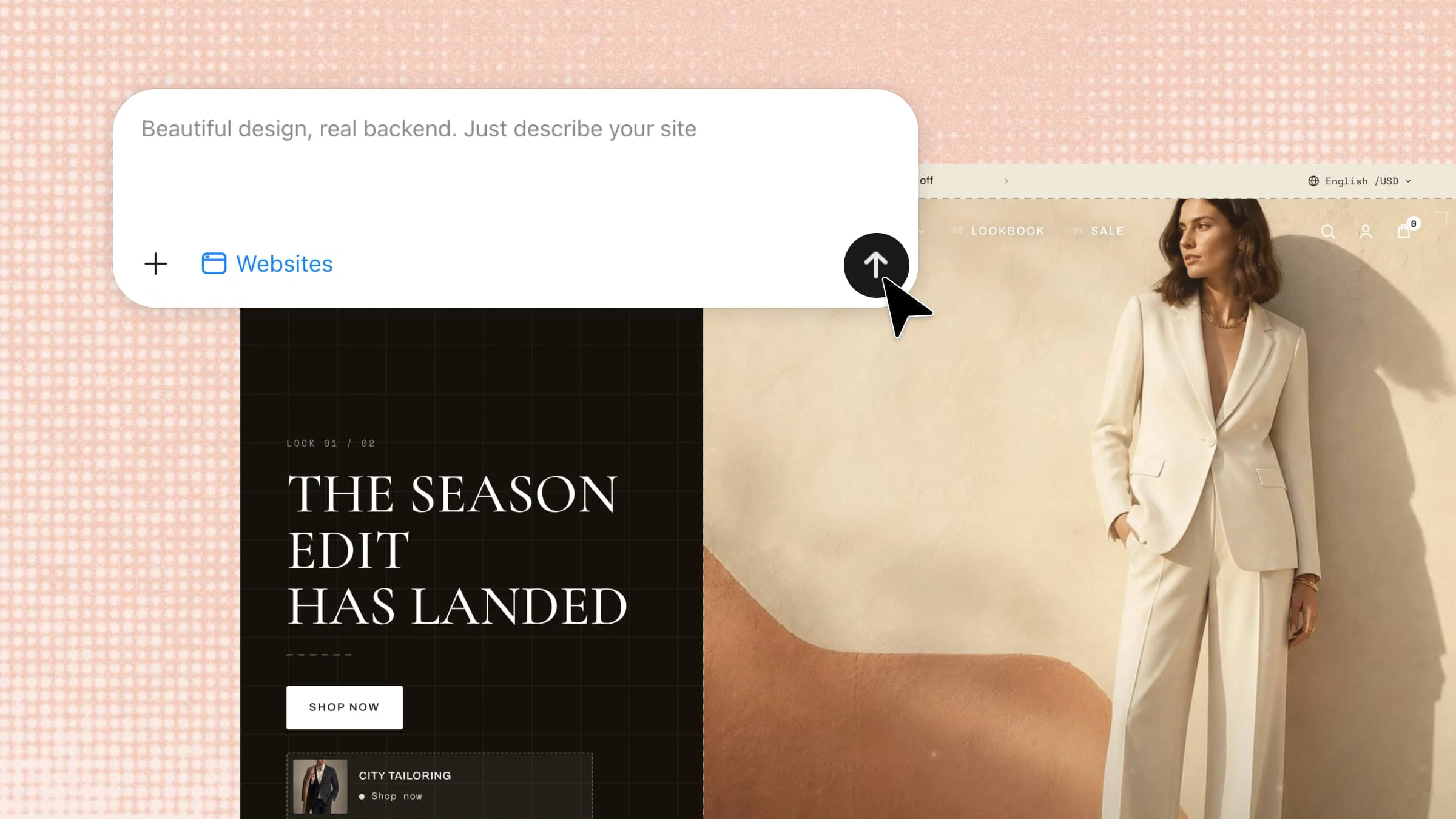
Kimi Build is an AI website builder for creating an online store without dealing with complicated setup or coding. It helps you turn your ideas into a polished website while keeping the design process easy to manage. You can customize your store's look, organize your content, and create a site that fits your brand. It's a powerful solution for building a professional online store quickly, with flexible customization options to bring your brand vision to life.
Main features
Bring your products to life with a branded design: Tell Kimi Build what you sell, who you're selling to, and the kind of visual identity you want to create. You can provide product photos, written descriptions, screenshots, or videos as creative references, giving Kimi the context it needs to shape a storefront around your products and brand.
Organize everything customers need to explore: Build a structured shopping experience with dedicated product pages, collections, brand information, FAQs, and other supporting content. Whether you need a focused single-page layout or a broader multi-page structure, start with a professionally designed foundation that suits your catalog.
Fine-tune the experience without touching code: Describe the changes you want and let Kimi Build handle the adjustments. Rework product sections, rearrange page elements, revise copy, or change typography and styling through natural-language instructions. For smaller tweaks, comment directly on the element you want to refine.
Give customers a consistent experience on any screen: Make your products easy to browse whether customers arrive from a phone, tablet, or desktop. Responsive layouts automatically adapt content, imagery, navigation, and interactive elements to different screen sizes.
Take your storefront live when it's ready: Check the finished experience online, polish any remaining details, and publish once everything is in place. Share the live site with customers through a direct link and give them a professional destination to discover your products.
Suitable for
First-time store owners who want a simple way to start selling online
Small product-based brands that need a clean and branded storefront
Businesses with limited technical skills that prefer making changes through simple instructions
Online sellers testing new products who want to launch and adjust their store quickly
How to create your online store
Kimi Build makes the store-building process simple, even if you have little or no coding experience. You can start with your business idea and use simple instructions to shape the design, pages, and content. Follow these steps to create and launch your online store.
Step 1: Enter a clear prompt
Start by describing your business, products, target customers, design style, and the pages you want on the website.
Example prompt:
Step 2: Let Kimi process and generate results
After submitting your prompt, give Kimi a moment to understand your requirements and generate the website. It will turn the instructions into a structured storefront with the requested pages, sections, content, and visual style.
Step 3: Review and publish
Review the generated result to make sure the layout and information match your original idea. If something needs changing, describe the adjustment you want and refine the website before publishing.
Once everything looks right and works well across different screen sizes, export or publish the finished website.
Shopify
Shopify is a hosted e-commerce platform built for businesses that want to create and manage an online store without handling servers or complex technical setup. It brings store management, checkout, payments, and product tools into one place. Its large app ecosystem also lets businesses add extra features as they grow. It is a practical choice for sellers who want convenience and a ready-to-use e-commerce system.
Main features
Managed e-commerce infrastructure: Shopify handles hosting, security, and much of the technical maintenance for your store. This lets you focus on products, customers, and sales instead of server management.
Integrated checkout and payments: Shopify provides a ready-made checkout designed to make purchasing simple for customers. You can also connect supported payment providers based on your business and location.
Large app ecosystem: You can extend your store with apps for marketing, shipping, inventory, analytics, customer support, and more. This makes it easier to add functions without developing everything from scratch.
Product and inventory management: Shopify lets you organize products, variants, prices, and stock from one dashboard. This makes managing a growing product catalog easier and more organized.
Suitable for
New entrepreneurs launching their first online store
Dropshipping businesses that need e-commerce integrations
Growing brands that prefer managed hosting
Sellers who want access to many third-party e-commerce apps
WooCommerce
WooCommerce turns a WordPress website into a complete online store while giving you extensive control over its design and functionality. Since it is open source, you can choose your hosting, themes, plugins, and other parts of the setup. It works especially well for businesses that need more customization than a standard hosted platform provides. However, maintaining the website requires more technical involvement.
Main features
Open-source platform: WooCommerce gives you control over your website, store data, and technical setup. You can modify the platform or add extensions when your store needs more advanced functionality.
Flexible product management: You can create physical products, digital products, categories, variations, and custom product information. Additional extensions can provide more specialized catalog and inventory features.
Custom storefront design: WordPress gives you considerable freedom to customize product pages, menus, headers, footers, and other sections. You can create a store that closely matches your brand instead of relying on fixed layouts.
Extensive plugin support: Thousands of WordPress plugins can add payment gateways, shipping tools, SEO features, subscriptions, analytics, and other functions. This allows you to build the store around your specific requirements.
Suitable for
Businesses that want greater control over their website
Brands requiring customized storefronts or checkout experiences
Businesses already using WordPress
Store owners with larger or more specialized product catalogs
BigCommerce
BigCommerce is designed for businesses that need powerful e-commerce features without building the entire platform themselves. It supports large catalogs, complex product structures, B2B operations, and external integrations. Its API-focused approach also gives developers more ways to connect the store with other business systems. It is better suited to established e-commerce operations than very small experimental stores.
Main features
API-first architecture: BigCommerce provides APIs for connecting your store with external software and services. This can help integrate e-commerce with inventory systems, ERP, CRM, accounting, and other tools.
Large product catalogs: The platform supports complex products with many options and variants. This makes it useful for businesses selling products with different sizes, specifications, colors, or configurations.
B2B e-commerce tools: BigCommerce includes features designed for wholesale and business buyers. These can support more structured purchasing processes, customer accounts, and specialized pricing.
Multiple payment gateways: You can connect different payment providers instead of depending on a single payment system. This gives businesses more flexibility when choosing payment options for different markets.
Suitable for
B2B businesses with complex catalogs
Wholesale distributors managing many products
Established companies connecting e-commerce with other systems
Businesses that need strong API and integration capabilities
Wix
Wix combines website creation and e-commerce features in a visual platform that is easy for beginners to understand. Its drag-and-drop approach lets businesses build pages without needing advanced coding skills. Along with selling products, Wix supports tools for bookings, events, restaurants, and other business activities. It is a good fit for smaller businesses that want several website functions in one platform.
Main features
Visual website editor: Wix lets you build and adjust pages through a visual editing interface. You can change layouts, images, text, sections, and other elements without extensive coding.
Built-in business tools: e-commerce can work alongside features for bookings, events, restaurants, and other services. This makes Wix useful for businesses that sell products while also providing local or professional services.
Product and order management: You can add products, track inventory, manage orders, and organize store information from one dashboard. These tools make everyday store management easier for small teams.
Velo development platform: Velo allows developers to add custom functionality when the standard Wix tools are not enough. It provides more flexibility for businesses that need custom logic or integrations.
Suitable for
Small businesses creating their own online store
Local businesses selling products and services together
Boutique stores with smaller product ranges
Beginners who want visual website-building tools
Squarespace
Squarespace focuses heavily on clean design and polished visual presentation, making it popular with creative businesses. Its templates and Fluid Engine help users create attractive pages without dealing with complex development work. The e-commerce tools cover common needs such as physical and digital products. It works best for brands with a focused catalog where presentation is a major part of the buying experience.
Main features
Fluid Engine editor: Squarespace provides flexible controls for arranging content and page sections. This helps you create balanced layouts while keeping the design consistent across the website.
Professional templates: Its templates place strong emphasis on typography, imagery, spacing, and overall presentation. They give creative brands a polished foundation for displaying their products.
Physical and digital products: You can sell physical products as well as digital downloads through the same website. This makes the platform useful for businesses with different types of products.
Built-in commerce tools: Squarespace includes tools for managing products, orders, customers, and other basic store operations. Everything stays within the same website management environment.
Suitable for
Artists and photographers selling their work
Premium brands with curated product collections
Designers and independent makers
Businesses that prioritize visual presentation and simplicity
Square Online
Square Online is built with businesses that sell both online and through physical locations in mind. Its connection with Square's point-of-sale system helps keep store operations connected across different sales channels. This can make inventory management easier for retailers that accept customers in person. It is especially useful when offline sales make up a large part of the business.
Main features
POS and online inventory syncing: Square connects online products with its physical point-of-sale system. Inventory changes from in-person purchases can therefore be reflected in the online store.
Local delivery tools: Businesses can support online ordering and local delivery through Square's ecosystem. This is useful for restaurants, shops, and other businesses serving customers within a specific area.
Social selling integrations: Square can connect product catalogs with supported social commerce channels. This gives businesses additional places to showcase and sell their products.
Unified customer information: Square can bring customer purchasing activity from different channels into one system. This helps businesses understand how customers interact with both physical and online stores.
Suitable for
Brick-and-mortar stores moving into e-commerce
Restaurants and cafés offering online ordering
Retailers that need online and offline inventory syncing
Local businesses with strong physical sales
Ecwid
Ecwid is different from traditional e-commerce builders because it can add shopping features to a website you already have. Instead of rebuilding your entire website, you can integrate a product catalog and shopping functionality into the existing site. This makes it useful for bloggers, creators, and businesses that already have an established online presence. It offers a straightforward way to add e-commerce without starting over.
Main features
Embedded online store: Ecwid lets you add products and shopping functionality to an existing website. This means you can introduce e-commerce without replacing your current website.
Multiple platform integrations: Ecwid can work with different website platforms and content management systems. This gives businesses flexibility when they already have a website they want to keep.
Centralized product management: Products, prices, stock, and orders can be managed from the Ecwid dashboard. This keeps important store information organized even when the storefront is embedded elsewhere.
Omnichannel selling: Ecwid supports selling through websites and additional connected channels. This gives businesses more opportunities to reach customers beyond their main website.
Suitable for
Bloggers adding products to an existing website
Content creators monetizing their audience
Businesses that do not want to rebuild their current website
Small brands using e-commerce as an additional sales channel
PrestaShop
PrestaShop is an open-source e-commerce platform designed for businesses that want greater technical control over their online stores. It supports international selling with features such as multiple languages, currencies, and localized store setups. Developers can also access and modify the platform to meet specific business requirements, making it suitable for stores that need more flexibility and customization.
Main features
Open-source architecture: PrestaShop gives developers access to the platform's underlying code and structure. This allows businesses to customize functionality instead of being limited to built-in features.
Multilingual support: The platform supports e-commerce websites that operate in multiple languages. This helps businesses create localized experiences for customers in different regions.
Multi-store management: PrestaShop can manage multiple storefronts through a shared administration system. This is useful for businesses operating different brands, countries, or regional websites.
Tax and currency management: PrestaShop provides controls for different currencies, taxes, and regional pricing requirements. These features help international sellers manage stores across multiple markets.
Suitable for
European businesses with specific e-commerce requirements
International companies running several storefronts
Developers building highly customized e-commerce websites
Businesses that need access to their store's underlying code
Adobe Commerce
Adobe Commerce is an enterprise-level e-commerce platform built for businesses with large and complex online operations. It supports advanced product catalogs, B2B purchasing, multiple storefronts, and custom integrations. Its flexible architecture allows development teams to create highly tailored e-commerce experiences. Because it requires significant technical resources, it is generally aimed at larger organizations.
Main features
Scalable product catalogs: Adobe Commerce is built to manage very large and complex product catalogs. This makes it suitable for businesses handling thousands or millions of product records.
Advanced B2B features: The platform supports business accounts, purchasing workflows, negotiated pricing, and other wholesale requirements. These tools help companies manage more complicated relationships with business customers.
API and headless capabilities: Adobe Commerce can connect its e-commerce backend with custom frontends and external applications. This gives development teams more freedom to build specialized shopping experiences.
Advanced search integration: Adobe Commerce can work with search technologies such as Elasticsearch and OpenSearch. These tools help customers find relevant products quickly within large catalogs.
Suitable for
Large enterprises with high-volume e-commerce operations
Global brands managing multiple markets
B2B companies with complex purchasing processes
Businesses with dedicated development and e-commerce teams
How to pick a website builder for an online store
Picking an online store builder becomes easier when you know what your online store actually needs. Focus on the tools that can support your products, customers, payments, and daily operations without adding unnecessary complexity. Here are the key factors to consider before choosing a platform:
Choose an easy no-code setup
If you do not have technical skills, choose a builder that lets you create and update your store without writing code. A simple editor can save time when adding products, changing layouts, or updating content. This is especially useful if you are starting with an online store builder and want to keep the setup simple.
Check customizable, mobile-friendly designs
Look for templates that you can adjust to match your brand, products, and target audience. Your store should also work smoothly on phones and tablets, since many customers shop from mobile devices. A responsive design keeps product images, menus, buttons, and checkout elements easy to use on smaller screens.
Evaluate product and checkout features
Make sure the platform can handle the type and number of products you plan to sell. Check whether it supports product variants, inventory tracking, shopping carts, discounts, and a simple checkout process. These features directly affect how easily customers can browse your products and complete purchases.
Make sure your payment methods are supported
Before choosing a platform, check whether it supports the payment methods your customers actually use. Look at available payment gateways, transaction fees, supported currencies, and regional restrictions. A builder may seem affordable, but limited payment options can make it unsuitable for your target market.
Look for built-in SEO tools
Choose a platform that gives you control over important SEO elements such as page titles, meta descriptions, URLs, image alt text, and headings. These features can help search engines understand your products and pages. Good SEO support also makes it easier to attract organic traffic without depending on paid advertising.
Check integrations and future scalability
Your store may need connections with email marketing, analytics, shipping, accounting, social media, or inventory tools as it grows. Check whether the builder offers useful integrations and APIs for connecting these services. A platform that works well today but becomes restrictive later may cost more to replace.
Evaluate customer support
Reliable support can save you a lot of time when something goes wrong with your store. Check whether the platform offers live chat, email support, tutorials, or a detailed help center. Good support becomes even more important when your store starts receiving regular orders and technical issues can affect sales.
Conclusion
A good online store builder should make it easy to create a well-structured, visually appealing website that reflects your brand. Consider the pages, content, navigation, and design style you need today while leaving room to expand as your business grows. If you want a simple yet flexible way to build and customize your store, give Kimi Build a try. Create a polished online store with a structure and visual style that reflect your ideas.