Managing AI coding tasks can become expensive and time-consuming, especially when you need reliable tools for everyday development. A coding plan offers a more structured way to access AI-powered coding assistance and streamline your workflow. Kimi Coding Plan provides developers with access to capable AI models and coding features designed to support programming tasks. This guide explores its key features, available models, benefits, and how to get started.
Kimi coding plan: Plans and pricing explained
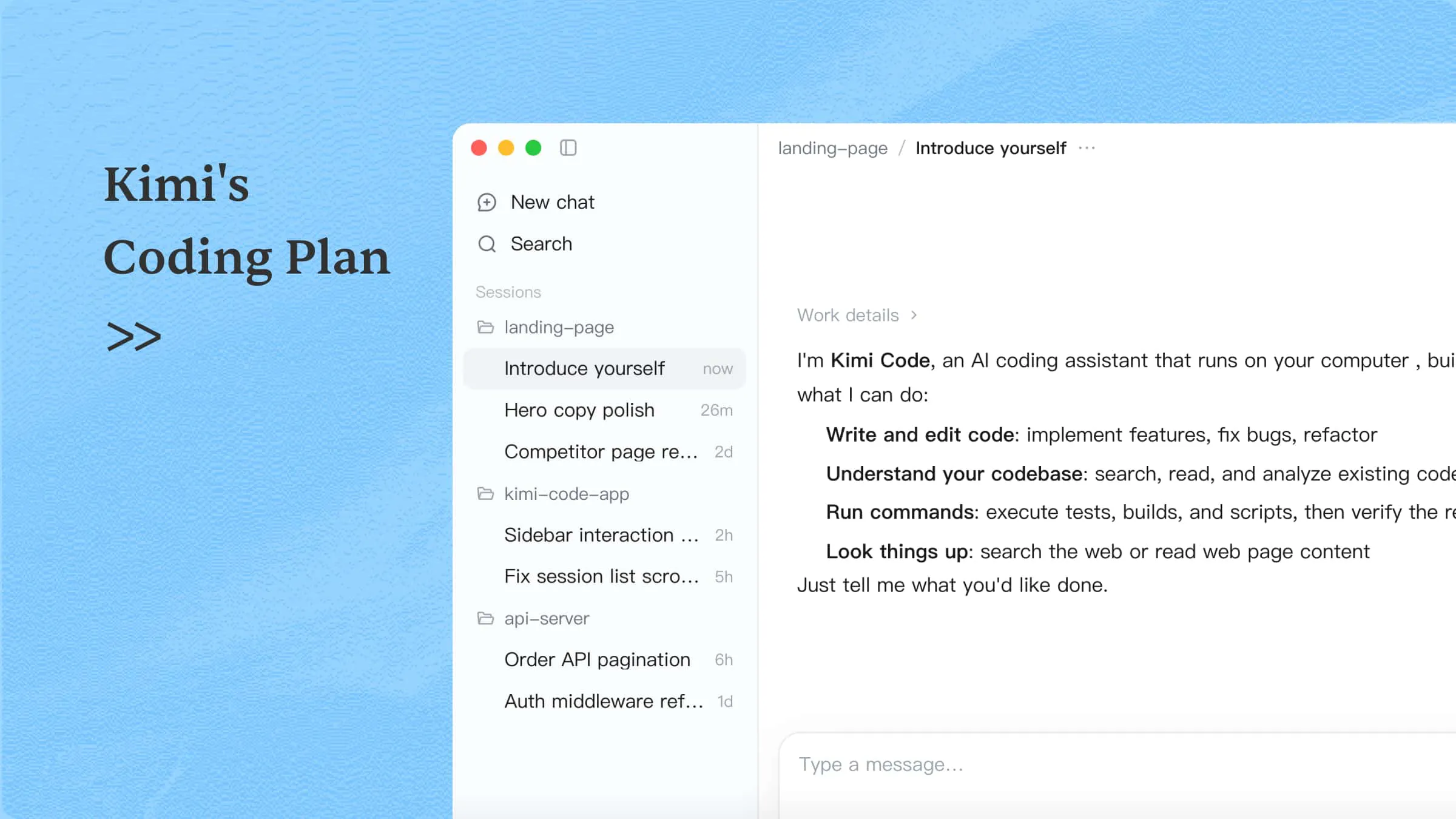
Kimi Code is an AI coding agent that can understand project files, plan modifications, edit code, execute terminal commands, and review results. It helps developers handle complex, multi-step development tasks through compatible tools such as the Kimi Code CLI, VS Code, and a desktop application.
Kimi Code is included in eligible Kimi membership subscriptions rather than offered as a separate coding subscription. International users can access Kimi Code with the Plus, Pro, Max, and Ultra plans. Each tier provides different usage allowances and capabilities, allowing developers to select a subscription based on their coding frequency and project requirements. Unlike the pay-as-you-go Kimi API, Kimi Code access is covered by membership benefits and subject to the applicable usage limits. You can visit the official Kimi membership pricing page to review the latest plans and subscription details.
| Item | Plus | Pro | Max | Ultra |
|---|---|---|---|---|
| Monthly billing | $19/month | $39/month | $99/month | $199/month |
| Annual billing (monthly equivalent) | $15/month ($180/year) | $31/month ($372/year) | $79/month ($948/year) | $159/month ($1,908/year) |
| Kimi Code access | Included | Included | Included | Included |
| Key benefits | Access to Kimi Code and supported coding models | Adds Kimi K3.1 Pro Highspeed access and higher usage allowances | Larger usage allowances for demanding coding workflows | Highest usage allowances for intensive development workflows |
Annual subscriptions are charged upfront for the full year, with the monthly figures shown above representing the equivalent cost. Prices exclude applicable taxes and may vary by region or purchase conditions. Kimi Code usage is subject to membership-specific limits, so check the official pricing page for the latest details.
How Kimi Code usage is calculated
Kimi Code usage is based on your membership's available credits and applicable rate limits. Kimi Code usage is subject to a rolling five-hour rate limit and draws credits from the shared monthly membership pool. Coding tasks consume credits from this pool, which is also used by other eligible Kimi services. This means that using other Kimi features can reduce the credits available for coding tasks.
If your included credits are insufficient, eligible members can enable Extra Usage to continue using Kimi Code with additional pay-as-you-go credits. These credits can also be shared across Kimi on the web and Kimi Code.
Actual consumption depends on factors such as the models used and the complexity of coding tasks. For a detailed explanation of usage calculation, rate limits, credit consumption, and Extra Usage, refer to the official Kimi Code membership documentation.
How to check and monitor Kimi Code usage
You can check your remaining credits and monitor usage through several interfaces:
Kimi Code CLI: Enter
/usagein the CLI to view your current usage information.Kimi Code Desktop: Open Settings to review usage and available credits.
Kimi web console: Visit the Kimi account or usage console to check your membership balance and consumption.
Regularly checking your usage helps you understand how quickly coding tasks consume credits and decide whether your current membership tier provides sufficient capacity for your development workload.
Explore the features of Kimi Code
Kimi Code combines AI-powered coding assistance with tools for planning, editing, and executing development tasks. Its features help developers manage existing codebases, handle complex changes, and improve their overall programming workflow through an AI coding plan.
AI-powered code generation and editing: Describe a feature, bug, or refactoring task in natural language. Kimi Code can generate code, fix errors, modify existing implementations, and improve code quality.
Codebase understanding: Read, search, and analyze project files to understand the code structure, dependencies, and relationships before making changes.
Plan mode for controlled development: Review the proposed implementation steps before execution. You can adjust the plan and approve the approach before Kimi Code modifies project files.
Goal mode for long-running tasks: Set a specific objective and let Kimi Code work through multiple steps toward completion. You can pause, resume, or cancel the task whenever needed.
Terminal execution and verification: Run commands, scripts, builds, and tests directly on your computer. Review the output to identify errors and verify whether the changes work as expected.
Multi-agent collaboration: Delegate complex tasks to specialized agents that can handle different parts of a project. This supports parallel research, coding, and problem-solving.
Flexible development environments: Access Kimi Code through its desktop application, command-line interface (CLI), or supported IDE integrations. Choose the environment that best fits your development habits and switch between interfaces as your projects require.
Browser and visual assistance: Access web pages within the desktop environment and share page context with the Agent. You can also use screenshots and visual annotations to explain the changes you want.
Custom skills, plugins for extensibility: Extend coding workflows with reusable Skills, plugins, and MCP integrations. These options allow you to connect additional tools and add specialized capabilities to your development environment.
How to choose the right Kimi coding plan
Choosing a Kimi coding plan depends on how often you code, the complexity of your projects, and the model capabilities you need. While all four eligible plans include Kimi Code, they differ in model access and available usage allowances. Consider the following scenarios when deciding which tier fits your development workflow.
Plus: For everyday coding and smaller projects: Plus is a practical starting point if you mainly use Kimi Code for code generation, debugging, code explanations, routine feature development, and edits across a limited number of files. It provides access to supported coding models without requiring a higher-tier subscription. However, it does not include the additional HighSpeed model access or 1M-token context capability available with Pro and above.
Pro: For larger codebases and more demanding development tasks: Pro is worth considering if you regularly work with multiple files, investigate complex dependencies, or refactor larger projects. It adds K3.1 Pro Highspeed access and unlocks the 1M-token context window, which can help Kimi Code process more project context within a single workflow. The HighSpeed option is also useful when faster model responses are a priority.
Max: For frequent coding with higher usage requirements: Max is more suitable if Kimi Code is part of your daily development workflow and you frequently handle longer sessions or complex, multi-step tasks. Its larger membership allowance provides more room for coding alongside other Kimi features. Consider this tier if you regularly approach the usage capacity of Pro.
Ultra: For intensive, high-volume development workflows: Ultra is designed for users who need the largest available membership allowance among the four tiers. It is worth considering if you use Kimi Code extensively throughout the day and also rely heavily on other Kimi services. The additional allowance can provide more flexibility for sustained development work.
Before upgrading, consider how much of your membership credit pool you allocate to coding versus other Kimi features. All membership services share the same monthly credit pool, so a higher tier may be more suitable if you regularly use Kimi Work, Deep Research, or other credit-consuming features alongside Kimi Code.
If you are unsure which plan to choose, starting with Plus or Pro and reviewing your actual usage is a practical approach. You can check consumption in the Kimi Code Console and use that information to decide whether a higher tier is necessary.
Kimi Code models: Which one should you choose
Kimi Code offers different AI models and inference options through eligible membership plans. Model availability depends on your subscription tier and the client or integration you use.
The latest flagship release is the Kimi K3, which brings improvements in coding, reasoning, and long-running agent workflows. The following table compares the available models and their recommended uses.
| Model | Availability and capabilities | Recommended use |
|---|---|---|
| K3.1 Pro | Available on Plus and above; up to 1M context on Pro and above; supports thinking mode | Complex coding, large codebase analysis, and multi-file refactoring |
| K3.1 Pro Highspeed | Available on Pro and above; approximately 2–3× the output speed of standard K3.1 Pro | Faster execution of demanding coding tasks |
| K3 | Available on Plus and above; up to 1M context on Pro and above | Large-project analysis and long-context development |
| K3 256K | Available on Plus and above; supports up to 256K context | Routine coding, code completion, and smaller file edits |
| K2.8 Preview | Available on Plus and above; supports up to 1M context | General AI coding and agent workflows |
| K2.7 Code HighSpeed | Available on Pro and above under the legacy model mapping | Faster coding workflows using the previous coding model |
Model availability may change as Kimi Code introduces new models or updates existing ones. For the latest model list, subscription requirements, and supported capabilities, refer to the official Kimi Code model documentation.
How to choose:
Choose K3.1 Pro for complex development tasks that require deeper reasoning and an understanding of project dependencies.
Choose K3.1 Pro Highspeed when faster output is a priority, and your subscription includes access.
Choose K3 or K3.1 Pro with a longer context window to analyze extensive repositories.
Choose K3 256K for routine coding tasks that do not require a larger context window.
Use K2.8 Preview as an alternative for general coding and agent workflows.
For developers, comparing the best AI coding plan, model access, context limits, and inference speed are important factors to consider alongside subscription costs.
Important: K3.1 Pro models require thinking to remain enabled and support configurable reasoning effort, with high as the default setting. For a more stable experience, start a new session when switching to the latest K3.1 Pro models instead of changing models within an existing session.
What can you do with Kimi Code
Kimi Code supports a wide range of software development tasks, from understanding existing projects and generating code to debugging, refactoring, and working with external tools. Here are some common use cases:
Understand codebases and implement features: Kimi Code can analyze project structures, dependencies, and relationships between files to understand how an application works. It can then generate new code or modify existing implementations across multiple files, helping developers build frontend components, implement backend logic, integrate APIs, and update configurations. For example, you can ask it to add a password reset feature, including the frontend form, backend endpoint, and input validation. It can inspect the existing project and coordinate changes across the relevant files.
Debug errors and run tests: Kimi Code can investigate errors by analyzing stack traces, inspecting relevant code, and executing terminal commands. It can identify potential causes of runtime errors and failed tests, apply fixes, improve error handling, and run unit tests or builds to check the results. Developers should still review the changes, test edge cases, and verify that the application meets security and deployment requirements.
Refactor and maintain projects: As projects grow, duplicated logic, outdated code, and inconsistent structures can make maintenance more difficult. Kimi Code can help simplify complex functions, extract reusable components, update outdated code patterns, improve error handling, and reorganize project structures. For larger changes, Plan mode lets you review and adjust the proposed implementation before Kimi Code modifies project files.
Work with visual references and external tools: Kimi Code supports visual inputs and integrations that extend its development capabilities. In compatible workflows, you can provide screenshots or videos as references for interface-related tasks, such as recreating UI elements or identifying visual differences. You can also connect external tools and data sources through MCP integrations, reuse project-specific instructions with custom Skills, and extend development workflows through supported integrations. Available input formats and integrations may vary depending on the client, model, and configuration.
Who should use Kimi Coding Plan
The Kimi Coding Plan is suitable for developers who want to integrate AI coding agents into their existing workflows and handle development tasks more efficiently.
It can be particularly useful for:
Independent developers: Build applications, implement features, and troubleshoot code while reducing repetitive manual work.
Frontend developers: Create and refine interface components, work with visual references, and maintain frontend projects.
Backend developers: Develop APIs, investigate errors, and modify backend logic across multiple files.
Full-stack engineers: Coordinate changes across frontend, backend, and shared application components.
Development teams: Establish consistent coding practices and reusable workflows through skills and compatible integrations.
Developers maintain large repositories: Analyze extensive codebases and perform cross-module refactoring using long-context models.
The right AI coding plan depends on your development workload, project complexity, and usage requirements. If you frequently handle large codebases or demanding coding tasks, a higher membership tier may be worth considering for its advanced models and larger usage allowances.
Conclusion
Kimi Coding Plan gives developers access to AI-powered coding assistance through Kimi Code, from understanding codebases and generating code to debugging and testing applications. Its range of models and membership tiers supports different development needs and workloads. Choose the right coding plan based on your project complexity, preferred models, and expected usage. With the right setup, Kimi Code can help simplify development tasks and make your workflow more efficient.
FAQ
/usage in the CLI. Eligible members can enable Extra Usage when their monthly credits run out.@openclaw/kimi-provider. Install the plugin, configure your Kimi credentials, and select a supported coding model. Usage is subject to your Kimi Coding Plan limits.