AI e-commerce skills are transforming how online stores manage daily operations, from creating optimized product listings to analyzing customer behavior and improving sales performance. However, with hundreds of AI tools available, identifying the most useful capabilities for your business can be challenging. This guide cuts through confusion with a carefully selected e-commerce skills list, featuring nine AI skills that support product research, catalog management, pricing strategies, marketing, customer engagement, and other essential retail workflows to help you operate more efficiently.
What are AI e-commerce skills?
AI e-commerce skills are sets of instructions and workflows that help AI agents handle e-commerce-related tasks more effectively. They guide AI agents to manage activities such as creating product descriptions, optimizing listings, analyzing customer data, organizing product information, and supporting sales workflows based on specific business requirements. These skills can help AI agents follow brand guidelines, adapt content for different platforms, analyze market trends, and assist with tasks across online retail operations.
Kimi's e-commerce skill for AI agents
While many AI platforms excel at individual tasks, they often struggle to support end-to-end e-commerce workflows without extensive prompt engineering or third-party integrations. This creates unnecessary complexity for businesses managing large-scale online operations.
Kimi overcomes this limitation through a structured ecosystem of specialized AI skills. By combining workflow automation with domain-specific capabilities, it enables businesses to execute complex e-commerce processes more efficiently while maintaining accuracy, consistency, and scalability.
| Skill name | Description |
|---|---|
| ecom-listing-copywriter | Writes complete e-commerce product listing copy including titles, selling points, specifications, and FAQs, styled for major marketplaces such as Amazon, including platform-specific formats like Amazon A+ content. |
How to use Kimi e-commerce skills from the Skills store?
Kimi makes it simple to integrate AI into your daily e-commerce operations without a complex setup. Follow the steps below to access its e-commerce skills in the Skills store and start automating your workflows.
Step 1: Install the skill and input its command
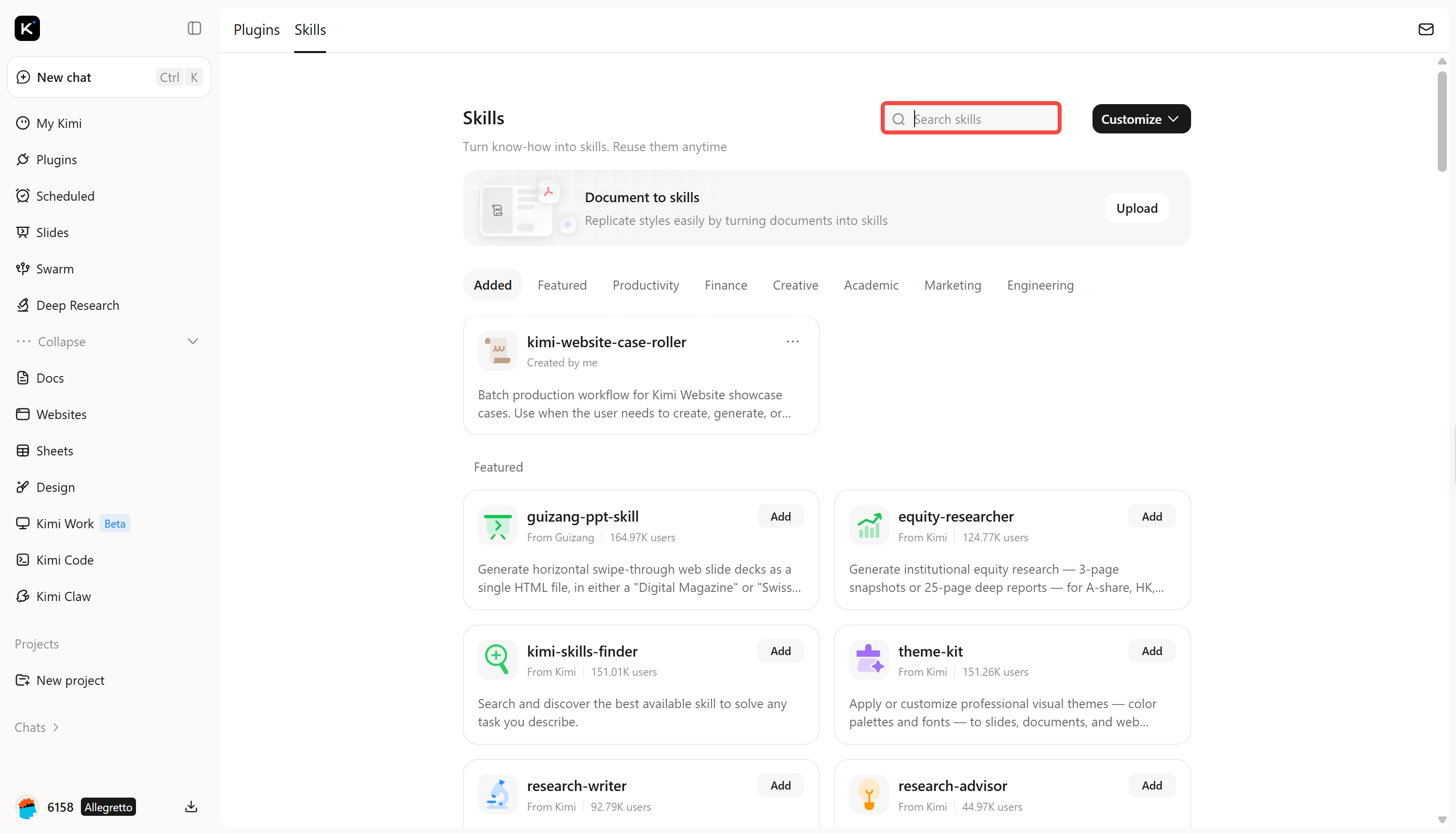
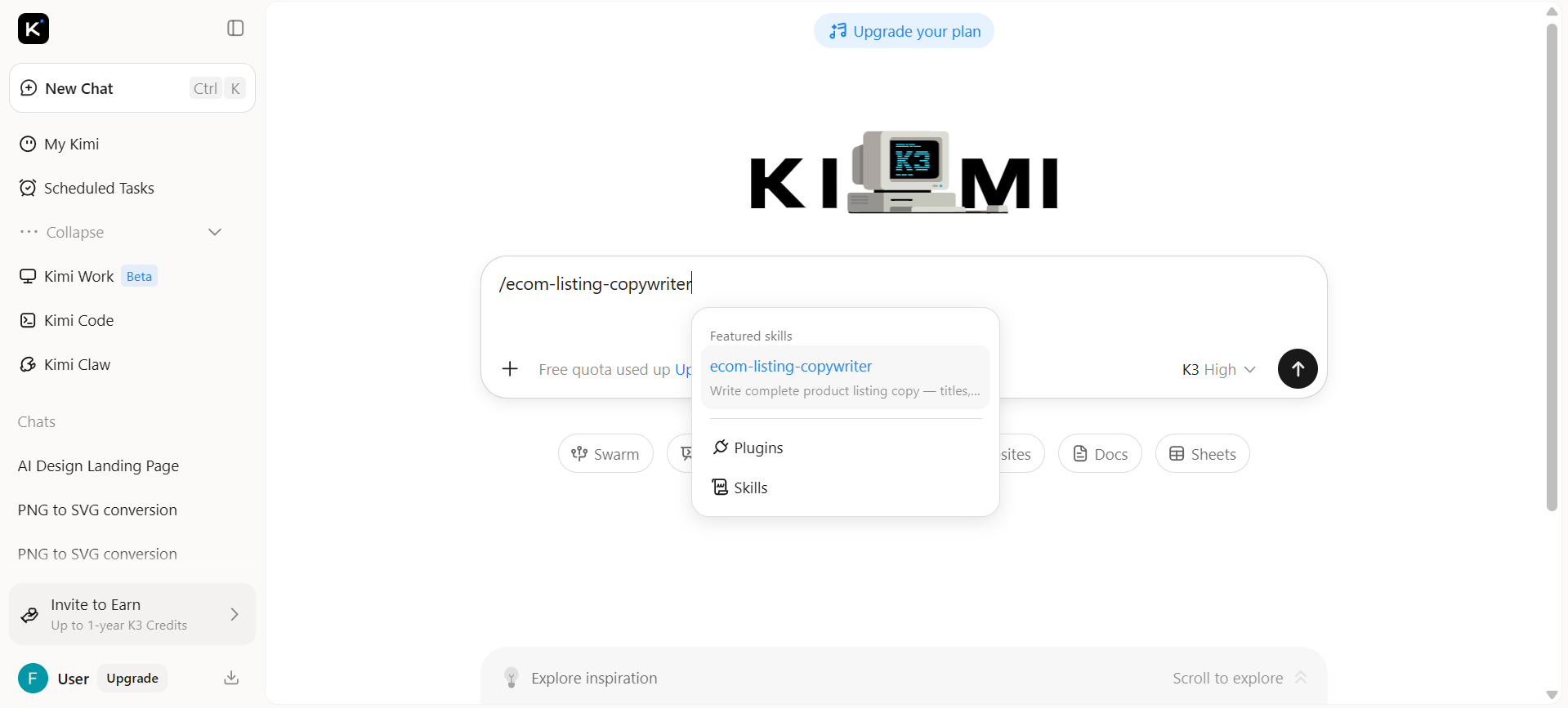
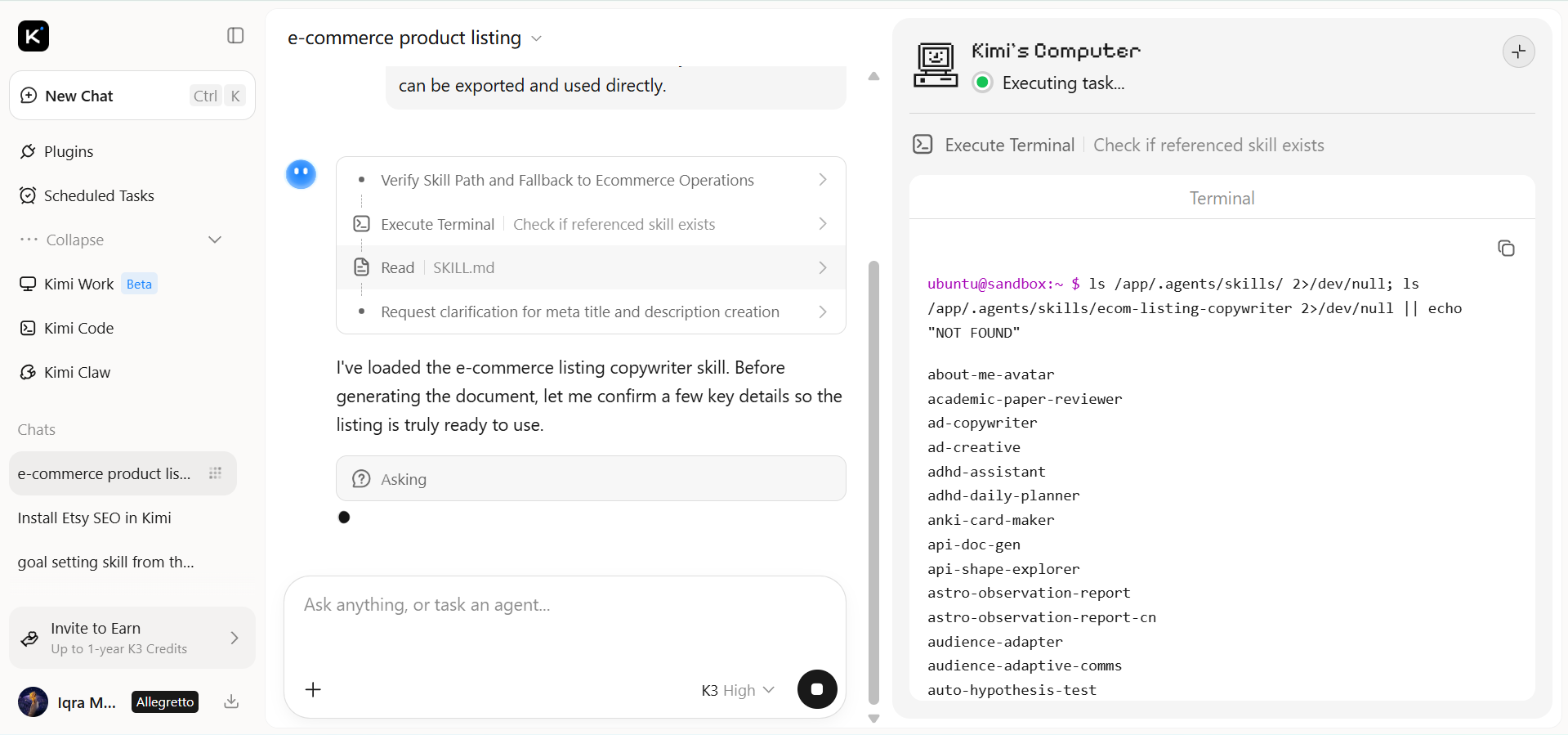
Open Kimi and type / in the input box to open the Skills store. Search for ecom-listing-copywriter and click to install it. Then type /ecom-listing-copywriter in the input box to activate the skill.
Step 2: Start your research task
Provide your product details or e-commerce requirements, and Kimi will execute the selected skill to generate optimized, task-specific results.
Example prompt:
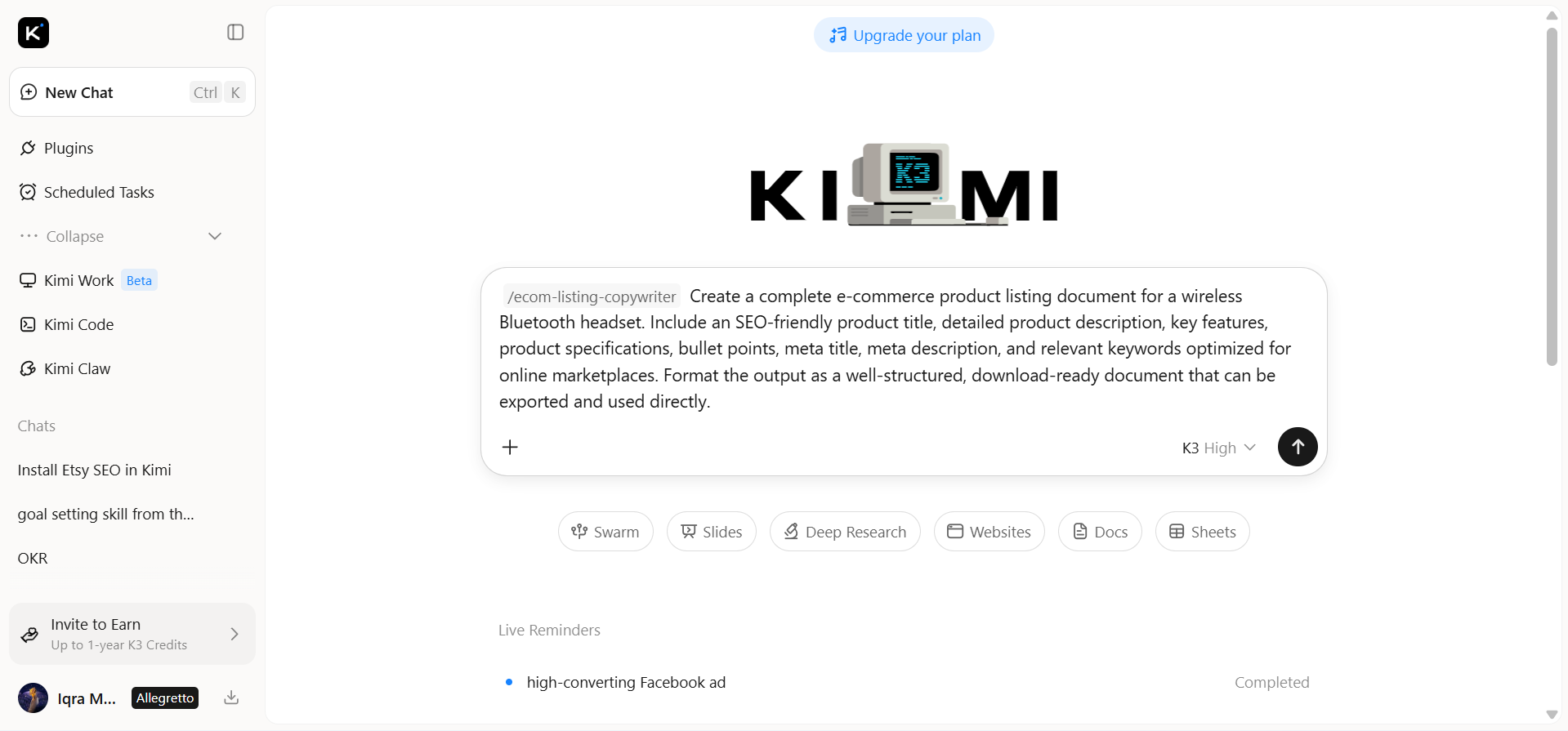
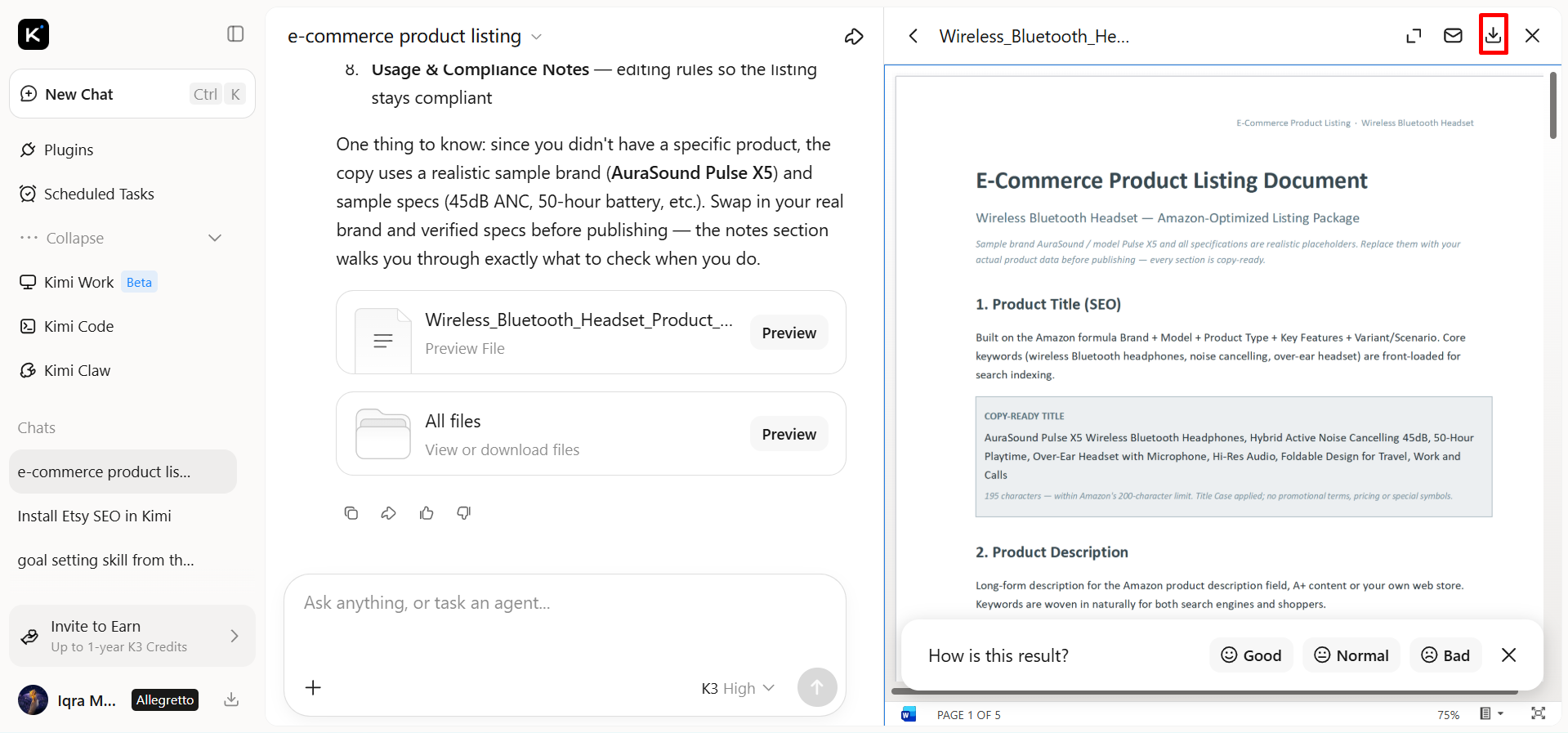
Once your request is submitted, Kimi analyzes your requirements and generates a structured e-commerce document tailored to your prompt.
Step 3: Review and download your document
Review the generated product listing document to ensure the content is accurate, SEO-friendly, and aligned with your brand. Once you're satisfied, download it for publishing or further editing.
Equip your toolkit with open-source e-commerce skills
Every online store has unique needs, and adding e-commerce skills helps expand AI capabilities for different business scenarios. This list highlights open-source e-commerce skills that extend Kimi's functionality, covering tasks such as product optimization, market analysis, content generation, and customer engagement.
| Skill name | Description | URL |
|---|---|---|
| ecommerce-growth-strategy | Diagnoses store health using unit economics such as CAC, LTV, and AOV, identifies the top growth lever, and builds a 90-day growth roadmap. Use case: growth planning and quarterly strategy for online stores | https://github.com/nexscope-ai/eCommerce-Skills/tree/main/ecommerce-growth-strategy |
| product-description-generator | Generates SEO optimized product descriptions adapted to the rules of Amazon, eBay, Walmart, Shopify, Etsy, and TikTok Shop. Use case: listing content creation and catalog copy production | https://github.com/nexscope-ai/eCommerce-Skills/tree/main/product-description-generator |
| ecommerce-ppc-strategy-planner | Plans cross-platform PPC campaigns across Google, Meta and TikTok with ROAS targets and budget allocation. Use case: advertising budget planning and campaign workflow management | https://github.com/nexscope-ai/eCommerce-Skills/tree/main/ecommerce-ppc-strategy-planner |
| cross-border-ecommerce | Scores 15 plus international markets and handles VAT, IOSS, and GST compliance, plus logistics and localization planning. Use case: market expansion planning and cross-border project roadmapping | https://github.com/nexscope-ai/eCommerce-Skills/tree/main/cross-border-ecommerce |
| etsy-seo | Analyzes Etsy listings with title optimization, tag analysis, and description scoring to improve search ranking. Use case: marketplace SEO auditing and listing optimization workflows | https://github.com/nexscope-ai/eCommerce-Skills/tree/main/etsy-seo |
| warehouse-optimization | Optimizes warehouse and inventory operations with safety stock, reorder points, ABC analysis, and IPI score improvement. Use case: inventory planning and supply chain operations management | https://github.com/nexscope-ai/eCommerce-Skills/tree/main/warehouse-optimization |
| amz-hot-keywords | Scrapes Amazon search rankings from AMZ123 with weekly ABA data, runnable as a standalone script. Use case: keyword research automation and trend monitoring for product selection | https://github.com/simoncai519/open-accio-skill/tree/main/skills/amz-hot-keywords |
| etsy-pod-automation | Full print-on-demand automation pipeline for Etsy and Printify covering trend discovery, design, listing, and social posting. Use case: end-to-end workflow automation for POD store operations | https://github.com/simoncai519/open-accio-skill/tree/main/skills/etsy-pod-automation |
How to use open-source e-commerce skills in Kimi?
Follow these simple steps to install and start using open-source e-commerce skills in Kimi within minutes
Step 1: Enter a prompt
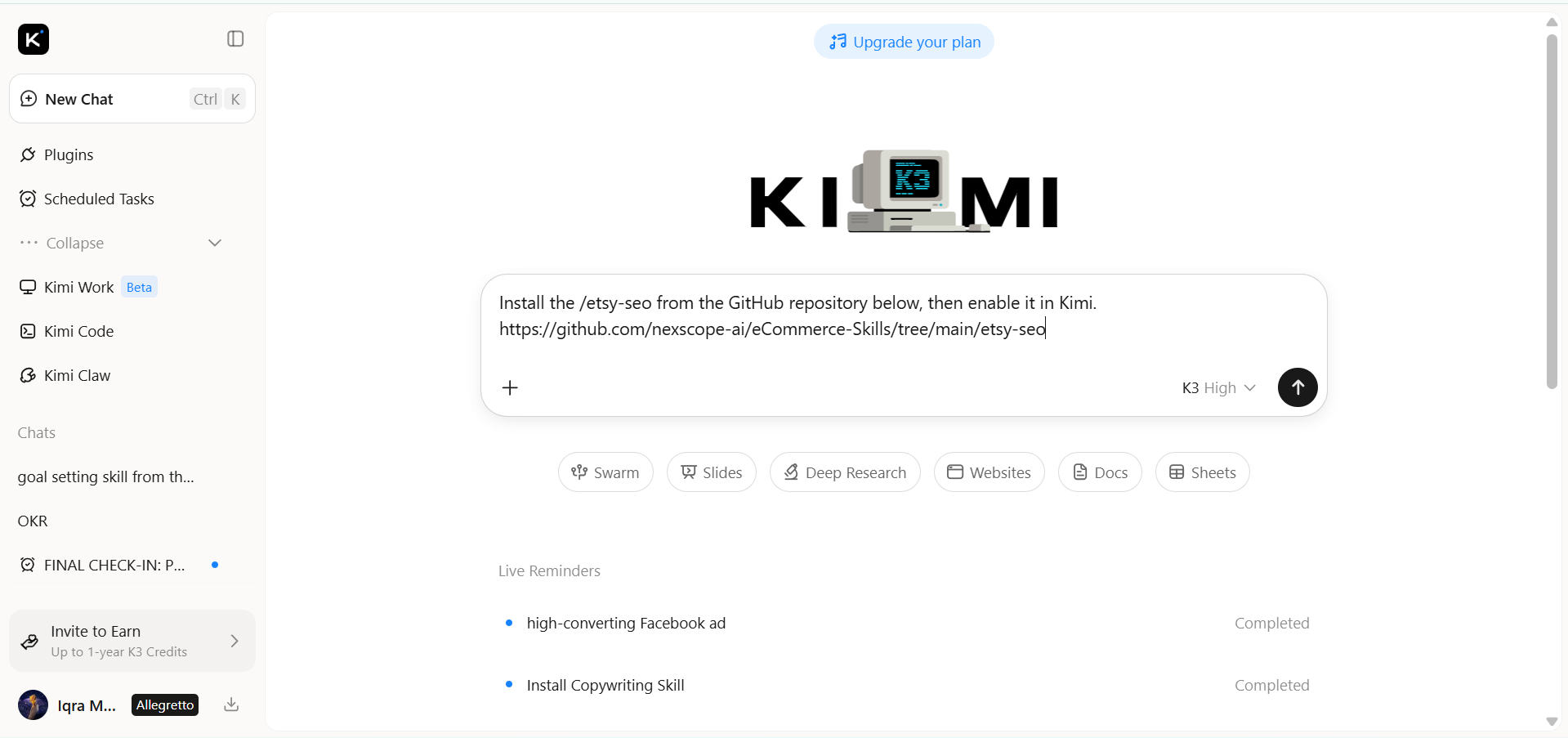
Open Kimi Chat and enter a prompt with the GitHub repository URL of the open-source e-commerce skill you want to install.
Example prompt:
Step 2: Let AI install the skill automatically
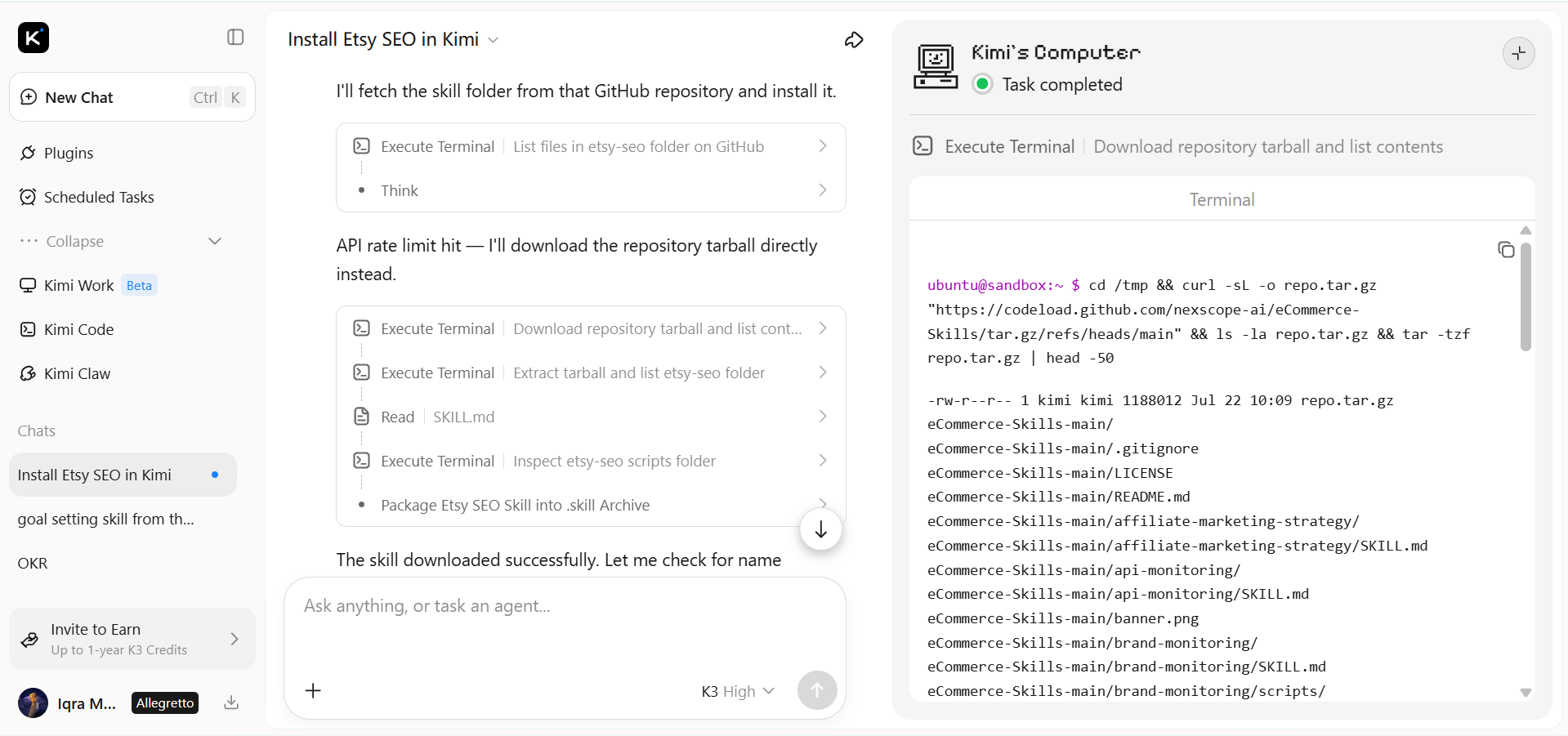
Submit the prompt, and Kimi will automatically import, configure, and install the selected e-commerce skill. Once the installation is complete, the skill will be available in your workspace.
Step 3: Use the skill
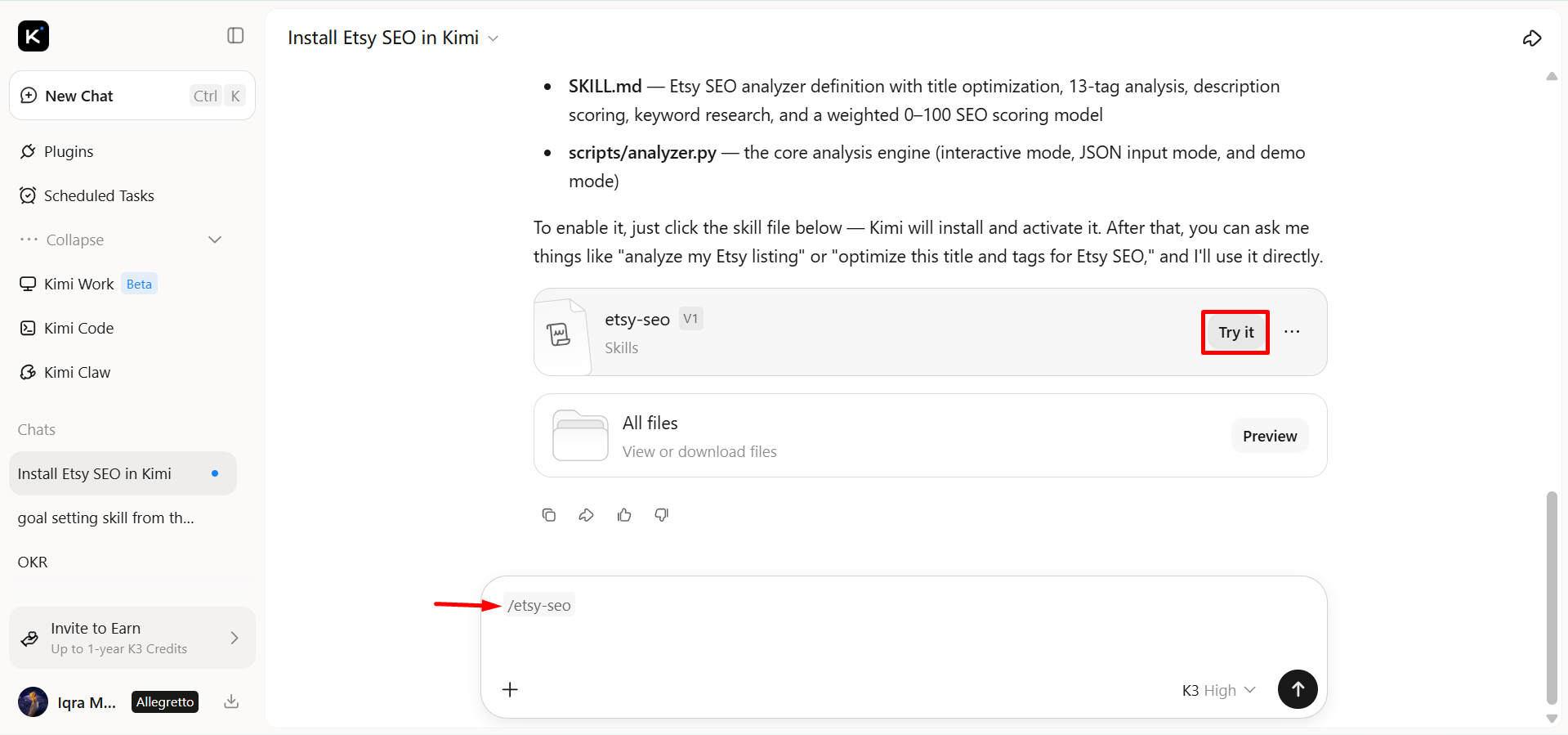
Select "Add to my skills" to save the installed skill, then click "Try it" to launch it. Enter your e-commerce task, and Kimi will execute the skill to generate the requested results.
Make your own AI e-commerce skills needed for growth
Follow the steps below to create custom AI e-commerce skills that streamline your workflows and support long-term business growth.
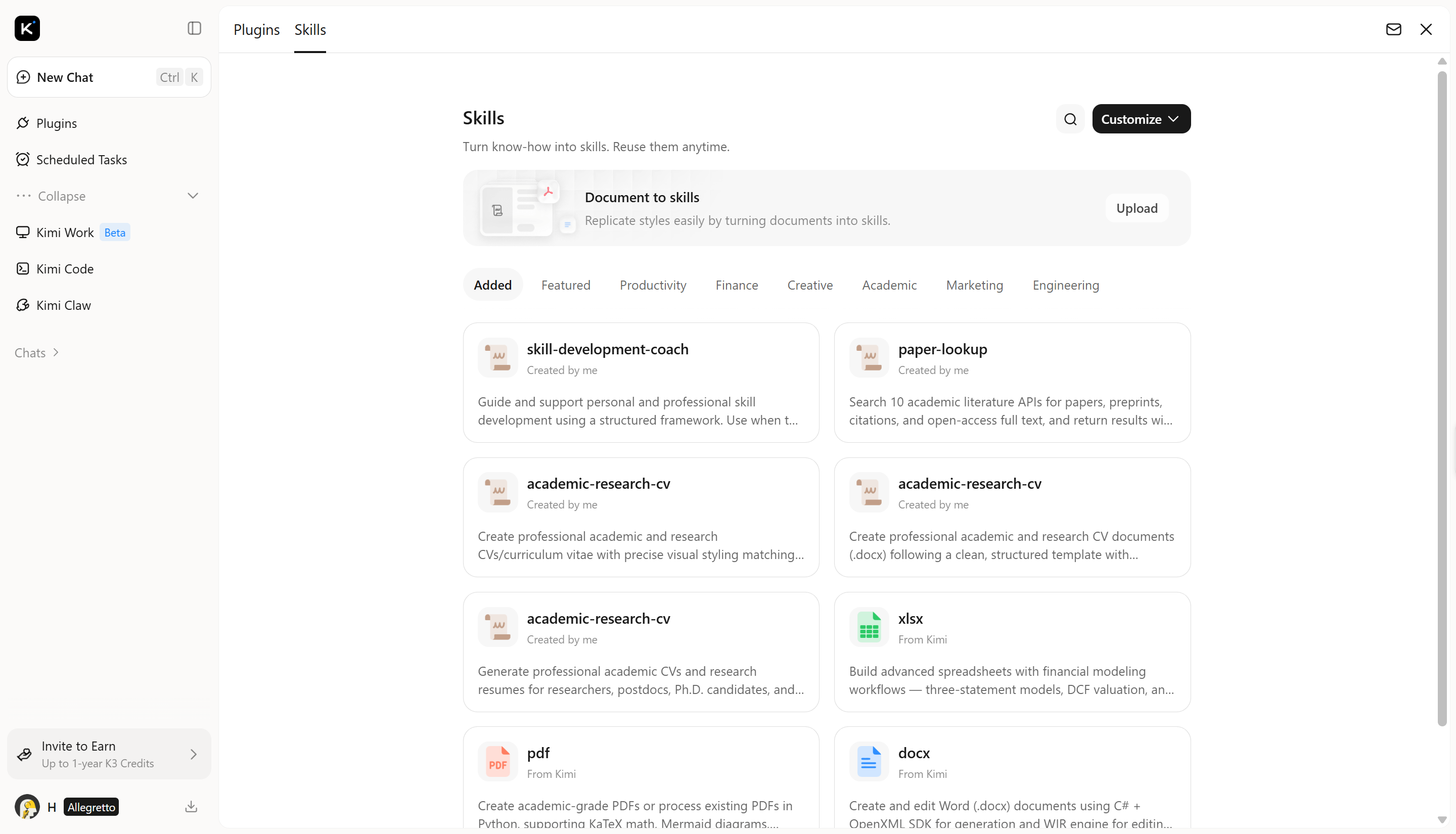
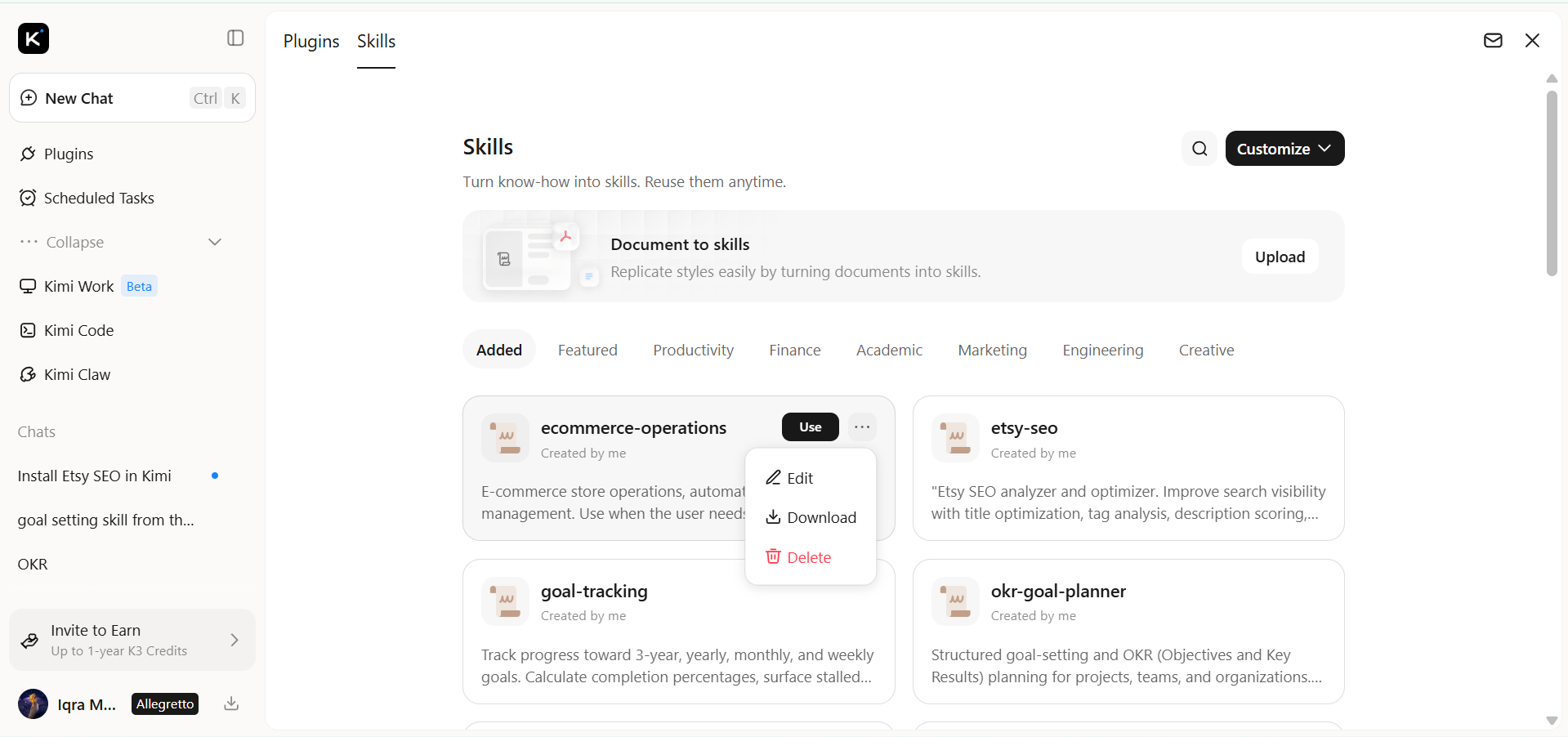
Step 1: Access the "Document to skills" tool
Open Kimi Skills and select "Document to skills" to create a new AI skill from your document.
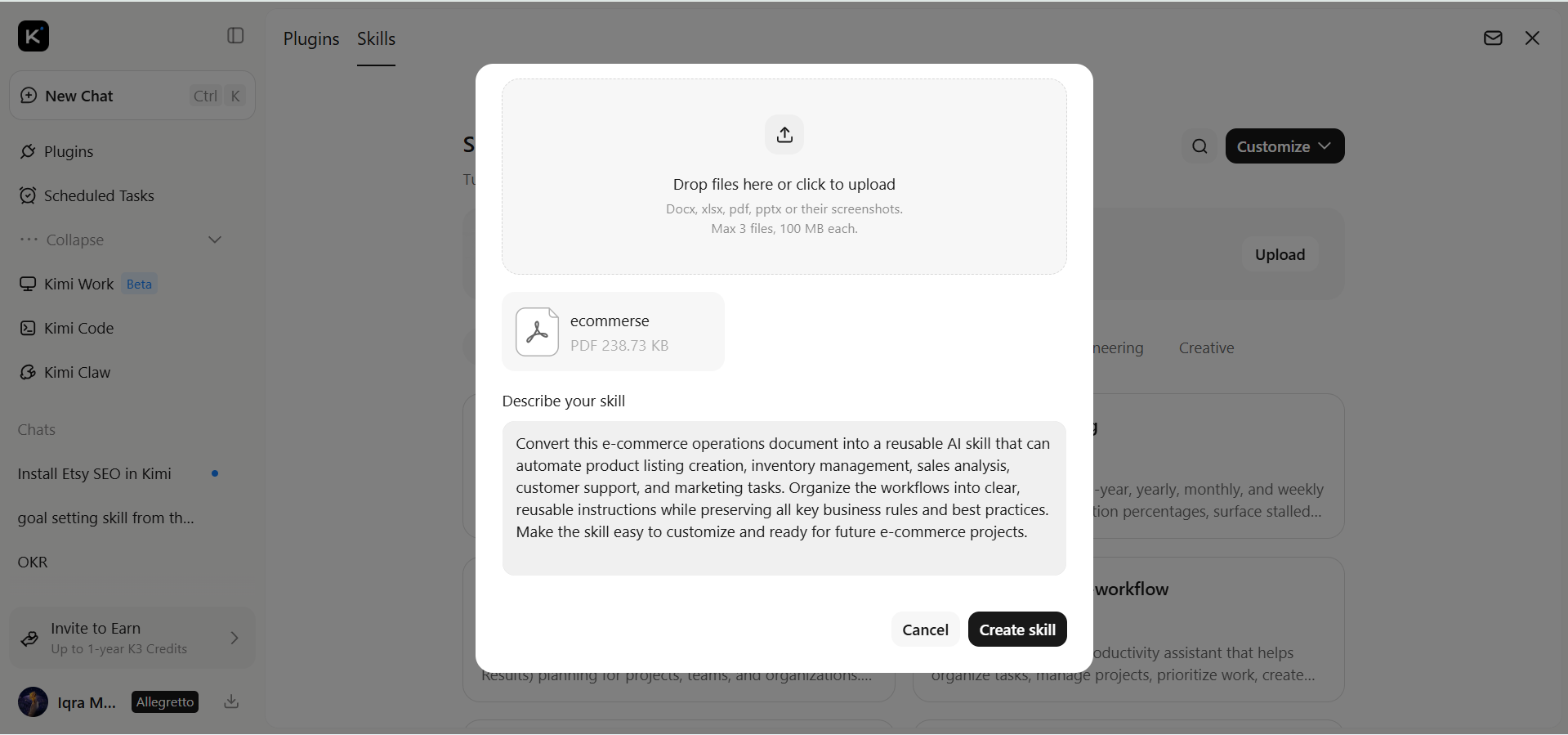
Step 2: Upload the files
Tap the "Upload" button and upload your e-commerce documents, such as product catalogs, brand guidelines, or product descriptions, to create a custom AI skill.
Step 3: Create and use your skills
After processing is complete, your custom AI e-commerce skill is ready to use. Generate consistent e-commerce content from your uploaded documents.
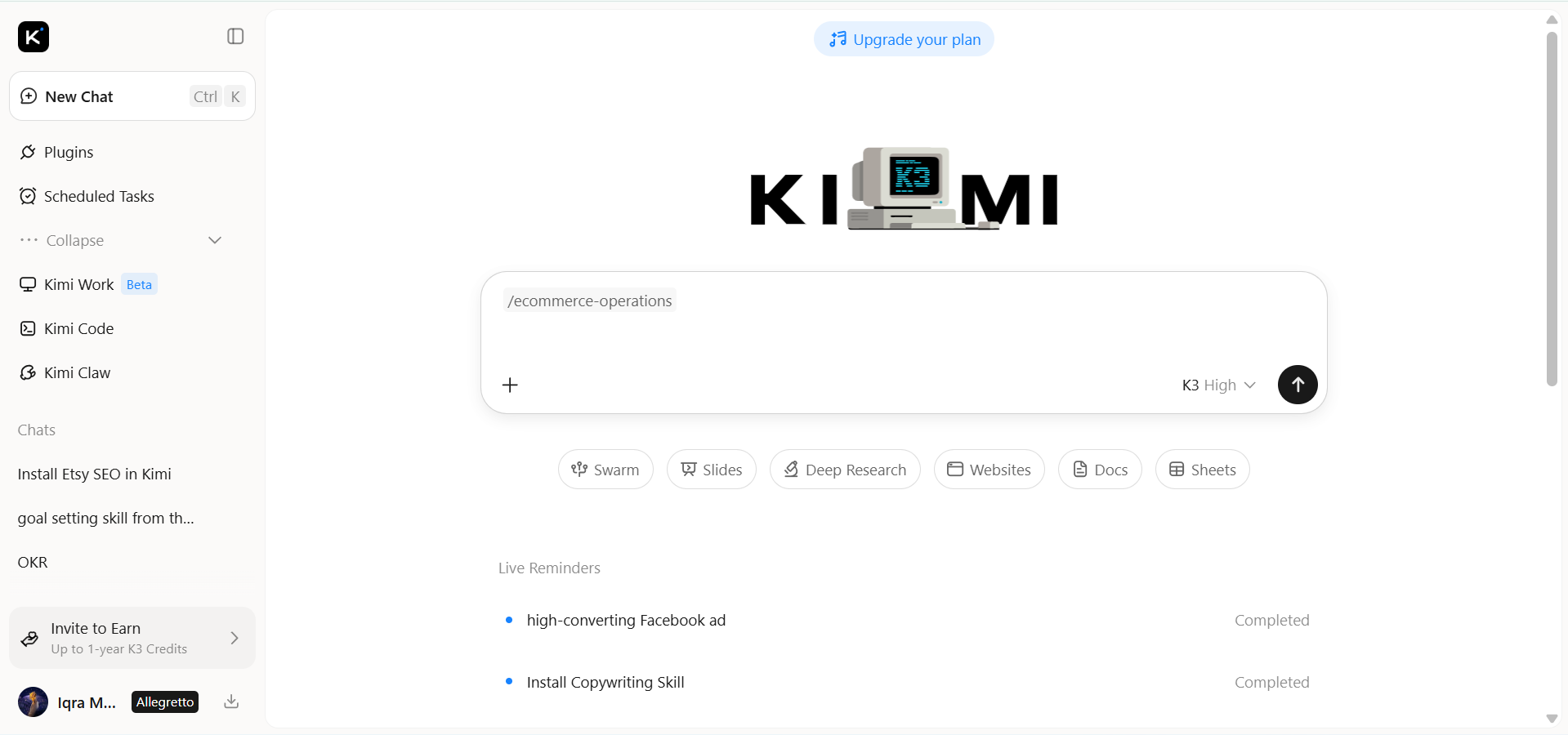
You can update the skill anytime as your business changes or export it as an .md file for future use.
Tips to use e-commerce skills like a pro
Here are some practical tips to help you get better results from your AI e-commerce skills.
Automate repetitive store management tasks
Map out repetitive processes such as product uploads, catalog updates, order processing, invoice generation, and customer support, then assign AI skills to automate them. Monitor the results regularly and refine the workflow as your product catalog or business requirements change to maintain accuracy and efficiency.
Personalize product recommendations for customers
Train AI with accurate customer behavior, purchase history, browsing activity, and product relationships to deliver highly relevant recommendations. Experiment with different recommendation strategies for homepages, product pages, and checkout to identify which approach increases conversions and average order value.
Analyze sales data for trends
Use AI skills to continuously analyze sales performance, customer demand, seasonal buying patterns, and conversion metrics instead of relying only on manual reports. Apply these insights to improve pricing strategies, marketing campaigns, inventory planning, and product selection based on real customer data.
Optimize product listings with AI
Provide AI with detailed product specifications, features, target keywords, and customer intent before generating listings. Review the generated titles, descriptions, attributes, and metadata to ensure they are accurate, search-optimized, and aligned with your brand voice across every sales channel.
Streamline inventory tracking and updates
Integrate AI skills with your inventory, warehouse, and order management systems to synchronize stock levels automatically across all marketplaces. Use AI-generated forecasts and low-stock alerts to plan replenishment early, reduce stockouts, and prevent overselling during high-demand periods.
Test skills before full deployment
Validate AI skills using a small product category, selected workflows, or a staging environment before rolling them out store-wide. Track accuracy, automation success rates, and business impact, then fine-tune prompts, rules, and integrations to ensure reliable performance at scale.
Conclusion
AI e-commerce skills help businesses automate routine tasks, improve productivity, and manage online stores more efficiently. Understanding the e-commerce skills needed for product management, marketing, and sales can give your business a competitive advantage while saving valuable time. Explore Kimi's Skills store and open-source e-commerce skills to simplify your workflow and support long-term business growth.