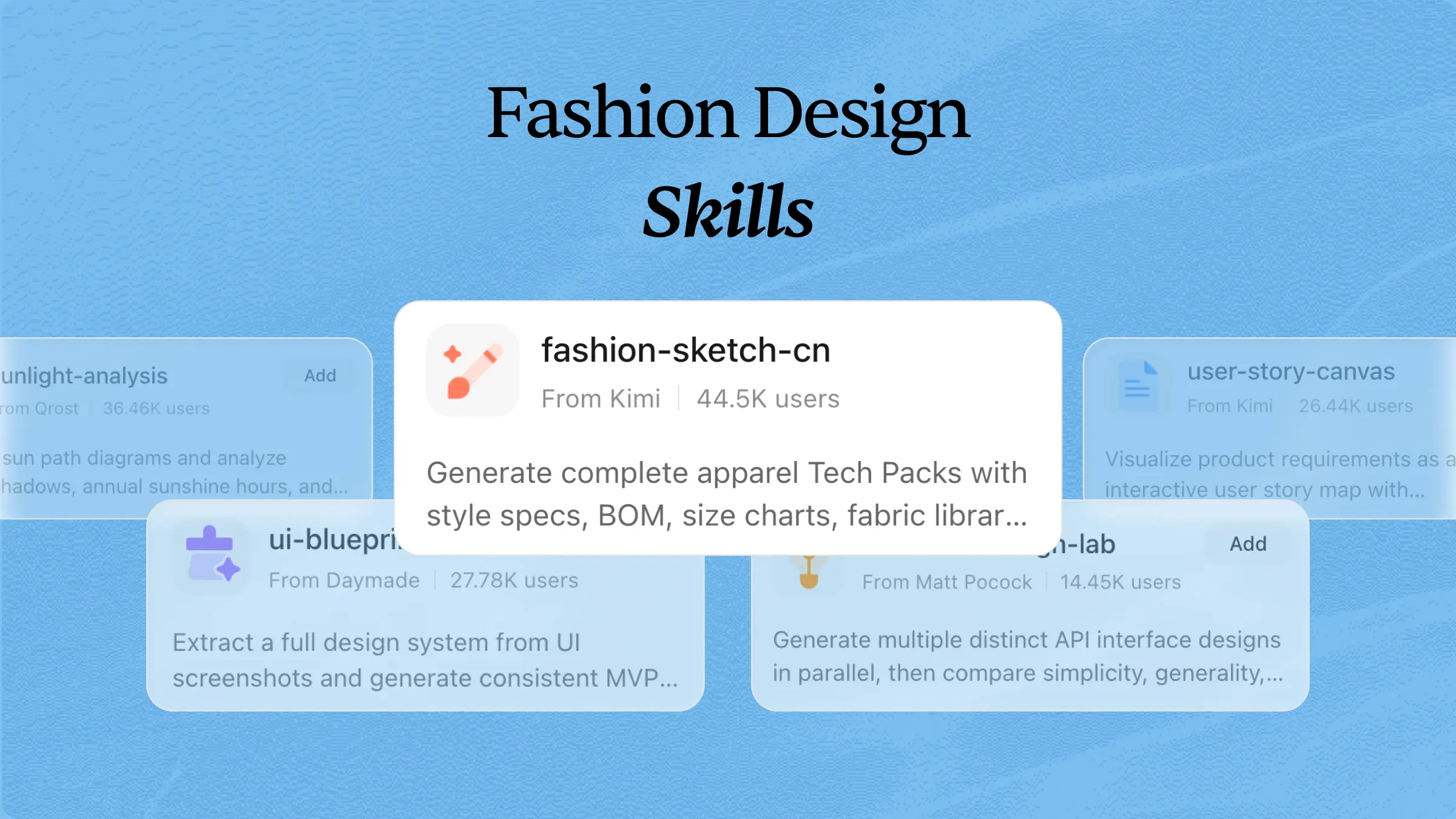
Developing new fashion concepts, creating collections, and maintaining a consistent design style can be time-consuming. Instead of handling every task manually, you can equip AI agents with fashion design skills to generate concepts, explore different styles, and refine creative ideas. These AI skills help automate repetitive design workflows while giving you more time to focus on creativity. Explore the AI skills in this article to find the right ones for your fashion design projects.
What are fashion design skills?
Fashion design skills are specialized AI agent skills that enable AI agents to generate fashion concepts, create clothing collections, develop style variations, and support creative design workflows. They can follow natural language instructions to produce mood boards, color palettes, product ideas, and other fashion assets while maintaining a consistent design direction.
Add open-source fashion design skills to strengthen collections
While a single skill can handle specific fashion tasks, combining multiple skills gives you a more complete creative workflow. From fashion illustration and visual content creation to trend analysis, e-commerce, and design systems, these tools support different stages of the design process. Below are some open-source fashion design skills that can help strengthen your collections and improve your creative workflow:
| Skill name | Description | URL |
|---|---|---|
| ugc-fashion | AI skill for generating user-generated content for fashion brands. Includes a full format library with prompt templates, shot structures, and settings for clothing brands, shoe brands, accessories, athleisure, sustainable fashion, luxury, streetwear, and vintage. Features 20 formats with real fashion brand examples and quick-lookup shot list tables. | https://github.com/tfcbot/rawugc-skills |
| jojos-design-skill | Design skills based on Hirohiko Araki's visual principles with a dedicated Fashion Design module. Covers Versace/Moschino/Dior influences, maximalist accessories, symbolic motifs, color theory, pose language, and composition doctrine for dramatic fashion illustration. Includes prompt enhancement system and three advisory modes. | https://github.com/MushroomFleet/jojos-design-skill |
| morpheus-fashion-design | AI skill for generating professional fashion and product advertising images using ComfyDeploy's Morpheus Fashion Design workflow. Supports model face consistency, product integration, multiple style packs, and brand logo integration. | https://github.com/PauldeLavallaz/morpheus-fashion-design |
| genstore-ai-skill | E-commerce skill with fashion dropshipping capabilities. Includes AI-powered store design, product description generation from images, print-on-demand for custom apparel, and social commerce integration for TikTok/Instagram fashion marketing. | https://github.com/Alpha-Park/genstore-ai-skill |
| sogni-creative-agent-skill | Creative generation skill for fashion imagery and video content. Supports image generation, video creation from text/images, face transfer for model photography, and storyboard-driven fashion video workflows with quality presets and model recommendations. | https://github.com/Sogni-AI/sogni-creative-agent-skill |
| ai-agents-skills | Meta-skill framework explaining the open Agent Skills specification (SKILL.md format). Provides structure for creating custom fashion design skills with YAML frontmatter, progressive disclosure, and cross-platform compatibility for Kimi and other agents. | https://github.com/hoodini/ai-agents-skills |
| ds-skills | Data science skills collection with potential applications for fashion trend analysis, customer segmentation, and predictive modeling. Includes structured SKILL.md format with overview, quick start, workflow, key decisions, and references for each technique. | https://github.com/wenmin-wu/ds-skills |
| fabric-skills | Microsoft Fabric skills for data engineering workflows applicable to fashion retail analytics. Covers lakehouse management, Spark compute optimization, data factory pipelines, and OneLake storage for large-scale fashion e-commerce data processing. | https://github.com/PatrickGallucci/fabric-skills |
| skills-for-fabric | Official Microsoft skills for Fabric with MCP server integration. Supports data workflows for fashion inventory management, sales analytics, and real-time intelligence with REST API access and multi-workload orchestration. | https://github.com/microsoft/skills-for-fabric |
How to use external AI fashion design skills in Kimi?
Many fashion design skills are available as open-source projects and can be added to Kimi to expand its creative workflow. Once installed, these skills can help with tasks such as fashion illustration and content creation. Here are the steps to install and use open-source skills in Kimi:
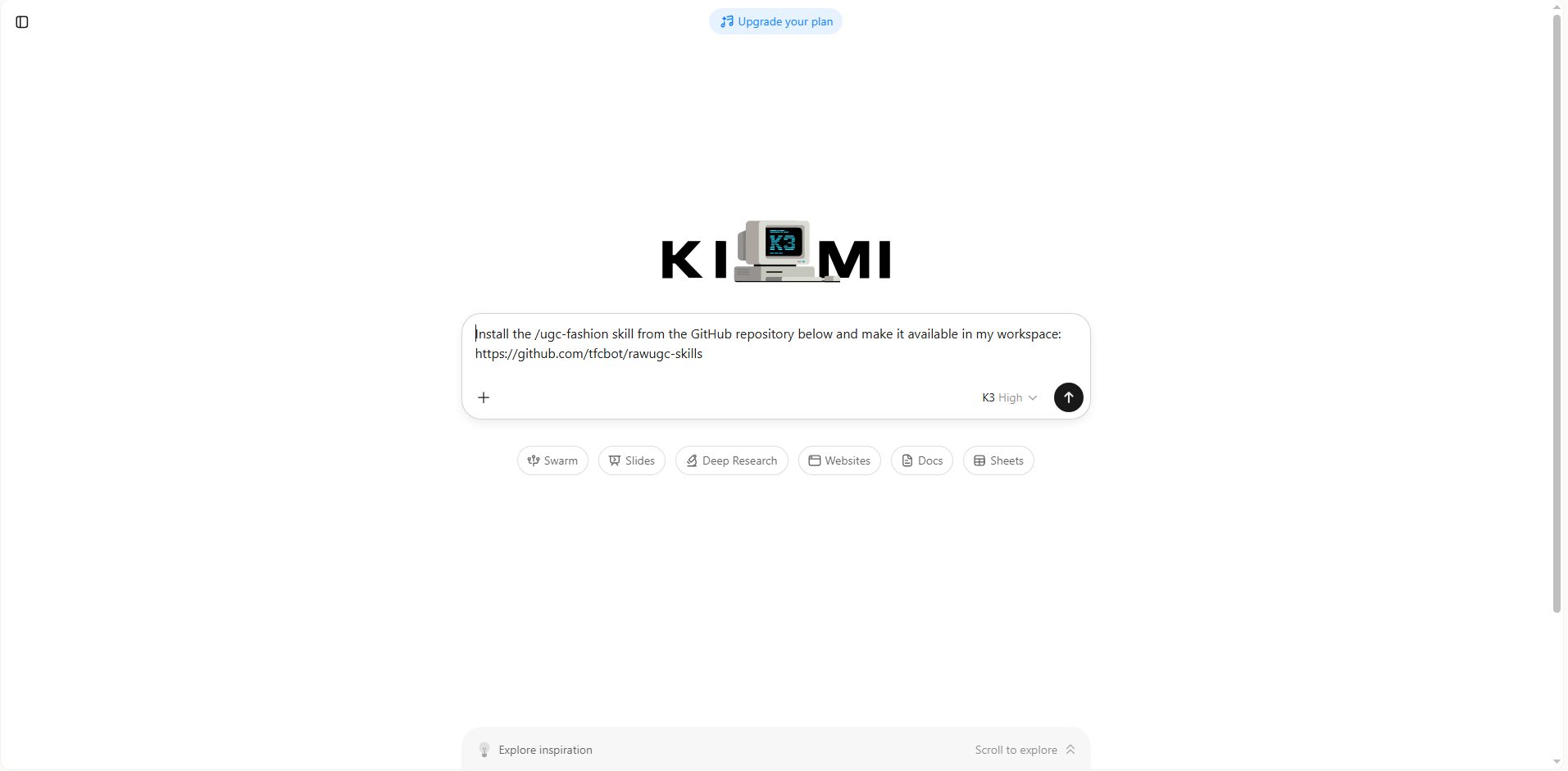
Step 1: Enter a prompt
Open Kimi and ask it to install the fashion design skill by including the GitHub repository URL.
Example prompt:
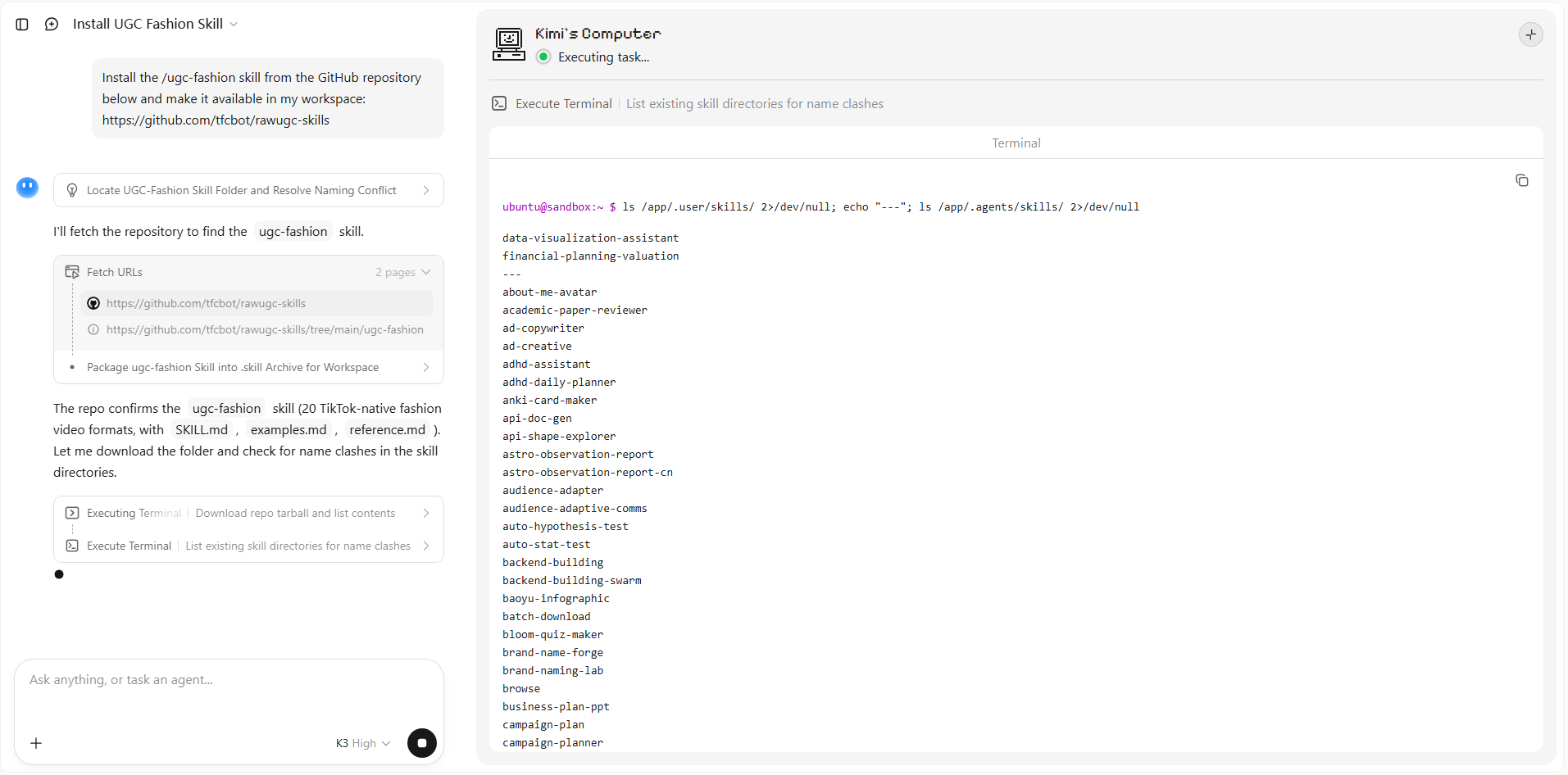
Step 2: Let AI install the skill automatically
Kimi retrieves the files from the provided repository, configures the skill, and prepares it for use. After the setup is complete, the new skill becomes available in your workspace.
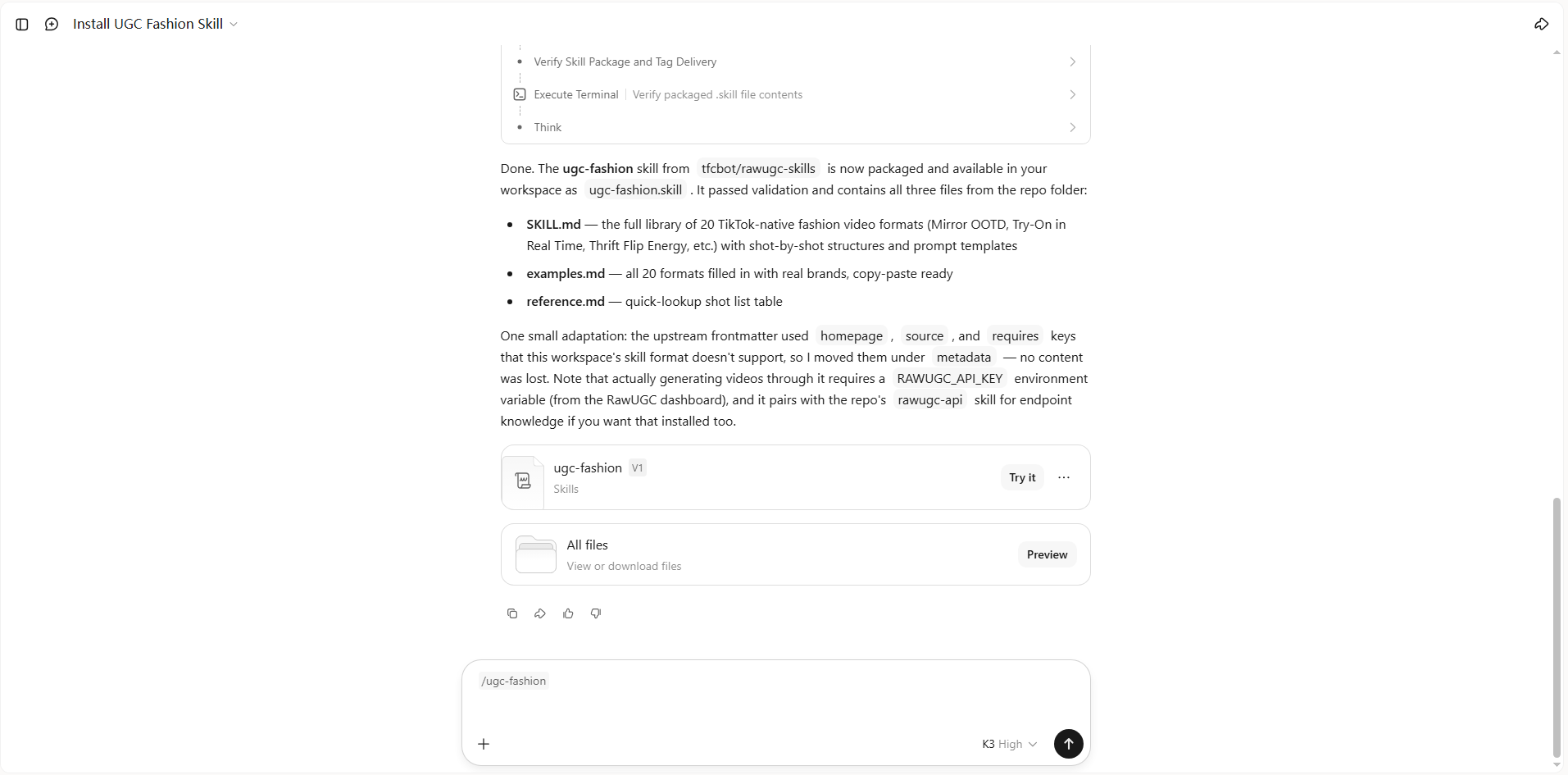
Step 3: Use the skill
Select the installed skill, activate it in Kimi, and describe your fashion design task. The skill will apply its specialized workflow to generate outputs based on your requirements.
Unlock more control with custom fashion design skills
If you have your own design references, brand guidelines, or technical documents, Kimi can turn them into reusable fashion design skills. This helps you build AI tools that follow your preferred workflow and produce more consistent results. Here's how to do it in simple steps:
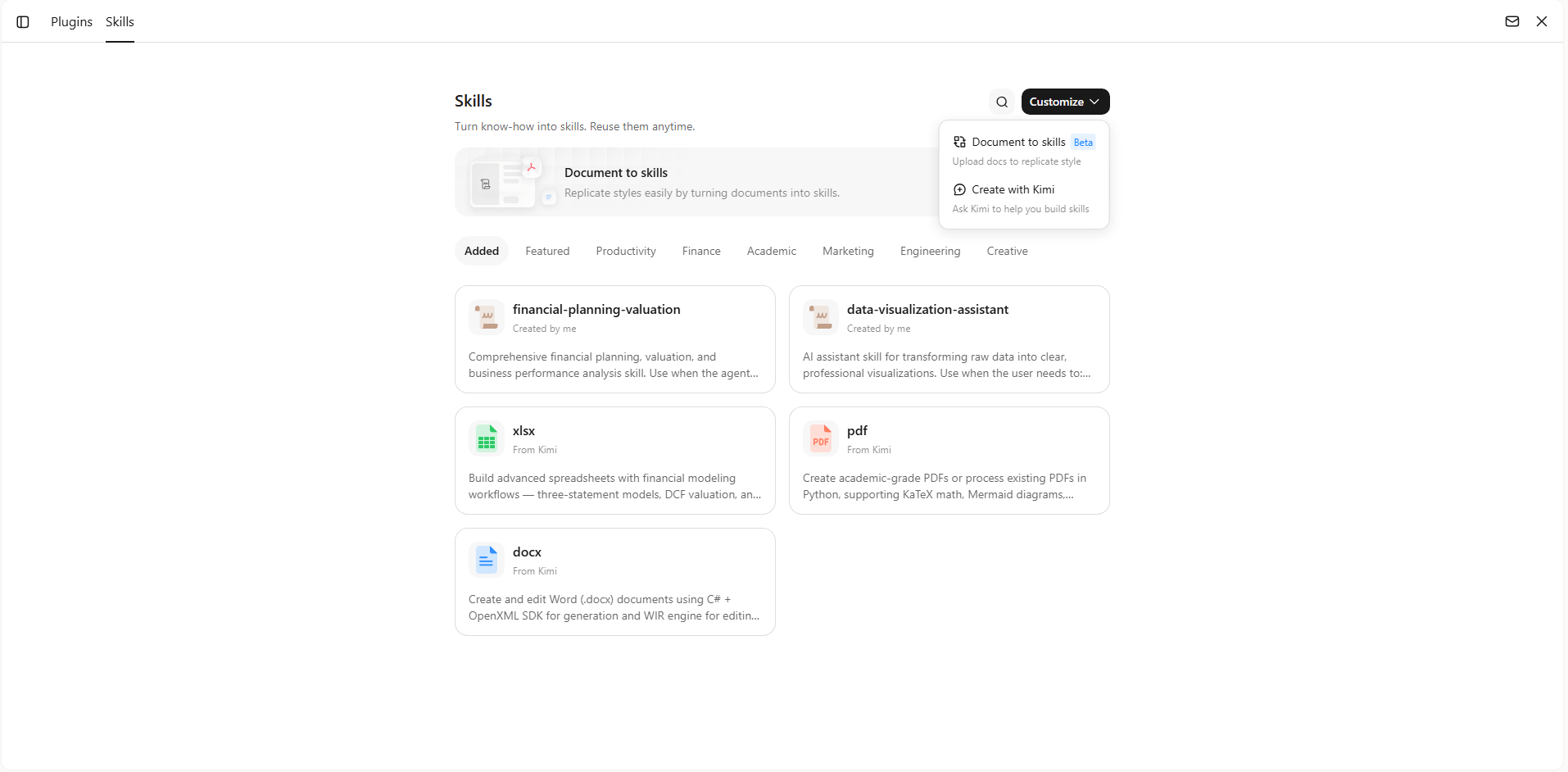
Step 1: Access the "Document to skills" tool
Open Kimi and click the "+" button, then go to Skills → Document to skills to begin creating a custom fashion design skill from your own files.
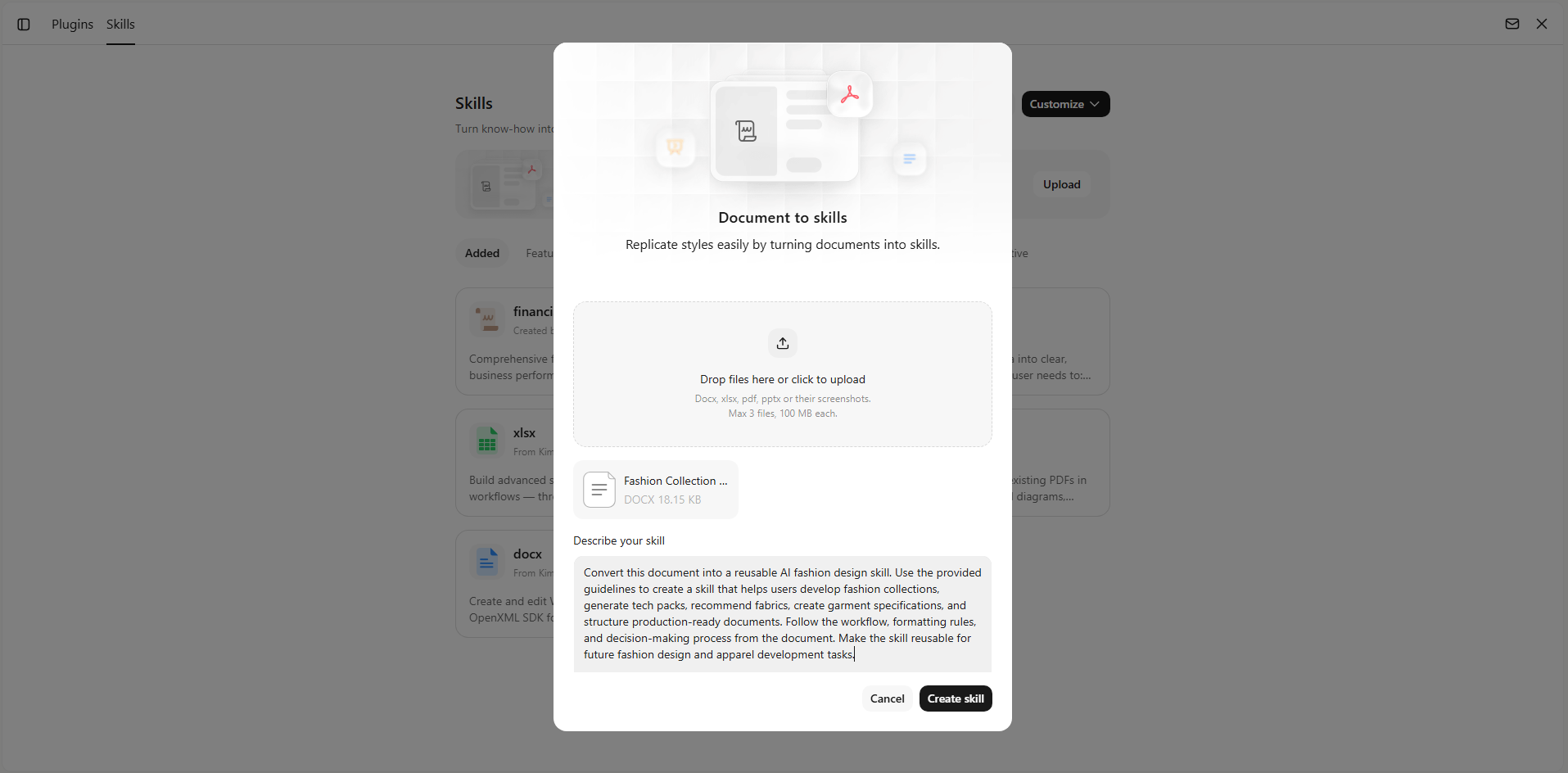
Step 2: Upload the files
Upload resources such as tech packs, brand style guides, design briefs, fabric references, mood boards, or collection documentation. It can be Docx, xlsx, pdf, pptx, or their screenshots, up to 3 files of 100 MB each. Kimi will organize the content into a reusable skill that understands your design workflow.
Step 3: Create and use your skills
After processing your files, Kimi creates a personalized skill that you can use for future fashion design projects. Generation can take 20–30 minutes, so you can check back later once it is ready.
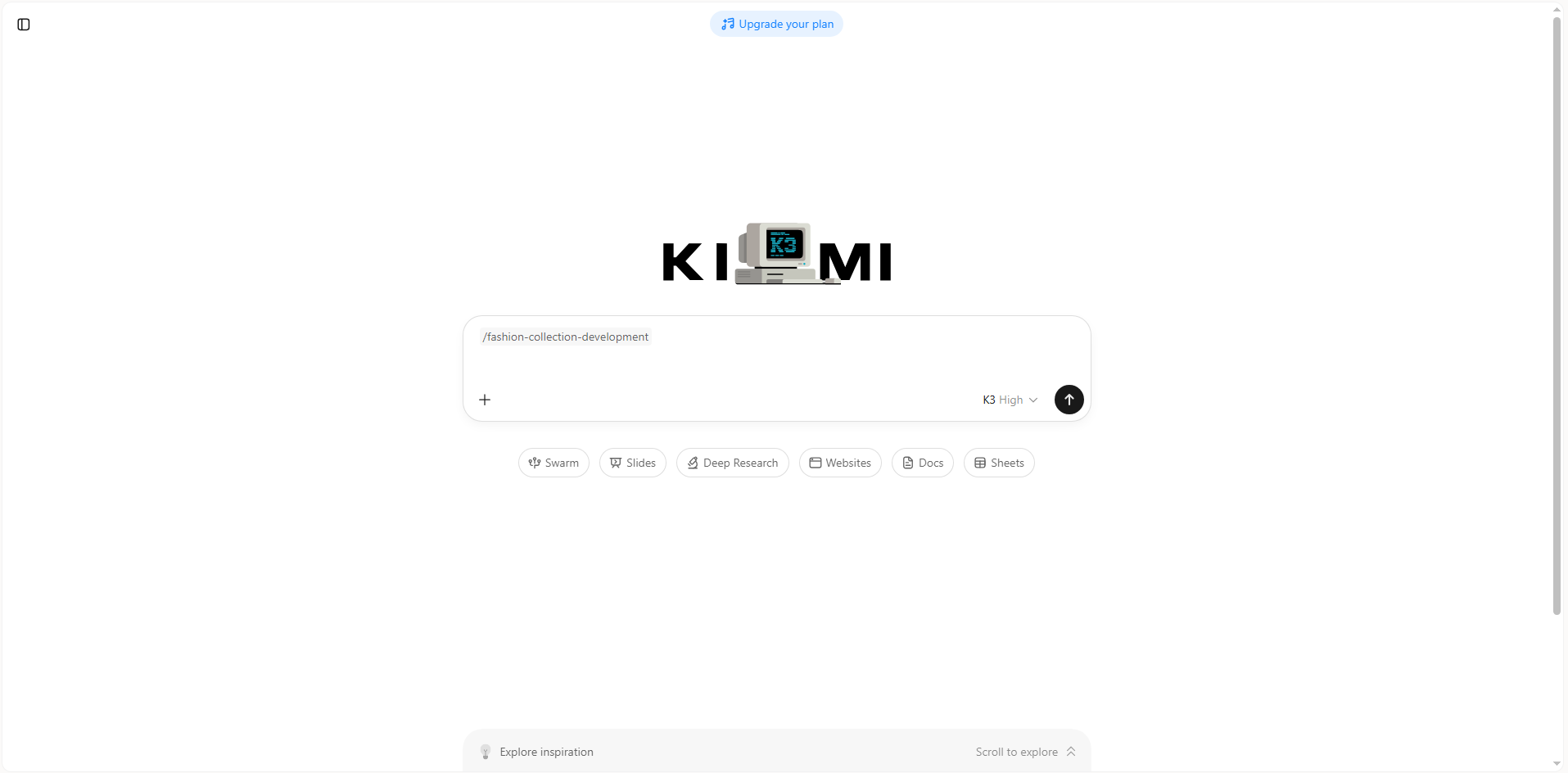
You can update it as your workflow evolves, reuse it across different collections, or edit and download the skill whenever needed.
Install a skill package in Kimi Work
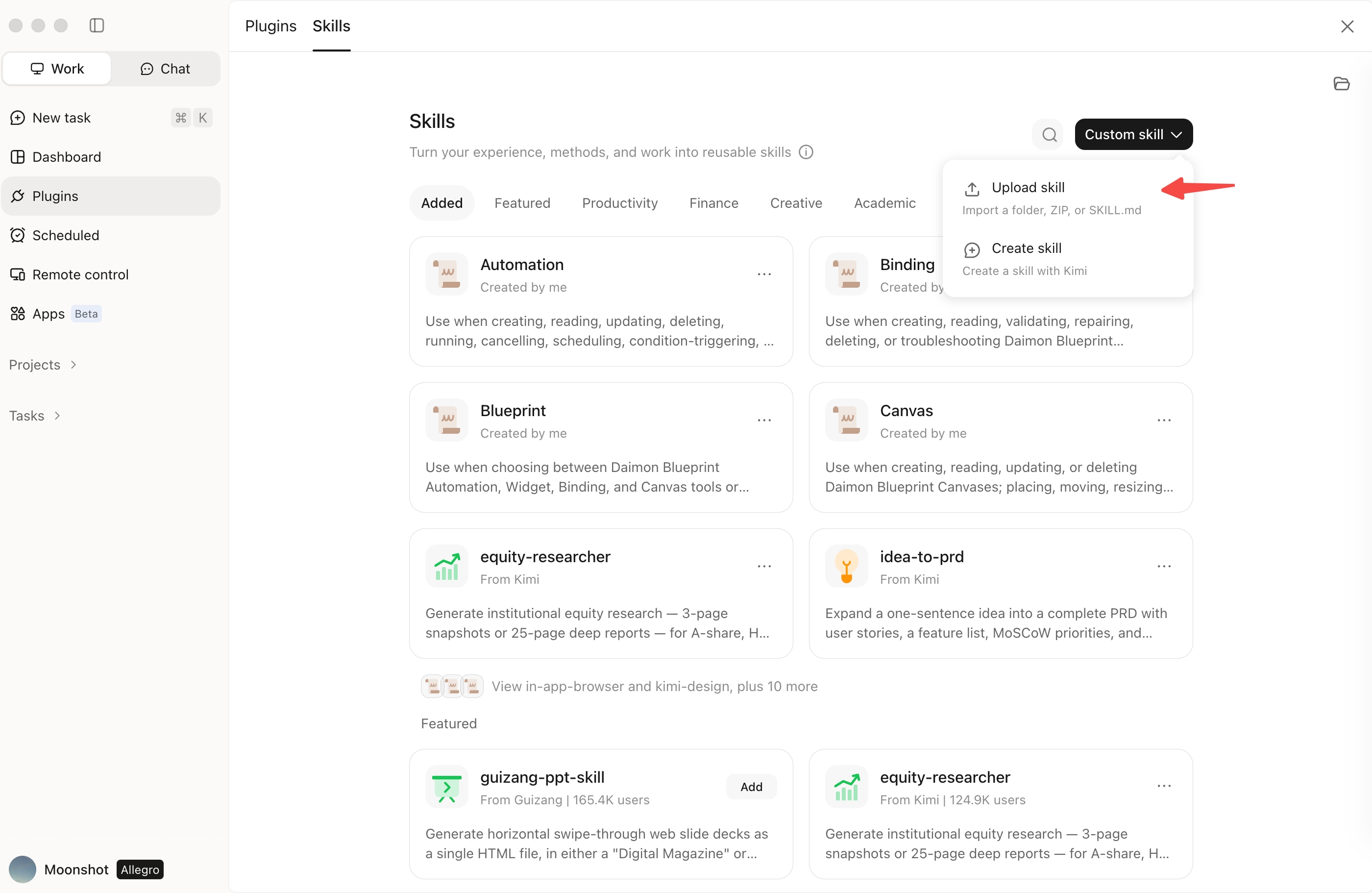
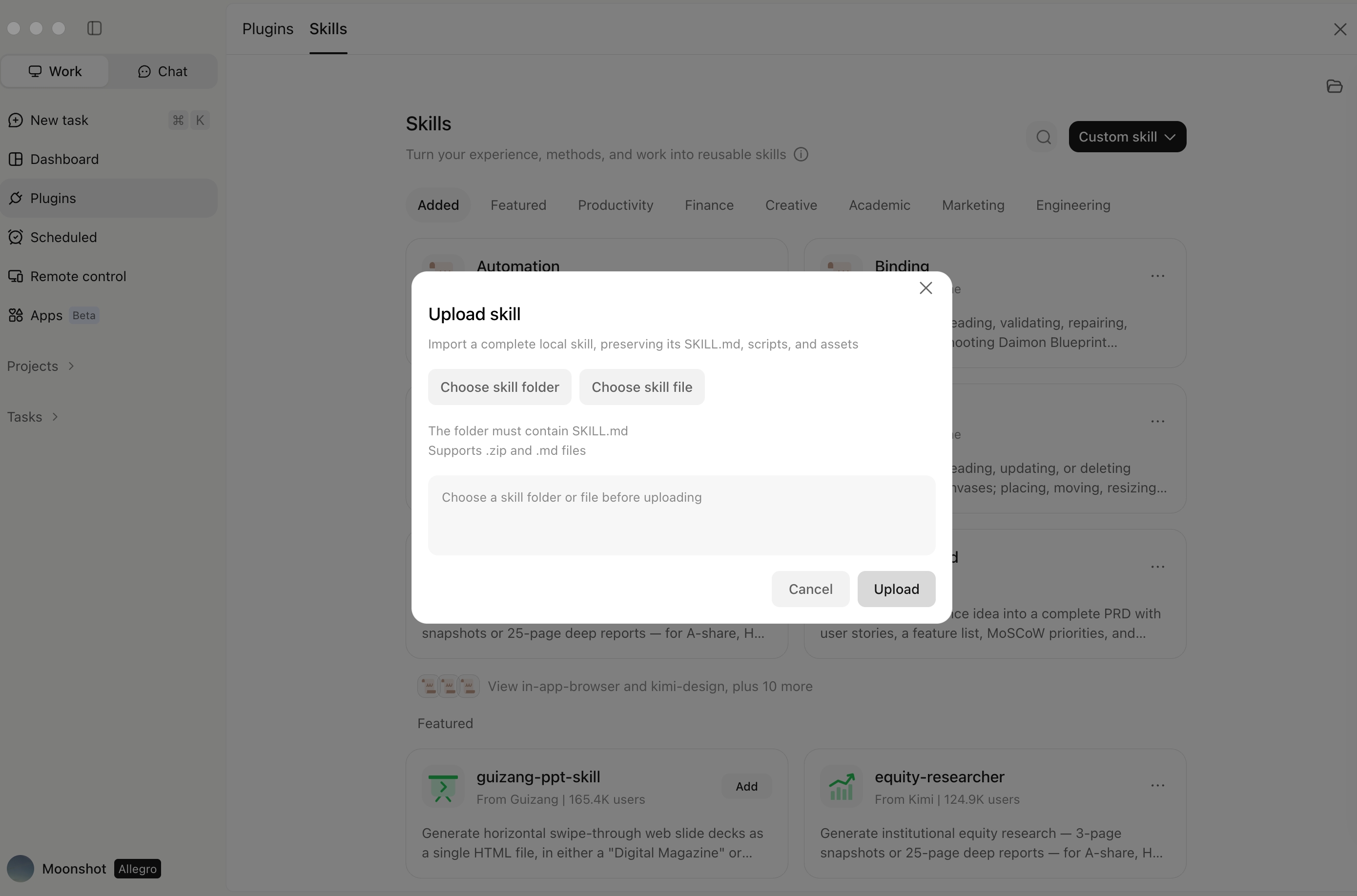
The Kimi Work desktop app also lets you install skill files directly. Open the Skills store panel in Kimi Work, go to "Custom skill", and click "Upload skills" to select and install skill files from your computer. This upload option is available only in the Kimi Work desktop app. On the Kimi web version, you can paste a skill's URL in the chat instead, and Kimi will deploy it for you automatically.
Expert tips for using AI fashion design skills
AI fashion design skills can make the creative process faster, but the best results come from using them with a clear strategy. By combining your own creative vision with structured AI workflows, you can generate stronger concepts and improve consistency. Here are some practical tips to use these AI skills:
Define your design language before generating concepts
Provide clear details about silhouettes, materials, aesthetics, target audience, and brand identity to help AI create designs that match your creative direction. A well-defined creative foundation helps AI deliver more relevant and personalized fashion concepts.
Use AI skills to explore variations, not just final designs
Generate multiple versions of a concept by adjusting elements like patterns, colors, fabrics, and structures to discover new design possibilities. Exploring different variations allows designers to uncover unexpected ideas and refine their creative direction.
Build skills around your signature style and workflow
Customize AI fashion design skills with your preferred references, design rules, and creative processes to create more consistent outputs. Personalized skills ensure AI-generated results align better with your unique fashion approach and long-term creative goals.
Combine trend insights with creative decisions
Use AI skills to analyze fashion trends, compare styles, and identify opportunities while keeping human creativity at the center of the design process. This balance helps create designs that are both innovative and market-relevant.
Refine designs through structured feedback loops
Evaluate AI-generated concepts, adjust specific design elements, and iterate step by step to move from early ideas toward production-ready designs. Continuous refinement improves quality and transforms concepts into polished fashion outcomes.
Conclusion
Fashion design is becoming more efficient as creators combine their imagination with smarter digital workflows. Fashion design skills help designers save time, improve consistency, and explore new creative possibilities across different projects. By using AI as a creative partner, designers can focus more on ideas while simplifying repetitive work. Whether you are building collections or refining concepts, the right tools can enhance your design process. Try Kimi to create, customize, and manage AI-powered fashion workflows with ease.