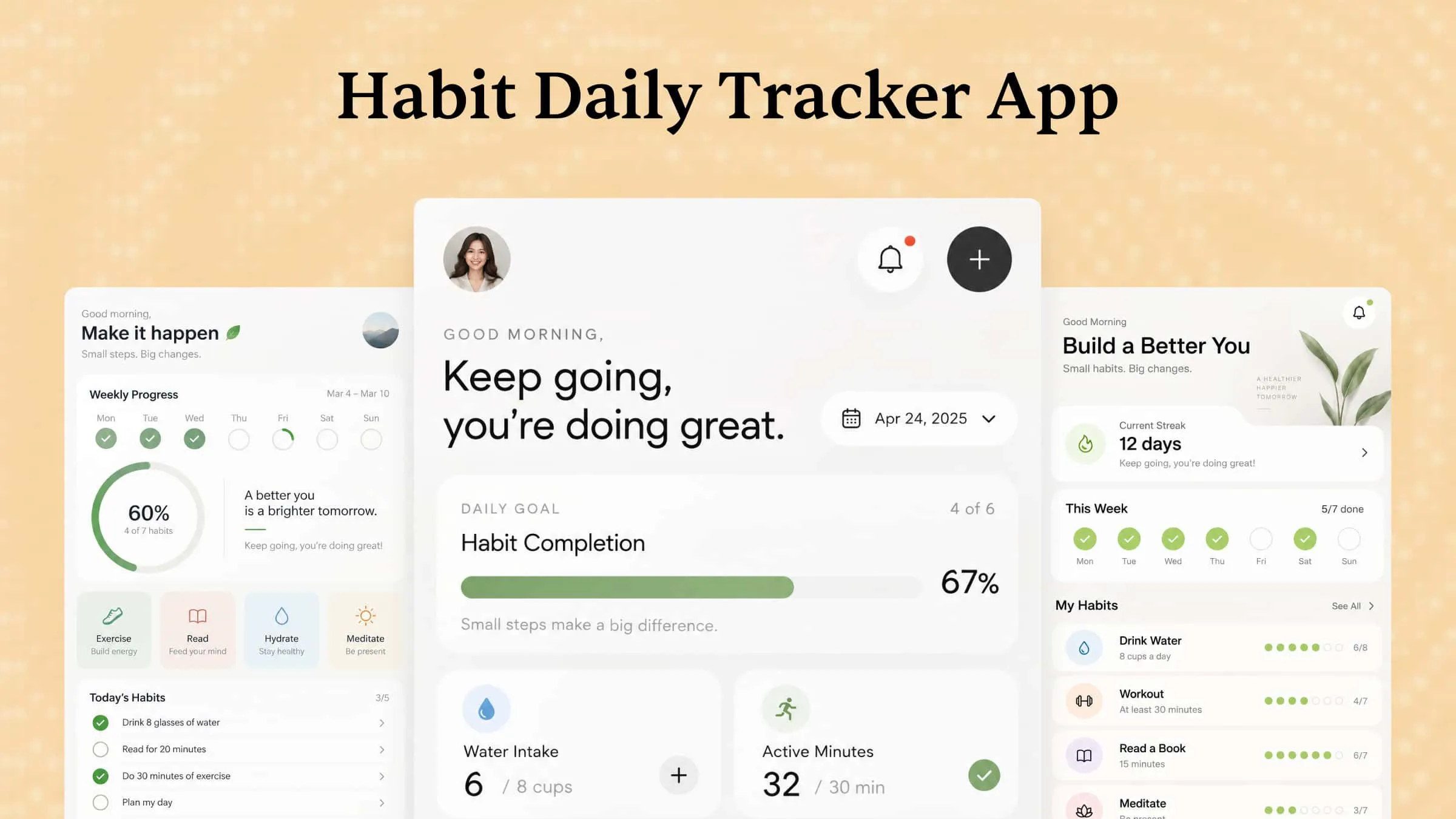
Building new habits is easy to plan but difficult to maintain when daily routines get busy and motivation fades. Without a consistent way to track progress, even small goals can quickly lose momentum. A habit tracker app helps you monitor daily activities, stay accountable, and turn positive actions into lasting routines. In this guide, we'll explore 10 habit tracker apps to help you stay consistent and build better daily habits.
Quick overview of 10 habit tracker apps
Choosing the right habit tracker depends on your daily goals, preferred tracking style, and device compatibility. The following table highlights 10 popular options to help you find the right habit tracker app for building consistent routines.
| App | Platform | Key features | Suitable for |
|---|---|---|---|
| Habitica | Android, iOS, Web | RPG-style rewards, daily tasks, challenges, and customizable avatars | Gamified habit building |
| Finch | Android, iOS | Virtual pet, daily goals, mood tracking, and reflection exercises | Self-care and personal growth |
| Productive | Android, iOS | Habit scheduling, reminders, progress statistics, and routine planning | Structured daily routines |
| HabitNow | Android | Custom schedules, reminders, calendars, timers, and progress charts | Daily habit and task management |
| Everyday | iOS, Web | Streak calendars, daily check-ins, progress monitoring, and simple tracking | Visual habit tracking |
| Habitify | Android, iOS, Web, Desktop | Habit scheduling, analytics, reminders, and progress reports | Organized habit management |
| TickTick | Android, iOS, Windows, Mac, Web | Habit tracking, to-do lists, calendar, Pomodoro timer, and reminders | Combining habits and tasks |
| Loop Habit Tracker | Android | Habit schedules, detailed statistics, reminders, and streak monitoring | Simple and private tracking |
| Way of Life | Android, iOS | Color-coded tracking, notes, reminders, and trend charts | Monitoring daily behavior |
| Streaks | iOS, Apple Watch, Mac | Streak tracking, customizable tasks, reminders, and Apple Health integration | Maintaining daily consistency |
10 habit tracker apps for iPhone and Android
The right habit-tracking tool can make daily routines easier to manage by providing reminders, progress reports, and visual motivation. Whether you prefer gamified challenges, simple checklists, or detailed habit analytics, these daily habit tracker apps offer different ways to stay consistent. Explore the following 10 options to find the most useful habit tracker app for your goals, preferred features, and device.
Habitica
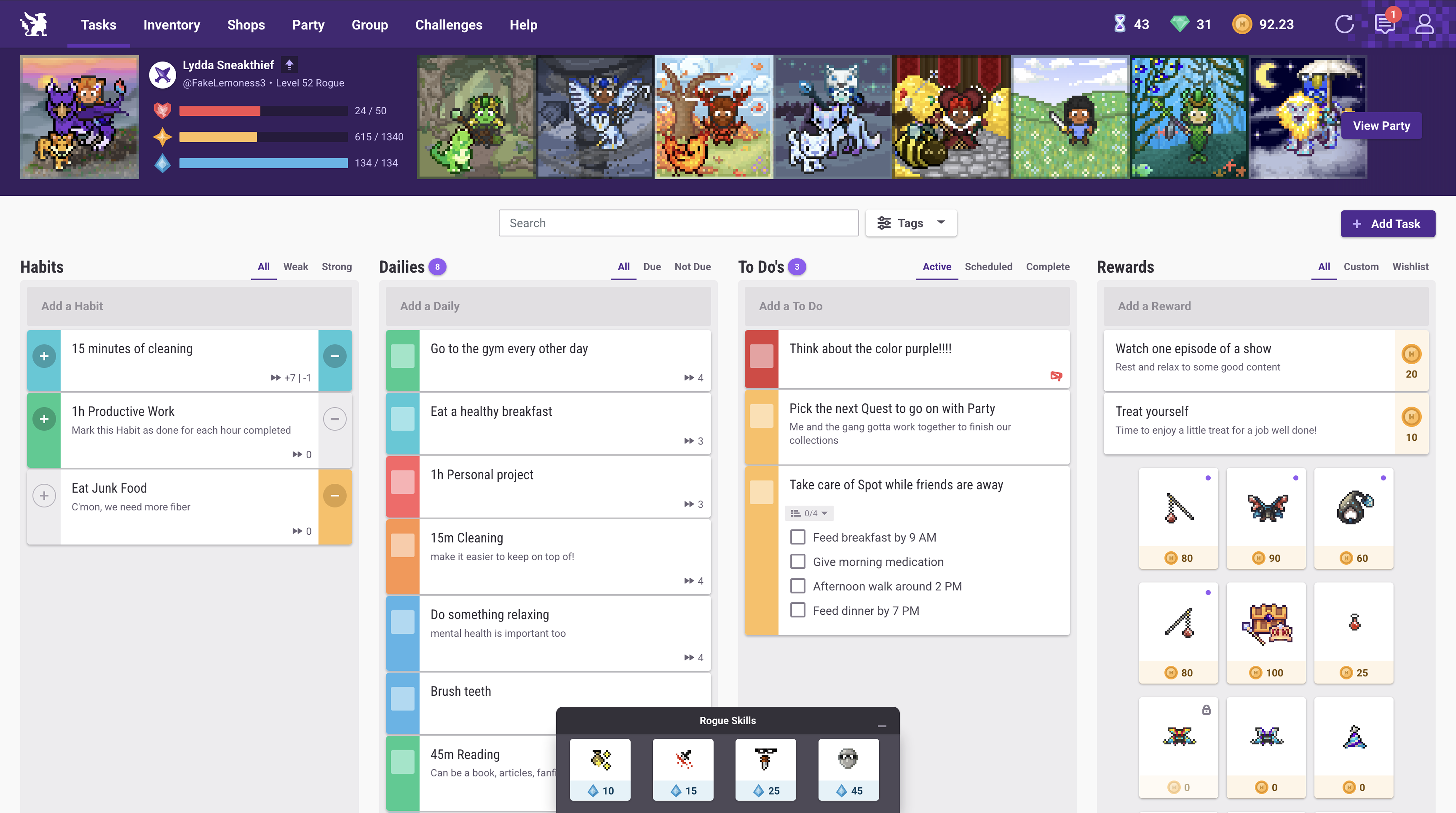
Habitica turns everyday habit tracking into a role-playing game where completing tasks helps you develop your character and earn rewards. You can create daily goals, track positive routines, and complete challenges while progressing through different game levels. Its social features also let you join groups and participate in challenges with other users. It is an interesting choice for anyone who finds traditional habits tracker apps less motivating.
Main features
Gamified habit tracking: Turn daily habits and tasks into game activities. Completing goals earns rewards and helps your character progress.
Customizable tasks: Create habits, daily activities, and one-time tasks according to your personal routine.
Rewards and achievements: Earn experience points, coins, and other rewards as you complete your goals consistently.
Social challenges: Join parties, participate in group challenges, and work with friends to maintain motivation.
Suitable for
Users who enjoy games and interactive experiences.
People who need extra motivation to maintain daily routines.
Friends who want to build habits together.
Students managing study schedules and personal goals.
Finch
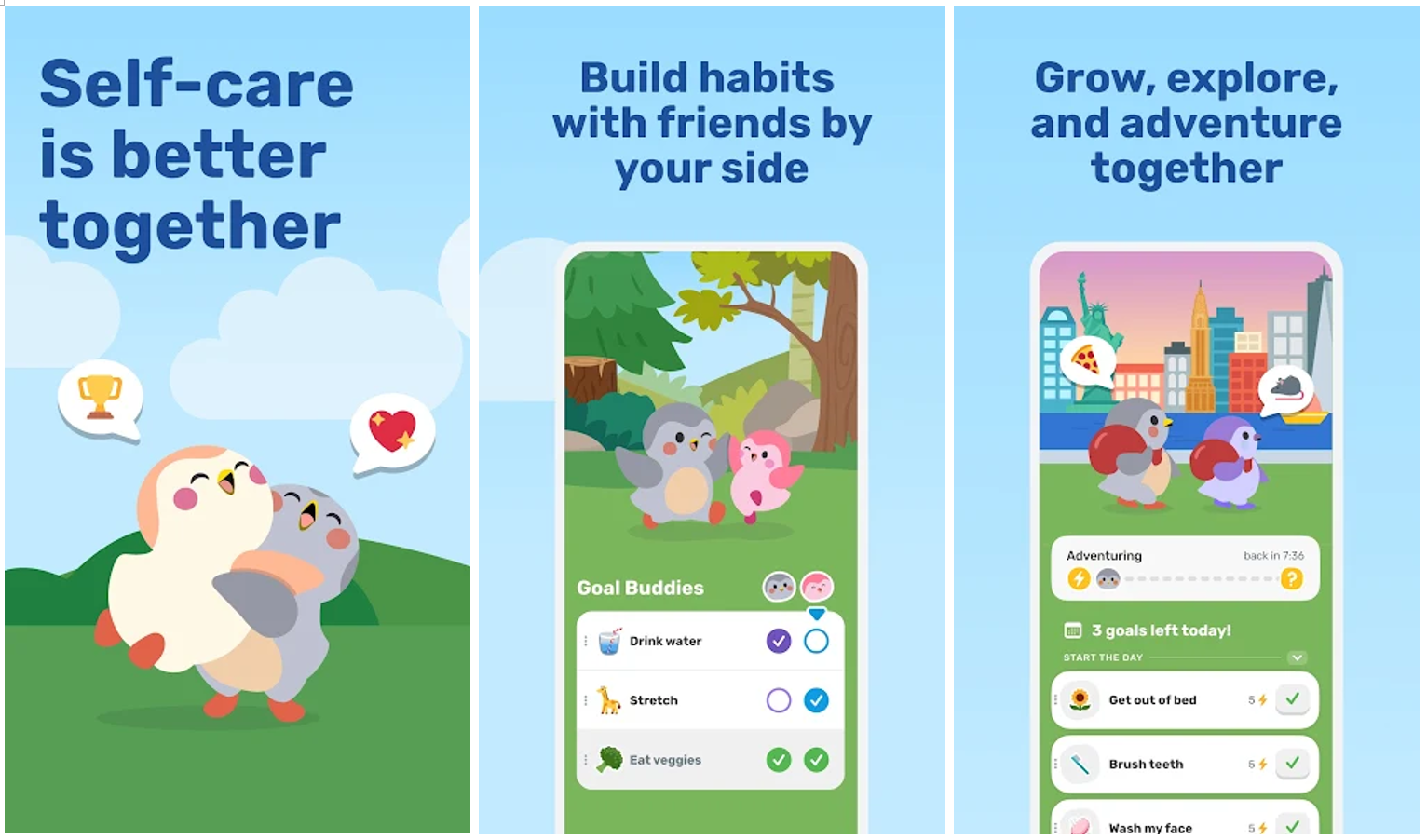
Finch combines habit tracking with self-care through a virtual pet that grows as you complete daily activities. You can set personal goals, complete small challenges, monitor your mood, and practice reflection exercises. The app encourages gradual progress rather than focusing only on long streaks or productivity targets. It is a helpful daily habit tracker app for users who want to combine personal development with emotional well-being.
Main features
Virtual pet companion: Take care of your virtual bird by completing activities and making progress toward your personal goals.
Daily goal setting: Add small tasks and routines that encourage consistency in your everyday life.
Mood tracking: Record your feelings and reflect on emotional patterns through regular check-ins.
Self-care exercises: Access breathing activities, journaling prompts, and guided exercises to support personal well-being.
Suitable for
Users who want to combine habit tracking with self-care.
People who prefer gentle reminders and positive encouragement.
Beginners who are developing small daily routines.
Individuals interested in mood tracking and personal reflection.
Productive
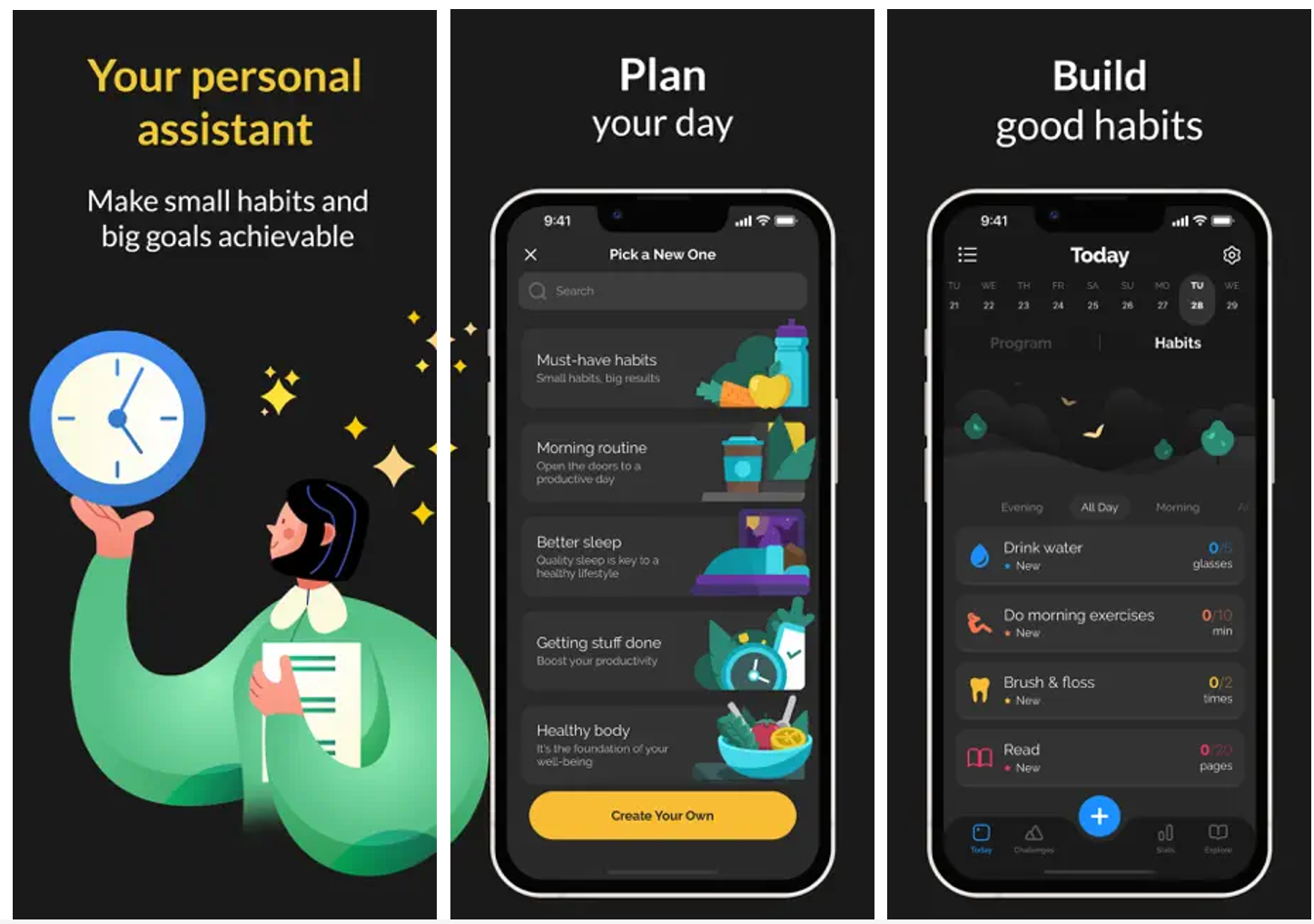
Productive is a routine management and habit-tracking app that helps users organize their daily activities. You can create personalized habits, schedule reminders, and monitor your progress through visual statistics. Its interface makes it easier to manage several routines without relying on separate planners or notebooks. It is worth considering if you want a habit tracker app for iPhone and Android with structured scheduling and progress monitoring.
Main features
Custom habit creation: Add personal goals and define how frequently you want to complete each activity.
Smart reminders: Schedule notifications to receive timely prompts for your daily routines.
Progress statistics: Review your completion history and identify patterns in your habit-building progress.
Routine organization: Group activities into morning, afternoon, evening, or other personalized schedules.
Suitable for
Users who want to organize multiple daily routines.
Professionals managing personal and work-related habits.
Beginners who prefer a structured tracking interface.
People who need reminders to maintain consistency.
HabitNow
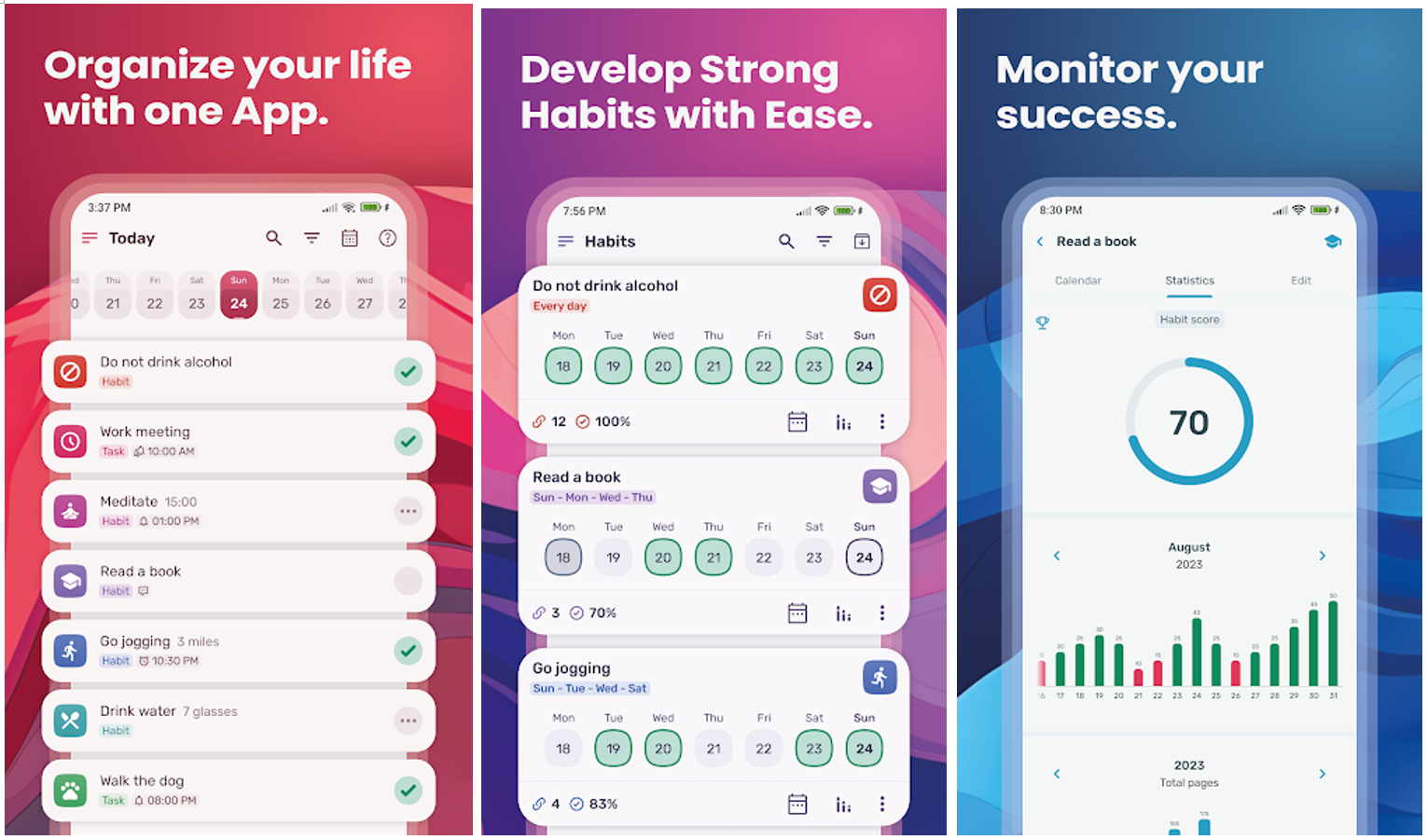
HabitNow is an Android-based productivity and habit-tracking application that combines routine management with task planning. It allows users to create habits, set schedules, and monitor daily progress through calendars and statistics. You can also add reminders and organize activities according to different priorities. Its combination of planning and tracking makes it a useful habit tracker app for Android users who want to manage everyday responsibilities in one place.
Main features
Habit and task management: Create recurring habits and individual tasks to organize your daily activities.
Flexible scheduling: Set specific days, frequencies, and time periods for different routines.
Reminders and timers: Use notifications and timers to stay on track with scheduled activities.
Progress reports: View completion records, charts, and statistics to understand your consistency over time.
Suitable for
Android users who want an organized habit management system.
Students tracking study sessions and exercise routines.
Professionals managing recurring responsibilities.
Users who prefer combining habit tracking with task planning.
Everyday
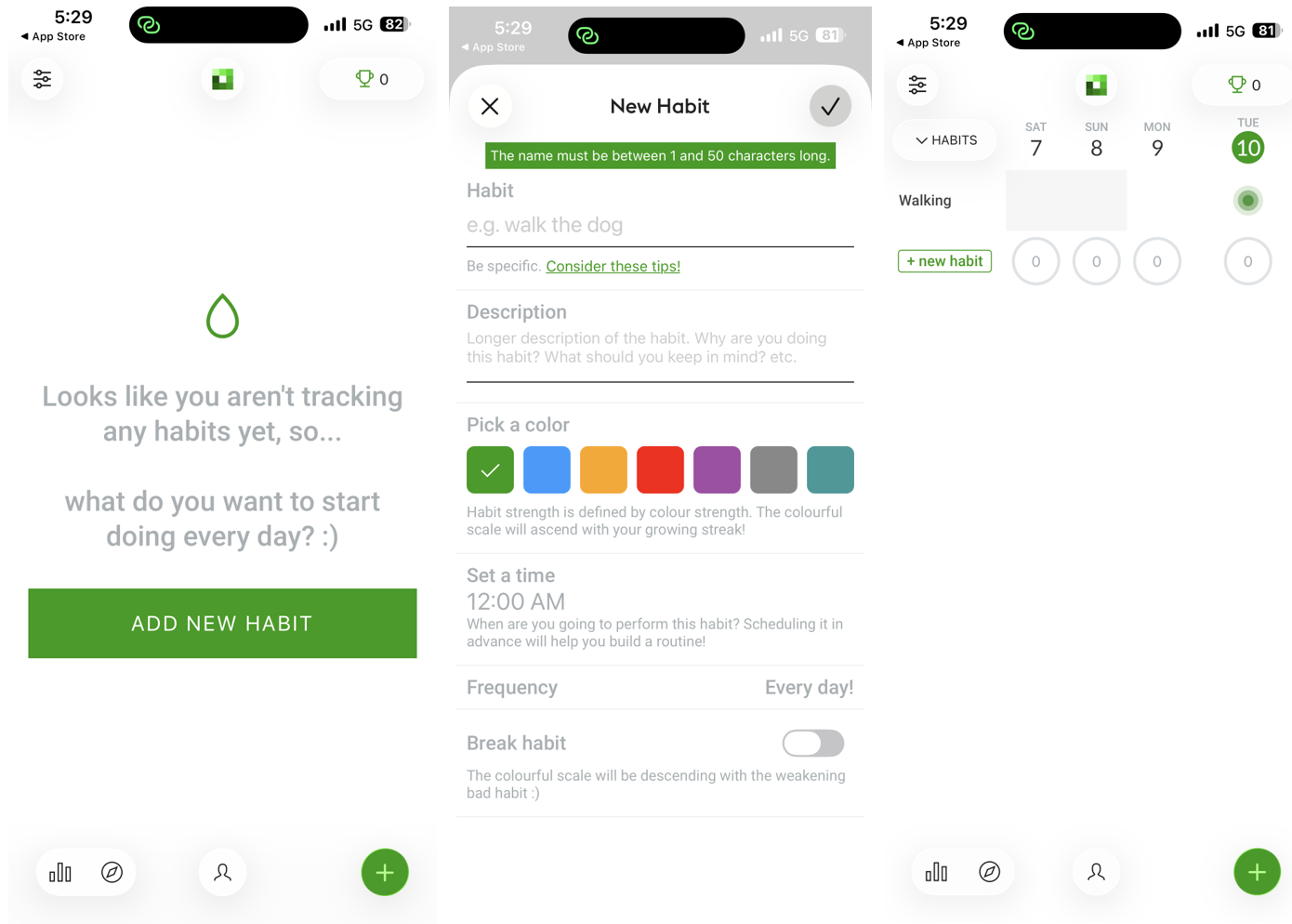
Everyday is a straightforward habit-tracking tool that focuses on visual progress and maintaining consistent routines. Its calendar-based interface lets you record completed habits and monitor your streaks over time. Rather than offering complicated productivity features, it emphasizes simple daily check-ins and progress visibility. It can be a good habit tracker option for users who prefer a minimal approach to building lasting habits, depending on the available plan and platform.
Main features
Visual habit tracking: Record completed activities through a simple calendar-style interface.
Streak monitoring: Follow consecutive days of habit completion to stay motivated.
Progress history: Review previous activity records and identify areas where you need more consistency.
Simple interface: Manage daily goals without navigating complicated menus or unnecessary productivity features.
Suitable for
Users who prefer minimal habit-tracking tools.
Beginners developing simple daily routines.
People motivated by streaks and visual progress.
Individuals who want to monitor habits without extensive planning features.
Habitify
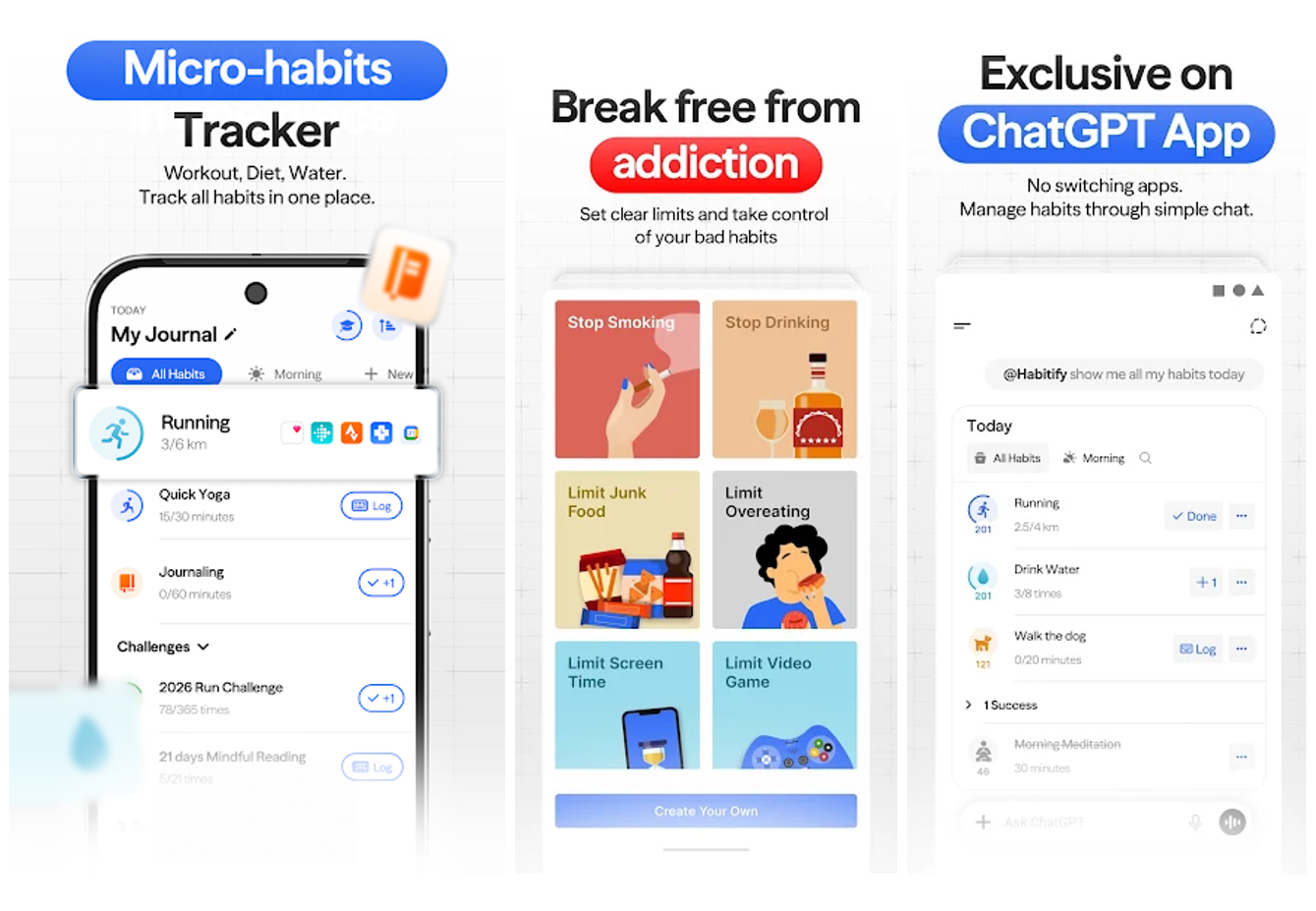
Habitify is a dedicated habit-tracking platform designed to help users build routines through reminders, scheduling, and progress analytics. You can organize habits into different categories, monitor completion rates, and review your performance over time. Its clean interface makes it easier to manage personal goals and maintain a consistent schedule. It is worth exploring if you are searching for the useful habit tracker app with additional features available through premium plans.
Main features
Personalized habit schedules: Create habits and choose specific frequencies, days, and times for completing them.
Progress analytics: Review completion rates, streaks, and historical performance through visual reports.
Habit reminders: Set notifications to receive prompts when it is time to complete a routine.
Cross-platform access: Access your habit records across supported devices and platforms, depending on your subscription.
Suitable for
Users who want detailed habit progress reports.
Professionals building structured daily routines.
People managing multiple personal development goals.
Users who prefer accessing their habits across different devices.
TickTick
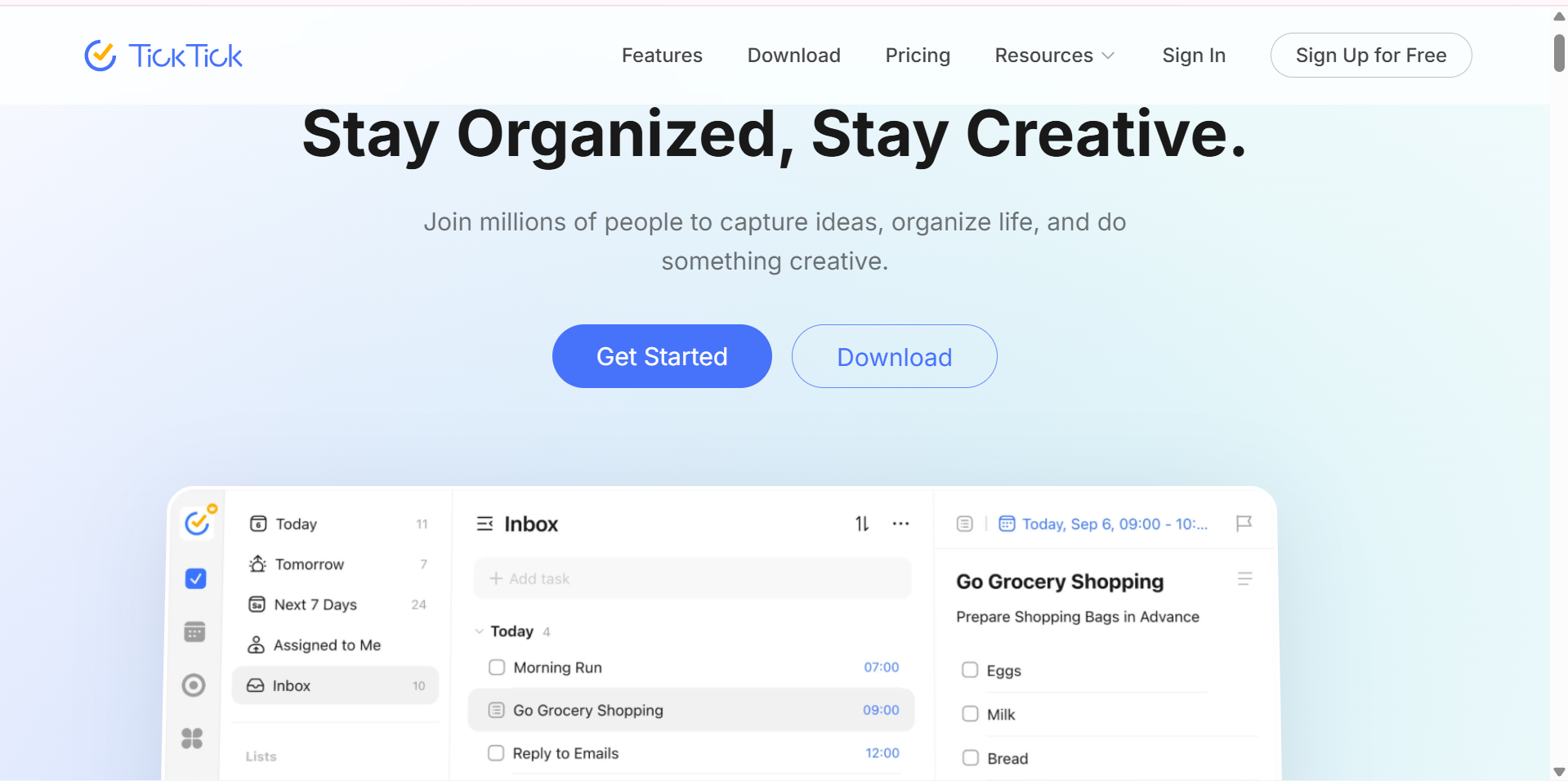
TickTick is a productivity application that combines task management, calendar planning, and habit tracking. Instead of using a separate tool for every activity, you can organize daily responsibilities and recurring habits within one workspace. It also includes reminders, a Pomodoro timer, and progress monitoring features. This makes it a practical habit tracker app for PC and mobile users who want to manage their routines alongside everyday tasks.
Main features
Habit tracking: Create recurring habits, set goals, and record your daily completion progress.
Task management: Organize personal responsibilities with to-do lists, deadlines, and priority settings.
Calendar and reminders: Schedule activities and receive notifications to stay on top of your routine.
Pomodoro timer: Use focused work sessions to manage study periods and improve productivity.
Suitable for
Students managing study schedules and personal goals.
Professionals combining task planning with habit tracking.
Users who want one application for productivity and routines.
People who prefer desktop and mobile access to their activities.
Loop Habit Tracker
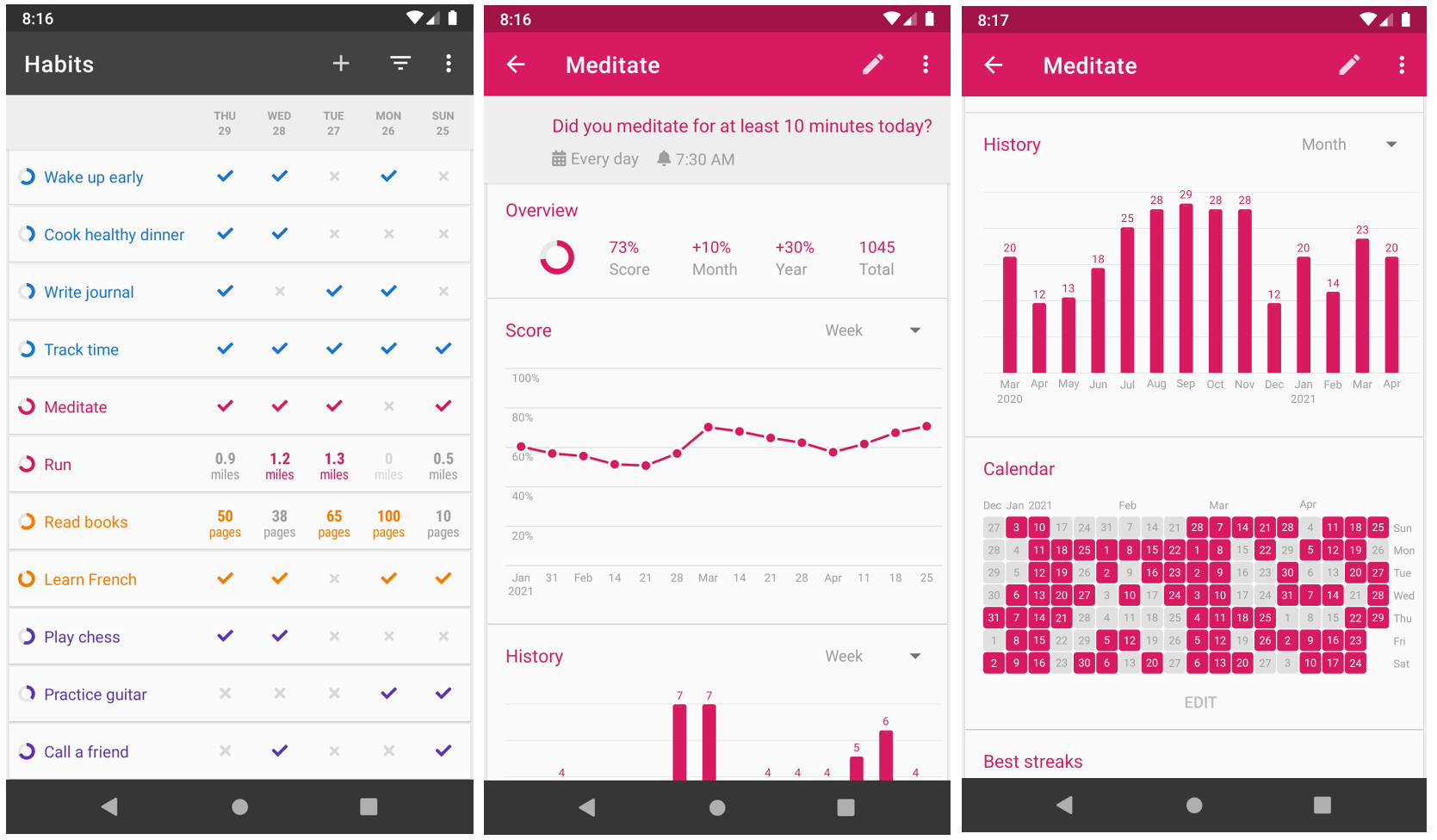
Loop Habit Tracker is an open-source Android application designed for simple and consistent habit monitoring. It lets you create personal routines, set schedules, and review your progress through detailed charts. The app also offers reminders and historical records to help you understand your habits over time. Its support for multiple habit entries makes it a practical option for users who want to track several routines in one place.
Main features
Multiple habit creation: Add and manage as many personal routines as needed.
Flexible schedules: Set daily, weekly, or customized frequencies for different activities.
Detailed statistics: Review habit completion history through charts, scores, and progress reports.
Privacy-focused tracking: Keep your habit information on your device without requiring an account or online registration.
Suitable for
Android users who want a straightforward habit-tracking tool.
People who want to monitor multiple habits in one place.
Users who prefer simple interfaces and detailed statistics.
Individuals who value privacy and offline habit tracking.
Way of Life
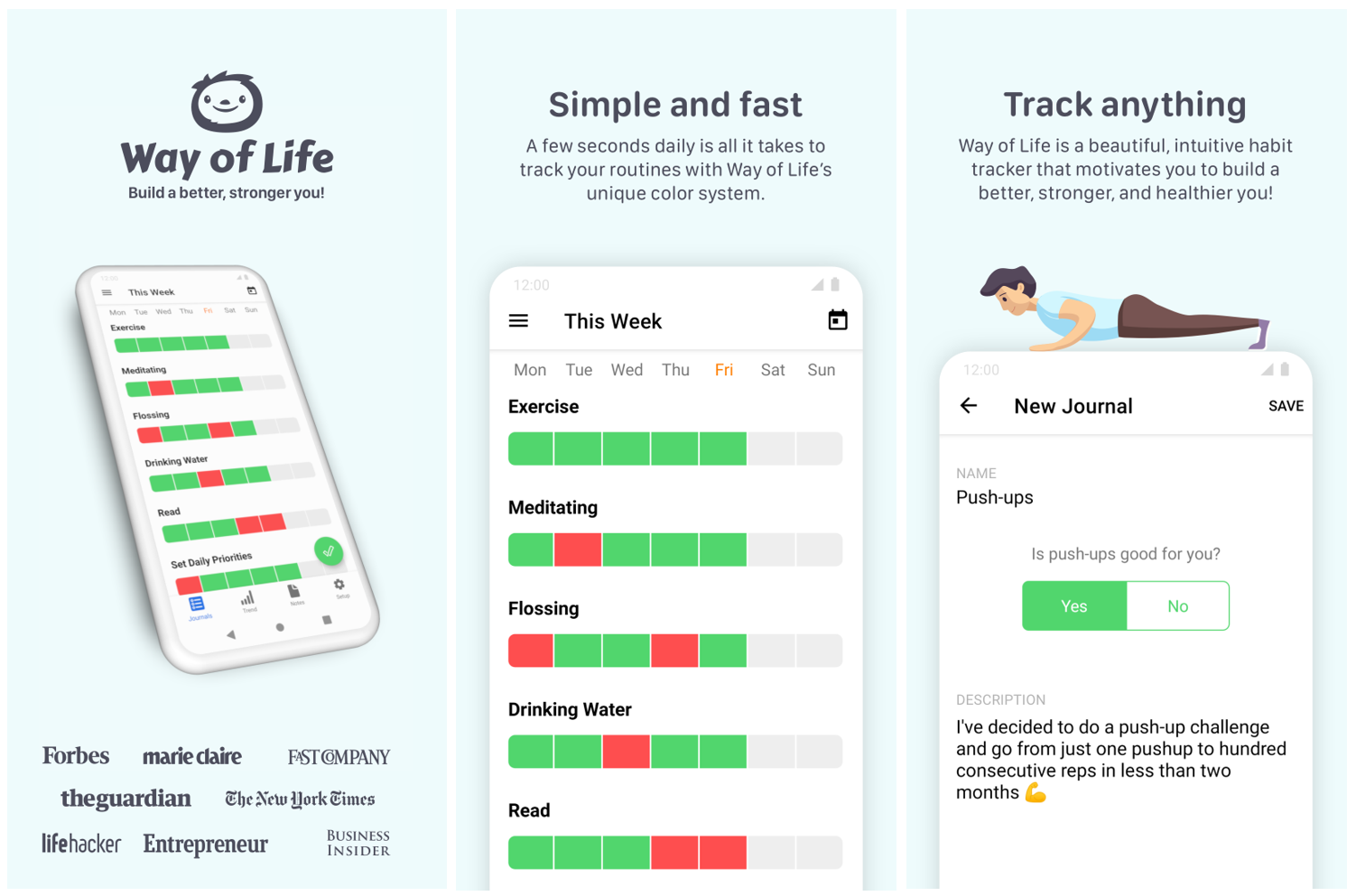
Way of Life is a habit-tracking application that helps users monitor positive routines and identify behaviors they want to change. Its color-coded tracking system makes daily progress easy to understand at a glance. You can add notes, set reminders, and review charts to recognize patterns in your activities. It is a useful habit tracker app review candidate for people who want to track both good and unwanted behaviors in one place.
Main features
Color-coded habit tracking: Mark daily activities with different colors to distinguish completed, missed, or unwanted behaviors.
Notes and reflections: Add notes to individual entries to understand what influenced your daily progress.
Progress charts: Review visual reports and trends to identify patterns in your habits.
Custom reminders: Schedule notifications to help you remember important activities and maintain consistency.
Suitable for
Users who want to monitor positive and negative behaviors.
People trying to understand their daily routines.
Individuals who prefer visual progress reports.
Users who want to combine habit tracking with personal reflection.
Streaks
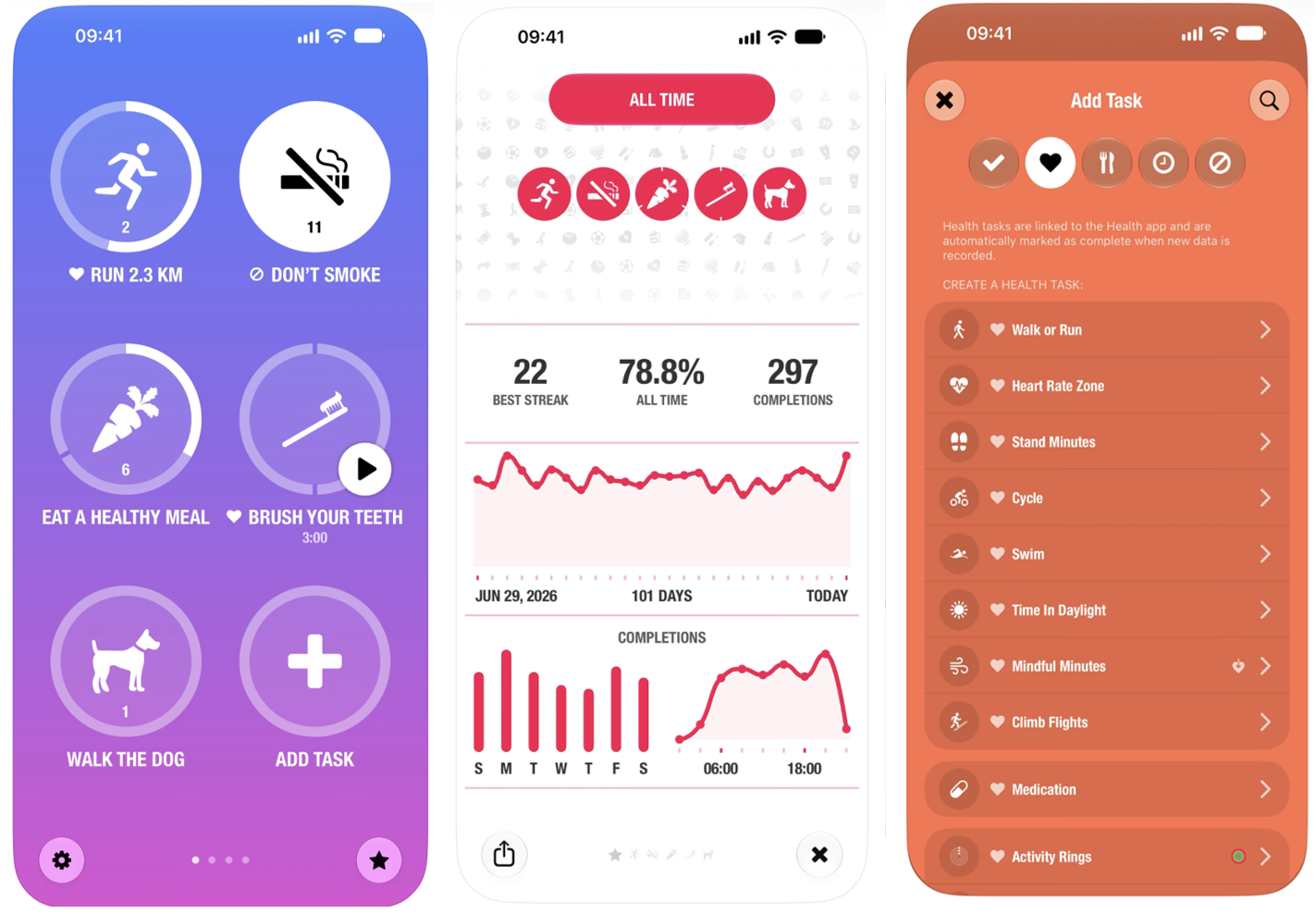
Streaks is an Apple-focused habit-tracking application designed to help users build consistent daily routines. It lets you create tasks, track consecutive completion days, and set reminders for important activities. The app also integrates with Apple Health to automatically monitor certain health-related goals, making it useful for users who want to connect their habits with their overall wellness routines.
Main features
Custom habit tracking: Create personal goals and choose how frequently you want to complete them.
Streak monitoring: Track consecutive days of completed activities to maintain motivation.
Apple Health integration: Automatically record supported health-related activities through connected Apple Health data.
Apple ecosystem support: Use supported Apple devices, including iPhone, Apple Watch, and Mac, to manage your routines.
Suitable for
iPhone users who prefer a simple habit-tracking experience.
Apple Watch owners monitoring daily activities.
People motivated by maintaining consecutive-day streaks.
Users who want to connect habit tracking with health-related goals.
Tips to choose an ideal daily habit tracker app
Not every habit-tracking tool offers the same features, flexibility, or tracking experience. Before choosing the right daily habit tracker app, consider the following factors to find one that fits your routine, preferences, and budget.
Pick an app with a simple interface
Choose an app with a clean layout and easy navigation so you can record completed habits without unnecessary steps. A straightforward habit tracker app design makes daily check-ins quicker and helps you stay consistent.
Choose one with helpful daily reminders
Look for customizable notifications that remind you when it is time to complete specific activities. A good reminder system helps you maintain routines and reduces the chances of forgetting important daily goals.
Look for clear streak tracking tools
Streak counters and visual calendars help you monitor consecutive days of completed activities. These features provide motivation by showing your progress and encouraging you to maintain consistent habits.
Check progress reports for better insights
Choose an app that provides completion statistics, historical records, and visual charts. These insights help you identify patterns, evaluate your consistency, and understand which routines need more attention.
Make sure it works on your devices
Check device compatibility before installing a habit tracker app for Android, iPhone, or PC. If you regularly switch between devices, consider an app that supports synchronization so your habit records remain accessible.
Create a personalized habit tracker with Kimi Build
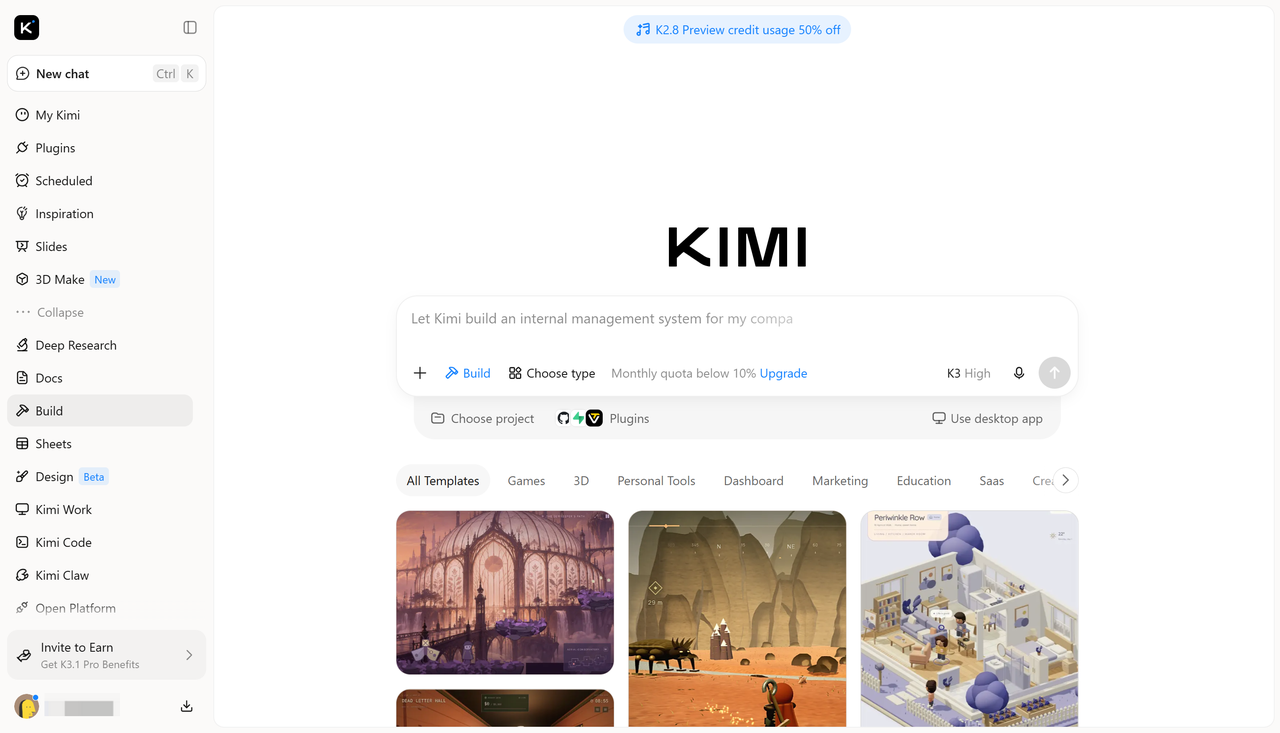
Ready-made habit tracker apps offer convenient ways to monitor daily routines, but their features and layouts may not match everyone's needs. If you want more control over how you organize and track your goals, Kimi Build, an AI website builder, provides an alternative for creating a personalized habit tracker. You can describe your preferred design, tracking features, daily checklists, progress indicators, and reminders, then use AI to generate a customized digital tool based on your requirements.
Main features
No-code app creation from ideas and references: No programming experience is required to create a personalized habit tracker. Describe your app concept in natural language, list the features you want, or upload reference images, sketches, and supporting materials. Kimi Build transforms your ideas and visual references into a functional app with an organized layout and an initial set of features.
Interactive habit tracking experience: A habit tracker can include daily checklists, clickable completion buttons, weekly and monthly tracking calendars, habit streak counters, and progress indicators. Users can mark habits as completed, monitor their consistency, and explore their progress through interactive elements rather than static charts.
Stylish and intuitive interface design: A visually appealing habit tracker combines minimalist layouts, modern typography, harmonious colors, and clear visual indicators to make daily tracking enjoyable. Personalized dashboards, organized habit cards, and responsive navigation create a smooth experience across desktop, tablet, and mobile screens.
Flexible editing and customization: Every part of the habit tracker can be refined as your needs evolve. Chat-based prompts allow you to request changes to the overall layout or introduce new features, while the Edit feature supports direct manual adjustments. You can also comment on specific elements to request targeted modifications, such as changing a progress chart, updating a habit card, or adjusting the calendar layout.
Preview, export, and publishing options: The built-in preview makes it possible to explore the habit tracker, test interactive elements, and review the overall user experience before sharing it. You can continue refining the app, export your project, or publish it to generate a shareable link, making it easier to showcase your habit tracker and let others try it.
How to create a habit tracker with AI
You can use Kimi Build to turn your habit-tracking ideas into a personalized digital tool without designing every element manually. Follow these steps to create a tracker that matches your daily goals and preferred layout.
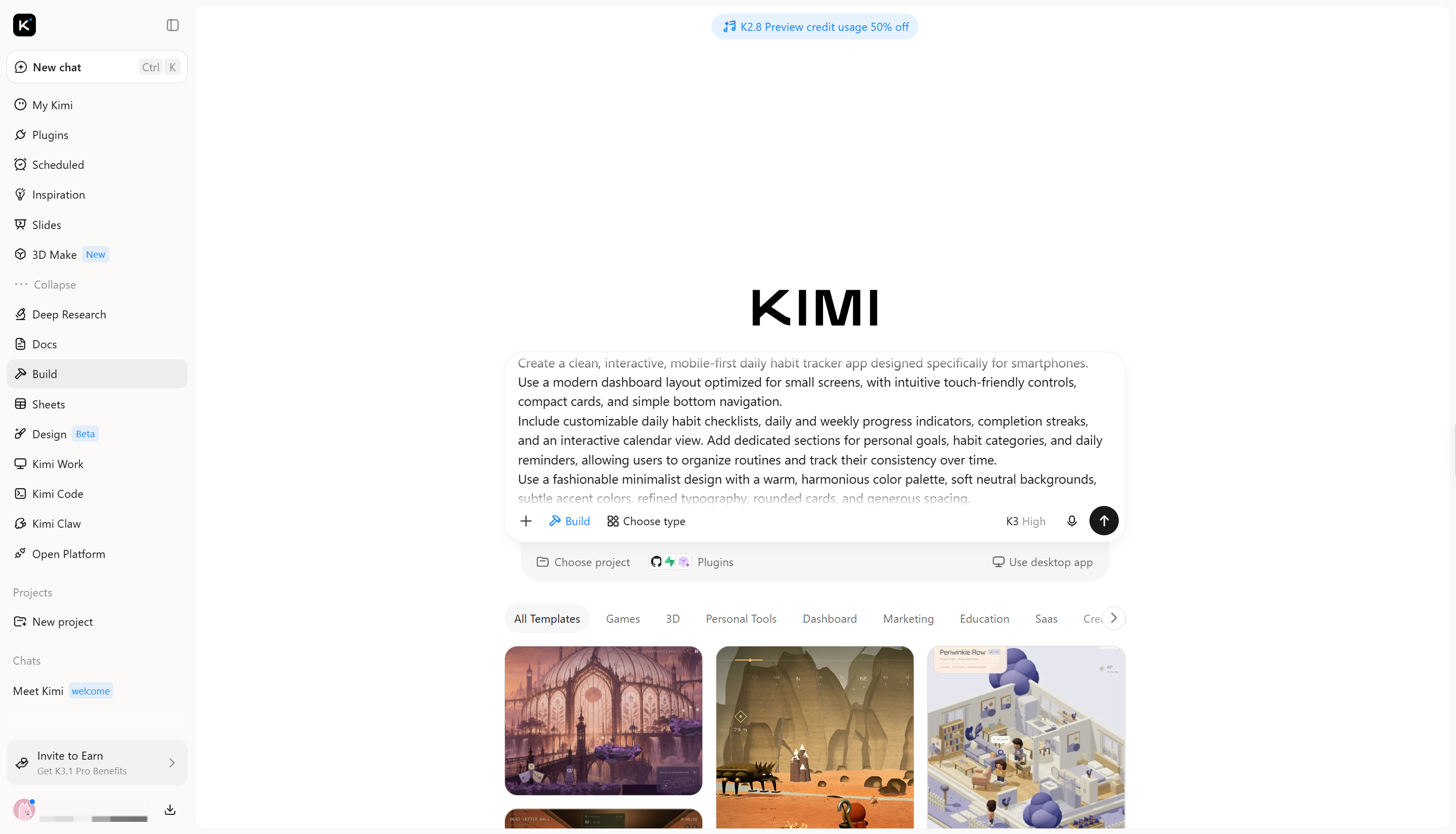
Step 1: Upload the file and write a prompt
Open Kimi Build and upload a reference image or existing design if you have one. Then describe the habit tracker you want, including its layout, tracking features, colors, and interactive elements.
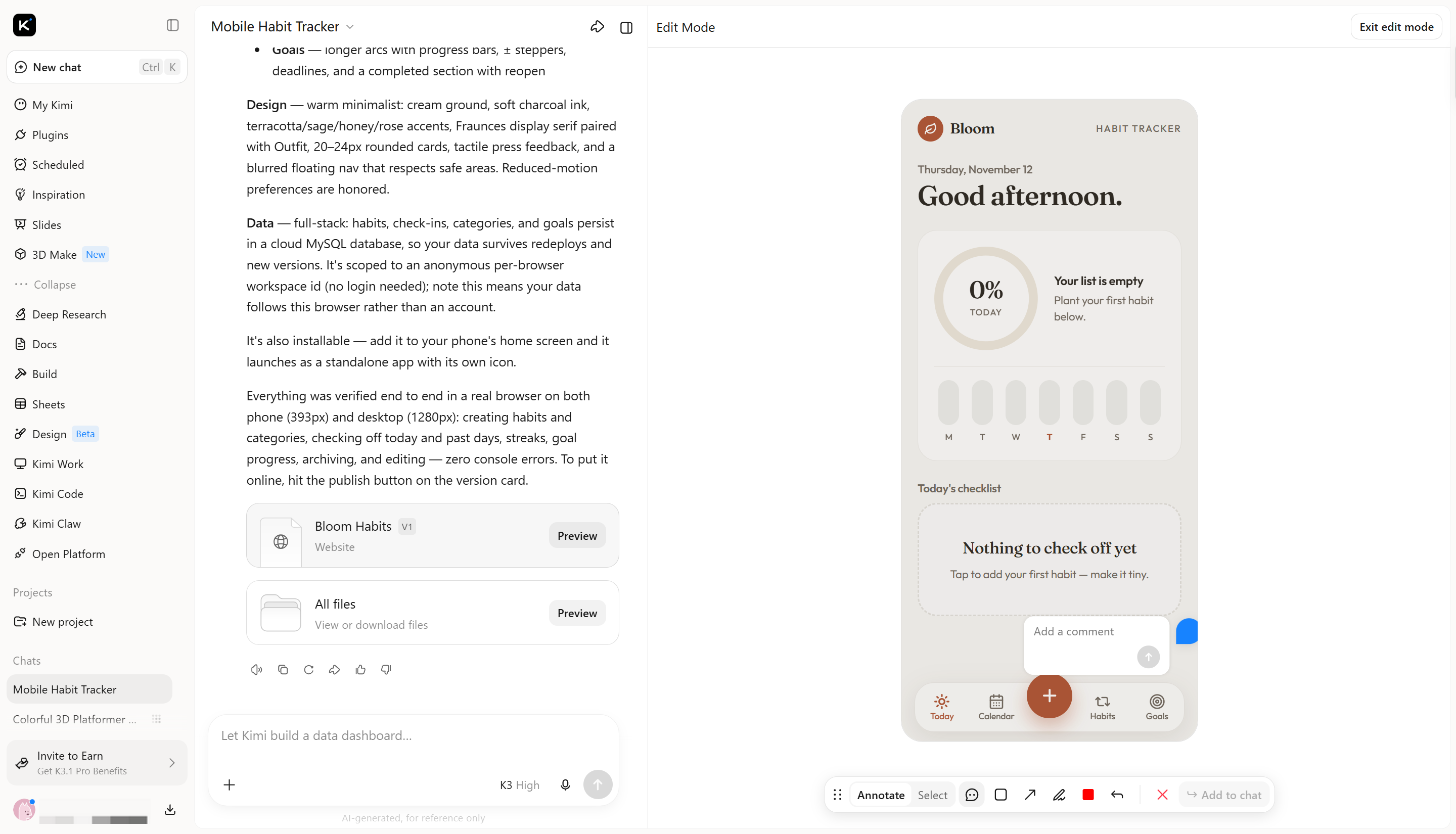
Step 2: Edit and customize your habit tracker
Once Kimi Build generates the initial habit tracker, you can refine its design and functionality in several ways. Enter prompts in the chatbox to request changes, such as adding new habit categories, adjusting progress indicators, or reorganizing the dashboard. Click "Edit" to make manual adjustments directly to the app, or leave comments on specific elements to request targeted modifications. You can also fine-tune individual components yourself to make the habit tracker better match your preferences and daily routine.
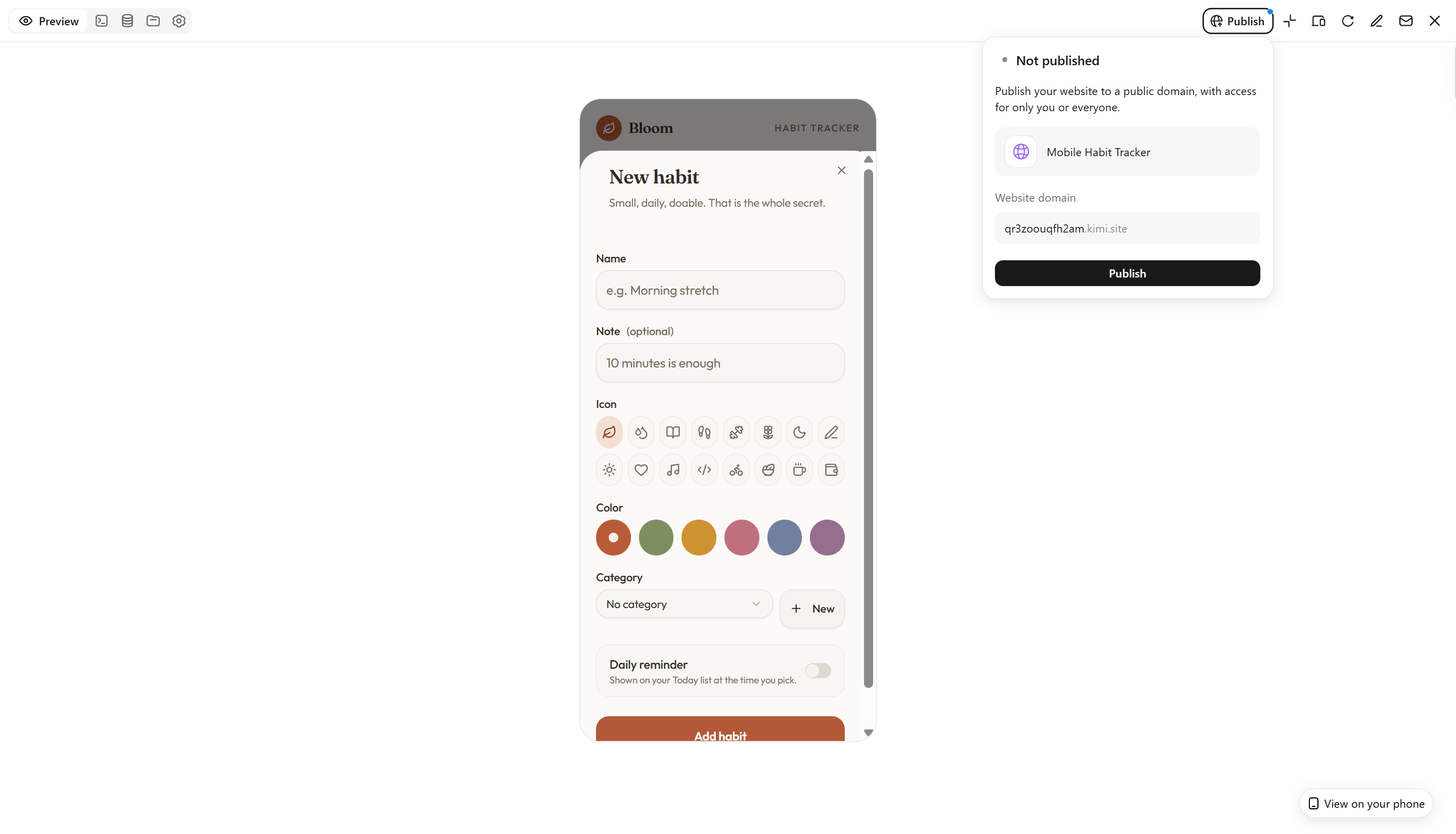
Step 3: Review and publish
Preview the generated tracker and check its layout, progress indicators, and available features. Once satisfied, finalize and publish your project using the available options.
Conclusion
Building lasting habits takes consistency, motivation, and a reliable way to track your progress. The 10 habit tracker apps in this guide offer different features to help you manage daily routines and stay on top of personal goals. If you want to create a habit tracker of your own, Kimi Build lets you turn your ideas and preferences into a personalized digital tool with AI, tailored to the way you like to organize your habits.