As AI adoption accelerates across different industries, organizations increasingly need specialized AI skills designed for their unique workflows. Instead of relying on generic capabilities, custom skill development enables AI agents to better understand, automate, and adapt to specific business needs. Keep reading to explore AI skills that can help you build smarter AI workflows.
What are skills for developing AI agent skills?
Skills for developing AI agent skills are specialized skills designed to help users create, test, and improve other AI agent skills. Instead of performing a specific task themselves, they guide users through the skill-building process, helping turn a task or idea into a clear, structured, and reusable skill.
These skills can help identify unclear requirements, refine instructions, define workflows and expected outputs, and catch missing edge cases before a skill is used. By providing structure and guidance throughout the development process, they make it easier to create AI skills that are more reliable, consistent, and better suited to specific needs.
For example, a user might have a general idea of how they want an AI agent to handle a research task but struggle to translate that idea into precise instructions. A skill designed for skill development can help clarify the objective, break the task into steps, define constraints and outputs, and refine the resulting skill through testing and iteration.
Create custom skill with Kimi's skill development skills
Kimi allows you to create custom skills that extend AI agents' capabilities using your own instructions, knowledge, and workflows. Instead of relying on general AI behavior, you can define how an agent should approach specific tasks, use information, and generate outputs.
Custom skills are useful when you want agents to perform specialized tasks consistently, follow internal processes, or apply your preferred methods. Here is how to create your own agent skills in Kimi.
Method 1: Develop custom skills from your documents
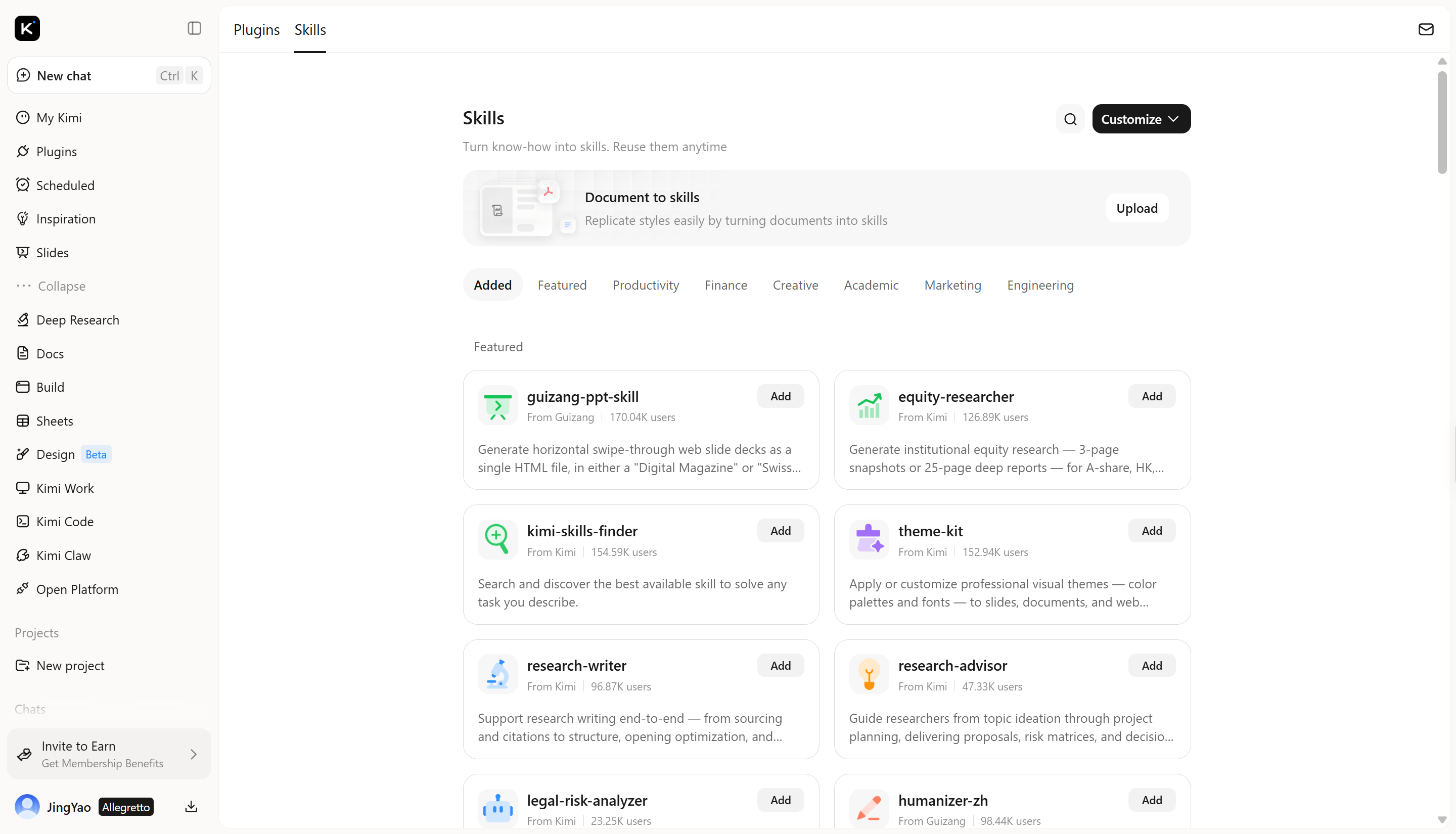
Step 1: Access the document-to-skills tool
Open Kimi Skills and navigate to "Document to skills" to create a custom skill using your own files. This feature transforms documents, instructions, and workflows into reusable skill modules that AI agents can apply when completing tasks.
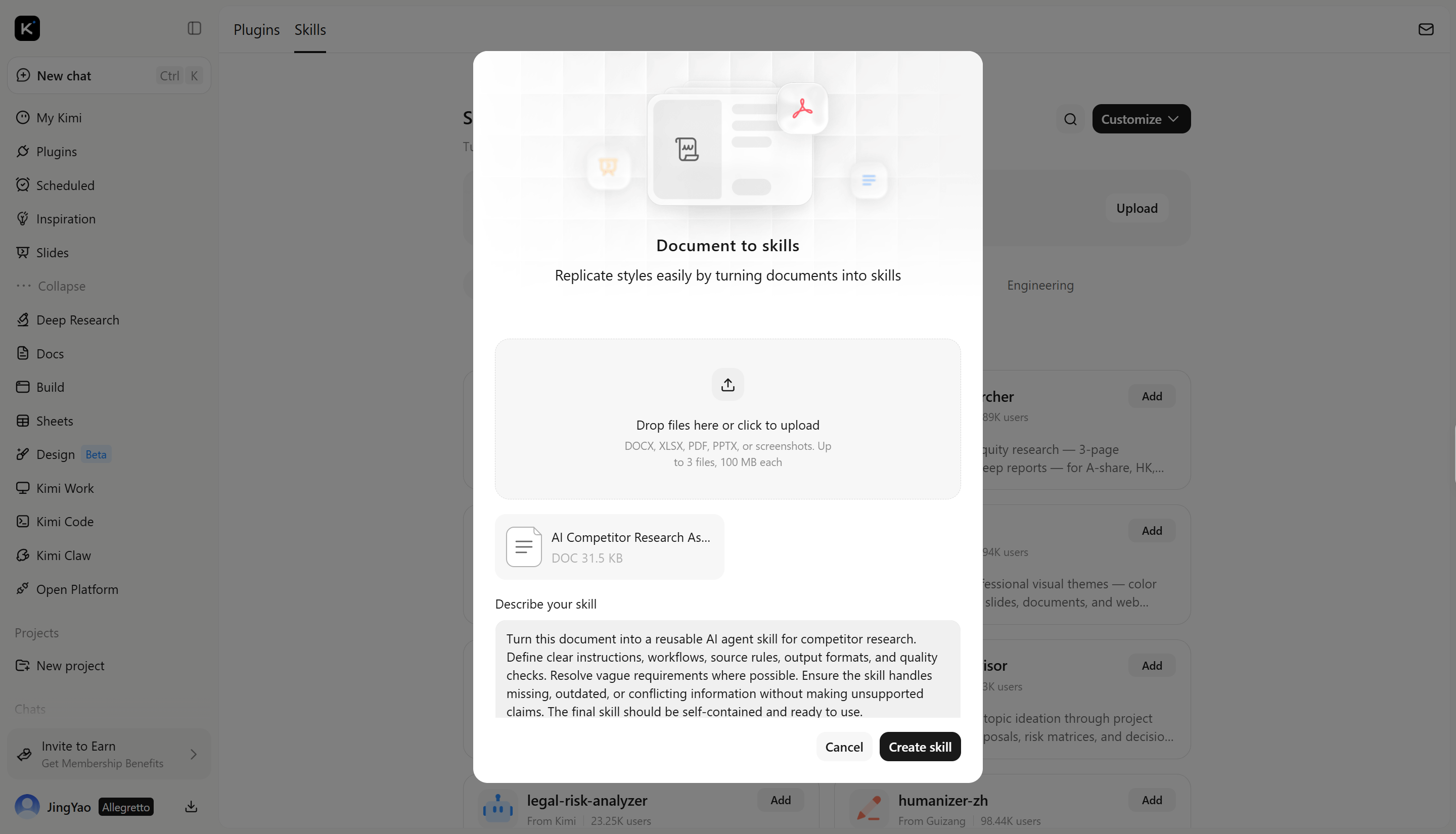
Step 2: Upload your materials
Upload the resources you want to use for building the skill, such as workflow instructions, knowledge documents, task guidelines, examples, or best practices. Kimi will analyze these materials and convert them into a structured skill that defines how the AI agent should work.
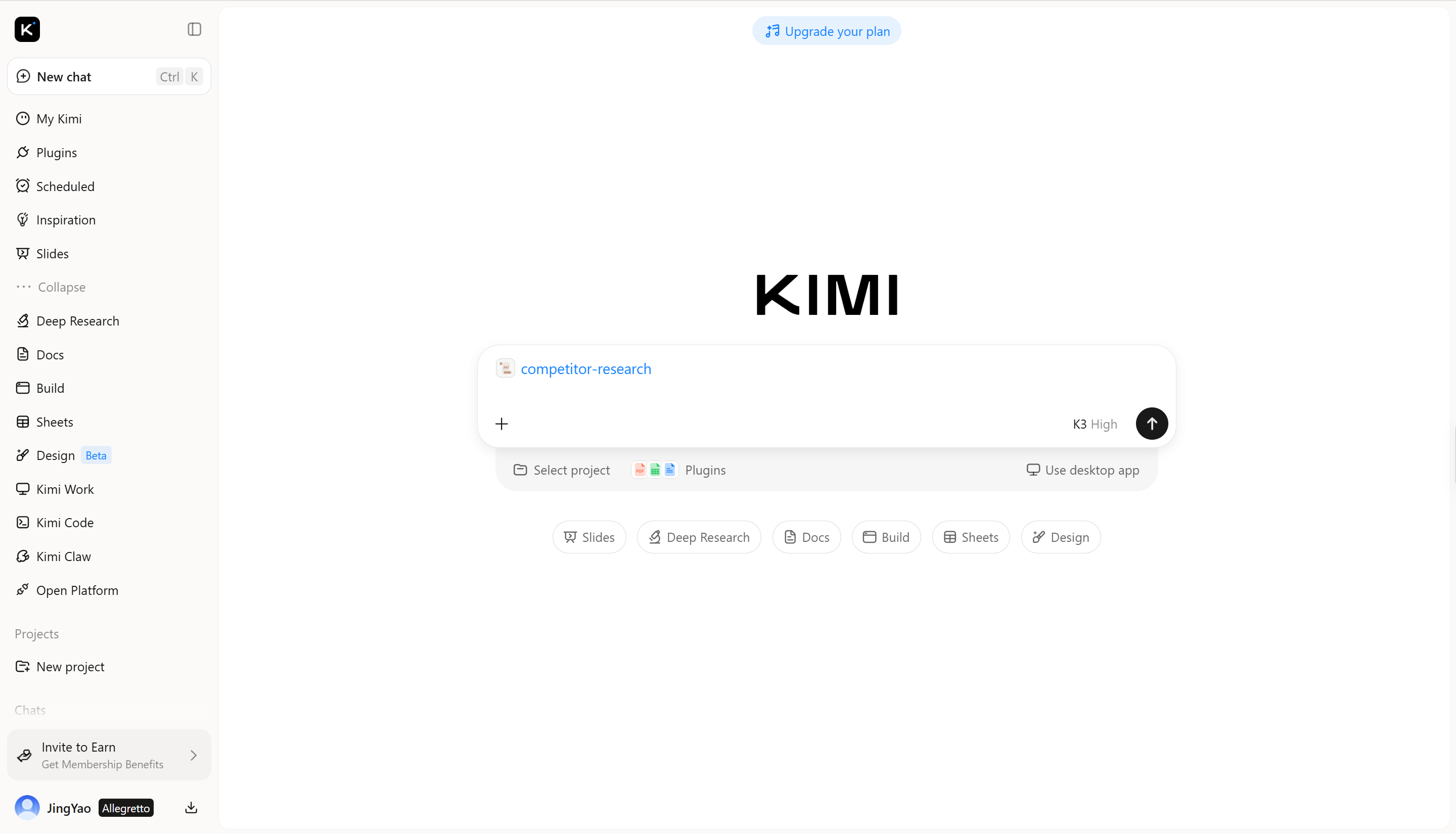
Step 3: Create and use your skills
Once created, your custom skill can be applied to AI agents for specialized tasks.
Method 2: Create a skill through chat
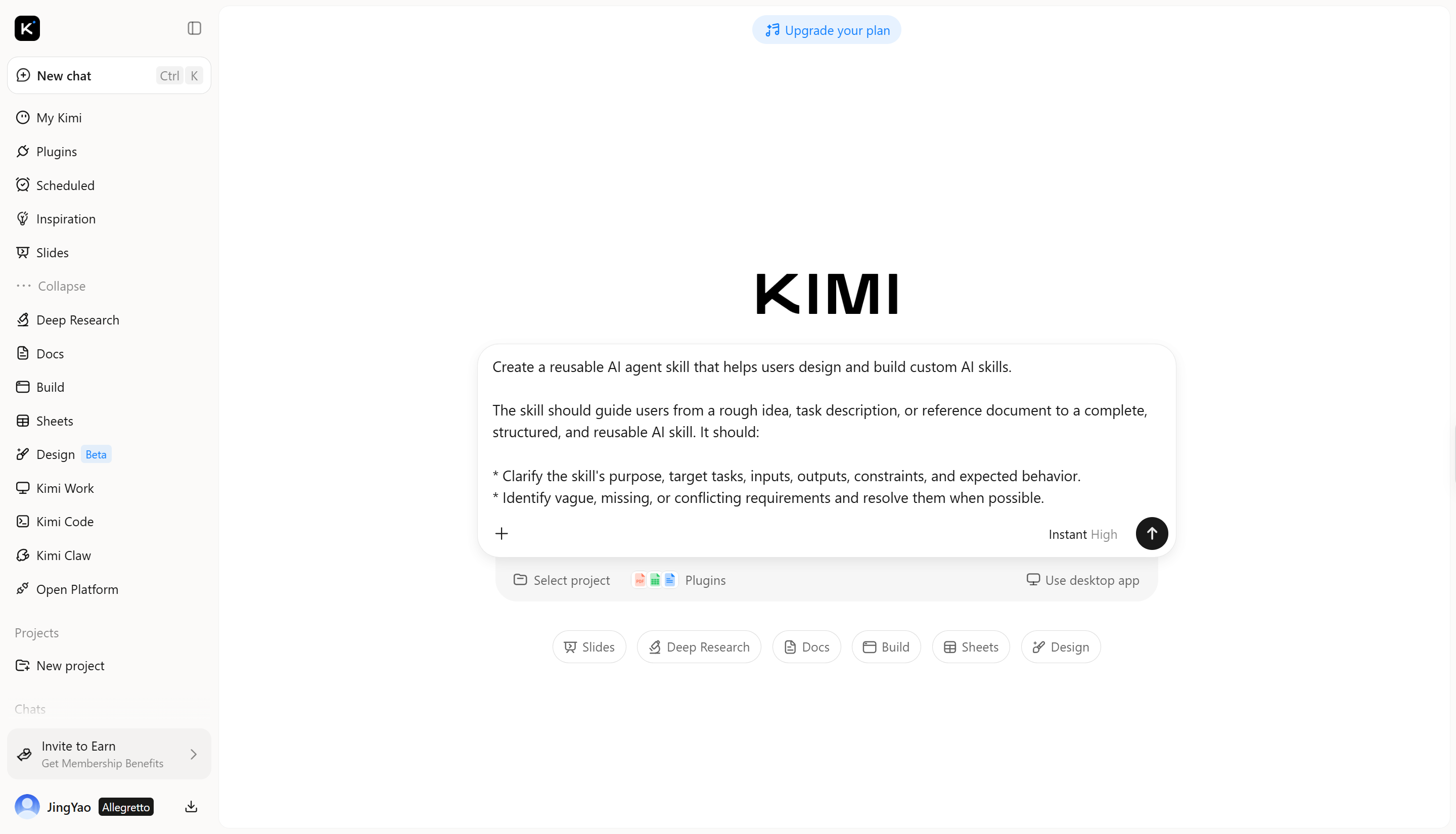
Step 1: Open Kimi chat
Open the Kimi chat interface and describe the skill you want to create, including its purpose, tasks, and expected results.
Step 2: Provide your materials
Upload relevant documents, instructions, examples, or other reference materials that can help Kimi understand how the skill should work.
Step 3: Create and use your skill
Ask Kimi to create the skill based on your requirements and materials. Once the skill is created, you can use it for relevant tasks and workflows.
Method 3: Edit and refine an existing skill
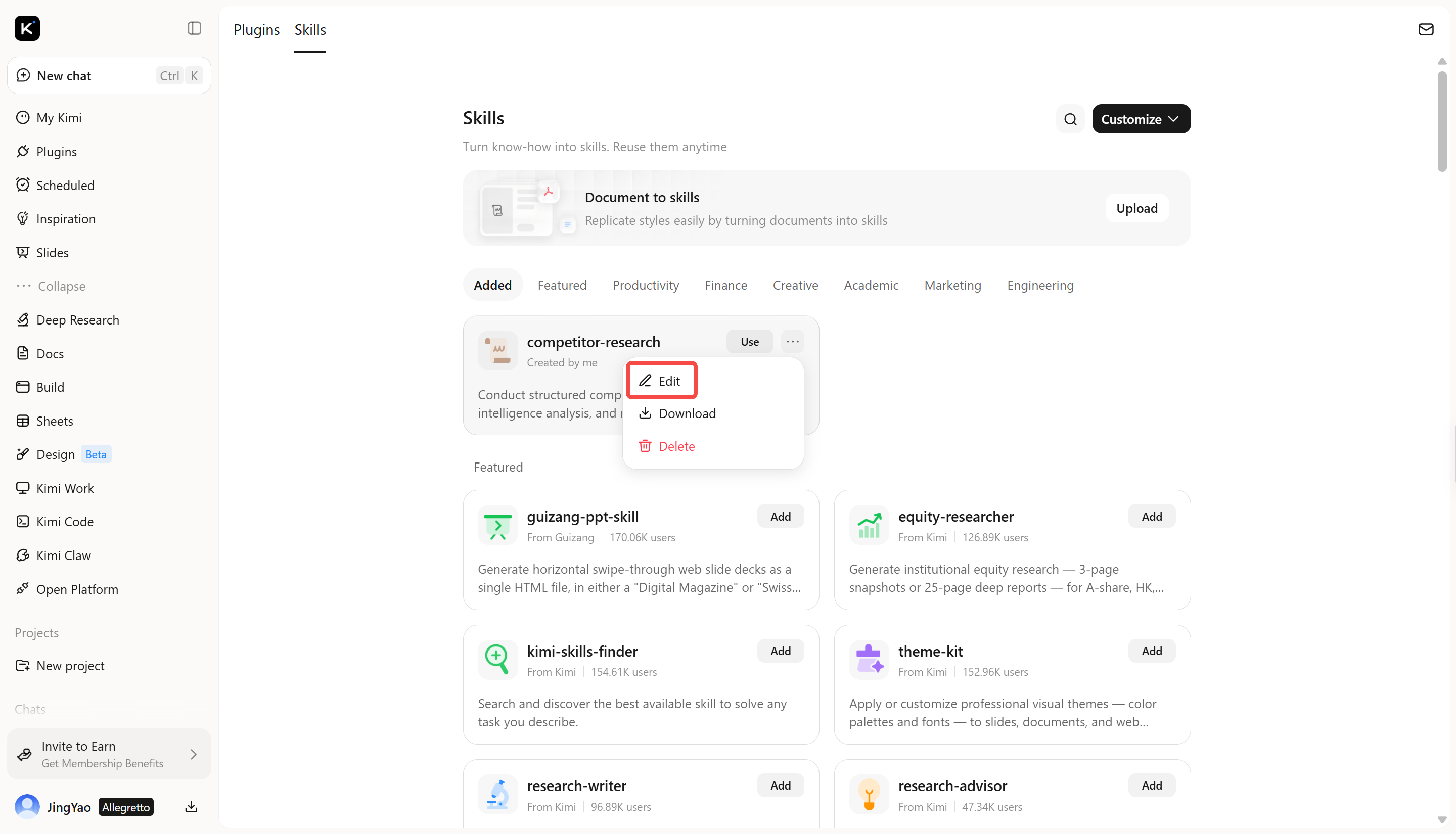
Step 1: Open the skill you want to edit
Go to Kimi Skills and select the custom skill you want to improve. Click "Edit" to modify the existing skill. Describe what you want to change, such as its instructions, workflow, or expected output.
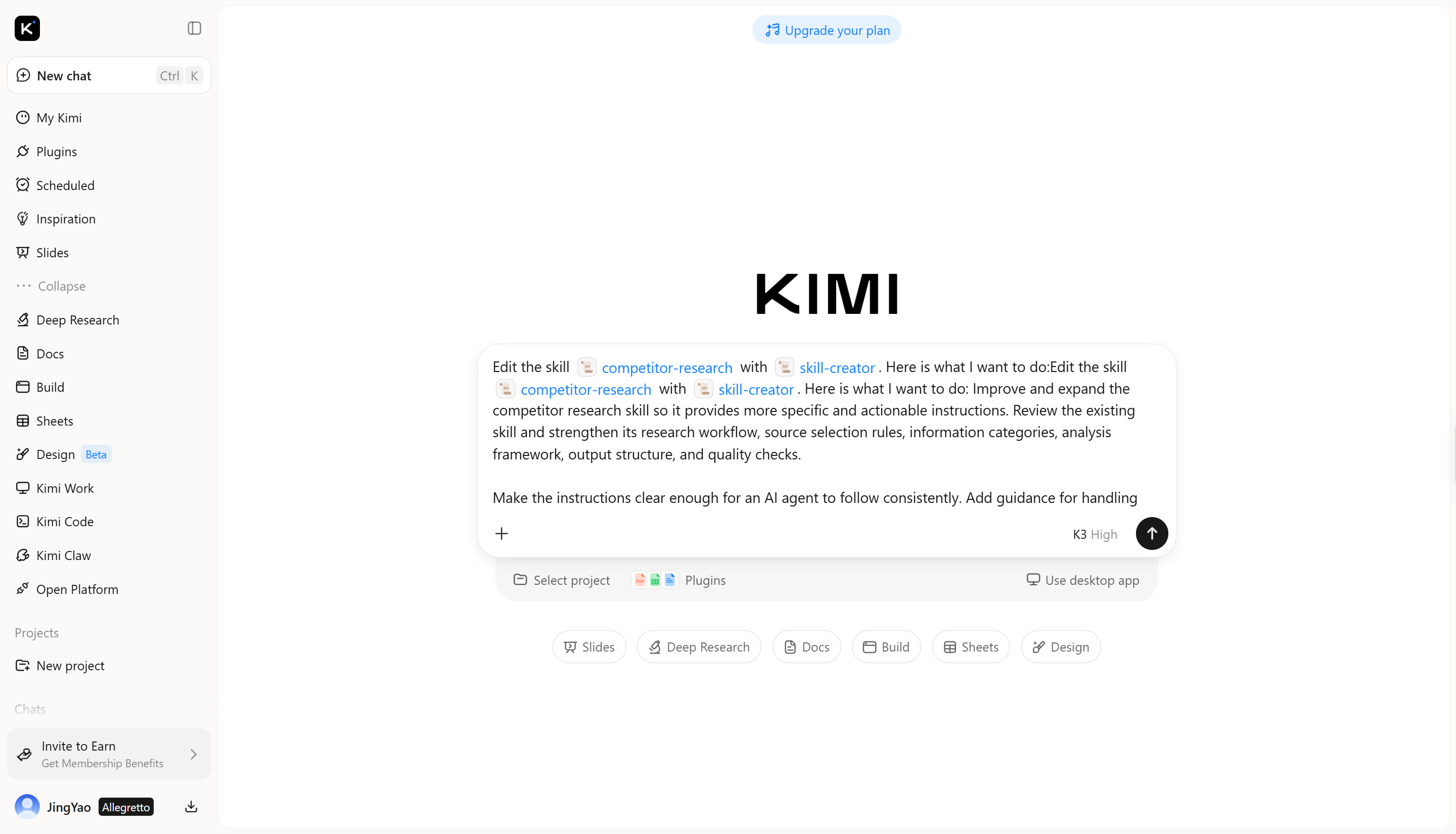
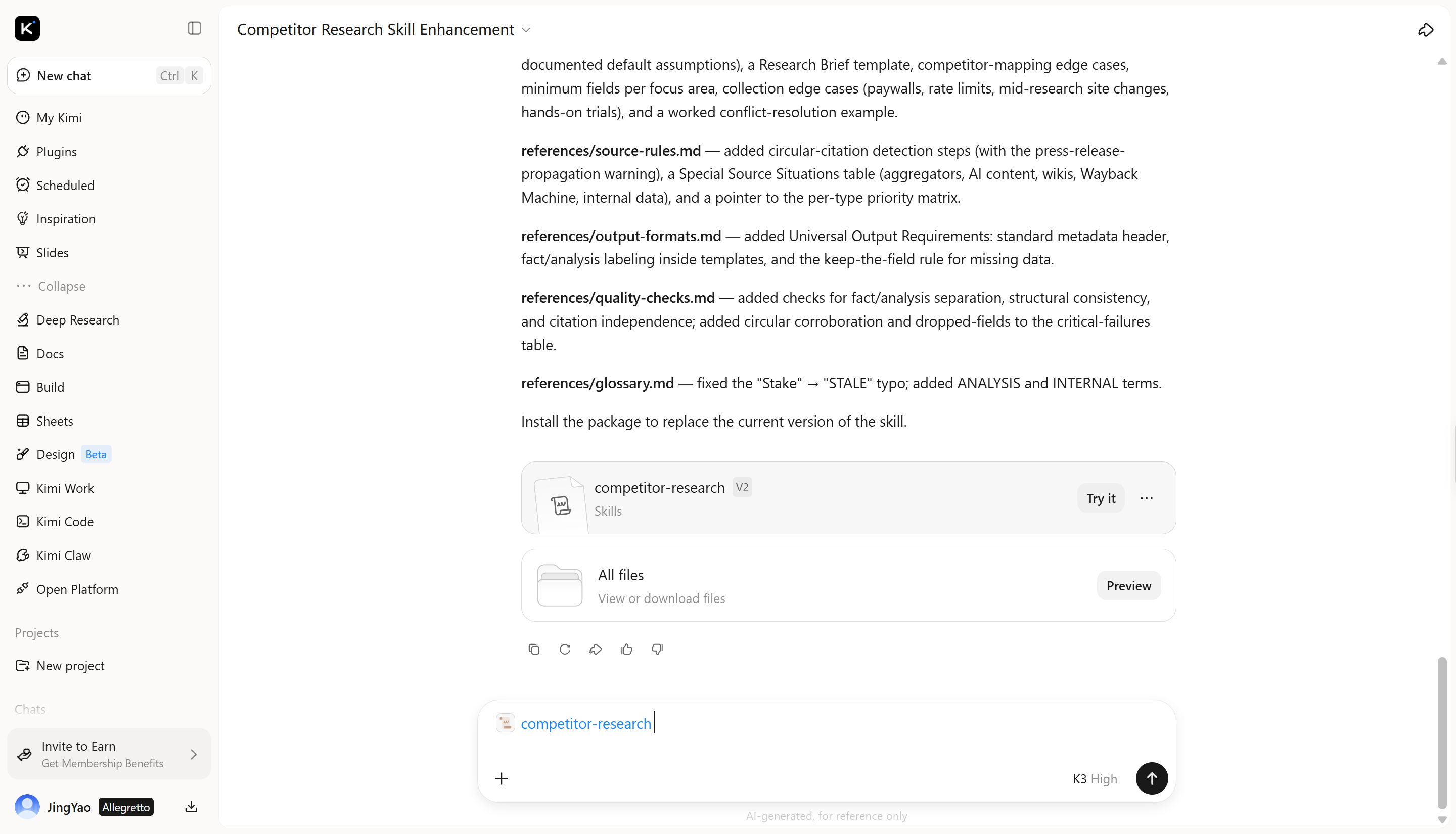
Step 2: Apply and iterate
Review the updated skill and continue refining it based on your results and changing requirements. This lets you improve the skill over time without creating it from scratch.
Using Kimi AI skill development skills from the Skills store
Kimi lets you quickly access AI skill development skills from the Skills store to create, improve, and manage AI workflows. Here's how to use them:
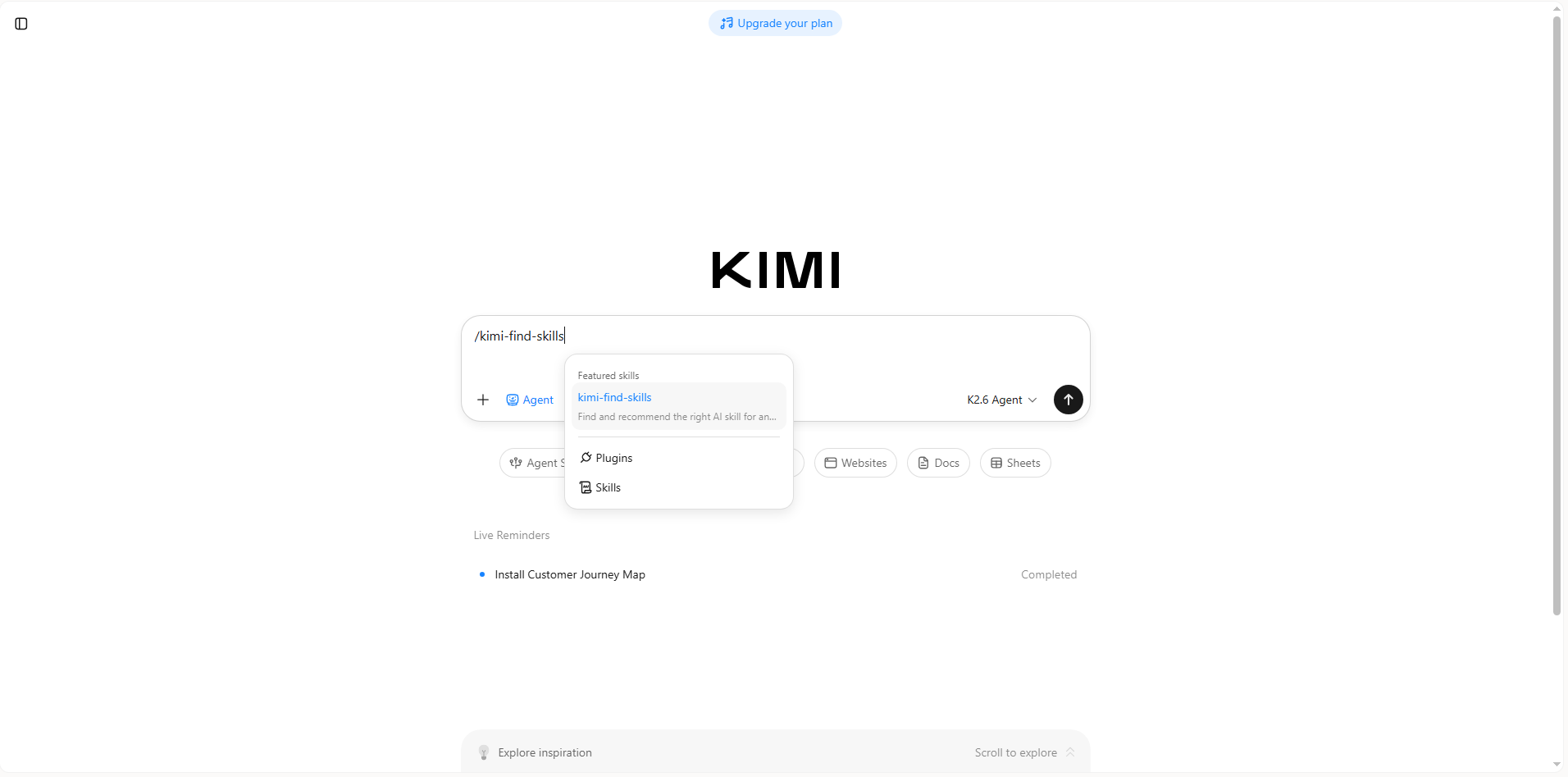
Step 1: Install the skill and input its command
Open Kimi and type / in the input box to open the Skills store. Search for kimi-find-skills and click to install it. Then type /kimi-find-skills in the chat box to activate the skill.
Step 2: Start your task
Describe what you want to build or improve, and Kimi will use the selected skill to complete the task.
Example prompt:
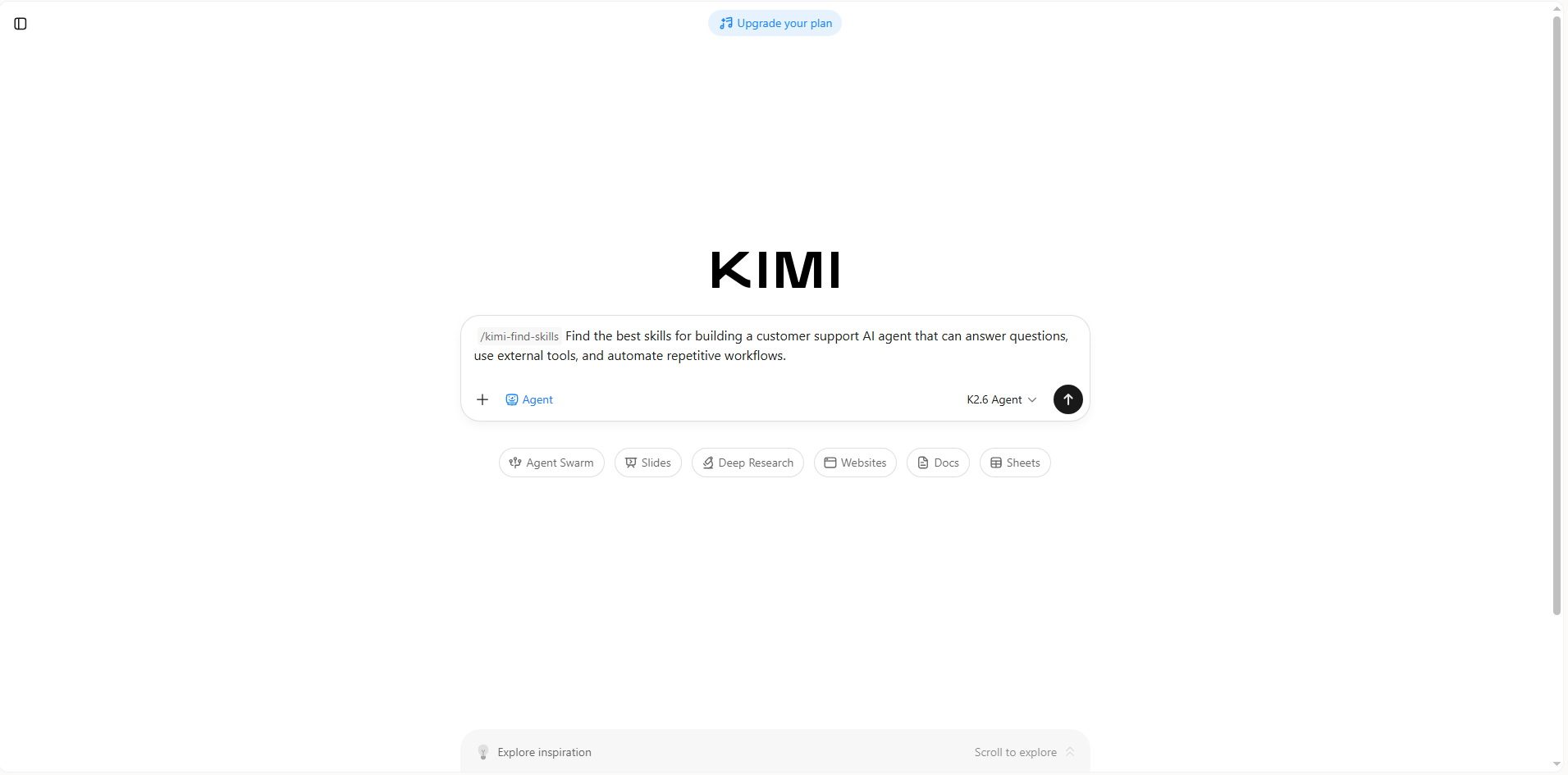
Kimi analyzes your request, identifies the most relevant skills, and generates recommendations or results to help you continue your AI development workflow.
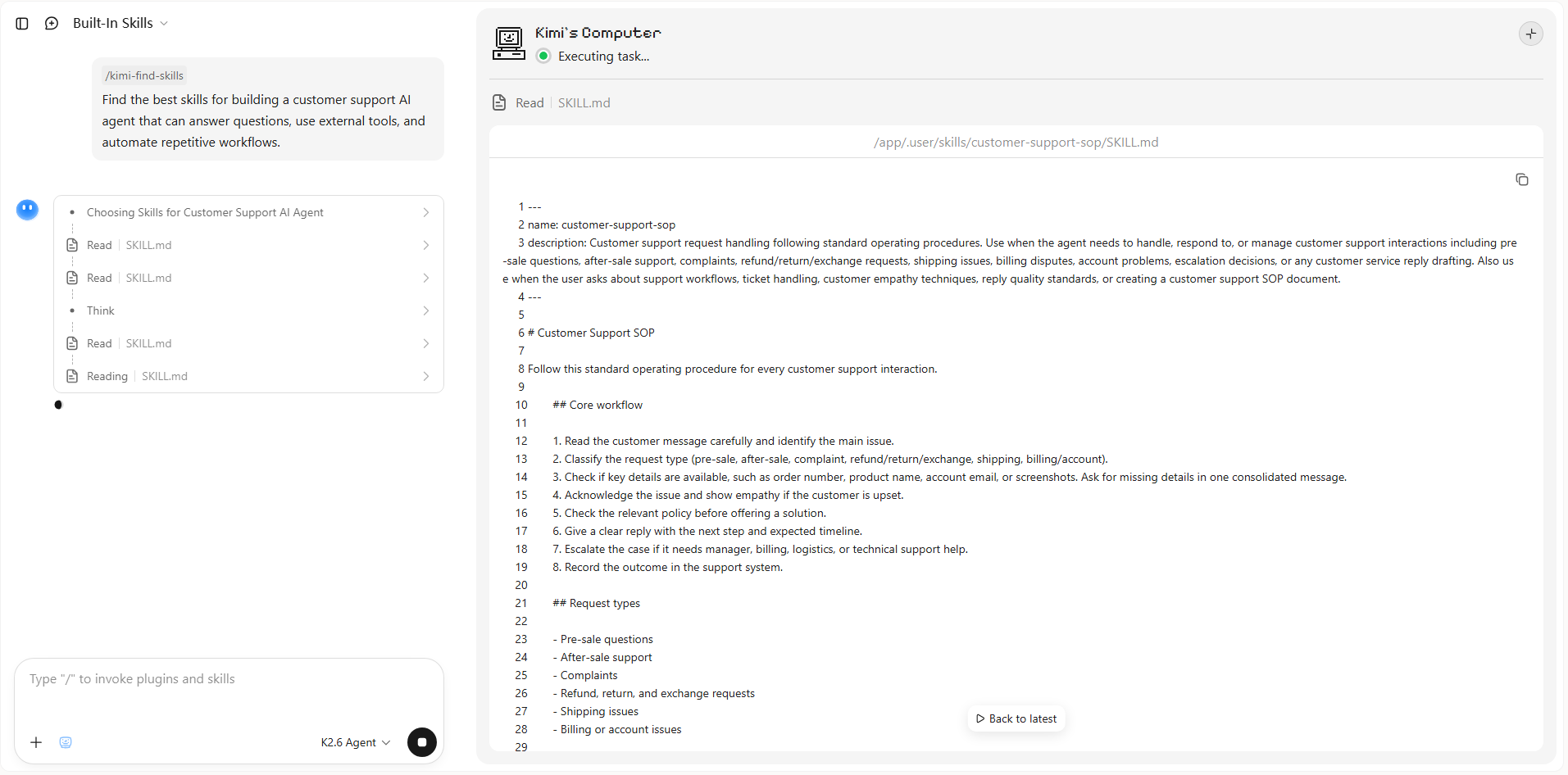
Step 3: Review your output
Review the generated results, refine them if needed, and copy or reuse the output in your AI workflow or project.
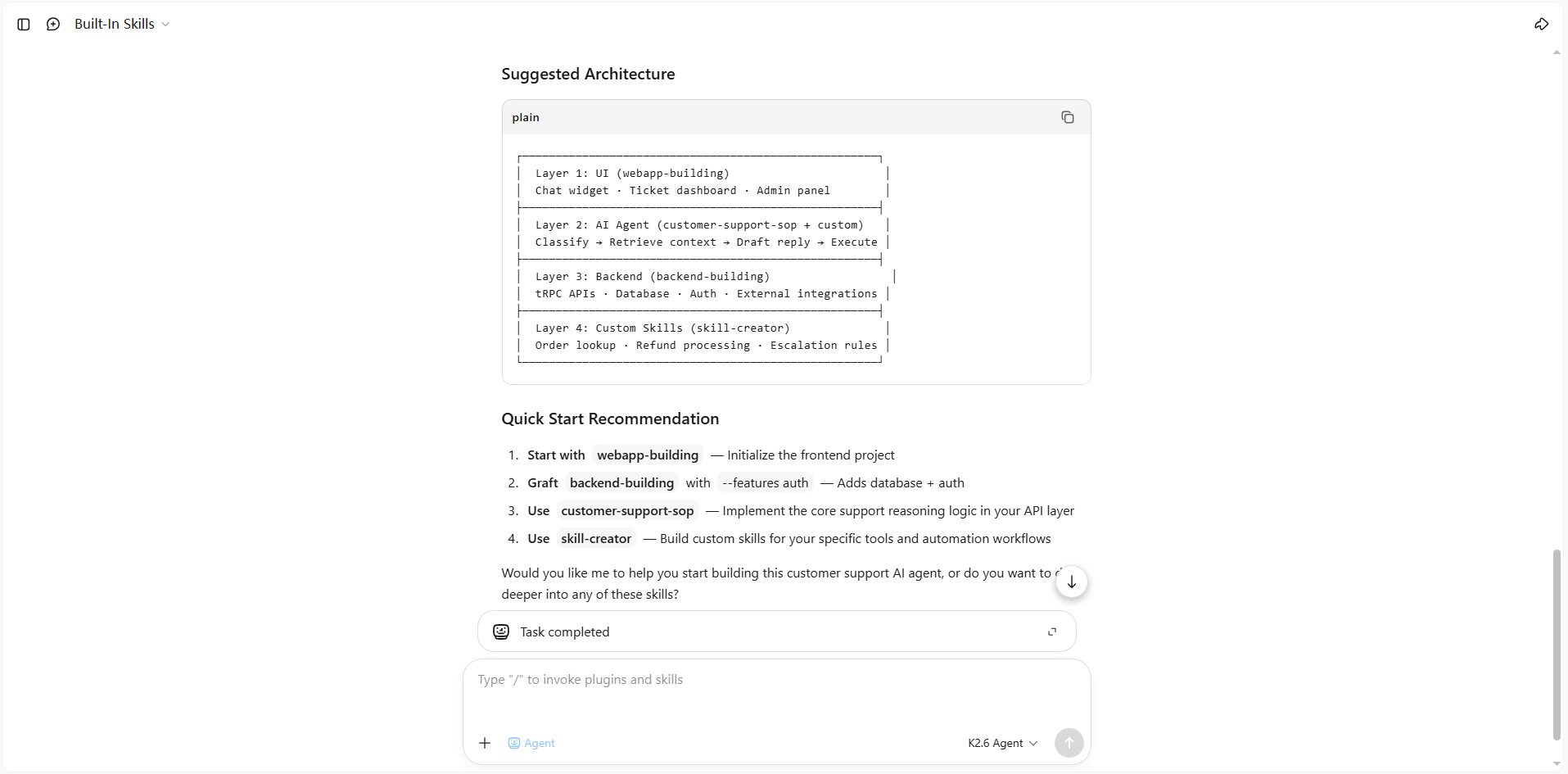
Explore open-source AI skill development skills
Many developers also share open-source AI skills that can be reused, customized, and extended for different projects. These repositories make it easier to create new AI skills, automate workflows, and accelerate AI development without starting from scratch. Below are 8 open-source skill development skills that can help you build, manage, and improve AI-powered solutions.
| Skill name | Description | URL |
|---|---|---|
| agent-skills-platform | Creates reusable AI agent skills from workflows. Generates validated, security-scanned skills with evaluation specifications and cross-platform installers from natural language descriptions. | https://github.com/FrancyJGLisboa/agent-skills-platform |
| ai-collaboration-framework-builder | Builds production-ready multi-agent collaboration frameworks with shared context systems and collaboration patterns, including sequential execution, parallel workflows, and feedback loops. | https://github.com/coderyjq/ai-collaboration-framework-builder |
| git-smith-workflows | Provides GitHub CLI agent skills for automating Git operations, pull request management, and skill authoring. Includes skill builders, testing environments, and multi-model support. | https://github.com/deepakmashyal143/git-smith-workflows |
| skill-forge | Provides an AI skills toolkit with specialized tools for developers and creators. Supports isolated sandbox execution, shared memory, and chained skill workflows. | https://github.com/Ogabriel-Pro/skill-forge |
| quant-strategy-builder-skill | Reusable agent skill for designing quantitative trading strategies, covering signal logic, position management, risk control, backtesting validation, and evidence-based reporting. | https://github.com/itsadrianxv/quant-strategy-builder-skill |
| conversion-path-builder | Helps design optimized conversion funnels by mapping user journeys, trust-building steps, and conversion workflows for marketing automation. | https://github.com/realkimbarrett/advertising-skills/tree/main/skills/operator-os/conversion-path-builder |
| app-builder | Open-source app builder skill for coding agent workflows. Supports Python development, RAG applications, and multi-agent orchestration. | https://github.com/baidubce/app-builder |
| skill-builder | Creates and audits production-ready skills from natural language descriptions. Generates SKILL.md files, hooks, references, and marketplace-ready skill repositories. | https://shahriarlabs.com/blog/skills-skill-builder |
Using open-source AI skills in Kimi
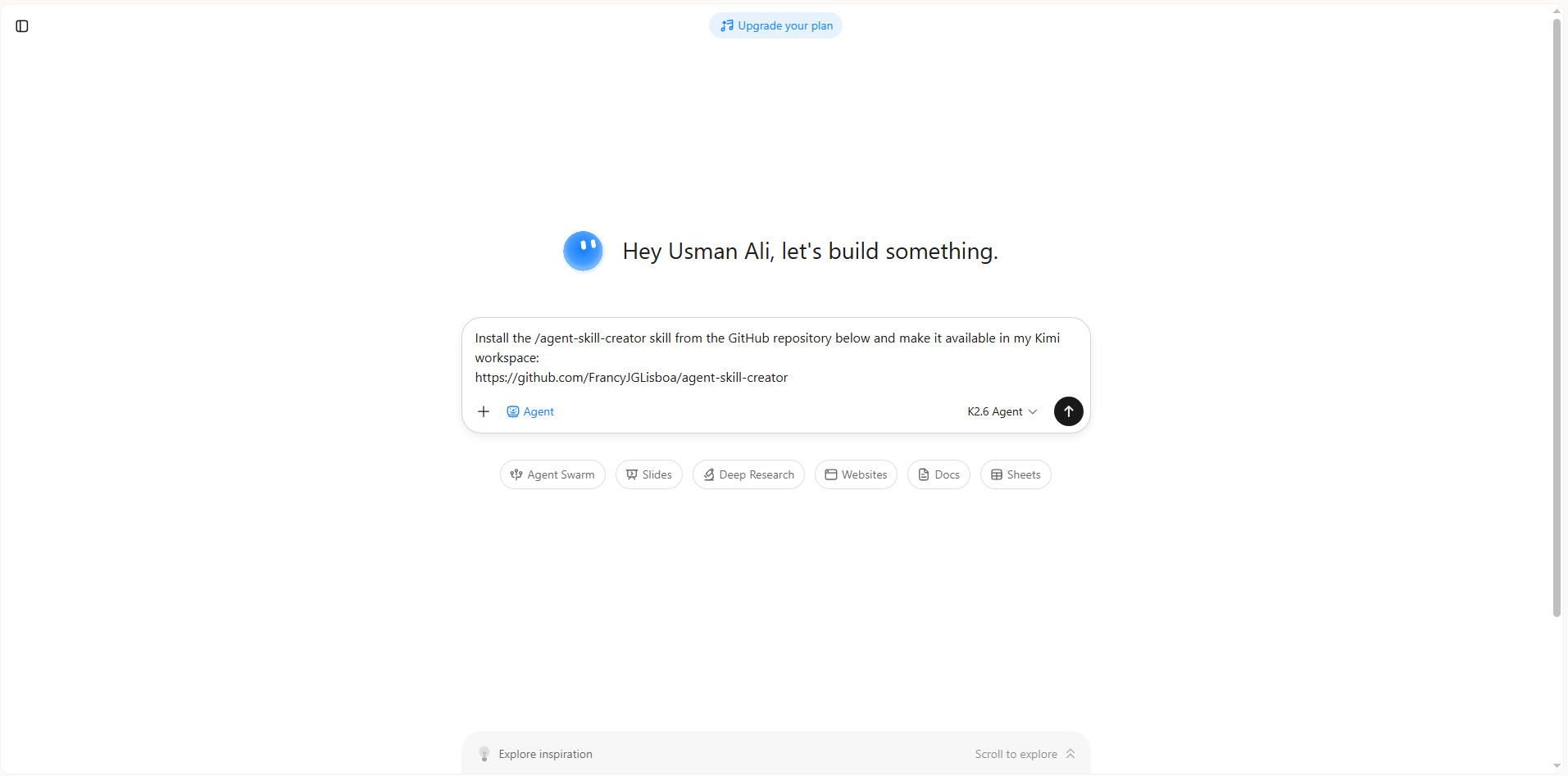
You can quickly add open-source AI skills to Kimi by sharing the repository link. Kimi installs the skill for you, letting you start using it in your AI development workflows within minutes. Here's a step-by-step guide to help you use open-source skills in Kimi.
Step 1: Enter a prompt
Open Kimi, paste the GitHub URL of the open-source skill you want to install, and provide a prompt instructing Kimi to install the skill.
Example prompt:
Step 2: Let AI install the skill automatically
Kimi downloads the selected skill, configures the required files, and prepares it for use without requiring manual setup.
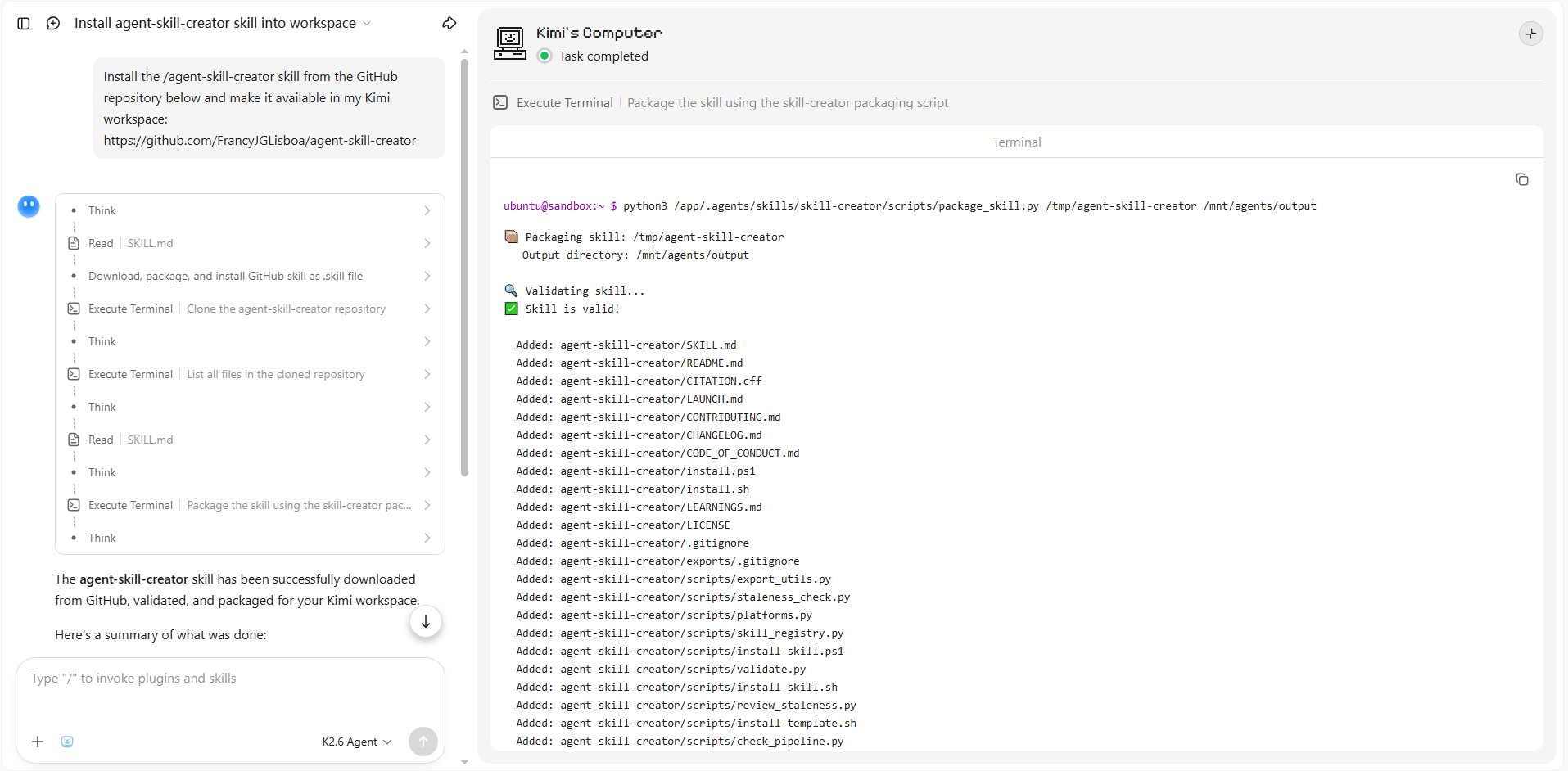
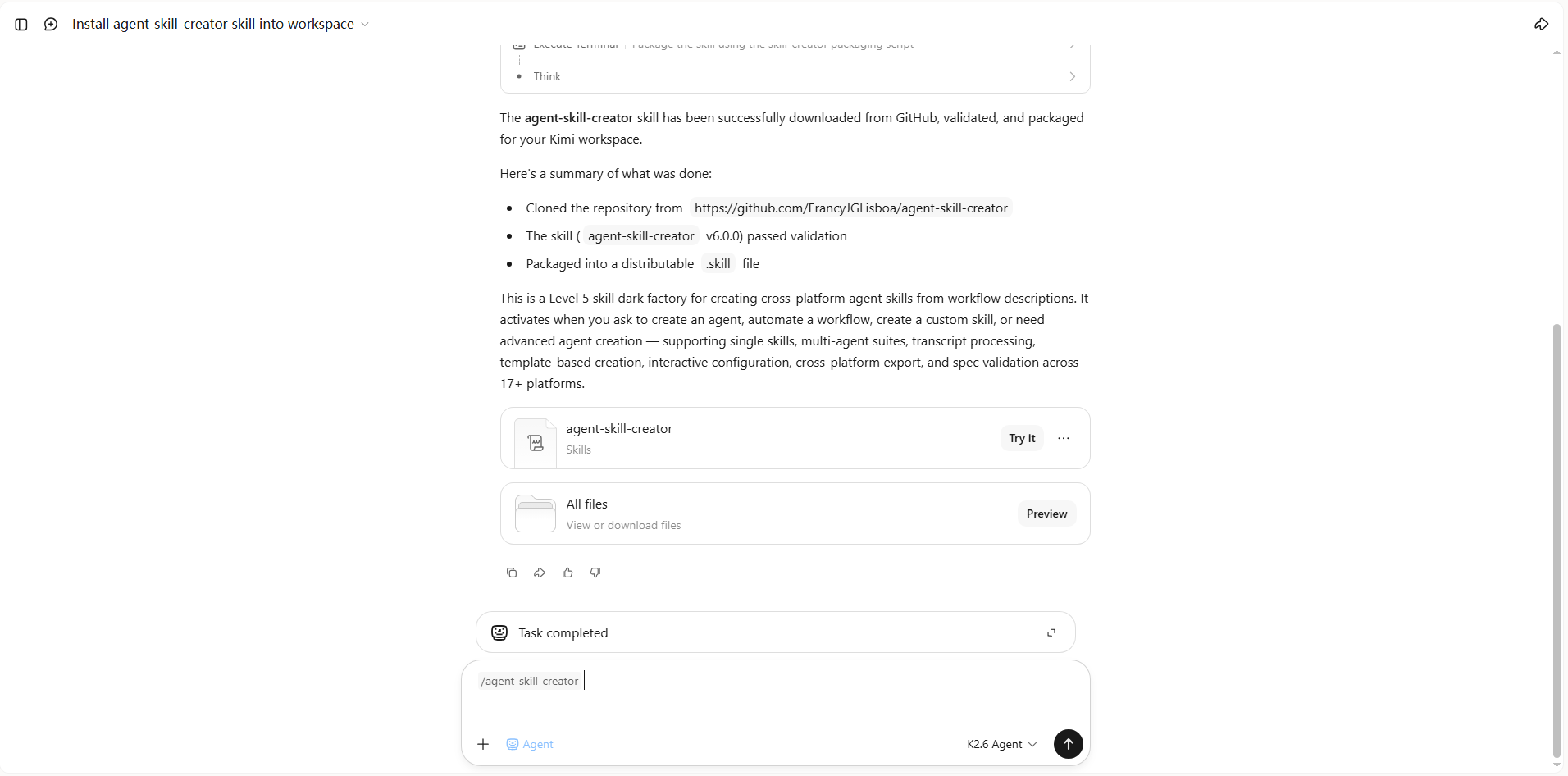
Step 3: Use the skill
After the installation is complete, activate the skill in Kimi and provide your task. You can then use it to create AI agents, build workflows, automate processes, or complete other AI development tasks.
If you already have an open-source skill package as a ZIP file, you can now upload it directly to Kimi Work on desktop to install the skill. This makes it easy to bring downloaded or locally stored skills into your Kimi workflows without manually configuring the files.
How to build custom skills effectively
Building an effective AI skill takes more than describing what you want the AI to do. A clear structure, practical testing, and continuous refinement can help turn a rough idea into a reliable, reusable skill. Here are some practices to keep in mind when creating custom AI skills.
Define a clear purpose
Start with a specific task or workflow the skill should handle. A focused purpose makes it easier to define instructions, expected outputs, and boundaries, while reducing inconsistent results.
Provide detailed requirements
Give the skill enough context to understand the task, including inputs, workflows, constraints, and expected outputs. The more clearly the requirements are defined, the less the AI has to infer.
Test with real tasks
Try the skill with realistic inputs rather than relying only on theoretical examples. Real tasks can reveal unclear instructions, missing steps, and edge cases that need to be addressed.
Refine based on results
Review the skill's output and identify what needs to change. Updating instructions, workflows, or constraints based on actual results can gradually improve the skill's reliability and usefulness.
Keep skills focused and reusable
Avoid combining unrelated tasks into a single skill. A focused skill is easier to maintain, test, reuse, and adapt to different workflows.
Document how the skill should be used
Include information about the skill's purpose, inputs, expected outputs, and usage requirements. Clear documentation makes the skill easier to understand, reuse, and improve over time.
Conclusion
The growing adoption of AI has increased the demand for reliable and reusable solutions across various workflows. Skill development skills help users create, enhance, and manage AI-powered workflows with better efficiency and consistency. By using the Skills store, open-source resources, or custom skills, users can simplify the process of developing practical AI solutions. Explore Kimi to discover and customize AI skills for your projects, and build workflows that align with your specific needs.