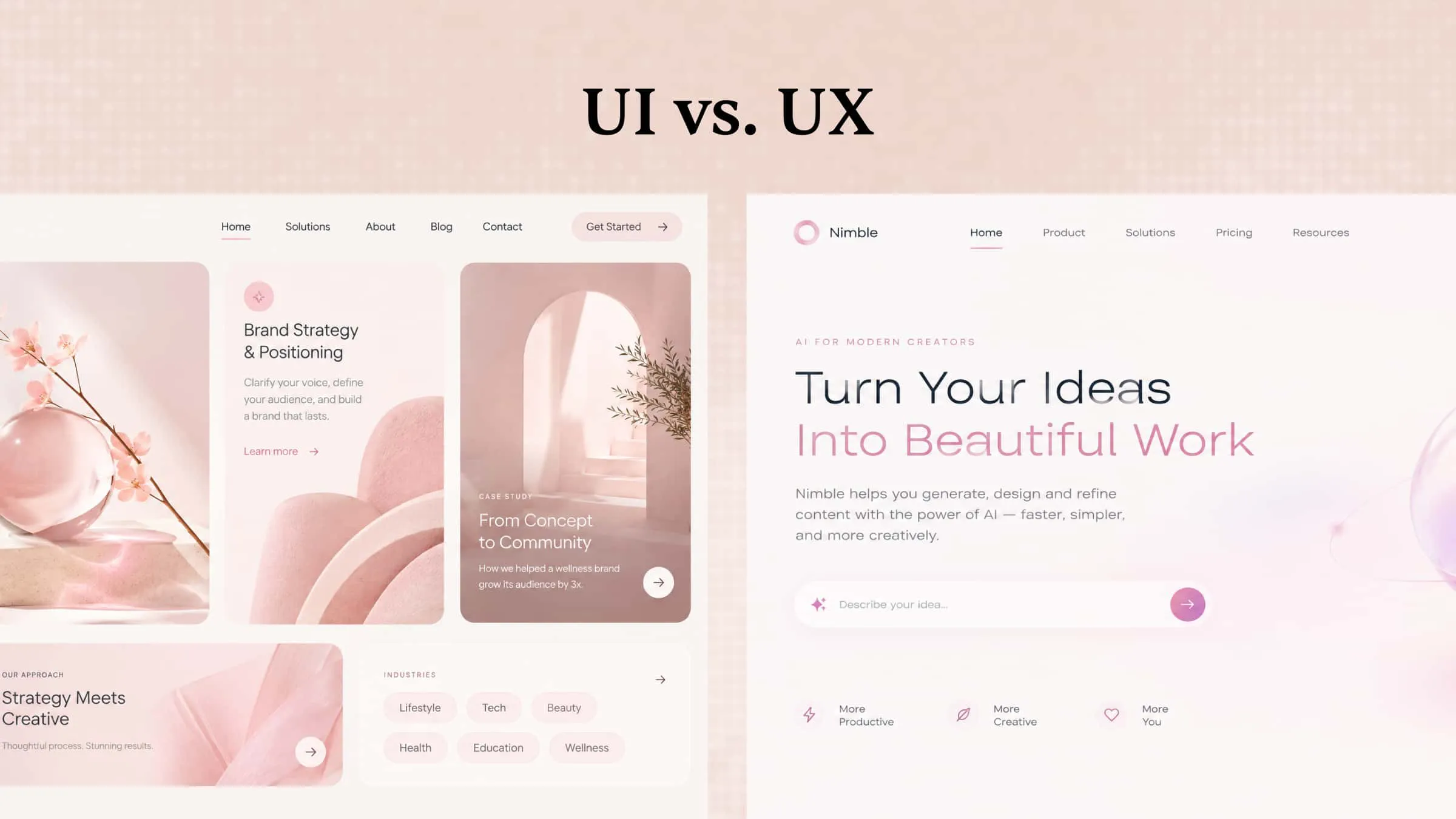
A digital product can look beautiful but still feel confusing if people struggle to use it. That is where UX and UI design come in, as both focus on making websites and apps easier and more enjoyable to use. While they have different roles, they work together to create experiences that look good and feel simple from the first click to the last. Read on to understand UI vs UX, explore their key differences and practical examples, and see how an AI tool can help bring your design ideas to life.
The definitions of UI and UX
UI and UX are two closely connected parts of digital product design, but each has a different purpose. One focuses on how a product looks, while the other considers how it works and feels when people use it. Understanding their roles makes it easier to see how designers create websites and apps that are both attractive and easy to navigate.
What is UI
User interface (UI) design focuses on the visual elements people see and interact with when using a website, app, or digital product. It covers everything from page layouts and color choices to fonts, icons, buttons, and menus. UI designers make sure these elements look appealing, remain consistent, and are easy to understand.
Key aspects of UX design
User research: Understand the target audience through interviews, surveys, behavioral data, and usability studies to identify user needs, expectations, and pain points.
Information architecture: Organize content, features, and navigation into a logical structure so users can find information and complete tasks easily.
User flows: Map out the steps users take to achieve specific goals, identifying unnecessary actions or confusing interactions.
Wireframing and prototyping: Create simplified layouts and interactive prototypes to explore product structures and test ideas before development.
Usability testing: Observe how real users interact with a product, identify usability issues, and refine the experience based on feedback.
What is UX
User experience (UX) design focuses on the overall experience people have when using a website, app, or digital product. It considers how easily users can find information, complete tasks, and achieve their goals. UX designers study user behavior, understand common problems, and plan solutions that make products more useful and convenient.
Key aspects of UI design
Layout and composition: Arrange page sections, navigation menus, buttons, and content to establish a clear visual hierarchy.
Color and typography: Select coordinated colors, fonts, and text styles that support readability and reflect brand identity.
Interactive elements: Design buttons, dropdown menus, input fields, icons, and other components that help users interact with a product.
Visual consistency: Maintain consistent spacing, component styles, and design patterns across different screens.
Responsive design: Adapt interface layouts to different screen sizes and devices, ensuring a consistent experience on desktop, tablet, and mobile.
Key differences between UI and UX with examples
Although UI and UX design work towards the same goal, they approach product design from different angles. UX focuses on the overall journey and how easily users can achieve their goals, while UI deals with the visual details and elements they interact with along the way. The following comparison highlights their main differences in terms of goals, activities, design approaches, and outcomes:
Focus: Overall experience vs. visual interface
The most fundamental difference between UI vs UX is what each discipline aims to improve.
UX design considers the entire interaction between users and a product. Designers investigate whether users can find the information they need, complete tasks efficiently, and achieve their goals without unnecessary friction.
UI design focuses on the interface itself. It determines how screens look, how elements are arranged, and how visual cues guide users through different actions.
For example, an online shopping website may have an attractive product page with clear images, readable descriptions, and prominent buttons. These are UI design decisions. However, if customers struggle to find product sizes, understand shipping options, or complete checkout, the website still has UX problems.
Process: Research-driven vs. visual design
UX and UI designers approach their work from different starting points.
UX design typically begins with understanding users and defining problems. Designers conduct research, analyze user behavior, map customer journeys, and create wireframes to establish how a product should work.
UI design builds on these findings by developing the visual interface. Designers choose colors, typography, layouts, and interactive components to turn the planned experience into an actual interface.
In practice, UX establishes the structure and interaction requirements, while UI determines how those decisions are presented visually.
Deliverables: Wireframes vs. visual mockups
Another difference between UI vs UX design is the type of deliverables each discipline produces.
UX designers commonly create user personas, journey maps, information architecture diagrams, wireframes, and interactive prototypes. These materials help teams understand user needs and plan how a product should function.
UI designers typically produce high-fidelity mockups, visual design systems, component libraries, and polished screen designs. These deliverables define the interface's appearance and provide visual guidance for development.
The two disciplines may share certain deliverables, particularly prototypes, but they approach them from different perspectives.
Skills: Problem-solving vs. visual design
UX designers need strong analytical and research skills. They should understand user behavior, identify usability problems, organize information, and evaluate whether design decisions solve real user needs.
UI designers rely more heavily on visual communication and interface design skills. They need an understanding of color theory, typography, spacing, composition, accessibility, and interaction patterns.
Both roles also benefit from communication, collaboration, creativity, and problem-solving skills.
Success metrics: Usability vs. interface quality
UX and UI design are evaluated through different indicators.
UX performance can be assessed through task completion rates, time on task, user satisfaction, navigation success, and usability testing results. These metrics help determine whether users can achieve their goals effectively.
UI quality is often evaluated through visual consistency, readability, accessibility, brand alignment, and the clarity of interactive elements.
However, these indicators are interconnected. A visually consistent interface can support usability, while a confusing visual hierarchy can negatively affect the overall user experience.
How do UI and UX design work together
UI and UX design complement each other by focusing on different parts of the same digital experience. UX designers understand user needs and plan how people can complete tasks easily. UI designers bring those plans to life through layouts, colors, typography, and interactive elements. Together, they make products both attractive and easy to use.
For example, an online shopping website needs a simple process for browsing products and placing orders. UX design makes the shopping journey smooth, while UI design ensures product pages, menus, and buttons are clear and appealing. If either part is poorly designed, customers may struggle to complete their purchases. Combining both creates a better experience and encourages users to return.
An AI tool for UI design and interactive UX prototyping: Kimi Build
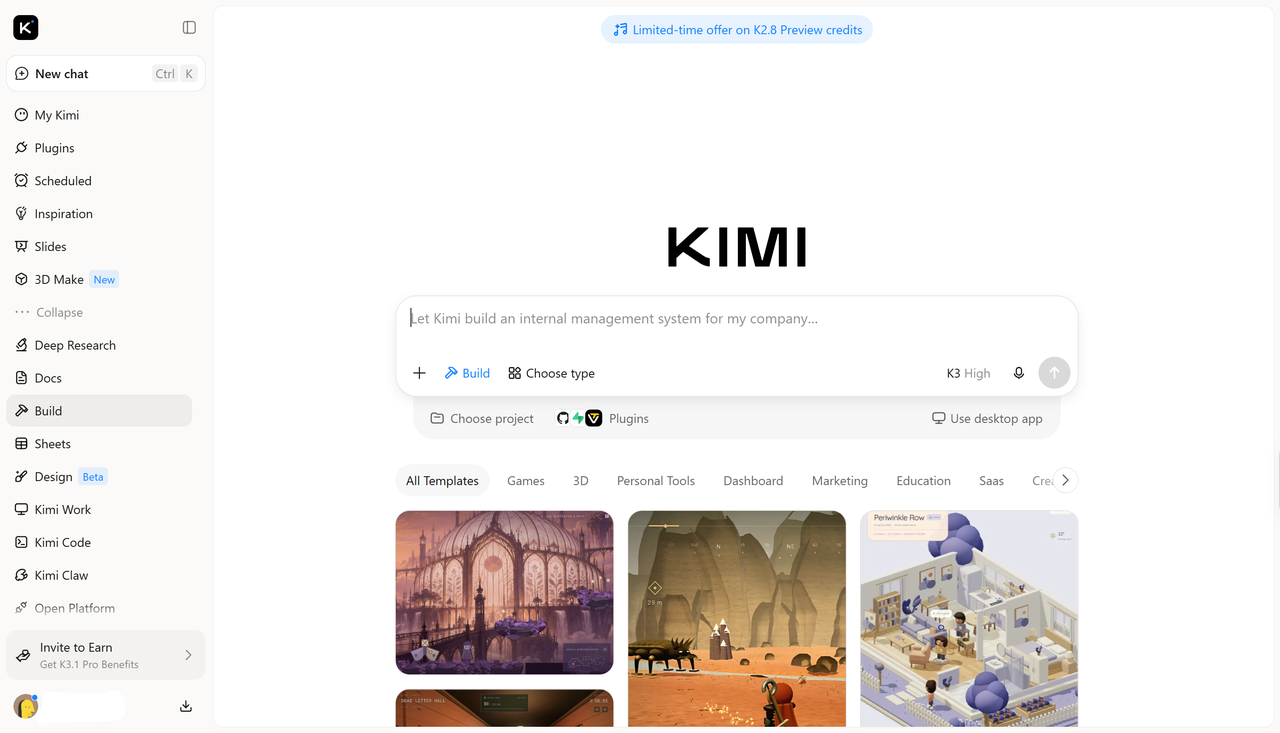
Kimi Build is an AI website builder that turns natural language prompts and visual references into functional web designs. It uses multimodal AI to understand text instructions, screenshots, mockups, and screen recordings, then generates complete webpages with layouts, styling, and interactive elements. Users can refine designs through conversational prompts, preview their projects across different screen sizes, and export code for further development.
Main features
Generate UI designs from prompts and references: Describe your design ideas in natural language or upload screenshots, images, and video references. Kimi Build turns them into functional webpage designs that you can further customize.
Create interactive UX prototypes: Generate webpages with interactive elements to explore navigation, page transitions, and user interactions. Preview how different interface components work together before publishing.
Customize layouts and interface elements: Refine designs through natural-language prompts, element comments, and manual editing. Adjust colors, typography, images, buttons, and page layouts to improve the interface.
Adapt designs to different screen sizes: Create webpage layouts for desktop and mobile screens, refining the presentation to maintain a consistent experience across devices.
Turn prototypes into functional websites: Go beyond static mockups by generating working webpages with interactive features. Preview your results, make further adjustments, and publish them with a shareable link.
How to use Kimi Build for UI design and UX prototyping
Kimi Build makes it easier to turn design ideas into functional interfaces and interactive prototypes. Here's how you can use it for UI design and UX prototyping.
Step 1: Enter a prompt or upload design references
Start by describing the website or interface you want to create. Include details about its layout, visual hierarchy, typography, color palette, components, and expected interactions. You can also upload screenshots or design mockups to guide the output.
Example prompt:
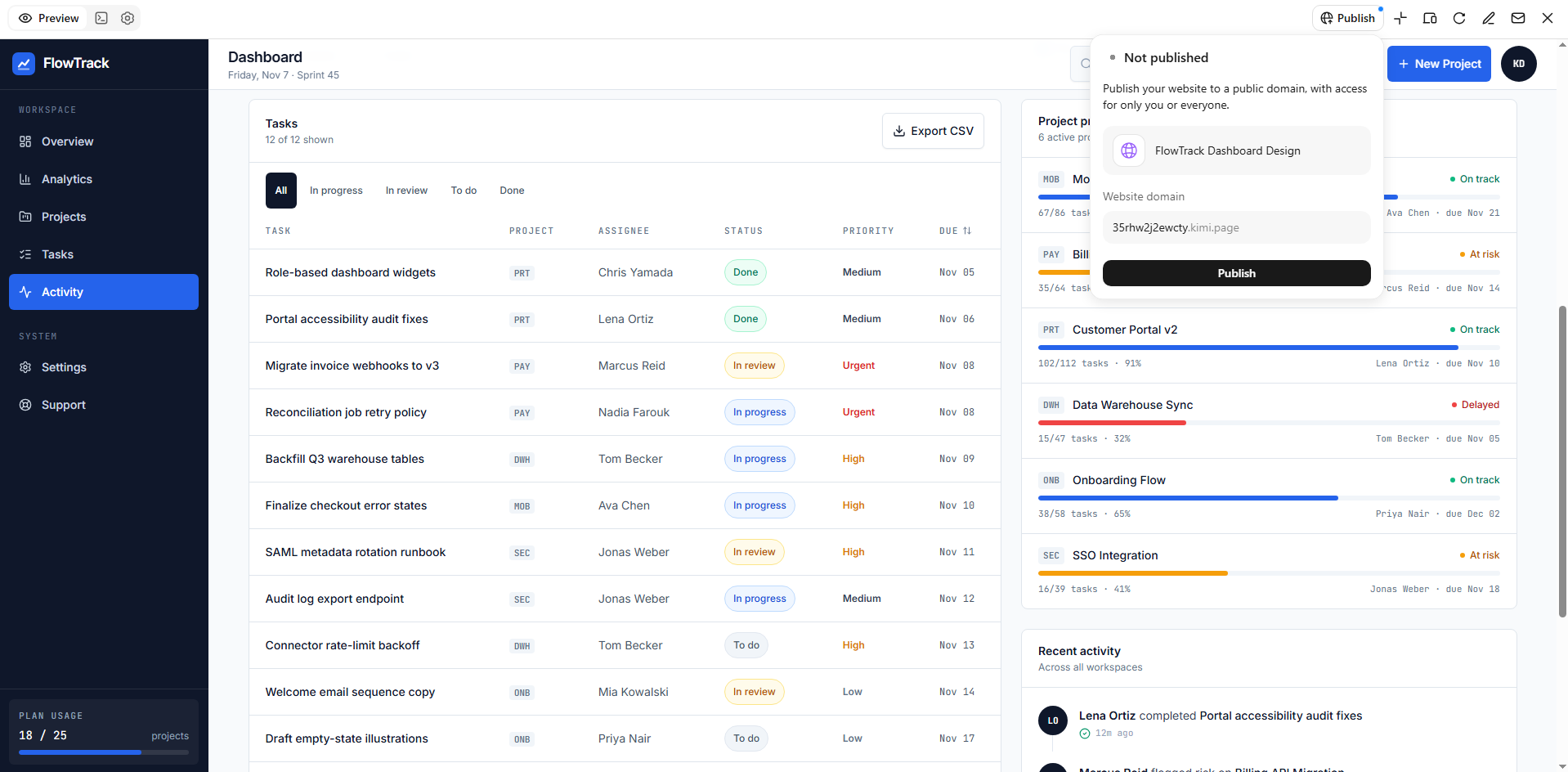
Design a responsive SaaS analytics dashboard for a project management platform called FlowTrack. Use a clean white background, deep navy typography, and electric blue (#2563EB) accents. Include a fixed sidebar, top navigation, dashboard cards, interactive charts, project progress indicators, task tables, and action buttons. Apply consistent spacing, accessible colors, and responsive layouts for desktop, tablet, and mobile screens.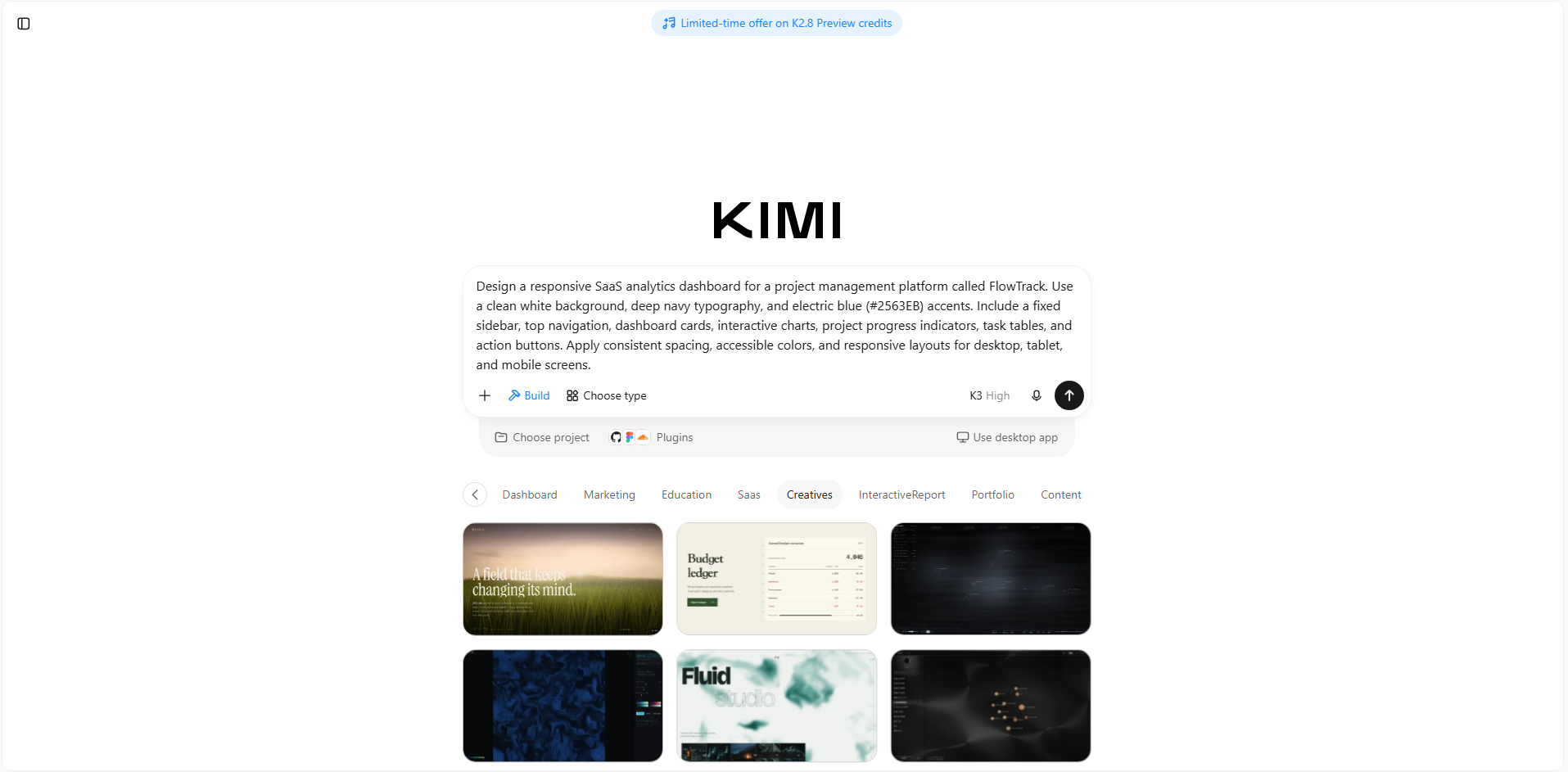
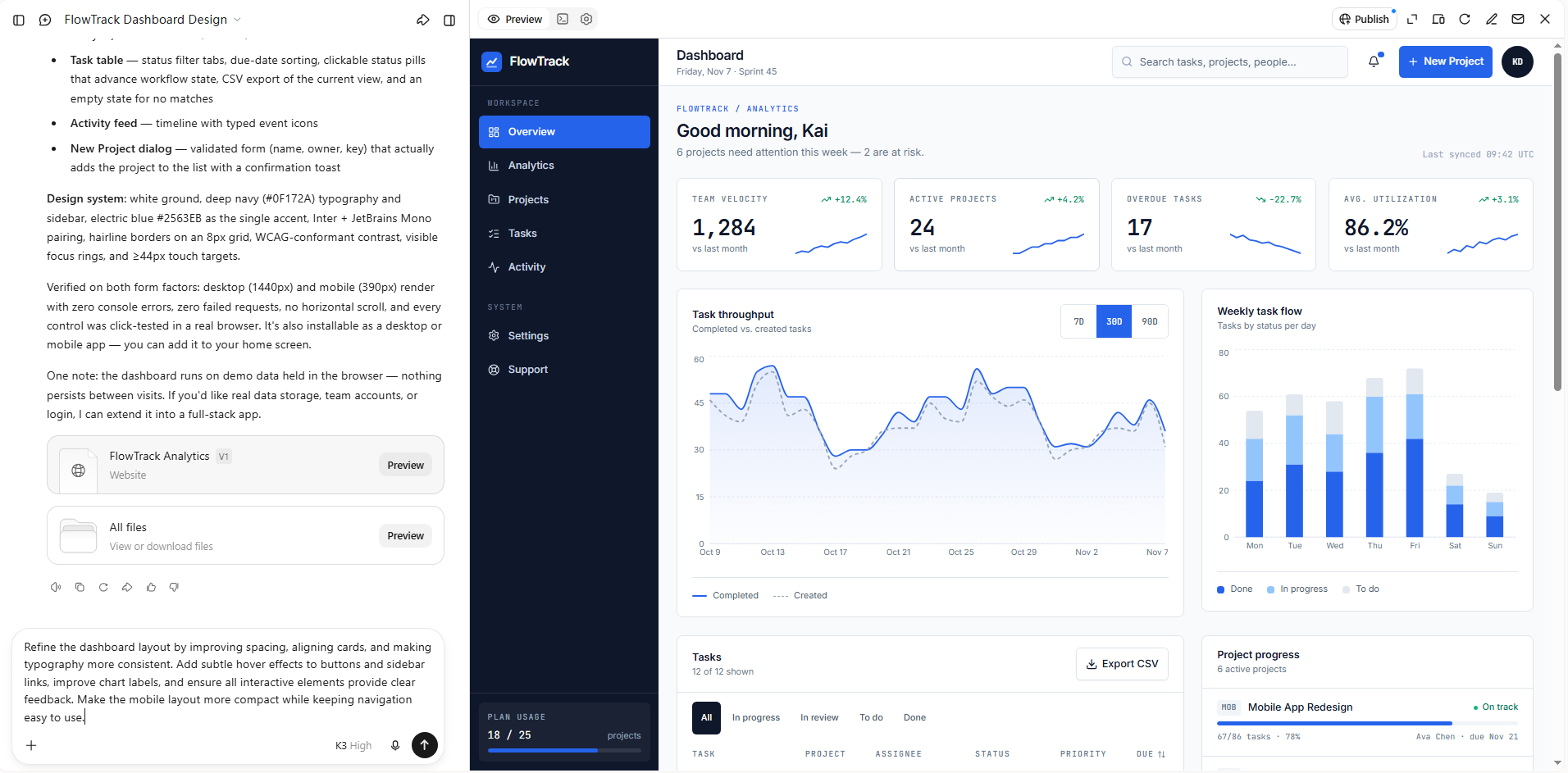
Step 2: Customize and preview your design
After generating the interface, review its layout, typography, spacing, colors, and interactive elements. Use conversational instructions to modify specific sections, adjust component styles, or improve navigation. You can also preview the design across different screen sizes to check its responsiveness and usability.
Step 3: Publish your design
Once your design is ready, use the publishing option to make your webpage accessible through a shareable link. You can share the prototype with teammates or clients for feedback and further testing. You can also export the project files for additional customization and development.
Real-world examples of UI vs UX design
The differences between UI and UX become easier to understand when you look at how they work in everyday digital products. From shopping websites to banking apps, both shape how people interact with features and complete tasks. Here are some practical examples to see how each contributes to the overall experience.
E-commerce website
UI design: Uses clear product images, readable descriptions, consistent typography, visible shopping cart icons, and prominent purchase buttons.
UX design: Makes product discovery easier through logical categories, useful filters, straightforward checkout steps, and transparent delivery information.
Mobile banking app
UI design: Creates clear account dashboards, recognizable icons, readable transaction details, and consistent button styles.
UX design: Simplifies account navigation, reduces unnecessary steps in money transfers, and provides clear confirmation messages after transactions.
Online learning platform
UI design: Uses structured course cards, clear progress indicators, readable lesson layouts, and visually distinct navigation elements.
UX design: Organizes learning paths logically, makes lessons easy to access, and helps learners track progress and resume unfinished courses.
These examples show that UI and UX solve different but related problems. A strong visual interface cannot compensate for a confusing user journey, and a well-planned experience still needs a clear interface to guide users through it.
Conclusion
Great digital products need more than attractive screens or smooth navigation; they need thoughtful UX and UI design that brings both together. Understanding their differences helps you make better design decisions and create products that people enjoy using. If you want to turn your ideas into practical designs, give Kimi Build a try. Explore its AI-powered features and start creating your own interactive web experiences with ease.