Convert Markdown to PPT with Kimi Slides
Convert Markdown to PPT with Kimi Slides. Paste .md files or outlines and get editable PowerPoint slides with AI without design skills or experience.
How to convert Markdown to PPT
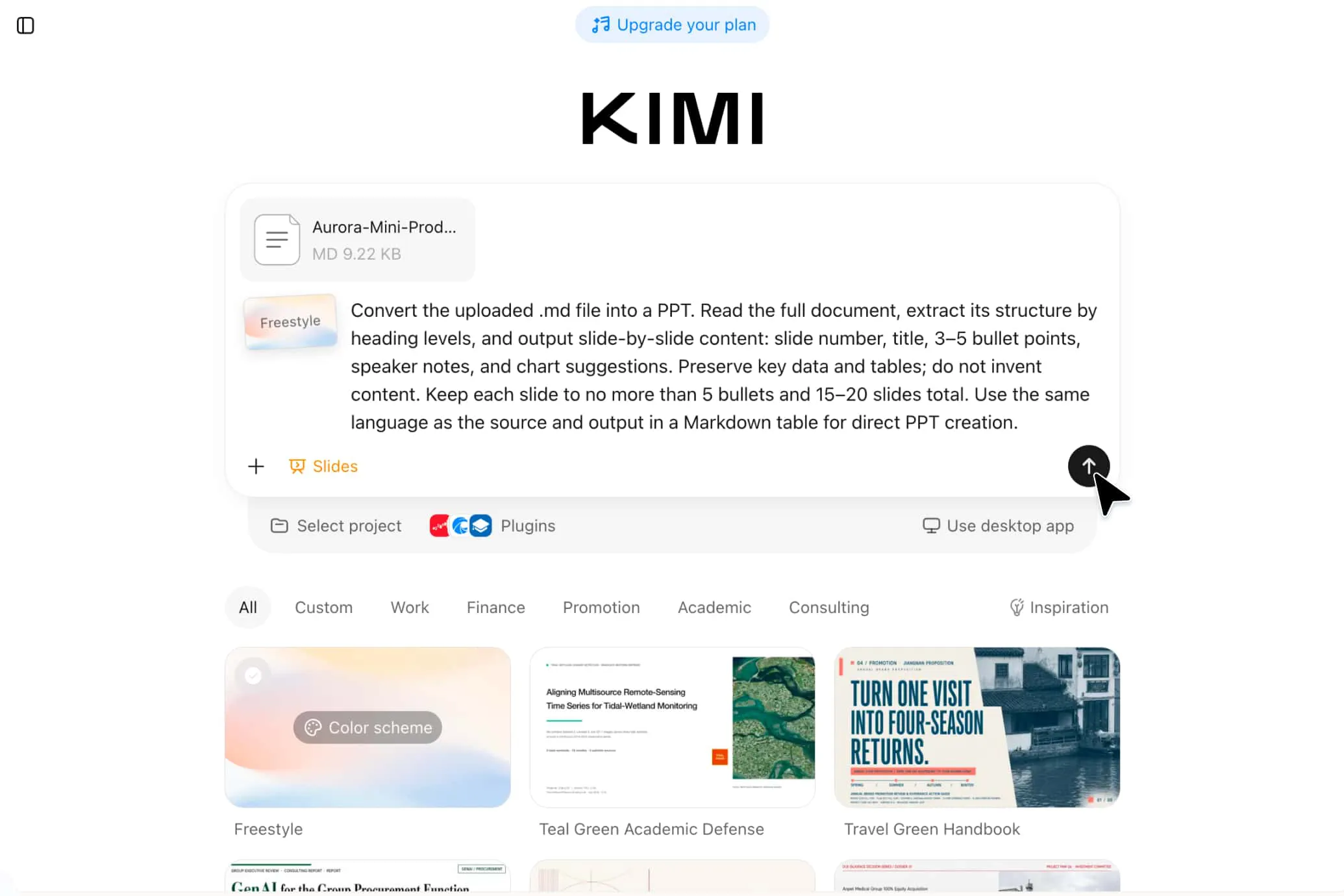
Step1: Provide your Markdown content
Paste your Markdown straight into the input box or upload a .md file — notes, outlines and docs all work. You can also add a one-line instruction to set the audience, tone and length of the deck.
Step2: Turn Markdown into slides automatically
Kimi Slides analyzes your heading hierarchy, lists, tables and code blocks, then paginates the content, matches each slide with a fitting layout and adds relevant visuals to give out a first draft of the deck.
Step3: Polish, export and present
When the first draft is ready, you can fine-tune each slide online and switch templates with one click. Export a .pptx file to keep editing further in PowerPoint or WPS, or generate a share link and present directly from the browser.
Turn your Markdown into well-organized presentations
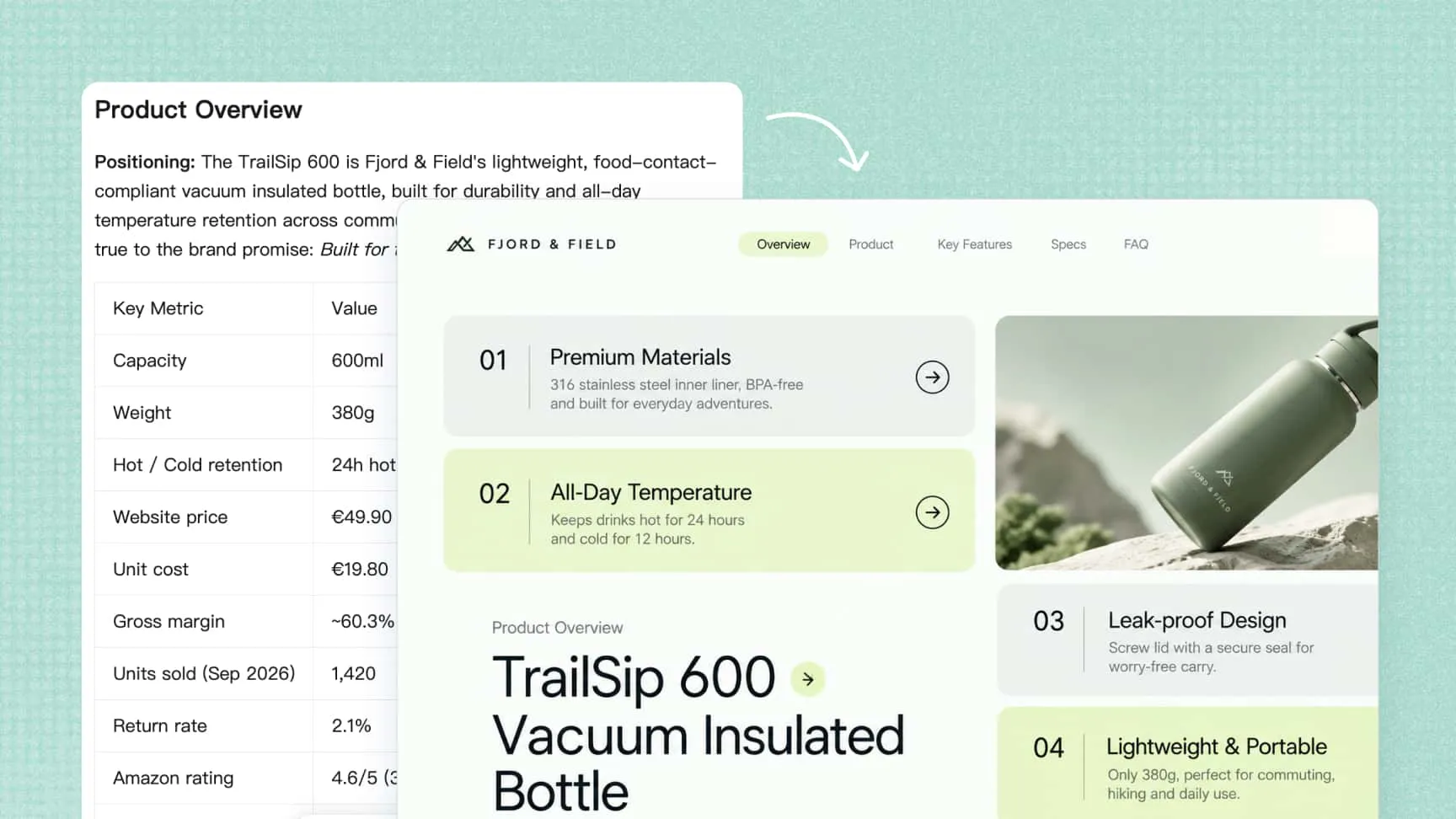
Parse every Markdown element with precision
Kimi Slides reads your Markdown the way you wrote it — headings, ordered and unordered lists, tables, code blocks, quotes, links and images are all recognized accurately. Your heading hierarchy becomes the page structure of the deck, your key lists can be presented clearly on one independent page.
More than a Markdown converter
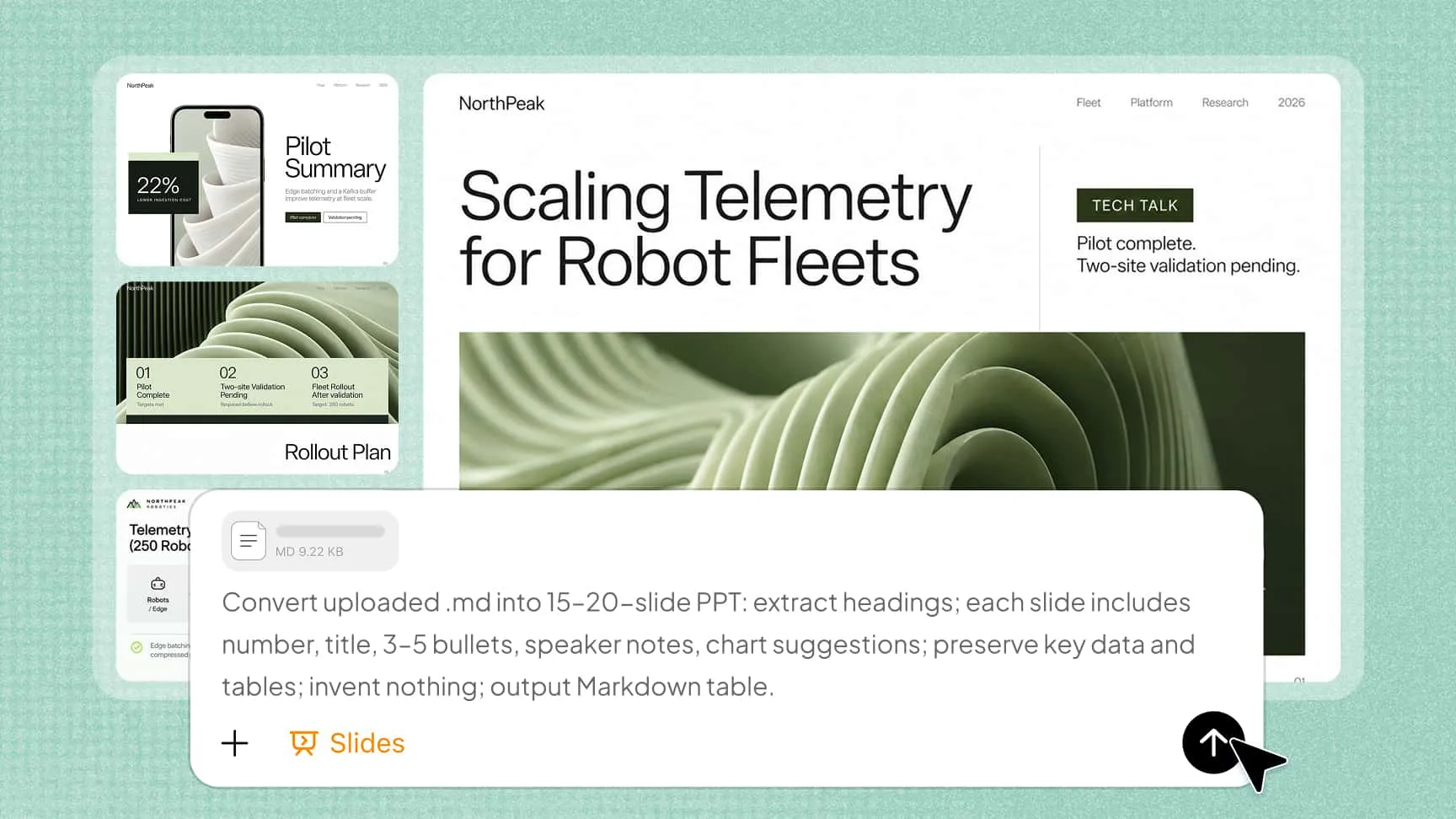
Kimi Slides goes far beyond format conversion: it expands sparse bullets into full sentences, turns raw data into charts, searches for suitable images to fill in the gaps, and adds speaker notes to every slide, helping you deliver a smooth, polished presentation.
Refine your ppt easily with conversations or manual editing
Click to edit directly on the slide, or tell Kimi Slides what to change in plain language — tighten a title, expand a bullet, swap an image — and the slide updates in place.

Convenient for subsequent presentation and team collaboration
Export the finished deck as a .pptx file, PDF, or images, ready for PowerPoint, WPS, email, or print. Need to collaborate? Just share a link, and your team can view, comment on, and co-edit the same deck in real time, no more emailing "v3-final-final.pptx" back and forth.

Markdown to PPT for every occasion

Turn technical docs into team decks
Paste your README, API docs, or technical specs, and Kimi Slides creates clear, structured decks with syntax-highlighted code, dedicated diagram slides, and concise bullets. Ideal for sprint reviews, onboarding, and tech talks.

Build lecture slides from course content
Drop in your syllabus, lecture notes, or reading outlines, and Kimi Slides organizes them into an education presentation that follows your teaching flow. Learning objectives open each section, key points become clean bullets, and discussion questions get their own slides.

Turn sales materials into pitch decks
Feed Kimi Slides your battle cards, pricing sheets, and product one-pagers, and it will assemble a pitch-ready sales presentation in minutes. The story opens with the customer's pain points, each feature is tied to a tangible benefit, and pricing stands alone on a dedicated slide.

Present research results in slides
Upload a paper or literature review, and Kimi Slides creates a research PPT for you. The abstract becomes the first slide, section headings map to deck sections, and each data table gets its own slide with its original formatting preserved.