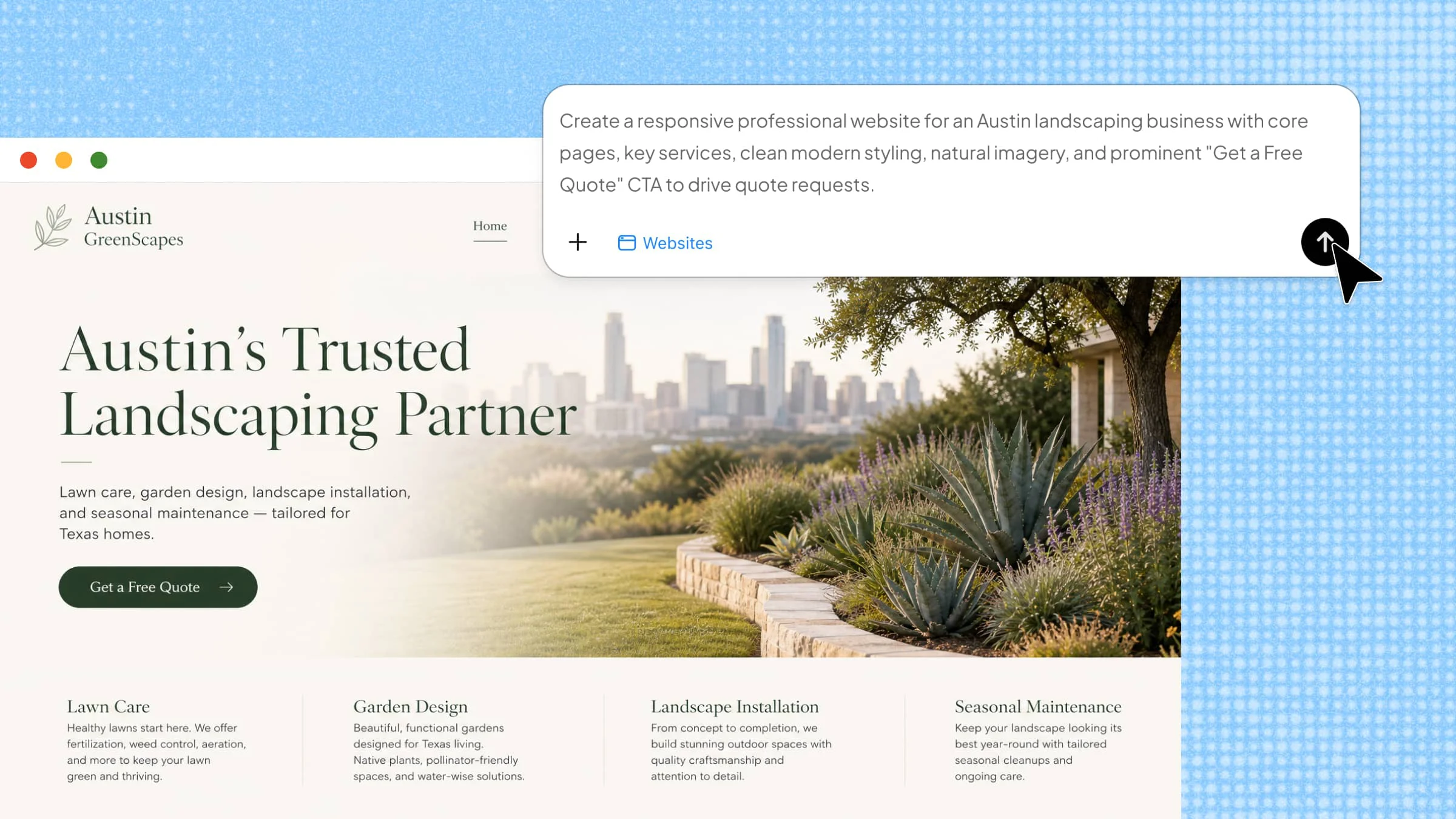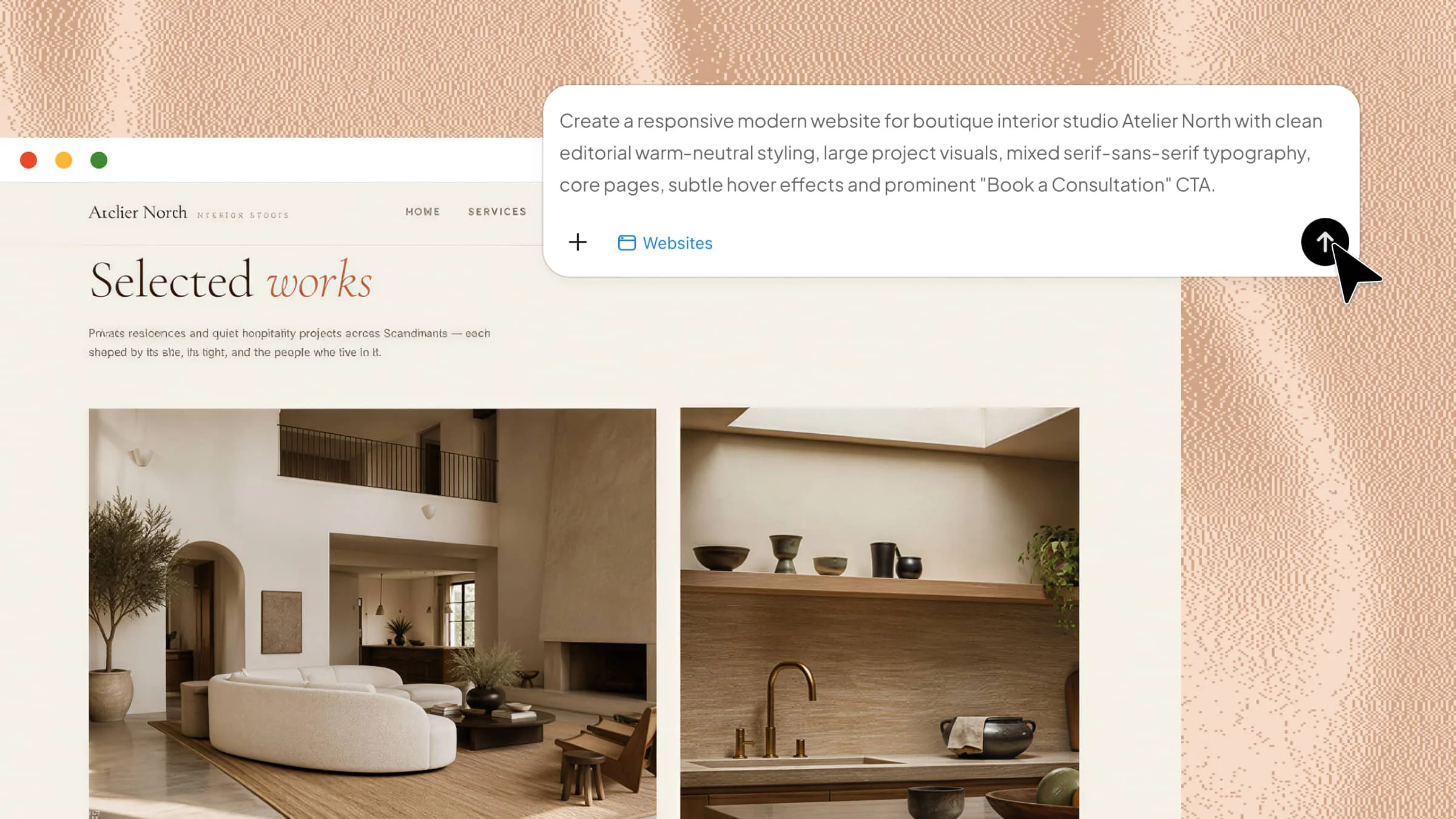
Starting a professional business website can feel difficult when you have limited time, technical skills, or budget. You need a site that looks good, works smoothly, and helps customers understand what your business offers. Business website builders can make this process easier with simple editors, useful features, and AI-powered tools. Let's explore 10 options to help you choose the right builder and get your business online faster.
Overview of 10 website generators for your business
Each business website builder takes a different approach to website creation, from AI-generated sites and visual editors for content management to advanced web development tools. The table below compares their building methods, editing flexibility, key features, and typical use cases to help you see how they differ.
| Website builder | Building approach | Editing & flexibility | Key features | Suitable for |
|---|---|---|---|---|
| Kimi Websites | AI-generated from prompts, images, videos, or existing projects | AI-assisted editing with natural-language instructions and access to source code | AI website generation, full-stack development, multi-page sites, responsive design, AI refinement | Small businesses, startups, developers, and designers |
| Neo Sites | AI generation or template-based creation | Visual editor for text, images, fonts, colors, and other elements | AI website creation, templates, brand styling, responsive publishing | Small businesses, freelancers, and professionals |
| Design.com | Template-based website and brand creation | Visual customization of website and branding elements | Website templates, branding tools, logo design, visual customization | New businesses and entrepreneurs building a branded presence |
| HubSpot | Drag-and-drop website builder integrated with a business platform | Visual editing with themes and content modules | CRM integration, marketing tools, hosting, security, responsive themes | Marketing teams, growing businesses, and CRM users |
| Showit | Visual canvas-based website builder | Extensive control over layouts, positioning, typography, and visual elements | Drag-and-drop design, creative layouts, responsive controls, WordPress blogging | Photographers, designers, creatives, and visual brands |
| WordPress | Hosted or self-hosted CMS with themes and extensions | Highly flexible content and site customization | Themes, content management, plugins, blogging, extensibility | Content-driven businesses, bloggers, and growing websites |
| Brizy | Drag-and-drop visual page builder | Visual control over layouts, blocks, and responsive settings | Pre-designed blocks, responsive controls, reusable elements | Small businesses, marketers, freelancers, and beginners |
| Duda | Professional website platform for agencies and teams | Responsive editing with reusable layouts and centralized management | Client management, SEO tools, templates, responsive design | Agencies, freelancers, and teams managing multiple websites |
| Weebly | Drag-and-drop website builder | Simple visual editing with built-in store management | Ecommerce, SEO tools, analytics, content modules | Small online stores, local businesses, and beginners |
| Webflow | Visual web development platform | Detailed control over layouts, components, interactions, and responsive behavior | Visual development, reusable components, responsive controls, team workspaces | Web designers, developers, creative agencies, and professional teams |
10 business website builders you need to try
Choosing the right platform can make the website-building process much easier, especially when you want to get online without dealing with complex technical work. The options below offer different features, design tools, and levels of flexibility, so you can find one that fits your business needs and goals.
Kimi Websites
Kimi Websites is an AI website builder that helps you turn a simple idea into a complete business website without starting from a blank page. You can describe what you need, and the AI can help create the site structure, content, and design for you. It also gives you free credits to try the website-building features before deciding whether you need more.
Main features
Turn your ideas into business websites: Create a website from a business concept, text description, image, video, or existing project. You can also bring an existing codebase into Kimi through GitHub and continue developing and preparing the site for deployment in the same workspace.
Shape a unique brand experience: Go beyond generic layouts with tailored page structures, visual styles, and interactive elements. With the MusePool plugin, Kimi can reference real-world design examples to help inform the visual direction and create a more distinctive website.
Create complete full-stack websites: Build multi-page websites for businesses, products, services, and digital projects. Provide product requirements, interface references, or workflow details, and Kimi can generate tailored websites such as SaaS products, business platforms, and other sites with full-stack functionality.
Refine websites through AI instructions: Update your website through conversational commands or make precise changes to selected elements. You can adjust the theme, typography, layout, content, styling, and interactions while maintaining control over the overall design.
Preview and deploy with ease: Check how your responsive website looks across desktop, tablet, and mobile screens before publishing. Once ready, deploy it with a shareable link and access the underlying source for HTML, React static sites, or full-stack applications.
Suitable for
AI-generated business websites
Startup and product websites
Custom full-stack websites
Websites built from existing projects
How to create your business website
Ready to turn your business idea into a website? Kimi Websites lets you start with a simple prompt and build from there, so you don't have to figure everything out at once. Follow the steps below to create your site and bring your idea to life.
Step 1: Enter a clear prompt
Start by telling Kimi what kind of website you want to create. Include details such as your business type, target audience, preferred style, key pages, and important features, so the AI has enough context to build a strong first version.
Example prompt:
Step 2: Let Kimi process and generate results
Once you submit your prompt, Kimi processes your instructions and builds the website based on the details you provided. Give it a moment to generate the pages, layout, content, and visual elements, then review the first version to see how closely it matches your idea.
Step 3: Review and publish
Take a final look at the generated website and make any changes you need. You can refine the design, text, layout, or other elements before previewing the site across different screen sizes.
Once everything looks right, publish it and share your website with your audience.
Neo Sites
Neo Sites is an AI-assisted website builder designed to help users create a professional web presence without needing coding skills. You can either generate a site with AI or start from a ready-made template and edit its content and design. Its visual editor lets you adjust text, images, buttons, fonts, and colors before publishing. The platform is suited to small businesses, freelancers, and professionals who want a quick way to get online.
Main features
AI website creation: Describe your business and let Neo generate a starting website from your requirements. This can reduce the time needed to plan pages and build the initial layout.
Ready-made templates: Prefer more control from the start? Choose a pre-designed layout and replace its text, images, and other elements with your own business content.
Brand-focused styling: Neo gives you controls for choosing fonts, color combinations, and visual styles. This makes it easier to keep the website aligned with your existing brand identity.
Responsive publishing: You can preview the finished site before publishing it and make updates afterward. The resulting website is designed to work across different screen sizes.
Suitable for
Simple business websites
Freelancer websites
Professional service websites
Personal business sites
Design.com
Design.com combines website creation with a wider set of branding and design tools, making it useful when you want your website and visual identity to feel connected. Its approach is geared toward quickly producing branded assets rather than building everything manually from scratch. Users can work with templates and customization tools to shape their online presence.
Main features
Template-based website creation: Start with professionally designed layouts instead of building every section from a blank canvas. You can then adjust the content to match your business.
Branding tools: Design.com brings website creation closer to logo and brand design, helping you maintain a consistent visual identity across your business materials.
Visual customization: Modify important design elements to create a look that fits your business rather than settling for a completely generic layout.
Business-focused design: Its tools are aimed at helping new businesses establish a recognizable online identity without requiring advanced design knowledge.
Suitable for
Brand-led business websites
New business websites
Small company websites
Logo and website projects
HubSpot
HubSpot's online business website builder is part of its broader business platform, so it goes beyond basic page creation. It uses a drag-and-drop editor, responsive themes, hosting, security features, and content tools to help businesses build and manage their sites. The platform also connects website activity with HubSpot's CRM and marketing features.
Main features
Drag-and-drop editing: Add modules to pages and edit them visually without having to build every element with code. Changes can be viewed directly while working on the page.
Business-ready templates: HubSpot provides themes and templates designed around business websites. Demo content also gives new pages a more complete starting point.
Marketing and CRM tools: Website creation sits alongside HubSpot's marketing, sales, and service features. This can help businesses connect their website with lead and customer workflows.
Built-in security: HubSpot includes features such as SSL, malware scanning, website monitoring, and a web application firewall to help protect websites.
Suitable for
Lead-generation websites
Marketing campaign sites
CRM-connected business websites
Content marketing websites
Showit
Showit is a visual website builder aimed heavily at design freedom, making it especially appealing for creative professionals. Its canvas-style editor gives users more control over how individual elements are positioned and presented. The platform is commonly associated with visually rich websites where appearance plays a major role. It also works with WordPress for blogging, giving users a separate content-management option.
Main features
Visual drag-and-drop editor: Build pages by placing and arranging elements visually rather than working directly with code. This gives designers greater control over page composition.
Creative design freedom: Showit allows detailed control over layouts, typography, images, and other visual elements. This makes it suitable for websites where a distinctive look matters.
Responsive layouts: Designs can be adjusted for different screen sizes, so visitors get a usable experience on both desktop and mobile devices.
WordPress blogging: Showit can connect with WordPress for blog content, giving creative businesses a visual website builder while retaining WordPress's publishing capabilities.
Suitable for
Photography websites
Creative portfolios
Designer websites
Visual service brands
WordPress
WordPress is a flexible content management system that can support everything from a simple business site to a much larger web project. WordPress.com provides a hosted website-building experience, while WordPress.org gives users more control through self-hosting. Its large ecosystem of themes and extensions makes it possible to expand a site's design and functionality over time.
Main features
Large theme library: Choose from a wide range of designs and adapt one to your business. This gives you a starting structure without creating every page from scratch.
Flexible content management: WordPress is built around publishing and managing website content. This makes it particularly useful for businesses that plan to maintain a blog or resource section.
Mobile-friendly websites: WordPress.com provides themes designed to work across desktop and mobile screens. This helps businesses maintain a consistent experience for visitors.
Room to expand: WordPress can grow beyond a basic website as your needs change. The wider WordPress ecosystem provides additional ways to customize and extend a site.
Suitable for
Business blogs
Publishing websites
Content-rich websites
Customizable business websites
Brizy
Brizy is a visual website builder built around a drag-and-drop editing experience. It lets users construct pages by working directly with visible content blocks rather than relying heavily on code. Its approach is designed to make layout creation accessible while still offering a useful range of design controls. It can work well for users who want to build landing pages, business websites, and other marketing-focused pages visually.
Main features
Visual page building: Create layouts by dragging and arranging content elements on the page. This gives you a clearer view of the final design while you work.
Pre-designed blocks: Start with ready-made sections and layouts instead of assembling every part manually. You can then change the content and styling to suit your business.
Responsive controls: Adjust how elements appear on different devices to keep the design usable across screen sizes.
Reusable design elements: Build consistent sections and styling across pages, which can make larger websites easier to maintain.
Suitable for
Landing pages
Service business websites
Marketing websites
Client websites
Duda
Duda is a professional website platform built with agencies, freelancers, and teams in mind. Rather than focusing only on individual website creation, it includes tools for managing multiple client websites from a centralized environment. Its responsive editing, templates, and client-management capabilities make it more suitable for professional web projects.
Main features
Responsive website building: Duda provides controls for creating websites that adapt to different devices. This helps teams manage desktop, tablet, and mobile layouts from one project.
Client management: Agencies can work with multiple websites and clients within a professional workflow. This makes it easier to organize projects as the number of sites grows.
SEO tools: Built-in optimization features help users manage important website settings. These tools can support better visibility without requiring a separate platform for every basic SEO task.
Reusable templates: Teams can create websites from established layouts and repeat successful structures across projects. This can save time when producing sites for similar clients.
Suitable for
Agency-built websites
Multi-client website projects
Local business websites
Multi-site business management
Weebly
Weebly is an AI website builder for small businesses that combines visual editing with built-in e-commerce capabilities. Its drag-and-drop editor lets users create pages without coding, while its store features make it possible to add products and manage an online shop. The platform also includes SEO and analytics tools to support website growth.
Main features
Drag-and-drop editor: Add text, images, and other content modules without writing code. This gives beginners a straightforward way to assemble pages.
Built-in e-commerce: Weebly lets users set up a store and add products directly within the platform. This removes the need to build an online shop completely from scratch.
SEO tools: The platform includes resources to help businesses work on their search visibility. These features can help new websites establish a basic SEO foundation.
Analytics and reporting: Track website activity and gain insight into how visitors interact with your site. This can help business owners understand what is working and where improvements may be needed.
Suitable for
Small online stores
Local retail websites
Simple business websites
Product-based websites
Webflow
Webflow is a visual web development platform that gives users detailed control over website layouts and interactions. Unlike simpler builders, it exposes more web-design concepts and can require some understanding of HTML and CSS for advanced work. Its visual editor, component libraries, responsive controls, and workspace system make it powerful for professional projects.
Main features
Visual website development: Build pages visually while working with elements such as sections, containers, buttons, and headings. This provides much more layout control than a basic template editor.
Reusable components: Webflow's libraries let users bring in pre-designed sections and components. This can speed up production while keeping designs consistent across a project.
Responsive design controls: Create layouts that adapt to different screen sizes. Designers can fine-tune how individual elements behave across devices.
Workspaces for teams: Multiple workspaces make it possible to organize different projects, websites, and team responsibilities. This is particularly useful for agencies and larger teams.
Suitable for
Custom marketing websites
Interactive websites
Agency projects
Design-intensive websites
What makes a website builder suitable for businesses
A good business website builder should make it simple to create a polished site while still giving you enough control to support your goals. The right platform should also handle important areas such as mobile usability, search visibility, performance, and ongoing updates.
Easy to use without coding
A good builder lets you create and update your website without writing code. Visual editors and AI tools can make the process faster, simpler, and more accessible. A business website builder can also create a strong starting point from a simple prompt.
Flexible customization
Your website should match your brand instead of looking like every other template. Choose a builder that lets you adjust layouts, colors, fonts, images, and content easily. This gives you more control over the final look and feel of your business website.
Mobile-responsive design
Your website should work smoothly on phones, tablets, and computers. Responsive layouts automatically adjust content to different screen sizes. This helps visitors browse your site comfortably and interact with your business on any device.
Business-focused features
Useful business tools can turn a basic website into a valuable part of your daily operations. Look for features such as forms, bookings, product listings, payments, and useful integrations. An online business website builder should make these tools easy to add as your business needs evolve.
SEO and performance tools
Built-in SEO controls should cover essentials such as page titles, descriptions, URLs, and image optimization. Performance features can help improve loading times and provide a smoother visitor experience. Analytics can further show how the website performs and where improvements may be needed.
Easy publishing and maintenance
A straightforward publishing system should let users take their finished website online without complicated technical steps. Ongoing editing should be just as simple, with easy controls for updating pages, content, and settings. Reliable hosting, backups, and security features can further reduce maintenance work.
Conclusion
The right business website builders can give you a practical starting point without making website creation feel overwhelming. Instead of looking for a platform with every possible feature, focus on one that fits your goals, skills, and budget. A simple choice today can also leave enough room to improve your website as your business grows. For a quicker way to turn your ideas into a finished website, try Kimi Websites. Its AI-powered workflow helps you go from concept to launch with less manual work.