Creating a presentation that feels creative and memorable can be challenging when standard PowerPoint designs look too plain or repetitive. A blackboard PowerPoint template adds a classroom-inspired style that can make educational, training, and creative slides more engaging. In this guide, you'll discover practical template ideas and tips for using the blackboard look effectively in your presentations.
Overview of 10 blackboard PowerPoint templates
A blackboard-inspired design can give presentations a familiar classroom feel while making educational and training content more visually engaging. The templates below cover different audiences and subjects, making it easier to choose a style that fits your presentation.
| Template | Ideal content | Design style | Suitable for |
|---|---|---|---|
| Elementary school blackboard PowerPoint template | Basic concepts, quizzes, fun facts | Playful and colorful | Elementary lessons and student projects |
| Middle school blackboard PowerPoint template | Concepts, diagrams, summaries | Modern and educational | Subject lessons and class projects |
| College education blackboard PowerPoint template | Research, complex concepts, findings | Clean and academic | Lectures and academic presentations |
| Language learning blackboard PowerPoint template | Vocabulary, grammar, examples | Engaging and visual | Language lessons |
| Math blackboard PowerPoint template | Formulas, equations, problem-solving | Structured and chalk-style | Math lessons |
| Science blackboard PowerPoint template | Processes, diagrams, discoveries | Visual and educational | Science lessons and experiments |
| History blackboard PowerPoint template | Events, timelines, maps, figures | Vintage and chronological | History lessons |
| Corporate training blackboard PowerPoint template | Principles, examples, activities | Professional and approachable | Employee training |
| Online teaching blackboard PowerPoint template | Explanations, examples, practice | Clear and screen-friendly | Remote and digital classes |
| Workshop blackboard PowerPoint template | Activities, discussions, exercises | Interactive and flexible | Workshops and group sessions |
10 modern blackboard PowerPoint templates
A modern blackboard design can give your slides a creative classroom feel while keeping the content clear and professional. From chalkboard themes for PowerPoint to subject-specific layouts, these templates can work for education, training, workshops, and other presentations.
Kimi Slides, an AI presentation maker, can also help you develop and organize the content for your presentation before you move it into PowerPoint. You can use AI to structure ideas, refine text, and prepare polished slide content that fits your chosen blackboard PowerPoint template.
Elementary school blackboard PowerPoint template
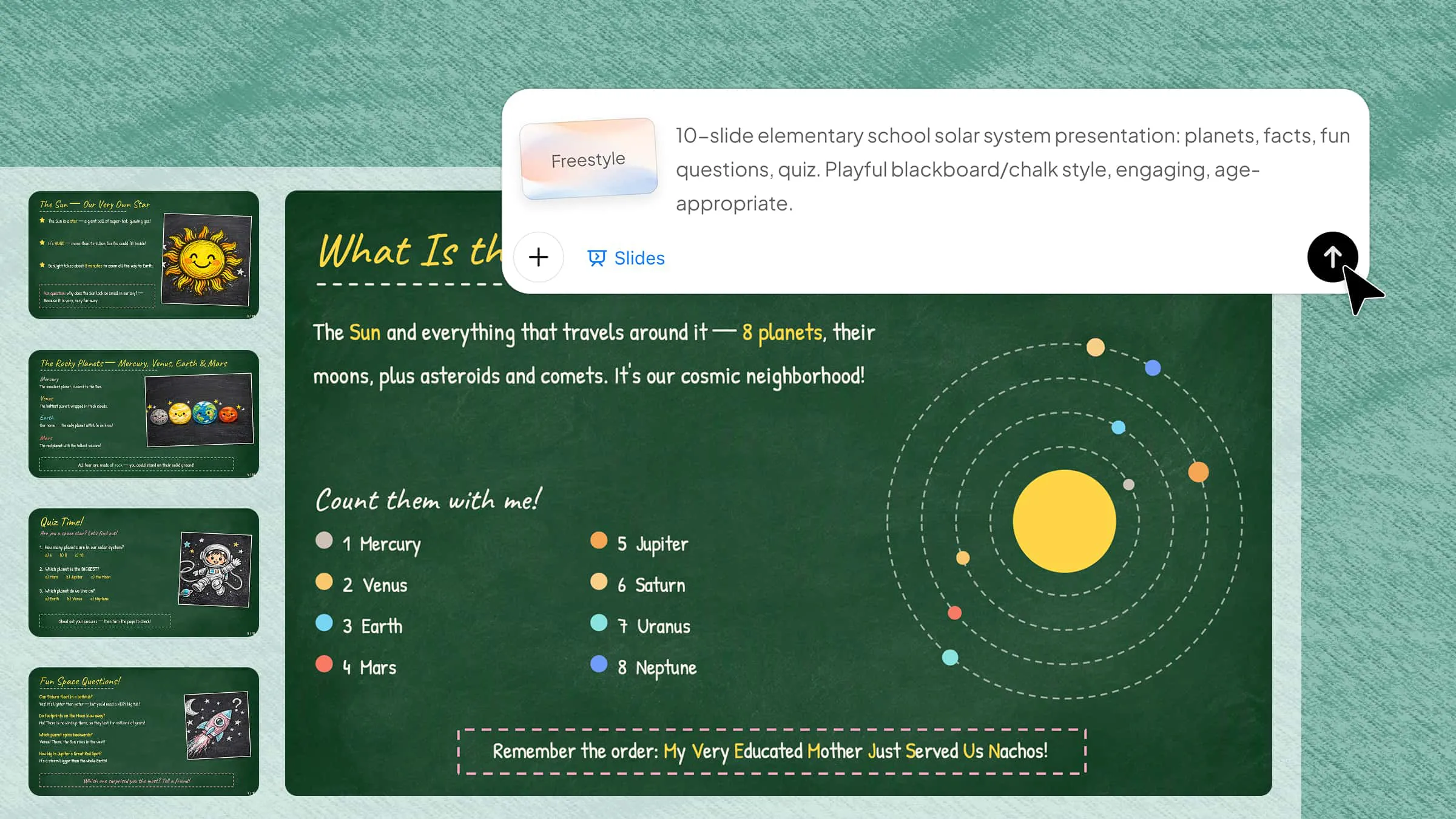
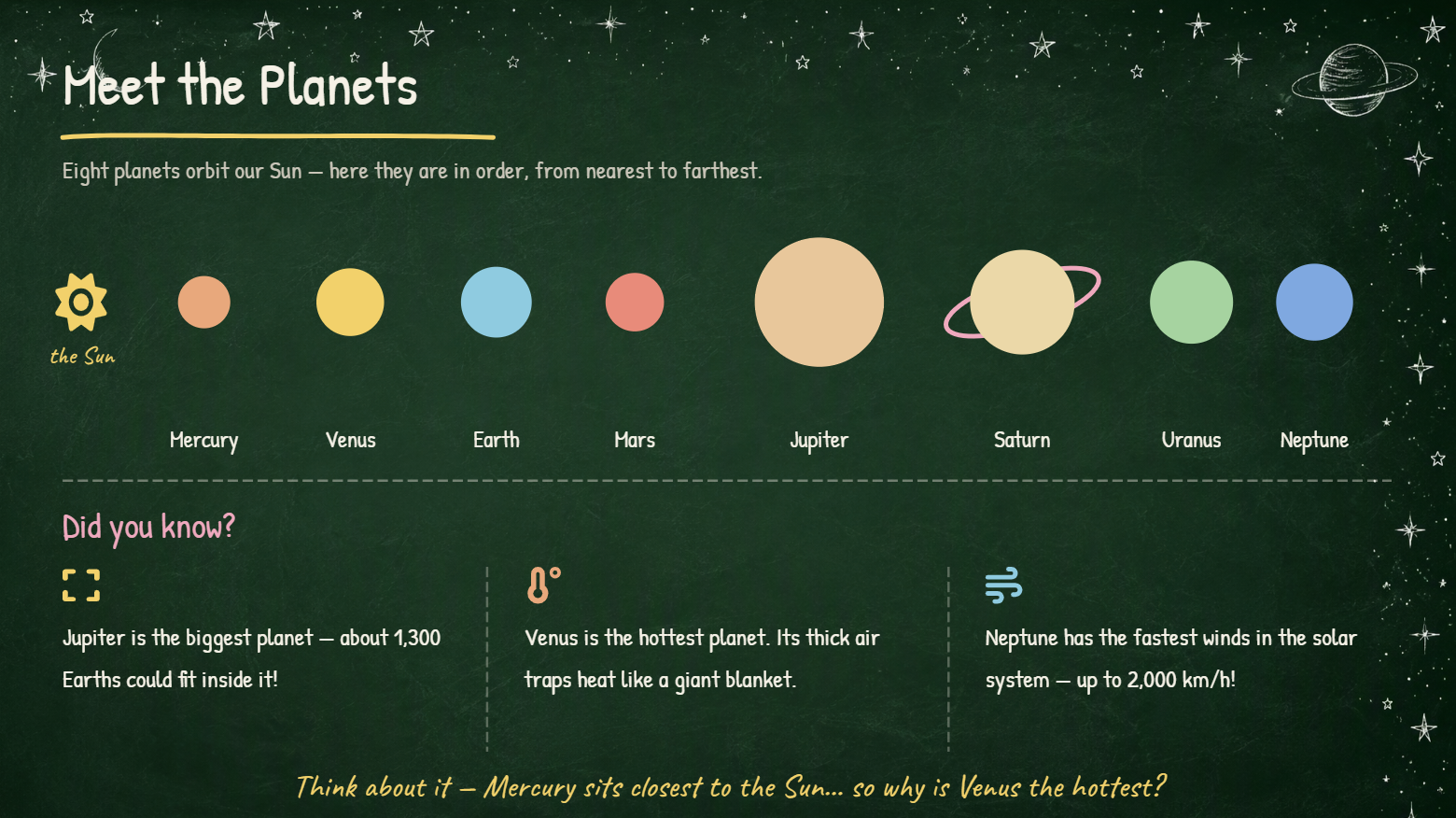
An elementary school template can combine a chalkboard theme for PowerPoint with playful illustrations, simple typography, and colorful classroom elements. It works well for basic lessons, activities, quizzes, and student projects. Keep the slides visually simple so young learners can focus on the key information.
How to use
Step 1: Enter your prompt
Open Kimi Slides and describe the grade level, lesson topic, visual style, and content you want to include.
Prompt:
Step 2: Let AI generate your PPT
Submit the prompt and let Kimi Slides create the presentation with the requested blackboard design and content.
Step 3: Review and export the PPT
Check the content, visuals, and layout, make any final edits, and export the presentation for classroom use.
Middle school blackboard PowerPoint template
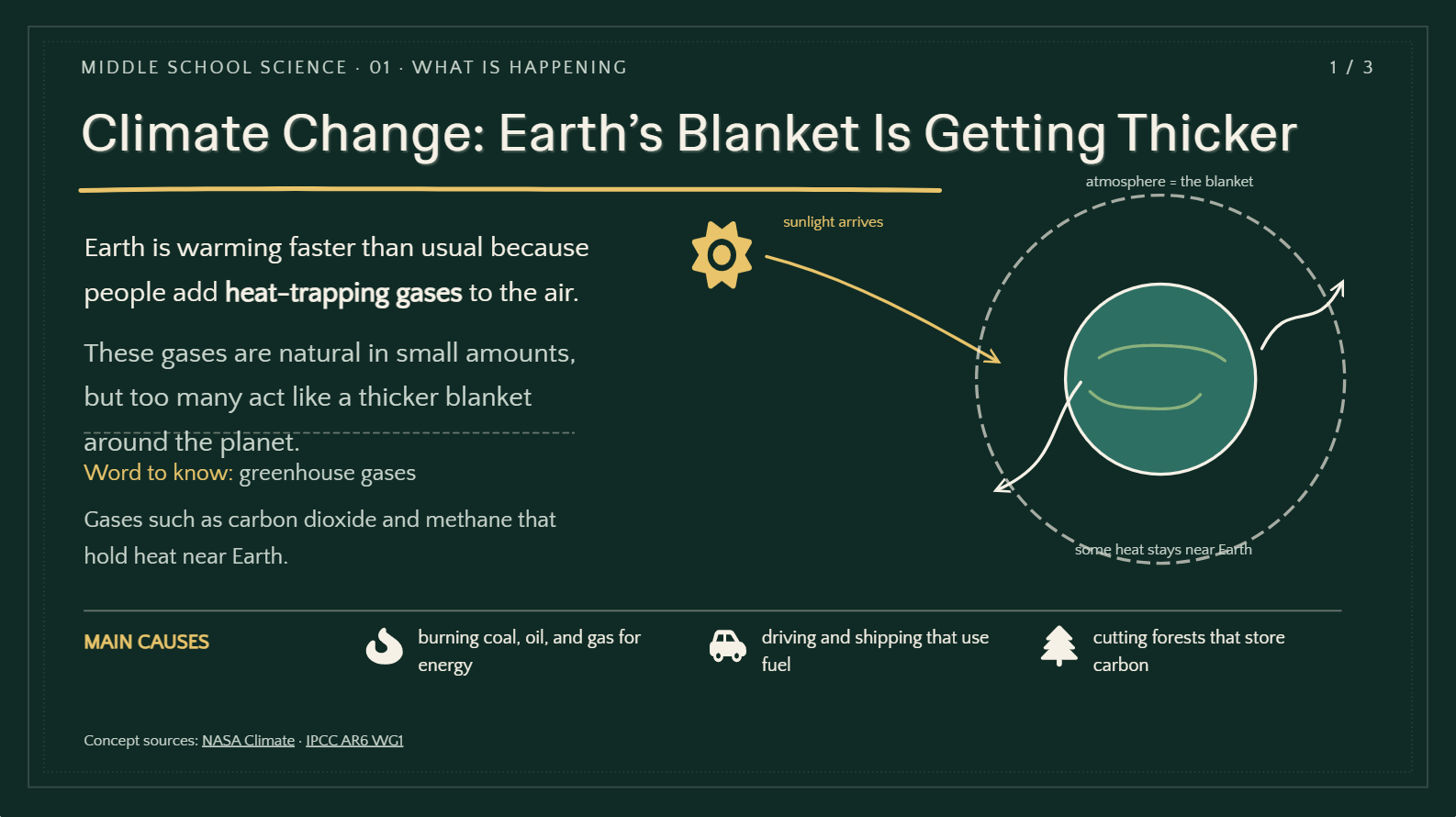
A middle school presentation can use a chalkboard PPT template to create a familiar classroom atmosphere while maintaining a modern layout. Use diagrams, icons, and concise text to explain subject concepts clearly. This style works well for science, history, mathematics, and classroom projects.
How to use
Step 1: Enter your prompt
Provide Kimi Slides with the subject, grade level, topic, number of slides, and preferred chalkboard design.
Prompt:
Step 2: Let AI generate your PPT
Let Kimi Slides generate the slides with the requested structure, visuals, and PowerPoint chalkboard theme.
Step 3: Review and export the PPT
Review the generated slides, adjust any content or visuals, and export the finished PPT for your class presentation.
College education blackboard PowerPoint template
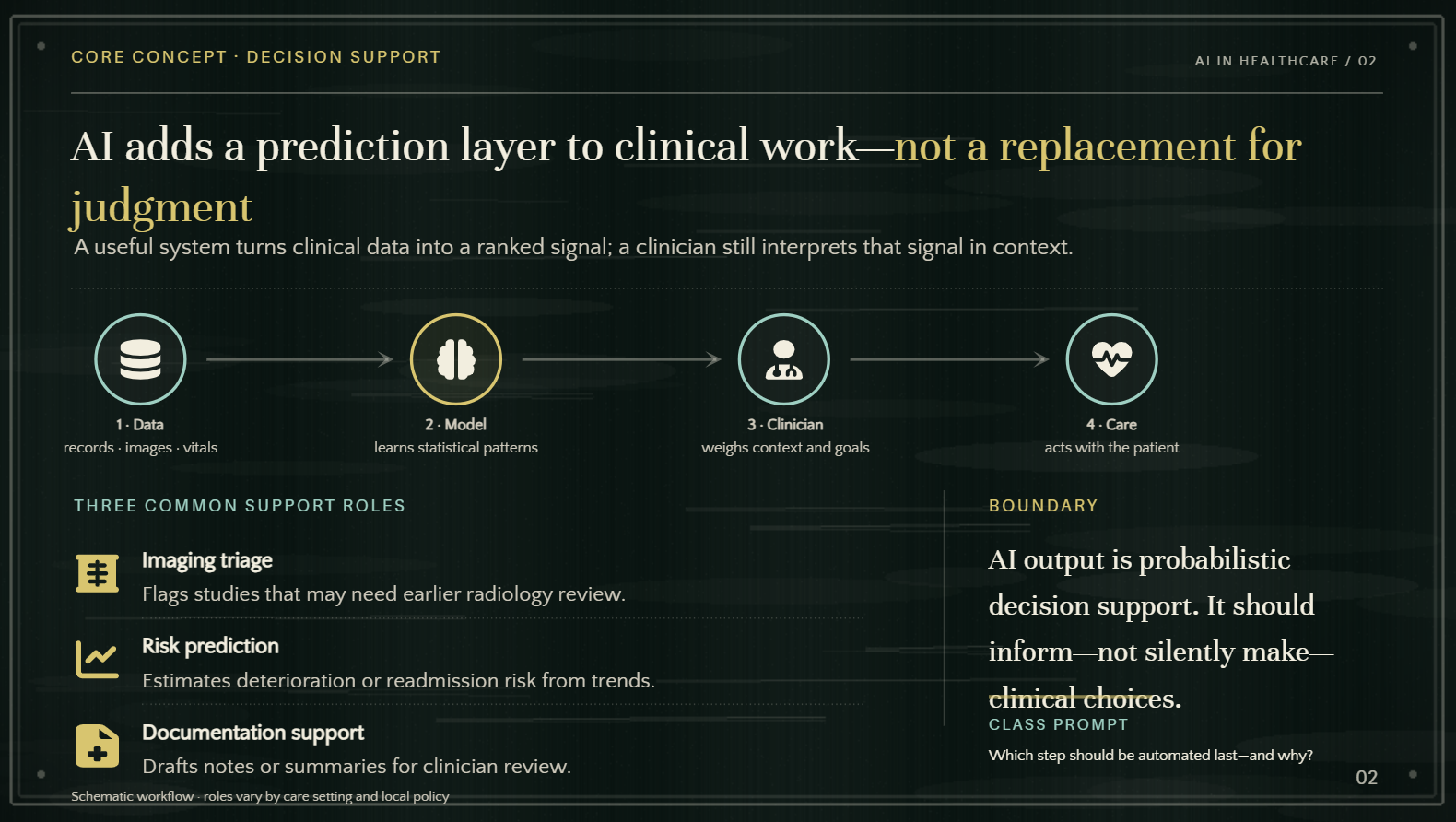
A college-focused template can combine a PowerPoint blackboard template with a cleaner academic design. Use structured layouts for lectures, research findings, and complex concepts while keeping the chalkboard style subtle. This approach gives academic presentations a distinctive but professional appearance.
How to use
Step 1: Enter your prompt
Specify your research topic, audience, slide count, key sections, and preferred academic design.
Prompt:
Step 2: Let AI generate your PPT
Let Kimi Slides generate the presentation using your academic content and requested design.
Step 3: Review and export the PPT
Check the research content, formatting, and visual hierarchy, then make final edits and export the presentation.
Language learning blackboard PowerPoint template
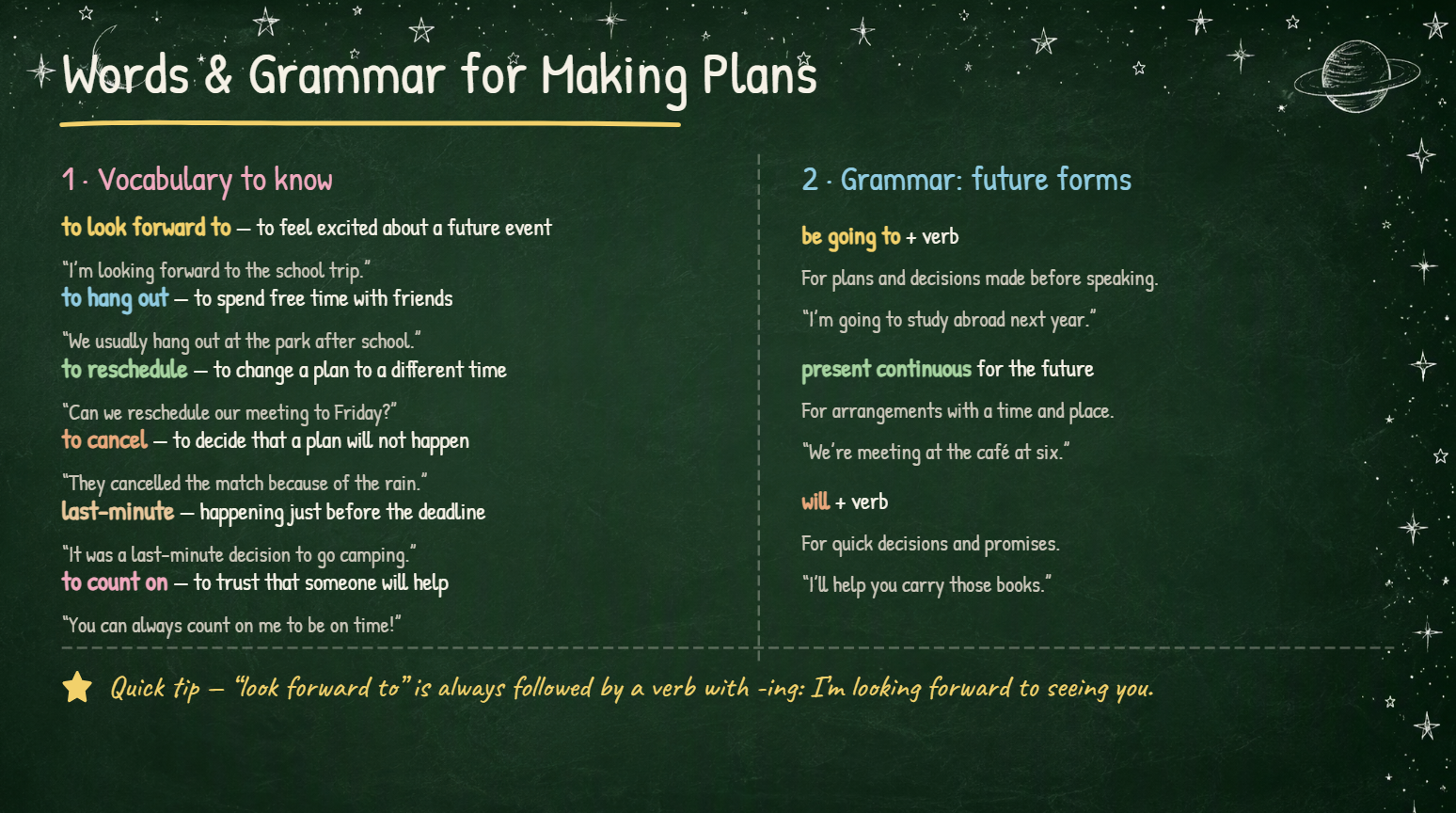
A language learning blackboard PowerPoint template can use chalk-style text, vocabulary cards, icons, and visual cues to support language lessons. It works well for grammar rules, new vocabulary, example sentences, and conversation exercises. Separate sections can make new words and examples easier to follow.
How to use
Step 1: Enter your prompt
Tell Kimi Slides the language, learner level, lesson topic, and activities you want to include.
Prompt:
Step 2: Let AI generate your PPT
Let Kimi Slides create the lesson with the requested vocabulary, examples, and activities.
Step 3: Review and export the PPT
Review the language, examples, and slide design, make any necessary changes, and export the final presentation.
Math blackboard PowerPoint template
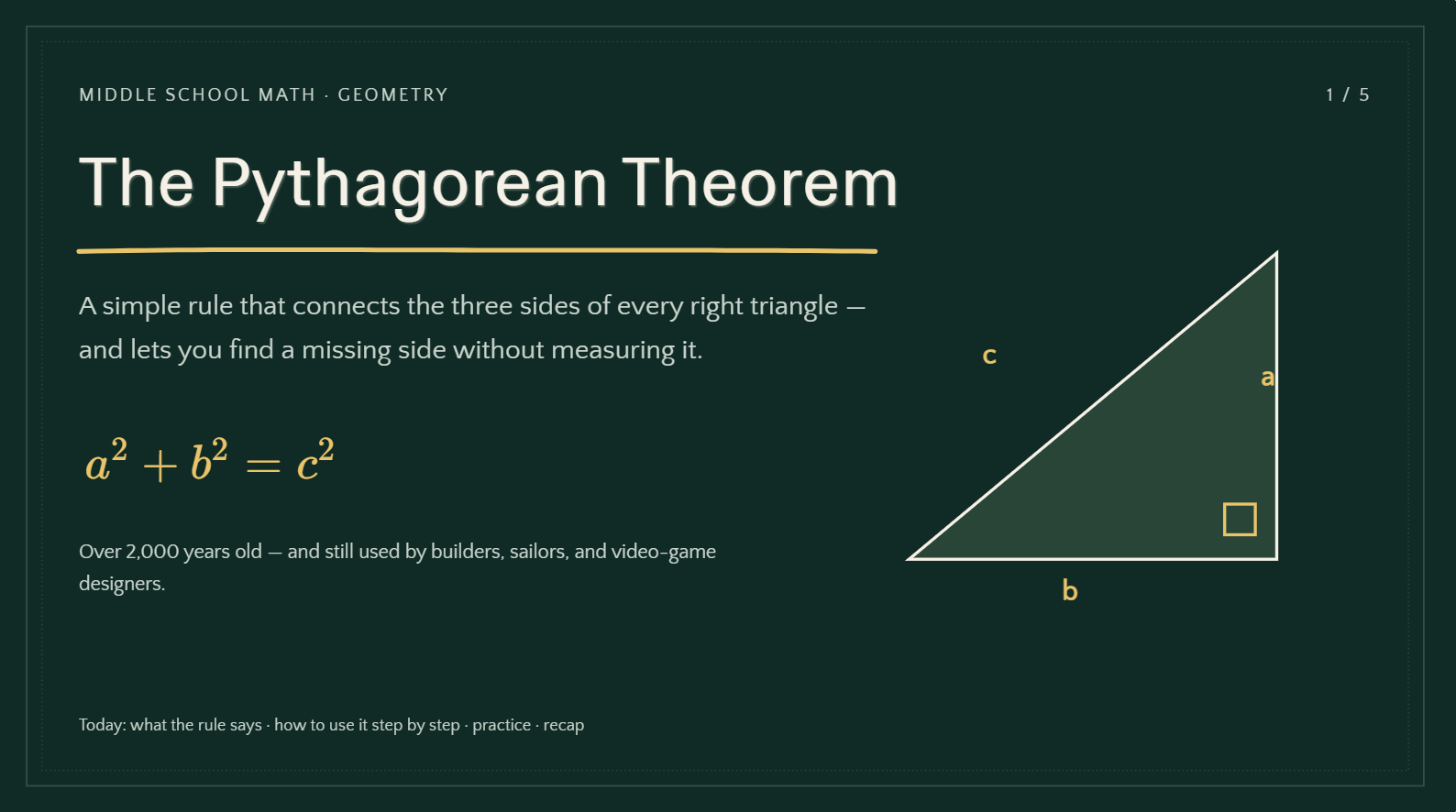
A math blackboard PowerPoint template works naturally for mathematics because formulas, equations, and diagrams can be presented in a chalkboard-inspired style. Use clear sections to explain calculations, concepts, and problem-solving steps. Avoid overcrowding slides with too many formulas.
How to use
Step 1: Enter your prompt
Provide the math topic, student level, number of slides, formulas, and explanation style.
Prompt:
Step 2: Let AI generate your PPT
Kimi Slides will organize the formulas, examples, diagrams, and explanations into the presentation.
Step 3: Review and export the PPT
Check the calculations, diagrams, and formatting, then edit and export the completed presentation.
Science blackboard PowerPoint template
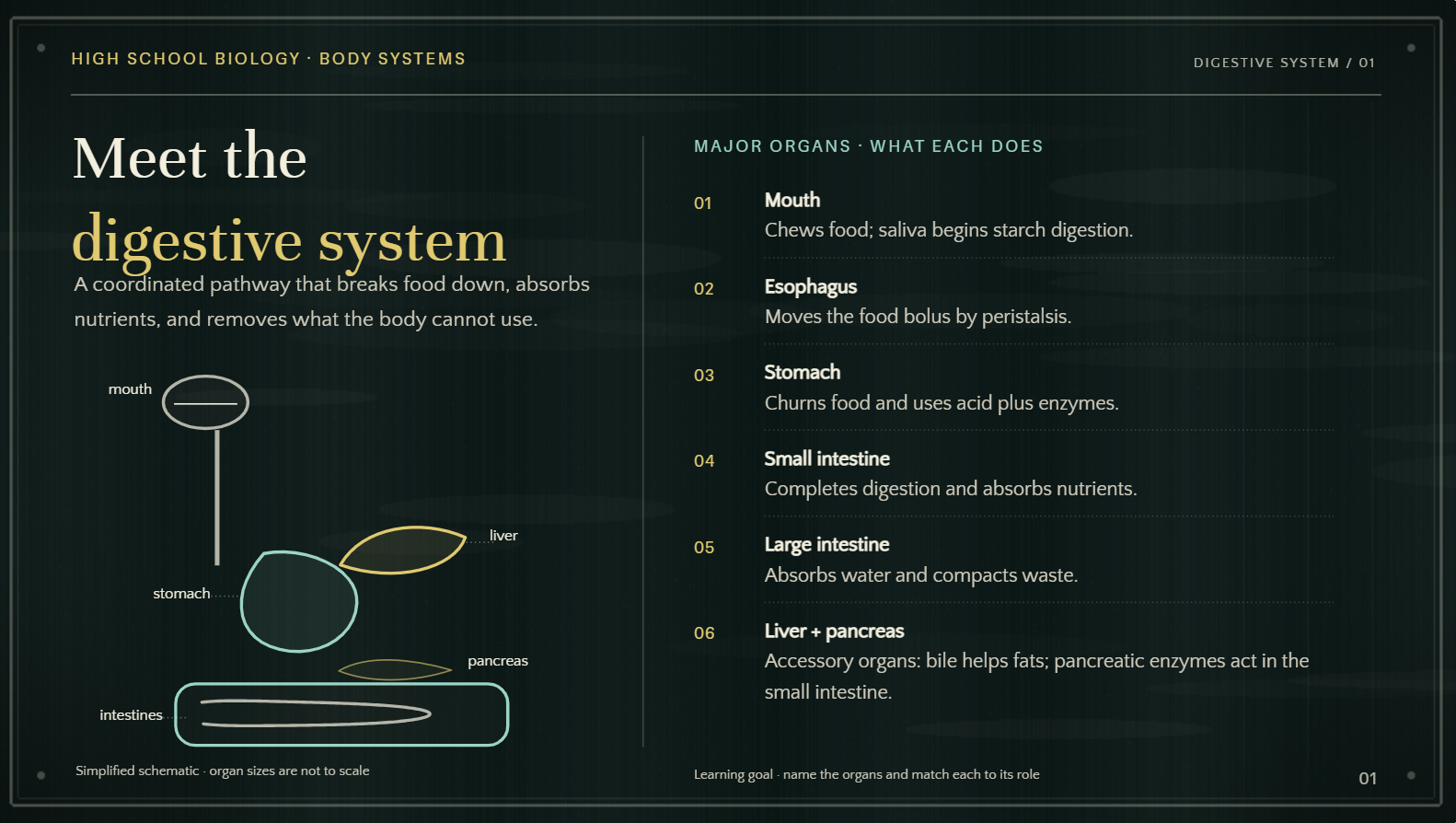
A science blackboard PowerPoint template can combine chalk-style diagrams with scientific icons, labels, and illustrations. It is suitable for explaining experiments, biological processes, scientific discoveries, and classroom concepts. Use visuals to simplify complex information.
How to use
Step 1: Enter your prompt
Specify the science topic, audience, key concepts, visuals, and presentation length.
Prompt:
Step 2: Let AI generate your PPT
Kimi Slides will create the presentation with the requested science content and visuals.
Step 3: Review and export the PPT
Review the scientific information, labels, and visuals, make final adjustments, and export the presentation.
History blackboard PowerPoint template
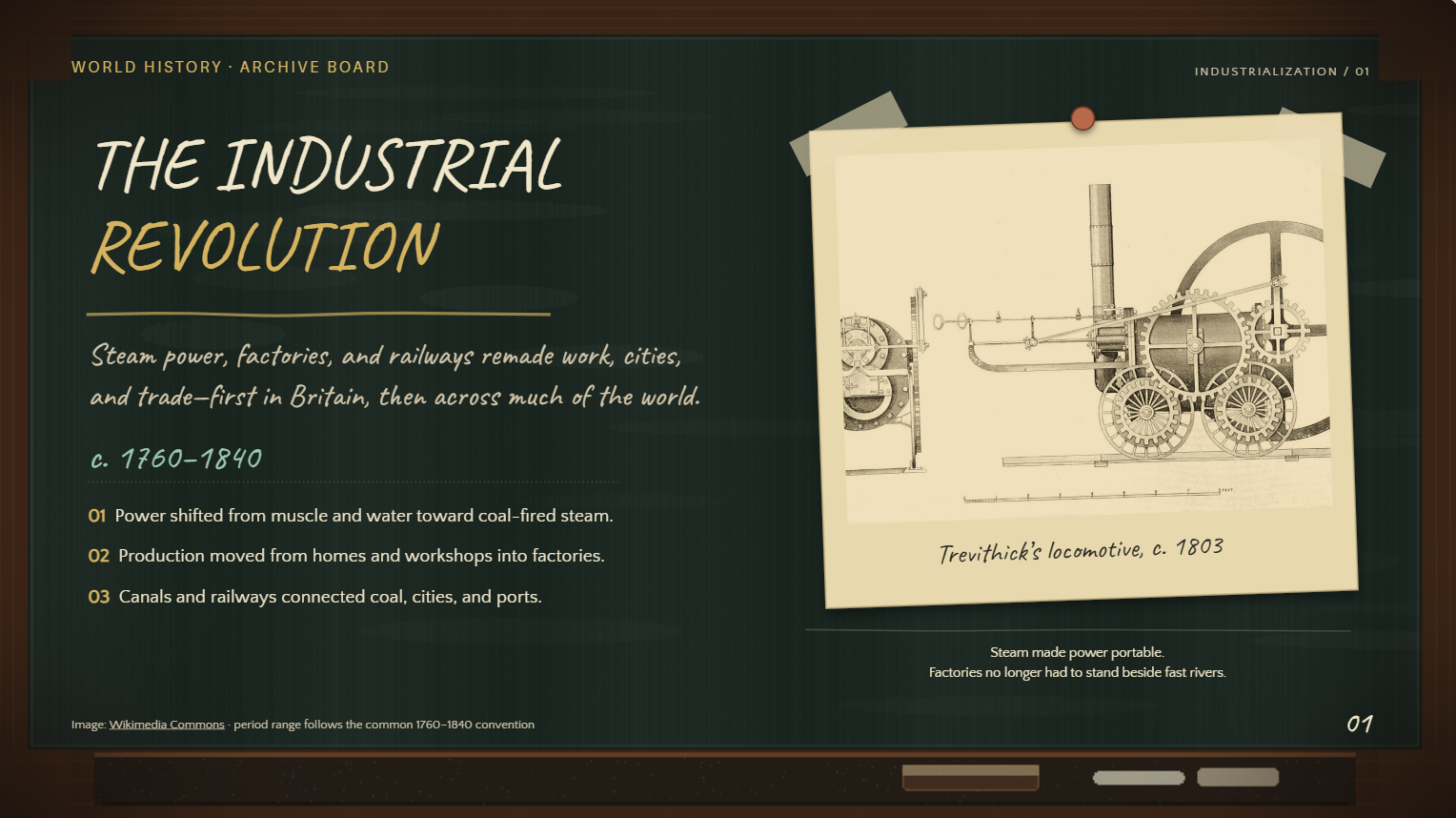
A history blackboard PowerPoint template can combine timelines, maps, portraits, and chalk-style illustrations with a classroom-inspired design. It is useful for presenting important events, historical periods, and key figures. Chronological layouts can also help audiences understand how events develop over time.
How to use
Step 1: Enter your prompt
Give Kimi Slides the historical topic, period, important events, and preferred visual style.
Prompt:
Step 2: Let AI generate your PPT
Let Kimi Slides generate the presentation with the requested historical visuals and content.
Step 3: Review and export the PPT
Check the dates, facts, images, and slide sequence, then make final edits before exporting the presentation.
Corporate training blackboard PowerPoint template
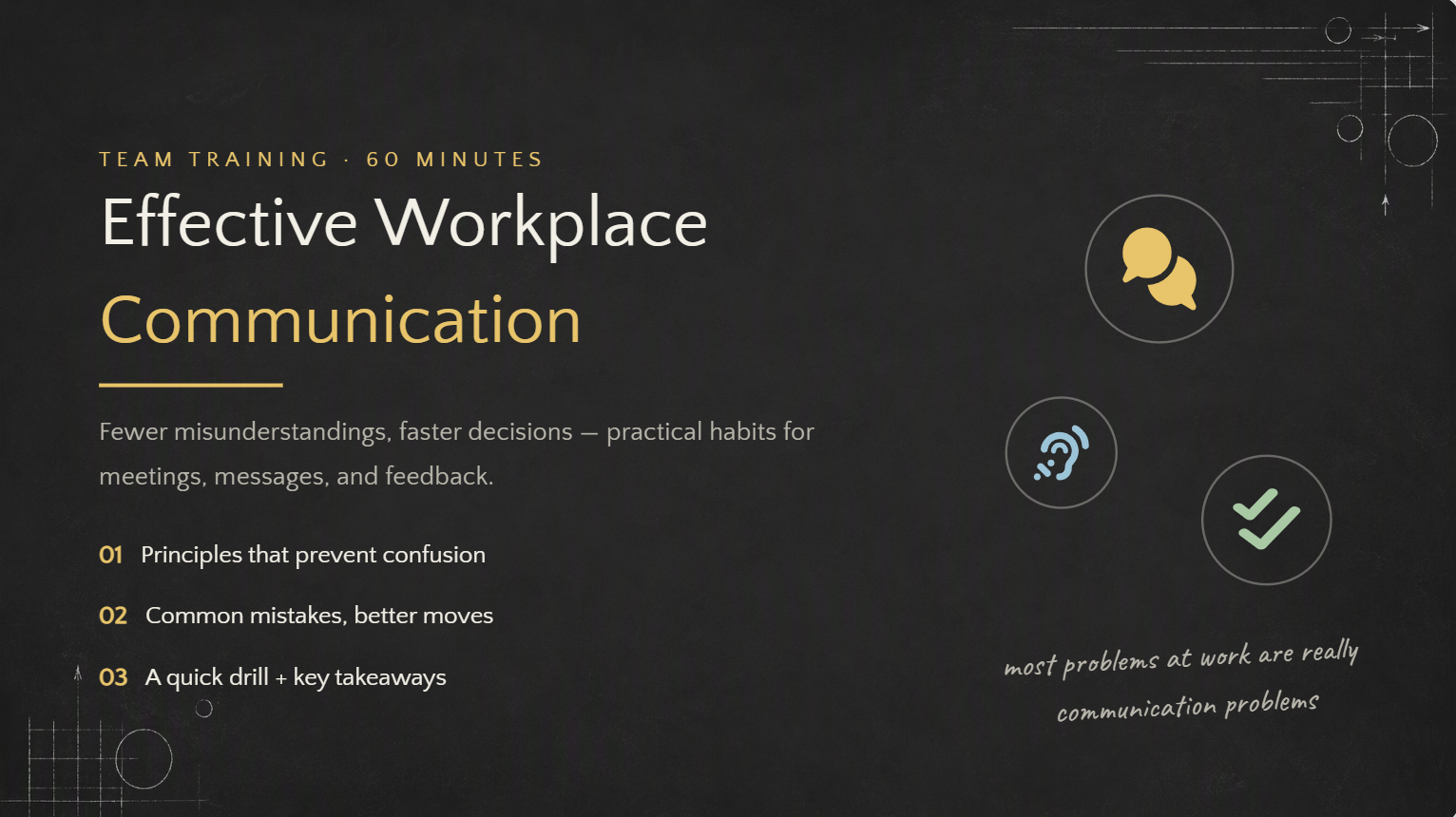
A corporate training blackboard PowerPoint template can give employee training presentations a more approachable and informal feel. Combine chalkboard elements with professional layouts, icons, charts, and concise text. This style works well for onboarding, workshops, and professional development.
How to use
Step 1: Enter your prompt
Describe the training topic, target employees, learning objectives, and desired presentation length.
Prompt:
Step 2: Let AI generate your PPT
Kimi Slides will create the training deck using the requested professional style.
Step 3: Review and export the PPT
Review the training content, examples, and visual consistency, then make final edits and export the presentation.
Online teaching blackboard PowerPoint template
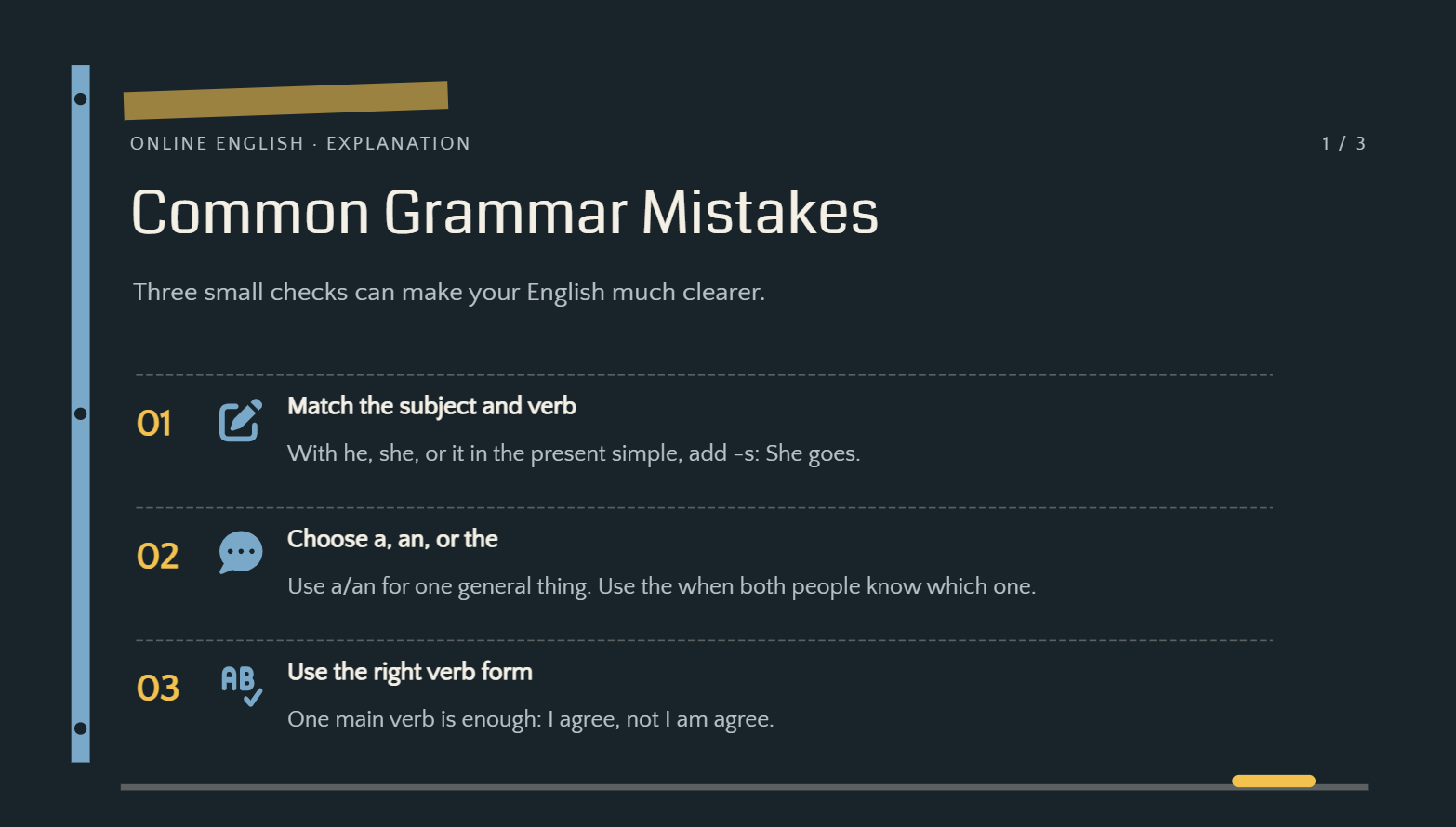
An online teaching blackboard PowerPoint template brings the familiar classroom board into a digital learning environment. Include clear headings, diagrams, examples, and interactive activities that work well on screens. Keep text large and layouts uncluttered for easier viewing during online classes.
How to use
Step 1: Enter your prompt
Provide the lesson topic, student level, learning objectives, and activities you want in the presentation.
Prompt:
Step 2: Let AI generate your PPT
Kimi Slides will generate the lesson using the requested design and educational structure.
Step 3: Review and export the PPT
Check readability, examples, and interactive elements, make final changes, and export the completed presentation.
Workshop blackboard PowerPoint template
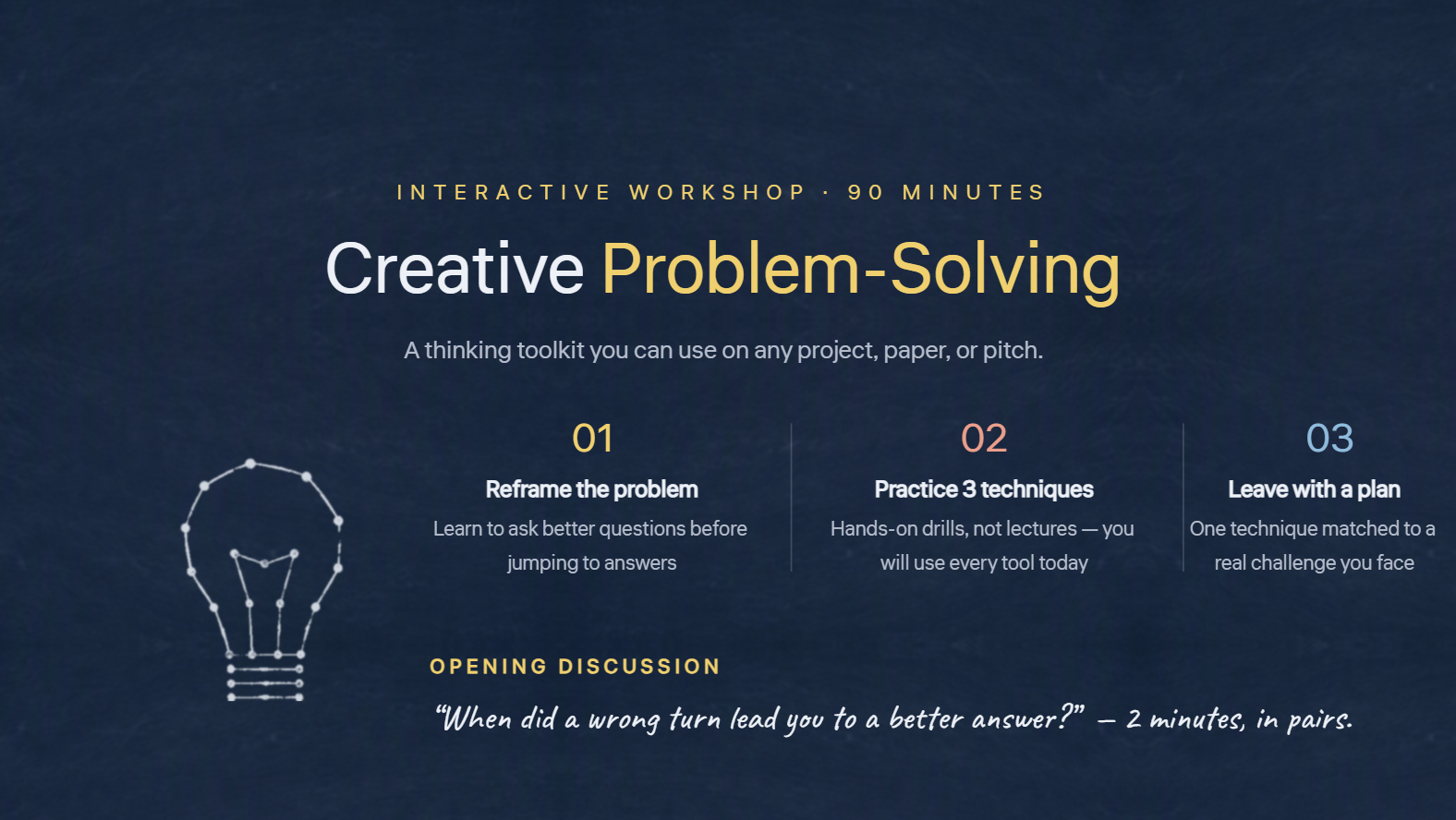
A workshop blackboard PowerPoint template can create an interactive and informal learning environment for group sessions. Use sections for objectives, activities, discussion points, and exercises. A flexible layout makes it easier to guide participants through the workshop.
How to use
Step 1: Enter your prompt
Describe the workshop topic, audience, duration, activities, and outcomes you want participants to achieve.
Prompt:
Step 2: Let AI generate your PPT
Submit the prompt and let Kimi Slides generate the workshop presentation based on your requirements.
Step 3: Review and export the PPT
Review the activities, instructions, visuals, and overall flow, then make final edits and export the presentation.
Why use Kimi Slides for creating a blackboard PPT?
Creating a blackboard-style presentation manually can take time when you need consistent layouts, visuals, and classroom elements across multiple slides. Kimi AI PPT maker simplifies this process by generating a complete presentation from a detailed prompt, making it easier to create a polished chalkboard PowerPoint template efficiently.
Create chalkboard-style slides from your content: Add lesson plans, notes, outlines, images, or reference materials, and turn them into presentation slides with a blackboard-inspired design. Kimi Slides helps combine your content with suitable visual elements instead of starting from a blank slide.
Build presentations for learning and explanation: Structure educational content into sections such as introductions, key concepts, examples, exercises, and summaries, making lessons easier for students to follow and review.
Apply classroom-inspired layouts for different teaching needs: Create slide designs for lectures, tutorials, workshops, training sessions, and educational presentations, with layouts that support text explanations, diagrams, formulas, and visual examples.
Create visual elements and animations: Convert detailed explanations into concise slide content and combine them with diagrams, icons, illustrations, and other visuals to help explain concepts step by step.
Create a consistent chalkboard style: Maintain a cohesive look across slides with coordinated typography, layouts, and visual elements, helping your presentation achieve an authentic classroom feel.
Customize blackboard slides with flexible editing: Modify individual text, images, and design elements directly, or use natural-language instructions to adjust layouts, content structure, and visual style. Create different versions for different classes, audiences, or teaching goals.
Export editable blackboard PowerPoint files: Preview your completed presentation online and export it as a PPTX file. Continue editing slides in PowerPoint to update lesson content, add teaching materials, or customize the final presentation.
Tips for creating blackboard PPTs
A well-designed blackboard presentation should look engaging while keeping the content easy to understand. These practical tips can help you balance the chalkboard style with clear layouts, useful visuals, and audience-friendly content.
Keep text easy to read
Use clear fonts, sufficient font sizes, and strong contrast against the background. Avoid filling slides with too much text so the audience can quickly understand the main message.
Add diagrams and illustrations for explanations
Use simple diagrams, icons, and illustrations to explain concepts that may be difficult to understand through text alone. These visuals can make lessons more engaging and easier to remember.
Highlight key information with visual markers
Use chalk-style underlines, circles, arrows, or boxes to draw attention to important facts and ideas. Keep these markers consistent so they guide attention without making the slides look cluttered.
Organize lessons with a clear structure
Divide the presentation into logical sections such as objectives, explanation, examples, activities, and recap. A clear structure helps the audience follow the lesson from beginning to end.
Customize templates for your audience
Adapt the blackboard PowerPoint background and visual style to match the age, subject, and purpose of your presentation. Use playful elements for younger students and cleaner, more professional layouts for college or corporate audiences.
Conclusion
A blackboard PowerPoint template can give your presentation a creative and engaging classroom feel while keeping information organized and easy to follow. This article covered 10 template ideas for different subjects and audiences, along with practical design tips and a simple way to create them using Kimi Slides. Choose a suitable style, customize the content, and use clear visuals to create a polished presentation that fits your audience and purpose.