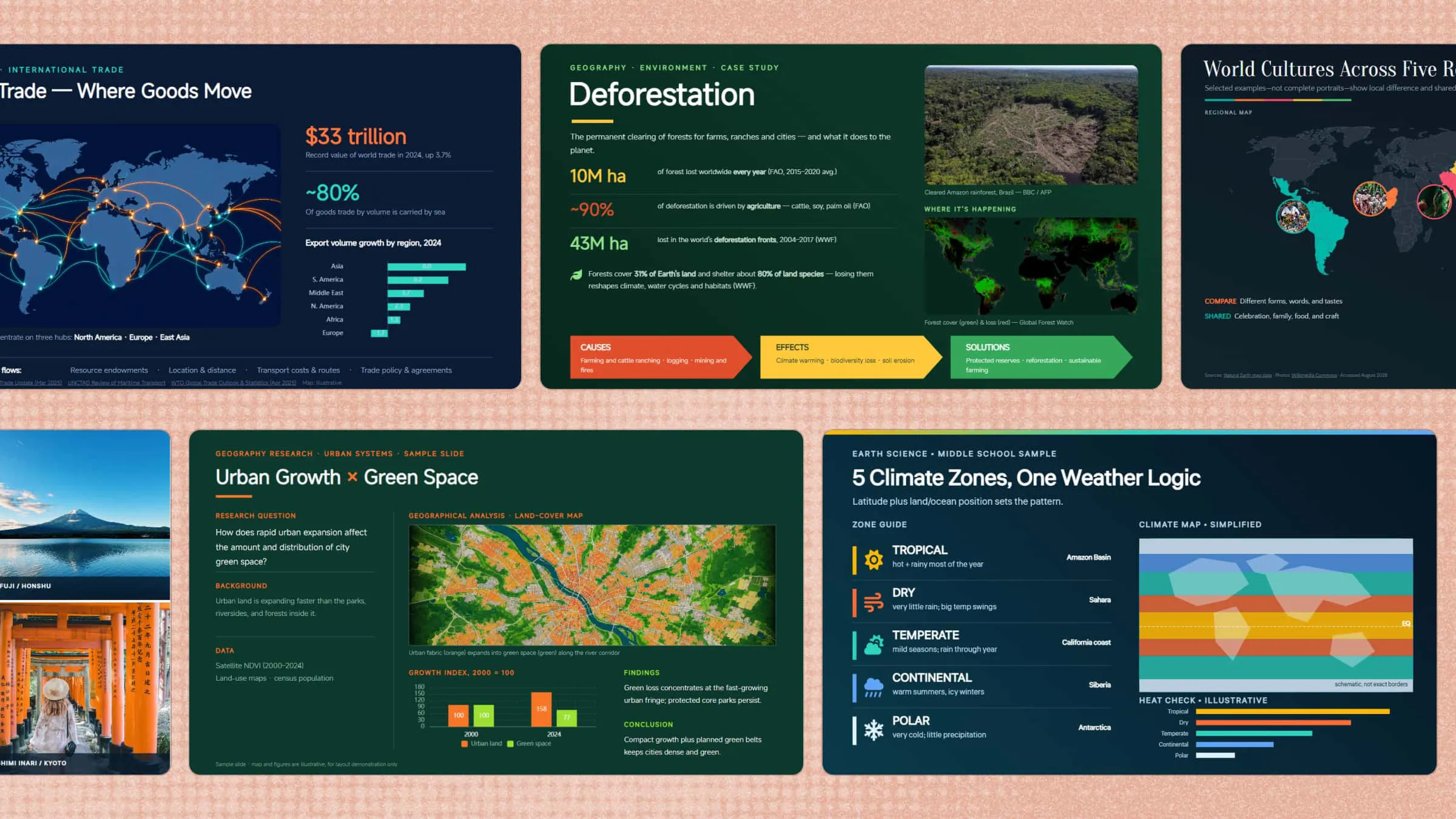
Geography lessons can be hard to make engaging when maps, landforms, climate patterns, and statistics fill the slides with too much information. A geography PowerPoint presentation can make these topics easier to explain by combining clear visuals with a simple, well-organized structure. In this article, we'll explore 10 practical templates that can help you create more engaging lessons without spending hours designing slides.
Overview of 10 geography PowerPoint templates
Choosing the right PPT for geography depends on your topic, audience, and the way you want students to engage with the lesson. The table below provides a quick overview of the 10 templates and the topics they are best suited to present.
| Template | Recommended visuals | Key content | Suitable for |
|---|---|---|---|
| World map geography PPT template | World maps, labels, location markers | Continents, oceans, countries, regions, locations | Introducing global geography |
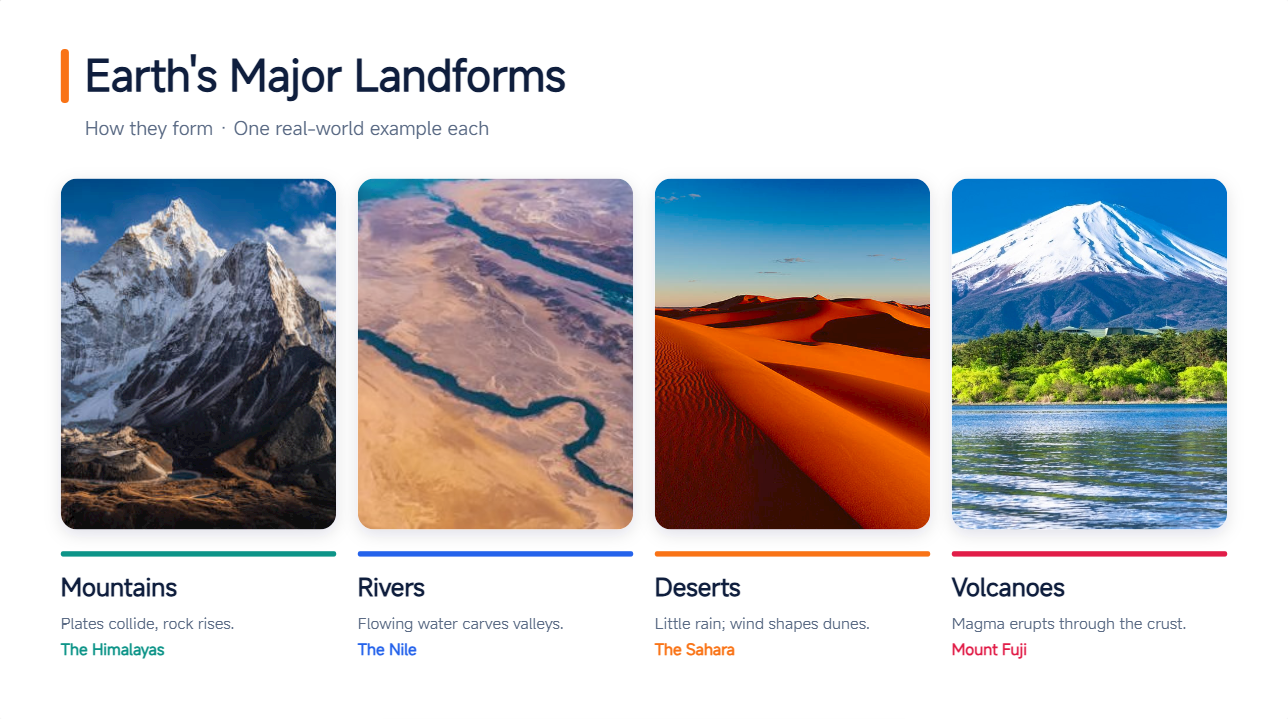
| Physical geography presentation template | Landform diagrams, maps, photographs | Mountains, rivers, deserts, volcanoes, landforms | Explaining natural landscapes |
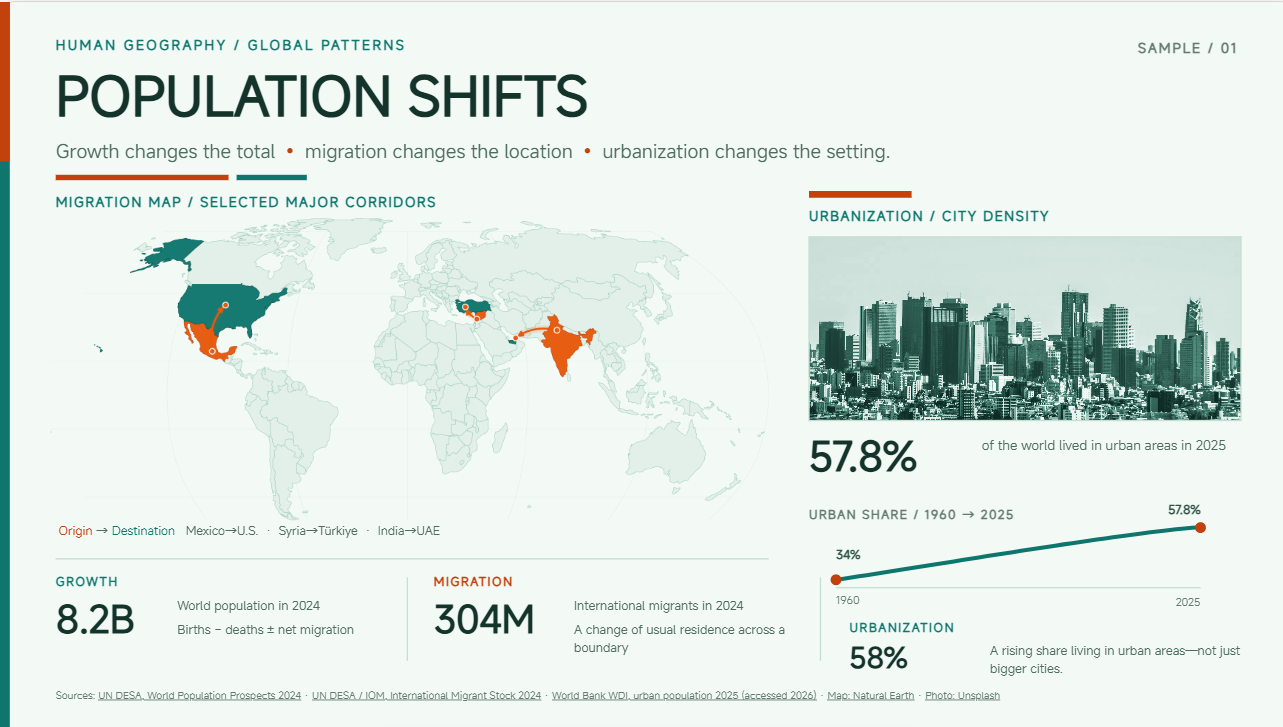
| Human geography PPT template | Population maps, charts, city images | Population, migration, urbanization, demographics | Exploring human geographic patterns |
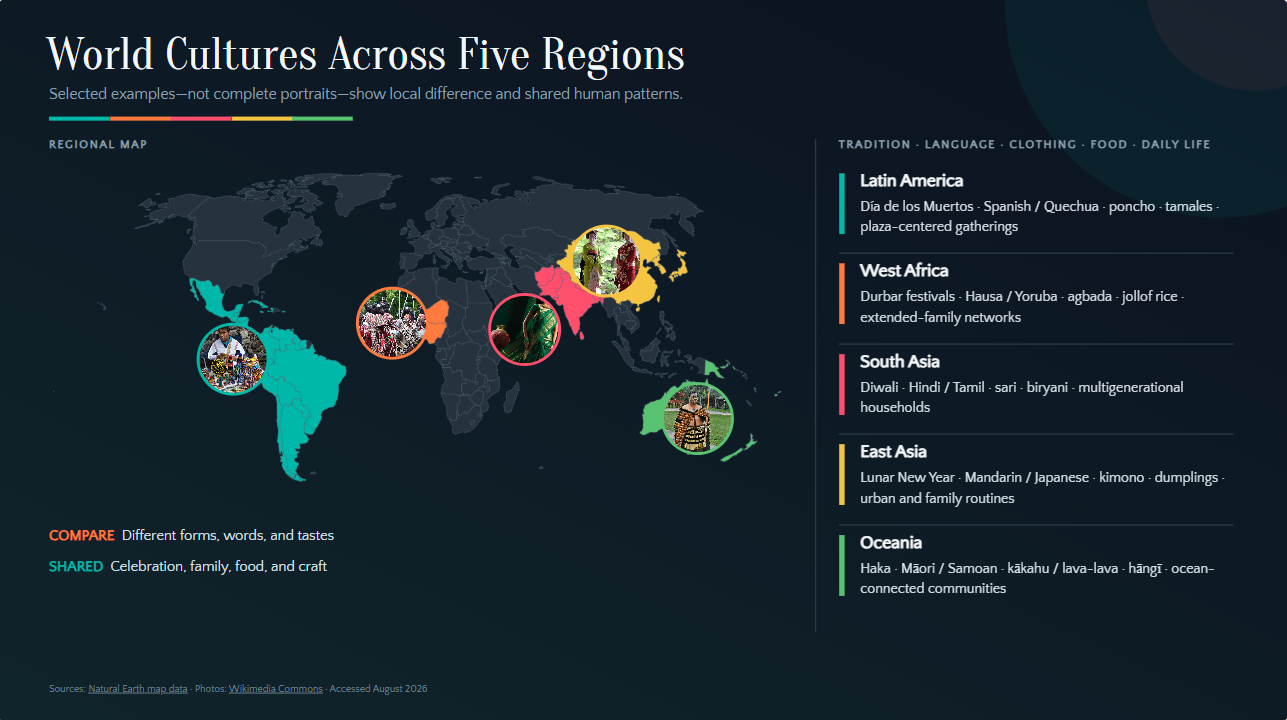
| World cultures presentation template | Cultural images, regional maps | Traditions, languages, clothing, food, lifestyles | Comparing cultures and regions |
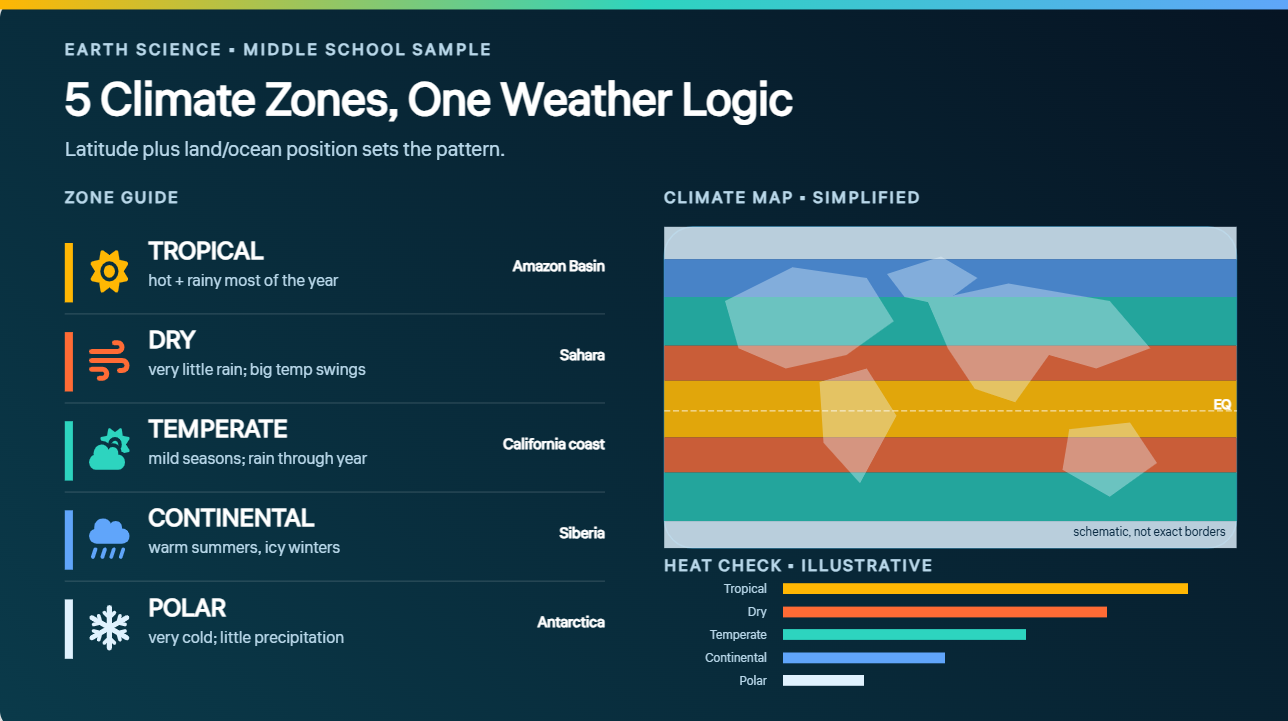
| Climate and weather PPT template | Climate maps, charts, weather icons | Climate zones, weather patterns, maps, charts | Teaching climate and weather |
| Travel geography PowerPoint template | Travel maps, destination images | Cities, landmarks, landscapes, climate, culture | Presenting geographical destinations |
| Environmental geography PPT template | Nature visuals, maps, diagrams | Deforestation, conservation, pollution, resources | Discussing environmental issues |
| Economic geography presentation template | Trade maps, graphs, data charts | Trade, industries, resources, transportation, development | Explaining geography and economies |
| Geopolitics geography PPT template | Political maps, borders, diagrams | Borders, territories, strategic locations, regions | Exploring geography and politics |
| Geography research presentation template | Maps, charts, sources, research visuals | Research questions, data, maps, findings, conclusions | Presenting geography research |
10 geography presentation ideas for eye-catching slides with Kimi Slides
A strong geography presentation should do more than display maps and facts. By combining clear layouts with maps, data, images, and visual explanations, you can make complex geographical topics easier to understand and more interesting to explore.
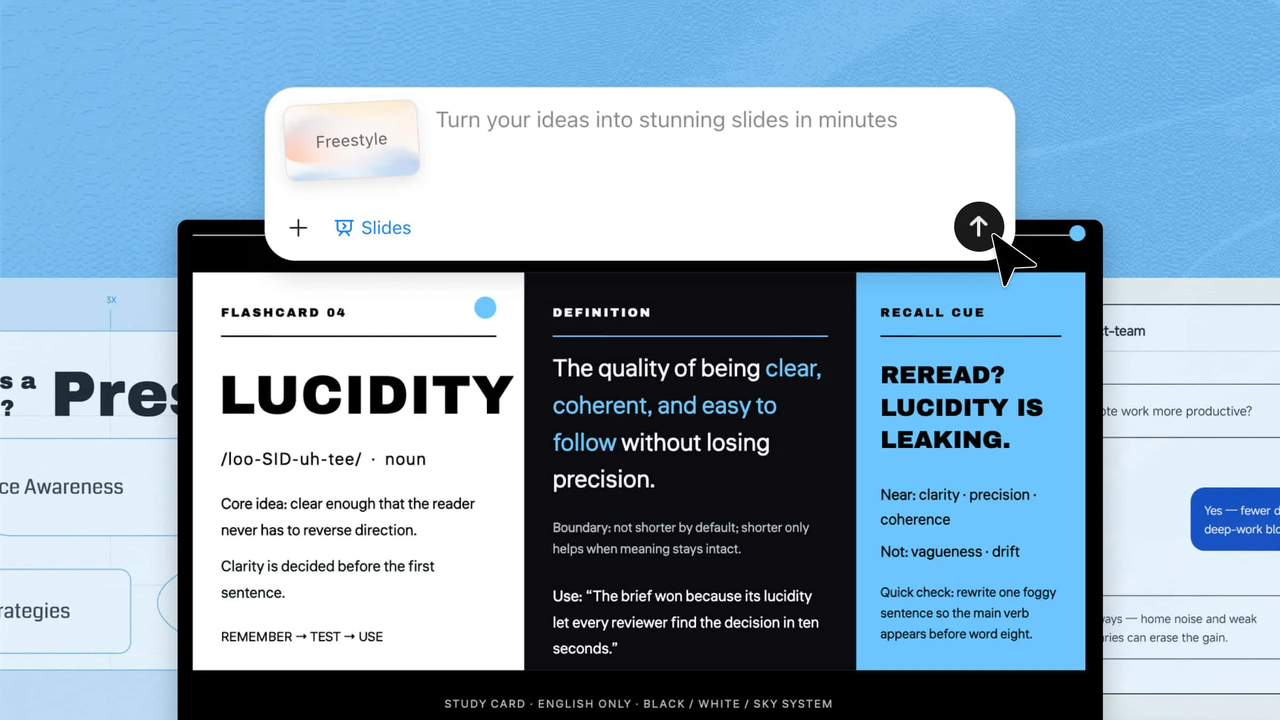
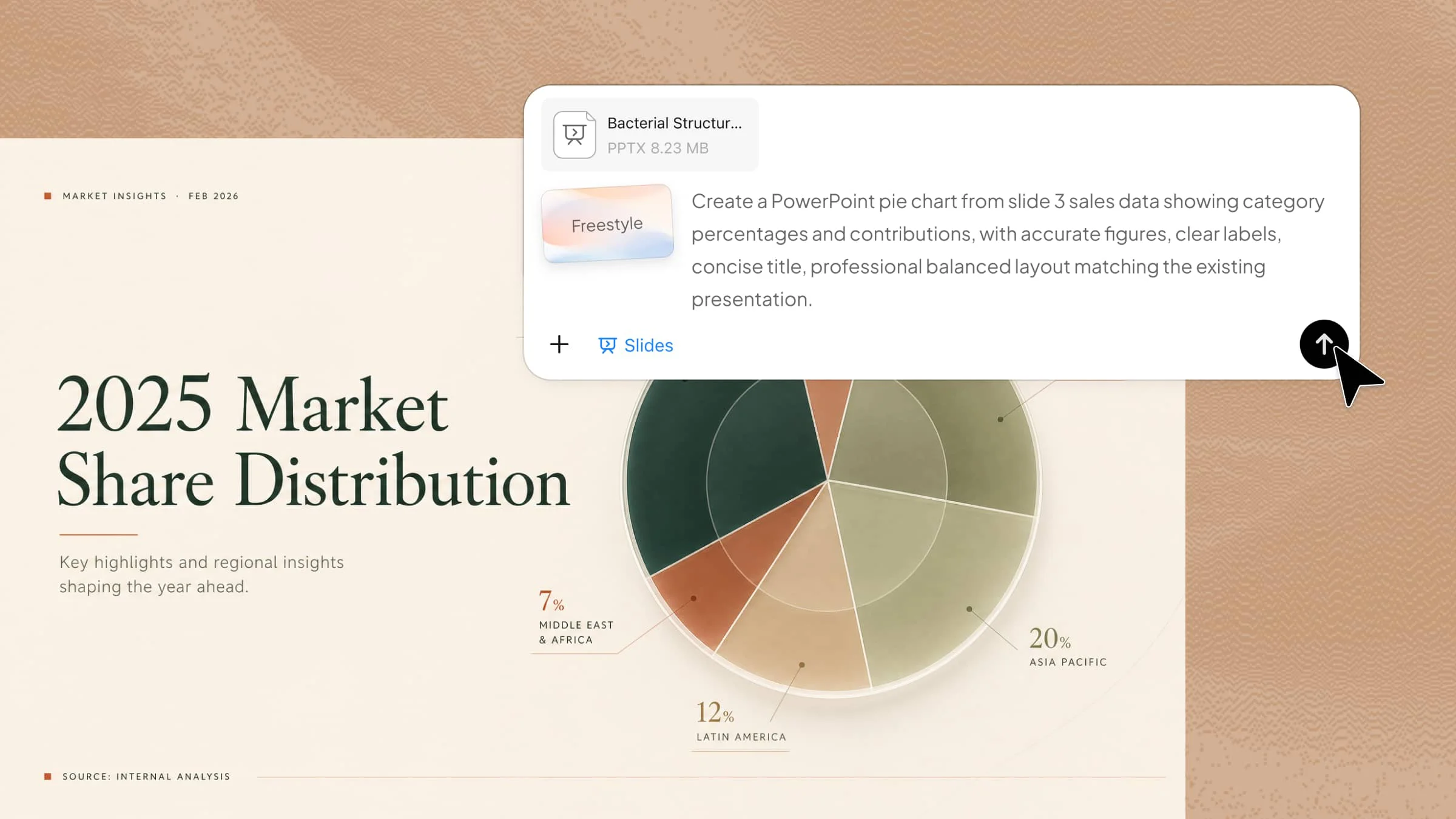
Kimi Slides, an AI presentation maker, makes this process easier by turning a simple topic or prompt into a structured geography PowerPoint presentation. It can organize key ideas, suggest suitable visuals, and create engaging slide layouts that you can customize for your lesson or audience.
World map geography PPT template
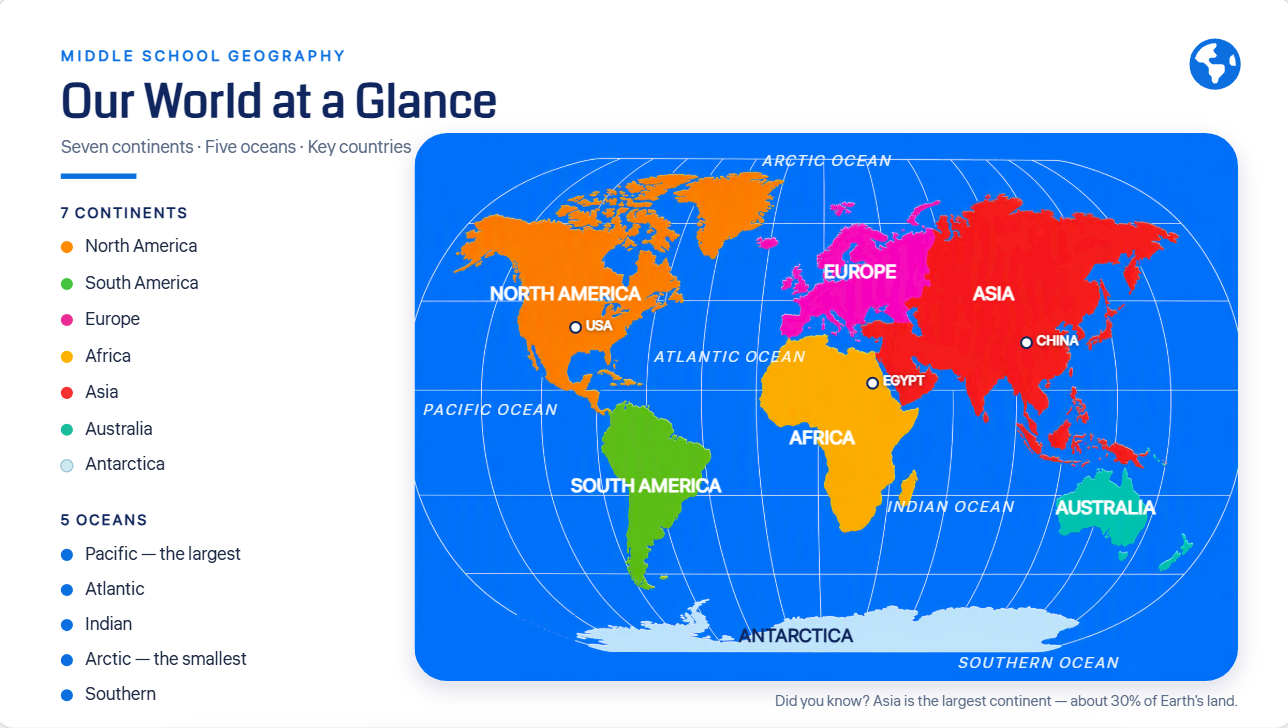
A world map geography PPT template helps to visually describe countries, continents, regions, and other worldwide issues. Clear maps, labeling, and basic layouts can help students learn locations and their relationships without overwhelming them with information.
How to use
Step 1: Enter your prompt
Enter a prompt describing the world map topic, key regions, and visual style you want for your geography presentation.
Prompt:
Step 2: Let AI generate your PPT
Let Kimi Slides generate your geography presentation with maps, key facts, and engaging visuals.
Step 3: Review and export the PPT
Review the maps, facts, and slide design, make any needed changes, and export your final presentation.
Physical geography presentation template
A physical geography presentation template enables you to explain natural elements like mountains, rivers, deserts, and volcanoes in a simple, visual manner. Use relevant photographs, maps, and basic layouts to demonstrate how these factors shape landscapes and influence different parts of the world.
How to use
Step 1: Enter your prompt
In Kimi Slides, describe the physical geography topic, key features, and visual style you want.
Prompt:
Step 2: Let AI generate your PPT
Let Kimi Slides generate your presentation with clear visuals, facts, and explanations.
Step 3: Review and export the PPT
Review the visuals, information, and slide design, then make any needed changes and export your PPT.
Human geography PPT template
A geography PowerPoint template can help present population, migration, urbanization, and cultural patterns in a clear visual structure. Maps, charts, and demographic visuals make complex information easier to understand. It works well for classroom lessons, academic projects, and research presentations.
How to use
Step 1: Enter your prompt
Access Kimi Slides and describe your topic, audience, key information, and preferred visual style.
Prompt:
Step 2: Let AI generate your PPT
Let Kimi Slides turn your prompt into a clear presentation with relevant visuals and key information.
Step 3: Review and export the PPT
Check the content and slide design, make any changes, and export your final PPT.
World cultures presentation template
A PPT for geography can make lessons about cultures, traditions, languages, and lifestyles more engaging through maps and regional visuals. Use it to compare different communities while keeping the information organized. It is suitable for cultural studies and classroom presentations.
How to use
Step 1: Enter your prompt
Access Kimi Slides and enter the cultural topic, target audience, regions, and visual requirements.
Prompt:
Step 2: Let AI generate your PPT
Kimi Slides organizes cultural information into structured slides with suitable images, maps, and layouts.
Step 3: Review and export the PPT
Check the cultural information and visuals for accuracy and relevance. Refine the slides before exporting the final PPT.
Climate and weather PPT template
A PPT template geography design can simplify climate zones, weather patterns, and atmospheric concepts through maps, charts, and visual comparisons. It helps students connect geographical information with real-world weather conditions. The format works well for classroom teaching and science-related geography topics.
How to use
Step 1: Enter your prompt
Describe the climate or weather topic, key concepts, and visuals you want in Kimi Slides.
Prompt:
Step 2: Let AI generate your PPT
Let Kimi Slides turn the prompt into organized slides with maps, charts, explanations, and relevant visuals.
Step 3: Review and export the PPT
Review climate information, labels, charts, and examples. Make final adjustments and export the presentation.
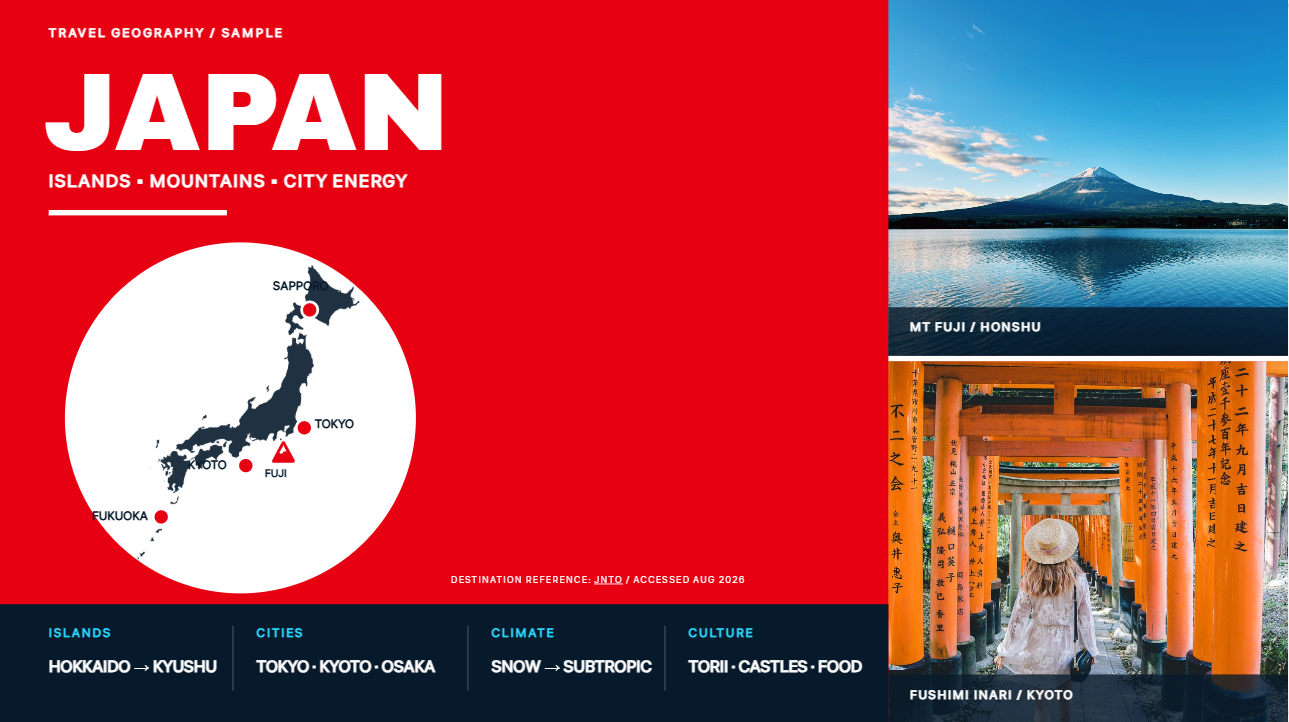
Travel geography PowerPoint template
A PowerPoint geography theme design focused on travel can combine destinations, maps, landmarks, and geographical facts in an engaging format. It is useful for exploring how location, landscape, and culture influence travel. The template can support classroom projects as well as tourism-related topics.
How to use
Step 1: Enter your prompt
Access Kimi Slides and describe the destination, audience, key geographical information, and visual style.
Prompt:
Step 2: Let AI generate your PPT
Kimi Slides creates the presentation with destination visuals, maps, geographical information, and organized layouts.
Step 3: Review and export the PPT
Check locations, geographical facts, images, and slide organization. Refine the content and export the final presentation.
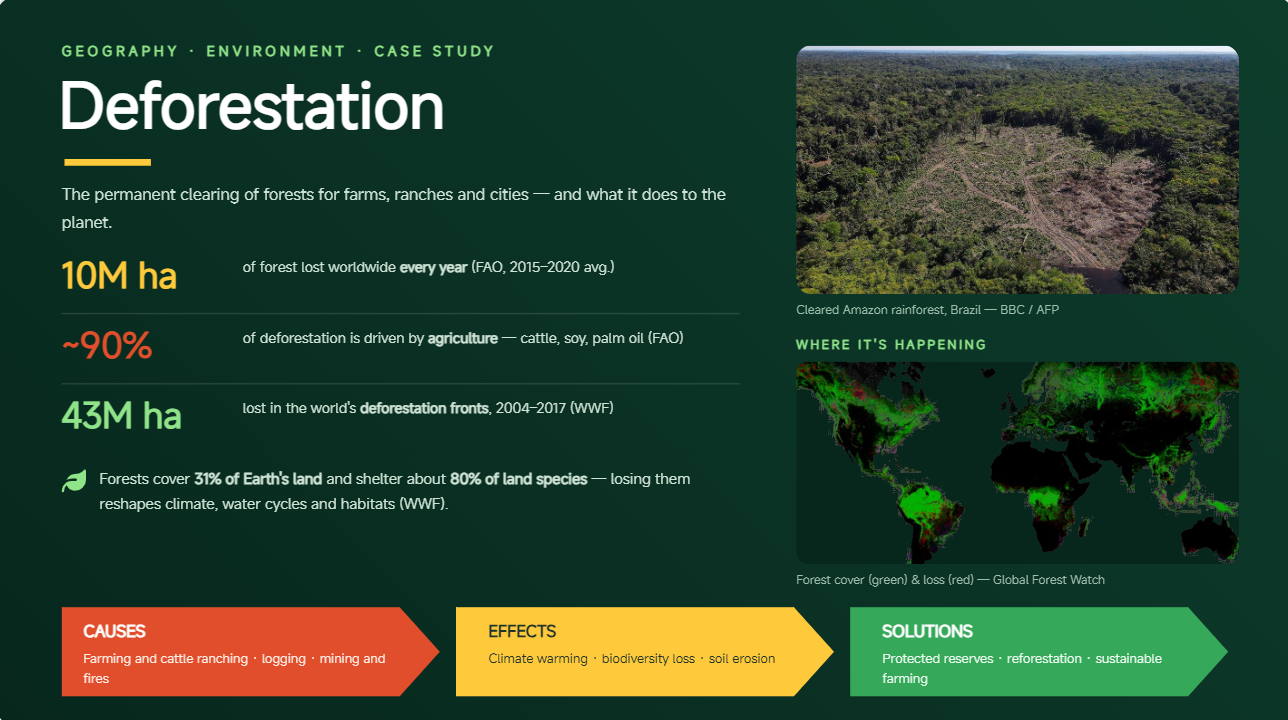
Environmental geography PPT template
A geography presentation ideas approach can help explain environmental issues through maps, diagrams, data, and real-world examples. This template is useful for topics such as conservation, pollution, climate change, and natural resources. Visual storytelling can make environmental challenges easier for students to understand.
How to use
Step 1: Enter your prompt
Access Kimi Slides and provide the environmental topic, audience, key data, and desired visual style.
Prompt:
Step 2: Let AI generate your PPT
Submit the prompt and let Kimi Slides organize the research points, data, maps, and visuals into a structured presentation.
Step 3: Review and export the PPT
Check the statistics, geographical information, sources, and visuals. Make any necessary changes before exporting.
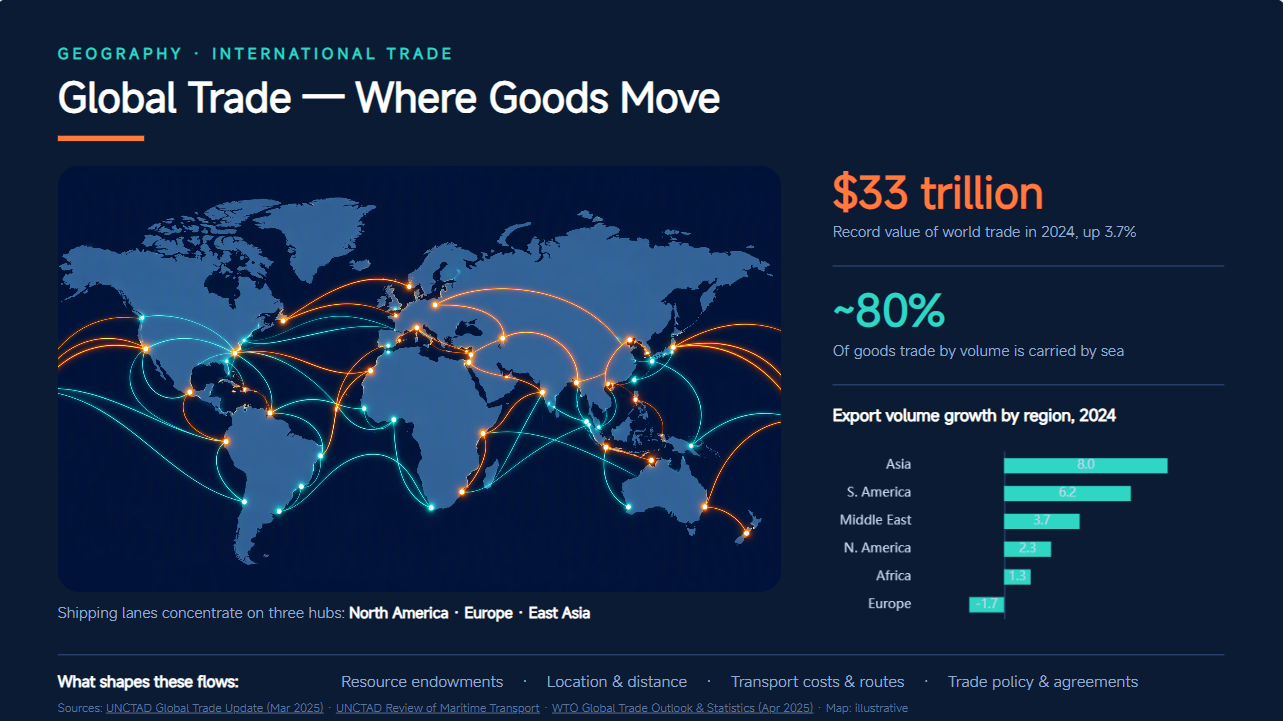
Economic geography presentation template
A geography template design for economic topics can organize information about trade, industries, resources, and regional development. Maps, graphs, and economic data help show how geography influences business and economic activity. It is suitable for classroom lessons and academic presentations.
How to use
Step 1: Enter your prompt
Access Kimi Slides and enter the economic geography topic, audience, data requirements, and visual preferences.
Prompt:
Step 2: Let AI generate your PPT
Kimi Slides turns the prompt into structured slides with maps, charts, explanations, and supporting visuals.
Step 3: Review and export the PPT
Review the trade data, maps, statistics, and explanations. Refine the presentation and export the completed PPT.
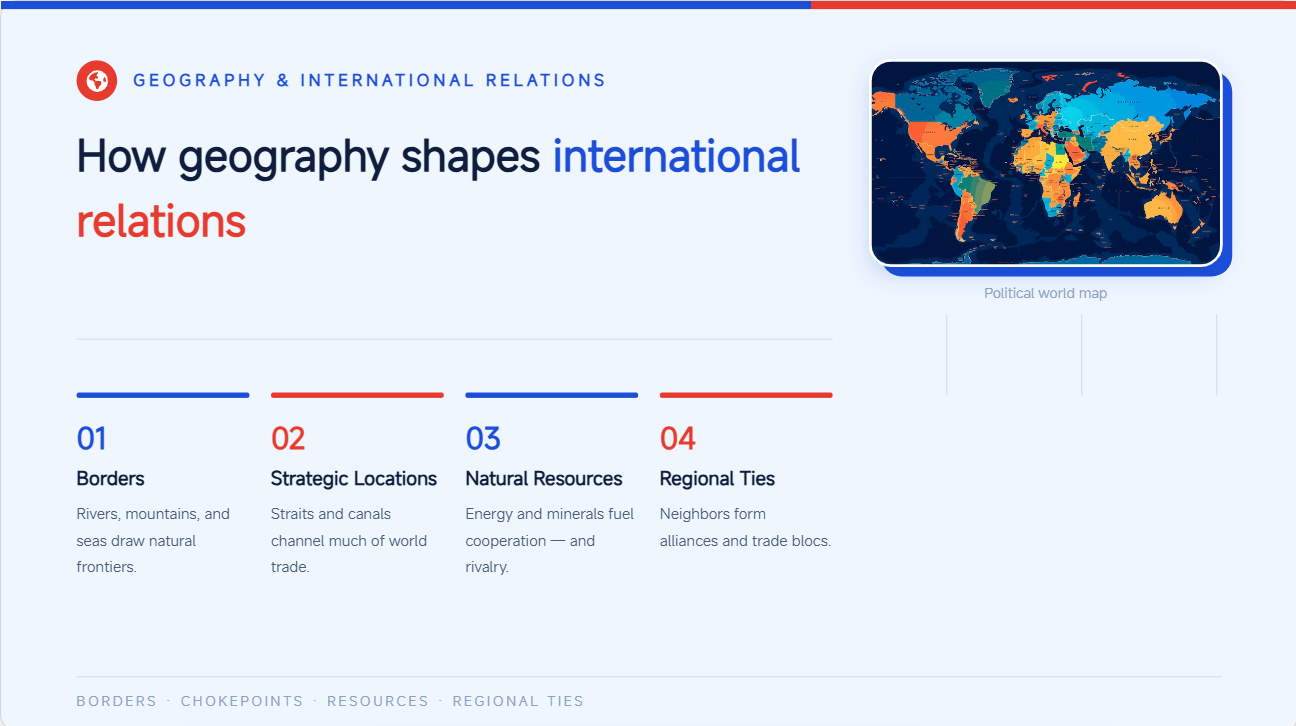
Geopolitics geography PPT template
A geography slide template can help explain borders, territories, political regions, and international relationships in a clear visual format. Political maps and geographic diagrams make complex territorial topics easier to follow. This format works well for academic and classroom presentations.
How to use
Step 1: Enter your prompt
Open Kimi Slides and specify the geopolitical topic, audience, regions, and information you want to cover.
Prompt:
Step 2: Let AI generate your PPT
Kimi Slides organizes the topic into clear sections and adds maps, diagrams, and supporting explanations.
Step 3: Review and export the PPT
Review geographical information, maps, terminology, and examples for accuracy and neutrality. Make final edits and export the presentation.
Geography research presentation template
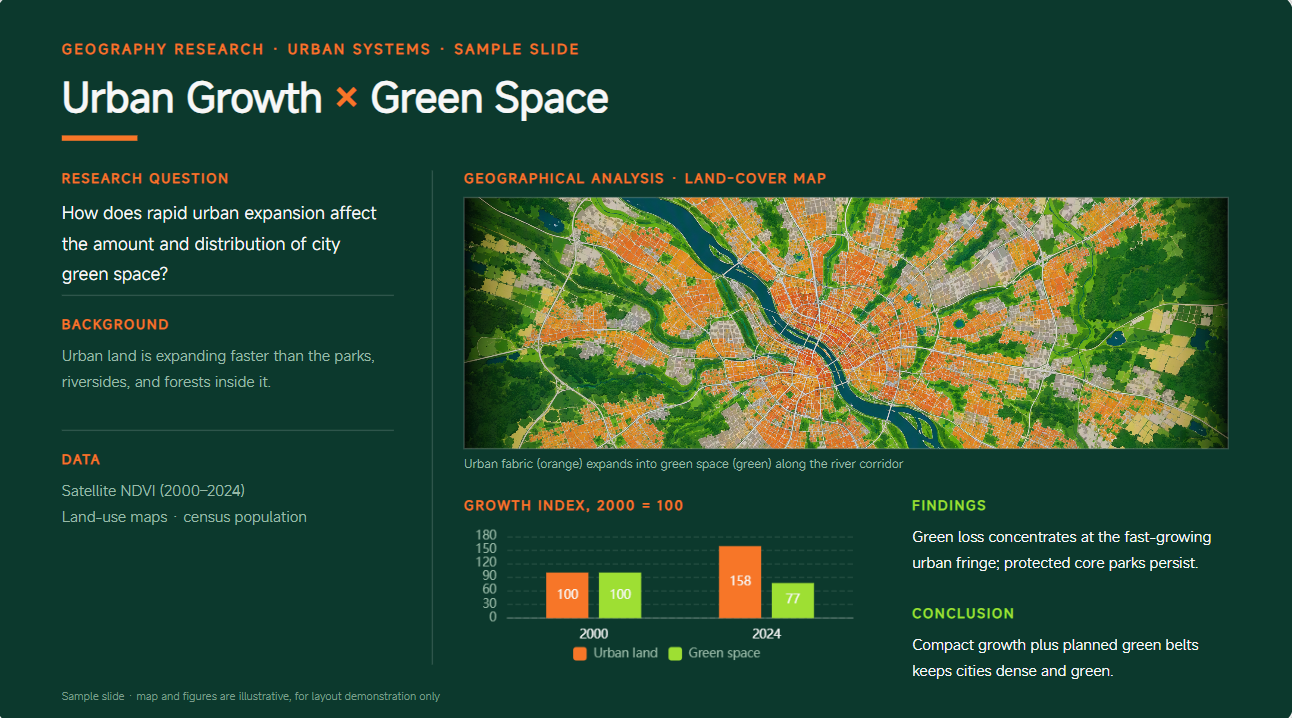
A PPT templates geography format can give research projects a clear structure for presenting questions, methods, findings, maps, and conclusions. It helps students organize geographical data without overcrowding their slides. The template is suitable for academic research and project-based learning.
How to use
Step 1: Enter your prompt
Access Kimi Slides and provide your research topic, audience, findings, data, and preferred presentation structure.
Prompt:
Step 2: Let AI generate your PPT
Let Kimi Slides structure the research content and create slides with appropriate charts, maps, and visual elements.
Step 3: Review and export the PPT
Check the research findings, data, sources, and visualizations carefully. Make final revisions and export the completed PPT.
Why design your geography PPTs with Kimi Slides?
Creating geography slides can take time, especially when a lesson involves maps, data, locations, and multiple concepts. As an AI PPT maker, Kimi Slides helps bring these elements together, so you can spend less time designing and more time improving the lesson itself.
Turn geography topics into structured visual presentations: Give Kimi Slides a geography topic, and it can organize the information into a presentation with a clear flow. You can cover everything from continents and landforms to population and climate without building every slide from scratch.
Create map-based visuals and engaging geographic explanations: Geography is easier to understand when students can see the information. Use maps, diagrams, charts, and illustrations to show locations, geographic patterns, and connections between different places.
Enhance geography presentations with AI-powered research: Enter a topic or question, and Kimi Slides can proactively search for, integrate, and organize high-quality, traceable information to generate your presentation.
Refine geography slides with flexible editing: If a slide needs changes, you can tell Kimi Slides what you want to adjust using simple instructions. You can also edit individual elements yourself to change the wording, layout, or visuals.
Preview and export editable PPTX files: Check how your complete presentation looks before exporting it. Once you're happy with the result, save it as an editable PPTX file and make further changes in PowerPoint if needed.
Tips for creating a geography PPT presentation
A good geography presentation should make information easier to understand, not simply fill slides with facts and visuals. These simple tips can help you create clear, engaging slides that make geographical topics easier for students to explore and follow.
Start with a clear geographic topic and purpose
Begin with a specific topic and a clear learning goal for the presentation. Knowing what you want students to understand helps you decide which facts, visuals, and examples are worth including.
Use maps to provide geographic context
Maps give students a visual sense of where a place or geographic feature is located. Use them to show countries, regions, borders, physical features, or other locations connected to your topic.
Balance text, visuals, and data
Avoid overcrowding your slides with lengthy paragraphs or excessive numbers. Mix brief text snippets with visuals like maps, pictures, graphs, and other imagery to make the information more interesting.
Organize information with a logical structure
Organize your slides so that one idea smoothly connects to the next. Begin with fundamental information, then present key facts, illustrations, or statistics before wrapping up the lesson in a straightforward way.
Choose a design style that matches the topic
Your presentation slides should enhance the geography theme instead of taking attention away from it. Pick appropriate colors, text styles, pictures, and arrangements that relate to the topic, whether you're talking about weather, traditions, trips, or landscapes.
Review geographic information for accuracy
Make sure to verify names, places, numbers, boundaries, and other geographical information before sharing it. A tiny mistake on a map or in your information can mislead learners and impact how they grasp the subject.
Conclusion
The right geography presentation can make complex topics such as climate, cultures, landforms, and economic patterns much easier to understand. Throughout this article, we explored different geography PPT template options and practical ways to make slides more visual, organized, and engaging. With Kimi Slides, you can turn your ideas into polished presentations, customize them for your audience, and spend less time designing slides from scratch.