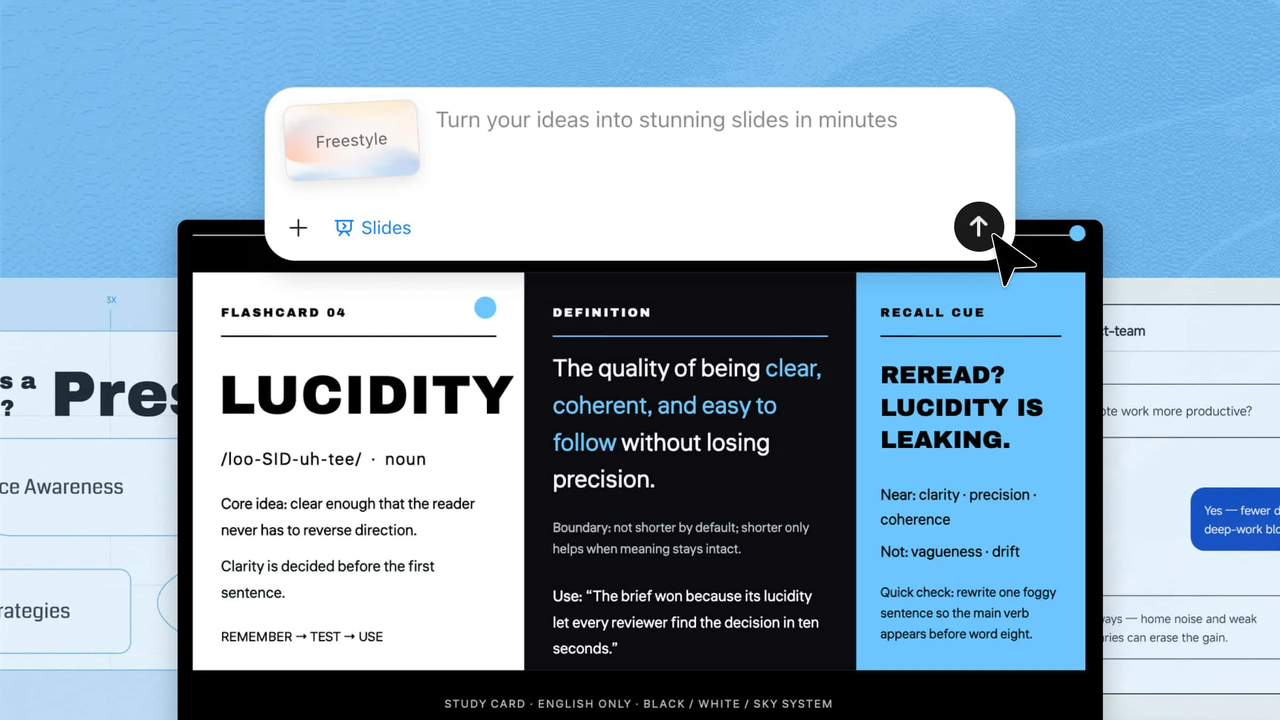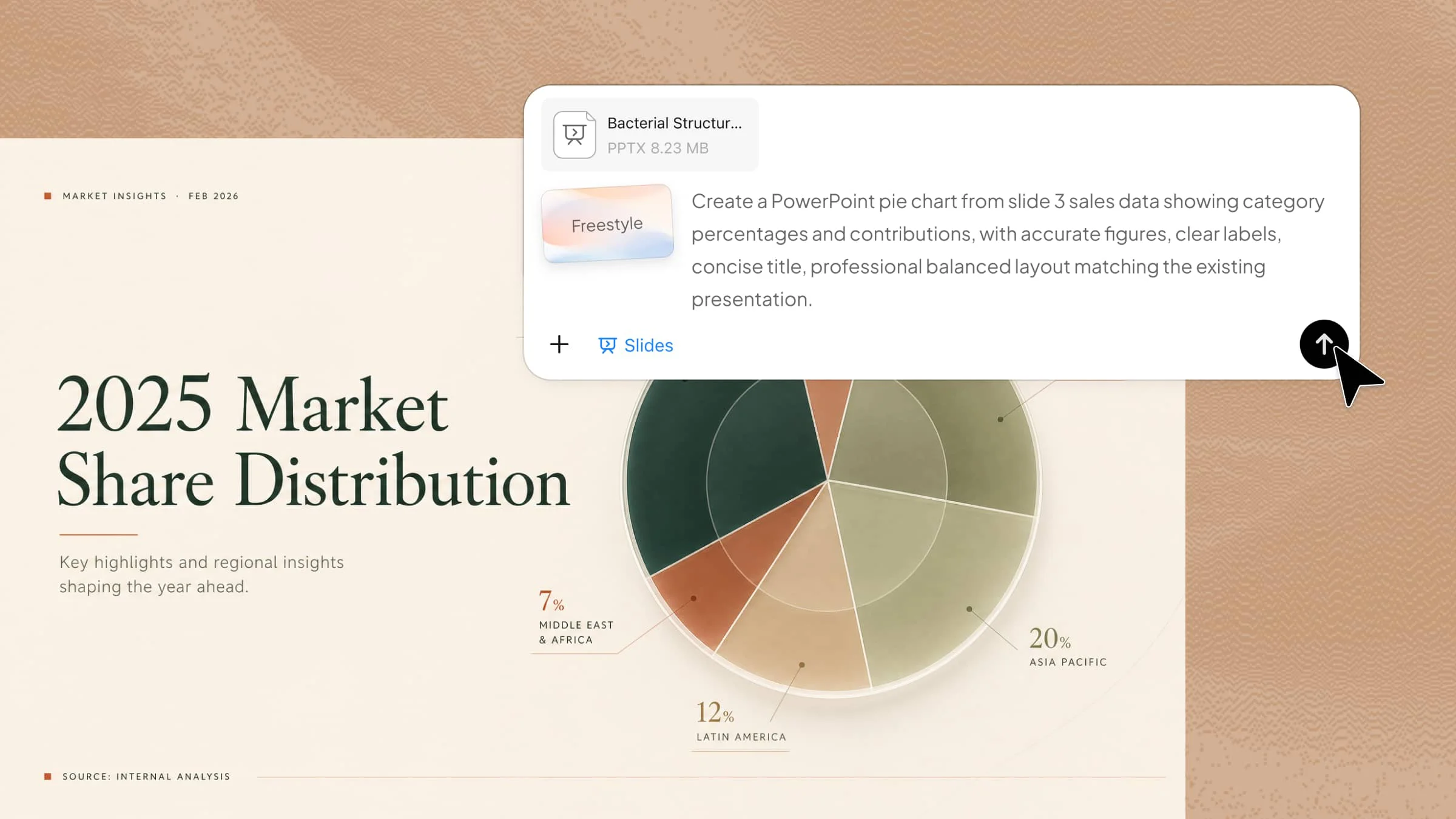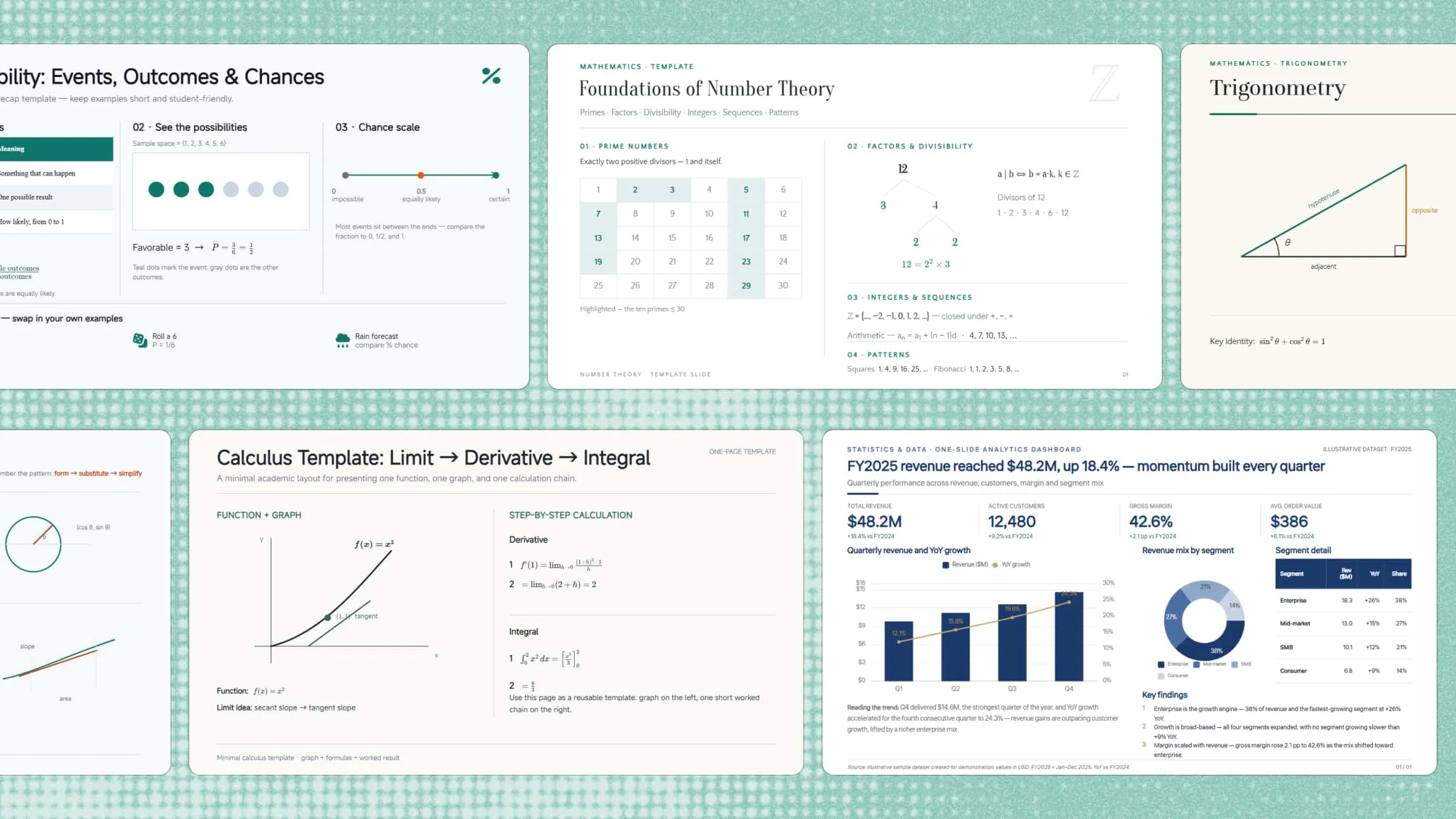
Mathematics presentations can quickly become difficult to follow when formulas, numbers, and complex concepts fill the slides. The right mathematics PowerPoint theme can turn abstract ideas into clear, visual explanations that are easier to understand and remember. This article explores 10 creative themes, introduces Kimi Slides as a practical presentation tool, and shares useful tips for creating engaging math presentations.
Overview of 10 creative mathematics PowerPoint templates
Before you start creating a mathematics presentation, it is helpful to understand how each template can support your topic. Some templates are better for explaining formulas and concepts, while others offer more visual flexibility and creative layouts. Below is a quick overview of 10 creative PowerPoint mathematics templates to help you choose the right one.
| Template | Key content | Suitable for |
|---|---|---|
| Algebra PowerPoint template | Equations, variables, expressions, formulas, problem-solving | Teaching algebra concepts |
| Statistics and data PowerPoint template | Charts, graphs, tables, trends, data analysis | Presenting data and statistics |
| Geometry PowerPoint template | Shapes, angles, lines, triangles, circles, geometric properties | Explaining geometry |
| Number theory PowerPoint template | Prime numbers, factors, divisibility, sequences, patterns | Explaining number theory |
| Trigonometry PowerPoint template | Angles, triangles, sine, cosine, tangent, formulas | Teaching trigonometry |
| Probability PowerPoint template | Events, outcomes, probability rules, real-life examples | Teaching probability |
| Mathematical formulas PowerPoint template | Algebraic, geometric, trigonometric, and calculus formulas | Reviewing formulas |
| Calculus PowerPoint template | Limits, derivatives, integrals, functions, graphs | Presenting calculus concepts |
| Math lesson PowerPoint template | Concepts, formulas, examples, activities, practice questions | Creating math lessons |
| Math project PowerPoint template | Objectives, methods, calculations, findings, conclusion | Presenting math projects |
10 mathematics PPT templates with engaging layouts
Different math topics need different visual approaches, whether you are explaining equations, geometric concepts, formulas, or data. These 10 mathematics PPT templates offer focused layouts that make complex ideas clearer, more organized, and easier to present.
Kimi Slides, an AI presentation maker, helps you create mathematics presentations from a simple topic or prompt, generating structured slides with relevant layouts, visuals, formulas, and examples. You can then customize the content and design to match your lesson, project, or audience.
Algebra PowerPoint template
This math template PowerPoint design makes algebra topics easier to present with clear layouts for equations, variables, and expressions. It enables you to explain problem-solving steps, rules, and examples in an organized manner. Key formulas and important points can be highlighted without making the slides look crowded. The simple structure helps students follow each concept and understand solutions with ease.
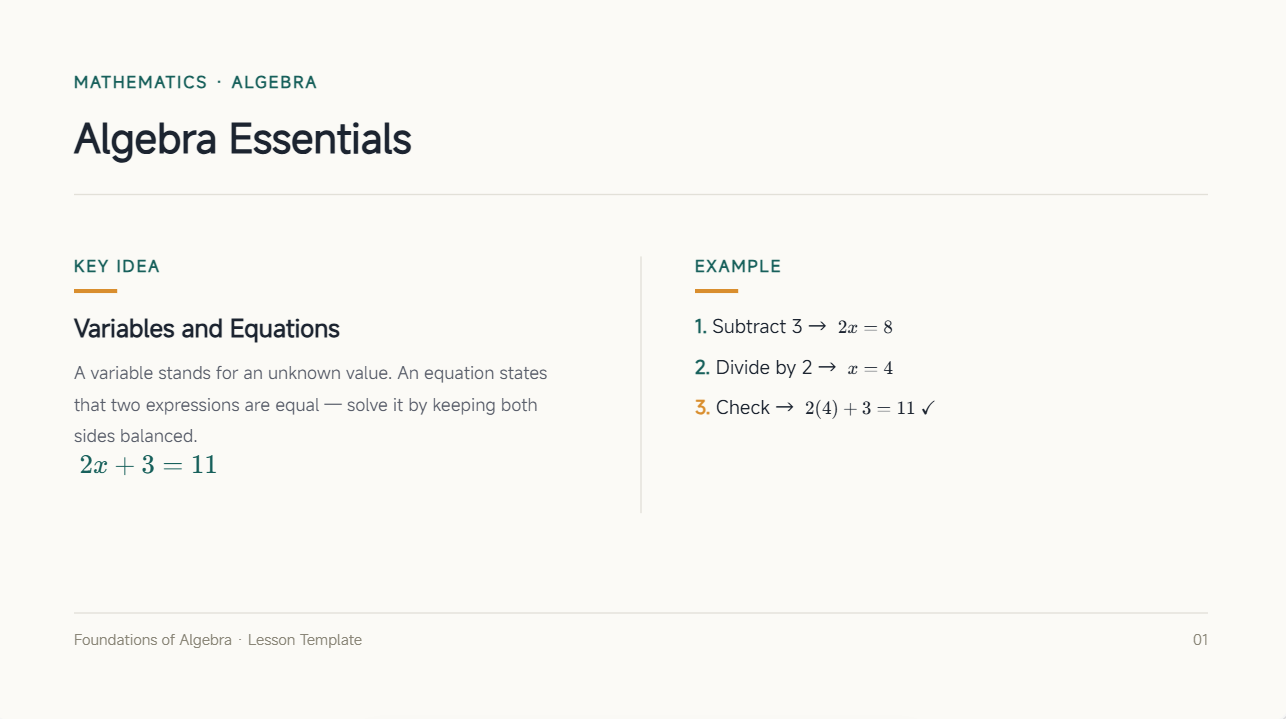
How to use
Step 1: Enter your prompt
Enter the prompt into Kimi Slides to describe the type of algebra presentation you want to create.
Prompt:
Step 2: Let AI generate your PPT
Kimi Slides will automatically create a structured PPT with algebra concepts, examples, formulas, and visuals.
Step 3: Review and export the PPT
Review the slides, make small edits if needed, and export the presentation in PowerPoint format.
Statistics and data PowerPoint template
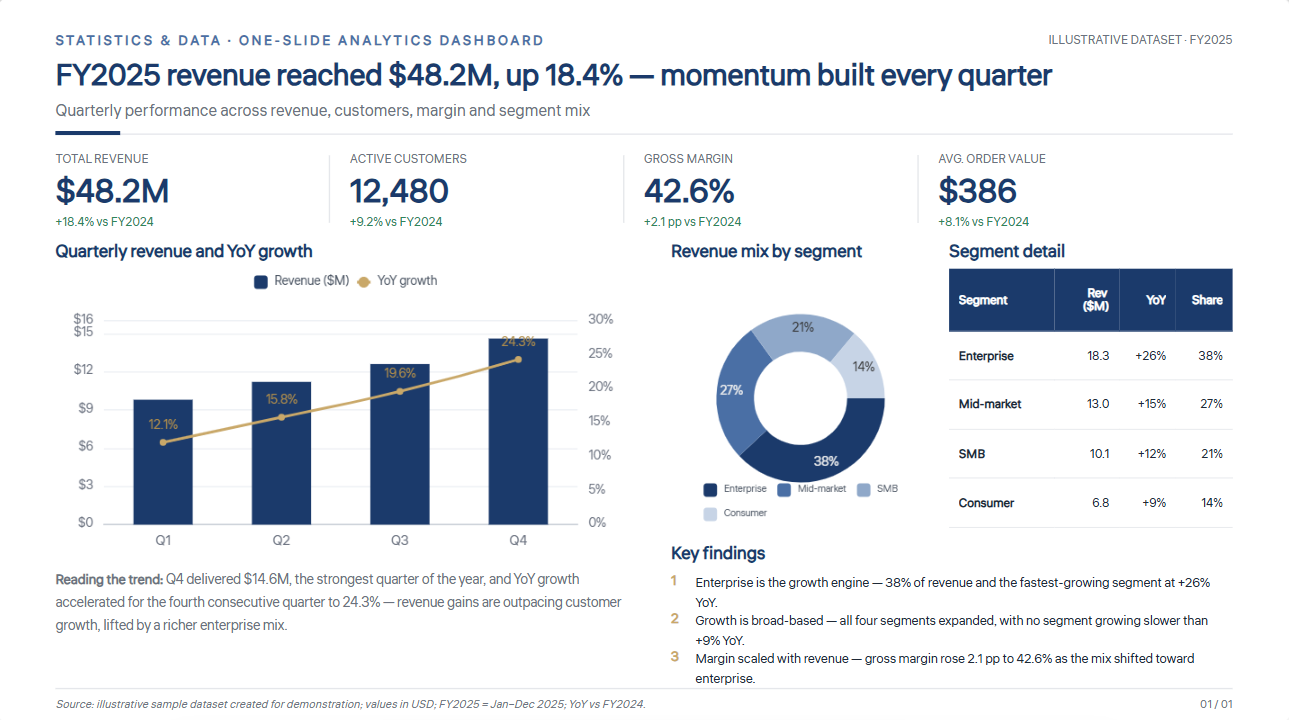
Charts, graphs, tables, and other visual elements make numerical information easier to present and understand with a maths template PowerPoint. Large sets of data can be divided into clear sections for collection, analysis, and results. Key findings can then be highlighted so the audience can quickly understand the main points. It works well for statistics lessons, research findings, and data analysis.
How to use
Step 1: Enter your prompt
Enter the statistics and data prompt into Kimi Slides to describe the type of presentation you need.
Prompt:
Step 2: Let AI generate your PPT
The AI will create slides with charts, graphs, tables, and organized data visuals.
Step 3: Review and export the PPT
Review the presentation, make edits if needed, and download the final PPT.
Geometry PowerPoint template
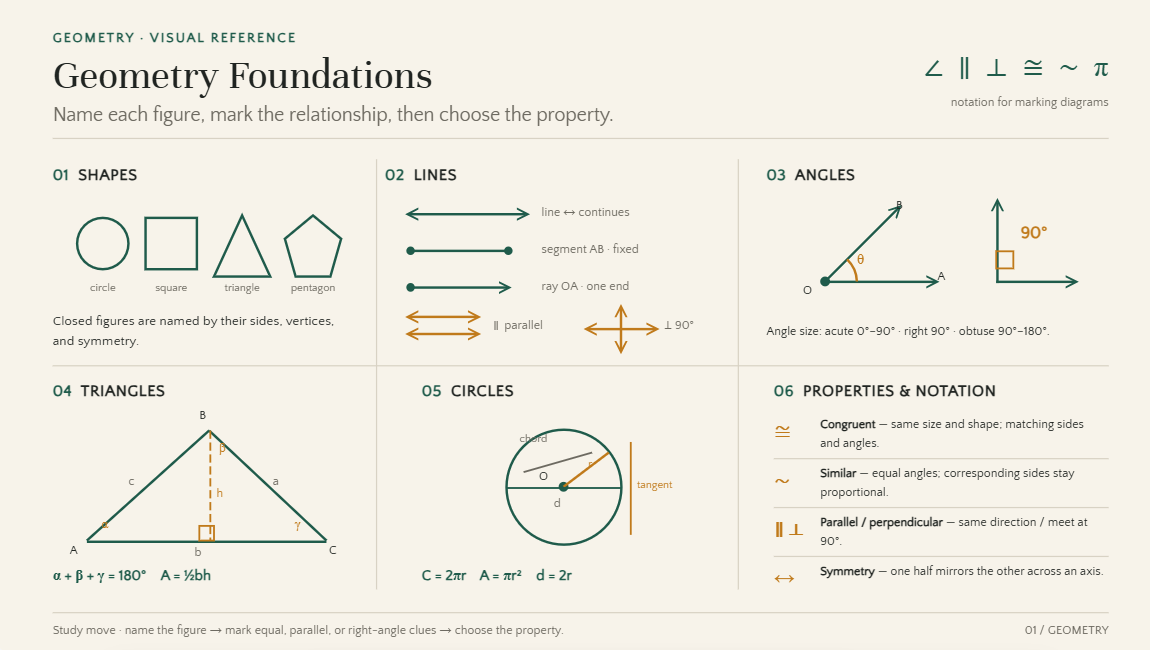
This mathematics template PowerPoint brings shapes, angles, lines, and geometric figures together in a clear visual layout. Diagrams and labeled examples make complex ideas easier to explain and understand. You can also compare different shapes, show their properties, and explain related calculations. Its visual design works well for classroom lessons, practice activities, and demonstrations.
How to use
Step 1: Enter your prompt
Enter the prompt into Kimi Slides to describe the geometry topic and presentation style you need.
Prompt:
Step 2: Let AI generate your PPT
Kimi Slides will automatically build a structured PPT with geometry concepts, diagrams, examples, and visuals.
Step 3: Review and export the PPT
Check the generated slides, make small edits if needed, and export the presentation in PowerPoint format.
Number theory PowerPoint template
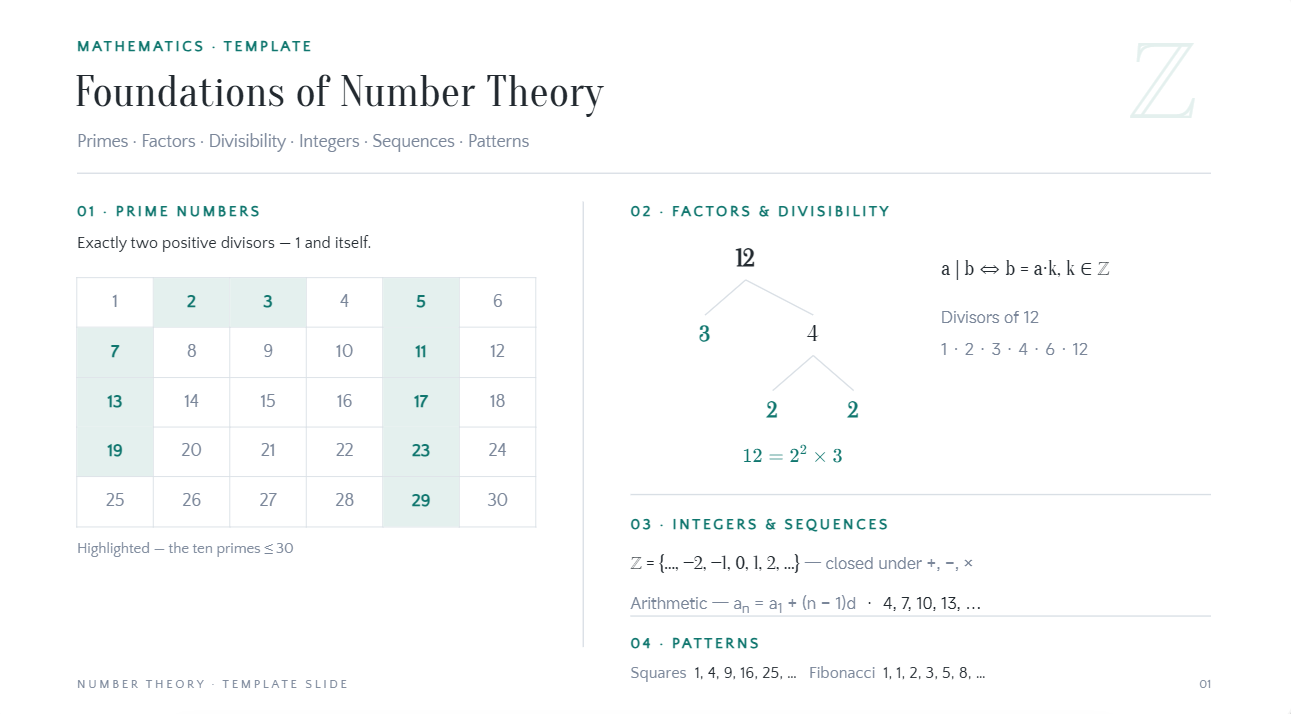
This math PowerPoint template gives a focused design for explaining numbers, factors, prime numbers, sequences, and mathematical patterns. Important rules and examples can be arranged in separate sections to make each idea easier to understand. Visual elements can also show number relationships and simplify detailed concepts. It is suitable for classroom lessons, academic topics, and mathematical discussions.
How to use
Step 1: Enter your prompt
Enter the number theory prompt into Kimi Slides to describe the mathematical topics and visual structure.
Prompt:
Step 2: Let AI generate your PPT
The AI will create slides with number theory concepts, examples, diagrams, and organized visuals.
Step 3: Review and export the PPT
Review the presentation, make edits if needed, and download the final PPT.
Trigonometry PowerPoint template
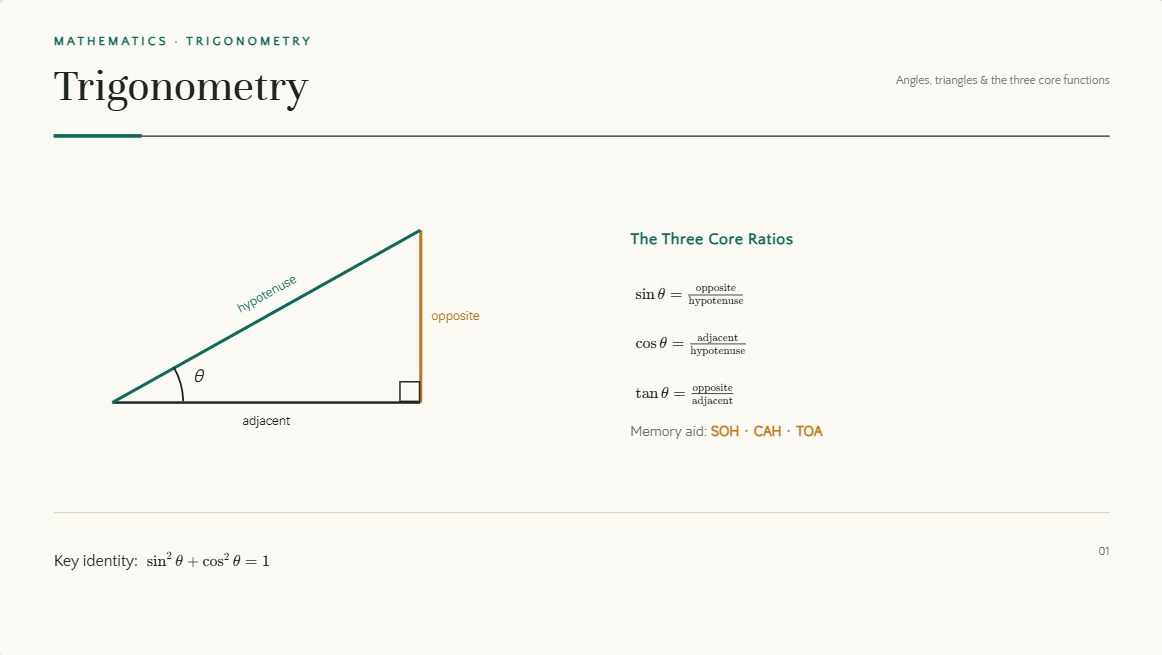
This colorful math PowerPoint template makes trigonometry lessons more engaging with layouts for angles, triangles, functions, and formulas. Diagrams can be combined with equations to show how different concepts work together. Step-by-step examples help students understand calculations and choose the right formulas. The visual structure also makes challenging topics easier to explain and remember.
How to use
Step 1: Enter your prompt
Enter the prompt into Kimi Slides to describe the trigonometry concepts, examples, and visual style you need.
Prompt:
Step 2: Let AI generate your PPT
Kimi Slides will automatically generate a structured PPT with trigonometric concepts, diagrams, formulas, and examples.
Step 3: Review and export the PPT
Check the slides, make small edits if needed, and export the presentation in PowerPoint format.
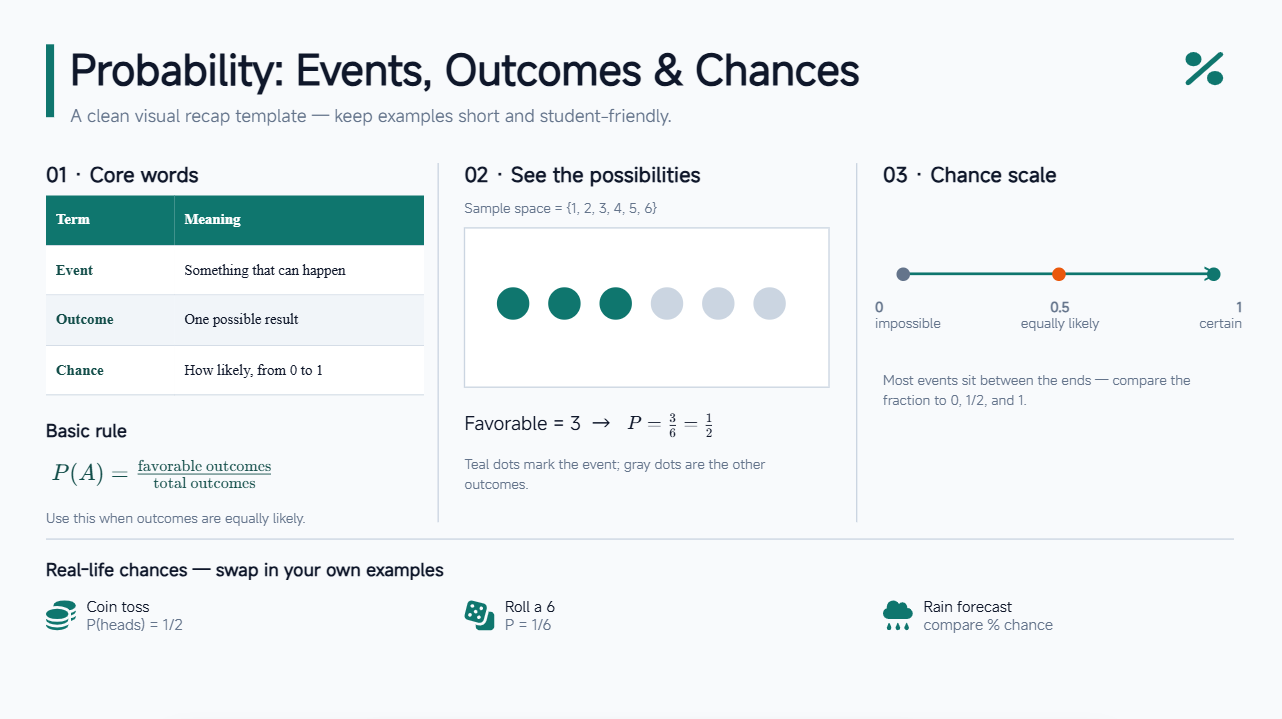
Probability PowerPoint template
Events, outcomes, chances, and probability rules can be explained using simple visuals and practical examples with a mathematics PowerPoint template for free. Real-world situations help students see how probability is applied beyond the classroom. Tables, diagrams, and calculations can show the connection between different possible outcomes. A well-planned layout makes both basic and advanced topics easier to understand.
How to use
Step 1: Enter your prompt
Add the probability prompt to Kimi Slides and tap the "Send" icon.
Prompt:
Step 2: Let AI generate your PPT
Kimi Slides will generate slides with probability concepts, examples, diagrams, and organized visuals automatically.
Step 3: Review and export the PPT
Check the presentation, make updates if required, and export the final PPT.
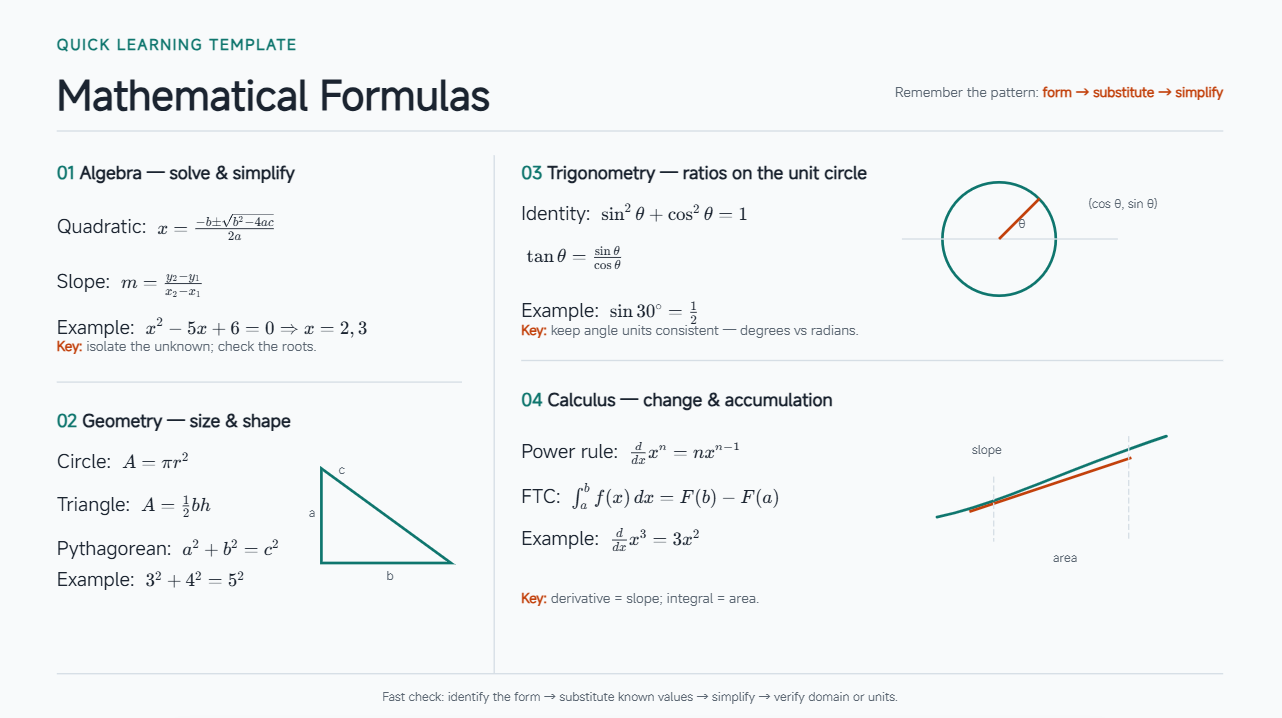
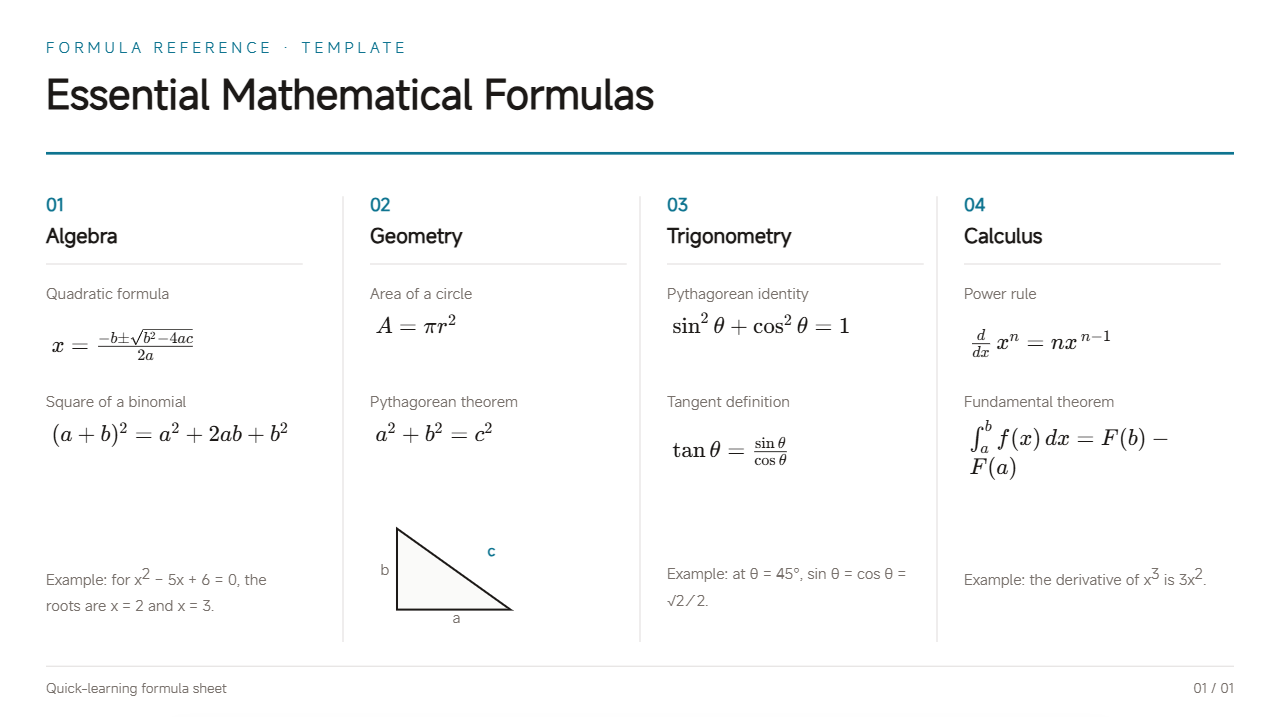
Mathematical formulas PowerPoint template
Important equations can take center stage with PowerPoint math templates that keep key information easy to locate. Definitions, symbols, examples, and explanations can be placed alongside relevant formulas for better understanding. Related equations can be grouped together to support quick comparison and revision. These templates are ideal for exam preparation, classroom teaching, and formula-based topics.
How to use
Step 1: Enter your prompt
Enter the mathematical formulas prompt into Kimi Slides to outline the formulas and presentation style.
Prompt:
Step 2: Let AI generate your PPT
The AI tool will create slides with formulas, examples, symbols, and organized mathematical visuals.
Step 3: Review and export the PPT
Review the generated PPT, customize the content if needed, and export the final file.
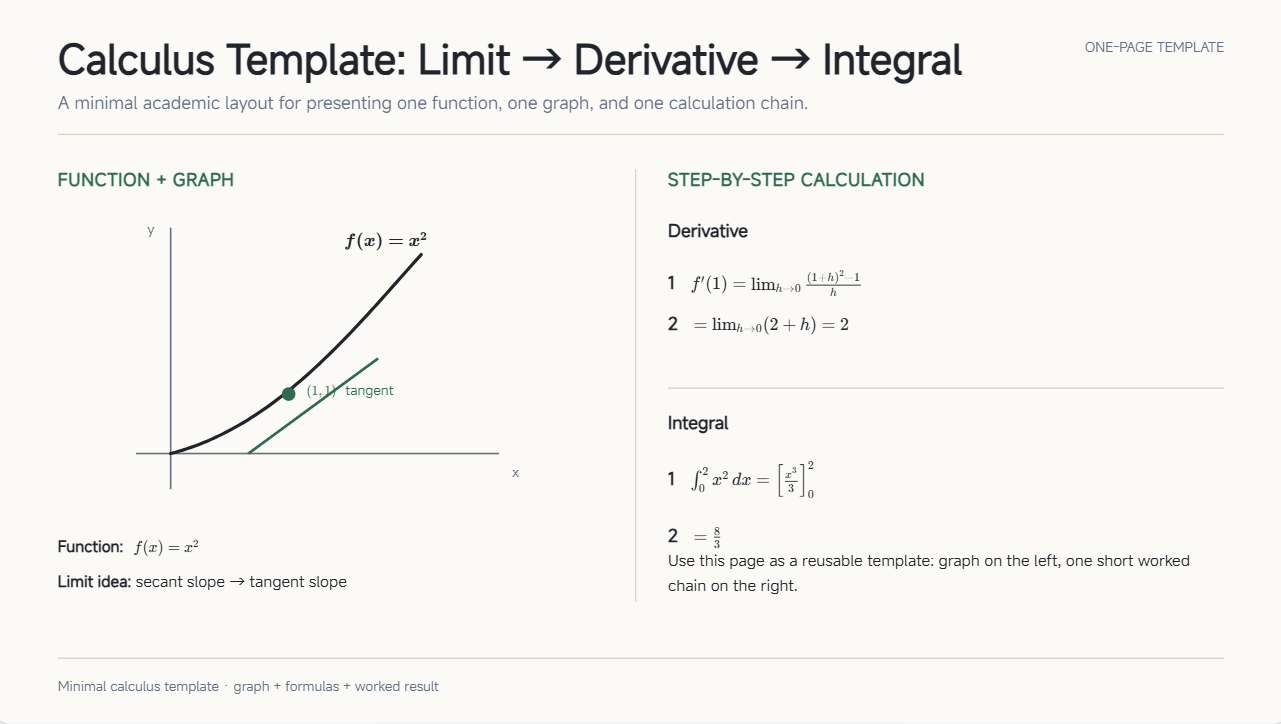
Calculus PowerPoint template
Limits, derivatives, integrals, and other calculus concepts become easier to explain when information is arranged in smaller sections. Step-by-step calculations permit students to follow the process without feeling overwhelmed. Graphs and examples connect mathematical ideas with practical applications. A clean structure with a math PowerPoint theme makes slides suitable for detailed explanations and quick revision.
How to use
Step 1: Enter your prompt
Enter the prompt into Kimi Slides to describe the calculus concepts, examples, and visual style you need.
Prompt:
Step 2: Let AI generate your PPT
Kimi Slides will automatically build a structured PPT with calculus concepts, formulas, graphs, and examples.
Step 3: Review and export the PPT
Review the generated slides, make small edits if needed, and export the presentation in PowerPoint format.
Math lesson PowerPoint template
A complete lesson can be organized by combining PowerPoint math themes with explanations, examples, activities, and practice questions in a logical sequence. Each section can introduce a concept, explain it, and provide opportunities for students to apply what they have learned. Visual content helps maintain attention and simplify difficult information. Teachers can easily adapt the design for different topics and learning levels.
How to use
Step 1: Enter your prompt
Paste the math lesson prompt into Kimi Slides.
Prompt:
Step 2: Let AI generate your PPT
Kimi Slides will generate a structured PPT with lesson content, examples, activities, and visuals.
Step 3: Review and export the PPT
Review the slides, make changes if necessary, and export the presentation.
Math project PowerPoint template
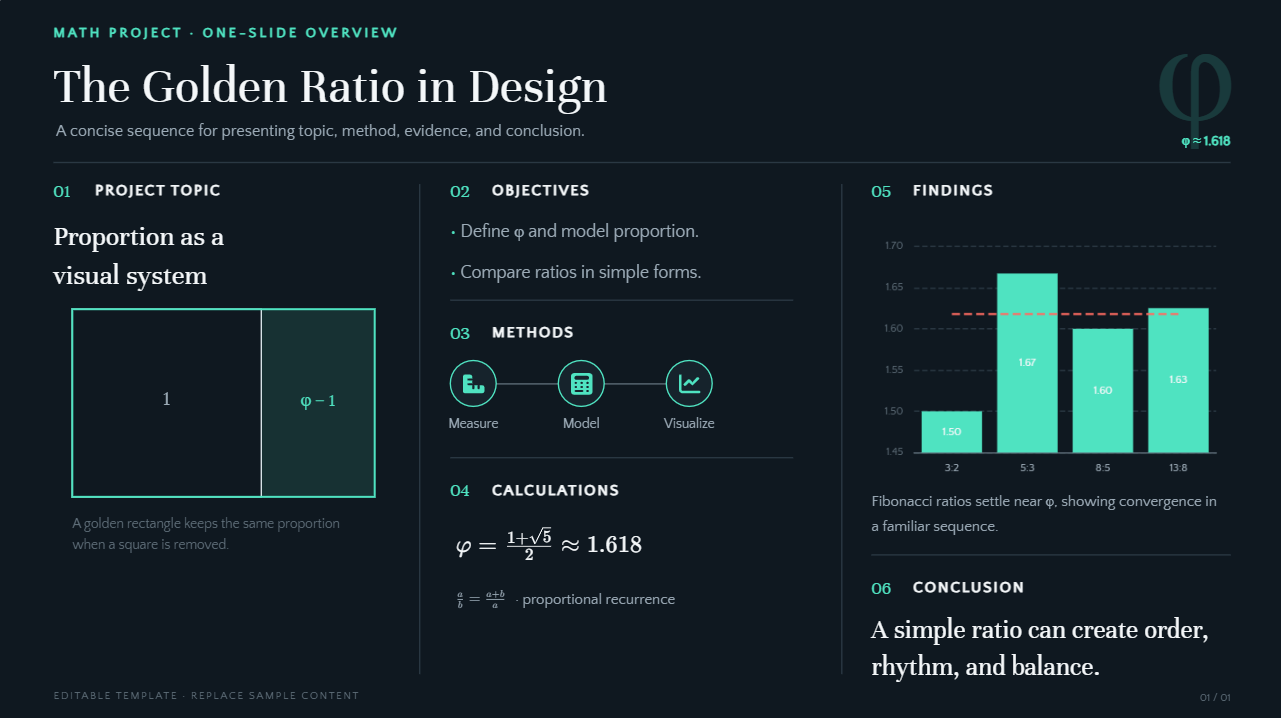
This PowerPoint math template helps present a mathematics project in a clear sequence, from the introduction and methods to the final results. It provides space for calculations, charts, findings, and other important project details. Students can combine short text with visuals to explain their work without overcrowding the slides. The polished layout makes academic projects easier to understand, present, and review.
How to use
Step 1: Enter your prompt
Enter the math project prompt into Kimi Slides.
Prompt:
Step 2: Let AI generate your PPT
The AI will generate project slides with calculations, visuals, findings, and key points.
Step 3: Review and export the PPT
Review the generated PPT, make changes if required, and export the final presentation.
Benefits of making mathematics presentations with Kimi Slides
Kimi Slides helps simplify complex mathematical topics by turning formulas, concepts, and data into clear and engaging slides. This AI PPT maker saves time when creating presentations and makes it easier to organize lessons in a logical way. Below are some of the main benefits of using Kimi Slides for mathematics presentations.
Organize complex math content into clear lessons: Convert formulas, theories, and problem-solving processes into structured presentation slides. Kimi Slides helps break down complex mathematical concepts into logical sections, making lessons easier to follow and understand.
Create visual explanations for complex math topics: Add diagrams, charts, illustrations, and other visual elements to explain concepts such as geometry, calculus, statistics, and algebra. Visual representations help students better understand relationships, patterns, and processes.
Generate math presentations with AI-powered research: Provide a topic or learning materials, and Kimi Slides can retrieve relevant high-quality information, enrich the content, and organize key concepts into structured slides, making math presentation creation faster and more efficient.
Refine slides with flexible editing: Use natural-language instructions to update explanations, improve layouts, modify visuals, or adjust the presentation style. You can also manually edit individual elements to fine-tune your math presentation.
Preview and export editable PPTX files: Review your mathematics presentation online before exporting it as a PPTX file. Continue editing text, charts, images, and layout.
What to look for when selecting a maths PPT template?
Choosing the right maths PPT template can make complex topics easier to explain and more enjoyable to follow. A good template should offer a clear layout, useful visuals, and enough space for formulas, examples, and key points. Below are some important factors to consider when selecting a math theme PowerPoint template.
Clear structure for mathematical content
Choose a template that arranges formulas, examples, definitions, and explanations in a logical order. A clear structure helps students follow the topic step by step and keeps important information easy to find during the presentation.
Space for diagrams and visual explanations
Mathematics often needs graphs, shapes, charts, and diagrams to explain ideas clearly. Select a design with enough space for these visuals without making the slides crowded. Well-placed visuals can make difficult concepts easier to understand.
Readable fonts and balanced contrast
Use simple, readable fonts that students can easily see on a screen or projector. Good contrast between the text and background improves visibility and makes formulas, numbers, and key points stand out clearly.
Consistent academic visual style
A professional style keeps colors, fonts, icons, and layouts consistent throughout the presentation. This creates a neat and organized appearance across all slides while keeping the audience focused on mathematical content.
Flexible layouts for different math topics
Choose a template that works well with equations, graphs, tables, diagrams, and written explanations. Different layouts enable you to present various mathematics topics more effectively while preventing every slide from looking exactly the same.
Easy customization and editing
Simple editing options make it easy to change text, formulas, colors, and visual elements. You should be able to adjust the slides without spending too much time on design changes, making the template practical for lessons, assignments, and projects.
Conclusion
Mathematics PowerPoint themes make it easier to explain complex formulas, concepts, and data while keeping presentations clear and engaging. Using a ready-made mathematics theme for PowerPoint helps save time and keeps slides organized, consistent, and visually appealing. With Kimi Slides, teachers and students can turn mathematical ideas into clear presentations in minutes, making it faster to create, refine, and share ready-to-use decks.