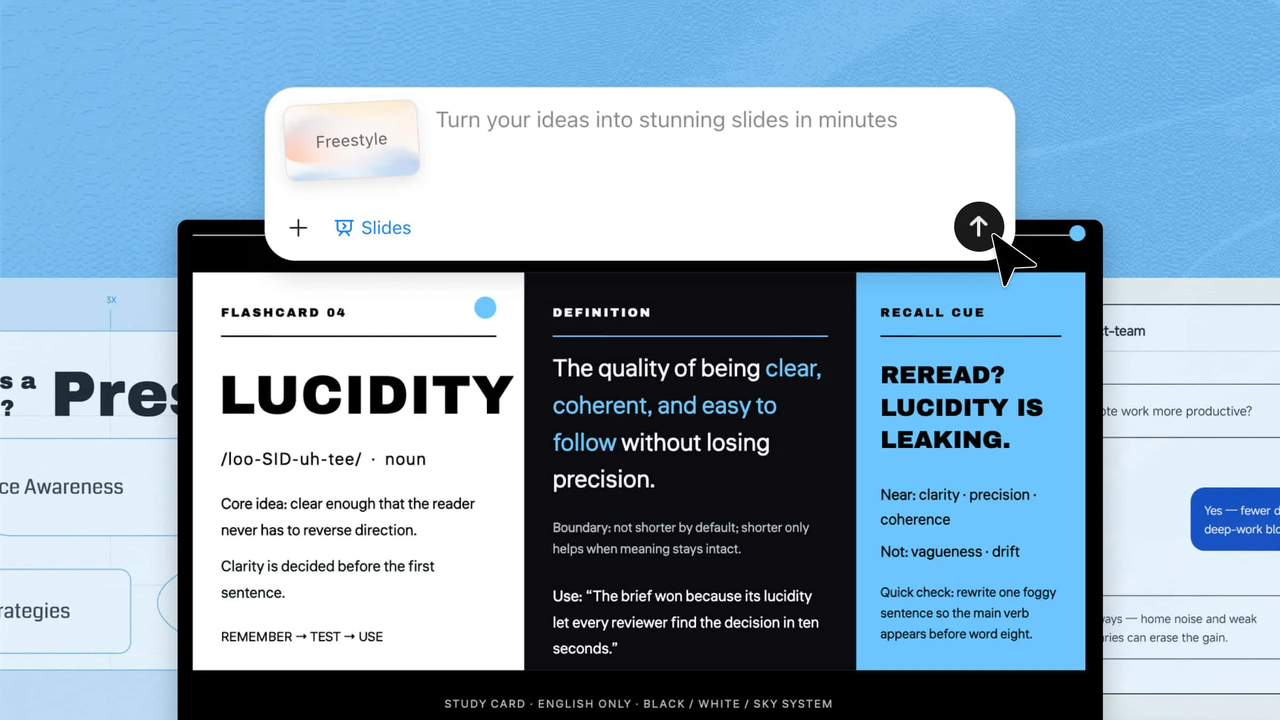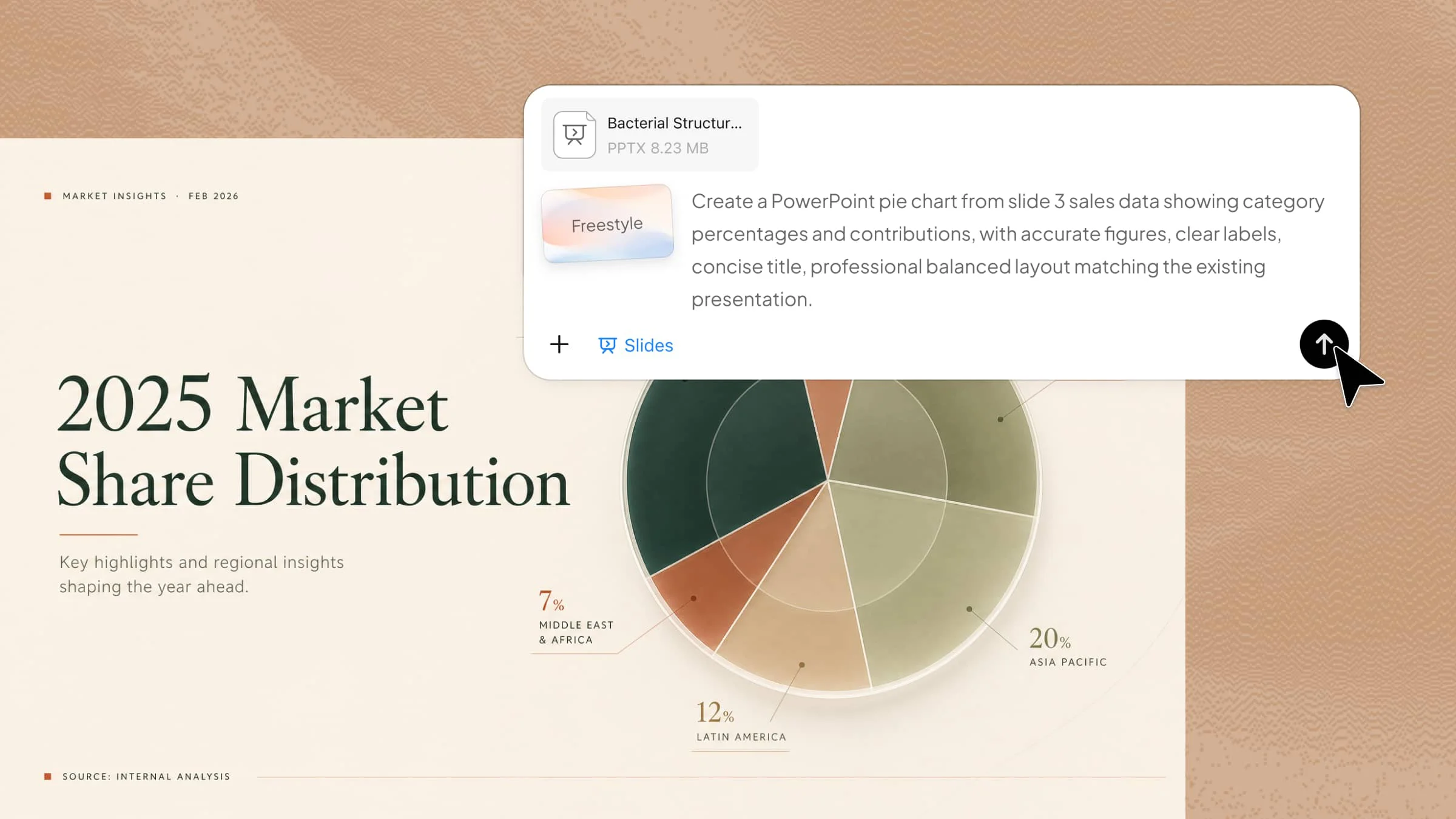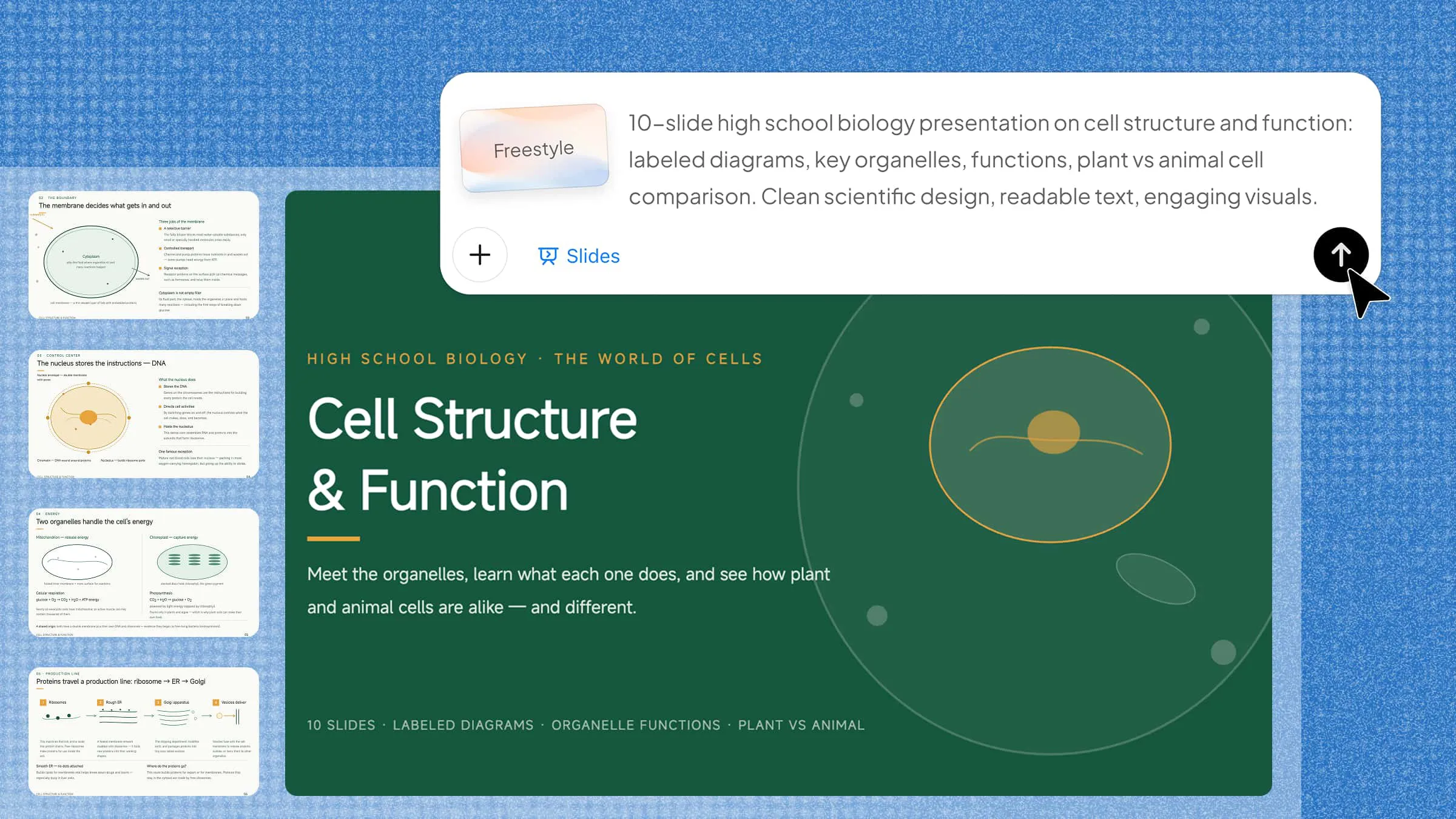
Finding the right science PowerPoint template can be challenging when presentations need to explain complex concepts, research findings, data, and experiments without overwhelming the audience. A well-designed template brings structure to scientific content and makes key ideas easier to understand. This guide explores 10 science PowerPoint templates to explore in 2026, with options for different topics, audiences, and presentation needs.
Overview of 10 scientific presentation PowerPoint templates
Scientific presentations cover very different subjects, so the right template can help match the visual style to the topic and make complex information easier to follow. The following 10 templates are designed for different fields of science, from biology and chemistry to astronomy and microbiology.
| Science PowerPoint template | Primary focus | Useful visual elements | Suitable for |
|---|---|---|---|
| Biology PowerPoint template | Living organisms and biological processes | Diagrams, illustrations, labeled figures | Biology lessons and research |
| Genetics PowerPoint template | Genes, DNA, and heredity | DNA diagrams, chromosomes, genetic charts | Genetics lessons and research |
| Chemistry PowerPoint template | Reactions, compounds, and laboratory concepts | Molecular diagrams, formulas, reaction charts | Chemistry presentations |
| Physics PowerPoint template | Laws, forces, motion, and energy | Graphs, equations, diagrams | Physics lessons and projects |
| Environmental science PPT template | Climate, ecosystems, and sustainability | Maps, data charts, nature visuals | Environmental studies |
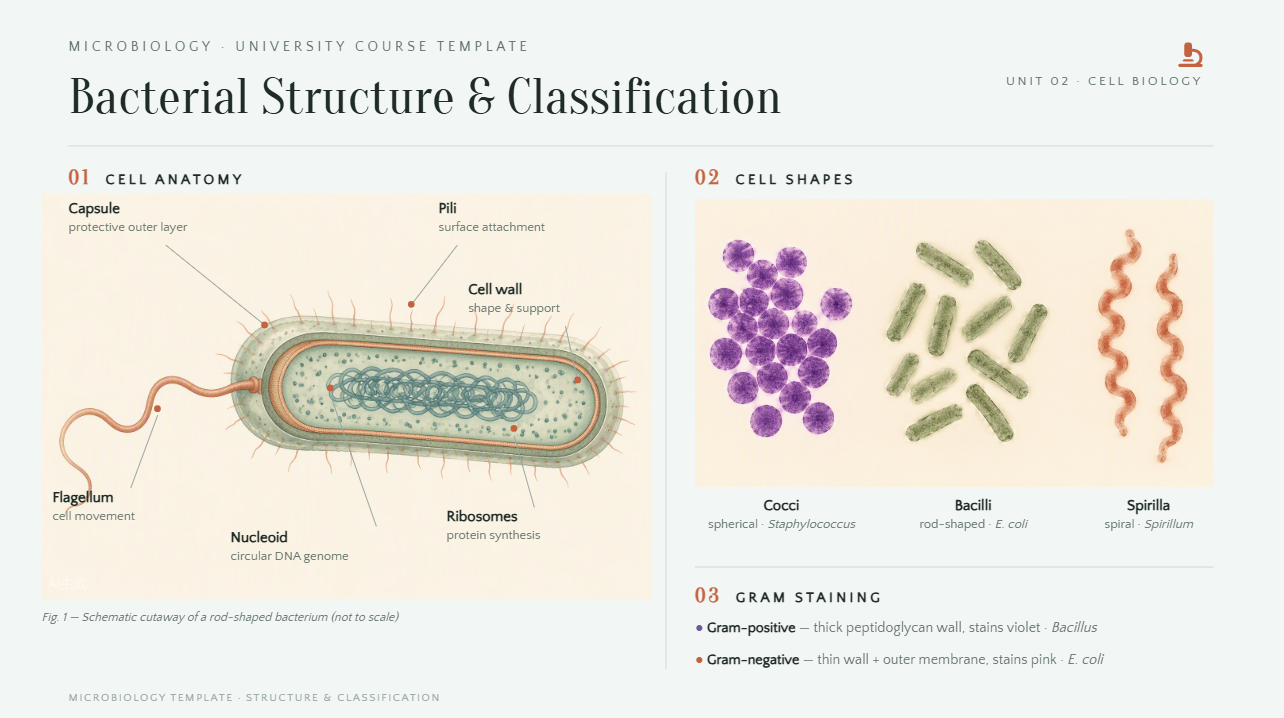
| Microbiology PowerPoint template | Microorganisms and microbial processes | Microscopy images, cell diagrams, process charts | Microbiology lessons and research |
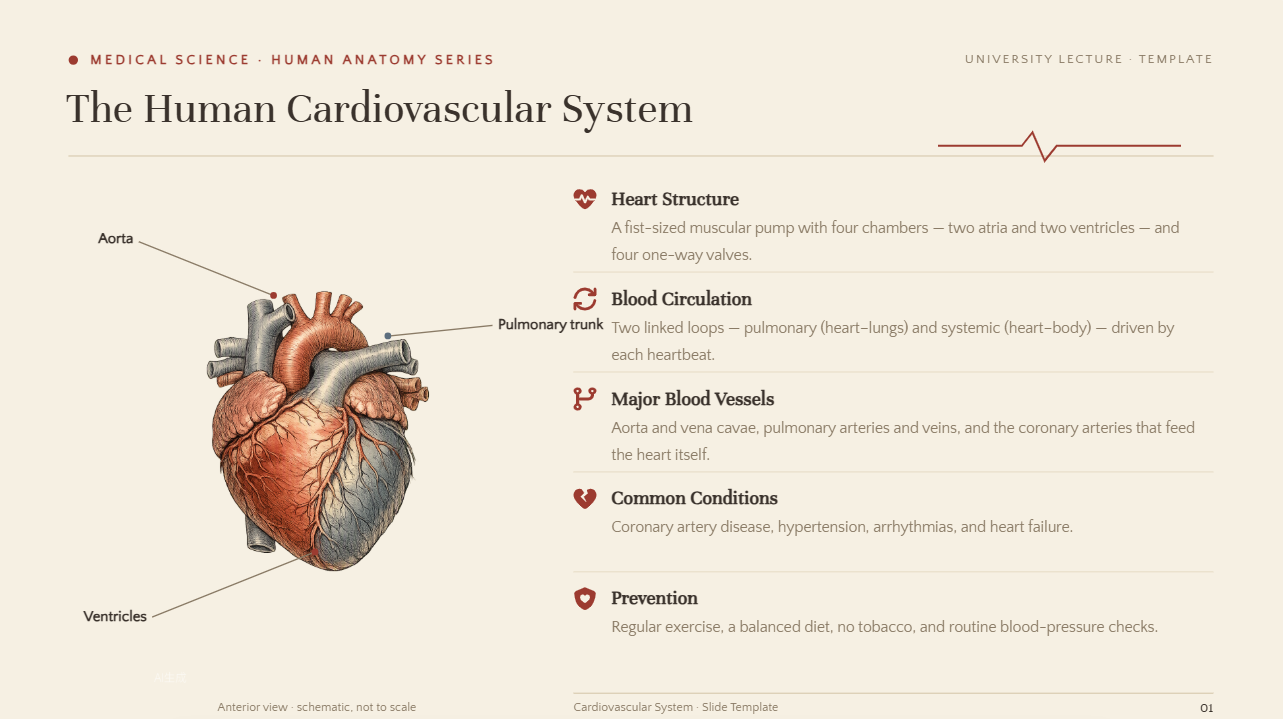
| Medical science PPT template | Diseases, treatments, and healthcare topics | Medical illustrations, charts, data | Medical and health presentations |
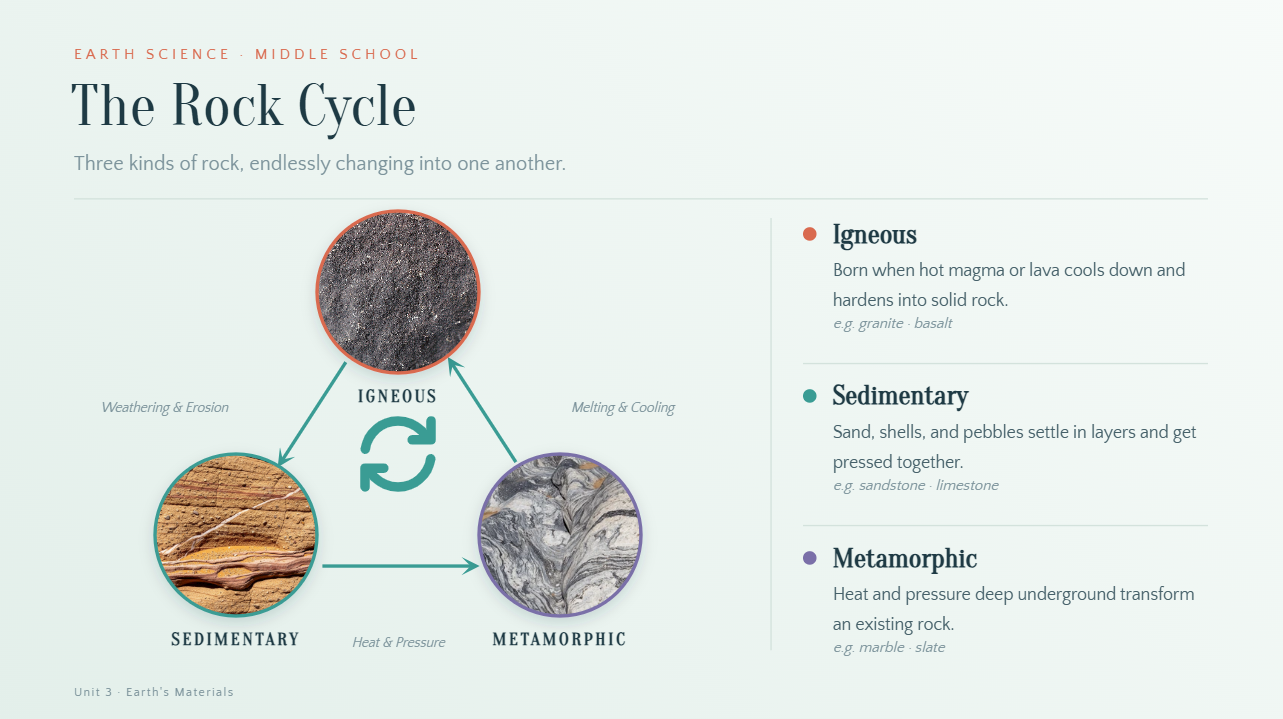
| Earth science PowerPoint template | Earth systems, geology, and natural processes | Maps, geological diagrams, cross-sections | Earth science presentations |
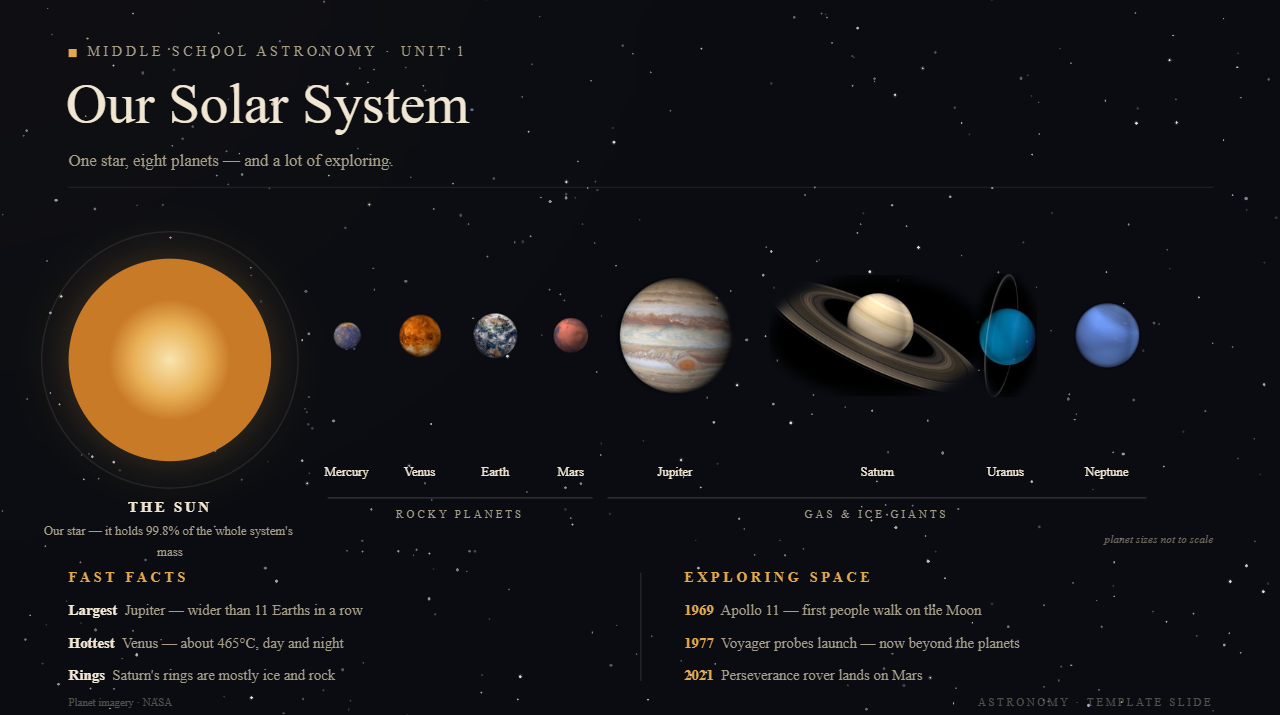
| Astronomy PowerPoint template | Space, planets, and celestial systems | Space imagery, diagrams, timelines | Astronomy and space topics |
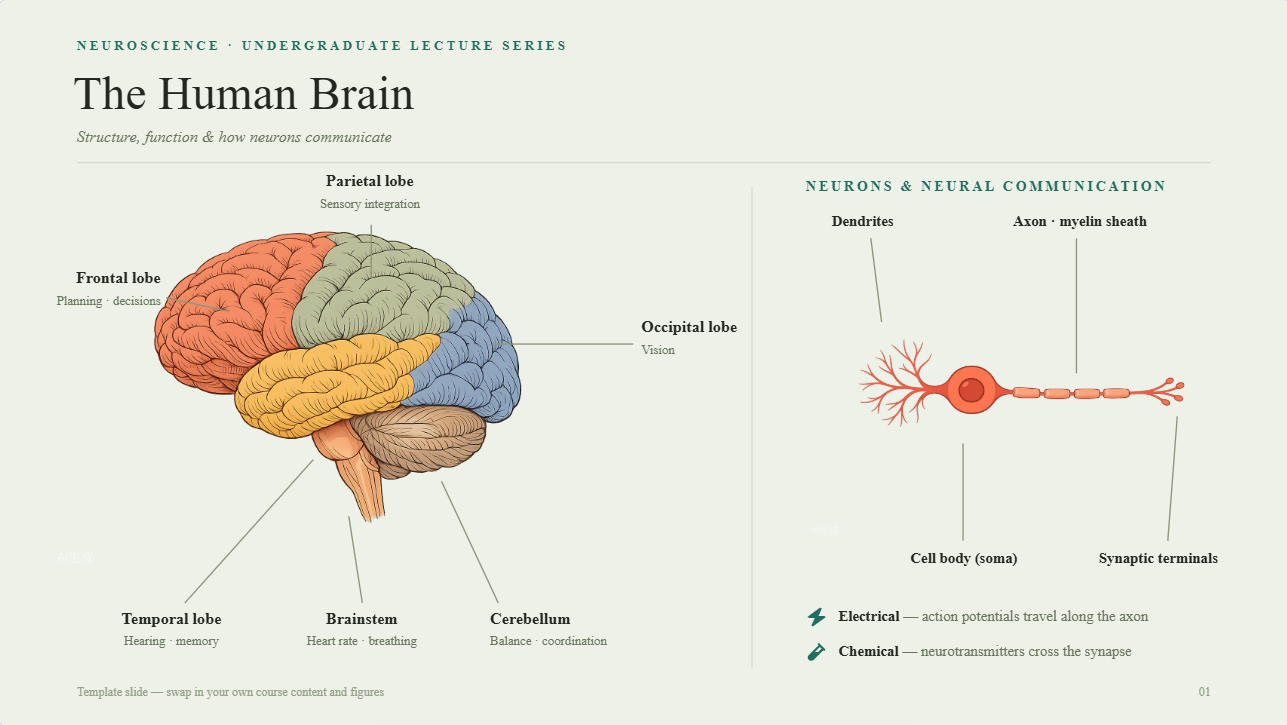
| Neuroscience PowerPoint template | Brain structure and nervous-system function | Brain diagrams, neural illustrations, charts | Neuroscience and medical research |
10 scientific PowerPoint examples your class will love
Science topics can become much easier to understand when complex concepts are supported by clear visuals, diagrams, and well-organized slides. These examples show how different science PowerPoint templates can be adapted for classroom lessons, projects, and scientific presentations.
Kimi Slides is an AI presentation maker that helps teachers and students create polished presentations from a simple topic or prompt. It can generate slide structures, visuals, and layouts that fit different science subjects, which you can then customize for your class or project.
Biology PowerPoint template
A science PowerPoint template can make biology topics easier to explain through diagrams, labeled visuals, and organized content. This format works well for topics such as cells, anatomy, ecosystems, and biological processes. It helps students and teachers present scientific information without overcrowding the slides.
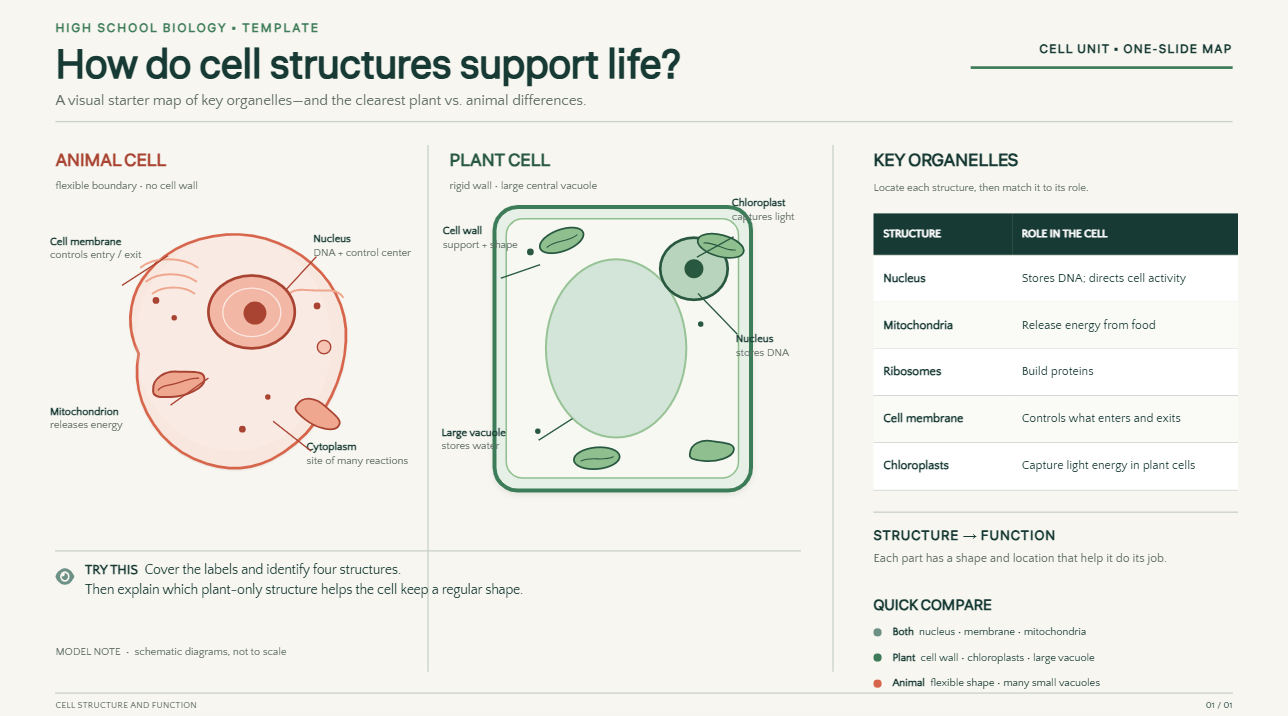
How to use
Step 1: Enter your prompt
Access Kimi Slides and describe the biology topic, audience, presentation length, and visual requirements.
Prompt:
Step 2: Let AI generate your PPT
Submit the prompt and let Kimi Slides create the presentation with structured content, relevant visuals, and organized layouts.
Step 3: Review and export the PPT
Check the scientific information, diagrams, and slide structure. Make any necessary edits, then export the completed presentation.
Genetics PowerPoint template
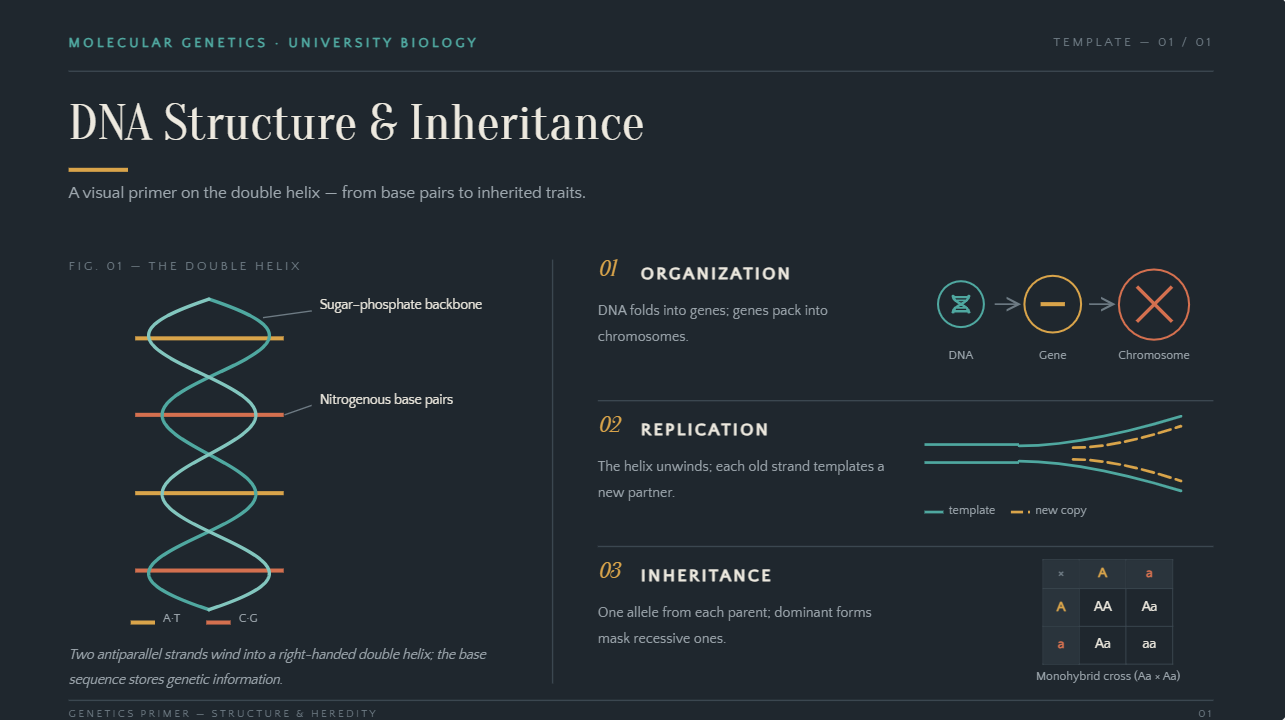
A scientific PowerPoint can make genetics topics easier to present by combining DNA diagrams, chromosome illustrations, and clearly organized explanations. It works well for lessons and projects covering genes, heredity, DNA structure, and genetic processes.
How to use
Step 1: Enter your prompt
Enter the genetics topic, academic level, concepts, and visual requirements in Kimi Slides.
Prompt:
Step 2: Let AI generate your PPT
Kimi Slides organizes the genetic concepts into a logical sequence and adds suitable diagrams and explanations.
Step 3: Review and export the PPT
Review terminology, diagrams, processes, and scientific details. Refine the slides where necessary and export the final presentation.
Chemistry PowerPoint template
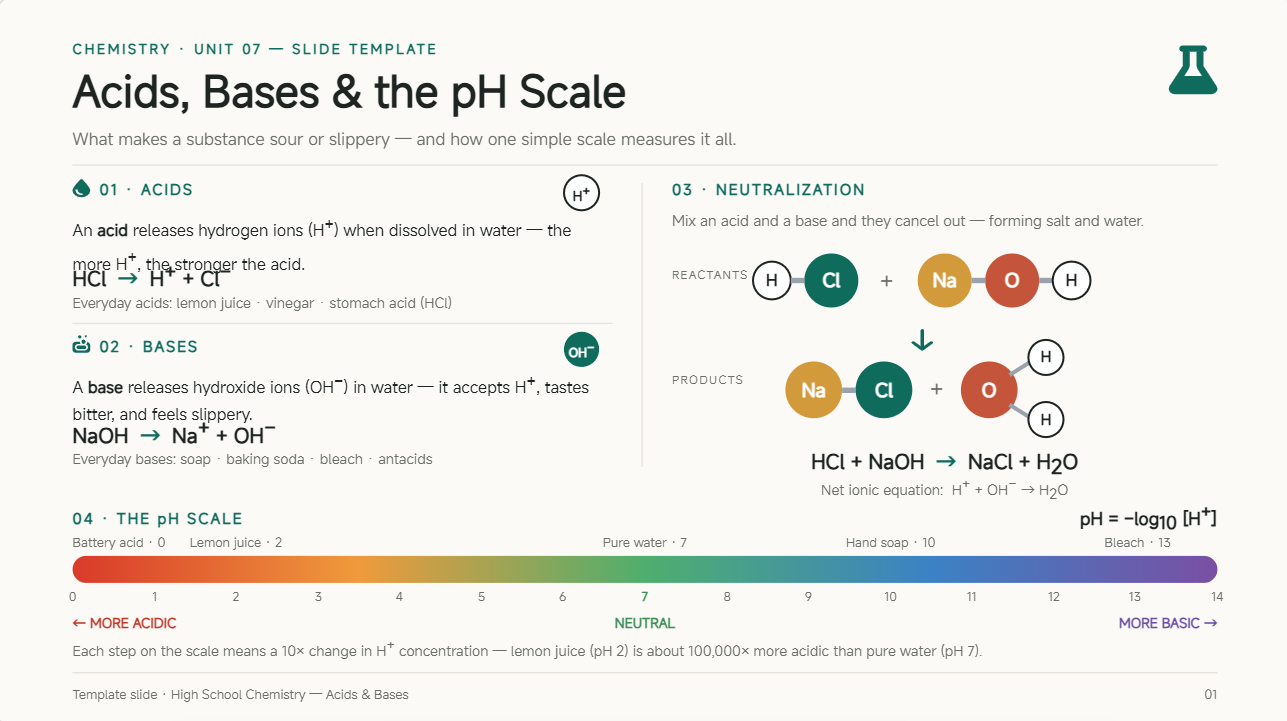
A scientific presentation PowerPoint template can make chemistry topics more organized and easier to understand. It can bring together formulas, chemical reactions, molecular structures, and laboratory concepts in a clear visual format for classroom or academic use.
How to use
Step 1: Enter your prompt
Access Kimi Slides and provide the chemistry topic, target audience, key concepts, and preferred visual style.
Prompt:
Step 2: Let AI generate your PPT
Kimi Slides organizes the chemistry concepts into slides and adds suitable diagrams, examples, and visual elements.
Step 3: Review and export the PPT
Review the formulas, reactions, visuals, and explanations for accuracy. Make final adjustments and export the presentation.
Physics PowerPoint template
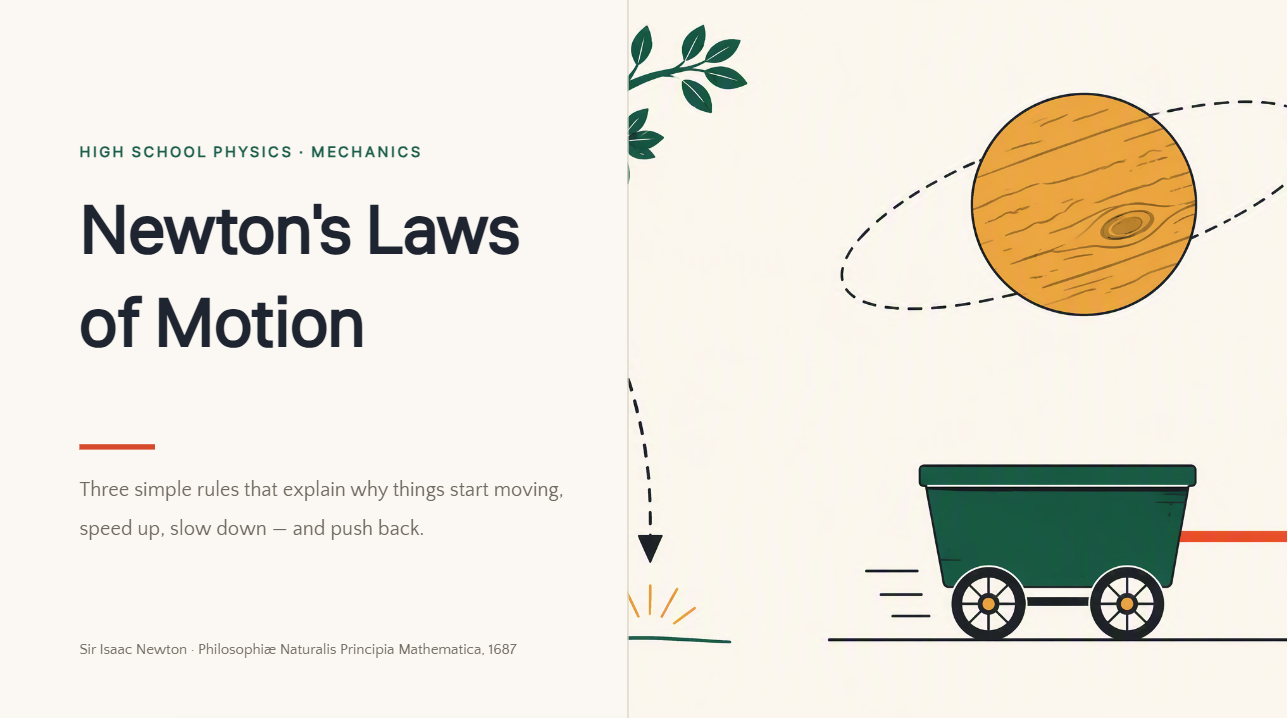
A science PowerPoint template can help simplify physics topics involving motion, forces, energy, electricity, and physical laws. Graphs, equations, diagrams, and real-world examples can be arranged logically so students can connect mathematical concepts with practical applications.
How to use
Step 1: Enter your prompt
Access Kimi Slides and enter the physics topic, learning level, important formulas, and examples you want included.
Prompt:
Step 2: Let AI generate your PPT
Kimi Slides generates the slide structure and organizes formulas, explanations, diagrams, and examples.
Step 3: Review and export the PPT
Check the equations, diagrams, examples, and explanations. Refine anything needed before exporting the final PPT.
Environmental science PPT template
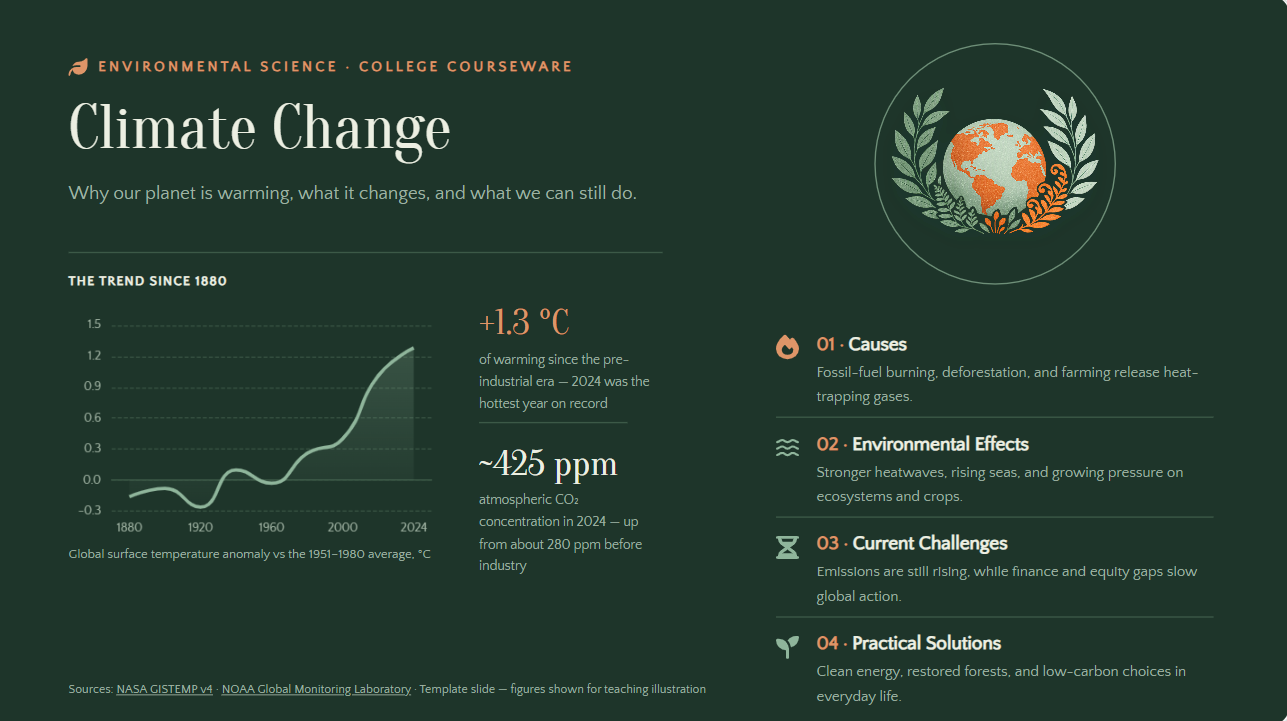
An environmental science PPT template helps present topics such as climate change, pollution, ecosystems, conservation, and sustainability. Maps, charts, environmental images, and data visualizations can make these topics more engaging. The template works well for classroom lessons, research projects, and awareness presentations.
How to use
Step 1: Enter your prompt
Access Kimi Slides and describe the environmental topic, audience, key data, and visual direction.
Prompt:
Step 2: Let AI generate your PPT
Kimi Slides builds the presentation by organizing the topic into clear sections with relevant visuals and data elements.
Step 3: Review and export the PPT
Review the statistics, sources, charts, and explanations carefully. Make any final changes and export the completed PPT.
Microbiology PowerPoint template
A science project template PowerPoint can help organize microbiology topics such as microorganisms, bacterial structures, laboratory methods, and microbial processes. Microscopy images, cell diagrams, and process illustrations can make detailed information easier for students to understand.
How to use
Step 1: Enter your prompt
Access Kimi Slides and provide the microbiology topic, academic level, important concepts, and visual requirements.
Prompt:
Step 2: Let AI generate your PPT
Kimi Slides generates the presentation by organizing microbiology concepts with diagrams, explanations, and relevant visuals.
Step 3: Review and export the PPT
Check the scientific content, terminology, diagrams, and examples for accuracy. Make any final changes and export the presentation.
Medical science PPT template
A scientific presentation template can help organize detailed medical topics such as diseases, treatments, anatomy, and healthcare research. Medical illustrations, charts, and structured sections make complex information easier to explain in academic and educational presentations.
How to use
Step 1: Enter your prompt
Access Kimi Slides and specify the medical topic, intended audience, presentation length, and information you want to cover.
Prompt:
Step 2: Let AI generate your PPT
Kimi Slides creates an organized presentation with medical diagrams, explanations, and supporting visuals.
Step 3: Review and export the PPT
Carefully review the medical information, terminology, diagrams, and references. Make final edits and export the presentation.
Earth science PowerPoint template
A PowerPoint template for a science presentation can help explain Earth systems, geology, rocks, natural resources, and weather through maps and visual diagrams. Cross-sections, photographs, and process illustrations make Earth science concepts easier to understand.
How to use
Step 1: Enter your prompt
Open Kimi Slides and provide the Earth science topic, target audience, key concepts, and preferred visual style.
Prompt:
Step 2: Let AI generate your PPT
Kimi Slides creates a structured presentation with diagrams, explanations, and relevant Earth science visuals.
Step 3: Review and export the PPT
Check the scientific information, diagrams, labels, and examples. Make final adjustments and export the presentation.
Astronomy PowerPoint template
A science project template PowerPoint can make astronomy topics such as planets, galaxies, stars, and space exploration more engaging for students. Space imagery, diagrams, timelines, and comparisons can help explain complex astronomical concepts clearly.
How to use
Step 1: Enter your prompt
Open Kimi Slides and provide the astronomy topic, audience, key facts, and preferred space-themed design.
Prompt:
Step 2: Let AI generate your PPT
Kimi Slides generates the slide structure and combines explanations with astronomy visuals and comparisons.
Step 3: Review and export the PPT
Check the facts, planet information, images, and slide sequence. Make any necessary edits before exporting.
Neuroscience PowerPoint template
A PowerPoint template for science can support detailed neuroscience topics by combining brain diagrams, neural illustrations, and process visuals. It is useful for explaining brain structure, nervous system functions, neurons, and cognitive processes without overcrowding the slides.
How to use
Step 1: Enter your prompt
Open Kimi Slides and describe the neuroscience topic, audience, key concepts, and desired presentation style.
Prompt:
Step 2: Let AI generate your PPT
Kimi Slides structures the information into clear sections and adds diagrams and visual explanations.
Step 3: Review and export the PPT
Review the scientific terminology, diagrams, and explanations carefully. Make final edits and export the completed PPT.
Why choose Kimi Slides to create science presentations
Creating a clear science presentation can be challenging when you need to balance complex information, visuals, data, and readability. The right AI PPT maker can simplify this process while helping you build structured and engaging slides for different scientific topics.
Transform scientific information into clear presentation structures: Turn complex concepts, research notes, and learning materials into organized slides with logical sections. Kimi Slides helps arrange scientific explanations, processes, and findings into a format that is easier to present and understand.
Visualize abstract scientific concepts: Use diagrams, illustrations, charts, and other visual elements to explain scientific processes, experiments, structures, and data. This makes topics that are difficult to describe with text alone more accessible.
Create presentations for different science scenarios: Build slides for classroom lessons, laboratory reports, research presentations, or science projects. Kimi Slides adapts the content structure based on your topic, audience, and presentation goals.
Enhance science presentations with reliable materials: Start with a scientific topic or idea, and Kimi Slides can search for high-quality sources, gather relevant information, and integrate reliable references into your presentation. This helps you create well-supported science slides with accurate and credible content.
Refine scientific slides with smart editing: Use natural-language instructions to update explanations, adjust layouts, improve visuals, or reorganize content. You can refine individual elements to make the presentation more accurate and engaging.
Preview and export editable PPTX files: Review your science presentation online before exporting it as a PPTX file. Continue editing text, charts, images, and layouts in PowerPoint before sharing or presenting.
Tips for creating better science PowerPoint templates
Creating an effective science presentation requires more than choosing attractive slides. A good PowerPoint template for science should support clear explanations, accurate information, and engaging visuals. The following tips can help you build presentations that are easier for your audience to understand and follow.
Define the scientific topic and presentation goal
Start by identifying the exact topic and the main purpose of your presentation. Knowing what you want the audience to learn will help you select relevant information and avoid unnecessary details.
Organize scientific information with a logical flow
Arrange your content in a clear sequence, moving from the introduction to key concepts, evidence, and the conclusion. A logical structure helps the audience follow your explanation and understand how different ideas connect.
Use visuals and data to explain scientific concepts
Include diagrams, charts, images, and relevant data when they can clarify complex ideas. Choose visuals that directly support your explanation and avoid adding elements that distract from the main scientific message.
Keep formulas, terms, and explanations readable
Use clear fonts, appropriate spacing, and concise text when presenting formulas and technical information. Break complicated explanations into smaller sections so the audience can understand them more easily.
Choose a design style that fits the science topic
Select colors, images, layouts, and other design elements that complement your subject. A consistent visual style can make the presentation look more organized while keeping attention on the scientific content.
Balance scientific accuracy with audience understanding
Present accurate information while considering your audience's existing knowledge and level of understanding. Explain technical terms clearly and avoid unnecessary complexity that could make the topic harder to follow.
Review scientific details before presenting
Check formulas, statistics, labels, terminology, references, and other important details before presenting your slides. A final review helps identify mistakes and ensures the information is clear and reliable.
Conclusion
The right PowerPoint template for science can make complex scientific topics easier to explain, understand, and remember. From biology and chemistry to environmental science and microbiology, choosing a suitable layout, organizing information logically, and using relevant visuals can strengthen your presentation. With tools such as Kimi Slides, you can also create and customize engaging scientific presentations more efficiently while keeping the content clear and audience-focused.