Businesses deal with large amounts of information and tasks every day, making it easy for important work to get delayed. AI gives teams a way to handle some of this workload faster while keeping their focus on higher-value tasks. It can support research, track updates, organize information, and turn ideas into useful business assets. Discover examples of AI in business in this article to find practical ways AI can fit into modern workflows.
Overview of 10 examples of artificial intelligence in business
AI can support businesses across many areas, from customer service and marketing to data analysis and risk management. The examples of AI applications in business below show how different teams can use AI to reduce manual work, find useful insights, and improve everyday processes.
| AI business example | How businesses use AI | Common use cases |
|---|---|---|
| AI customer service and chatbots | AI-powered assistants handle customer questions, provide instant responses, and route complex issues to human agents. | 24/7 customer support, FAQ automation, ticket classification, customer self-service |
| AI marketing content creation | Businesses use generative AI to create and optimize marketing materials across different channels. | Blog writing, social media posts, ad copy, email campaigns, content repurposing |
| AI-powered sales assistance | AI helps sales teams identify opportunities, analyze customer data, and improve outreach strategies. | Lead qualification, personalized recommendations, sales forecasting, follow-up automation |
| AI data analysis and business insights | AI analyzes large amounts of business data to identify patterns, trends, and actionable insights. | Market research, performance tracking, customer behavior analysis, decision support |
| AI workflow and task automation | AI automates repetitive business processes and coordinates tasks across different systems. | Document processing, report generation, scheduling, internal requests, approval workflows |
| AI employee support and knowledge management | AI assistants help employees quickly find information and complete workplace tasks. | Internal Q&A, IT support, onboarding assistance, company knowledge search |
| AI recruitment and HR management | AI supports hiring teams by analyzing candidates and improving employee management processes. | Resume screening, interview scheduling, employee training recommendations, workforce planning |
| AI supply chain and inventory optimization | AI predicts demand and helps businesses optimize inventory, logistics, and resource allocation. | Demand forecasting, stock management, delivery route optimization, warehouse operations |
| AI product development and design | AI helps teams generate ideas, create prototypes, and improve products based on data and user feedback. | Product concepts, design generation, user research analysis, prototype creation |
| AI fraud detection and risk management | AI identifies unusual patterns and potential risks by analyzing large volumes of transactions and data. | Fraud prevention, cybersecurity monitoring, compliance checks, financial risk analysis |
10 examples of AI in business to explore
With so many ways to apply AI, it helps to look at real business tasks rather than just the technology itself. The following examples of AI use in business show how companies can use it to solve everyday challenges, save time, and support better workflows.
Customer service
AI is transforming customer service by helping businesses respond to customer needs faster and more efficiently. AI-powered tools can understand customer questions, provide instant answers, and assist support teams with handling large volumes of requests. By automating repetitive interactions, businesses can reduce response times while allowing human agents to focus on more complex issues that require personal attention.
Key applications
AI chatbots for instant support: Answer common questions, provide product information, and guide customers through basic troubleshooting.
Automated ticket classification: Categorize customer requests by topic, urgency, or department to speed up response times.
AI-powered reply suggestions: Generate personalized response drafts based on customer history and conversation context.
Customer sentiment analysis: Analyze feedback and conversations to identify customer concerns and improve service quality.
Real-world example: Autodesk uses AI to handle customer inquiries
Autodesk developed a virtual customer service agent using IBM Watson Assistant. The AI uses natural language processing and deep learning to understand the intent and context of customer inquiries and provide answers automatically. According to IBM's published case study, the virtual agent supports around 100,000 conversations per month and recognizes 60 distinct use cases, helping customer service teams focus on more complex requests.
Marketing content creation
Generative AI helps businesses create marketing content more efficiently while maintaining consistency across different channels. Marketing teams can use AI to generate ideas, draft content, adapt messaging for different audiences, and speed up creative workflows. Instead of starting from scratch, teams can use AI as a creative partner to support campaign planning and content production.
Key applications
Blog and article generation: Create content outlines, drafts, summaries, and SEO-focused materials.
Social media content creation: Generate captions, post ideas, and campaign concepts for different platforms.
Email marketing optimization: Draft personalized emails and adjust messaging based on customer segments.
Ad copy generation and testing: Create multiple versions of headlines, descriptions, and promotional messages.
Real-world example: Coca-Cola uses generative AI for creative campaigns
Coca-Cola launched Create Real Magic, an AI-powered platform developed by OpenAI and Bain & Company. The campaign allowed users to create original artwork using Coca-Cola's branded assets and generative AI. Coca-Cola later expanded its use of generative AI into holiday campaigns and other consumer-facing creative experiences.
Sales assistance
AI helps sales teams improve efficiency by analyzing customer information, automating repetitive tasks, and providing insights throughout the sales process. From identifying potential customers to preparing personalized outreach, AI enables sales professionals to spend less time on administrative work and more time building customer relationships.
Key applications
Lead scoring and qualification: Analyze customer behavior to identify high-potential leads.
Sales email automation: Generate personalized outreach emails and follow-up messages.
Meeting summaries and action items: Extract key points from sales conversations and create follow-up tasks.
Sales forecasting: Analyze historical data to predict future sales trends.
Real-world example: KPN uses AI to support sales teams
KPN implemented Microsoft 365 Copilot for Sales with Salesforce to support its marketing and sales teams. The company uses AI tools to assist with lead generation and qualification, automate routine tasks, improve customer data quality, and support sales proposals. KPN began with a proof of concept involving 50 marketing and sales employees.
Data analysis & insights
Businesses generate large amounts of data every day, but turning that information into useful insights can be challenging. AI helps companies analyze complex datasets, identify patterns, and discover trends that may not be obvious through manual analysis. This allows teams to make faster, data-driven decisions and better understand customers, markets, and business performance.
Key applications
Automated reporting: Summarize business data and generate reports faster.
Trend analysis: Identify changes in customer behavior and market conditions.
Predictive analytics: Forecast demand, sales performance, and future outcomes.
Data summarization: Turn large datasets into clear business insights.
Real-world example: Wipro Enterprises uses AI to generate sales insights
Wipro Enterprises built a sales transformation platform using Vertex AI and BigQuery. Its recommendation engine analyzes historical sales, local buying trends, and outlet purchasing power to generate product recommendations for sales teams. Google Cloud reports that the approach increased the number of product lines per retail outlet by 15% to 20%.
Workflow automation
AI-powered automation helps businesses streamline everyday operations by reducing repetitive manual tasks and improving workflow efficiency. Unlike traditional automation that follows fixed rules, AI can understand information, make decisions, and adapt to different situations. This allows teams to automate more complex processes across departments.
Key applications
Document processing: Extract information from invoices, contracts, and business documents.
Task automation: Handle recurring tasks such as scheduling, reporting, and reminders.
Workflow coordination: Connect different steps in business processes and reduce manual handoffs.
Information retrieval: Quickly find relevant data from internal resources.
Real-world example: BMW Group uses generative AI to automate procurement reviews
BMW Group worked with AWS and Boston Consulting Group to develop Offer Analyst, a generative AI solution for procurement. The tool helps procurement teams analyze supplier offers and streamline a process that previously required substantial manual work and coordination.
Employee productivity & knowledge management
AI assistants are becoming valuable tools for improving employee productivity and internal collaboration. By connecting with company knowledge sources, AI can help employees quickly find answers, understand processes, and complete daily tasks. This reduces time spent searching for information and allows teams to focus on higher-value work.
Key applications
Enterprise knowledge search: Find information from internal documents and databases.
Employee onboarding support: Answer common questions about company policies and processes.
Meeting assistance: Summarize discussions and create action items.
Internal support assistants: Help employees solve HR, IT, and operational questions.
Real-world example: Starbucks uses generative AI to support employees
Starbucks introduced Green Dot Assist, a generative AI-powered virtual assistant designed for coffeehouse employees. Baristas can ask questions through in-store iPads and receive conversational answers about recipes, routines, service standards, inventory guidance, and other operational information. Starbucks initially piloted the tool in 35 coffeehouses.
HR & recruitment
AI is helping HR teams improve hiring processes and manage employee-related activities more efficiently. By analyzing candidate information and automating administrative tasks, AI can reduce the workload of HR professionals while supporting better workforce planning and employee experiences.
Key applications
Resume screening: Identify candidates whose skills match job requirements.
Interview scheduling: Automate communication and calendar management.
Employee development: Recommend personalized training resources.
Workforce analysis: Identify hiring trends and staffing needs.
Real-world example: Silver Egg Technology uses generative AI for resume screening
Silver Egg Technology partnered with IBM to test watsonx.ai for screening resumes against job descriptions. The company provided sample CVs and job descriptions so the system could evaluate candidates and identify potentially suitable applicants. IBM reports that the proof of concept indicated the potential to make the hiring process 75% faster.
Supply chain optimization
AI helps businesses build smarter and more responsive supply chains by analyzing demand patterns, optimizing resources, and predicting potential disruptions. Companies can use AI to improve inventory management, reduce operational costs, and make faster decisions across logistics and procurement processes.
Key applications
Demand forecasting: Predict future customer demand and seasonal changes.
Inventory optimization: Maintain the right stock levels and reduce waste.
Logistics planning: Improve delivery routes and transportation efficiency.
Supplier management: Analyze supplier performance and risks.
Real-world example: Amazon uses AI to forecast product demand
Amazon uses AI and machine learning through its Supply Chain Optimization Technologies (SCOT) to forecast demand and determine what products to stock, in what quantities, and at which fulfillment facilities. Amazon says its systems forecast demand for hundreds of millions of products each day. Its newer forecasting model also considers factors such as weather and holiday schedules when predicting regional demand.
Product development
AI supports product teams throughout the development process, from researching customer needs to creating early concepts and improving designs. By analyzing feedback and generating ideas, AI helps businesses explore more possibilities and bring products to market more efficiently.
Key applications
Customer research analysis: Identify user needs from reviews and feedback.
Product ideation: Generate new concepts based on market opportunities.
Prototype creation: Quickly create early versions of product ideas.
Design improvement: Suggest adjustments based on user preferences.
Real-world example: Mabe uses machine learning to improve product development
Mabe, a major home appliance manufacturer, uses machine learning and data visualization to analyze sensor data from products in the field. The company uses insights to understand how customers use its appliances, predict possible failures, and inform the development of new product models. Siemens reports that the approach helped Mabe improve its product development process and create more efficient development strategies.
Fraud detection & risk management
AI helps businesses identify potential risks by analyzing large amounts of data and detecting unusual patterns. From financial transactions to cybersecurity monitoring, AI can help organizations respond to threats faster and improve overall risk management processes.
Key applications
Fraud detection: Identify suspicious transactions and abnormal activities.
Cybersecurity monitoring: Detect potential security threats.
Risk assessment: Analyze data to predict possible business risks.
Compliance monitoring: Review documents and activities for regulatory requirements.
Real-world example: Mastercard uses AI to detect payment fraud
Mastercard uses AI and machine learning to analyze payment activity and support real-time fraud detection and risk decisioning. Its Transaction Risk Management solution, powered by Mastercard's Brighterion AI, evaluates transactions in real time to identify potential fraud while helping reduce false positives. Mastercard reports that technology can detect incremental fraud by up to 40% with minimal impact on the customer experience.
Use AI to streamline complex business tasks with Kimi Work
Once you see how AI can support different parts of a business, the real value comes from putting those capabilities into practice. Teams need tools that can handle complex work without adding more steps to their daily processes.
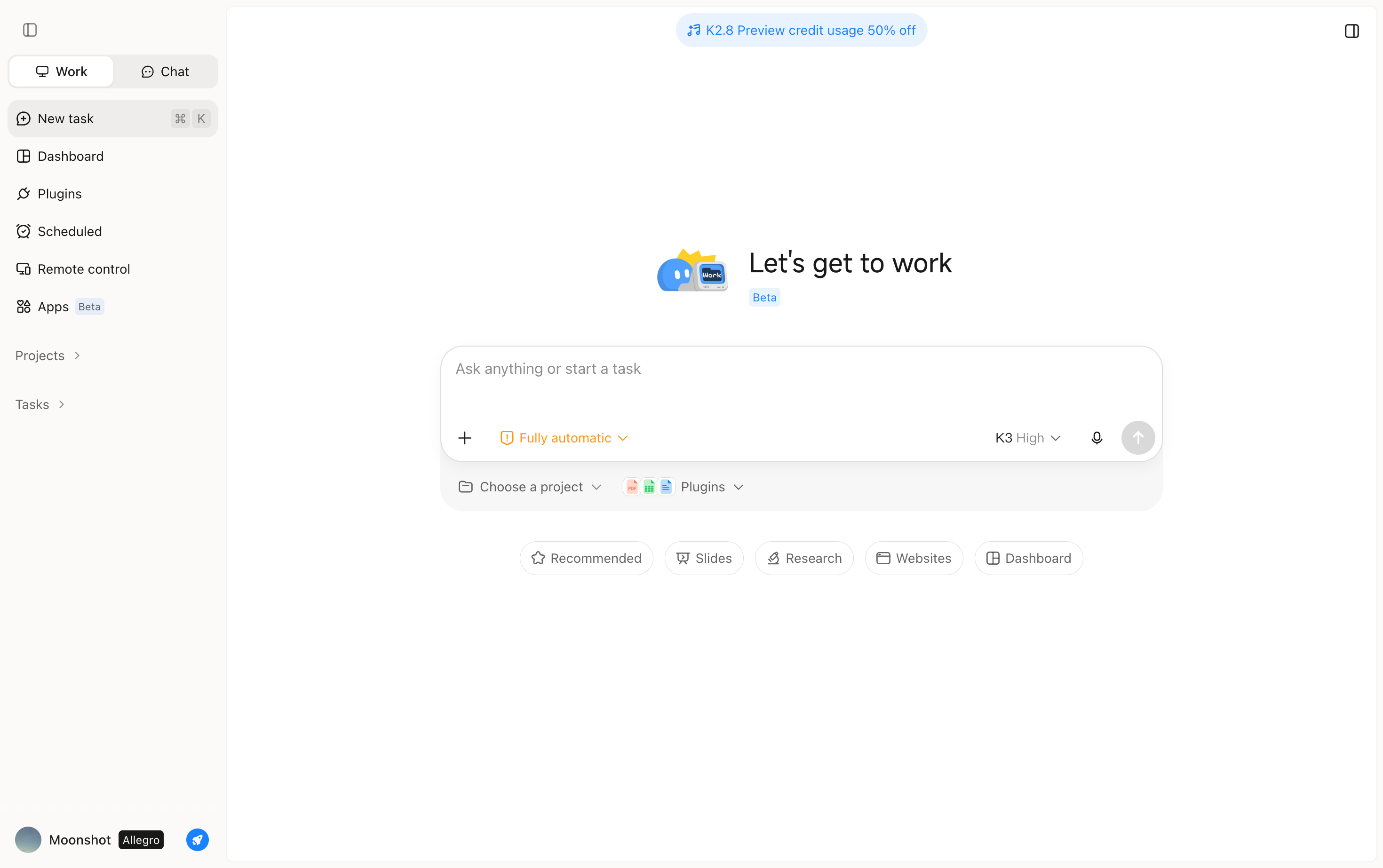
Kimi Work gives teams a practical way to use AI for research, content creation, analysis, and other demanding tasks. It can help employees work with large amounts of information and turn it into clear, useful outputs. Teams can also use it to support collaboration and handle complex work more efficiently. This makes Kimi Work a useful option for businesses looking to bring AI into their daily workflows.
Main features
Complex business work often involves several steps, tools, and sources of information. Kimi Work helps bring these steps together so teams can spend less time managing the process and more time using the results. Here are the main features that support these workflows.
Turn business goals into completed tasks: Kimi Work helps businesses move from defining objectives to achieving results. Simply provide a business goal and expected outcome, and it can break down the work, plan the necessary steps, execute tasks, and review progress along the way without requiring users to provide every instruction manually.
Conduct complex research with multiple AI agents: Kimi Work uses Agent Swarm to handle complex business research through multiple AI agents working in parallel. It can divide a broad research task into different areas, such as competitor analysis, customer insights, pricing research, and market trends, then combine the findings into a comprehensive analysis.
Work with your business context and data: Kimi Work can understand your business context by working with local files, folders, web resources, and professional databases. This allows it to analyze relevant business materials and generate outputs based on your actual information rather than providing generic responses.
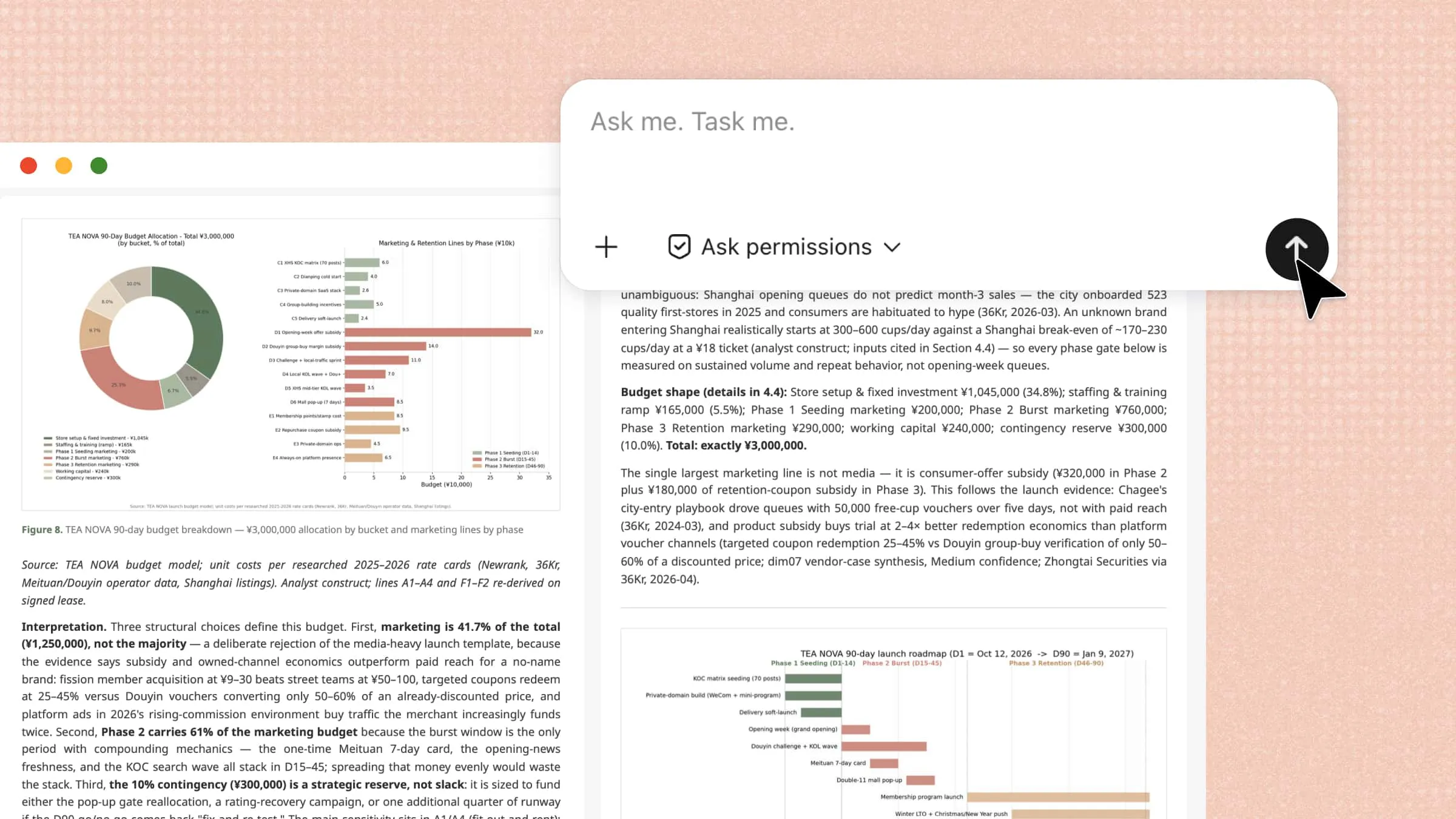
Create ready-to-use business deliverables: Kimi Work transforms research, analysis, and ideas into practical business assets. It can help create reports, presentations, spreadsheets, websites, and code that teams can further edit, share, and use in their daily workflows.
Automate ongoing business monitoring: Kimi Work helps businesses stay updated on important changes through scheduled workflows. It can regularly monitor competitors, market trends, customer signals, and business metrics, then organize the collected information into structured updates for ongoing decision-making.
Build interactive dashboards and desktop widgets: Kimi Work can turn business needs into personalized dashboards and widgets with natural-language prompts. Users can create interactive views for market updates, competitor activity, project progress, and financial metrics, then annotate or select specific areas for further refinement and pin frequently used widgets to the desktop for quick access.
How to start implementing AI in businesses?
AI implementation works best when businesses treat it as an ongoing process rather than a one-time technology upgrade. The goal is to find practical opportunities, test what works, and build confidence before expanding AI across the organization. Use these steps to create a smoother path from your first AI experiment to wider business adoption.
Identify high-impact use cases for AI
Start by finding tasks that consume significant time, involve repetitive work, or regularly cause delays. Prioritize areas where AI can address a clear business problem and deliver a measurable benefit. This helps teams focus their efforts on changes that can make a real difference.
Set clear goals and success metrics
Decide what you want AI to improve before selecting a tool or launching a project. Set practical metrics such as time saved, lower costs, faster response times, or improved output quality. Clear targets make it easier to measure progress and determine whether the project is delivering value.
Assess your data quality and availability
AI performs better when it can access relevant, accurate, and well-organized business data. Review the information your business already has and identify missing, outdated, duplicated, or difficult-to-access records. Addressing these issues early can improve the quality and reliability of AI-generated results.
Start with a small pilot project
Choose one manageable use case and test it with a limited team, process, or department first. A small pilot gives employees a chance to identify problems, share feedback, and understand how technology performs. Use what you learn to make improvements before introducing AI to larger workflows.
Choose tools that fit your budget
Compare AI tools based on their features, pricing, scalability, security, and compatibility with your existing workflows. Consider both current costs and potential expenses as usage grows across your organization. Avoid paying for advanced capabilities that your team does not currently need or use.
Train employees to work with AI
Employees need practical guidance on using AI tools effectively and understanding where human judgment remains important. Provide training on writing useful prompts, checking AI-generated information, protecting business data, and handling incorrect results.
Monitor results and scale gradually
Continue tracking performance after launching an AI workflow to see whether it meets your original goals. Review metrics, gather employee feedback, and look for unexpected issues that may need attention. When a project delivers consistent value, gradually expand it to other teams and processes.
Conclusion
AI can help businesses save time, manage information efficiently, and simplify everyday work. Choosing practical use cases and starting small can make adoption more manageable. These examples of AI in business show how technology can support both routine and complex tasks. Kimi Work helps bring AI into business workflows and handle demanding tasks more efficiently. For stronger privacy and security safeguards, subscribe to Kimi Business for AI capabilities tailored to business needs.