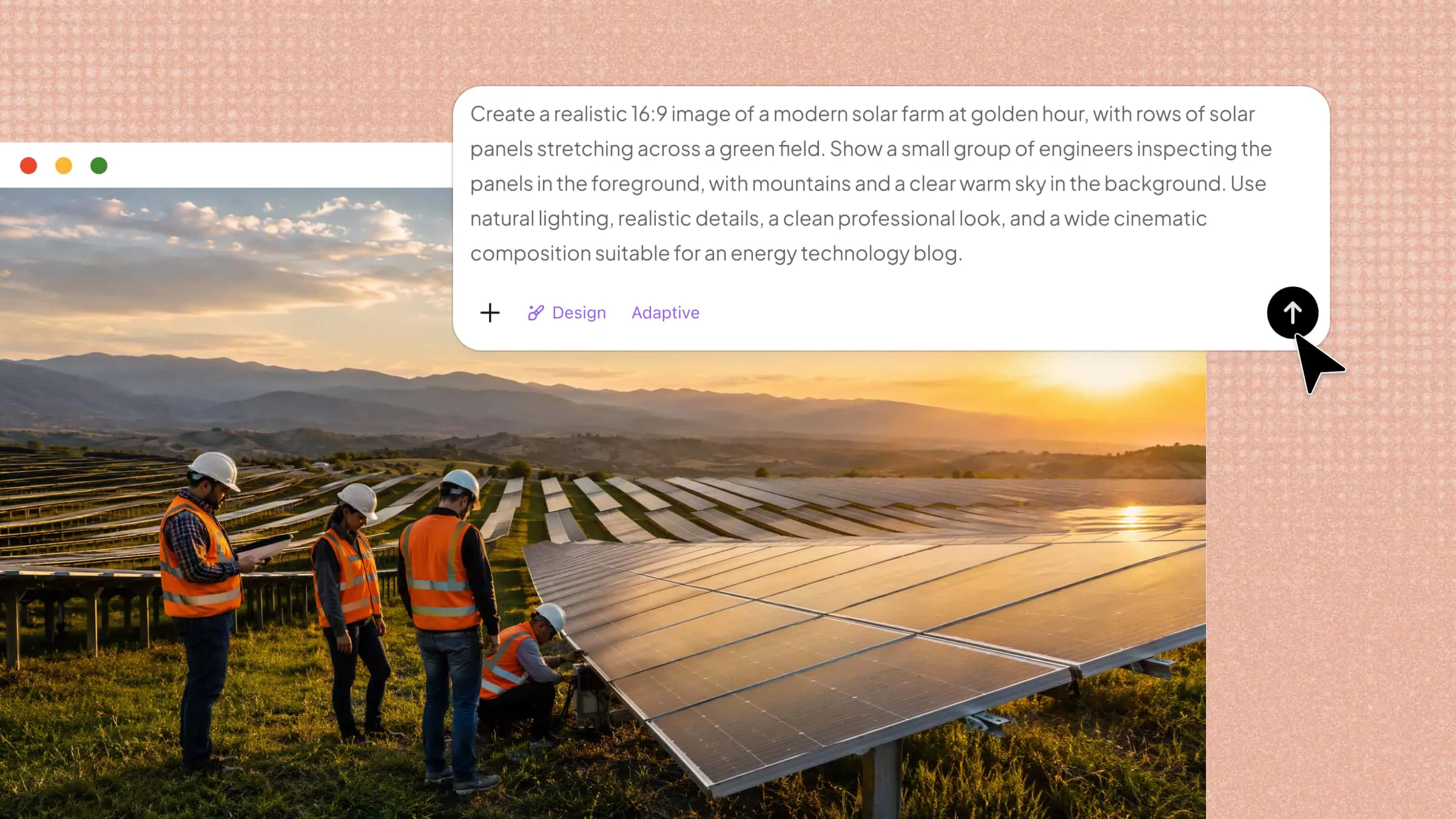
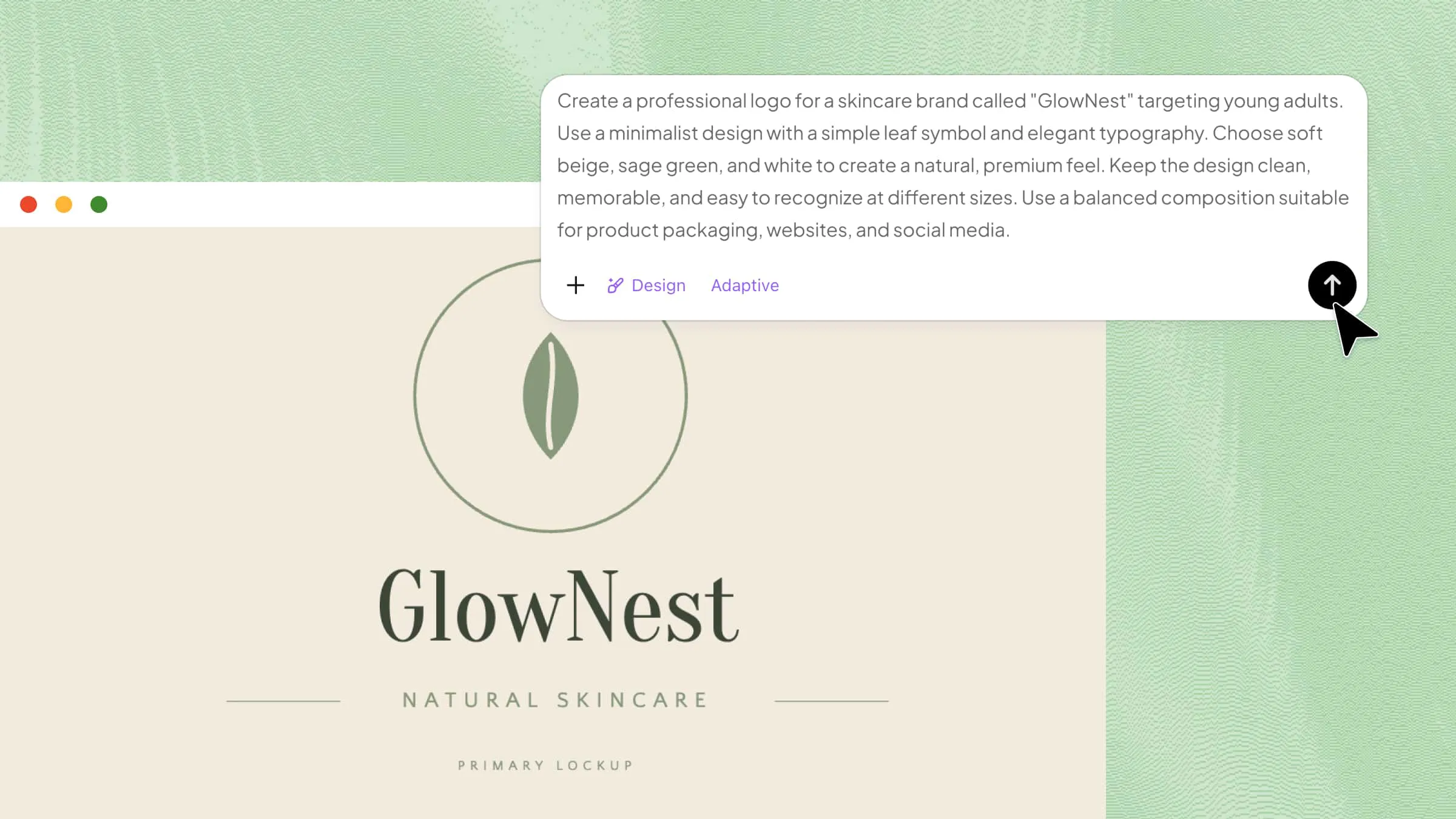
50 Prompts for AI Image Generators for Amazing Images

Find 50 prompts for AI image generators that unlock unique styles and visuals for any project. From simple ideas to detailed scenes, these prompts help you get sharper results every time. Try Kimi Design and turn your prompts into polished, ready-to-use visuals in minutes.

16 min read2026-08-30
Use prompts for an AI image generator

Have you ever had a great image idea but struggled to get the AI to create exactly what you imagined? A simple or unclear prompt can lead to dull results, missing details, or a completely different style. The right prompts for AI image generators can help you turn simple ideas into clear, creative, and eye-catching visuals. Read this article and find the perfect prompts to create amazing images with ease.

Overview of the 50 AI image prompts

The prompts below cover 10 common image-generation categories, from portraits and landscapes to product visuals, fantasy scenes, and retro styles. Each category includes five prompts to help you explore different subjects, visual styles, and creative directions.

CategoryPrompts included
Portrait and headshotEditorial golden hour portrait, Professional business headshot, Cinematic rain portrait, Minimalist studio portrait, Cultural portrait
Landscape and natureMisty mountain sunrise, Tropical waterfall, Desert at sunset, Autumn forest, Northern lights
Product and mockupLuxury perfume advertisement, Modern skincare set, Premium coffee packaging, Wireless headphones, Luxury watch mockup
Logo and brand visualsModern technology logo, Eco-friendly brand logo, Coffee shop logo, Luxury fashion logo, Outdoor adventure mascot
Anime and mangaAnime warrior, Magical school character, Cyberpunk anime girl, Chibi fantasy mage, Manga battle scene
Concept art and fantasyFloating fantasy kingdom, Dragon rider, Enchanted forest, Ancient wizard tower, Alien planet
Architecture and interiorJapandi living room, Luxury modern bedroom, Brutalist house, Tropical villa, Futuristic interior
Food and lifestyleGourmet dinner, Cozy breakfast, Italian pasta scene, Modern café lifestyle, Fresh farmers market
Cyberpunk and sci-fiNeon city alley, Futuristic megacity, Cybernetic human, Space station, Neon desert
Vintage and retro1970s fashion portrait, 1980s arcade, 1990s bedroom, Vintage travel poster, Old film street scene

AI image generation becomes easier when you know how to describe the subject, style, lighting, and mood you want. A well-crafted prompt can help transform a simple idea into a detailed and visually appealing image. Here are 50 AI image prompts for creating professional-looking photos.

Portrait and headshot

Portrait prompts work best when they describe the person, expression, clothing, background, and lighting together. Adding details such as camera style and atmosphere can make the final image feel more natural and professional.

  • Editorial golden hour portrait: Create a photorealistic portrait of a young woman with long dark hair wearing a beige blazer, standing beside a window during golden hour. Warm sunlight, natural skin texture, subtle smile, shallow depth of field, luxury fashion editorial style, 85mm lens.

  • Professional business headshot: Create a polished corporate headshot of a young man wearing a charcoal suit and white shirt against a light-gray studio background. Use soft Rembrandt lighting, realistic skin texture, natural expression, sharp eyes, subtle shadows, and a professional LinkedIn aesthetic.

  • Cinematic rain portrait: Close-up portrait of a young woman with slightly wet dark hair, wearing a black leather jacket on a rainy city street. Neon reflections on her face, soft mist, dramatic cinematic lighting, realistic skin details, shallow depth of field, atmospheric movie still.

  • Minimalist studio portrait: Fashion portrait of a stylish model wearing an oversized white shirt against a warm cream backdrop. Clean composition, soft diffused lighting, natural pose, subtle shadows, detailed facial features, muted colors, elegant editorial photography.

  • Cultural portrait: Photorealistic portrait of a young South Asian man wearing an embroidered kurta in an old courtyard at sunset. Warm natural light, detailed fabric texture, authentic expression, cinematic depth of field, earthy colors, documentary photography style.

Landscape and nature

Nature scenes become more impressive when you include the time of day, weather, foreground details, and atmosphere. These prompts for AI image generators focus on cinematic environments with strong depth, natural lighting, and rich textures.

  • Misty mountain sunrise: Vast mountain valley at sunrise with snow-covered peaks above soft morning mist, golden light touching the summits, wildflowers in the foreground, cinematic landscape photography, detailed textures, wide-angle composition, peaceful mood.

  • Tropical waterfall: Hidden tropical waterfall surrounded by dense green jungle, turquoise pool beneath cascading water, leaves covered with droplets, soft sunlight through the trees, natural mist, photorealistic nature photography, rich colors, immersive composition.

  • Desert at sunset: Endless golden sand dunes beneath a dramatic orange and purple sunset, a lone traveler crossing the foreground, long shadows, atmospheric haze, cinematic photography, detailed textures, wide panoramic composition.

  • Autumn forest: Peaceful autumn forest covered with orange, red, and golden leaves, a narrow path leading to a wooden cabin, soft fog, warm sunlight through the trees, cozy cinematic atmosphere, realistic landscape photography, detailed foliage.

  • Northern lights: Snow-covered Icelandic landscape beneath vivid green and violet northern lights, frozen lake reflecting the sky, distant mountains and a glowing cabin, visible stars, long-exposure photography, photorealistic detail, magical atmosphere.

Product and mockup

Product text prompts for AI image generators clearly describe the object, materials, lighting, camera angle, and surrounding elements. These details help create polished product visuals suitable for advertising, e-commerce, social media, and brand campaigns.

  • Luxury perfume advertisement: Elegant glass perfume bottle with a matte black body and gold cap on polished black marble. Dramatic spotlight, delicate glass reflections, soft smoke in the background, luxury beauty campaign aesthetic, high-end commercial photography.

  • Modern skincare set: Minimal skincare products in white and pastel-green packaging arranged on a light stone surface with eucalyptus leaves. Soft morning sunlight, gentle shadows, fresh mood, premium beauty advertisement, realistic product photography, crisp composition.

  • Premium coffee packaging: Stylish matte coffee bag with a modern label beside a ceramic coffee cup and roasted beans on a wooden table. Warm morning sunlight, cozy café atmosphere, shallow depth of field, realistic commercial food photography.

  • Wireless headphones: Sleek wireless headphones with a metallic silver finish floating above a glossy white platform. Clean futuristic background, soft blue lighting, controlled reflections, subtle shadow, premium technology advertisement, ultra-sharp commercial photography.

  • Luxury watch mockup: Elegant stainless-steel watch resting on dark textured stone, dramatic side lighting highlighting the metal and glass, deep black background, subtle reflections, luxury atmosphere, macro product photography, highly detailed materials.

Logo and brand visuals

A strong logo benefits from simple shapes, clear color choices, and a defined brand personality. Avoid overcrowding the design, so the main symbol remains easy to recognize and remember.

  • Modern technology logo: Minimal geometric logo representing AI through connected nodes forming an abstract brain shape. Clean symmetrical lines, blue and violet gradient, modern technology identity, simple vector appearance, white background, scalable professional design.

  • Eco-friendly brand logo: Nature-inspired logo featuring a leaf combined with a circular renewable-energy symbol. Forest green and beige palette, smooth geometric lines, sustainable brand identity, flat vector design, strong negative space, clean appearance.

  • Coffee shop logo: Friendly coffee brand logo featuring a steaming cup surrounded by two leaves. Warm brown and cream colors, hand-drawn illustration style, rounded design, artisan café identity, clean circular badge, white background.

  • Luxury fashion logo: Elegant minimalist fashion logo using an abstract monogram formed from two symmetrical letters. Thin refined lines, black and champagne-gold palette, sophisticated luxury branding, clean negative space, premium fashion-house aesthetic.

  • Outdoor adventure mascot: Playful mountain fox mascot for an outdoor adventure brand, using simple geometric shapes, friendly expression, dark green and orange palette, bold outlines, modern illustration style, white background, memorable logo-ready composition.

Anime and manga

Anime prompts can be made more expressive by describing the character design, pose, clothing, environment, and lighting. Clear visual details help create stronger characters while keeping the overall style consistent.

  • Anime warrior: Full-body anime warrior on a rocky battlefield, spiky dark hair with red highlights, detailed black armor, sword over one shoulder, determined expression, dramatic sunset, dynamic cel shading, bold line art, cinematic action composition.

  • Magical school character: Young female anime student in a magical academy uniform, holding a glowing blue spellbook inside an ancient library. Floating books, warm candlelight, magical blue glow, expressive eyes, detailed anime illustration, soft cinematic atmosphere.

  • Cyberpunk anime girl: Futuristic anime woman with short silver hair and a glowing visor, wearing a black cyberpunk jacket with neon pink details. Rainy futuristic city, colorful reflections, dramatic rim lighting, detailed cel shading, manga-inspired composition.

  • Chibi fantasy mage: Cute chibi mage with an oversized purple wizard hat, tiny boots, glowing crystal staff, huge expressive eyes, floating magical stars, pastel lavender and cream palette, rounded shapes, polished anime illustration, clean background.

  • Manga battle scene: Black-and-white manga panel showing two samurai facing each other before a sword fight. Wind-blown clothing, dramatic speed lines, detailed ink hatching, expressive faces, cinematic perspective, traditional manga composition, high contrast.

Concept art and fantasy

Fantasy visuals benefit from a strong sense of scale and storytelling. Include the environment, characters, weather, lighting, and important objects to make the scene feel like part of a larger world.

  • Floating fantasy Kingdom: Massive medieval kingdom floating above a sea of clouds, stone towers and glowing castles connected by bridges, waterfalls falling into the sky, distant mountains in mist, warm sunrise, epic fantasy concept art, cinematic wide composition.

  • Dragon rider: Female warrior riding a giant silver dragon above an ancient mountain kingdom, wings spread across the sky, clouds below, golden sunset behind them, detailed armor and scales, dramatic lighting, epic fantasy movie concept art.

  • Enchanted forest: Magical forest with enormous ancient trees, glowing blue mushrooms, floating lights, and a stone pathway leading to an illuminated temple. Soft fog, moonlight through branches, highly detailed fantasy environment concept art.

  • Ancient wizard tower: Giant wizard tower built into a snowy mountain, glowing windows illuminating the landscape, magical symbols floating around it, storm clouds above, warm interior light contrasting with cold surroundings, cinematic fantasy illustration.

  • Alien planet: Futuristic explorer standing on an alien planet beneath two enormous moons, glowing plants surrounding rocky terrain, distant crystal mountains, colorful clouds, blue and purple lighting, cinematic sci-fi concept art, wide-angle view.

Architecture and interior

Architecture prompts for free AI image generators become more realistic when you mention materials, furniture, natural light, layout, and architectural style. These details help create spaces that feel practical as well as visually appealing.

  • Japandi living room: Modern Japandi living room with warm oak flooring, cream sofa, natural linen cushions, simple wooden furniture, indoor plants, textured rug, large garden-facing windows, soft afternoon sunlight, neutral palette, high-end interior photography.

  • Luxury modern bedroom: Elegant contemporary bedroom with a large upholstered bed, marble side tables, warm wood panels, beige curtains, hidden ambient lighting, floor-to-ceiling windows overlooking a city, neutral colors, photorealistic architectural visualization.

  • Brutalist house: Dramatic brutalist house made from exposed concrete with large geometric windows, surrounded by wild grasses and trees. Cloudy sky, strong architectural shadows, minimalist landscaping, professional architectural photography, realistic concrete texture.

  • Tropical villa: Luxury tropical villa surrounded by palms and lush greenery, open glass walls, large infinity pool overlooking the ocean, natural stone floors, wooden furniture, warm sunset lighting, elegant resort atmosphere, photorealistic architectural visualization.

  • Futuristic interior: Futuristic apartment with curved white walls, floating furniture, integrated LED lighting, panoramic windows overlooking a futuristic city, minimal décor, soft blue ambient light, modern materials, photorealistic sci-fi interior design.

Food and lifestyle

Food and lifestyle images need to make the viewer notice texture, freshness, color, and mood. Think about the surface, light source, camera angle, and small details around the main subject.

  • Gourmet dinner: Beautifully plated grilled salmon on a dark ceramic plate with roasted vegetables and fresh herbs. Fine dining setting, dramatic side lighting, subtle steam, shallow depth of field, luxury food photography, rich natural textures.

  • Cozy breakfast: Overhead breakfast scene with avocado toast, poached eggs, fresh berries, ceramic coffee cup, and flowers on a rustic wooden table. Soft morning sunlight, warm colors, cozy lifestyle photography, natural arrangement, realistic food textures.

  • Italian pasta scene: Fresh handmade pasta in a rustic ceramic bowl with tomato sauce, basil, parmesan, and sparkling water. Warm Italian kitchen background, golden window light, authentic textures, editorial food photography, inviting Mediterranean atmosphere.

  • Modern café lifestyle: Young woman working on a laptop in a stylish café, ceramic coffee beside her, large windows providing soft daylight, warm wooden furniture, indoor plants, natural expression, candid lifestyle photography, cozy modern atmosphere.

  • Fresh farmers market: Colorful farmers market stall filled with tomatoes, strawberries, leafy greens, lemons, and fresh herbs. Wooden crates, vendor arranging produce, warm morning sunlight, vibrant natural colors, documentary lifestyle photography, detailed textures.

Cyberpunk and sci-fi

Cyberpunk scenes become stronger when they combine neon lighting, futuristic architecture, weather, technology, and crowded environments. Contrast bright artificial light with dark surroundings to create a dramatic mood.

  • Neon city alley: Rainy futuristic city alley at midnight, towering buildings covered with glowing advertisements, neon blue and pink reflections on wet pavement, pedestrians in futuristic clothing, steam from street vents, cinematic lighting, dense atmospheric detail.

  • Futuristic megacity: Enormous futuristic city viewed from above, skyscrapers covered with glowing windows, flying vehicles between buildings, holographic advertisements, atmospheric haze, deep blue night sky, cinematic sci-fi concept art, detailed urban environment.

  • Cybernetic human: Close-up portrait of a futuristic human with subtle mechanical components on one side of the face, glowing blue eye implant, metallic details, dark clothing, dramatic rim lighting, black background, photorealistic sci-fi movie still.

  • Space station: Interior of a massive orbital space station with curved metallic corridors, glowing control panels, large windows showing Earth, astronauts walking through the hub, cool blue lighting, realistic materials, cinematic science-fiction photography.

  • Neon desert: Vast futuristic desert at night with a giant glowing holographic structure rising from the sand, distant mountains beneath a star-filled sky, neon reflections, lone traveler in the foreground, mysterious atmosphere, cinematic sci-fi concept art.

Vintage and retro

Retro prompts work best when you define the decade, camera or film feel, clothing, colors, and imperfections. Adding grain, faded tones, light leaks, or old-paper textures can make the period style more convincing.

  • 1970s fashion portrait: Stylish 1970s woman wearing a patterned dress, large sunglasses, and feathered hair beside a vintage car. Warm afternoon sunlight, orange and brown palette, analog film grain, light leaks, nostalgic fashion magazine photography.

  • 1980s arcade: Busy 1980s arcade filled with colorful machines and teenagers wearing vintage denim and bright jackets. Neon signs, disposable camera flash, subtle film grain, faded colors, authentic retro atmosphere, candid documentary photography.

  • 1990s bedroom: Cozy 1990s teenager bedroom with wall posters, cassette tapes, old stereo, chunky television, and colorful bedding. Warm lamp lighting, nostalgic atmosphere, disposable camera aesthetic, soft grain, faded analog colors.

  • Vintage travel poster: Retro travel poster showing a colorful coastal town with palm trees, blue ocean, and bright sun. Bold shapes, faded mid-century colors, printed-paper texture, elegant typography space, classic 1950s tourism poster aesthetic.

  • Old film street scene: Rainy city street photographed with a vintage 35mm camera, classic cars, people carrying umbrellas, glowing shop windows, wet pavement reflections, muted colors, visible film grain, slight vignette, nostalgic atmosphere.

Turn any prompt into an image with Kimi Design

Kimi Design is an AI visual creation tool that turns written prompts into polished images within a simple workflow. It uses AI to understand details such as subjects, styles, colors, compositions, and lighting from your text. You can turn creative ideas into visuals without needing advanced design or image-editing skills. Its prompt-based approach makes it useful for creating images for presentations, social media, and marketing.

Interface of Kimi Design

Main features

  • Create images from text, images, and video references: Upload text descriptions, images, videos, or other visual references to guide AI image creation and transform your ideas into customized visuals with greater accuracy.

  • Generate visuals for different styles and creative needs: Create images for marketing materials, social media posts, presentations, posters, illustrations, and other projects with flexible styles tailored to different content requirements.

  • Customize image sizes and visual formats: Generate visuals with different aspect ratios, dimensions, and layouts to fit various platform requirements, from social media content to presentations and digital designs.

  • Refine images with AI-powered canvas comments: Leave comments on the preview canvas and describe your desired changes in natural language. AI automatically adjusts visual elements, styles, and details based on your feedback, helping you refine images faster.

  • Create multiple variations and export high-quality images: Generate multiple image options at once, download visuals in high resolution, and export them in formats such as PNG and JPG for flexible use across creative projects.

How to transform prompts into images in Kimi

Turning a simple idea into an AI-generated image only takes a few steps with Kimi Design. You can enter your prompt, adjust the visual details, and generate an image based on your description. Follow the steps below to create your visuals quickly and easily.

Step 1: Enter a clear prompt

Open Kimi Design and enter your prompt in the image generation field. Add enough details about the subject, visual style, colors, lighting, and composition to help Kimi understand the result you want.

Example prompt:

Create an artistic landscape painting of a modern Chinese retreat nestled among mountains and misty forests. Combine traditional Chinese shan shui painting elements with contemporary architecture, featuring wooden pavilions, flowing water, rocks, bamboo forests, and soft fog. Use a muted color palette with low saturation, delicate ink textures, subtle brushstrokes, and elegant composition. The atmosphere should feel peaceful, poetic, and timeless, blending ancient Chinese artistic philosophy with modern aesthetics. Use a 16:9 landscape format.
Enter a clear prompt

Step 2: Let AI create your image

Submit your prompt and let Kimi analyze the instructions before creating the image. The AI interprets the details in your prompt and generates a visual that matches the described subject, style, and atmosphere.

Let Kimi process and generate results

Step 3: Review and download the file

Check the generated image to see whether it matches your original idea. If you want to improve the result, adjust your prompt and generate again; once you're satisfied, download the finished image for your project.

Review and download the file

Tips to write effective AI image prompts

Writing a strong prompt helps an AI image tool better understand your ideas and reduces guesswork. A well-structured prompt can produce more accurate, consistent, and visually appealing results. Use the tips below to create clearer and more effective text prompts for AI image generators.

  • Describe the subject and scene clearly

Start by describing the main subject and the scene around it. Include key details such as the person, object, location, pose, clothing, or background to give the AI a clear direction. A detailed prompt helps AI image generators better understand your idea and create a visual closer to what you imagine.

  • Define the visual style and atmosphere

Tell the AI how you want the image to look and feel, such as photorealistic, cinematic, minimalist, vintage, or anime. You can also describe the mood using words like peaceful, dramatic, mysterious, warm, or futuristic. Combining style and atmosphere helps your prompts produce visuals with a more consistent look.

  • Control composition and perspective

Describe how you want the elements arranged within the image. Include details such as close-up, wide shot, overhead view, centered composition, foreground, or background placement when they matter. These instructions help a text prompt create a composition that matches your intended visual perspective.

  • Use clear and specific language

Avoid vague descriptions that can lead to inconsistent results. Instead of saying "create a beautiful city," describe specific elements such as the architecture, time of day, lighting, colors, and overall atmosphere. Clear and detailed wording helps AI image generators better understand your intent and create visuals closer to your expectations.

  • Add references and creative directions

References can help communicate visual ideas that may be difficult to explain with words alone. Mention a photography style, artistic technique, color palette, camera effect, or provide a reference image when the tool supports it. Adding useful creative directions can make your prompts closer to your desired result.

  • Keep prompts focused and refine based on results

A good prompt does not need to include every possible detail. Focus on the most important elements, generate the image, and refine specific details based on the results. This iterative approach helps you improve your AI image prompts and create visuals that better match your ideas.

Conclusion

Creating great AI visuals is less about complicated instructions and more about giving your ideas clear creative direction. The right prompts for AI image generators can help you bring different concepts to life with more control and consistency. Experiment with different styles, details, and ideas to discover what works best for your projects. When you're ready to turn those ideas into visuals, try Kimi Design for a simple and creative image-making experience. Start creating with Kimi and see where your next idea takes you.
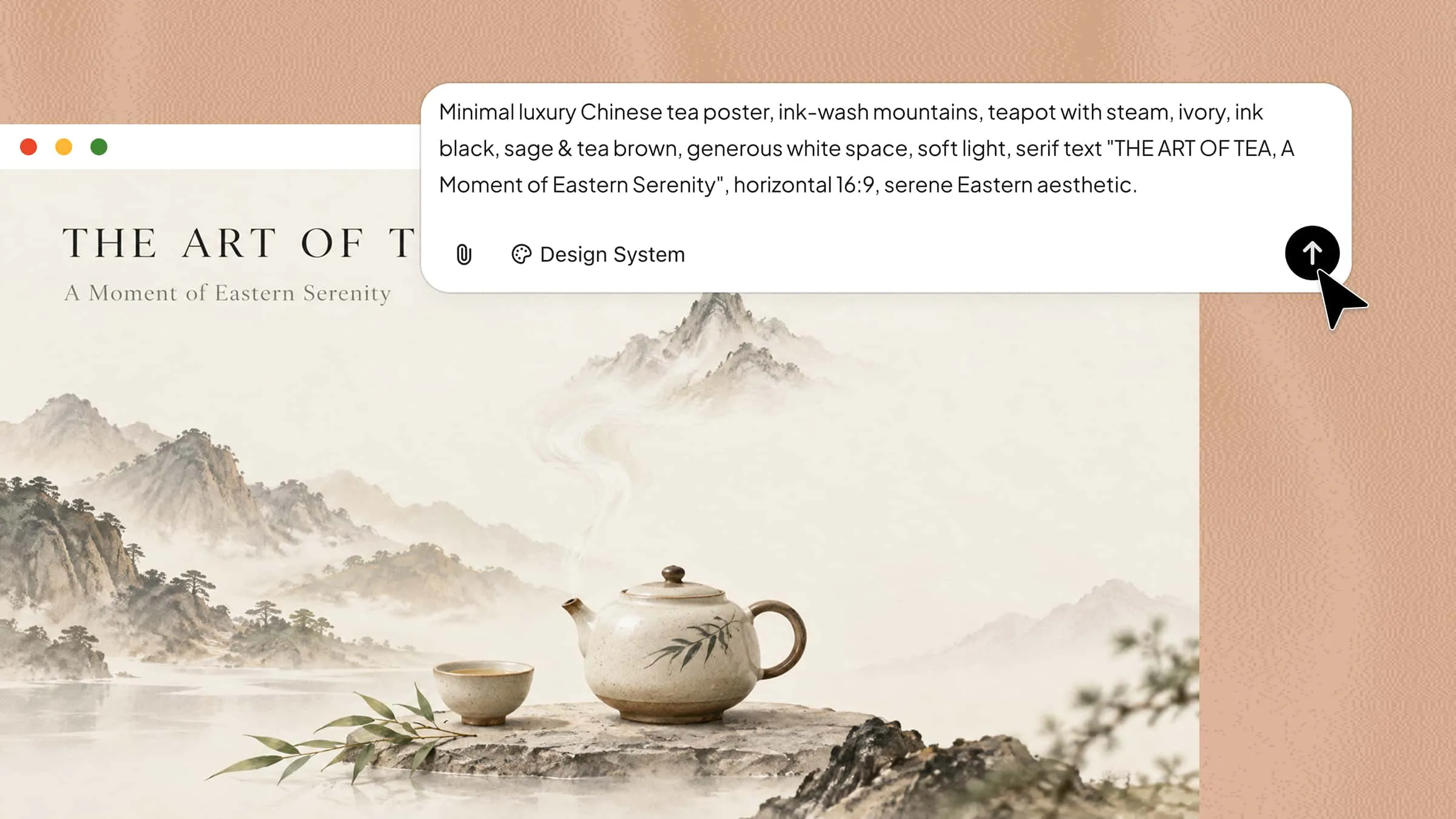
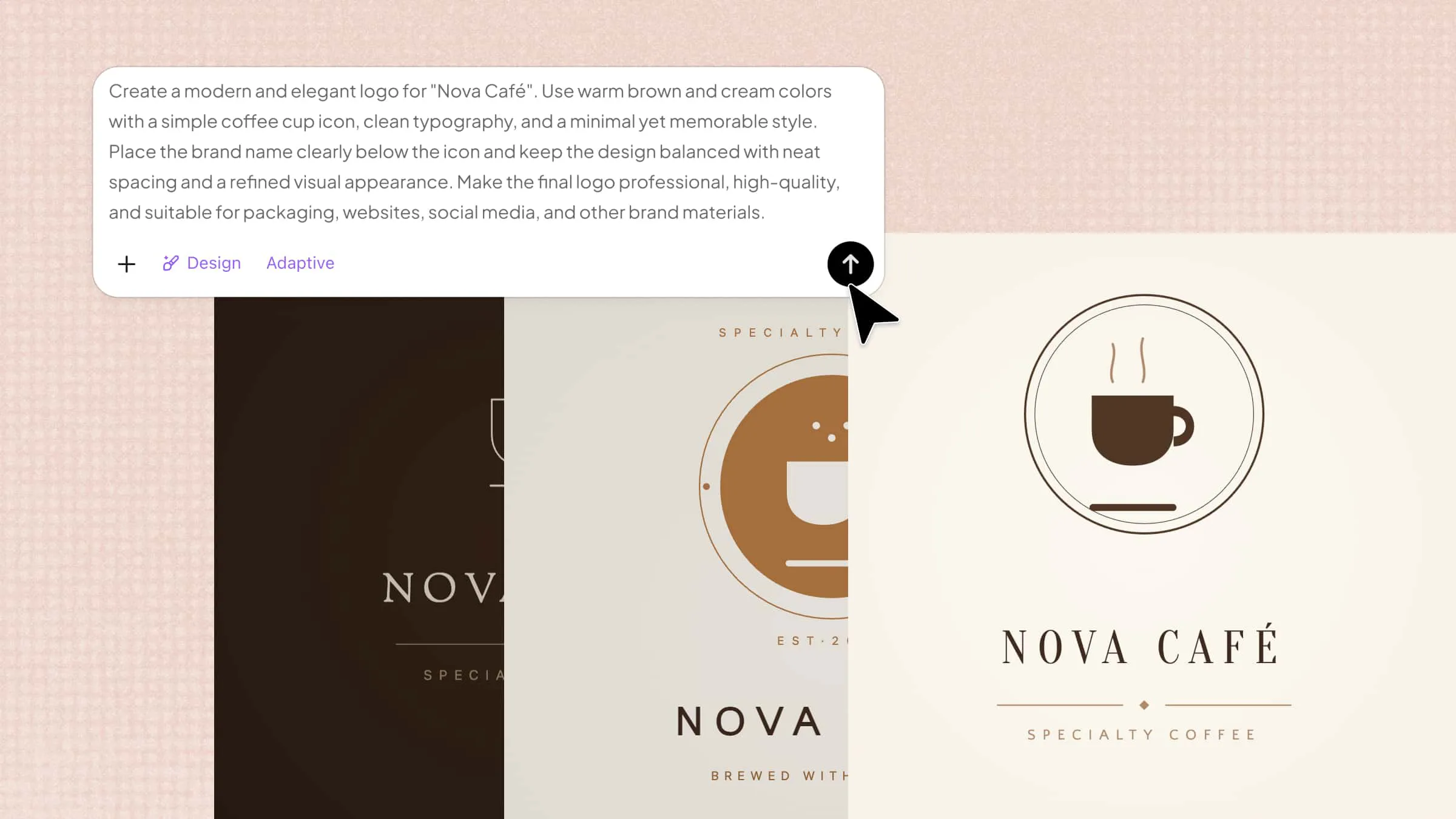
FAQ

What should I include in an AI image prompt?
An AI image prompt should clearly describe the main subject, setting, and important visual details. You can also include the style, colors, lighting, mood, composition, and camera perspective. The more relevant details you provide, the easier it is for the AI to understand your idea. Keep the instructions focused so the final image stays close to what you have in mind.
How long should an image prompt be?
There is no fixed length for an effective image prompt because it depends on the complexity of the image. A few clear sentences may be enough for simple visuals, while detailed scenes may need more information. Focus on useful details instead of adding unnecessary words or repeating the same idea. Start with a simple prompt and add details gradually if the result needs improvement.
Can AI image prompts create different art styles?
Yes, AI image prompts can create images in many different visual and artistic styles. You can request styles such as photorealistic, anime, watercolor, vintage, cinematic, minimalist, or digital art. Adding details about colors, textures, lighting, and artistic techniques can make the chosen style more noticeable. You can also combine different creative directions to create a unique look for your image. With Kimi Design, you can generate visuals in different styles by describing your creative ideas with simple prompts and using text, images, or other references to guide the final design.
You Might Also Like
10 Innovative AI Image Generators Worth Trying in 2026
2026-08-30
How to Create AI Images Easily from Your Ideas
2026-08-28
How to Create Your Poster in 6 Simple Steps
2026-08-28
10 AI Poster Ideas to Inspire Your Next Design
2026-08-28
How to Create Posts for Social Media with Easy Steps
2026-08-28