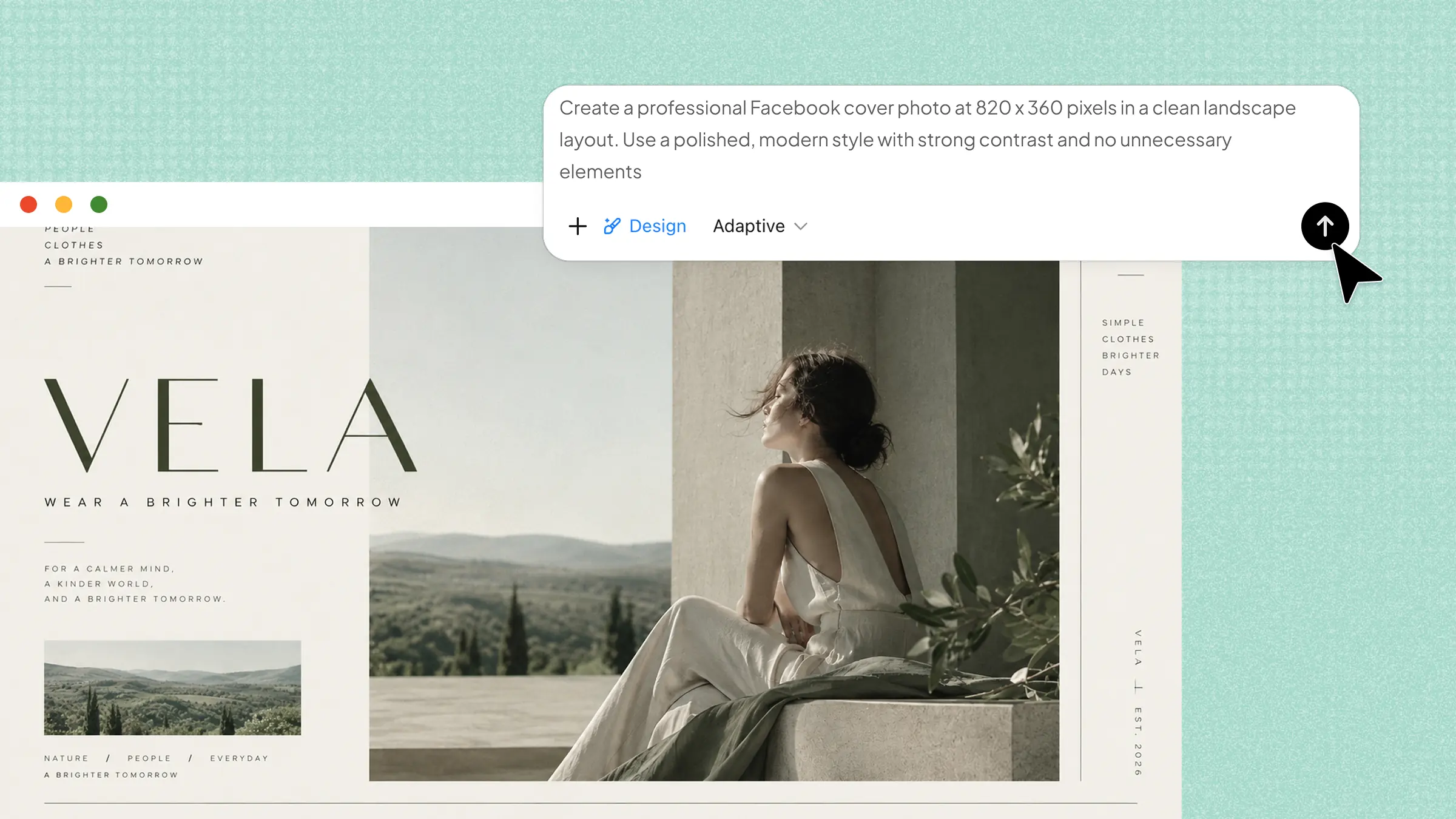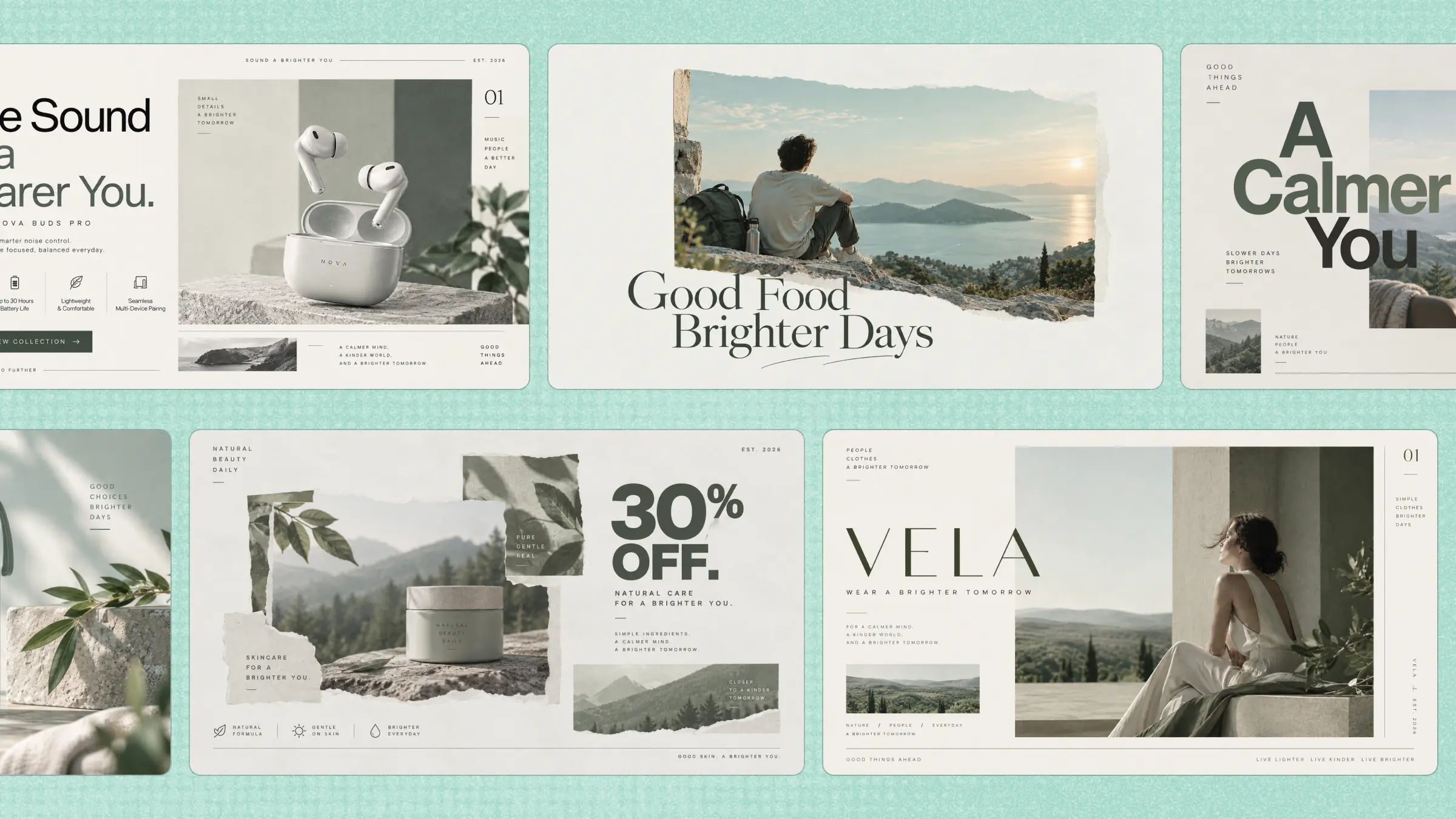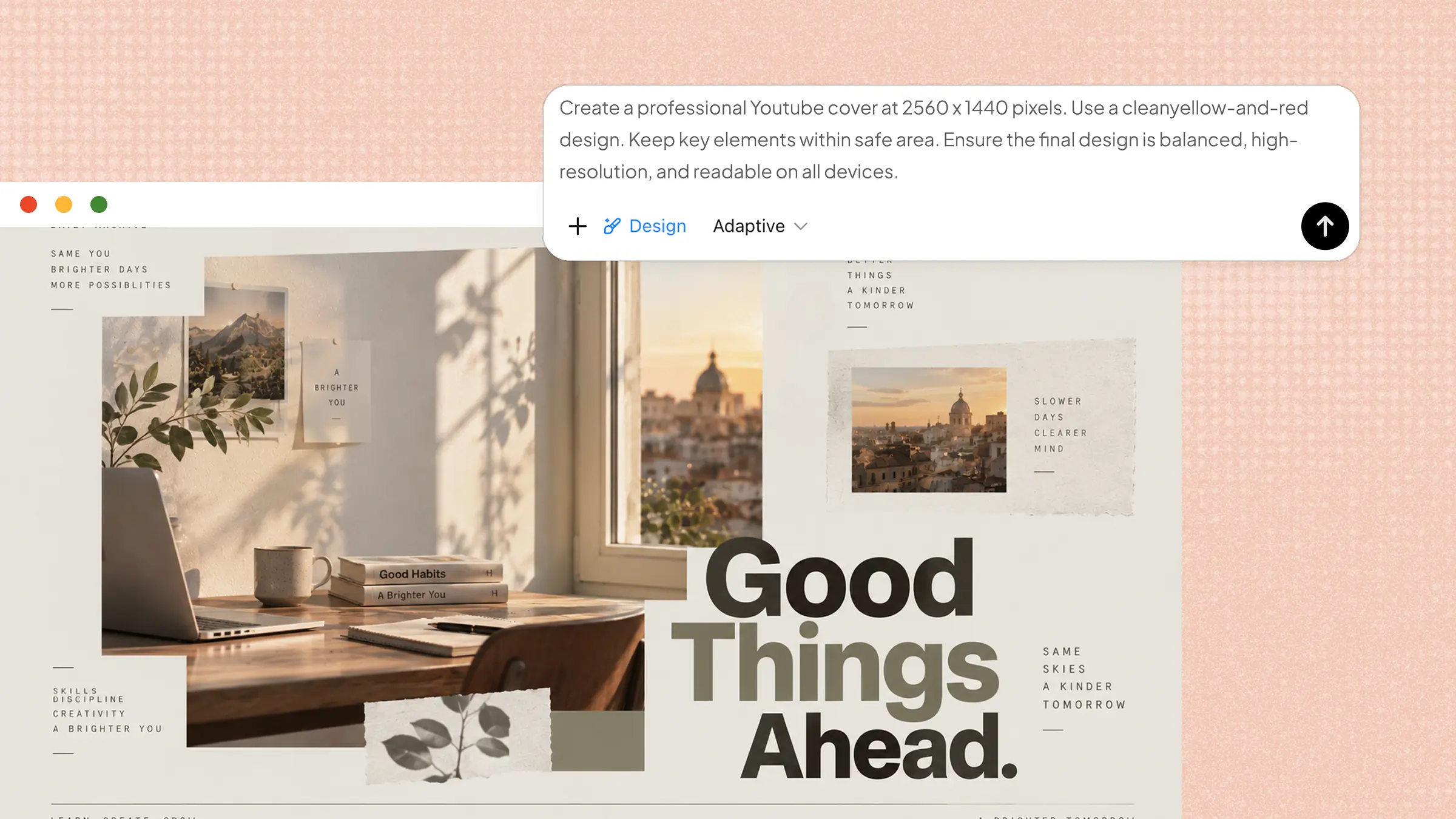
Designing a YouTube banner from scratch can leave you stuck on simple questions like where to place your text or which visuals to use. Instead of spending hours trying to make every part work together, you can start with a layout that is already designed to look good. YouTube banner templates give you that head start while still leaving room to add your own style. Continue reading to discover the templates and find one for your channel.
Overview of 10 YouTube channel banner templates
Whether you are building a gaming channel, launching a podcast, or sharing lifestyle content, the right banner design can help communicate your channel's theme and personality. Kimi Design provides customizable YouTube banner templates across different niches, allowing you to explore various visual styles and adapt layouts, text, and elements to fit your brand. Here are 10 YouTube banner template ideas for different types of channels.
| Template | Suitable for | Visual elements | Style / Mood |
|---|---|---|---|
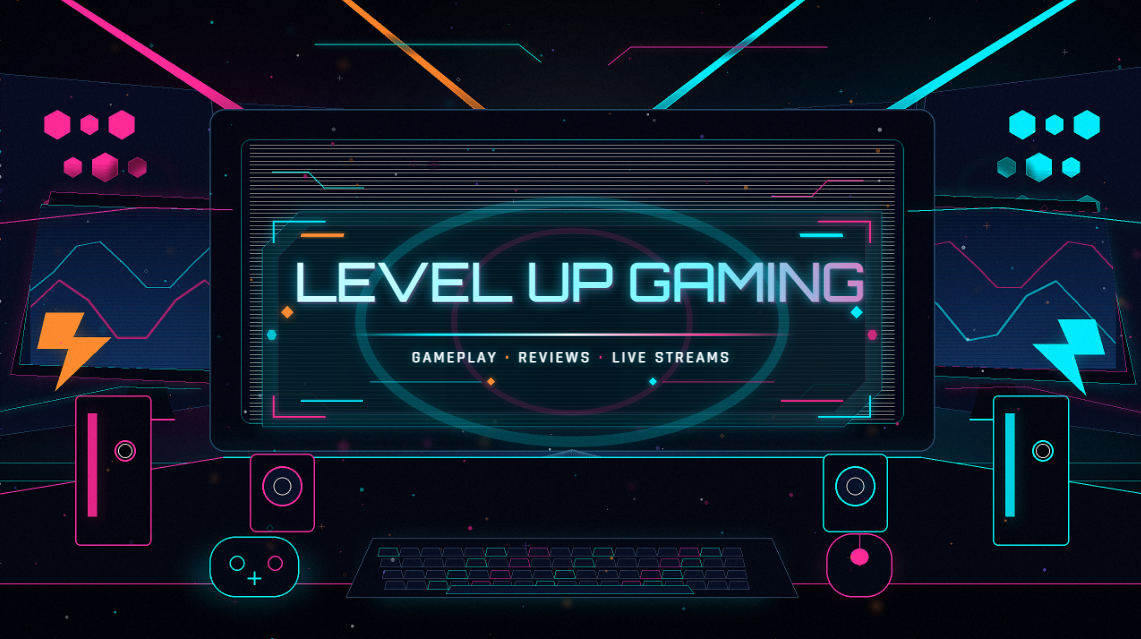
| Gaming channel banner | Gameplay, esports, streaming, gaming reviews | Gaming setup, neon lights, digital particles, glowing geometric details | High-energy, futuristic, competitive |
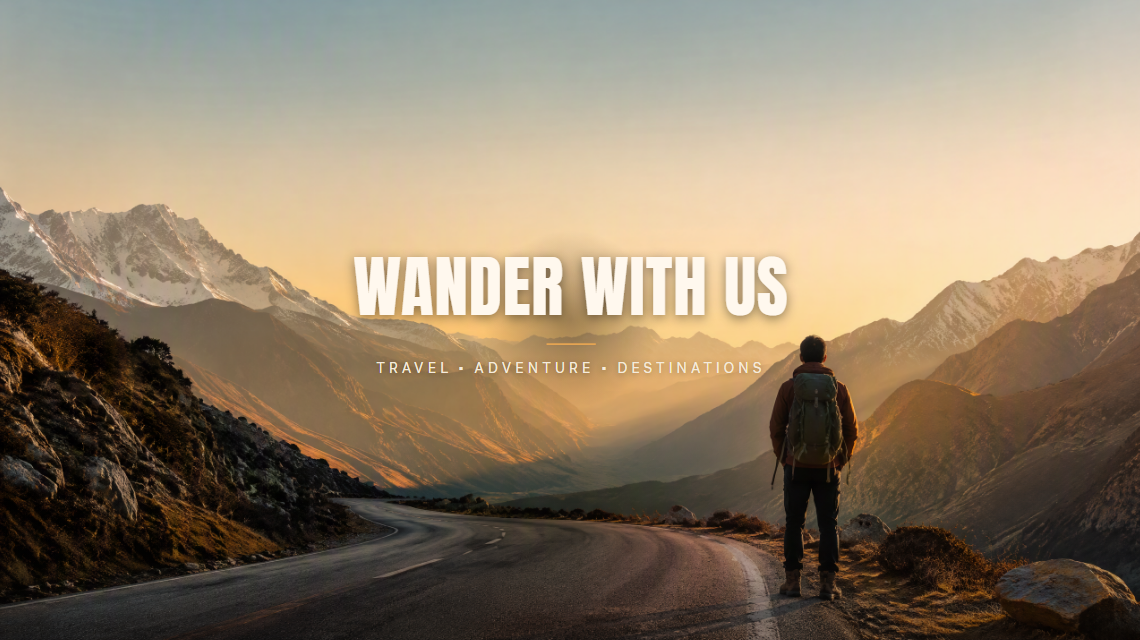
| Travel channel banner | Travel vlogs, destination guides, backpacking, travel tips | Mountain landscape, winding road, traveler with backpack, golden-hour scenery | Cinematic, adventurous, premium travel |
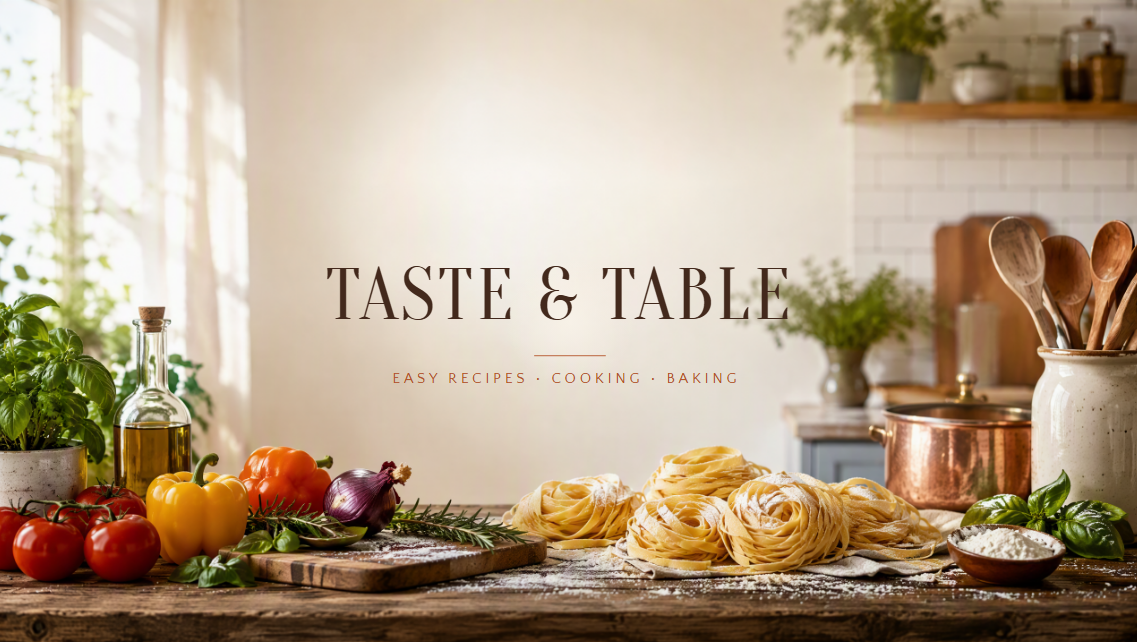
| Food & cooking channel banner | Recipe channels, cooking tutorials, baking, food reviews | Modern kitchen, rustic counter, pasta, vegetables, herbs, cooking utensils | Warm, inviting, food photography style |
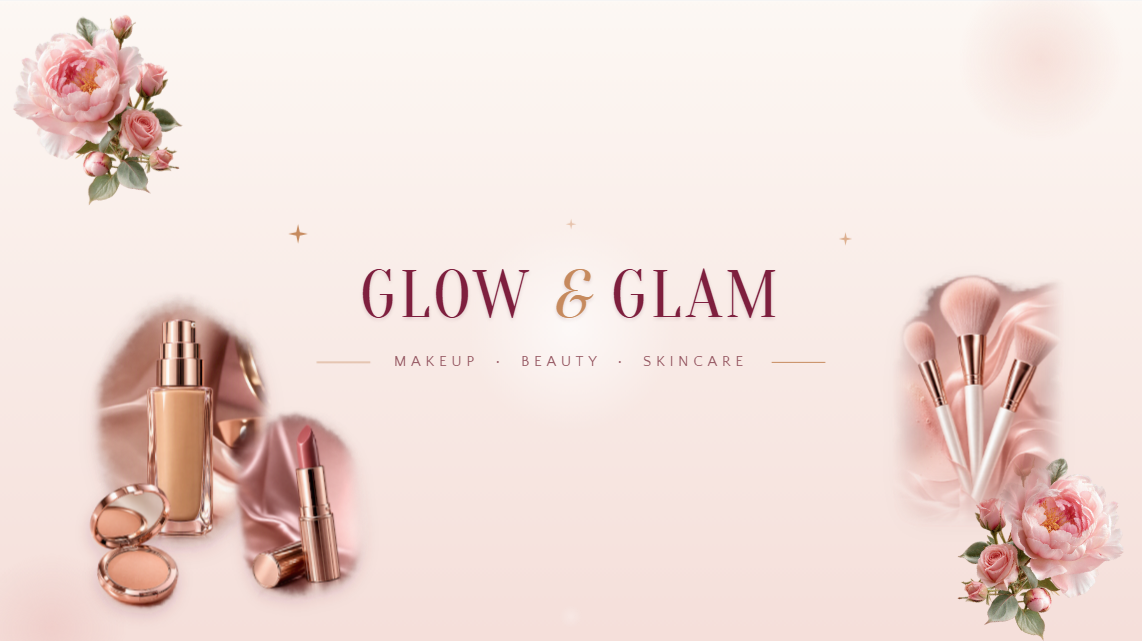
| Beauty & makeup channel banner | Makeup tutorials, skincare content, beauty reviews, fashion channels | Lipstick, foundation, makeup brushes, compact mirror, floral accents | Elegant, refined, beauty-magazine aesthetic |
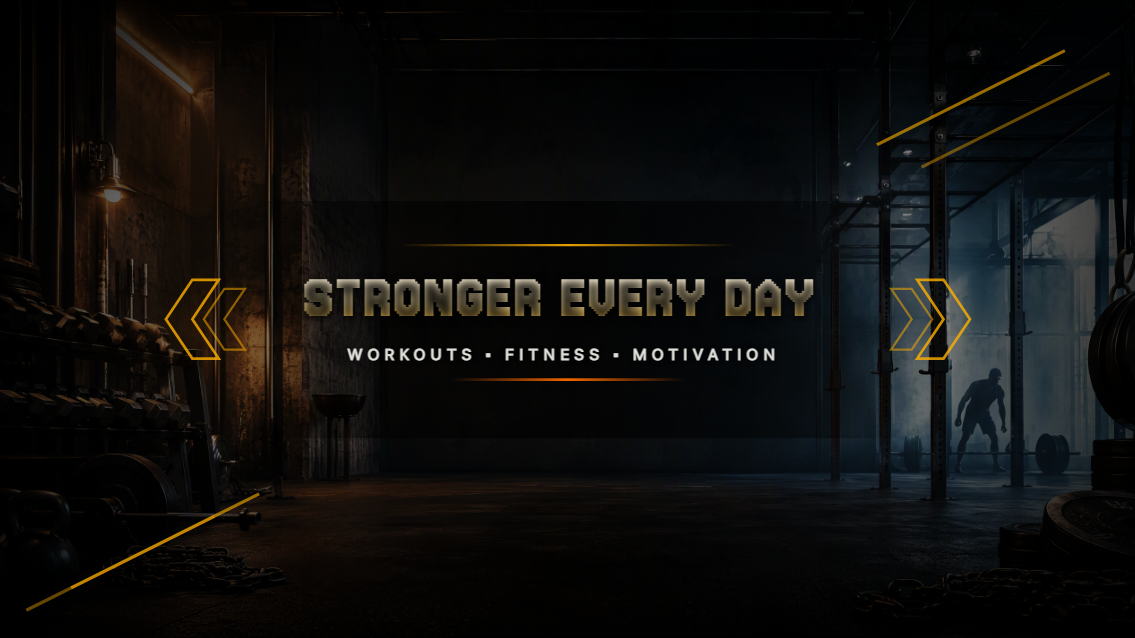
| Fitness & workout channel banner | Workout programs, fitness tips, bodybuilding, running, motivation | Industrial gym, weights, workout equipment, athletic figure | Energetic, powerful, high-performance |
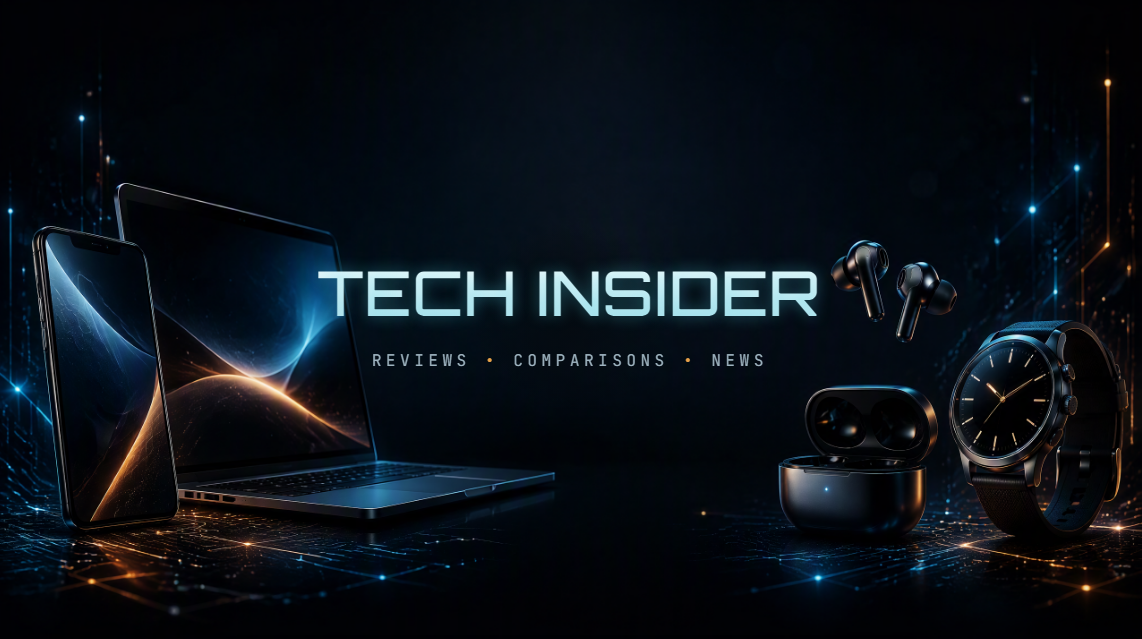
| Tech review channel banner | Smartphone reviews, laptop comparisons, software tutorials, tech news | Smartphone, laptop, earbuds, smartwatch, glowing screens, circuit details | Sleek, modern, futuristic |
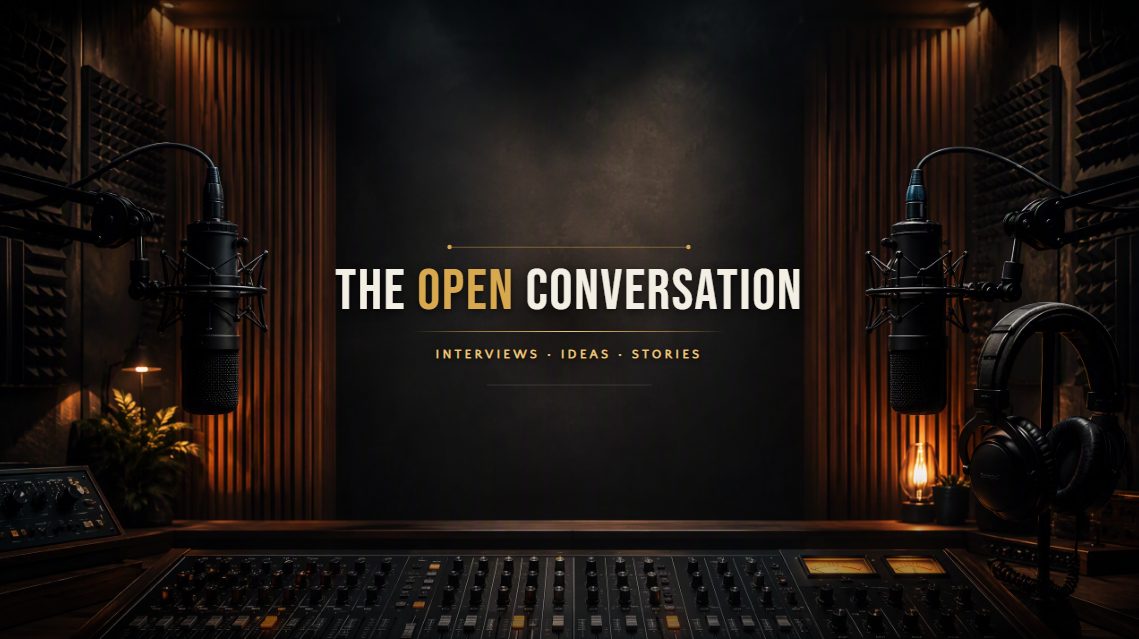
| Podcast channel banner | Interviews, storytelling, conversation shows | Microphones, headphones, mixing console, acoustic panels | Professional, polished studio aesthetic |
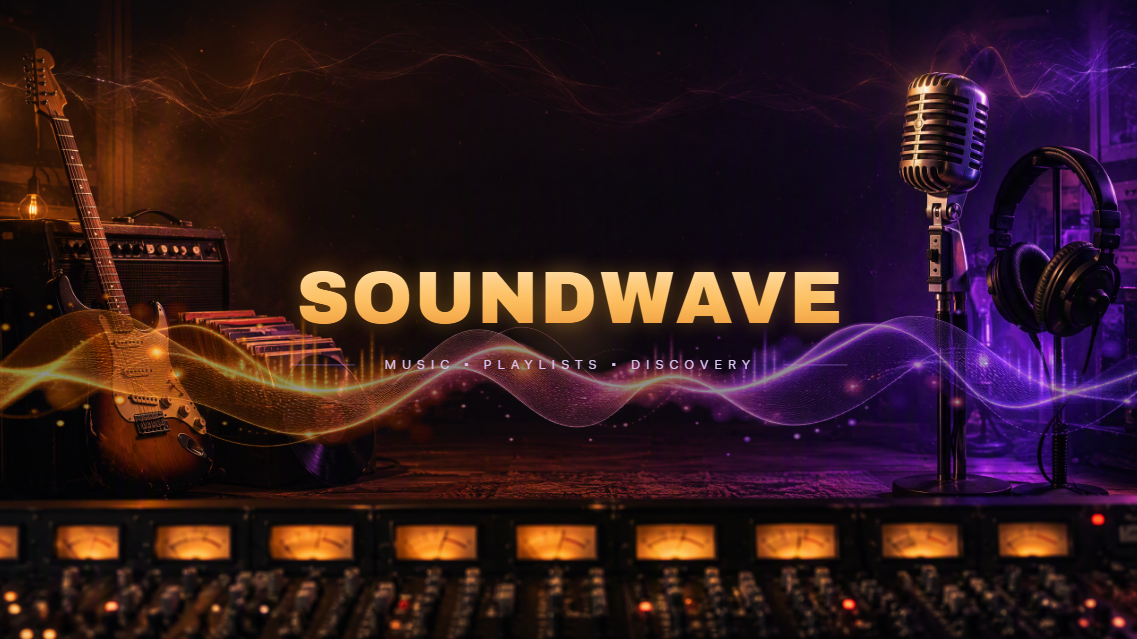
| Music channel banner | Musicians, DJs, producers, playlists, music discovery | Electric guitar, vinyl records, headphones, microphone, mixing equipment | Creative, dramatic, cinematic |
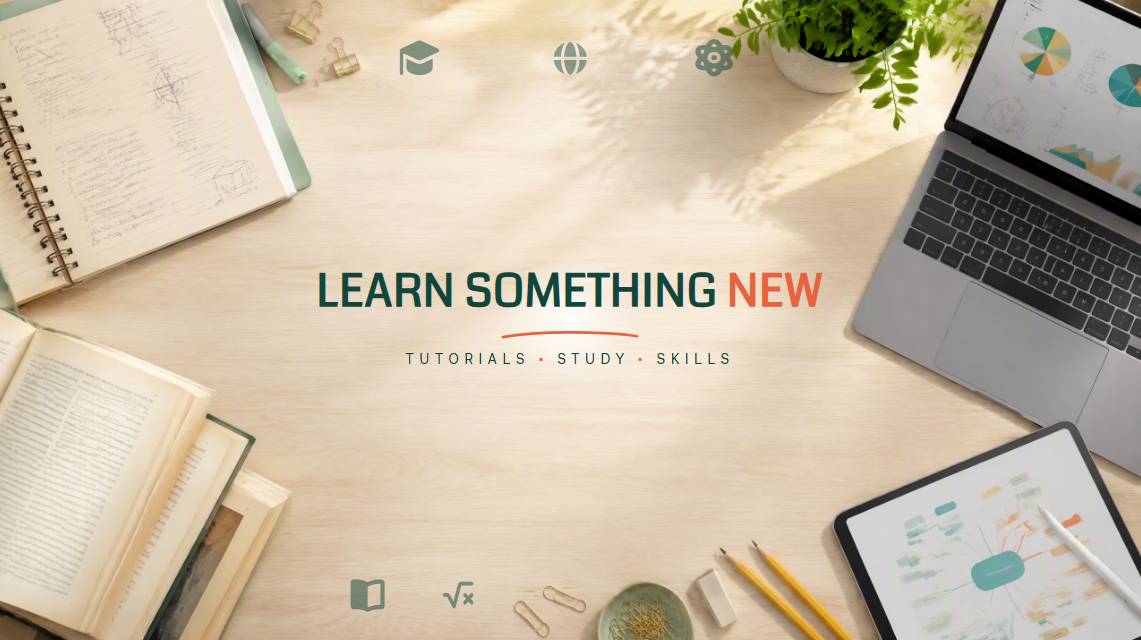
| Education & tutorial channel banner | Study channels, tutorials, online lessons, academic content | Books, laptop, tablet, handwritten notes, academic icons | Clear, trustworthy, approachable |
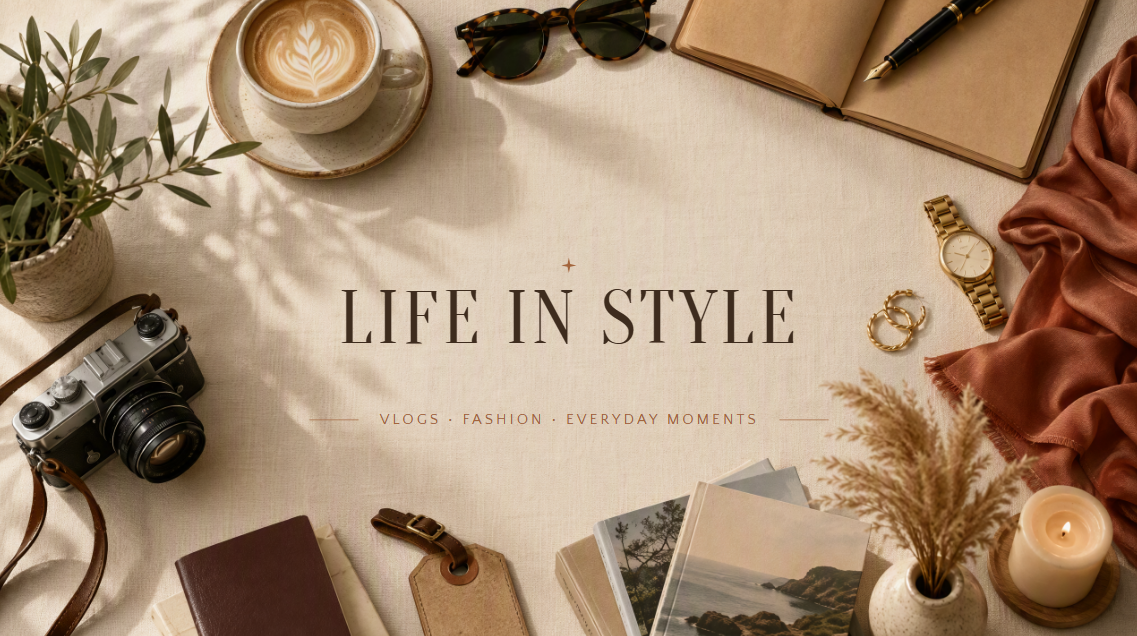
| Lifestyle channel banner | Vlogs, fashion, home, wellness, everyday-life content | Coffee, sunglasses, notebook, camera, plants, fashion accessories, home decor | Relaxed, stylish, editorial lifestyle |
10 YouTube banner templates for every niche
Before choosing a design, it's important to keep YouTube's banner dimensions in mind so your text and visuals look right on every screen. Use a full canvas of 2560 × 1440 px, while keeping key content within the centered safe area of 1546 × 423 px. With that in mind, here are 10 YouTube banner templates you can customize for different channel niches.
Gaming channel banner
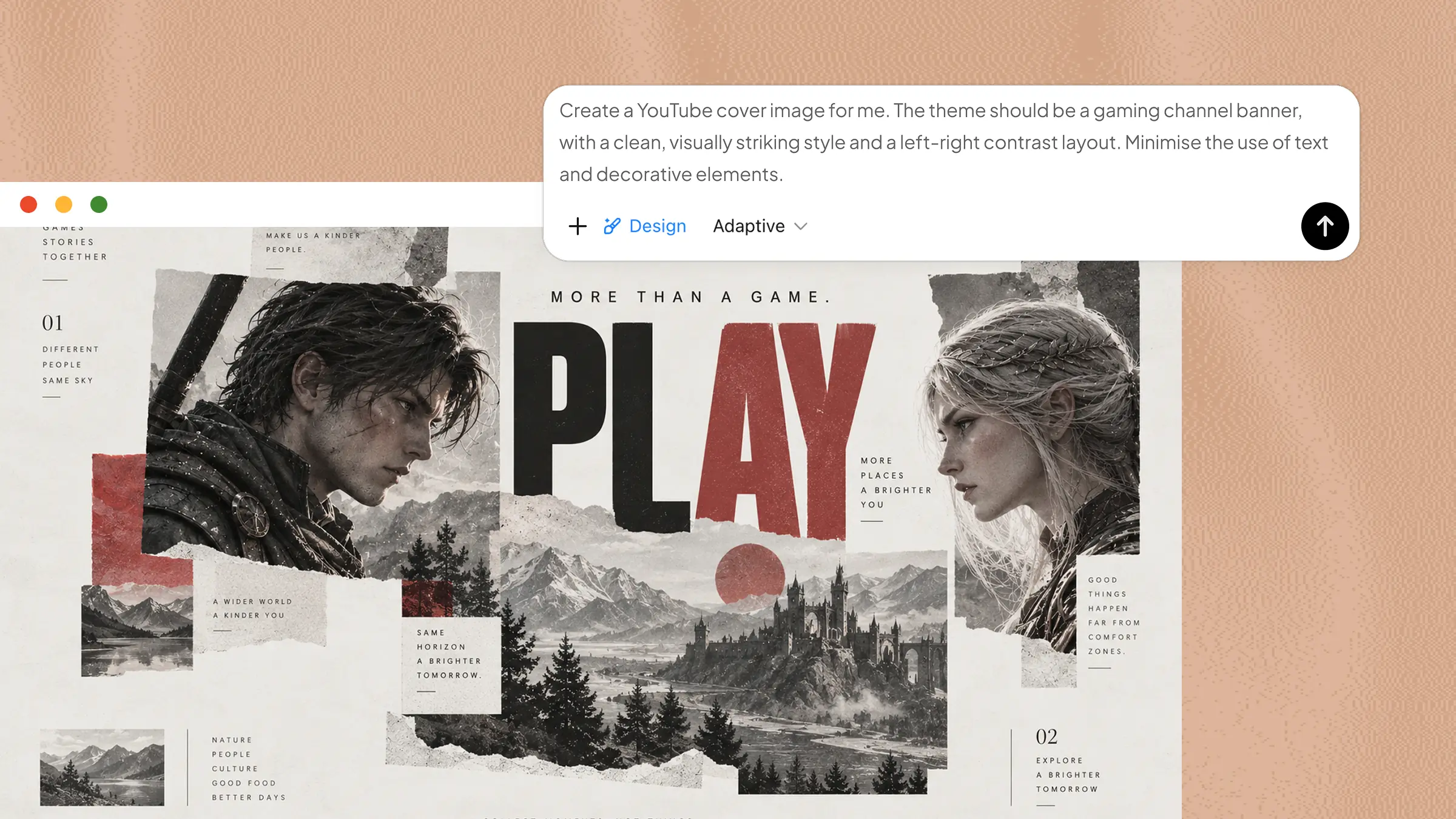
A gaming banner should instantly show the energy and personality of the channel without making the design feel crowded. This template uses bold gaming visuals, strong typography, and a dynamic composition to create an exciting first impression. It works well for gameplay, esports, streaming, and gaming review channels.
How to use
Step 1: Enter your prompt
Open Kimi Design and describe the gaming style you want, including the gaming visuals, channel name, text, and overall mood. You can also adjust the prompt to match your favorite game or the type of content you create.
Prompt:
Step 2: Let AI generate your template
Kimi Design processes your prompt and turns the described gaming elements into a complete banner layout. It understands the requested style, typography, lighting, and composition, then combines them into a cohesive gaming design.
Step 3: Review and export the template
Check the banner at different screen sizes to make sure the channel name and tagline remain visible. Once the layout looks balanced and all important details are clear, export the finished banner.
Travel channel banner
A travel banner should capture the excitement of exploring new places while making the channel's identity easy to recognize. This template combines scenic imagery, an adventurous mood, and clean typography to create a memorable first impression. It is ideal for travel vlogs, destination guides, backpacking, and travel tips.
How to use
Step 1: Enter your prompt
Start by telling Kimi Design the type of travel content you create and the destination or atmosphere you want to feature. You can change the scenery, traveler, title, and supporting text to make the banner fit your channel.
Prompt:
Step 2: Let AI generate your template
Kimi Design interprets the travel setting, scenery, typography, and mood from your prompt to build the banner automatically. It arranges the landscape and travel elements around the central branding to create a cinematic composition.
Step 3: Review and export the template
Make sure the channel title remains readable against the scenery, and that important elements are not too close to the edges. Once the composition looks right, export the finished banner.
Food & cooking channel banner
A food banner should feel warm, inviting, and instantly make viewers think about delicious meals. This template combines appetizing dishes, kitchen details, and friendly typography to create an engaging look. It works well for recipe channels, cooking tutorials, baking content, and food reviews.
How to use
Step 1: Enter your prompt
Tell Kimi Design what kind of food content you create and which dishes or ingredients you want to feature. You can also change the kitchen style, food arrangement, and channel text to make the design more personal.
Prompt:
Step 2: Let AI generate your template
Kimi Design turns your description into a complete food-focused banner by combining the kitchen setting, dishes, ingredients, and typography. It uses the details in your prompt to create a warm composition where the food and branding work naturally together.
Step 3: Review and export the template
Check that the channel name is easy to read and that the food naturally frames the central text. Remove any distracting elements and export the banner once the final design looks clean.
Beauty & makeup channel banner
A beauty banner needs a polished look that feels stylish without becoming overwhelming. This template combines makeup products, soft lighting, and elegant typography for a refined visual style. It is suitable for makeup tutorials, skincare content, beauty reviews, and fashion channels.
How to use
Step 1: Enter your prompt
Choose the beauty style you want, such as soft, glamorous, minimal, or editorial, and tell Kimi which products and visual elements to include. You can replace the suggested title and beauty products with ones that match your channel.
Prompt:
Step 2: Let AI generate your template
Kimi Design understands the beauty style, products, lighting, and typography described in your prompt and turns them into a polished banner. It arranges the cosmetic elements and branding to create the refined beauty aesthetic you requested.
Step 3: Review and export the template
Make sure the title stands out clearly, and the products frame it naturally. Check the overall balance and make any final adjustments before exporting the completed banner.
Fitness & workout channel banner
A fitness banner should communicate energy, movement, and motivation at a glance. This YouTube banner template uses an athletic gym setting, workout equipment, and bold typography to create a powerful look. It is ideal for workout programs, fitness tips, bodybuilding, running, and motivational channels.
How to use
Step 1: Enter your prompt
Tell Kimi Design what type of fitness content you create and describe the workout environment you want. You can customize the athlete, equipment, workout style, title, and overall mood to match your channel.
Prompt:
Step 2: Let AI generate your template
Kimi Design processes the workout setting, athletic imagery, typography, and lighting to create the banner based on your instructions. It combines these elements into a dynamic composition designed to capture the energy of a fitness channel.
Step 3: Review and export the template
Preview the banner and check that the main message remains visible at different sizes. Make sure no important text is too close to the edges, then export the final design.
Tech review channel banner
A tech banner should feel modern, clean, and connected to gadgets and innovation. This template uses devices, futuristic lighting, and structured typography to create a professional technology-focused look. It works well for smartphone reviews, laptop comparisons, software tutorials, and tech news.
How to use
Step 1: Enter your prompt
Describe the type of technology your channel covers and the devices you want featured. You can also customize the title, background, lighting, and products to better reflect your specific tech content.
Prompt:
Step 2: Let AI generate your template
From the devices to futuristic lighting, Kimi Design understands each part of your description and builds them into a single design. It organizes the products, branding, and visual effects to achieve the sleek tech style you requested.
Step 3: Review and export the template
Make sure the channel title remains clear against the background and that the devices do not cover important text. After making any final adjustments, export the completed banner.
Podcast channel banner
A podcast banner should make the show name easy to recognize while giving viewers a sense of the conversation or storytelling style. This YouTube banner template uses microphones, studio equipment, and atmospheric lighting to create a professional broadcast feel.
How to use
Step 1: Enter your prompt
Tell Kimi Design what your podcast is about and describe the mood you want, such as serious, casual, creative, or conversational. Add your show name and choose studio elements that fit the type of podcast you produce.
Prompt:
Step 2: Let AI generate your template
Kimi Design uses studio equipment, lighting, text, and overall mood in your prompt to create the banner. It brings microphones, headphones, and other elements together in a professional composition suited to a podcast channel.
Step 3: Review and export the template
Check that the podcast title is immediately visible and remains readable in the background. Preview the design at different sizes, make any final changes, and export the finished banner.
Music channel banner
Music channels can use strong visuals to create an atmosphere before viewers even watch a video. This 2560 × 1440 YouTube banner template combines instruments, recording equipment, and dramatic lighting to create a creative and expressive look. It suits musicians, DJs, producers, playlists, and music discovery channels.
How to use
Step 1: Enter your prompt
Choose the musical style or mood you want to represent and tell Kimi Design which instruments or studio elements should appear. You can adjust the genre, title, lighting, and objects so the banner feels connected to your music.
Prompt:
Step 2: Let AI generate your template
The instruments, studio details, sound-wave graphics, and visual mood are all interpreted from your prompt. Kimi Design then combines them into a layered design that gives the banner the creative and cinematic feel of a music channel.
Step 3: Review and export the template
Check that the channel name stands out clearly from the background and that the surrounding elements do not distract from it. Once the composition looks balanced, export the finished banner.
Education & tutorial channel banner
An education banner should look clear and trustworthy while still feeling approachable. This template uses books, digital learning elements, and a structured composition to communicate knowledge and learning. It is useful for study channels, tutorials, online lessons, academic content, and skill-building videos.
How to use
Step 1: Enter your prompt
Tell Kimi Design what subject or skill your channel teaches and choose visual elements that support that topic. You can change the books, devices, subject-specific objects, title, and supporting text to make the banner more relevant.
Prompt:
Step 2: Let AI generate your template
With your instructions as a guide, Kimi Design arranges the books, laptop, notes, and other learning elements into a complete banner. It follows the requested style and typography to create a clean design that clearly reflects the educational theme.
Step 3: Review and export the template
Make sure the title and subtitle are easy to read and are not hidden behind any objects. Check the overall balance and safe area, then export the banner when everything looks clear.
Lifestyle channel banner
A lifestyle banner should feel personal, relaxed, and visually appealing while leaving enough room for the channel identity to stand out. This template combines everyday objects such as coffee, fashion accessories, travel items, and home details. It can work for vlogs, fashion, home, wellness, and everyday-life content.
How to use
Step 1: Enter your prompt
Describe the lifestyle you want the banner to represent and choose a few objects that naturally connect with your content. You can customize the objects, mood, title, and background to create a design that feels personal to your channel.
Prompt:
Step 2: Let AI generate your template
Kimi Design takes the everyday objects, soft lighting, typography, and editorial style you describe and turns them into a finished banner. It positions the lifestyle elements around the branding to create the relaxed and stylish look requested.
Step 3: Review and export the template
Check that the channel title remains prominent and that the surrounding objects do not make the banner feel cluttered. Preview the design at different sizes, make any final changes, and export the finished banner.
Why use Kimi Design for a YouTube banner?
Creating a YouTube banner is easier when you have the right design tools to turn your ideas into a polished result. Kimi Design gives you more control over the creative process, from generating a banner from scratch to refining an existing template. Here's why it can be useful when designing a banner for your channel.
Turn ideas into polished YouTube banners
Start from a text description, a template, or an image reference, and Kimi Design turns your direction into a complete YouTube banner. It makes creative decisions across composition, typography, color, imagery, and visual hierarchy, giving you a polished starting point without building the layout from scratch.
Create banners for any channel niche
Create YouTube banners for gaming, vlogs, podcasts, travel, education, tech, music, business, and more. Adapt the canvas and content to your channel, whether you're introducing a new creator brand, promoting a show, or refreshing an established channel identity.
Customize templates with AI
Start with a template and ask Kimi Design to change the layout, visual style, colors, imagery, or text through conversation. You can also comment directly on the canvas or take control with hands-on editing to adjust text, images, shapes, and positions.
Make your banner ready for your channel
Keep different iterations organized with version history and return to an earlier design whenever needed. When your banner is ready, export it as a PNG or JPG for your channel, or PDF for printing or further editing.
Tips for making better YouTube banners
A good banner should do more than look attractive. It should quickly tell viewers what your channel is about while keeping the design clear and easy to recognize. Keep these tips in mind when creating YouTube channel banners.
Make your channel focus clear
Your banner should quickly show viewers what they can expect from your channel. Use a clear title, short tagline, or relevant visuals that communicate your main topic without making the design feel crowded, confusing, or visually overwhelming.
Match the design with your content
Choose colors, images, fonts, and visual elements that fit the type of content you create. A gaming channel may need a bold look, while a travel or education channel may work better with a cleaner, more relaxed, and welcoming style.
Keep your branding simple and consistent
Use a small set of colors, fonts, and visual elements that match your overall channel identity. Keeping these details consistent across your banner and other channel graphics makes your brand easier for viewers to recognize and remember over time.
Keep important elements visible across devices
Design your YouTube banner on a 2560 × 1440 px canvas and place key elements such as text, logos, and visuals within the centered 1546 × 423 px safe area. Preview the banner across desktop, tablet, and mobile screens to ensure important content remains visible and well-positioned on different devices.
Conclusion
A well-made banner can help your channel feel more complete and give viewers a quick sense of what you create. With YouTube channel banner templates, you have a simple starting point that you can shape to match your style. The goal is to create something clear, recognizable, and easy for viewers to connect with. Kimi Design gives you the tools to turn that idea into a finished banner with less effort.