Minor Mode
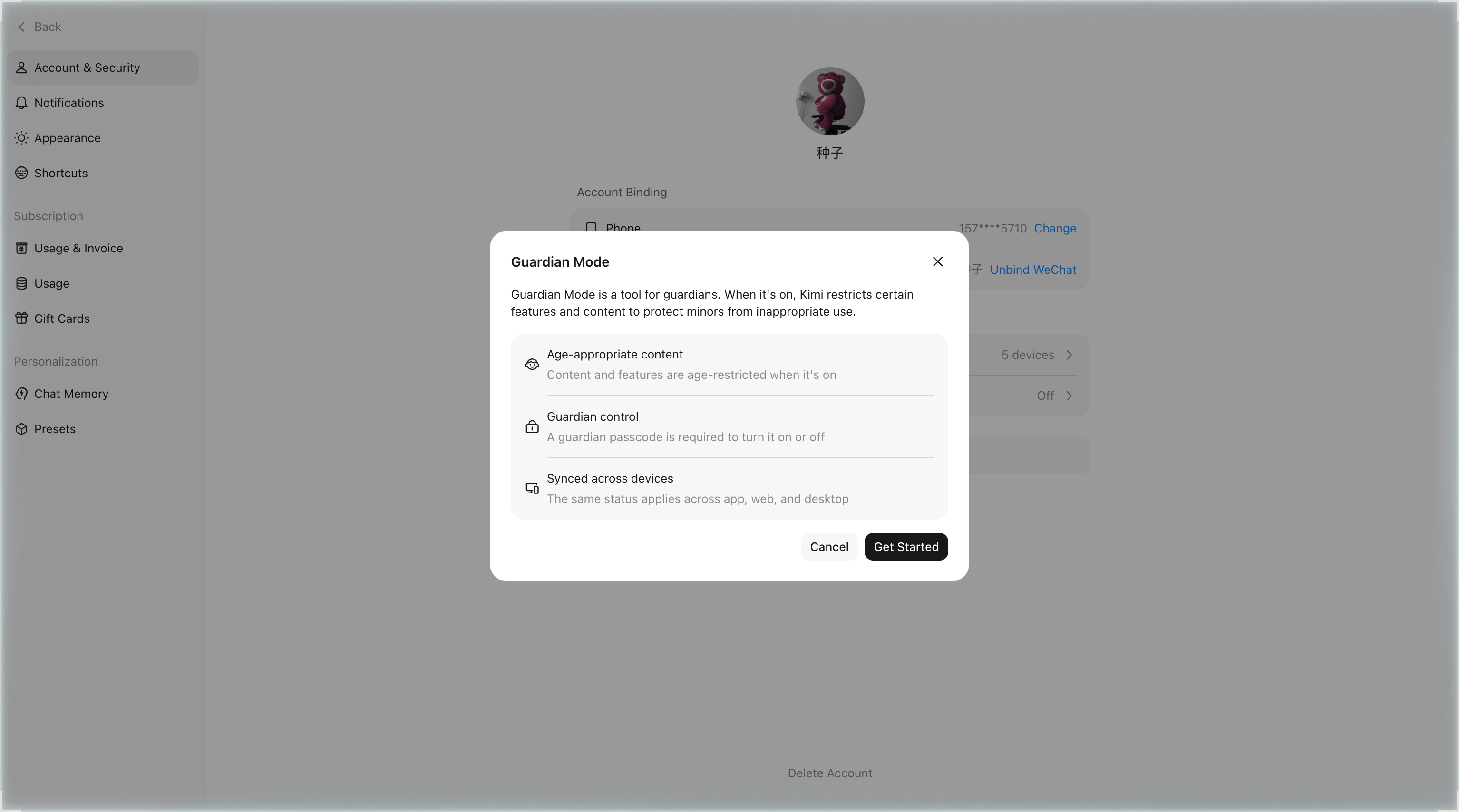
Minor Mode (shown as Guardian Mode in the setup dialog) is a management tool for guardians. When it's on, Kimi restricts certain features and content to protect minors from inappropriate use.
- Age-appropriate content: content and features are age-restricted when it's on
- Guardian control: a guardian passcode is required to turn it on or off
- Synced across devices: the same status applies across app, web, and desktop
Where to find it?
Web (kimi.com): click your avatar in the bottom-left corner → Settings → Account & Security → Minor Mode.
App: Me → Settings → Minor Mode.
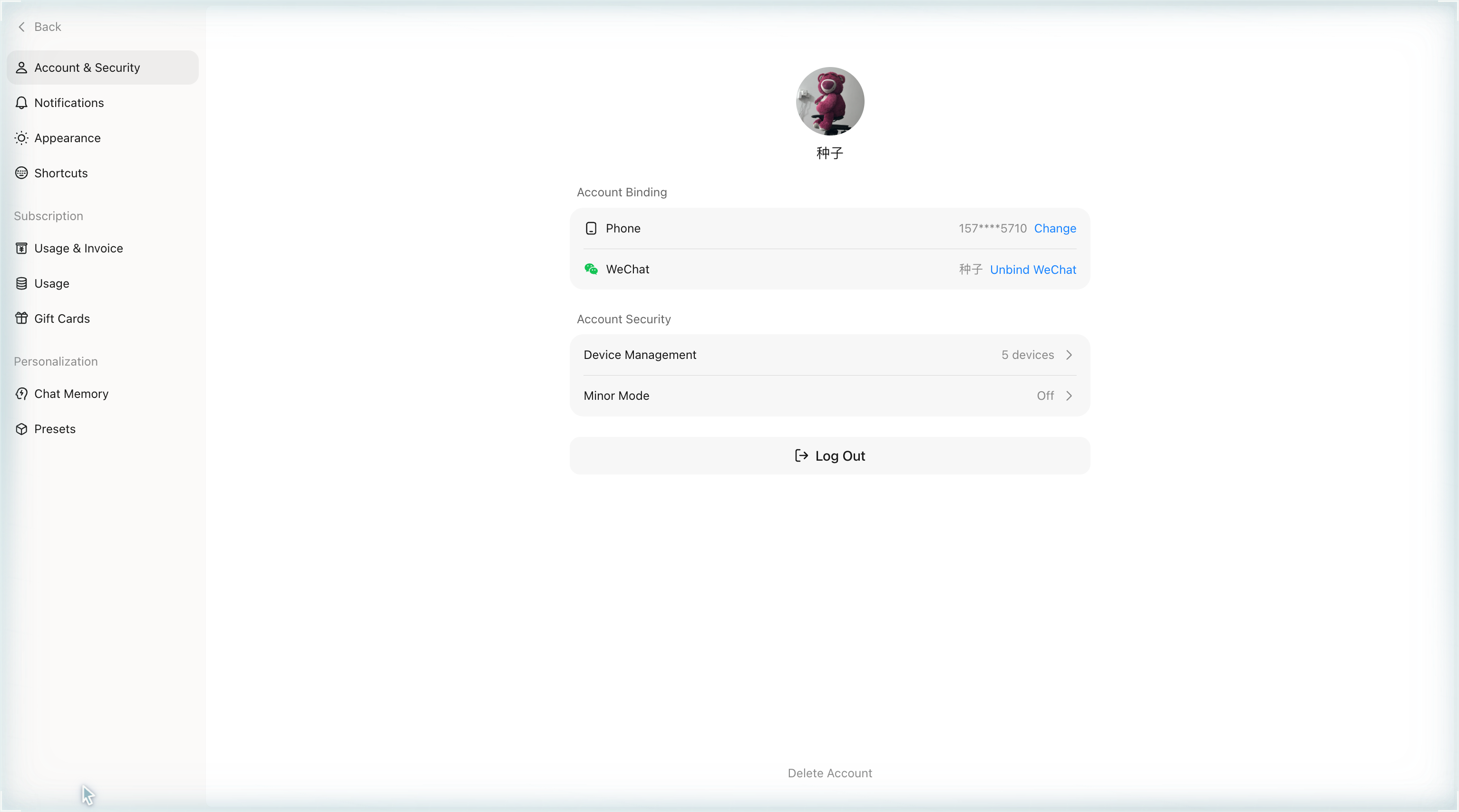
How to turn it on?
- Click the Minor Mode entry to open the intro dialog, then click Get Started.
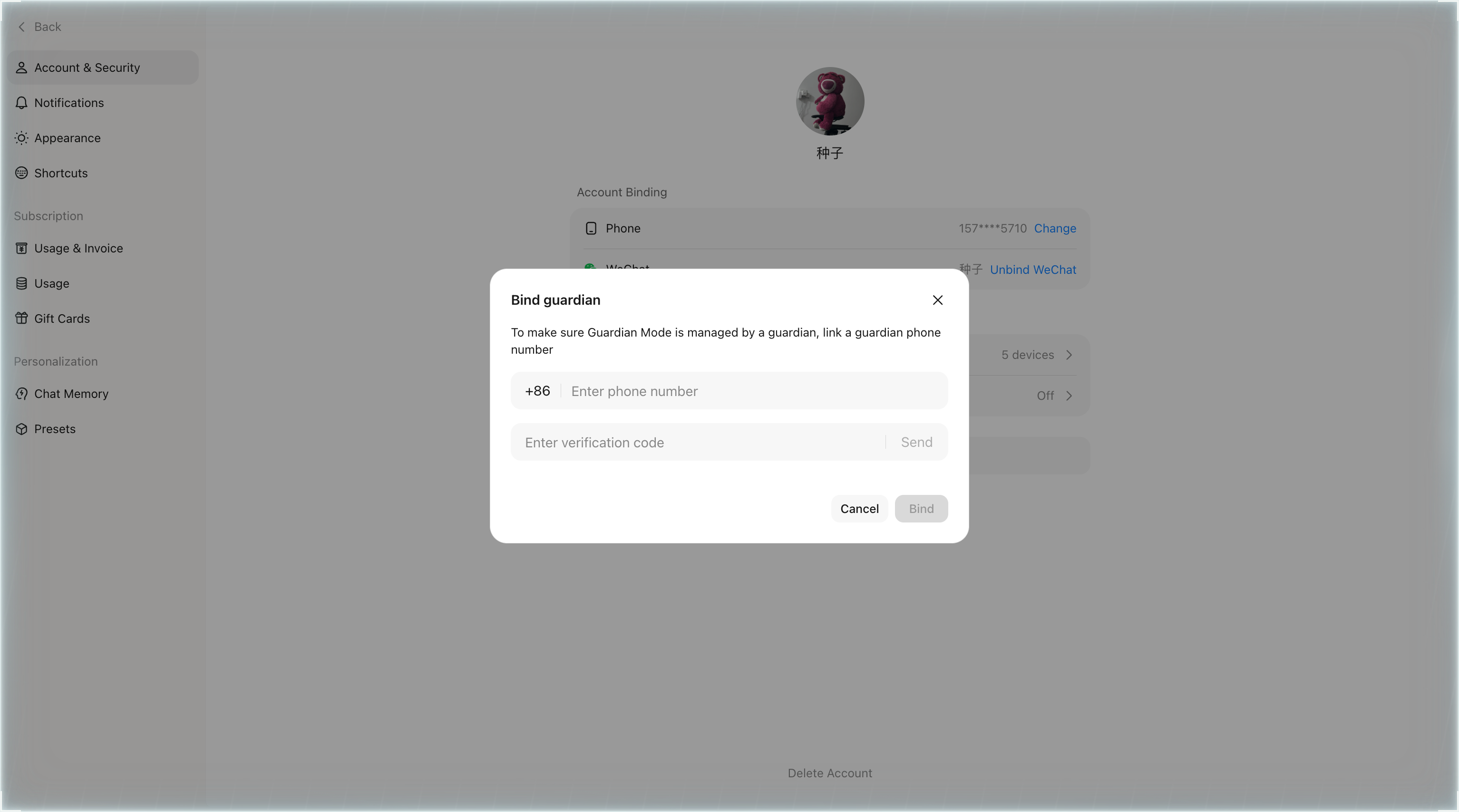
- Bind a guardian: enter the guardian's phone number, then request and enter the 6-digit verification code.
- Create a 4-digit guardian passcode and confirm it. Once done, the entry status shows as On.
How to turn it off?
Open the Minor Mode menu, toggle the switch, and enter the 4-digit guardian passcode. Once verified, Minor Mode is turned off.
Forgot the guardian passcode?
On the turn-off page, click Forgot passcode, verify the guardian's phone number with the 6-digit verification code, and set a new passcode.
Resetting the passcode does not change the on/off state. If Minor Mode is currently on, it stays on after the reset — use the new passcode to turn it off.
How to unbind the guardian?
In the menu, click Unbind guardian, complete the guardian phone verification, and confirm. Unbinding turns off Minor Mode and clears the passcode and binding.
After unbinding, you need to complete the binding and setup flow again to use Minor Mode.
Was this article helpful?