You no longer need years of game development experience to start building a 3D game. AI-powered tools and beginner-friendly game makers can handle much of the technical work, letting you focus on the world, characters, and gameplay you want to create. Whether you have a detailed concept or just a rough idea, the right 3D game makers can help turn it into something you can actually play and improve. Let's explore some of the tools that make 3D game creation more accessible.
Overview of 10 3D game makers
3D game makers take different approaches, from prompt-based game generation and drag-and-drop creation to full-featured game engines. The table below highlights their creation methods, AI support, coding requirements, platforms, and typical use cases.
| 3D game maker | Platform | Creation method | Key capabilities | Coding required | Suitable for |
|---|---|---|---|---|---|
| Kimi Build | Browser | Natural-language prompts | Game generation, editing, and web publishing | No | 3D web games and rapid prototyping |
| Rosebud AI | Browser | Natural-language prompts | Game and asset generation | No | 3D game prototypes |
| GDevelop | Desktop / Web | Visual event system | Visual development, game logic, and scene building | No | 2D and 3D game development |
| Summer Engine | Desktop | Natural-language + game engine | Game generation and Godot development | Optional | Godot-based game development |
| SEELE AI | Browser | Natural-language prompts | Game and 3D asset generation | No | 3D game prototypes and asset creation |
| Struckd | Web / Mobile | Drag-and-drop building | Scene building, game creation, and multiplayer experiences | No | 3D games and multiplayer maps |
| Godot | Desktop | Game engine + scripting | 3D scenes, physics, scripting, and rendering | Yes | Customizable 3D game development |
| Unity | Desktop | Game engine + visual tools + scripting | 3D scenes, physics, scripting, and multi-platform deployment | Yes / Optional | Multi-platform 3D games |
| Unreal Engine | Desktop | Game engine + visual scripting + code | 3D environments, visual scripting, rendering, and simulation | Optional | High-fidelity 3D games |
| PlayCanvas | Browser | Web-based editor + JavaScript | 3D scene editing, scripting, and web publishing | Yes | Browser-based 3D games and experiences |
10 3D game makers for easy game creation
Finding a game-making tool that fits your skills can save you a lot of time and frustration. Whether you are making your first game or testing a new concept, these tools offer different ways to bring your ideas to life. Let's explore 10 easiest ways to make a 3D game with AI:
Kimi Build
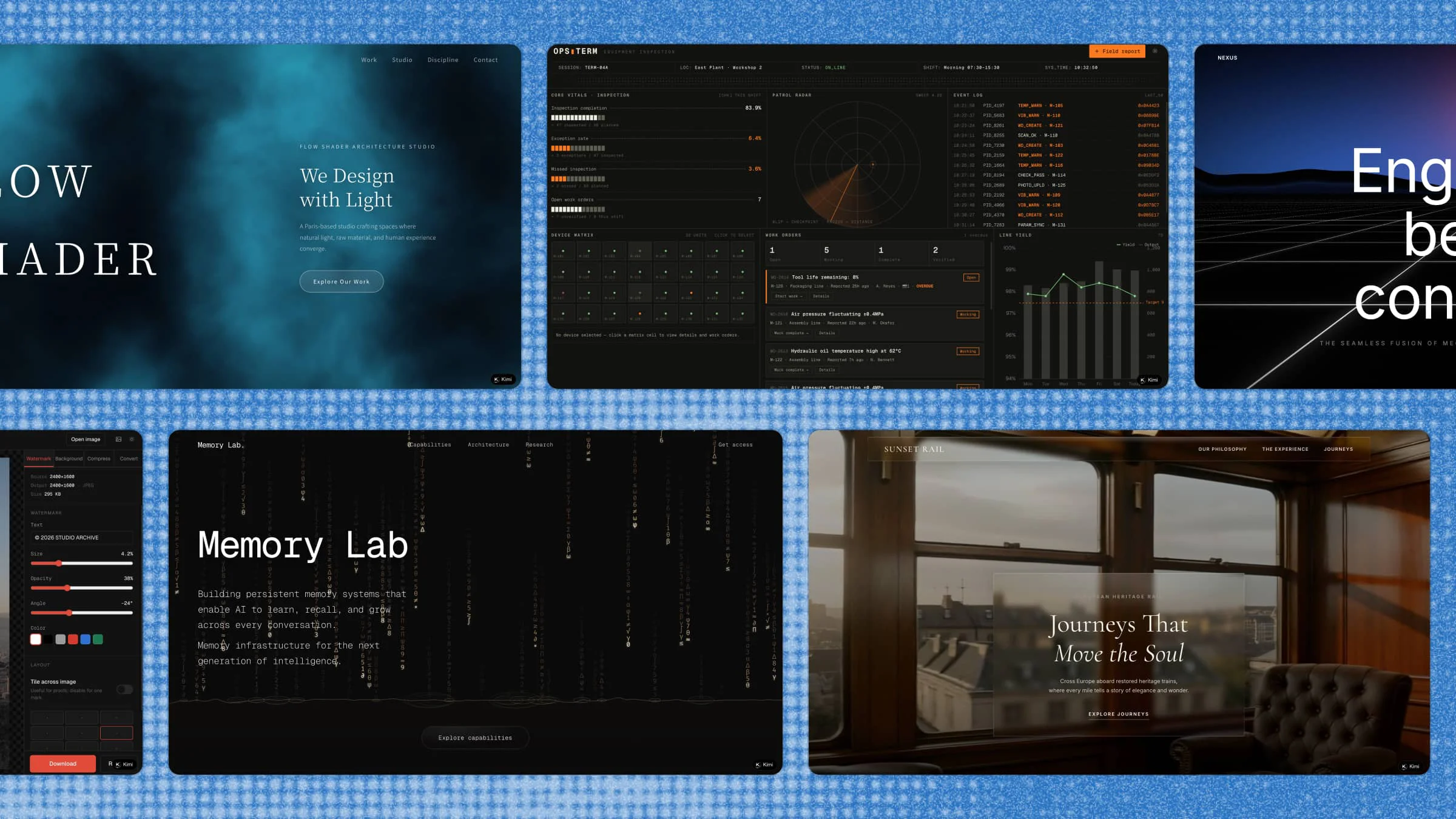
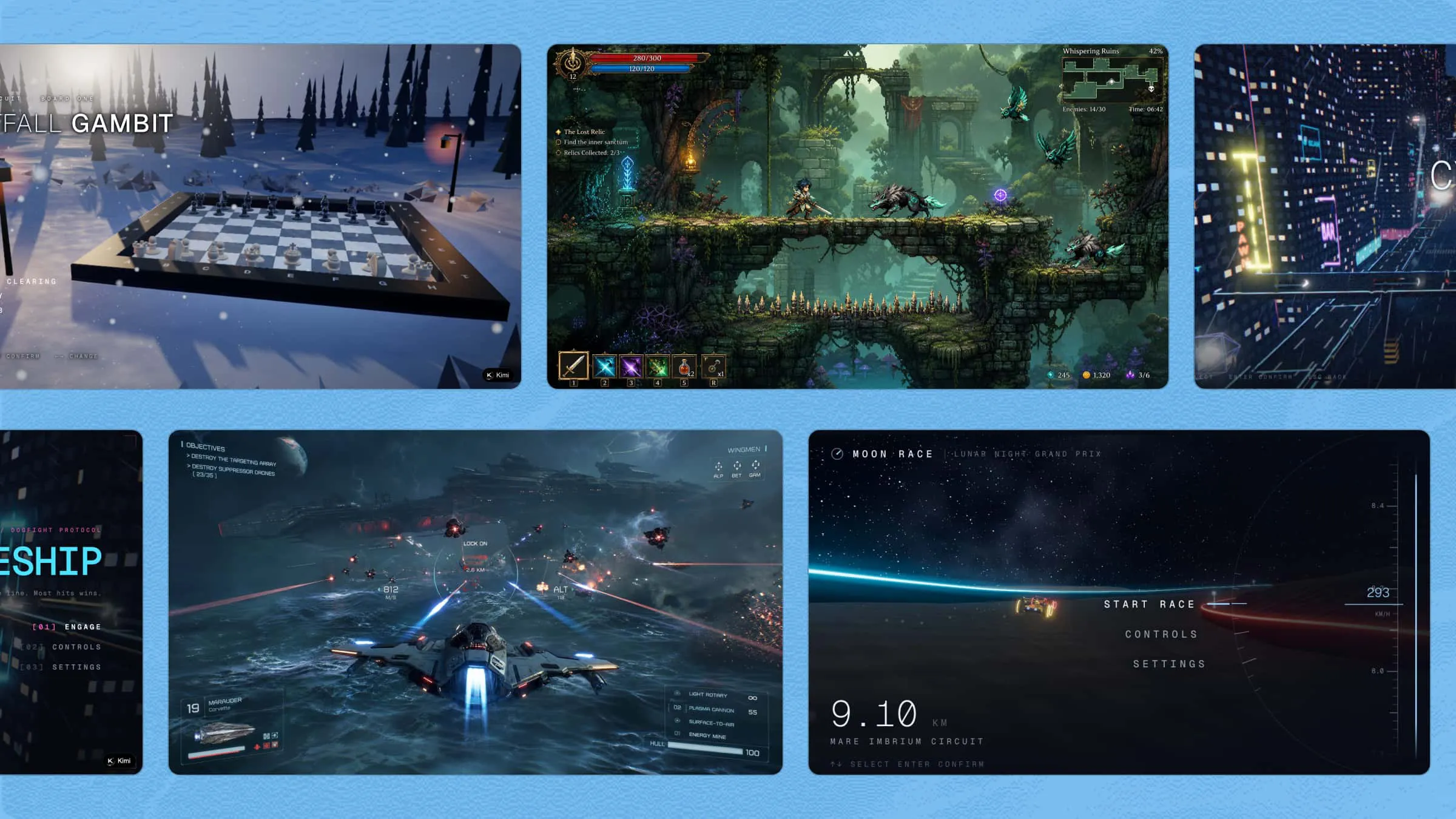
Kimi Build is an AI-powered 3D game maker for creating interactive games directly in your browser. Turn a game concept into a playable 3D experience with AI, using web technologies such as Three.js to build scenes, interactions, animations, and gameplay elements. You can then refine the game with natural-language instructions and quickly test different ideas without setting up a traditional game engine.
If you need a more advanced 3D game development workflow, Kimi Work is a desktop app that integrates with professional tools such as Unreal Engine, and Blender, giving you more control over 3D modeling, game logic, animation, and rendering.
Main features
Turn game ideas into playable 3D worlds: Describe your game concept, world, or level in natural language and turn it into a playable 3D experience without writing code. Generate terrain, architecture, scenery, platforms, obstacles, portals, switches, and other interactive elements to bring your game world to life.
Define the look of your 3D world: Set the visual direction with a description or reference image. Build a cohesive aesthetic with generated colors, lighting, shadows, atmospheric details, particles, and animations.
Fill your world with custom assets: Generate the characters, enemies, objects, animations, and sound effects needed for your game. Build out a distinctive 3D experience without sourcing every asset separately.
Preview and evolve your 3D game: Test your creation directly in the browser, make changes through prompts, and return to previous versions when needed. Share the finished game through a link and support both desktop and mobile play.
Suitable for
Beginners exploring 3D game development
Quick testing of game ideas and mechanics
Creative projects with custom 3D worlds
Browser-based game projects and prototypes
How to make your 3D game with AI
You have the idea; now it's time to put it into action. AI can take care of many of the technical steps while you focus on how you want the game to feel and play. Let's go through the process from the first idea to a playable 3D game.
Step 1: Start with a 3D game idea
First, think about what you want your game to feel like and give the AI a simple description. Tell it what type of game you have in mind, how the player should move, what they need to achieve, and what kind of challenges or setting you want. A clear prompt gives the AI enough direction to turn your basic idea into a playable 3D game.
Example prompt:
Create a 3D browser game called Neon Rooftop Rush. The player controls a small robot running across futuristic city rooftops at night. Add rooftops at different heights, gaps to jump across, glowing energy orbs to collect, moving laser barriers, neon signs, flying cars in the background, and a countdown timer. Make the game colorful, fast-paced, and easy to play with keyboard controls.Step 2: Generate and play the first version
Once you enter the idea, let the AI generate the first playable version. Play through the level yourself and check whether the movement, jumps, obstacles, collectibles, and overall look match your original idea. At this stage, focus on seeing how the basic game feels rather than trying to perfect every detail.
Step 3: Improve with follow-up prompts
After testing the first version, you can enter follow-up prompts directly in the chat to adjust the game, such as changing the controls, characters, colors, difficulty, or other gameplay elements. For more precise changes, click "Edit" to select a specific element, leave comments or instructions for how you want it changed, or make manual adjustments directly. Refine the game step by step until it matches your original idea and plays the way you want.
Step 4: Share and publish your 3D game
When the game feels ready, play it one more time to make sure the main controls and challenges work as expected. You can then share the finished game through its link, making it easy for others to open and play without installing a traditional game engine.
Rosebud AI
Rosebud AI is a browser-based game maker that uses AI to turn written ideas into playable 2D and 3D games. It generates game code, environments, characters, and other assets from natural-language prompts. The platform is built around Three.js, so 3D games can run directly in the browser without installing a traditional game engine. You can keep refining the result through chat and publish the finished game online.
Main features
AI game generation: Describe the type of game you want, and Rosebud can generate a playable starting point with game logic, visuals, and code.
3D asset creation: Generate characters, environments, props, and skyboxes from prompts instead of sourcing every model separately.
Chat-based editing: Ask for changes in natural language, such as adjusting movement, adding mechanics, or changing the game world.
Browser publishing: Test the game in your browser and publish it online so others can play through a link.
Suitable for
Turning text prompts into playable 3D game prototypes
Testing gameplay ideas directly in a browser
Generating custom environments and game assets
Making small interactive projects with AI assistance
GDevelop
GDevelop is a no-code game engine that supports both 2D and 3D projects. Instead of traditional programming, its event system lets you define how objects, characters, and game mechanics behave. It also includes 3D objects, physics, lighting, pathfinding, and an in-engine AI helper. Projects can be previewed and exported to platforms including the web, mobile, and PC storefronts.
Main features
No-code event system: Set up gameplay rules through visual events rather than writing traditional code.
3D game support: Work with 3D models, lighting, materials, physics, and other elements for three-dimensional scenes.
Built-in AI helper: Get development assistance or ask the AI to help build features while you work on your project.
Multi-platform export: Take finished games beyond the editor with export options for web, Android, Steam, and other supported platforms.
Suitable for
Creating 2D and 3D games with visual events
Prototyping gameplay without traditional programming
Developing projects for the web, mobile, and PC
Combining ready-made assets with custom game mechanics
Summer Engine
Summer Engine is a desktop game engine built around an AI-assisted development workflow. You can describe scenes and gameplay in plain language while the AI works with the project, including scenes, scripts, and assets. It uses GDScript and is compatible with Godot 4, while still giving developers access to the underlying project and code.
Main features
Natural-language development: Describe what you want to change and let the AI draft scenes, gameplay systems, and scripts.
Real engine projects: Your work remains a local project that can be opened, tested, edited, and developed beyond AI conversation.
Generative assets: Generate textures, models, audio, video, and animations without leaving the engine.
Live development loop: Play the game, spot problems, ask for changes, and immediately test the updated version.
Suitable for
Developing games through AI-assisted workflows
Editing real Godot-compatible projects with natural language
Generating assets and gameplay systems in one workspace
Quickly testing and refining game features locally
SEELE AI
SEELE AI is an AI-powered game creation platform that can generate playable 3D games from natural-language descriptions. It can produce game logic, environments, models, textures, animations, and other assets as part of the workflow. Projects can be played in the browser and exported to Unity or Three.js, while Unreal Engine 5 support is available for subscription users.
Main features
Text-to-game generation: Describe a game and let AI assemble the gameplay, scenes, assets, and interactions.
3D asset pipeline: Generate models, PBR textures, animations, and character-related assets within the same workflow.
Engine exports: Move projects into Unity or Three.js for further development, with UE5 support available on supported plans.
Different game genres: The platform supports projects such as FPS games, RPGs, racing games, platformers, and simulations.
Suitable for
Turning written concepts into complete 3D game prototypes
Generating characters, environments, animations, and textures
Experimenting with different game genres and mechanics
Moving AI-generated projects into professional engines
Struckd
Struckd is a 3D game creation platform designed around simple, drag-and-drop game building. It let users assemble worlds from ready-made assets, create different types of games, and share their creations with other players. Multiplayer experiences were also supported, allowing creators to make maps that friends could play together.
Main features
Drag-and-drop building: Users could arrange 3D elements without needing traditional programming skills.
Ready-made assets: The platform provided characters, environments, vehicles, and other elements for assembling game worlds.
Multiple game styles: Creators could work on genres such as racing, action, puzzles, tower defense, and RPGs.
Multiplayer creation: Games could include multiple playable characters and be played with friends through multiplayer sessions.
Suitable for
Making simple 3D games with drag-and-drop tools
Designing multiplayer maps and game worlds
Experimenting with racing, action, and puzzle concepts
Sharing playable creations with other users
Godot
Godot is an open-source game engine with a dedicated 3D toolset for creating games and interactive experiences. Its 3D renderer supports modern graphics APIs, while the engine also includes built-in physics, animation, lighting, and scene tools. Developers can use GDScript, C#, and other community-supported language bindings depending on their workflow.
Main features
Full 3D toolset: Work with meshes, cameras, lights, materials, paths, and other components directly in the editor.
3D physics: Add rigid bodies, character bodies, vehicles, joints, soft bodies, and collision systems to gameplay.
Modern rendering: Choose between Forward+, Mobile, and Compatibility renderers based on the project's visual and hardware needs.
Flexible scripting: Use GDScript, C#, or community-supported language options to control game systems and behavior.
Suitable for
Developing fully customizable indie 3D games
Building physics-based gameplay and interactive worlds
Writing detailed game systems with scripting
Creating projects with an open-source development workflow
Unity
Unity is a widely used engine for developing interactive 2D and 3D experiences across multiple platforms. Its workflow combines scenes, GameObjects, components, scripting, physics, animation, lighting, and visual effects. Unity also provides dedicated tools for 3D world building, character animation, and gameplay development. Its broad platform support makes it suitable for projects targeting desktop and mobile.
Main features
3D world building: Use terrain, meshes, lighting, materials, and other tools to shape detailed game environments.
Character and animation tools: Animate characters and objects while creating sequences and in-game movement.
Physics and gameplay systems: Build interactions using physics, scripts, input controls, and other gameplay components.
Multi-platform development: Prepare games and interactive applications for a wide range of supported platforms.
Suitable for
Developing games for PC, mobile, web, and other platforms
Creating detailed 3D environments and animated characters
Building complex gameplay systems and interactive mechanics
Working on projects that need broad platform support
Unreal Engine
Unreal Engine is a real-time 3D engine designed for high-fidelity games and interactive experiences. Its current toolset includes advanced rendering, world-building, animation, simulation, gameplay systems, and multiplayer development features. Unreal Engine 5 includes technologies such as Nanite for detailed geometry and Lumen for dynamic global illumination.
Main features
High-fidelity graphics: Nanite and Lumen help produce detailed environments, geometry, lighting, and dynamic visual effects.
Large-world tools: World Partition and related systems help organize and stream expansive game environments.
Visual development tools: Build gameplay and interactive systems through a combination of visual tools, scripting, and code.
Advanced production pipeline: Use tools for animation, simulation, effects, audio, multiplayer, and other parts of game development.
Suitable for
Producing visually detailed and realistic 3D games
Designing large open-world environments
Creating advanced animation, lighting, and simulation systems
Developing high-end multiplayer and interactive experiences
PlayCanvas
PlayCanvas is an open-source 3D engine built for the web and powered by JavaScript, WebGL, and WebGPU. It uses HTML5 technologies to deliver interactive 3D content across browsers and devices. The engine includes physically based rendering, post-processing, HDR rendering, and support for modern WebGPU features. Its lightweight runtime also makes it useful for browser-based games and interactive 3D experiences.
Main features
WebGL and WebGPU: Use established WebGL2 support alongside WebGPU for newer graphics and compute capabilities.
Physically based rendering: Produce more realistic materials and lighting through modern real-time rendering techniques.
Lightweight runtime: Keep browser experiences fast and compact, including on lower-end mobile devices and Chromebooks.
JavaScript development: Build game logic and interactive 3D experiences using JavaScript, TypeScript, or supported web integrations.
Suitable for
Developing 3D games that run directly in web browsers
Creating interactive build and browser experiences
Building lightweight projects for different devices
Combining JavaScript development with real-time 3D graphics
How to choose a 3D game builder that fits you
Choosing a 3D game creator is easier when you know what your project actually needs. Think about the features, level of control, and type of game you want to make before picking a tool. These factors can help you find a tool that works well for your goals.
3D asset quality and generation capabilities
Your game's visuals depend heavily on the quality of its models, textures, characters, animations, and environments. Check whether the tool offers built-in assets, asset generation, or support for importing your own files. AI-powered options can also speed up the process of creating custom game elements.
Scene complexity and performance
Consider how well the tool can handle detailed environments, multiple objects, animations, effects, and larger game worlds. A simple project may work smoothly with basic tools, while bigger games need stronger rendering and optimization features.
Platform compatibility and integrations
Think about where you want your finished game to run, whether that is a browser, PC, mobile device, or another platform. Some tools focus mainly on web games, while others support several export options. Check for integrations with other software if you plan to use external tools for assets, animation, or development.
Collaboration and playtesting features
Sharing a project and testing it with others can make the development process much easier. Features such as multiplayer testing, project sharing, previews, and easy publishing can help you collect feedback along the way. These tools become especially useful when several people are working on the same project.
Learning resources and scalability
Look for tutorials, documentation, templates, communities, and other resources that can help you solve problems as you progress. It is also worth choosing a tool that can handle more advanced projects as your skills improve and your creative ambitions grow.
Conclusion
There is no single tool that fits every game project, so the best choice depends on your goals, skills, and preferred workflow. The right 3D game makers can help you move from a rough concept to a playable result without making the process feel overwhelming. If you want a quick way to experiment, Kimi Build gives you a simple place to start. Describe what you have in mind, test the result, and shape it as you go.