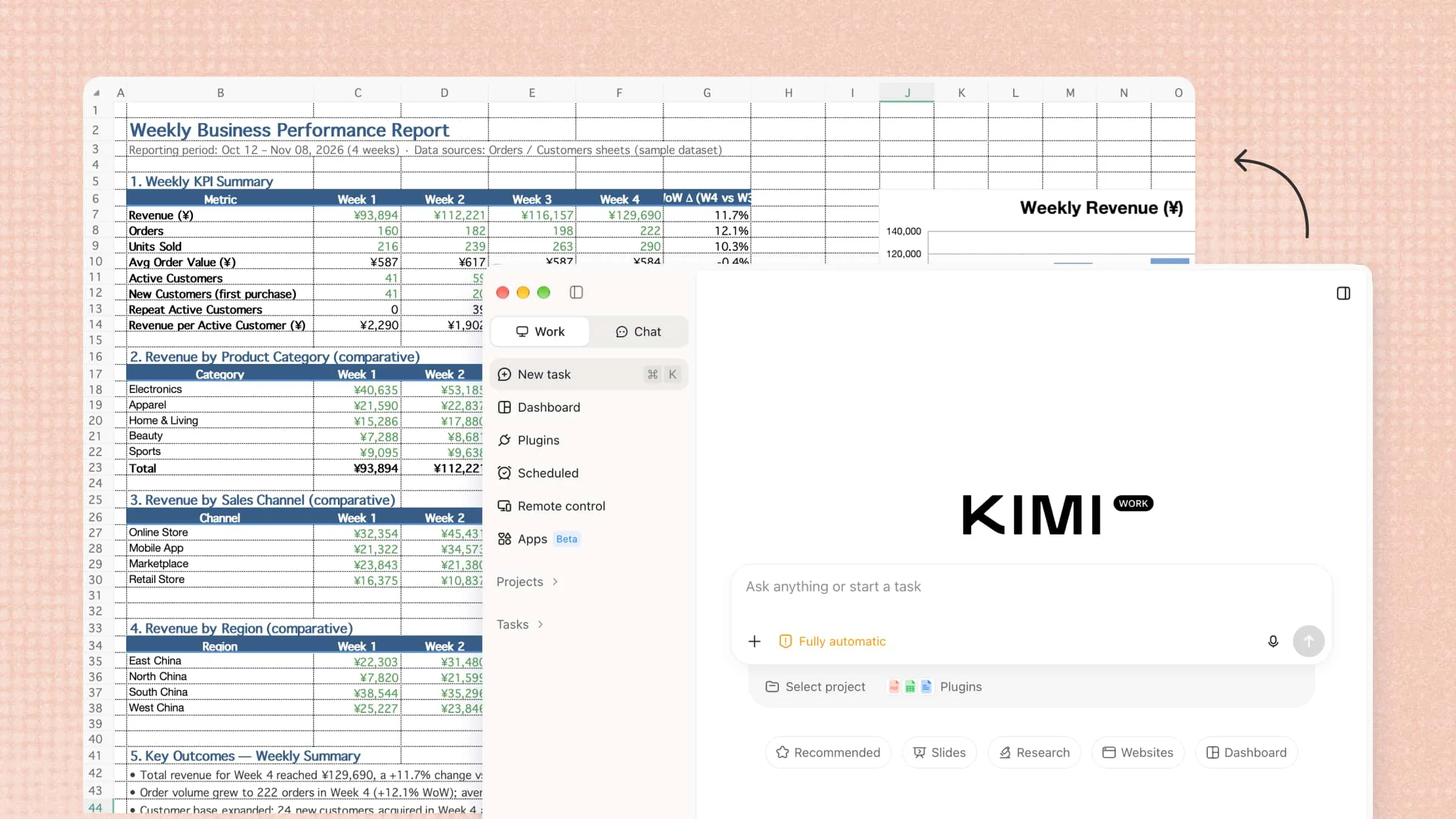
Managing daily responsibilities often involves juggling multiple applications, gathering information, handling repetitive tasks, and keeping workflows organized. These demands can consume valuable time and make complex assignments increasingly difficult to manage. A work agent offers a smarter approach by combining artificial intelligence with task execution and workflow automation. In this article, we explore what a work agent is, its key benefits, practical applications, and how Kimi Work helps simplify everyday professional activities.
What is a work agent
A work agent is an AI-powered system designed to manage and execute tasks with a degree of autonomy, helping individuals and teams streamline their professional workflows. It can interpret instructions, develop actionable plans, and interact with digital tools, applications, and files to complete multi-step activities. Beyond providing information, a work agent can conduct research, organize data, automate repetitive processes, and generate practical deliverables. By reducing manual effort and improving operational efficiency, it enables users to focus on more strategic and complex responsibilities.
Key benefits of using a work agent
A work agent brings several practical benefits that make everyday tasks easier and workflows more efficient.
Reduced manual work: AI work agents automates repetitive activities such as organizing information, processing files, and managing routine tasks. This minimizes time spent on manual operations and allows users to concentrate on higher-value responsibilities.
More connected workflows: Switching between disconnected applications often interrupts productivity. A work agent can coordinate activities across supported tools and platforms, helping information move smoothly from one stage of a process to the next.
Support for complex tasks: Some assignments involve much more than a single instruction. A work agent can interpret broader objectives, divide them into manageable steps, and work through activities such as research, analysis, and project coordination.
Consistent task execution: Reliability matters, particularly when the same procedures need to be repeated. By following established instructions and workflows, a work agent helps maintain consistency while reducing the likelihood of avoidable oversights.
Flexible output generation: Not every task calls for the same kind of result. Whether the requirement is a structured report, a concise summary, a spreadsheet, or an organized dataset, a work agent can prepare deliverables suited to the intended purpose.
Kimi Work: A desktop work agent for knowledge workers
Kimi Work is an AI agent for work designed to transform complex knowledge-work processes through autonomous execution and advanced task orchestration. It seamlessly integrates local file management, browser interaction, and multi-agent collaboration into a unified working environment. By leveraging goal-oriented execution and intelligent automation, it streamlines intricate workflows while minimising repetitive manual intervention. Its extensible architecture, powered by Plugins and Skills, enables professionals to undertake sophisticated research, data processing, and document-generation tasks with greater efficiency and precision.
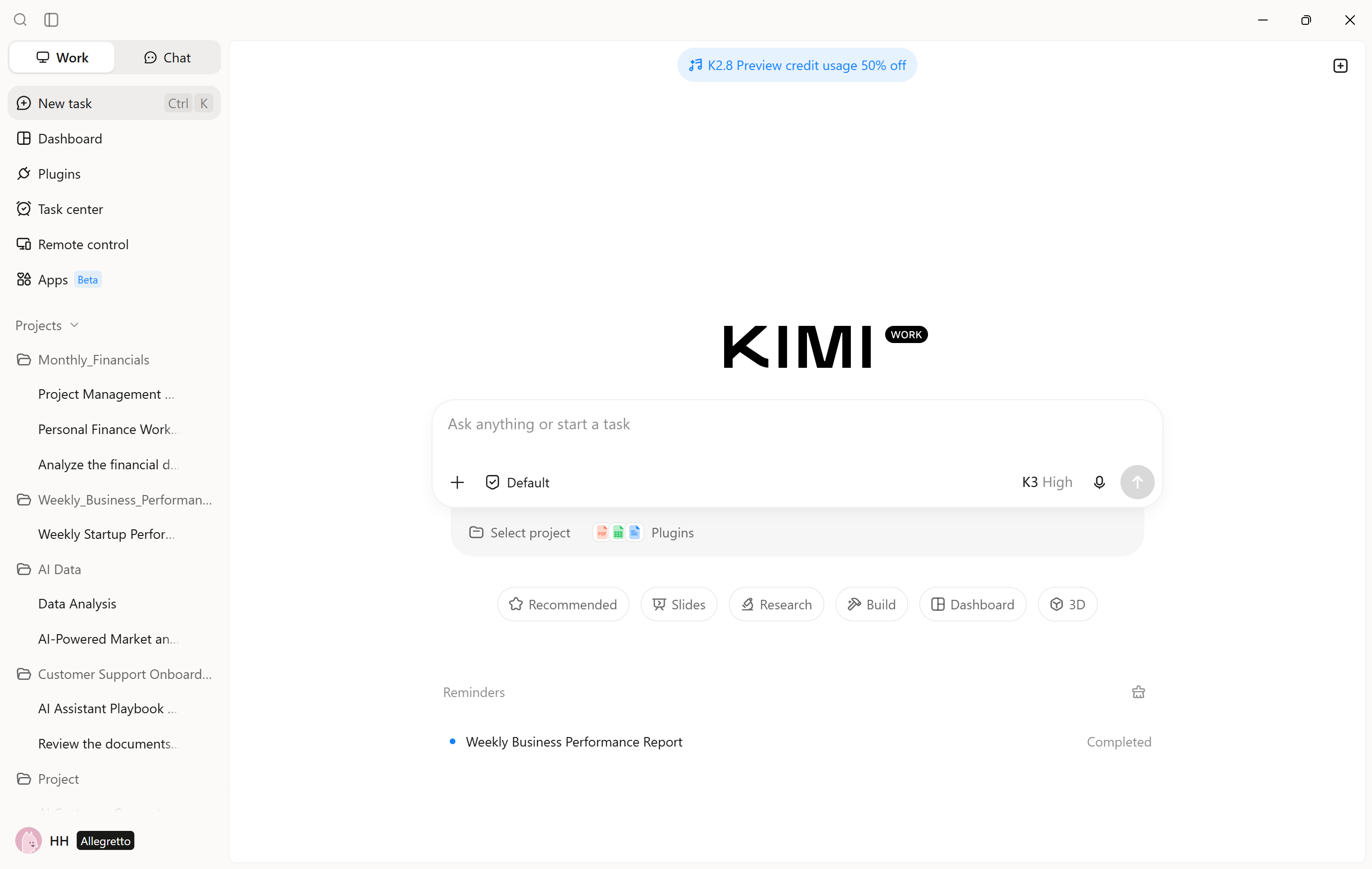
Main features
Local file access and processing: Accesses and processes files and folders directly on the computer, enabling document organization, information extraction, data analysis, and file generation without repeated uploads or downloads.
Browser automation: Uses the Kimi Browser Extension to navigate websites, interact with page elements, and extract information, streamlining online research and web-based operations.
Agent Swarm for parallel task execution: Coordinates up to 300 specialized AI sub-agents to handle different components of complex tasks simultaneously, consolidating their outputs into a unified result.
Goal Mode for long-running tasks: Executes user-defined objectives based on specified requirements and success criteria. It performs multiple execution cycles while allowing users to monitor progress and refine instructions.
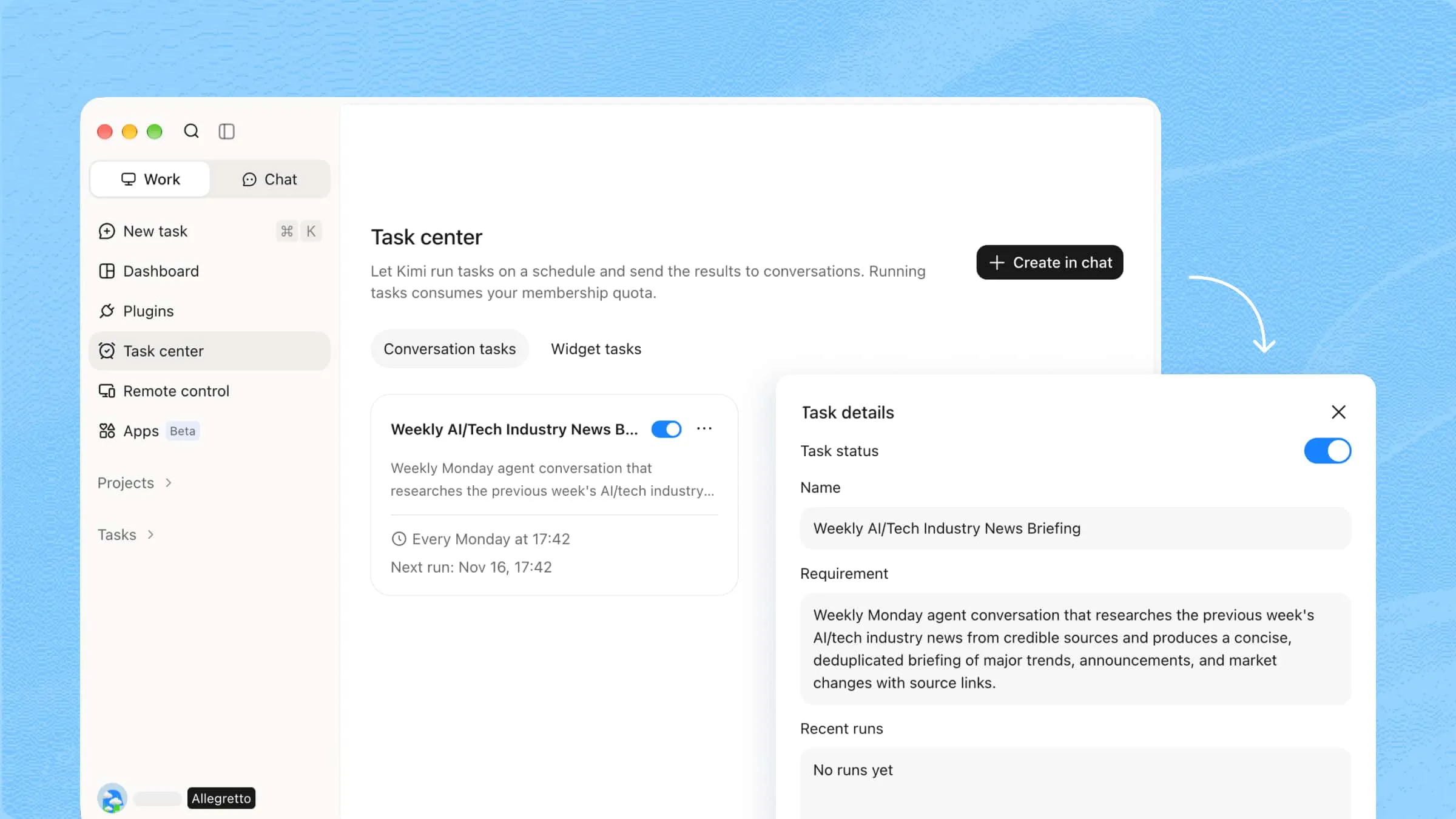
Scheduled task automation: Automates one-time or recurring activities, such as preparing research briefings, generating reports, and processing datasets. Execution requires the desktop application and computer to remain available.
Plugins and skills: Extends Kimi Work with external service integrations and specialized workflows. Users can also create and upload their own Skills and plugins to add custom capabilities, tailor workflows to specific needs, and connect Kimi Work with their preferred tools and services.
How to manage work tasks with Kimi Work
Kimi Work helps you organize projects, automate recurring tasks, and coordinate complex workflows with Agent Swarm. Here are two ways to manage your work tasks with Kimi Work.
Use case 1: Automate recurring work
Kimi Work can help handle repetitive tasks by setting up workflows that run automatically at specified times. This is useful for recurring activities such as preparing reports, collecting updates, and organizing business information.
Step 1: Create a scheduled work task
Open Kimi Work and select "Task center" from the left navigation panel. Click "Create in chat" and describe the report you want to automate.
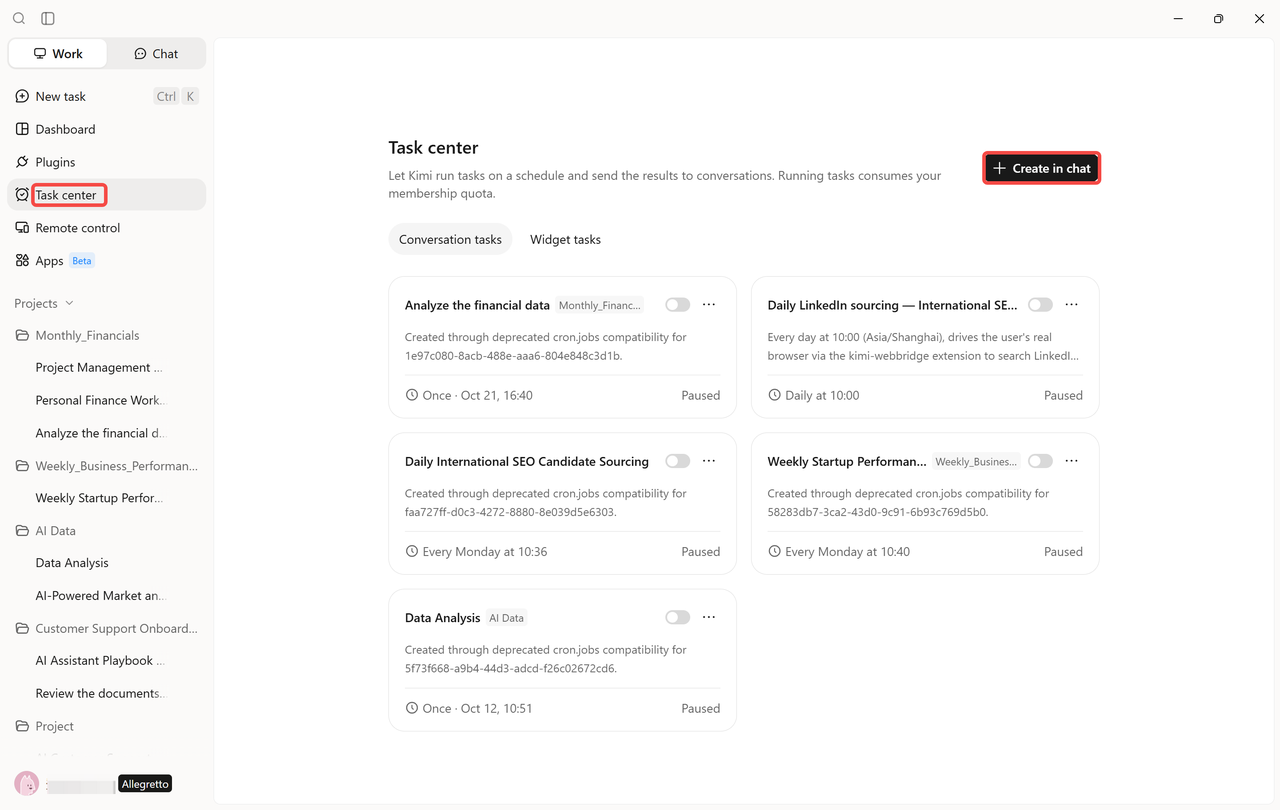
Step 2: Configure the task instructions and schedule
Provide detailed instructions covering the task objectives, information sources, required actions, and expected output. Then configure the execution schedule, choosing whether the task should run once or repeat at a specified time or interval. Review the task details and make any necessary adjustments before enabling it.
Example prompt:
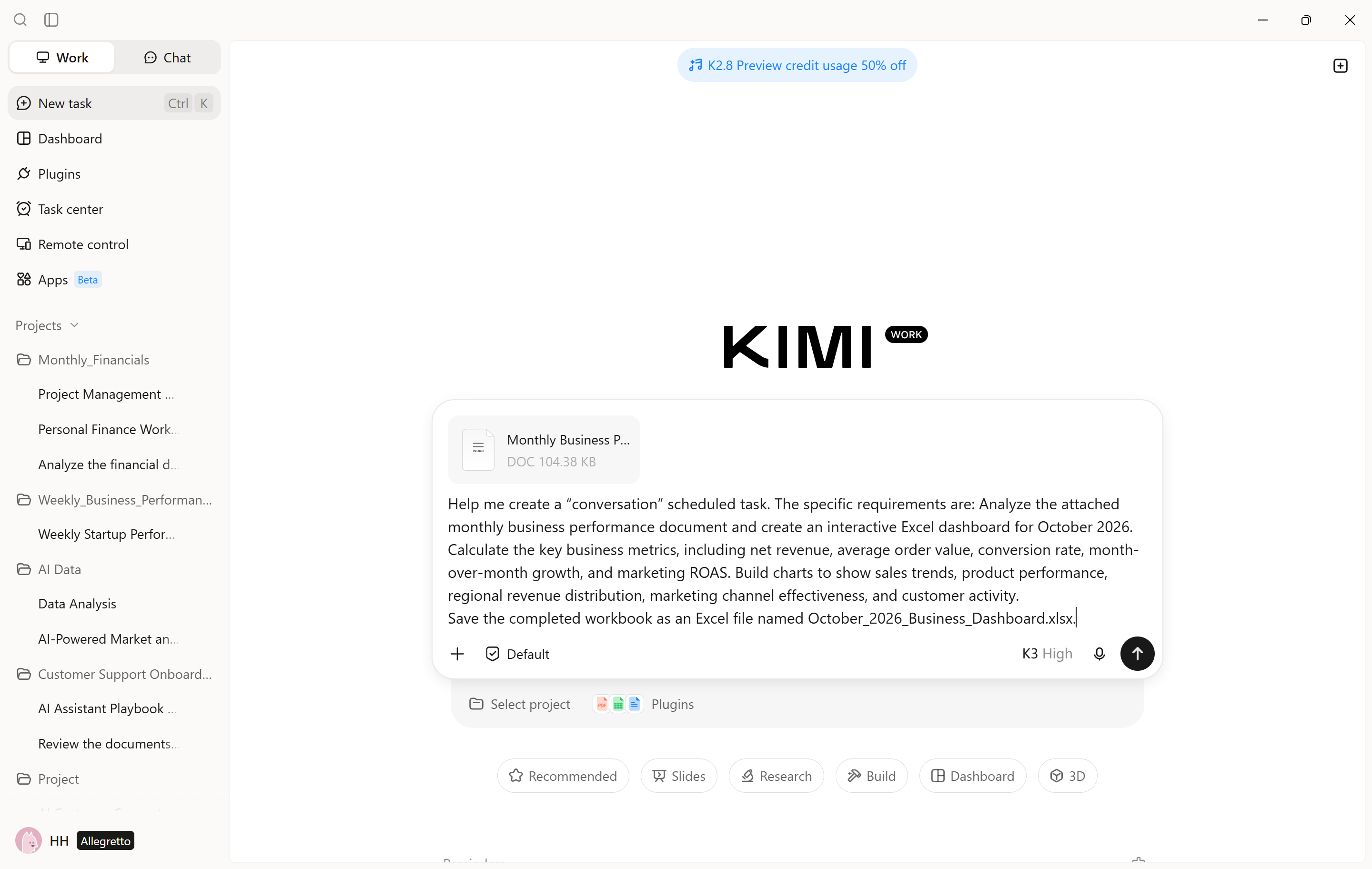
Step 3: Review the completed task
After the scheduled task runs, check its execution status and review the generated output. Open the report to verify the data, analysis, and formatting. If the results do not meet your expectations, refine the task instructions or adjust its schedule so future runs better match your requirements.
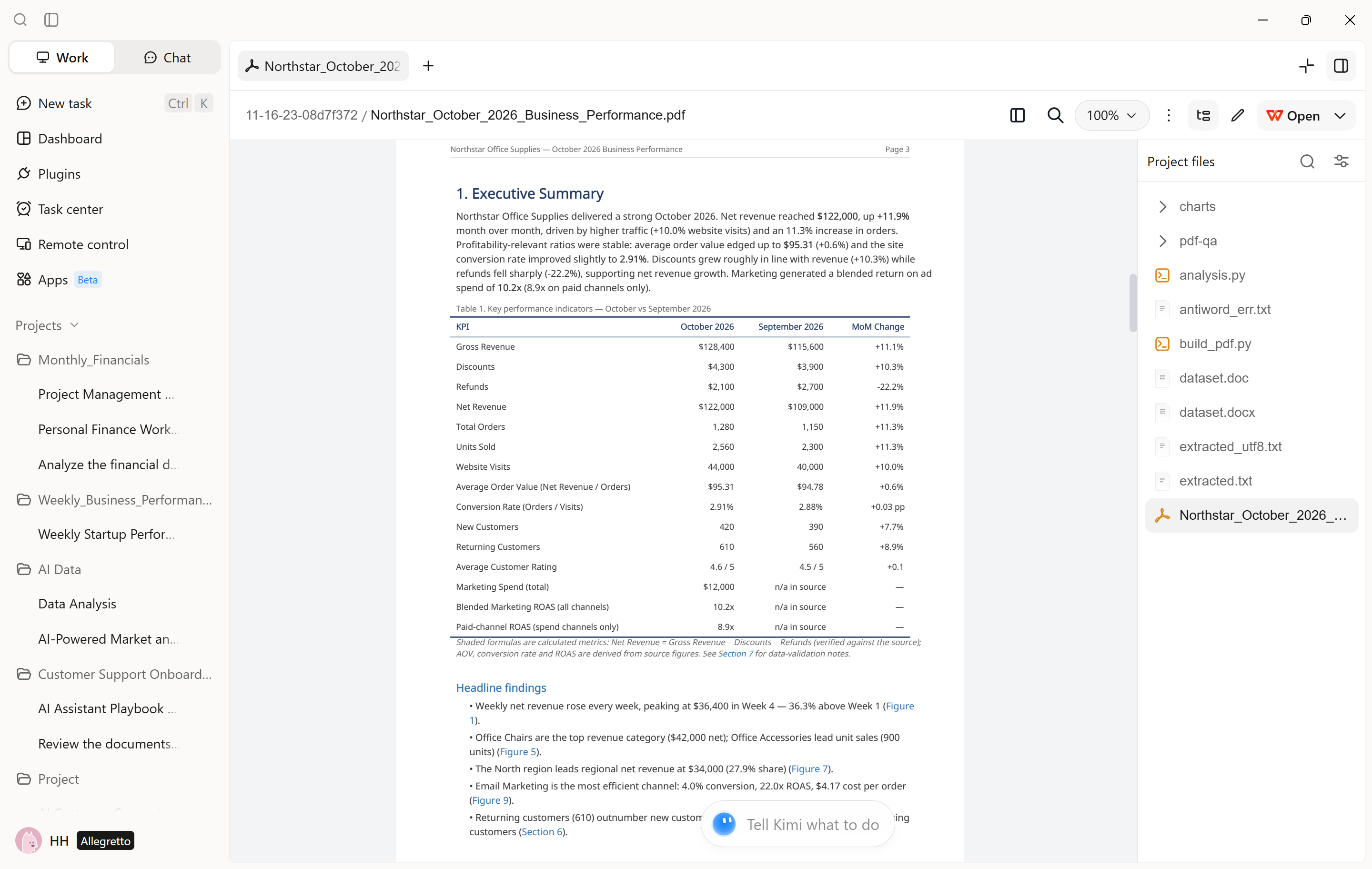
Use case 2: Build business dashboards
Kimi Work can also help turn business data into dashboard-style visualizations. By specifying the metrics and presentation requirements, you can ask the agent to organize information into KPI summaries, charts, and tables for easier performance monitoring.
Step 1: Define your dashboard goals and requirements
Start a conversation with Kimi Work and describe the dashboard you want to create. Specify the data sources, key performance indicators (KPIs), reporting period, and preferred chart types. For example, you can request a sales dashboard that tracks monthly revenue, order volume, conversion rates, and performance by product category.
Example prompt:
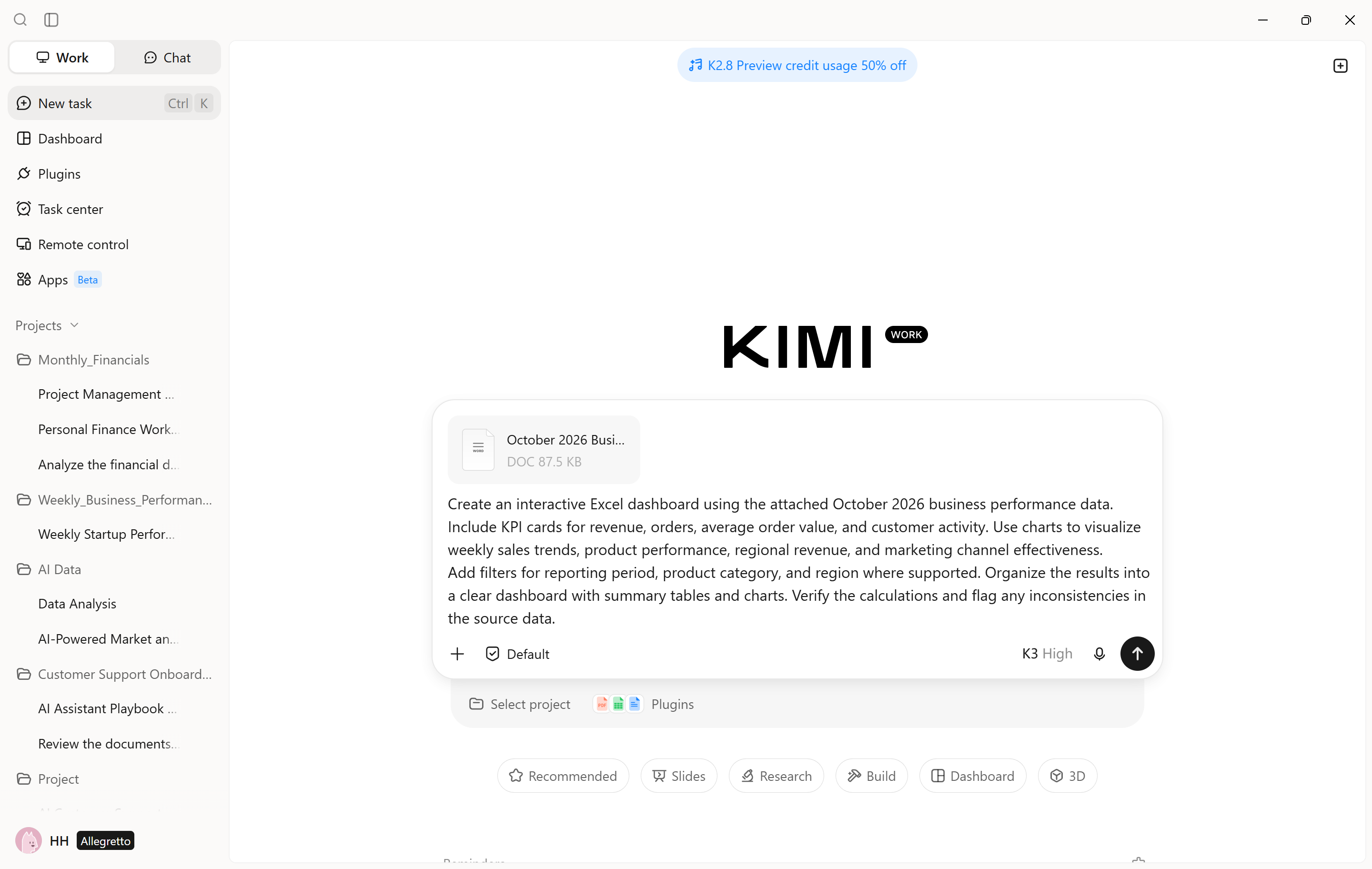
Step 2: Generate the dashboard and visualizations
Ask the agent to analyze the source data and organize the results into KPI cards, summary tables, and charts. Review the generated dashboard and provide additional instructions to refine its layout, metrics, or visualizations.
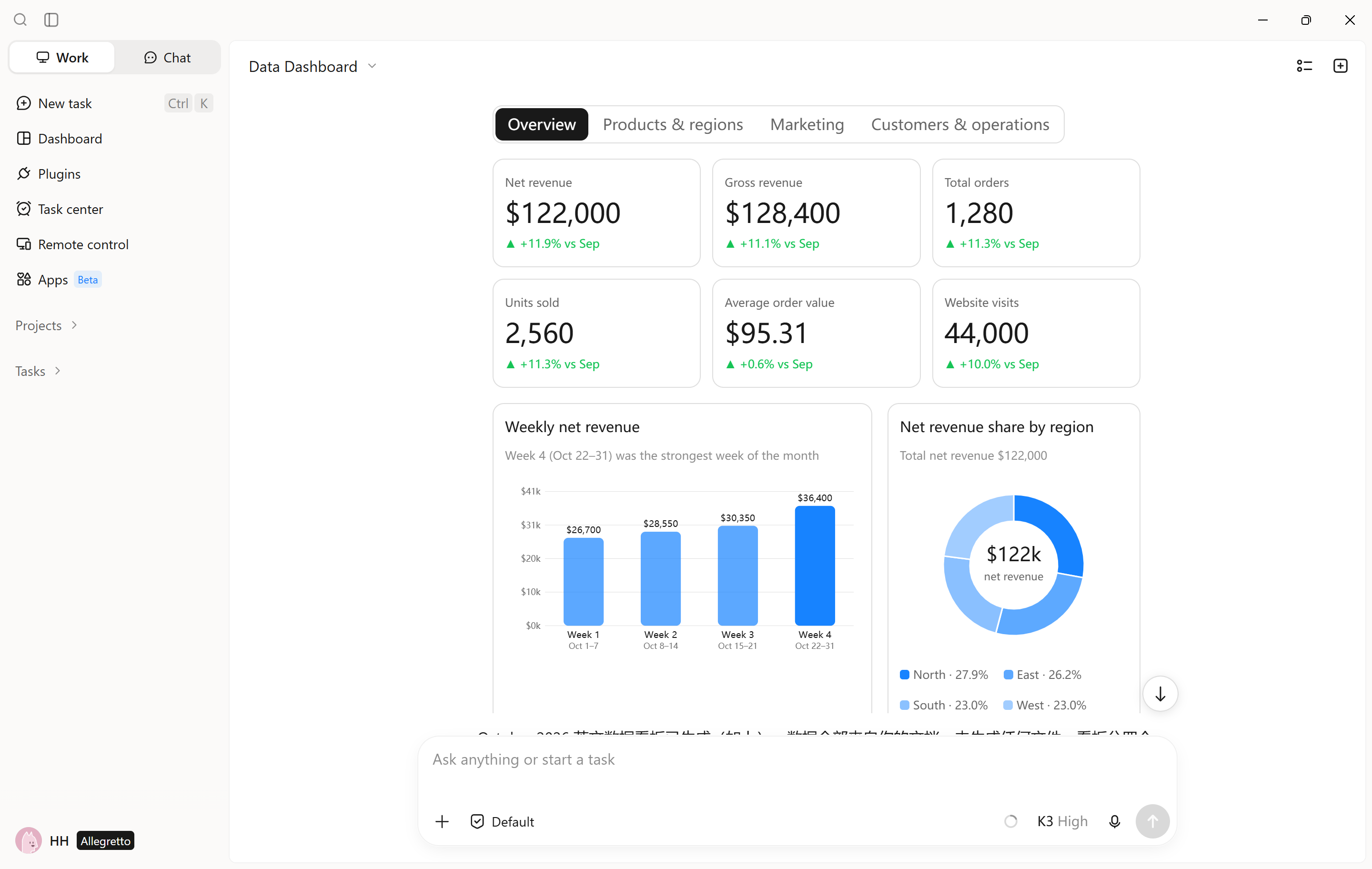
Use case 3: Analyze spreadsheet data with plugins
Kimi Work can use plugins such as Excel and Financial Dynamic Charts to support spreadsheet analysis and data visualization. These plugins help process data, perform calculations, and present findings based on your requirements.
Step 1: Select a data analysis plugin
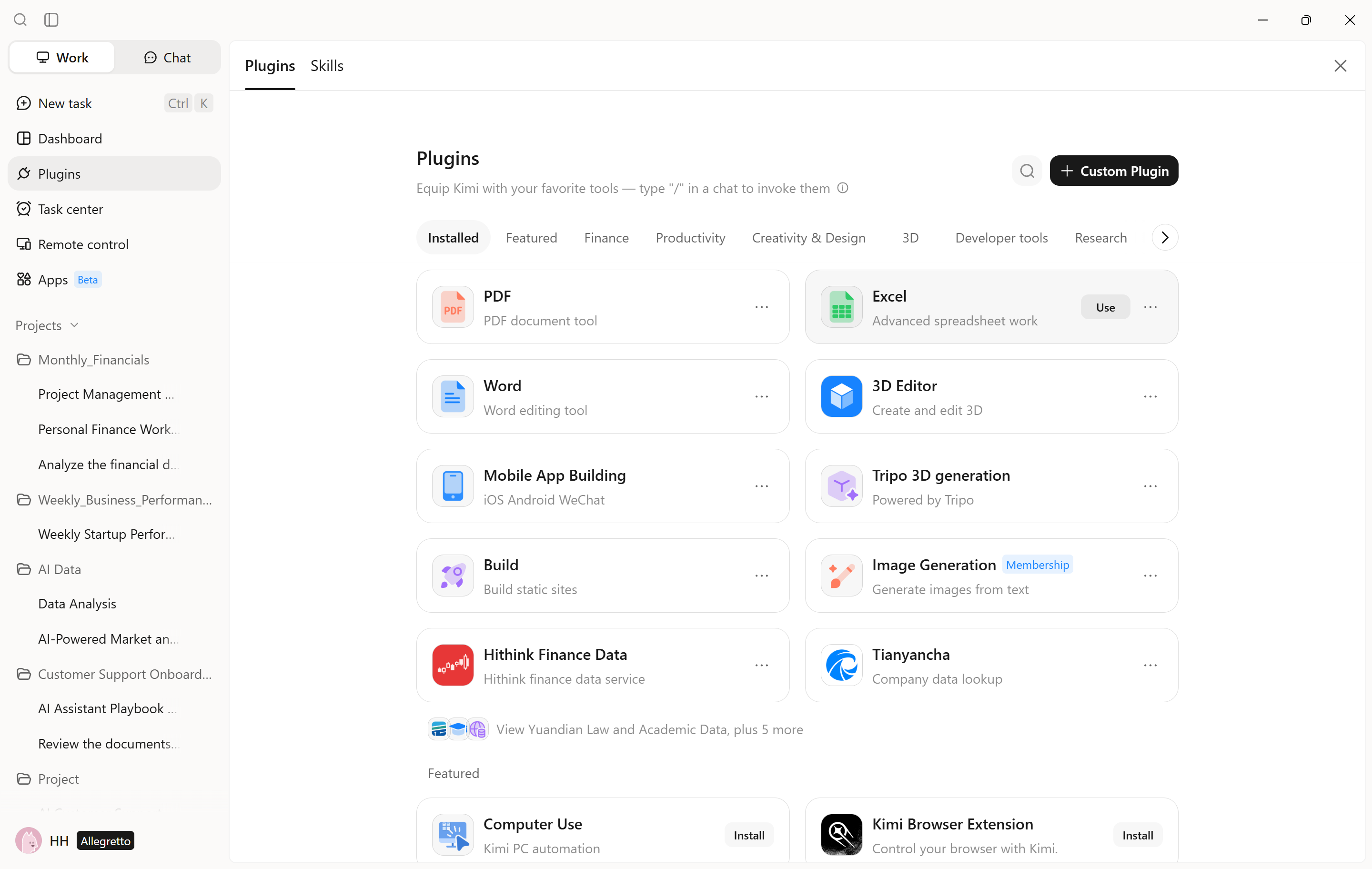
Open the "Plugins" section in Kimi Work to explore the available plugins, which are organized into different categories, including Finance, Productivity, Creativity & Design, 3D, Developer tools, and Research. Browse the options and choose a plugin that matches your task. For spreadsheet processing and calculations, select "Excel" and click "Use" to install or activate it. Once installed, the plugin will be available for use in your Kimi Work tasks.
Step 2: Describe your analysis requirements
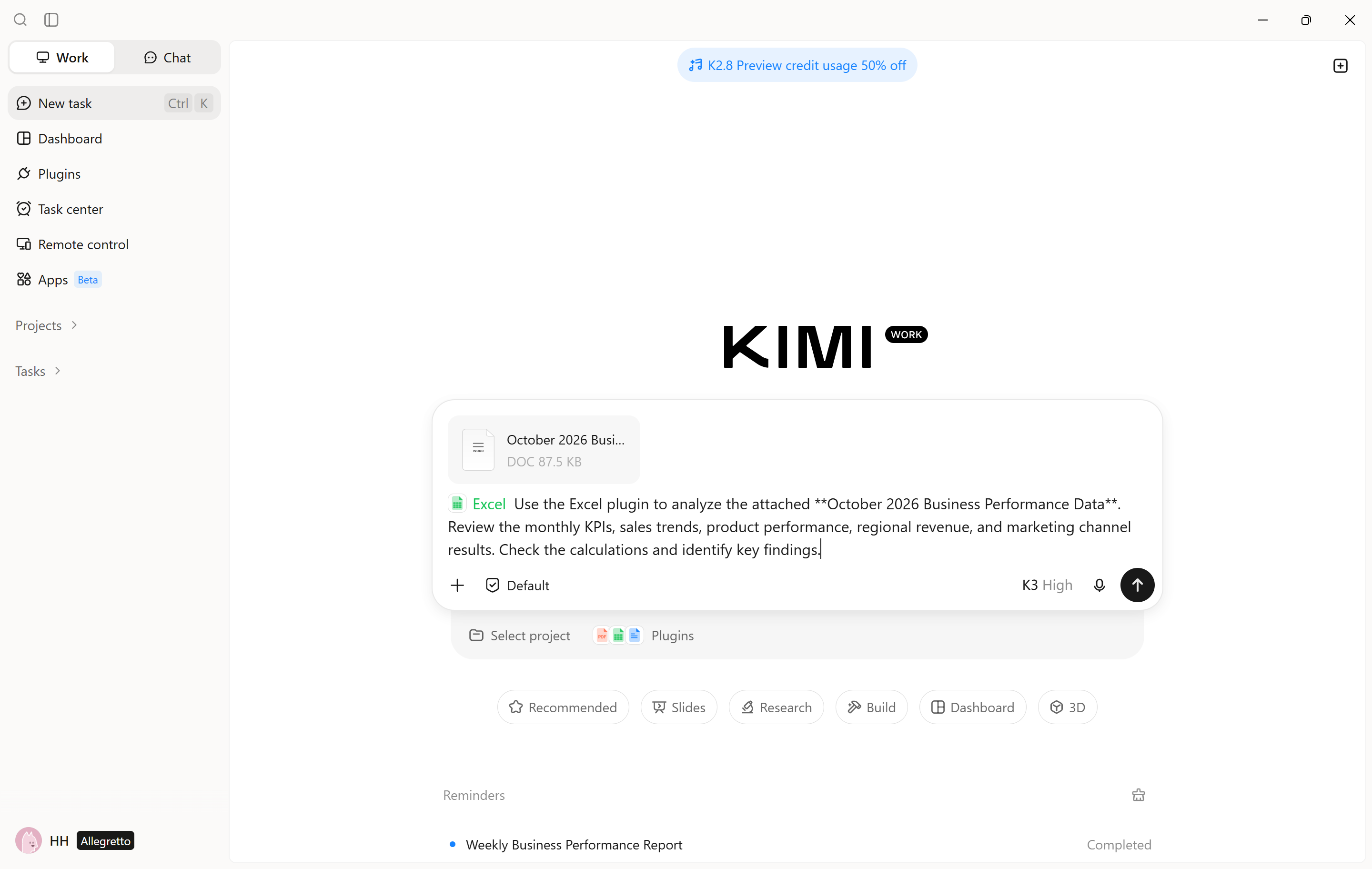
Start a conversation with Kimi Work and describe the analysis you want to perform. Specify the spreadsheet or data source, the metrics to calculate, and the results you expect. Kimi Work can use the selected plugin to carry out the relevant operations.
Example prompt:
Step 3: Review the results and refine the analysis
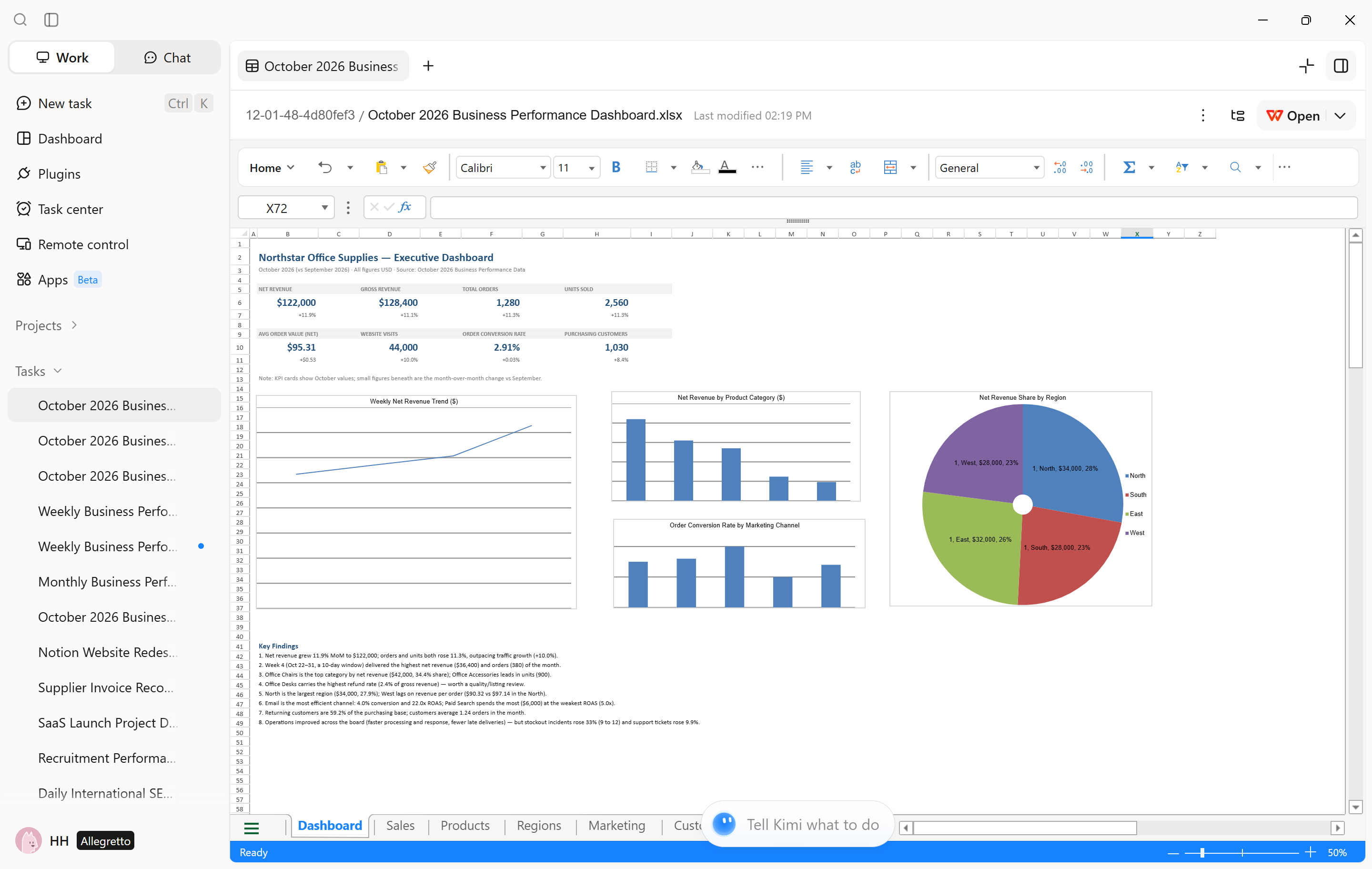
Review the calculations, tables, or charts generated with the plugin. If you need additional insights, ask Work Agent to perform further calculations, compare specific data points, or adjust the visualizations. You can refine the instructions until the results meet your reporting needs.
Common use cases of work agents
Beyond their core capabilities, work agents can support a wide range of professional activities. From gathering information to managing complex workflows, they help reduce manual effort and make everyday tasks more efficient.
Research and information gathering: Collects information from multiple sources, identifies relevant insights, and synthesizes findings into structured summaries. This accelerates market research, industry analysis, and knowledge discovery.
Document creation and management: Creates, edits, organizes, and processes documents based on user instructions. It can also transform existing materials into structured reports, presentations, and other professional documents.
Data analysis and reporting: Processes datasets, identifies patterns, performs comparisons, and extracts meaningful insights. It can present findings through structured reports, tables, and visualizations to support informed decision-making.
Browser-based task automation: Automates web-based activities such as navigating websites, collecting information, completing repetitive actions, and managing online workflows, reducing the need for continuous manual interaction.
Project coordination and routine operations: Breaks complex projects into manageable tasks, coordinates parallel activities, and combines outputs. It can also streamline recurring administrative processes, progress tracking, and routine operational work.
Conclusion
In conclusion, a work agent simplifies everyday operations by automating repetitive tasks, streamlining workflows, and improving productivity. Kimi Work brings these capabilities together through local file processing, browser automation, Goal Mode, and Agent Swarm. From conducting research and creating documents to analyzing data and coordinating projects, it helps users manage diverse responsibilities efficiently. Whether you are an individual professional or a small business, Kimi Work can reduce manual workloads and optimize daily operations.