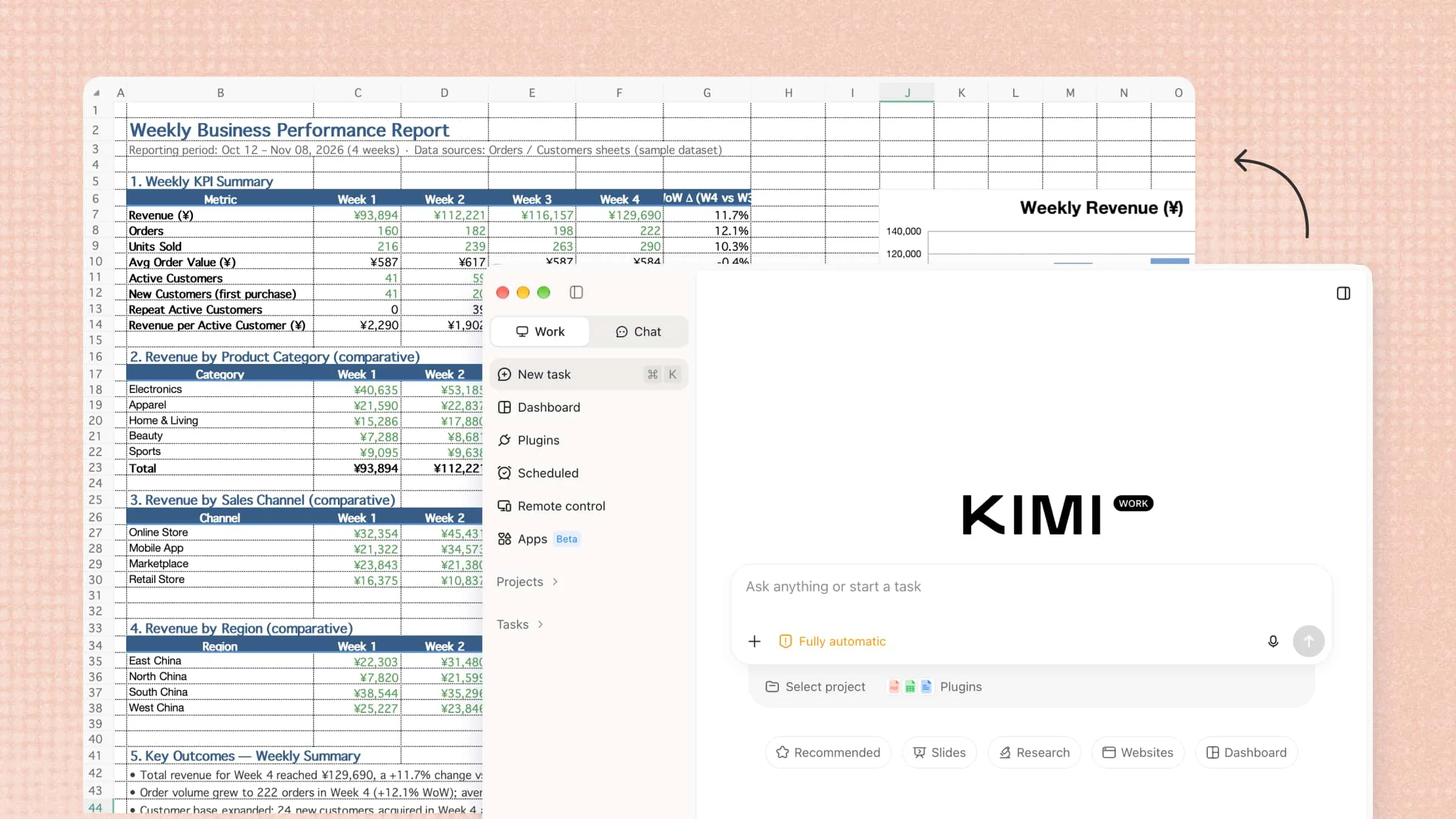
Balancing work, personal tasks, and daily plans can be difficult when everything needs your attention. AI personal assistants make life easier by helping you manage schedules, organize tasks, find information, and save time. Some can even understand your habits and adapt to the way you work. Explore 10 personal AI assistants in this article to find the right one for your needs and make everyday tasks easier.
A quick overview of 10 personalized AI assistants
Whether you want to streamline daily tasks, improve productivity, or automate repetitive workflows, choosing the right personalized AI assistant depends on your goals, working habits, and preferred features. The following overview highlights 10 tools, their key capabilities, and how they can support different needs.
| Tool | Primary focus | Key features | Suitable for |
|---|---|---|---|
| Kimi Work | End-to-end task execution | Local file operations, multi-agent collaboration, browser automation, scheduled tasks, document and presentation creation | Knowledge workers, researchers, and professionals |
| Lindy | Workflow automation | AI agents, email management, meeting scheduling, app integrations, automated follow-ups | Professionals and business teams |
| ChatGPT | General-purpose assistance | Question answering, writing, file analysis, web research, data analysis, brainstorming | Individuals and professionals |
| Claude | Writing and document analysis | Long-document analysis, content creation, coding, summarization, complex reasoning | Writers, researchers, and developers |
| Google Gemini | Google Workspace productivity | Content generation, information search, file analysis, Gmail and Docs integration | Google Workspace users |
| Microsoft Copilot | Microsoft 365 productivity | Email drafting, document creation, spreadsheet analysis, presentation generation, meeting summaries | Microsoft 365 users and business teams |
| Motion | Task and project management | Automatic task scheduling, deadline tracking, calendar management, project planning | Project managers and busy professionals |
| Reclaim AI | Calendar and time management | Smart scheduling, focus time protection, habit planning, meeting coordination | Professionals managing busy schedules |
| Perplexity | AI-powered research | Web search, cited answers, source discovery, information summarization, in-depth research | Students, researchers, and information seekers |
| Zapier | Cross-app automation | App integrations, automated workflows, AI agents, multi-step task execution, event-based triggers | Entrepreneurs and teams automating repetitive tasks |
10 AI personal assistants that go beyond chatbots
Not all AI assistants work the same way. Some focus on answering questions, while others can manage tasks, automate workflows, and handle more complex work. Let's look at 10 AI personal assistants, what they offer, and how they can help you in your daily routine.
Kimi Work
Kimi Work is an AI-powered agent designed to handle complete tasks rather than simply respond to prompts. It can work across local files, browse websites, coordinate multiple AI agents, and automate multi-step workflows. It also helps create documents and presentations, analyze information, and schedule tasks, making it useful for professionals who want to manage more work with less manual effort.
Main features
Manage files and information in one place: Let Kimi Work handle the busywork of finding, reading, and organizing local files. It can process multiple documents, extract key information, and turn scattered materials into structured, useful content.
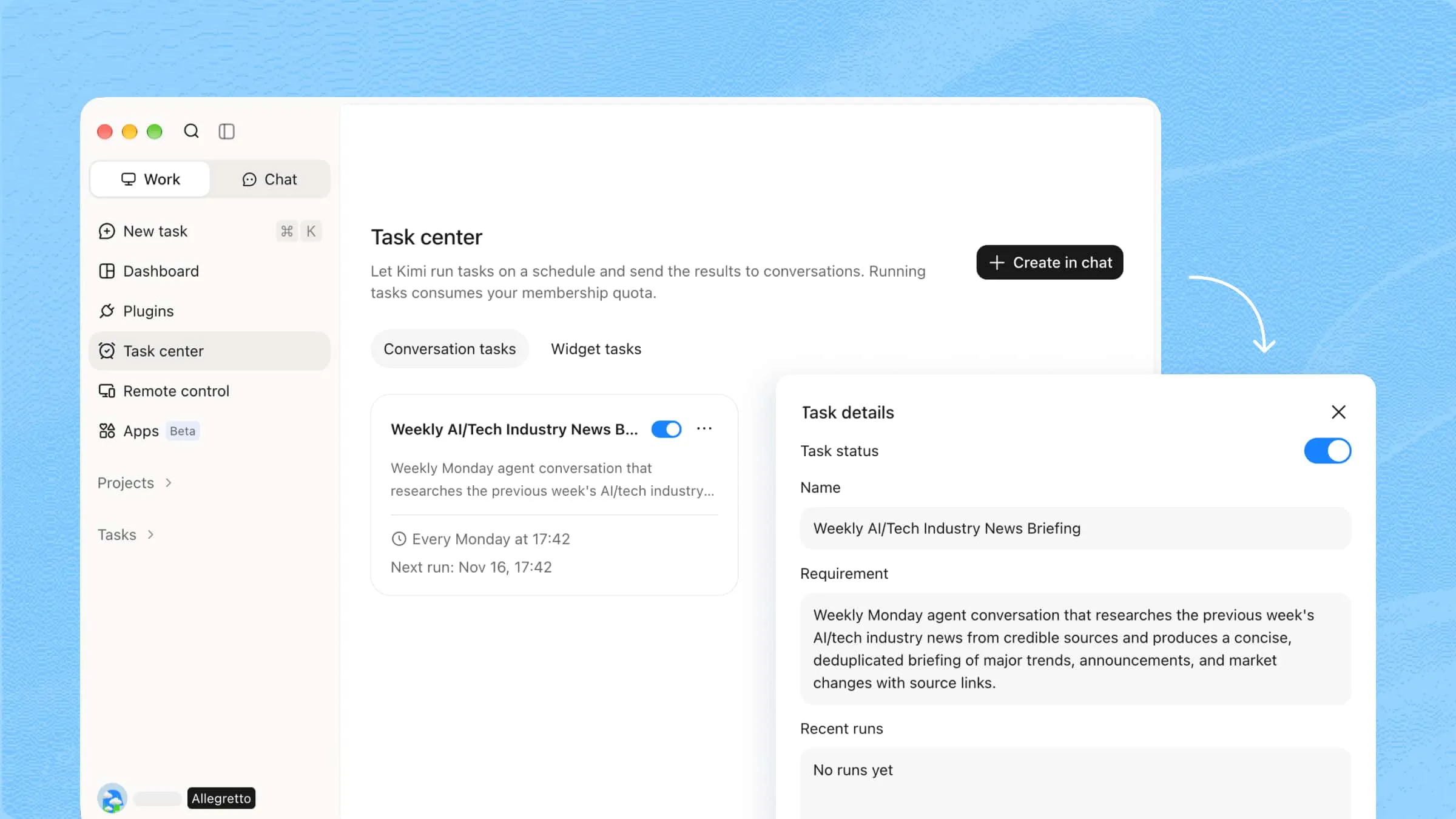
Put repetitive tasks on autopilot: Set up scheduled tasks to let Kimi Work handle recurring work in the background. From daily briefings and research updates to regular report generation, it helps keep routine tasks moving without repeated manual instructions.
Let AI handle browser-based tasks: Go beyond searching for information. Kimi Work can navigate websites, interact with web pages, collect online data, and complete multi-step browser tasks with Kimi Browser Extension, helping users spend less time switching between tabs and applications.
Delegate complex work to multiple AI agents: Break down ambitious tasks and let multiple AI agents swarm work on different parts simultaneously. Kimi Work coordinates their efforts, bringing together research, analysis, and results to tackle projects that would otherwise require considerable manual effort.
Turn ideas and research into finished deliverables: Move from raw information to ready-to-use outputs. Kimi Work can transform research findings, documents, and datasets into reports, presentations, spreadsheets, websites, and other practical work materials.
Connect tools to streamline your workflow: Kimi Work supports plugins, integrations, and custom skills that connect different tools and services. Users can bring more of their everyday work into one workspace, access additional capabilities, and automate tasks across connected applications.
Suitable for
Researching websites and preparing reports
Organizing files and analyzing documents
Automating recurring tasks and browser workflows
Creating presentations, spreadsheets, and business reports
How to use Kimi Work as an AI personal assistant
Getting started with Kimi Work is simple, even if you haven't used an AI agent before. You just need to describe what you want it to do and provide the necessary details. Follow these steps to start using Kimi Work as your personal AI assistant:
Step 1: Download and install Kimi Work
Download Kimi Work for your operating system and install it on your computer. Open the application and sign in to access its features.
Step 2: Describe your task
Tell Kimi Work what you need help with, including the task, required information, and expected results. Be specific so it can understand your goal and complete the work accurately.
Example prompt:
Step 3: Let AI process and generate results
Once you submit the prompt, Kimi Work starts working on your instructions. It can access the relevant files, analyze their contents, organize information, and create the requested outputs. You can monitor its progress as it works through different tasks.
Step 4: Check your completed workflow output
Once Kimi Work finishes, review the generated report. Check that the data is accurate, key information is clearly organized, and the main findings are easy to understand. If needed, ask Kimi Work to revise the content, refine the analysis, or reorganize the results.
Lindy
Lindy is an AI-powered personal assistant that automates everyday work through customizable AI agents. It connects with email, calendars, and business applications to manage tasks across different platforms. Users can create agents for responsibilities such as scheduling meetings, handling communication, and following up with clients. It is particularly useful for reducing repetitive work.
Main features
Automate tasks with AI agents: Create agents to handle routine responsibilities and multi-step tasks based on your instructions.
Manage emails automatically: Read incoming emails, draft replies, organize messages, and handle follow-ups with less manual effort.
Schedule meetings: Coordinate calendars, check availability, and arrange meetings without lengthy back-and-forth communication.
Connect business applications: Integrate different workplace tools to share information and automate workflows across platforms.
Suitable for
Managing emails and client follow-ups
Scheduling meetings and coordinating calendars
Automating repetitive administrative tasks
Streamlining workflows across business applications
ChatGPT
ChatGPT is a general-purpose AI assistant developed by OpenAI that supports personal and professional tasks. It uses advanced language models to understand instructions, answer questions, and generate content. Users can also upload files, research topics, and analyze data through natural conversations. Its flexibility makes it useful for a wide range of everyday activities.
Main features
Generate and improve content: Write emails, articles, reports, and social media posts, or improve existing content.
Analyze files and data: Upload documents and spreadsheets to extract information, summarize content, and identify useful insights.
Research information online: Explore topics, find relevant information, and review sources using its web search capabilities.
Support brainstorming and problem-solving: Develop ideas, understand complex topics, and break challenging problems into manageable steps.
Suitable for
Writing emails, articles, and business documents
Researching topics and gathering information
Analyzing documents and spreadsheets
Brainstorming ideas and solving problems
Claude
Claude is an AI assistant developed by Anthropic, designed to support writing, research, coding, and complex problem-solving. It can understand detailed instructions and work with lengthy documents while maintaining context. Users can upload files, analyze information, and create content through natural conversations. Its strong focus on reasoning and text-based tasks makes it useful for knowledge-intensive work.
Main features
Analyze lengthy documents: Process large documents, extract important details, and summarize complex information while maintaining context.
Create and edit content: Draft articles, emails, reports, and other written materials while improving clarity, structure, and tone.
Assist with coding: Generate code, explain programming concepts, identify errors, and help developers improve existing projects.
Solve complex problems: Break down detailed questions, compare different approaches, and provide structured explanations.
Suitable for
Analyzing lengthy reports and research papers
Writing and editing professional content
Developing, reviewing, and debugging code
Understanding complex information and solving problems
Google Gemini
Google Gemini is an AI tool developed by Google that helps users find information, create content, and complete everyday tasks. It can understand text, images, and other supported inputs to provide relevant responses. Its integration with Google services makes it useful for people who regularly work with Gmail, Google Docs, and other Workspace applications.
Main features
Work with Google Workspace: Use Gemini with supported Google services to draft emails, summarize documents, and manage information.
Understand different types of content: Analyze text, images, and supported files to answer questions and explain information.
Generate content and ideas: Create written content, summarize information, and brainstorm ideas for personal or professional projects.
Assist with research: Explore topics, gather information, and use its search capabilities to find relevant answers.
Suitable for
Drafting emails and working with Google Docs
Summarizing information and analyzing files
Researching topics and gathering useful insights
Brainstorming ideas and creating content
Microsoft Copilot
Microsoft Copilot is an AI personal assistant designed to improve productivity across Microsoft's ecosystem. It helps users create content, analyze information, and complete tasks using natural language instructions. Its integration with Microsoft 365 brings AI assistance into applications such as Word, Excel, PowerPoint, and Outlook, depending on the available plan.
Main features
Create documents: Draft, rewrite, and summarize content in Word to speed up everyday writing tasks.
Analyze spreadsheets: Work with Excel data, identify patterns, generate insights, and assist with formulas.
Create presentations: Turn ideas and existing content into structured PowerPoint presentations with less manual work.
Manage workplace communication: Draft emails, summarize conversations, and review meeting information in supported Microsoft 365 applications.
Suitable for
Creating and editing business documents
Analyzing spreadsheets and business data
Preparing professional presentations
Managing emails and meeting information
Motion
Motion is an AI-powered productivity assistant that helps users organize tasks, projects, and calendars. It automatically schedules work based on deadlines, priorities, and available time. Users can manage individual responsibilities or coordinate larger projects without manually planning every activity. Its main focus is helping busy professionals make better use of their working hours.
Main features
Automatically schedule tasks: Motion adds tasks to your calendar based on their deadlines, priorities, and estimated completion time.
Manage project timelines: Organize projects, assign responsibilities, and track progress to keep work moving.
Adjust daily schedules: Automatically reorganize tasks when meetings, delays, or new priorities affect your plans.
Track deadlines: Keep important tasks visible and receive reminders to stay on top of upcoming responsibilities.
Suitable for
Planning daily tasks and work schedules
Managing projects and team responsibilities
Organizing deadlines and priorities
Adjusting schedules when plans change
Reclaim AI
Reclaim is an intelligent calendar assistant that helps users manage their time and protect important activities. It automatically schedules tasks, meetings, habits, and focus sessions around existing calendar commitments. Users can set priorities and let the tool find suitable time slots throughout the week. It is especially useful for people who struggle to balance meetings and individual work.
Main features
Schedule tasks automatically: Find suitable calendar slots for tasks based on their deadlines, priorities, and available time.
Protect focus time: Reserve dedicated periods for uninterrupted work and automatically adjust them when schedules change.
Plan recurring habits: Schedule regular activities such as exercise, reading, and personal routines around existing commitments.
Coordinate meetings: Find suitable meeting times while considering participants' calendar availability and priorities.
Suitable for
Protecting time for focused work
Managing busy calendars and meetings
Building consistent daily habits
Balancing personal activities with professional responsibilities
Perplexity
Perplexity is a search and research assistant that helps users find information through conversational queries. It searches the web and provides summarized answers with links to supporting sources. Users can ask follow-up questions, explore related topics, and investigate complex subjects without manually browsing multiple websites.
Main features
Find information online: Search the web using natural language questions and receive relevant answers from multiple sources.
Provide cited answers: View supporting sources alongside generated responses to check information and explore original material.
Explore topics in depth: Ask follow-up questions and investigate related subjects to develop a better understanding.
Summarize research: Turn information from multiple sources into concise explanations that are easier to review and understand.
Suitable for
Researching academic and professional topics
Finding information from reliable online sources
Comparing information across different websites
Preparing research summaries and reports
Zapier
Zapier is an automation platform that connects different applications and helps users manage repetitive workflows. It allows users to create automated processes, called Zaps, that trigger actions when specific events occur. Its AI features also support workflow creation and task automation through natural language instructions. It is useful for individuals and teams who want their everyday applications to work together.
Main features
Connect different applications: Integrate thousands of supported apps to move information between tools without manual transfers.
Create automated workflows: Set triggers and actions that automatically complete tasks when specific events occur.
Build AI-powered agents: Create agents that can use connected applications and follow instructions to handle specific tasks.
Automate multi-step processes: Combine multiple actions into a single workflow to manage more complex business activities.
Suitable for
Automating repetitive administrative work
Connecting apps and transferring information
Managing lead generation and customer follow-ups
Building automated business and marketing workflows
How to choose your AI personal assistant
Choosing the right AI assistant depends on what you want to simplify and how you prefer to work. Some tools focus on research and writing, while others handle scheduling, file management, and automation. Keep these points in mind to find an AI personal assistant for PC that suits your needs.
Identify your primary needs and use cases
Decide what you want your assistant to help with, such as writing, research, scheduling, or file management. Choose a tool that supports your everyday activities and priorities. Clear goals make it easier to find your personal AI assistant without paying for features you rarely use.
Evaluate task execution and automation capabilities
Check whether the tool can complete tasks rather than simply answer questions. Some assistants can organize files, browse websites, schedule activities, and manage multi-step workflows. If you need a personal AI assistant for a PC, prioritize tools that can perform practical actions.
Check integrations with your existing tools
Look for an assistant that works with your existing applications, such as email, calendars, and document editors. Check whether it supports direct integrations or third-party automation services. Good compatibility helps you manage tasks without constantly switching between apps.
Assess information processing and output quality
Check how accurately the assistant follows instructions, processes files, and handles detailed information. Test it with tasks such as summarizing documents or analyzing spreadsheets. Choose an AI personal assistant that produces clear, useful results with minimal corrections.
Conclusion
The right assistant can make everyday work easier, but the real value comes from choosing one that fits your routine. AI personal assistants can help you save time, stay organized, and focus on tasks that matter. Think about your priorities and try a few options before settling on one. If you want an assistant that goes beyond answering questions, give Kimi Work a try. Explore its features and see how it can simplify your daily work.