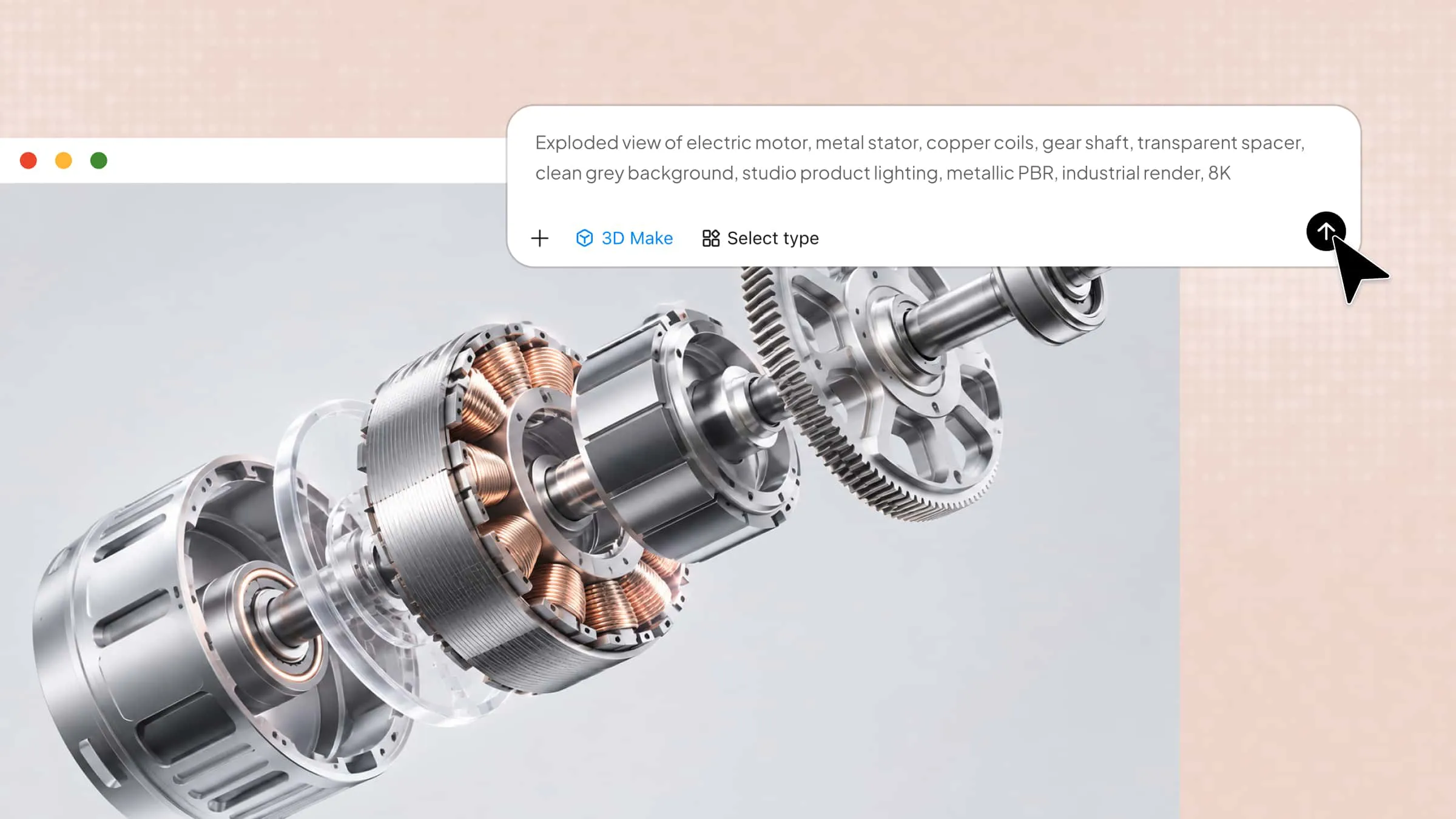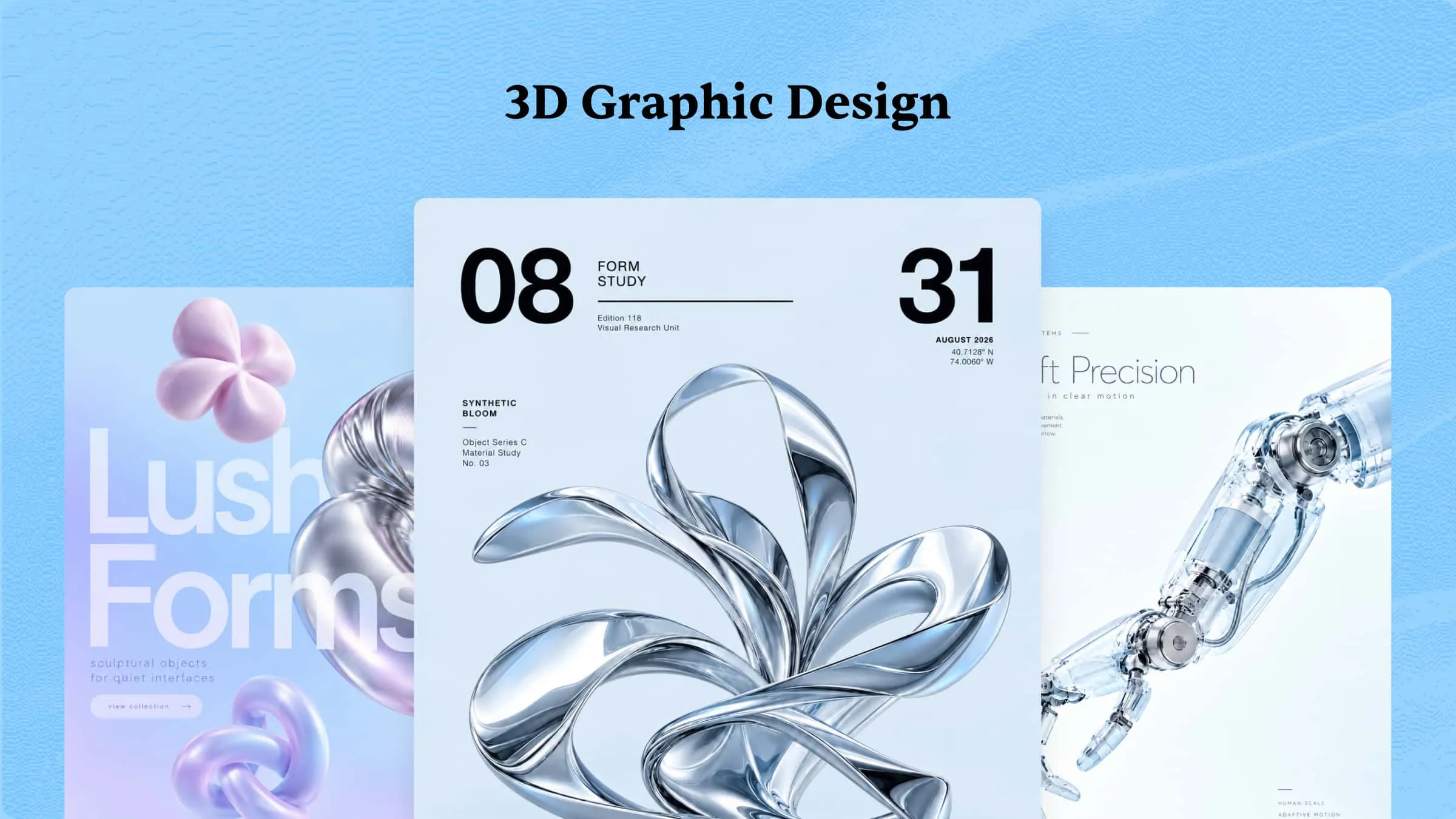
Ever wondered how an ordinary word, product, or simple shape can become a striking visual that feels almost tangible? 3D graphic design makes this possible, but creating effective dimensional artwork takes more than adding depth or realistic effects. You need to understand different design styles, choose suitable tools, and know how to guide AI with clear prompts and visual references. This guide walks you through popular examples, practical techniques, and creative workflows to help you get started.
What is 3D graphic design
3D graphic design is the art of creating three-dimensional digital visuals that possess depth, dimension, and spatial realism. It involves sophisticated modeling, texturing, lighting, and rendering techniques to produce compelling imagery. Designers use specialized software to transform conceptual ideas into detailed, lifelike representations. Unlike traditional 2D graphics, this discipline enables audiences to perceive objects from multiple angles and perspectives. Its versatility makes it an essential medium for visual storytelling, innovation, and digital communication.
Which industries use 3D graphic design
3D graphic design helps industries create realistic visuals, showcase products, and communicate ideas. From entertainment to architecture, it supports a wide range of creative and professional applications. Here are the key industries that use it.
Movies
The film industry relies on 3D graphic design to construct extraordinary environments, fantastical creatures, and visually intricate characters. It enables filmmakers to integrate computer-generated imagery (CGI) seamlessly with live-action footage. Advanced animation techniques bring imaginative narratives to life while enhancing cinematic immersion. From blockbuster spectacles to animated features, 3D visuals expand the creative possibilities of modern filmmaking.
Video games
In video game development, 3D graphic design creates immersive environments, realistic characters, and interactive virtual objects. Designers construct detailed assets that respond dynamically to player movements and gameplay mechanics. Sophisticated rendering technologies enhance textures, atmospheric effects, and environmental realism. These elements contribute to engaging digital experiences that captivate players and strengthen narrative exploration.
Architecture
Architects employ 3D graphic design to develop comprehensive visualizations of buildings, interiors, and urban landscapes. Photorealistic renderings help clients understand spatial arrangements, material selections, and structural aesthetics before construction begins. Virtual walkthroughs provide an intuitive perspective on lighting, proportions, and functional layouts.
Product design
In product development, 3D graphic design enables designers to conceptualize, refine, and present prospective products with exceptional precision. Digital prototypes illustrate dimensions, surface finishes, component placement, and ergonomic characteristics before physical manufacturing. Design teams can evaluate alternative configurations and identify potential flaws without repeatedly producing costly samples.
Advertising
Advertising agencies utilize 3D graphic design to create visually striking campaigns that distinguish brands in competitive marketplaces. Three-dimensional product visualizations showcase intricate features, reflective surfaces, and sophisticated compositions that attract consumer attention. Motion graphics and animated sequences communicate promotional messages across digital platforms, television, and social media.
Healthcare
Healthcare professionals use 3D graphic design to visualize complex anatomical structures, medical procedures, and physiological processes. Detailed digital models support medical education by helping students examine organs, tissues, and skeletal systems from multiple perspectives. Surgeons can utilize patient-specific anatomical reconstructions to assess procedural challenges and prepare for intricate operations.
Overview of 9 3D graphic design examples
3D graphic design encompasses a diverse range of creative styles, each offering unique ways to communicate ideas through depth, texture, lighting, and dimensional composition. The following table summarizes eight popular examples, highlighting their defining characteristics, practical applications, and the visual elements that make each style effective.
| 3D design example | Key characteristics | Common applications | Main benefit | Recommended output |
|---|---|---|---|---|
| 3D typography | Extruded text, bevels, shadows, material effects | Headlines, posters, social media graphics | Makes messages visually prominent | High-resolution graphic |
| 3D advertising | Product renders, dramatic lighting, dynamic compositions | Commercial campaigns, digital billboards, social media | Captures attention and showcases products | Image or animation |
| 3D packaging | Realistic containers, surface finishes, label details | Product launches, e-commerce, brand presentations | Visualizes packaging before production | Product mockup or 3D model |
| 3D character design | Detailed anatomy, expressive facial features, stylized proportions, clothing and textures | Games, animation, virtual avatars, character merchandise | Brings characters to life with distinctive appearances | 3D model or animation |
| 3D infographics | Dimensional charts, isometric illustrations, visual data | Reports, educational content, presentations | Makes complex information easier to understand | Infographic or presentation graphic |
| 3D abstract art | Fluid shapes, geometric forms, experimental materials | Digital artwork, posters, editorial design | Encourages originality and visual exploration | High-resolution image |
| 3D architectural graphics | Structural details, realistic materials, spatial depth | Building presentations, interior design, property marketing | Communicates spatial concepts clearly | Rendered image or walkthrough |
| 3D game art | Characters, environments, props, detailed textures | Video games, interactive media, concept development | Enhances immersion and storytelling | 3D model or game asset |
| 3D logo | Extruded lettering, dimensional symbols, reflective finishes | Branding, promotional videos, digital identities | Strengthens brand presentation | Image, vector logo, or 3D asset |
9 3D graphic designs for modern projects
Modern projects increasingly rely on three-dimensional visuals to communicate ideas with greater depth, realism, and originality. From immersive typography to sophisticated product mockups, 3D graphic design offers creative possibilities that extend beyond conventional visual communication. The following eight design styles demonstrate how 3D visuals can elevate contemporary creative projects.
3D typography
3D typography transforms ordinary lettering into dimensional compositions through extrusion, realistic shading, reflective surfaces, and carefully controlled lighting. This style gives words a tangible presence, making them particularly effective for headlines, brand identities, posters, and digital campaigns. Designers can experiment with metallic finishes, translucent materials, or vibrant colors to establish a distinctive visual personality.
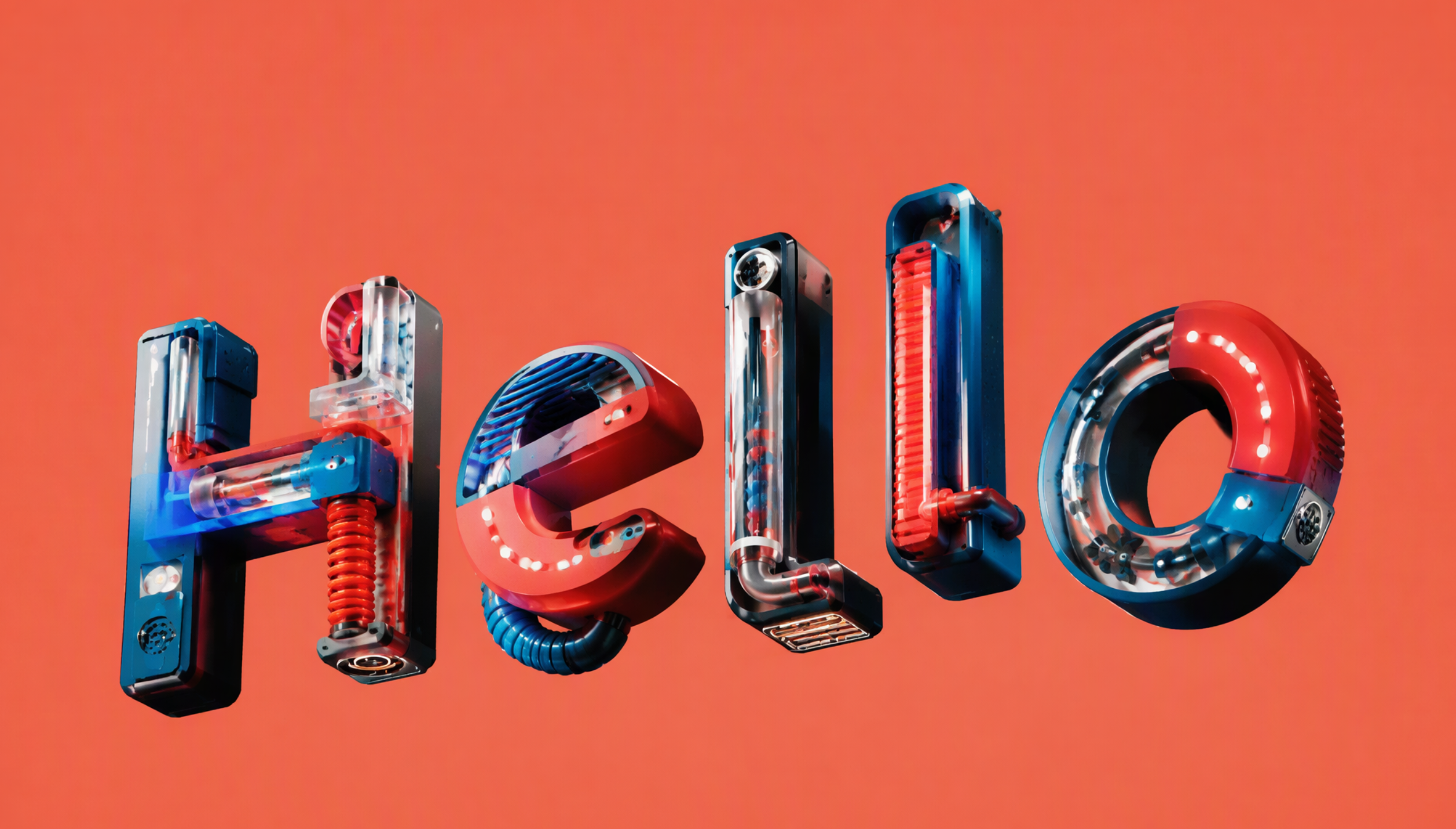
How to use
Step 1: Enter your prompt
Describe the exact wording, font characteristics, material, color palette, background, and lighting you envision. Specific visual details help the AI produce typography that aligns with your project's creative direction.
Prompt:
Step 2: Let AI generate your design
Submit the description to an AI image-generation tool and review the resulting variations. Compare letter shapes, dimensional depth, reflections, and composition to identify the version that best matches your concept.
Step 3: Review and export the design
Check spelling, letter alignment, edge quality, and contrast before making final adjustments. Export the finished artwork in a suitable resolution and file format for your intended platform.
3D advertising
3D advertising uses computer-generated objects, simulated environments, and striking visual effects to present products in memorable ways. It allows brands to construct imaginative scenarios that would be expensive, impractical, or impossible to capture through conventional photography. Oversized objects, floating products, and dramatic material effects can create a strong visual hook across digital billboards, social media, and promotional campaigns.
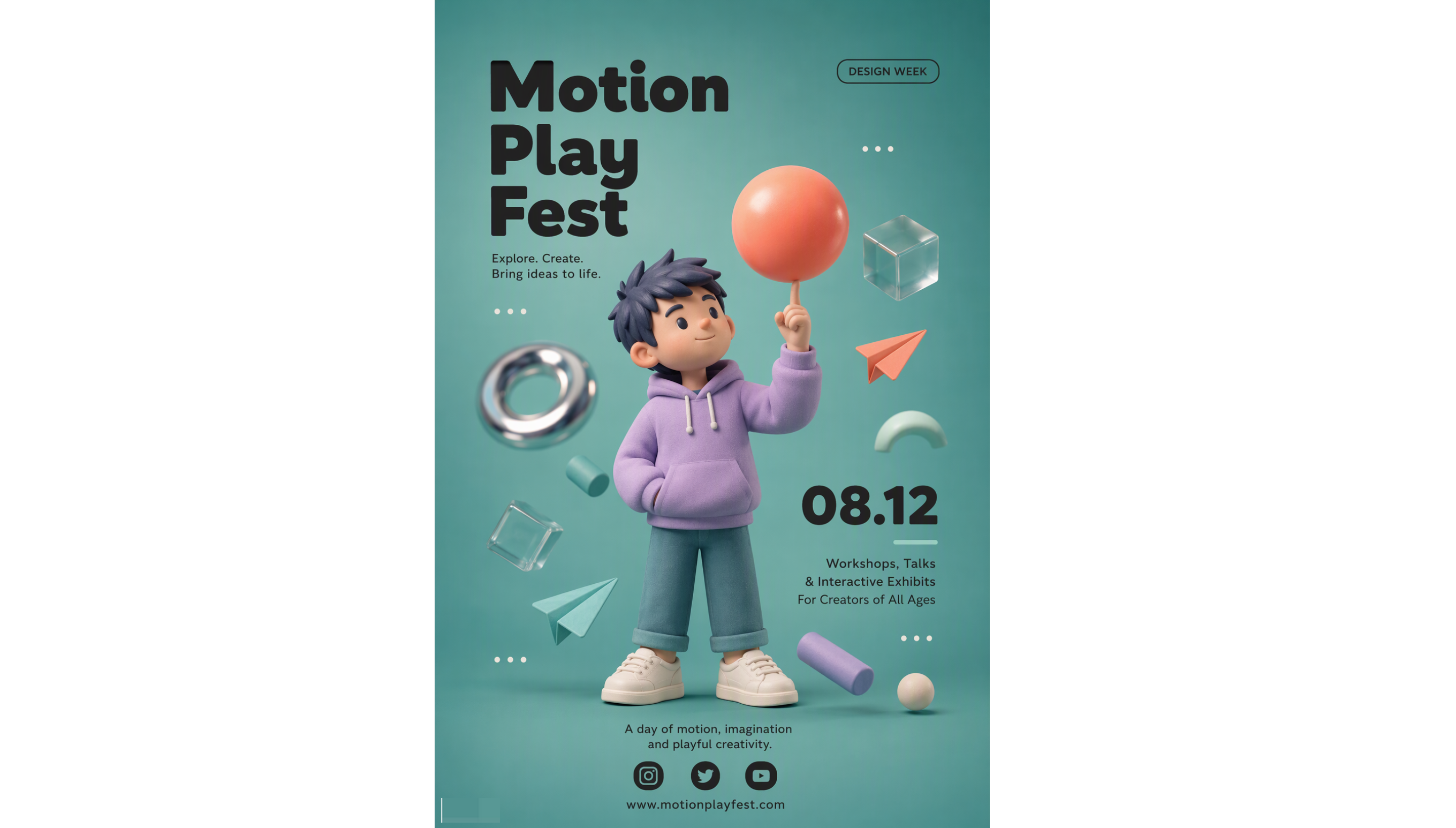
How to use
Step 1: Enter your prompt
Identify the product, target audience, advertising objective, setting, and desired visual mood. Include camera perspective and lighting details to establish a convincing commercial composition.
Prompt:
Step 2: Let AI generate your design
Generate several interpretations and assess how effectively each composition highlights the product. Select a version with clear focal hierarchy, convincing textures, and sufficient visual space for advertising copy.
Step 3: Review and export the design
Verify brand consistency, product proportions, and the legibility of any promotional text. Prepare the final asset in the dimensions and resolution required for its advertising placement.
3D packaging
3D packaging design presents products through realistic digital representations of boxes, bottles, containers, and labels. By simulating materials, surface finishes, structural proportions, and printed graphics, designers can evaluate how packaging may appear before manufacturing begins. This technique is particularly useful for branding presentations, e-commerce listings, and product launches.
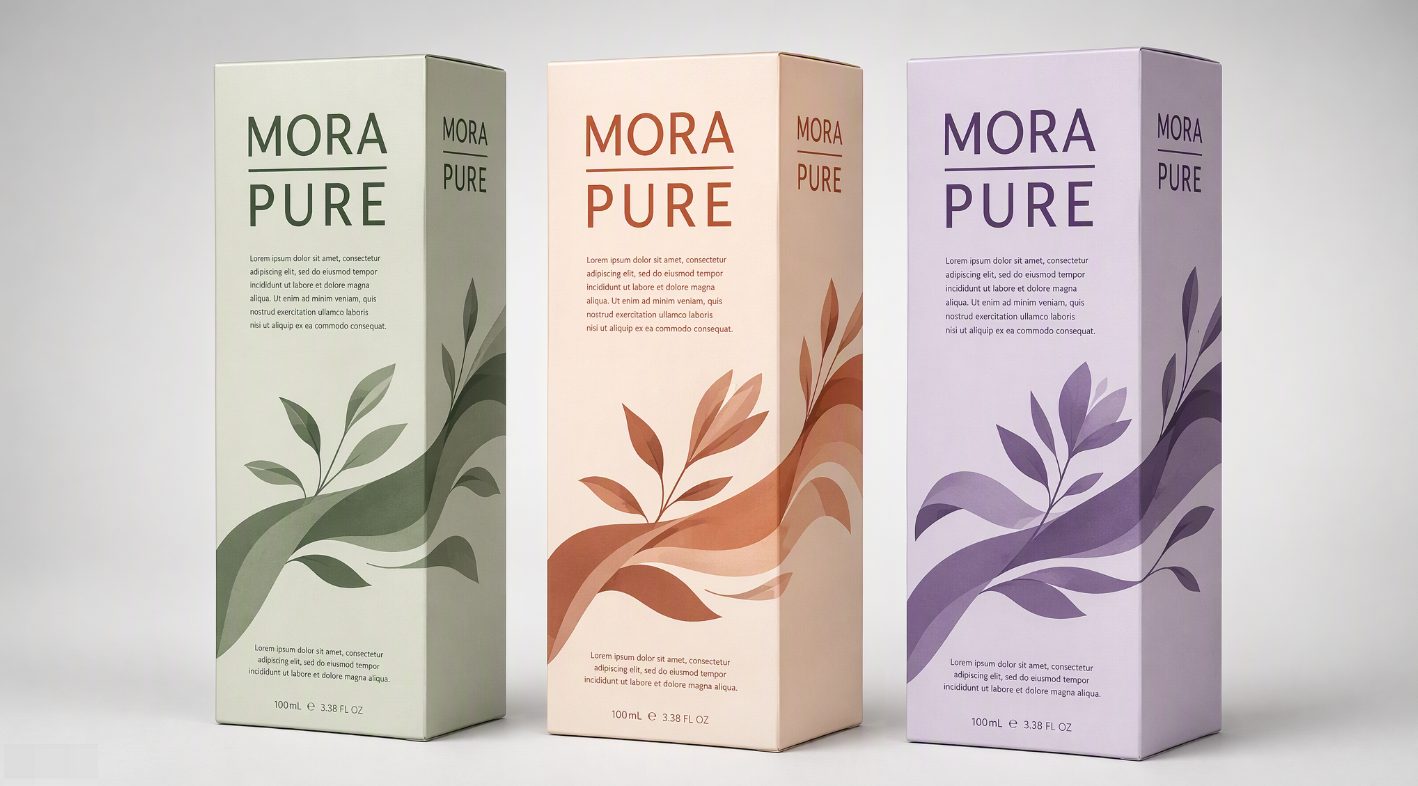
How to use
Step 1: Enter your prompt
Specify the product category, container shape, packaging material, brand personality, label placement, and color scheme. Mention whether you prefer minimalist, luxury, eco-conscious, or playful styling.
Prompt:
Step 2: Let AI generate your design
Review the generated mockups and refine the packaging shape, labels, or finishes to match your brand.
Step 3: Review and export the design
Examine proportions, label placement, and consistency across visible surfaces. Export the visual for presentations or marketing, and use dedicated 3D modeling and dieline software when manufacturing-ready specifications are needed.
3D character design
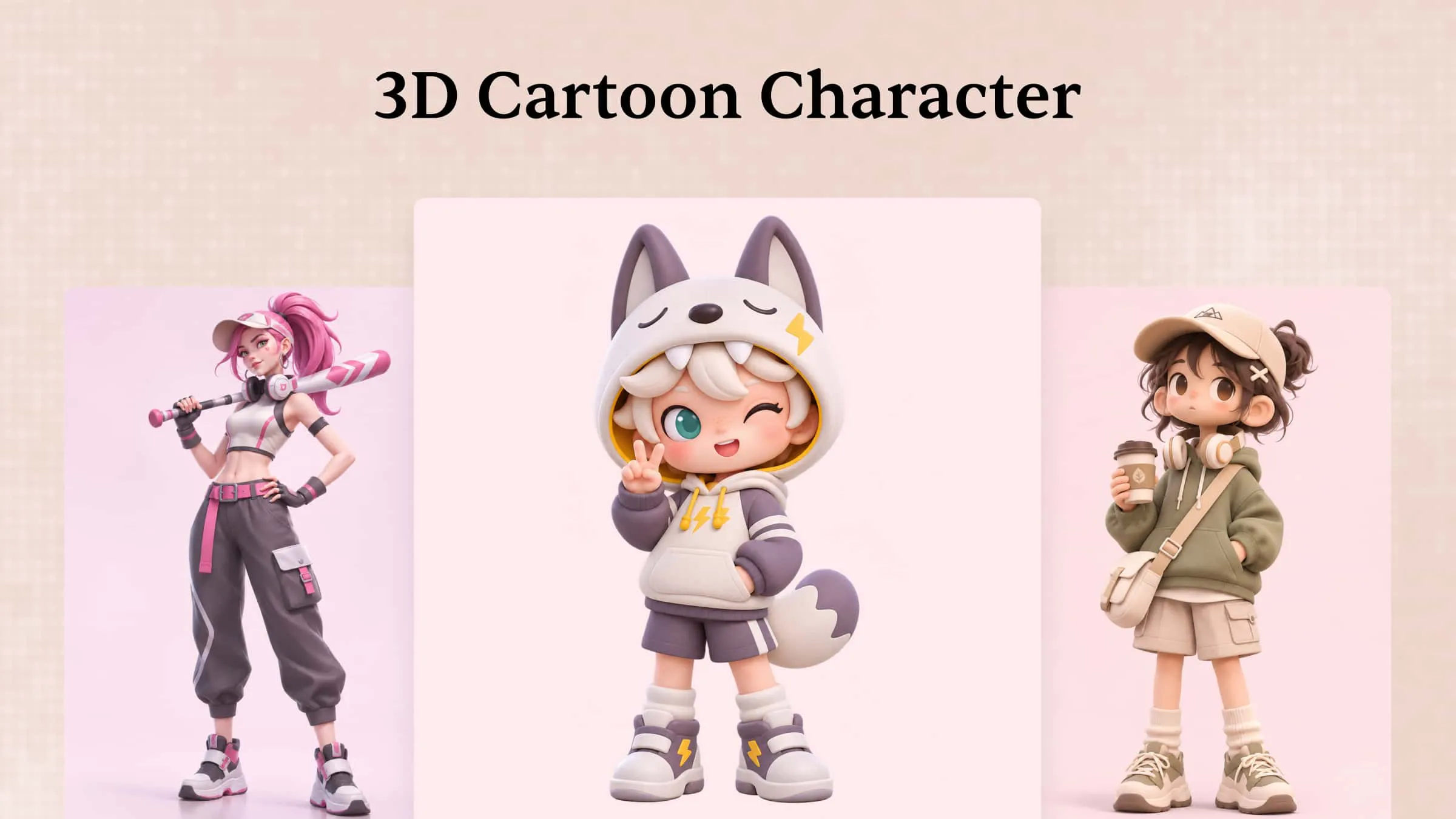
3D character design involves developing digital personalities with distinctive anatomy, facial expressions, clothing, and visual characteristics. These creations can range from stylized mascots and animated protagonists to realistic virtual influencers and game-ready figures. Dimensional modeling enables artists to explore character proportions, surface details, and lighting before moving into animation or interactive applications.
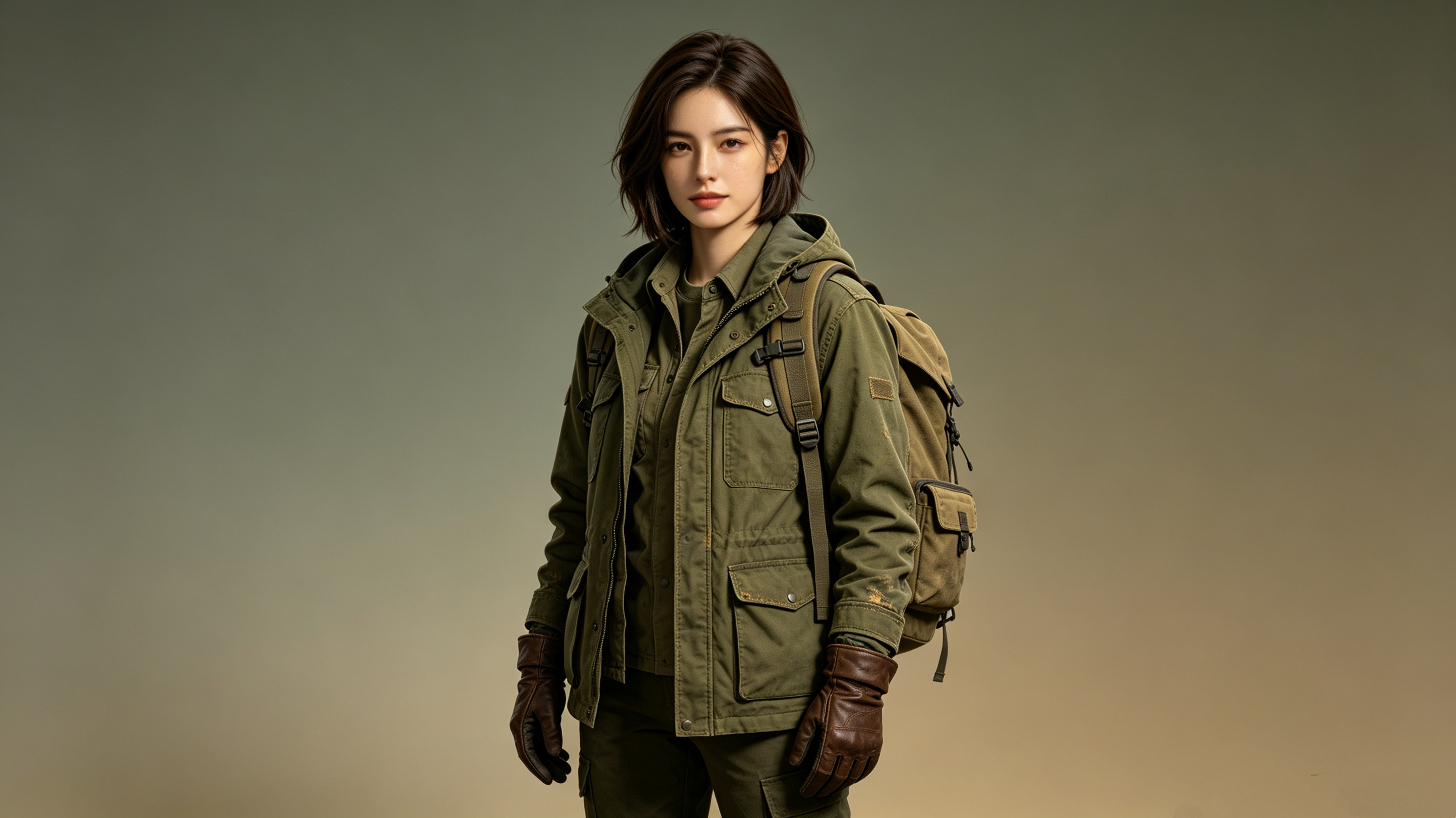
How to use
Step 1: Enter your prompt
Describe the character's age, personality, appearance, clothing, accessories, pose, and artistic style. Mention whether the design is intended for animation, gaming, or branding to guide the results.
Prompt:
Step 2: Let AI generate your design
Review the generated concepts and compare facial features, body proportions, and outfit details. Select the design that best matches your vision and refine its key features for a distinctive look.
Step 3: Review and export the design
Check the character's proportions, details, and visual consistency. Export the final image for concept presentations or use dedicated 3D modeling software to prepare a riggable model for animation.
3D infographics
3D infographics communicate information through dimensional charts, isometric illustrations, sculpted symbols, and spatial arrangements of data. Rather than relying exclusively on flat diagrams, 3D graphic design images use perspective and visual hierarchy to make complex subjects more approachable. It can support business presentations, educational materials, reports, and digital explainers where clarity is essential.
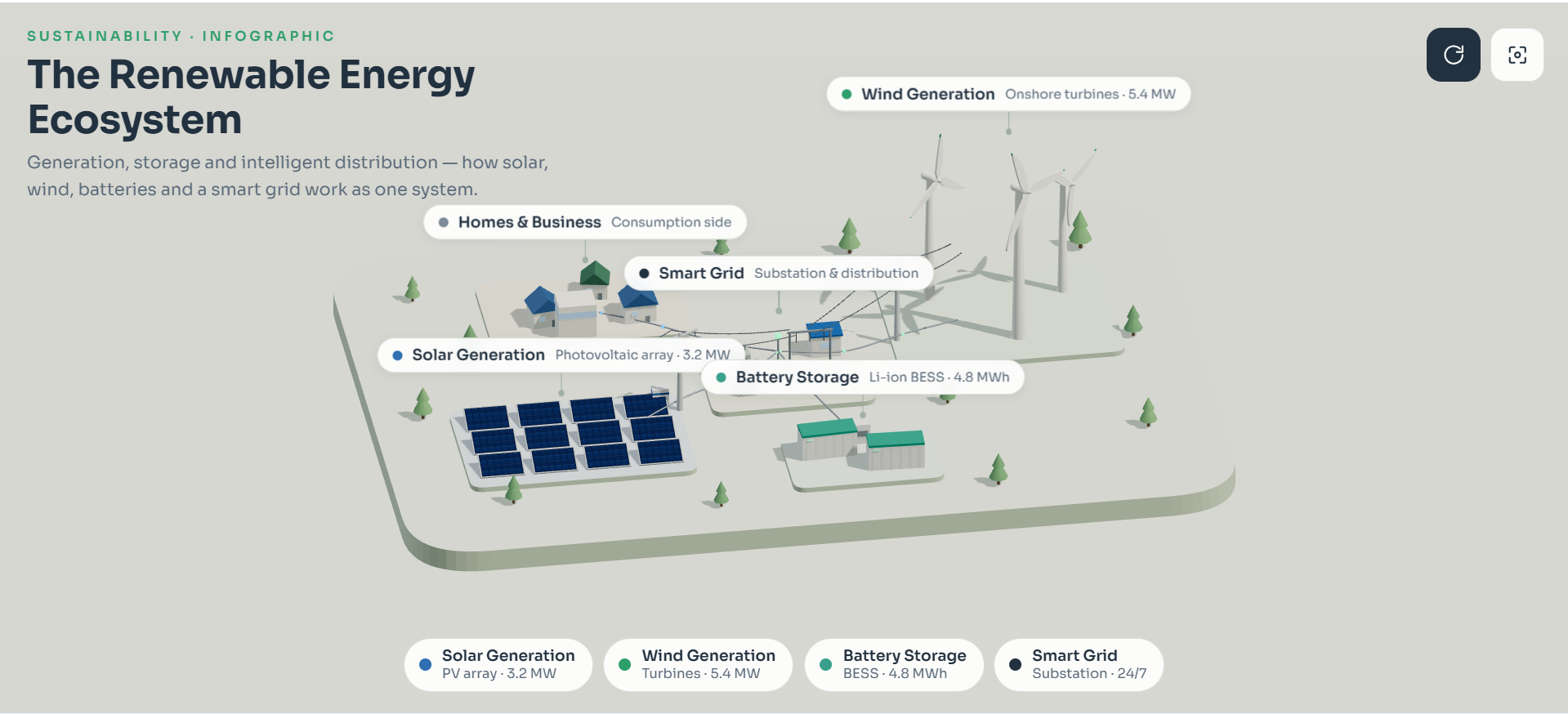
How to use
Step 1: Enter your prompt
Provide the subject, verified data points, intended audience, and preferred infographic structure. Explain which information should receive the greatest emphasis and request clear labels with an uncluttered layout.
Prompt:
Step 2: Let AI generate your design
Assess whether the generated illustration communicates the main concept in a logical visual sequence. Adjust the arrangement and simplify unnecessary elements that compete with the core information.
Step 3: Review and export the design
Cross-check every statistic, label, and factual claim against reliable source material. Export the artwork for presentation or publication, adding precise text and charts separately when the generated lettering or data requires correction.
3D abstract art
3D abstract art combines unconventional shapes, fluid forms, geometric patterns, and experimental textures to create striking digital visuals. It focuses on artistic expression rather than realistic representation, conveying moods and ideas through depth, color, and lighting. From iridescent surfaces to sculptural forms, this style adds originality to branding, editorial designs, and digital campaigns. A skilled 3D graphics designer can transform simple elements into captivating visual experiences.
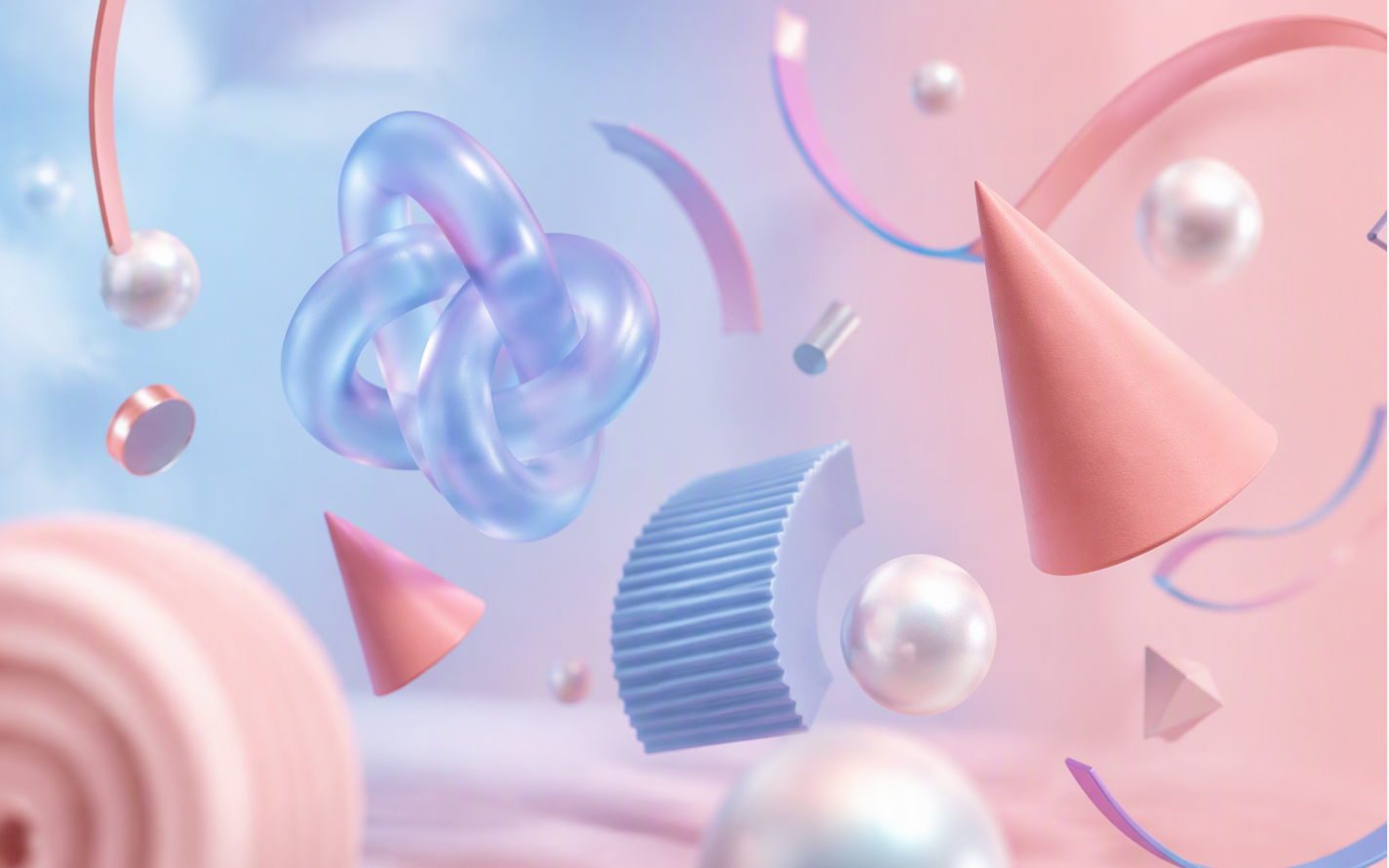
How to use
Step 1: Enter your prompt
Specify the shapes, colors, materials, composition, background, and lighting you want. Combine contrasting geometric forms and surface effects to create depth and visual interest.
Prompt:
Step 2: Let AI generate your design
Let Kimi 3D Make generate the composition, then review the arrangement of shapes, color balance, material effects, and lighting. Use natural-language instructions to adjust individual elements and refine the overall visual style.
Step 3: Review and export the design
Check the proportions, spacing, textures, and overall composition. Export the finished design in a supported format for digital artwork, presentations, or further 3D projects.
3D architectural graphics
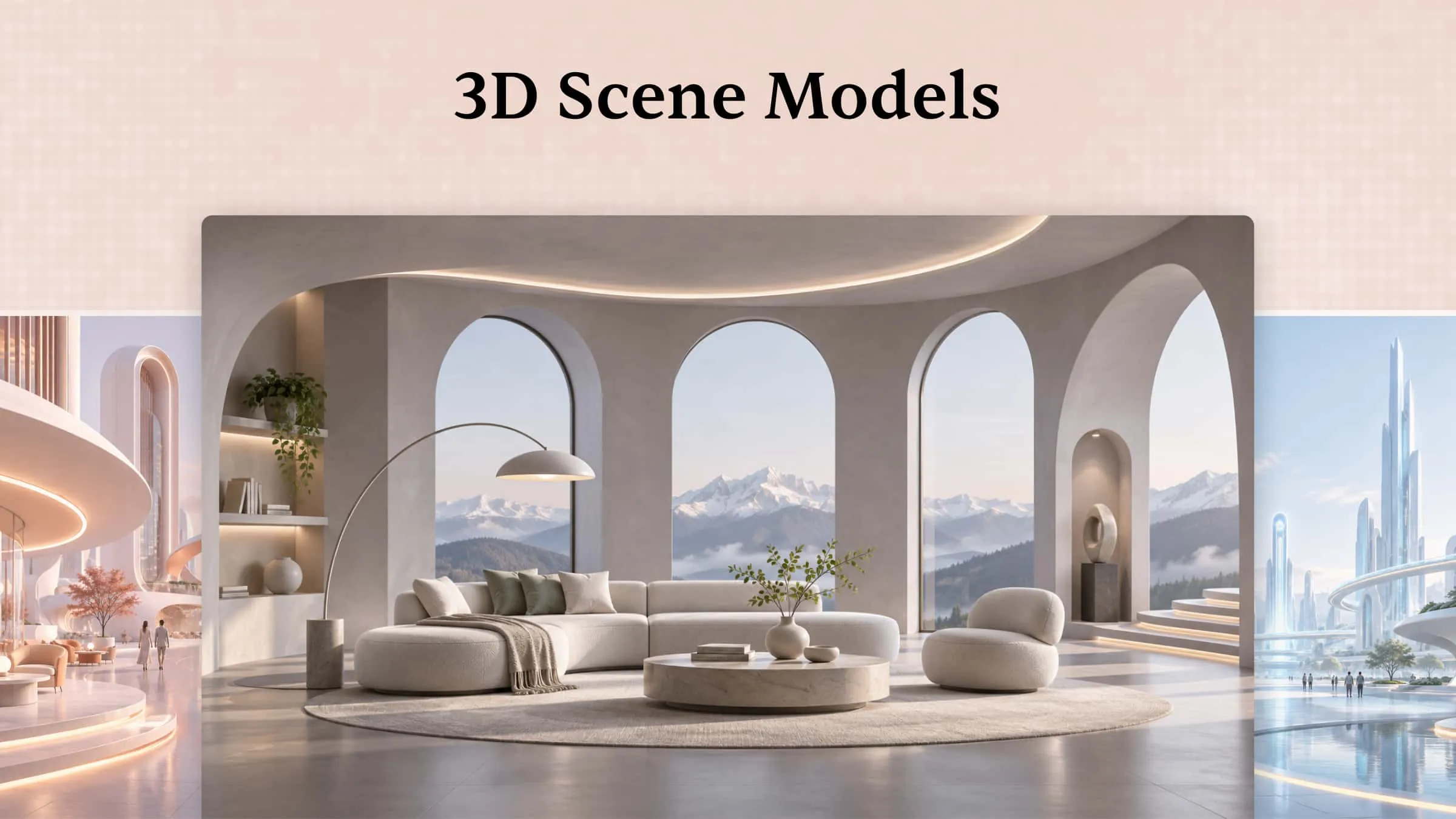
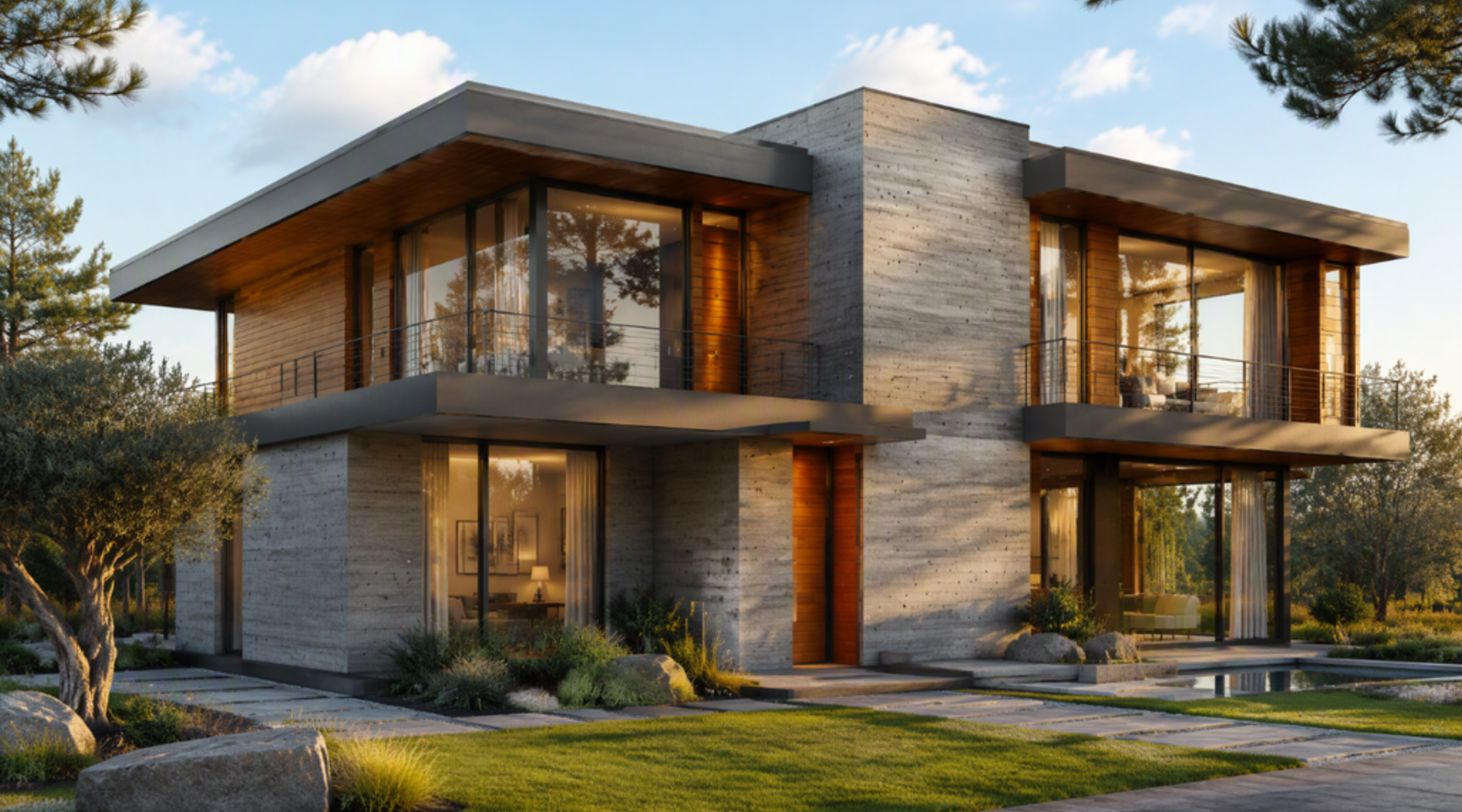
3D architectural graphics transform building concepts, interior layouts, and urban environments into detailed digital representations. They help architects and clients understand structural proportions, material selections, spatial relationships, and environmental context before construction begins. With free 3D graphic design tools and accessible visualization software, emerging designers can also explore architectural concepts without immediately investing in expensive production workflows.
How to use
Step 1: Enter your prompt
Specify the building type, architectural style, materials, surrounding environment, camera angle, and lighting conditions. Include essential dimensions or layout requirements when accuracy matters.
Prompt:
Step 2: Let AI generate your design
Examine the generated options for architectural coherence, material combinations, and environmental integration. Choose a promising concept and refine its composition to better communicate the proposed structure.
Step 3: Review and export the design
Check visible proportions, window placement, and material consistency against the intended design. Export the rendering for presentations, using architectural modeling software to verify dimensions and technical specifications.
3D game art
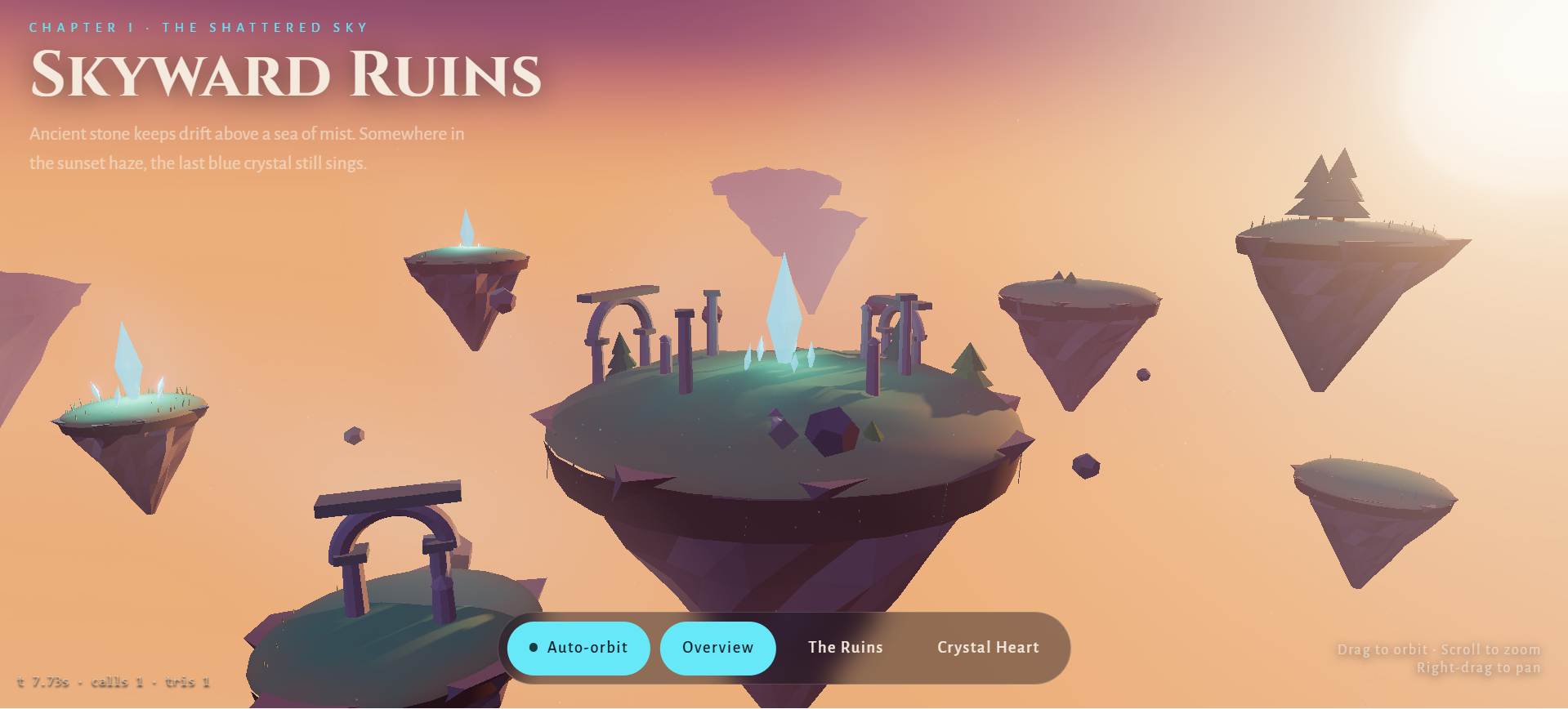
3D game art brings video games to life through detailed characters, immersive environments, props, and visual assets. Artists use modeling, texturing, lighting, and materials to create distinctive worlds that support gameplay and storytelling. Styles range from simple low-poly designs to realistic, highly detailed scenes. 3D animation and graphic design add movement and expressive character performances, making gameplay more engaging and immersive.
How to use
Step 1: Enter your prompt
Describe the game genre, environment, character or object, artistic direction, and intended camera perspective. Mention important visual details that establish the atmosphere and distinguish the asset.
Prompt:
Step 2: Let AI generate your design
Generate several alternatives and evaluate their silhouettes, environmental storytelling, and consistency with the game's visual direction. Refine the preferred concept before developing production-ready assets.
Step 3: Review and export the design
Inspect geometry, texture details, and visual clarity at the intended gameplay scale. Export concept artwork or prepare compatible models, textures, and materials for integration into a game engine.
3D logo
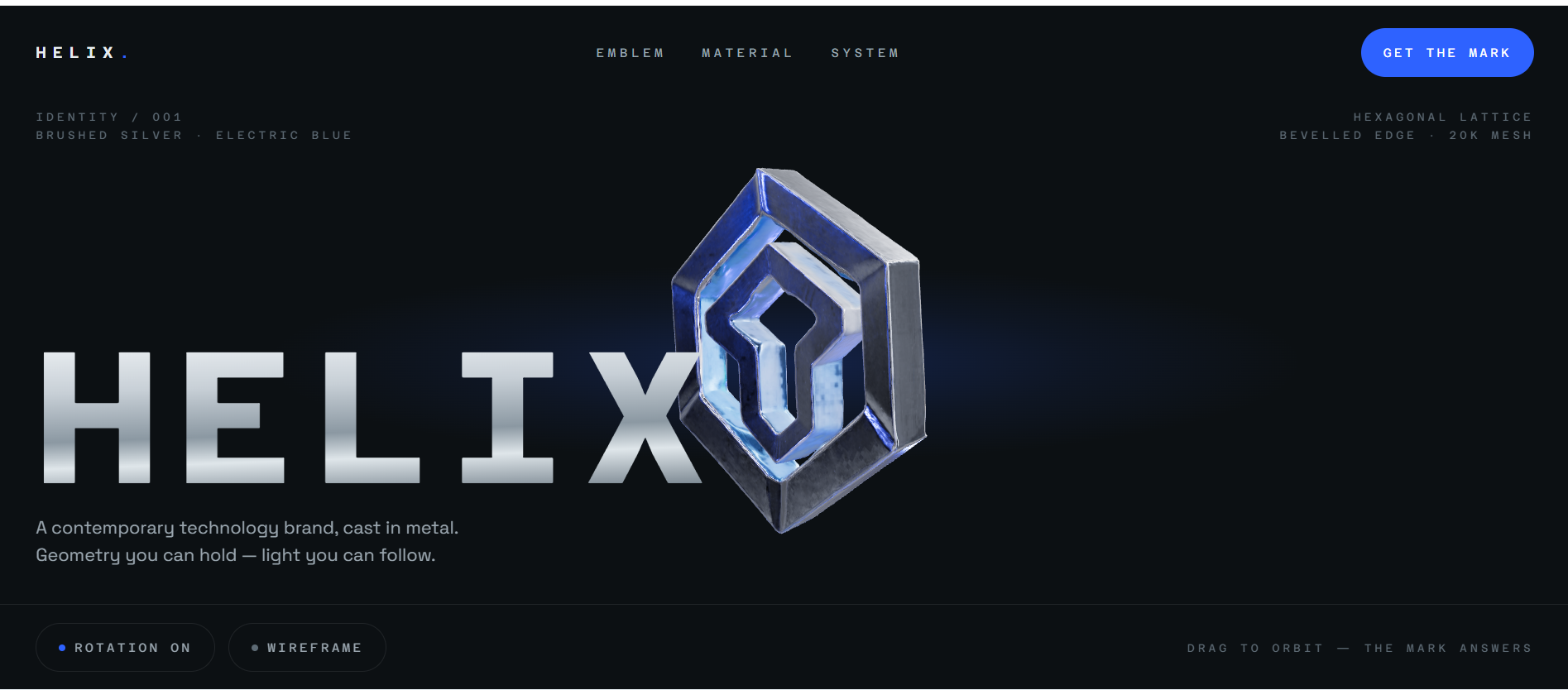
3D logo design gives brand identities a dimensional appearance through extrusion, beveled edges, reflective finishes, and carefully controlled illumination. These visual treatments can communicate sophistication, innovation, energy, or playfulness, depending on the brand's personality. Dimensional logos work particularly well in promotional videos, website headers, product presentations, and animated brand introductions.
How to use
Step 1: Enter your prompt
Provide the brand name, industry, emblem concept, preferred materials, color palette, and desired personality. Specify the background and lighting to create a cohesive presentation.
Prompt:
Step 2: Let AI generate your design
Compare generated concepts for legibility, distinctiveness, and visual balance. Select the strongest variation and refine its contours, material finish, and dimensional treatment.
Step 3: Review and export the design
Verify that the logo remains recognizable at different sizes and against varied backgrounds. Export a high-resolution render and create a vector or editable 3D version when scalable branding assets are required.
Why choose Kimi 3D Make for creating 3D graphics
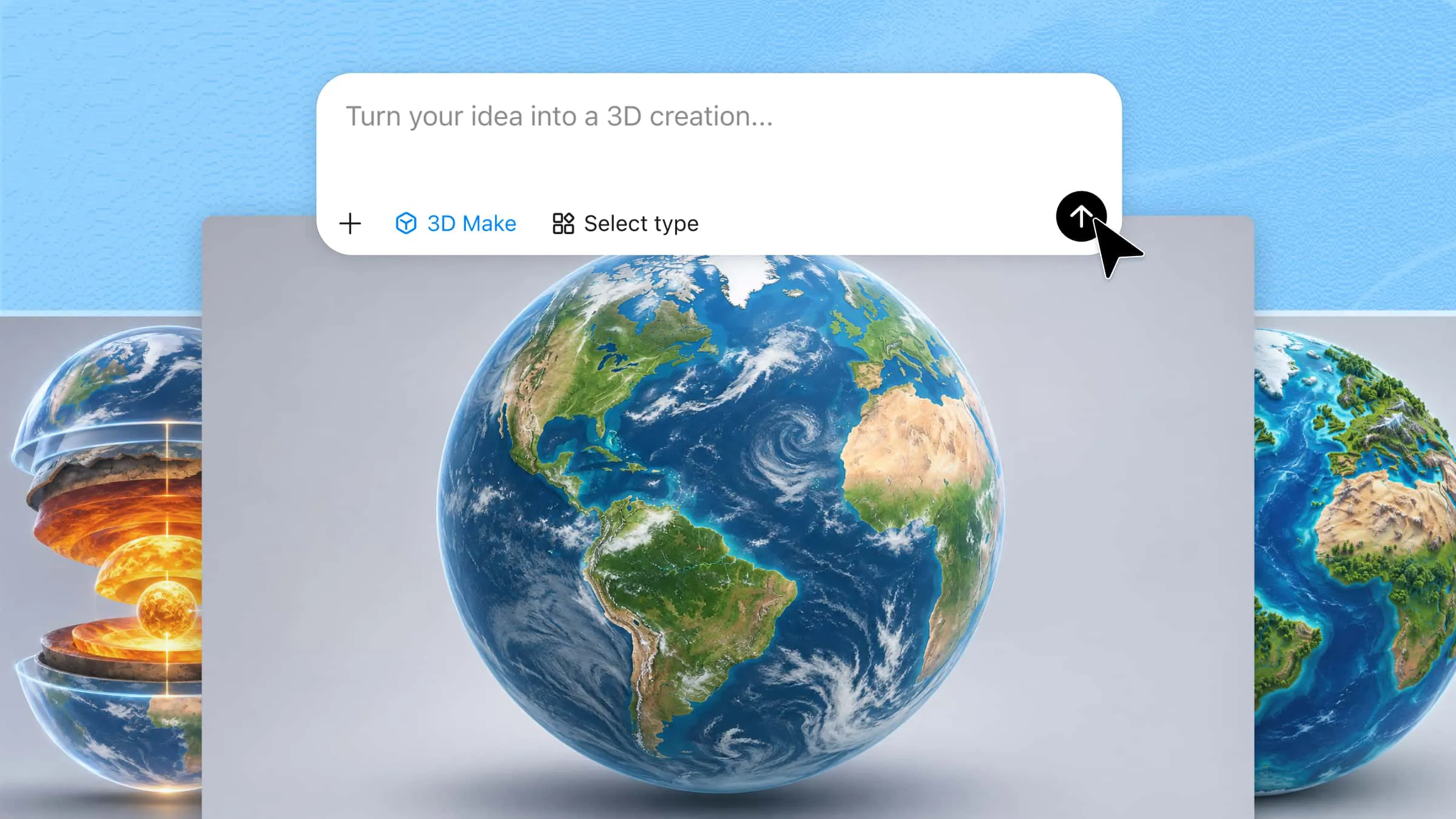
Kimi 3D Make makes 3D graphic design more approachable, helping you move from an initial idea to a polished visual without making the process feel overwhelming. You should consider these points before choosing Kimi 3D Make.
Turn ideas into expressive 3D graphics
Convert text prompts and visual references into dimensional designs that reflect your creative vision. Explore typography, branding, abstract art, and promotional visuals while retaining the defining features of your references.
Build visual depth with shapes, colors, and textures
Combine layered forms, coordinated colors, and carefully chosen surface details to establish a distinctive visual style. Create compositions ranging from smooth abstract artwork to stylized lettering and product-inspired graphics.
Fine-tune designs with smart editing
Refine your work as your concept develops by describing changes in chat, commenting on elements, or adjusting details manually. Modify proportions, colors, and individual features without rebuilding the entire composition.
Adapt 3D graphics for different creative projects
Review your finished design and export it in a supported format suited to your next step. Prepare assets for digital content, presentations, game projects, or continued editing in compatible 3D applications.
Expand your creative workflow with advanced 3D tools
Connect Kimi Work with Blender and Tripo 3D plugins to explore more specialized modeling workflows. Use Tripo 3D to generate models from text or images, then work in Blender on modeling, scene composition, and rendering, with supported formats such as GLB, glTF, OBJ, FBX, STL, USDZ, and BLEND helping carry assets between stages.
Tips for making realistic 3D graphic designs
Creating realistic 3D visuals requires a balance of spatial accuracy, authentic materials, and thoughtful composition. Refined lighting, detailed textures, and precise proportions help produce compelling designs that meet professional standards. Follow the tips below to develop 3D graphic designs.
Start with clear references
Gather high-quality photographs, real-world objects, and reference images before beginning your design. Study their shapes, textures, colors, and surface details to understand how they appear in different environments. These references help a 3D graphics designer create accurate and believable visuals.
Maintain accurate proportions and scale
Keep object dimensions and spatial relationships consistent with real-world measurements. Pay attention to the size of individual components and their relationship to surrounding elements. Accurate proportions make 3D graphic design images appear natural and visually convincing.
Select realistic materials
Adjust reflectivity, transparency, roughness, and surface details to match materials such as glass, metal, wood, and plastic. Observe how each material responds to light and its surroundings. Appropriate material settings help your 3D designs look more authentic.
Use lighting to enhance depth
Combine key lights, fill lights, and rim lighting to define shapes and highlight important details. Adjust shadow direction, softness, and intensity to create a natural appearance. Balanced lighting adds depth and makes the main subject stand out.
Build depth through composition
Arrange objects across the foreground, middle ground, and background to establish spatial distance. Use perspective, overlapping elements, and differences in scale to create a convincing sense of depth. This approach makes 3D visuals more engaging and immersive.
Keep textures natural
Add subtle scratches, surface grain, and color variations to give objects a realistic finish. Match texture details to the material and the distance from which the design will be viewed. Avoid excessive detailing that can make surfaces look artificial or cluttered.
Establish a clear visual hierarchy
Use contrast, color, scale, and lighting to guide attention toward the main subject. Keep secondary elements visually balanced so they support the overall composition. A clear hierarchy improves readability and makes your designs more effective.
Inspect the design from multiple angles
Examine the model from the front, sides, and elevated viewpoints to identify alignment and geometry issues. Check for uneven surfaces, awkward intersections, and inconsistent proportions. This is particularly important for assets used in 3D animation, graphic design, gaming, and product visualization.
Refine design through iteration
Review each render and identify areas that need improvement, such as lighting, textures, materials, or object placement. Make small adjustments and compare the results to determine which changes work best. Repeated refinement helps you achieve a consistent, professional finish.
Export according to your intended use
Choose the appropriate resolution, dimensions, and file format based on where the design will appear. High-resolution renders are suitable for print and presentations, while optimized images load more efficiently on websites. For animation or further editing, preserve compatible 3D models and project files.
Conclusion
In conclusion, 3D graphic design transforms ideas into engaging visuals through realistic textures, lighting, and creative compositions. From product mockups to gaming assets, the right techniques can enhance your results. Tools like Kimi 3D Make simplify the process by helping you generate concepts, explore styles, and refine designs efficiently.