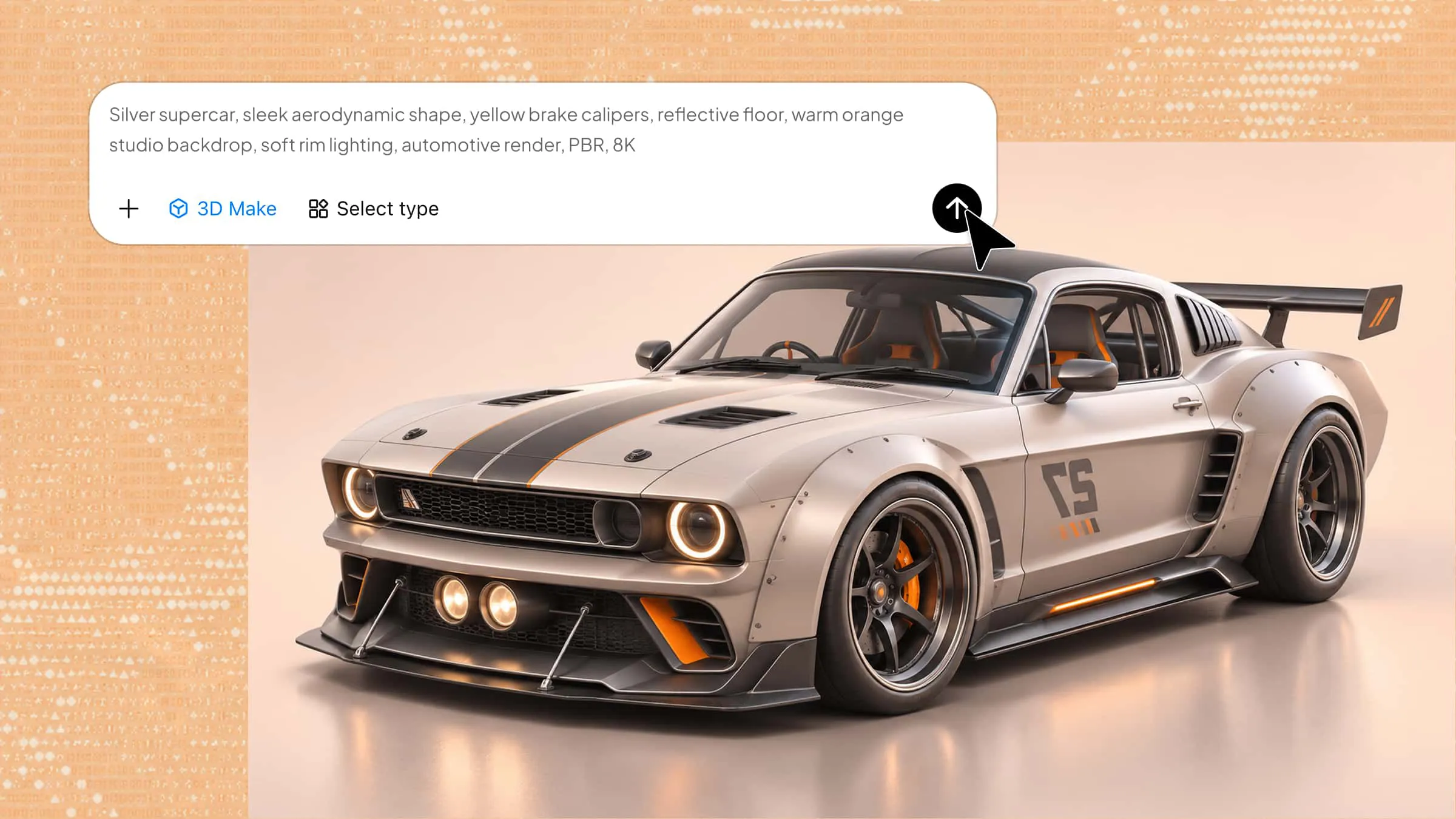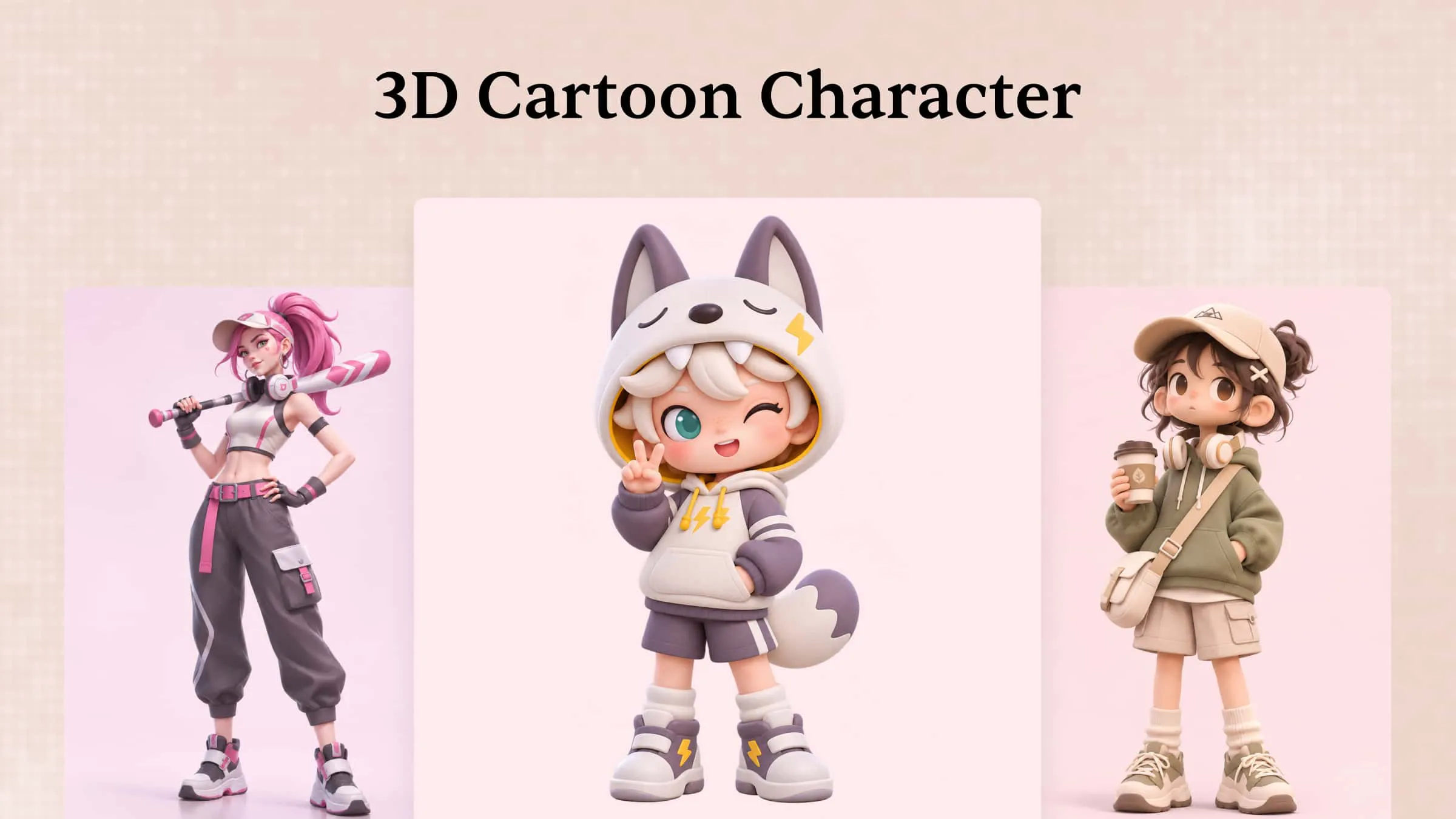
A 3D cartoon character involves more than choosing an attractive appearance; Its proportions, facial features, colors, and textures all contribute to its overall design. However, finding the right style and deciding which details to include can be difficult, especially when you are starting with a new idea. This guide explores 10 popular cartoon character styles, explains their distinctive features and common uses, and shares practical design tips to help you choose suitable references and create characters that fit your project.
Overview of 10 cartoon character 3D models
Character designs can range from simple, exaggerated figures to complex creations with unique visual details. The table below compares 10 popular styles and explains what makes each one different.
| Character style | Key features | Design approach | Common uses |
|---|---|---|---|
| Retro cartoon characters | Vintage outfits, bold colors, exaggerated expressions. | Classic animation-inspired shapes and details. | Retro games, vintage animations. |
| Anime-inspired characters | Expressive eyes, stylized hair, detailed outfits. | Anime facial features and smooth 3D shapes. | Video games, animated films. |
| Low-poly characters | Few polygons, flat surfaces, simple shapes. | Minimal geometry and basic textures. | Indie games, mobile games. |
| Fantasy characters | Magical features, unusual shapes, imaginative costumes. | Creative proportions and fantasy elements. | Adventure games, fantasy films. |
| Clay-style characters | Soft edges, molded shapes, uneven surfaces. | Clay-like textures and rounded forms. | Stop-motion films, children's animation. |
| Realistic cartoon characters | Natural proportions, detailed skin, expressive faces. | Realistic textures with animated features. | Cinematic games, animated films. |
| Robot characters | Metal frames, sensors, joints, digital displays. | Mechanical structures and movable parts. | Sci-fi games, educational animations. |
| Animal cartoon characters | Animal features, expressive faces, playful shapes. | Stylized anatomy and human-like expressions. | Children's games, animated series. |
| Chibi characters | Large heads, small bodies, short limbs. | Exaggerated proportions and simple details. | Mobile games, stickers, merchandise. |
| Pixel-inspired characters | Blocky bodies, square faces, limited colors. | Voxel geometry and cube-based shapes. | Voxel games, digital collectibles. |
10 popular styles of 3D cartoon characters
3D cartoon characters come in many styles, from cute and playful figures to detailed fantasy designs. Each style has its own appearance and creative purpose. Explore these 10 popular character styles to learn what makes each one unique and where it works best.
Retro cartoon characters
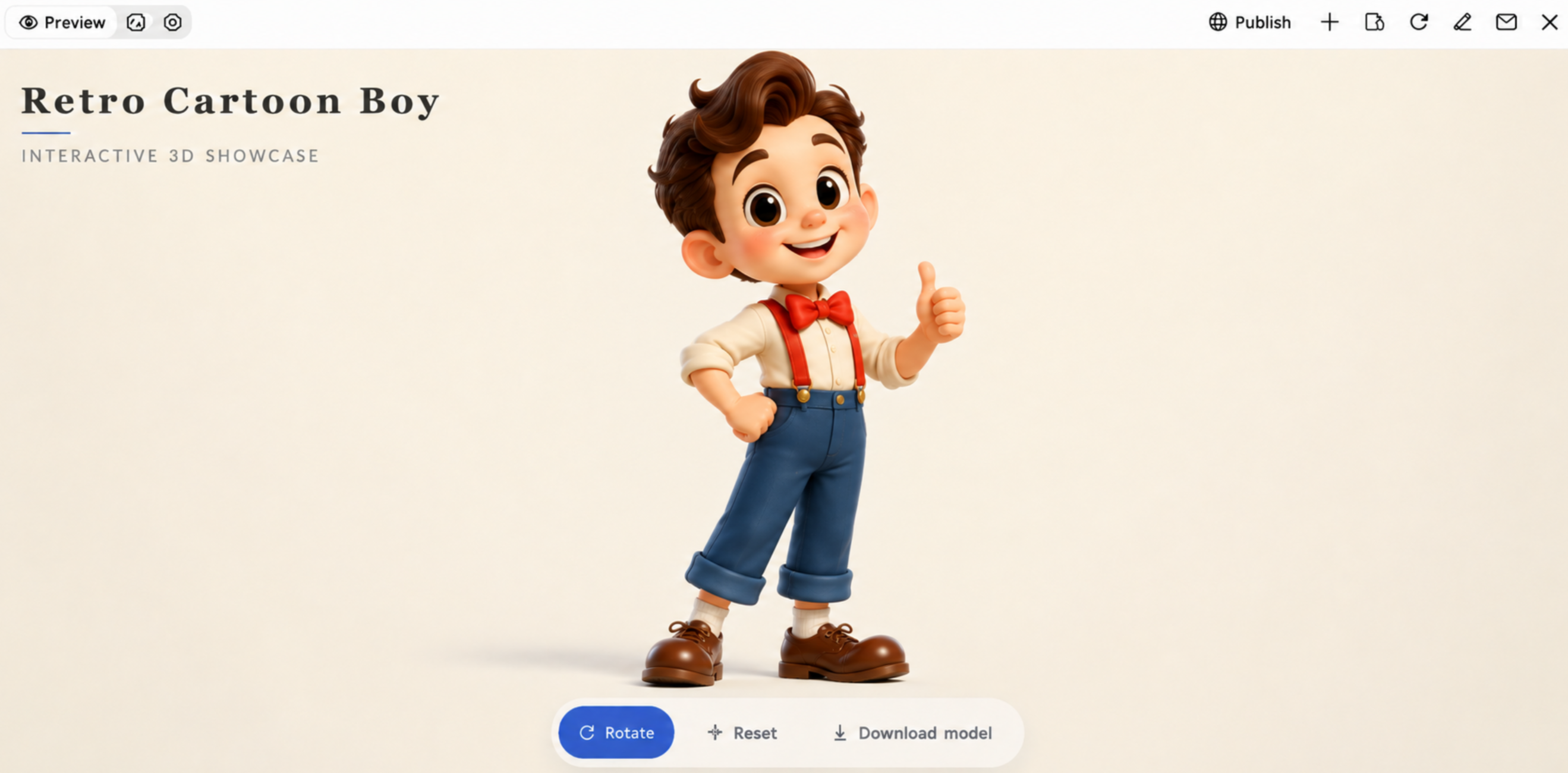
Retro cartoon characters are inspired by the animation styles of the 1920s to 1990s, with designs that reflect the look of classic cartoons. They often feature exaggerated facial expressions, simple body shapes, bold colors, and distinctive clothing styles. Today, these cartoon character designs are used in 3D games, animated videos, digital illustrations, and projects that recreate the feel of traditional animation.
How to use
Step 1: Enter your prompt
Describe the retro character you want to create. Mention its appearance, facial expressions, clothing, colours, and vintage animation style.
Example prompt:
Step 2: Let AI generate your design
Allow Kimi 3D Make to turn your prompt into a 3D character. Wait for the design to appear and check whether it matches the vintage cartoon style you described.
Step 3: Review and export the design
Check the character's facial features, clothing, colors, and overall appearance. If needed, adjust your prompt to improve the result. Once satisfied, export your final design.
Anime-inspired characters
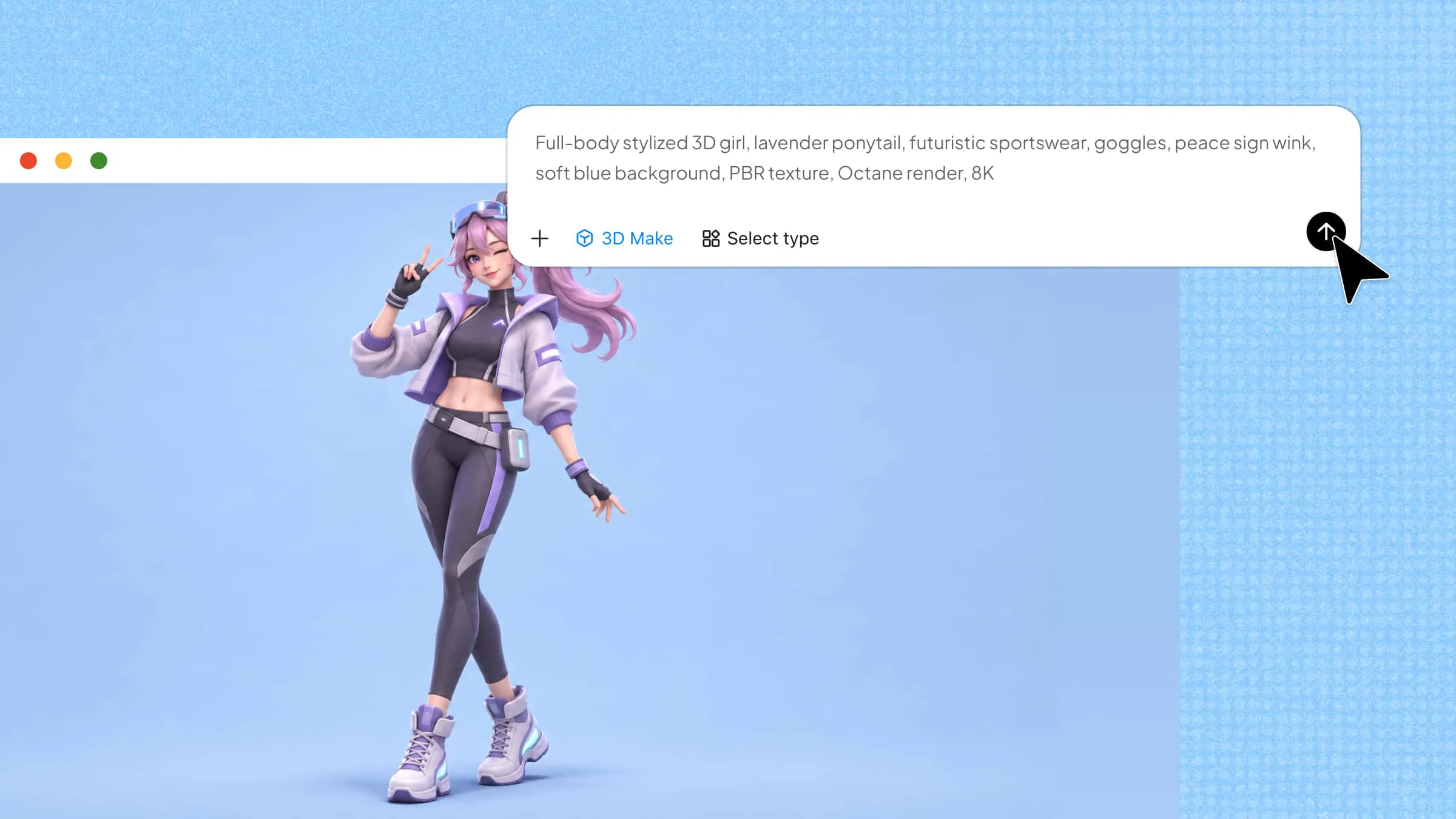
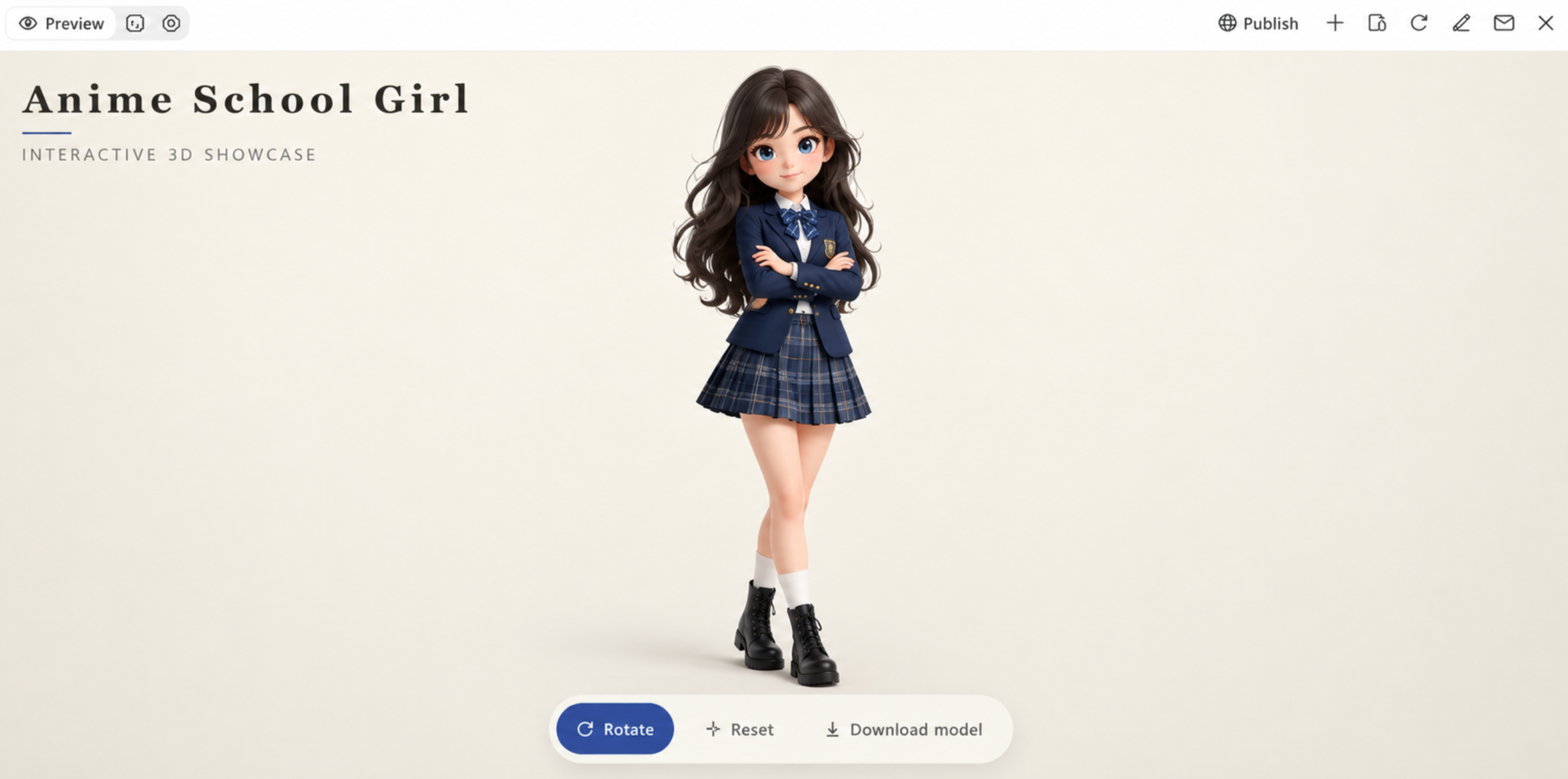
Anime-inspired characters combine the distinctive features of Japanese animation with three-dimensional design. They often have expressive eyes, stylized hairstyles, detailed clothing, and carefully shaped facial features that reflect their personalities. Their designs may include everyday outfits, fantasy costumes, or action-ready accessories, depending on the character's role. These 3D cartoon character models are widely used in video games, animated films, digital storytelling, and character illustrations.
How to use
Step 1: Enter your prompt
Enter a prompt with details about the character's appearance, hairstyle, eye color, clothing, pose, and personality. Mention the anime style and any specific accessories or design elements you want to include.
Example prompt:
Step 2: Let AI generate your design
Submit your prompt to Kimi 3D Make to create the 3D character. The result will translate your written details into a model with defined facial features, clothing, hairstyle, and body proportions.
Step 3: Review and export the design
Examine the face, hair, outfit, and body structure to check whether they match your original idea. Refine any details that need improvement, then export the completed model in the available format for your project.
Low-poly characters
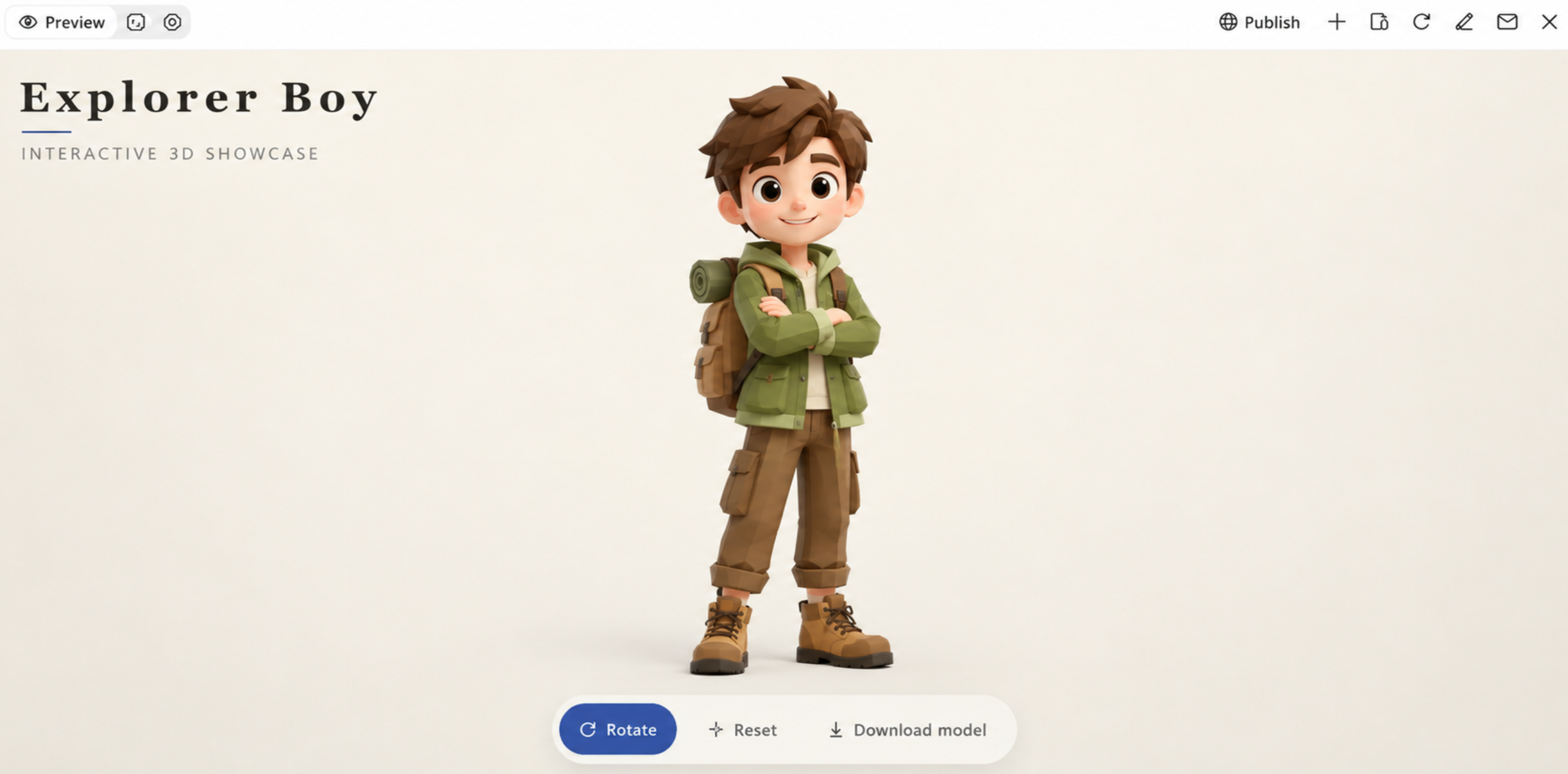
Low-poly characters are 3D models built from a small number of polygons, giving them a simple geometric appearance. Their bodies, faces, and clothing use basic shapes with flat surfaces instead of complex textures and fine details. Designers often use sharp edges, carefully placed colors, and simple proportions to create recognizable cartoon character 3D models without heavy modeling work. This style is commonly found in indie games, animated scenes, mobile games, and stylized 3D projects.
How to use
Step 1: Enter your prompt
Write a prompt that explains the character's appearance, body shape, clothing, colors, and pose. Mention the low-poly style and request simple geometric shapes, flat surfaces, and minimal details.
Example prompt:
Step 2: Let AI generate your design
Submit the description and allow Kimi 3D Make to process the details into a low-poly character. Check how the geometric shapes, proportions, and color choices work together in the generated result.
Step 3: Review and export the design
Inspect the character's shape, clothing, and overall structure. Adjust any areas that do not match your concept, then export the finished model in a supported format for use in your game or animation project.
Fantasy characters
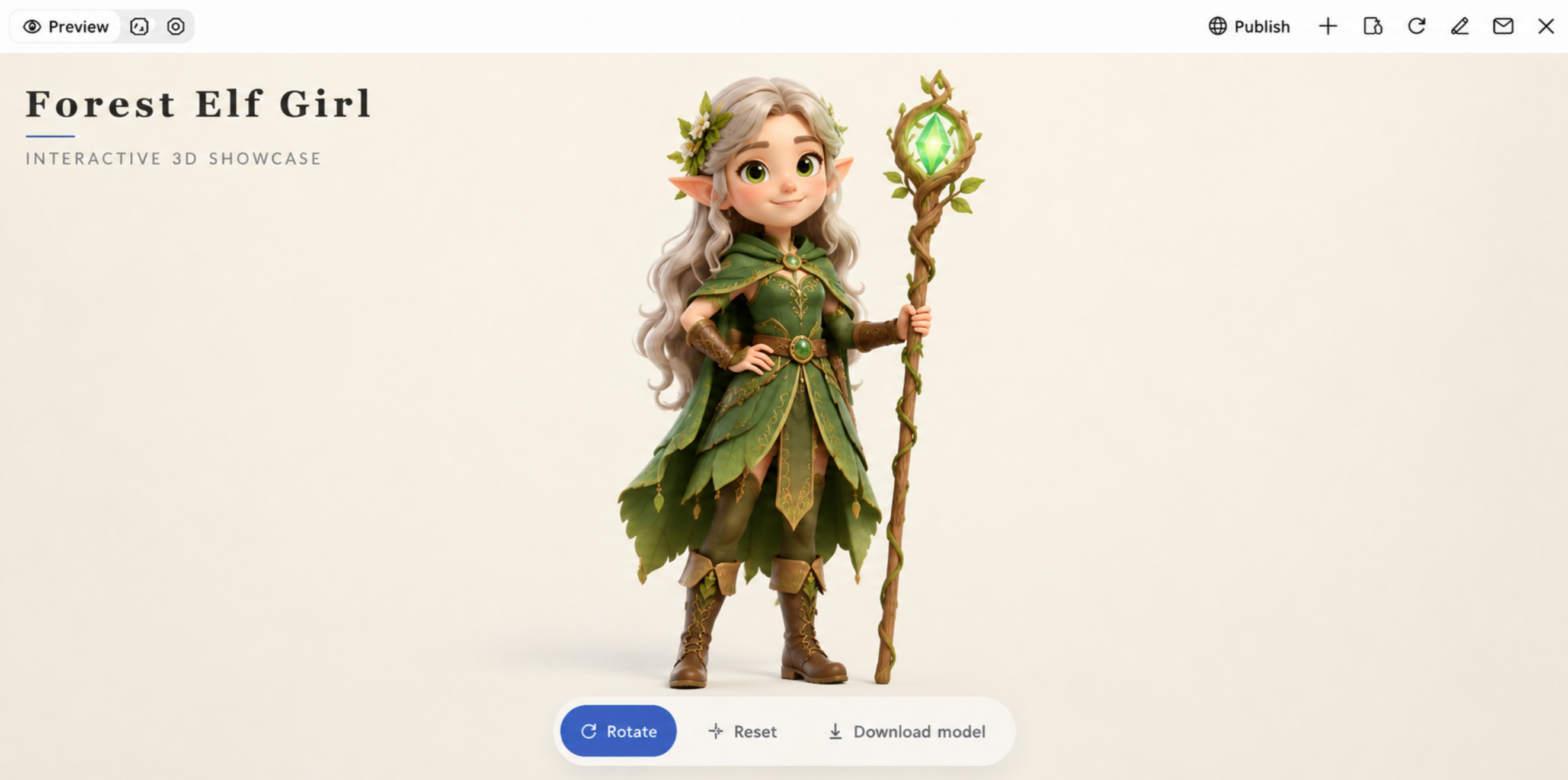
Fantasy characters allow designers to explore ideas beyond ordinary human and animal forms. A single model may combine mythical creatures, magical clothing, unusual body structures, and objects linked to an imaginary world. For example, a fantasy warrior might have enchanted armor and a glowing sword, while a forest elf could feature pointed ears, nature-inspired clothing, and intricate accessories. Cartoon 3d model characters are widely used in role-playing games, animated films, virtual worlds, and adventure-based storytelling.
How to use
Step 1: Enter your prompt
Choose a character type, such as a wizard, elf, fairy, or mythical warrior. Write a prompt that specifies its appearance, costume, magical objects, and special features.
Example prompt:
Step 2: Let AI generate your design
Submit your prompt to Kimi 3D Make to create a 3D model based on your chosen character type, costume, and magical features.
Step 3: Review and export the design
Make adjustments to the accessories, costume details, or character proportions where needed. Once the design matches your concept, export the model in a supported format for your project.
Clay-style characters
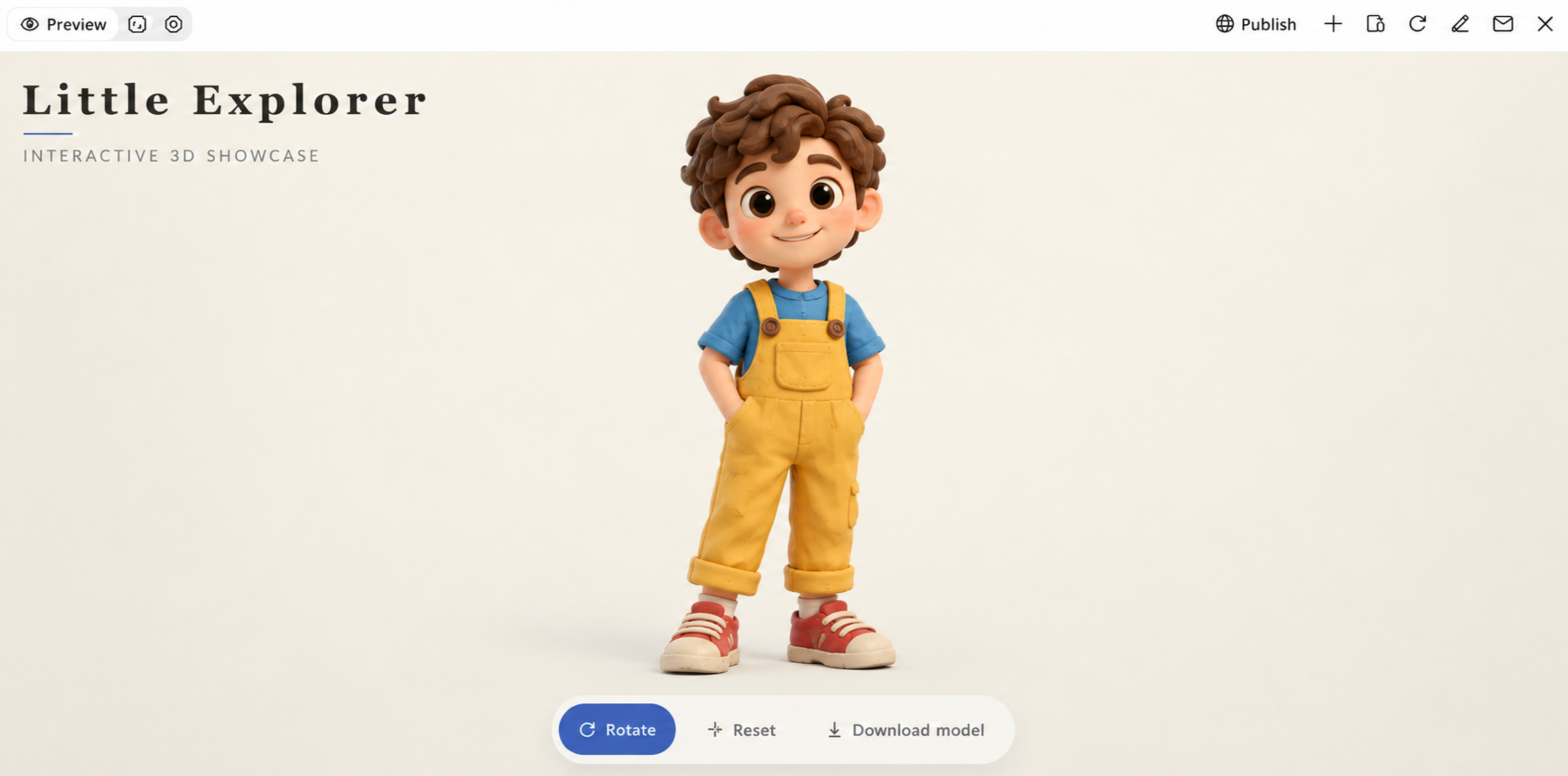
Clay-style characters bring the charm of handmade sculptures into 3D design. They often feature soft edges, sculpted clothing, subtle fingerprints, and slightly irregular surfaces that mimic the texture of real clay. These organic details give each character a tactile, handcrafted appearance and a distinct personality. This 3D cartoon modeling style is particularly well suited to stop-motion films, children's animations, whimsical games, and creative storytelling projects.
How to use
Step 1: Enter your prompt
Enter a prompt that covers the character's shape, facial expression, clothing, colors, and pose. Include details such as rounded limbs, molded features, and a soft clay texture to achieve a handmade appearance.
Example prompt:
Step 2: Let AI generate your design
Submit your prompt to Kimi 3D Make and allow it to interpret the requested shapes, textures, and character details. Check the generated model to see how closely its appearance matches the handmade clay concept.
Step 3: Review and export the design
Check the surface texture, facial expression, clothing, and overall proportions. Correct any missing or poorly shaped details, then export the completed character in a supported format for your animation or design project.
Realistic cartoon characters
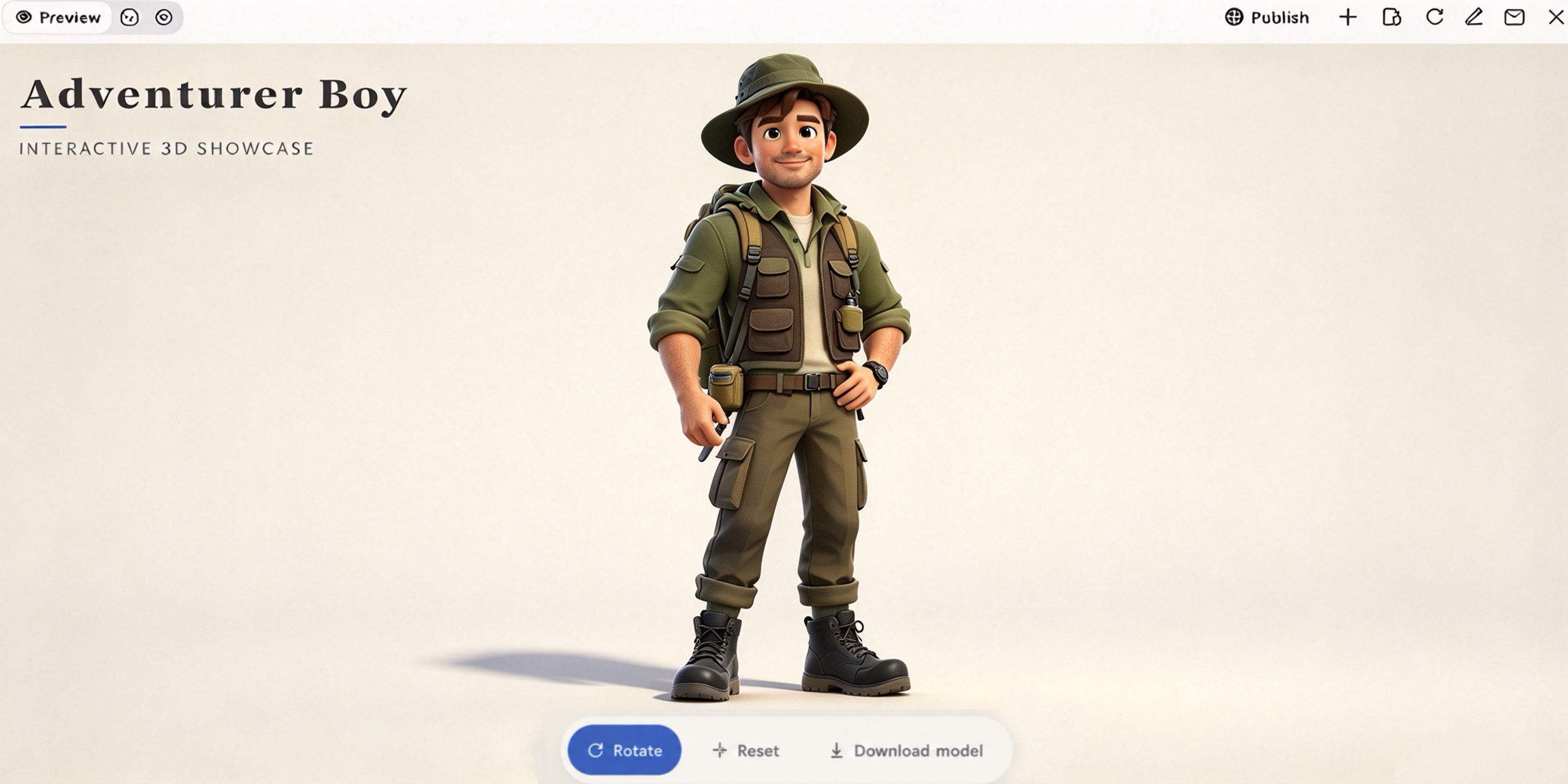
A realistic cartoon character can have the proportions of a real person while retaining the charm of an animated figure. Designers often focus on details such as facial structure, skin shading, eye reflections, hair strands, and clothing folds to give the model a more natural finish. The result is more detailed than a traditional 3D cartoon character model without losing its creative identity. These characters are particularly useful in cinematic games, animated films, virtual storytelling, and digital productions.
How to use
Step 1: Enter your prompt
Describe the character's facial features, hairstyle, body proportions, clothing, and pose. Include realistic details such as skin texture, hair strands, and fabric folds.
Example prompt:
Step 2: Let AI generate your design
Kimi 3D Make processes your description and turns the character details into a three-dimensional model.
Step 3: Review and export the design
Check the facial details, proportions, and clothing. Make any necessary changes and export the finished model in a supported format.
Robot characters
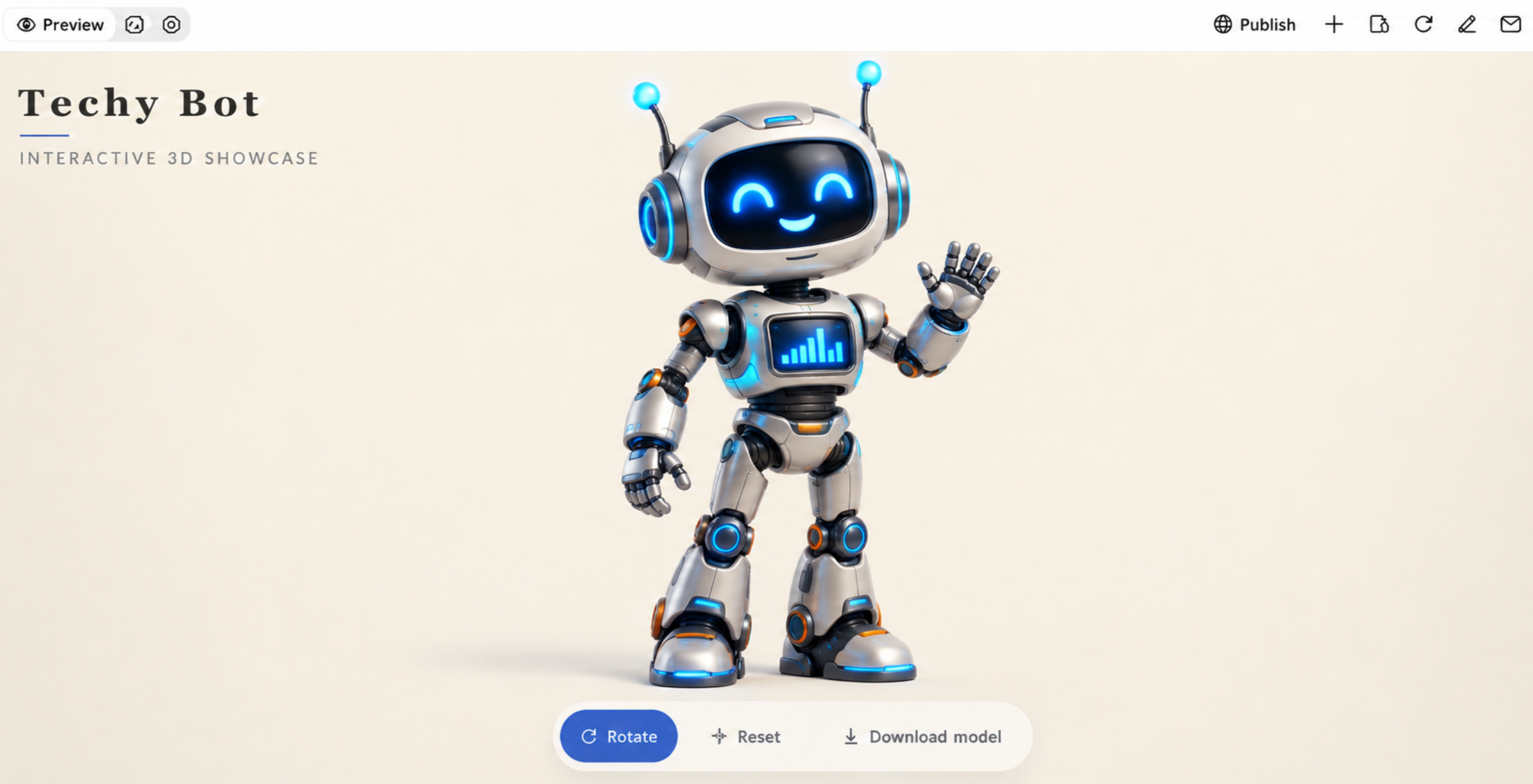
Robot characters bring mechanical designs into cartoon modeling, ranging from small helper bots to large futuristic machines. Their structure may include metal frames, movable joints, digital displays, sensors, and mechanical tools. Some designs focus on friendly expressions, while others feature advanced systems and complex body structures. These 3D model cartoon designs are commonly used in science-fiction games, animated stories, educational content, and virtual environments.
How to use
Step 1: Enter your prompt
Write a prompt that covers the robot's body structure, materials, colors, screen features, and mechanical parts. Specify whether you want a friendly assistant, futuristic machine, or compact robotic companion.
Example prompt:
Step 2: Let AI generate your design
Submit the prompt to Kimi 3D Make to turn your description into a 3D robot. Check whether the mechanical structure, body parts, and digital features match your concept.
Step 3: Review and export the design
Inspect the joints, screen placement, body shape, and surface details. Make the required corrections and export the completed model in a supported format for your project.
Anthropomorphic animal characters
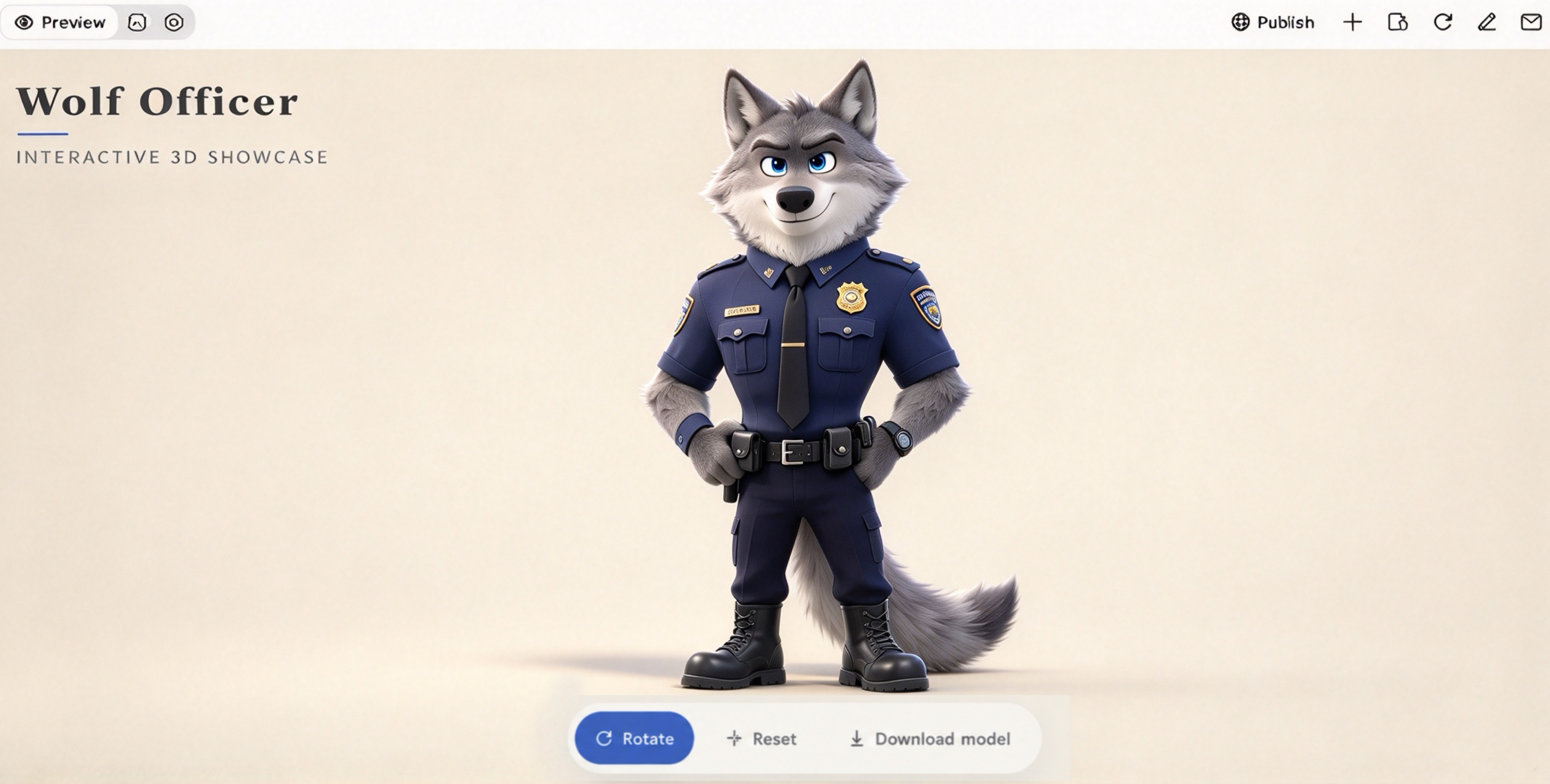
Anthropomorphic animal characters blend animal anatomy with human features to create expressive, story-driven designs. Their models often include detailed fur, species-specific facial features, upright postures, and clothing suited to their roles. A wolf might be designed as a police officer, while a rabbit could appear as a shopkeeper or explorer. These characters are commonly featured in animated movies, video games, children's books, and digital storytelling.
How to use
Step 1: Enter your prompt
Select an animal and decide how its human-like appearance should look. Include details about its fur, facial features, clothing, body posture, and personality in your prompt.
Example prompt:
Step 2: Let AI generate your design
Submit your description to Kimi 3D Make to create the model. Check whether the animal's natural features and human-like appearance are represented as intended.
Step 3: Review and export the design
Check the animal's face, body posture, fur, and clothing. Correct any unwanted details and export the finished character in a supported format for your project.
Chibi characters
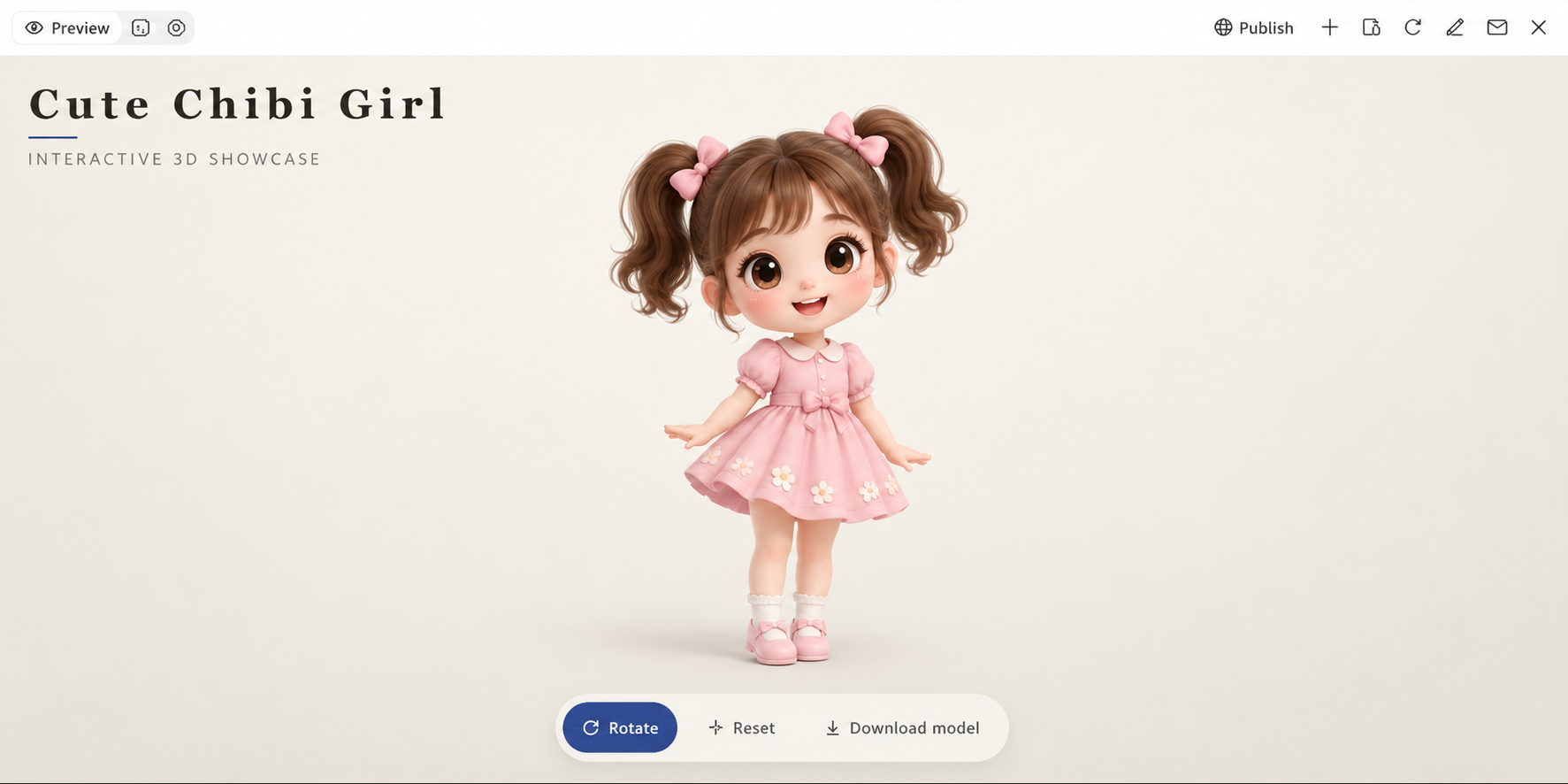
Chibi characters use exaggerated proportions to create a cute, compact cartoon appearance. Their large heads, short limbs, and simplified body shapes make them easy to recognize. Small details such as eye shape, hairstyles, clothing, and accessories help define each character's identity. These models are commonly used in 3D games, animated content, personality collections, and merchandise, including cartoon 3D models.
How to use
Step 1: Enter your prompt
Write a prompt that describes the Chibi character's appearance, including its hairstyle, facial expression, outfit, body proportions, and accessories.
Example prompt:
Step 2: Let AI generate your design
Submit the prompt to Kimi 3D Make and let it create a 3D model based on your description. The generated design will bring together the character's facial features, clothing, colors, and body shape.
Step 3: Review and export the design
Check the character's proportions, facial details, clothing, and overall appearance. Refine any parts that need adjustment, then export the finished model in the available format for your project.
Pixel-inspired 3D characters
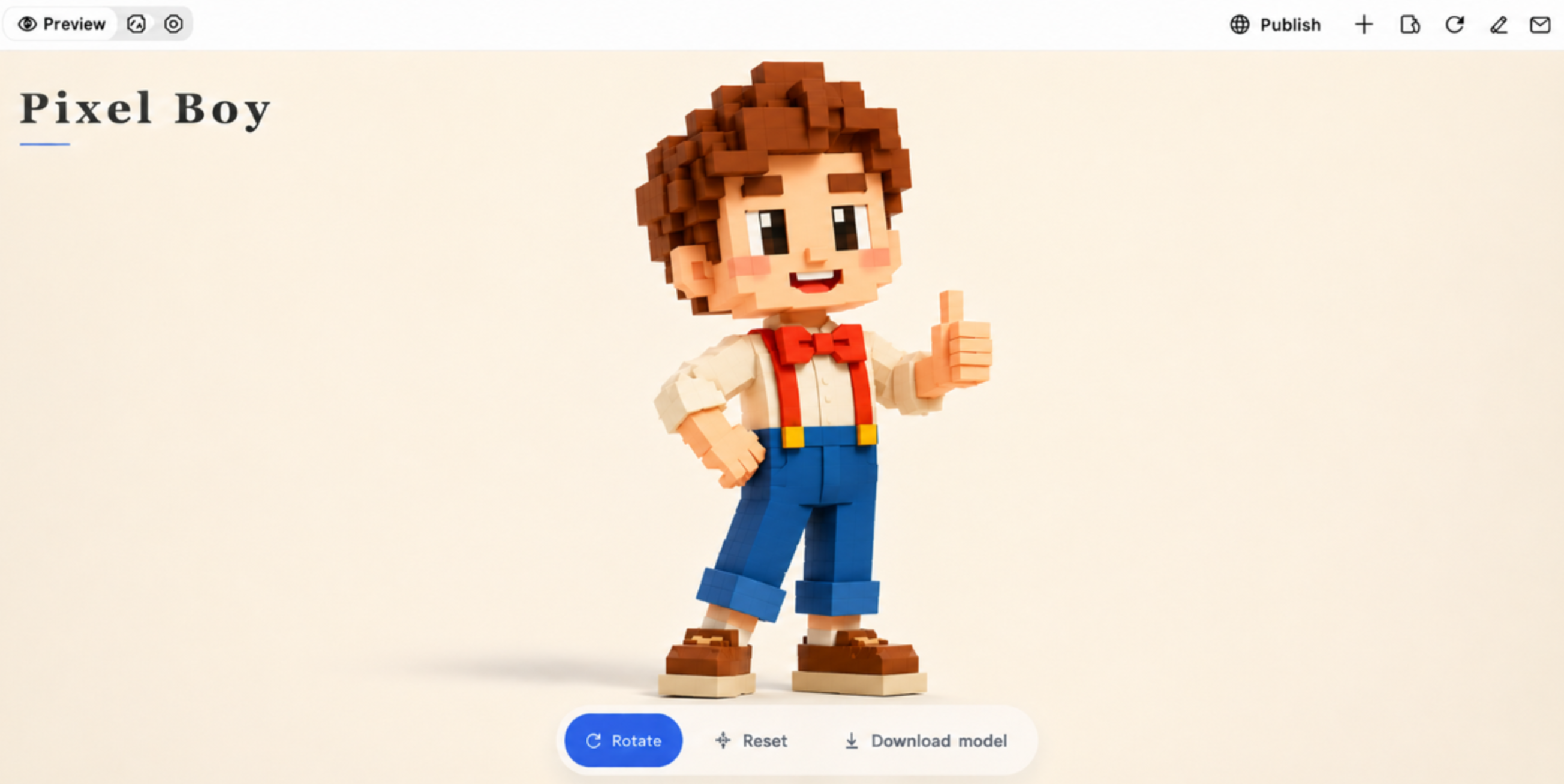
Pixel-inspired 3D characters combine the visual style of 8-bit and 16-bit video games with modern three-dimensional modeling. Their designs use cube-shaped bodies, blocky facial features, stepped edges, and limited color palettes to recreate the appearance of classic pixel graphics. Designers build these characters with individual geometric blocks while adding depth, lighting, and simple textures to make them look more dimensional.
How to use
Step 1: Enter your prompt
Describe the pixel-inspired character you want to create. Include its shape, colors, facial features, clothing, and blocky appearance.
Example prompt:
Step 2: Let AI generate your design
Let Kimi process your prompt and create the 3D design. Check whether the character has the blocky shapes, square features, and pixel-inspired appearance you requested.
Step 3: Review and export the design
Examine the character's proportions, colors, and geometric details. If the result does not match your idea, refine the prompt and generate another version. Once satisfied, export your final design.
Why use Kimi 3D Make for 3D cartoon characters
Kimi 3D Make provides a simple way to turn creative ideas into a cartoon character 3D model. Whether you need designs for games, animations, or digital projects, it provides a convenient starting point. Here are some key features that make it useful for 3D character creation.
Generate cartoon characters from text prompts and reference images
Describe your character's appearance, personality, clothing, colors, proportions, and distinctive features in a prompt, or upload reference images to guide generation. Kimi 3D Make turns these descriptions and visual references into 3D character models, helping you bring different creative concepts to life.
Create visually appealing cartoon characters with refined details
Generate cartoon characters with expressive facial features, well-balanced proportions, and carefully crafted details. From natural poses and cohesive outfits to refined textures, distinctive accessories, and polished silhouettes, Kimi 3D Make helps bring character concepts to life with appealing aesthetics and convincing 3D forms.
Make quick adjustments with simple prompts
Kimi 3D Make supports prompt-based adjustments, allowing you to modify generated characters by describing the changes you want. Update facial expressions, hairstyles, clothing, colors, proportions, or accessories with simple instructions, making it easier to refine designs and explore new variations without recreating the entire model.
Export models for further editing and use
Download generated cartoon character models in supported formats such as GLB and BLEND You can import these assets into compatible 3D software and development workflows for additional editing, rendering, or integration into creative projects.
Tips for designing cartoon 3D character models
A successful cartoon 3D character combines distinctive features, balanced proportions, expressive details, and a consistent visual style. Keep the following tips in mind to create appealing characters that are suitable for animation, games, and other creative projects.
Define a clear character concept
Decide the character's personality, purpose, and visual style before modeling. Use reference images and basic sketches to plan its silhouette, proportions, facial features, and accessories.
Exaggerate key features for a distinctive look
Emphasize recognizable features such as large eyes, oversized heads, expressive hands, or unique body proportions. Keep these details balanced to give the character a memorable appearance without making its design look awkward.
Choose a consistent color palette
Select colors that reflect the character's personality and overall theme. Combine complementary shades and use distinct materials and textures to make clothing, skin, and accessories visually recognizable.
Focus on facial expressions and body language
Shape the eyes, eyebrows, and mouth to communicate different emotions clearly. Use expressive poses, hand gestures, and suitable rigging controls to support natural movement and animation.
Add meaningful clothing and accessories
Choose outfits and accessories that reflect the character's role and personality. Include details such as fabric folds, buttons, glasses, hats, or bags without adding unnecessary elements that interfere with movement.
Review the model from multiple angles
Inspect the character from front, side, back, and three-quarter views to check proportions and geometry. Test basic movements, refine textures and materials, and fix distortions before exporting the final model.
Conclusion
The right cartoon 3D character design can bring your creative ideas to life and make your projects more engaging. Whether you are creating characters for games, animations, digital artwork, or personal projects, focus on developing a style that matches your vision and audience. Start with simple concepts, experiment with different design elements, and refine your work as you gain experience. Tools like Kimi 3D Make can also help you explore new possibilities and make character creation easier.