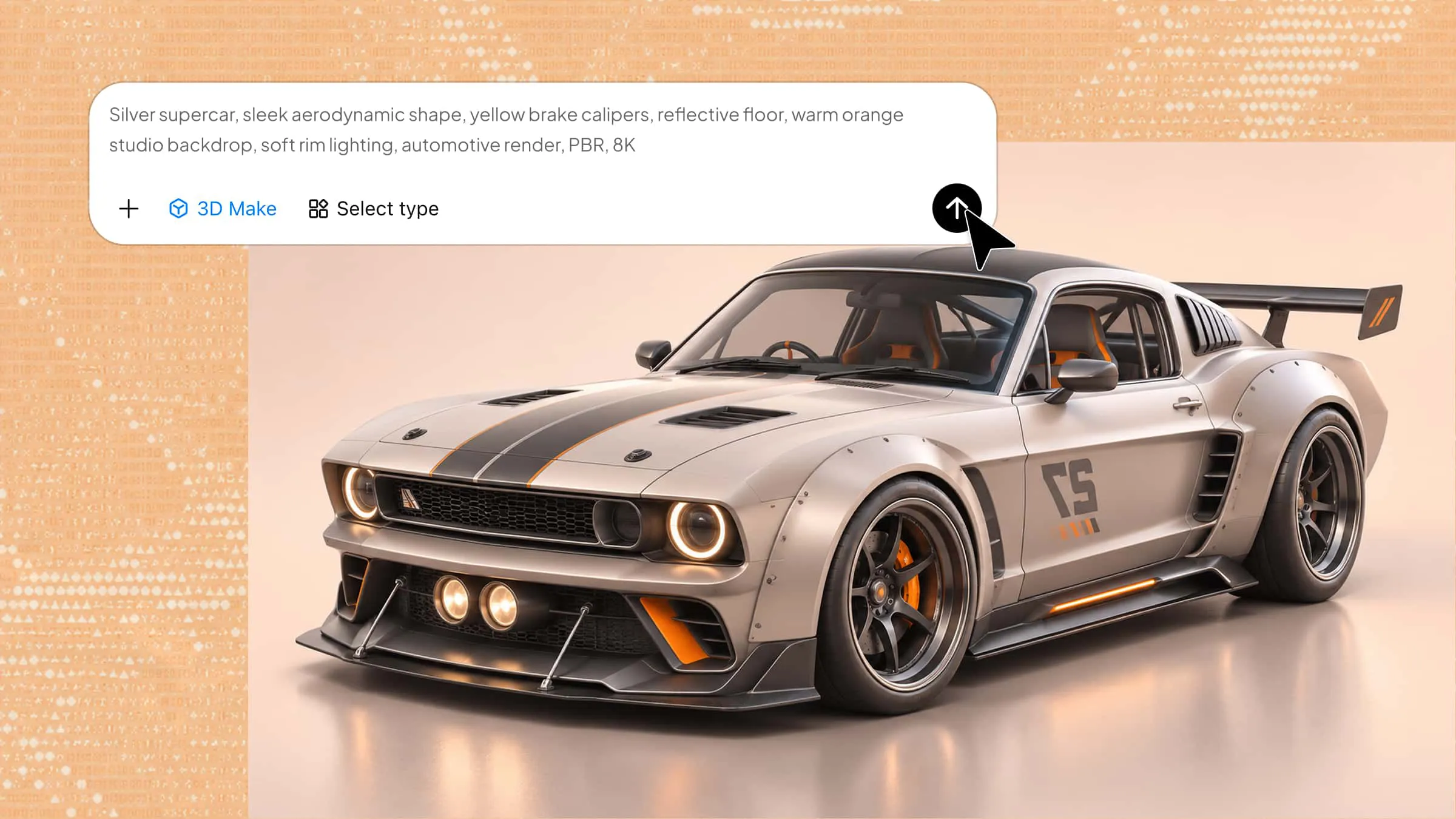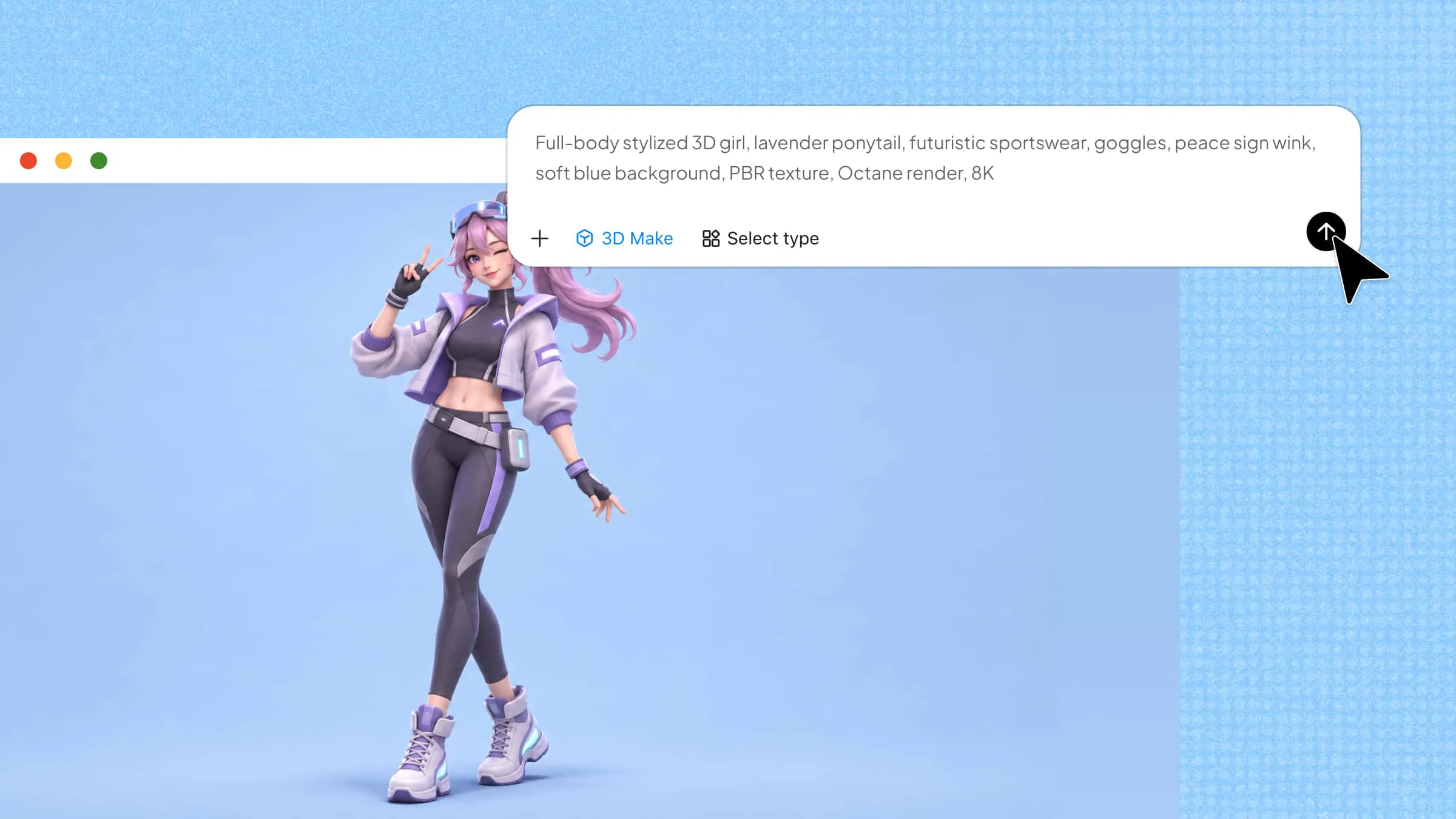
If you want to create a game that feels alive, the models behind its characters, objects, and surroundings play an important role. 3D game models give shape to these elements, helping developers build detailed environments and create engaging gameplay experiences. From simple weapons and everyday props to lifelike characters and immersive scenery, each model contributes to the look and feel of a game. Read on to explore the common types of 3D game models and how they are created.
Overview of types of 3D game models
Different games require different models to build characters, environments, and interactive objects. Each model serves a specific purpose, from bringing game characters to life to creating detailed surroundings and equipment. Understanding these types of 3D model game assets can help you choose the right models for your game's style and requirements.
| Model type | Description | Main purpose | Common examples |
|---|---|---|---|
| 3D character models | Digital representations of playable or non-playable characters. | Bring characters to life through movement, expressions, and interactions. | Heroes, players, enemies, NPCs |
| 3D environmental models | Models used to create the surroundings and settings of a game. | Build immersive and believable game worlds. | Buildings, trees, terrain, roads, rocks |
| 3D prop models | Smaller objects are placed throughout game environments. | Add detail and make game environments feel interactive and realistic. | Furniture, tools, food, books, decorations |
| 3D weapon and equipment models | Objects used by characters for combat, protection, or gameplay activities. | Support gameplay mechanics and enhance character design. | Swords, guns, shields, armor, helmets |
| 3D vehicle models | Digital models of vehicles used for transportation or gameplay. | Enable transportation, racing, and vehicle-based interactions. | Cars, motorcycles, aircraft, boats |
| 3D creature model | Digital representations of fictional or realistic non-human beings. | Add enemies, companions, and unique characters to game worlds. | Dragons, monsters, aliens, wildlife |
Common types of 3D game models
Beyond their roles in a game, 3D models also differ in their design, geometry, and level of detail. Understanding these common model types helps developers select the right 3D model for games based on visual style, gameplay requirements, and performance.
Kimi 3D Make is a 3D game creator that helps users create 3D models from text prompts and reference images. You can describe a character, creature, weapon, or other game object and generate an initial model without building it from scratch. It also offers customization options to refine shapes, materials, colors, and textures. This makes it useful for developing 3D game models and exploring different asset concepts.
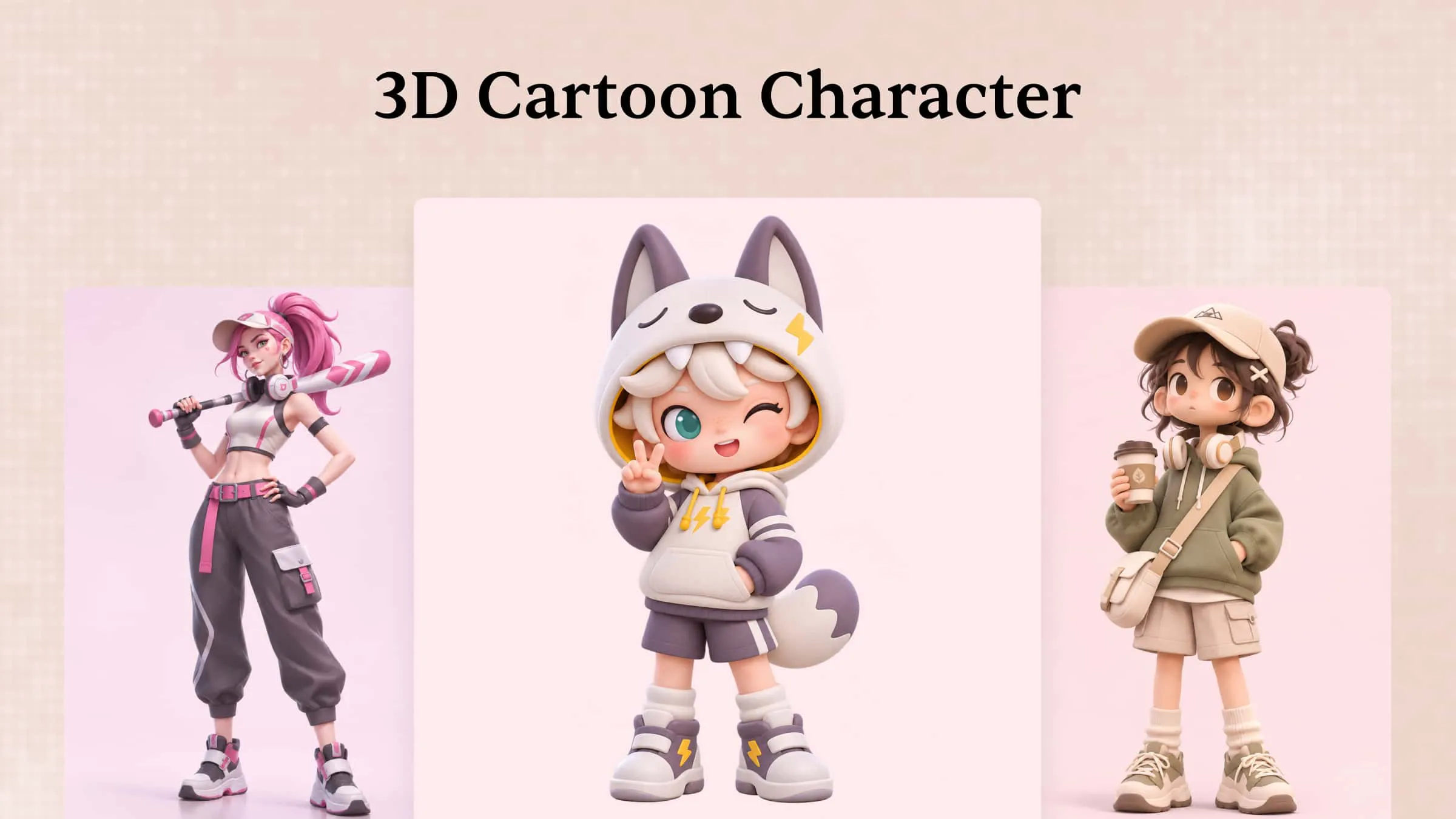
3D character models
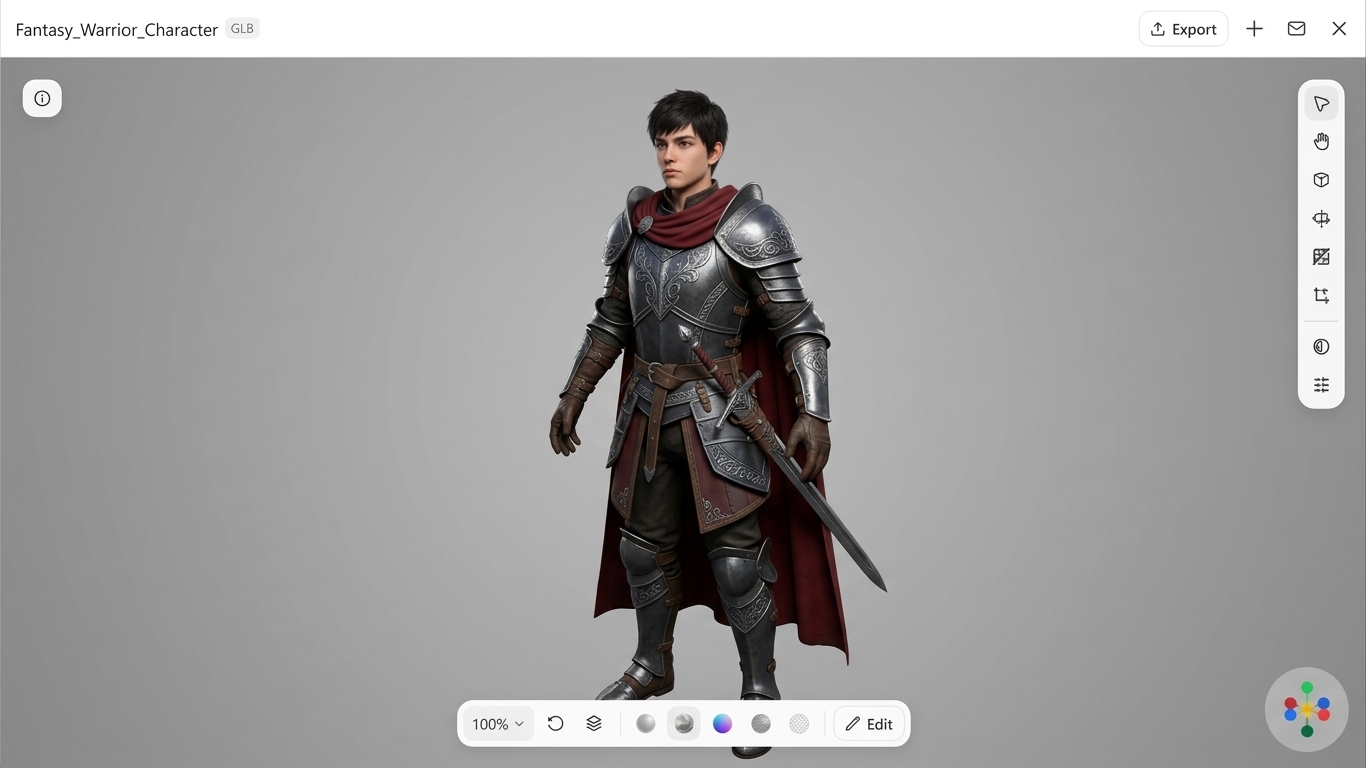
Character models represent the players, enemies, and NPCs that bring a game to life. Kimi 3D Make helps you turn character descriptions into customizable digital models. You can specify clothing, body proportions, accessories, colors, and textures to create 3D model game characters that match your game's visual style.
How to use
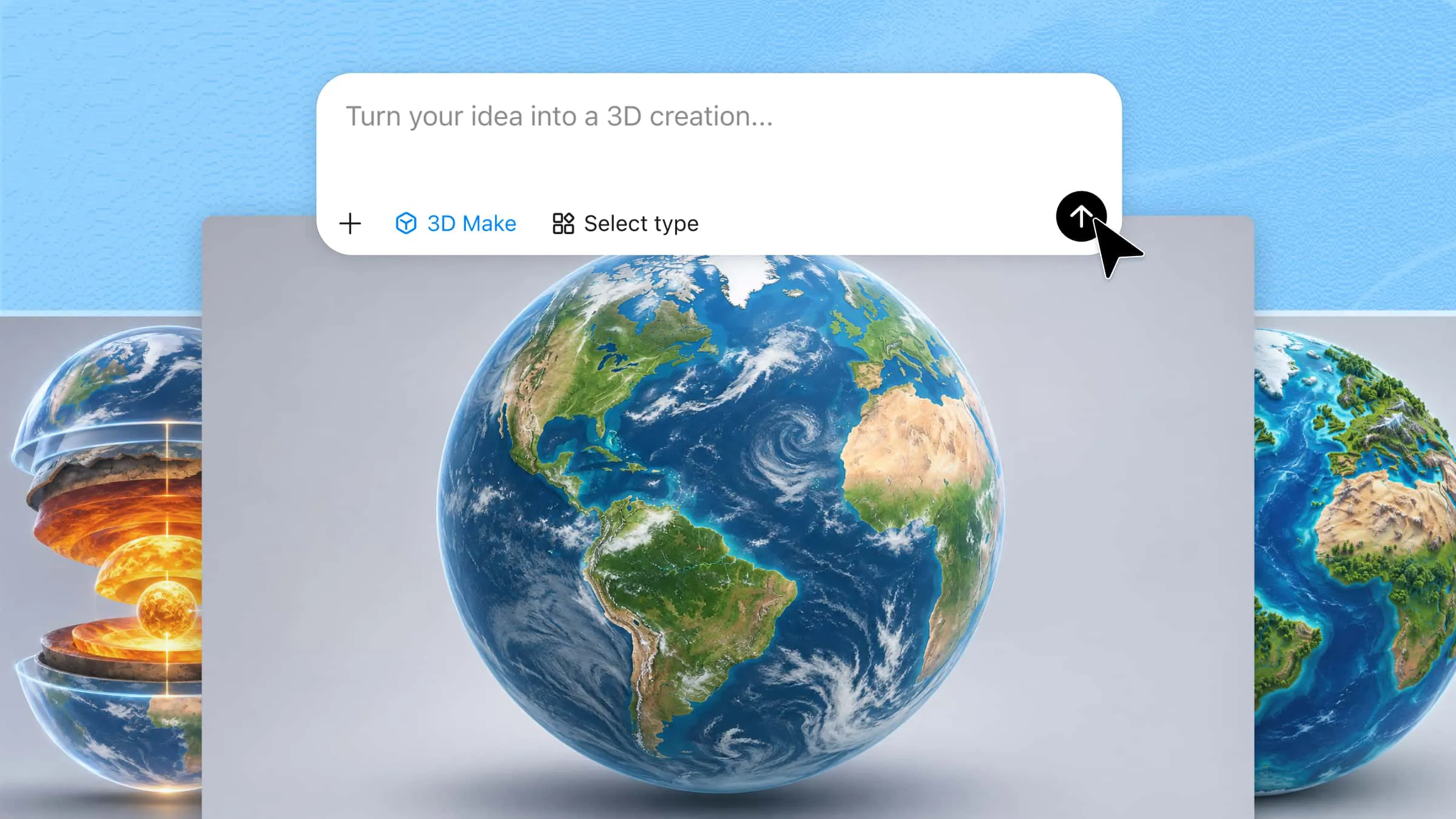
Step 1: Enter your prompt
Access Kimi 3D Make and describe your character promptly, including its appearance, clothing, accessories, body proportions, materials, colors, and pose.
Example prompt:
Step 2: Let AI generate your 3D model
Submit the prompt and let Kimi 3D Make generate the character. Review the result and refine its appearance with additional prompts if needed.
Step 3: Review and export the 3D model
Check the character's proportions, textures, and details. Make final adjustments and export the model in a supported format.
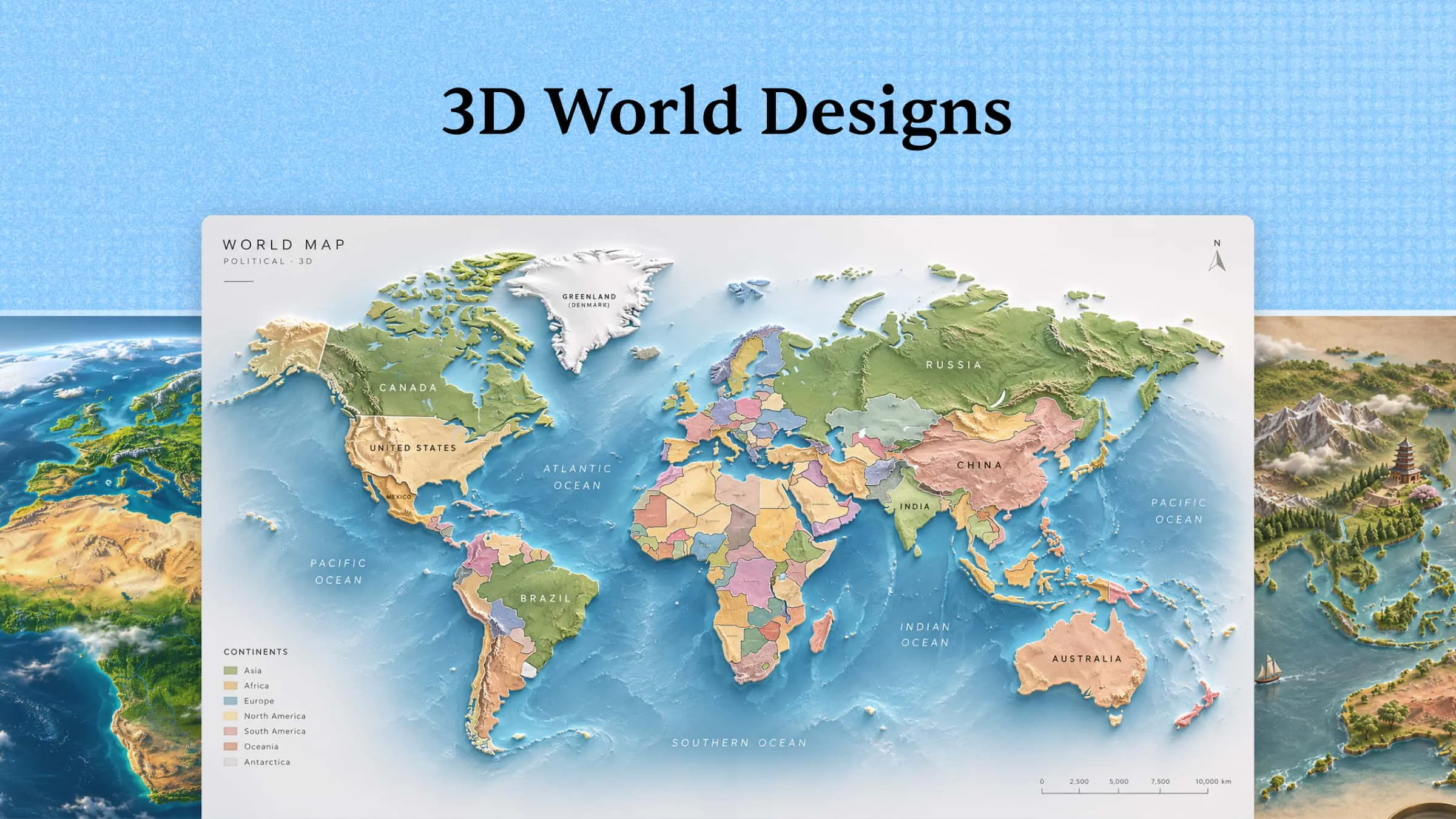
3D environmental models
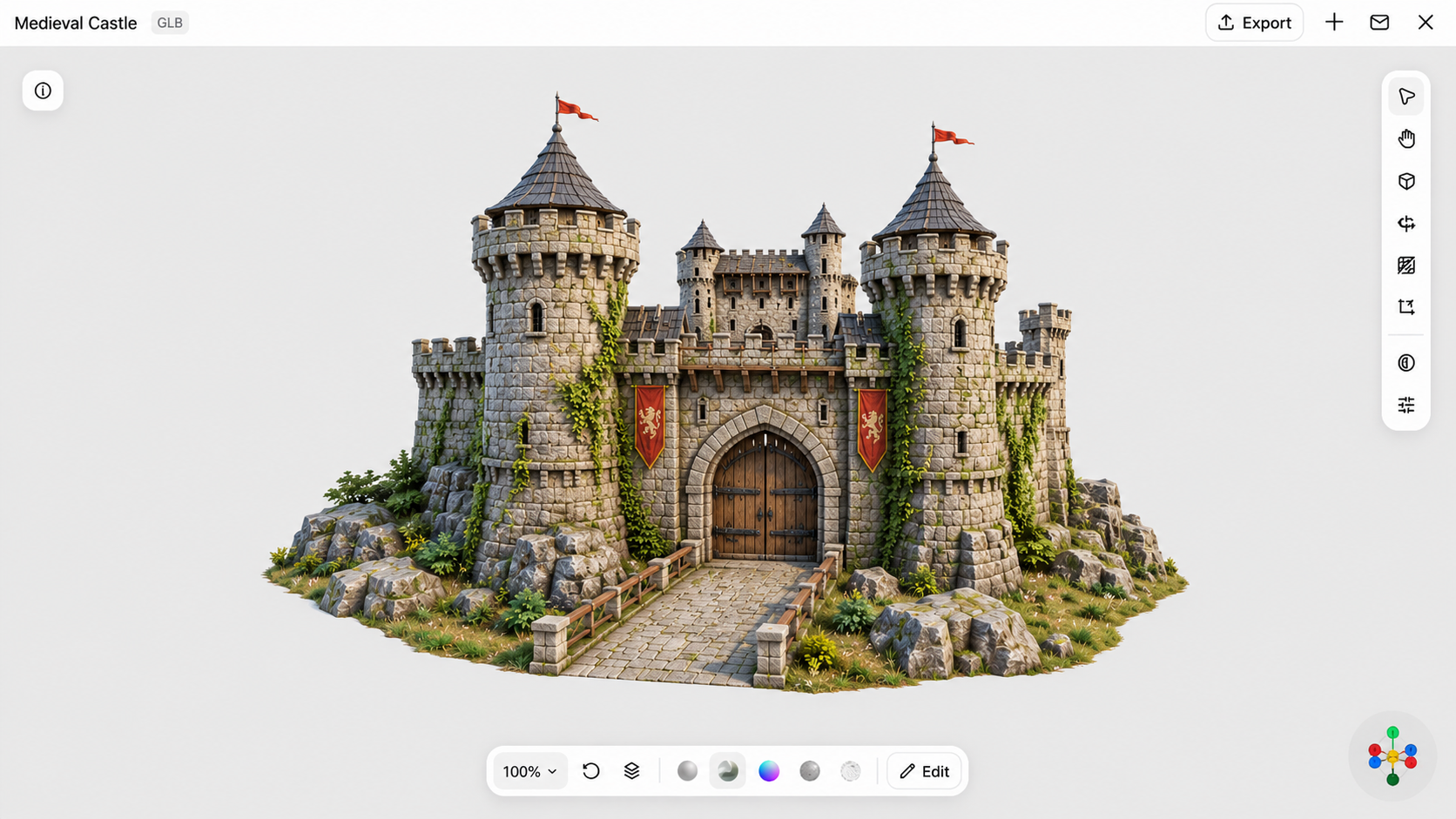
Environmental models create the settings and surroundings where gameplay takes place. They include buildings, landscapes, trees, roads, and architectural structures. You can use Kimi 3D Make to develop 3D game assets that help establish the atmosphere and visual style of your game world.
How to use
Step 1: Enter your prompt
Open Kimi 3D Make and write a prompt describing your environment, including its architecture, structures, materials, surrounding elements, and visual atmosphere.
Example prompt:
Step 2: Let AI generate your 3D model
Submit the prompt and allow AI to generate the environment. Review its structure, architectural details, and textures, then refine any missing elements.
Step 3: Review and export the 3D model
Inspect the model's geometry, proportions, and surface details. Make necessary refinements before exporting it for your game environment.
3D prop models
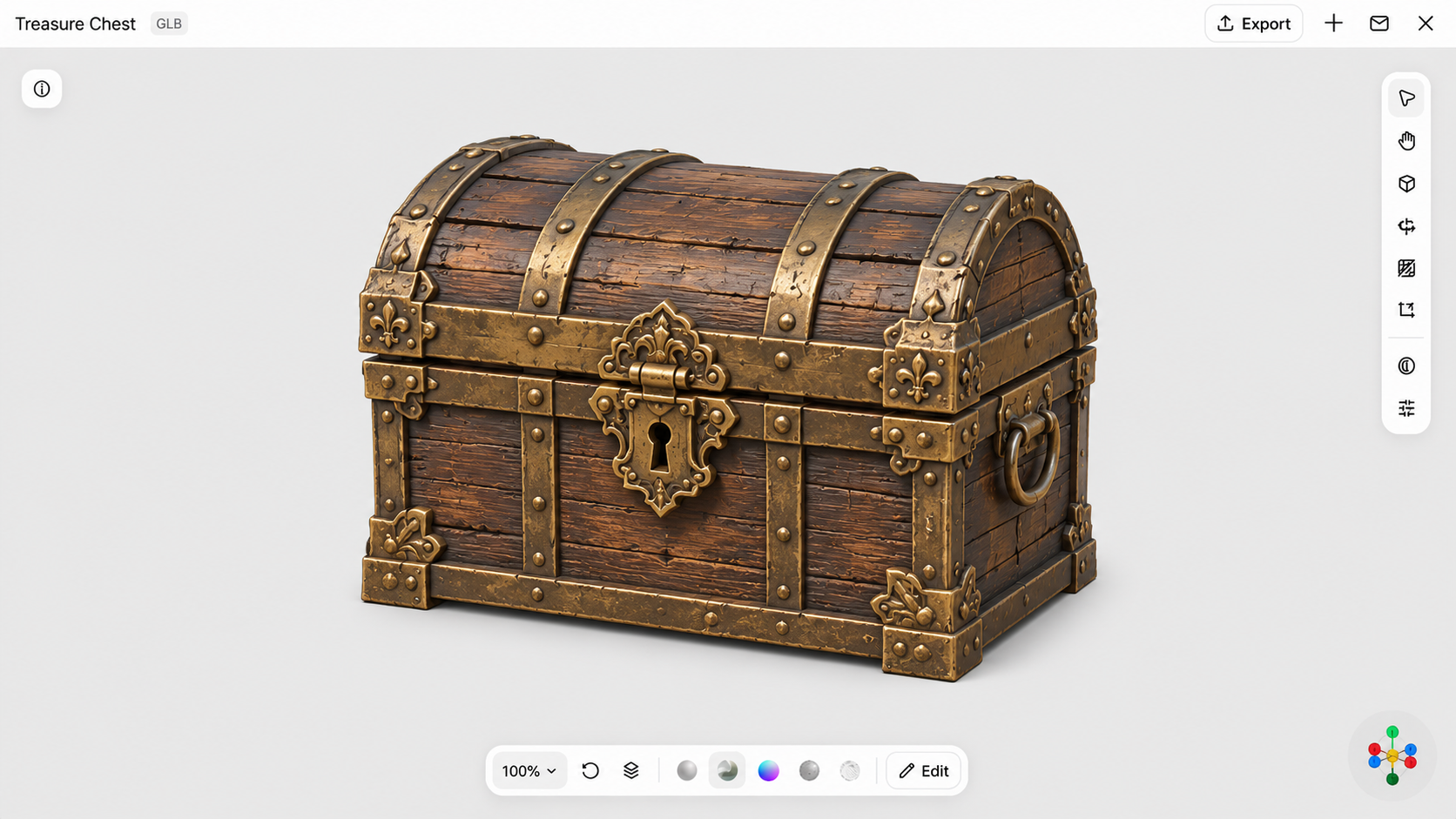
Prop models are individual objects that add detail and functionality to game environments. Common examples include furniture, tools, containers, and decorative items. Kimi 3D Make can generate these 3D model game assets from descriptions, helping you create objects that complement your game's setting.
How to use
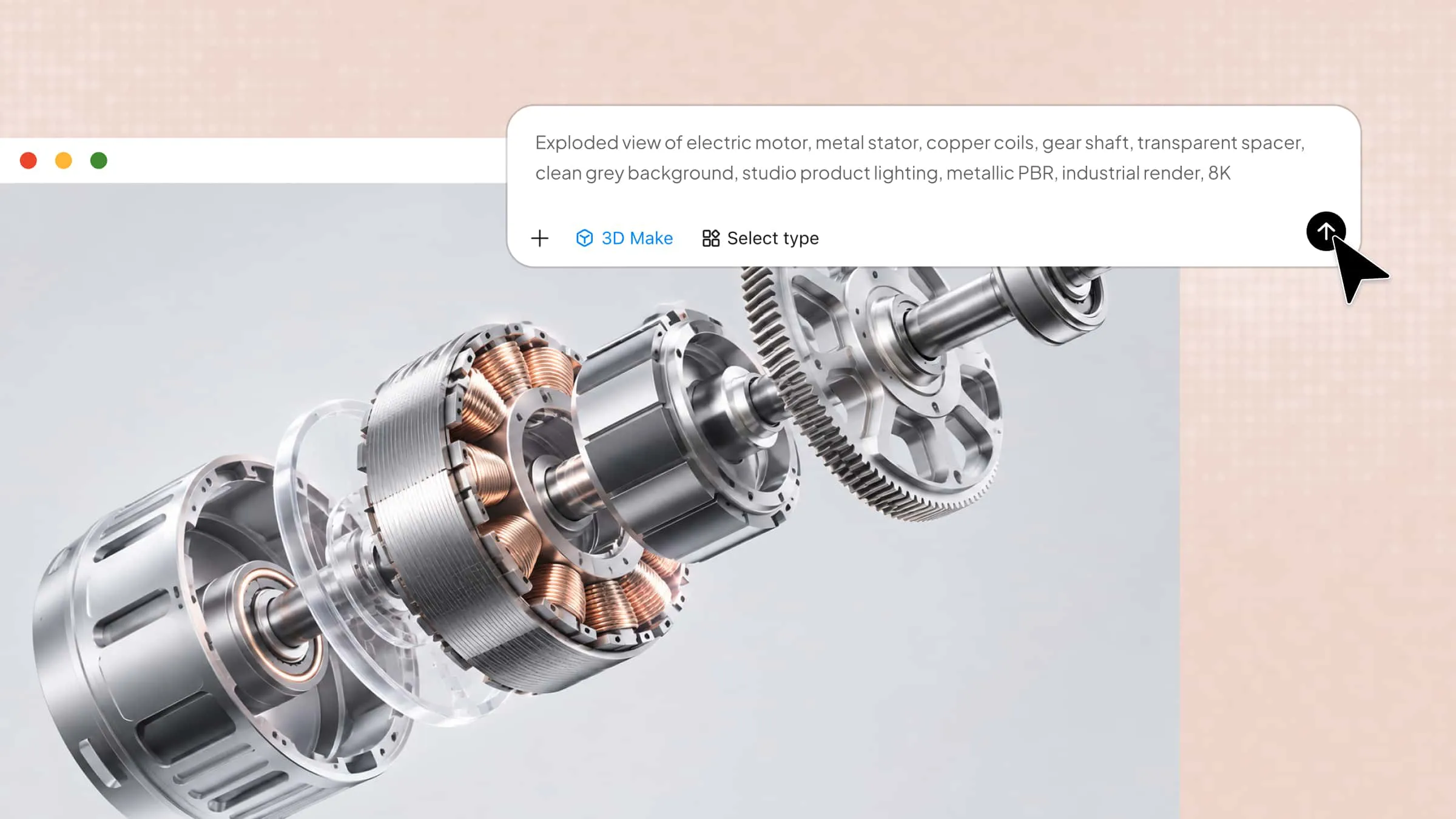
Step 1: Enter your prompt
Access Kimi 3D Make and describe the prop you want to create, specifying its shape, dimensions, materials, colors, components, and surface details.
Example prompt:
Step 2: Let AI generate your 3D model
Submit the prompt and let the AI create the prop. Examine its shape, materials, and smaller components, and refine details if necessary.
Step 3: Review and export the 3D model
Check the model's proportions, geometry, and textures. Once satisfied, export it for further editing or integration into your game.
3D weapon and equipment models
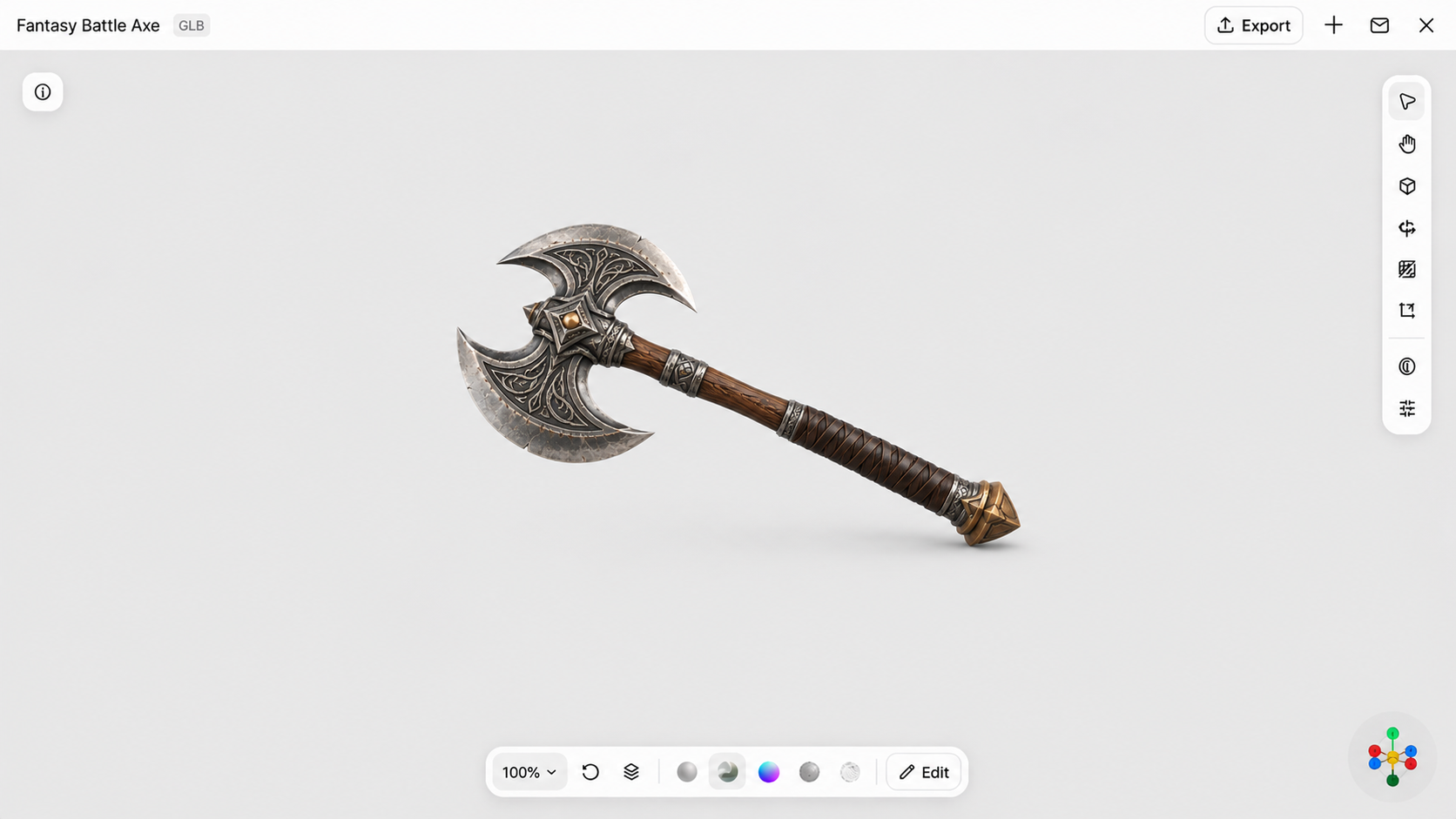
Weapons and equipment support combat mechanics and character customization in games. They include swords, shields, guns, helmets, and protective armor. With Kimi 3D Make, you can develop distinctive designs by describing their shapes, materials, components, and decorative details.
How to use
Step 1: Enter your prompt
Open Kimi 3D Make and enter a prompt describing your weapon or equipment, including its structure, dimensions, materials, colors, and distinctive features.
Example prompt:
Step 2: Let AI generate your 3D model
Submit the prompt and let Kimi generate the weapon. Review its components and refine the blade, handle, or decorative details as needed.
Step 3: Review and export the 3D model
Inspect the weapon's shape, proportions, and materials. Make final adjustments and export the completed model in a supported format.
3D vehicle models
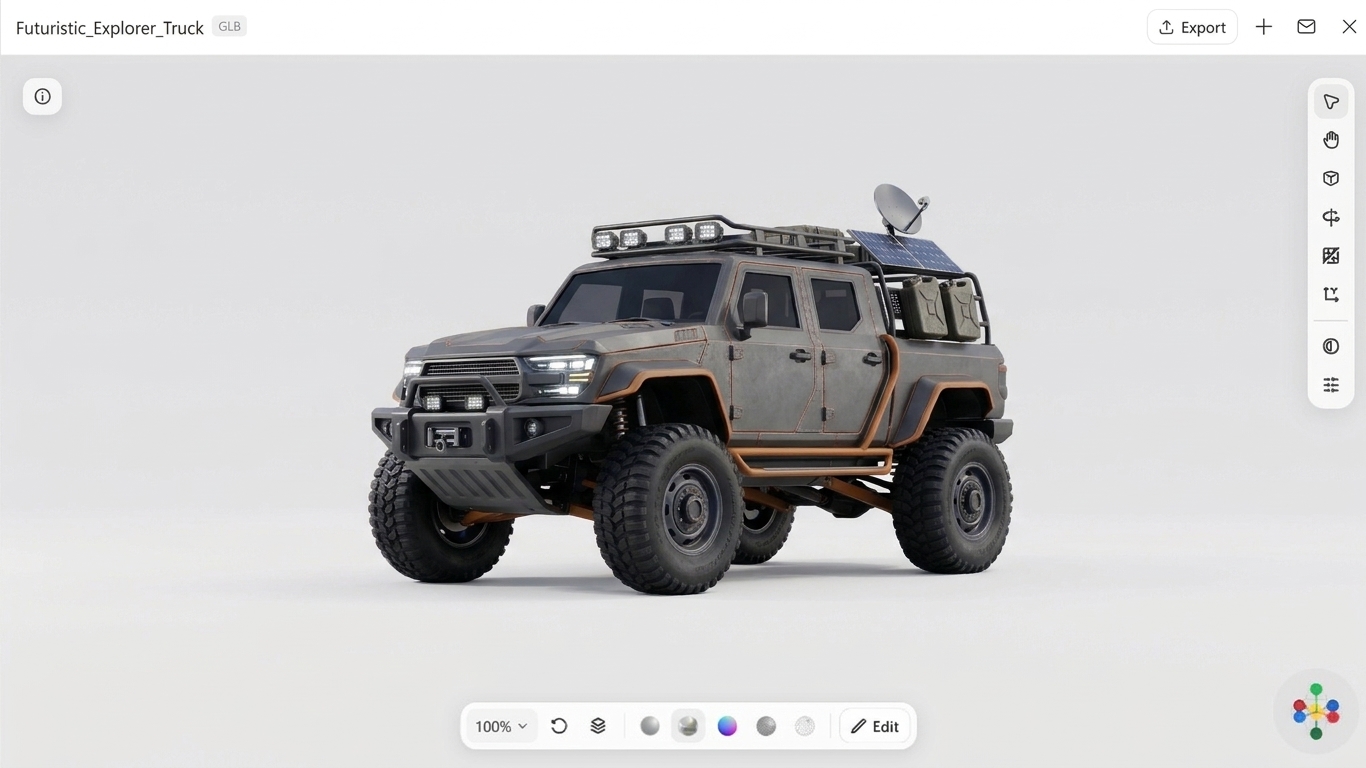
Vehicle models add transportation and movement options to racing, simulation, and open-world games. They include cars, motorcycles, aircraft, and boats, each with distinct structures and components. Kimi 3D Make helps create 3D models for games by turning vehicle descriptions into customizable digital designs.
How to use
Step 1: Enter your prompt
Access Kimi 3D Make and describe the vehicle, including its type, body shape, dimensions, colors, wheels, windows, and other important components.
Example prompt:
Step 2: Let AI generate your 3D model
Submit the prompt and allow the AI to generate the vehicle. Check its body structure, wheels, proportions, and additional components, then refine the design if required.
Step 3: Review and export the 3D model
Inspect the vehicle from different angles and check its geometry and materials. Make any final corrections before exporting it for your game project.
3D creature models
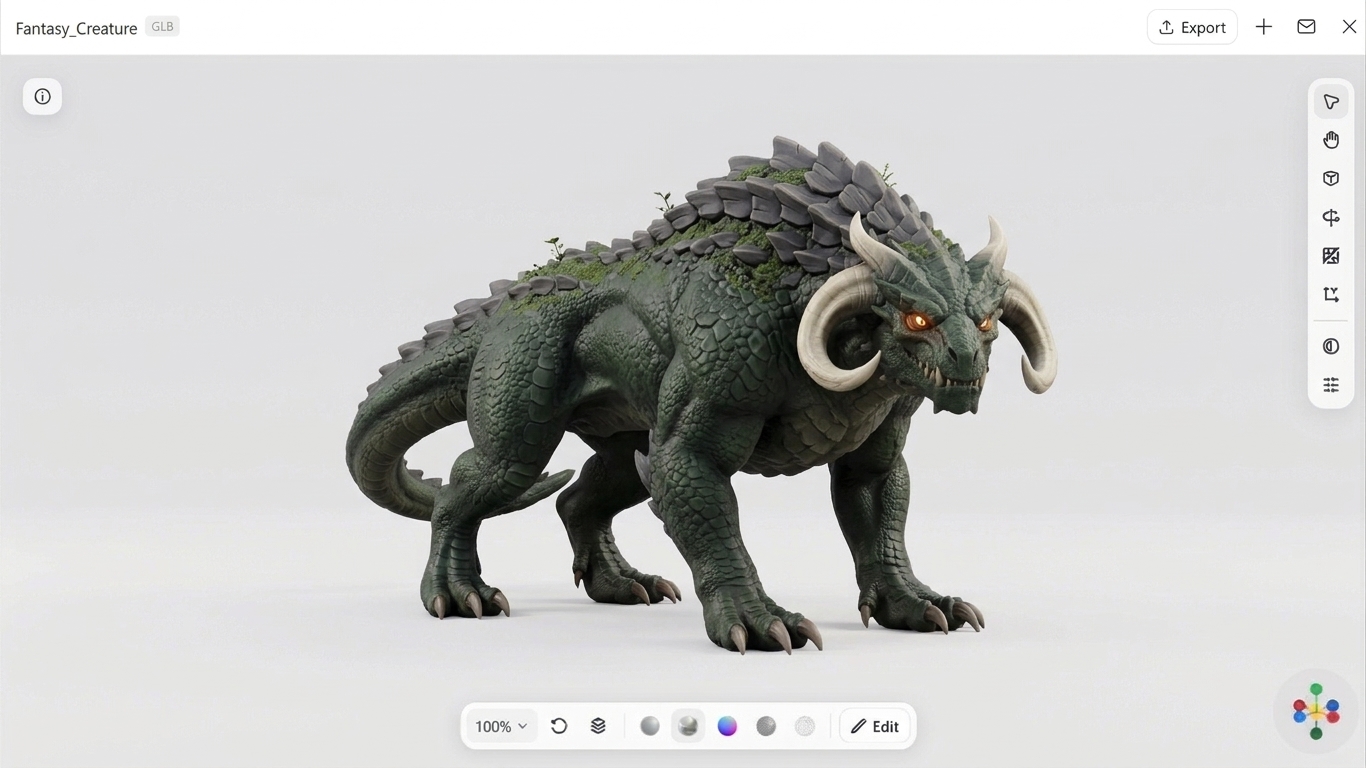
Creature models introduce fictional beings, monsters, and wildlife into game worlds. Their distinctive anatomy, body proportions, skin textures, and facial features help establish their appearance. Kimi 3D Make can turn detailed descriptions into 3D model game characters for fantasy, horror, and adventure games.
How to use
Step 1: Enter your prompt
Open Kimi 3D Make and write a prompt describing your creature's anatomy, size, skin or fur, colors, facial features, limbs, and distinctive characteristics.
Example prompt:
Step 2: Let AI generate your 3D model
Submit the prompt and let Kimi 3D Make generate the creature. Examine its anatomy, proportions, and textures, then use additional prompts to refine its features.
Step 3: Review and export the 3D model
Check the creature's overall structure, surface details, and proportions. Make final refinements and export the model for further editing or game development.
Why use Kimi 3D Make to create 3D game models
Creating game assets can be time-consuming, especially when developing characters, environments, and detailed objects from scratch. Kimi 3D Make simplifies this process with AI-powered generation and customization. Here are some key features that make it useful for creating 3D game models.
Generate 3D game models from text prompts and reference images
Describe a character, weapon, creature, or environment prop in natural language, concept art, and object images as visual references. Kimi 3D Make turns your descriptions and reference images into 3D models, helping you bring game asset concepts to life while guiding the generated results toward your intended appearance.
Create finely designed 3D game models with appealing aesthetics
Generate polished 3D assets with well-balanced proportions, harmonious shapes, and carefully crafted details. Kimi 3D Make focuses on visual quality and thoughtful design, helping create distinctive characters, props, and environmental elements with refined forms and cohesive aesthetics that enhance the overall look of a game world.
Refine model details through conversational editing
Continue the creation process with natural-language instructions. Request changes to model shapes, proportions, materials, colors, or specific details while keeping the elements you already like. Multi-turn editing lets you refine a generated asset without having to restart every time.
Preview and export models for further development
Rotate generated models through 360 degrees and zoom in or out to inspect their shapes and details from different angles. Once satisfied with the result, export models in supported formats such as GLB and BLEND for further editing in compatible 3D software and integration into your game development workflow.
Pro tips for better 3D models for games
Creating visually appealing assets requires more than adding details and realistic textures. You also need to consider the game's art style, performance, and gameplay requirements. Keep these tips in mind when designing 3D models for games to achieve better visual quality and consistency.
Define a clear visual direction before modeling
Decide on the game's visual style before creating any models. Choose between realistic, stylized, low-poly, or cartoon designs based on your game's theme and target audience. Maintaining a consistent direction helps ensure that all 3D models for games look like they belong in the same world.
Match model details for gameplay and camera distance
Consider how closely players will see each model during gameplay. Important characters and objects may need detailed geometry and textures, while distant environmental assets can use simpler designs. Adjusting detail levels helps maintain visual quality without unnecessarily affecting game performance.
Prioritize recognizable silhouettes
Make sure each model has a clear and recognizable outer shape, even when viewed from a distance. Distinctive silhouettes help players identify characters, enemies, weapons, and other objects quickly. This is especially important when designing a 3D model game character or other key gameplay assets.
Use proportions that suit the game world
Maintain consistent proportions across characters, objects, and environmental elements. For example, a fantasy game may use exaggerated character features, while a realistic simulation requires more accurate dimensions. Appropriate proportions make every 3D model for a game environment feel cohesive and believable.
Pay attention to topology, polygon count, and textures
Use clean geometry and an appropriate polygon count to balance model quality and performance. Apply textures that complement the model's materials, colors, and surface details. Well-optimized 3D game assets are easier to render and integrate into game engines without unnecessary performance costs.
Test models in the actual game environment
Preview your models inside the game engine to see how they look under actual lighting, camera angles, and gameplay conditions. Check for visual inconsistencies, texture issues, and performance problems. Testing early helps you identify problems and refine your 3D model game assets before final integration.
Conclusion
To sum up, creating engaging 3D game models involves choosing the right asset types, maintaining consistent designs, and optimizing models for gameplay performance. AI tools like Kimi 3D Make simplify the process by generating customizable characters, environments, props, and other game assets from text prompts and reference images. Explore its features, experiment with different designs, and create models that bring your game world to life.