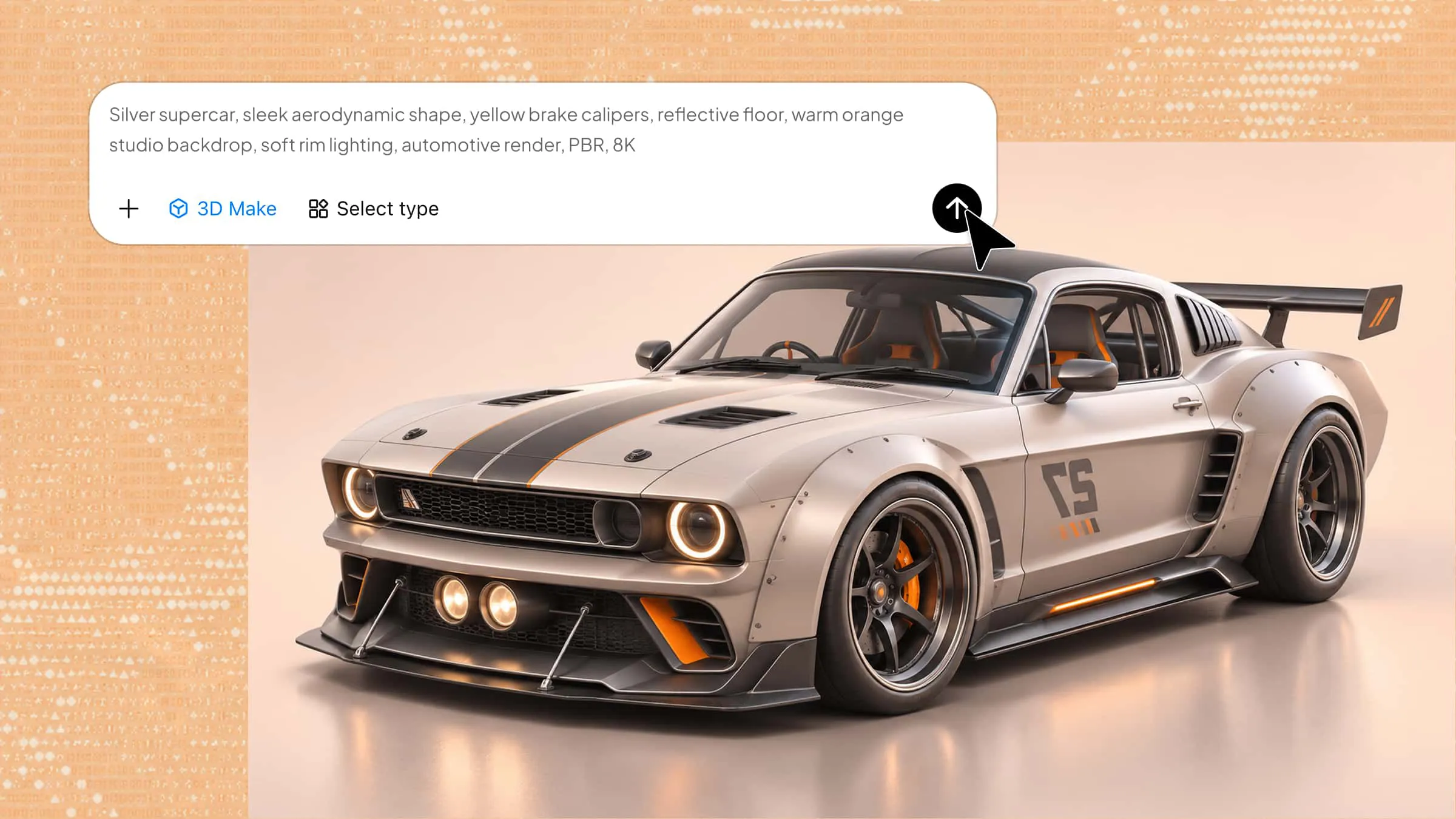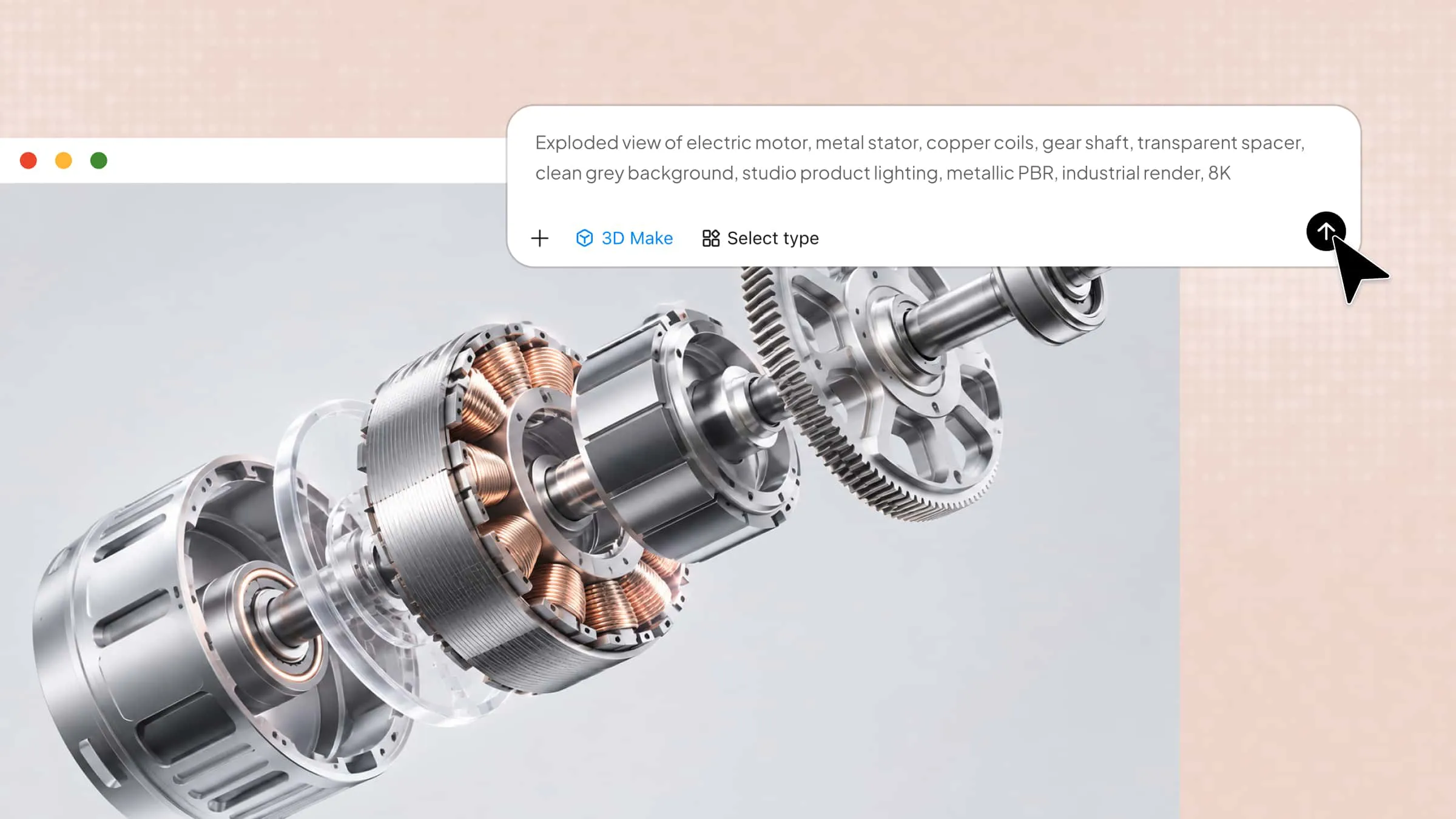
Creating realistic product images can be challenging when traditional photography requires expensive equipment, studio setups, and repeated editing. 3D product visualization offers a practical solution by turning digital product models into realistic images and presentations. This guide explains how it works, its key benefits, and how beginners can use it to create compelling product visuals.
What is 3D product visualization
3D product visualization is the process of creating realistic digital representations of products using 3D modeling and rendering software. It allows designers and businesses to showcase a product's shape, materials, colors, textures, and details without producing a physical sample. This product visualization 3D approach is widely used in e-commerce, advertising, product design, and presentations. It helps customers understand a product's appearance before it is manufactured or purchased.
Main types of 3D product visualization
3D product visualization comes in several forms, each offering a different way to present and explore products. Understanding these types helps you choose the right approach for your design, marketing, or business needs.
Static 3D product rendering
Static rendering produces high-quality images of products from selected angles. This form of product visualization 3D is commonly used in e-commerce listings, catalogs, advertisements, and promotional materials.
Interactive 3D product viewers
Interactive viewers allow customers to rotate, zoom, and explore digital product models from different angles. They provide a closer look at product details without requiring physical samples.
3D product configurators
Configurators let users customize product features such as colors, materials, sizes, and components. They display design changes in real time, helping customers visualize personalized product options.
Augmented reality (AR) product visualization
AR overlays digital product models into real-world environments through smartphones or tablets. Customers can preview how furniture, appliances, and other products might look in their current surroundings.
3D product animations
3D animations use movement, camera angles, and visual effects to demonstrate product features and functionality. They are useful for promotional videos, product demonstrations, and advertising campaigns.
Virtual showrooms
Virtual showrooms create digital spaces where customers can explore and interact with different products. They offer an immersive shopping experience and allow businesses to showcase entire product collections online.
Benefits of 3D product visualization for businesses
3D product visualization helps businesses present products more effectively while improving customer experience and simplifying design workflows. Here are some key benefits of using it.
Create more engaging shopping experiences
Interactive 3D visuals allow customers to rotate, zoom, and explore products from different angles. This creates a more immersive shopping experience and makes product details easier to understand.
Build customer confidence
Realistic digital renders help customers examine product materials, textures, colors, and design details before purchasing. This product visualization 3D approach sets clearer expectations and supports informed buying decisions.
Showcase product variations efficiently
Display different product colors, sizes, materials, and configurations without creating separate physical samples. Businesses can update existing 3D models to showcase multiple variations quickly and consistently.
Reduce content production costs and time
Digital product models reduce the need for repeated photoshoots, physical prototypes, and costly reshoots. Businesses can reuse and modify 3D assets for different campaigns, platforms, and promotional materials.
Support faster product development and reviews
Designers can visualize concepts, test design changes, and share realistic product previews before manufacturing begins. This makes feedback, collaboration, and design approvals more efficient.
Improve e-commerce performance
Realistic renders and interactive previews help customers explore products and understand their features. Adding 3D product visualization to online stores can strengthen product presentation and support purchasing decisions.
How to create 3D product visualization with AI
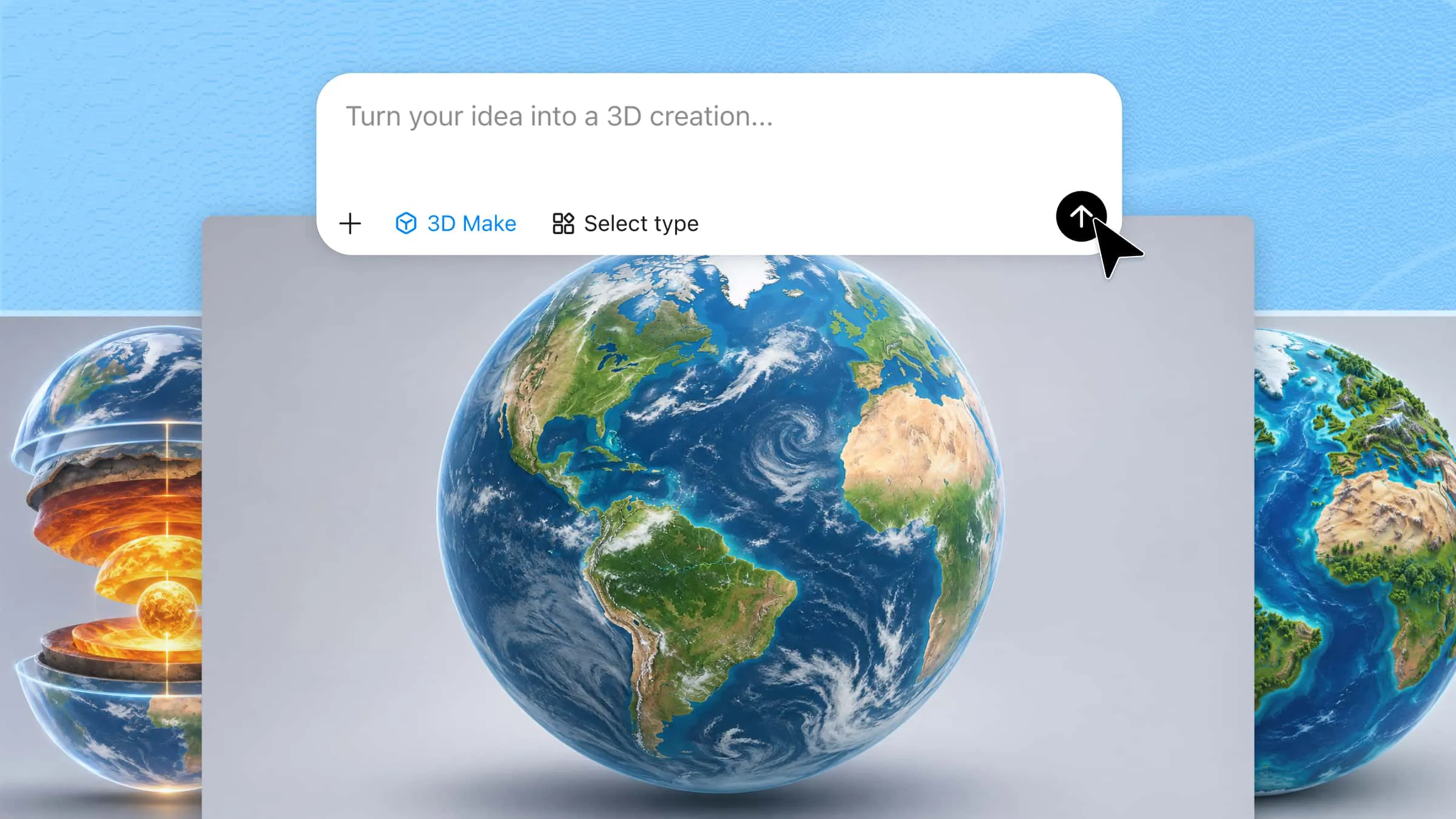
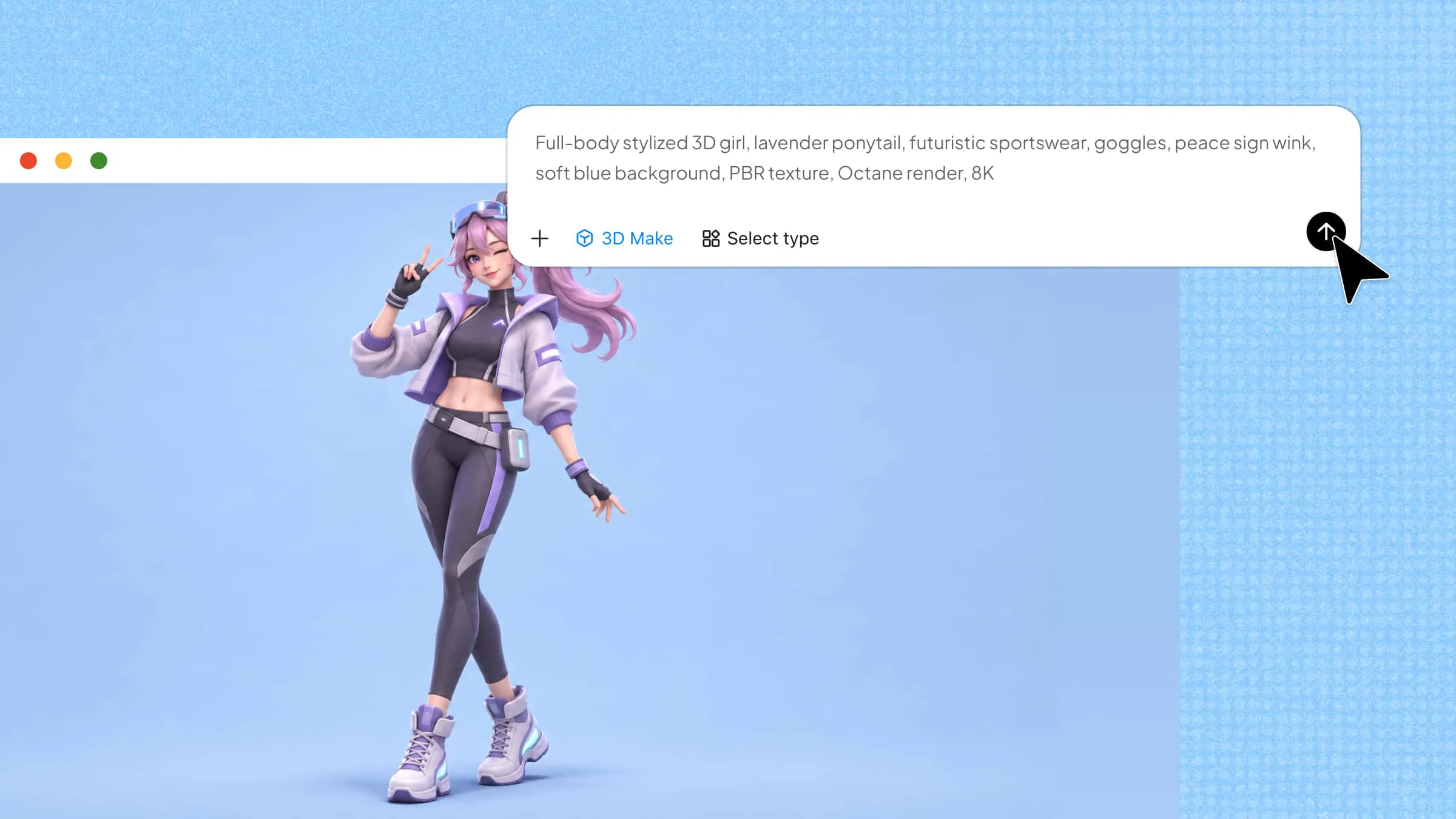
Creating product visuals traditionally requires 3D modeling skills and specialized software, but AI tools can simplify the process. Kimi 3D Make helps turn text prompts and reference images into detailed 3D models. You can describe a product's shape, materials, colors, and distinctive features or upload an existing image as a reference. After generating the model, refine its details and export it in a supported format for presentations, product previews, or other creative projects.
Follow these steps to create a product model using Kimi 3D Make, from preparing your references to exporting the final visuals.
Step 1: Prepare product references and visualization requirements
Start by selecting a clear product image or writing a detailed prompt describing the product you want to create. Include its shape, dimensions, materials, colors, surface textures, and distinctive features. A reference image from multiple angles can also help communicate the product's structure.
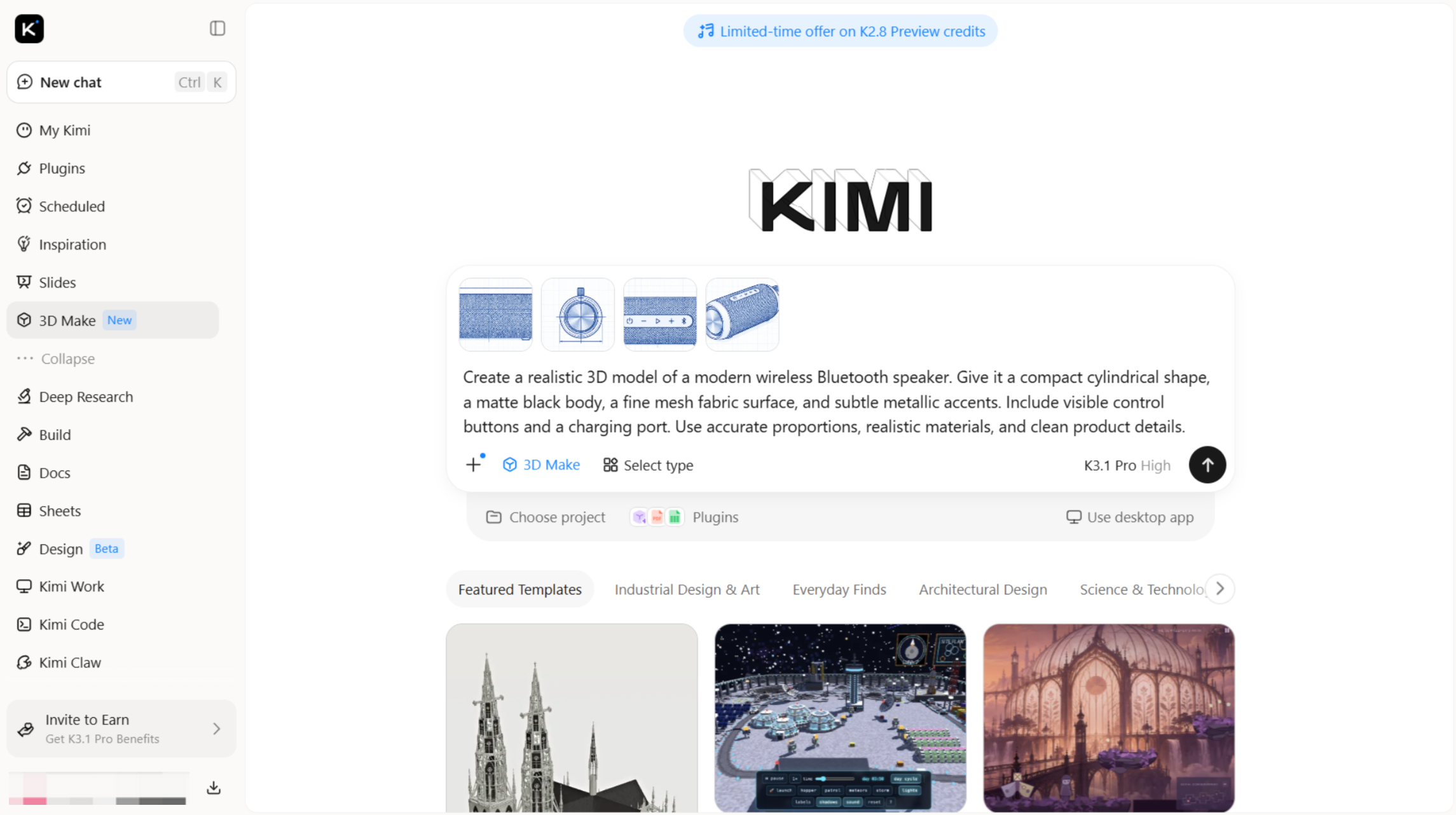
Step 2: Let AI generate the initial 3D model
Enter your prompt or upload the reference image in Kimi 3D Make. Generate the initial model and review its overall structure, proportions, and appearance.
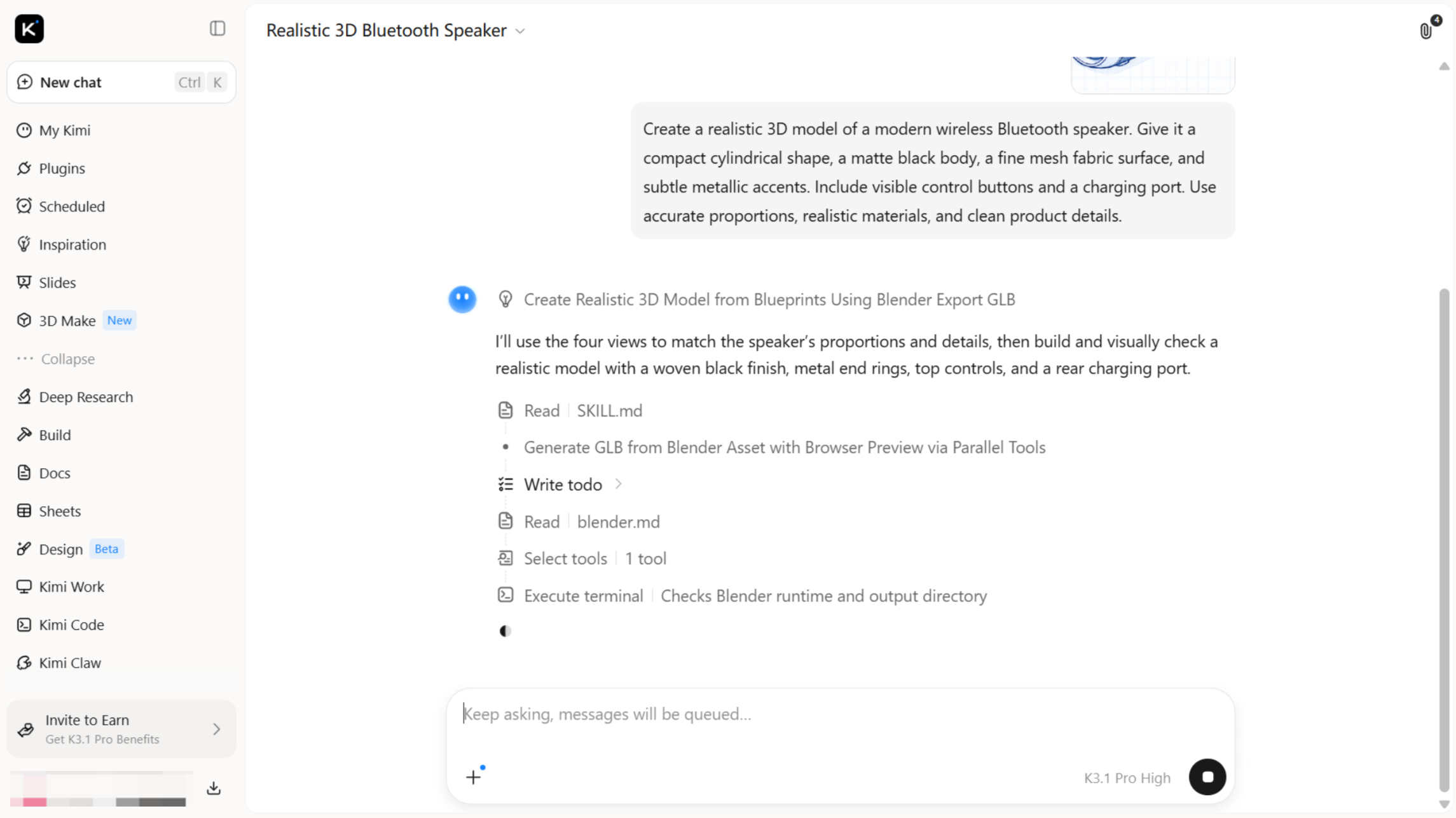
Step 3: Refine the model and visual details
Review the initial result and make adjustments wherever necessary. Use additional AI prompts, comments, or available manual editing options to improve the product's shape, materials, colors, textures, and smaller details. Continue refining the model until its appearance matches your intended design.
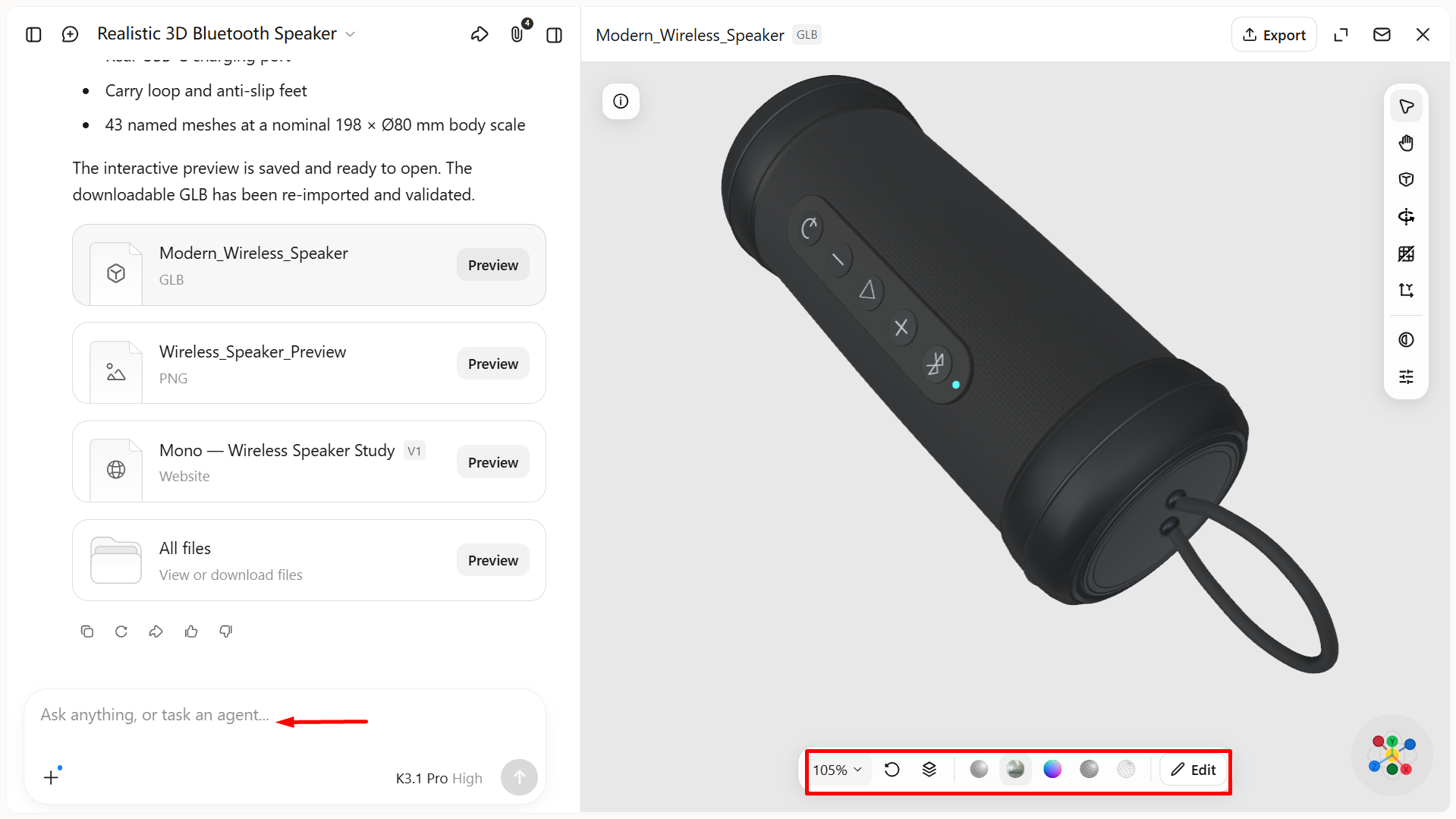
Step 4: Export and publish your product visuals
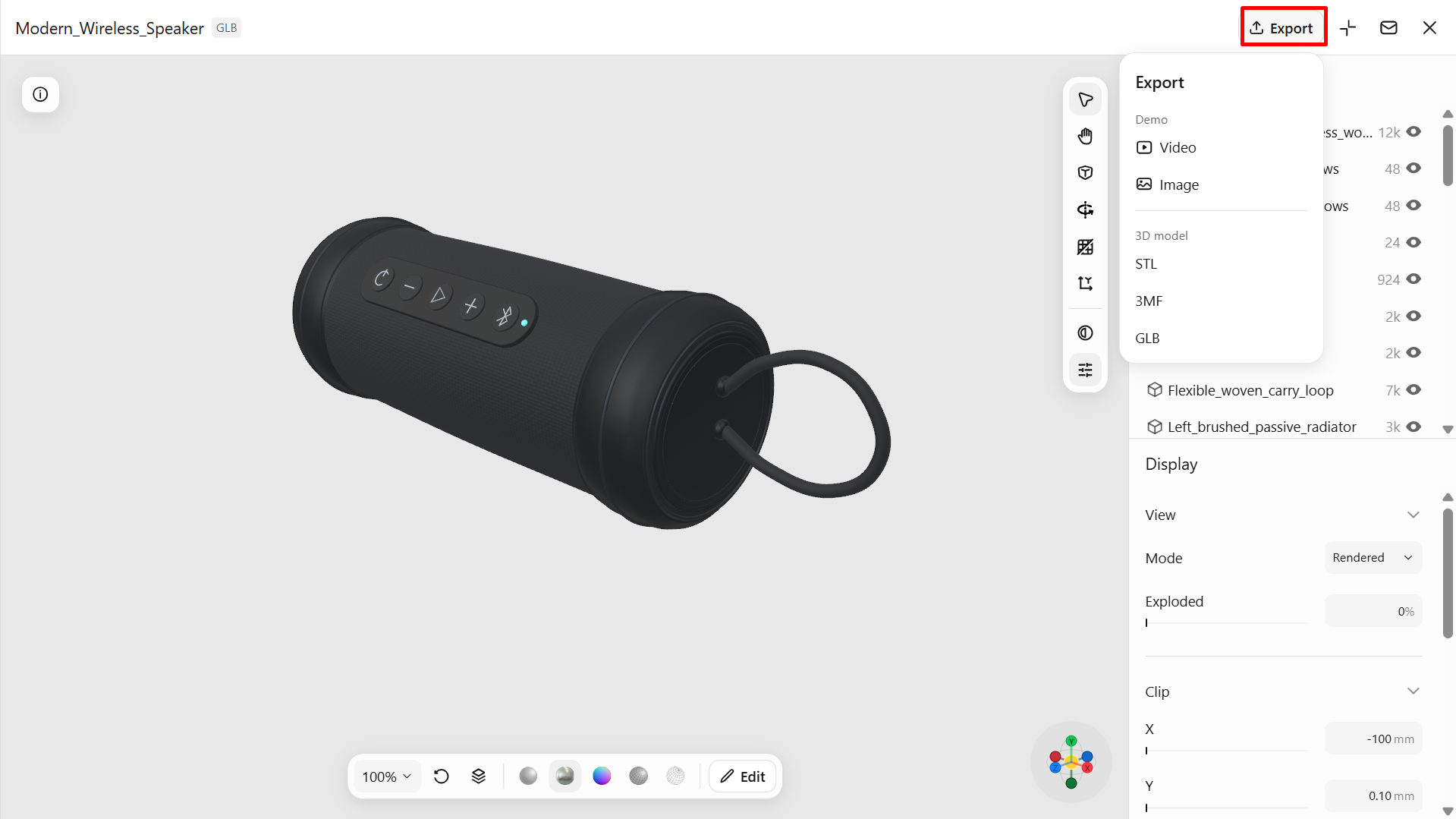
Preview the final model and export it in a supported format, such as GLB or BLEND. Use the model in product presentations, compatible 3D software, e-commerce listings, or marketing materials.
Key features of Kimi 3D Make
Kimi 3D Make simplifies 3D product visualization by turning text prompts and reference images into detailed 3D models. Its AI-powered features make it easier to create, customize, and export product designs for different projects.
From a rough concept to a 3D product model: Describe what you have in mind or upload a sketch or product reference. Kimi 3D Make converts these inputs into 3D models, giving you a visual starting point for developing products, testing concepts, and presenting new ideas.
Edit product designs with chat instructions: Use natural-language prompts to modify generated 3D models, reshape structures, adjust specific features, and explore different design variations. You can refine individual details without having to recreate the entire model.
Inspect models from different angles: Rotate and zoom in on generated 3D models to examine their shapes, structures, and details from multiple viewpoints. This allows you to review the overall design and identify areas that may need adjustment.
Keep your models ready for the next stage: When your design takes shape, export it in formats such as GLB or OBJ and bring it into compatible 3D tools. Use the model as a foundation for further rendering, scene creation, or e-commerce content production, extending its value beyond the initial concept.
Common applications of 3D product visualization
Businesses use 3D product visualization to showcase products, highlight their features, and create engaging customer experiences. It is especially useful in e-commerce, retail, manufacturing, and digital marketing.
E-commerce product pages
Online stores use realistic 3D renders and interactive models to display products from different angles. Customers can zoom in, rotate items, and examine details before purchasing. This improves product presentation and helps shoppers make informed decisions.
Fashion and footwear
Fashion brands use 3D models to showcase clothing, shoes, and accessories in different colors, patterns, and materials. Digital previews help designers review styles and present collections without producing every physical sample. These visuals can also support online catalogs and promotional campaigns.
Furniture and home decor
Furniture retailers use 3D product visualization to display sofas, tables, lighting, and decorative items in realistic settings. Customers can explore product details and preview how furniture may look in different interiors. This makes online shopping more informative and engaging.
Consumer electronics
Technology brands create 3D visuals of smartphones, laptops, headphones, and other electronic devices. Detailed renders highlight product features, ports, buttons, materials, and finishes. Animated views can also demonstrate how different components work.
Automotive and accessories
Automotive companies use 3D models to present vehicles, interiors, components, and accessories. Customers can explore exterior designs, interior layouts, and available customization options. These visuals are also useful for advertising and product demonstrations.
Product launches and marketing campaigns
Businesses use high-quality 3D renders and animations to introduce new products across websites, social media, advertisements, and presentations. Digital models allow teams to create multiple promotional visuals without arranging repeated photoshoots. This makes 3D product visualization useful for consistent marketing across platforms.
Tips for making 3D product visualization effective
Creating effective 3D product visualization requires more than realistic rendering. Focus on accuracy, clear details, and presentation to make your product visuals useful and engaging.
Start with high-quality product references
Use clear, high-resolution images that show the product from multiple angles. Include close-ups of important features, materials, and smaller components. Good references help AI tools generate more accurate 3D models.
Prioritize accuracy over visual effects
Ensure the model represents the product's actual shape, proportions, dimensions, and features. Avoid excessive effects that hide important details or create unrealistic expectations. Accurate 3D product visualization helps customers understand what they are viewing.
Pay attention to materials and textures
Choose materials that closely match the real product, such as metal, glass, plastic, leather, or fabric. Adjust surface textures, roughness, and reflections to create a realistic appearance. These details make digital product models more convincing.
Use lighting and backgrounds strategically
Apply balanced lighting to highlight the product's shape, colors, and important features. Choose simple backgrounds that complement the design without distracting viewers. Consistent lighting also helps maintain a professional look across product images.
Optimize 3D assets for online performance
Keep model complexity and file sizes suitable for the platforms where they will appear. Compress textures and remove unnecessary details without affecting visual quality. Optimized 3D product visualization assets help online stores load and display models smoothly.
Make product displays easy to explore
Provide intuitive controls that allow customers to rotate, zoom, and view products from different angles. Highlight important features through interactive hotspots or close-up views when useful. An easy-to-use display helps customers examine products without confusion.
Conclusion
In conclusion, 3D product visualization helps businesses showcase products realistically, highlight important details, and create engaging shopping experiences. AI tools like Kimi 3D Make simplify the process by turning prompts and reference images into customizable 3D models. Use these visuals to present your products effectively across e-commerce, marketing, and design projects.