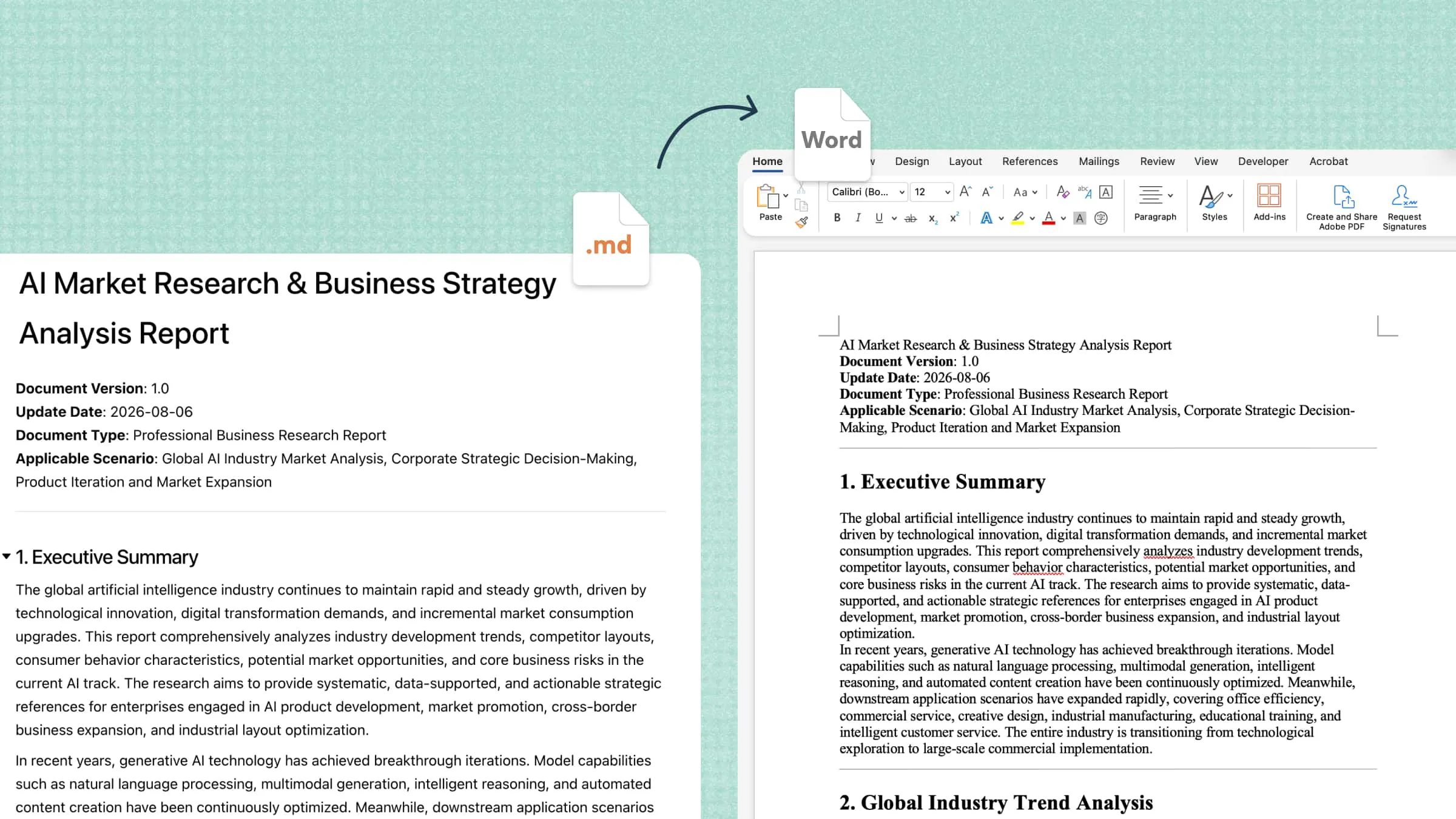
Poorly structured documents, repeated edits, and inconsistent formatting can slow down academic, business, and everyday writing tasks. AI documents offer a smarter way to manage these challenges by helping users generate content, improve clarity, and organize information efficiently. This guide covers the main uses of AI-powered document tools, their practical benefits, and simple ways to create professional documents with less effort.
What are AI documents
AI documents are digital files created, edited, summarized, or organized with the help of artificial intelligence. Instead of writing and formatting everything manually, users can provide instructions, upload reference materials, and use AI tools to simplify the document creation process.
Depending on the tool, AI for documents can support several tasks:
Document generation: Create reports, proposals, business plans, meeting summaries, and other documents from prompts or reference files.
Content organization: Turn rough notes and scattered information into structured documents with clear headings and logical sections.
Document editing: Improve grammar, rewrite unclear sentences, refine tone, and make content easier to understand.
File conversion: Convert content between supported formats, such as Word, PDF, PowerPoint, and Excel.
Formatting and visualization: Arrange tables, images, charts, and references into readable, well-organized layouts.
Review and comparison: Compare document versions, identify changes, and prepare content for further review.
Unlike basic text generators, advanced AI document tools can support multiple stages of the workflow, from the first draft to the final review. This helps users transform raw information into documents that are easier to edit, share, and export.
Common use cases for AI documents
AI documents support a wide range of tasks across workplaces, educational institutions, and everyday workflows. Here are some common use cases where AI for documents can help save time, improve clarity, and organize information more effectively.
Business reports and proposals: AI tools turn business data, project notes, and initial ideas into structured reports and proposals. They help organize key findings, define objectives, and present recommendations clearly. Users can also adjust the tone and content to suit clients, managers, or business partners.
Academic and research documents: Students and researchers can use AI tools to organize notes, outline essays, summarize research materials, and improve academic writing. They also help structure literature reviews, research proposals, and project reports, making complex information easier to understand and review.
Meeting notes and project documentation: AI tools convert meeting transcripts, rough notes, and discussion points into organized summaries. They highlight key decisions, action items, deadlines, and responsibilities, helping teams maintain clear project records and keep everyone informed of progress.
Document translation and localization: AI-powered document tools translate content into different languages while preserving its structure and intended meaning. They can also adjust terminology, wording, and tone to suit specific audiences or regional requirements, supporting international communication and collaboration.
Document review and revision: AI tools review existing documents for grammar errors, unclear wording, inconsistent terminology, and structural issues. They suggest improvements to readability and flow while preserving the original meaning. Users can also refine specific sections to make documents clearer and more consistent.
Your all-in-one AI document assistant: Kimi Docs
Kimi Docs, an AI document agent, makes it easier to create and edit documents with the help of prompts and reference materials. Users can generate structured content, refine existing text, summarize information, and organize ideas in one workflow. It supports common document tasks for students, professionals, and teams.
Main features
Generate professional documents: Create polished Word and PDF documents for reports, proposals, white papers, resumes, and other professional needs. Structure content with tables, academic citations, LaTeX formulas, code blocks, and clickable tables of contents.
Convert files and transform content: Convert files across Word, PDF, PowerPoint, and Excel formats. Turn spreadsheet data into reports, transform presentations into structured lesson plans, or generate multiple PDF files from a single spreadsheet.
Review documents with contextual comments: Review Word documents and add comments or revision suggestions directly to relevant sections. Support academic feedback, document proofreading, and contract review preparation.
Compare document versions: Generate side-by-side comparisons of Word documents to identify changes between versions. Review revised wording and track updates to reports, proposals, and policy documents.
Enhance document layout and visuals: Create polished documents with text-and-image layouts, AI-generated illustrations, professional cover designs, and data charts. Improve readability while reducing manual formatting work.
Translate documents into multiple languages: Translate documents and export them as Word or PDF files. Choose single-language output or line-by-line bilingual layouts to support multilingual documentation and translation review.
How to create AI documents with Kimi Docs
This AI document generator helps you turn prompts and reference materials into structured documents. Follow these steps to generate content, refine the result, and prepare a document for download.
Step 1: Describe the document you need
Open Kimi Docs and explain the type of document you want, its purpose, target audience, and preferred structure. Upload relevant source files if needed to give the AI more context.
Step 2: Let Kimi Docs process the content
Review the generated draft once Kimi Docs has processed your instructions and source materials. Check whether the document follows your requested structure and includes the key information.
Step 3: Review and download the result
Check the document for factual accuracy, grammar, missing details, and formatting issues. Make any necessary revisions, then use the available export or download options to save the finished document in a suitable format.
Tips for getting better results from the AI documents tool
Clear instructions and relevant context help AI tools produce more accurate, useful documents. Apply these tips to get better results from an AI document tool and reduce the need for repeated edits.
Specify the document's purpose: Explain what you want to create, such as a business report, academic paper, project proposal, or meeting summary. A clear objective helps the AI generate content that matches your needs.
Provide relevant source materials: Upload supporting files, notes, reference documents, or data that the AI can use to understand the topic. Relevant materials help improve the accuracy of AI documents and reduce the risk of unsupported information.
Define the required structure: Outline the sections, headings, and key points you want the document to include. For example, request an introduction, main discussion, recommendations, and conclusion to keep the content organized and easy to follow.
Set the audience and tone: Specify who will read the document and whether the writing should be formal, academic, conversational, or persuasive. This helps the AI document tool choose appropriate language, detail, and terminology.
Request specific revisions: Give clear instructions to shorten paragraphs, improve transitions, correct grammar, or reorganize sections. Targeted feedback helps refine the draft without unnecessary changes to content that already meets your requirements.
Verify important details: Check names, dates, statistics, references, and factual claims before using the final document. Although AI can speed up document creation, human review remains essential for accuracy, reliability, and completeness.
Conclusion
In conclusion, AI documents make it easier to create, edit, organize, and review content for academic, business, and everyday tasks. With the right AI document tools, users can save time, improve readability, and turn raw information into structured, professional files. Kimi Docs offers a practical way to generate and refine documents with prompts and reference materials. For the best results, provide clear instructions, verify important details, and review the final document before sharing or downloading it.