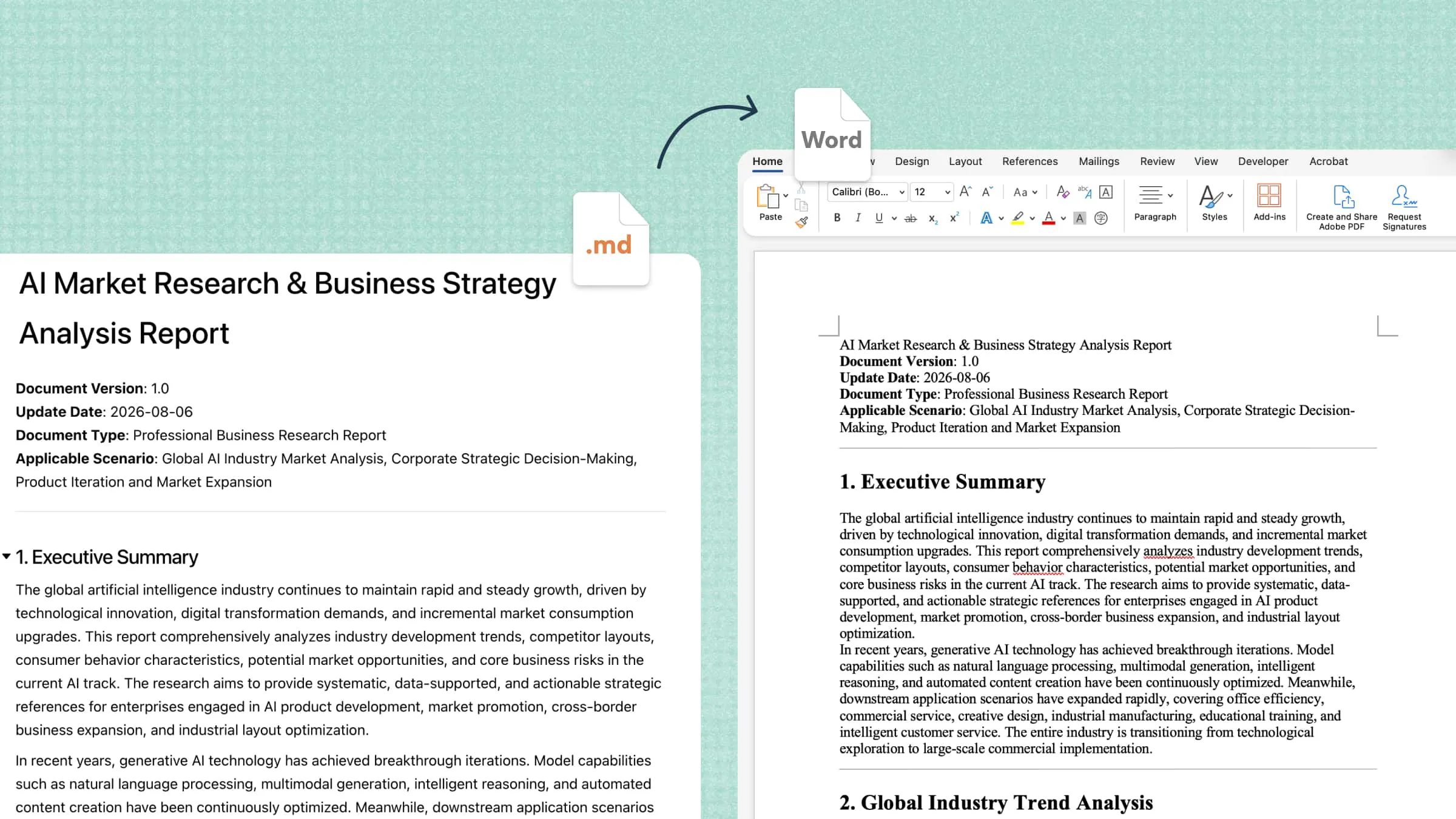
Professional document creation often requires careful planning, clear writing, accurate proofreading, and consistent formatting. These tasks can take hours, especially when you need to revise long reports, organize complex information, or fix repeated errors. A document helper simplifies the process with tools that support drafting, editing, summarizing, and formatting. This article explores its key features, benefits, and practical uses for faster, more efficient document management.
What is a document helper
A document helper is a digital tool that simplifies document creation, editing, and management. It helps users draft content, correct grammar, improve clarity, summarize lengthy text, and organize information. Some tools also offer AI-powered suggestions, formatting assistance, and document conversion features. These capabilities make it easier to prepare professional reports, business proposals, academic papers, and other documents with less manual effort.
Common tasks for an AI document helper
An AI document helper supports multiple tasks throughout the document creation process, from the first draft to the final file. Here are six common tasks that help improve writing quality and simplify document management.
Document drafting from prompts: Enter a topic, purpose, and key details to generate a structured first draft. An AI document helper can create emails, proposals, reports, and other documents based on your requirements.
Grammar and tone editing: Identify spelling mistakes, grammatical errors, and unclear sentences to improve readability. Adjust the tone to suit academic, professional, or casual communication while preserving the original meaning.
Report and memo creation: Turn notes, research findings, or workplace updates into organized reports and memos. Structured sections and clear headings help present important information in a professional format.
Long text summarization: Condense lengthy documents into shorter summaries that retain the main ideas and essential details. This feature helps readers review research papers, meeting notes, and business reports more efficiently.
Document formatting and layout: Improve headings, spacing, lists, and paragraph structure to make documents easier to read. Some tools also suggest suitable layouts to maintain consistency across different document types.
File format conversion: Convert documents between supported formats, such as Word and PDF, to meet editing, sharing, or submission requirements. This feature makes document exchange easier across different applications and platforms.
A smart AI document helper for everyday writing: Kimi Docs
Kimi Docs is an AI document agent that helps users create, edit, and organize content with less manual effort. It supports document workflows for tasks such as drafting, refining text, and preparing files in formats like Word, PDF, and PowerPoint. Its AI capabilities make it a practical option for students, professionals, and anyone who needs to produce clear, well-structured documents.
Key features
Long-form document generation for professional needs: Create detailed Word or PDF documents for business reports, proposals, white papers, research papers, and other professional tasks. Kimi Docs organizes complex information into structured sections with tables, academic citations, code blocks, and clickable tables of contents, helping you produce polished documents for different professional needs.
Content-aware conversion across document formats: Transform information between supported Word, PDF, PowerPoint, and Excel workflows. Kimi Docs adapts content to its new purpose, such as turning spreadsheet data into a written report or converting presentation slides into structured teaching materials, reducing repetitive manual reformatting.
Batch document generation from structured data: Generate multiple documents from a single source to streamline repetitive administrative tasks. For example, use a payroll spreadsheet to create individual PDF payslips while retaining the relevant information for each recipient.
Contextual document reviews and inline feedback: Review existing Word documents with comments and suggested edits placed alongside relevant passages. Kimi Docs supports workflows such as reviewing academic papers, evaluating assignments, and examining contract language, helping users identify sections that need clarification or revision.
Side-by-side document comparison and revision tracking: Compare new and previous Word document versions to identify changes in wording and content. This is useful for reviewing contract revisions, updating business reports, and checking edits across multiple rounds of document review.
Multilingual document translation: Translate document content into other languages and export the results as Word or PDF files. Kimi Docs supports both single-language documents and sentence-by-sentence bilingual layouts, making it easier to review translations and prepare documents for different audiences.
Professional document formatting and visual design: Create polished documents with cover pages, structured layouts, images, charts, tables, and LaTeX equations. Kimi Docs can also arrange text and visuals together to make reports, research documents, and other professional materials clearer and more presentable.
How to use Kimi Docs as your AI document helper
Kimi Docs makes document creation easier by turning prompts and reference materials into structured content. Follow these steps to use it as your AI document helper for writing, editing, and preparing professional documents.
Step 1: Describe the document task and upload materials
Open Kimi Docs and describe the document you need, including its purpose, audience, preferred structure, and writing style. Upload relevant files or reference materials to help the AI understand your requirements.
Step 2: Let AI Docs generate the results
Allow Kimi Docs to process your prompt and reference materials to produce an initial draft. Review the structure, content, and level of detail to ensure the result matches your requirements.
Step 3: Edit and refine the content
Request revisions to improve clarity, correct errors, adjust the tone, or reorganize sections. Check important facts and make any necessary manual edits before finalizing the document.
Step 4: Preview and export the document
Review the final document for formatting issues, missing information, and consistency. Export it in a supported format, such as Word, PDF, or PowerPoint, depending on your needs and the available export options.
Practical tips for getting better results from a document helper
A document helper can produce more useful results when you provide clear instructions and relevant context. Apply these practical tips to improve accuracy, readability, and consistency across your documents.
State the intended outcome: Explain what you want the document to achieve, who will read it, and which key points it must cover. Clear instructions help an AI document helper generate content that matches your purpose.
Provide relevant source materials: Upload reference files, notes, research, or existing drafts to give the AI reliable context. Relevant materials help it produce more accurate content and preserve essential details.
Specify the output format: Mention whether you need a report, proposal, memo, academic paper, or presentation. Include your preferred structure, tone, length, and file format to make the result more suitable for its intended use.
Request targeted revisions: Ask for specific changes, such as shortening paragraphs, improving transitions, correcting grammar, or simplifying complex explanations. Focused feedback helps refine the draft without changing content that already works well.
Verify important information: Check facts, statistics, dates, quotations, and references against trustworthy sources before using the document. Even an advanced AI document helper can produce inaccurate information or overlook important context.
Review the final layout: Inspect headings, spacing, tables, lists, and page breaks to ensure the document looks consistent and professional. Before sharing or exporting the file, confirm that the formatting remains readable and no essential content is missing.
Conclusion
To sum up, a document helper makes writing, editing, and formatting easier by reducing repetitive tasks and improving content clarity. An AI document helper can support everything from drafting reports to summarizing lengthy files, helping students and professionals work more efficiently. With tools like Kimi Docs, you can turn prompts and reference materials into structured documents, refine the results, and export files for different needs. Clear instructions and careful review remain essential for accurate, professional results.