Businesses often struggle to turn growing amounts of data into useful insights without spending hours on manual analysis. AI for data analysis offers a practical way to simplify this process by identifying patterns, automating repetitive tasks, and helping teams make informed decisions. From understanding AI technologies and comparing analytical methods to exploring industry use cases, this guide covers the key aspects of AI-powered analytics.
What is AI for data analysis
AI for data analysis refers to the use of artificial intelligence to examine data, detect unusual results, and generate useful insights. It combines technologies such as machine learning, deep learning, and natural language processing to automate tasks that traditionally require manual effort. Businesses can use AI to analyze large datasets, predict trends, and make informed decisions faster. It also allows users to explore data and ask questions in everyday language without advanced technical skills.
AI data analysis vs. traditional data analysis
Traditional and AI-driven approaches provide different ways to interpret data and support business decisions. The key differences become clearer when comparing their speed, level of automation, and ability to uncover patterns and predict trends.
| Comparison factor | Traditional data analysis | AI data analysis |
|---|---|---|
| Processing speed | Often requires manual data preparation, queries, and report creation. | Automates many analytical tasks, helping users obtain insights faster. |
| Data handling | Works particularly well with structured data organized in tables. | Can analyze structured and unstructured data, depending on the tools used. |
| Human involvement | Analysts typically perform much of the data preparation and interpretation. | Automates routine tasks while allowing analysts to review results and apply judgment. |
| Pattern detection | Analysts use queries and statistical methods to investigate specific questions. | AI can identify correlations, unusual patterns, and trends that may otherwise go unnoticed. |
| Predictive insights | Predictions generally require dedicated statistical models or forecasting methods. | Machine learning can use historical data to forecast trends and estimate future outcomes. |
| Cost and resources | Basic tools may be inexpensive, but manual work can require considerable time. | Can reduce repetitive work, although implementation, computing, and maintenance may add costs. |
How AI technologies power data analytics
Different AI technologies serve different purposes in data analytics. Some identify patterns and predict trends, while others process complex data or understand human language
Machine learning: Machine learning enables computer systems to learn patterns from historical data and use them to make predictions or identify trends. For example, a retailer can analyze past sales records to forecast product demand, identify purchasing patterns, and improve inventory planning without manually reviewing every transaction.
Deep learning: Deep learning uses multilayered neural networks to analyze complex data that may be difficult to process with simpler methods. It is particularly useful for working with images, audio, time-series data, and large datasets where relationships are not always obvious. Businesses can apply it to tasks such as image recognition, demand forecasting, and detecting complex patterns in operational data.
Natural language processing: Natural language processing allows AI systems to understand and analyze human language, including written text and speech. In data analytics, NLP helps users ask questions about datasets in everyday language, summarize reports, analyze customer feedback, and identify sentiment in reviews. This makes data insights more accessible to people who may not have programming or SQL skills.
Using Kimi Work for AI-powered data analysis
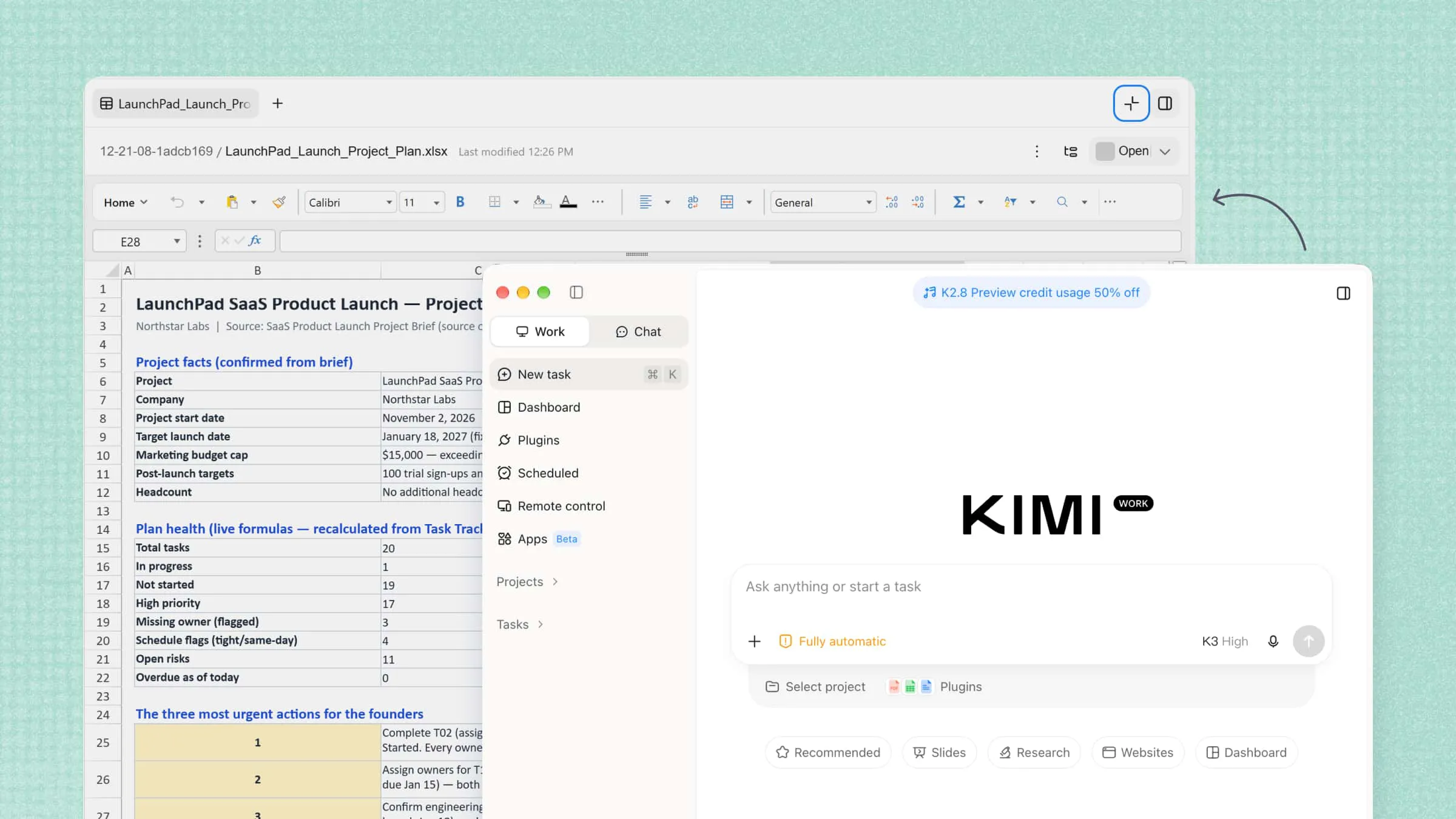
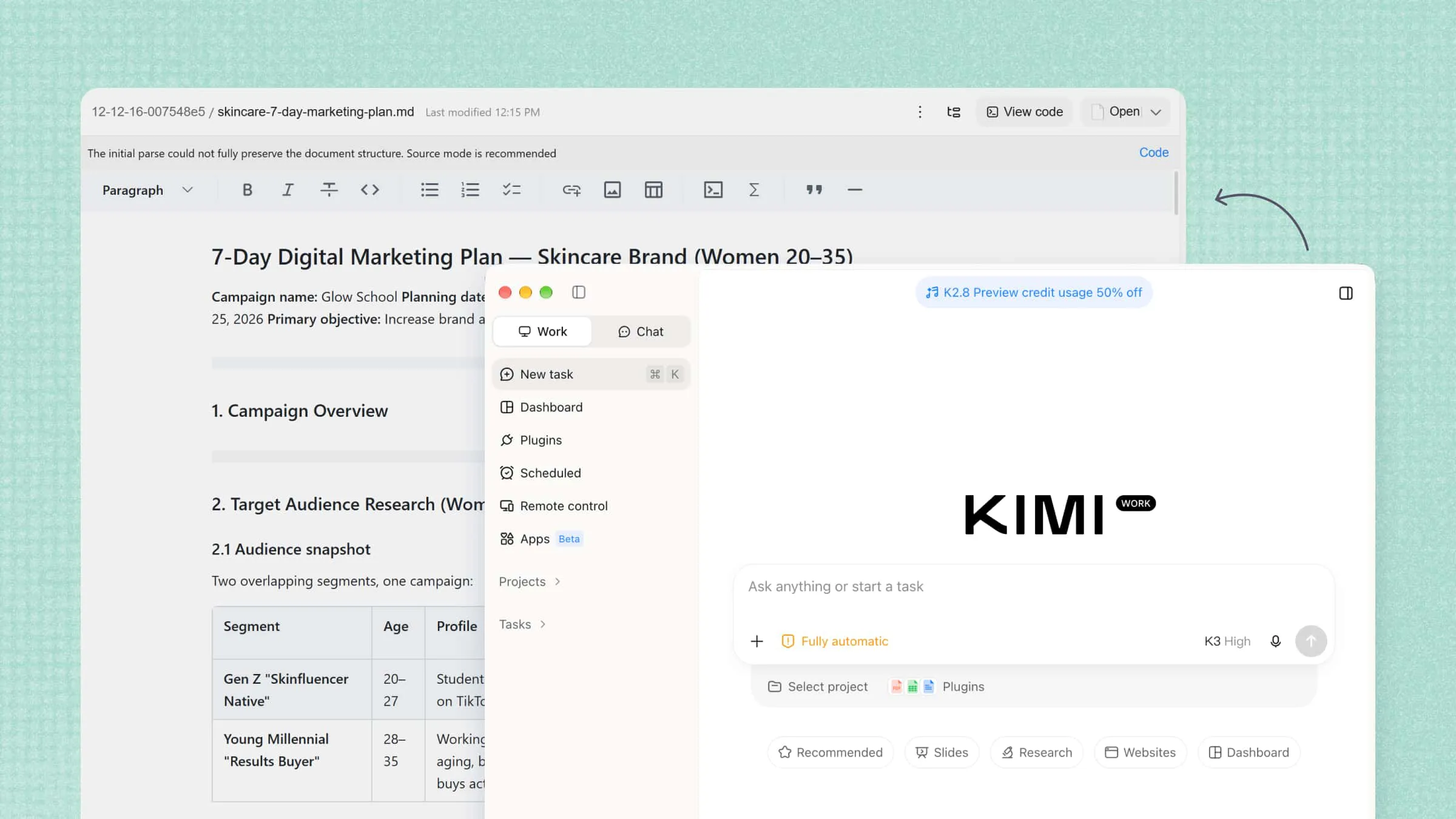
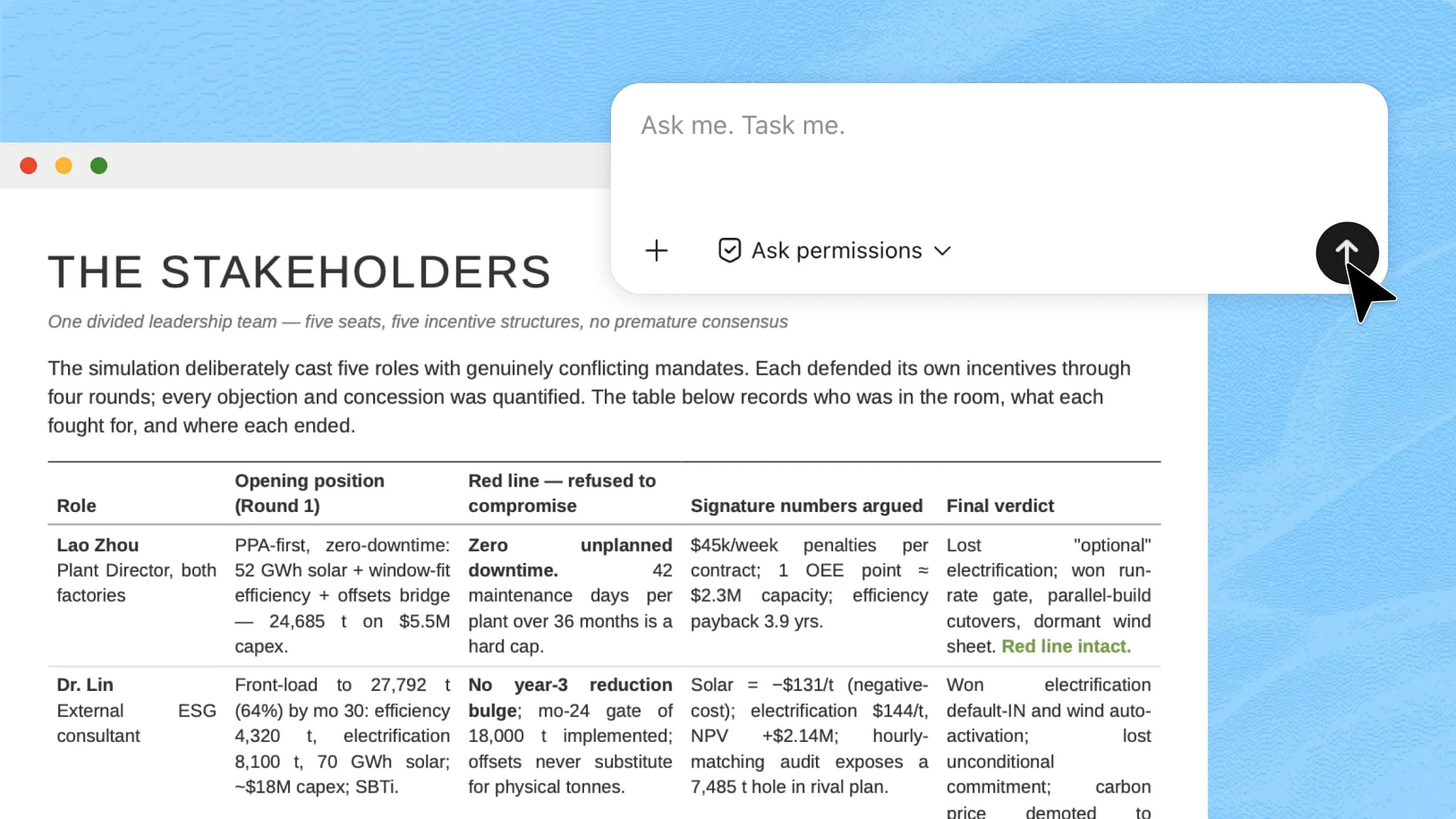
Kimi Work brings AI-powered data analysis into a workflow where users can manage files, process information, and automate tasks through an AI agent. Instead of handling every step manually, you can describe your goal and let the agent assist with the required tasks. Kimi Work's desktop environment also includes Kimi Sheets, an AI Excel agent mode designed specifically for data analysis and spreadsheet creation. It helps organize data, perform calculations, and generate structured reports, making it easier to turn raw information into useful business insights.
Main features
Analyze data from multiple sources: Kimi Work can work with local files and folders, browser tabs, and professional databases. This allows you to bring relevant datasets and supporting information together when analyzing a business question.
Investigate complex analytical questions: With Goal Mode and Agent Swarm, Kimi Work can break a complex research or analysis task into multiple steps or parallel investigations. This can help examine different factors behind a business trend, such as customers, competitors, pricing, or market changes.
Turn analysis into usable outputs: After analyzing data and information, Kimi Work can turn the findings into reports, presentations, or spreadsheets. This helps teams move from analyzing data to communicating insights and using them in business decisions.
Automate recurring analysis: Kimi Work supports scheduled tasks for recurring monitoring and analysis. Teams can use it to regularly track changing business information and maintain updated insights without repeating the same analysis manually.
How to use AI for data analysis with Kimi Work
Kimi Work supports several approaches to AI-powered data analysis, from automating recurring reports to analyzing spreadsheet data and visualizing key business metrics. Choose the method that best fits your workflow and analysis needs.
Method 1: Automate recurring data analysis
If you regularly track business performance or review updated datasets, scheduled tasks can help automate repetitive analysis and deliver insights at set intervals. Here's how to set up a recurring data analysis task with Kimi Work.
Step 1: Create a scheduled analysis task
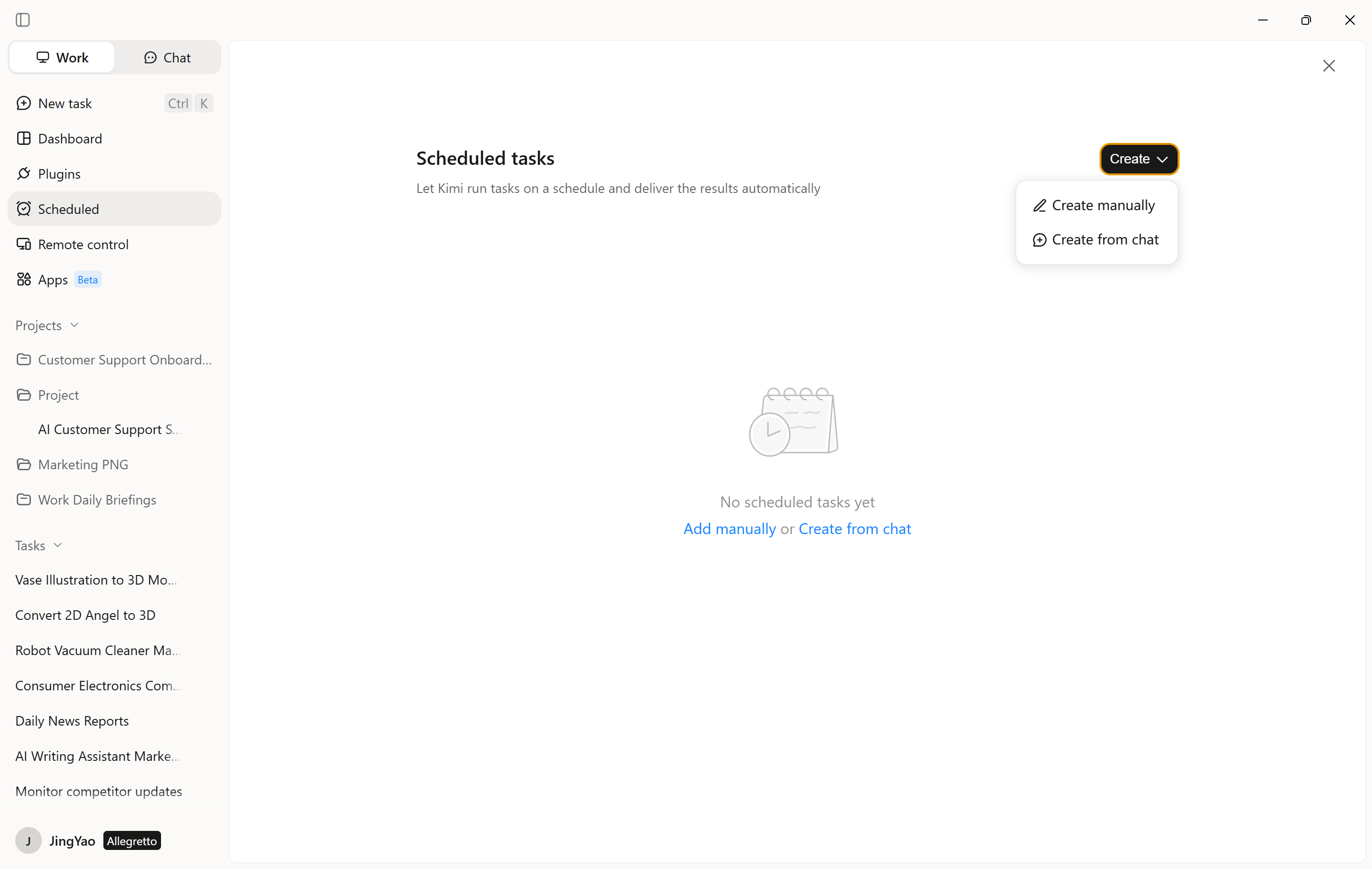
Open Kimi Work and go to "Scheduled Tasks," then select "Create a task." The platform offers two ways to get started, depending on whether you prefer to configure the task yourself or explain your requirements in a conversation.
Add manually: Enter the task details and set up the required options directly.
Create from chat: Describe the analysis in natural language and let Kimi Work help build the task around your request.
For instance, you could ask the AI agent to review weekly sales figures, compare revenue across product categories, and summarize the most significant changes.
Step 2: Set the analysis instructions and schedule
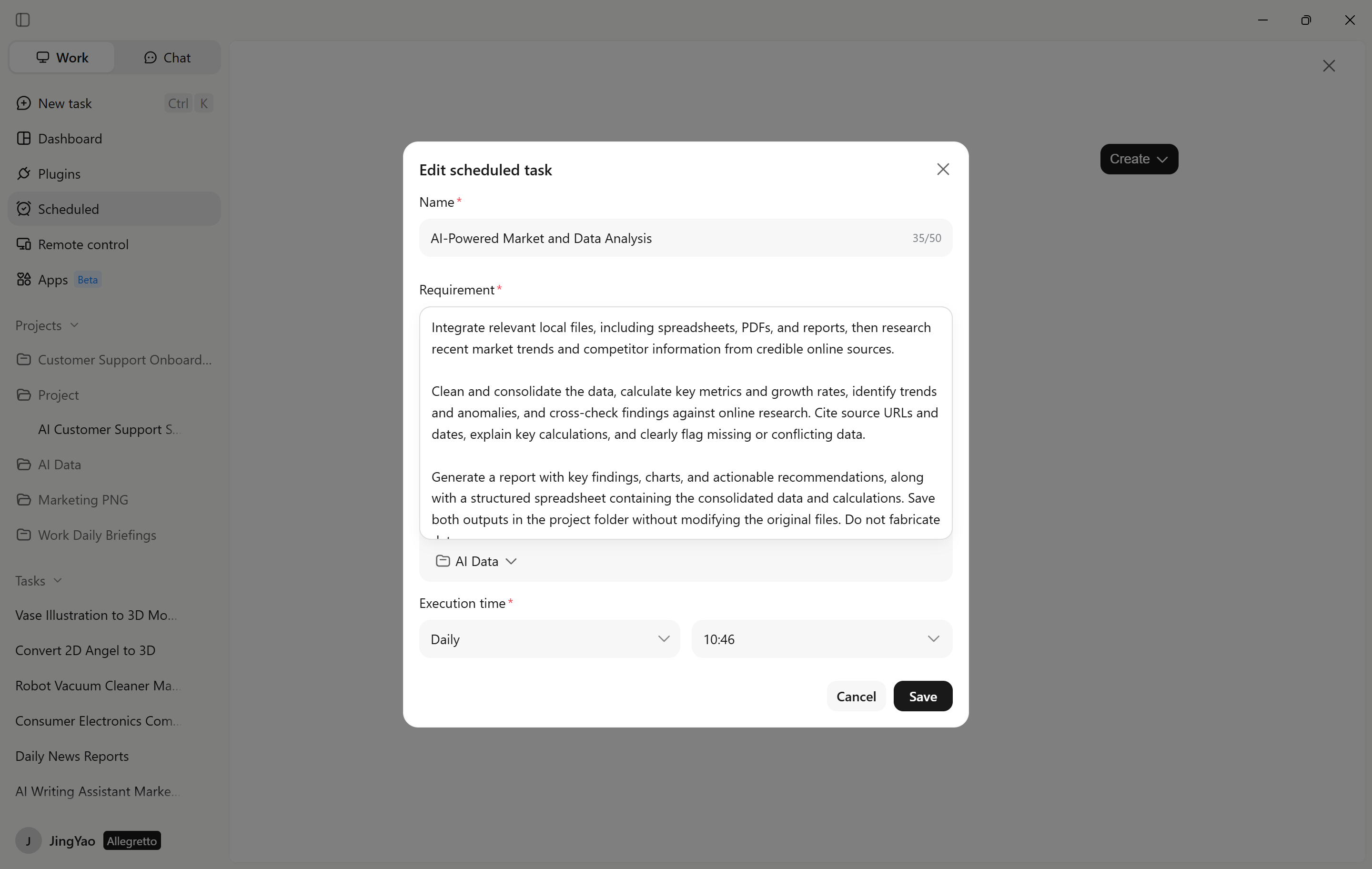
Provide clear instructions about the analysis, including the relevant files or data sources, the metrics to track, and the expected output.
Next, choose how often the task should run, such as daily, weekly, or at another suitable interval. Review the settings, then click "Save and activate" to enable the scheduled task.
Step 3: Review the analysis results
Once the task runs, open "Projects" to check its status and review the generated results. Examine key metrics, changes in performance, and unusual patterns that may require attention.
If the results are incomplete or miss important details, refine the instructions, update the data sources, or adjust the schedule. Reviewing and improving the task over time helps Kimi Work deliver more useful insights for ongoing business monitoring.
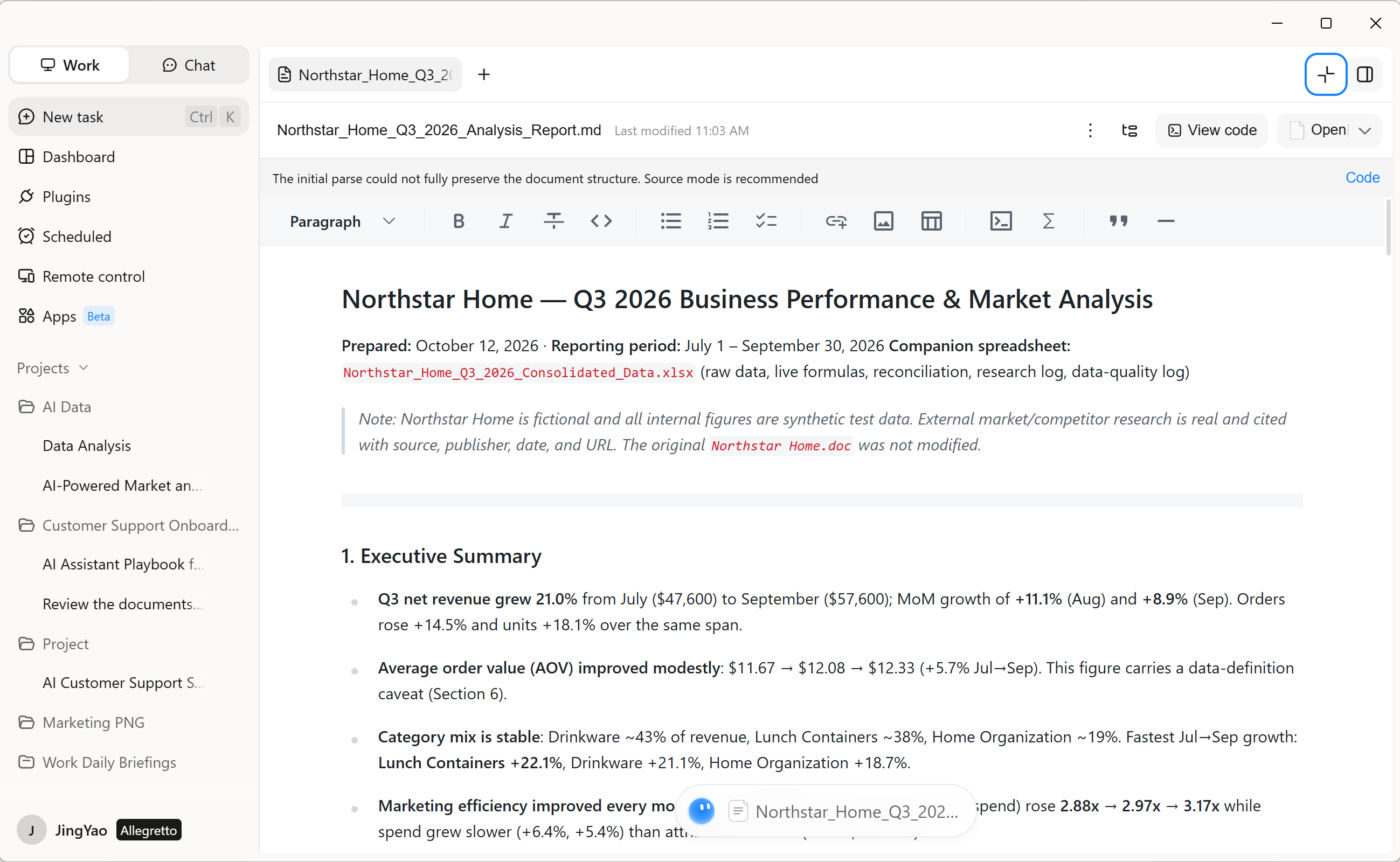
Method 2: Analyze spreadsheet data with plugins
Kimi Work offers a range of plugins for AI-powered data analysis, including Excel for spreadsheet tasks and Financial dynamic charts for data visualization. You can choose the plugin that best matches your needs to process data, perform calculations, and present findings.
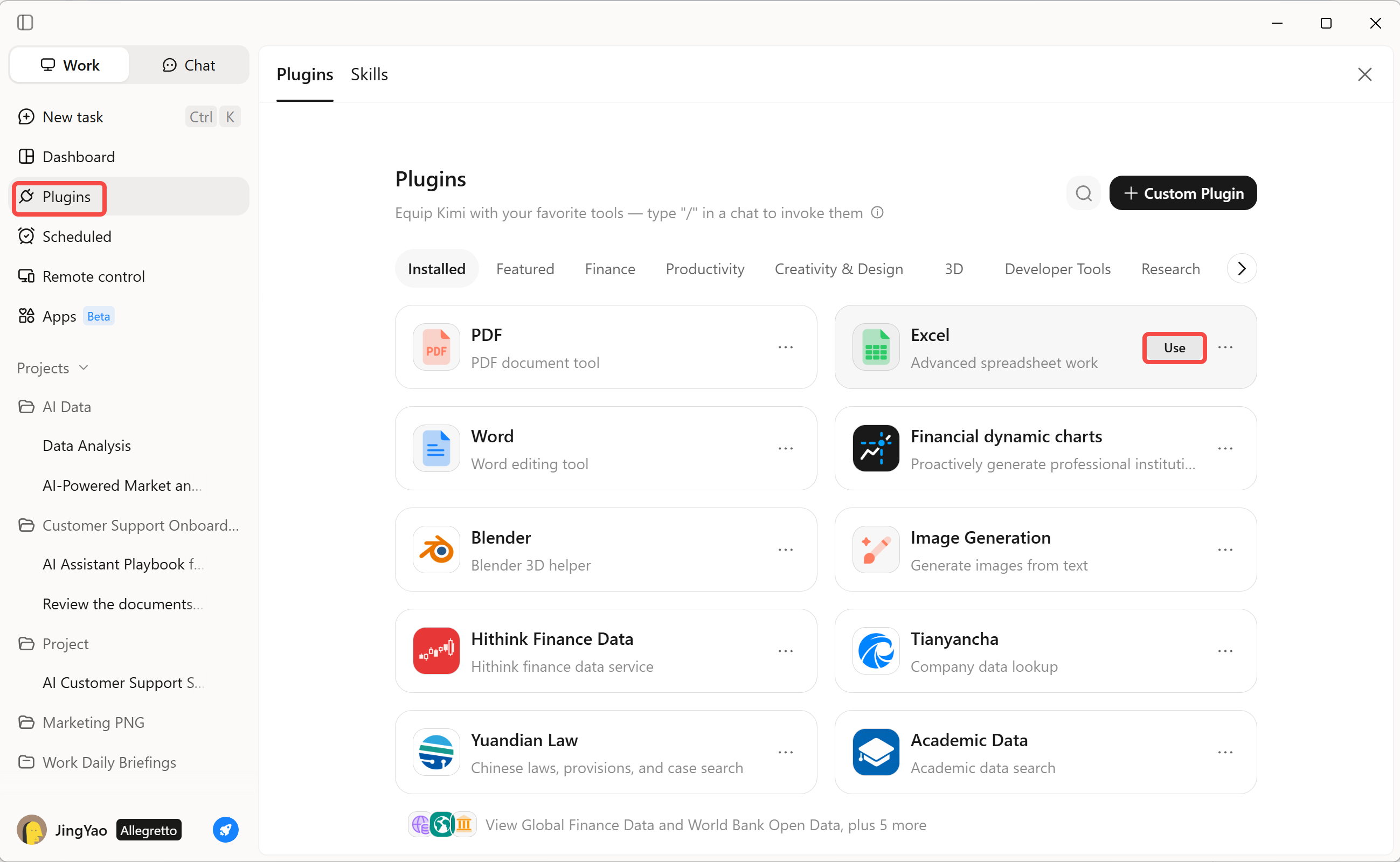
Step 1: Select a data analysis plugin
Open the "Plugins" section in Kimi Work and browse the available tools. Select "Excel" for spreadsheet analysis or "Financial dynamic charts" to visualize financial data. Choose a plugin based on the type of analysis you want to perform.
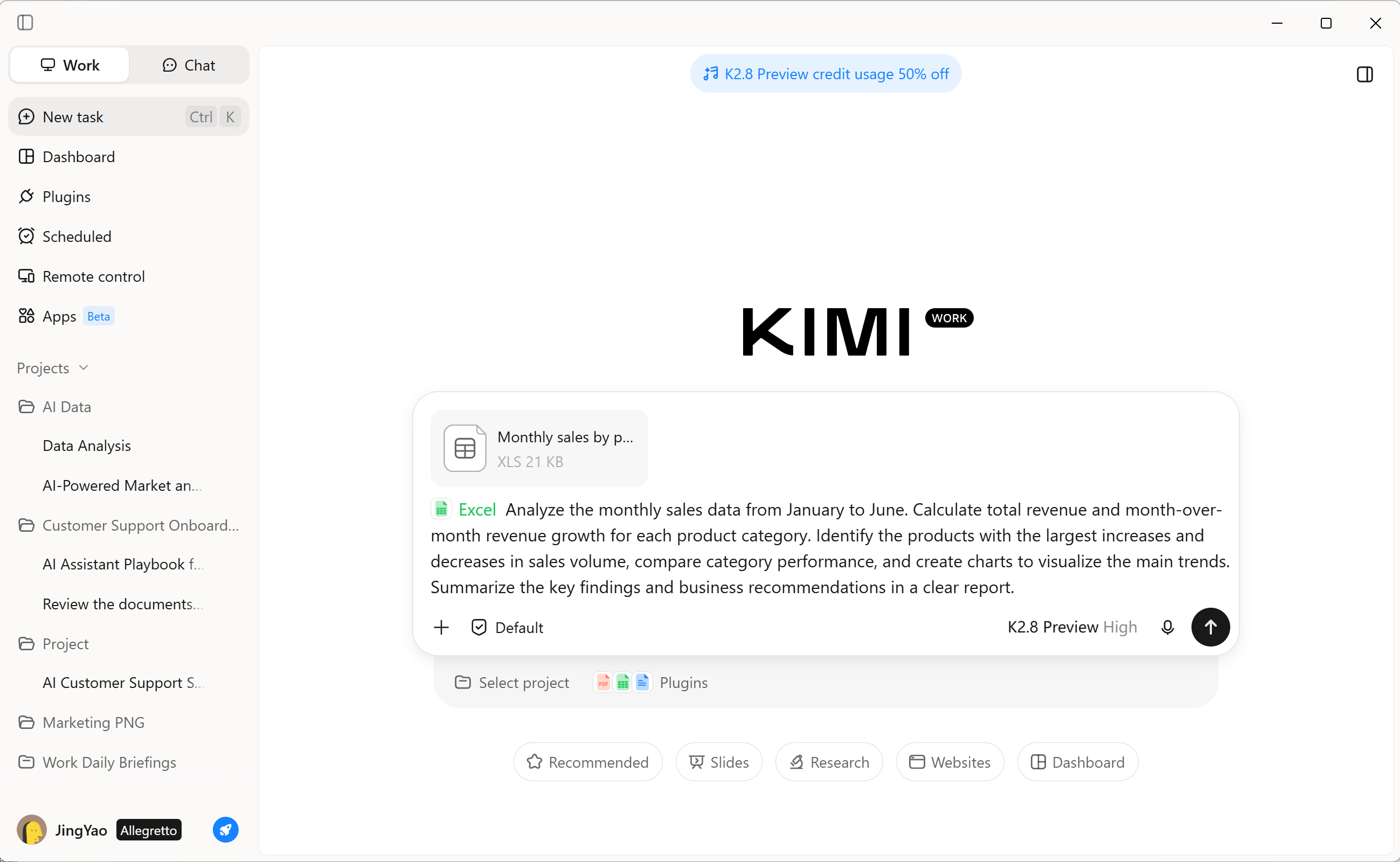
Step 2: Describe your analysis requirements
Provide the relevant data and explain what you want the plugin to do. Specify the metrics to calculate, trends to investigate, or charts to generate.
For example, ask the Excel plugin to analyze monthly sales data, calculate revenue growth by product category, and identify the products with the largest changes in sales.
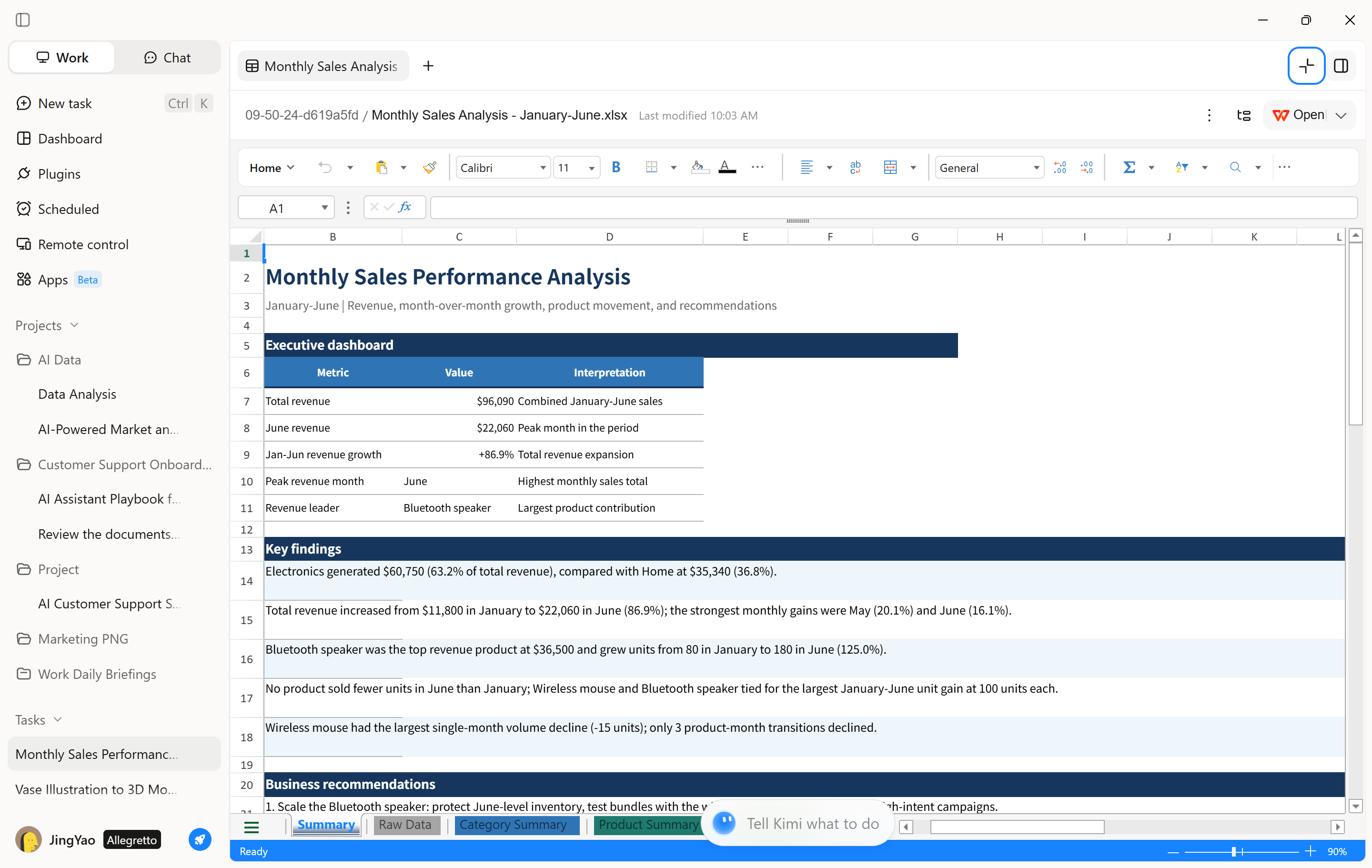
Step 3: Review the results and refine the analysis
Review the generated calculations, tables, or charts to check whether they address your requirements. Ask follow-up questions to explore specific trends, adjust calculations, or refine visualizations. You can then use the results to support further analysis and business reporting.
Method 3: Monitor key metrics with dashboards
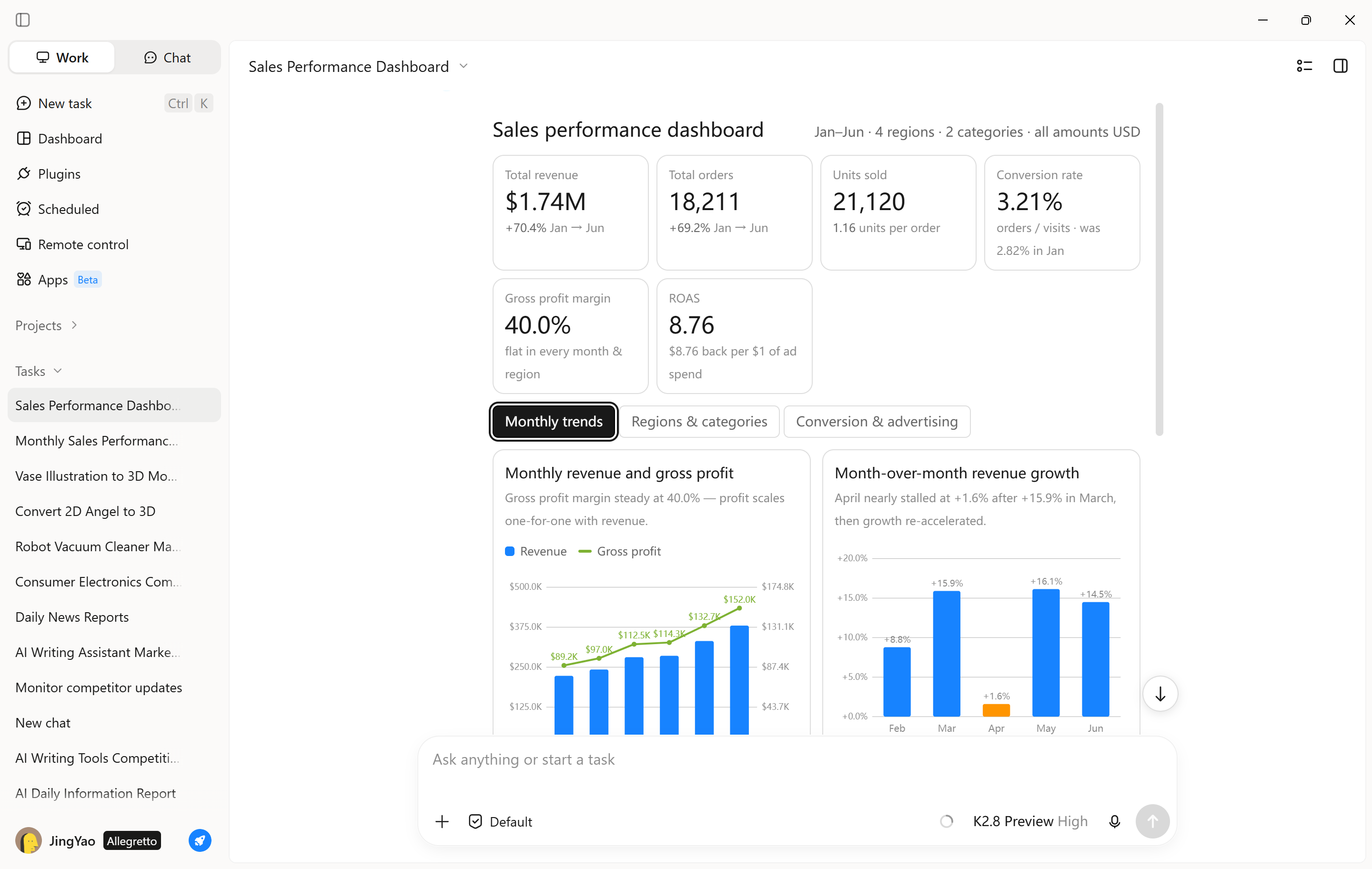
Dashboards provide a visual overview of business performance, making it easier to track key metrics and identify changes that need attention. In Kimi Work, you can use an AI agent to help organize data and create dashboard-style visualizations for ongoing analysis.
Step 1: Define the metrics and dashboard requirements
Describe the business indicators you want to monitor, the data sources to use, and the preferred visualizations. For example, request a sales dashboard that presents monthly revenue, order volume, conversion rates, and performance by product category.
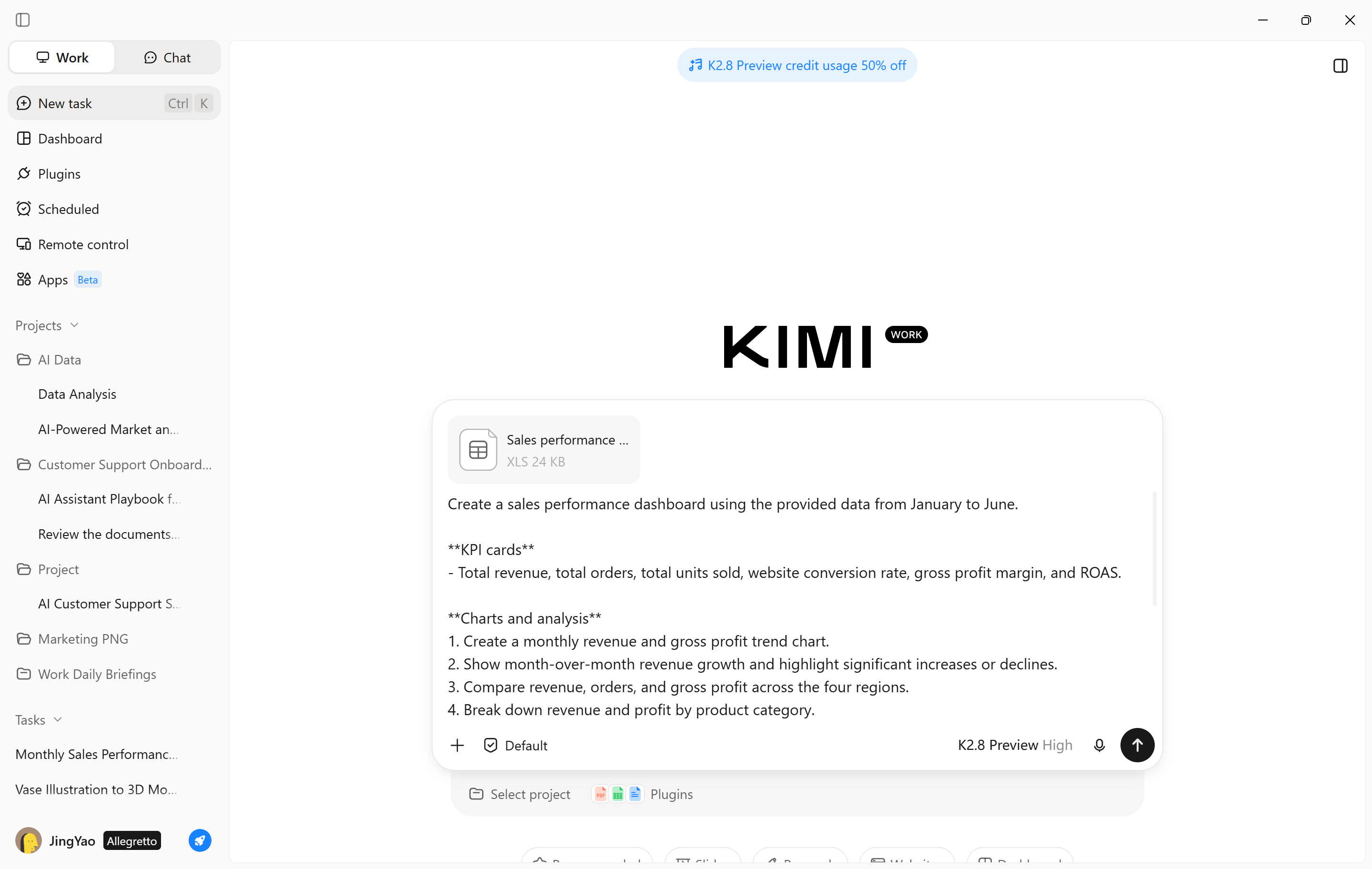
Step 2: Generate and review the dashboard
Ask the agent to organize the relevant data into charts, summary tables, and key performance indicators. Review the dashboard to check whether it highlights the metrics that matter to your business, then refine the layout or analysis instructions as needed. If you need to monitor changing data, specify how the underlying data should be refreshed and updated.
AI data analytics use cases by industry
AI data analytics helps businesses improve daily decisions by turning raw data into useful insights. Here are five practical applications across different departments
Team management & Workload tracking: AI helps managers analyze task assignments, employee workloads, and team performance to identify imbalances. These insights make it easier to redistribute tasks, address bottlenecks, and allocate resources based on team capacity.
Project management & Budget tracking: Project managers can use AI to compare actual spending with planned budgets, monitor milestones, and flag unexpected costs. This helps them identify financial risks early and adjust project plans before delays or overspending become serious issues
Sales & Revenue analysis: AI analytics helps sales teams track revenue, measure progress toward targets, and compare performance across regions or products. It can also help identify sales trends and forecast future demand, helping businesses focus on promising growth opportunities
Operations & Performance monitoring: AI helps operational teams monitor expenses, resource usage, and key performance indicators (KPIs). By identifying unusual changes and recurring inefficiencies, businesses can improve workflows, reduce waste, and maintain consistent operational performance
Benefits of using AI for data analysis
AI used for data analysis provides several advantages that help businesses work more efficiently and make informed decisions. From processing large datasets to simplifying reports, these benefits make it easier to turn raw data into actionable insights.
Faster large-data processing: AI can process and organize large volumes of data much faster than many manual workflows. It helps analysts automate repetitive tasks, such as sorting records, cleaning datasets, and identifying patterns across multiple sources. As a result, teams can spend less time preparing information and more time using insights to solve business problems.
Higher accuracy, fewer errors: AI tools can identify duplicate records, flag unusual values, and detect inconsistencies that might go unnoticed during manual analysis. Machine learning models can also improve predictions when trained on relevant, high-quality data. However, AI does not guarantee error-free results; businesses still need to validate outputs and address problems in the source data.
Real-time monitoring: AI-powered analytics can monitor incoming data and highlight significant changes as they occur. For example, an online retailer can track sales activity, while a manufacturing company can monitor equipment performance and detect unusual readings. Timely alerts help teams investigate potential issues earlier and respond before small problems become more costly.
Lower automation costs: Automating routine analytical tasks can reduce the time and resources businesses spend on data preparation, reporting, and repetitive checks. AI can also help identify operational inefficiencies, optimize inventory, and support predictive maintenance to prevent avoidable equipment failures. Although implementation and maintenance involve costs, the time saved can improve overall productivity and operational efficiency.
Easier visualization and reporting: AI makes it easier to turn complex datasets into understandable charts, dashboards, and written summaries. Some tools can recommend suitable visualizations, highlight important trends, and explain changes in everyday language. This helps teams communicate findings more clearly and allows people without advanced analytical skills to explore data and understand what the results mean.
Conclusion
AI and advanced analytics help businesses understand performance, uncover trends, and make informed decisions. With Kimi Work, teams can bring AI-powered data analysis into everyday workflows, streamline recurring tasks, and turn raw data into actionable insights. For spreadsheet-focused tasks, Kimi Sheets provides dedicated support for data analysis, calculations, and spreadsheet creation, helping teams make more informed, data-driven decisions.