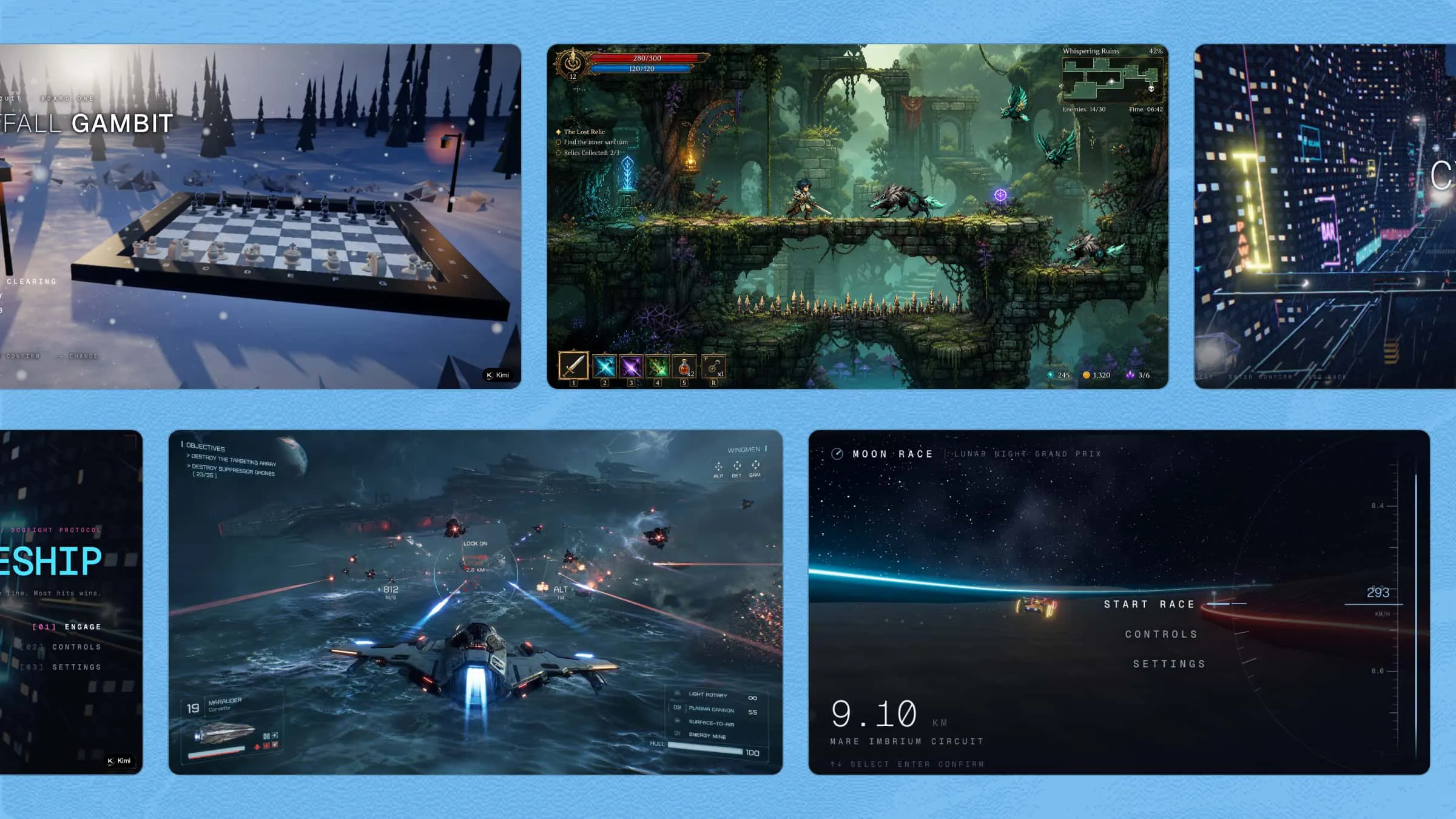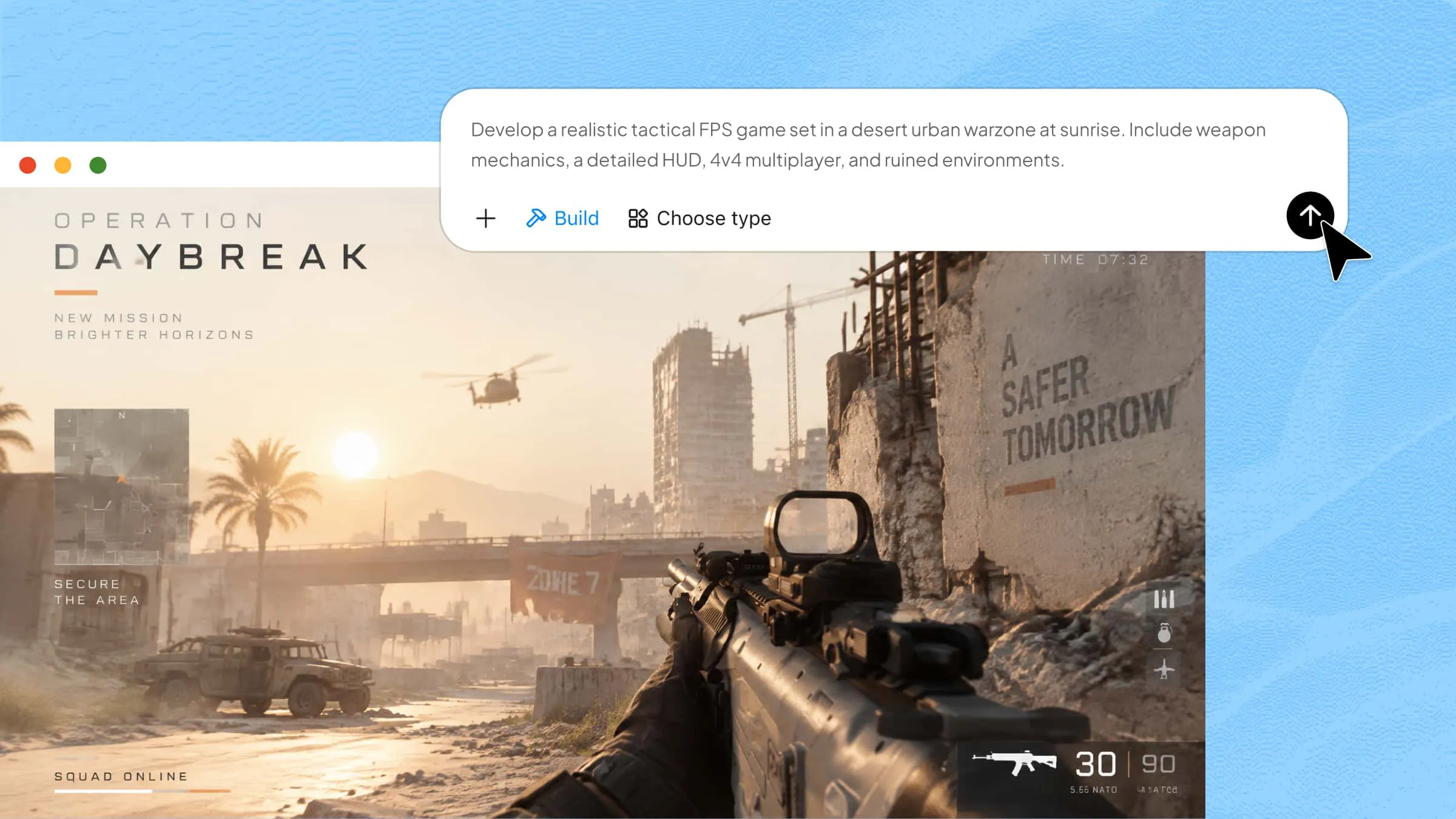
If you have ever wondered how modern games create realistic characters, smarter enemies, and worlds that feel alive, AI has a lot to do with it. AI in game development is changing how developers design games, create assets, and build interactive experiences. It also makes many creative tasks faster and gives developers new ways to bring their ideas to life. Explore this article to discover how AI is shaping modern game creation and how Kimi Build can help turn your game ideas into interactive experiences.
What is AI for game development
AI in game development refers to the use of artificial intelligence technologies, including machine learning, generative AI, and procedural generation, to support the creation and operation of video games.
Traditional game development relies heavily on manually designed assets, predefined character behaviors, scripted storylines, and human-led testing. AI tools can assist with parts of this process, such as generating visual assets, supporting code development, and creating initial game concepts. They can help developers save time and effort on certain tasks, while human expertise remains essential for refining gameplay, ensuring quality, and completing the game.
AI can contribute to several stages of game development:
Game design and ideation: Generate story concepts, gameplay mechanics, character ideas, and level designs.
Asset creation: Produce concept art, textures, characters, environments, and 3D models.
Game programming: Assist with code generation, debugging, and development workflows.
Character behavior: Enable NPCs to respond to player actions and environmental changes.
Game testing: Automate repetitive playtesting tasks and help identify bugs or gameplay issues.
Player experience: Analyze player behavior to support personalized gameplay and dynamic difficulty.
These applications show that AI is not limited to in-game intelligence. It can also support the creative and technical work involved in building a game.
How AI is used in game development
AI supports different stages of game development, from planning ideas to creating assets and improving gameplay. It helps developers save time, explore creative possibilities, and build engaging experiences. Here are some key ways AI is used in game development:
AI-assisted game design and storytelling
AI can support the early stages of game design by helping developers explore story concepts, create visual references, and develop different gameplay scenarios.
Generative AI allows developers to use text prompts and descriptions to explore:
Game storylines: Generate story ideas, narrative concepts, and possible plot directions.
Character concepts: Explore character backgrounds, personalities, and visual appearances.
Game environments: Develop visual concepts for different settings and scenes.
Adaptive storytelling: Generate different narrative possibilities based on player decisions.
Traditional games often follow predefined storylines, with players experiencing relatively limited variations. Generative AI creates opportunities for more flexible storytelling, where player actions can lead to different scenarios and narrative developments.
AI can also help turn written storyboards and concepts into visual references, making it easier for development teams to communicate and explore creative directions.
AI-generated game assets and environments
Game development involves producing a large number of visual assets, from individual objects and characters to complete environments. AI can help accelerate parts of this process by generating visual content and reducing repetitive design work.
Common applications include:
Character assets: Generate character concepts and explore different appearances.
Environmental assets: Create visual elements such as trees, stones, buildings, and other objects.
Game environments: Develop artwork and visual concepts for immersive game settings.
3D graphics: Support the creation and refinement of three-dimensional visual content.
Visual enhancement: Apply image upscaling and denoising to improve image quality.
Procedural content generation (PCG) is another important technique. It uses algorithms to generate game content, such as levels and environments, based on predefined rules or parameters.
Combining generative AI with procedural generation can provide more options for expanding game content. However, the generated results still require human review to maintain visual consistency and content diversity.
AI-powered NPC behavior and interactions
Non-playable characters (NPCs) are characters in a game that players cannot directly control. They include enemies, merchants, companions, and other characters that contribute to the gameplay experience.
Traditionally, NPCs often rely on predefined dialogue, scripts, and behavior patterns. AI can make these interactions more adaptive and responsive.
Some technologies used for NPC behavior include:
For example, an enemy NPC may initially patrol an area, chase a player when detected, and search for the player after losing sight of them. Machine learning can also help NPCs adapt to repeated player strategies instead of responding in exactly the same way each time.
Generative AI and natural language processing can further support more varied NPC conversations, allowing players to interact with characters beyond fixed dialogue options.
AI-powered game testing and debugging
Testing is an important part of game development because developers need to identify bugs, glitches, gameplay loopholes, and difficulty issues before release.
AI can support automated playtesting by running different gameplay scenarios and analyzing the results.
Its applications include:
Automated playtesting: Simulate different player actions and test scenarios.
Bug detection: Identify glitches, errors, and inconsistencies during gameplay.
Gameplay evaluation: Test different difficulty levels and identify potential loopholes.
Development optimization: Reduce the time spent on repetitive testing tasks.
For example, AI testing agents can run multiple gameplay scenarios to identify situations where a character gets stuck, a level contains an unintended shortcut, or a game mechanic does not work as expected.
Compared with relying entirely on manual testing, automated playtesting can examine a larger number of scenarios within a shorter period. Human testers remain important for evaluating the overall gameplay experience and identifying issues that automated systems may miss.
Personalized gameplay and dynamic difficulty adjustment
AI can analyze player behavior, preferences, and skill levels to help developers create more personalized gaming experiences.
One application is Player Experience Modeling (PEM), which uses player data to understand how individuals interact with a game and inform gameplay adjustments.
Examples include:
Personalized content: Offer game elements based on individual player interests.
Dynamic difficulty adjustment: Modify difficulty according to a player's abilities and performance.
Adaptive storylines: Allow player decisions to influence narrative development.
Customized challenges: Adjust gameplay scenarios to match different play styles.
For instance, a player who enjoys exploration may encounter more opportunities to discover objects and investigate environments. A player who prefers combat may experience more action-oriented challenges.
Dynamic difficulty adjustment can also help maintain an appropriate level of challenge. If a player consistently overcomes enemies easily, the game may introduce more difficult opponents.
However, personalization needs to be balanced with content diversity. Excessive customization can limit players' exposure to new experiences and make gameplay repetitive.
AI-enhanced game graphics and audio
AI technologies such as deep learning and computer vision can support improvements in game graphics, animations, and audio production.
Examples include:
Image upscaling: Increase the resolution of existing visual assets.
Image denoising: Reduce unwanted noise in rendered images.
Character animation: Support the development of more realistic character movements.
Visual effects: Help improve the appearance of environmental elements, including fire, water, dust, and foliage.
Audio generation: Create music, sound effects, and voice-overs for different game scenes.
These technologies can help developers explore different visual and audio treatments while improving the quality of game content.
AI in game operations and management
Beyond game creation and gameplay, AI can also support the operational systems that keep online games running.
The 2025 ACM research paper identifies several applications:
Anti-cheat systems: Analyze player behavior and other game data to identify potential cheating activities.
Server scaling: Predict changes in player traffic and adjust server resources to handle different levels of demand.
Intelligent matchmaking: Evaluate player skill levels and preferences to form more balanced matches.
These systems can help maintain fair gameplay, improve server performance, and create better multiplayer experiences.
However, they also have limitations. Anti-cheat systems may incorrectly flag skilled players, server scaling models may respond inefficiently to sudden traffic changes, and matchmaking systems may struggle to evaluate new players who have limited gameplay history.
From game concepts to playable experiences with Kimi Build
Kimi Build is an AI game maker that turns written prompts and creative concepts into interactive digital experiences. It can help developers transform game ideas into playable prototypes by generating layouts, visual elements, and interactive features from natural language instructions. This makes it easier to experiment with game concepts, test ideas, and move from an initial vision to a working experience.
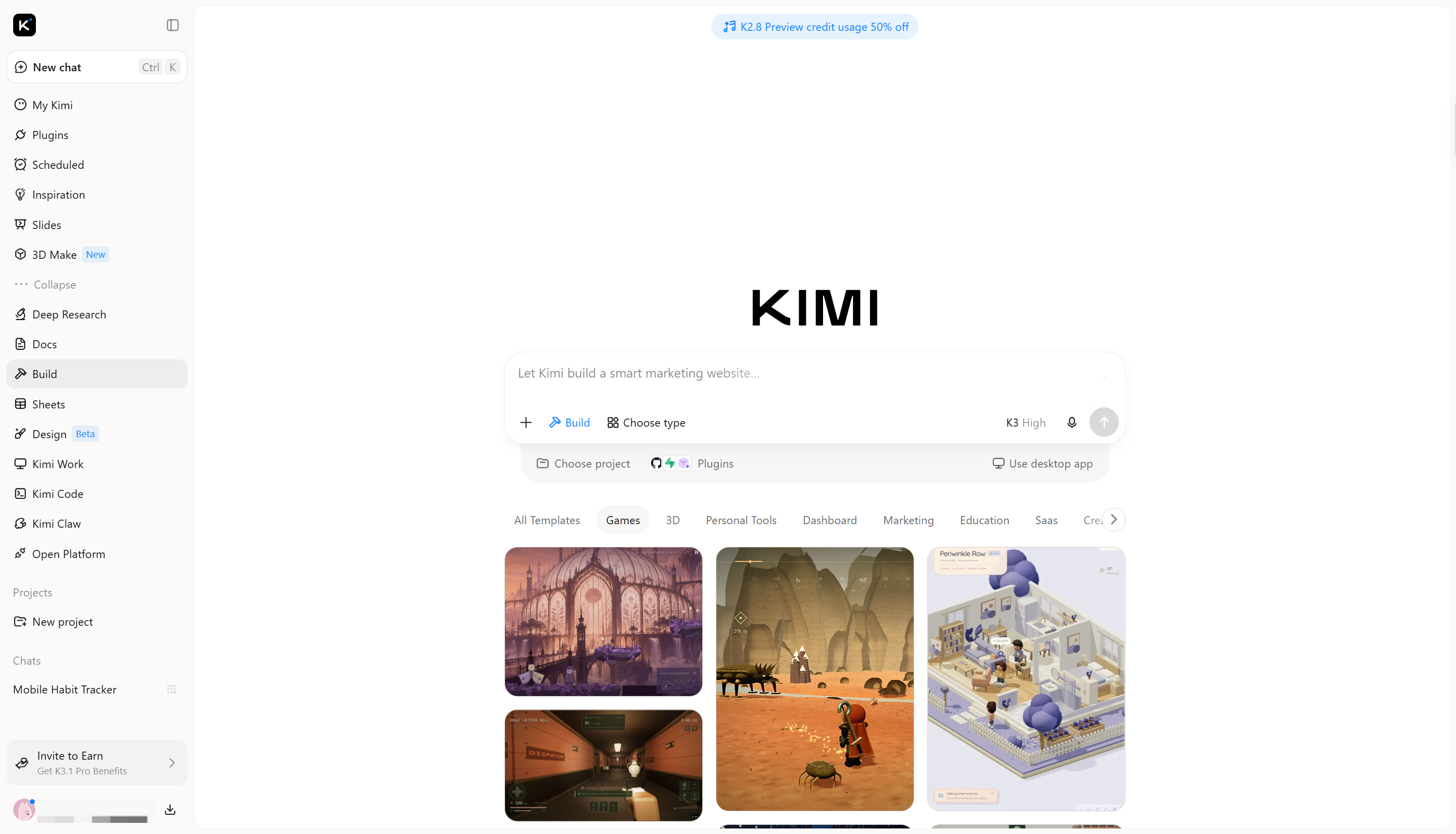
Key features of Kimi Build
Kimi Build offers several features that make it easier to turn creative concepts into functional digital experiences. These capabilities support different stages of the creation process, from developing initial ideas to adding interactive elements. Some of its key features include:
Turn game ideas and visual references into playable prototypes: Describe your game concept, including its genre, setting, characters, objectives, and core mechanics, and upload reference images to guide the visual direction. Kimi Build transforms these inputs into a playable game foundation, bringing your initial ideas and visual inspiration together.
Create polished game visuals with cohesive art direction: Generate visually appealing game environments, characters, and other assets with carefully crafted details and consistent visual elements. Kimi Build helps translate your creative direction into well-designed game scenes, giving your prototypes a more polished and cohesive look.
Build interactive environments and gameplay experiences: Generate playable levels with interactive elements, physical interactions, character movement, and dynamic effects. This allows you to bring game scenes and mechanics together rather than creating static visual concepts.
Customize game elements through flexible editing: Refine your game in multiple ways. Enter follow-up prompts in the chat to adjust gameplay, visuals, and mechanics, leave comments on specific elements to request targeted changes, or manually edit elements on the canvas to fine-tune the result.
Preview, iterate, and share your games: Play and test your game directly in the browser to evaluate its mechanics and overall experience. Revisit previous versions through version history, refine your design as needed, and share your playable game with others through a link.
How to build a game with AI
Building a game with AI becomes easier when you break the process into clear steps. From developing your initial concept to creating assets and adding gameplay features, each stage helps shape your idea into a playable experience. Follow these steps to get started:
Step 1: Describe your game idea in a detailed prompt
Start by describing the type of game you want to create in Kimi Build. A clear prompt helps the AI understand your concept, gameplay mechanics, visual style, and the experience you want players to have.
Example prompt:
Create an interactive 3D platformer game with a colorful cartoon-style design.
Include the following elements:
- Game theme: A character exploring a magical forest.
- Gameplay: Players jump across platforms, avoid obstacles, and collect coins.
- Character: A cute animated explorer with simple movements.
- Environment: Colorful backgrounds, trees, platforms, and hidden paths.
- Controls: Keyboard arrow keys for movement and spacebar for jumping.
- Features: Score counter, health indicator, multiple levels, and a restart button.
- Visual style: Bright colors, smooth animations, and playful graphics.
- Sound: Background music and simple sound effects for jumping and collecting coins.
Make the game responsive, easy to play, and fully interactive.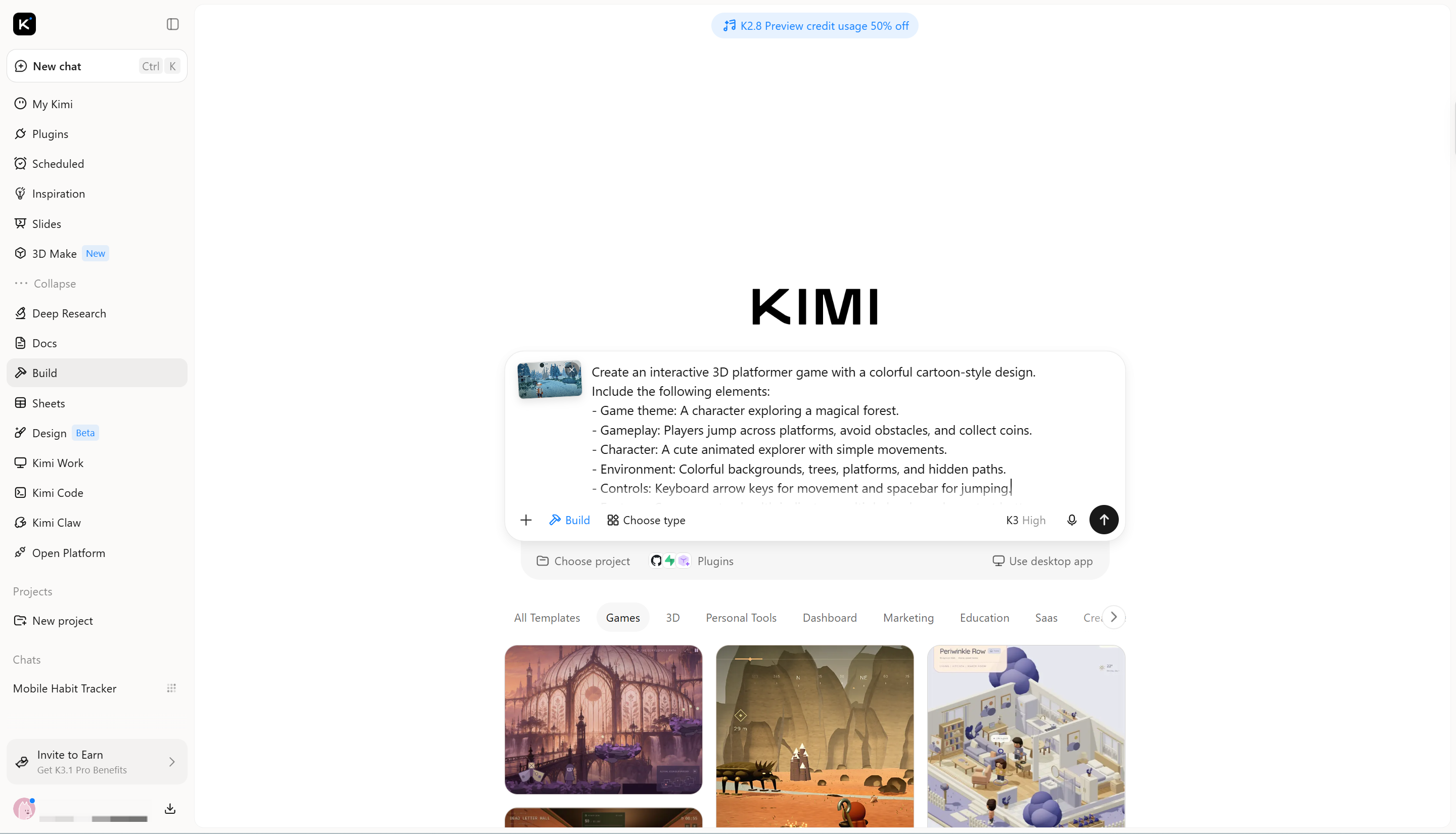
Step 2: Refine the gameplay and visual elements
After generating the initial version, review the gameplay, character movements, environment, and overall design. Identify anything that needs improvement, such as unclear controls, missing features, or visual elements that do not match your concept.
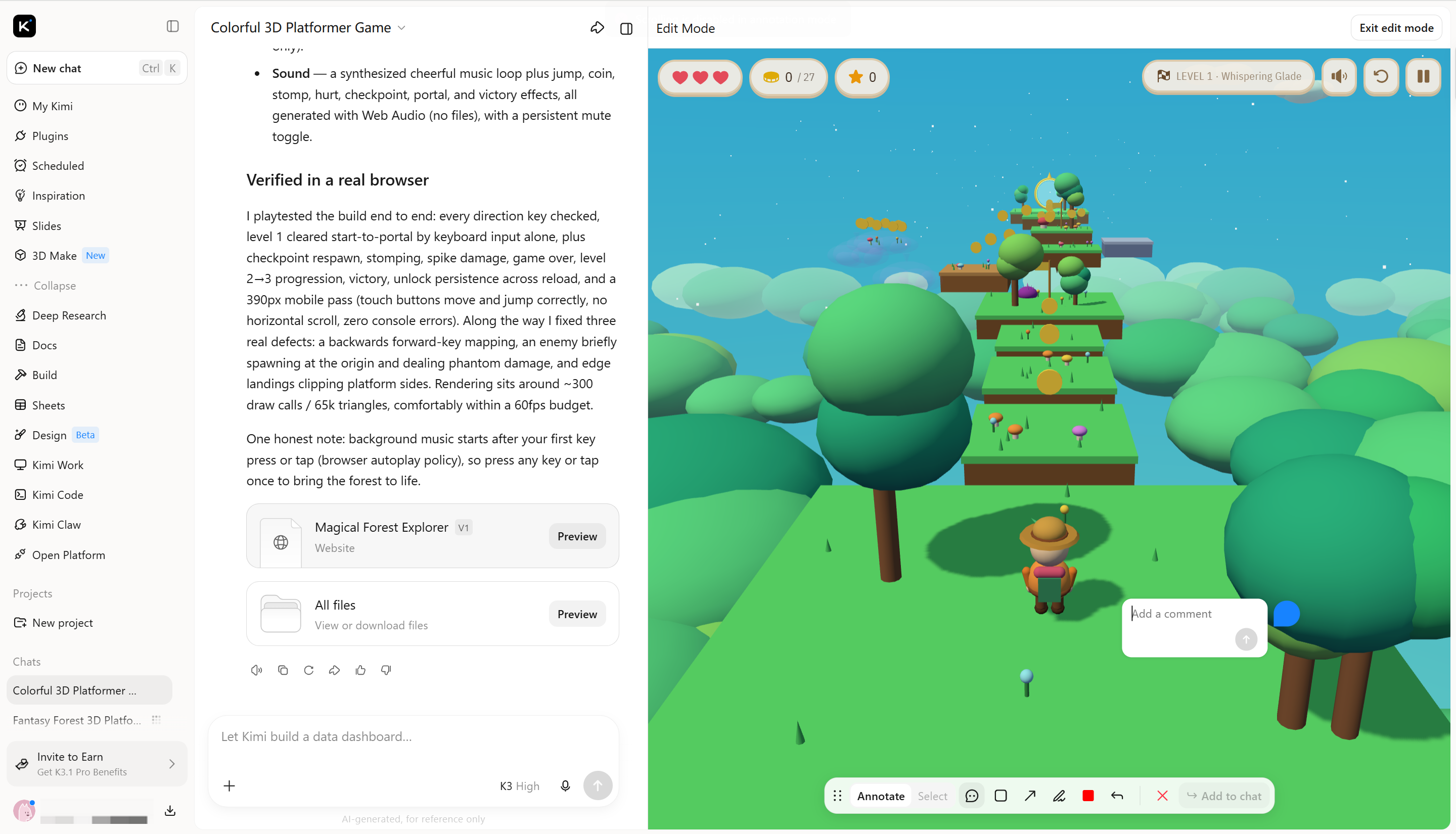
Step 3: Review and publish your final game
Once the refinements are complete, play through the game to check its controls, animations, scoring system, and overall functionality. Fix any remaining issues, make sure the experience works properly across screen sizes, and publish the finished version when everything is ready.
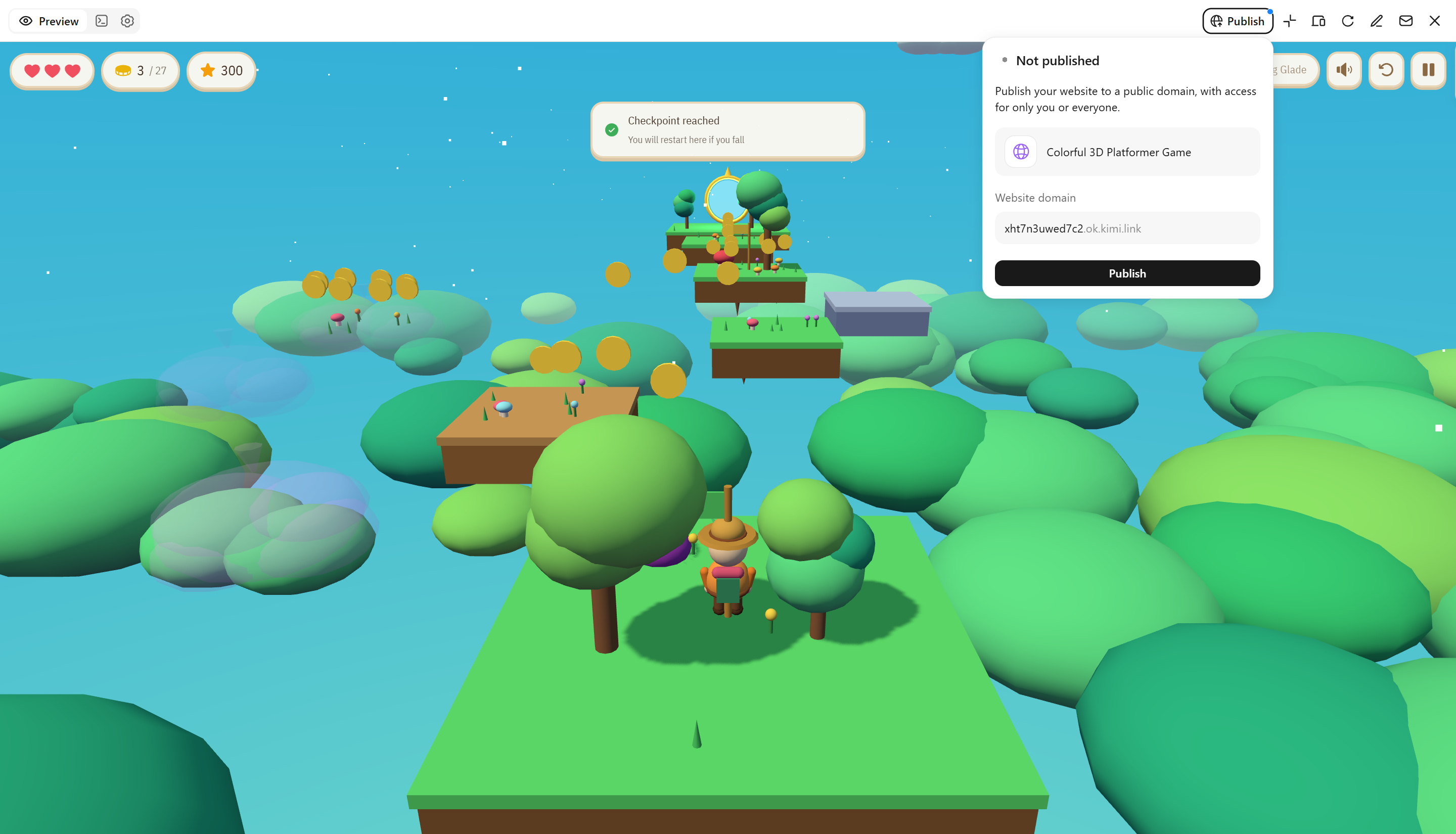
Benefits and challenges of AI in game development
AI is creating new opportunities for game developers, making it easier to design games, improve gameplay, and manage production tasks. However, using AI also comes with certain limitations that developers need to consider. Understanding both sides helps make better use of AI throughout the development process:
Benefits
AI offers several practical advantages that can make game development faster, more creative, and efficient. Here are some of the main benefits developers can gain from using AI:
Reduce development time and repetitive work
AI can automate repetitive tasks such as asset generation, animation support, and testing. This allows developers to spend less time on manual work and focus more on important creative and technical decisions.
Expand creative possibilities
Generative AI helps developers explore new character designs, environments, storylines, and visual styles. It also makes experimenting with different game concepts easier without creating every element from scratch.
Improve player engagement
AI can make games more interactive by helping characters respond naturally to player actions. Smarter enemies, dynamic environments, and responsive gameplay can create more interesting experiences.
Support personalized gaming experiences
AI can analyze player behavior and adjust certain gameplay elements based on individual preferences. This can include changing difficulty levels or adapting game content to keep players interested.
Improve game quality and testing efficiency
AI-powered testing tools can identify bugs, detect unusual behavior, and evaluate different gameplay scenarios. This helps developers find issues earlier and improve game stability before release.
Optimize game operations
AI can help developers monitor game performance, analyze player feedback, and identify technical issues. These insights support better updates, resource management, and ongoing improvements after launch.
Challenges
Despite its advantages, AI also introduces technical, creative, and ethical challenges in game development. Developers need to understand these limitations to ensure AI-generated content and features work as intended:
Performance bottlenecks
AI models can require significant computing resources, especially when handling complex environments or real-time interactions. This can increase costs and affect performance on less powerful devices.
Repetitive generated content
AI-generated assets, environments, and dialogue can sometimes feel similar or lack originality. Without creative direction, games may lose their unique appeal.
Inconsistent NPC behavior
AI-controlled non-player characters (NPCs) may behave unpredictably or respond inappropriately to certain situations. Developers must test and refine their behavior to ensure consistent gameplay.
Data privacy concerns
Some AI systems use player data to analyze behavior and personalize experiences. Developers must handle this information responsibly and follow privacy requirements.
Over-personalization
Adapting every part of a game to individual preferences can reduce challenge and discovery. Developers need to balance personalized content with engaging gameplay.
Creative and employment concerns
AI raises questions about creative ownership, originality, and the future role of human developers. It should support human creativity rather than replace creative decision-making.
Conclusion
Creating a successful game takes more than impressive visuals or advanced technology; it requires ideas that keep players interested. AI in game development can support this process, giving creators new ways to experiment while leaving room for human imagination and decision-making. The key is to use AI where it adds real value to the experience. If you have a game idea waiting to be explored, try Kimi Build. Turn your concept into an interactive experience and see where your creativity takes you.