Creating game assets can feel challenging for beginners, especially when you want your game to look clear, attractive, and professional. Easy-to-use tools and basic techniques can help you create characters, backgrounds, objects, and other visuals without advanced design skills. In this guide, you will learn how to create game assets easily using practical steps and beginner-friendly tools.
What are game assets
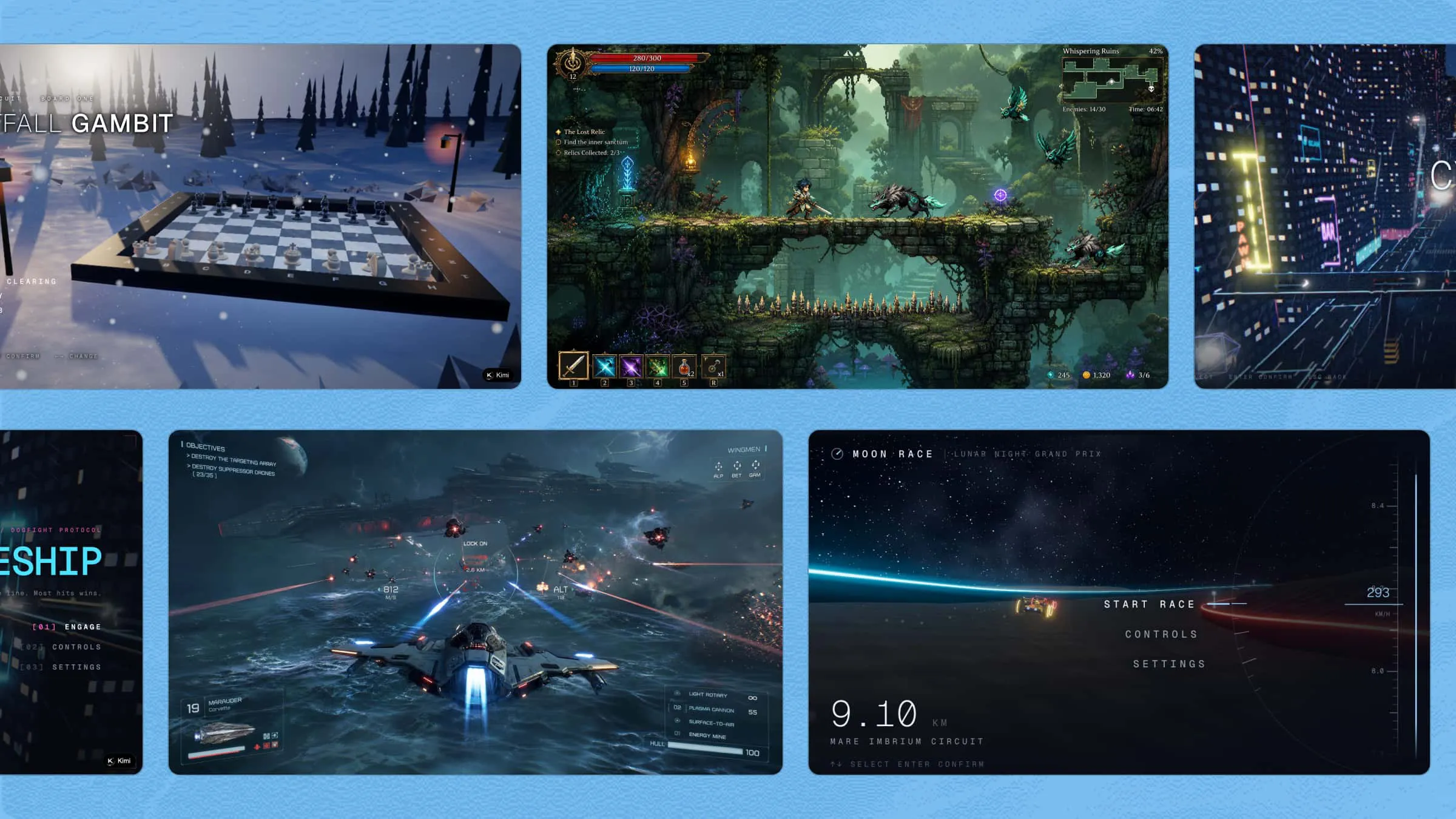
Game assets are the individual digital components that make up a video game. They can include characters, backgrounds, objects, animations, sounds, music, code, and visual effects. These elements work together to shape the game's appearance, audio, and overall gameplay. Beginners can create them from scratch or use simple tools and ready-made resources.
Different types of game assets
Game assets can vary based on the needs and style of a game. Each type serves a different purpose, from creating visuals to adding sound, movement, and other features. Here are the main types to help you choose the right ones for your project.
2D assets
2D assets are flat visual elements used to create the basic overall look of a game. They include sprites, textures, backgrounds, and UI elements. Such assets are commonly used in platformers, mobile games, and other simple 2D projects.
3D assets
3D assets give game worlds more depth and make objects appear more lifelike. They can include characters, buildings, objects, environments, and other props used in the game. These elements are useful for creating detailed 3D scenes and interactive spaces.
Audio assets
Audio assets add sound to different parts of the gaming experience. Sound effects, background music, and voice-overs can support actions, create mood, and make gameplay feel more complete. The right audio can also help players understand what is happening during the game.
Animated assets
Animated assets add movement to characters and objects within a game. Character animations, cutscenes, and environmental movements can make scenes feel more active. They also help show actions such as walking, jumping, attacking, or opening a door.
Visual effects (VFX)
Visual effects add special details that make game scenes more dynamic. Particle systems, lighting effects, and shaders can create elements such as fire, smoke, sparks, and glowing objects. These effects can also highlight important actions or events during gameplay.
How to create game assets with AI step by step
Creating game assets with AI can seem like a big task when you have many elements to design. Breaking the process into smaller steps makes each part easier to handle. You can work on one asset at a time and refine the results as your game develops. Here's how to make game assets with AI step by step.
Step 1: Pick an AI platform
Kimi Build is an AI game maker that can help you create game assets directly in your browser. It lets you use simple prompts to describe characters, objects, scenes, and other game elements. You can refine your ideas with natural-language instructions and adjust the results as needed. For beginners, choosing an AI platform like Kimi Build can make asset creation simpler and more accessible.
Why choose Kimi Build
Whether you want to develop visual elements or add creative details to your project, Kimi Build can help simplify the process without requiring advanced design skills. Here are a few of the main benefits of using Kimi Build to create game assets more efficiently.
Generate game assets from ideas or references: Describe the characters, environments, objects, or visual style you want, or upload reference images to guide the creative process. Kimi Build can help turn your ideas and visual inspiration into original game assets that fit your game concept.
Create consistent visual styles across assets: Define your preferred art direction, including themes, colors, character designs, and environments. Kimi Build helps maintain a consistent visual style across different game elements.
Create characters, objects, and environments: Generate different types of game assets, including player characters, enemies, props, collectibles, backgrounds, and interactive elements to build a complete game world.
Refine assets through natural-language prompts: Adjust details such as appearance, style, colors, animations, and gameplay elements through conversation. Continue improving assets until they match your vision.
Step 2: Describe the asset needed
Open Kimi Build and describe the game asset you want to create in a simple but detailed prompt. Tell it what type of asset you need, how it should look, and which style or features to include. Kimi Build can use your description to generate a game asset that you can preview and refine.
Example prompt:
Create a 2D pixel-art game asset of a magical treasure chest for a fantasy adventure game. Give it a wooden body, golden metal edges, glowing blue details, and a small lock on the front. Use a colorful fantasy style with clear shapes and simple shading. Keep the background transparent so the asset can be easily added to the game.Step 3: Edit your game asset
Once Kimi Build creates the first version, review the asset and identify what needs changing. You can use simple prompts to adjust colors, backgrounds, shapes, style, and other visual details. For more specific changes, click "Edit" to select the asset and add clear instructions for the updates. You can also make small adjustments manually when needed. Preview each update as you go and refine the asset until it fits your game.
Step 4: Review and download the generated output
When your game asset looks the way you want, review it one final time to check its details and quality. Make sure its visual style, colors, shapes, animation, or other relevant elements match your game's needs. Fix any small issues before using the asset in your project. Once everything is ready, download the generated output and add it to your game.
Expert practices to make game assets
Creating useful game assets is not only about making them look visually appealing. Good assets should also fit the game's style, purpose, and overall design. Keep these expert practices in mind when you make game assets with AI from start to finish.
Define the asset style and requirements first
Start by deciding the purpose, size, style, and format of the asset before creating it. Knowing these details early gives you a clear direction and reduces unnecessary changes later. It also helps the asset fit naturally into your game.
Write detailed prompts for better asset results
A well-written prompt gives AI clear information about the asset you want to create. Describe its appearance, colors, shape, style, and other important features in simple words. More specific instructions can help produce results that match your idea more closely.
Optimize assets for game performance
Keep asset files as light as possible without reducing their needed quality. Large textures, complex models, or unnecessary details can increase loading time and affect gameplay. Choose suitable file sizes and formats to help your game run smoothly.
Maintain a consistent visual style across assets
A unified art style makes different assets look like part of the same game. Keep colors, shapes, textures, and levels of detail similar throughout your project. Consistency creates a cleaner and more professional-looking game world.
Test assets in the game environment early
Place new assets into the game before completing the entire project. This lets you check their size, position, appearance, and how well they work with other elements. Finding problems early makes corrections easier and saves time later.
Refine assets through small iterations
Small changes can gradually turn a basic asset into a more refined result. Review each version and adjust one or two details instead of changing everything at once. Repeating this process helps you improve the asset while keeping its original purpose clear.
Conclusion
Learning how to design game assets can turn simple ideas into visuals that make your game more engaging and complete. Beginners can experiment with different styles, make small changes, and improve their designs as they gain experience. If you want an easier way to create and refine game assets, give Kimi Build a try and see what you can create.