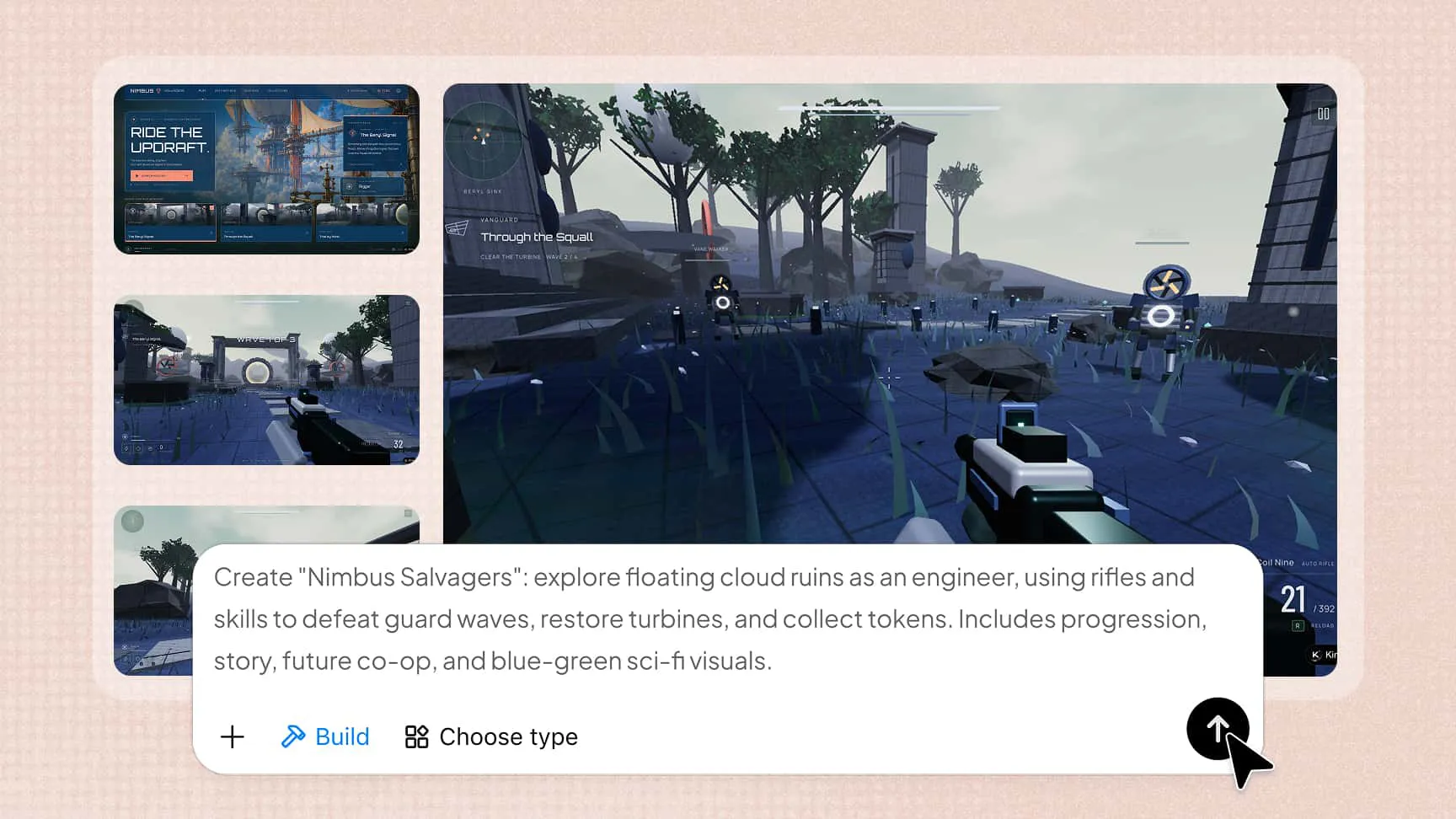
AI Game Maker: Make Ideas Playable

Forget the engine, the code, and the art pipeline. Whatever you can imagine, from a parkour race to a puzzle adventure to a whole 3D world, our AI game creator turns it into a finished game you can play and share online. Jump in and start creating, straight from your browser.

From prompt to a complete game

From prompt to playable

Describe a game, a mechanic, or a visual reference. Kimi Build develops the idea into a playable foundation with environments, assets, and game logic, so you can begin without writing code or configuring an engine.

A unified visual style

Set the art direction and carry it through the entire experience. Kimi Build coordinates color, lighting, skies, depth, shadows, particles, and animation, giving each world a consistent look that can evolve with your feedback.

Logic, levels, and physics

Go beyond the look of the game. Kimi Build creates 3D worlds with playable levels, physical interactions, and dynamic effects, bringing the rules and the environment together so players can do more than watch a generated scene.
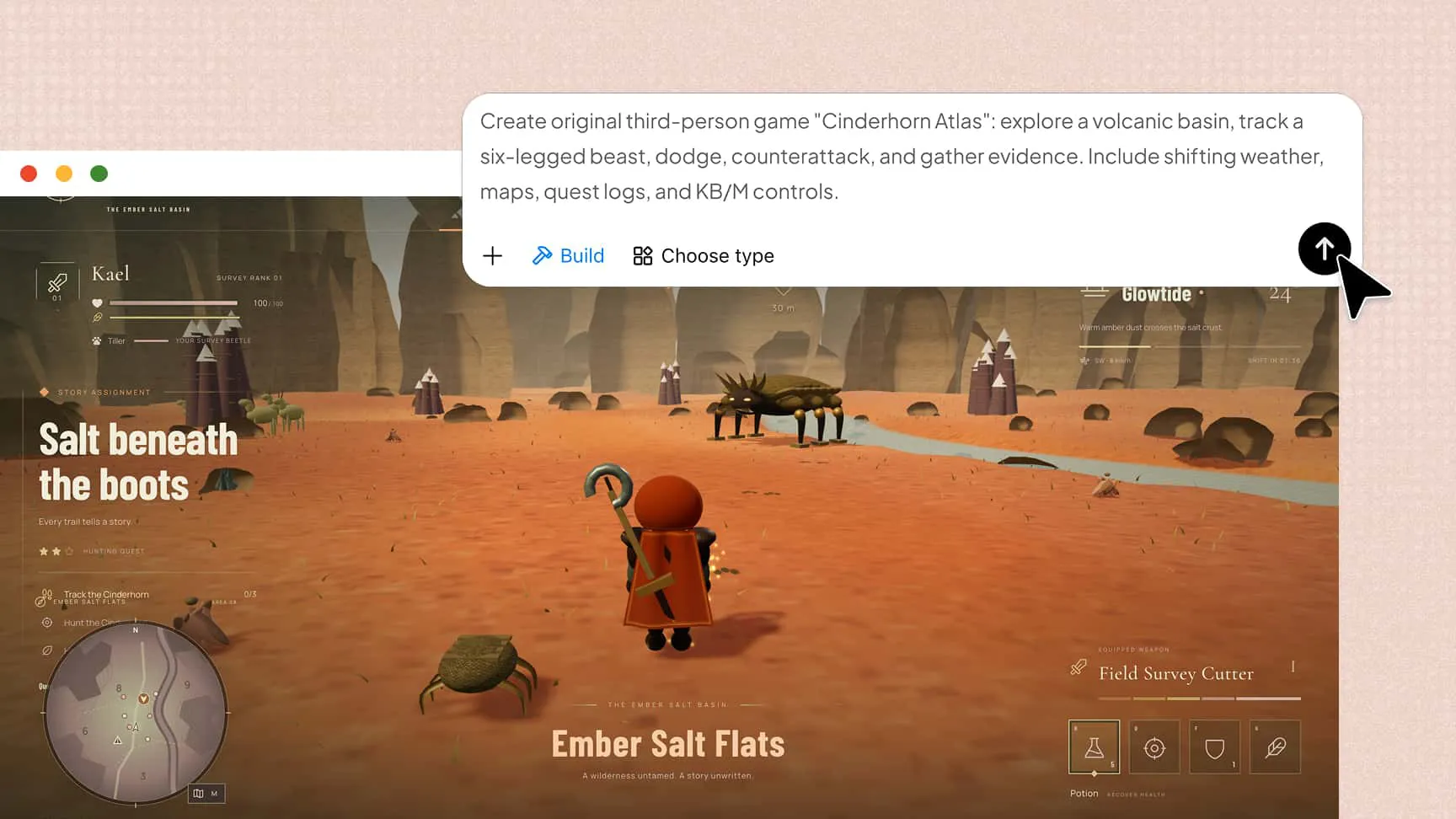
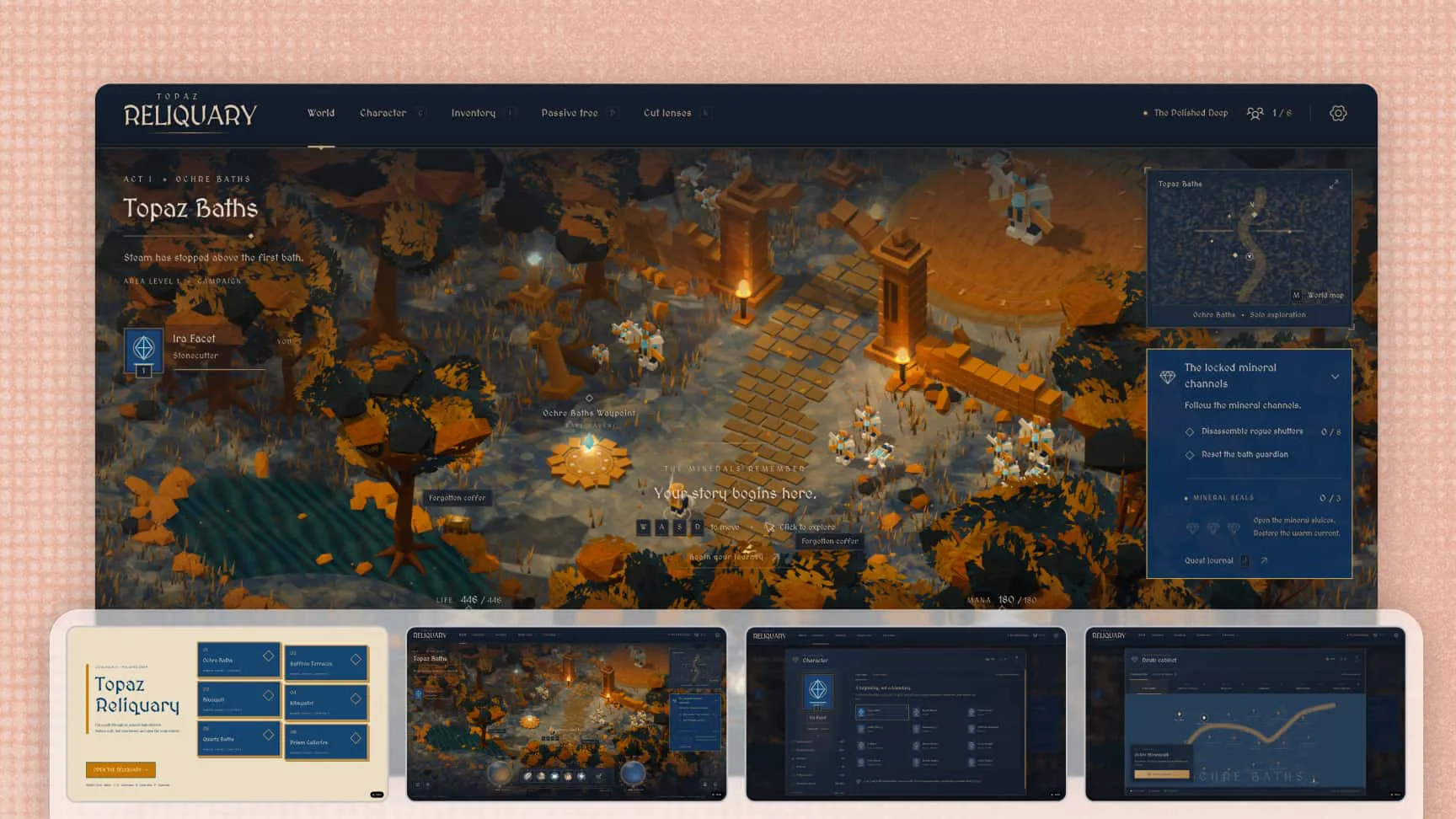
Turn a game prompt into a playable game with AI

Refine how it plays

Use follow-up prompts to adjust movement, difficulty, level design, or art direction. Change a specific detail or take the experience in a new direction while Kimi Build handles the underlying updates.
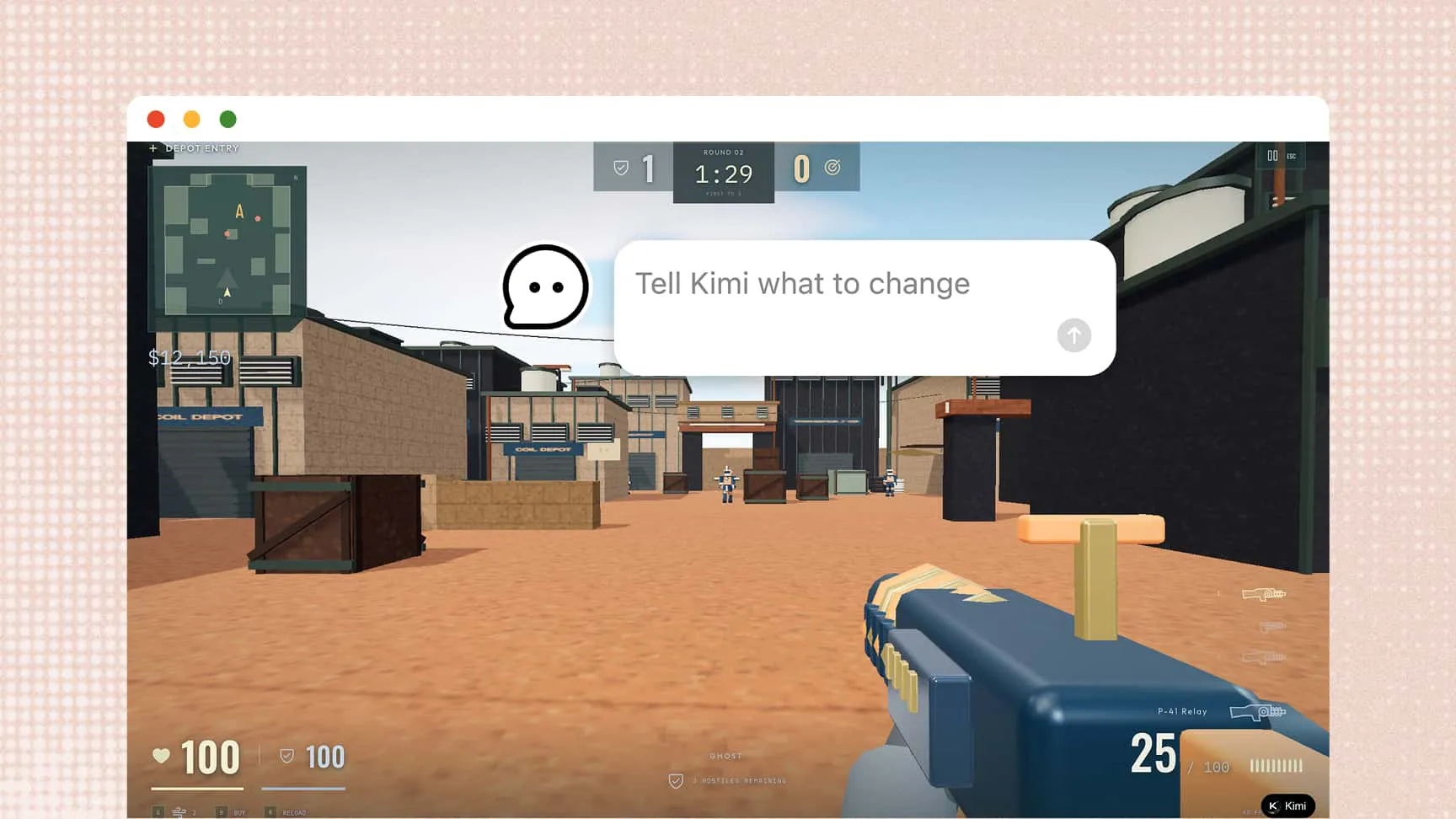
Refine gameplay with AI follow-up prompts

Play, share, and revisit

Test the game in the preview without downloading anything, then share a link when it is ready. Version history keeps earlier directions available, while desktop and mobile support lets players pick up the experience across devices.
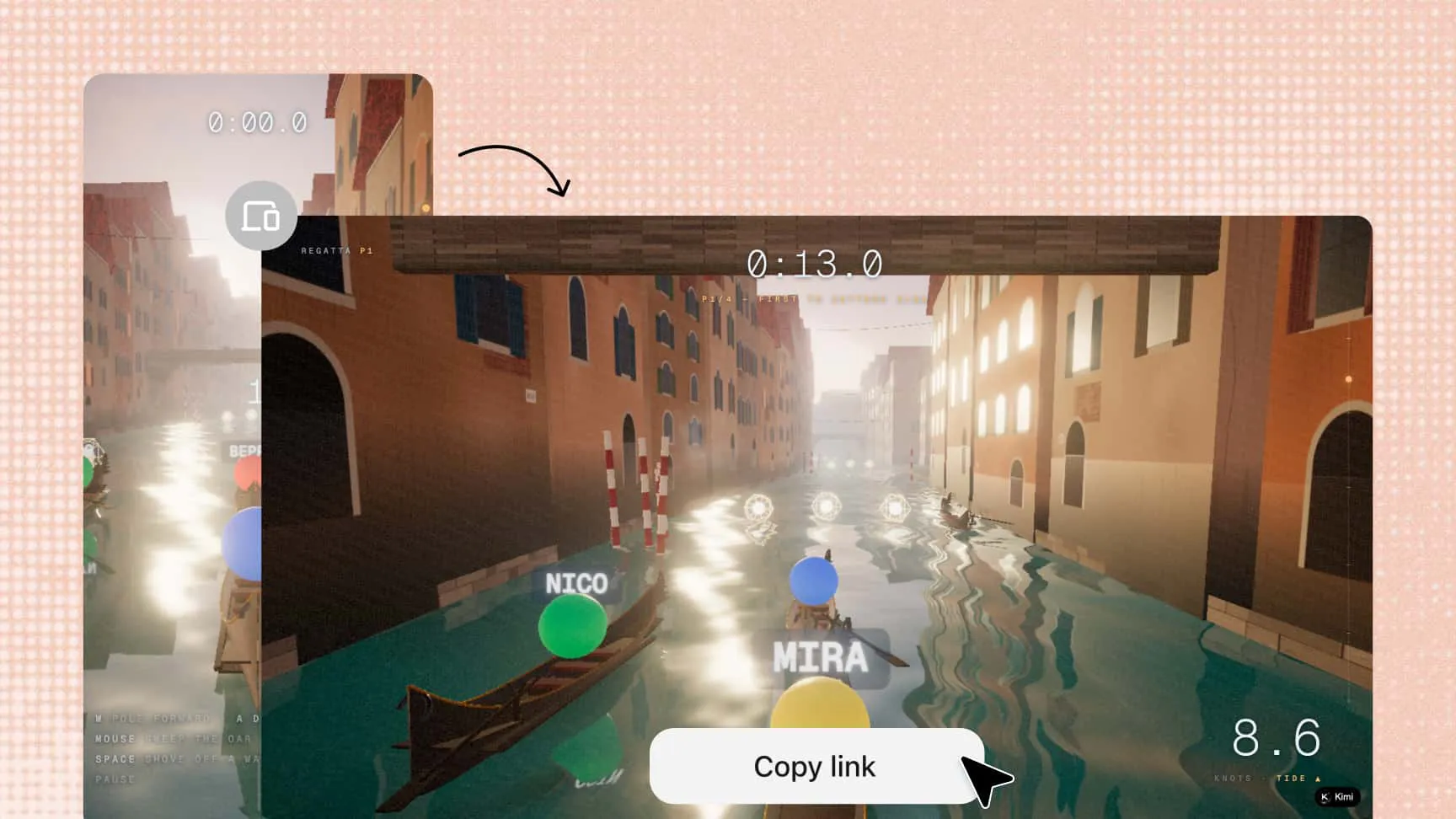
Play and share an AI-generated game online

Discover what Kimi Build can create

3D GBA Emulator

Try the demo

A working Game Boy Advance emulator with a faithfully modeled console and a real mGBA core, so you can actually play classic GBA games. External assets used: AGB-001 model.

How to make a game with AI

Step 1: Describe your game

Describe the genre, world, characters, rules, art style, or how the game should feel. You can also add a reference image to guide the visual direction.

Step 2: Let AI make it

Our game generator turns your direction into a playable foundation, building the visuals, levels, assets, and game logic for you.

Step 3: Play, tweak, and share

Ask AI to adjust the feel, difficulty, levels, or visual style. When the game matches your vision, share it with other players through a link.

FAQ

An AI game maker turns text prompts or reference images into interactive experiences by creating the visuals, environments, assets, and game logic for you. Kimi Build also works as an AI video game maker, giving you a playable result that you can test and refine rather than a static concept or a block of code.
No. You can describe the game you want in plain language and guide the result through conversation, without writing code, configuring an engine, or creating the artwork yourself. If you have a more specific vision, you can add details about the mechanics, difficulty, level structure, or art direction, and Kimi Build will use them to shape the game.
You can create puzzle and casual games, platformers, RPGs, interactive stories, 3D worlds, simulations, and browser-based games. As an AI video game creator, Kimi Build can start from a clearly defined genre or a broader idea, then build the environments, assets, and gameplay foundation you need to develop the experience further.
The result is a playable game, not only a visual mockup. Kimi Build brings together environments, levels, assets, game logic, and physical interactions, then lets you test the experience and keep adjusting it. You can explore the world, evaluate how it plays, and share it with others when it feels ready.
You control the art direction, so your game does not have to follow a standard template. Describe the mood and visual style you want, or provide a reference image, and Kimi Build will carry that direction through the colors, lighting, environments, effects, and animation. You can also change the style later without rebuilding the entire concept from scratch.
Yes. The experience adapts across mobile and desktop, so you can test and play your game on different devices without creating a separate version for each one. When you are ready to share it, other players can open the game through a link and start playing without downloading an additional package.
Yes. Use follow-up prompts to adjust movement, game feel, difficulty, levels, mechanics, or visual style as the idea develops. You can focus on a specific detail or change the broader direction, while version history lets you revisit earlier versions and continue from the direction that works best.
Kimi Build interprets your description and turns it into the components of a playable experience, including environments, visual assets, levels, and game logic. Once the first version is ready, you can test it and continue giving feedback in plain language, making generation the starting point for iteration rather than the final step.

Make your ideas playable