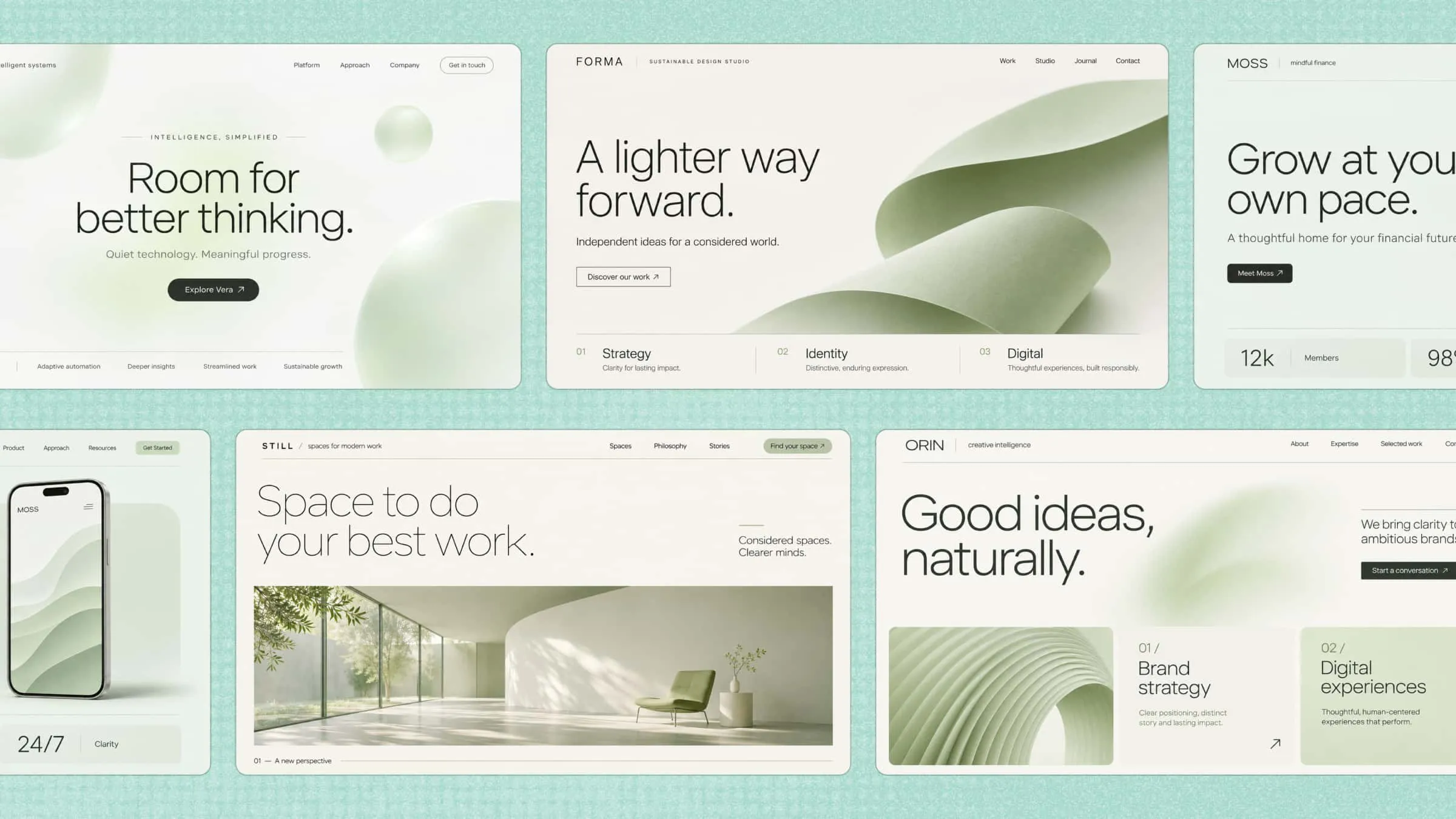
Whether you want to solve a business problem or improve the customer experience, the right web app can make a real difference. However, turning an idea into a working solution takes the right approach to custom web application development. AI tools like Kimi Build can simplify the process and help you create apps that grow with your business. Read on to explore how it works and how to build an app that meets your goals.
What is custom web app development
Custom web app development is the process of creating a web application based on a business's specific needs and goals. Unlike ready-made software, a custom web app includes features, designs, and functions tailored to its users. It can help businesses manage tasks, serve customers, and improve daily operations. These applications can also grow and adapt as business needs change.
Custom web applications vs. traditional websites
Although both are accessed through a web browser, traditional websites and custom web applications serve different purposes. A traditional website mainly shares information, while a custom web app lets users interact with features, manage data, and complete specific tasks. Understanding these differences can help you decide which option best suits your needs. The table below highlights the key differences:
| Aspect | Traditional website | Custom web application |
|---|---|---|
| Primary purpose | Present information and content | Help users complete specific tasks |
| User interaction | Mainly browsing and navigation | Data input, processing, and interaction |
| Functionality | Pages, articles, and contact forms | Dashboards, accounts, workflows, and integrations |
| Personalization | Usually limited | Can adapt to different users and roles |
| Complexity | Generally lower | Depends on business logic and system requirements |
Types of custom web applications
Custom web applications can serve different purposes depending on who uses them and what they need to accomplish. Some are designed to improve customer experience, while others help employees manage tasks or handle large amounts of business data. Here are some of its main types.
Customer-facing web applications
These applications are built for customers to interact with a business online. Examples include online shopping platforms, booking systems, and customer portals. They make it easier for users to browse products, place orders, manage accounts, and access services.
Internal business applications
Internal business applications help employees manage everyday work and business processes. They can include project management tools, inventory systems, employee portals, and task trackers. These apps reduce manual work, improve team communication, and make daily operations easier to manage.
Enterprise applications
Enterprise applications are designed to support the needs of large organizations with complex operations. They often connect different departments, manage business data, and handle processes such as finance, supply chains, and customer relationships.
Data-driven and interactive applications
These applications collect, process, and display data to help users understand information and take action. Examples include analytics dashboards, financial platforms, and reporting tools. They often provide interactive charts, filters, and real-time updates to make data easier to explore.
Progressive web applications (PWAs)
Progressive web applications combine features of websites and mobile apps. Users can access them through a browser, install them on their devices, and use certain features offline. They offer a convenient experience across different devices without requiring users to download a traditional app from an app store.
Benefits of custom web application development
Every business has different needs, and ready-made applications may not always offer the right features or flexibility. Custom website application development gives businesses more control over how their applications work. Here are some key benefits that make it a useful investment for businesses of different sizes.
Fit unique business workflows
Every business follows its own processes, and a one-size-fits-all application may not support them properly. Custom applications are built around your existing workflows, making it easier to manage tasks and handle daily operations. This helps teams work in a way that suits their specific needs without unnecessary features.
Improve operational efficiency
Custom web applications can automate repetitive tasks and reduce the need for manual work. Employees can manage information, track progress, and complete daily activities from one place. This saves time, reduces errors, and allows teams to focus on more important business tasks.
Support business growth and scalability
Business needs change as a company grows, and its applications should be able to keep up. Custom applications can be expanded with new features, users, and functions. This makes custom website application development a practical option for businesses that want a solution that can support their long-term growth.
Connect existing business systems
Businesses often use different tools to manage sales, customer information, payments, and other activities. A custom web application can connect these systems so they can share information more easily. This reduces the need to switch between platforms and helps keep business data organized.
Deliver personalized user experiences
Custom applications allow businesses to design features around what their users actually need. They can offer personalized dashboards, account settings, and content based on different user roles or preferences. This makes the application easier to use and helps create a better experience for customers and employees.
Maintain greater control over application functionality
With a custom application, businesses have more control over its features, design, and overall functionality. They can decide what to include, update existing features, and remove anything that no longer serves a purpose. This flexibility makes it easier to keep the application aligned with changing business requirements.
How to develop a custom web application with AI
Turning a business idea into a useful web application starts with knowing what you want the app to do and how people will use it. You don't always need a development team or advanced coding skills to get started. Kimi Build, an AI website builder, helps you shape your idea into a working application by generating layouts, features, and functional elements from your instructions. Here's how to use it to build an application that matches your requirements.
Step 1: Define your application goals and requirements
Start by identifying the problem your web application should solve and who will use it. Define its primary purpose, target users, expected outcomes, and essential features. For example, a customer management application may need customer profiles, record management, search filters, and a dashboard.
Step 2: Plan the application structure and user workflows
Organize the required features into pages, modules, and user journeys. Determine how users will navigate between sections and interact with different functions. You can create a simple wireframe or feature list to clarify the application structure before generation.
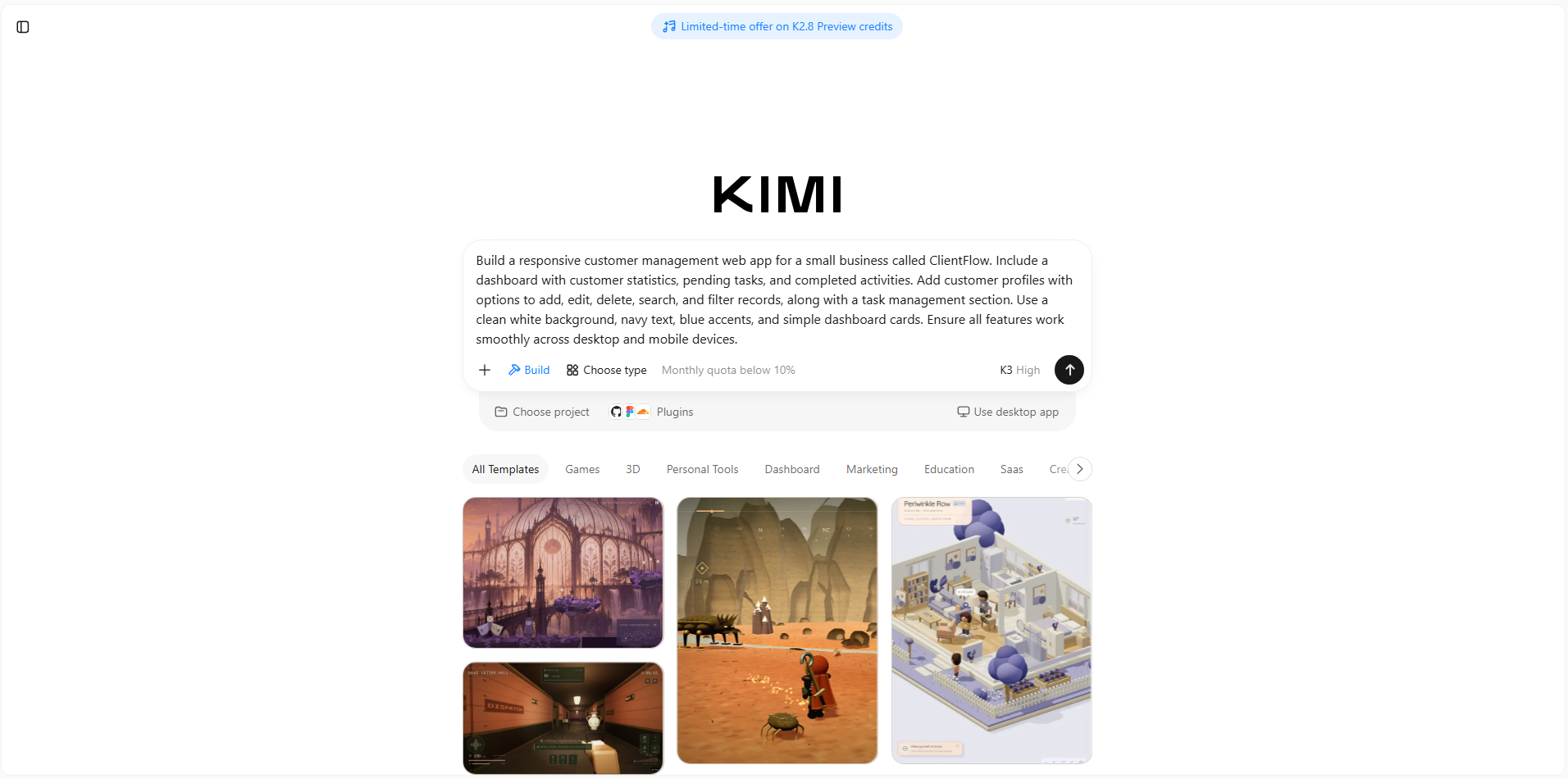
Step 3: Enter development instructions in Kimi Build
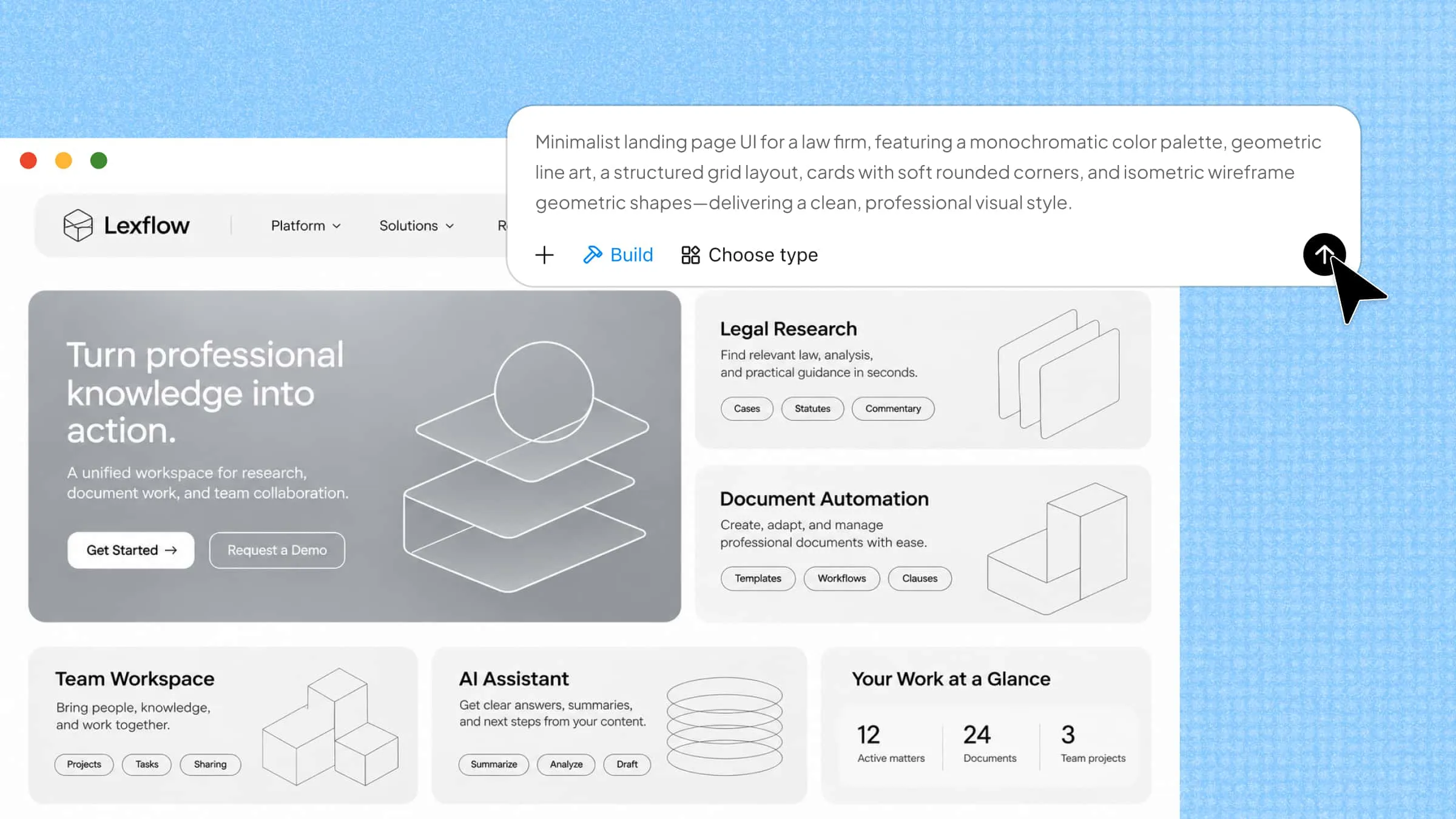
Open Kimi Build and describe your application requirements in a natural-language prompt. Include its purpose, page structure, visual preferences, user interactions, and core features. You can also upload design mockups, screenshots, or other visual references to guide the generated interface.
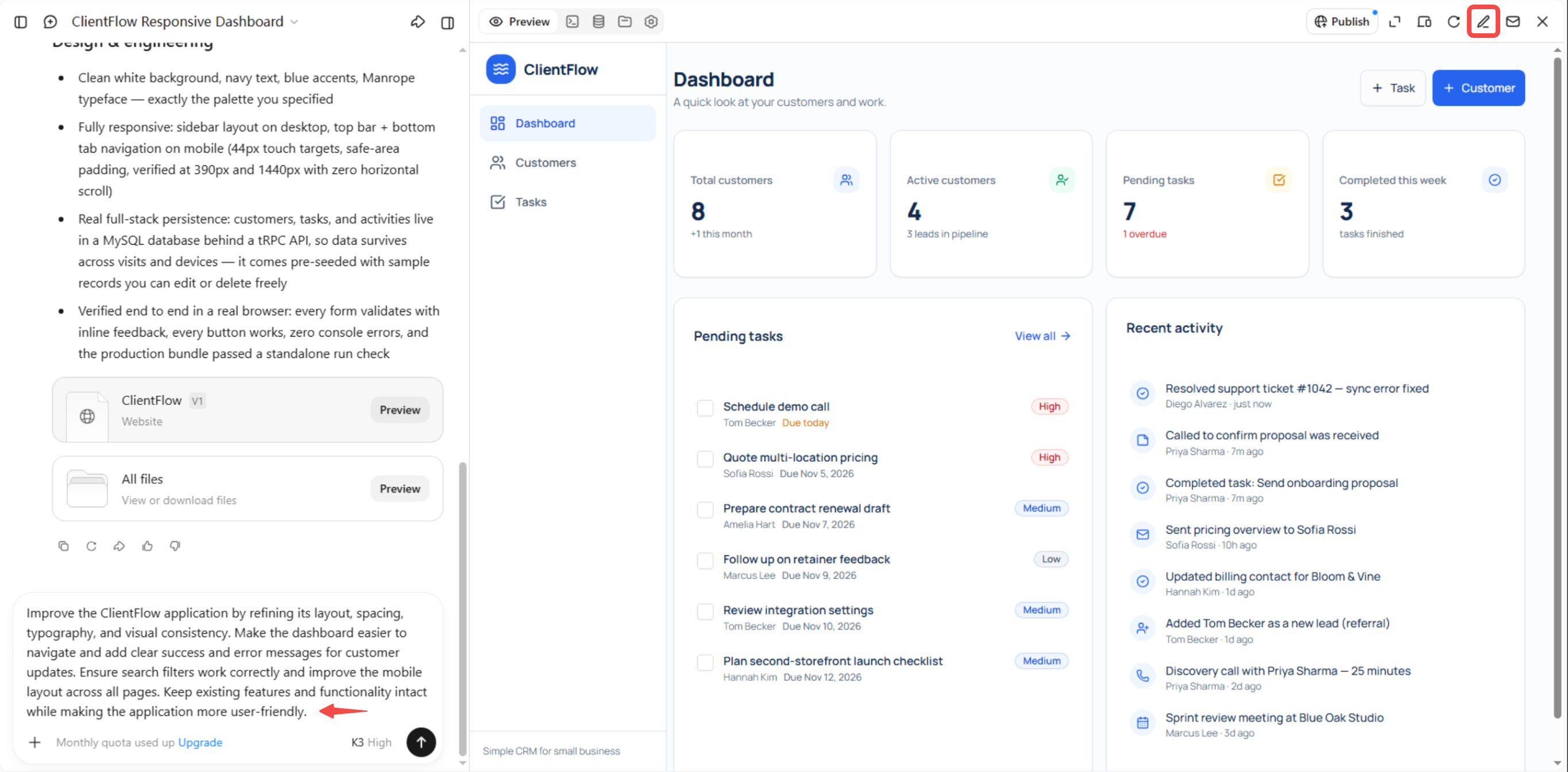
Step 4: Edit and refine the generated application
Enter follow-up prompts in the chat box to adjust the application's layout, content, or functionality. You can also click "Edit" to leave comments on specific elements and request targeted changes, or manually modify components directly. Review the updated application and revisit previous versions when needed to refine the final result.
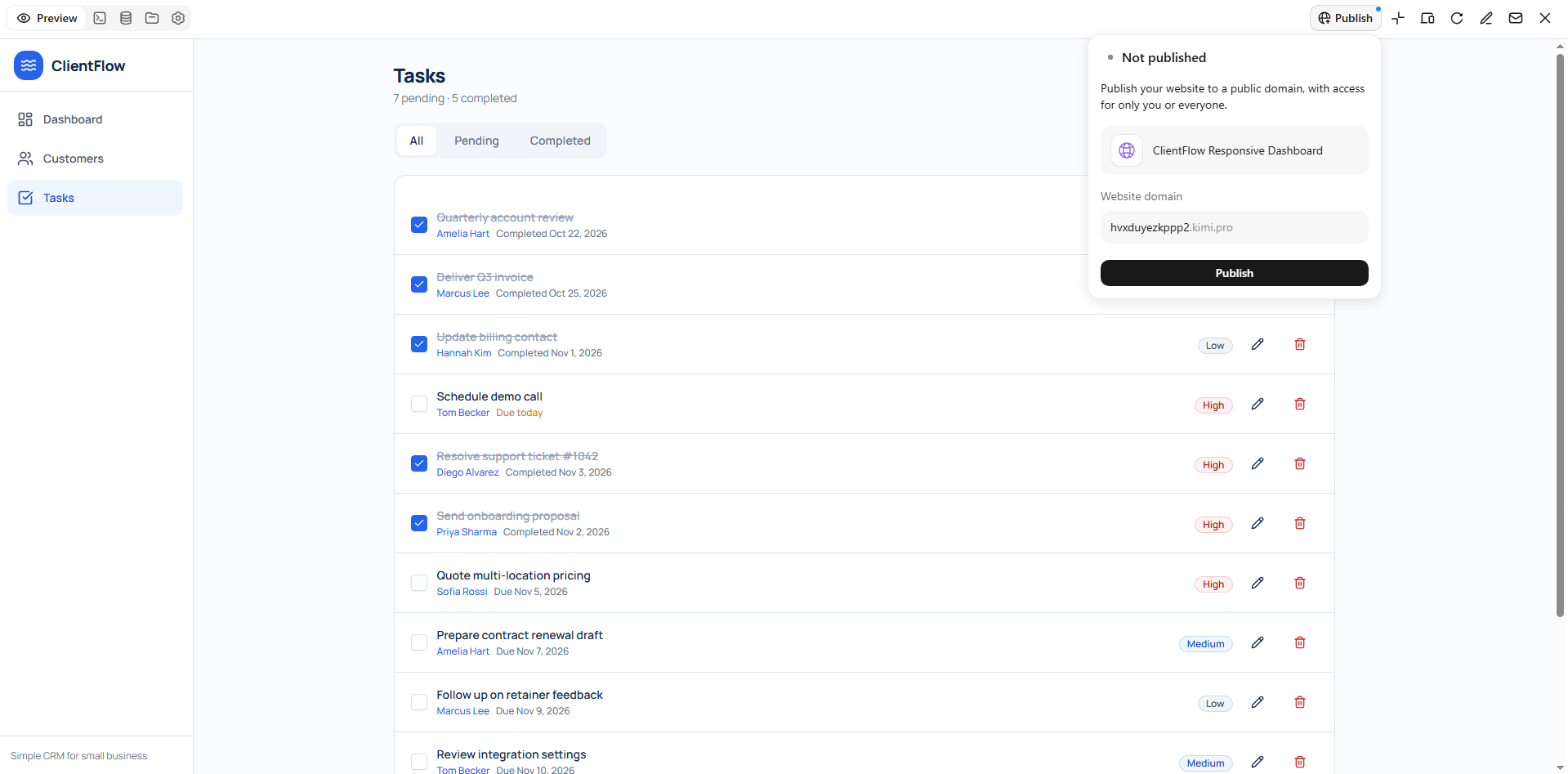
Step 5: Test, export, and publish your application
Test the application across different screen sizes and browsers. Check navigation, forms, buttons, filters, and other interactive elements to identify usability issues. Once the application meets your requirements, publish the supported project through Kimi Build and share it using a public link. You can also download the project source files for further development or self-managed deployment.
Kimi Build features for custom web application development
Generate custom web interfaces from natural-language prompts: Describe your application idea, target users, business requirements, page structure, and desired features in a natural-language prompt. Kimi Build uses these instructions to generate corresponding web interfaces, helping you turn specific requirements into interactive web experiences without manually coding every element.
Create application layouts from visual references: Upload design mockups, website screenshots, or screen recordings to guide the visual direction and page structure. Kimi Build interprets these references to generate corresponding interfaces, making it easier to translate existing design concepts into customized web projects.
Create interactive components from AI prompts: Describe the interactions your application needs, such as menu navigation, form submissions, filtering, button responses, and animations. AI generates the corresponding components and interactions, which you can further adjust to support the way users navigate and use your application.
Customize application interfaces through flexible editing: Use natural-language prompts to modify page layouts, content, images, colors, and interactive elements. You can also comment on specific components to request targeted changes or manually adjust elements on the editing canvas, giving you more control over the final interface.
Manage iterations with version history: Refine your application through multiple rounds of changes and revisit earlier versions when needed. Version history helps you review design iterations, restore previous states, and experiment with different interface approaches during development.
Publish and export custom web projects: Publish supported projects online and share them through a public link. You can also download project source files for further development or self-managed deployment, allowing you to continue customizing the application as your requirements evolve.
Practical tips for custom web application development
Building a web application requires more than choosing features and creating an attractive design. You also need to consider how people will use it, how well it will perform, and whether it can support future needs. These practical tips can help you make better decisions throughout the development process.
Start with a clear minimum viable product (MVP)
Avoid trying to include every possible feature in your first version. Start with the essential functions that solve your main problem and deliver value to users. Once the application is ready, collect feedback and add more features based on actual needs.
Design around real user workflows
Think about how users will interact with your application and what they want to accomplish. Organize pages, menus, and features around their everyday tasks rather than adding elements without a clear purpose. This makes navigation easier and helps users complete their work with fewer steps.
Choose technologies based on project requirements
The right technology depends on your application's purpose, complexity, and expected number of users. Consider factors such as performance, scalability, security, and available development resources before choosing a framework or database. This helps you avoid technical limitations as your application grows.
Prioritize responsive design and accessibility
Your application should work smoothly across desktops, tablets, and mobile devices. Use flexible layouts, readable text, clear navigation, and buttons that are easy to interact with on smaller screens. Also, consider accessibility features such as keyboard navigation, image descriptions, and sufficient color contrast.
Plan for security and data management
Protecting user information should be a priority from the beginning of development. Use secure authentication, proper access controls, data encryption, and regular backups to reduce security risks. Also, make sure your application collects and stores only the information it actually needs.
Test, monitor, and improve continuously
Testing helps identify problems before they affect users. Check your application's features, forms, navigation, performance, and compatibility across different devices and browsers. After launch, monitor user feedback and application performance to fix issues and introduce useful improvements over time.
Conclusion
Building a web app no longer has to mean hiring a full development team. Custom web application development works best when you start small, listen to users, and improve step by step. However, complex projects may still need extra setup or expert help. With clear goals and smart tools, you can save time while creating something useful. Have an app idea? Start with Kimi Build and see how quickly you can bring it to life.