Designing a SaaS website from scratch can feel overwhelming, especially when you are unsure what layout, content, or visuals will work best. A site may look modern but still fail to explain the product clearly or guide visitors toward the next step. Studying well-designed websites can help you understand what makes a SaaS site both useful and appealing. The SaaS website examples in this article will give ideas that you can adapt to your own brand.
Overview of 20 SaaS website design examples
With so many SaaS websites using different layouts, styles, and messaging approaches, it helps to see what works in practice. The following examples highlight different ways brands create clear, modern, and engaging websites. Let's take a closer look at 20 SaaS website ideas to find designs you can use for your own site.
| SaaS website | URL | Category | What makes it a good example |
|---|---|---|---|
| Crewbench | https://afmckjglo24bk.ok.kimi.link | Construction crew project management | Blueprint-inspired design with clear workflows for scheduling, field logs, and crew coordination |
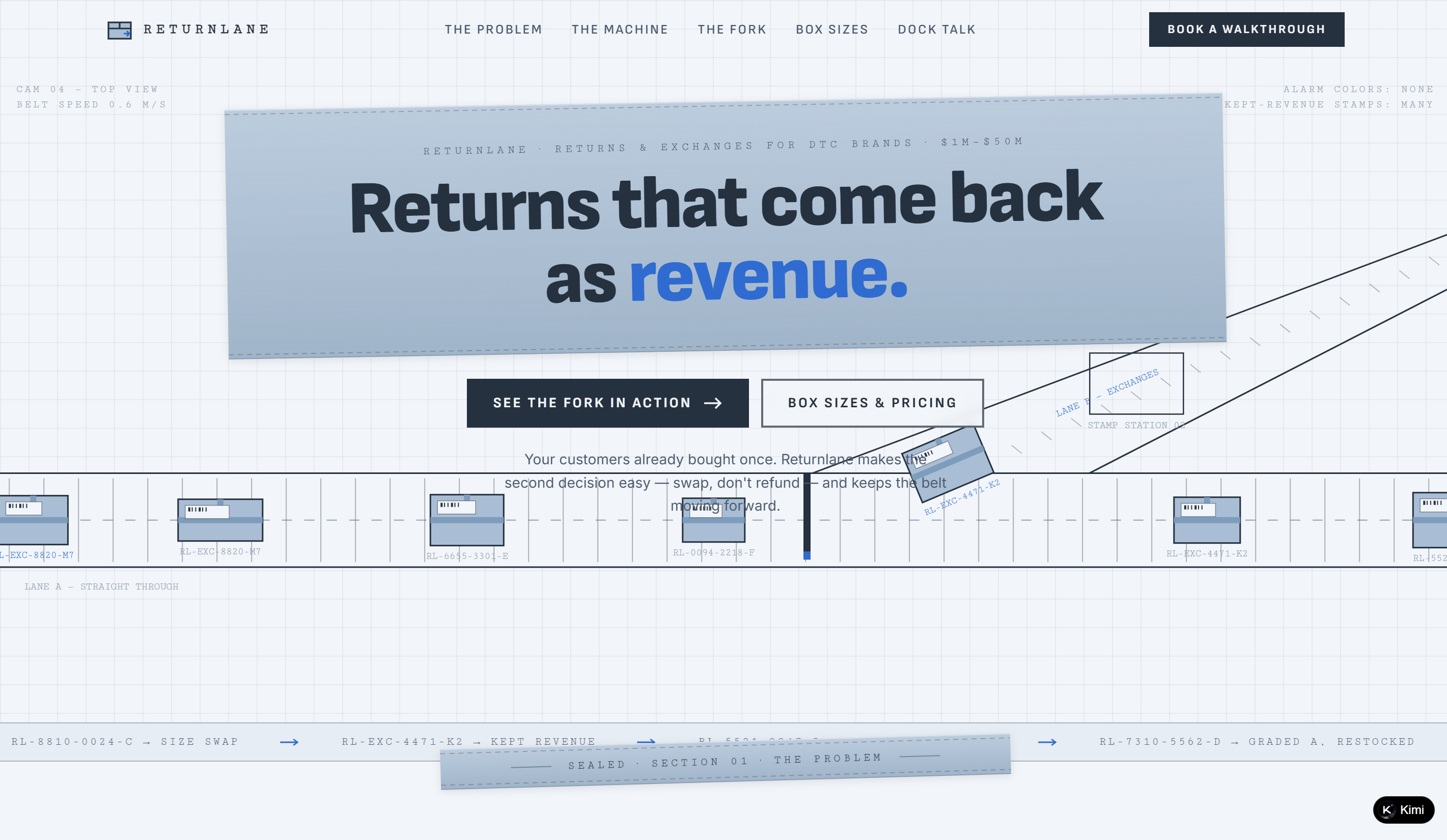
| Returnlane | https://xi2n6or24nnqe.ok.kimi.link | E-commerce returns management | Warehouse-inspired visuals and an interactive conveyor-belt demo that explains the returns workflow |
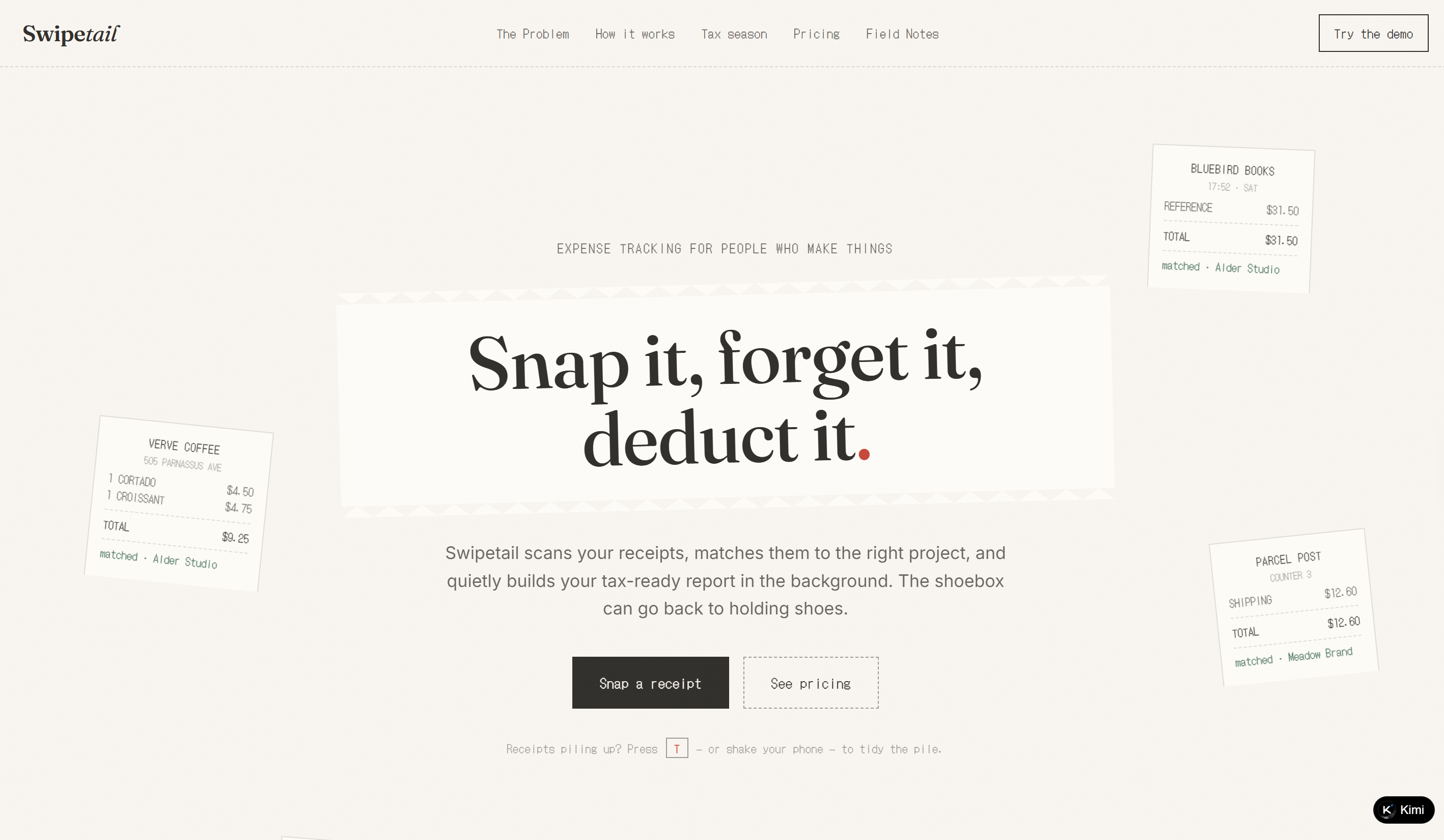
| Swipetail | https://glcdwba5mfcks.ok.kimi.link | Freelancer expense & receipt tracking | Receipt-inspired visuals, a simple three-step workflow, and a practical browser-based product demo |
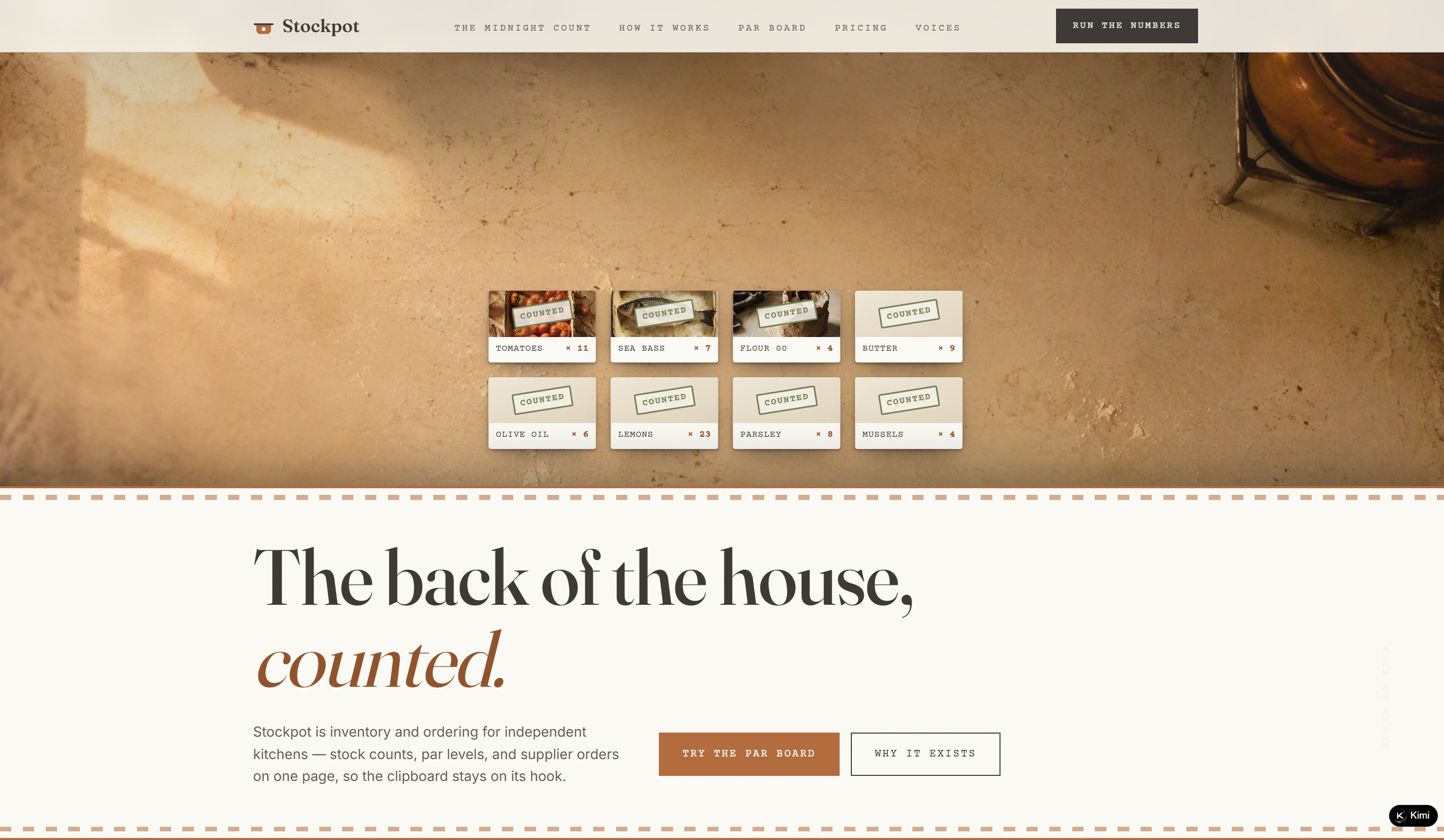
| Stockpot | https://l6ty6eddvxzqi.ok.kimi.link | Restaurant kitchen inventory | Kitchen-inspired storytelling with an interactive Par Board for inventory and ordering workflows |
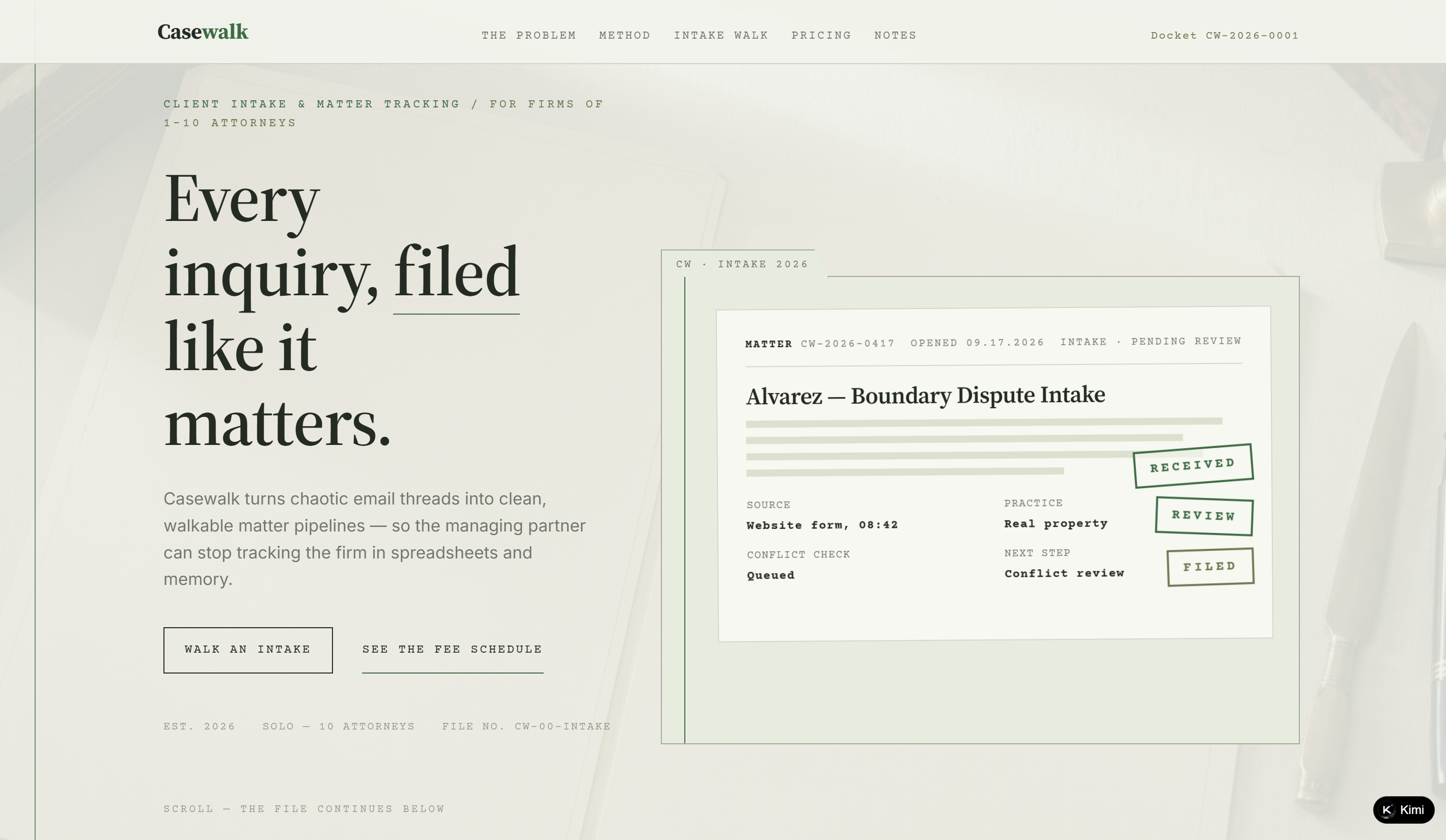
| Casewalk | https://p5jrcrrhmflgq.ok.kimi.link | Law firm client intake | Case-file-inspired design with a clear intake workflow and interactive pipeline demonstration |
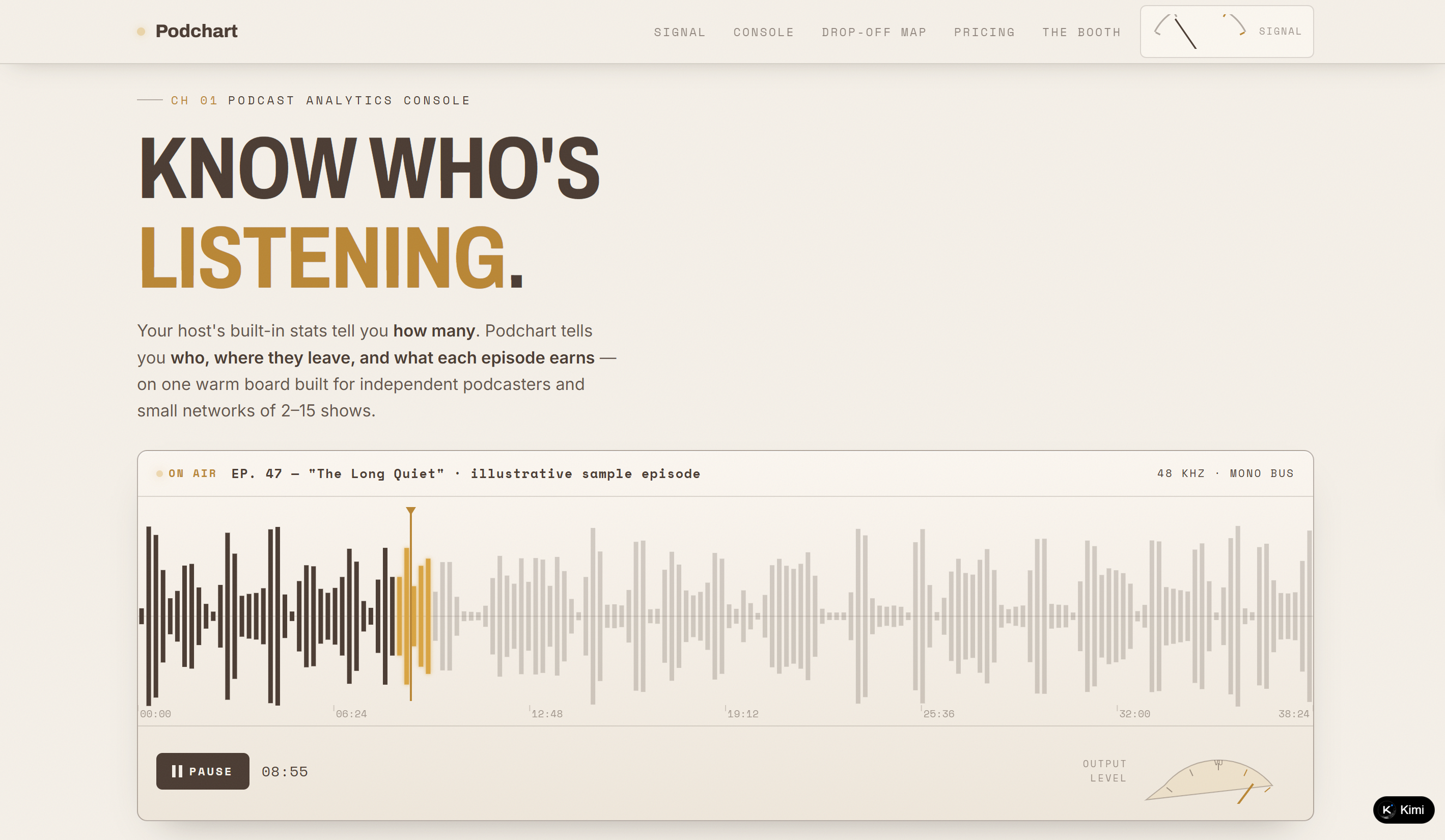
| Podchart | https://rw2qcdubfxgg6.ok.kimi.link | Podcast analytics | Analog broadcast-inspired visuals combined with interactive retention and audience analytics |
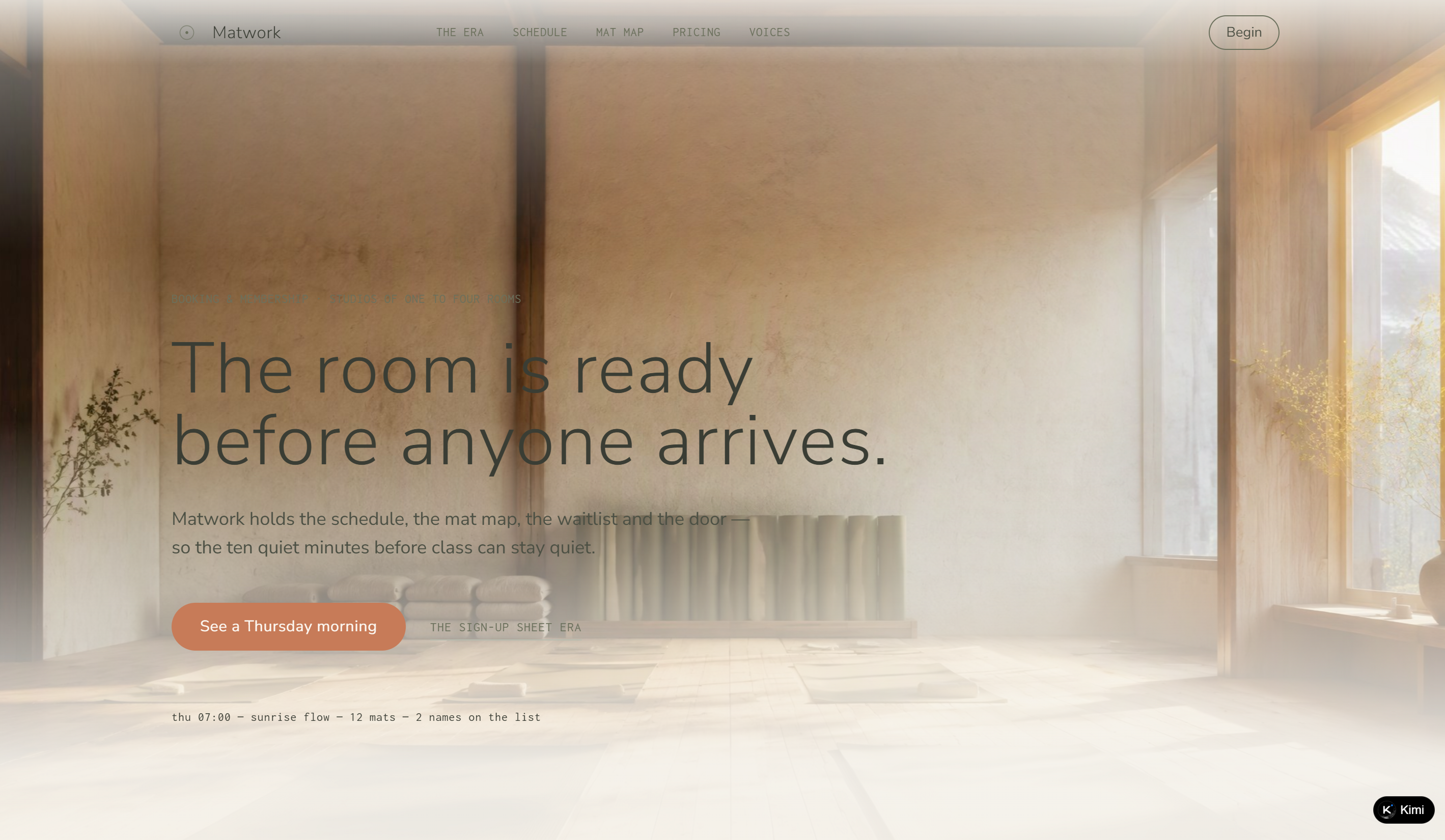
| Matwork | https://ohm36rkm5fqro.ok.kimi.link | Yoga studio booking | Calm studio-inspired design with interactive mat maps, scheduling, and automated waitlists |
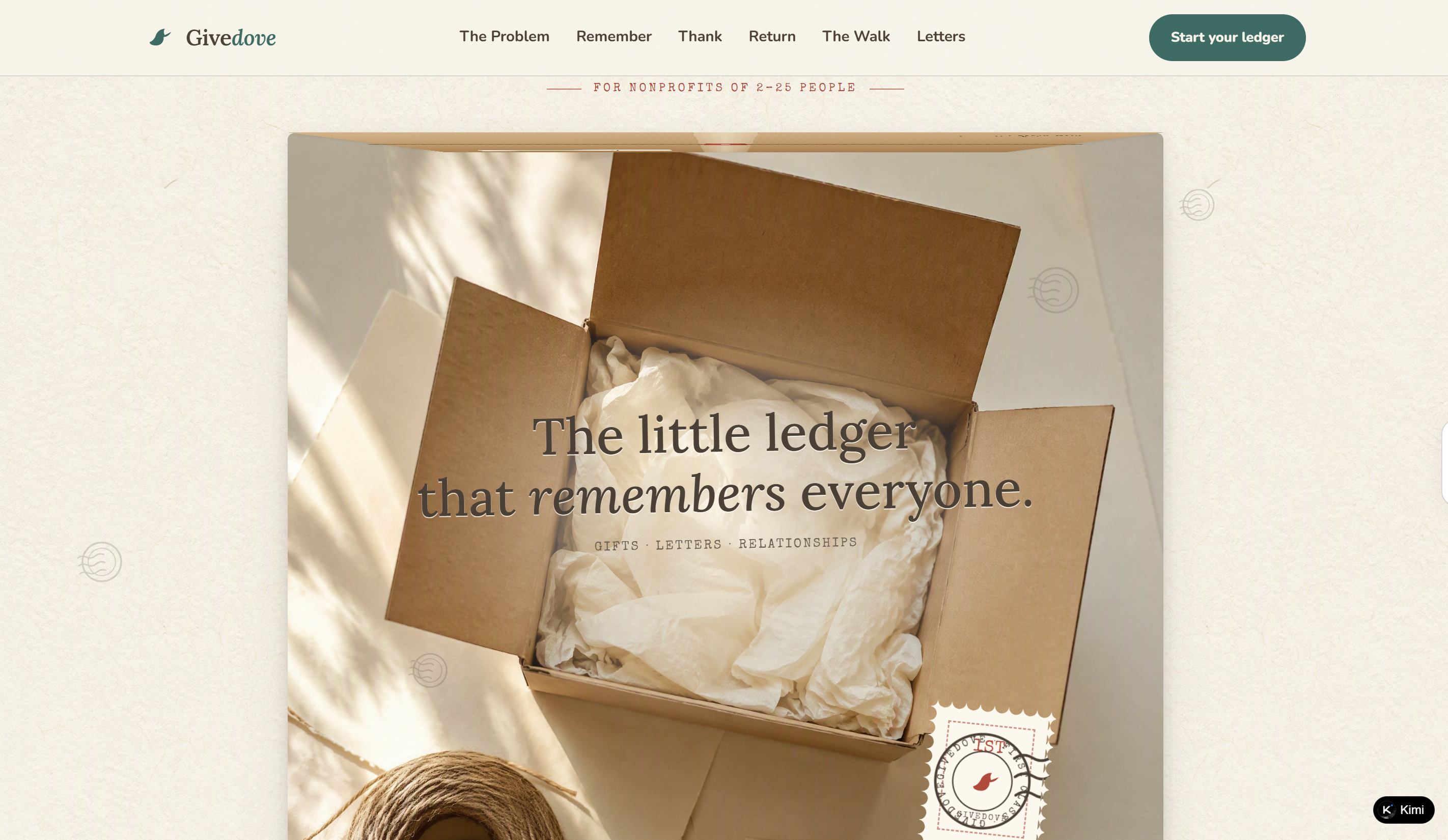
| Givedove | https://oxvsjxfjhdn4u.ok.kimi.link | Nonprofit donor management | Warm postal-inspired storytelling with donor timelines, personalized letters, and relationship tracking |
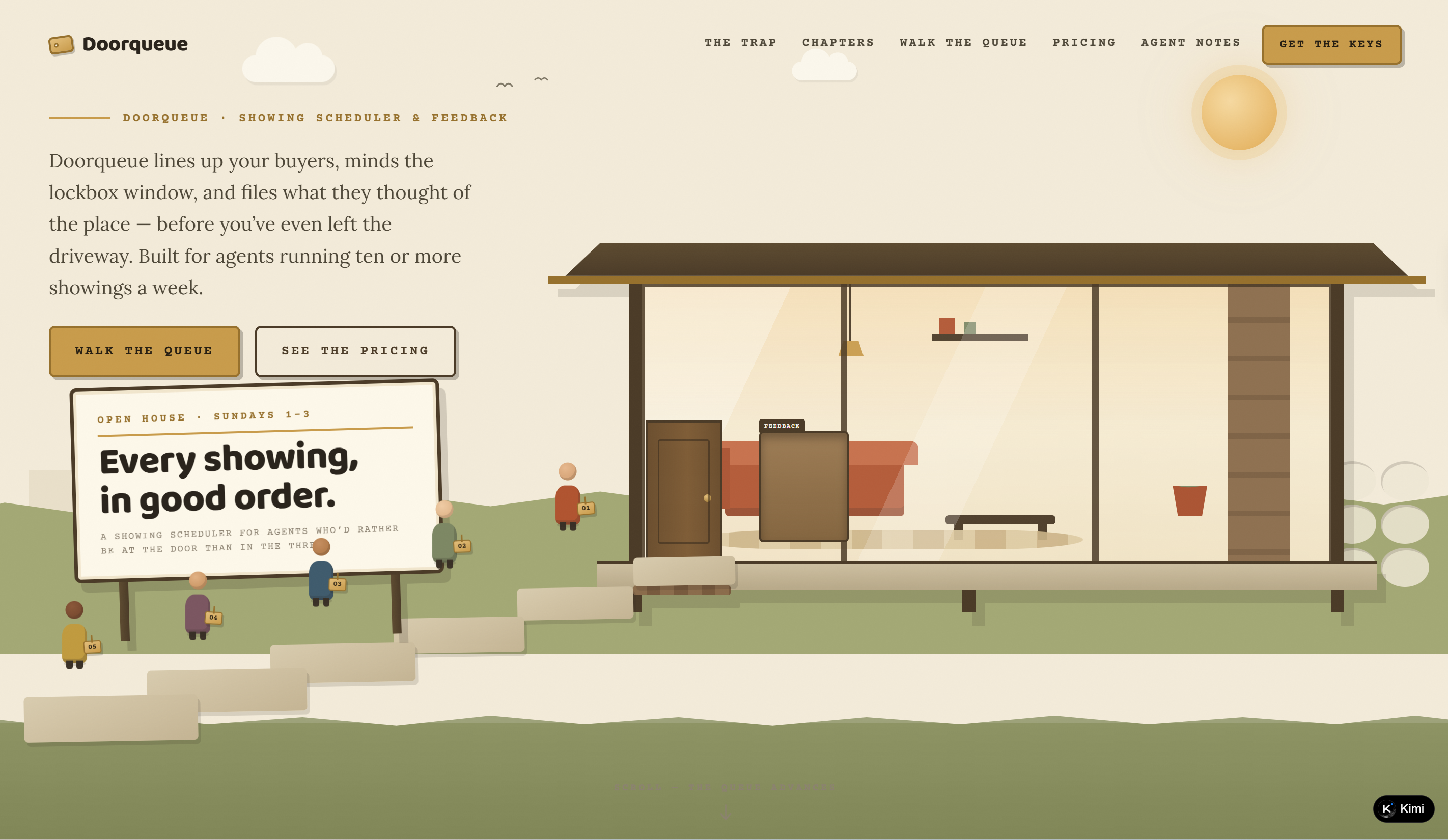
| Doorqueue | https://rs3tkzhtrpcy2.ok.kimi.link | Real estate showing scheduler | Clear queue-based interface with interactive scheduling, lockbox windows, and buyer feedback |
| Fleetfern | https://a4weasot747oe.ok.kimi.link | Fleet maintenance management | Pegboard-inspired interface with interactive vehicle records, service scheduling, and compliance tracking |
| Cohortly | https://ucmtqfmkaacfu.ok.kimi.link | Cohort-based course platform | Classroom-inspired design with shared cohort calendars, live attendance tracking, and collaborative scheduling |
| Deskhive | https://f7xul5af4n65s.ok.kimi.link | Coworking space management | Focused "Book, Bill, Brew" structure with workspace-inspired visuals, interactive demos, and clear operational workflows |
| Vowbase | https://ideulg5k6rwsm.ok.kimi.link | Wedding vendor CRM | Wedding-inspired visual identity with centralized client management, interactive demos, and a clear product journey |
| Scorefold | https://w44oorisj6d4m.ok.kimi.link | Choir & ensemble rehearsal management | Music-score-inspired interface with rehearsal scheduling, attendance tracking, and interactive score-based storytelling |
| Tanknote | https://b2s6ro4iv2jfg.ok.kimi.link | Aquaculture tank monitoring | Tank-side notebook concept with focused water quality, feeding, and mortality tracking for aquaculture operations |
| Clausewell | https://hqxhqa2tafxsc.ok.kimi.link | Freelancer contract management | Contract-inspired storytelling with a clause library, browser signatures, change orders, and an interactive clause editor |
| Tablefare | https://qf5kbmpo6xhc4.ok.kimi.link | Menu design for bistros | Typography-first restaurant menu experience with interactive menu layouts and a simple workflow for printed or QR menus |
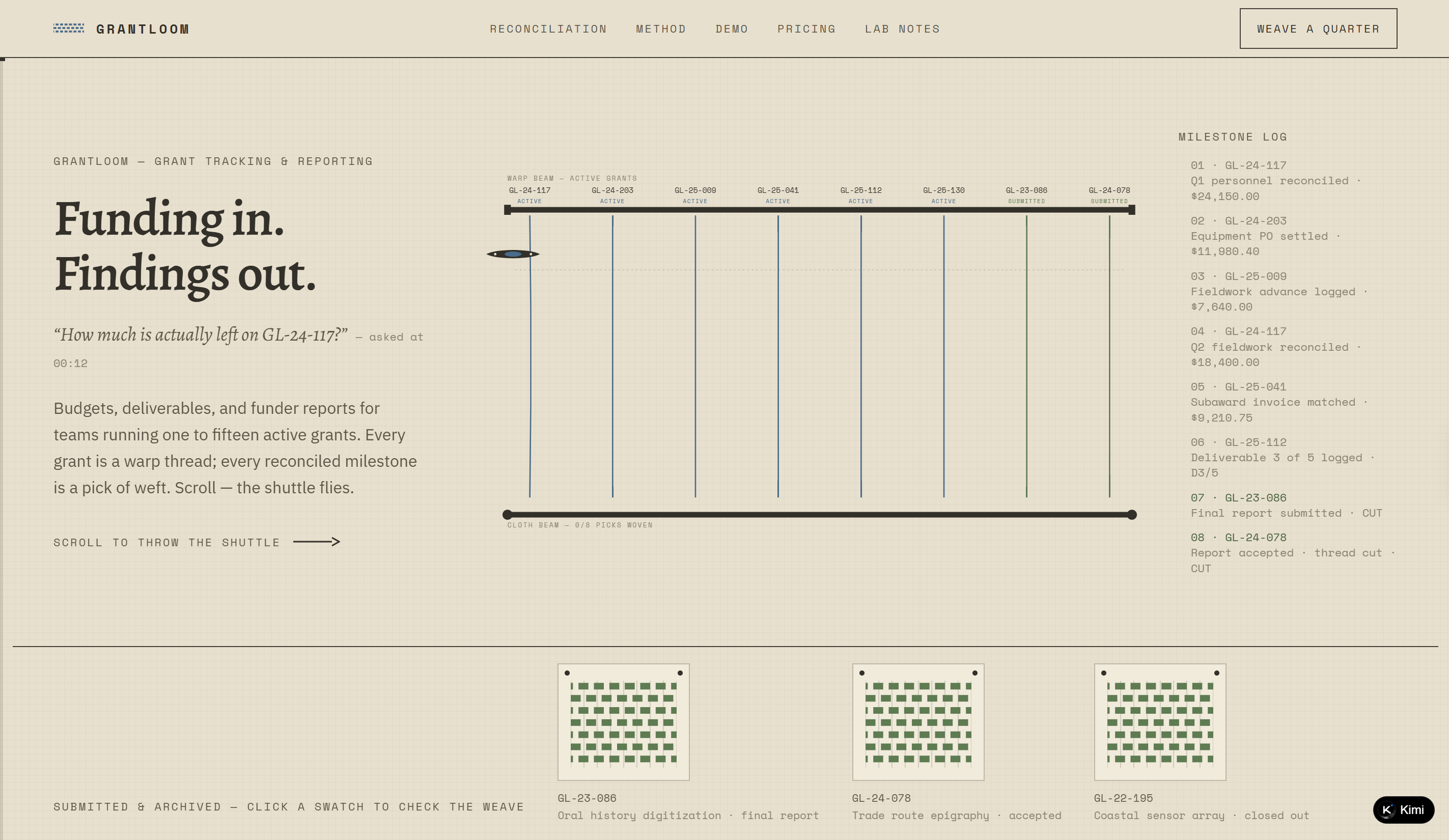
| Grantloom | https://l5drvralv57bg.ok.kimi.link | Grant management for researchers | Weaving-inspired interface connecting budgets, expenses, deliverables, reconciliation, and funder report assembly |
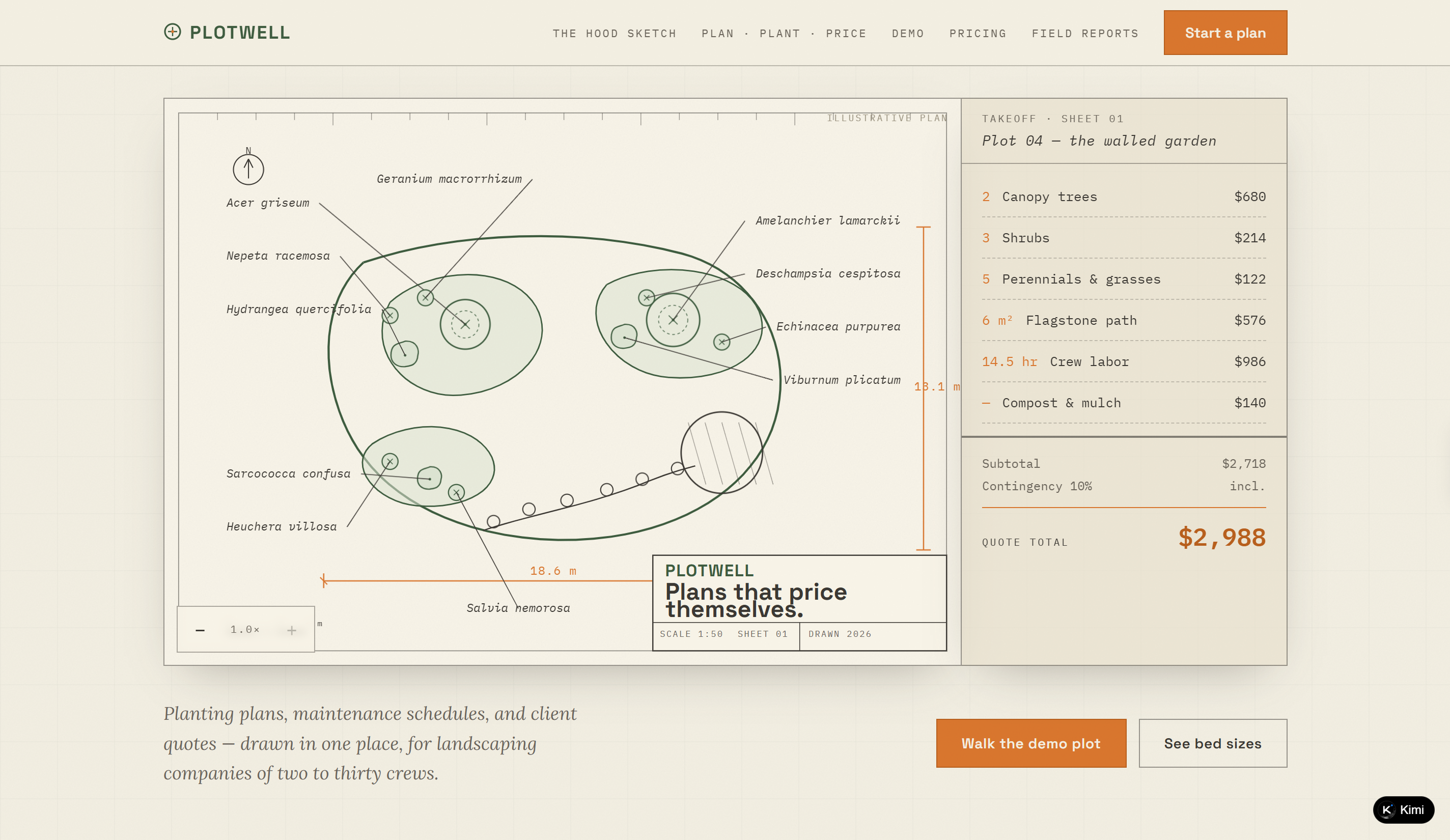
| Plotwell | https://nrryqimfuciny.ok.kimi.link | Landscaping business planning | Garden-plan-inspired interface combining planting plans, material takeoffs, maintenance schedules, and client quotes |
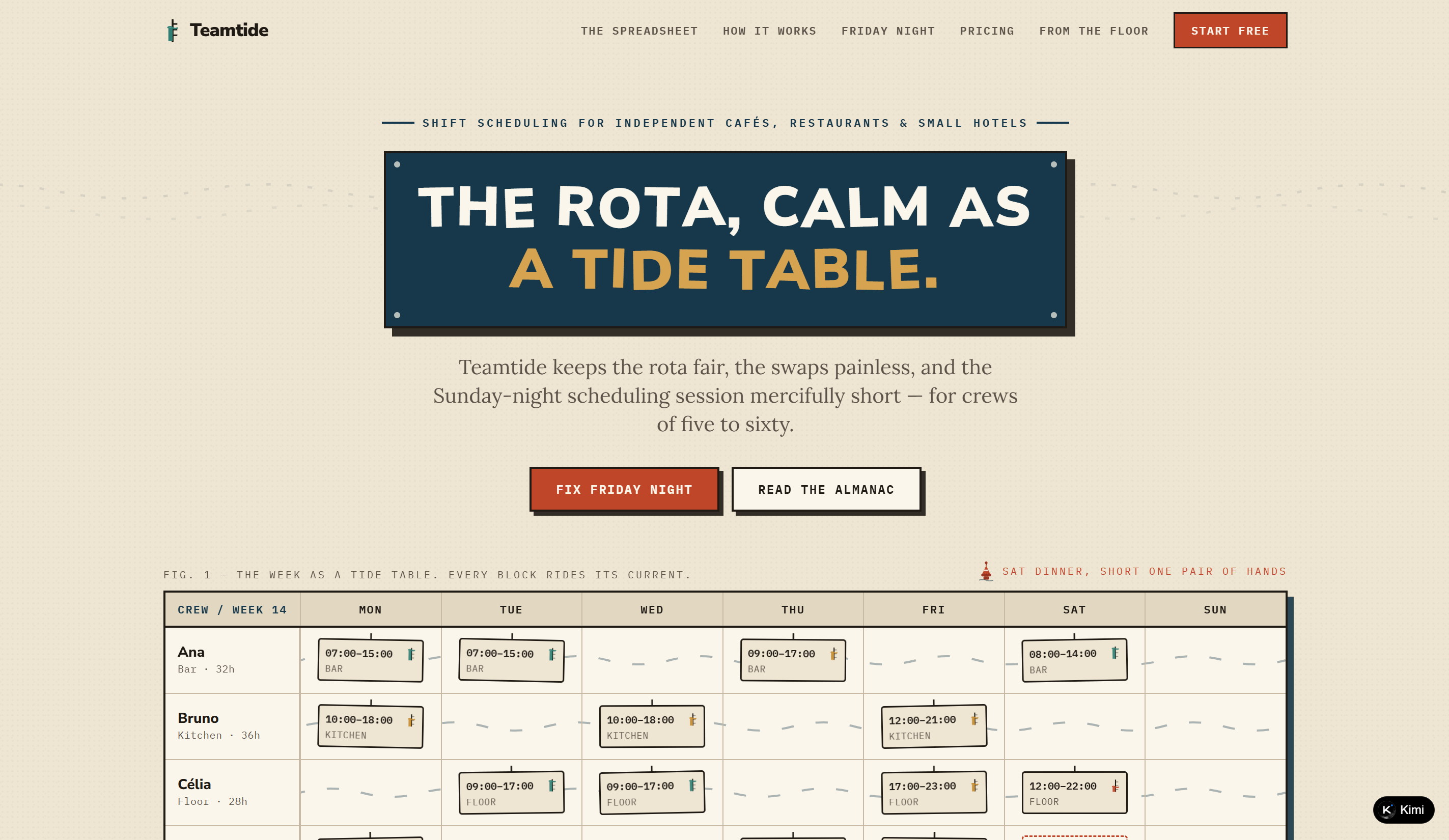
| Teamtide | https://bgq3uteplm3fo.ok.kimi.link | Hospitality shift scheduling | Spreadsheet-inspired scheduling concept with clear rota management, easier shift swaps, and a distinctive tide-themed visual identity |
20 SaaS website examples to get inspired
Good SaaS design comes in many forms, from bold and creative pages to clean and simple layouts. The key is knowing how to combine clear messaging with visuals and a smooth user experience. The examples below show how different SaaS brands approach these elements in their own way.
Crewbench
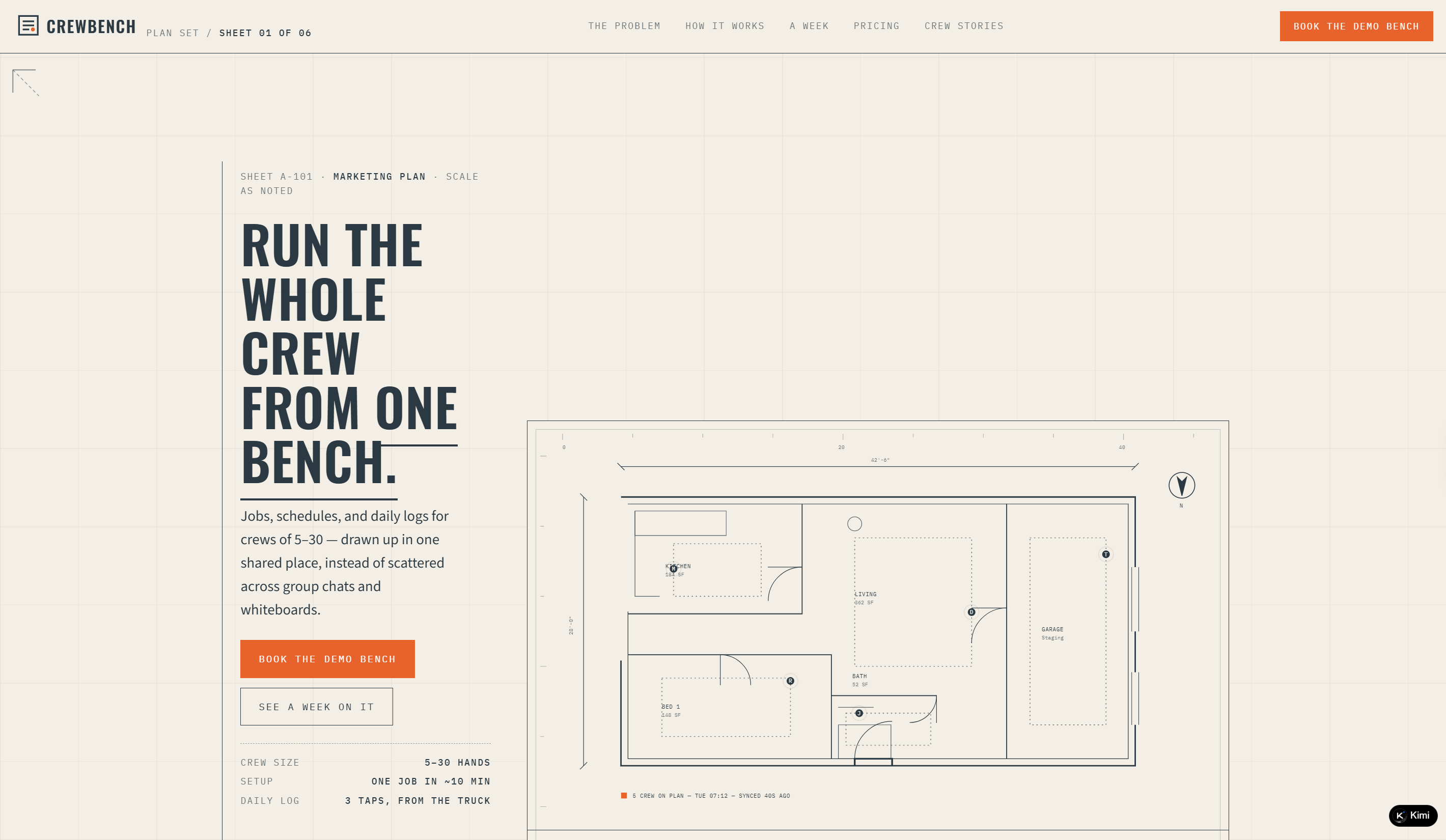
Crewbench is a construction management SaaS website that helps remodeling crews manage jobs, schedules, and daily field logs in one shared workspace. Its blueprint-inspired design presents real construction scenarios, showing how teams can coordinate work without relying on scattered chats, whiteboards, or paper notes. Pricing tiers, crew stories, and a demo flow complete the site, making it a practical SaaS website example for specialized B2B software.
Key characteristics
Blueprint-inspired visual language tailored to the construction industry
Shared job scheduling and crew coordination in one workspace
Field-friendly daily logs for hours, photos, and notes
Week-in-the-life product walkthrough showing real workflow
Tiered pricing and customer stories supporting demo conversion
Returnlane
Returnlane is a returns management SaaS website built for DTC brands, helping teams turn returns into exchanges and recover more revenue. Its warehouse-inspired design uses conveyor belts, parcel labels, and blueprint-style sections to visualize the product workflow. Interactive routing demos, pricing by return volume, and operator testimonials make the site both informative and engaging, offering a distinctive SaaS website design example.
Key characteristics
Warehouse-inspired visual language and storytelling
Exchange-first return management workflow
Smart routing and automated restock lists
Interactive conveyor-belt product demonstration
Volume-based pricing and operator testimonials
Swipetail
Swipetail is an expense-tracking SaaS website designed for freelancers and creative professionals, turning receipt capture into organized, tax-ready records. Its receipt and shoebox-inspired visual language gives the site a distinctive personality while clearly explaining the three-step workflow: snap, match, and deduct. A browser-based demo, simple pricing plans, and tax-season report preview make it a memorable source of SaaS website ideas.
Key characteristics
Receipt-inspired visual storytelling
Three-step expense tracking workflow
Browser-based receipt scanning demo
Tax-ready reports with PDF and CSV export
Simple pricing for different user needs
Stockpot
Stockpot is an inventory and ordering SaaS website built for independent kitchens, bringing stock counts, par levels, and supplier orders into one workspace. Its warm, kitchen-inspired design turns everyday ingredients and ordering tasks into an engaging product story. An interactive Par Board, simple pricing plans, and kitchen-focused testimonials make it a strong SaaS website example for specialized business software.
Key characteristics
Kitchen-inspired visual storytelling
Inventory counting and par-level management
Automated supplier order drafts
Interactive Par Board with real-time updates
Location-based pricing and kitchen testimonials
Casewalk
Casewalk is a focused B2B SaaS website designed for solo and small law firms, helping them manage client intake and matters in one structured workspace. Its case-file-inspired design turns intake workflows into a visual filing system, covering inquiry collection, conflict checks, matter review, and follow-ups. An interactive Intake Walk, transparent pricing, and law-firm-focused notes complete the experience.
Key characteristics
Case-file-inspired visual storytelling
Structured client intake and matter tracking
Receive, Review, and Resolve workflow
Interactive intake pipeline demonstration
Attorney-based pricing for different firm sizes
Podchart
Podchart is a podcast analytics SaaS website built for independent podcasters and small networks, turning listener behavior into actionable episode insights. Its warm, analog broadcast-inspired design presents audience data, retention curves, and listener-hours through an engaging dashboard experience. Interactive demos, flexible pricing, and network-level analytics make it a distinctive SaaS website example for a specialized audience.
Key characteristics
Warm analog broadcast-inspired visual design
Audience and confirmed-play analytics
Second-by-second listener retention tracking
Interactive Drop-Off Map demonstration
Flexible pricing for solo podcasters and networks
Matwork
Matwork is a booking and membership SaaS website built for independent yoga and Pilates studios, bringing schedules, mat selection, waitlists, and check-ins into one workspace. Its calm, studio-inspired design turns everyday booking tasks into an intuitive visual experience, making it a notable SaaS website design reference for niche business software. Interactive floor plans, simple pricing tiers, and studio-focused messaging complete the site.
Key characteristics
Calm, studio-inspired visual design
Class scheduling and membership management
Interactive mat selection and floor plans
Automated waitlist and check-in workflows
Pricing plans for one- to four-room studios
Givedove
Givedove is a donor relationship management SaaS website for small nonprofits, helping teams organize gifts, letters, donor histories, and follow-ups in one place. Its warm postal-inspired design uses ledgers, parcels, stamps, and handwritten letters to make relationship management feel personal rather than corporate. An interactive thank-you demo, simple pricing, and nonprofit-focused messaging make it a thoughtful B2B SaaS website example reference.
Key characteristics
Warm postal and ledger-inspired visual design
Donor timelines with gifts and relationship history
Personalized thank-you letter drafting
Giving patterns and follow-up reminders
Pricing plans for small nonprofit teams
Doorqueue
Doorqueue is a showing scheduler SaaS website built for real estate agents, helping them organize buyer appointments, lockbox windows, and property feedback. Its real estate-inspired interface turns scheduling into a clear visual queue, with interactive demos showing how late arrivals, cancellations, and waitlists are handled. Smart scheduling features, agent-focused pricing, and a concise workflow make the site practical and easy to understand.
Key characteristics
Real estate showing-focused visual design
Buyer queues and appointment scheduling
Lockbox access tied to showing windows
Automated waitlist and schedule adjustments
Feedback collection linked to each listing
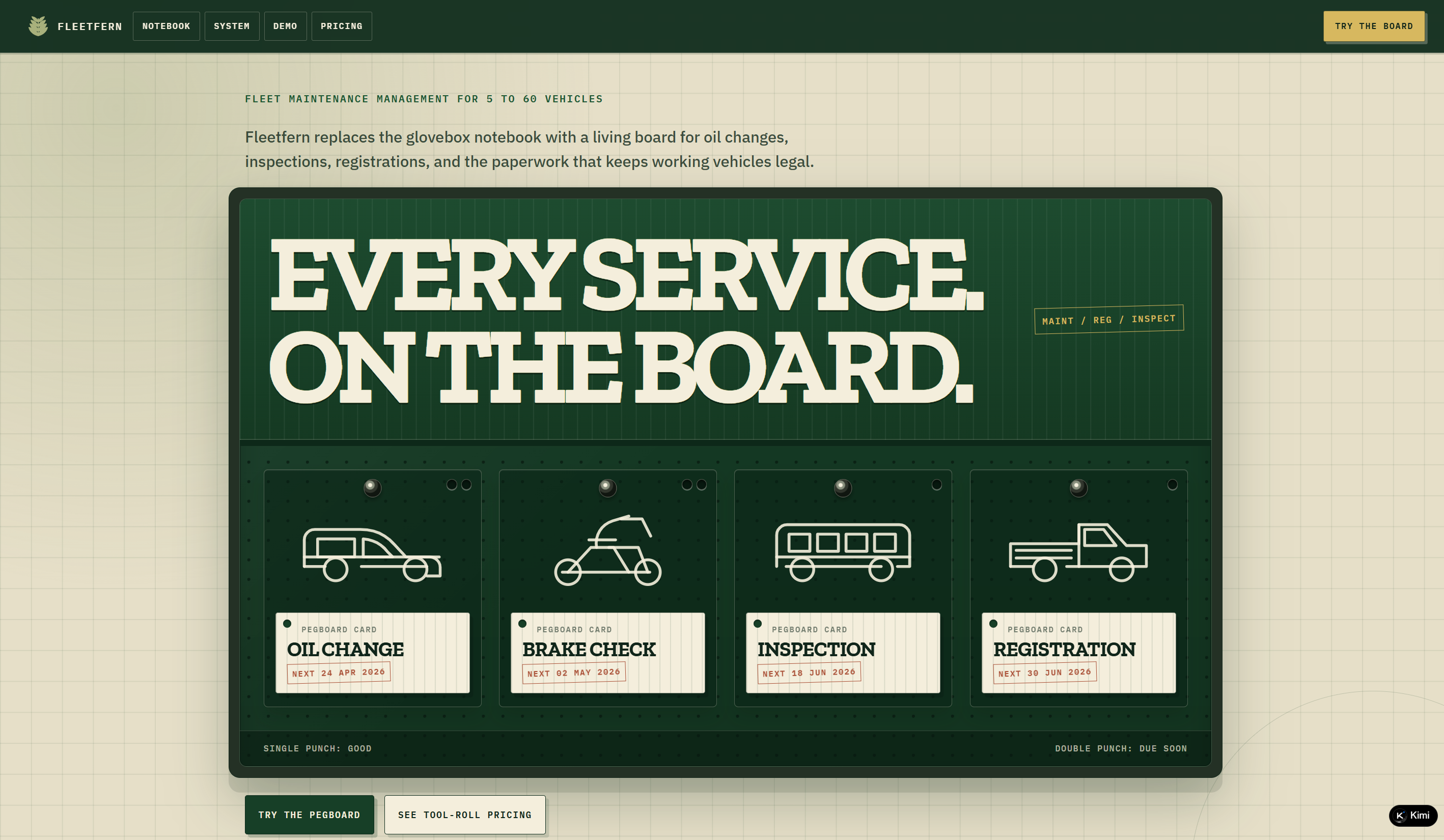
Fleetfern
Fleetfern is a fleet maintenance management SaaS website built for businesses operating 5 to 60 vehicles. It brings vehicle records, service schedules, inspections, registrations, and compliance documents into one organized board. A pegboard-inspired interface, interactive maintenance demo, and per-vehicle pricing give the site a practical, industry-specific feel.
Key characteristics
Pegboard-inspired fleet management interface
Centralized vehicle and maintenance records
Mileage- and date-based service reminders
Inspection, registration, and compliance tracking
Interactive drag-and-drop maintenance board
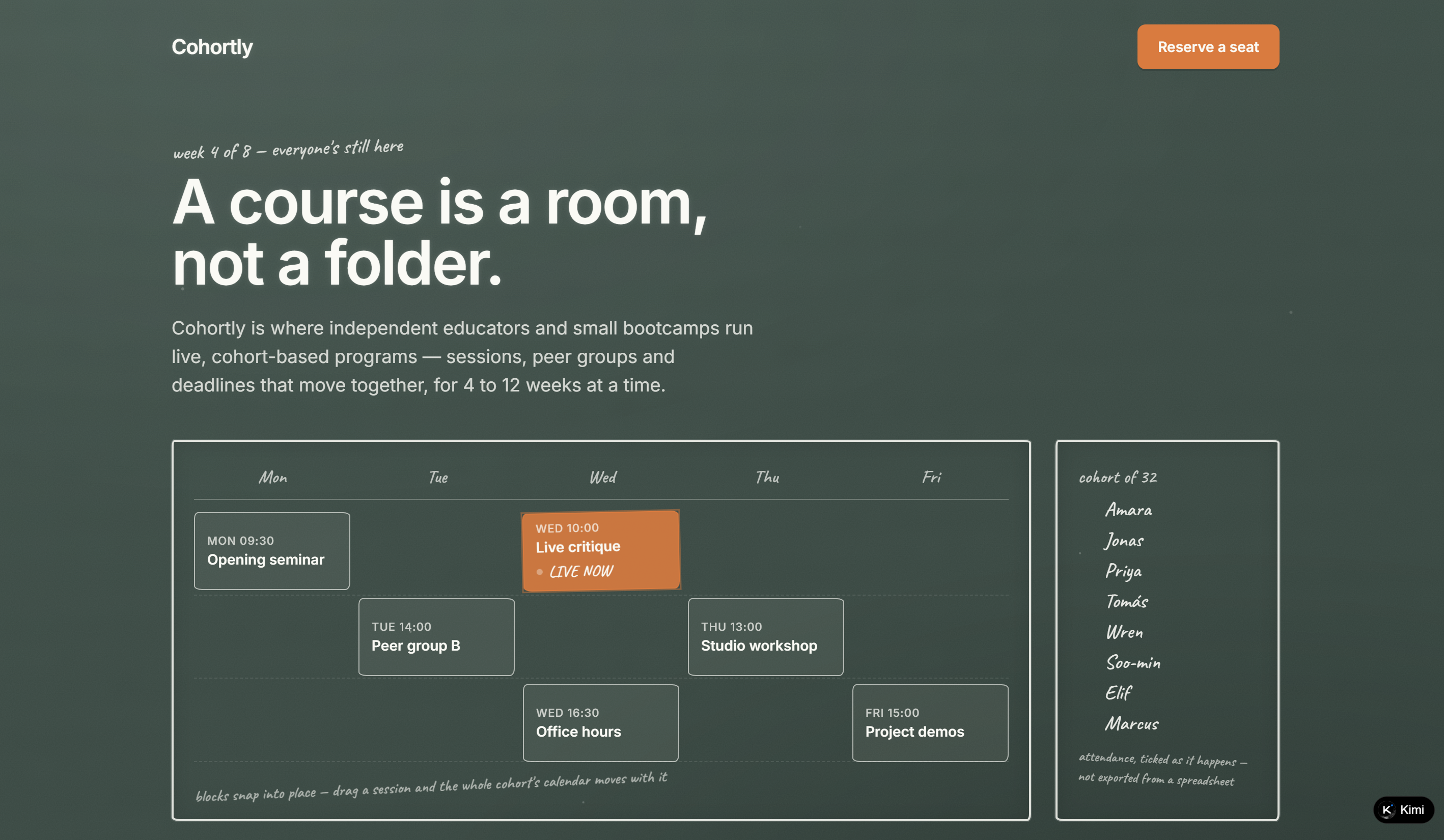
Cohortly
Cohortly is a SaaS platform designed for independent educators and small bootcamps running live, cohort-based programs. The website centers on the experience around shared schedules, peer groups, live sessions, deadlines, and attendance rather than treating courses as collections of recorded videos. Its interactive cohort calendar lets educators move sessions while automatically shifting the rest of the schedule, while live attendance tracking provides a clearer view of participation. With a focused product story and classroom-inspired interactions, Cohortly offers a distinctive SaaS website example built around a specific education workflow.
Key characteristics
Cohort-based course management for live educational programs
Shared calendar for sessions, workshops, critiques, and deadlines
Drag-and-drop scheduling that moves the cohort calendar together
Live attendance tracking for individual participants
Peer-group structure supporting collaborative learning
Classroom-inspired design and interactions reinforcing the product concept
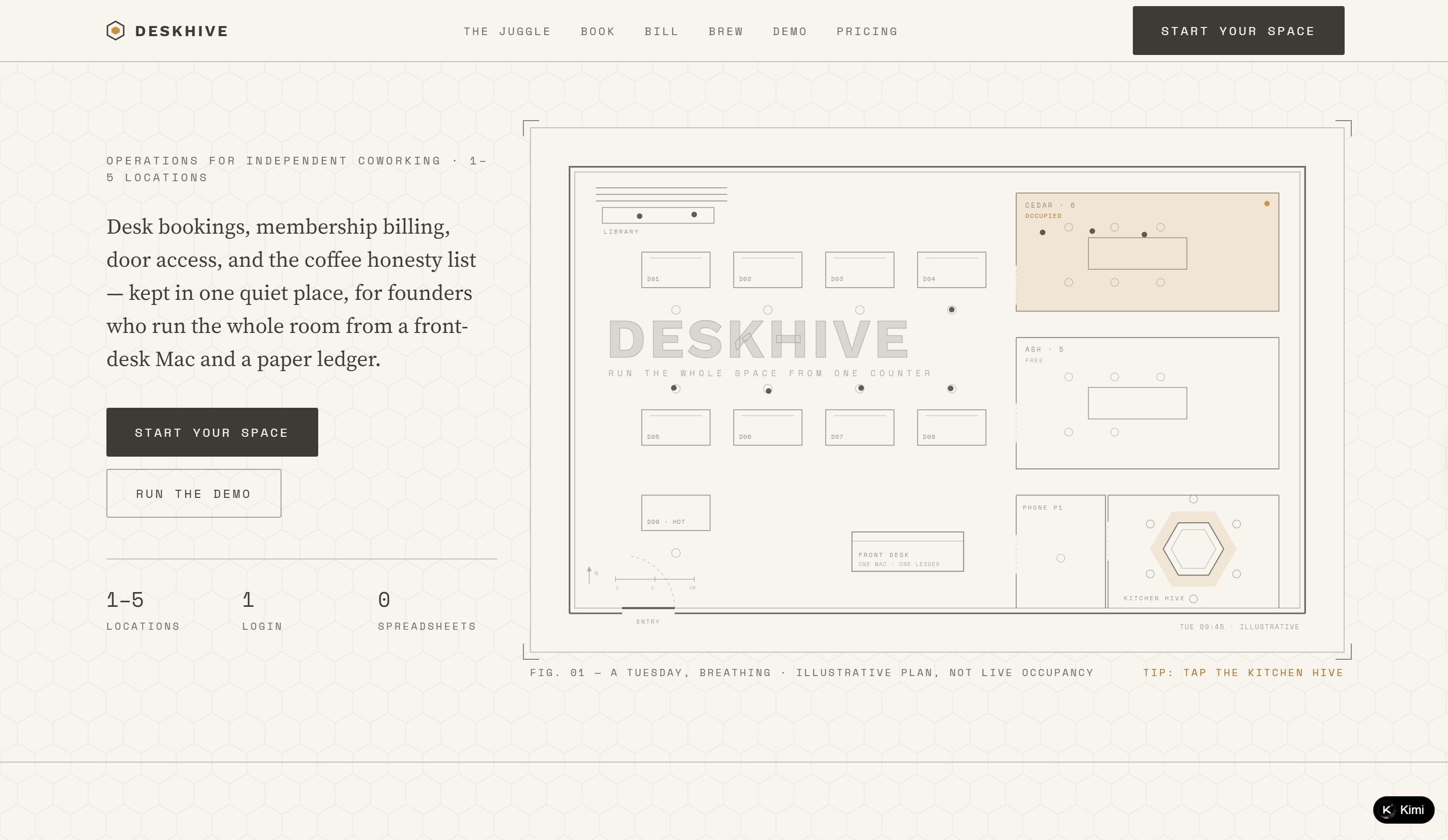
Deskhive
Deskhive is a SaaS platform for independent coworking spaces, bringing bookings, billing, door access, and coffee inventory into one operational tool. The website organizes its product around three core workflows, Book, Bill, and Brew, making the platform easy to understand without relying on a long feature list. A dedicated demo, pricing section, and founder-focused content support the product story, while the floor-plan and workspace-oriented visual language reinforce its connection to physical coworking operations. This focused positioning makes Deskhive a practical B2B SaaS website example for a niche business audience.
Key characteristics
Operations platform designed specifically for independent coworking spaces
Three core workflows covering bookings, billing, and workspace supplies
Product navigation organized around clear operational use cases
Interactive demo for exploring the platform experience
Pricing and founder-focused sections supporting product evaluation
Workspace-inspired visual language connecting the software to its physical use case
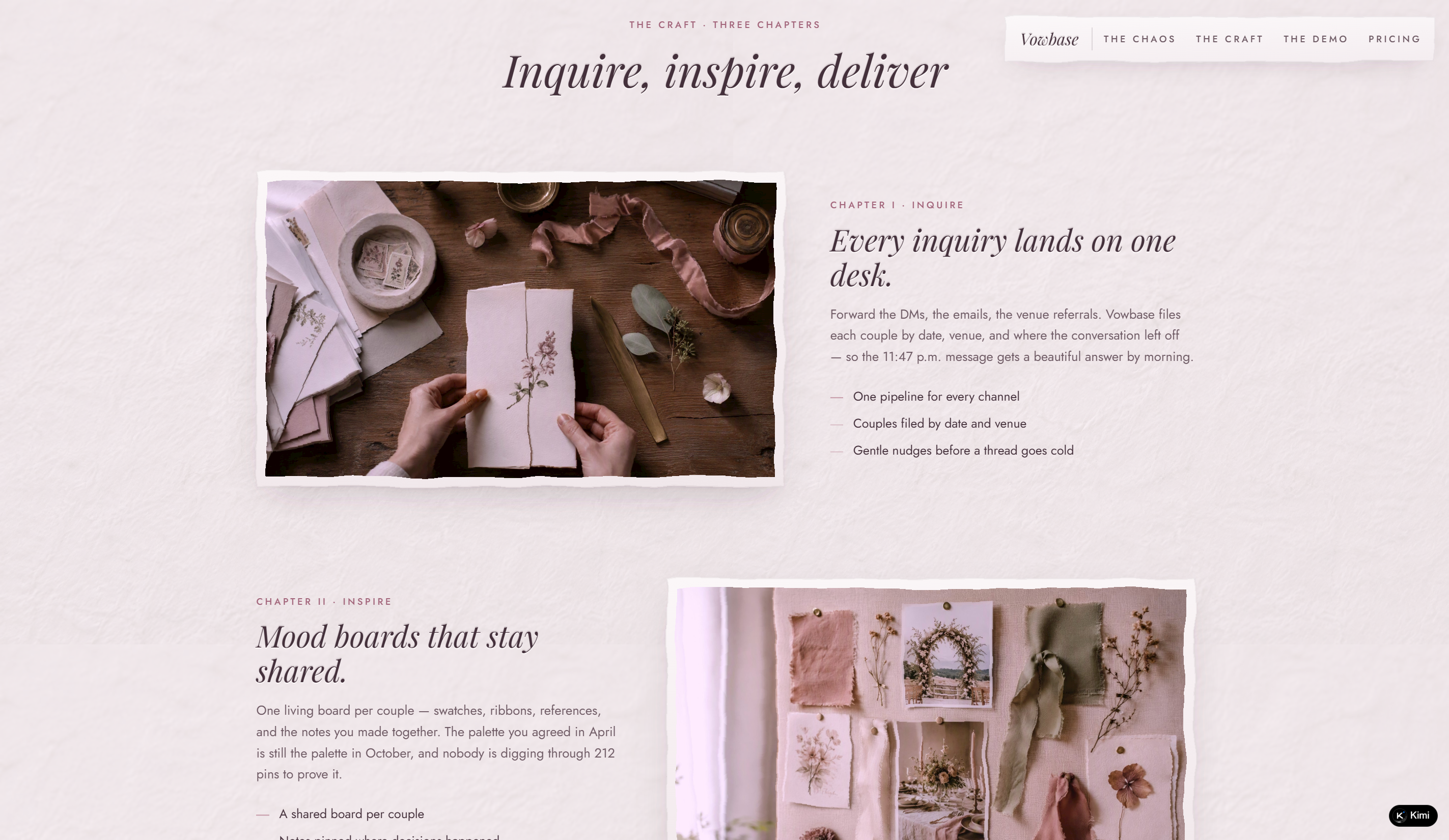
Vowbase
Vowbase is a client management SaaS platform designed for wedding planners, florists, photographers, and bakers managing multiple couples throughout a season. It brings inquiries, mood boards, payments, and wedding-day information into a single workspace, addressing the scattered workflows common to service-based wedding businesses. The website organizes its story around the operational "chaos" and creative "craft" of wedding work, supported by an interactive demo and pricing section for product evaluation. Its highly specific audience and focused workflow make Vowbase a compelling SaaS website design example.
Key characteristics
Client management platform built specifically for wedding service professionals
Centralized handling of inquiries, mood boards, payments, and event details
Positioning tailored to businesses managing multiple couples each season
Interactive demo showing how wedding information can be organized
Clear pricing and conversion-focused product journey
Editorial wedding-inspired visual identity that reinforces the target industry
Scorefold
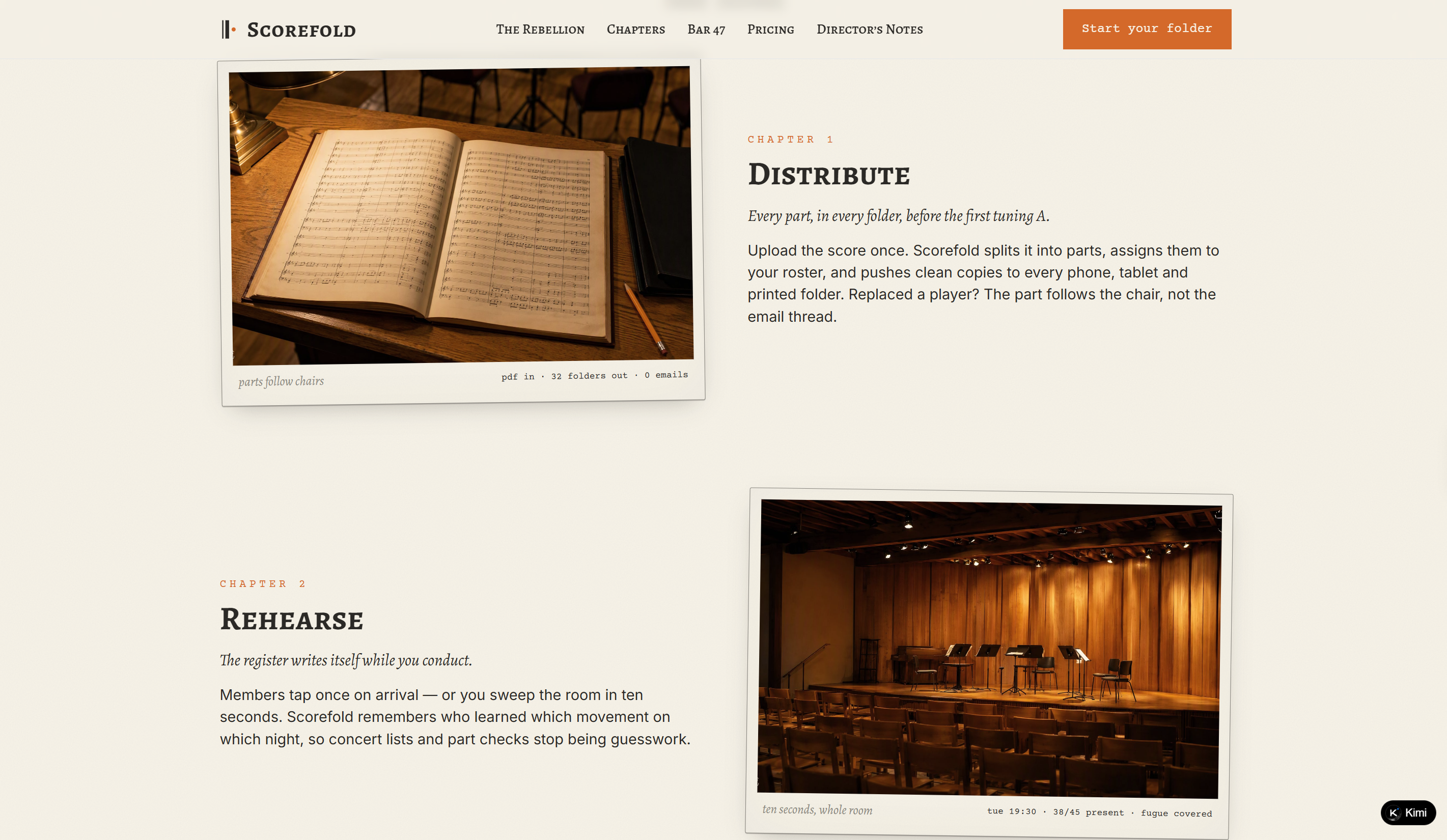
Scorefold is a rehearsal management SaaS platform built for choirs, orchestras, and chamber groups of 8–80. Its website presents the product through a music-score-inspired interface, framing rehearsal organization around practical tasks such as distributing parts, tracking seating, and keeping everyone aligned on specific bars of a score. The SaaS website ideas showcased here are especially distinctive in how the product experience is expressed through engraved score excerpts, bar markers, and a paper-like visual system rather than conventional software dashboards. Sections such as The Rebellion, Chapters, Bar 47, Pricing, and Director's Notes create a narrative path from the product concept to its use cases and conversion points.
Key characteristics
Rehearsal management tailored to choirs, orchestras, and chamber groups
Product positioning centered on parts, seating, and rehearsal coordination
Music-score-inspired navigation and storytelling
Interactive score excerpt with bar markers and closing score animation
Dedicated sections for use cases, pricing, and director-focused content
Engraved-paper visual identity using typography, SVG elements, and music notation
Tanknote
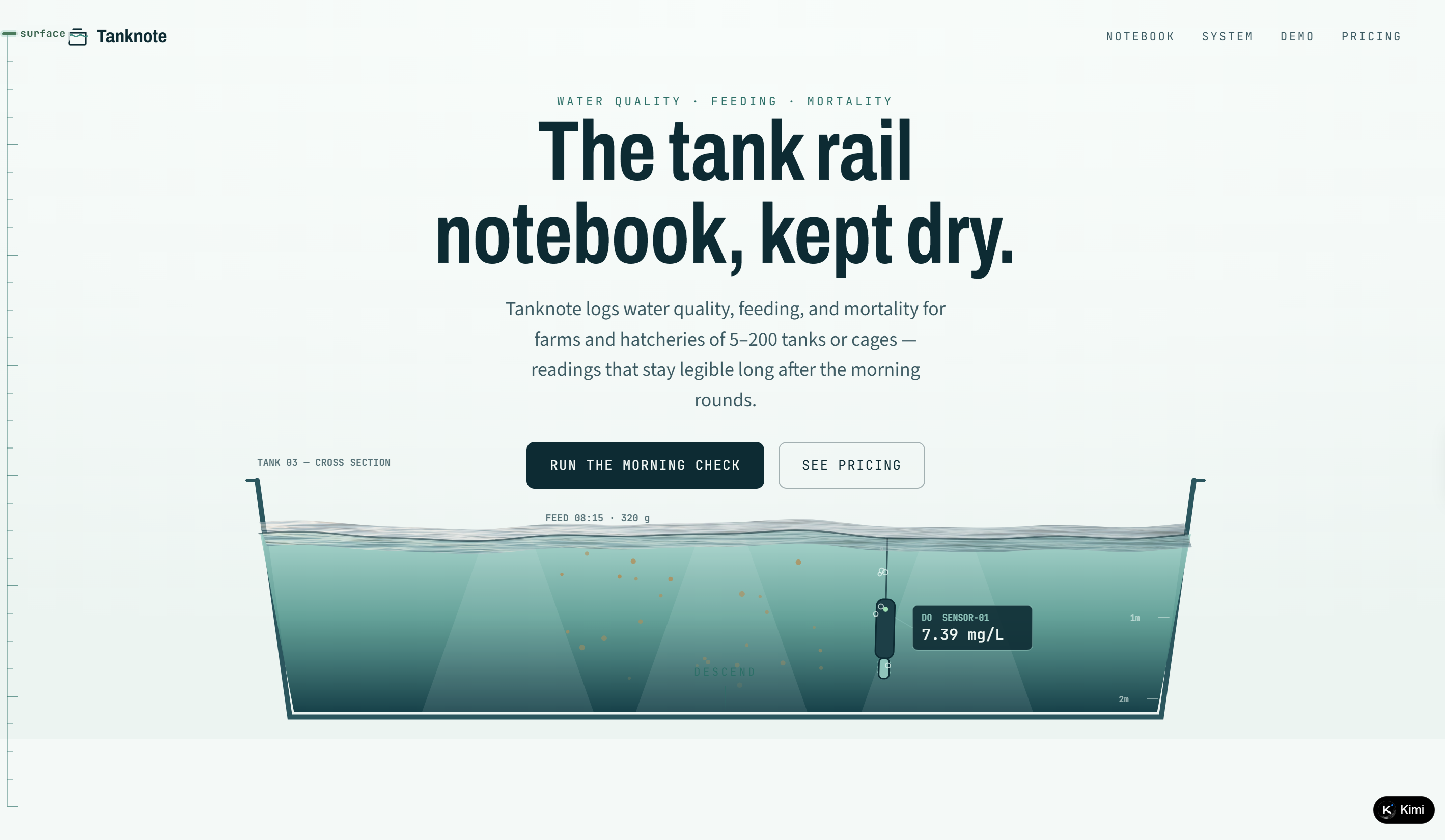
Tanknote is a SaaS platform for small aquaculture farms and hatcheries managing 5–200 tanks or cages. Its website focuses on three core operational records: water quality, feeding, and mortality, positioning the product as a practical digital notebook for tank-side routines. The "morning check" demo gives visitors a direct way to understand the product workflow, while dedicated Notebook, System, Demo, and Pricing sections create a simple path from product context to evaluation. With its highly specific audience and straightforward operational focus, Tanknote offers a strong example of a SaaS website for niche industry software.
Key characteristics
Aquaculture management platform for farms and hatcheries
Centralized records for water quality, feeding, and mortality
Designed for operations across 5–200 tanks or cages
Morning-check demo illustrating the core workflow
Clear separation of notebook, system, demo, and pricing content
Practical positioning focused on reliable tank-side record-keeping
Clausewell
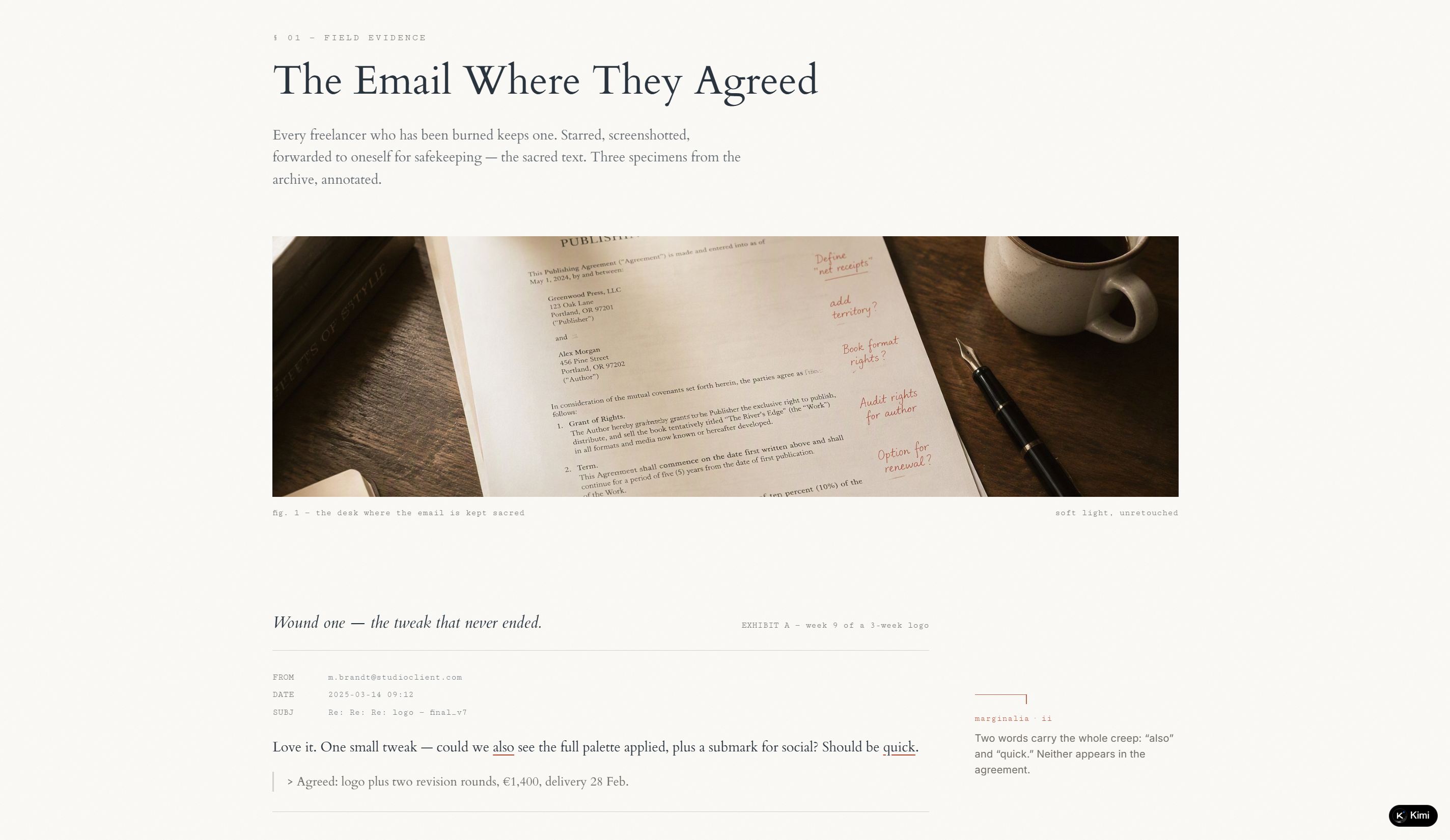
Clausewell is a SaaS platform for freelancers and micro-studios that helps create, sign, track, and enforce service agreements. Its website presents the product through real-world scope-creep scenarios, including endless revisions, expanding project requirements, and undocumented verbal agreements. The three-part workflow, Draft, Sign, and Enforce, explains how users can build agreements from a clause library, collect browser-based signatures, and create signed change orders when project scope changes. An interactive "Tighten This Clause" section further demonstrates the product by turning vague contract language into more specific terms.
Key characteristics
Contract management platform designed for freelancers and micro-studios
Clause library covering revisions, payments, kill fees, and change orders
Three-stage workflow for drafting, signing, and enforcing agreements
Browser-based e-signatures with searchable signed document records
Interactive clause editor demonstrating how vague terms can be tightened
Tiered pricing based on agreements, collaboration, and search needs
Tablefare
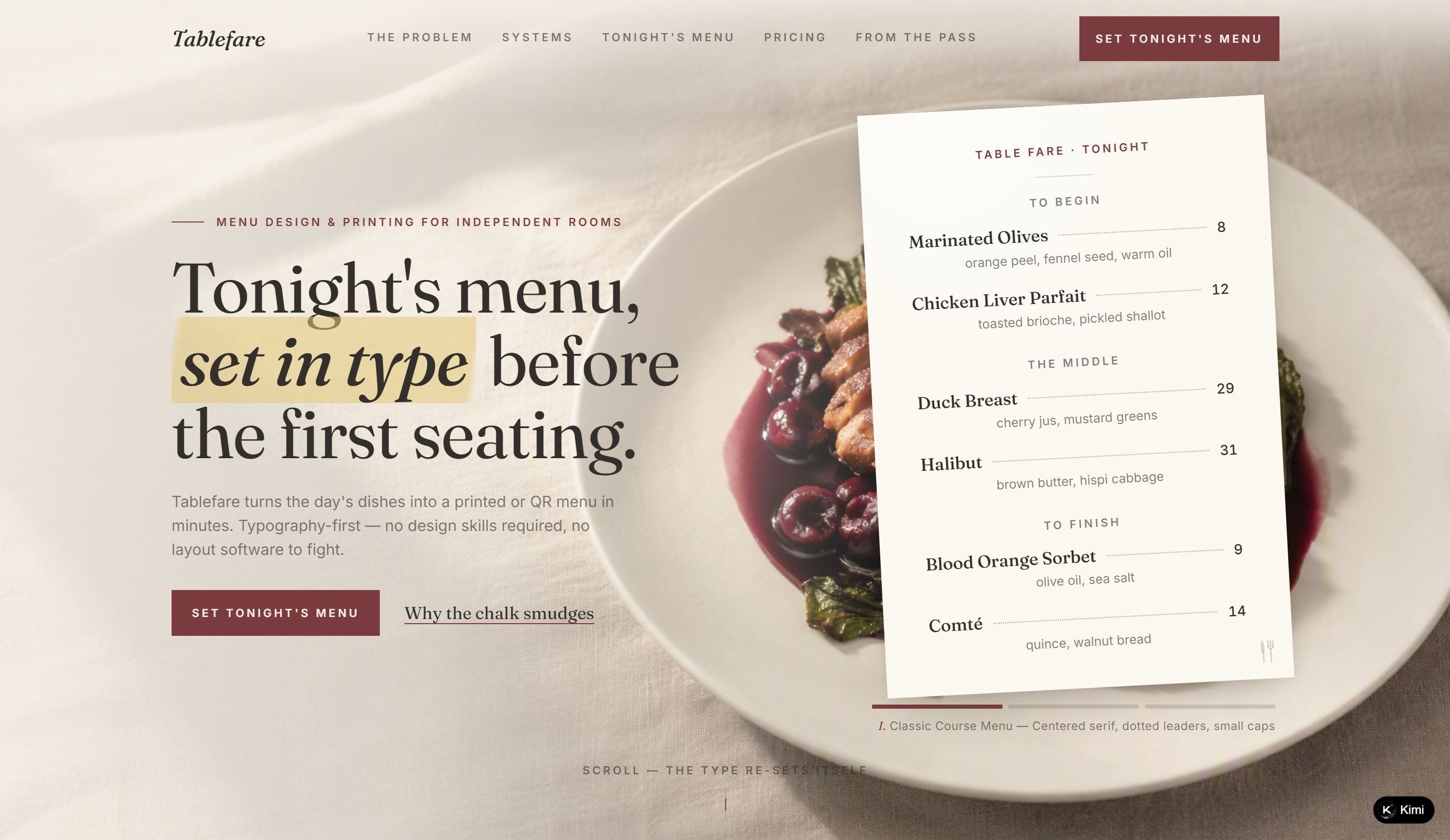
Tablefare is a SaaS platform for independent restaurants that turns daily dishes into professionally typeset printed or QR menus. Its website emphasizes speed and simplicity, positioning the product as an alternative to traditional layout software for restaurant teams without design expertise. The experience is built around a realistic restaurant menu, with dishes, prices, descriptions, typography, and course sections presented as part of the product demonstration. Interactive details such as scrolling type that resets its layout and a check-style pricing section reinforce the connection between the interface and restaurant service. This focused product concept makes Tablefare a useful SaaS website ideas reference.
Key characteristics
Menu creation and printing platform for independent restaurants
Typography-first workflow requiring no design or layout software
Printed and QR menu support for daily restaurant service
Interactive menu demonstration using realistic dishes and pricing
Restaurant-inspired interface with editorial typography and paper textures
Pricing presentation designed around a complete menu-setting experience
Grantloom
Grantloom is a SaaS platform for research teams that need to track grants, budgets, deliverables, and funder reports across one to 15 active grants. The website uses a weaving metaphor throughout the experience, turning budgets into "warp" threads, expenses and deliverables into "weft," and completed reports into finished cloth. Its interactive "Weave a quarter" demo lets visitors log expenses and see the remaining balance and grant progress update, while detailed examples illustrate common reconciliation problems such as duplicate invoices and missing milestones. This highly specific workflow and visual concept make Grantloom a distinctive SaaS website example.
Key characteristics
Grant tracking and reporting platform for research teams
Budget, expense, deliverable, and funder report management
Weaving-inspired product metaphor carried across the interface
Interactive grant demo with expense logging and live balance updates
Reconciliation tools for duplicate invoices and missing milestones
Tiered plans based on active grants, seats, and institutional scale
Plotwell
Plotwell is a SaaS platform for landscaping companies that brings planting plans, maintenance schedules, and client quotes into one workspace. The website introduces the product through an illustrated garden plan where boundaries, paths, beds, plants, and labels are progressively drawn, while materials and labor are calculated into a project quote. Its "Plan · Plant · Price" structure connects visual planning with practical estimating, and the interactive demo lets visitors explore a sample garden project with plant quantities, path measurements, labor hours, and costs. This specialized workflow makes Plotwell a useful SaaS website example reference for industry-specific software.
Key characteristics
Landscaping management platform for companies with two to thirty crews
Combined planting plans, maintenance schedules, and client quotes
Interactive garden plan showing plants, paths, dimensions, and callouts
Automated takeoff and quote calculation for materials and labor
Demo centered on a realistic garden project
Technical drawing-inspired interface with vellum and field-survey aesthetics
Teamtide
Teamtide is a SaaS platform focused on simplifying team scheduling and rota management. Its website frames the product around a familiar operational problem: keeping weekly schedules fair, making shift swaps easier, and reducing the last-minute work involved in preparing for service. The experience uses a spreadsheet-inspired presentation alongside tide and moon references, giving the otherwise practical scheduling workflow a distinctive visual identity. Navigation sections such as The Spreadsheet, How It Works, Friday Night, Pricing, and From the Floor guide visitors from the scheduling problem through product experience and pricing. This focused positioning makes Teamtide a useful SaaS website examples reference.
Key characteristics
Team scheduling and rota management platform
Focus on fair rotas and simpler shift swaps
Spreadsheet-inspired presentation for a familiar scheduling context
Operational positioning built around weekly team management
Dedicated workflow, pricing, and user-story sections
Tide and moon-inspired visual language reinforcing the brand concept
Create professional SaaS websites without any code: Kimi Build
Kimi Build, an AI website builder, makes it easier to turn a SaaS idea into a polished website without needing to write code. You can provide your product details, visual references, and other assets to help shape the site around your needs. It can also use market and product context to build clearer pages and messaging. This makes it a practical option for creating a complete SaaS website from idea to finished design.
Main features
Turn ideas and product assets into a SaaS website: Give Kimi Build a product concept, description, screenshots, wireframes, or demo videos as a starting point. It interprets both your product and the references you provide, then turns them into a cohesive SaaS website with structured pages, polished visuals, and a design tailored to your product.
Shape your website around real product context: Bring in research about your market, competitors, customers, and positioning to give Kimi Build a clearer understanding of your product. Use this context to organize site content, clarify key messages, and create page structures that answer your audience's most important questions.
Create complete SaaS sites, not just landing pages: Build multi-page websites covering product features, solutions, use cases, integrations, product details, and more. Kimi Build can work from your product documentation, UI references, and existing workflows to create a connected website experience with full-stack capabilities.
Keep improving your site through AI: Describe the changes you want in your natural language and let Kimi handle the edits. Update copy, restructure sections, fine-tune layouts, change typography, or adjust specific page elements without rebuilding the site from the beginning.
Test, publish, and continue developing: Check how your website looks across desktop, tablet, and mobile before it goes live. Once everything is ready, deploy it with a shareable link and access the source code for further customization or development.
How to create a SaaS website with AI
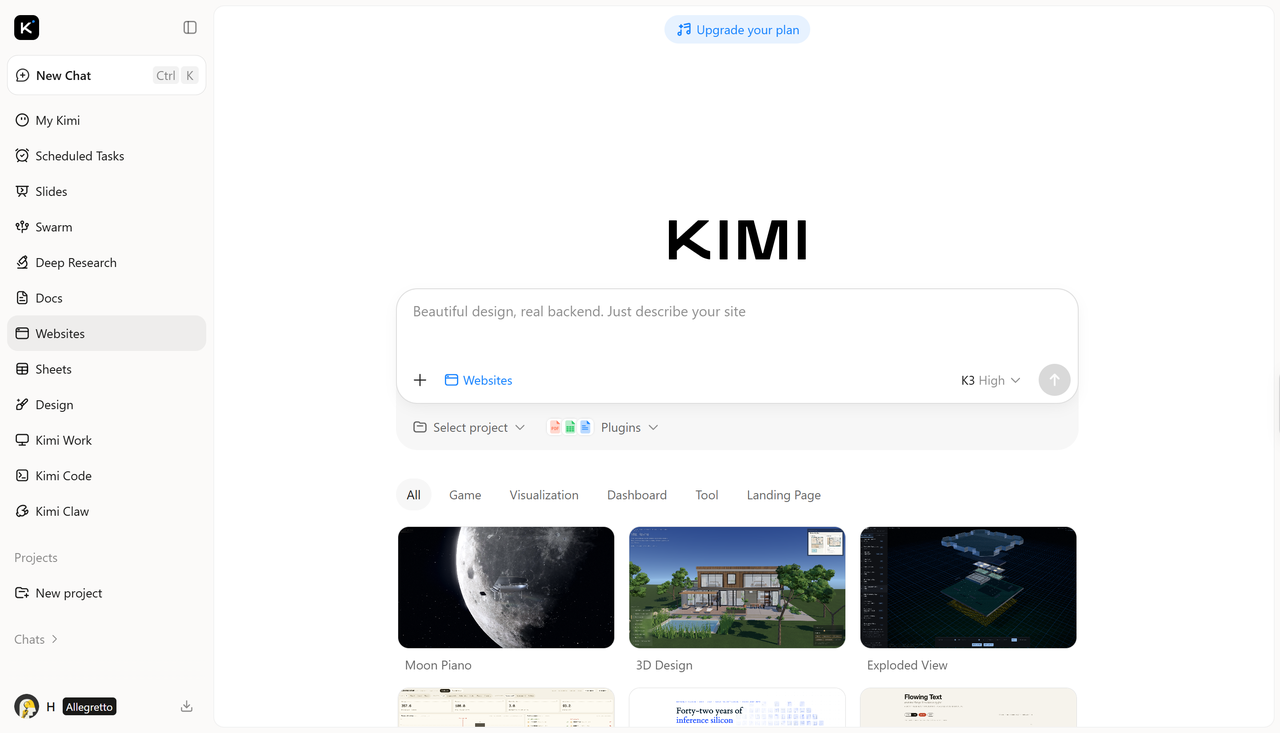
A good SaaS website starts with a clear idea of what you want visitors to see, understand, and do. Kimi Build can handle much of the design work, but the results become more useful when you provide real information about your product and customers. Here is how you can build the site from start to finish.
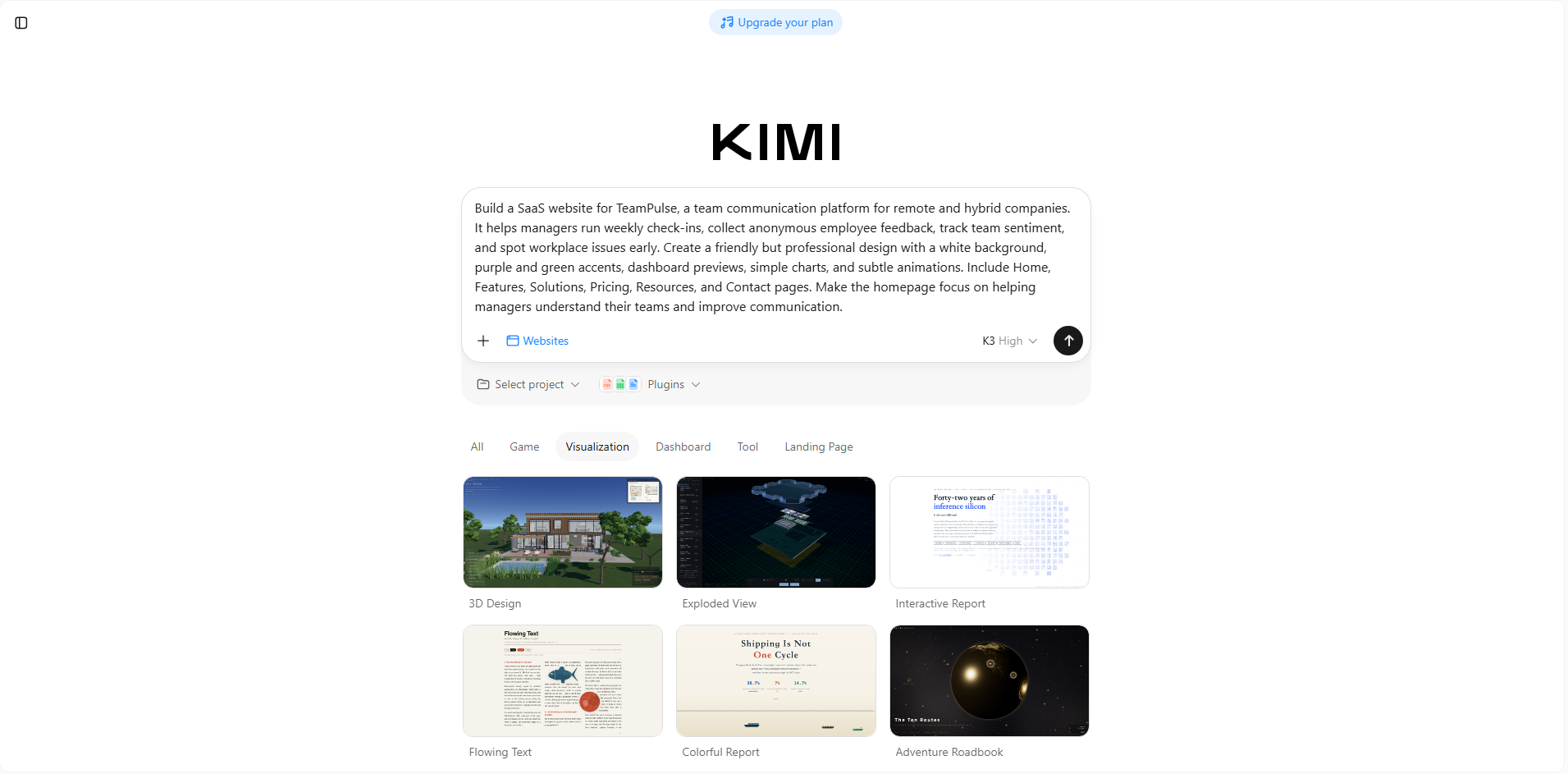
Step 1: Enter a clear prompt
Tell Kimi Build what your SaaS product does, who it is for, and what pages and design you want.
Example prompt:
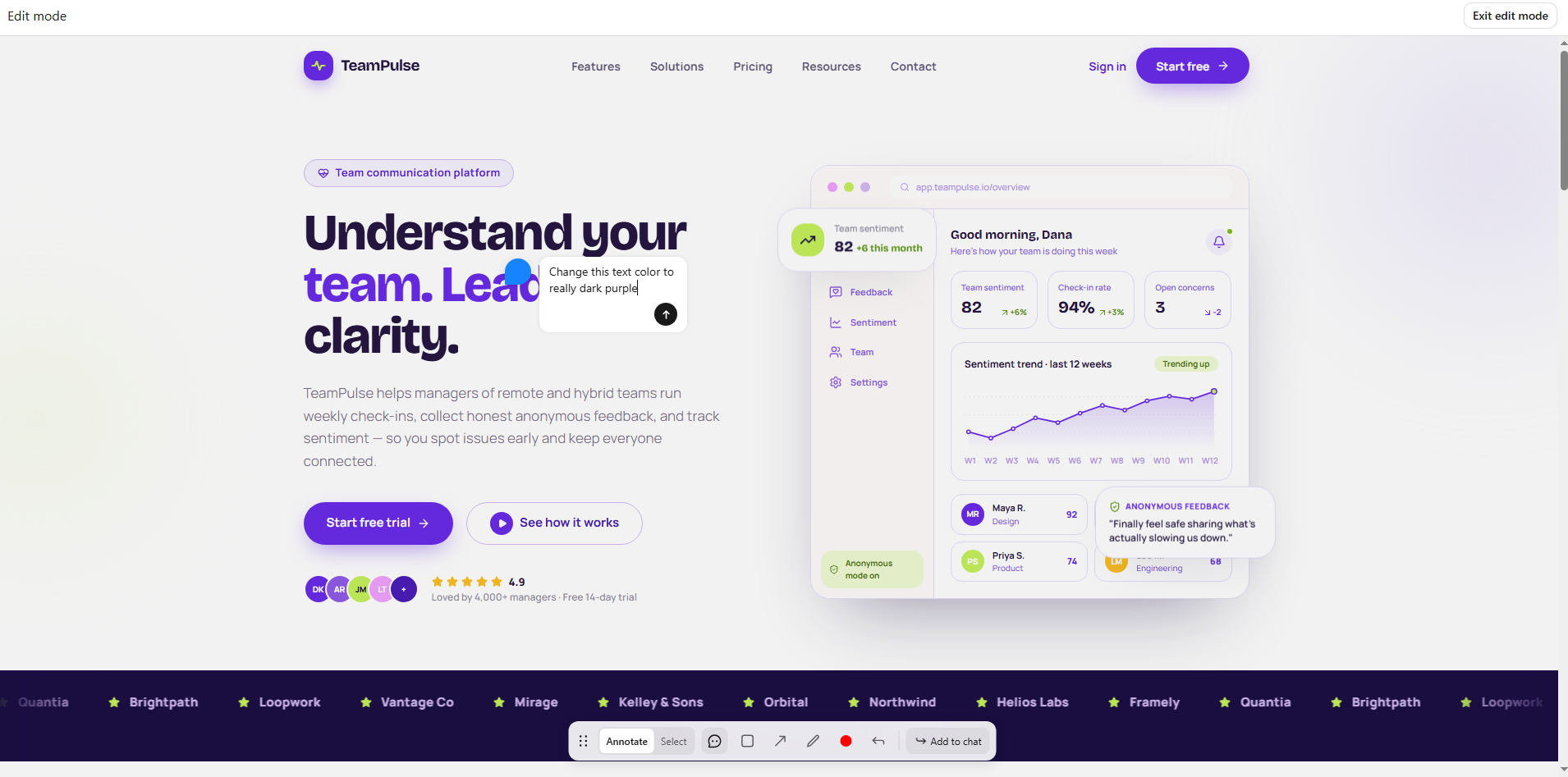
Step 2: Edit your website
Review the generated website and make changes where needed. You can click "Annotate" to comment on areas you want to change, or use "Select" to choose a specific element and provide instructions for editing it. You can also make changes manually, such as updating text, images, colors, layouts, or sections to match your product and brand.
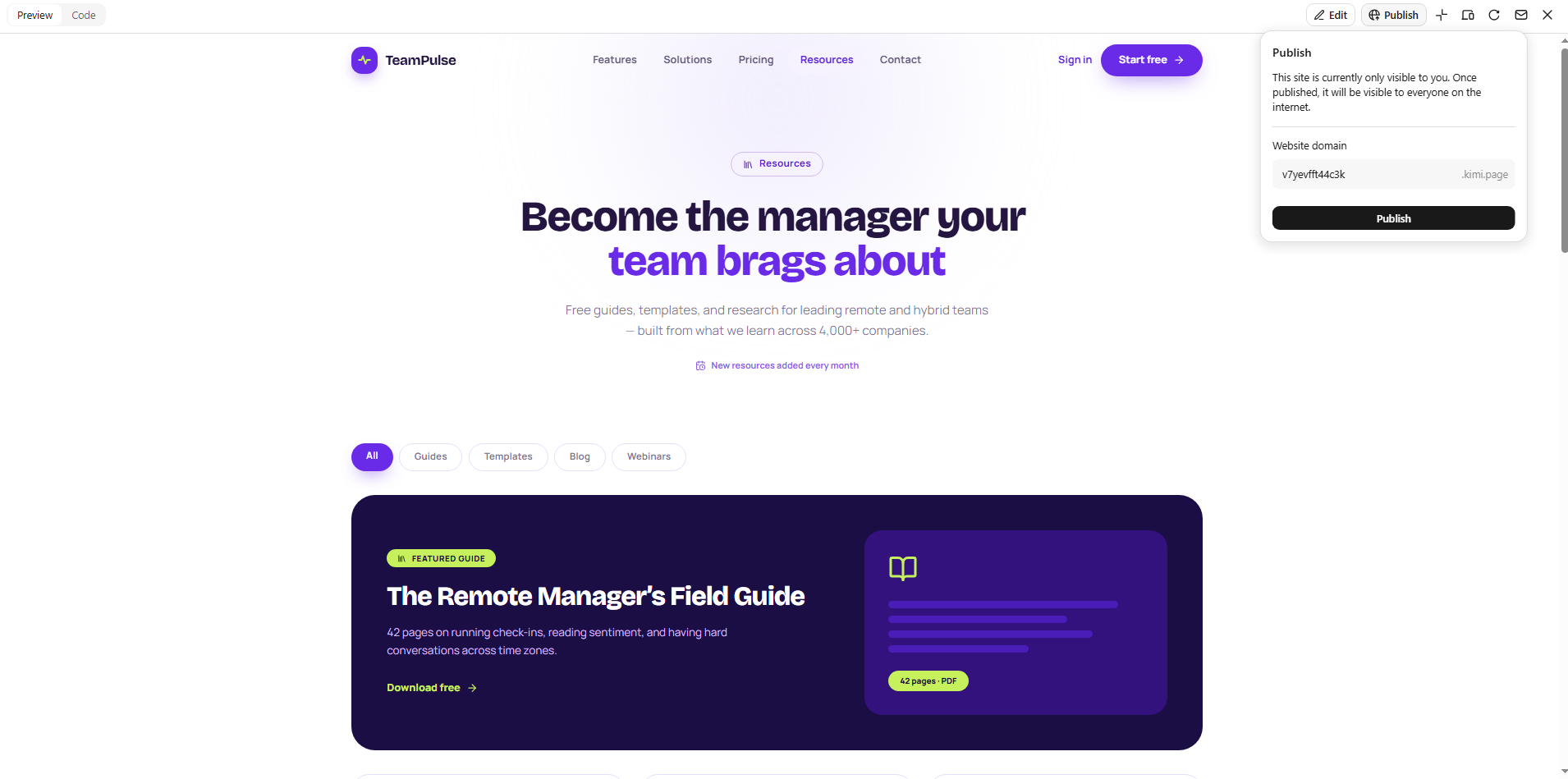
Step 3: Preview and publish
Preview the complete website and check that the content, navigation, buttons, and pages work as expected. Once everything looks good, publish the website and share it with your audience.
Key elements of effective SaaS website design
A strong SaaS website should make it easy for visitors to understand the product, trust the brand, and take the next step. These key elements can help you build a website that is both useful for visitors and effective for your business.
Clear, benefit-driven headline
Your headline should quickly tell visitors what your product does and how it can help them. Focus on the main benefit instead of using vague or overly technical wording. A clear message helps people understand your value within seconds.
Strong hero section with a clear CTA
The hero section is often the first thing visitors see, so it should communicate your main offer without unnecessary clutter. Include a short supporting message and a clear CTA that tells visitors what to do next. Product screenshots, illustrations, or other visuals can also make the section more engaging.
Simple, intuitive navigation
Visitors should be able to find important pages without having to search through complicated menus. Keep navigation labels short and organize related pages in a logical way. A simple structure helps users move around the website with less effort.
Social proof that builds trust
Reviews, customer logos, case studies, and testimonials can show that real people or businesses use your product. Place relevant proof near important sections where visitors may be deciding whether to sign up. Specific results or customer experience can make this proof even more convincing.
Transparent pricing page
A clear pricing page helps visitors understand what they get with each plan and how much they will pay. Show the main differences between plans without hiding important costs or conditions. Simple pricing information can reduce confusion and help potential customers make faster decisions.
Mobile-responsive design
Your website should work smoothly across phones, tablets, and desktop screens. Text, images, buttons, menus, and other elements should automatically adjust to smaller screens. A responsive design ensures visitors get a consistent experience regardless of the device they use.
Fast page load speed
Slow pages can frustrate visitors and make them leave before they see your offer. Compress images, reduce unnecessary elements, and keep the website technically efficient to improve loading times. A faster website creates a smoother experience and helps visitors reach important content sooner.
Conclusion
A strong SaaS presence starts with a website that communicates your product without making visitors work to understand it. Looking at the SaaS website examples can spark ideas, but the most effective result comes from adapting those ideas to your own goals. With the right approach, even a complex SaaS product can have a website that feels simple and engaging. Kimi Build can help you bring that vision to life without requiring coding skills.