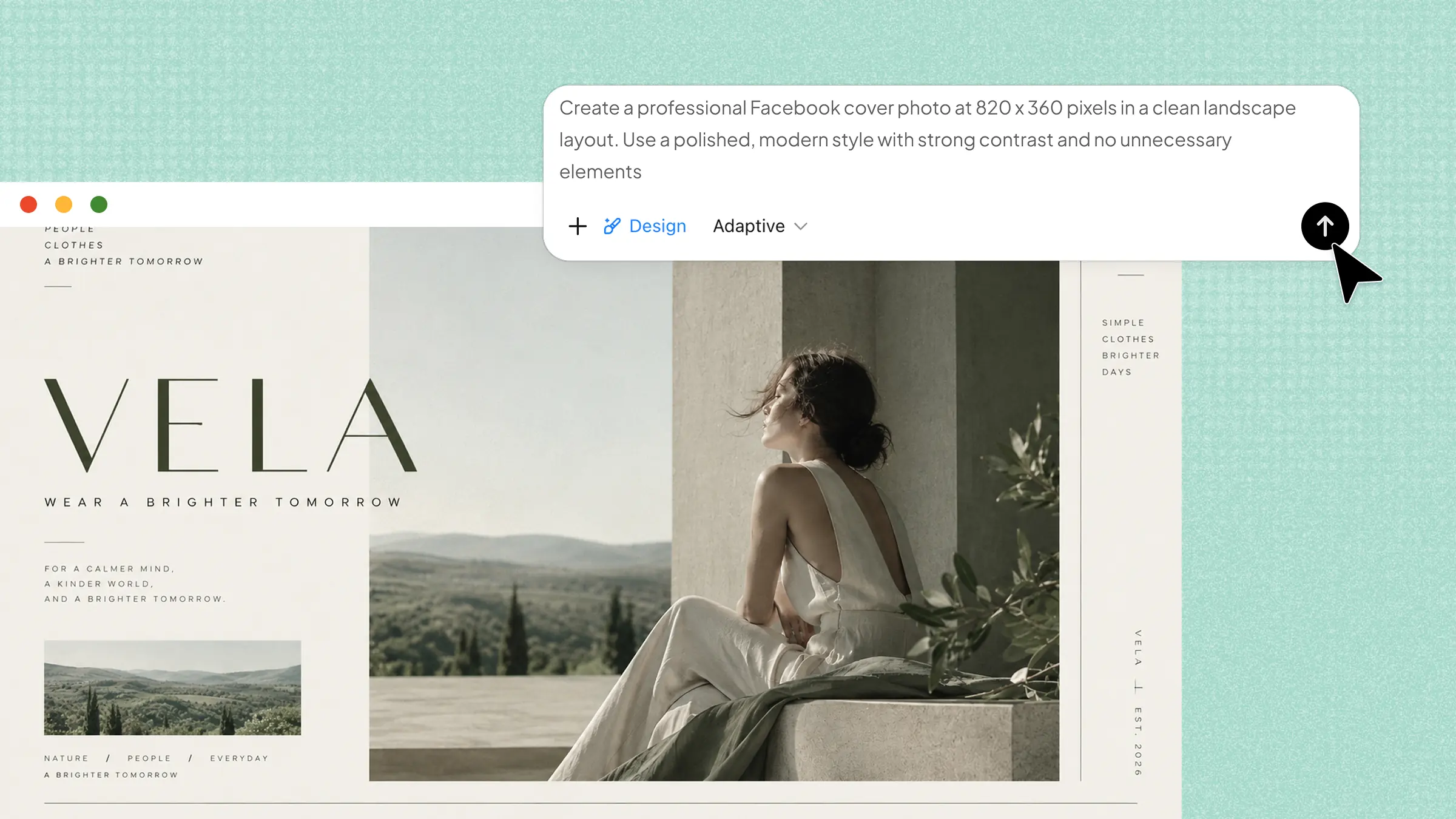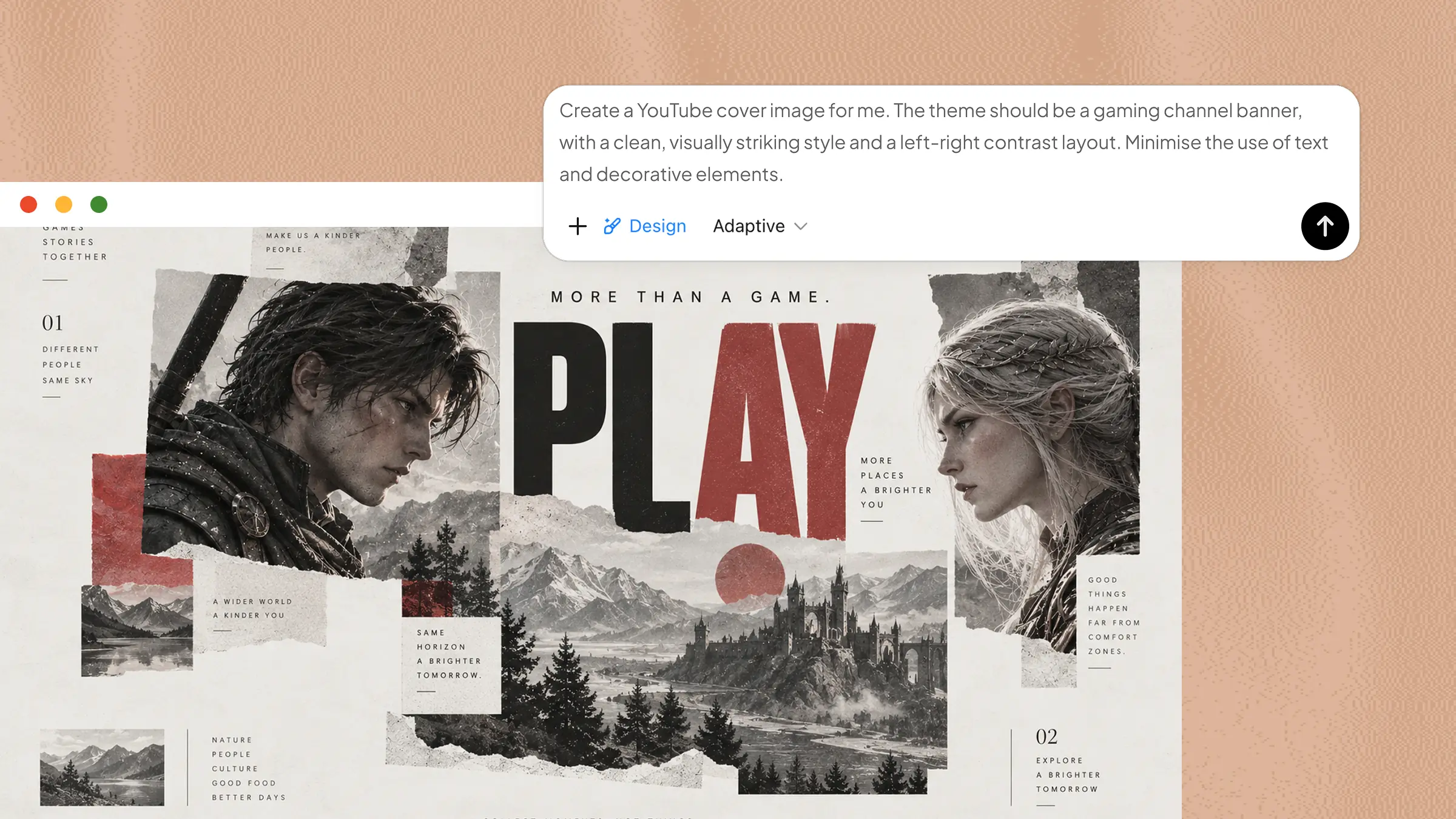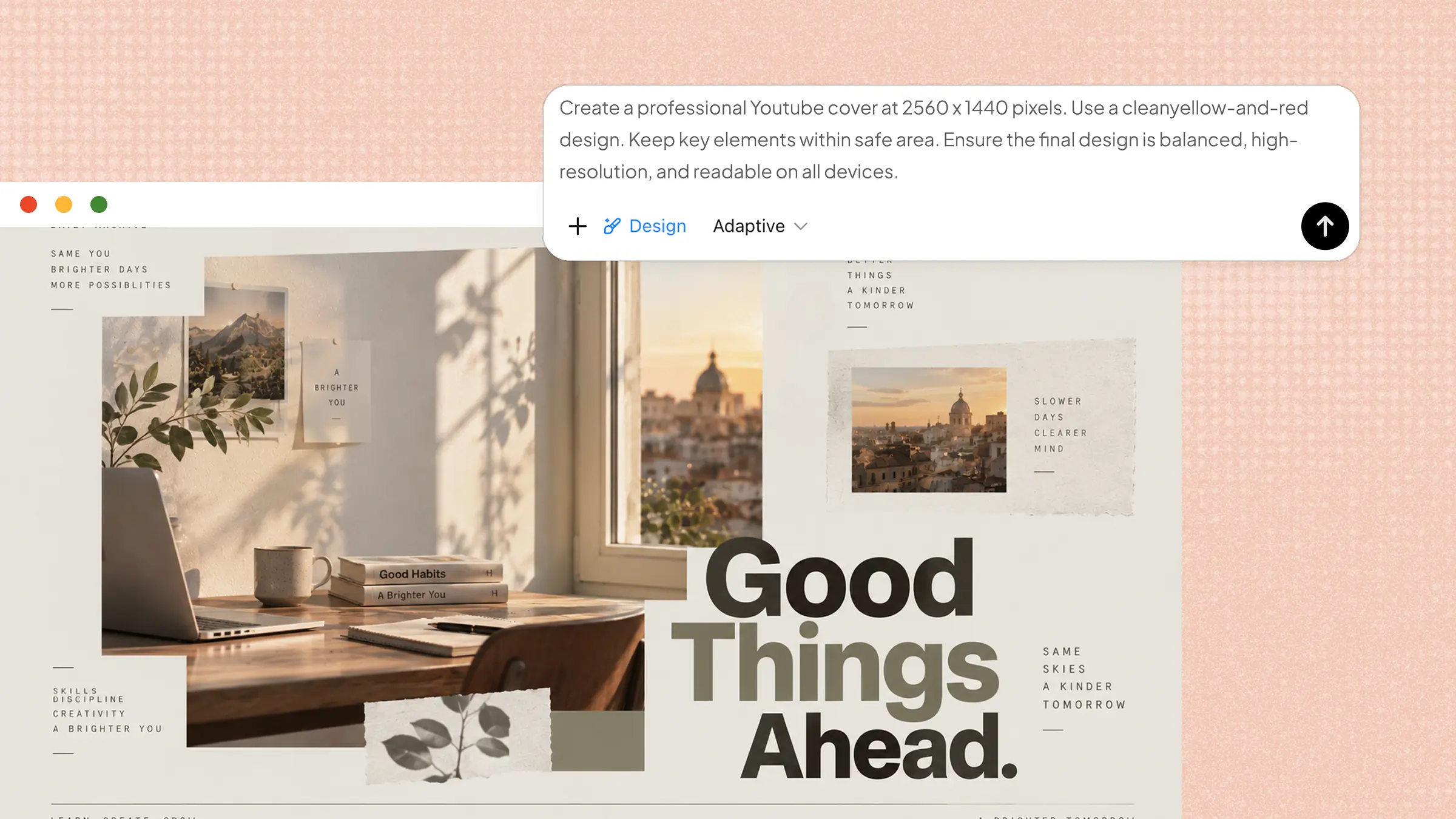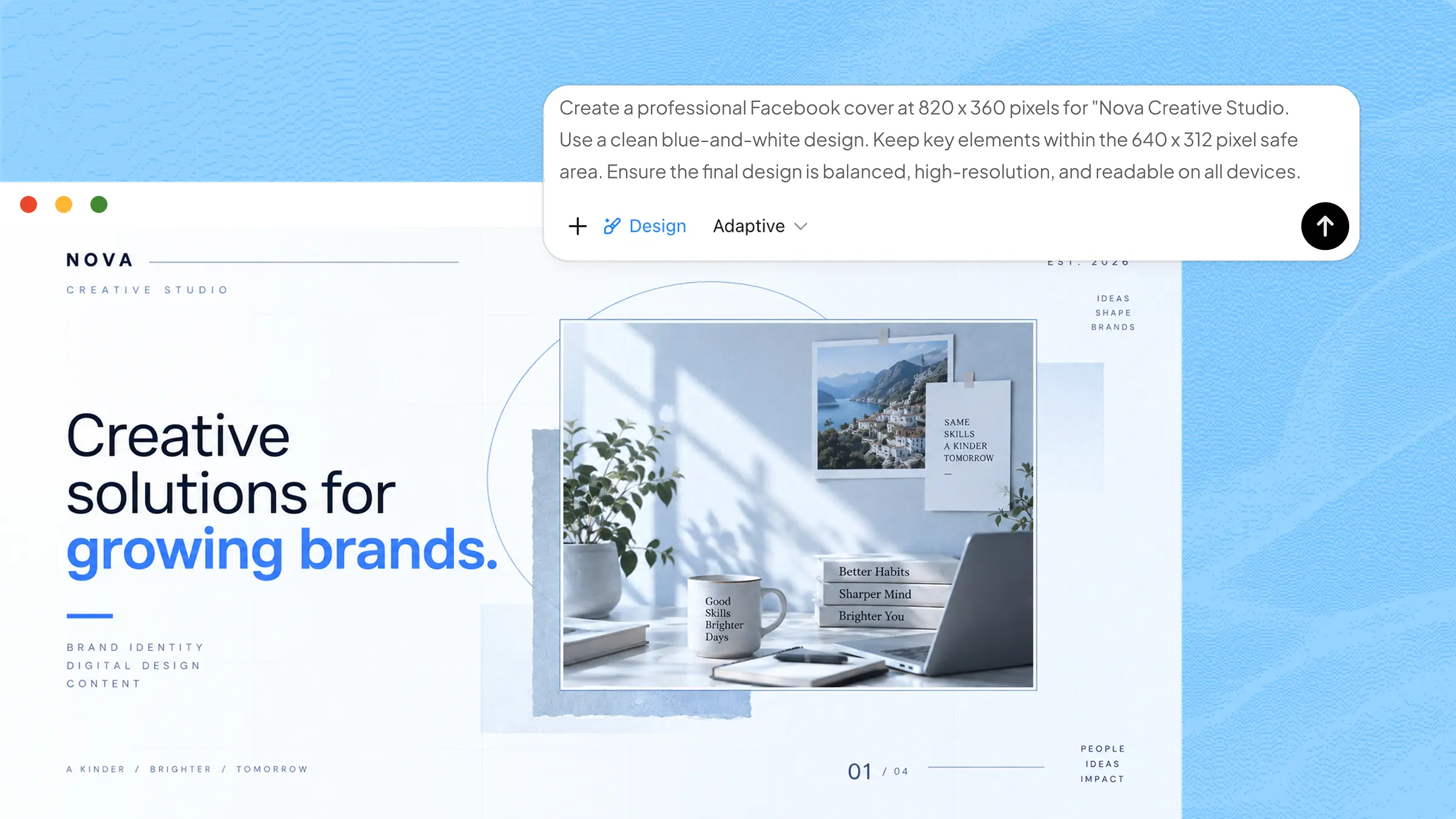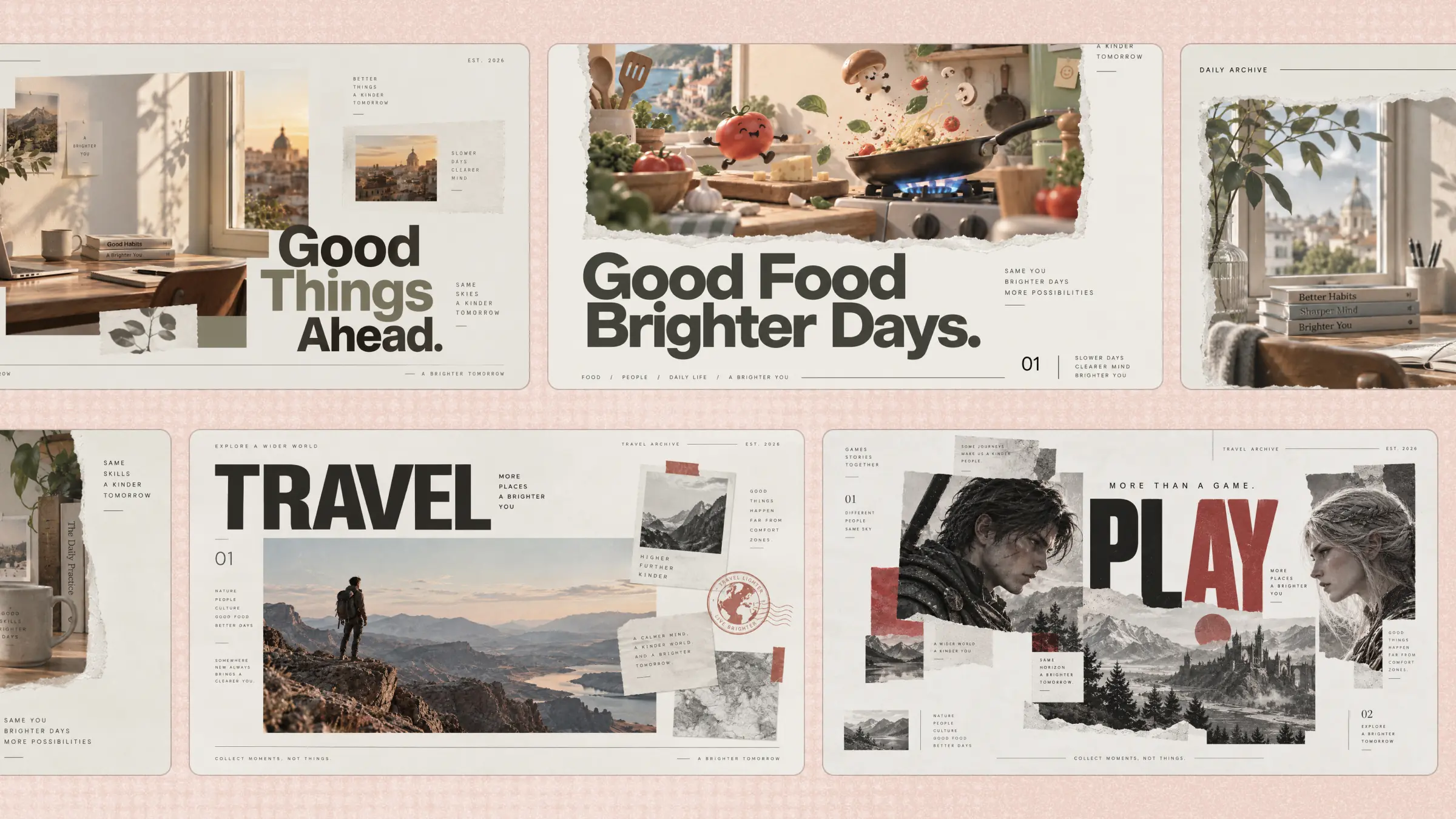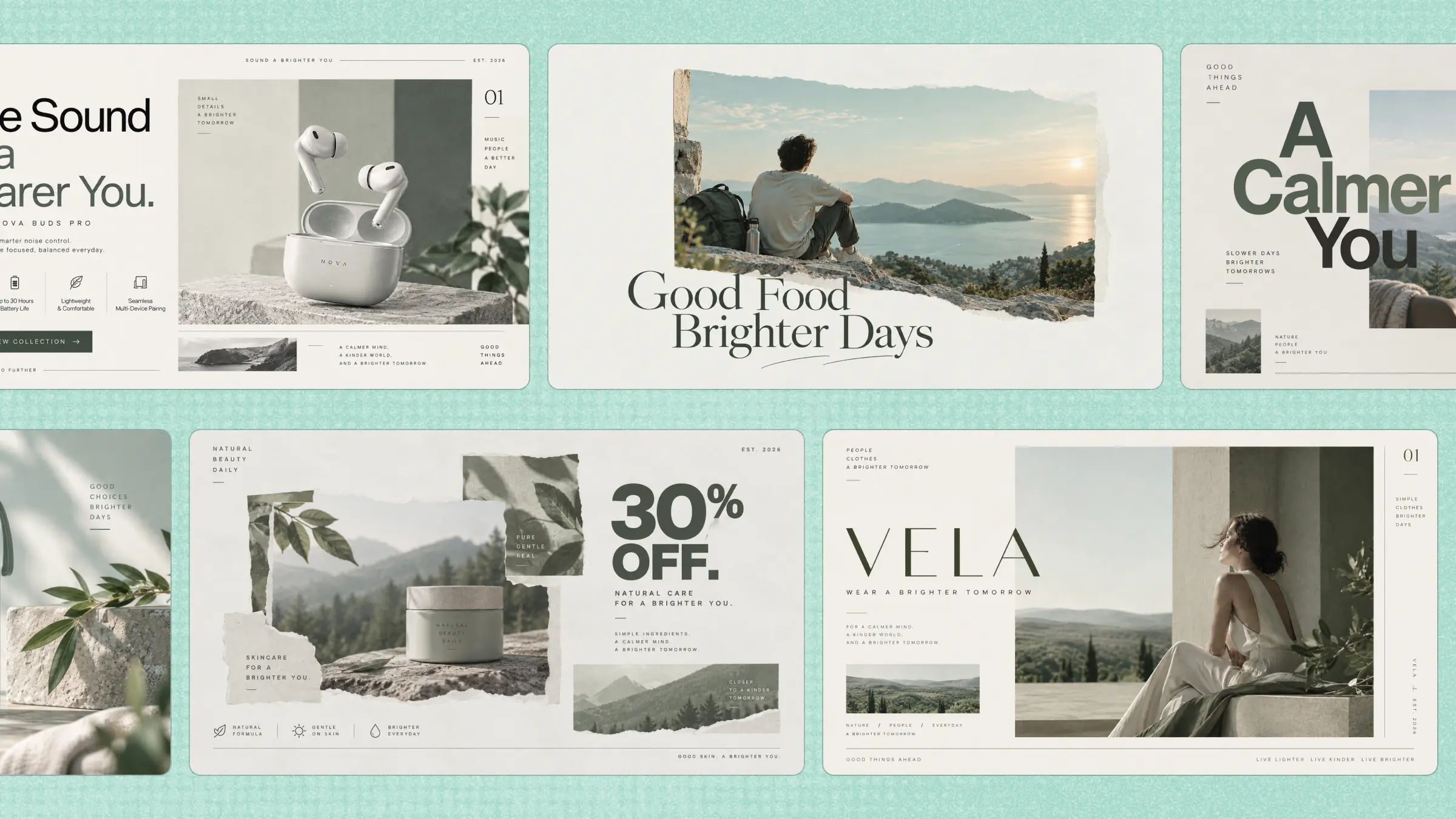
Sometimes, all your Facebook profile needs is a better cover to feel fresh and more inviting. The challenge is finding a design that looks good without spending hours creating everything from scratch. Facebook cover templates offer an easy way to try different styles and quickly shape them around your own ideas. Explore the options in this article and find the perfect starting point for your next Facebook cover.
Overview of 10 Facebook cover templates
Each Facebook cover photo template can serve a different purpose, depending on the type of profile, brand, or message you want to highlight. From personal profiles and product launches to promotions and community pages, choosing the right format can make your cover more effective. The table below gives you a quick overview of the 10 template types, their ideal use cases, and the visual direction each one follows:
| Cover type | Main focus | Style direction | Suitable for |
|---|---|---|---|
| Small business | Brand presence | Professional and welcoming | Local businesses and services |
| Personal profile | Personality and interests | Personal and relaxed | Individual profiles |
| Brand awareness | Brand recognition | Clean and consistent | Established brands |
| Product launch | Product attention | Modern and focused | New products |
| Sale and promotion | Promotional message | Bold and eye-catching | Discounts and offers |
| Cause awareness | Awareness message | Meaningful and hopeful | Campaigns and causes |
| Photography portfolio | Featured work | Visual and cinematic | Photographers |
| Holiday greeting | Holiday message | Warm and festive | Seasonal pages and brands |
| Event announcement | Event details | Informative and engaging | Events and gatherings |
| Community or group | Connection | Friendly and welcoming | Groups and communities |
10 Facebook cover templates for different needs
Finding the right cover does not have to be complicated. Whether you want something clean, creative, professional, or eye-catching, these Facebook cover examples give you a simple place to start:
Small business Facebook cover
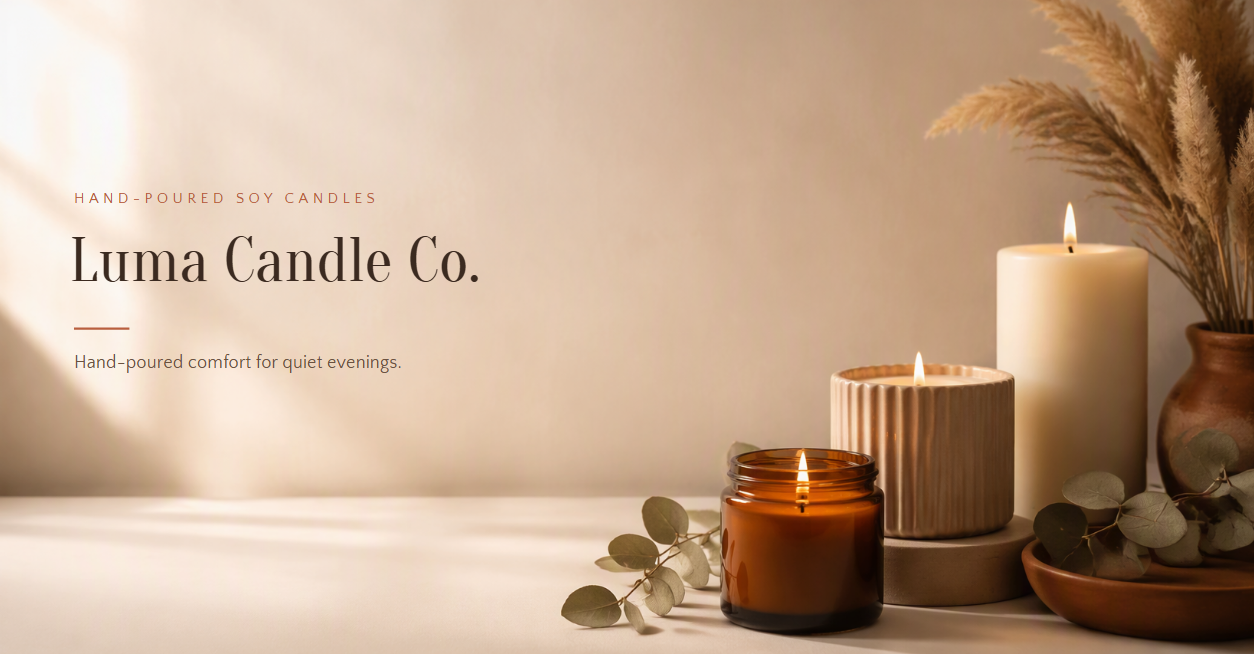
A small business cover combines a clear business name, short value statement, product imagery, and brand colors without making the design feel crowded. This type of cover works well for shops, local services, freelancers, and growing businesses that want a professional first impression.
How to use
Step 1: Enter your prompt
Start by describing the business, its visual identity, and the information you want people to notice first. Include details such as the business name, colors, products, and preferred layout, so the design feels relevant to the brand.
Prompt:
Step 2: Let AI generate your template
Let Kimi turn the business details into a complete cover with the brand name, message, colors, imagery, and layout arranged together. Check that the business name and main message are easy to see without competing with the product visuals.
Step 3: Review and export the template
Check the spacing, text placement, brand colors, and product images before exporting. Make any changes needed to match your actual business identity, then export the finished cover for Facebook.
Personal profile cover
A personal profile cover can show personality without looking overly designed or busy. It may feature a favorite quote, personal interests, travel memories, hobbies, or a simple portrait-style visual. The goal is to create a cover that feels personal and matches the tone of the profile.

How to use
Step 1: Enter your prompt
Tell Kimi what represents your personality and the mood you want the cover to have. You can mention your favorite colors, interests, quote, photographs, or visual theme to make the result feel more personal.
Prompt:
Step 2: Let AI generate your template
Kimi will combine the personal theme, imagery, quote, and chosen visual style into one cover. Review whether the design feels natural for a personal profile and whether the main text remains readable.
Step 3: Review and export the template
Make final adjustments to the quote, images, colors, or spacing if needed. Once the cover feels personal and balanced, export it in a format suitable for your Facebook profile.
Brand awareness cover
A brand awareness cover focuses on making a company memorable rather than promoting one specific product. It can use recognizable colors, a strong visual identity, and a short brand message to reinforce what the company stands for.

How to use
Step 1: Enter your prompt
Provide the brand name, colors, slogan, audience, and key message you want the cover to communicate. Keep the message short so the visual identity remains the main focus.
Prompt:
Step 2: Let AI generate your template
Allow Kimi to bring the brand colors, logo-style text, tagline, and supporting visuals together. Make sure the brand identity is immediately noticeable without filling every part of the cover.
Step 3: Review and export the template
Check the logo treatment, color consistency, tagline, and visual hierarchy. Adjust anything that does not match the brand before exporting the final Facebook cover.
Product launch cover
A product launch cover is designed to generate interest around something new. It should make the product the visual focus while clearly communicating its name and launch message. This format is useful when a business wants visitors to immediately notice a new product or service.

How to use
Step 1: Enter your prompt
Describe the new product, launch date or message, key feature, and visual style you want to highlight. Give the product enough space to stand out instead of filling the cover with too much text.
Prompt:
Step 2: Let AI generate your template
Kimi will create the launch composition by combining the product, announcement text, date, and supporting background. Check that the product remains the strongest visual element and the launch message can be understood quickly.
Step 3: Review and export the template
Verify the product name, launch date, feature statement, and product appearance. Fix any spacing or text issues, then export the finished cover for your launch campaign.
Sale and promotion cover
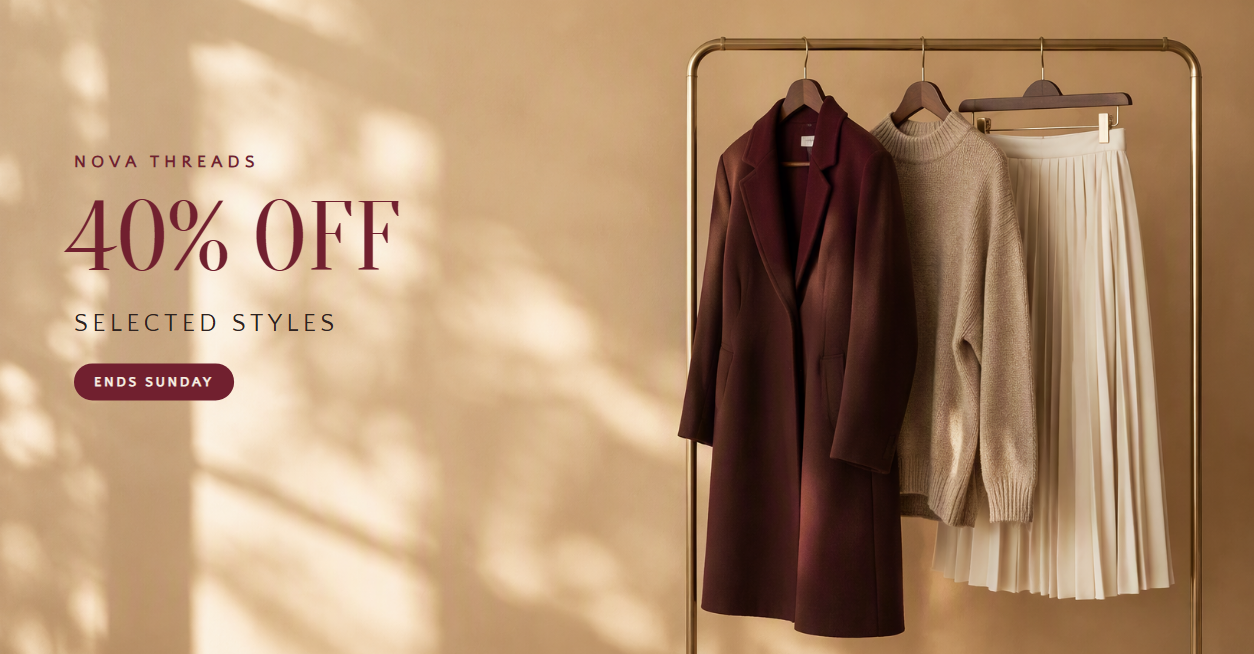
A sale cover needs to communicate the offer quickly because visitors should understand the promotion at a glance. Large, clear numbers, strong product imagery, and a short callout can make the offer easier to notice. It is useful for seasonal discounts, limited-time deals, and special promotions.
How to use
Step 1: Enter your prompt
Give Kimi the discount, promotion dates, product category, brand colors, and any important terms. Keep the main offer short and prominent, so it becomes the first thing people notice.
Prompt:
Step 2: Let AI generate your template
Let Kimi arrange the discount, product visuals, deadline, and supporting text into one promotional layout. Check that the percentage and deadline are immediately visible.
Step 3: Review and export the template
Confirm that the discount, promotion period, and call to action are correct. Adjust the product arrangement or text size if necessary, then export the cover for your promotion.
Cause awareness cover
A cause awareness cover is designed to bring attention to an important social, environmental, or community issue. It should communicate the cause with empathy while keeping the message clear and respectful. Strong imagery and a short message can help visitors understand what the page supports.

How to use
Step 1: Enter your prompt
Describe the cause, key message, supporting imagery, and action you want people to remember. Choose visuals that represent the issue thoughtfully rather than making the design overly dramatic.
Prompt:
Step 2: Let AI generate your template
Allow Kimi to translate the cause and message into a visual story. Make sure the imagery supports the message and that the campaign name remains easy to read.
Step 3: Review and export the template
Review the message, imagery, and overall tone to make sure they represent the cause appropriately. Correct any text or visual details before exporting the final cover.
Photography portfolio cover
A photography portfolio cover should let the photographer's work take center stage. Instead of adding lots of text, it can use one strong photograph or a carefully arranged selection of images with a simple name and specialty. This is ideal for photographers who want their Facebook profile to feel like a visual portfolio.

How to use
Step 1: Enter your prompt
Tell Kimi the photography style you want to showcase, such as portraits, landscapes, weddings, or street photography. Mention the photographer's name and any short descriptor you want included.
Prompt:
Step 2: Let AI generate your template
Kimi will arrange the photography themes and personal branding into a portfolio-style composition. Check that the photographs remain the main focus and that the text does not cover important details.
Step 3: Review and export the template
Look closely at the image transitions, photographer name, typography, and profile-picture safe area. Make any final adjustments before exporting the portfolio cover.
Holiday greeting cover
A holiday greeting cover gives a Facebook page a timely seasonal update. It can combine festive imagery, a warm message, and brand or personal colors without becoming too busy. This type of cover is useful for holiday greetings, seasonal campaigns, and special occasions.

How to use
Step 1: Enter your prompt
Choose the holiday, greeting message, colors, and visual elements you want to feature. Mention whether the cover should feel traditional, modern, playful, or closely connected to a brand.
Prompt:
Step 2: Let AI generate your template
Kimi will combine the seasonal elements, greeting, and brand details into a complete holiday composition. Check that the greeting stands out while the festive imagery adds atmosphere without overwhelming the design.
Step 3: Review and export the template
Make sure the greeting and business name are correct and that all seasonal elements look natural. Once everything is ready, export the cover and use it as your seasonal Facebook header.
Event announcement cover
An event cover gives people the essential information they need to know about an upcoming event. It should clearly show the event name, date, location, and a visual that matches the occasion. This makes it useful for workshops, webinars, conferences, meetups, and community events.

How to use
Step 1: Enter your prompt
Enter the event name, date, time, location, and theme you want to communicate. Add visual details related to the event so the design feels connected to what attendees can expect.
Prompt:
Step 2: Let AI generate your template
Kimi will combine the event information with the chosen theme and supporting graphics. Check that the event title and date are easy to find without getting lost in the decorative elements.
Step 3: Review and export the template
Double-check every event detail, especially the date, time, and location. Make any necessary corrections and export the completed cover for your Facebook event or page.
Community or group cover
A community or group cover should make members feel connected to a shared interest or purpose. It can use group colors, a short welcoming message, and imagery that represents the community. This works well for student groups, hobby communities, professional networks, and local organizations.

How to use
Step 1: Enter your prompt
Describe the community, its purpose, members, and visual identity. Include a welcoming message or group name that helps visitors immediately understand what the community is about.
Prompt:
Step 2: Let AI generate your template
Kimi will create a group-focused design that combines the community name, welcoming message, people, and shared theme. Check that the cover feels inviting and that the group's purpose is clear.
Step 3: Review and export the template
Check the group name, tagline, people, and overall layout. Adjust the message or imagery if needed, then export the cover for your Facebook group.
What makes Kimi Design ideal for Facebook covers?
Creating a Facebook cover becomes much easier when you have the right tools to handle both the creative process and the final details. Kimi Design combines AI-powered generation with flexible editing options, so you can move from a simple idea to a polished cover without starting from a blank canvas.
Turn your ideas into polished Facebook covers
Start with a text description, template, or image reference, and Kimi Design turns your direction into a complete Facebook cover. It makes creative decisions across composition, typography, colors, imagery, and visual hierarchy, giving you a polished starting point without building the layout from scratch.
Create covers for different profile needs
Design Facebook covers for personal profiles, businesses, products, promotions, events, communities, portfolios, and more. Adapt the content and visual direction to fit the purpose of your page rather than relying on a one-size-fits-all design.
Customize your cover with AI
Ask Kimi Design to change the layout, visual style, colors, imagery, or text through conversation. You can also comment directly on the canvas or make hands-on edits to text, images, shapes, and positions for more precise control.
Bring your own visual materials into the design
Upload photos, videos, or other visual references to guide the design. Kimi Design can incorporate your materials into the cover while building a cohesive overall composition.
Make your cover ready to use
Keep different iterations organized with version history and return to an earlier version whenever needed. When your Facebook cover is ready, export it as a PNG or JPG for uploading, or as a PDF for sharing and further editing.
Tips for making attractive Facebook cover templates
Once you have the right template, a few design choices can make your Facebook cover look much more polished. From choosing the right images to placing important elements carefully, these simple tips can help you create covers that look good across different screens:
Start with high-quality visuals
Use sharp, clear images that still look good when stretched across a wide cover. Blurry photos or low-resolution graphics can make even a well-designed Facebook cover PSD template look unprofessional. Choose visuals that support your message and fit the overall purpose of the page.
Choose a cohesive visual style
Keep your colors, fonts, images, and graphic elements consistent, so the cover feels like one complete design. Whether you are creating a business page or a Facebook event cover template, use a style that matches your brand or the mood of the event. Consistency also makes your page easier to recognize.
Create a clear visual hierarchy
Make the most important information stand out first, such as your brand name, event title, offer, or main message. Use different font sizes, weights, and spacing to guide the viewer naturally through the design. This is especially useful when customizing cover photo designs with several pieces of information.
Keep the layout clean and uncluttered
Avoid filling every part of the cover with text, images, or decorative elements. Give important content enough breathing room, so the design remains easy to understand at a glance. An editable Facebook cover template is easier to customize effectively when you remove anything that does not add real value.
Coordinate the cover with your profile photo
Your cover and profile picture appear together, so they should feel like parts of the same design. Match their colors, style, or visual theme while making sure important cover content does not sit directly behind the profile photo. This creates a more connected and professional-looking Facebook page.
Keep important content in the safe zone
Facebook covers can be cropped differently on desktop and mobile. For personal and page covers, use an 820 × 360 px canvas as an example: the desktop view displays about 820 × 312 px, while the mobile view crops the sides to about 640 × 360 px. This leaves a central safe zone of approximately 640 × 312 px that remains visible across both views. Keep important text, logos, and headlines within this area, then preview your cover on both desktop and mobile before publishing.
Conclusion
Great Facebook covers start with a clear idea and a design that brings it to life. Facebook cover templates give you the foundation, while your colors, images, and message make the final result personal. Kimi Design helps you move from an idea to a finished cover without making the process complicated. Start creating with Kimi Design and give your Facebook page a design refresh.