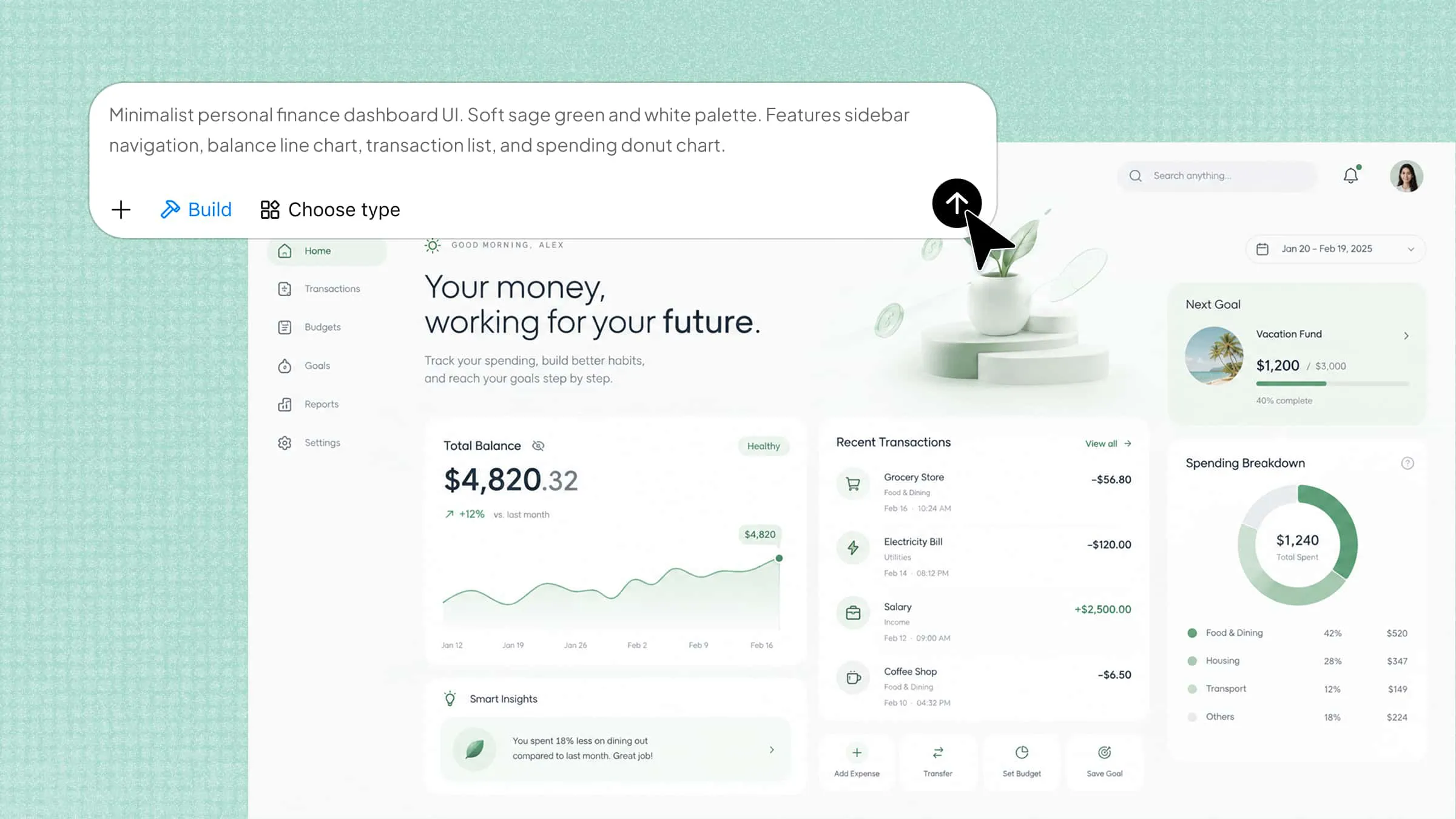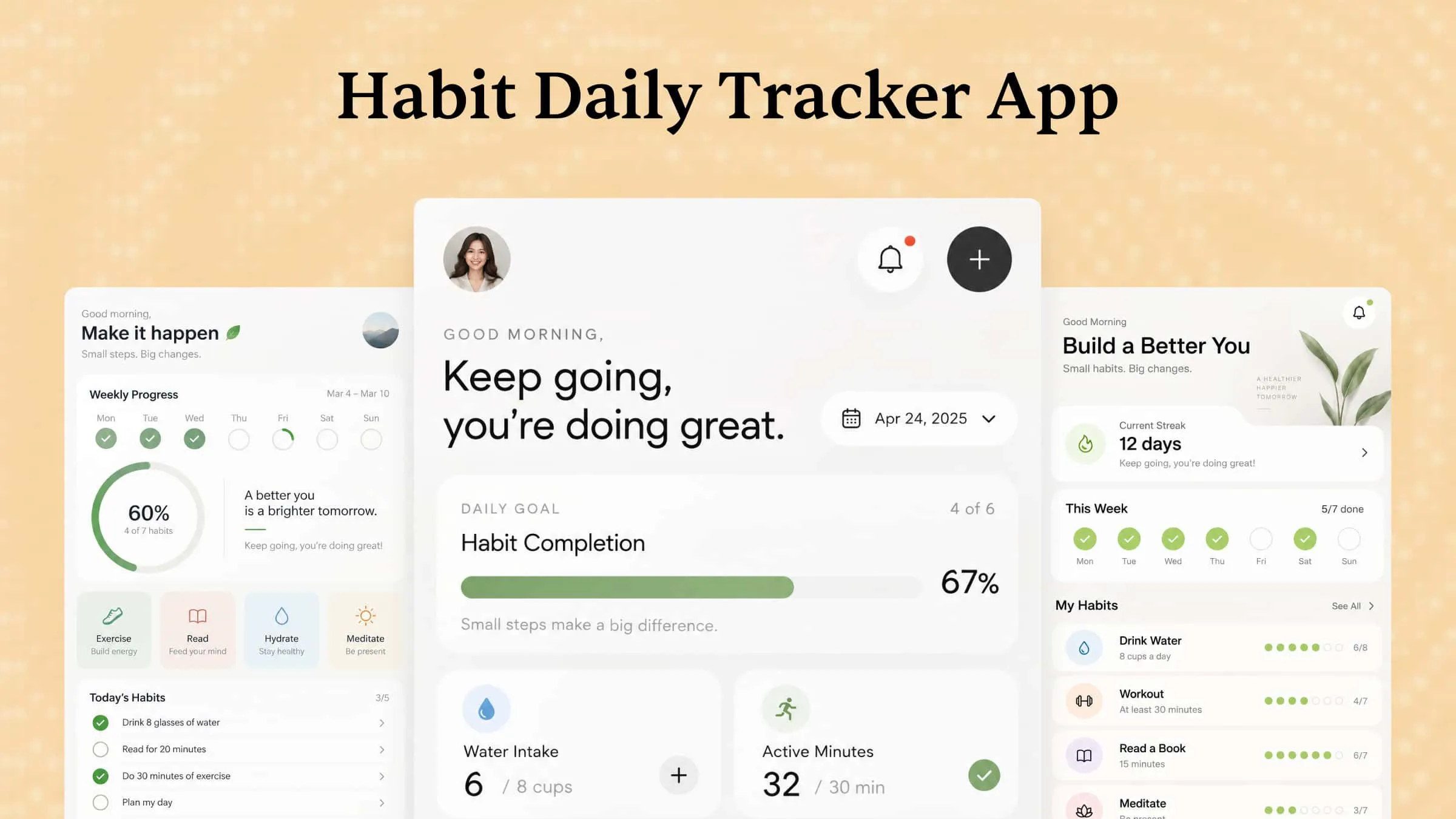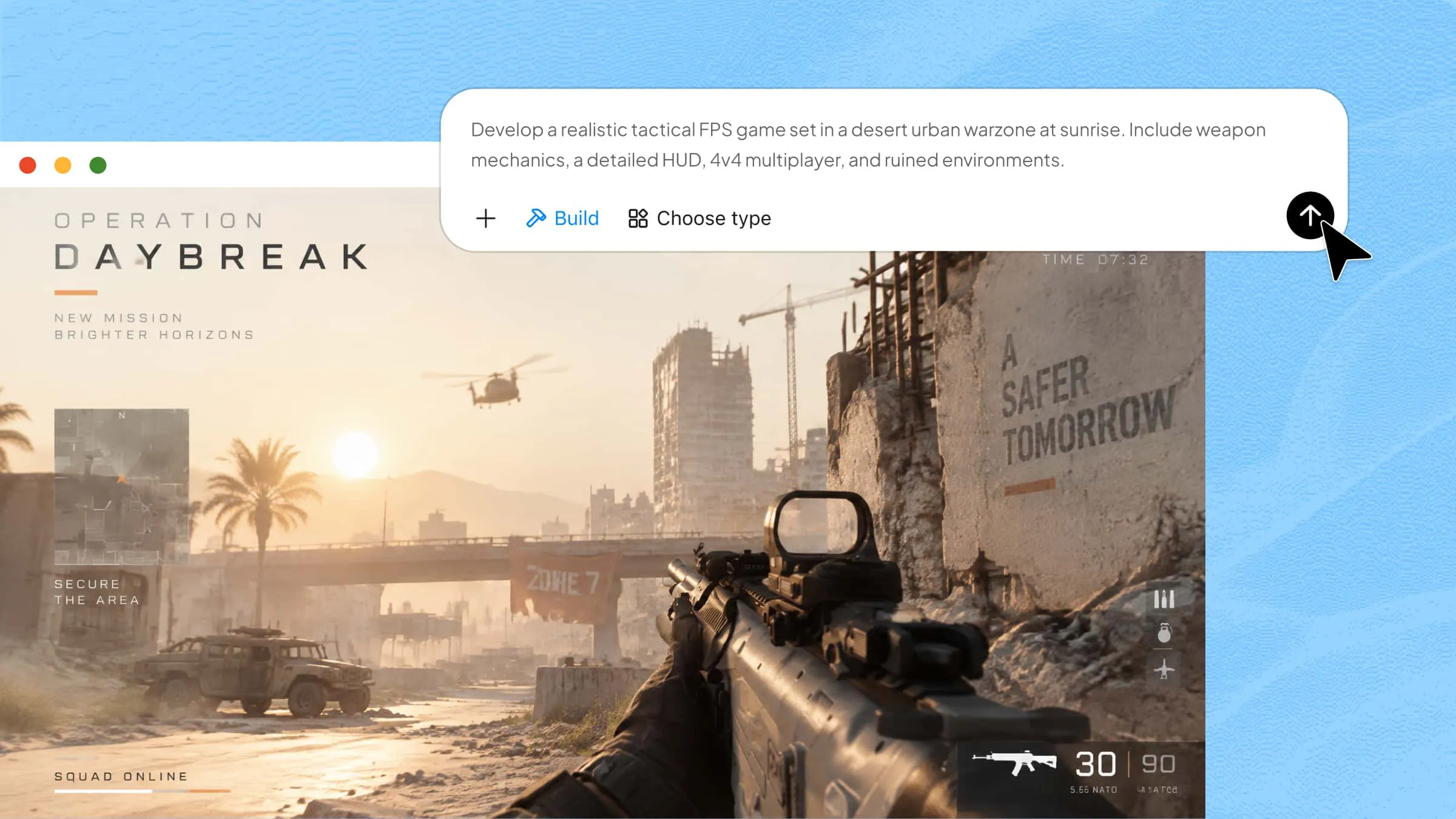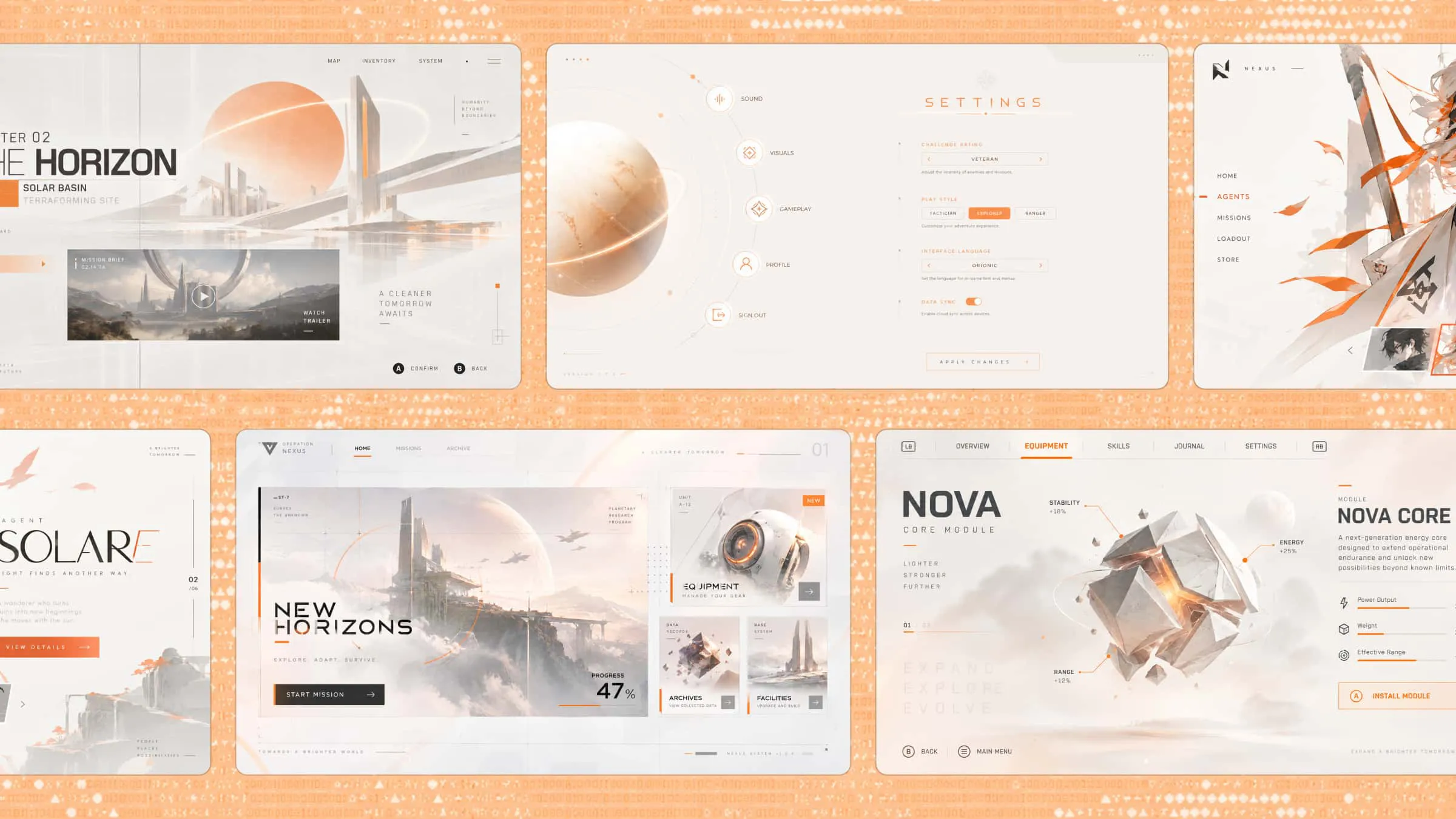
Food website templates offer a starting point for turning a culinary idea into an online experience, but choosing a design that fits your vision isn't always straightforward. A restaurant, a recipe publisher, and a specialty food brand each have different things to communicate, so a one-size-fits-all layout may fall short. This article explores 10 template concepts for different food-related ventures and introduces how Kimi Build can help bring your chosen direction to life.
A quick glance at 10 food web design templates
The right website design depends on your food business, audience, and goals. Whether you run a bakery, offer catering, or share recipes, the right food web template helps showcase your offerings and engage visitors. Here's a quick comparison of 10 templates and their best uses.
| Template type | Ideal for | Visual style | Key features | Primary purpose |
|---|---|---|---|---|
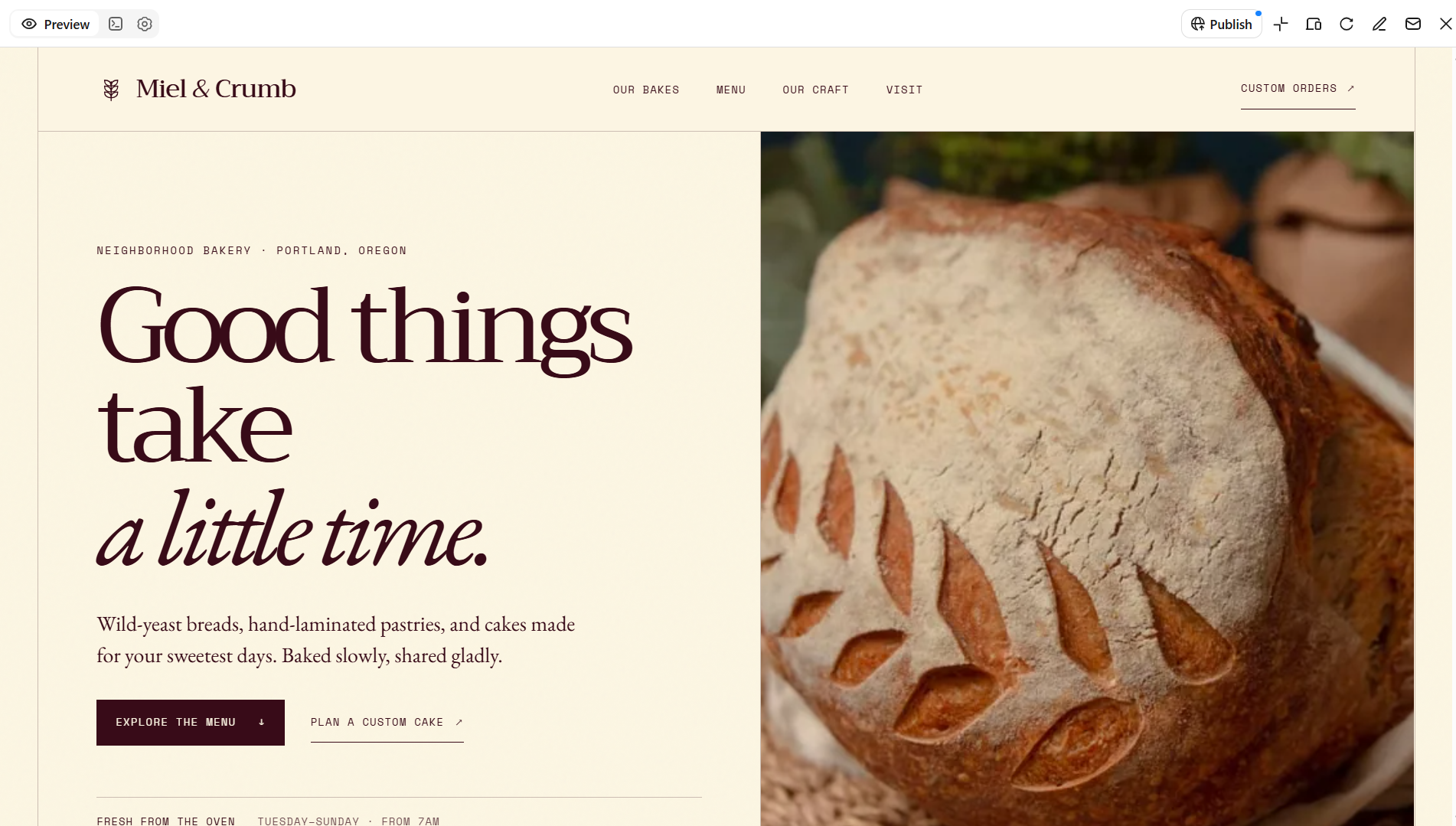
| Bakery | Bakeries and cake shops | Warm colors, appetizing photos | Product gallery, pricing, custom-order form | Showcase baked goods and attract orders |
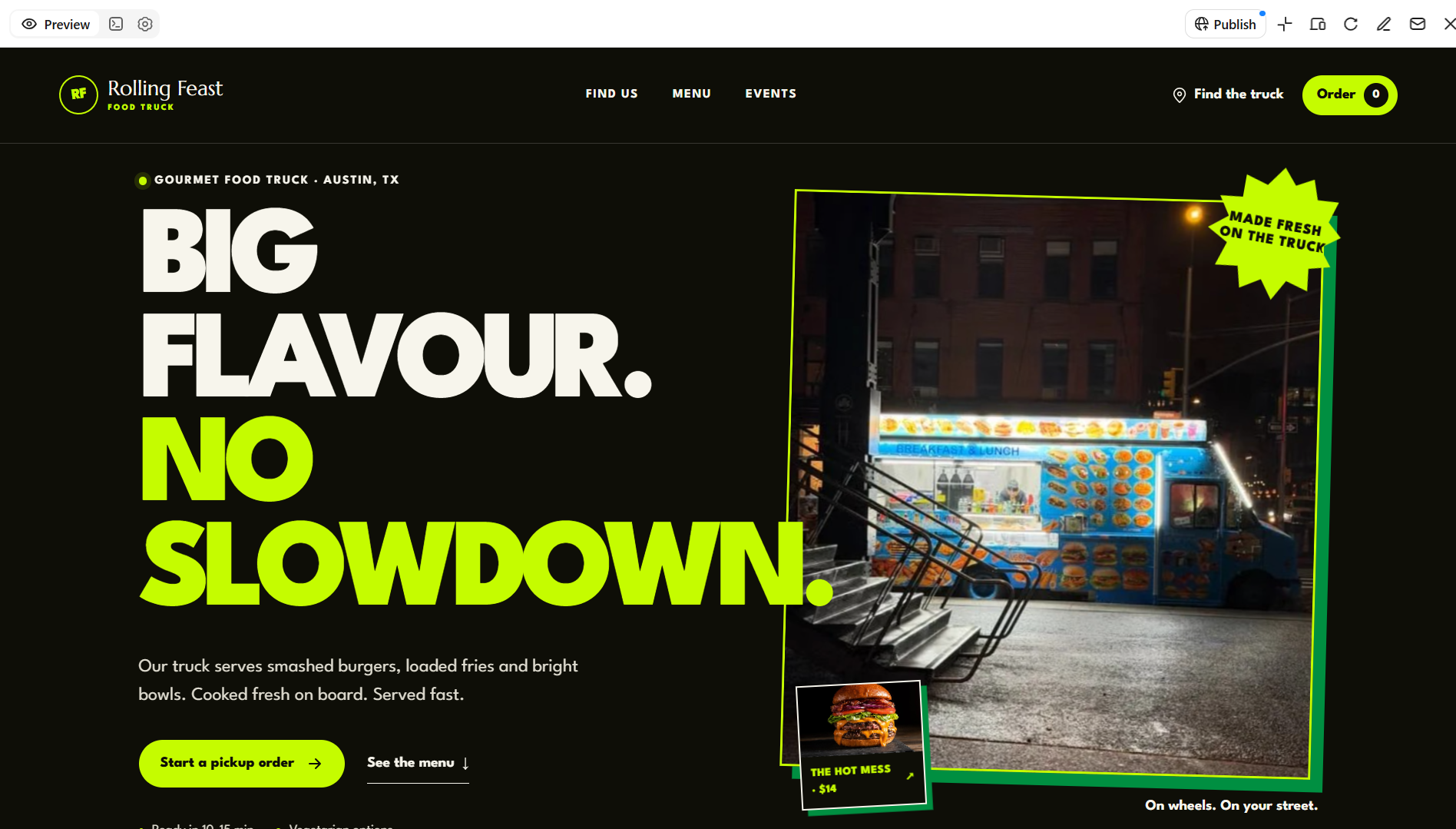
| Food truck | Mobile food vendors | Bold colors, vibrant imagery | Menu, location updates, opening hours | Help customers find the truck |
| Catering | Catering and event businesses | Elegant layouts, event photography | Service packages, testimonials, inquiry form | Generate catering inquiries |
| Meal prep | Meal delivery services | Clean, organized layouts | Weekly menus, nutrition details, subscriptions | Simplify meal selection and ordering |
| Packaged food | Snack and packaged-food brands | Strong branding, product photography | Product pages, ingredients, nutrition facts | Showcase products and build trust |
| Farm and organic food | Farms and produce sellers | Earthy colors, natural imagery | Seasonal produce, farm story, product details | Highlight fresh produce and its origins |
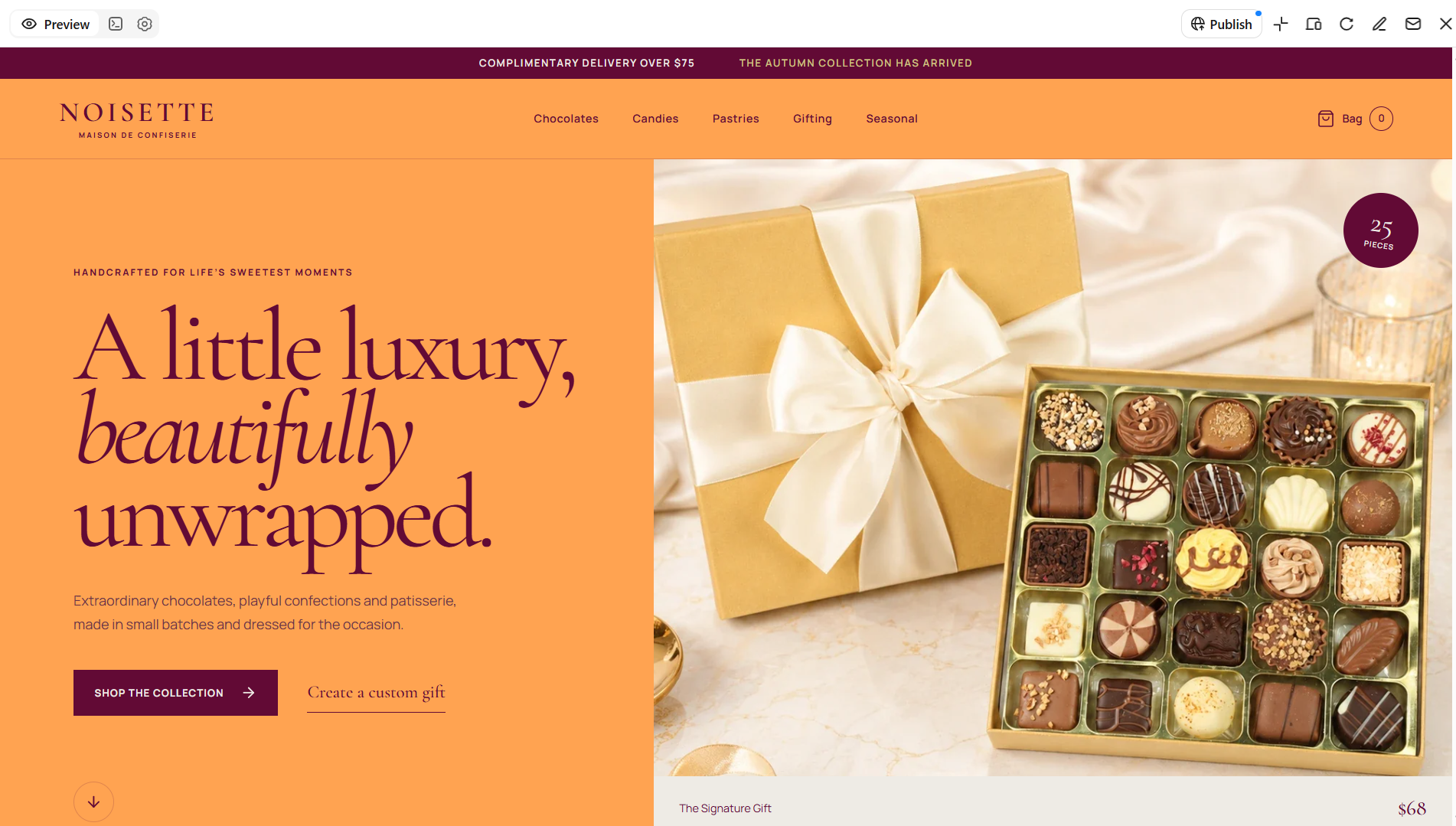
| Confectionery | Chocolate and dessert shops | Rich colors, decorative typography | Product gallery, seasonal offers, custom orders | Promote sweets and encourage purchases |
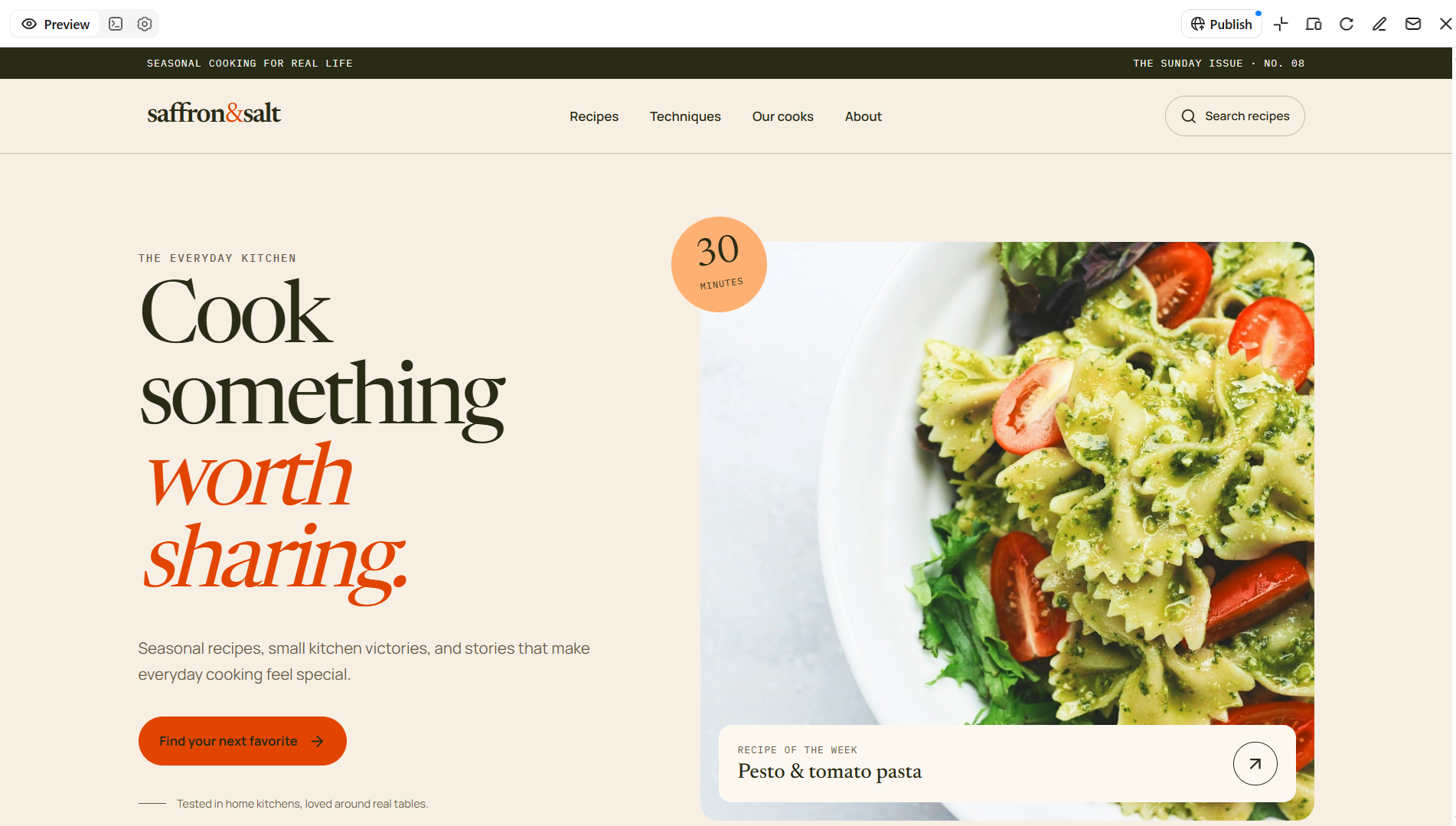
| Food blog | Recipe creators and food publishers | Editorial layouts, food photography | Recipe cards, search, content categories | Share recipes and grow readership |
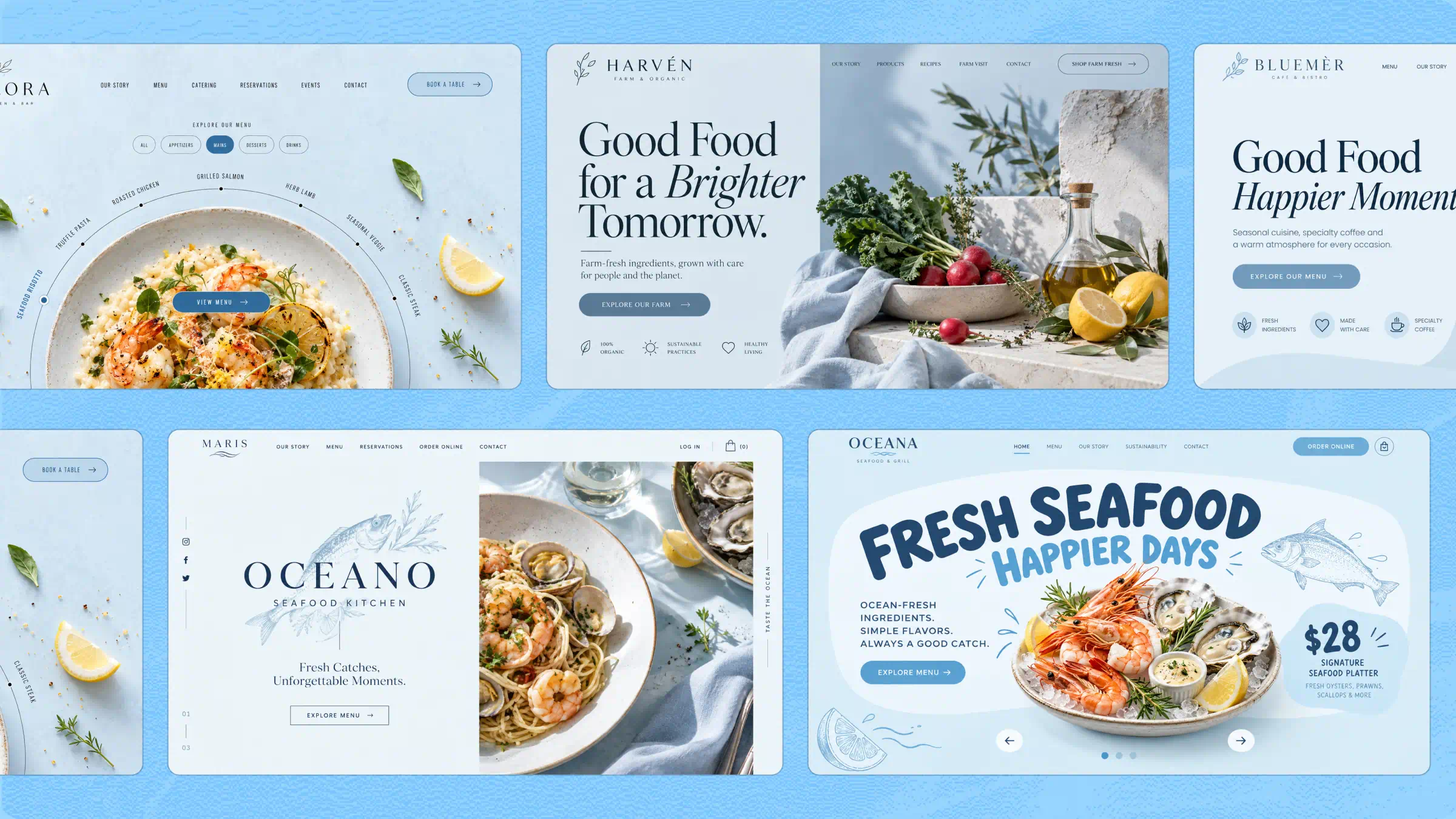
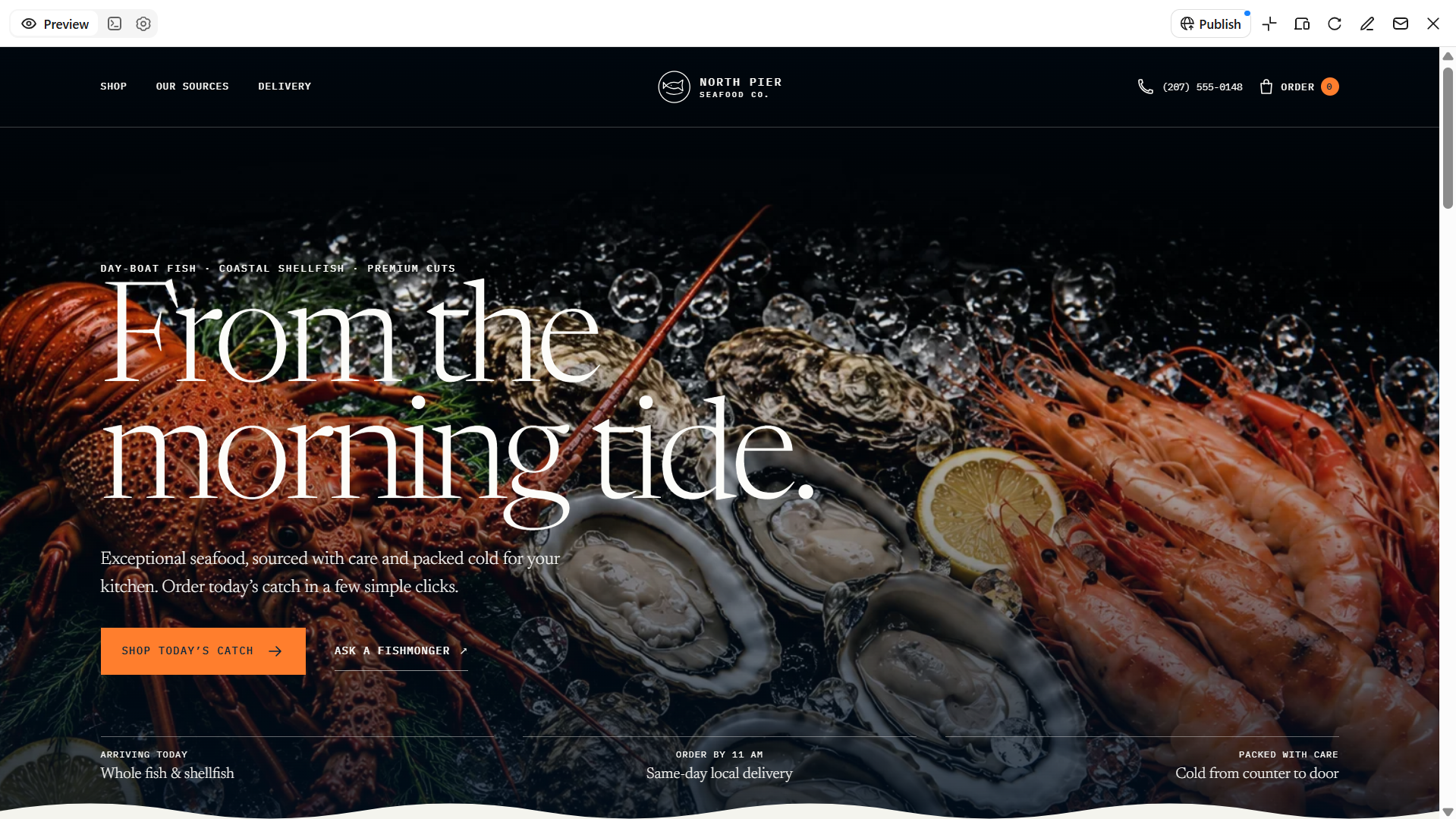
| Seafood | Fish markets and seafood retailers | Ocean-inspired colors, fresh imagery | Product listings, sourcing, delivery details | Showcase seafood and support sales |
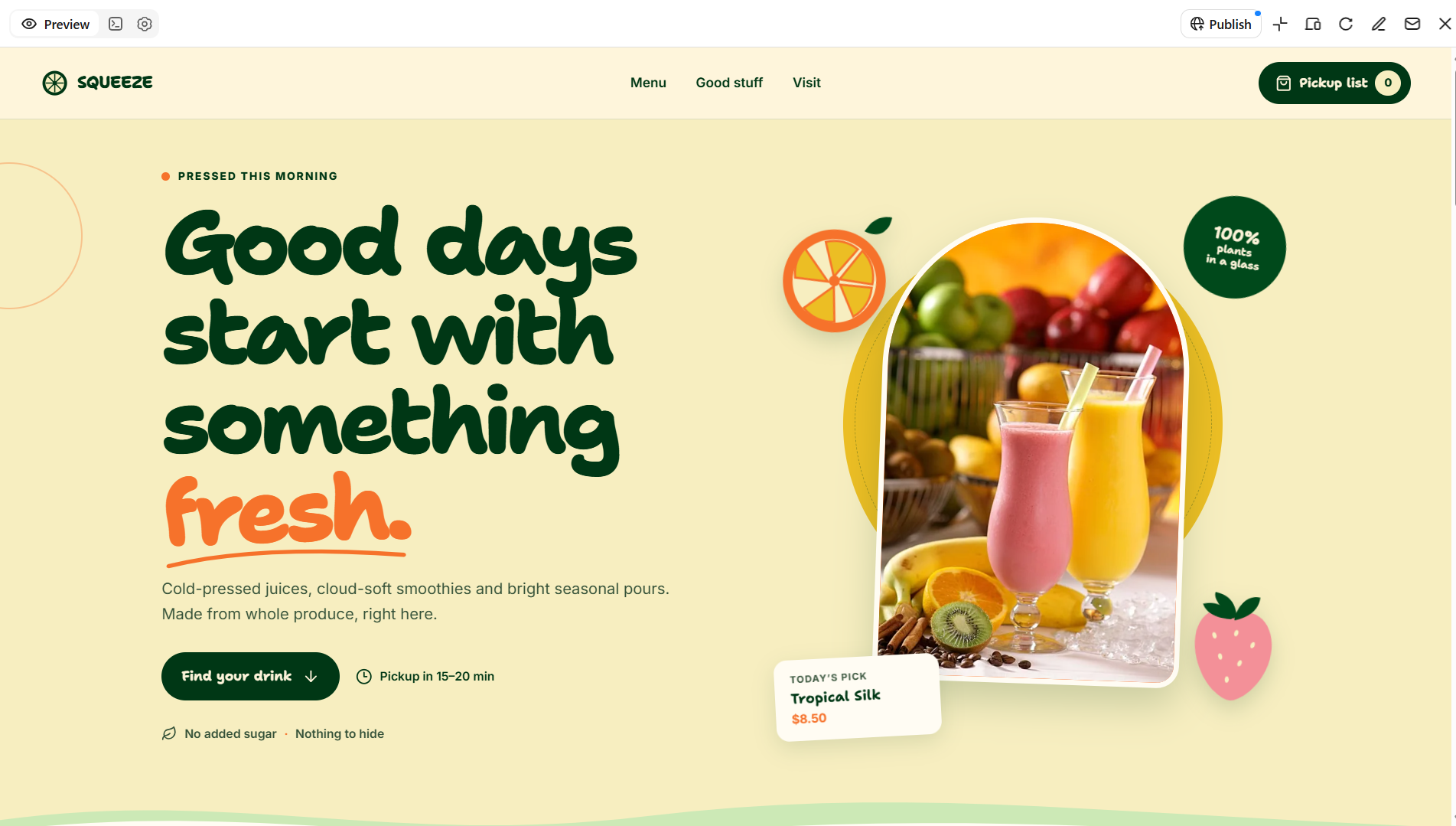
| Juice bar | Juice shops and smoothie businesses | Fresh colors, bright beverage imagery | Drink menu, ingredients, nutrition details | Promote drinks and encourage orders |
Explore 10 food web templates for 2026
Explore these 10 food web templates for different culinary businesses, from bakeries and food trucks to recipe blogs and juice bars. Each design offers ideas to help you showcase your products and create an appealing online presence.
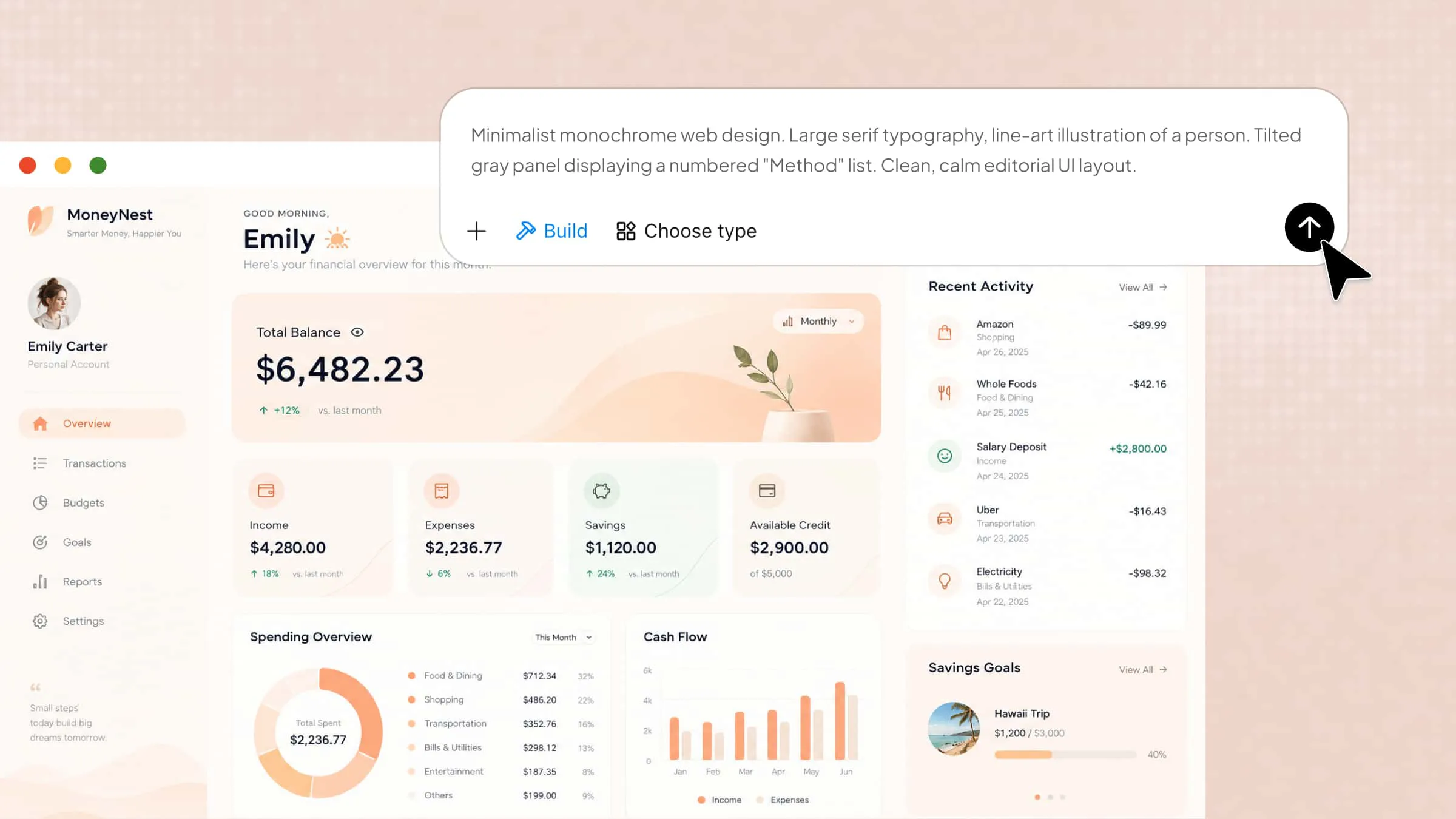
Kimi Build, an AI website builder, helps you create a food website using simple text prompts. Describe your business, preferred design style, menu, and essential pages. The AI generates a website layout based on your requirements. You can refine the colors, images, sections, and other design elements to match your brand. Review the final layout and make any necessary adjustments before publishing.
Bakery website template
A bakery website should reflect the warmth and craftsmanship behind its baked goods while making product discovery effortless. These designs can showcase cakes, pastries, artisan breads, seasonal specials, and custom-order options through appealing imagery and organized menus. For businesses exploring food and recipe websites, a bakery layout can also accommodate baking tutorials, ingredient stories, and featured recipes.
How to use
Step 1: Enter your prompt
Open Kimi Build and describe your bakery, signature products, preferred design style, and required website sections.
Prompt:
Step 2: Let AI generate your website
Let Kimi Build generate the website based on your prompt. Review the layout, product gallery, menu, and ordering sections.
Step 3: Review and publish
Check product details, contact information, mobile layout, and order links. Make any necessary adjustments, then publish your website using Kimi Build's publishing options.
Food truck website template
A food truck website template should make it easy for customers to find your menu, check operating hours, and see where your truck will be next. Highlight signature dishes, daily specials, location updates, and upcoming events in a clear, mobile-friendly layout. If you offer takeaway or delivery, include ordering links to help customers access the available options.
How to use
Step 1: Enter your prompt
Open Kimi Build and describe your food truck, menu, preferred design style, and essential website sections.
Prompt:
Step 2: Let AI generate your website
Let Kimi Build create the website based on your prompt. Review the menu, food gallery, location section, and contact details.
Step 3: Review and publish
Check menu prices, opening hours, location information, and contact links. Make any necessary changes, then publish your website using Kimi Build's publishing options.
Catering website template
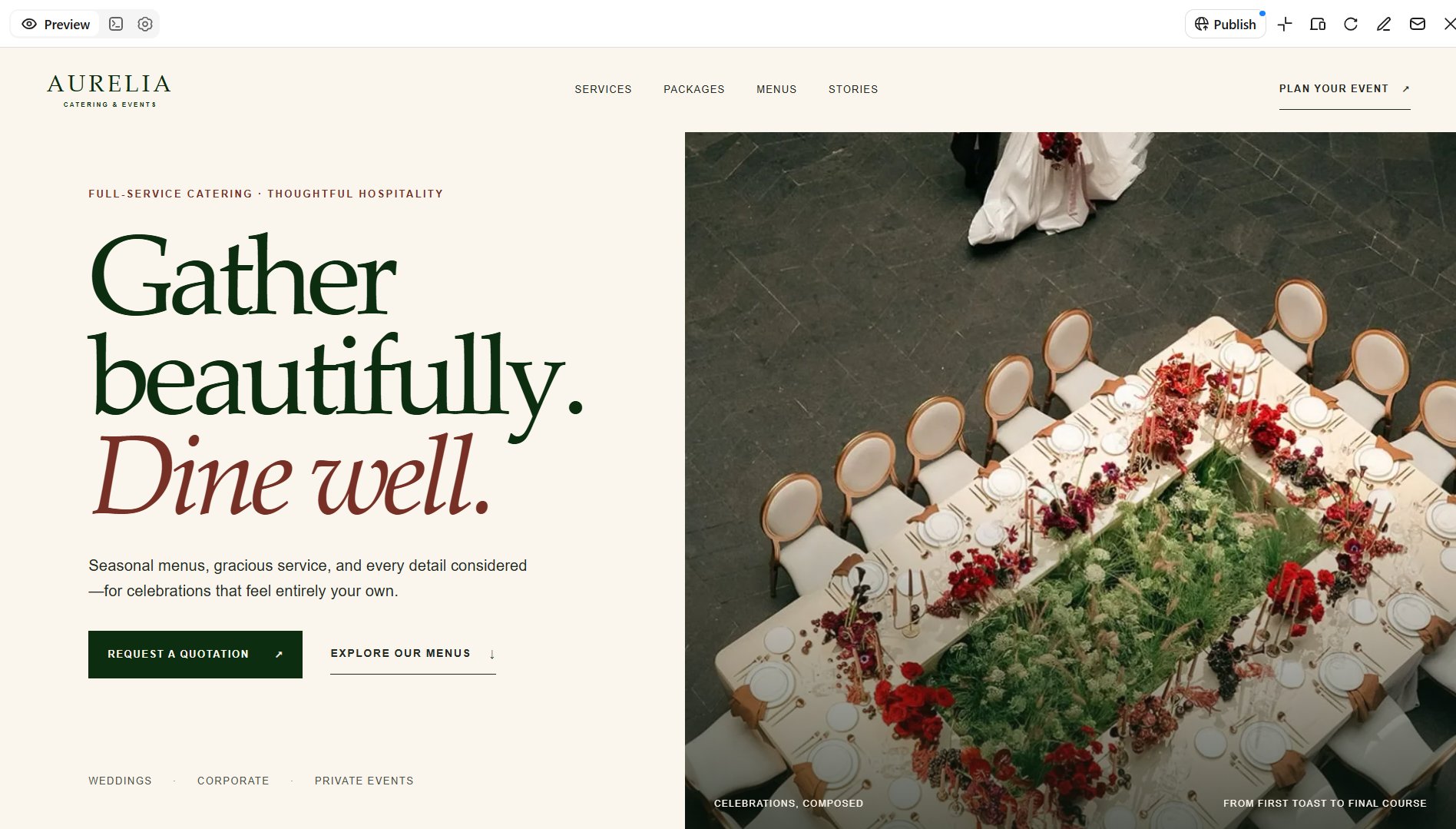
A catering website template should showcase your services, menu options, and experience with different events. Highlight wedding packages, corporate catering, private-event menus, customer testimonials, and inquiry forms to help potential clients explore your offerings and request a quote. Customize the layout and visuals to reflect your brand and the types of events you serve.
How to use
Step 1: Enter your prompt
Open Kimi Build and describe your catering business, service packages, cuisine options, and essential website sections.
Prompt:
Step 2: Let AI generate your website
Let Kimi Build create the website based on your prompt. Review the service packages, menu sections, image gallery, and booking form.
Step 3: Review and publish
Check package details, menu information, contact details, and inquiry form functionality. Make any necessary adjustments, then publish your website using Kimi Build's publishing options.
Meal prep website template
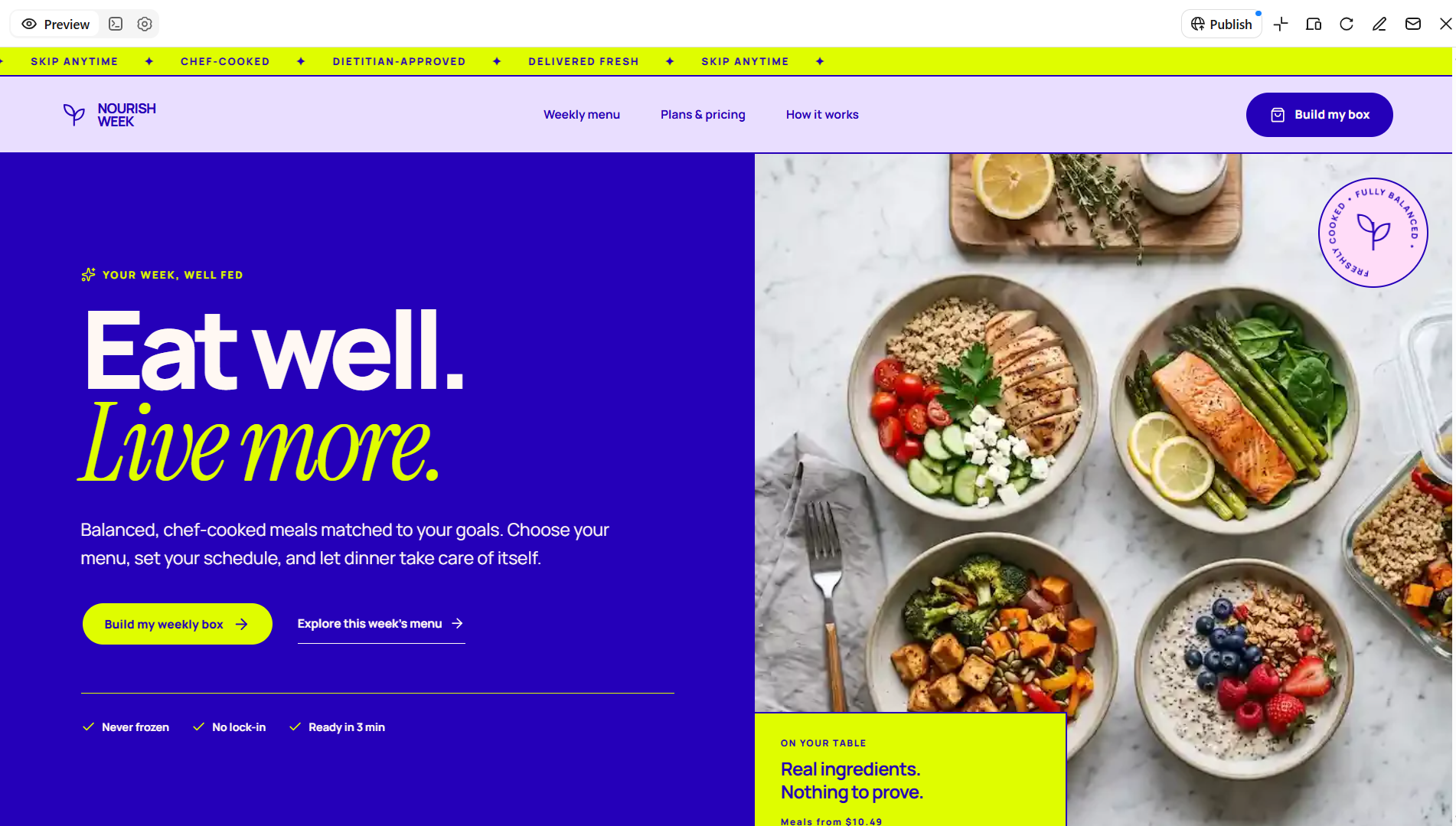
A meal prep website template should make it easy for customers to explore meal plans and choose options that fit their dietary needs and routines. Highlight weekly menus, portion sizes, nutritional details, subscription plans, and delivery schedules in a clear, organized layout. Make plan selection and recurring orders easy to navigate so customers can quickly find the right option.
How to use
Step 1: Enter your prompt
Open Kimi Build and describe your meal prep business, meal plans, dietary options, and essential website sections.
Prompt:
Step 2: Let AI generate your website
Let Kimi Build create the website based on your prompt. Review the meal plans, menu categories, pricing details, and ordering sections.
Step 3: Review and publish
Check meal descriptions, prices, nutritional details, and ordering links. Make any necessary adjustments, then publish your website using Kimi Build's publishing options.
Packaged food website template
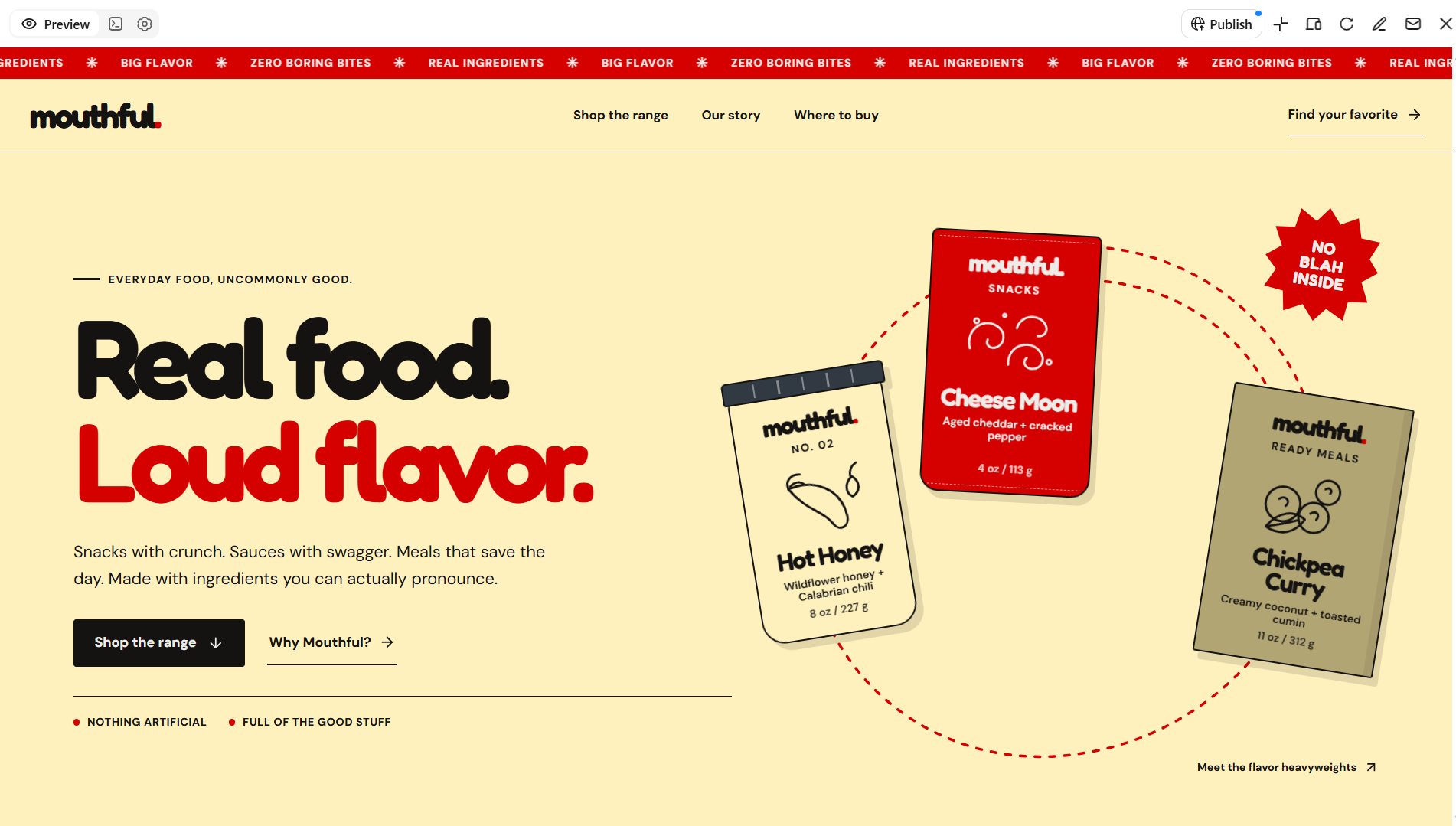
A packaged food website template should showcase products while helping customers understand what makes them unique. Include product images, ingredient lists, nutritional information, packaging details, certifications, and retailer information in a clear, organized layout. Customize the design to reflect your brand identity and make it easy for customers to explore your product range.
How to use
Step 1: Enter your prompt
Open Kimi Build and describe your packaged food brand, product range, packaging style, and essential website sections.
Prompt:
Step 2: Let AI generate your website
Let Kimi Build create the website based on your prompt. Review the product gallery, category sections, product descriptions, and shopping features.
Step 3: Review and publish
Check product details, ingredient lists, nutritional information, prices, and shopping links. Make any necessary adjustments, then publish your website.
Farm and organic food website template
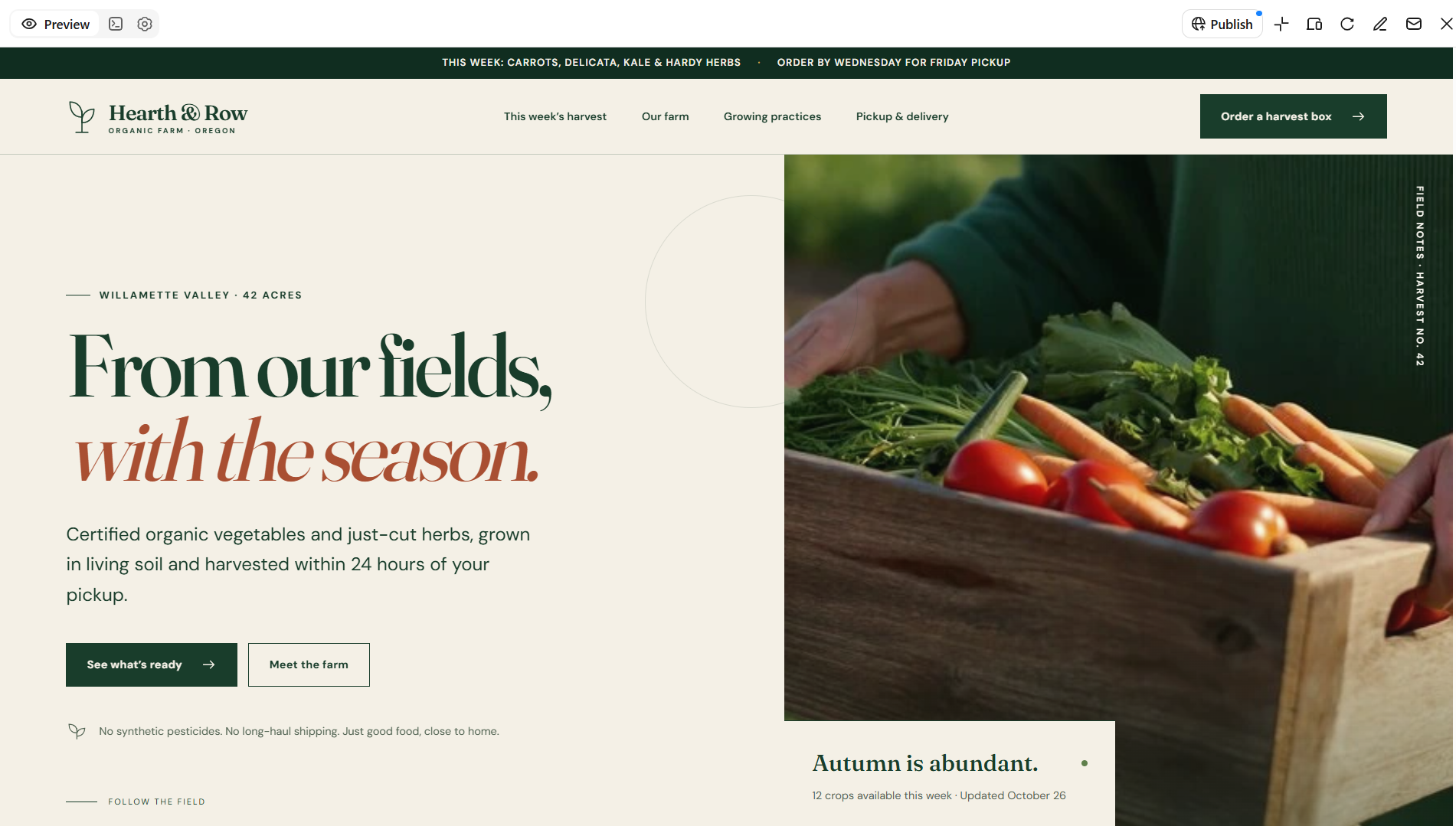
A farm and organic food website template should highlight where products come from and how they are grown. Feature seasonal produce, farming practices, farm stories, certifications, and community-supported agriculture programs to build trust and connect with customers. Customize the layout to showcase available products, share harvest updates, and explain how customers can purchase directly from your farm.
How to use
Step 1: Enter your prompt
Open Kimi Build and describe your farm or organic food business, product range, farming practices, and essential website sections.
Prompt:
Step 2: Let AI generate your website
Let Kimi Build create the website based on your prompt. Review the product gallery, seasonal produce section, farm story, and ordering options.
Step 3: Review and publish
Check product descriptions, seasonal availability, prices, farming information, and ordering links. Make any necessary adjustments, then publish your website.
Confectionery website template
A confectionery website template should showcase chocolates, pastries, candies, and handcrafted desserts with appealing imagery and a polished design. Use a cohesive color palette, product galleries, and elegant typography to reflect your brand's style. Highlight product collections, seasonal treats, and customization options to help customers discover their favorites and place orders.
How to use
Step 1: Enter your prompt
Open Kimi Build and describe your confectionery business, sweet products, preferred design style, and essential website sections.
Prompt:
Step 2: Let AI generate your website
Let Kimi Build create the website based on your prompt. Review the product gallery, sweet categories, gift collections, and ordering sections.
Step 3: Review and publish
Check product descriptions, prices, gift options, contact details, and ordering links. Make any necessary adjustments, then publish your website.
Food blog website template
A food blog website template should combine clear navigation, readable layouts, and high-quality photography to showcase recipes and culinary stories. Organize content with recipe cards, ingredient lists, step-by-step instructions, cooking tips, and searchable categories. Add author profiles and related recipe sections to help readers discover more content and keep exploring your blog.
How to use
Step 1: Enter your prompt
Open Kimi Build and describe your food blog, recipe categories, content style, and essential website sections.
Prompt:
Step 2: Let AI generate your website
Let Kimi Build create the website based on your prompt. Review the recipe categories, featured posts, image galleries, and search functionality.
Step 3: Review and publish
Check recipe instructions, ingredient lists, images, category links, and navigation. Make any necessary adjustments, then publish your website.
Seafood website template
A seafood website benefits from a clean, contemporary design that communicates freshness, quality, and product provenance. Ocean-inspired colors, detailed product photography, and clearly displayed sourcing information can strengthen customer confidence. A practical layout should organize seafood varieties, availability, preparation suggestions, and delivery details for easy browsing. Exploring free food web templates can provide design inspiration for seafood restaurants, fish markets, and online seafood retailers.
How to use
Step 1: Enter your prompt
Open Kimi Build and describe your seafood business, product range, preferred design style, and essential website sections.
Prompt:
Step 2: Let AI generate your website
Let Kimi Build create the website based on your prompt. Review the product gallery, seafood categories, freshness details, and ordering sections.
Step 3: Review and publish
Check product descriptions, prices, availability, freshness information, and ordering links. Make any necessary adjustments, then publish your website using Kimi Build's publishing options.
Juice bar website template
A juice bar website should convey freshness and vitality through vibrant colors, crisp imagery, and an uncluttered interface. Prominent menu sections can showcase fresh juices, smoothies, wellness blends, and seasonal beverages without overwhelming visitors. Incorporating ingredient details, nutritional information, and convenient ordering options helps customers compare drinks and make informed choices.
How to use
Step 1: Enter your prompt
Open Kimi Build and describe your juice bar, drink menu, preferred design style, and essential website sections.
Prompt:
Step 2: Let AI generate your website
Let Kimi Build create the website based on your prompt. Review the drink menu, product gallery, ingredient details, and ordering sections.
Step 3: Review and publish
Check drink names, prices, ingredients, opening hours, and ordering links. Make any necessary adjustments, then publish your website using Kimi Build's publishing options.
Why choose Kimi Build to design food websites
Kimi Build makes it easier to create food websites without starting from scratch. Here are the key reasons to consider it for designing your food business website.
Food website designs tailored to your brand
Describe your food business, culinary style, brand identity, and design preferences through natural-language prompts, or upload reference images to guide the visual direction. Kimi Build turns these inputs into customized website layouts featuring food photography, signature dishes, brand narratives, and restaurant introductions to create a cohesive online presence.
Multi-page websites for food businesses
Construct comprehensive websites for restaurants, cafés, bakeries, catering companies, and specialty food brands. Kimi Build accommodates multi-page architectures and customizable functionality, enabling you to structure content around distinct business objectives and customer requirements.
Flexible website customization through natural language
Refine website elements by expressing your desired modifications through conversational instructions. Adjust page compositions, revise culinary descriptions, modify color schemes and typography, or fine-tune individual components without reconstructing the entire website.
Responsive food websites across devices
Create adaptable interfaces that accommodate desktop monitors, tablets, and mobile screens. Kimi Build supports responsive layouts that dynamically adjust imagery, typography, navigation, and content sections to maintain visual coherence across different devices.
Website publishing and source code access
Preview your completed website before publishing it through a shareable link. Kimi Build also provides access to generated source code, including HTML, React-based static websites, or full-stack applications, depending on the project's implementation.
Tips for creating engaging food websites
An effective food website combines visual appeal with intuitive navigation and relevant business information. Applying the following principles can help create a compelling online experience that reflects your culinary identity and encourages visitors to explore your offerings.
Use high-quality photos of food
Professional food photography highlights textures, colors, and presentation, making dishes more visually enticing. Consistent lighting and sharp imagery also reinforce your brand's credibility.
Feature popular dishes and seasonal specials
Give signature items and limited-time offerings prominent placement to capture visitors' attention. Rotating seasonal highlights keep the website relevant and encourage customers to discover new menu options.
Organize the menu into clear categories
Group offerings into intuitive sections such as appetizers, main courses, desserts, and beverages. A logical hierarchy helps visitors locate specific dishes quickly without navigating an overcrowded menu.
Include an introduction to your food business
Communicate your culinary philosophy, origins, and distinguishing qualities through a concise brand introduction. This narrative establishes context and helps visitors understand what sets your business apart.
Match the website to your type of food business
Align the visual identity, functionality, and content with your specific niche, whether it is a bakery, seafood retailer, or juice bar. A tailored design ensures that the website reflects your products and meets your customers' expectations.
Display opening hours and contact information
Present business hours, telephone numbers, email addresses, and location details where visitors can find them easily. Accurate contact information reduces uncertainty and helps prospective customers plan visits or inquiries.
Conclusion
In conclusion, choosing the right food website templates helps businesses showcase their products, reflect their brand, and improve the browsing experience. Whether you run a bakery, food truck, seafood shop, or recipe blog, focus on appealing visuals, organized menus, and mobile-friendly navigation. Kimi Build simplifies the process with AI-generated layouts and customizable designs tailored to your needs.