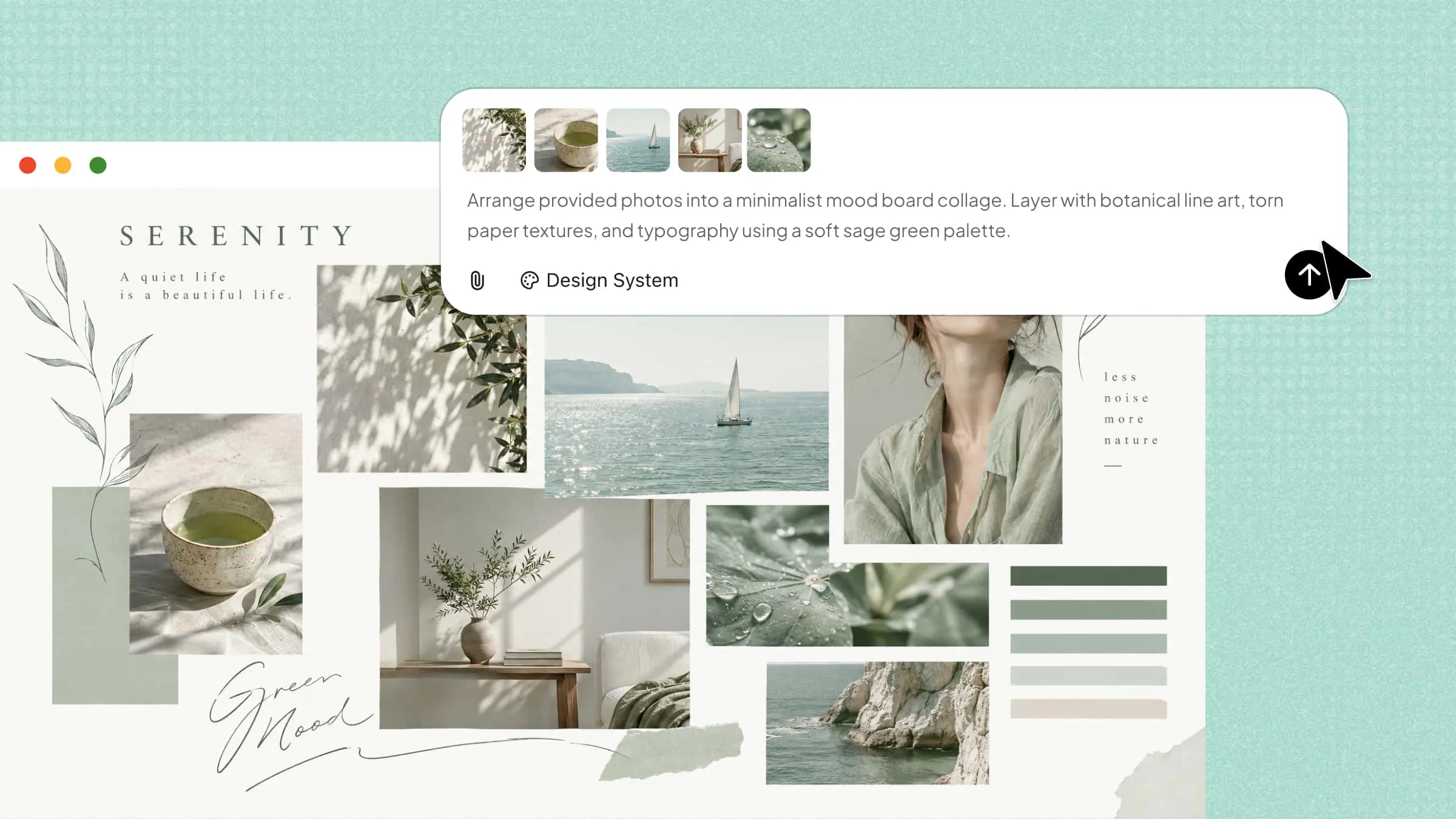
Combining multiple photos into one attractive layout can be challenging, especially when you want every picture to fit together naturally. Choosing the right arrangement, spacing, and style often takes more time than expected. With the right tools and a few simple steps, you can make a collage of photos that brings your favorite moments together in one creative design. This guide shows you how to create a photo collage easily, even without design experience.
How to make a collage of photos with AI
AI design tools make it easier to combine multiple pictures into one creative layout without spending time arranging every detail manually. You can experiment with different layouts, styles, and visual elements to create a collage that suits your needs.
Kimi Design is an AI design generator that helps you create a photo collage using text prompts and reference images. You can describe your desired layout, upload photos for inspiration, and customize the colors, backgrounds, and overall appearance. It also allows you to refine the generated design with additional prompts, making it easier to create personalized collages for social media, memories, or personal projects.
Follow the steps below to make a collage of photos with Kimi Design.
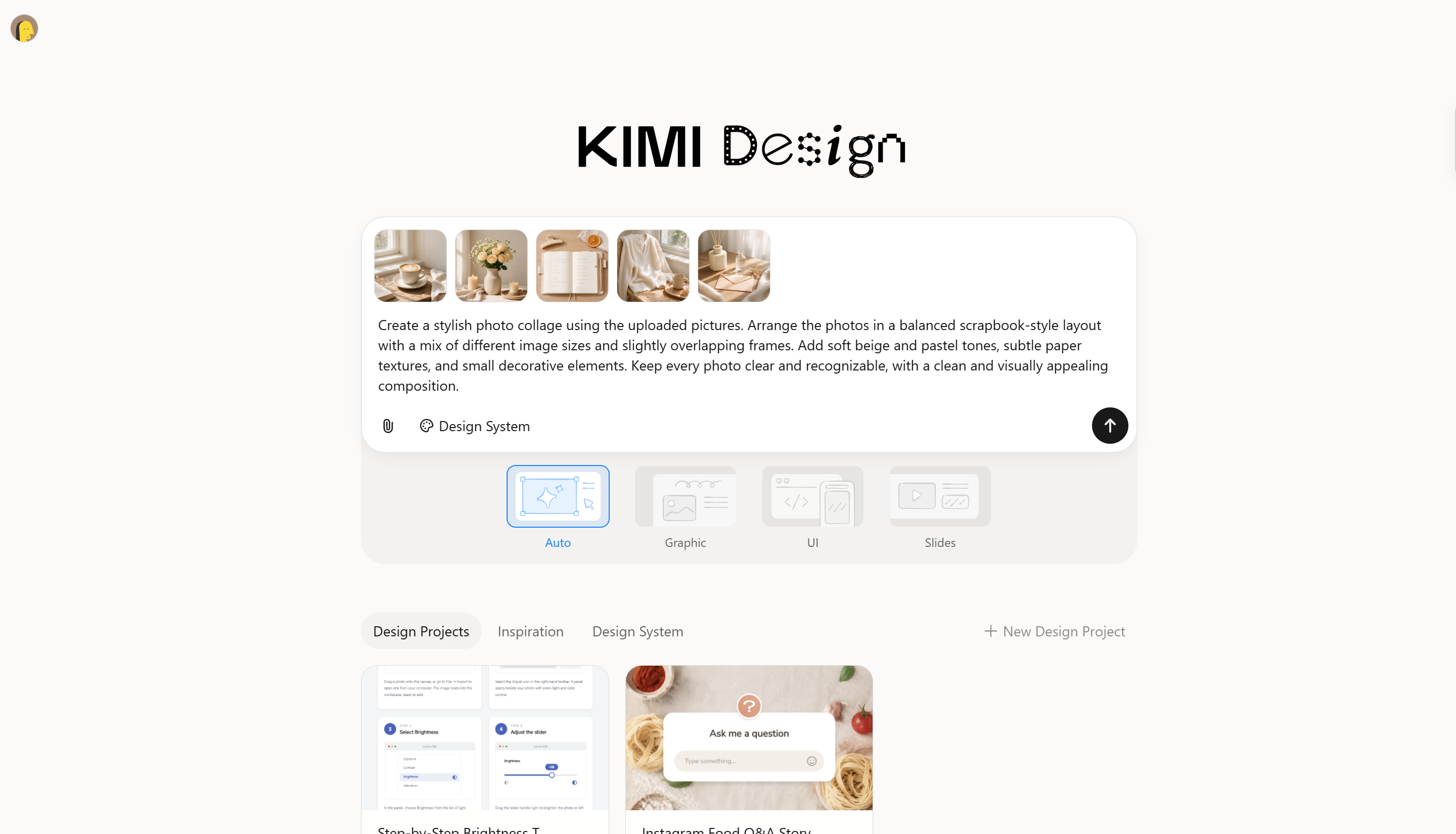
Step 1: Upload your photos and write a prompt
Start by uploading the photos you want to include in your collage to Kimi Design. Then, write a clear prompt describing how you want the pictures arranged, along with your preferred layout, colors, spacing, and background.
Example prompt:
Step 2: Let Kimi Design generate the collage
Enter your prompt and let Kimi Design generate the collage based on your uploaded photos and instructions. Review the result to check the photo arrangement, spacing, and overall appearance.
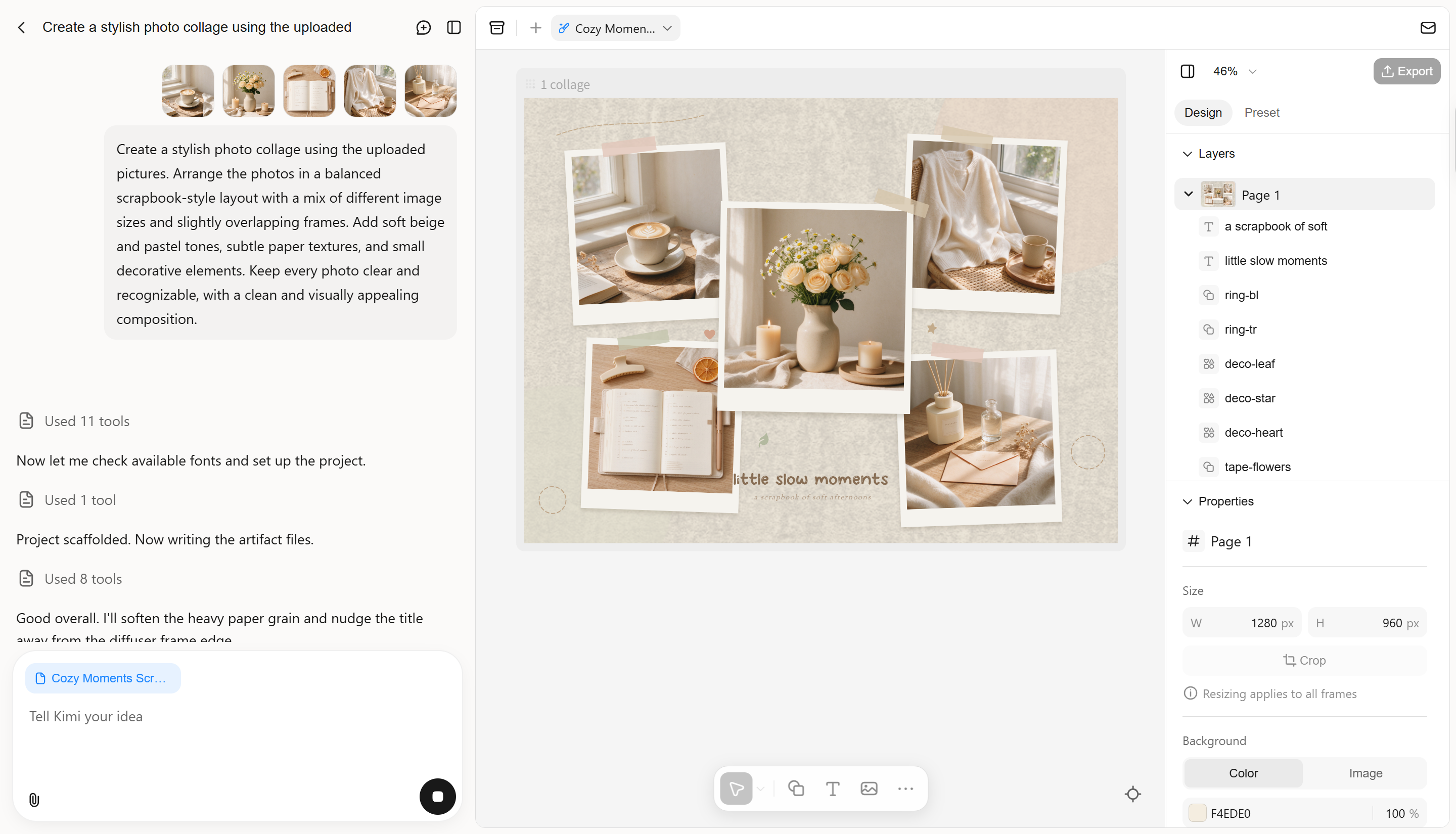
Step 3: Edit the collage
If the initial design needs adjustments, use additional prompts to refine it. You can change the layout, replace background colors, adjust photo placement, or add decorative elements to achieve your preferred look.
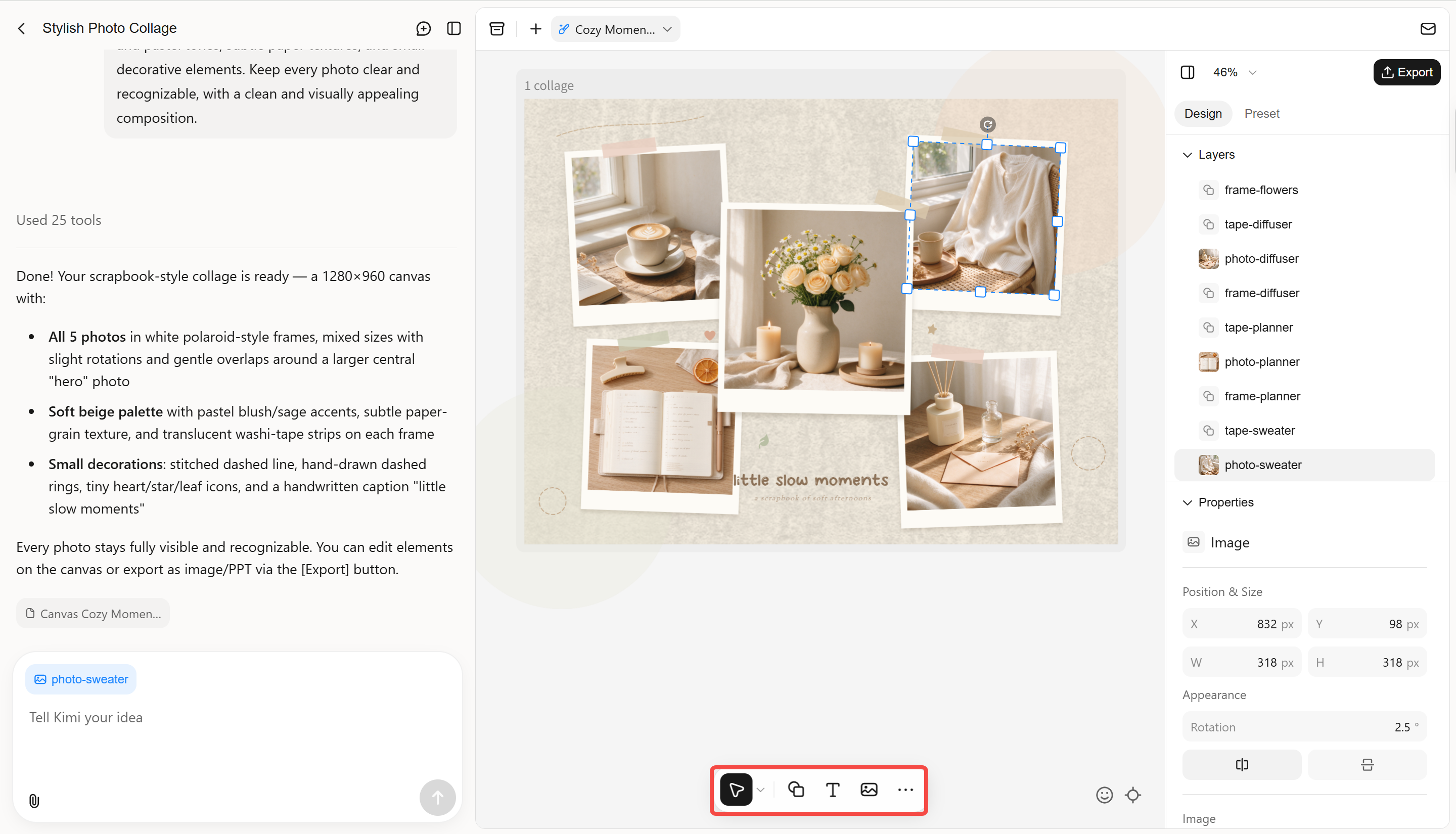
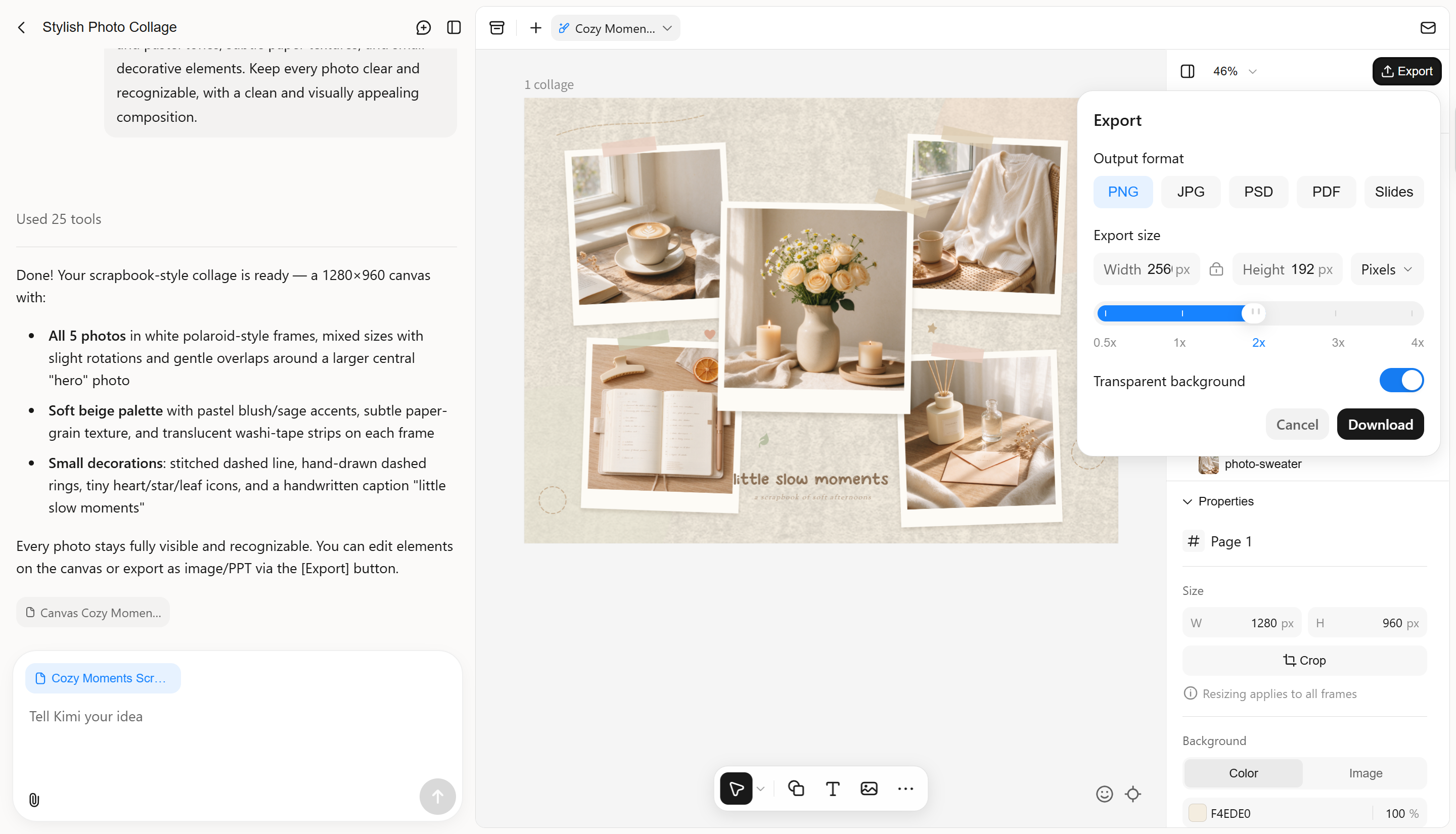
Step 4: Preview and export the final collage
Preview the completed collage to ensure all photos are visible and properly arranged. Once satisfied, export the final design in your preferred format, such as PNG, JPG or PSD and save it for sharing or future use.
Why choose Kimi Design to make photo collages
Creating a photo collage involves more than simply placing pictures together; the right tool can make the process faster and give your design a consistent look. Kimi Design offers useful AI-powered features to simplify collage creation and customization. Here is why you should consider it for your next photo collage.
Turn photo collage ideas into complete designs
Describe the collage you want to create, including its theme, mood, preferred photo arrangement, and intended use. You can also upload multiple photos as visual references. Kimi Design uses your instructions and images to generate a cohesive collage, helping you bring scattered photos together into a unified visual composition without arranging every element from scratch.
Explore different collage layouts for various occasions
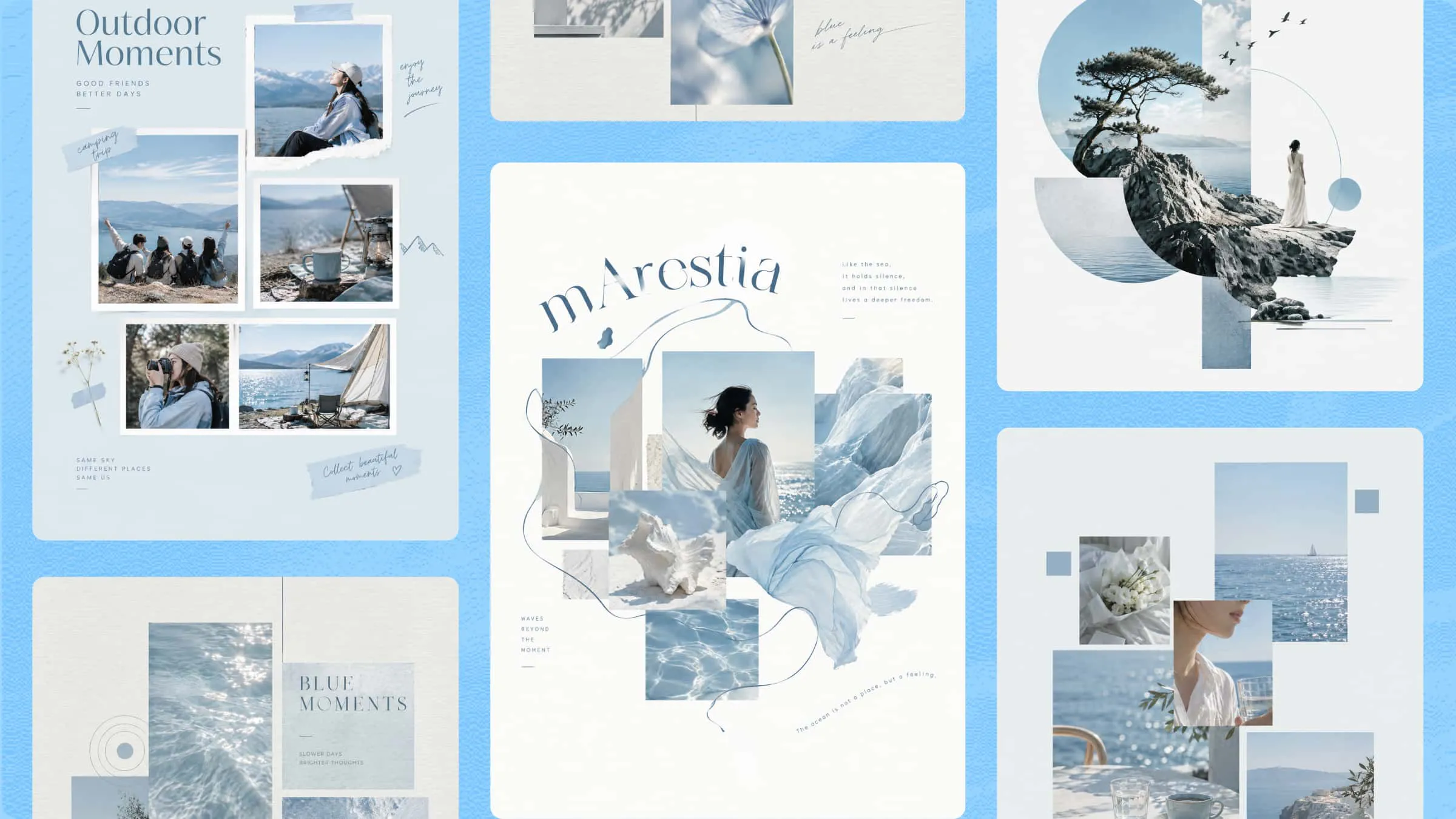
Create photo collages with grid arrangements, overlapping images, asymmetrical compositions, scrapbook-inspired layouts, and other visual structures. Whether you're putting together travel memories, family photos, birthday highlights, wedding moments, or social media content, you can choose an arrangement that suits the number of photos and the story you want to tell.
Customize photos and design elements with flexible editing
Fine-tune image positions, sizes, spacing, backgrounds, borders, text, colors, and decorative elements to achieve the look you want. Use natural-language prompts to describe broader changes, add comments to target specific elements, or make adjustments directly on the canvas. This gives you control over both individual details and the overall collage composition.
Experiment with designs and revisit previous versions
Try different photo arrangements, color combinations, and decorative details to explore alternative creative directions. Kimi Design keeps a version history, allowing you to review previous edits and roll back to an earlier version if a new change doesn't work as expected. You can refine your collage without having to restart the design process.
Export photo collages for sharing and printing
Export your finished collage in PNG, JPG, PSD, PDF, or PPTX format for different purposes. Use PNG or JPG for social media posts, digital photo albums, and online sharing, or choose PDF for documents and print-oriented projects. PSD export preserves the design's editable layers, allowing you to open the file in Photoshop, adjust individual elements, refine details, and continue working on the collage without rebuilding it from scratch.
Tips for making a collage of pictures
A well-designed collage brings multiple photos together in a way that feels balanced and visually connected. Keep these practical tips in mind to create a collage of photos that looks organized and appealing.
Choose a clear theme before selecting photos
Decide what story or idea you want your collage to communicate, such as travel memories, family moments, or special occasions. A consistent theme makes it easier to make a collage of pictures that feels meaningful rather than random.
Select photos with a balance of subjects and perspectives
Combine close-up shots, wide-angle images, and different viewpoints to add variety to your layout. Choose clear, high-quality pictures so each image remains recognizable in the final collage.
Choose a layout that suits the number of photos
Decide how many pictures you want to include, then choose a grid, scrapbook, or freeform arrangement that gives each photo enough space. A balanced layout keeps the collage organized and prevents it from looking overcrowded.
Maintain consistent colors and visual elements
Use complementary colors, similar filters, or matching backgrounds to connect the pictures visually. Consistent styling gives your collage a more cohesive appearance, even when the photos come from different occasions.
Consider the final display size and format
Think about where you plan to use the collage, such as a social media post, phone wallpaper, or printed photo display. Choose the appropriate dimensions and export quality to keep your photo collage clear across different screens and formats.
Conclusion
To sum up, creating a photo collage is a creative way to combine your favorite pictures into one memorable design. From choosing the right layout to matching colors and arranging images, a few simple decisions can make your collage more appealing. Kimi Design takes the effort out of the process with AI-powered tools that help you create a collage of pictures using your own photos and ideas. Give it a try to turn your collection of images into a personalized collage for sharing, printing, or saving.