AI is changing how developers build applications, automate tasks, and deliver smarter digital experiences. A model API makes it possible to integrate advanced AI capabilities into software without developing models from scratch. Kimi API gives developers access to powerful language models for text generation, coding, reasoning, and document analysis. This guide explores Kimi API, its key features, practical applications, and how to get started.
What is a model API
A model API is an interface that lets applications access an AI model through code. Applications send structured requests containing inputs such as text or images and receive model-generated results. Hosted model APIs let developers use these capabilities without training or operating the underlying models themselves.
Kimi API provides programmatic access to Moonshot AI's Kimi models, allowing developers to integrate text generation, multi-turn conversations, coding assistance, document analysis, and visual understanding into their applications.
Through a unified interface, developers can connect AI models to websites, software applications, internal tools, and automated workflows. This simplifies AI integration while eliminating the need to manage the underlying model infrastructure.
Types of AI model APIs
AI model APIs support different types of inputs and tasks, depending on the underlying model and its capabilities. Common categories include:
Text generation APIs: Generate, rewrite, translate, and summarize text based on user prompts. They are commonly used in chatbots, writing assistants, and content creation applications.
Embedding APIs: Convert text or other supported data into numerical vector representations. Developers can use these embeddings for semantic search, recommendation systems, and retrieval-augmented generation (RAG).
Image generation APIs: Generate or edit images based on text prompts or reference images, supporting applications such as design tools and creative platforms.
Multimodal APIs: Process multiple types of input, such as text and images, within the same interaction. These APIs can support visual question answering, image analysis, and other multimodal applications.
Speech and audio APIs: Convert speech into text, generate spoken audio, or process voice inputs for applications such as voice assistants and transcription tools.
Some AI models support multiple capabilities, so these categories are not mutually exclusive. For example, supported Kimi models can handle text-based tasks and visual inputs, allowing developers to build applications that combine language understanding with image analysis.
How model APIs fit into AI platforms
A model API is the interface an application uses to call an AI model. An AI API platform provides these interfaces alongside tools for managing API keys, billing, usage, and related services. A platform may offer its own models, third-party models, or both.
For example, the Kimi API platform provides access to Moonshot AI's Kimi models, together with a console for creating keys and monitoring usage. Developers call the model API from their applications and use the platform to manage that access. The two work together within the same development workflow.
Why use Kimi API
Access to Kimi's advanced models: Kimi API gives developers access to Moonshot AI's latest models, including advanced models designed for complex reasoning, coding, and multimodal tasks. These models offer stronger problem-solving capabilities, more capable code generation, and long-context understanding, helping developers build applications that can handle complex instructions, analyze extensive information, and manage demanding workflows.
OpenAI-Compatible API format: Kimi API supports the OpenAI Chat Completions API format, allowing developers to use compatible OpenAI SDKs. Configure the Kimi API base URL, API key, and model ID, then check supported parameters and model-specific behavior before adapting an existing application. This compatibility makes it easier to integrate an AI model API into established development workflows.
Streaming and non-streaming responses: Kimi API supports both streaming and non-streaming response modes to suit different application requirements. Non-streaming requests return complete responses, while streaming delivers generated content incrementally through server-sent events (SSE).
This flexibility makes the model API suitable for background processing as well as interactive chat applications that require real-time feedback.
Flexible integration: Developers can connect Kimi API to websites, backend services, custom applications, and automated workflows. Its API-based architecture provides flexibility to incorporate model API capabilities into different technical environments and development projects.
How to get started with Kimi API
There are several ways to start using Kimi API, depending on whether you want to work with Kimi's own developer tools or integrate its models into an existing application. You can connect Kimi API to Kimi Code CLI for AI-assisted software development or use compatible SDKs and tools to build your own applications.
Use Kimi API with Kimi Code
Kimi Code CLI is a terminal-based AI coding agent that can read and modify project files, run commands, analyze code, and assist with software development tasks. You can connect it to the Kimi Platform API using an API key and use Kimi models directly in your development environment.
Step 1. Create a Kimi API account
Visit the Kimi API platform and register an account. Sign in to access the developer console, where you can manage API keys and review your API usage. When your cumulative recharge reaches 5 voucher (Minimum top-up of $1 is required to start making API calls). Check the recharge policy and console for current terms.
Step 2. Generate an API key
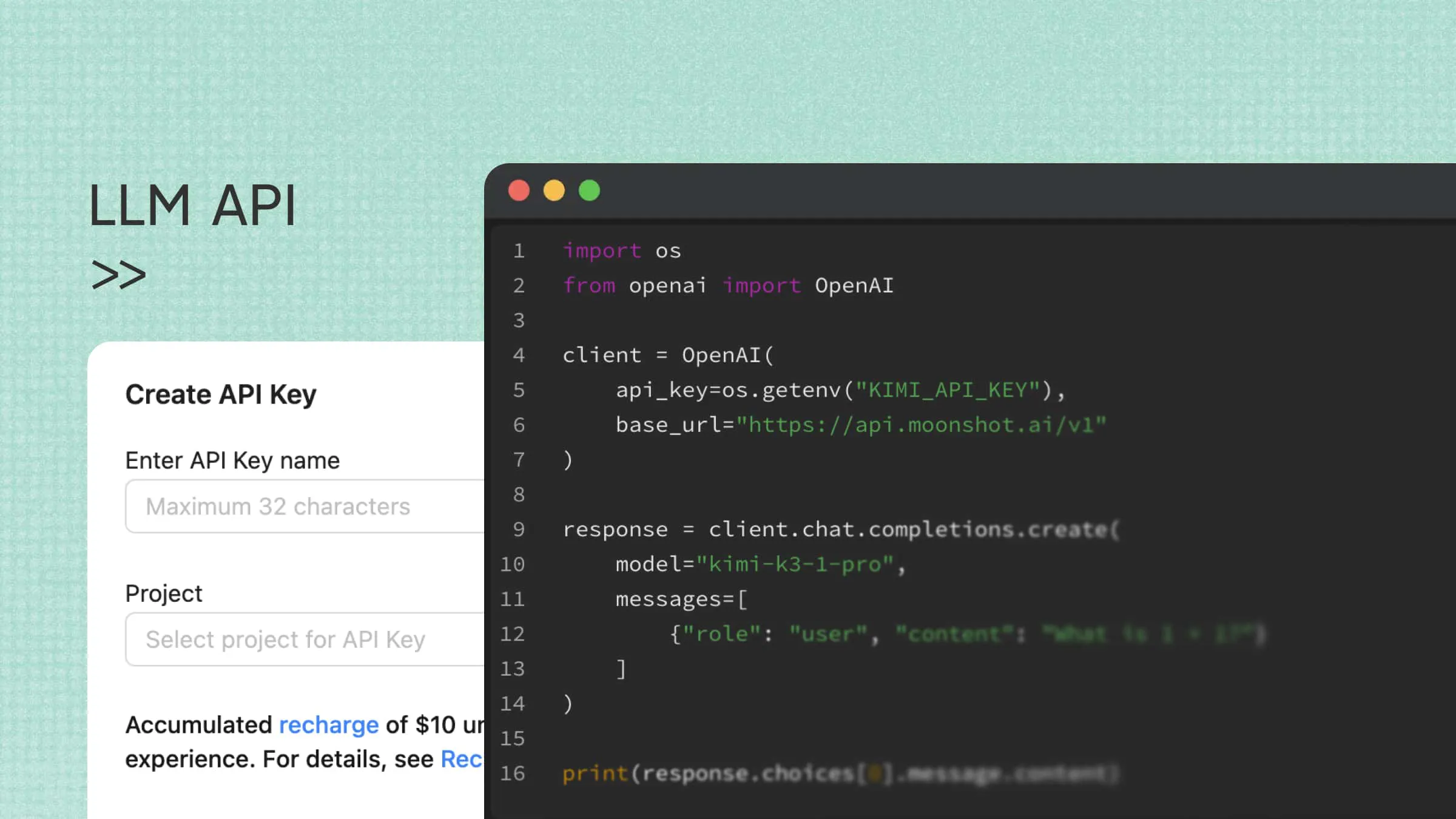
Open the API key management section in the console and create a new API key.
Copy the generated key and store it securely. Avoid hardcoding it into your application or exposing it in client-side code.
Step 3. Install Kimi Code CLI
Kimi Code CLI is a terminal-based AI coding agent that supports the Kimi Platform API.
On macOS or Linux, install it using the official installation script:
For Windows, open PowerShell and run:
Before launching Kimi Code CLI on Windows, make sure Git for Windows is installed.
Alternatively, install it with npm:
The npm installation requires Node.js 22.19.0 or later.
Step 4. Connect Kimi API to Kimi Code
Navigate to your project directory and launch Kimi Code CLI:
Inside the Kimi Code CLI interactive interface, enter /login. Select Kimi Platform API key, then paste the API key you generated earlier.
This example uses a Kimi Platform API key in Kimi Code CLI. Usage is billed to your API account at the applicable token rates, separately from Kimi Code subscription allowances. For the current installation and authentication options, see the Kimi Code CLI getting-started guide.
Step 5. Select a model and start coding
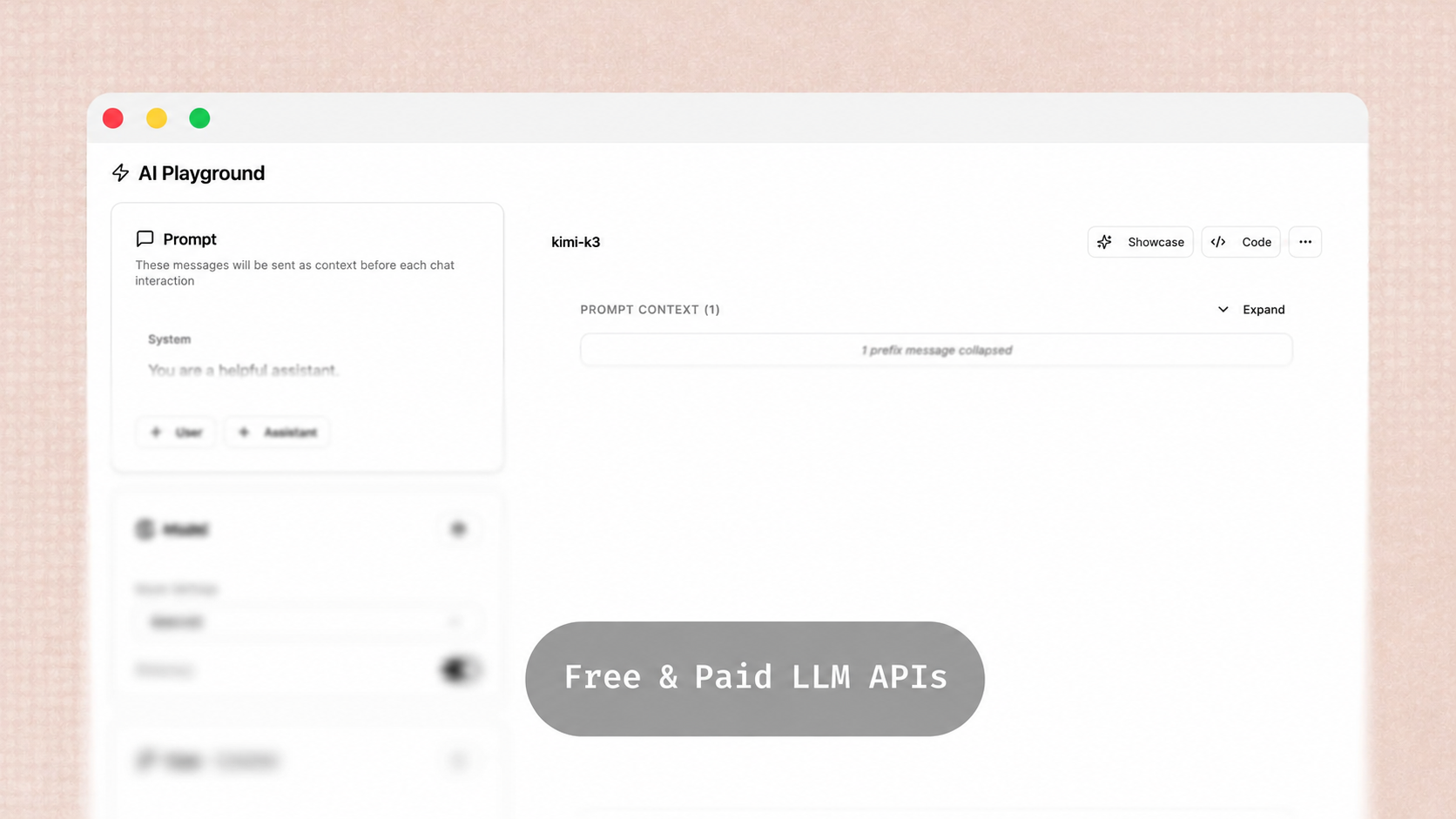
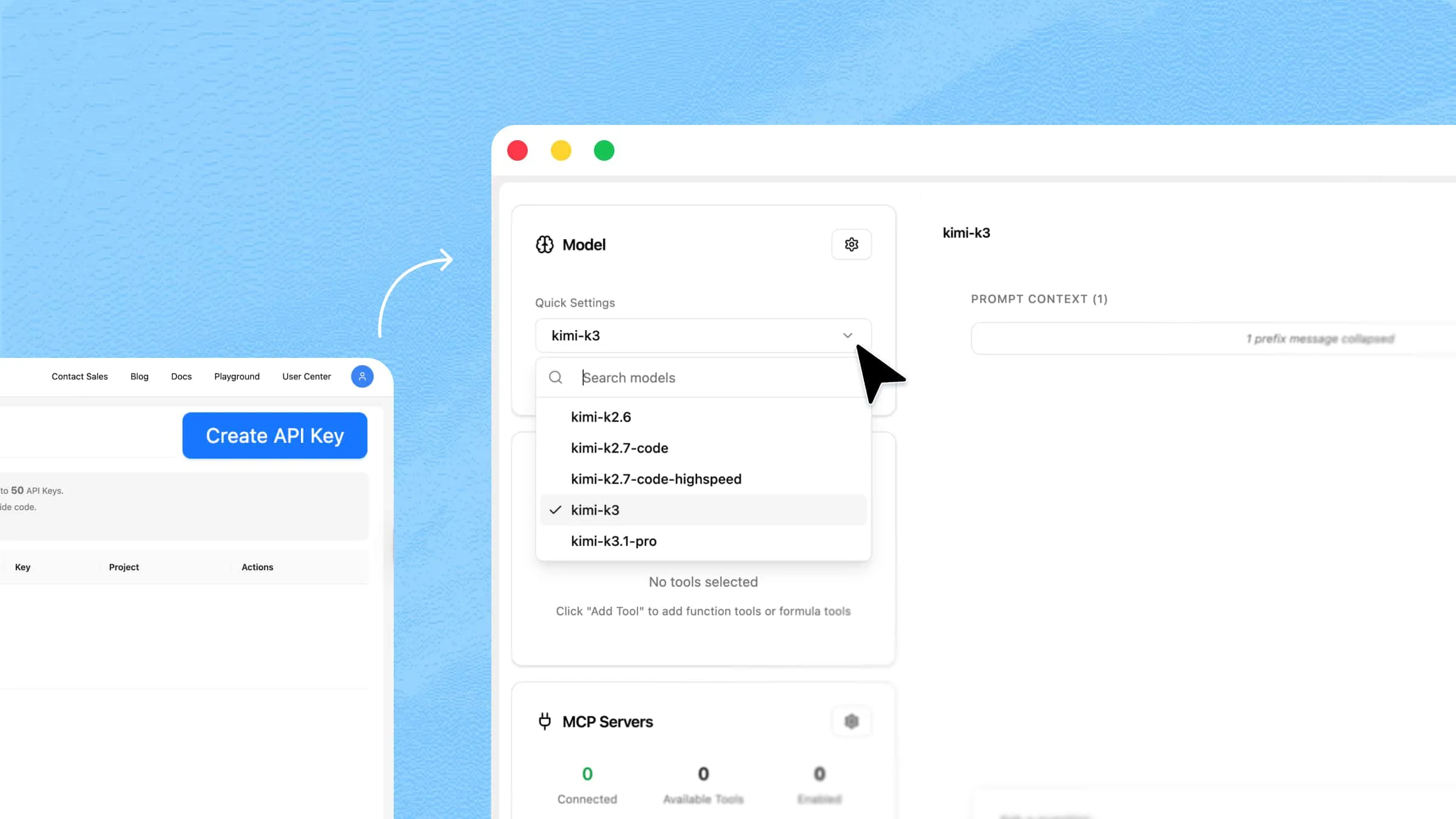
Inside Kimi Code CLI, enter /model to open the model selector and choose an available model.
Once the model is selected, enter a coding task in the CLI. For example:
Kimi Code can then help inspect project files, analyze code, suggest changes, and assist with development tasks.
Integrate Kimi API with other SDKs and tools
If you are building your own application or already use an AI development framework, you can integrate Kimi models through compatible SDKs and tools instead of using Kimi Code CLI.
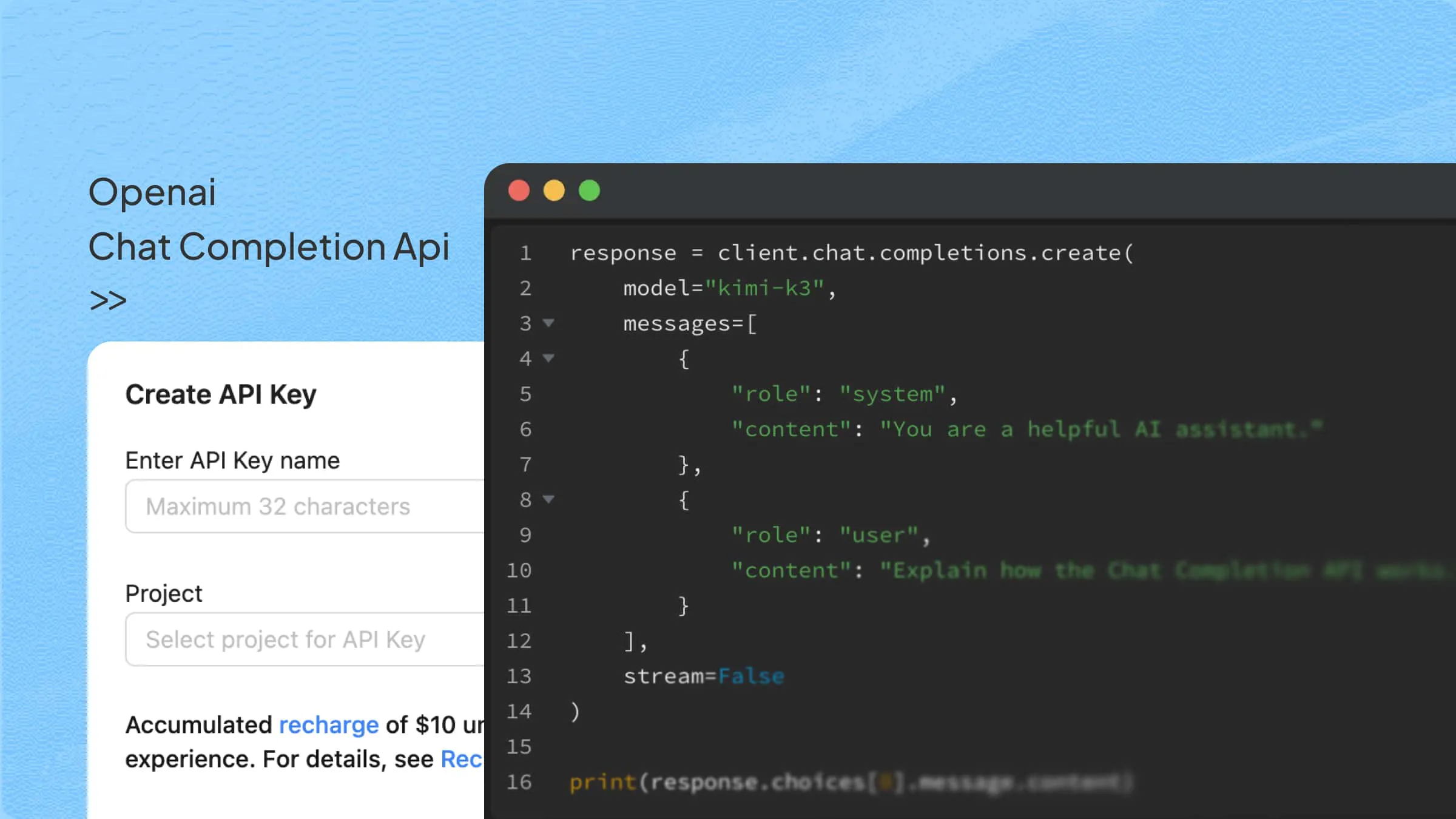
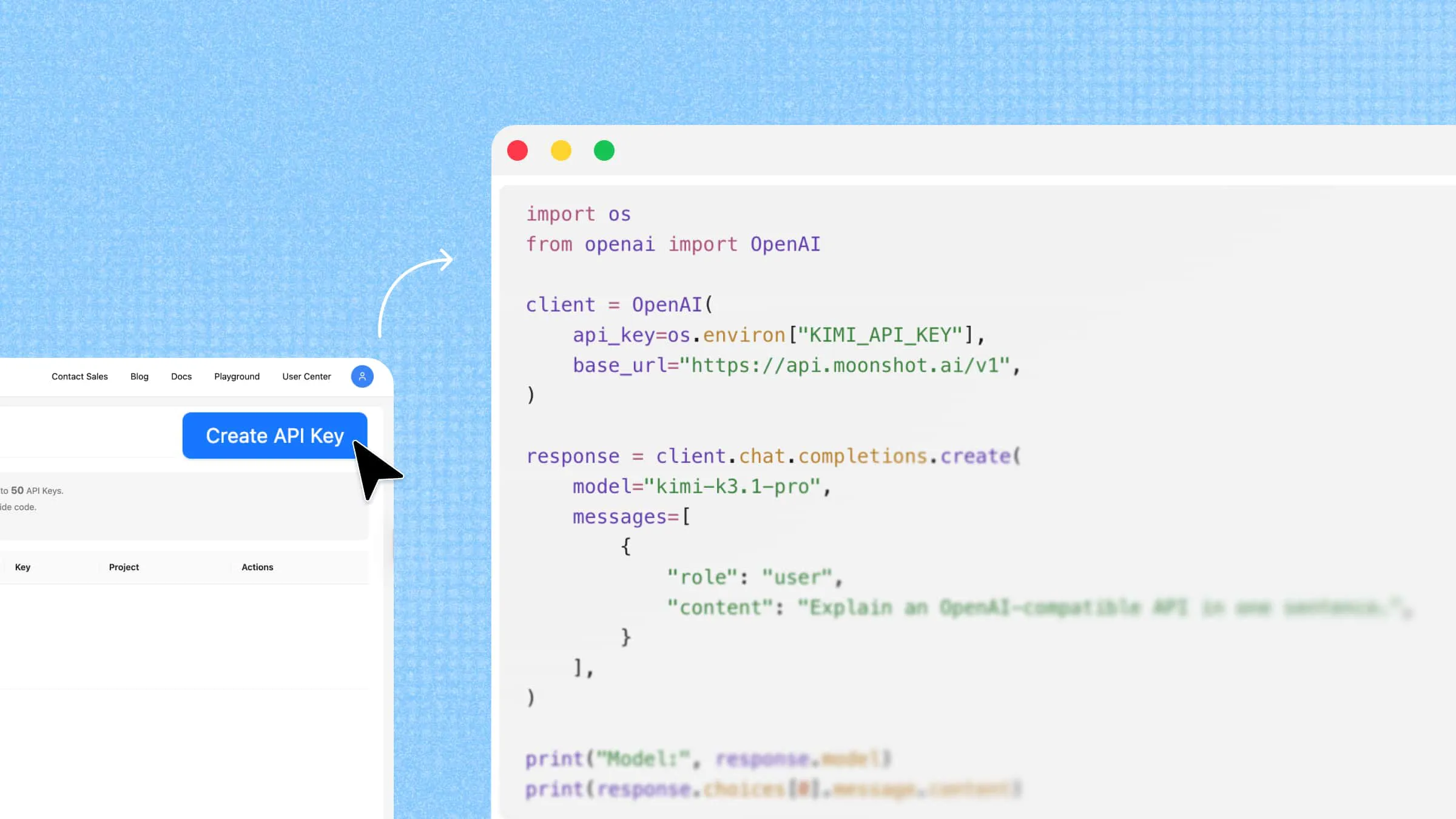
Kimi API supports the OpenAI API format, so applications using the OpenAI Python or Node.js SDK can typically connect by updating the API base URL, API key, and model ID. For example, with the OpenAI Python SDK:
Step 1. Install the OpenAI SDK
Step 2. Configure the Kimi API client
Set your API key as an environment variable in the terminal where you will run Python. On macOS or Linux:
On Windows PowerShell:
Then create the client in Python:
This example uses the international API endpoint. If you use the mainland China platform, follow its documentation for https://api.moonshot.cn/v1 and use the API key and available models for that platform. Choose the endpoint that matches your platform account and credentials rather than switching it solely based on your physical location.
Step 3. Send a request to a Kimi model
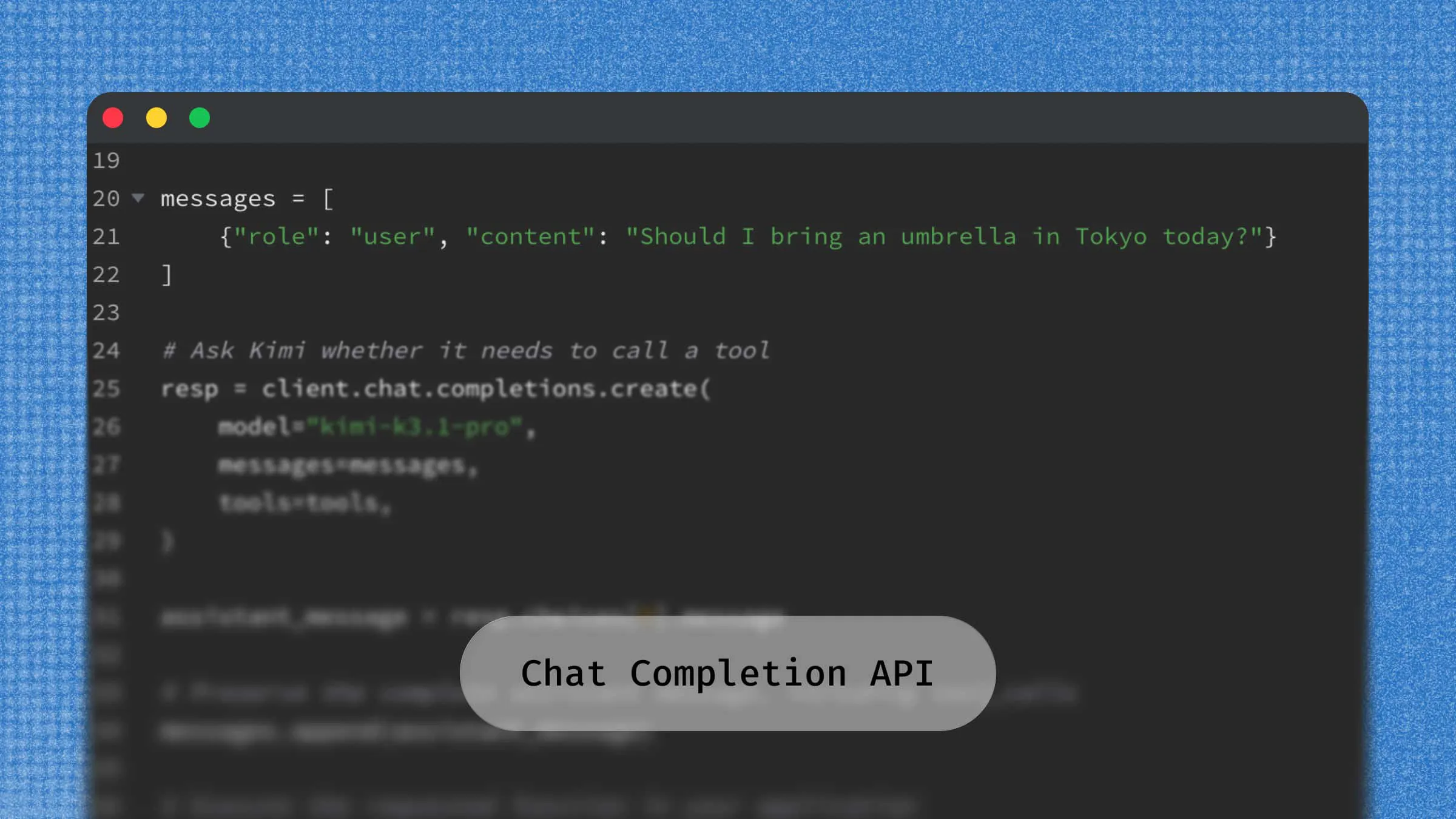
This example uses the Chat Completions interface to send a message to Kimi K3.1 Pro and print the generated response. You can extend the integration with streaming, tool calling, and other supported API capabilities.
Other SDKs and development tools
Besides the OpenAI SDK, Kimi API can also be integrated with other compatible clients and AI coding tools. For example, developers can use the Anthropic SDK with the Anthropic Messages API format or configure tools such as Claude Code, Codex, OpenClaw, and other compatible agents to work with Kimi models.
The configuration process varies by tool. Depending on the integration, you may need to specify the API key, base URL, model ID, and API protocol. Check the relevant tool documentation and Kimi's API compatibility guide before configuring the connection.
For more information, see the Kimi API documentation and model list.
How to choose a Kimi model for your application
Choosing a Kimi model means balancing task quality, output speed, and total API cost. Start by testing a model on representative tasks from your application, then compare its results and token usage.
The following table summarizes when each model is worth considering:
| Model | Recommended workloads | Why choose it |
|---|---|---|
| kimi-k3.1-pro | New applications, complex coding, research, and long-horizon agent tasks | A practical starting point for new projects, with the lowest standard input and output rates among these three models. |
| kimi-k3.1-pro-highspeed | Interactive coding and other workflows where users are waiting for generated output | The same model capabilities as K3.1 Pro, with approximately 2–3× the output generation speed. Standard input, output, and cache-write rates are higher. |
| kimi-k3 | Existing applications already tested with K3 | A reasonable option for maintaining a validated K3 integration; evaluate newer models on your own tasks before switching. |
Kimi API pricing
The rates below apply to the international API platform and are listed in USD per million tokens (1,000,000 tokens), excluding applicable taxes. All three models support a 1,048,576-token context window.
| Model | Uncached input | Output | Cache hit | Cache write (5m) | Cache write (1h) |
|---|---|---|---|---|---|
| kimi-k3.1-pro | $2.00 | $10.00 | $0.20 | $2.00 | $4.00 |
| kimi-k3.1-pro-highspeed | $4.00 | $20.00 | $0.20 | $4.00 | $8.00 |
| kimi-k3 | $3.00 | $15.00 | $0.30 | $3.00 | $6.00 |
For the Chat Completions interface used in this guide, input tokens fall into three mutually exclusive billing categories: uncached input, cache hits, and cache writes. A token billed as a cache write is not also charged at the uncached-input rate. Use the API-reported usage breakdown when estimating costs.
Automatic caching uses a 5-minute TTL by default for eligible prefixes; a 1-hour TTL is also available. A cache hit is billed at the cache-hit rate and renews the existing TTL without another write charge. Check the official API pricing page and context-caching guide for current rates and billing rules.
When selecting a model for your application, consider the following factors:
Task quality: Use K3.1 Pro as a starting point for new projects, then test whether it meets your accuracy and reliability requirements. For an existing K3 integration, compare behavior on your own regression tests before switching.
Input modalities: All three models support native visual understanding. Check the selected model's supported input formats and preprocessing requirements for your workflow.
Context length: All three offer a 1M-token context window. Size alone does not distinguish them; also evaluate retrieval quality, latency, and the cost of processing long histories.
Output speed: Consider K3.1 Pro Highspeed when faster generation matters. Its approximately 2–3× output speed should not be treated as a guarantee that every end-to-end task will finish 2–3× faster.
Total usage and cost: Compare uncached input, cache reads and writes, output usage, and any paid tools. K3.1 Pro has the lowest standard input and output rates in this comparison. Estimate output costs from reported usage, including reasoning tokens, rather than from final-answer length alone.
For current model IDs and capabilities, consult the Kimi API model list. Benchmark the candidates on your own workload before choosing a production model.
Common Kimi API use cases
Kimi API supports a range of development scenarios, from conversational applications and content generation to document analysis and multimodal workflows. Developers can integrate Kimi models into existing products or build new AI-powered applications for tasks such as:
AI customer support and conversational assistants: Integrate the Kimi API into customer service platforms, chatbots, and virtual assistants to answer questions, explain product details, and handle common support requests. By including previous messages in new API requests, applications can maintain conversation context and provide more relevant responses. This makes Kimi API useful for customer service automation, interactive learning tools, personalized recommendations, and other conversational applications.
AI writing and content generation: Build writing assistants and content creation tools that generate natural-language content based on user instructions and contextual information. Developers can use Kimi models to create articles, product descriptions, and marketing copy, as well as rewrite, translate, and summarize text. These capabilities can also support question answering, contextual explanations, and information extraction in writing and productivity applications.
Document analysis and knowledge retrieval: Integrate Kimi models into document-processing workflows to analyze lengthy materials, summarize reports, extract research findings, and answer questions about supplied content. Developers can also combine long-context processing with document retrieval systems to build knowledge-based applications that work with information from multiple sources. Potential applications include research paper analysis, internal knowledge search, document question-answering, and information organization.
AI coding assistants and development tools: Use the Kimi API to support software development tasks such as code generation, debugging, code explanation, and technical documentation. Developers can integrate model responses into code editors, development platforms, and internal engineering tools. Combined with function calling, Kimi models can also interact with external development services and functions, providing a foundation for coding assistants and more advanced AI-powered development workflows.
Multimodal applications: Use supported Kimi models to process visual inputs alongside text prompts, enabling applications to interpret images and video and respond to natural-language instructions. Developers can combine text and visual understanding to build applications for image-based question answering, visual content analysis, image and video understanding, and other workflows involving multiple input types. Supported input formats and capabilities depend on the selected model.
Conclusion
To sum up, Kimi API makes it easier for developers to integrate advanced AI capabilities into applications without building models from scratch. From content generation and document analysis to coding and multimodal tasks, it supports a wide range of development needs. With a flexible AI model API, you can choose suitable models and build practical AI-powered applications.