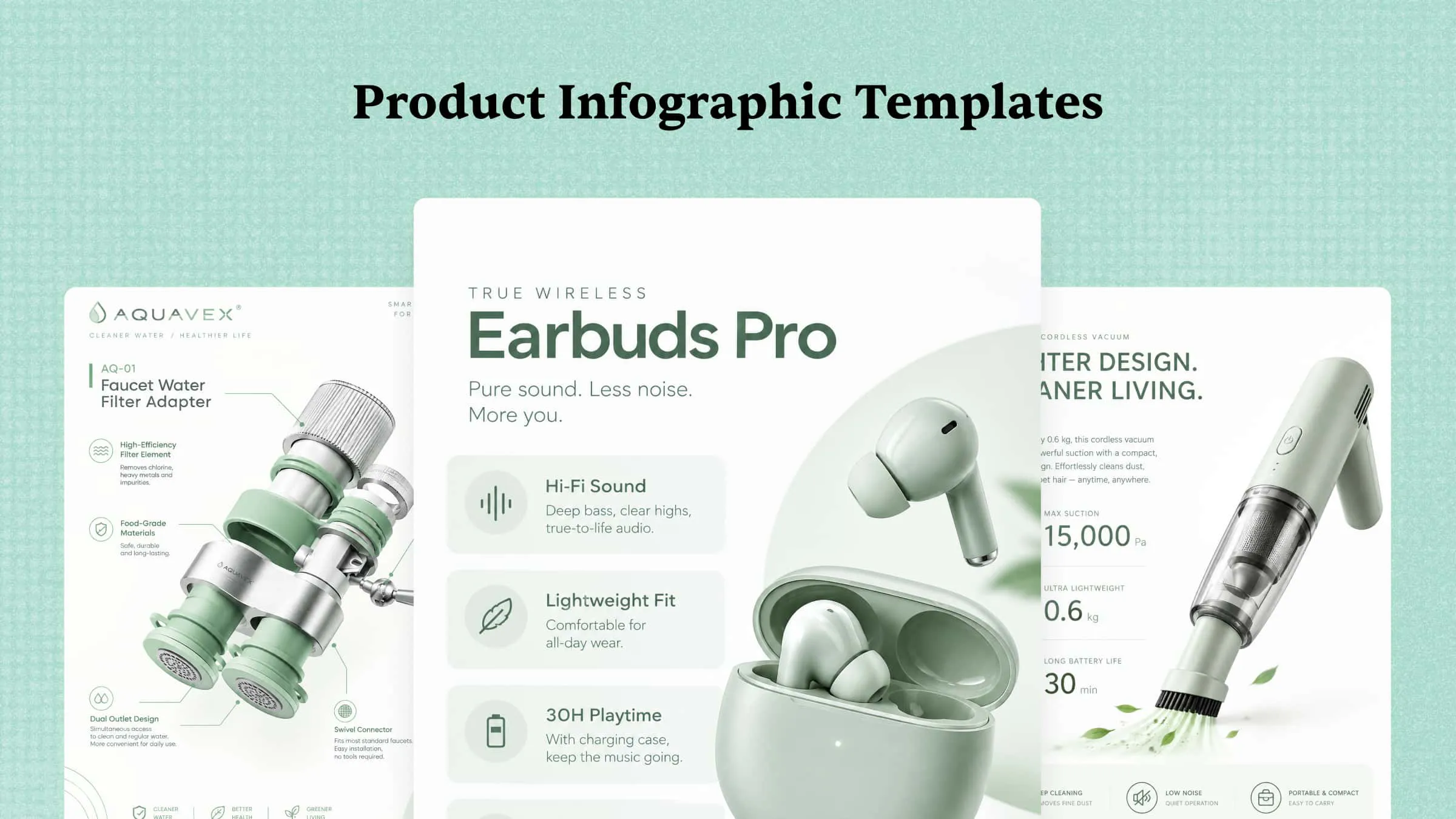
Creating product visuals that showcase features, benefits, and specifications can be challenging without the right design approach. Product infographics make it easier to present this information in a clear, engaging, and visually appealing format. In this article, we’ll explore 10 product infographic examples to inspire your designs and help you present your products more effectively.
Overview of 10 product infographics
Product infographics serve different purposes, from highlighting features to comparing products and introducing new launches. These product infographic examples can help you choose the right format based on your marketing goals and the information you want to share.
| Product infographic type | Main purpose | Key elements | Best suited for | Example use |
|---|---|---|---|---|
| Product feature infographic | Highlight important features | Icons, labels, product images | Physical and digital products | Showcasing a smartphone’s camera and battery |
| Product specifications infographic | Present technical details | Dimensions, measurements, specifications | Electronics and equipment | Displaying laptop specifications |
| Ingredients infographic | Explain product composition | Ingredient names, icons, images | Food, skincare, and cosmetics | Highlighting skincare ingredients |
| How-to-use infographic | Explain product usage | Numbered steps, illustrations, instructions | Consumer products and tools | Showing how to use a coffee machine |
| Product comparison infographic | Compare products or models | Side-by-side features, prices, differences | E-commerce and retail | Comparing two headphone models |
| Product anatomy infographic | Label product components | Diagrams, labels, callouts | Technical and complex products | Explaining parts of a bicycle |
| Product benefits infographic | Communicate customer value | Benefit statements, icons, supporting facts | Marketing and advertising | Highlighting the benefits of a standing desk |
| Product use cases infographic | Show practical applications | Scenarios, illustrations, examples | Software and everyday products | Showing different uses for a tablet |
| Product packaging infographic | Present packaging details | Materials, dimensions, packaging visuals | Consumer goods and retail | Showcasing eco-friendly packaging |
| Product launch infographic | Introduce a new product | Product image, features, launch date, CTA | Product marketing and announcements | Promoting a new smartwatch |
10 product infographic examples that stand out
The best product infographics combine clear information, attractive visuals, and a layout that helps customers understand a product quickly. You can create them by writing a prompt that describes your product, selecting a visual style, generating the design with an AI tool, refining targeted elements of the design, and exporting the final version in the suitable format.
Kimi Design, an AI design generator, simplifies this workflow by turning text prompts into visual designs that you can refine for different marketing needs. The following 10 examples showcase ideas you can use to create more effective product infographics.
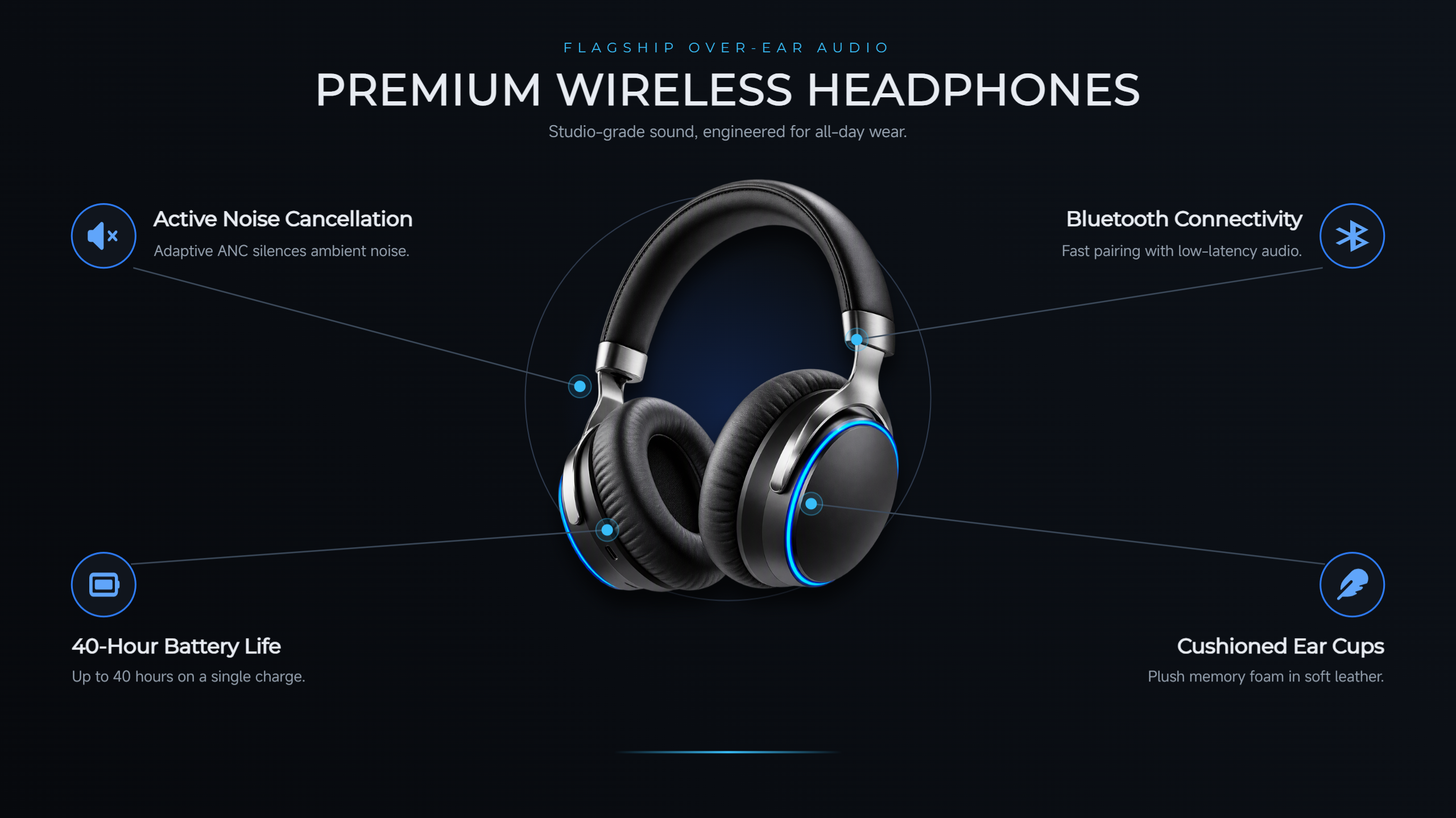
Product feature infographic
A product feature infographic highlights the main functions and design elements of a specific item. It uses concise text, icons, and clear visuals to explain what the product offers and how its features benefit customers. This format works well on product pages, in advertisements, and across online stores.
Prompt:
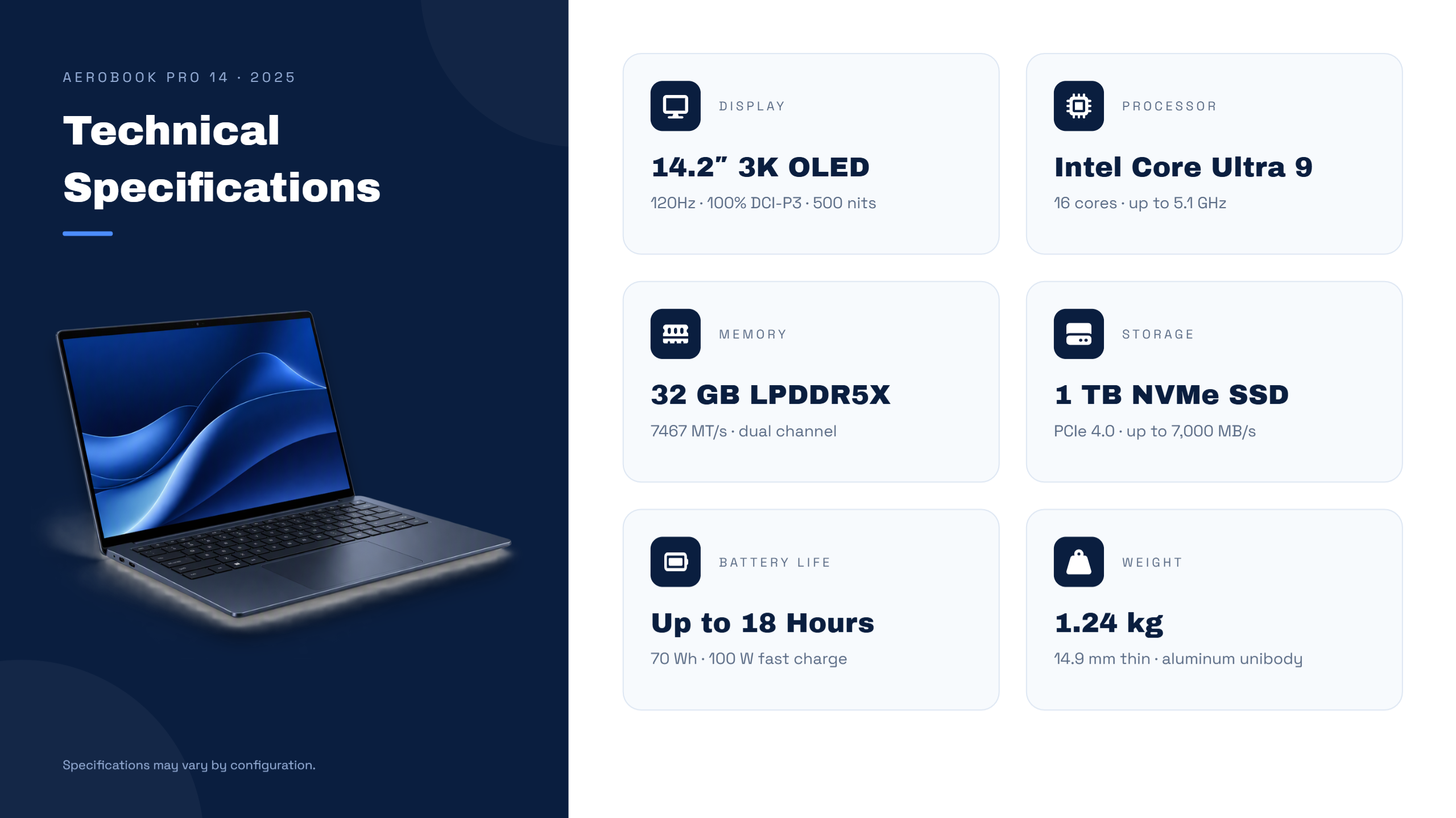
Product specifications infographic
A product specifications infographic presents technical information in a structured, easy-to-scan format. It is useful for products with multiple measurements, performance details, or technical features. Use this style to make complex specifications easier for potential customers to compare.
Prompt:
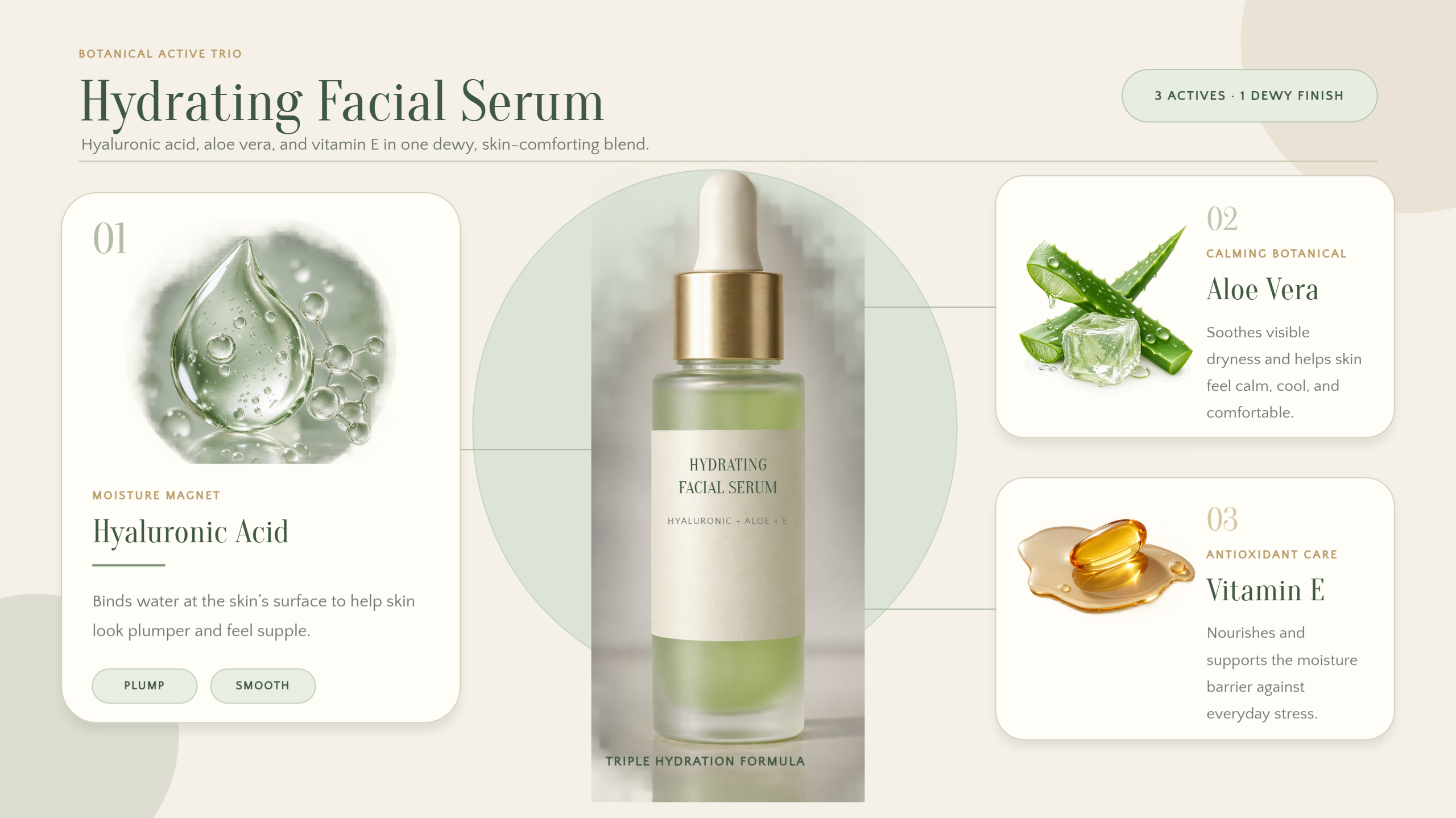
Ingredients infographic
An ingredients infographic shows the main ingredients or components of a product and explains their purpose. It is especially useful for skincare, food, and cosmetic brands that want to communicate product composition clearly. This format combines ingredient visuals with concise descriptions to help customers understand what a product contains.
Prompt:
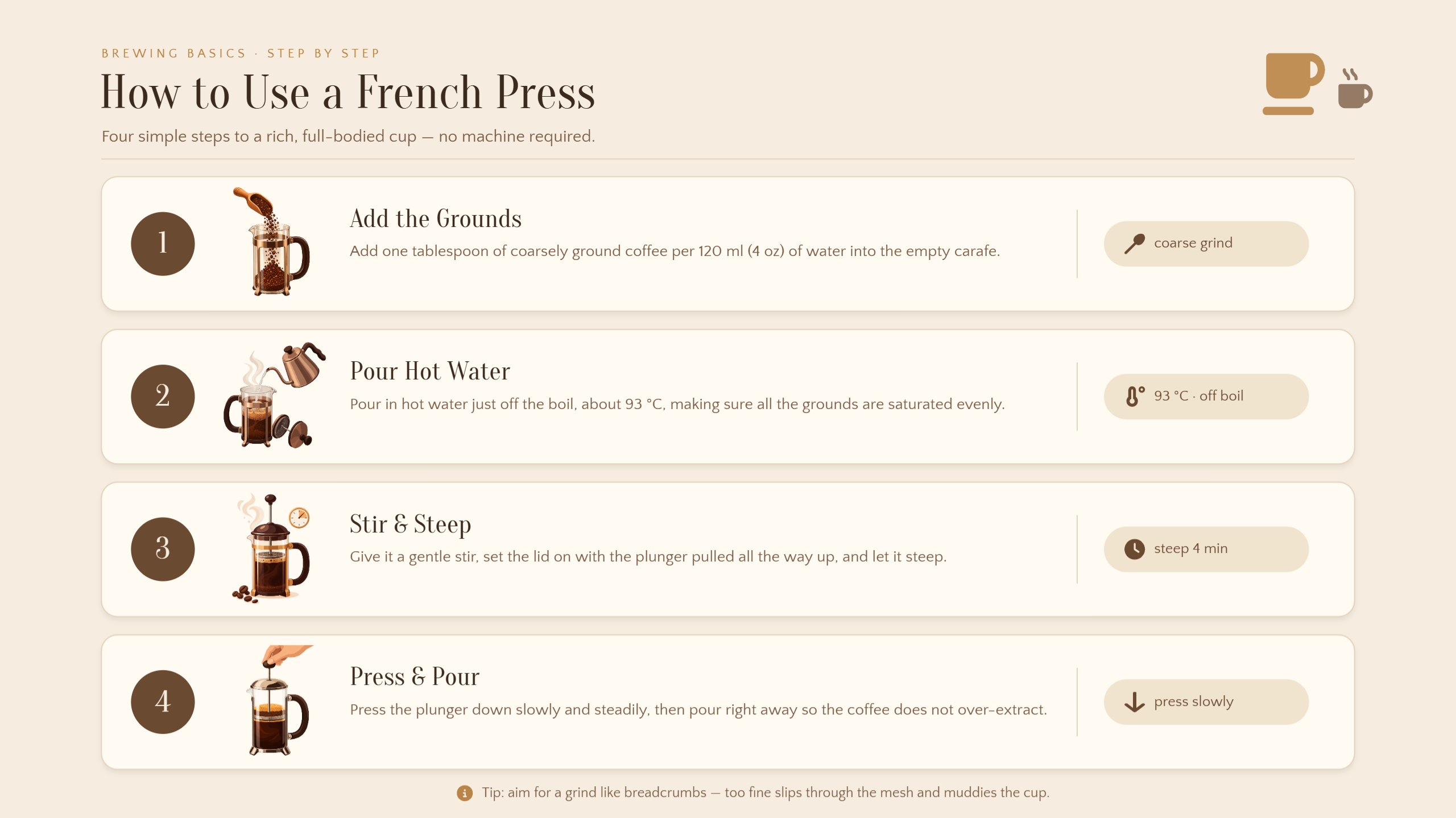
How-to-use infographic
A how-to-use infographic explains how to operate or apply a product through simple, sequential steps. It helps customers follow instructions without reading lengthy explanations. These product infographics are useful for appliances, beauty products, tools, and other everyday items.
Prompt:
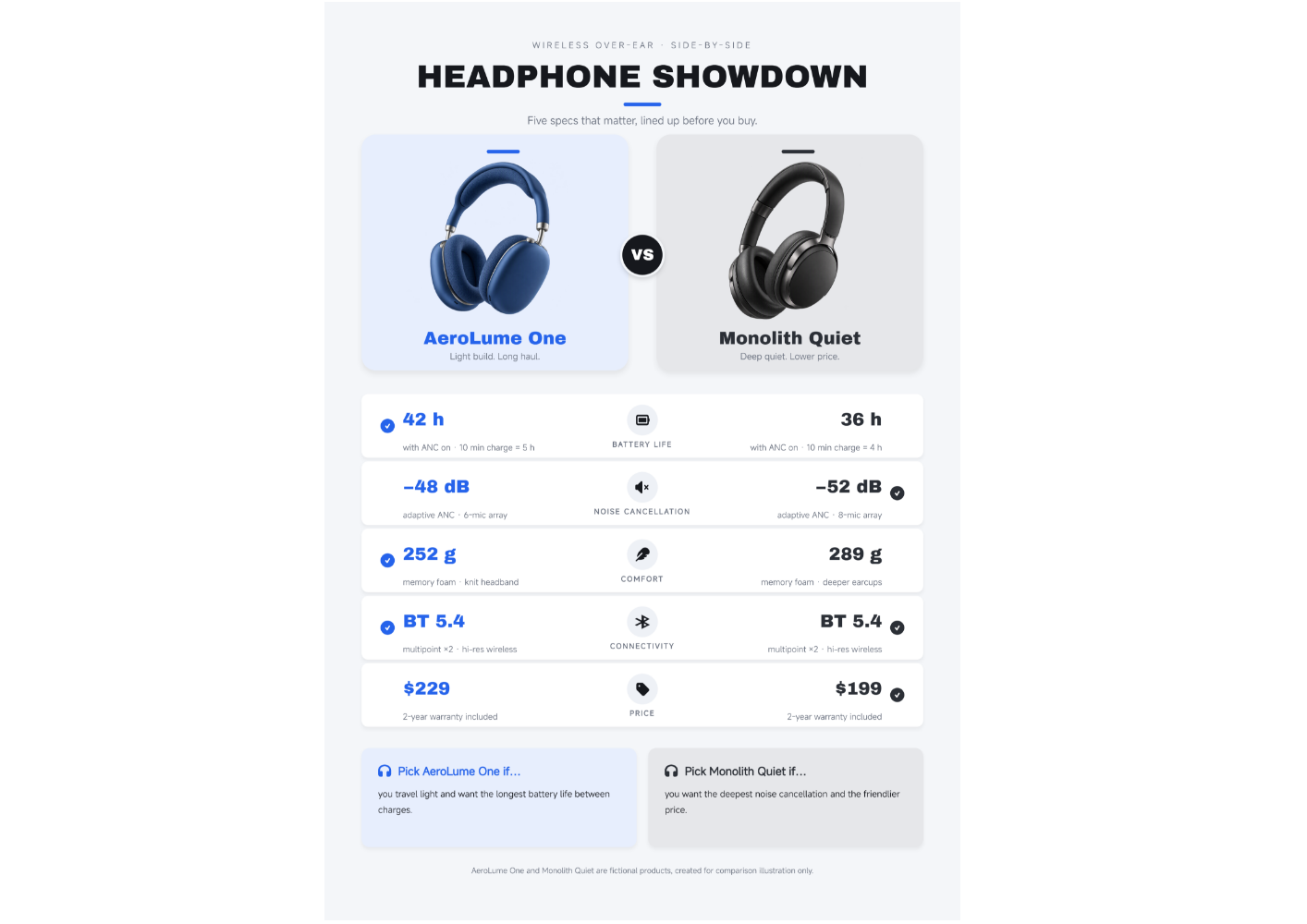
Product comparison infographic
A product comparison infographic places two or more products side by side to highlight their differences and similarities. It helps customers evaluate features, prices, and performance before making a purchase. A balanced layout makes the comparison easier to understand at a glance.
Prompt:
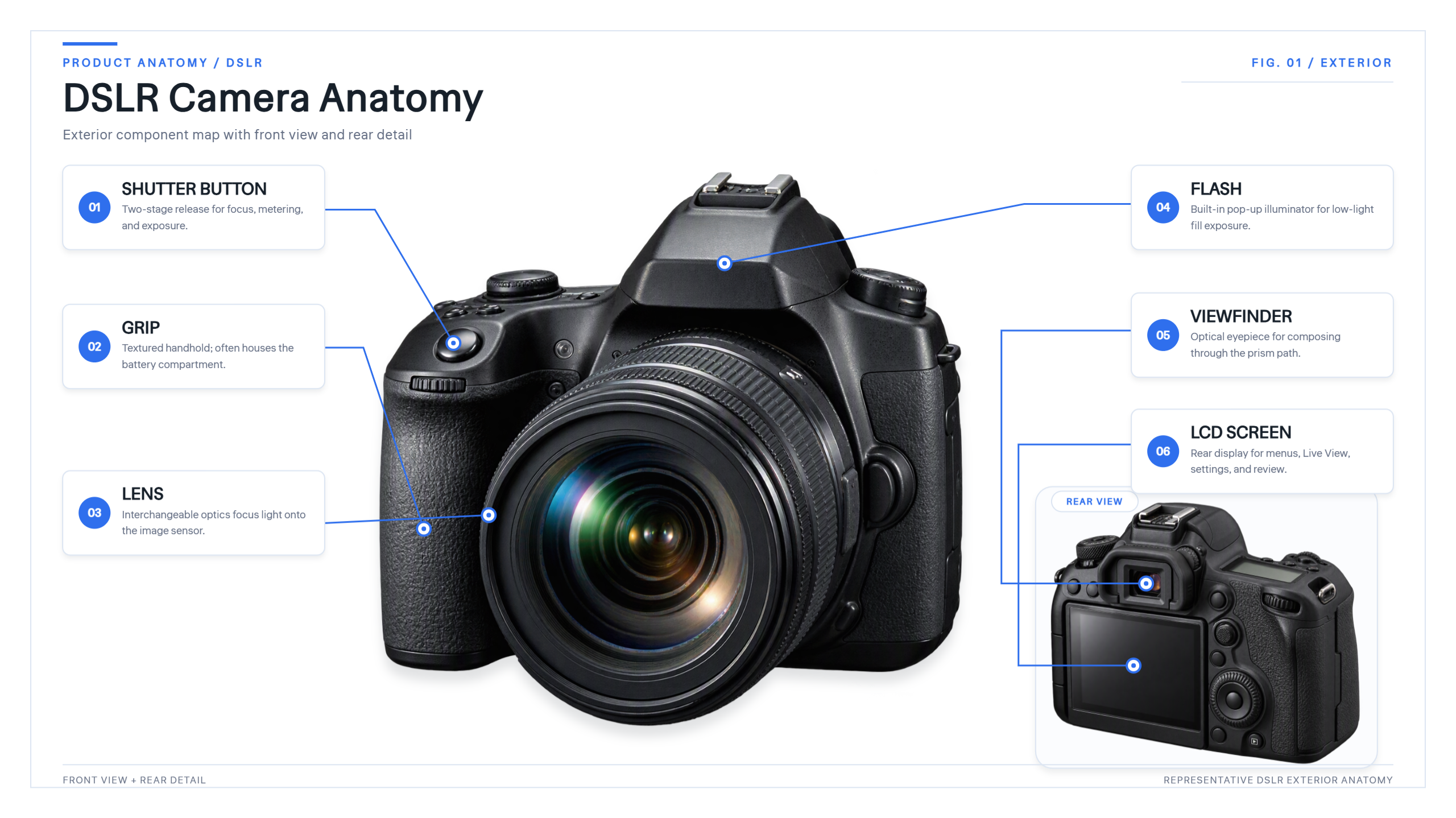
Product anatomy infographic
A product anatomy infographic labels individual components to explain how a product is structured. It works particularly well for technical equipment, electronics, furniture, and mechanical products. Callout lines and short labels help readers identify important parts without cluttering the design.
Prompt:
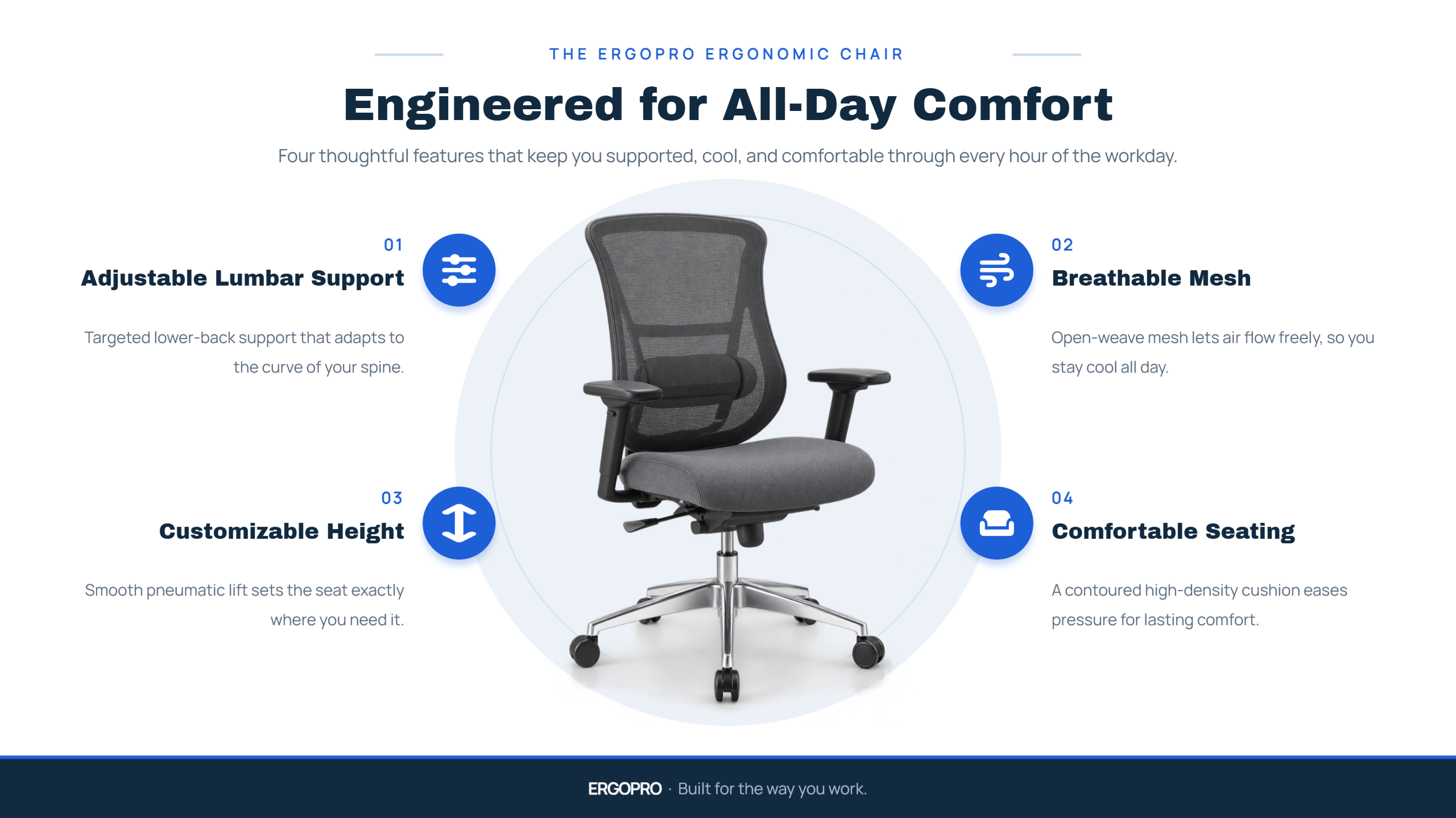
Product benefits infographic
A product benefits infographic focuses on the value customers gain from using a product rather than simply listing its features. It uses concise statements, supporting visuals, and icons to communicate practical advantages. This format is effective for marketing campaigns and product landing pages.
Prompt:
Product use cases infographic
A product use cases infographic demonstrates how a product fits into different situations or daily routines. It helps potential customers visualize practical applications and understand the product's versatility. This format is particularly useful for software, gadgets, and multipurpose tools.
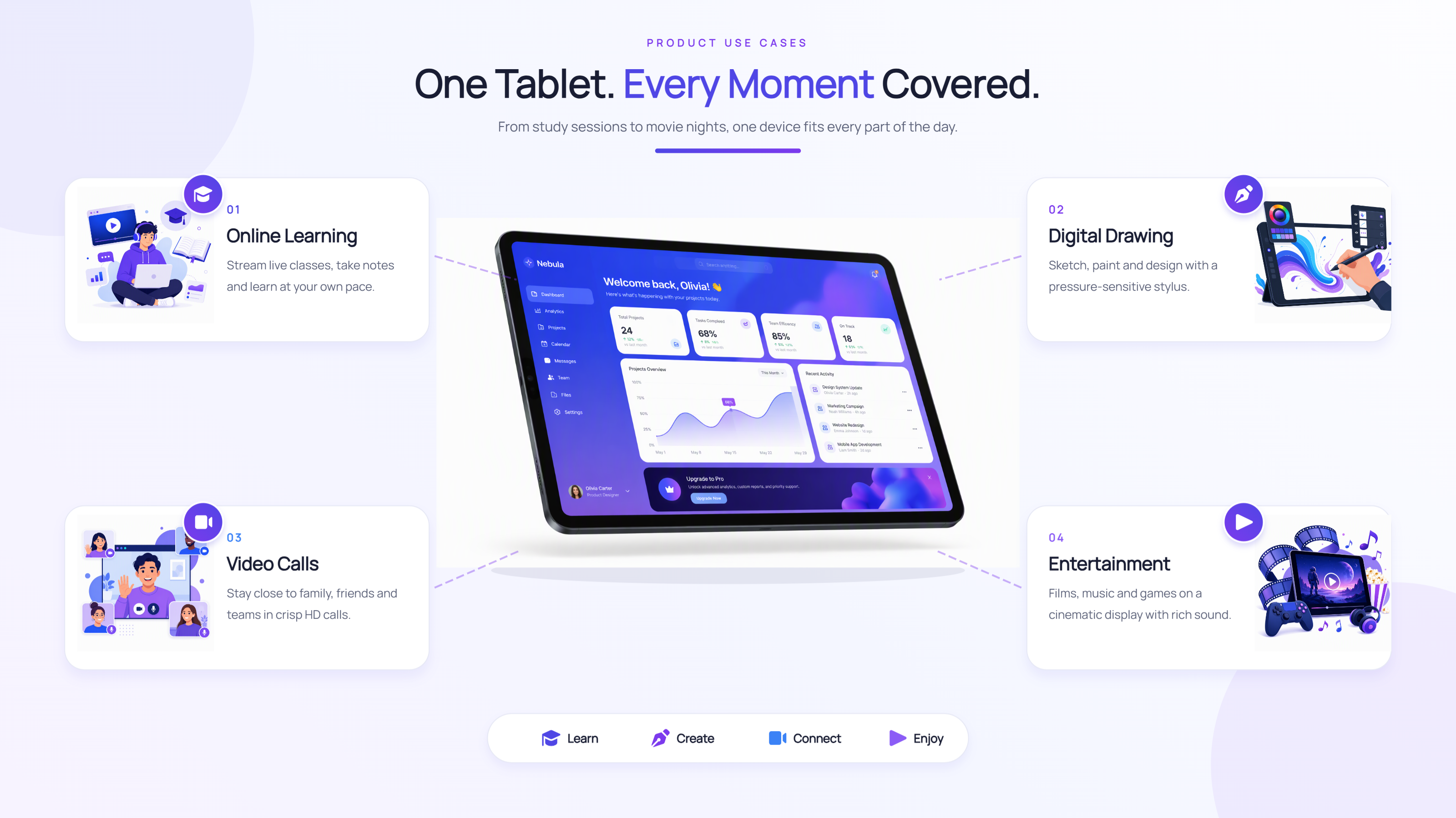
Prompt:
Product packaging infographic
A product packaging infographic highlights packaging design, materials, dimensions, and distinctive features. It helps brands present packaging details while communicating practical or sustainability-related information. These product infographic examples can support product presentations, promotional materials, and packaging concepts.
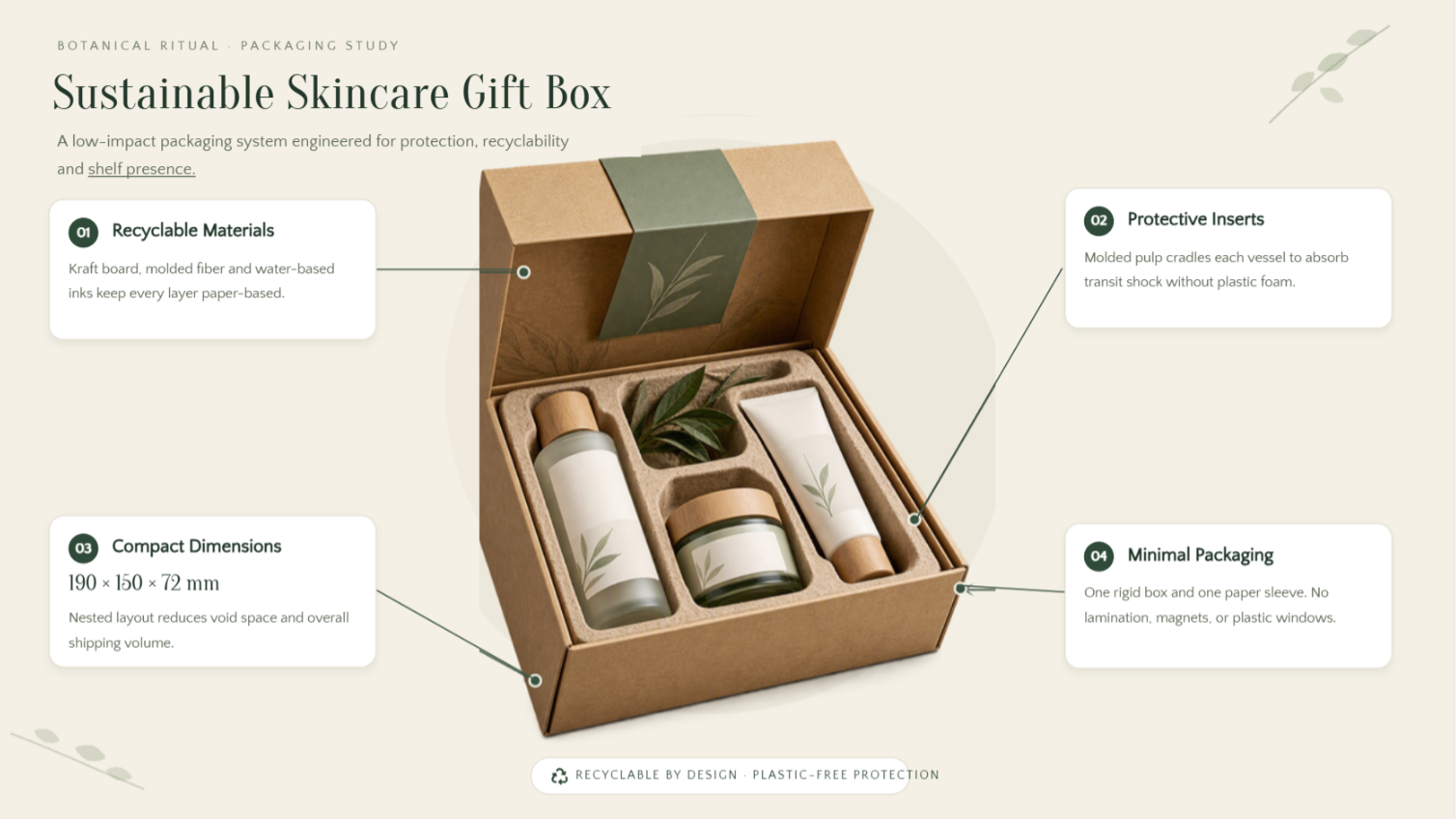
Prompt:
Product launch infographic
A product launch infographic introduces a new product and presents its main features, benefits, and release details in one visual. It helps businesses generate interest and share important information across social media, websites, and promotional campaigns. A strong headline and clear call to action make the announcement more effective.
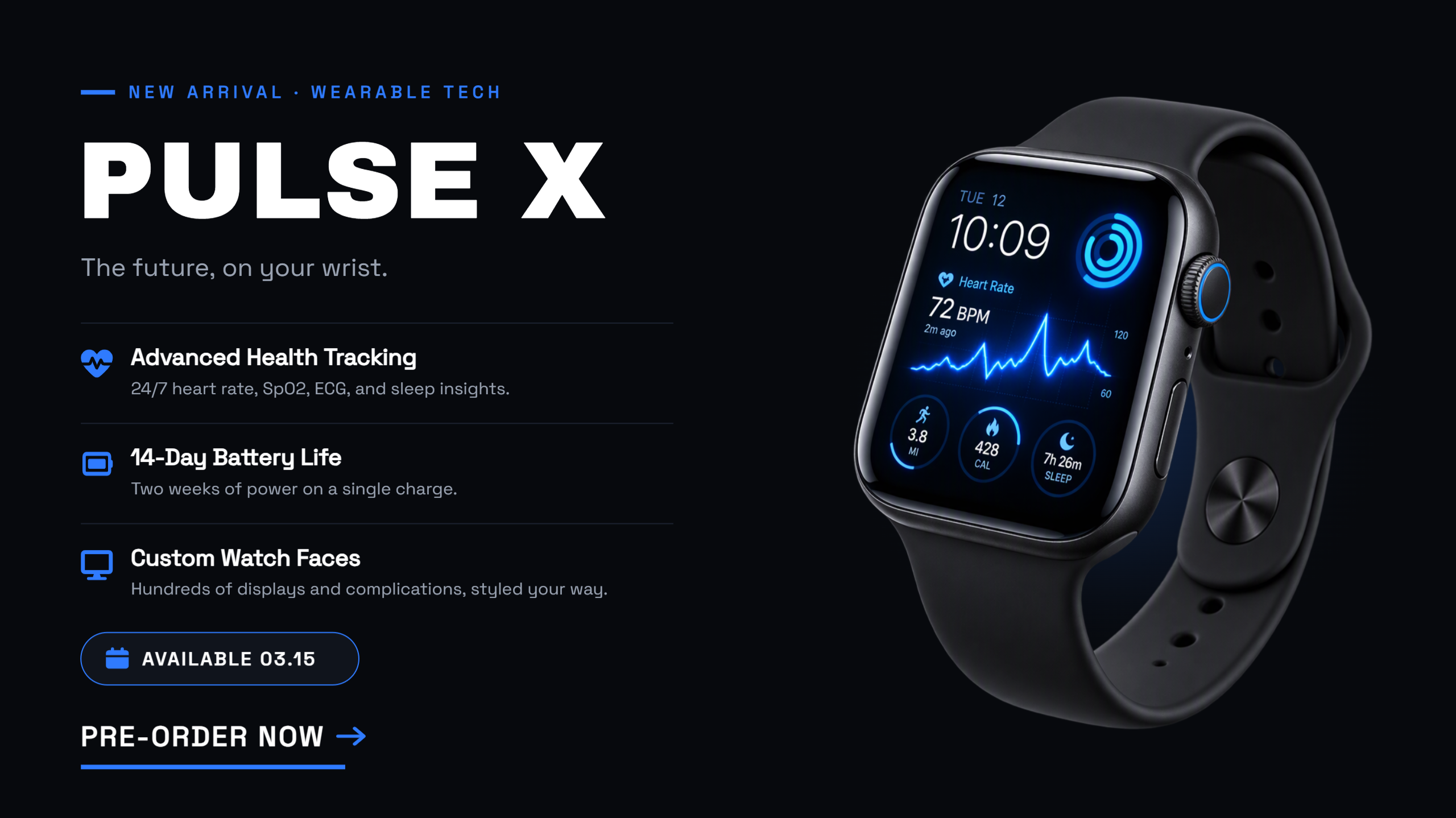
Prompt:
Why use Kimi Design to create product infographics
Creating engaging product infographics from scratch can be time-consuming, especially when balancing product details and visual design. Kimi Design simplifies the process by turning text prompts into clear, appealing visuals. Here is how to create product infographics with Kimi Design.
Turn product details into compelling infographics
Use text prompts, product images, specifications, and reference files to create product infographics that highlight key features, materials, dimensions, and practical uses. Kimi Design organizes product information into a clear visual layout, helping customers understand what makes a product useful.
Highlight product features with tailored visuals
Create infographics for product listings, e-commerce pages, promotional campaigns, and product catalogs. Combine concise descriptions, feature callouts, icons, and supporting images to showcase product details in a way that fits your brand and target audience.
Customize product infographics with flexible editing tools
Refine product descriptions, colors, layouts, images, and graphic elements using natural-language prompts. Comment on specific elements to request targeted changes, or edit individual components manually to align the design with your product and branding.
Export product infographics for different purposes
Export finished designs in supported formats such as PNG, JPG, or PDF for online stores, websites, social media, product presentations, and print materials. Adapt your visuals to different channels while keeping product information clear and consistent.
Core components of an effective product infographic
An effective product infographic combines clear visuals with concise information to help customers understand a product quickly. Include these essential elements to create designs that look professional and communicate value.
Clear product visuals
Use high-quality product images that show the item's shape, details, and overall appearance. Clear visuals help customers recognize the product and make your product infographic more engaging.
Key features and benefits
Highlight the most important product features and explain how they benefit customers. Keep descriptions short and specific so readers can quickly understand what makes the product useful.
Consistent brand colors
Choose colors that match your brand identity and use them consistently throughout the design. A cohesive palette makes the infographic visually appealing and helps customers recognize your brand.
Readable fonts and hierarchy
Use clear fonts, prominent headings, and appropriately sized text to organize information. A strong visual hierarchy guides readers from the main message to supporting details without overwhelming them.
Supporting icons and data points
Add relevant icons, charts, or statistics to explain product features and specifications visually. These elements make complex information easier to scan and help your product infographic examples communicate key details effectively.
Verified product information
Check every specification, price, ingredient, certification, and instructional step against a reliable source. Do not treat AI-generated product content as verified by default.
Strong call to action
Include a clear call to action, such as "Shop now," "Explore features," or "Learn more," to guide customers toward the next step. Place it where readers can easily notice it without being distracted from product information.
Conclusion
Product infographics help businesses showcase features, explain benefits, and present product details in a visually engaging way. The right layout makes information easier to understand and helps customers make informed decisions. Explore the most suitable product infographics from this guide for inspiration, and use Kimi Design to turn your ideas into clear, attractive visuals with less manual effort.