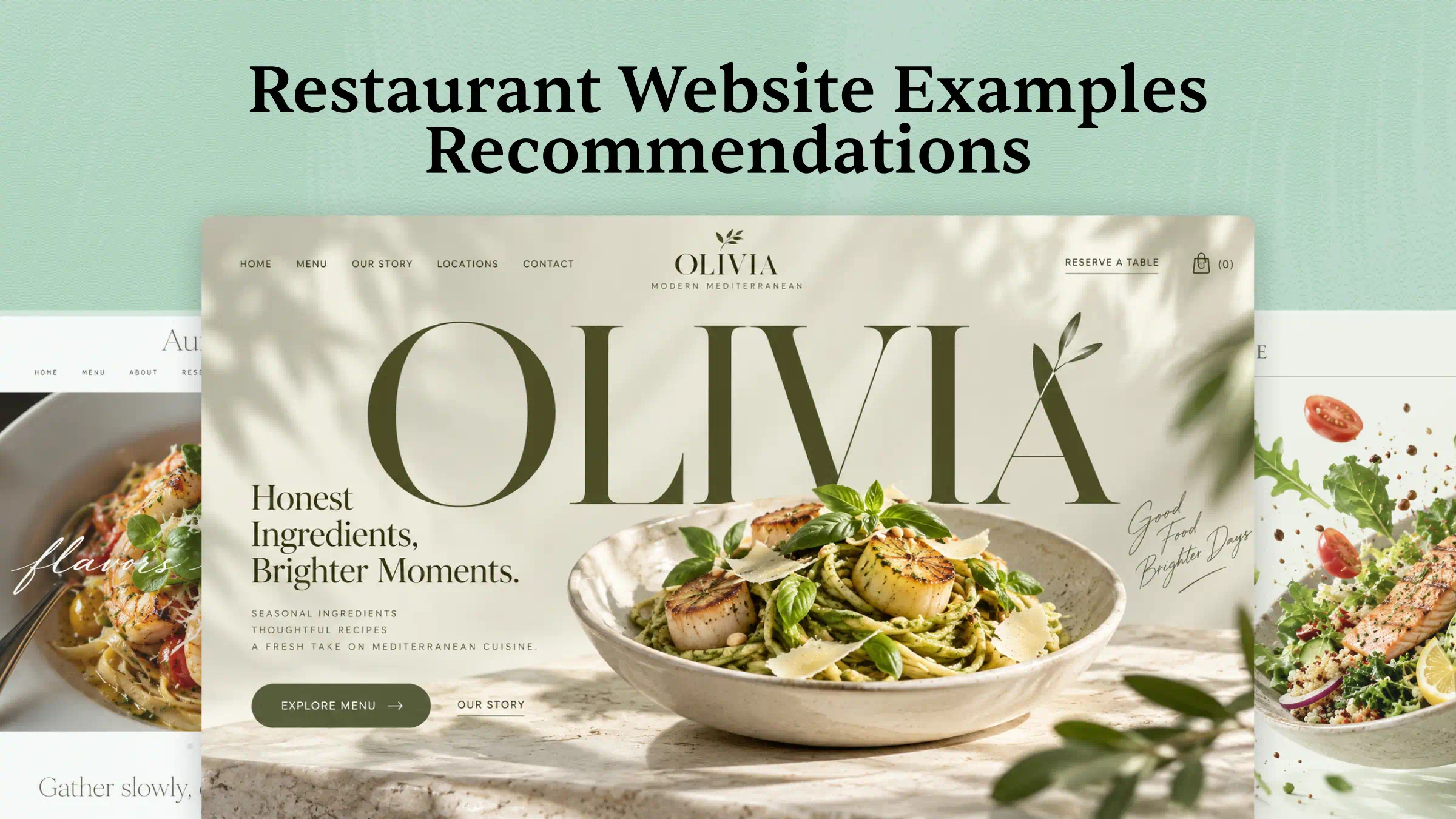
A restaurant website should make visitors want to try your food and make it easy to plan a visit. From mouthwatering photos to clear menus and simple booking options, the right design can make a real difference. Looking for ideas to build or improve your own site? Read on to explore 10 restaurant website examples that can inspire your next design.
Overview of 10 restaurant website examples
Every restaurant has its own style, and its website should reflect what makes it special. Let's look at 10 restaurant websites that stand out for their design, menus, and useful features.
| Website | URL | Category | What makes it a good example |
|---|---|---|---|
| Miriam Valewood | https://kjgqgzhrxrcbc.ok.kimi.link/ | Seasonal Fine Dining | Pairs a cinematic editorial tasting-menu narrative with a complete reservation demo. The copper progress line and plant-based menu alternative give it a distinctive, coherent identity. |
| Sora Iwasaki | https://pencv7n7wands.kimi.site/ | Japanese Omakase | Translates a twelve-seat counter into an intuitive seat-selection and booking journey, with restrained typography, practical etiquette guidance, and a memorable ticket motif. |
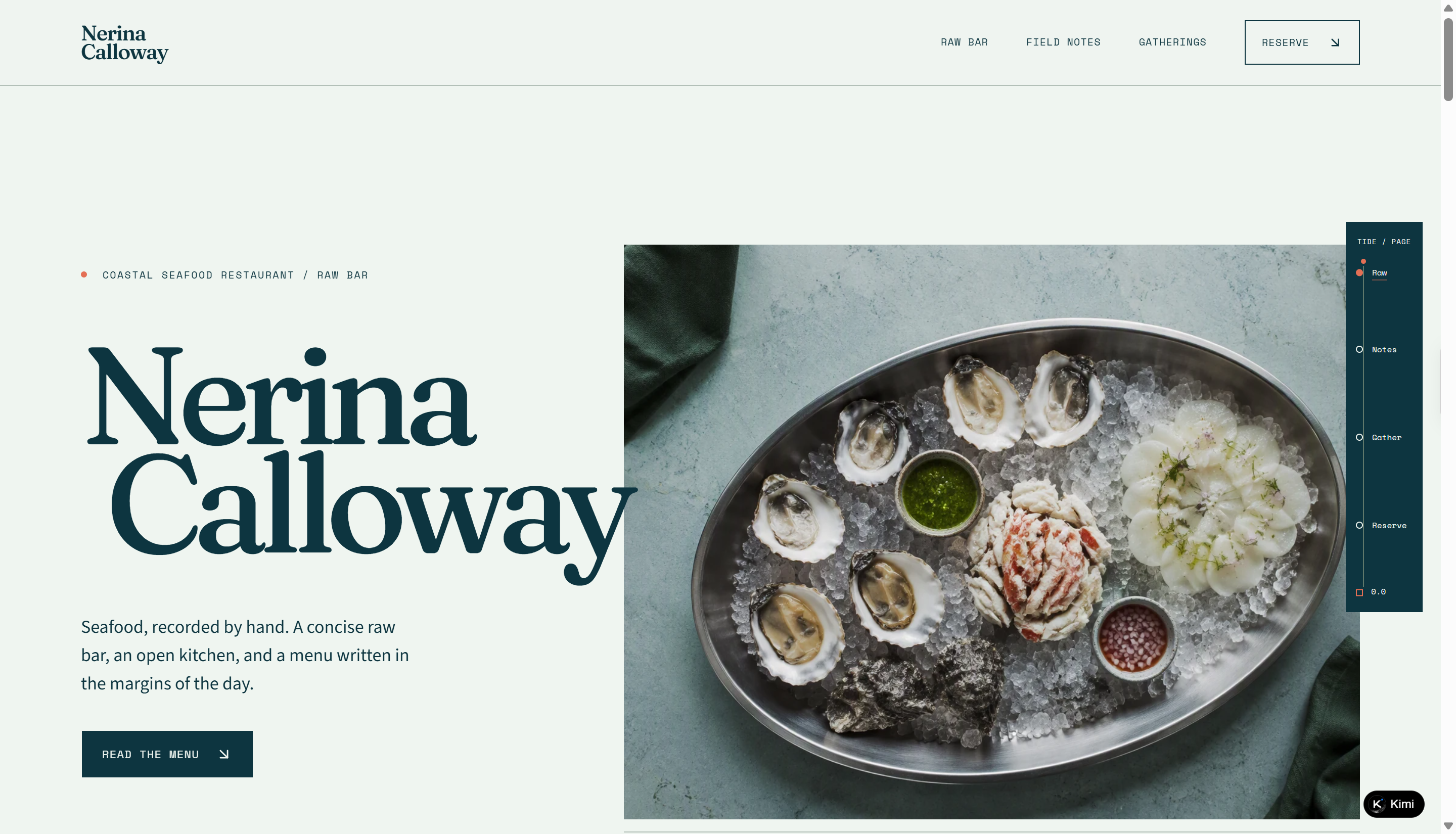
| Nerina Calloway | https://e6gjql7bgzyr2.ok.kimi.link/ | Seafood & Raw Bar | Combines marine field-journal art direction with useful menu filters and an accessible reservation flow; the tide ruler turns scroll progress into a branded signature. |
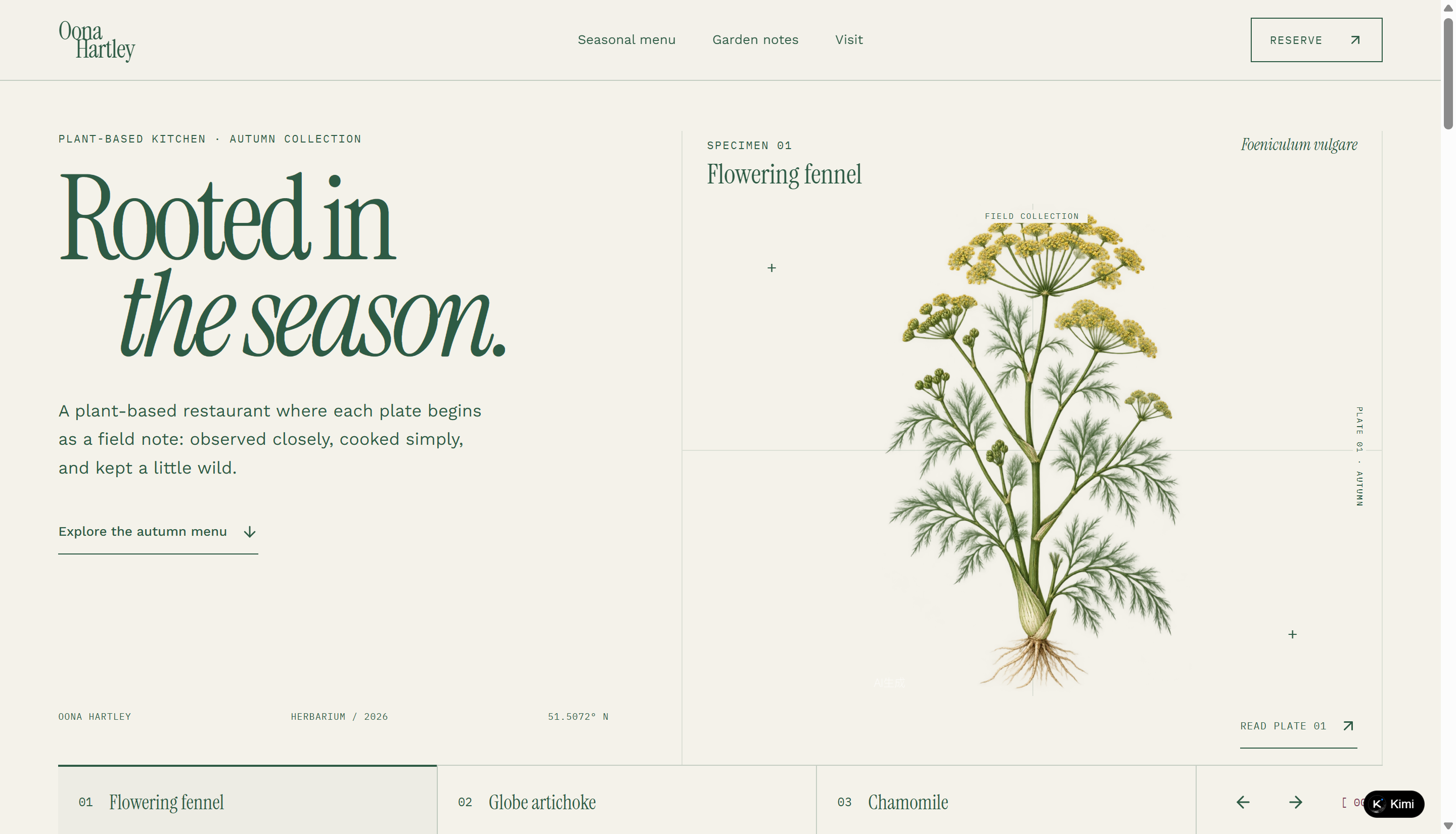
| Oona Hartley | https://wmh5rrigsgsx4.kimi.site/ | Plant-Based Restaurant | Makes dietary exploration central through combinable filters and clear dish details, while botanical specimen visuals keep the experience flavor-led rather than health-led. |
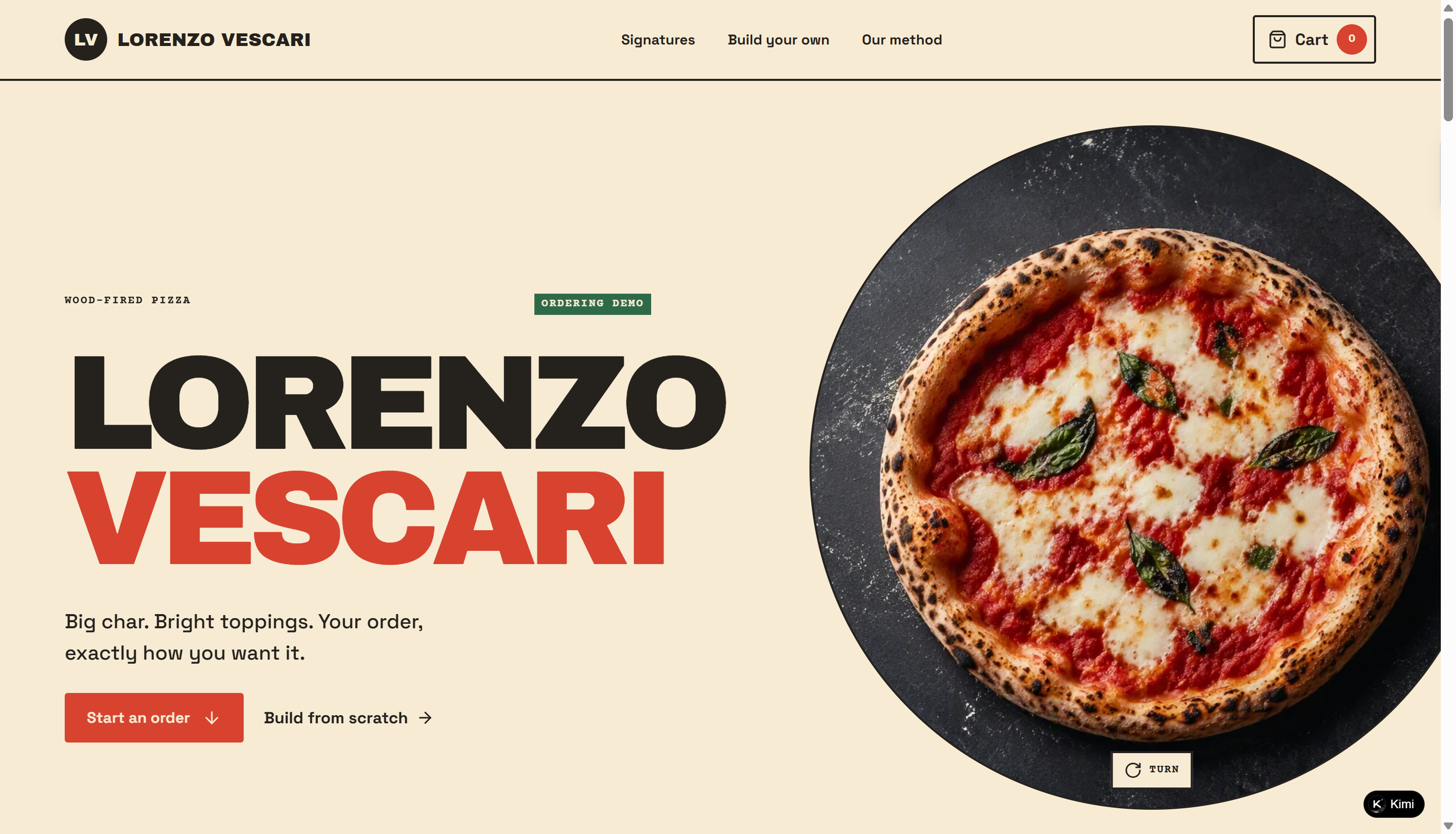
| Lorenzo Vescari | https://g6pranjndjrwo.ok.kimi.link/ | Wood-Fired Pizzeria | Matches bold poster typography with a complete pizza builder, live pricing, dietary validation, an editable cart, and a pickup-order demo. |
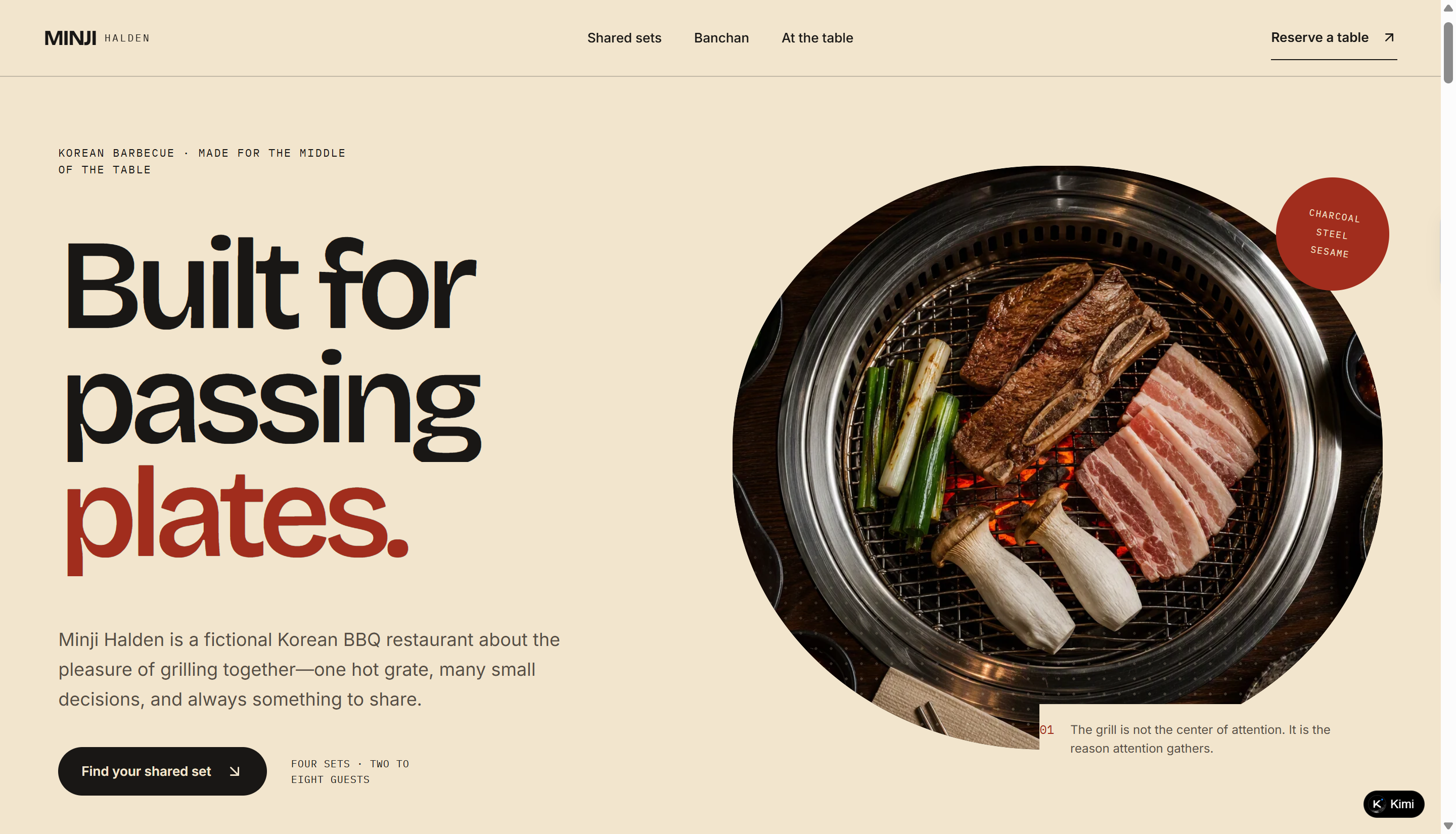
| Minji Halden | https://5klqgykh6mwu2.kimi.site/ | Korean BBQ | Designed around group dining rather than individual orders: party-size set comparison, clear grilling guidance, and a shared-table booking flow form one cohesive experience. |
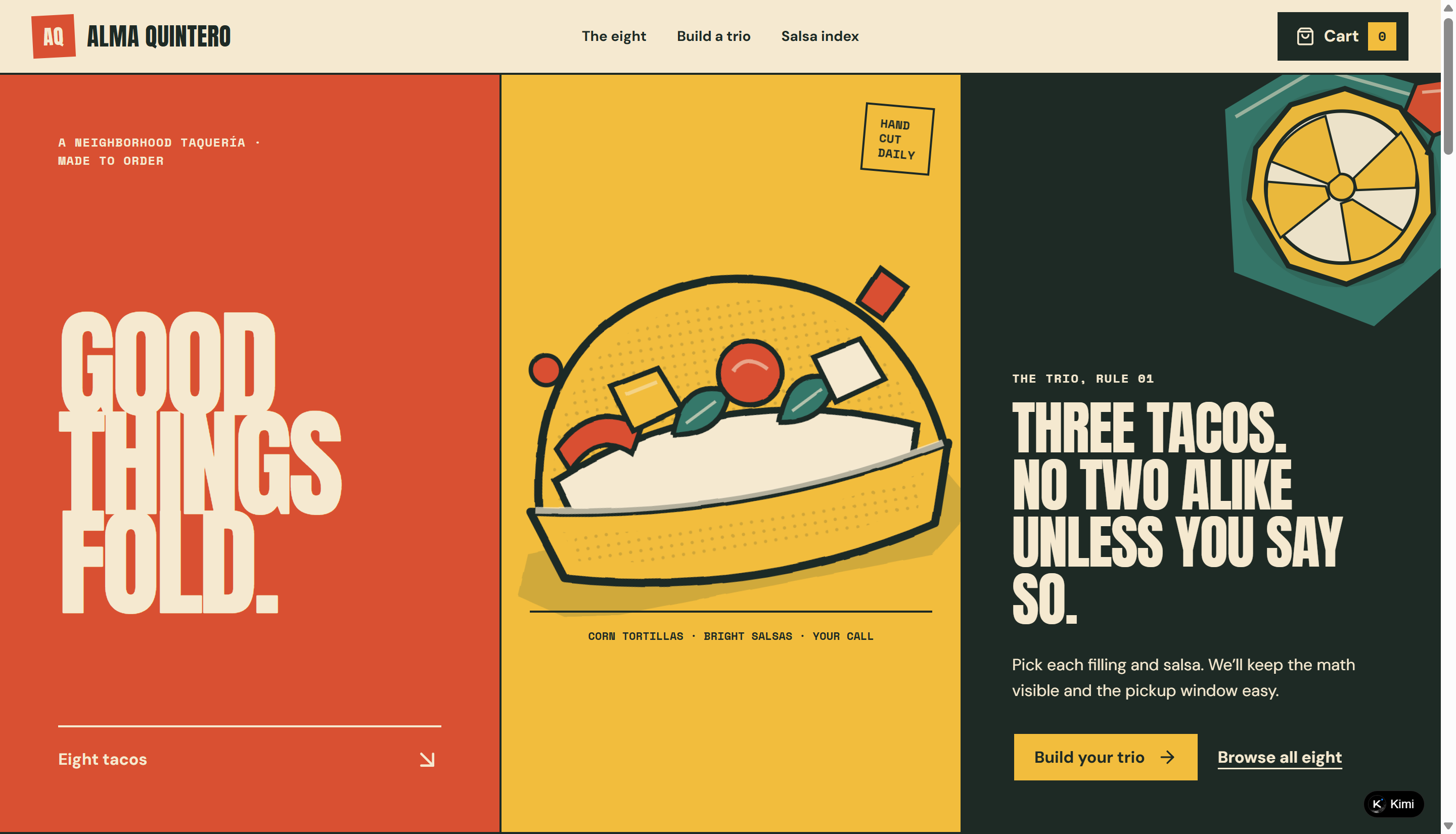
| Alma Quintero | https://5cncow6liaixw.kimi.site/ | Neighborhood Taquería | Wraps a practical three-taco builder in a distinctive hand-cut poster system, with per-taco salsa choices, transparent pricing, and friendly heat-level guidance. |
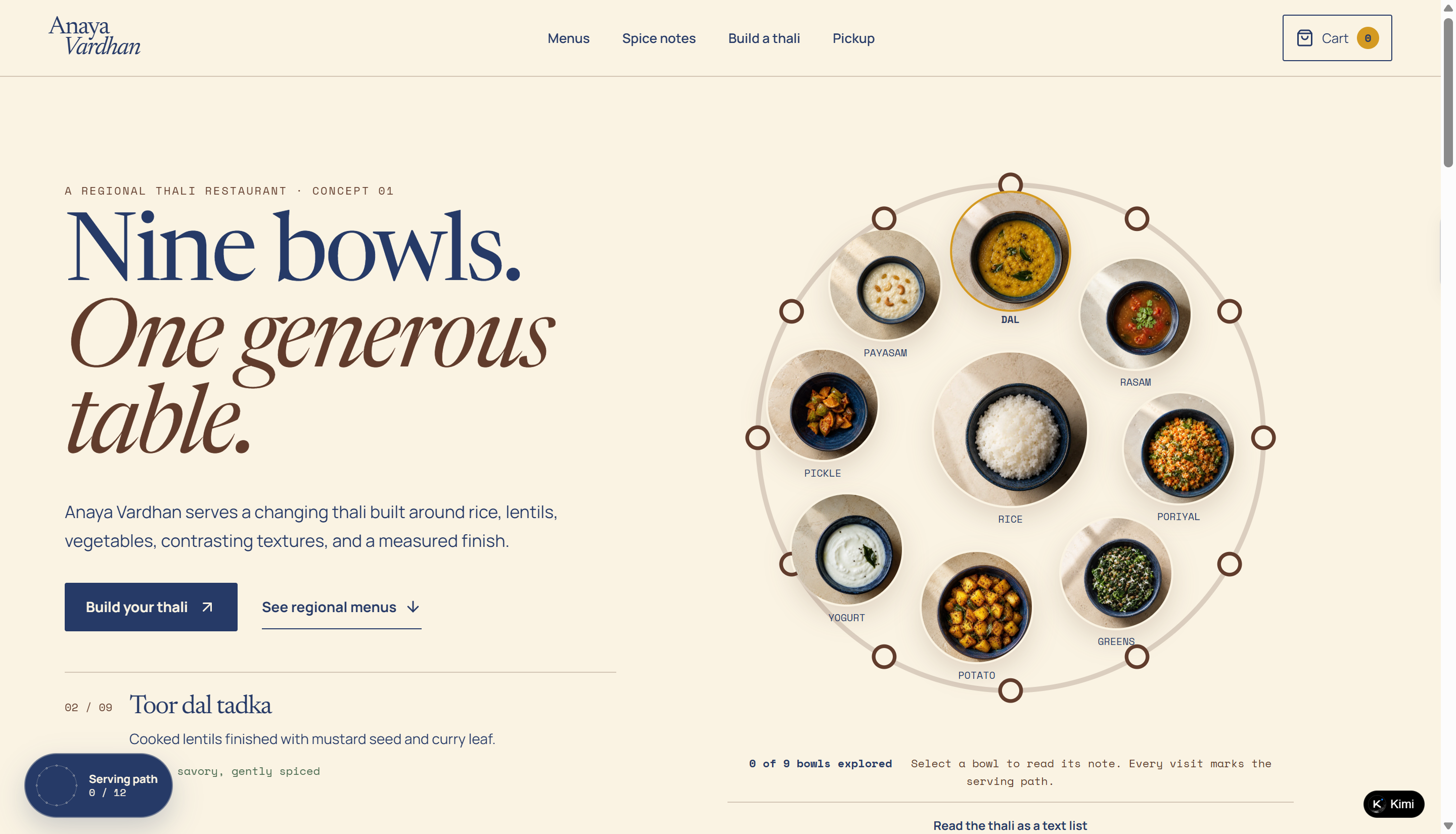
| Anaya Vardhan | https://tffg2mawbilmm.kimi.site/ | Regional Indian Thali | An interactive nine-bowl thali makes regional variety easy to explore, while a validated configurator turns educational browsing into a complete order journey. |
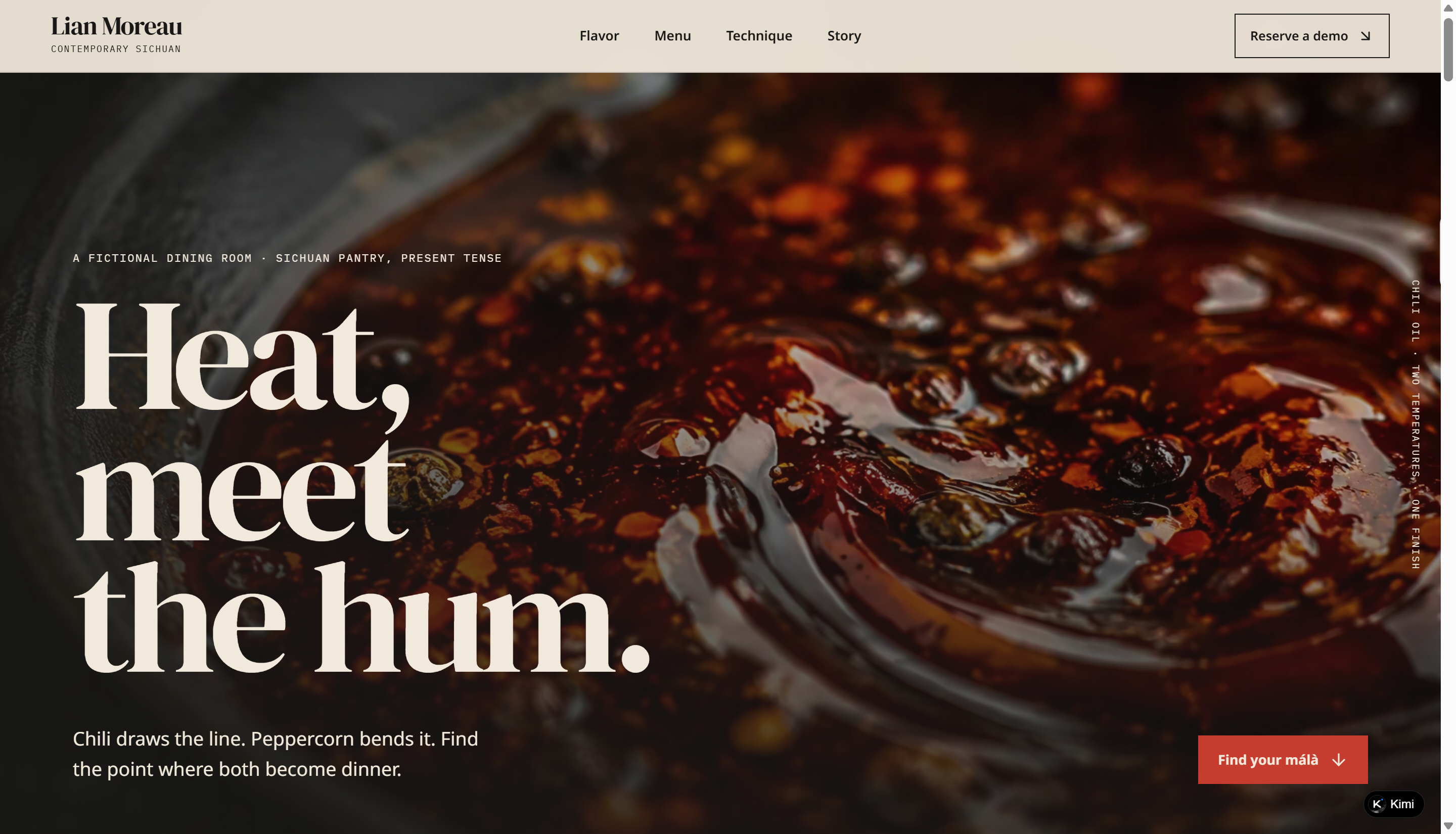
| Lian Moreau | https://m4x5t5lon5c36.kimi.site/ | Contemporary Sichuan | Replaces a basic spicy-or-not menu with an accessible two-axis heat and aroma explorer, then carries those preferences into the reservation journey. |
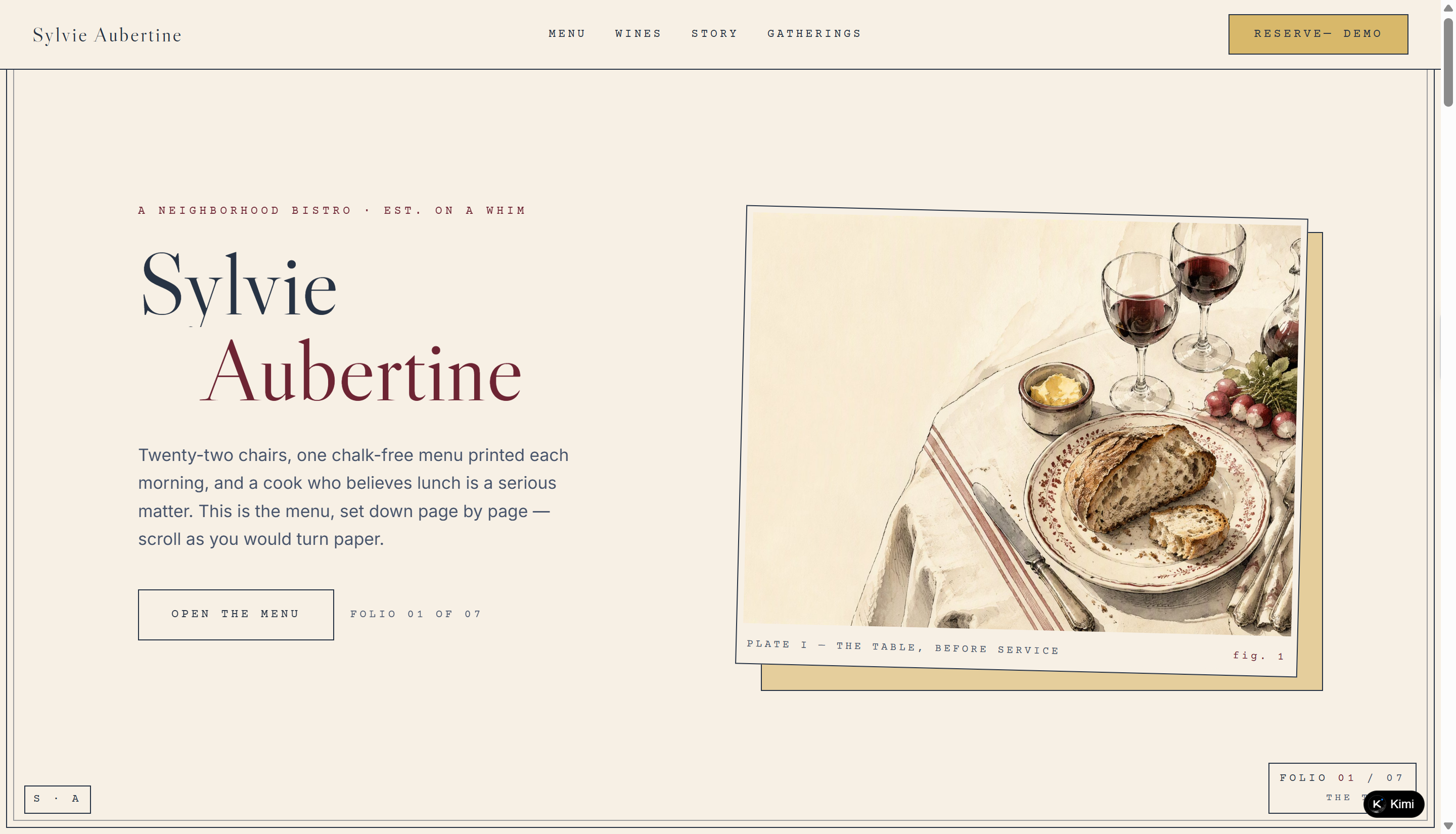
| Sylvie Aubertine | https://w3d3a6cfumet6.ok.kimi.link/ | French Neighborhood Bistro | A refined printed-menu aesthetic meets clear menu tabs and an elegant reservation path; restrained folio and plate details create charm without clichés. |
10 good restaurant website examples for design inspiration
Every restaurant website has its own way of attracting customers, from stunning food photography to creative layouts and easy online reservations. The following 10 restaurant website examples showcase different design styles, useful features, and ideas you can apply to your own website.
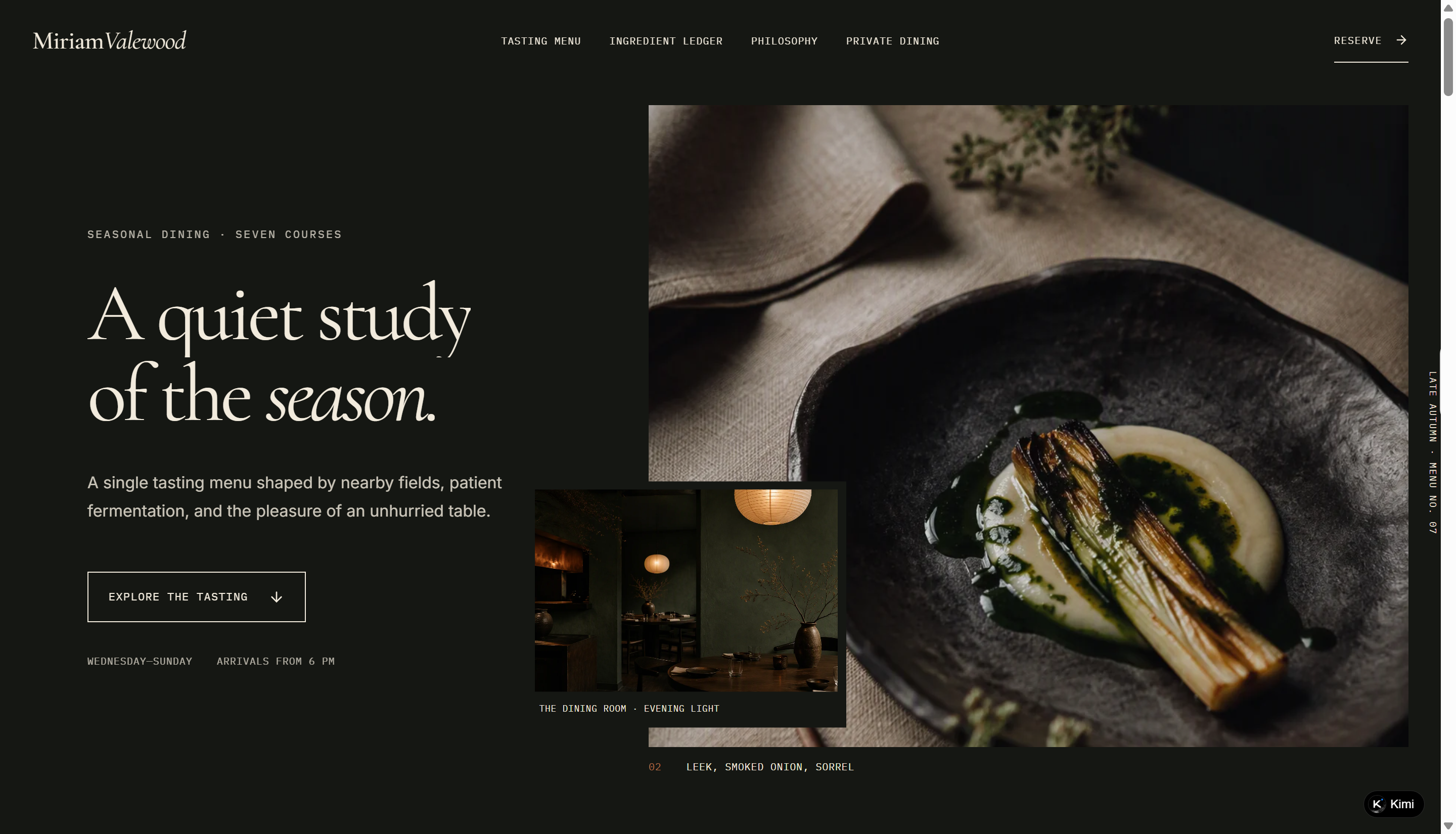
Miriam Valewood
This restaurant website example showcases a refined fine-dining experience through elegant typography, atmospheric food photography, and a carefully structured layout. It introduces the restaurant's seasonal tasting menu, ingredient sourcing, culinary philosophy, and private dining services, while providing an interactive reservation experience that guides guests through their booking details.
Key characteristics
Seasonal menu showcase: Display tasting courses with food photography, ingredients, and pricing.
Ingredient sourcing: Highlight local suppliers, ingredient origins, and seasonal availability.
Restaurant storytelling: Communicate culinary philosophy through editorial content and kitchen imagery.
Private dining promotion: Showcase exclusive dining spaces, guest capacity, and menu options.
Interactive reservations: Guide guests through date, time, party size, and menu selection.
Sora Iwasaki
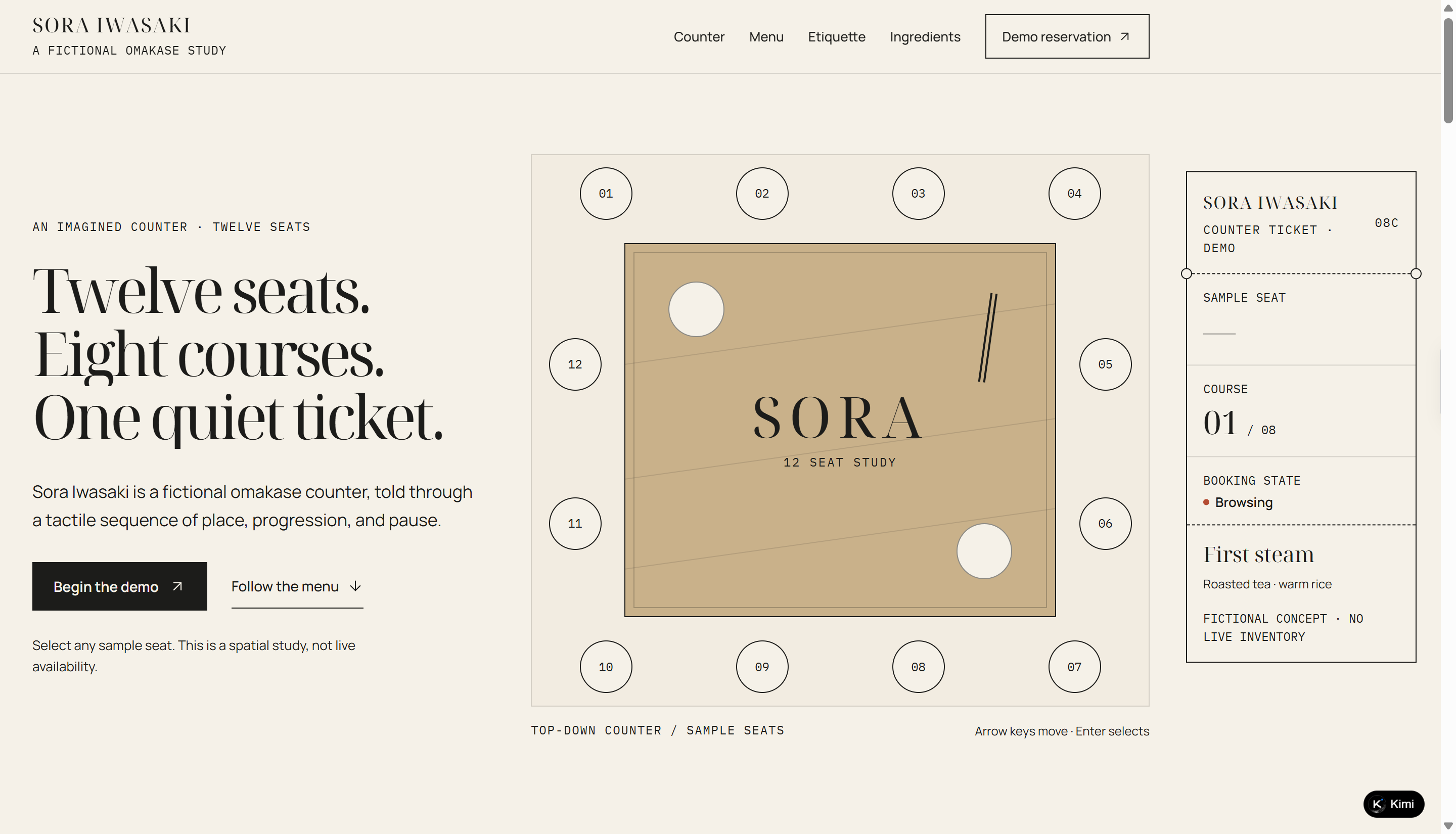
This restaurant website example presents a fictional Japanese omakase dining experience through minimalist design, interactive course selections, and an immersive counter layout. It introduces an eight-course tasting journey, dining etiquette, and ingredient details, while allowing visitors to select sample seats and complete a demonstration reservation.
Key characteristics
Interactive seating layout: Let visitors explore a 12-seat counter and select a sample seat.
Eight-course menu showcase: Present each tasting course with descriptions and dedicated food imagery.
Course progression: Guide guests through the dining sequence with interactive course navigation.
Dining etiquette guide: Explain arrival expectations, nigiri dining customs, and meal pacing.
Ingredient storytelling: Highlight rice, seasonal fish, hinoki wood, and persimmon through dedicated descriptions.
Nerina Calloway
Combining a coastal-inspired aesthetic with an editorial field journal, this seafood restaurant website presents its raw bar offerings, seasonal menu, kitchen insights, and private dining experiences. Visitors can browse dishes by preparation style, explore gathering options for different group sizes, and customize a demonstration reservation.
Key characteristics
Seafood menu showcase: Organize dishes into raw, chilled, and hearth categories with descriptions, photos, and prices.
Kitchen field notes: Share cooking techniques, ingredient insights, and preparation details to give visitors a closer look at the kitchen.
Private dining options: Present different gathering formats with guest capacities and tailored dining experiences.
Visual food storytelling: Use seafood photography, editorial layouts, and coastal-inspired colors to establish a distinctive restaurant identity.
Interactive reservation form: Let visitors customize dining dates, times, party sizes, and table notes through a demo booking flow.
Oona Hartley
Inspired by botanical journals and seasonal ingredients, this plant-based restaurant website combines nature-inspired visuals with an interactive dining menu. It showcases nine seasonal dishes, garden stories, dietary filters, and restaurant information, while allowing visitors to save selected dishes and include them in a demonstration reservation.
Key characteristics
Seasonal plant-based menu: Showcase dishes with ingredient lists, prices, and botanical-inspired photography.
Dietary menu filters: Help visitors browse dishes by vegan, gluten-free, nut-free, and course categories.
Garden storytelling: Share kitchen garden updates, seasonal harvest notes, and ingredient stories.
Interactive menu selections: Let visitors save their favorite dishes and add them to reservation notes.
Restaurant information and booking: Display opening hours, location, accessibility details, and a guided reservation form.
Lorenzo Vescari
Featuring bold typography, vibrant food photography, and a modern pizzeria aesthetic, this restaurant website presents signature wood-fired pizzas and a customizable ordering experience. Visitors can explore ready-made recipes, build their own pizzas with different ingredients, check itemized prices, and add their selections to a demo cart.
Key characteristics
Signature pizza menu: Showcase popular pizzas with ingredient descriptions, prices, and dietary labels.
Custom pizza builder: Let customers choose pizza size, crust, sauce, cheese, and toppings.
Recipe filters: Organize ingredient combinations with vegetarian, vegan, and gluten-free filters.
Real-time price breakdown: Display selected ingredients, additional costs, and the total pizza price.
Restaurant storytelling: Highlight dough preparation, fresh ingredients, wood-fired cooking, and pickup hours.
Minji Halden
This Korean BBQ restaurant website combines warm dining-room visuals with interactive menus and group dining features. It showcases shared barbecue sets for different party sizes, introduces traditional Korean side dishes (banchan), and provides grilling guidance to help guests explore the dining experience. Visitors can also compare meal sets and customize a demonstration group reservation.
Key characteristics
Shared BBQ set menu: Display barbecue packages with ingredients, prices, and serving sizes for different group sizes.
Interactive set comparison: Help visitors compare packages based on party size and food preferences.
Banchan showcase: Introduce Korean side dishes with descriptions, flavors, and pairing suggestions.
Grilling guide: Explain grilling techniques, cooking steps, and how to enjoy shared barbecue.
Group reservation form: Allow visitors to select guests, dates, dining sets, and table preferences.
Alma Quintero
This taquería website uses playful cut-paper illustrations, bold typography, and vibrant colors to create a lively Mexican street food experience. It showcases eight taco varieties, introduces different salsa flavors, and features an interactive trio builder where customers can customize fillings, choose salsas, and view their order total.
Key characteristics
Taco menu showcase: Present eight taco varieties with illustrations, ingredients, prices, and dietary labels.
Custom taco builder: Let customers choose three tacos individually and pair each with a preferred salsa.
Salsa flavor guide: Display salsa ingredients, textures, spice levels, and additional prices.
Live order pricing: Calculate the trio total based on selected tacos and salsa upgrades.
Pickup information: Highlight ordering instructions, pickup hours, and collection intervals.
Anaya Vardhan
Inspired by regional Indian cuisine, this restaurant website showcases traditional thali meals through colorful food photography, regional menu collections, and interactive customization features. Visitors can explore different regional dining styles, learn about spices, build their own thali by selecting individual dishes, and choose recurring pickup options.
Key characteristics
Regional thali menus: Showcase sample menus from Tamil Nadu, Kerala, Karnataka, and Andhra Pradesh.
Interactive dish exploration: Introduce nine thali components with individual descriptions and serving notes.
Spice guide: Explain the aroma, taste, and culinary uses of common Indian spices.
Custom thali builder: Let customers select rice, dal, vegetables, sides, desserts, and spice levels.
Flexible pickup options: Support one-time, weekly, and biweekly pickup scheduling.
Lian Moreau
Built around the distinctive flavors of contemporary Sichuan cuisine, this restaurant website combines bold food photography with an interactive flavor exploration experience. It introduces eight signature dishes, explains cooking techniques, and helps visitors discover their preferred balance of chili heat and Sichuan peppercorn numbing. Guests can also carry their flavor preferences into a demonstration reservation.
Key characteristics
Signature dish showcase: Present eight Sichuan dishes with food photography, ingredients, and prices.
Interactive flavor explorer: Let visitors adjust chili heat and aromatic numbing levels to discover matching dishes.
Personalized menu recommendations: Suggest dishes based on individual flavor preferences.
Cooking technique notes: Explain chili oil preparation, spice grinding, and fermentation techniques.
Interactive reservations: Carry selected flavor preferences into a guided demo booking process.
Sylvie Aubertine
Designed like a beautifully illustrated restaurant journal, this French bistro website combines vintage typography, watercolor artwork, and an editorial page-by-page layout. It introduces daily menus, curated wines, the restaurant's story, and private dining experiences, while providing a multi-step reservation form for visitors to plan their visit.
Key characteristics
Daily menu presentation: Organize breakfast-style starters, main courses, and desserts with descriptions and prices.
Curated wine selection: Showcase six house wines with tasting notes, serving suggestions, and prices.
Restaurant storytelling: Use illustrations and editorial content to share the bistro's history, atmosphere, and culinary philosophy.
Private dining information: Highlight an exclusive gathering room, guest capacity, and family-style dining arrangements.
Interactive reservation form: Guide visitors through entering, reviewing, and confirming their booking details.
Build stunning restaurant websites in minutes with AI
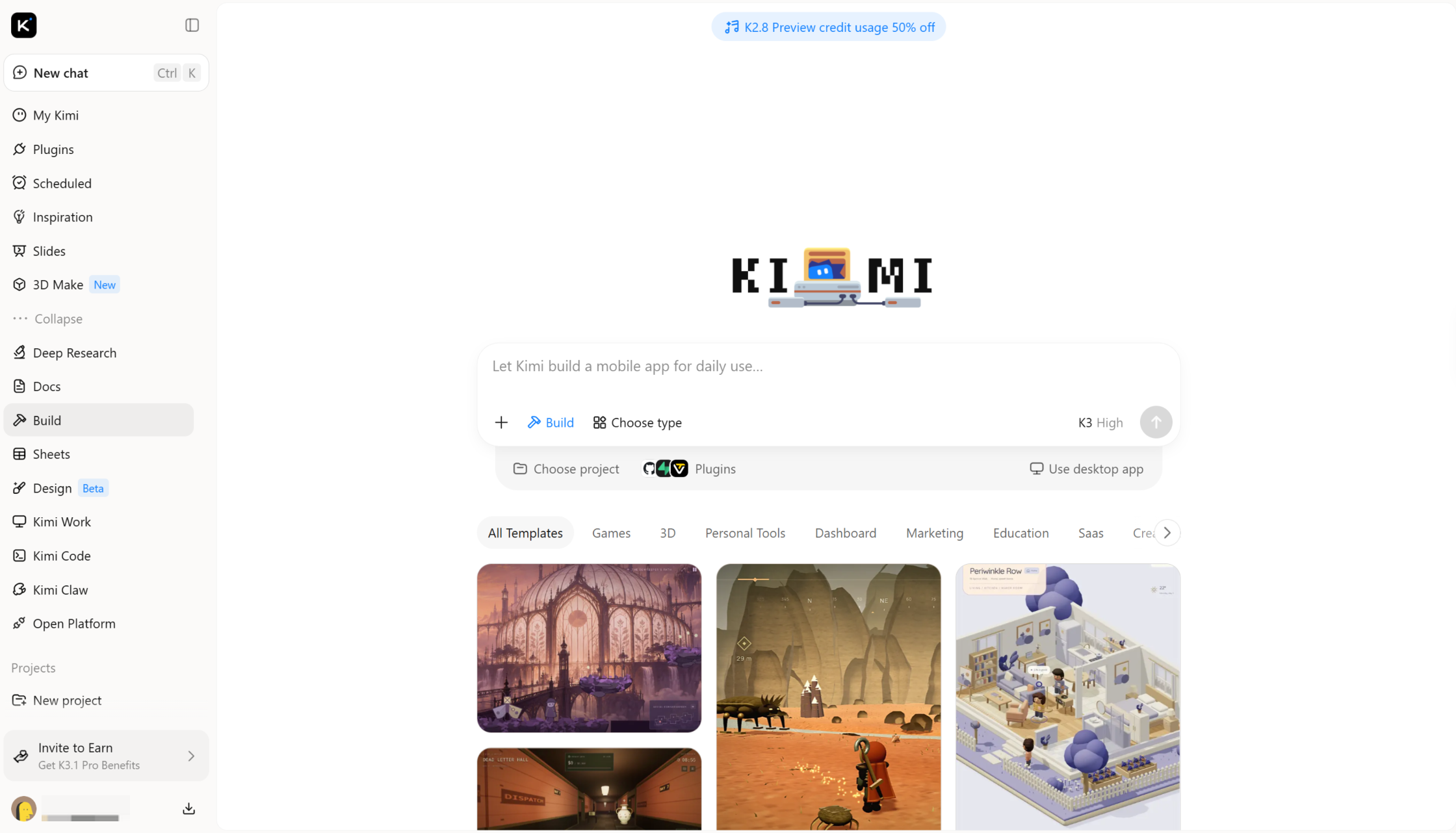
Kimi Build, an AI website builder, helps you create restaurant websites using simple natural-language prompts. Share your restaurant concept, menu, food photos, and brand references to generate a website that matches your vision. You can then refine the layout and content with additional prompts without starting from scratch.
Main features
Turn restaurant concepts into a complete website: Describe your restaurant concept, menu, target audience, and design preferences in natural-language prompts, or upload food photography, brand references, and existing website materials as visual references. Kimi Websites uses these inputs to create a restaurant website with cohesive visuals, clear page layouts, and a design that reflects your dining style and brand identity.
Present your menu, atmosphere, and story: Use your restaurant details, signature dishes, customer preferences, and brand messaging to shape website content. Organize menu highlights, restaurant introductions, dining options, and essential visitor information so guests can quickly understand what makes your restaurant distinctive.
Build multi-page restaurant websites: Create connected pages for menus, locations, private dining, events, catering, reservations, and contact information. Kimi Websites helps structure these pages into a cohesive online experience, giving visitors clear ways to explore your offerings and plan their visit.
Refine your website as your restaurant evolves: Describe the changes you want in natural language and update page copy, food images, color schemes, typography, layouts, or individual sections. Adapt your website to seasonal menus, special events, new dishes, and changing promotions without starting from scratch.
Preview, publish, and customize your site: Review your restaurant website across desktop, tablet, and mobile screens before publishing. Deploy the finished site with a shareable link and access the source code for further customization as your restaurant's online presence grows.
How to create a restaurant website with AI
Once you find a design you like, you can use Kimi Build to create a restaurant website of your own. Simply describe your idea in a prompt, and Kimi Build can turn it into a website with custom layouts, menus, booking features, and mobile-friendly pages. Here's how to get started.
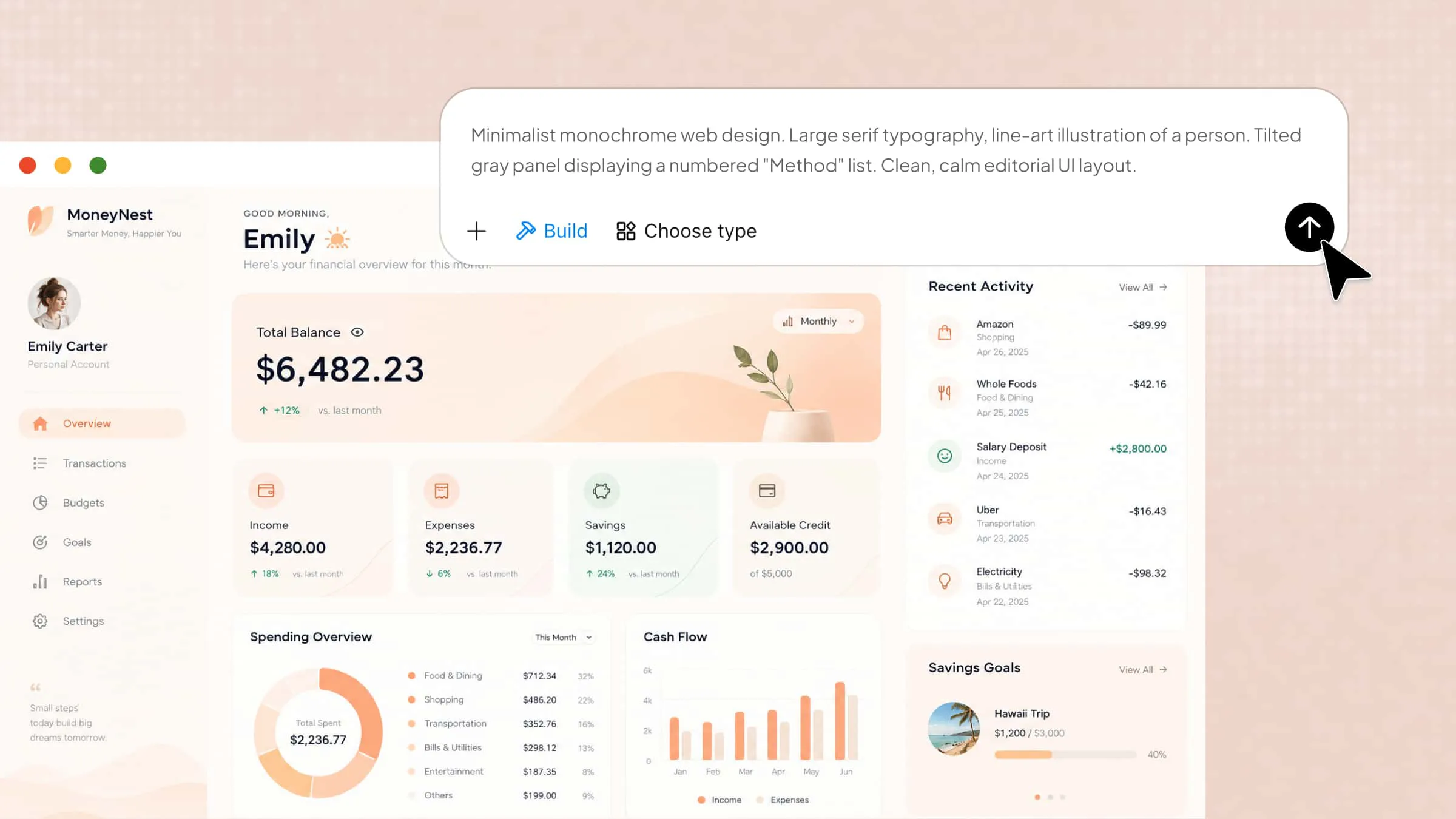
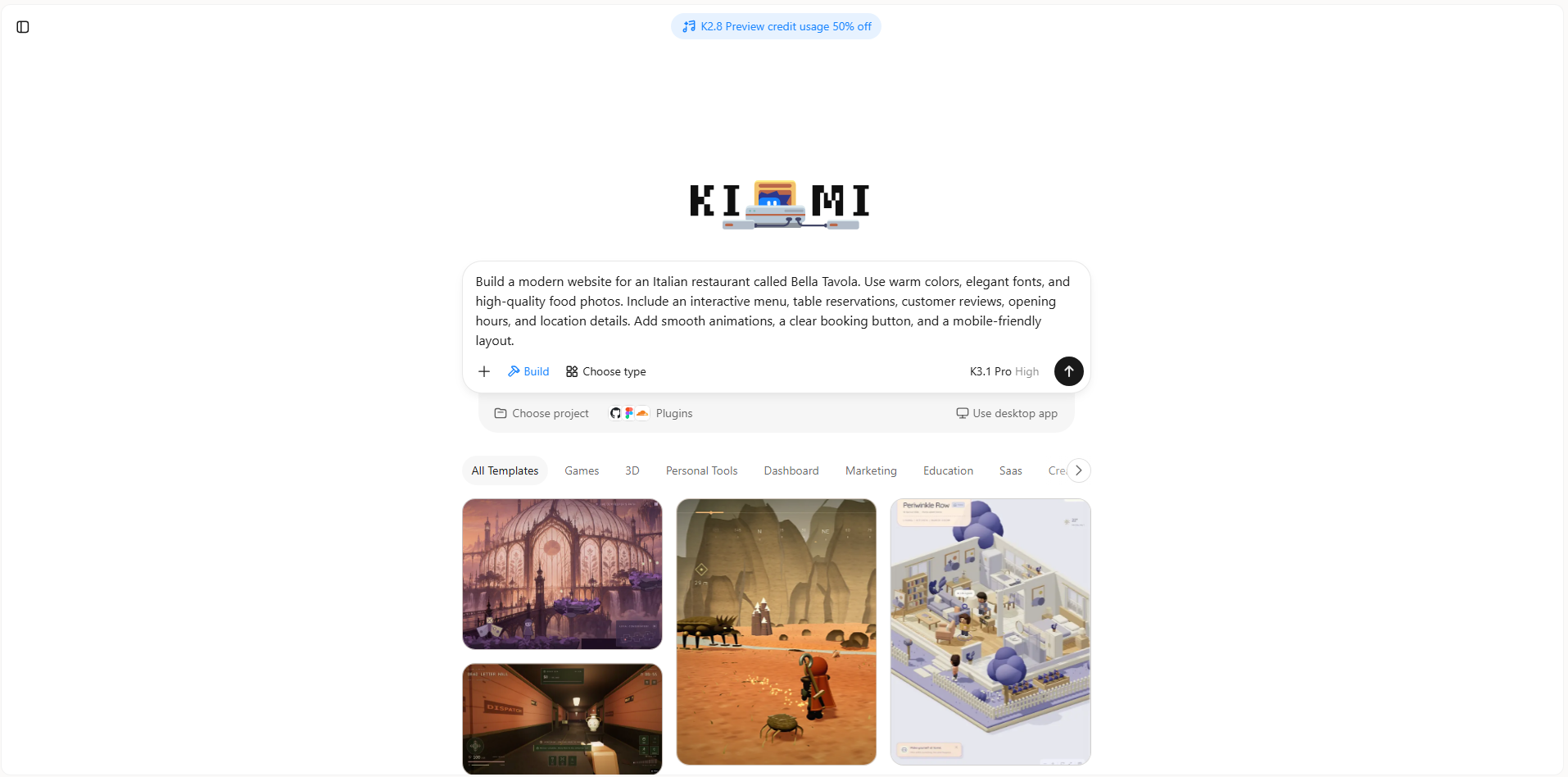
Step 1: Enter a clear prompt
Start by describing your restaurant, its style, and the features you want on your website. A detailed prompt helps Kimi Build create a site that matches your vision.
Example prompt:
Step 2: Edit your website
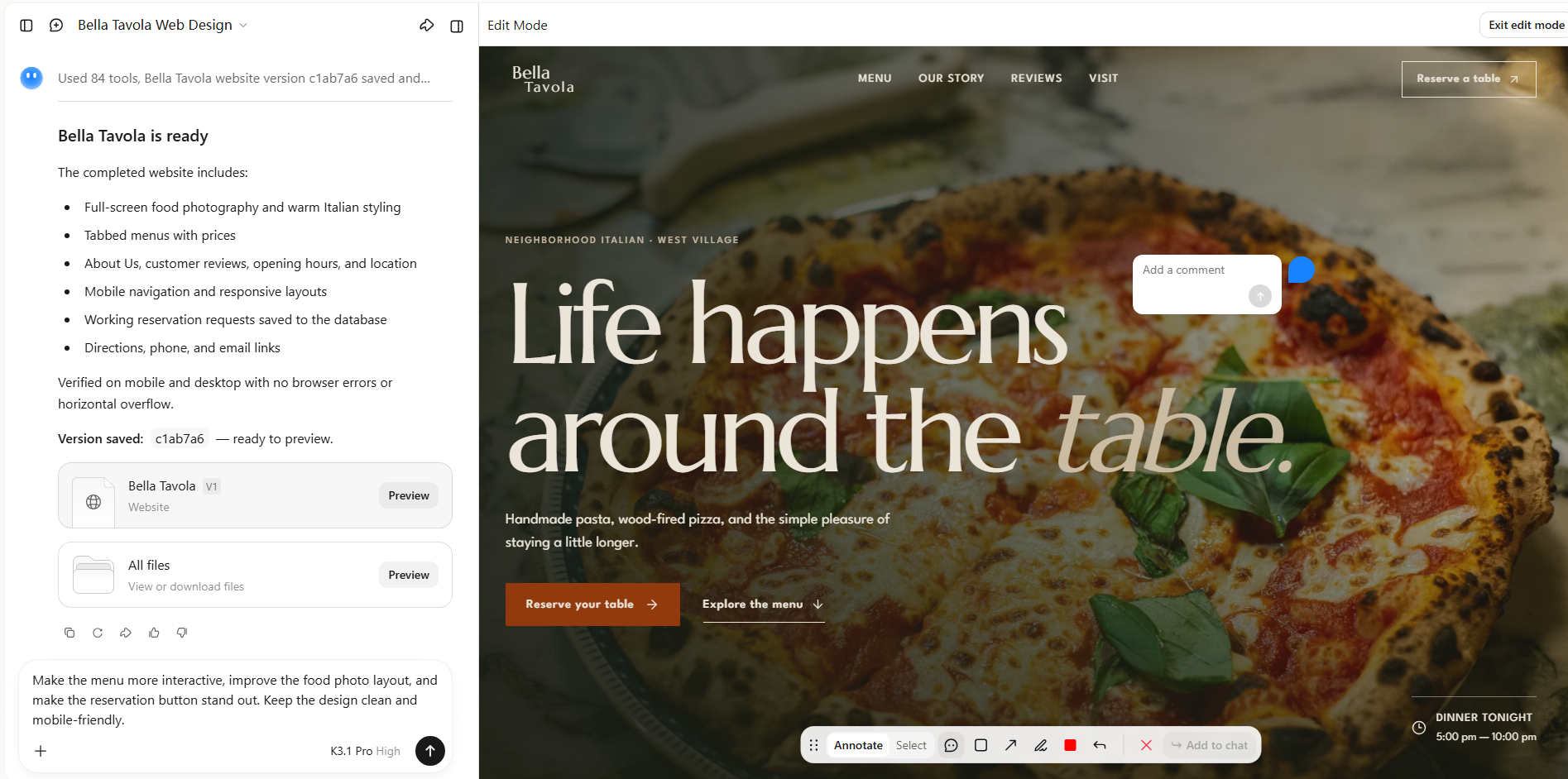
Once Kimi Build generates the first version, click "Edit" to customize your website. You can select specific elements and leave comments to request changes, manually adjust elements on the canvas, or enter prompts in the chat box to modify the design. For example, ask Kimi Build to add a photo gallery, update menu items, change the color scheme, or improve the reservation section.
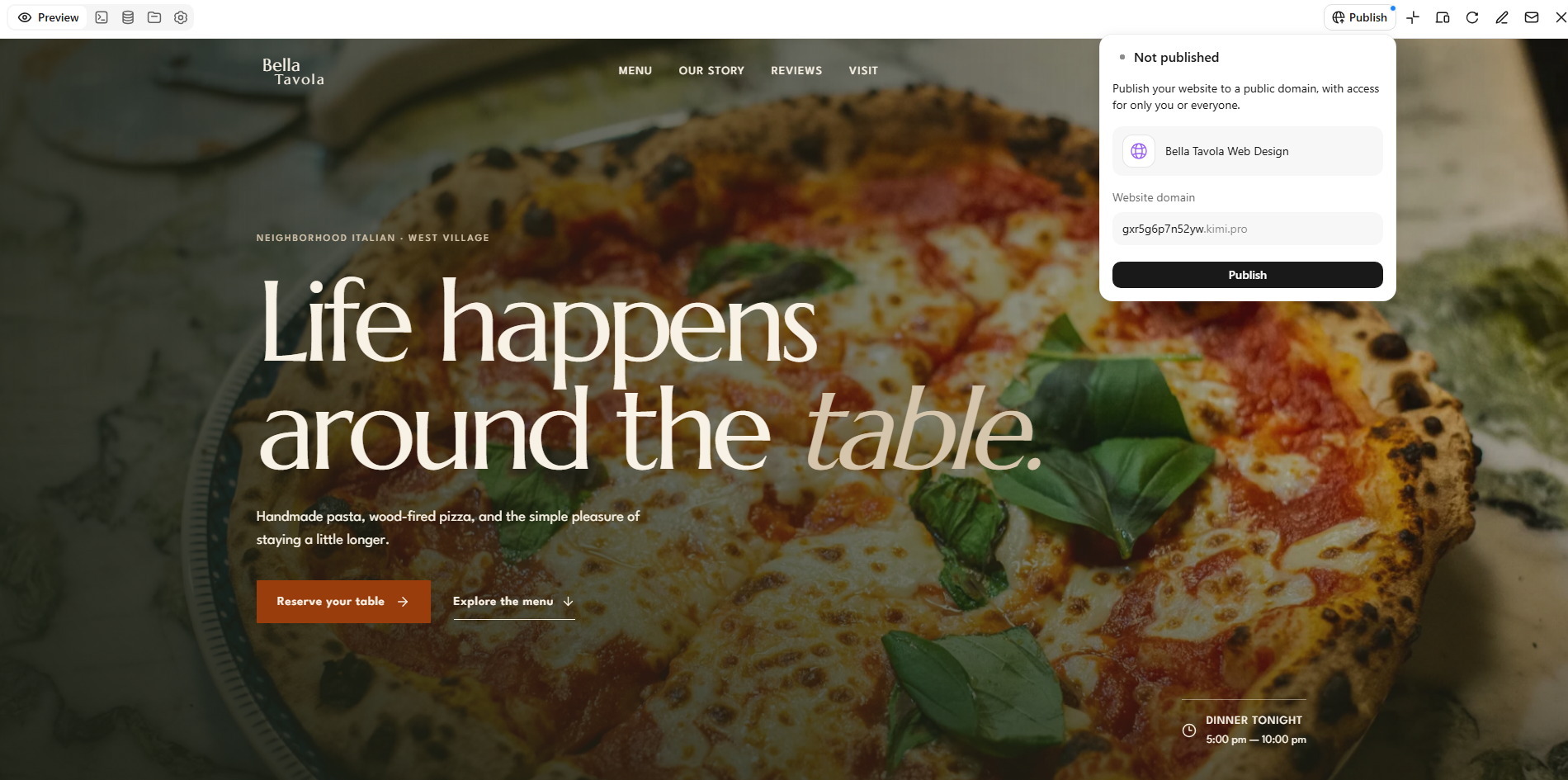
Step 3: Preview and publish
Preview your website on desktop and mobile to check that everything looks right and works smoothly. Test the menu, reservation form, navigation, and buttons, then make any final changes before publishing your website.
What makes a great restaurant website
A great restaurant website does more than look attractive. It helps visitors understand what you offer, find important details, and decide whether they want to dine with you. The following key features can make the experience smoother and encourage more people to visit.
Clear menu and pricing
Make your menu easy to find and read, with clear dish names, descriptions, and prices. Group items into categories such as starters, main courses, desserts, and drinks so visitors can find what they want quickly. Mention dietary options where relevant to help customers choose with confidence.
High-quality food photography
Use clear, appealing photos that show your dishes, restaurant interiors, and dining atmosphere. Good food photography helps visitors imagine the experience before they arrive. Keep images relevant to your actual menu and optimize their file sizes so they load quickly.
Easy reservations and ordering
Make it simple for visitors to reserve a table or order food directly from your website. Use clear buttons and short forms that ask only for the information you need. Confirm bookings or orders clearly so customers know their requests have been received.
Essential restaurant information
Display your address, opening hours, contact details, and location where visitors can find them easily. Include directions and parking information if available, along with delivery or takeaway details when relevant. Accurate information helps customers plan their visit without needing to contact you first.
Mobile-friendly design
Many customers browse restaurant websites on their phones while deciding where to eat. Make sure text is readable, images fit the screen, and menus and buttons are easy to use. A responsive design should also make reservations and online orders simple on smaller screens.
Consistent branding and style
Use colors, fonts, images, and language that match your restaurant's personality. Fine-dining restaurants may use elegant typography, while casual cafés can choose brighter colors. Consistent branding makes your website recognizable and memorable.
Conclusion
Your restaurant website should feel as inviting as the dining experience you offer. Explore different restaurant website examples to find inspiration that fits your concept and goals. Kimi Build makes it easier to turn your ideas into a website without starting from scratch. Give Kimi Build a try to build your restaurant site. Create a design that feels right for your business.