Managing appointments through calls and messages can quickly become tiring. A booking website makes things easier by allowing customers to explore your services, choose a time, and book online. With AI tools, you can create a professional website without coding skills. In this article, you will learn how to create a booking website in a few simple steps.
How to make a booking website with AI
Building a booking website with AI saves time and removes the need to handle complicated coding or design work. With Kimi Build, an AI website builder, you can generate a website by simply describing your requirements in a text prompt. It turns your ideas into ready-to-edit websites, including layouts, pages, and useful features. You can then customize the design to suit your booking needs.
Let's see how to create one step by step:
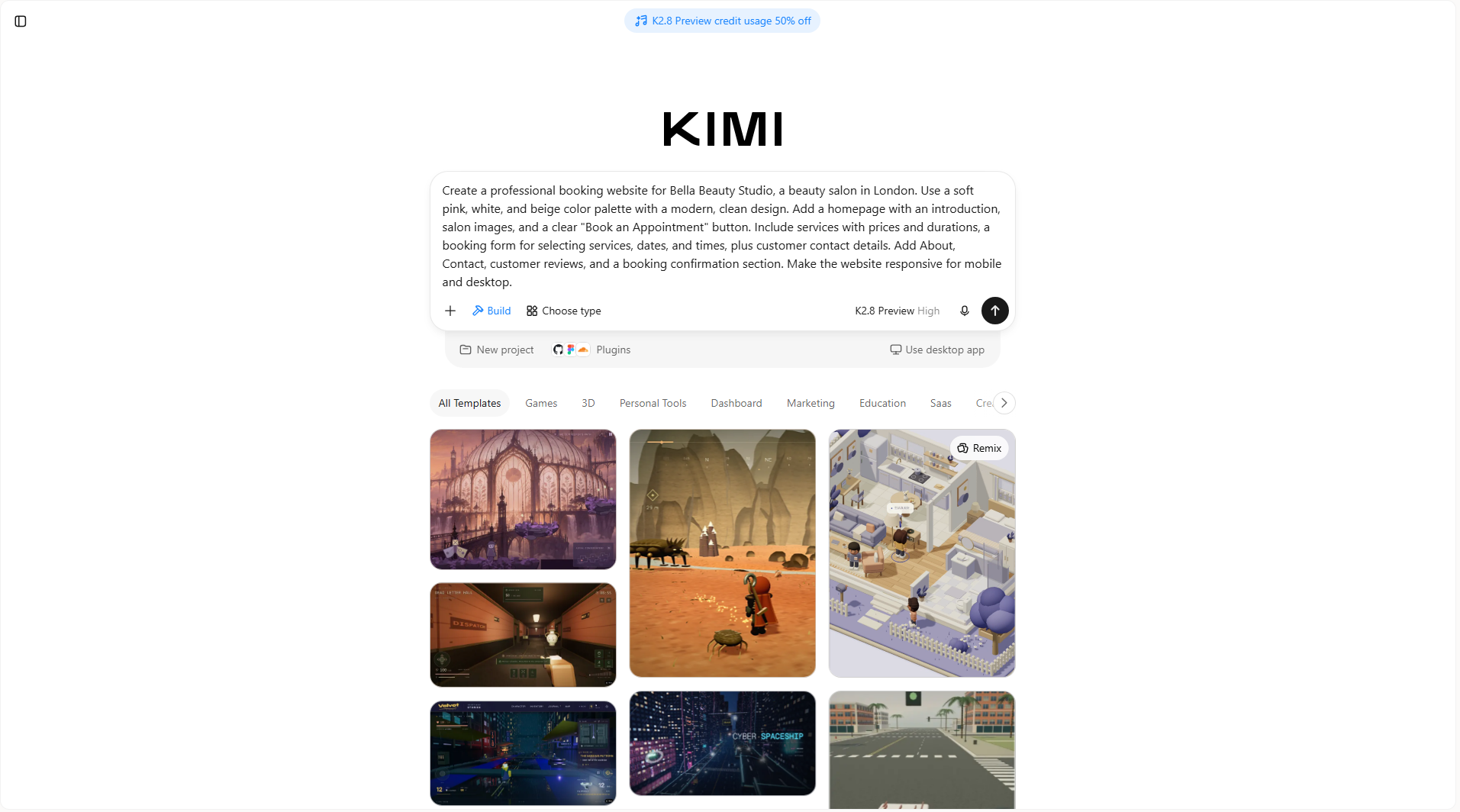
Step 1: Describe your booking website with a prompt
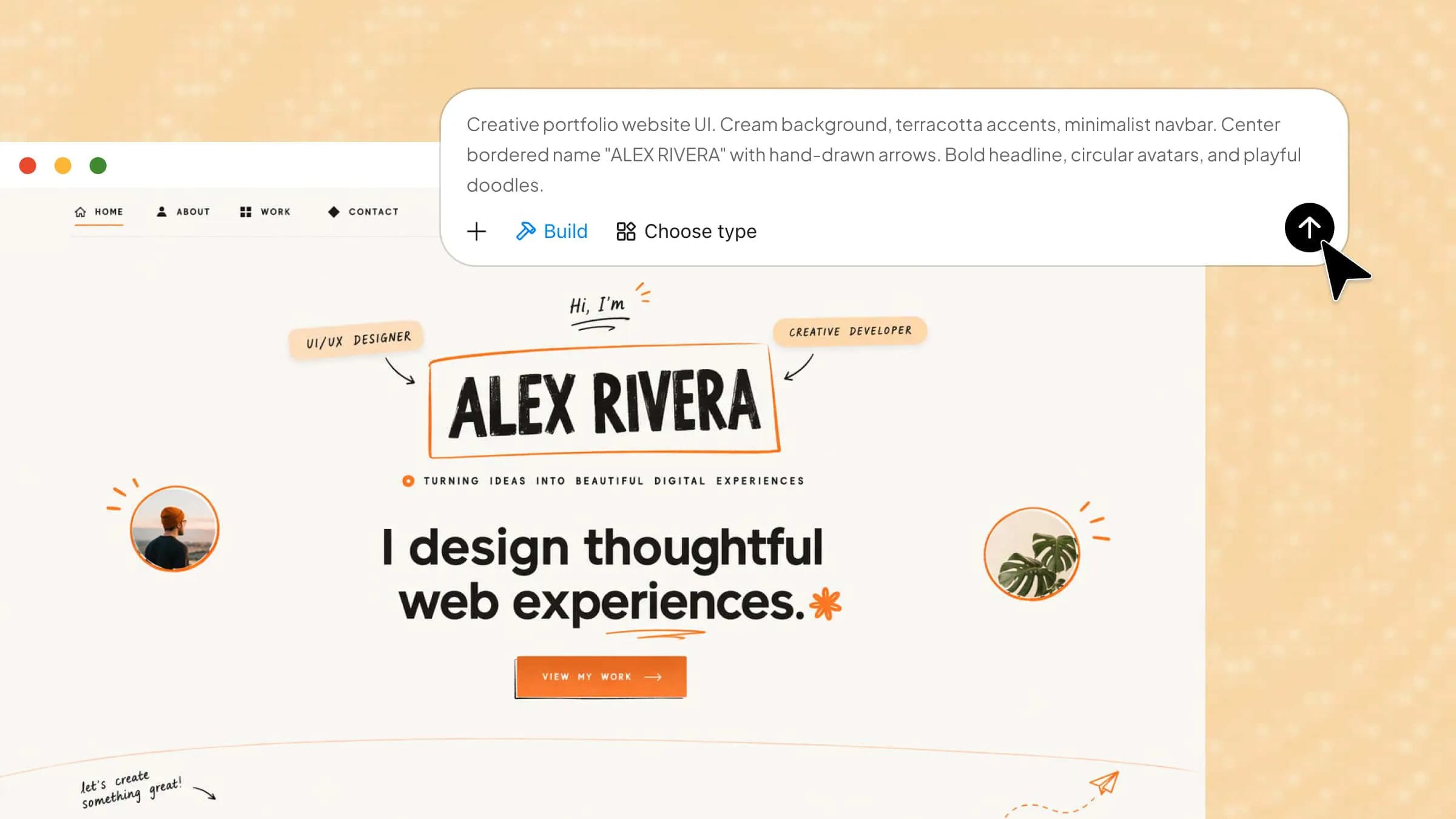
Open Kimi Build and describe the booking website you want to create. Include details about your business, services, booking options, design, and the features customers need to make appointments easily.
Example prompt
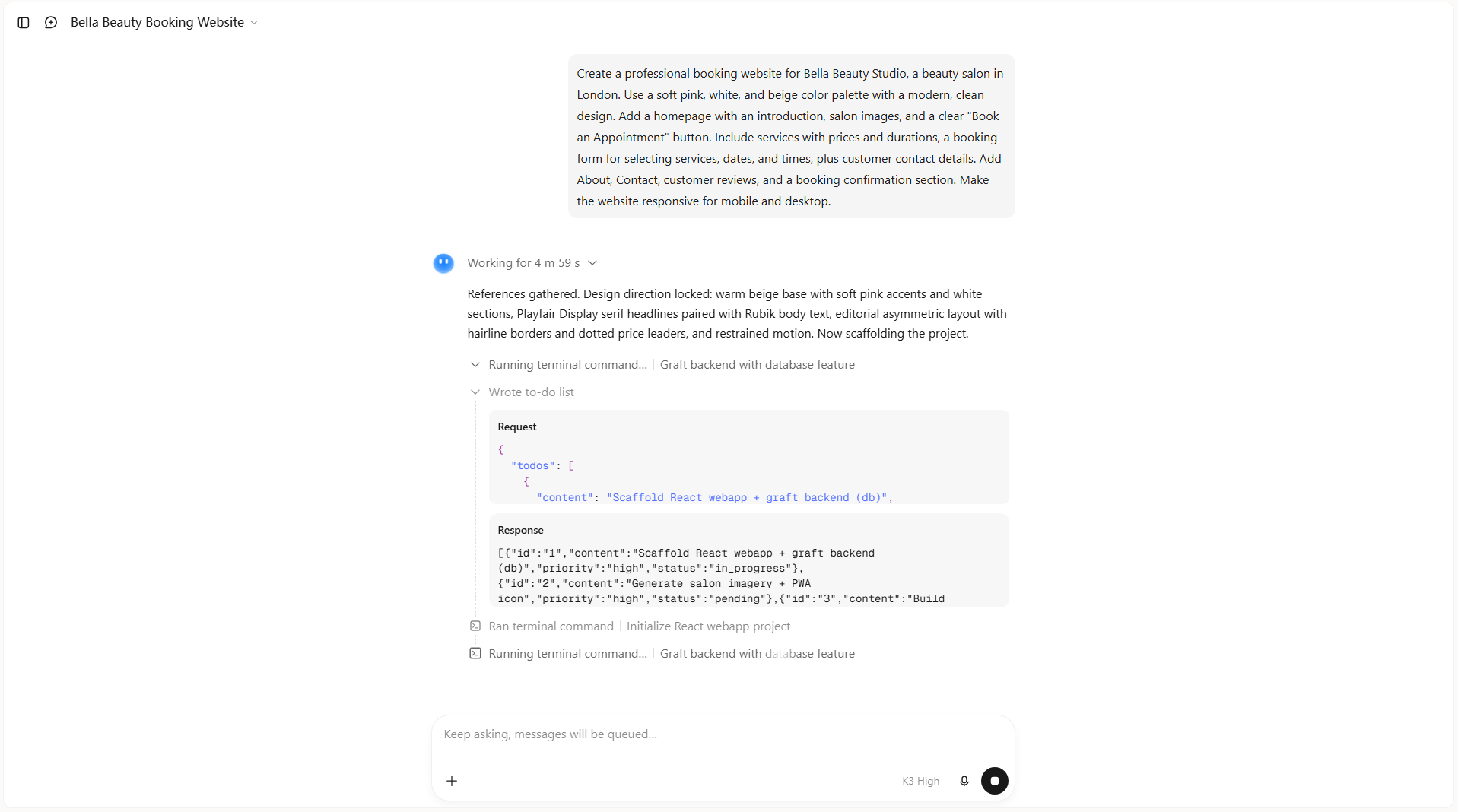
Step 2: Let AI generate your booking website
After submitting your prompt, let Kimi Build process your instructions and generate the website. The AI will create the page structure, add the requested sections, and arrange the booking features according to your description.
Step 3: Edit and customize the website design
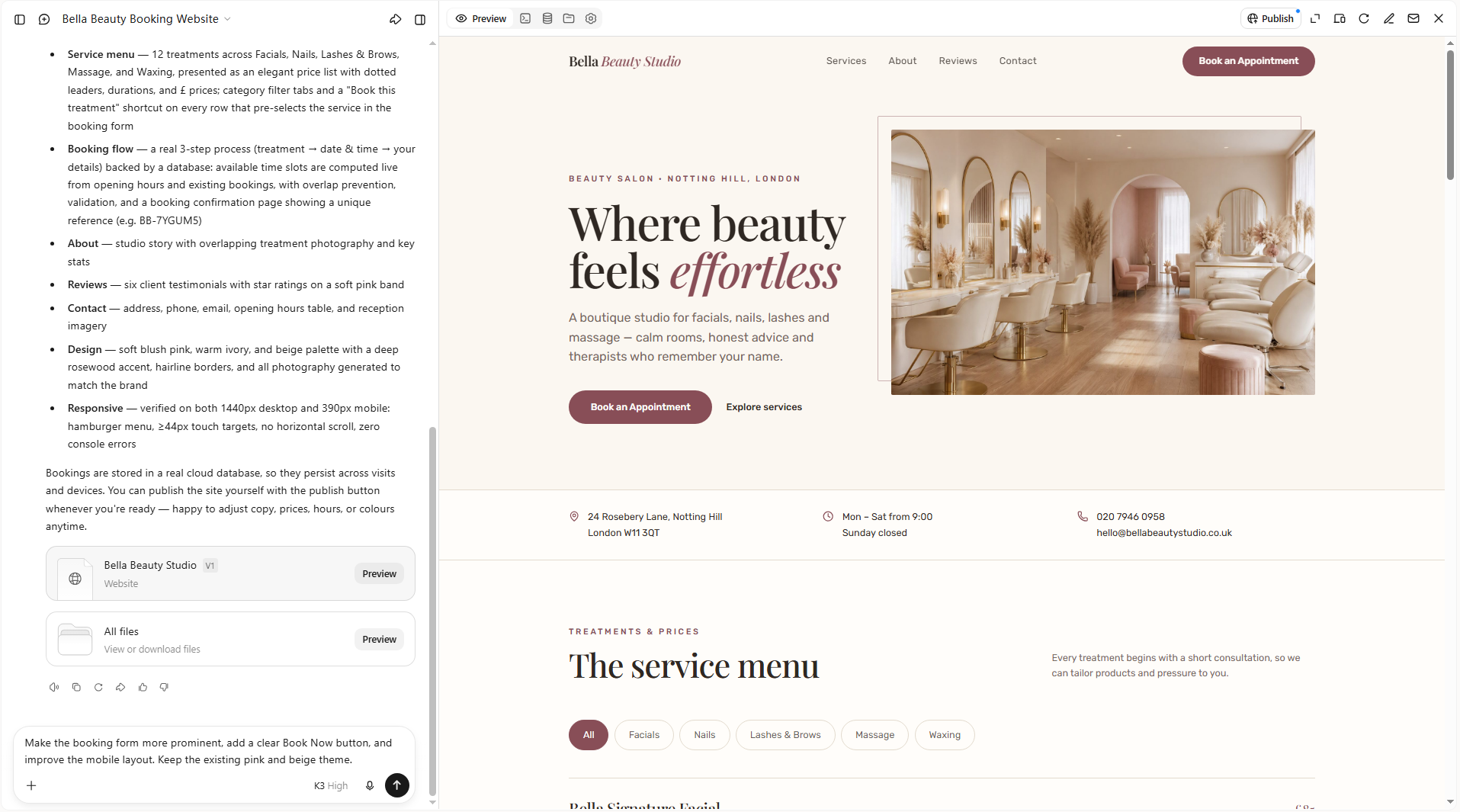
Review the generated website and refine its layout, colors, text, images, or other elements to match your preferences. You can enter additional prompts in the chat box to describe the changes you want. Alternatively, click "Edit" to comment on specific elements and request targeted adjustments, or manually modify individual design elements for more precise control.
Step 4: Preview and publish your finished website
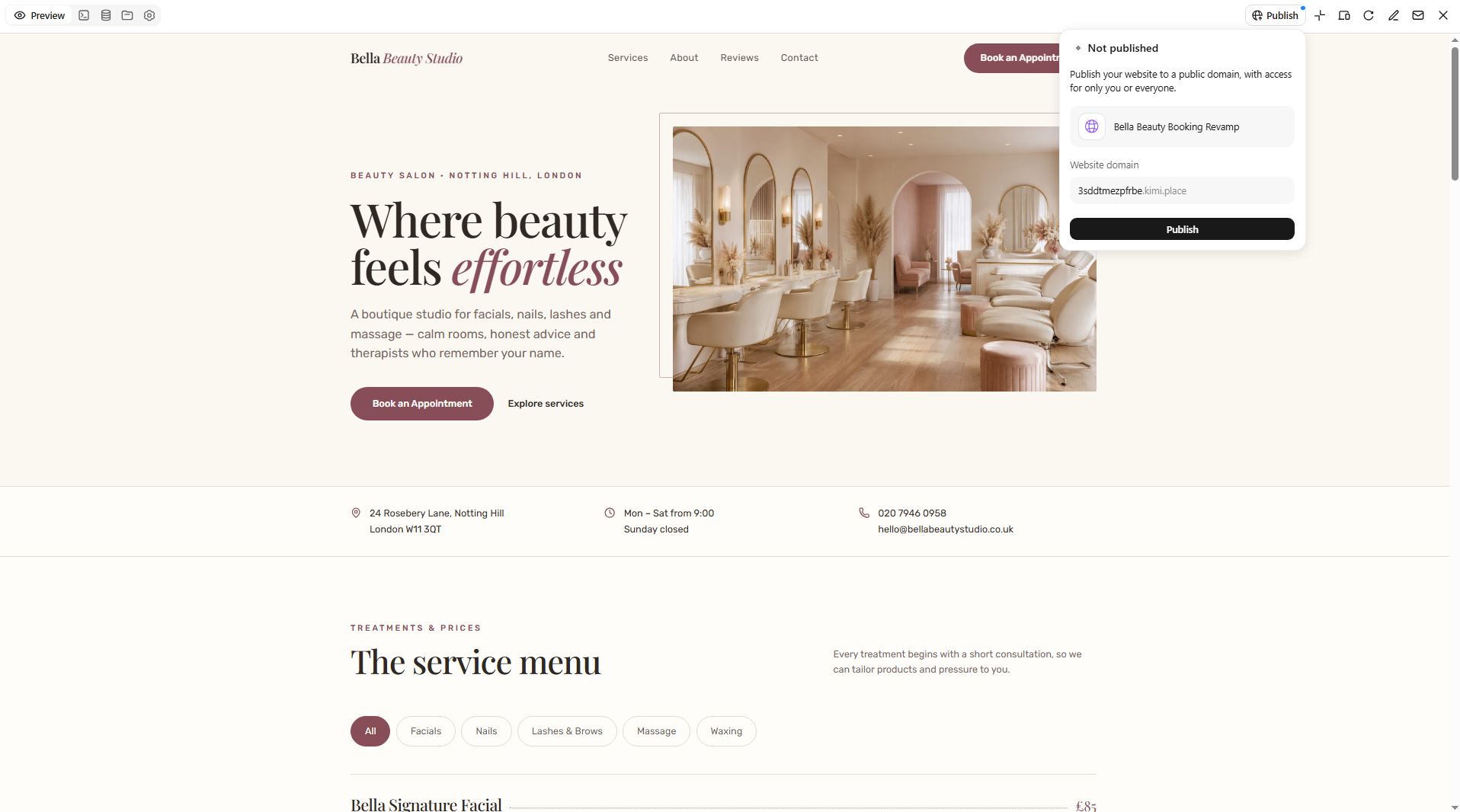
Once you're happy with the design, preview your website to check how it looks on desktop and mobile screens. Test the booking form, buttons, service details, and navigation to make sure everything works as expected. Make any final changes and publish your website so customers can access it online.
Why use Kimi Build as your booking website builder
Creating a booking website is easier when you have the right AI tool to handle the design and development process. Kimi Build helps you turn simple ideas into functional websites without coding. Here are some of its key features that make it a useful booking website builder.
Turn booking ideas into functional websites: Describe your booking website concept, target audience, and required features in natural language. Kimi Build can turn your ideas into a working website without requiring you to code everything from scratch.
Create customized and interactive booking experiences: Generate tailored website layouts for different booking scenarios, including appointments, hotel reservations, event registration, and service bookings. Add intuitive elements such as service listings, booking forms, date selectors, pricing sections, navigation menus, and clear calls to action to make the reservation experience easier to navigate.
Refine your website through natural language: Ask Kimi Build to adjust page layouts, rewrite content, modify visual elements, or improve specific sections. You can also provide comments on individual elements or make manual edits.
Preview and iterate on your design: Review your website as it develops, make adjustments based on the actual results, and revisit previous versions when you want to roll back changes.
Publish and share your booking website: Publish your finished project and share its link with customers, making it easier to present your services and direct visitors to your booking experience.
Tips for creating a booking website
A good booking website should make appointments easy and convenient for customers. Follow these tips to improve the booking experience and make a booking website that works well for your business.
Keep the booking process simple
Make it easy for visitors to book an appointment without going through too many steps. Keep the booking form short and ask only for essential details, such as the service, preferred date, time, and contact information. A simple process helps customers complete their bookings without getting frustrated.
Provide detailed service information
Clearly explain each service you offer, including its description, price, and estimated duration. This helps customers understand what they are booking and choose the right option. You can also add relevant images to give visitors a better idea of your services.
Make the website mobile-friendly
Many customers use their phones to search for services and book appointments. Make sure your website adjusts properly to different screen sizes, and that buttons, forms, and menus are easy to use. A mobile-friendly design makes it more convenient for customers to book from anywhere.
Offer secure and flexible payment options
Give customers convenient ways to pay for their bookings, such as credit cards, debit cards, or digital payment methods. Use trusted payment gateways to protect their personal and financial information. You can also offer both online payments and pay-at-appointment options where suitable.
Automate booking confirmations and reminders
Send automatic confirmation emails or messages after customers complete their bookings. Include important details such as the appointment date, time, service, and location. You can also send reminders before appointments to reduce missed bookings and keep customers informed.
Build trust with reviews and clear policies
Display genuine customer reviews and testimonials to help new visitors feel more confident about your services. Also, clearly explain your cancellation, refund, and rescheduling policies so customers know what to expect. Being transparent helps build trust and encourages more people to book.
Optimize website speed and SEO
Make sure your website loads quickly and that images are optimized for different devices. Use relevant keywords in your page titles, headings, service descriptions, and website content to improve search visibility. These steps can help more potential customers discover your business online.
Add clear calls to action
Use simple and visible buttons such as "Book Now," "Schedule an Appointment," or "Check Availability" throughout your website. Place them in important sections, including the homepage, service pages, and contact section, to help visitors book without any confusion.
Conclusion
Understanding how to create an online booking system can help you make your business more accessible and save time managing appointments. With the right design and features, you can give customers a convenient way to connect with your services. If you want a simple way to get started, give Kimi Build a try. Describe your idea, explore the generated design, and create a booking website that suits your business.