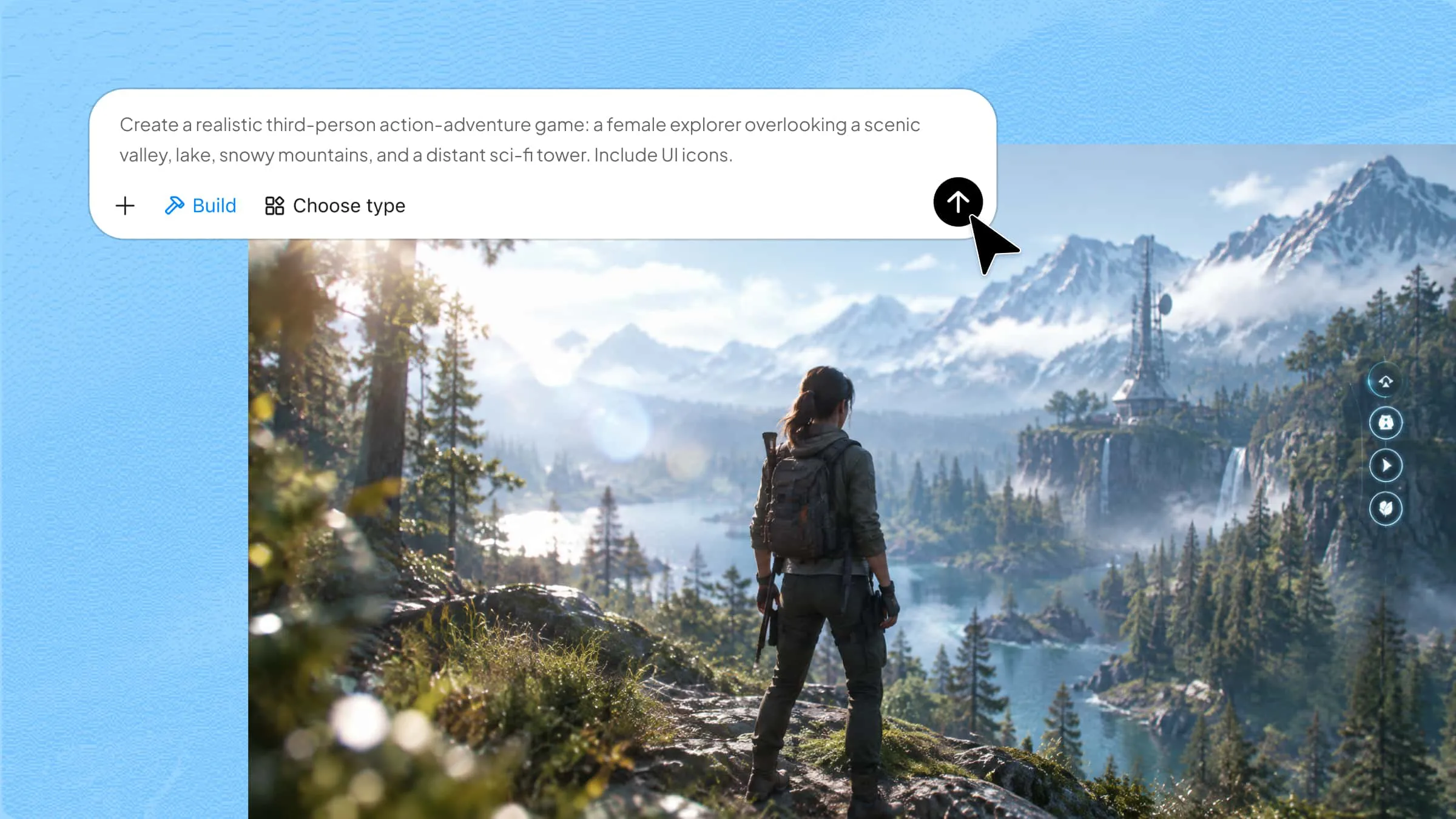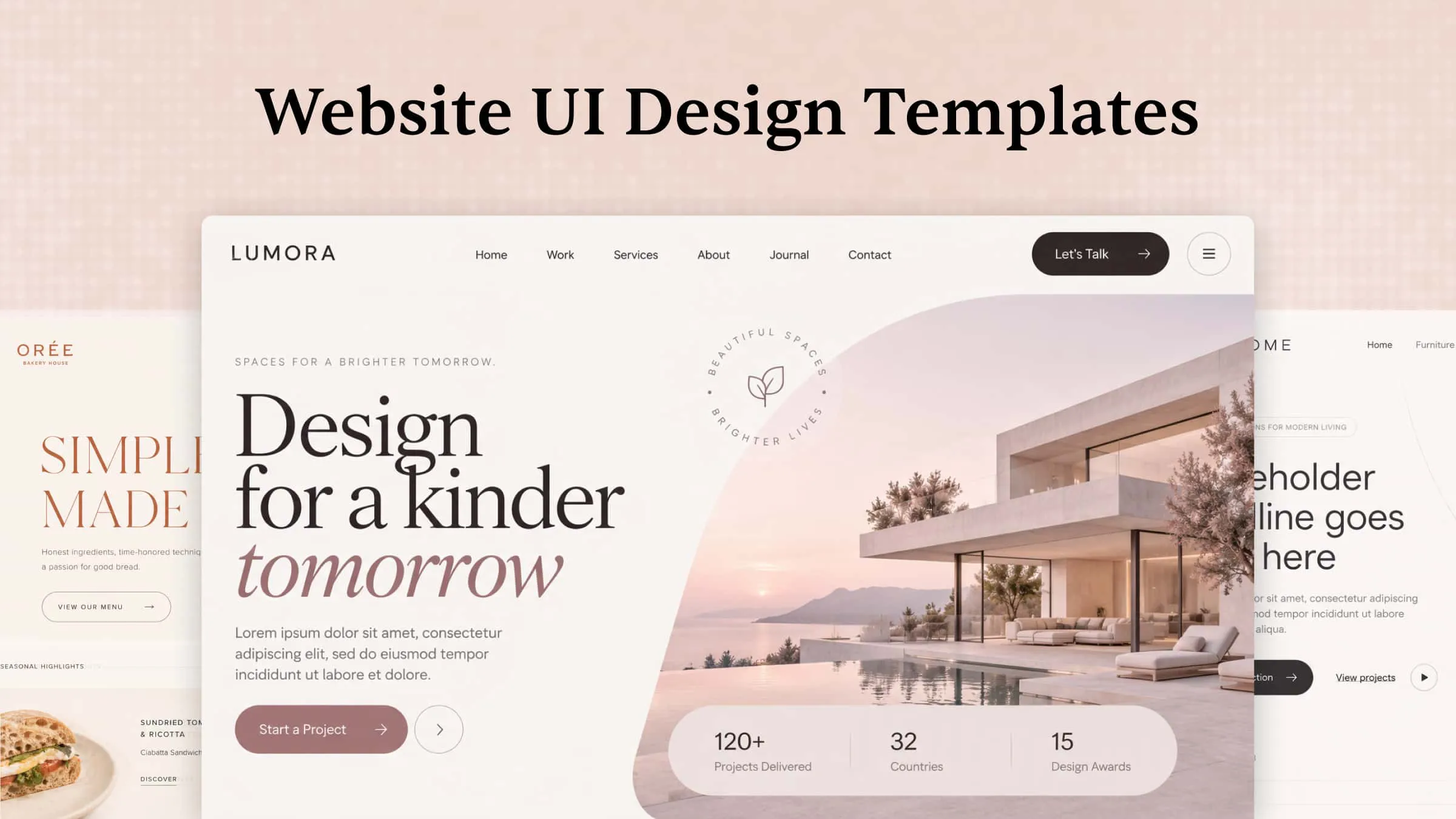
A website's layout plays an important role in how visitors explore its content and interact with a brand. The right website UI design templates depend on your website's purpose, target audience, and the information you want to highlight. From product-focused landing pages to image-rich portfolios, each website type requires a different visual approach. In this guide, you'll explore 10 design examples and learn how to create customized website layouts.
Overview of 10 website UI design templates
Different website types require different layouts and features to serve their visitors effectively. The following table compares 10 popular website UI design templates based on their purpose, visual style, essential sections, and useful interactive elements.
| Website type | Essential sections | Key UI elements | Common design style | Suitable for |
|---|---|---|---|---|
| SaaS landing page | Hero, features, pricing, testimonials, FAQs | Product previews, CTA buttons, pricing cards | Minimalist, modern, and conversion-focused | Software companies and tech startups |
| E-commerce store | Homepage, categories, product pages, cart | Product grids, filters, search, shopping cart | Clean, product-focused, and visually organized | Online retailers and product-based businesses |
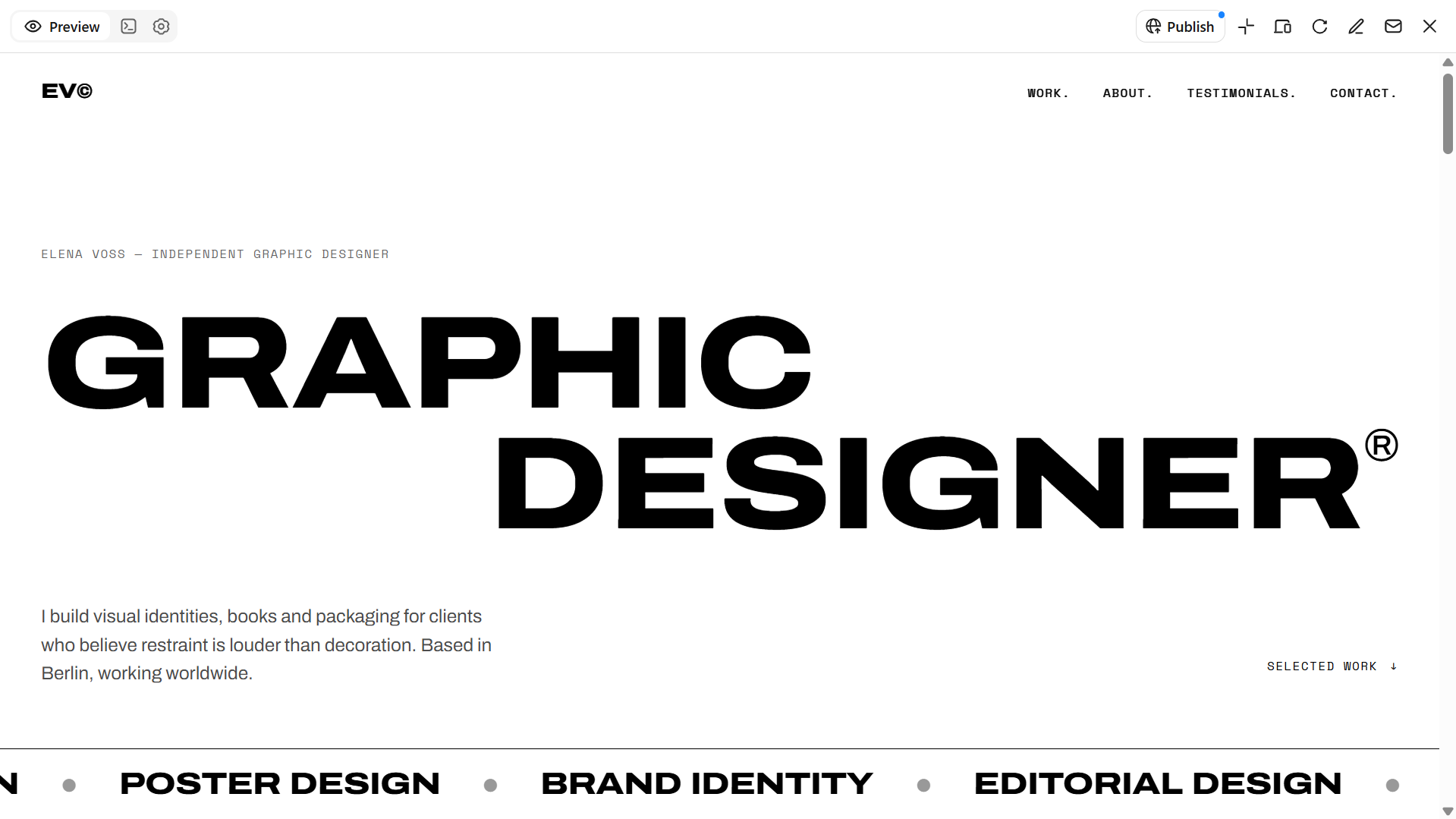
| Creative portfolio | Introduction, project gallery, About, contact | Image grids, case study cards, hover effects | Minimalist, visual, and personalized | Designers, developers, photographers, and artists |
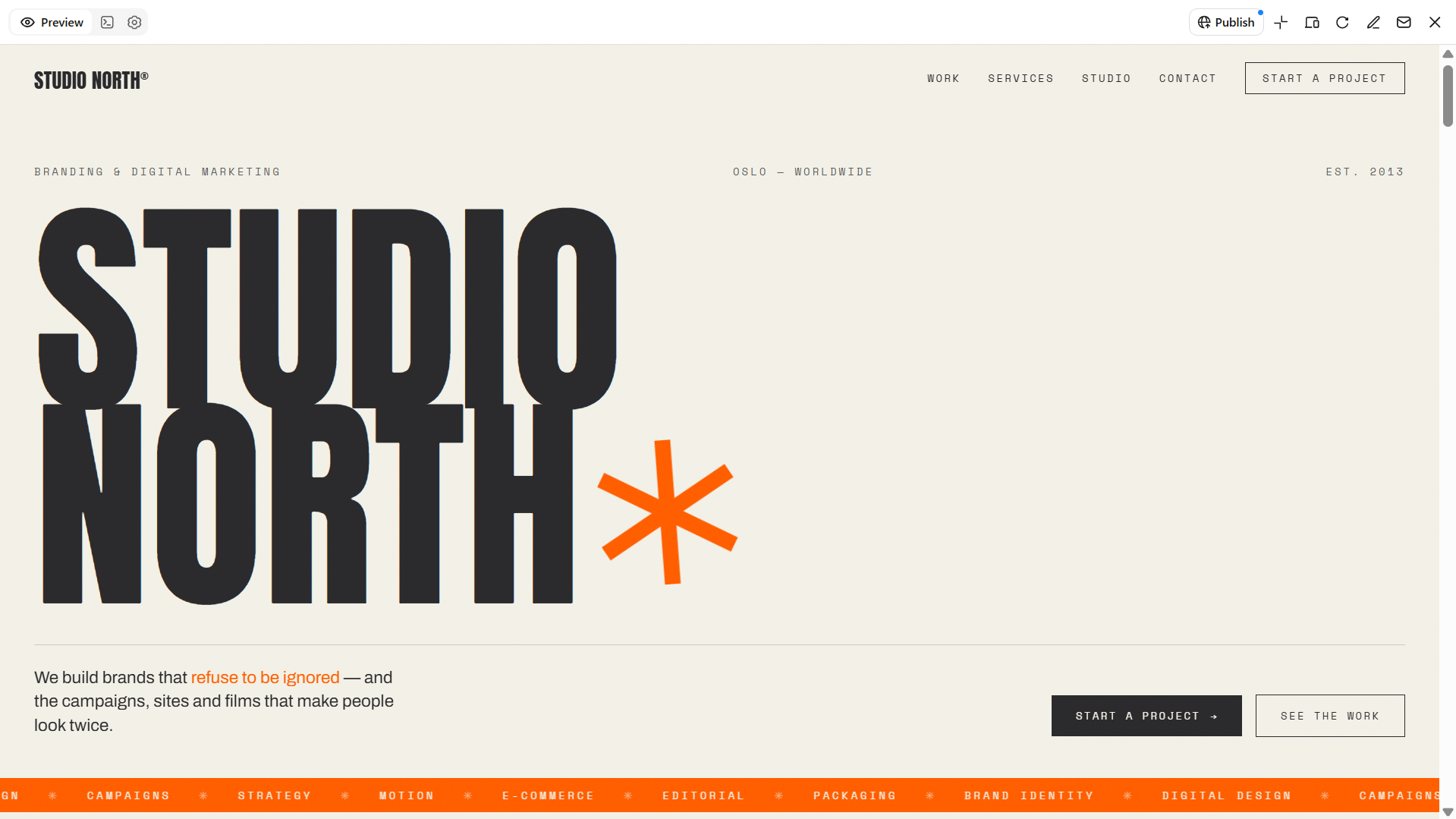
| Creative agency | Hero, services, projects, testimonials, team | Project showcases, service cards, inquiry buttons | Bold, editorial, and brand-focused | Branding, marketing, and design agencies |
| Blog and editorial | Featured articles, categories, author profiles | Article cards, search bar, tags, newsletter form | Readable, structured, and content-focused | Bloggers, publishers, and content creators |
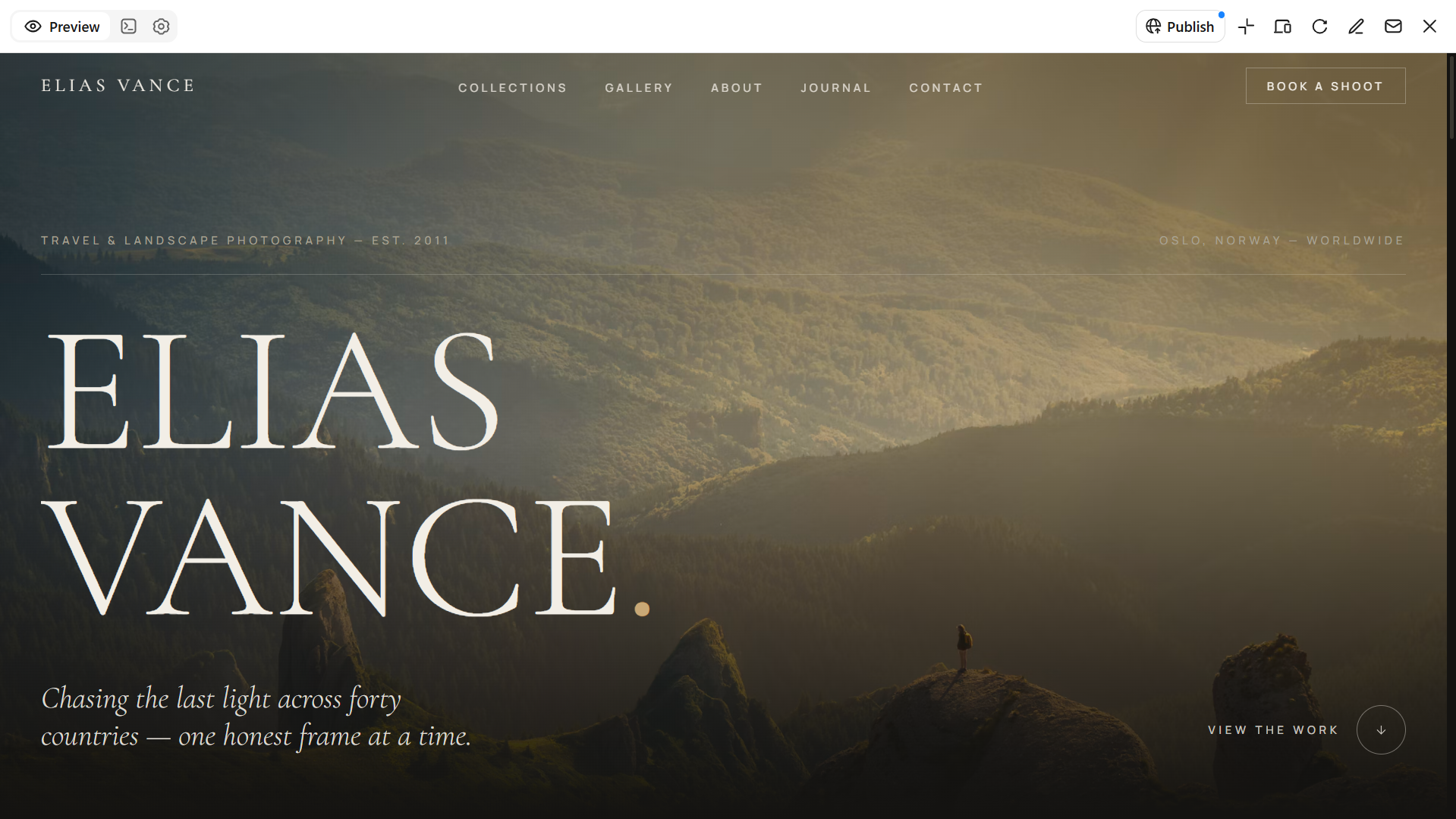
| Photography gallery | Hero gallery, collections, About, contact | Full-screen images, masonry grids, image navigation | Image-led, immersive, and minimal | Professional photographers and visual artists |
| Restaurant and cafe | Hero, menu, About, reviews, location | Food galleries, menu cards, reservation buttons | Elegant, inviting, and image-rich | Restaurants, cafes, and food businesses |
| Education platform | Courses, instructors, student dashboard, enrollment | Course cards, progress bars, search and filters | Structured, clean, and user-friendly | Schools, tutors, and online learning providers |
| Real estate website | Property listings, search, agents, contact | Property cards, price filters, image galleries | Professional, organized, and image-focused | Property agencies and real estate professionals |
| Travel and tourism | Destinations, packages, itineraries, reviews | Destination cards, search filters, booking forms | Colorful, immersive, and destination-focused | Travel agencies and tour operators |
Explore 10 UI web design templates with stunning layouts
Choosing the right website UI design template can be challenging when every website has different goals, audiences, and design requirements. A layout that works for an online store may not suit a creative portfolio or a SaaS platform. Explore these 10 UI web design templates and learn how Kimi Build helps you create and customize website layouts without coding.
Kimi Build, an AI website builder, is also worth exploring if you are looking beyond ready-made UI design templates for web applications and want to generate a layout that matches your requirements. You can describe your preferred design, review the generated website, and refine its sections and visual elements.
SaaS product landing page
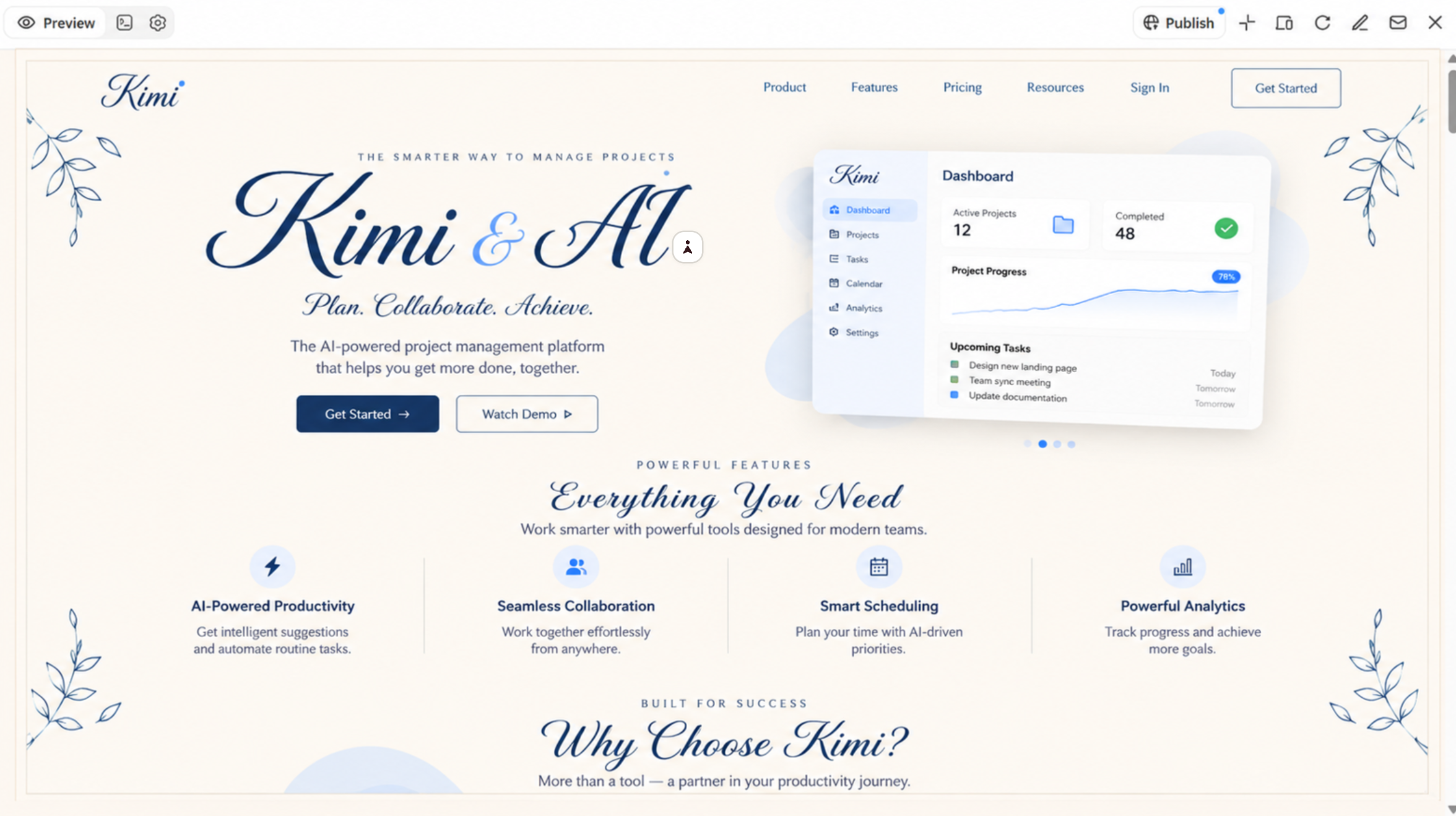
A SaaS product landing page helps software businesses showcase their products, communicate key benefits, and encourage visitors to take action. UI website design templates offer a useful starting point for organizing essential sections, including a compelling headline, product features, pricing plans, customer testimonials, and clear call-to-action buttons. These elements create an intuitive browsing experience that helps potential customers understand the product's value, explore its capabilities, and make informed decisions before signing up.
How to use
Step 1: Enter your prompt
Open Kimi Build and describe the software product, target audience, preferred design style, and sections you want to include.
Prompt:
Step 2: Let AI generate your website
Kimi Build will interpret your instructions and create the landing page structure, styling, and interactive elements.
Step 3: Review and publish the website
Check the headline, pricing information, sign-up buttons, and links. Ask Kimi to adjust any sections that need improvement. Then, publish the website when the layout and interactions are ready.
E-commerce store
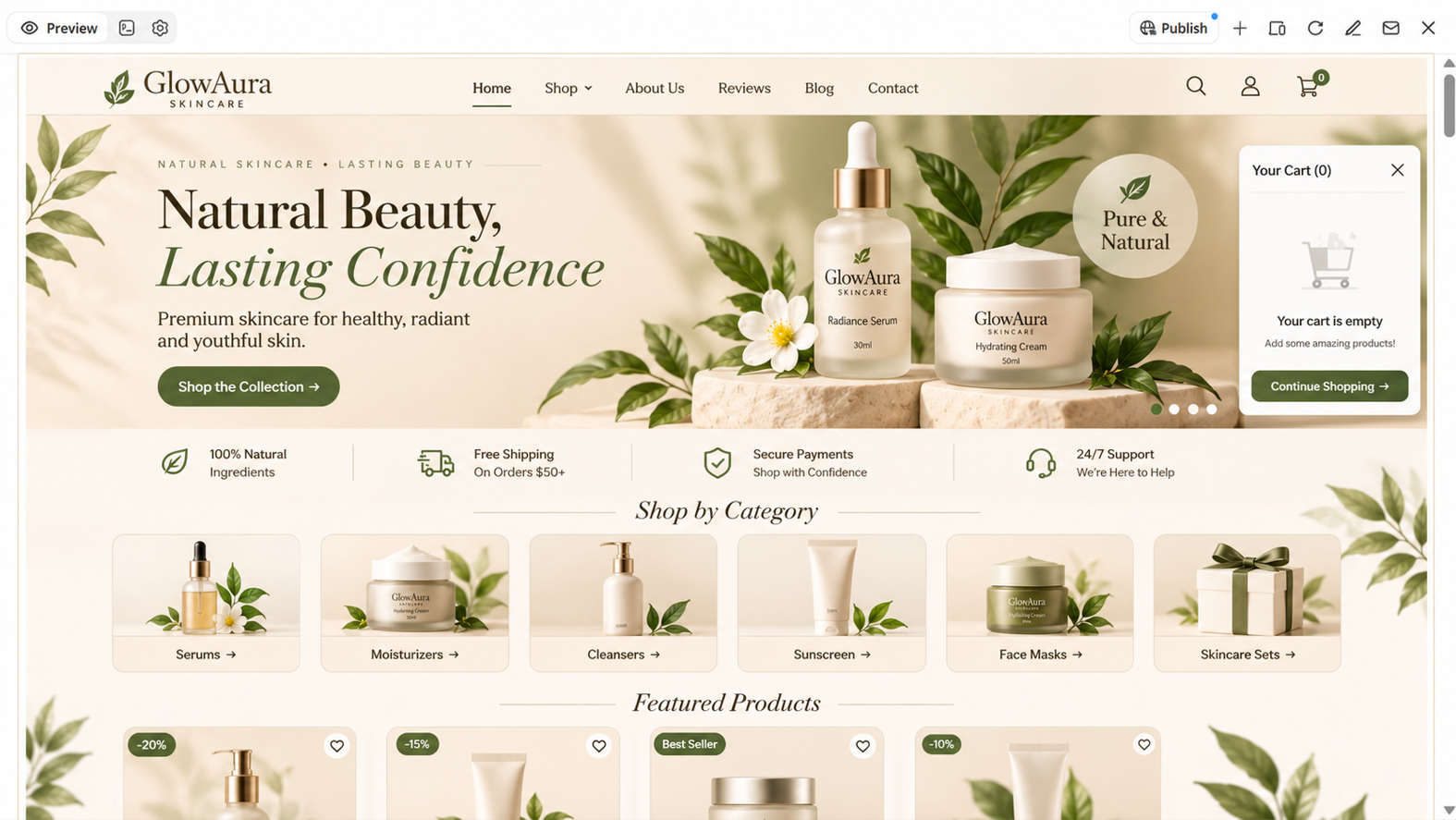
An e-commerce store needs an intuitive layout that helps shoppers discover products, explore categories, and make purchase decisions with ease. UI design templates for web applications provide a useful foundation for organizing essential shopping features, including product galleries, clear pricing, category navigation, detailed product pages, and shopping carts. These elements create a streamlined browsing and purchasing experience, making it easier for customers to find what they need, review product details, and complete their orders.
How to use
Step 1: Enter your prompt
Tell Kimi Build what products you plan to sell, how you want to organize your store, and which shopping features should appear on the website.
Prompt:
Step 2: Let AI generate your website
Kimi Build will arrange the store's main sections and create the requested product layouts. Review the website design to make sure visitors can find products easily.
Step 3: Review and publish the website
Test product filters, search, product links, and the demo cart. If you need real payment processing, connect to an appropriate payment service separately. Once finalized, publish the website.
Creative portfolio
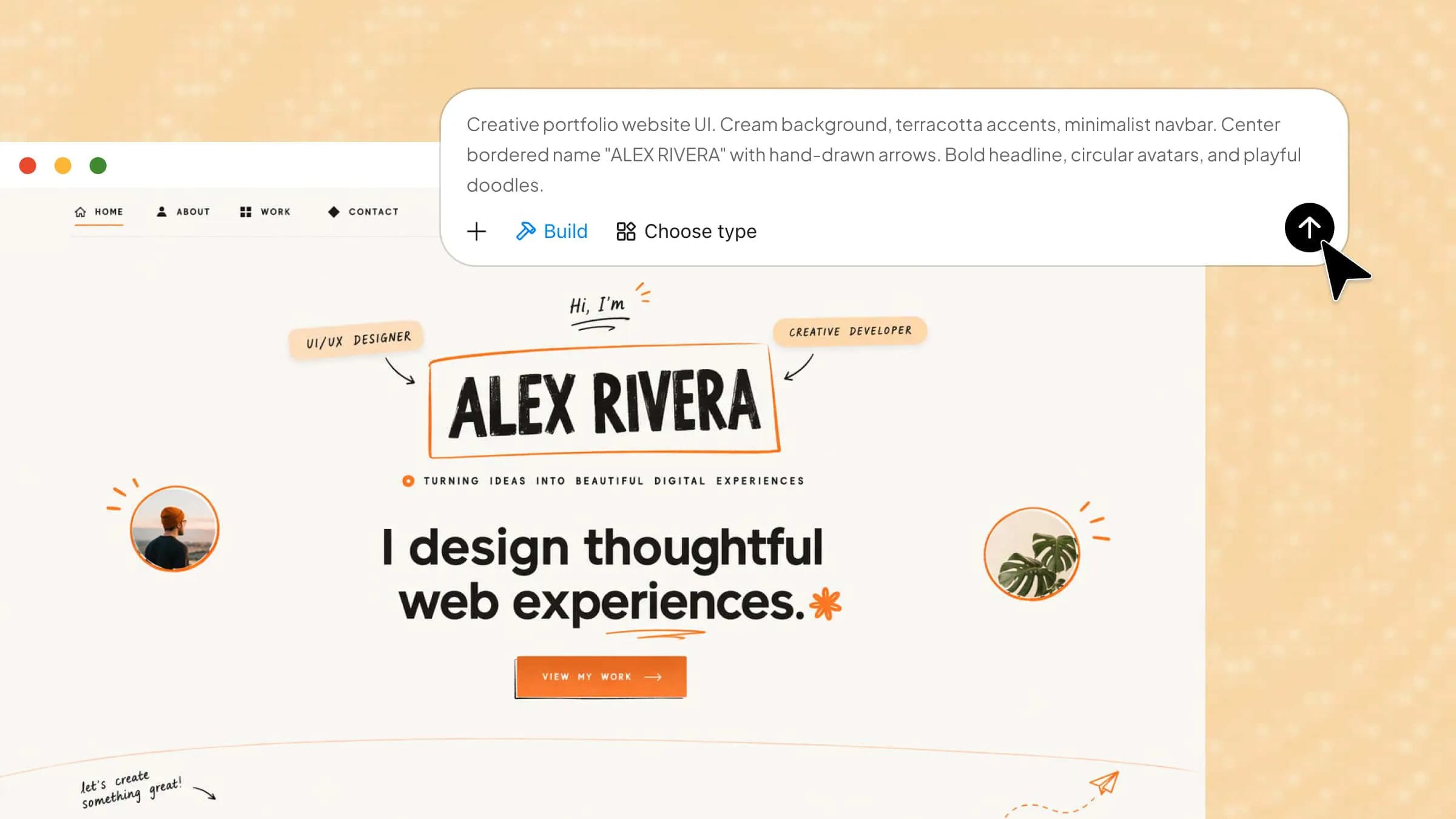
A creative portfolio provides designers, illustrators, and other professionals with a dedicated space to showcase their work, highlight their skills, and build a personal brand. Website UI design templates offer a helpful starting point for organizing project galleries, personal introductions, service descriptions, and contact information. A minimalist layout with balanced spacing and clear visual hierarchy keeps the focus on creative work while making the portfolio easy to navigate. These elements help create a professional online presence that reflects an individual's style and expertise.
How to use
Step 1: Enter your prompt
Describe your creative field, the type of projects you want to showcase, and the overall visual direction. You can also upload project images or a design reference to guide the layout.
Prompt:
Step 2: Let AI generate your website
Kimi Build will create the portfolio structure. Review the image placement, project categories, typography, and page navigation.
Step 3: Review and publish the website
Test the navigation and contact form, then preview the portfolio on different screen sizes. Make any final design adjustments before publishing your work online.
Creative agency website
A creative agency website should reflect the brand's personality while clearly presenting its services, expertise, and creative approach. UI website design templates can provide a useful starting point for organizing key sections, such as a bold hero banner, service descriptions, project showcases, case studies, and client testimonials. Distinctive typography, engaging visuals, and a well-structured layout help establish a memorable first impression while making it easier for potential clients to explore the agency's work and understand its value.
How to use
Step 1: Enter your prompt
Open Kimi Build and provide the agency name, its main services, target clients, and preferred brand style. Include the sections that will help visitors understand the agency's work and approach.
Prompt:
Step 2: Let AI generate your website
Allow Kimi Build to create the agency's homepage and supporting sections. Examine how it presents the services, featured projects, and brand identity.
Step 3: Review and publish the website
Review the agency description, service details, project images, and inquiry links. Once the content and design represent the agency accurately, publish the website.
Blog and editorial website
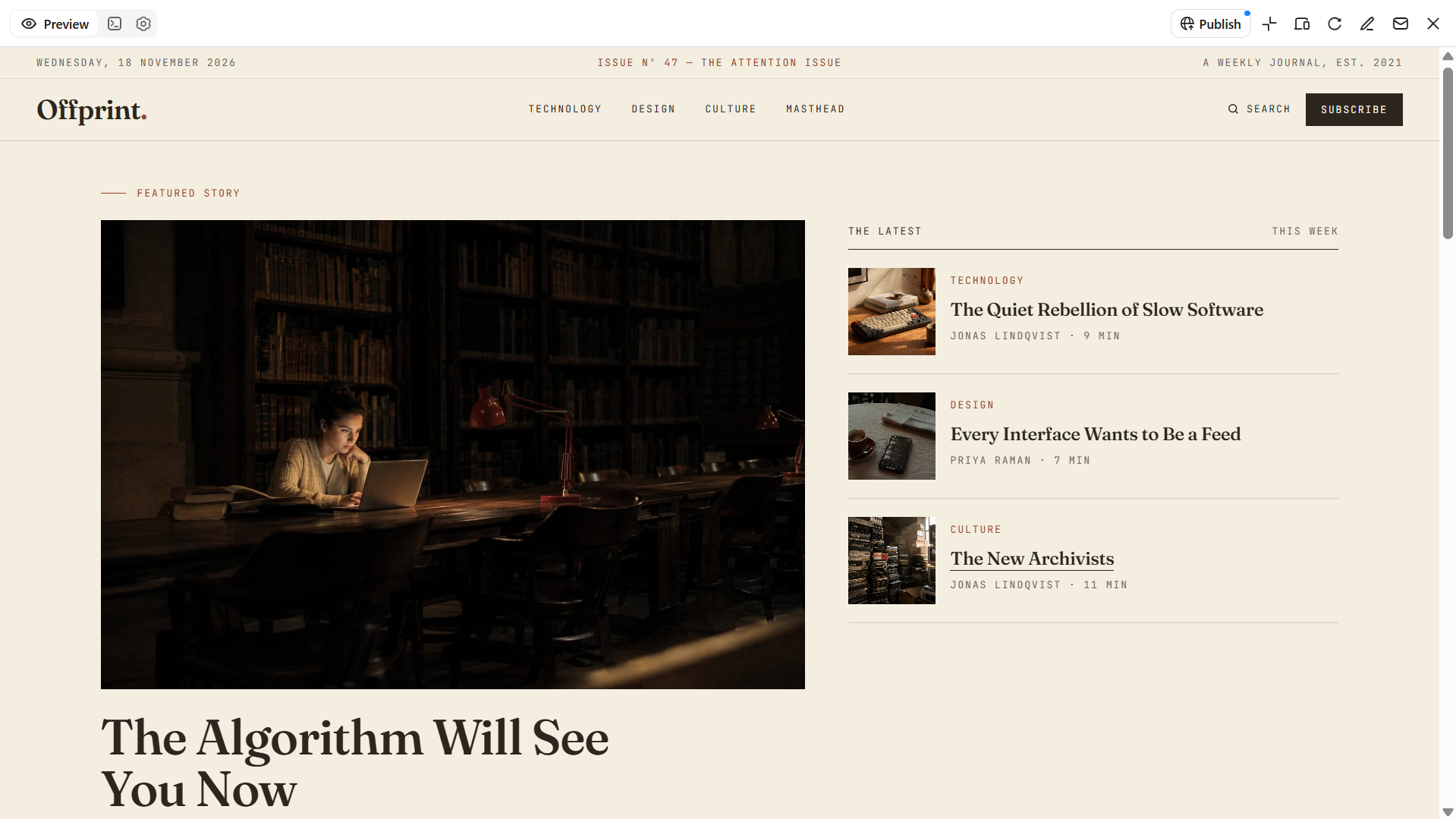
A blog or editorial website needs a clean, readable layout that makes it easy for visitors to explore articles and discover relevant content. UI design templates for web applications provide a useful foundation for organizing featured stories, article categories, search functions, and individual reading pages. Clear typography, consistent content formatting, and a balanced mix of text and images improve readability, especially for long-form articles. These elements help content creators build an organized publishing platform that keeps readers engaged and makes content easier to navigate.
How to use
Step 1: Enter your prompt
Visit Kimi Build and enter the prompt. Specify the blog's subject, intended readers, content categories, and preferred reading experience.
Prompt:
Step 2: Let AI generate your website
Kimi Build will organize the homepage, article cards, and content categories into an editorial layout. Review the featured story, article previews, and navigation.
Step 3: Review and publish the website
Check article titles, images, category links, and individual article layouts. Apply any final changes before publishing.
Photography gallery website
A photography gallery website should put images at the center of the experience, allowing photographs to stand out without unnecessary visual distractions. Free website UI design templates can provide a starting point for creating image-focused layouts with large photographs, gallery grids, full-screen viewing options, and intuitive navigation. A well-organized portfolio with clearly labeled collections also helps visitors explore different photography styles and projects. These elements create a clean, visually engaging website that showcases a photographer's work while making the browsing experience effortless.
How to use
Step 1: Enter your prompt
Open Kimi and explain your photography niche, the collections you want to display, and the visual style you prefer.
Prompt:
Step 2: Let AI generate your website
Kimi Build will arrange the photography collections and create the gallery layout based on your prompt and reference images.
Step 3: Review and publish the website
Open the gallery to test image navigation and viewing options. Check that photographs display correctly on mobile devices and then publish the website.
Restaurant and cafe website
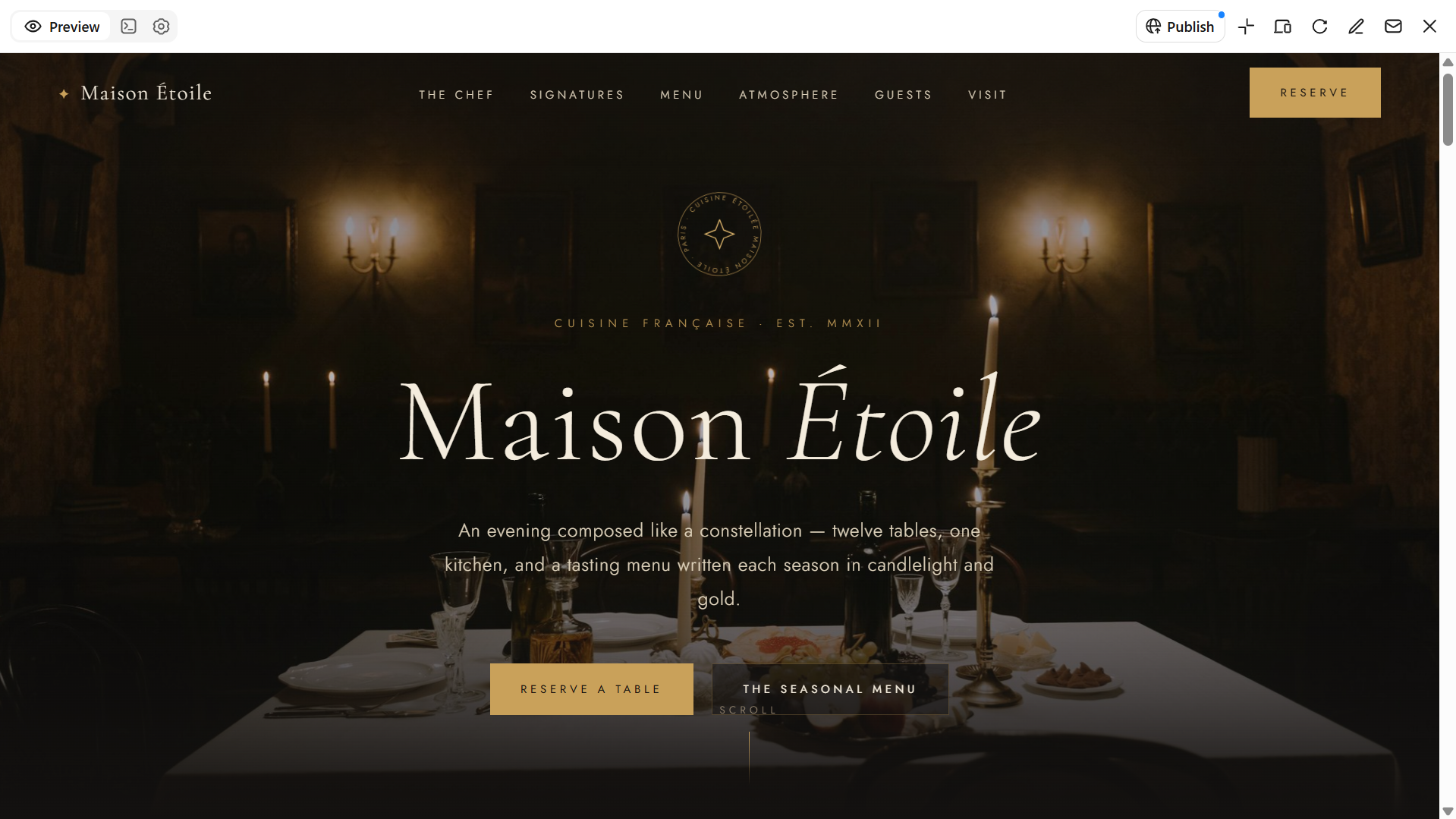
A restaurant or cafe website should give visitors a clear sense of its food, atmosphere, and overall dining experience while making essential information easy to access. UI website design templates offer a practical starting point for organizing attractive food photography, digital menus, location details, opening hours, and reservation options. A visually appealing layout combined with intuitive navigation helps potential customers explore the menu, learn more about the venue, and make reservations or inquiries with ease.
How to use
Step 1: Enter your prompt
Open Kimi Build and give a prompt. Mention the restaurant's concept, cuisine, target customers, and preferred atmosphere.
Prompt:
Step 2: Let AI generate your website
Kimi Build will create the restaurant's homepage and arrange its menu, story, and dining sections. Review the food imagery, menu presentation, and reservation area.
Step 3: Review and publish the website
Verify the menu, prices, contact information, location, and opening hours. Publish it after confirming that visitors can easily find the information they need.
Education and online learning platform
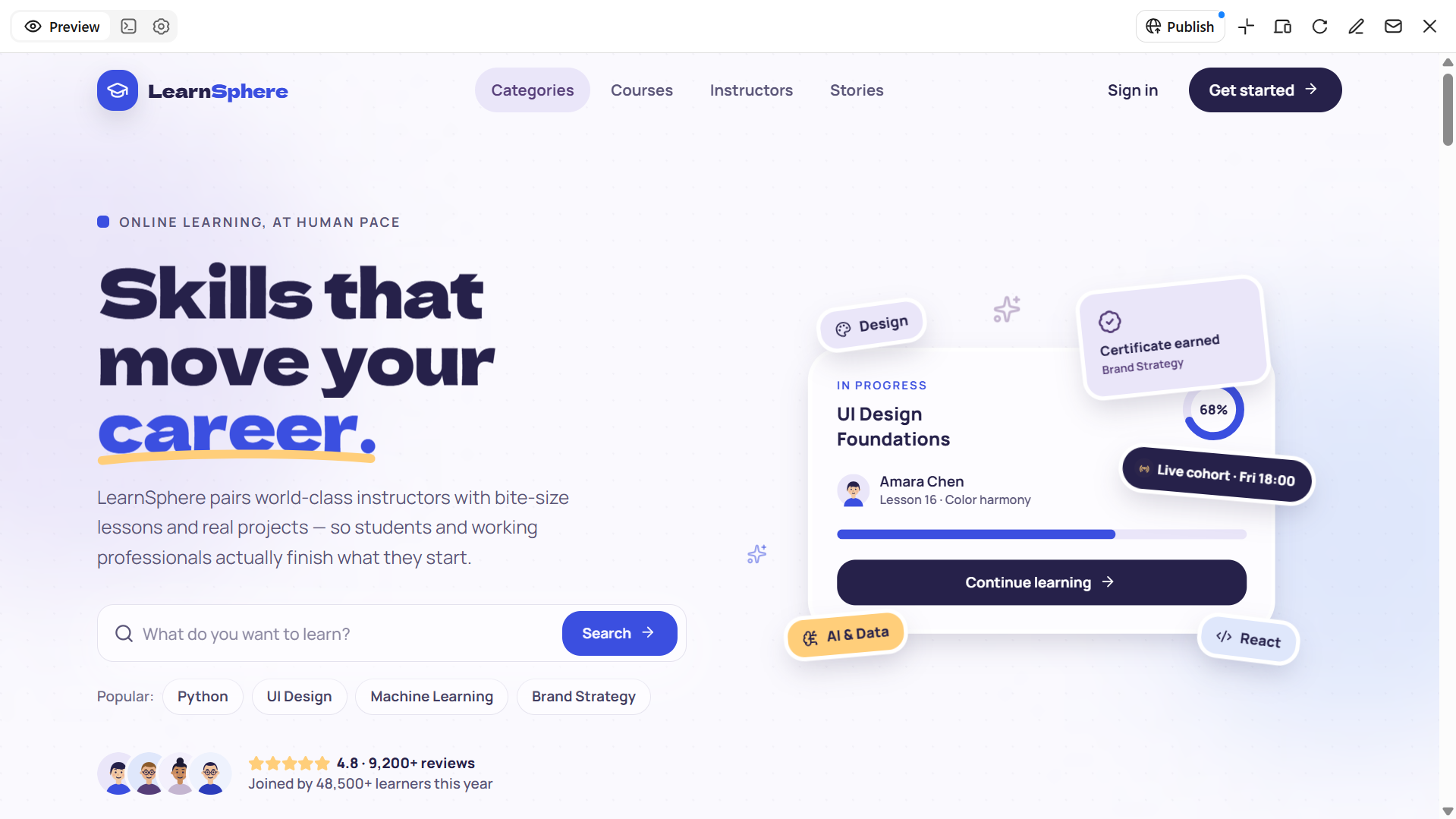
An education or online learning platform should make courses, learning resources, and enrollment information easy to find and navigate. UI design templates for web applications provide a useful foundation for organizing course categories, instructor profiles, lesson details, and enrollment options. Interactive elements such as student dashboards, learning progress indicators, and course navigation tools can further improve the experience by helping learners track their progress and access relevant materials. Together, these features create a structured, user-friendly platform that supports both content discovery and ongoing learning.
How to use
Step 1: Enter your prompt
Visit Kimi and give a detailed prompt. Describe the subjects, courses, target learners, and learning features you want to include.
Prompt:
Step 2: Let AI generate your website
Kimi Build will create the course listings, learning sections, and dashboard interface. Review the course cards, category filters, instructor information, and progress indicators to ensure the platform is easy to navigate.
Step 3: Review and publish the website
Test the course links, search filters, enrollment form, and dashboard interactions. Request any final changes before publishing the platform.
Real estate website
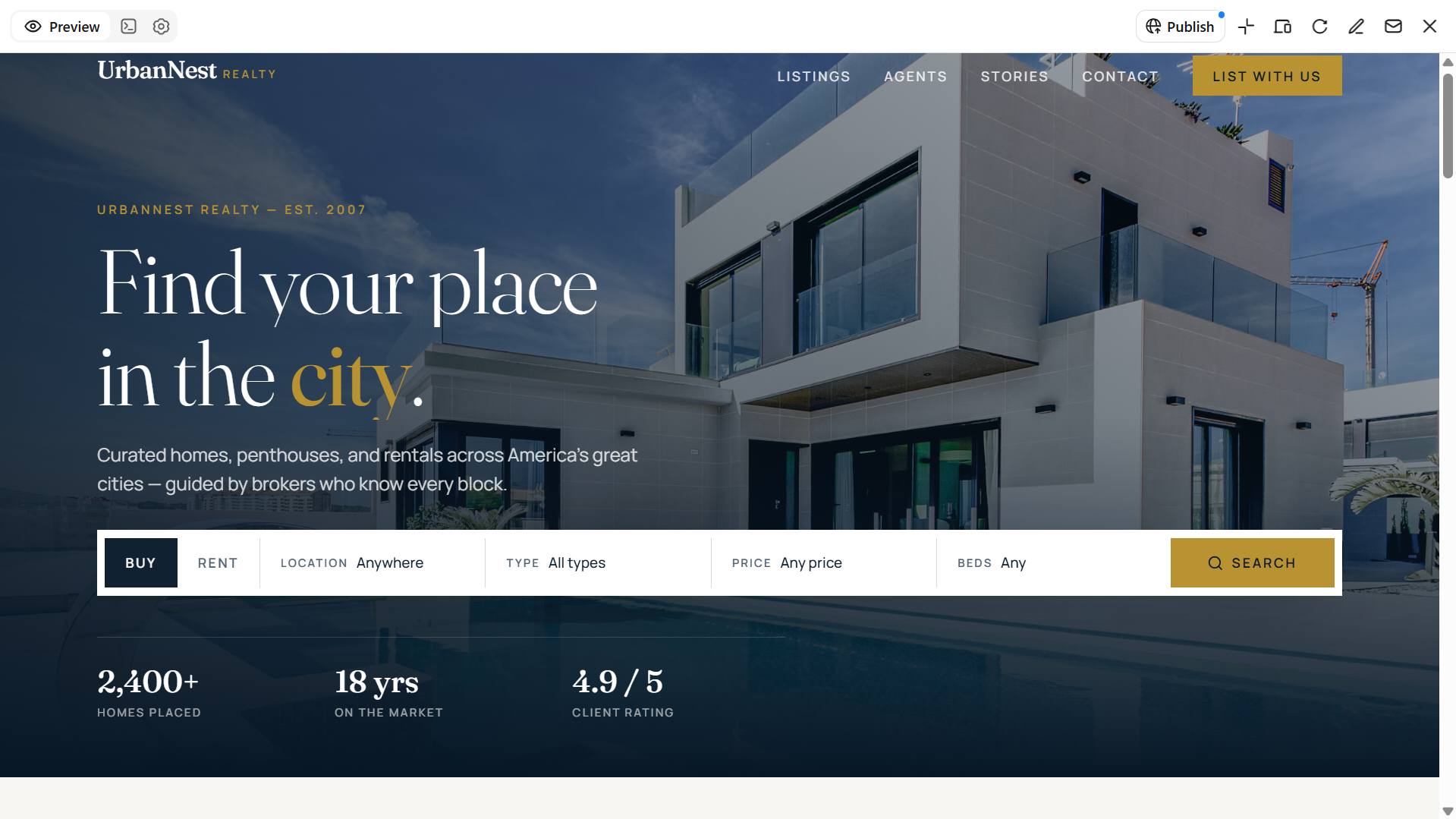
A real estate website should make it easy for visitors to browse property listings, compare options, and find the details they need. UI design templates for web applications offer a practical starting point for organizing property images, prices, location information, search filters, and detailed listing pages. Inquiry forms and clear contact options also help prospective buyers and renters connect with agents when they find a property of interest. These elements can be adapted to create a user-friendly property search experience that meets the needs of real estate agencies, property managers, buyers, and renters.
How to use
Step 1: Enter your prompt
Tell Kimi Build whether the website will focus on property sales, rentals, or both. Include the listing details, search options, and contact features you want visitors to use.
Prompt:
Step 2: Let AI generate your website
Kimi Build will organize the property listings and create the search interface according to your requirements. Check the property cards, listing details, search filters, and agent profiles.
Step 3: Review and publish the website
Test the property filters and inquiry forms, and verify that each listing displays the correct images, price, and location. Publish the site after making the required adjustments.
Travel and tourism website
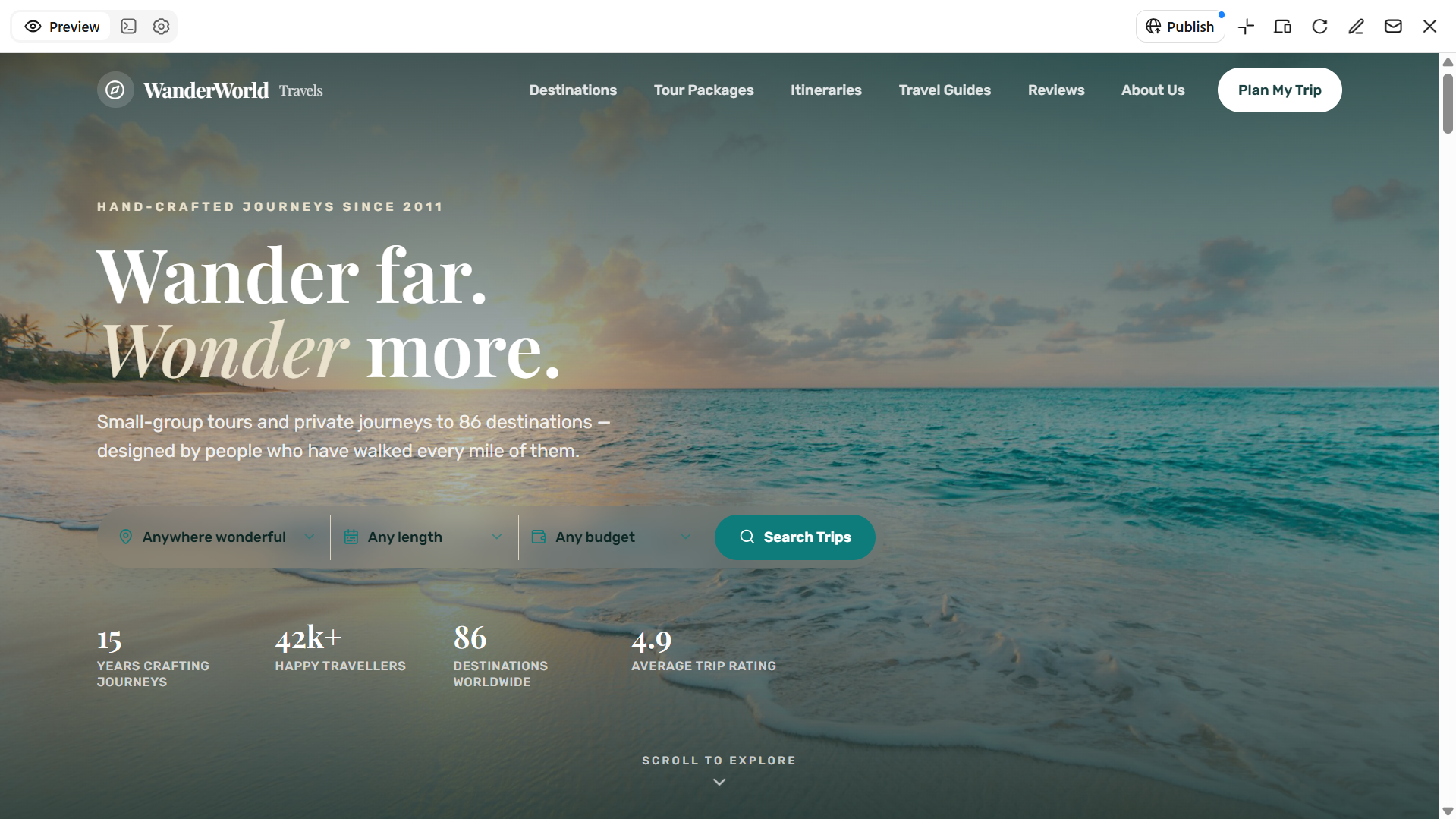
A travel and tourism website should inspire visitors to discover new destinations while making essential trip information easy to find. UI design template collections offer useful starting points for creating destination-focused layouts with large travel images, organized tour packages, and clear descriptions of available experiences. Additional sections for itineraries, travel tips, customer reviews, and booking inquiries help visitors explore their options and gather the information they need before planning a trip. Together, these elements create an engaging and easy-to-navigate website that showcases travel offerings and encourages visitors to take the next step.
How to use
Step 1: Enter your prompt
Open Kimi and describe the destinations, travel packages, and audience your website will serve.
Prompt:
Step 2: Let AI generate your website
Kimi Build will create the destination sections, travel package cards, and inquiry interface. Review whether visitors can explore available trips comfortably.
Step 3: Review and publish the website
Test the search filters and form, then preview the website on different screen sizes. Make final adjustments and publish the website when everything is ready.
Why is Kimi Build a good choice for website UI design
Kimi Build simplifies website UI design by turning your ideas and visual references into customizable webpages. Here are key advantages of using Kimi Build:
Generate website UI designs from prompts and references: Describe your design ideas in natural language or upload screenshots, images, and video references. Kimi Build transforms them into webpage designs with functional elements that you can further customize.
Create interactive UI prototypes: Generate webpages with interactive elements to explore navigation, page transitions, and user interactions. Preview how interface components work together and refine the experience before publishing.
Customize layouts and interface elements: Refine designs using natural-language prompts, element comments, and manual editing. Adjust colors, typography, images, buttons, and page layouts to better match your design requirements.
Design responsive layouts for different screens: Create and refine webpage layouts for desktop and mobile viewing. Adjust interface elements and content placement to maintain a consistent visual experience across screen sizes.
Turn UI prototypes into functional websites: Go beyond static mockups by generating working webpages with interactive features. Preview the results, make further adjustments, and publish your website with a shareable link.
Tips for designing engaging website UI design
A well-designed website should look appealing while making it easy for visitors to find information and complete their desired actions. The following tips can help you create an interface that balances visual appeal with usability and provides a consistent experience across different devices.
Understand your target audience
Identify who will visit your website and what they expect from it. Consider their interests, preferences, and browsing habits when selecting layouts, colors, and content. A design that reflects users' needs makes the website more relevant and engaging.
Establish a clear and consistent visual hierarchy
Arrange website elements according to their importance, so visitors can quickly identify key information. Use headings, font sizes, colors, spacing, and contrast to draw attention to important sections. Maintain consistent styling across pages to create a cohesive appearance.
Keep navigation intuitive and content accessible
Organize menus and navigation links in a logical way so visitors can find information without confusion. Use clear labels, readable fonts, and sufficient contrast to improve accessibility. Keep important pages and actions easy to reach.
Optimize layouts and visuals for different devices
Make sure your website adapts to different screen sizes, including desktops, tablets, and smartphones. Use responsive layouts, appropriately sized images, and readable text to maintain a consistent experience. Also, ensure buttons, menus, and other interactive elements work well on smaller screens.
Make interactions clear and test the user experience
Use recognizable buttons, descriptive labels, and helpful feedback to show visitors how to interact with website elements. Test links, forms, menus, and other interactive features to identify usability issues. Regular testing helps you improve the overall browsing experience before launch.
Conclusion
Choosing the right website UI design template is about more than appearance. A well-planned layout should make information easy to find, guide visitors through the site, and support the purpose of each page. Whether you're creating an online store, a portfolio, or a business website, focus on a structure that fits your content and audience. If you want to bring your own ideas to life, Kimi Build lets you turn text prompts and visual references into customizable, interactive websites that you can refine and publish.