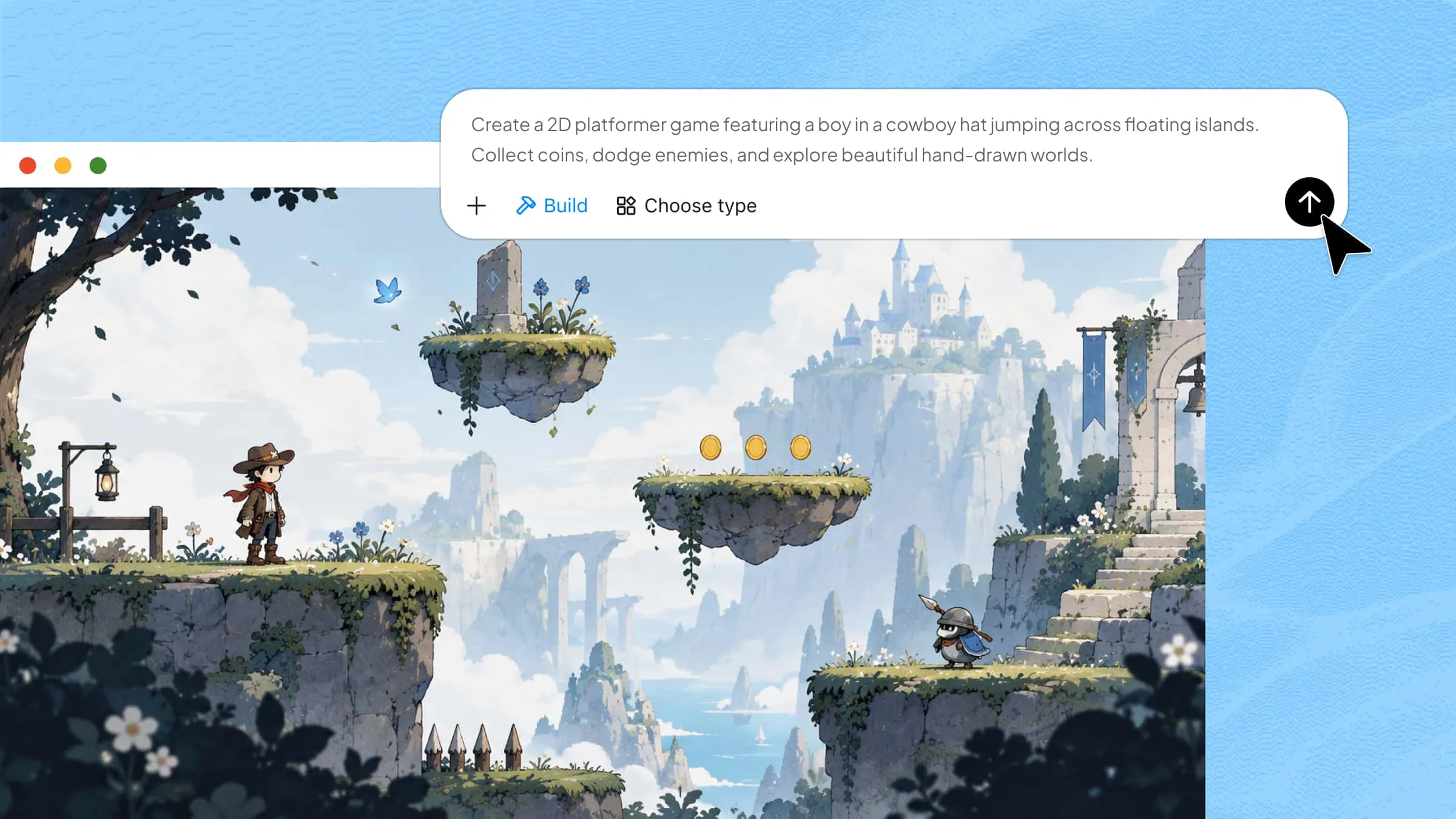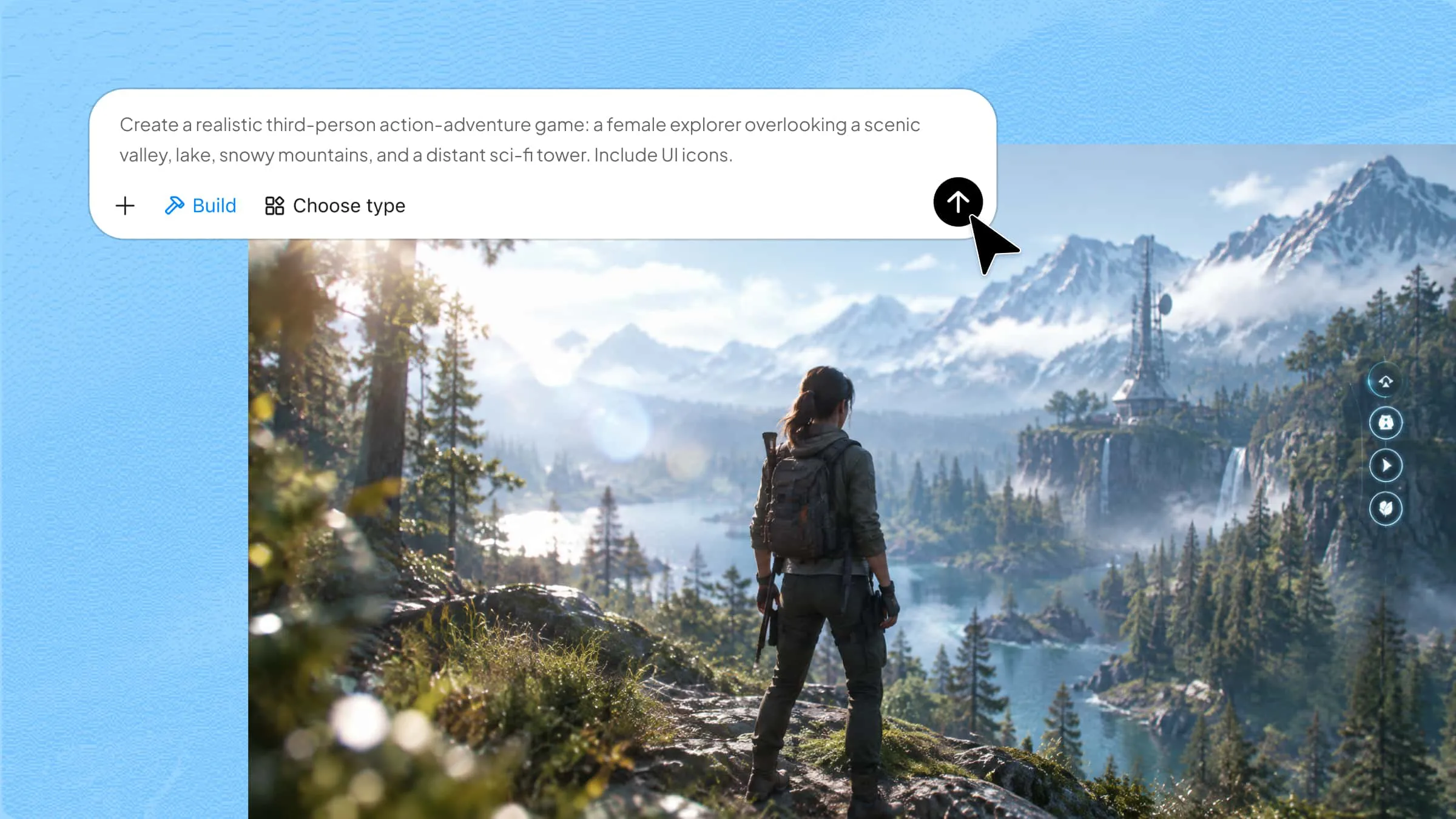
Every game starts with an idea, but what makes players want to keep playing is how that idea comes to life. From the way characters move to the challenges players face, every detail has a part in shaping the experience. This is where game design brings creativity and planning together to make a game enjoyable and engaging. Read on to explore its key concepts, essential elements, and creative process, and discover how Kimi Build can help you turn your ideas into playable prototypes.
What is game design
Game design is the process of turning a game idea into an experience that people can enjoy and interact with. It covers everything from setting the rules and designing characters to building levels, challenges, and rewards. It also considers how players control the game, make choices, and respond to different situations. The aim is to create a fun and engaging experience that keeps players interested from start to finish.
Game design vs. game development
Game design and game development are closely connected, but they serve different purposes in creating a game. While game design focuses on planning the player's experience, game development turns those ideas into a working product through coding, art, and technical work. Here's a simple comparison to understand how the two differ.
| Aspect | Game design | Game development |
|---|---|---|
| Main focus | Planning gameplay, rules, mechanics, and player experience | Building the game and making its features work |
| Key question | How should the game feel and play? | How can we bring the game idea to life? |
| Typical tasks | Designing characters, levels, challenges, and rules | Coding, creating assets, testing, and fixing bugs |
| Main output | Game concepts, design documents, and prototypes | Working features, playable versions, and the final game |
| Skills needed | Creativity, storytelling, planning, and problem-solving | Programming, technical knowledge, animation, and production |
What are the core elements of game design
A game comes together through several elements, each contributing something important to the player's experience. From gameplay rules to characters and environments, these elements shape how a game works and feels. Here are the seven key elements that make up game design.
Game mechanics and rules
Game mechanics define what players can do and how the game responds to their actions. They include movement, scoring, combat, and rewards. Rules set the limits and conditions that keep gameplay clear, fair, and enjoyable.
Storytelling and narrative
Storytelling gives a game a purpose and helps players connect with its world and characters. It includes the main plot, background events, dialogue, and missions. A good narrative keeps players curious, builds emotional connections, and gives meaning to their actions throughout the game.
Character design
Character design involves creating the people, creatures, and figures players encounter in a game. It covers their appearance, personality, abilities, and role in the story. Memorable characters make the game more interesting and help players connect with its world.
Level and environmental design
This element focuses on creating the places where gameplay happens. It includes maps, buildings, landscapes, obstacles, and hidden areas. Well-designed environments encourage exploration and give players new challenges as they progress.
Visual and audio aesthetics
Visual and audio aesthetics shape how a game looks and sounds. Visuals include colors, lighting, animations, and art style, while audio covers music, sound effects, and character voices. Together, they create the game's atmosphere and make important moments more engaging.
Player interaction
Player interaction describes how players control the game and respond to what's happening. It includes controls, menus, character movement, and interactions with objects or other players. Smooth interactions make gameplay easier to understand and enjoy.
Technology and platforms
Technology and platforms determine how a game is created and where people can play it. This includes game engines, programming tools, and devices such as PCs, consoles, and smartphones. The right technology helps ensure good performance and compatibility across platforms.
What are the different types of game design
Game design can take different forms depending on the environment a game uses and the kind of experience it offers players. Some games focus on creating visual worlds, while others are built around specific gameplay styles and challenges. Let's explore the main types:
Game design based on the environment
The game environment determines how players see and explore the virtual world. Based on the visual perspective and level of immersion, game design can be divided into three main types:
2D game design
2D game design uses flat graphics with height and width to create characters, backgrounds, and levels. Players usually move across a horizontal or vertical space, as seen in platformers and classic arcade games.
3D game design
3D game design creates virtual worlds with height, width, and depth, allowing players to explore more detailed environments. It is common in adventure, racing, and simulation games.
VR game design
VR game design creates immersive experiences where players explore virtual environments using headsets and motion controllers. They can look around and interact with objects as if inside the game.
Game design based on genre
Game genres describe the type of gameplay and experience a game offers. Each genre uses different mechanics, challenges, and goals to keep players interested.
Puzzle game design
Puzzle game design focuses on challenges that require logical thinking and problem-solving. It includes matching tasks, brain teasers, and puzzles that become harder as players progress.
Strategy game design
Strategy game design involves planning, resource management, and decision-making to achieve specific goals. Players must think ahead and choose the right moves to overcome challenges.
Action game design
Action game design focuses on fast-paced gameplay that tests players' reflexes, timing, and coordination. It often includes combat, movement, obstacles, and challenges that require quick reactions.
Role-playing game design
Role-playing game design allows players to control characters, develop their abilities, and make choices that affect their journey. It often includes quests, character progression, storylines, and detailed fictional worlds.
Sports game design
Sports game design recreates real-world or fictional sports through interactive gameplay. It focuses on player controls, scoring systems, team management, and realistic or arcade-style sporting experiences.
How to design a game with AI
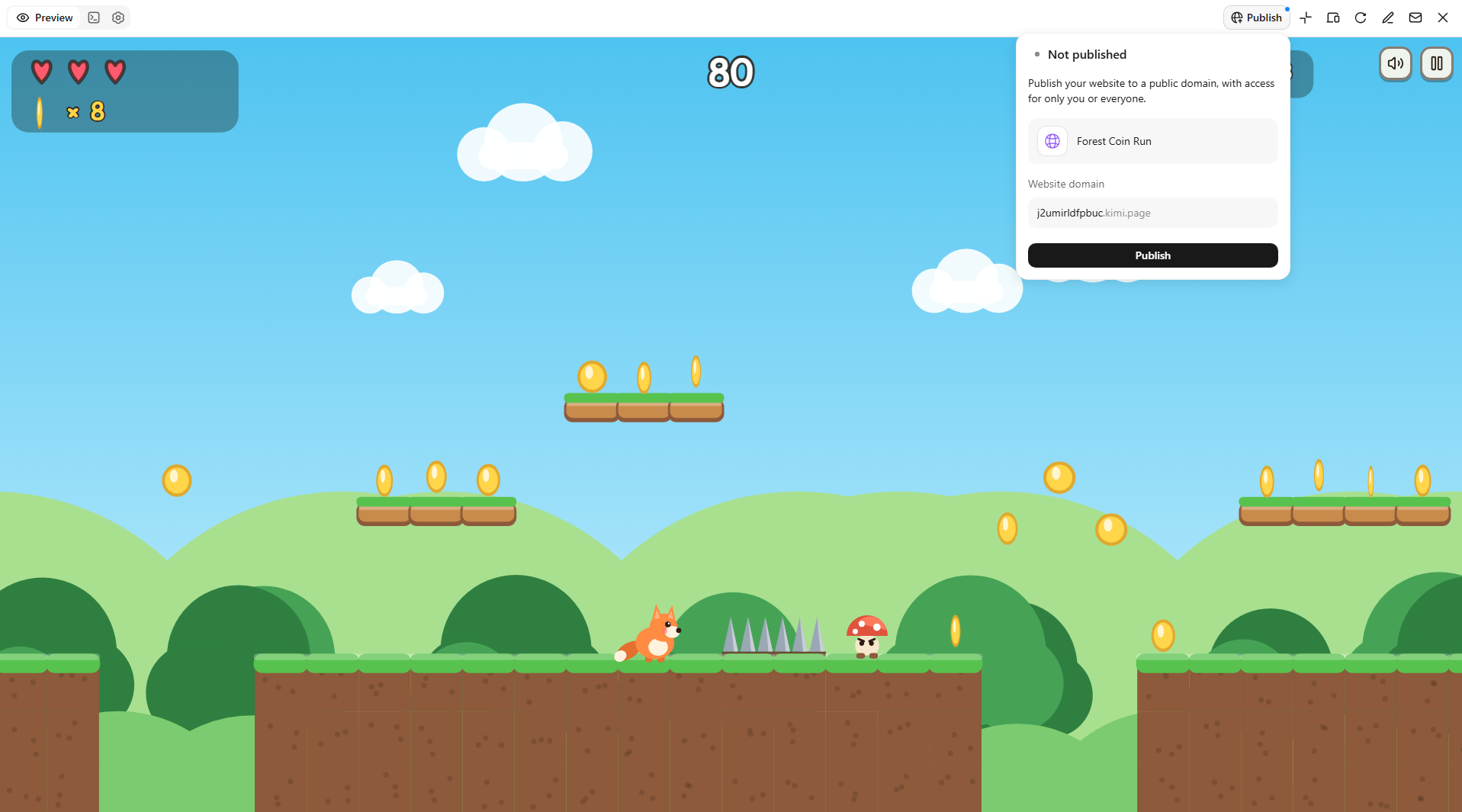
Kimi Build, an AI game maker, makes game creation easier by turning text prompts into playable experiences. Describe your game's genre, characters, setting, and objectives, and it can generate environments, assets, levels, and gameplay elements. You can preview your game, refine its visuals and mechanics through follow-up prompts, and share the finished project.
Follow these steps to get started:
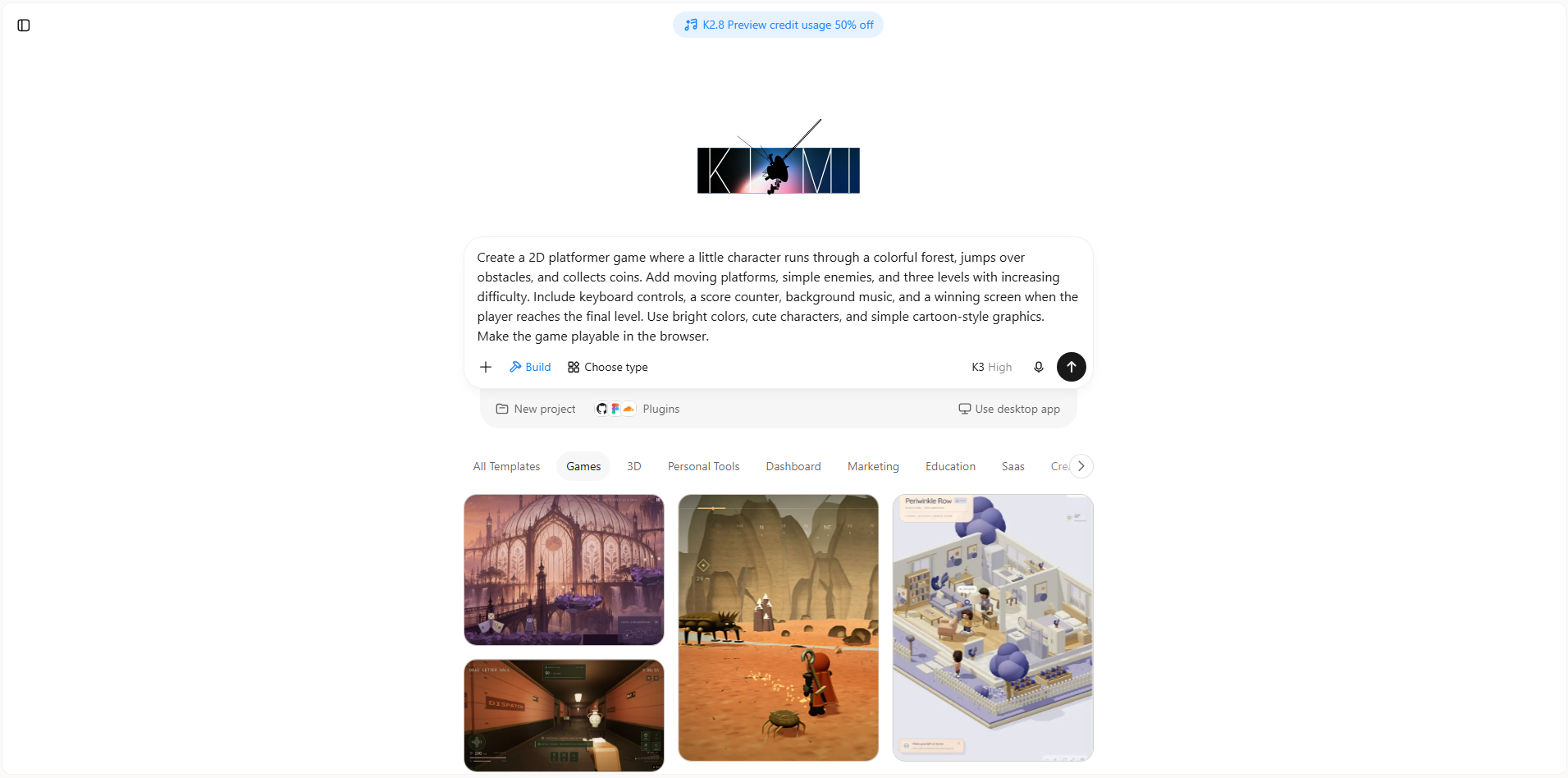
Step 1: Describe your idea in a prompt
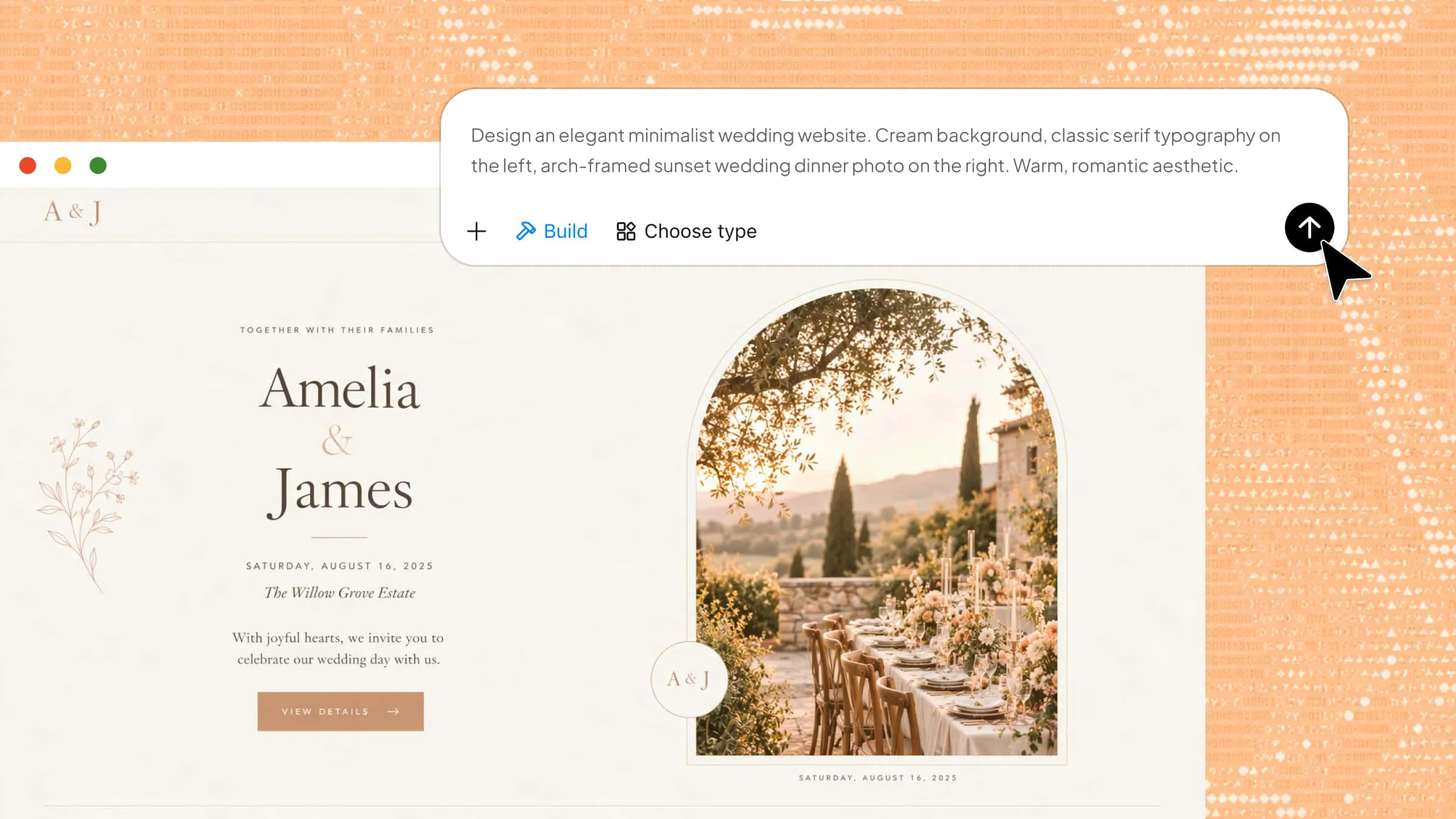
Start by opening Kimi Build and describing the type of game you want to create. Be specific about the environment, characters, gameplay, objectives, and visual style so the AI can understand your idea and generate a more complete prototype.
Example prompt
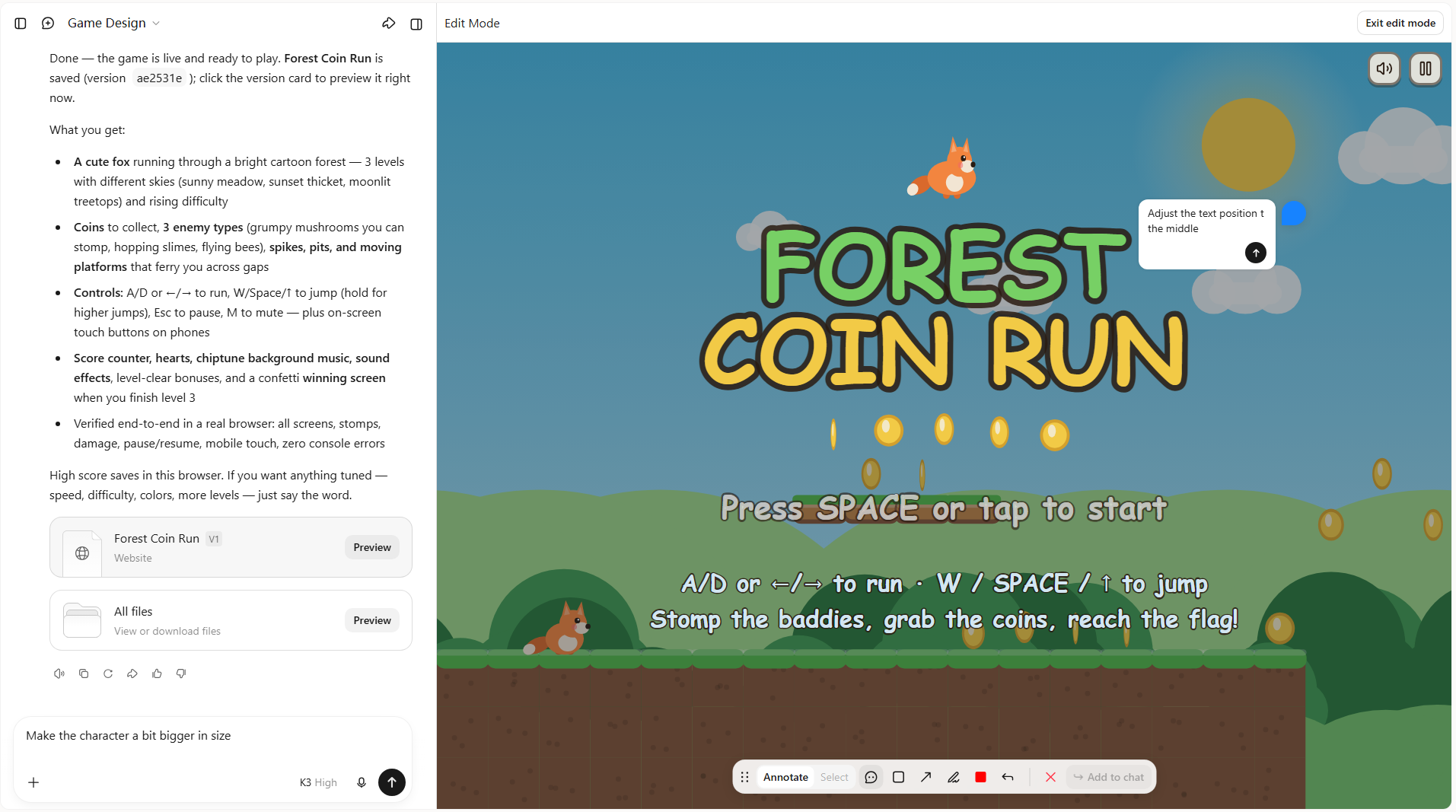
Step 2: Edit and customize your game
Once Kimi Build generates your initial game, preview the result and identify areas that need improvement. Use follow-up prompts to change the environment, character appearance, lighting, controls, or gameplay mechanics. You can also add new obstacles and challenges to make the experience more engaging.
Step 3: Preview and publish
When you're happy with the design, test the game to make sure its controls, interactions, and objectives work properly. Once everything is ready, use the available publishing or sharing options to make your playable game accessible to others.
Key features of Kimi Build
Kimi Build offers several features that make creating games easier, even if you have little or no coding experience. From turning simple ideas into playable prototypes to customizing game elements, it helps you bring your concepts to life with less manual work. Here are some of its key features.
Turn game ideas into playable experiences: Describe your game concept in natural language and generate a playable game without writing code. Refine gameplay mechanics, rules, and interactions through conversation, and upload visual references, such as character designs, game screenshots, or background images, to guide the game's visual direction.
Generate cohesive visuals and game assets: Generate game assets that bring your ideas to life, including character designs, backgrounds, environments, and visual elements. Create cohesive visuals that match your game's theme and atmosphere, giving your playable experience a more polished and engaging look.
Design engaging levels and gameplay: Create platformers, action games, puzzles, adventures, and other game genres with multiple levels and interactive elements. Add obstacles, enemies, collectibles, objectives, menus, win-or-lose conditions, and level progression to build a cohesive gameplay experience.
Develop interactive mechanics and custom assets: Bring your game design to life with character movement, collision detection, player interactions, enemy behaviors, animations, and sound effects. Generate characters, objects, environments, and other visual assets that support your game concept.
Test, refine, and share your game: Review your game and improve its mechanics, visual elements, and overall player experience through natural-language prompts. Roll back to previous versions when needed, then generate a shareable link so others can play your game across desktop and mobile devices.
What are the key principles of good game design
A well-designed game gives players a clear sense of direction while keeping them interested. It combines enjoyable gameplay, fair challenges, useful feedback, and engaging environments to make every moment count. The following principles help create games that players enjoy and want to return to.
Clear objectives and rules
Players should understand what they need to achieve and how the game works. Clear goals, instructions, and rules help them make decisions without feeling confused or lost. This also makes it easier for new players to get started and enjoy the experience.
Balanced difficulty
A good game should offer challenges without making players feel frustrated or bored. Difficulty should increase gradually as players develop their skills and understand mechanics. This keeps gameplay interesting while giving players a fair chance to progress and improve over time.
Meaningful interactions
Every player action should have a purpose and contribute to the overall experience. Whether players are solving puzzles, collecting items, or making choices, their interactions should produce noticeable and useful results. This makes gameplay more engaging and gives players a stronger sense of control.
Consistent feedback
Games should respond clearly whenever players perform an action. Visual effects, sound cues, animations, and messages can show whether an action was successful or something went wrong. Consistent feedback helps players understand their decisions and learn how different game mechanics work.
Rewarding progression
Players should feel that their efforts lead to progress as they move through the game. New levels, unlocked abilities, achievements, and rewards give them reasons to keep playing. A well-planned progression system also makes completing difficult challenges more satisfying and encourages continued exploration.
Immersive environments
A game's environment should make players feel connected to its world and surroundings. Detailed scenery, suitable lighting, background sounds, and interactive objects help create a believable atmosphere. These elements make exploration more enjoyable and strengthen the overall gaming experience.
Conclusion
From a simple concept to a complete gaming experience, every creative decision helps shape the final result. Understanding game design can help you approach your ideas with more confidence and build experiences that players enjoy. You can start small, test different concepts, and improve your ideas as you go. Try Kimi Build to explore your creativity and create your first playable game. Bring your next game idea to life without getting caught up in complex coding.