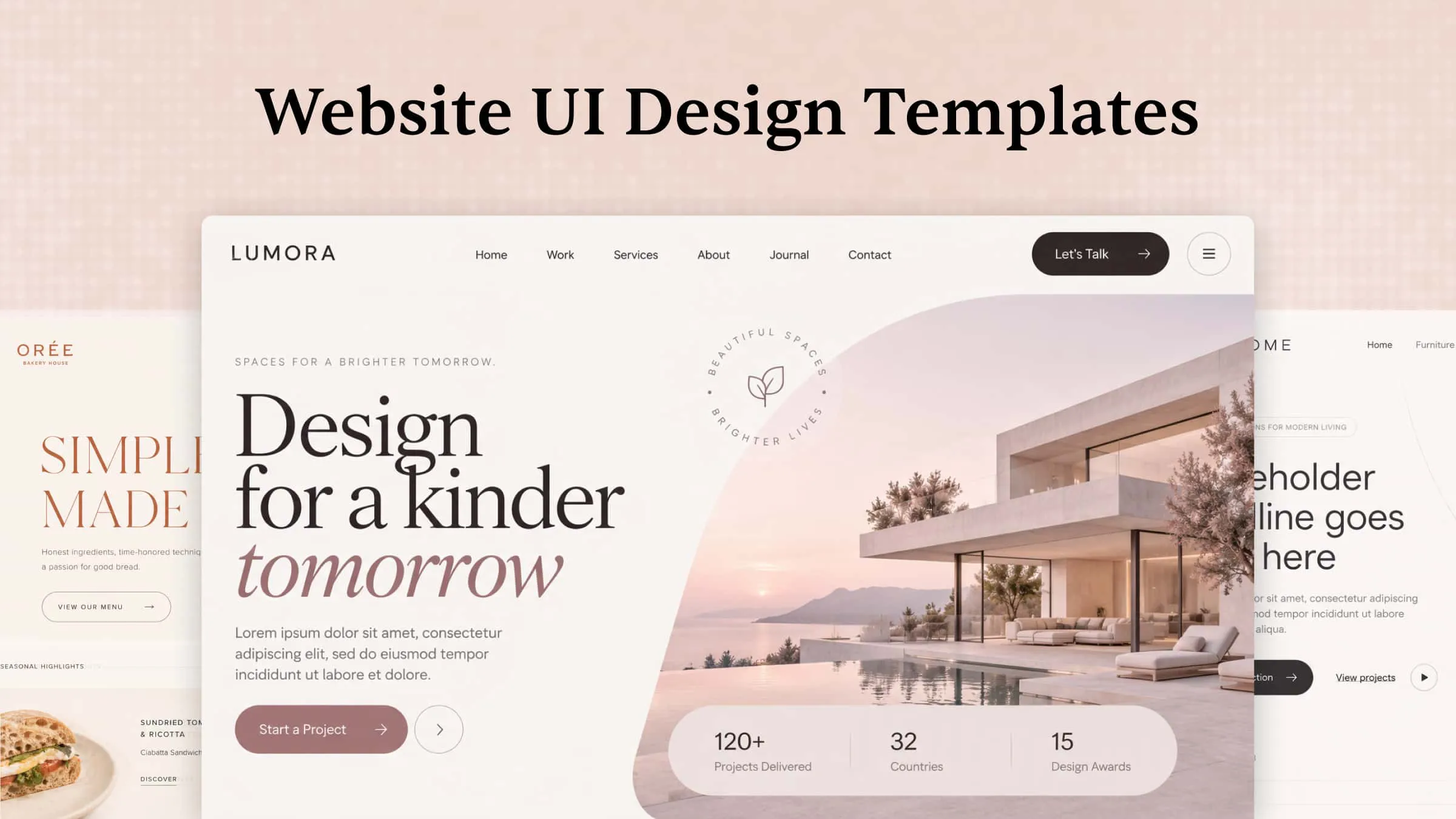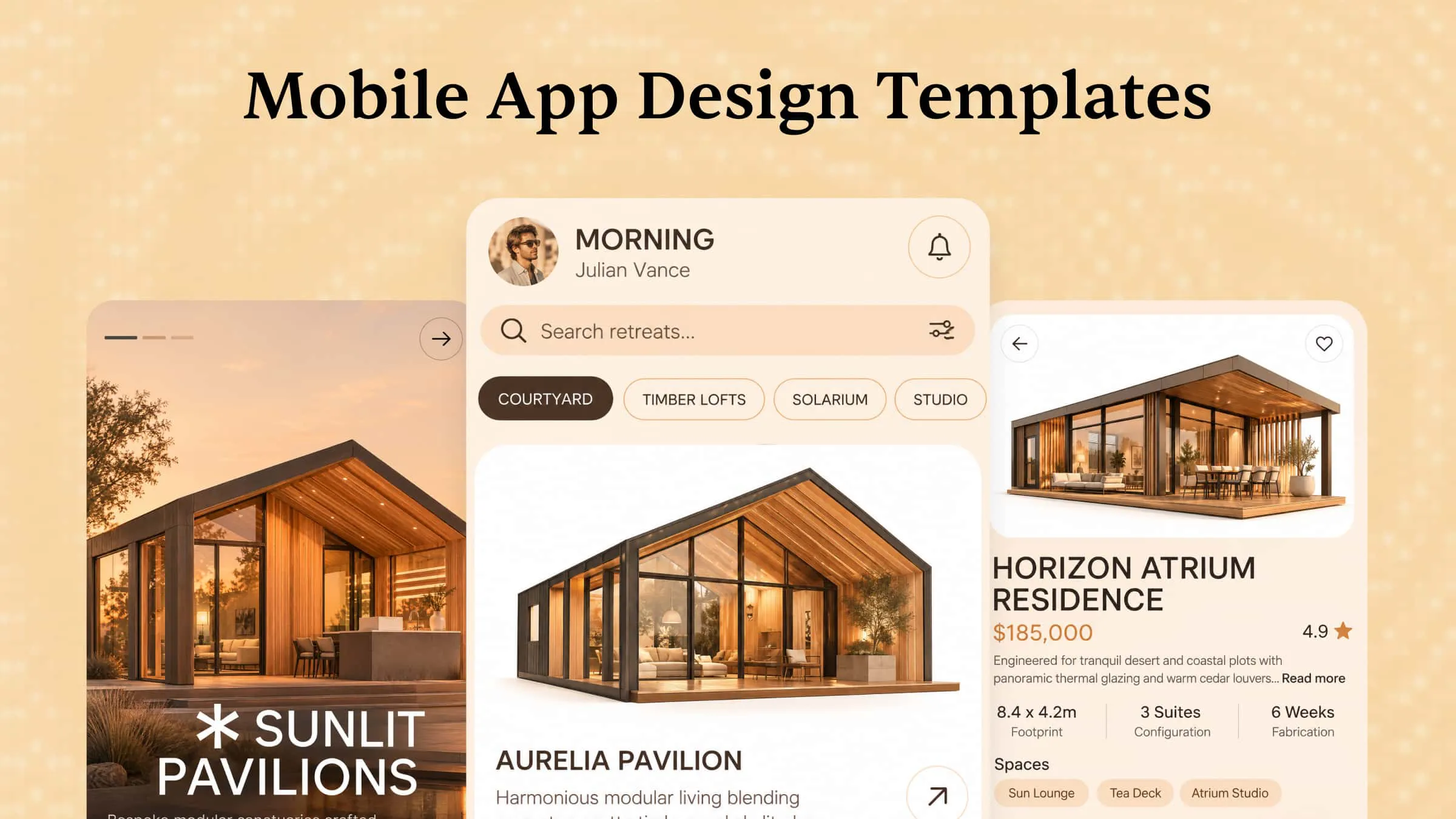
A successful mobile app combines an appealing design with simple navigation and useful features. However, creating a layout from scratch can take time and design experience. Mobile app templates provide a convenient starting point, with ready-made layouts and elements that you can customize to match your ideas. From minimal interfaces to colorful and interactive designs, there are plenty of styles to explore. This article presents 10 mobile app templates to inspire your next project and help you find a design that suits your needs.
Overview of 10 mobile app design templates
Explore the 10 mobile app design templates below, each featuring a unique layout, visual style, or set of useful features. Discover fresh ideas for your next app and choose a template that matches your goals and requirements.
| Mobile app template | Main purpose | Key design elements | Essential features | Suitable for |
|---|---|---|---|---|
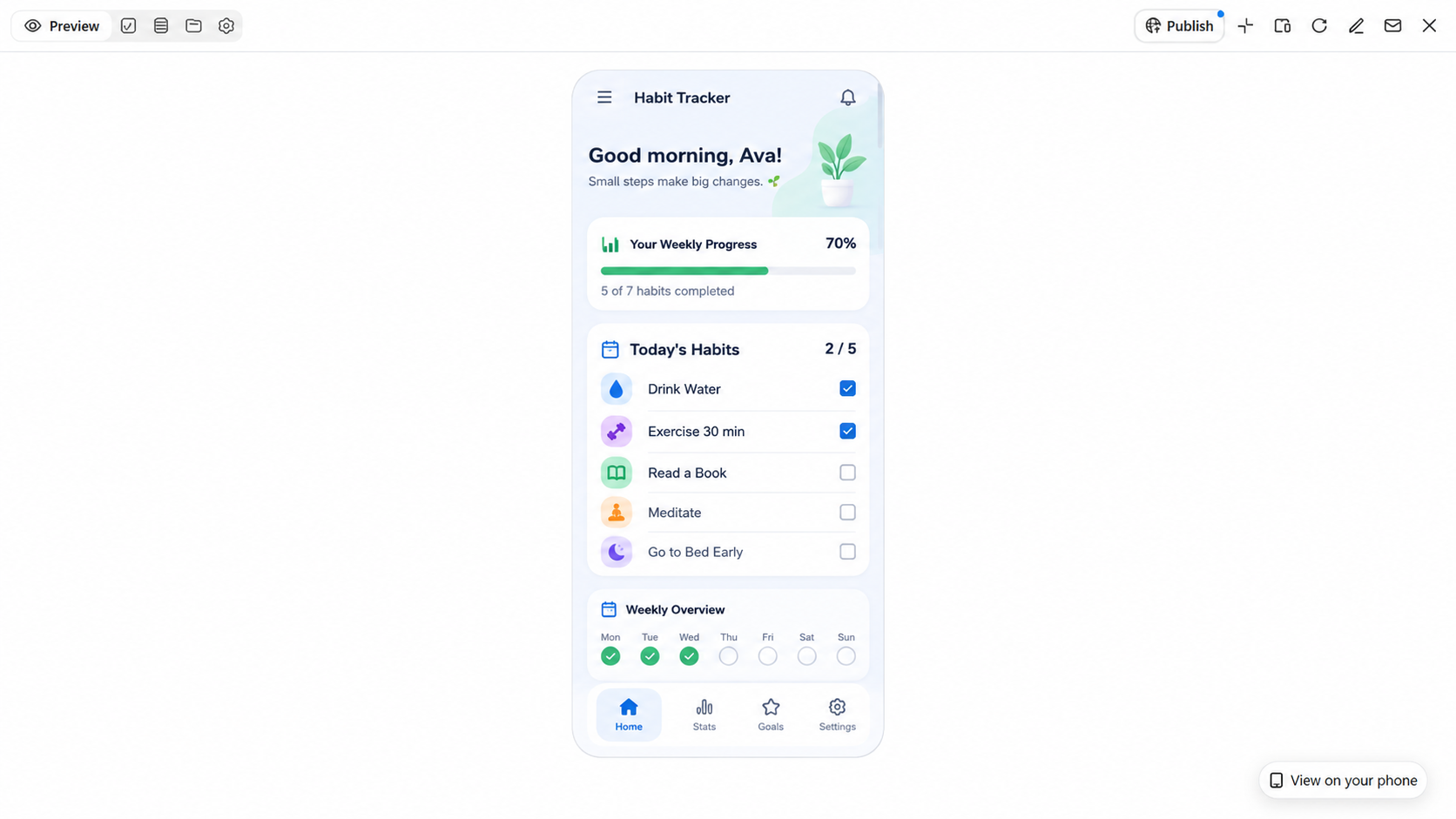
| Daily habit tracker | Build and maintain daily routines. | Clean dashboards, progress charts, habit lists. | Habit tracking, reminders, daily progress reports. | Monitoring habits and building healthy routines. |
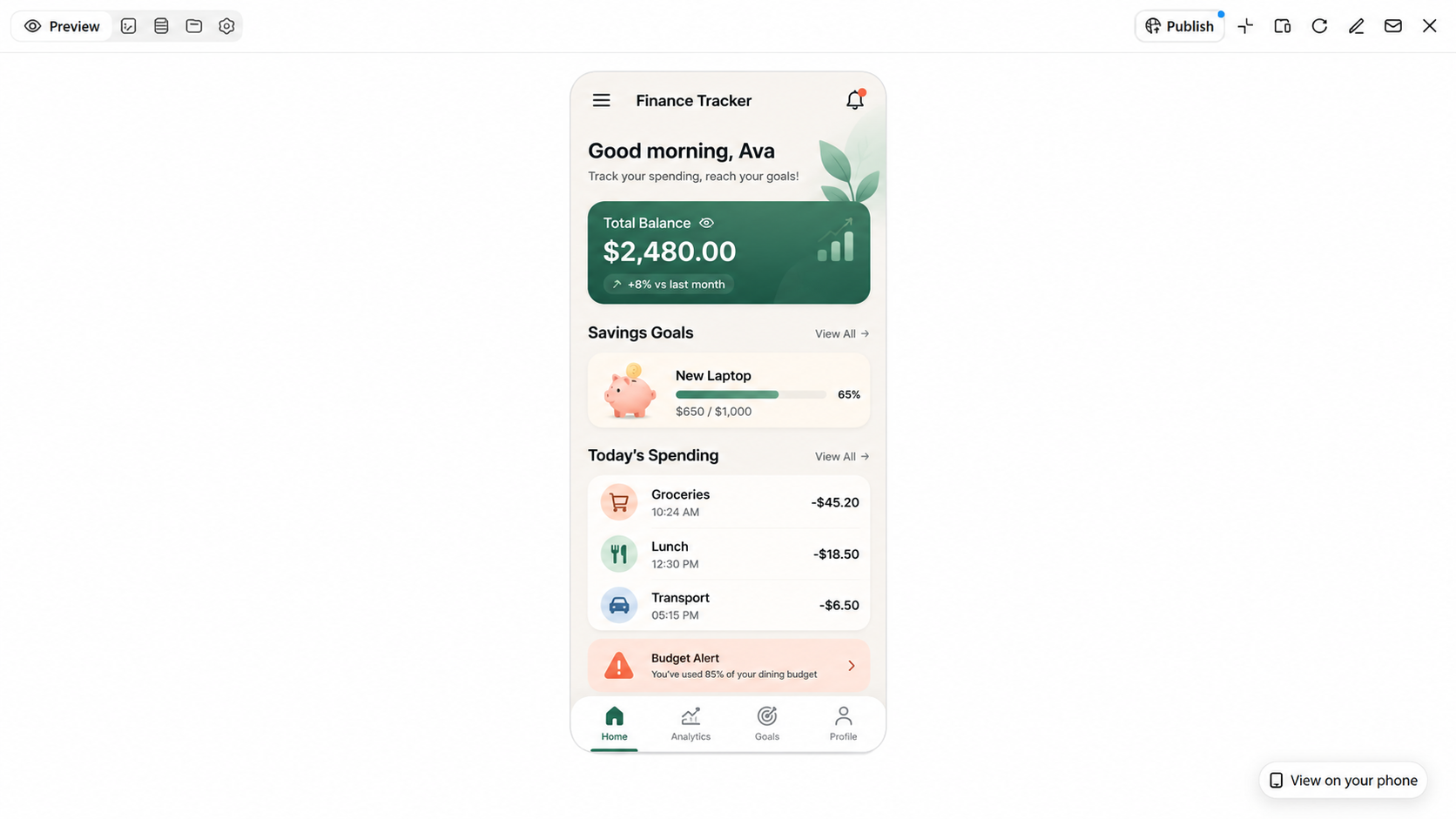
| Personal expense tracker | Manage personal finances. | Financial dashboards, spending charts, transaction lists. | Expense categories, budget summaries, spending records. | Tracking expenses and managing monthly budgets. |
| To-do list app | Organize personal and work tasks. | Task lists, priority labels, progress indicators. | Due dates, reminders, task completion tracking. | Managing daily activities and deadlines. |
| Water intake tracker | Monitor daily water consumption. | Colorful progress bars, water icons, goal indicators. | Daily intake logs, hydration goals, reminders. | Building consistent hydration habits. |
| Recipe organizer | Store and organize favorite recipes. | Recipe cards, food images, ingredient lists. | Cooking instructions, search, category filters. | Saving recipes and planning meals. |
| Travel planner | Organize trips and travel details. | Interactive maps, destination cards, trip timelines. | Itineraries, booking details, travel checklists. | Planning vacations and managing travel arrangements. |
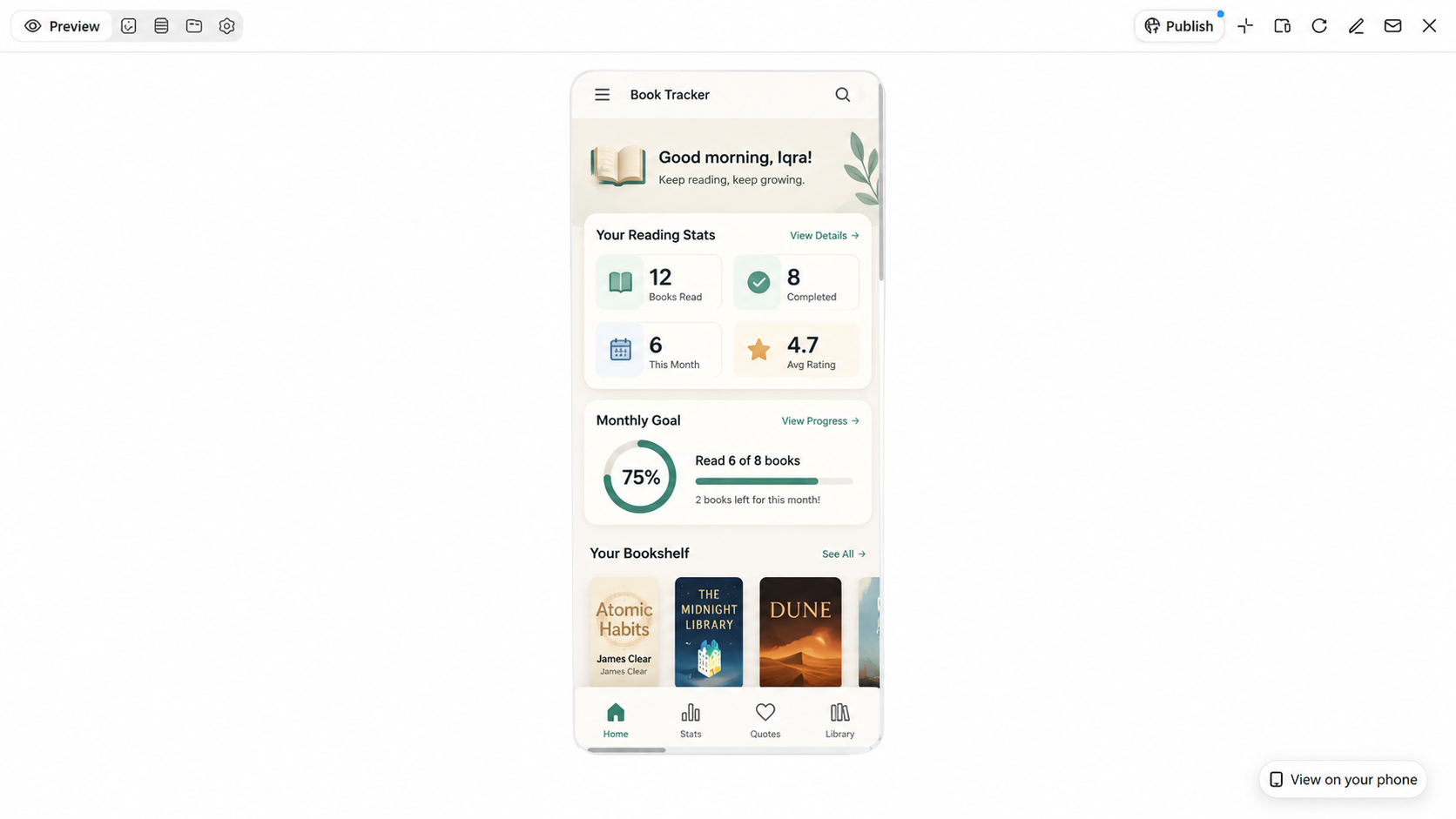
| Book reading tracker | Monitor reading progress. | Book covers, reading lists, progress bars. | Reading logs, ratings, notes, reading goals. | Organizing books and tracking reading habits. |
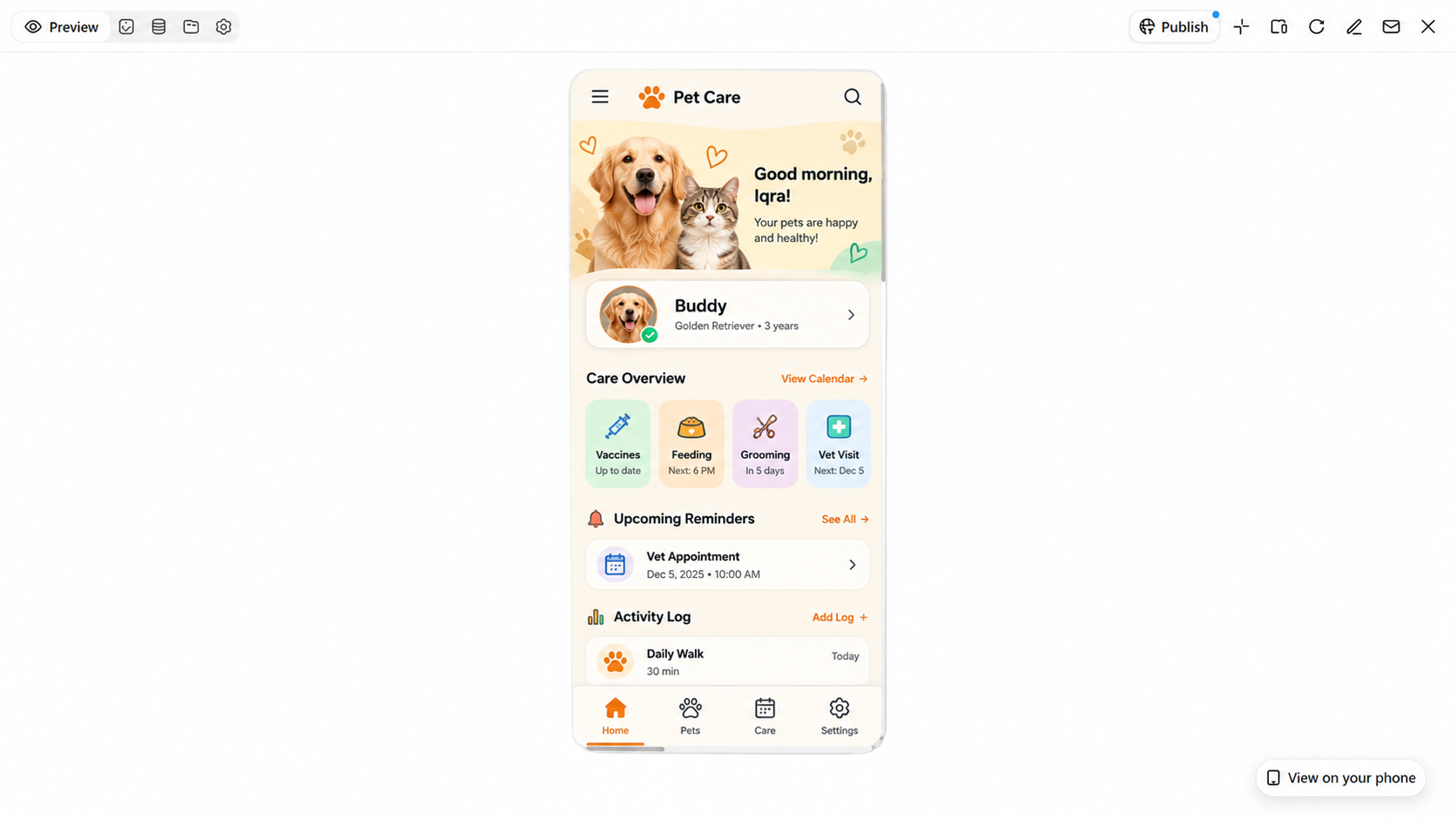
| Pet care tracker | Manage pet health and daily routines. | Pet profiles, appointment calendars, care dashboards. | Feeding schedules, vaccination records, reminders. | Keeping track of pet care responsibilities. |
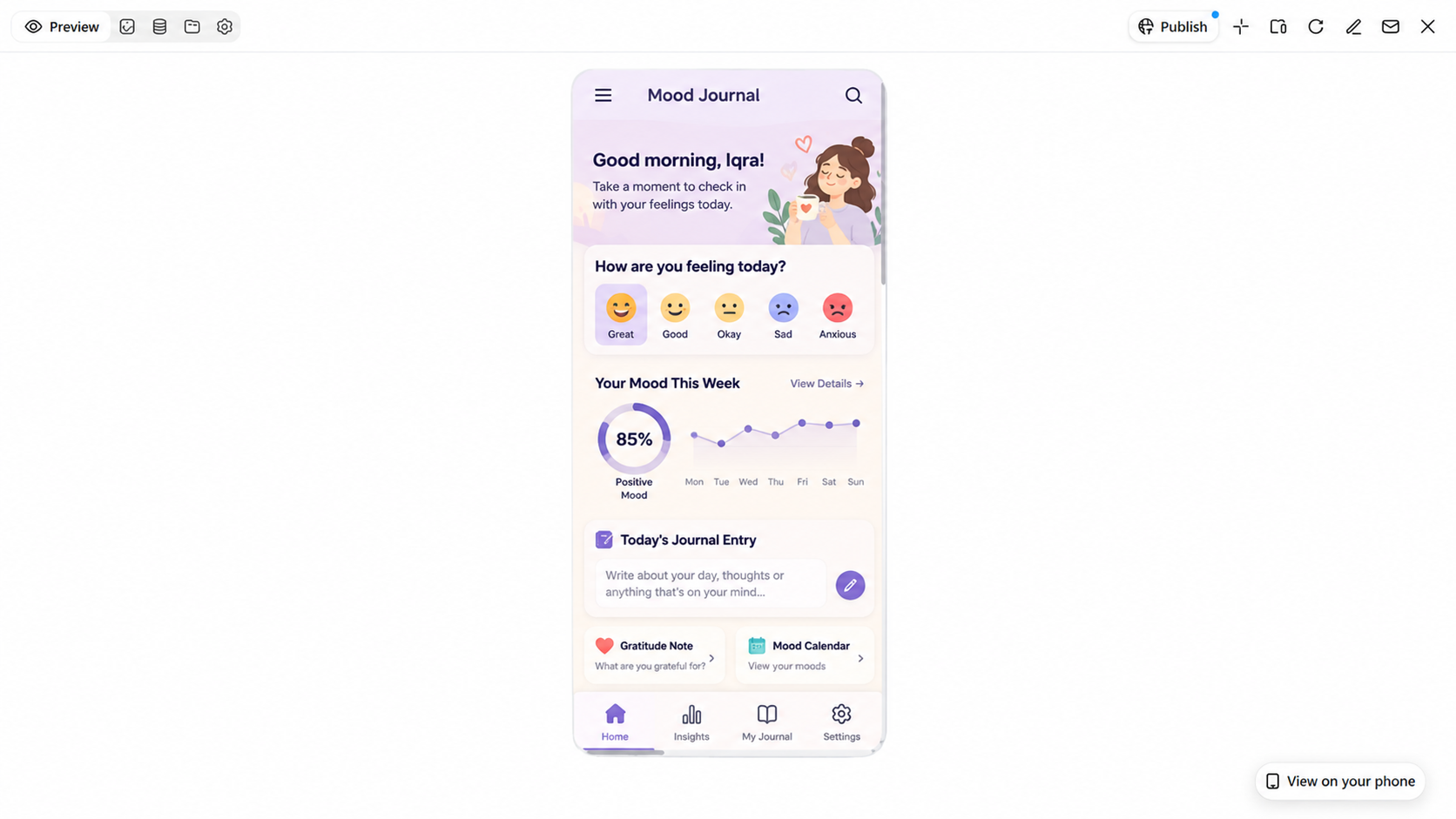
| Mood journal | Record emotions and personal reflections. | Emotion icons, mood charts, journal layouts. | Daily mood logs, reflection prompts, journal entries. | Monitoring emotional patterns and daily feelings. |
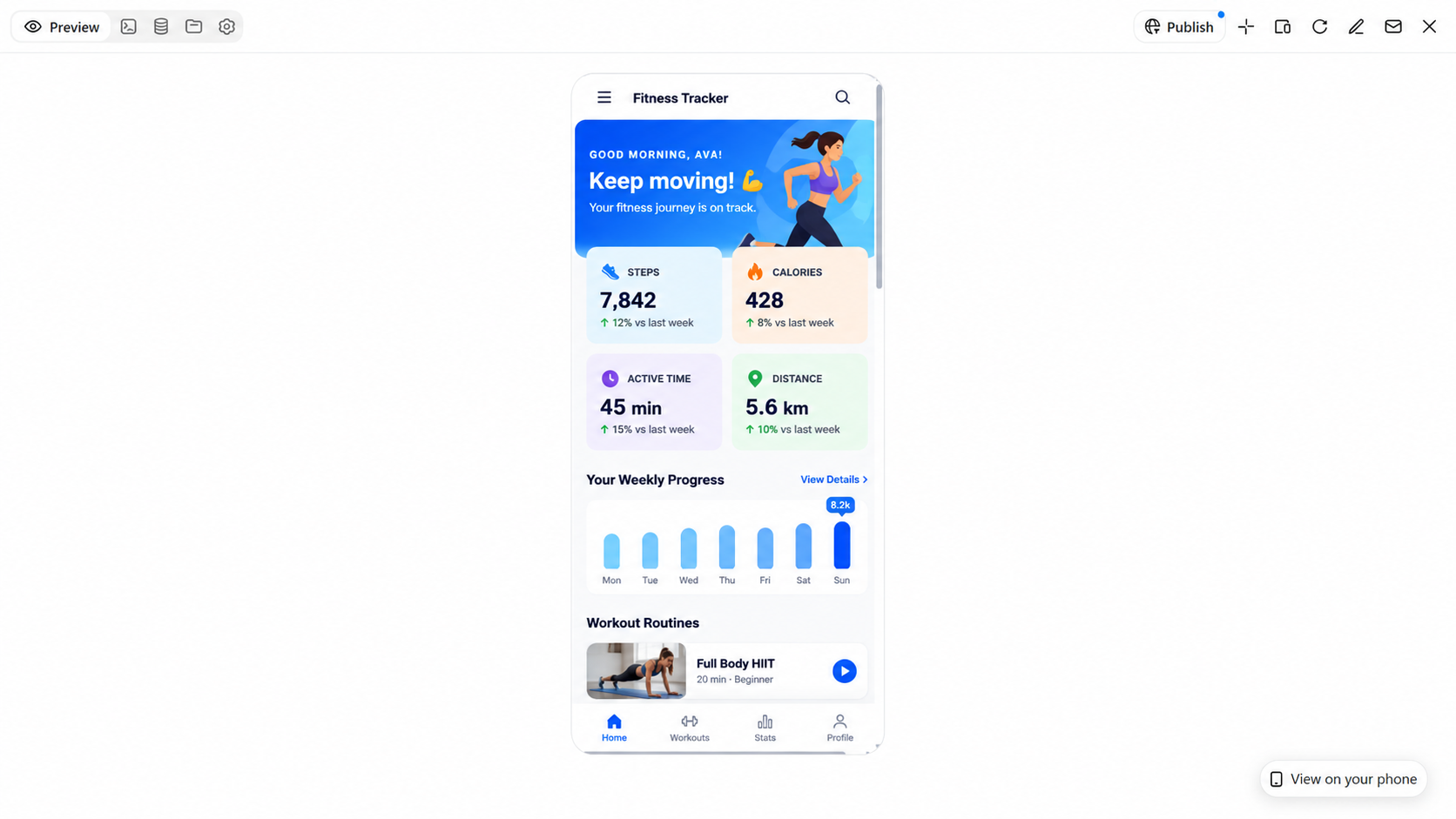
| Personal fitness tracker | Monitor exercise and fitness progress. | Workout dashboards, activity charts, progress summaries. | Exercise logs, workout schedules, fitness goals. | Tracking physical activity and fitness goals. |
10 mobile app templates for different needs
Mobile app templates come in various styles, from simple task managers and expense trackers to fitness apps and travel planners. These 10 creative examples showcase different layouts, useful features, and practical designs to help you find a suitable mobile app template for your needs.
With Kimi Build, an AI app builder, you can turn your app ideas into creative mobile app designs using simple text prompts. It helps you create app layouts, user interfaces, navigation features, and interactive elements for different needs. You can refine the design, adjust visual details, and explore different styles to match your project goals. This makes it easier to develop mobile app concepts for business, personal use, and other projects.
Daily habit tracker
A daily habit tracker template provides a ready-made structure for creating apps that help users build routines. This mobile app design template includes pre-designed screens, UI elements, and wireframes that simplify development. Features such as progress charts, reminders, habit lists, and goal tracking make the app more useful. Developers can customize these elements to create an organized habit-tracking experience.
How to use
Step 1: Enter your prompt
Enter a prompt into Kimi Build describing the mobile app layout, design style, and features you want to create.
Prompt:
Step 2: Let AI generate your mobile app
Kimi Build will generate a mobile app with suitable screens, navigation menus, interactive elements, and features based on your prompt.
Step 3: Review and publish the mobile app
Review the generated app, adjust the layout or features if needed, and publish your mobile app.
Personal expense tracker
A personal expense tracker template provides a useful starting point for designing an app that helps users monitor their finances and manage daily spending. Drawing inspiration from e-commerce mobile app design templates, you can incorporate intuitive navigation, clear data displays, and user-friendly UI/UX elements to streamline the experience. Useful features include budget summaries, transaction histories, spending charts, and categorized expenses, making it easier for users to track purchases, review spending habits, and stay on top of their budgets.
How to use
Step 1: Enter your prompt
Enter the prompt into Kimi Build to describe the type of personal expense tracker mobile app you need.
Prompt:
Step 2: Let AI generate your mobile app
Kimi Build will automatically generate a mobile app with expense categories, budget summaries, transaction lists, and spending charts.
Step 3: Review and publish the mobile app
Review the generated app, make adjustments if needed, and publish your mobile app.
To-do list app
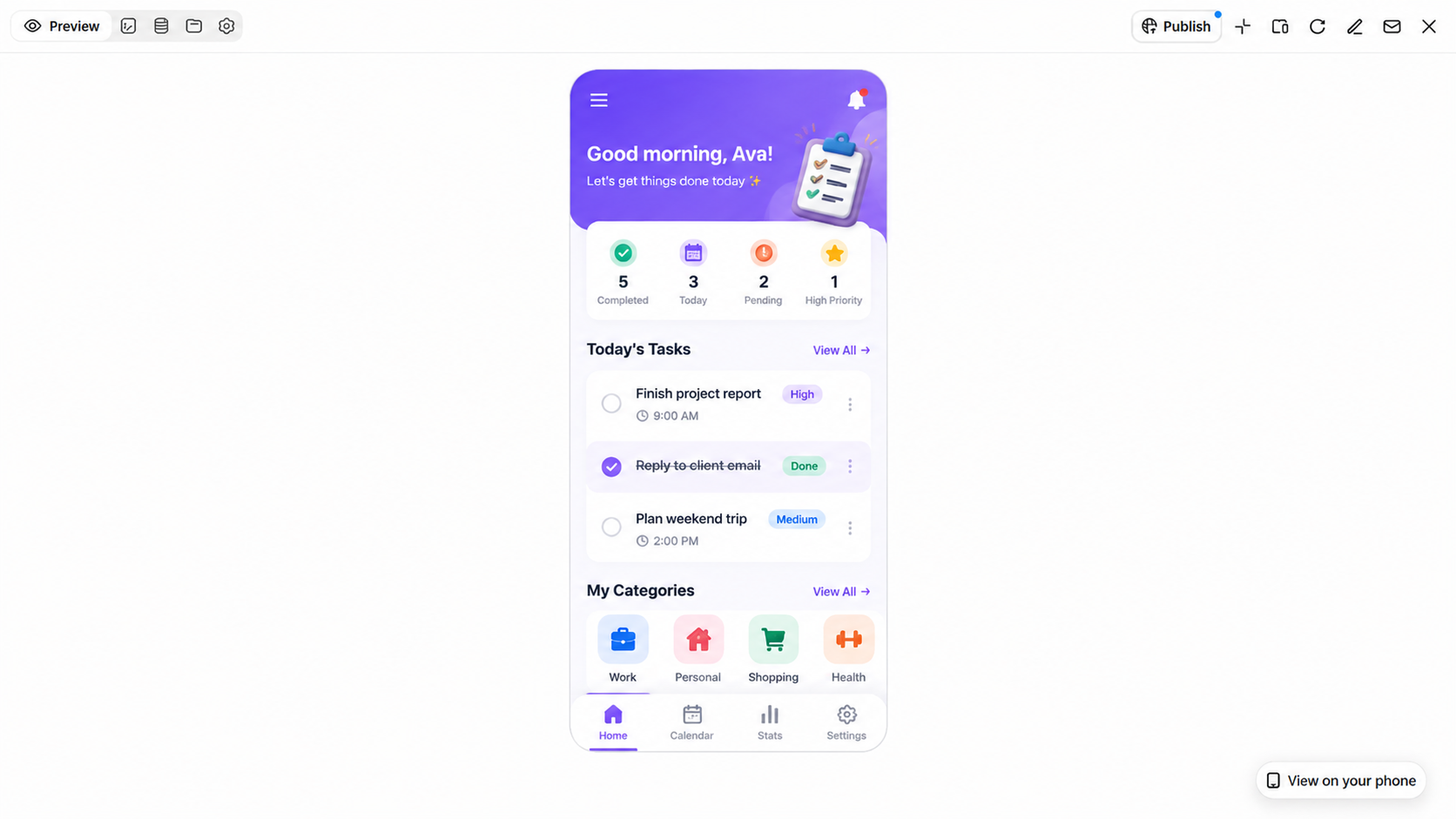
A to-do list app template offers a practical starting point for building an app that helps users organize daily tasks and stay on top of their responsibilities. Common features include task lists, priority labels, due dates, reminders, and progress tracking. These features can be customized to suit different needs, from managing personal to-dos and daily routines to organizing work assignments and tracking project progress.
How to use
Step 1: Enter your prompt
Enter the prompt into Kimi Build to describe the type of to-do list mobile app you want to create.
Prompt:
Step 2: Let AI generate your mobile app
Kimi Build will create a to-do list app featuring organized task sections, reminder options, priority settings, and progress indicators based on your prompt.
Step 3: Review and publish the mobile app
Check the generated app, make adjustments if needed, and publish your mobile app.
Water intake tracker
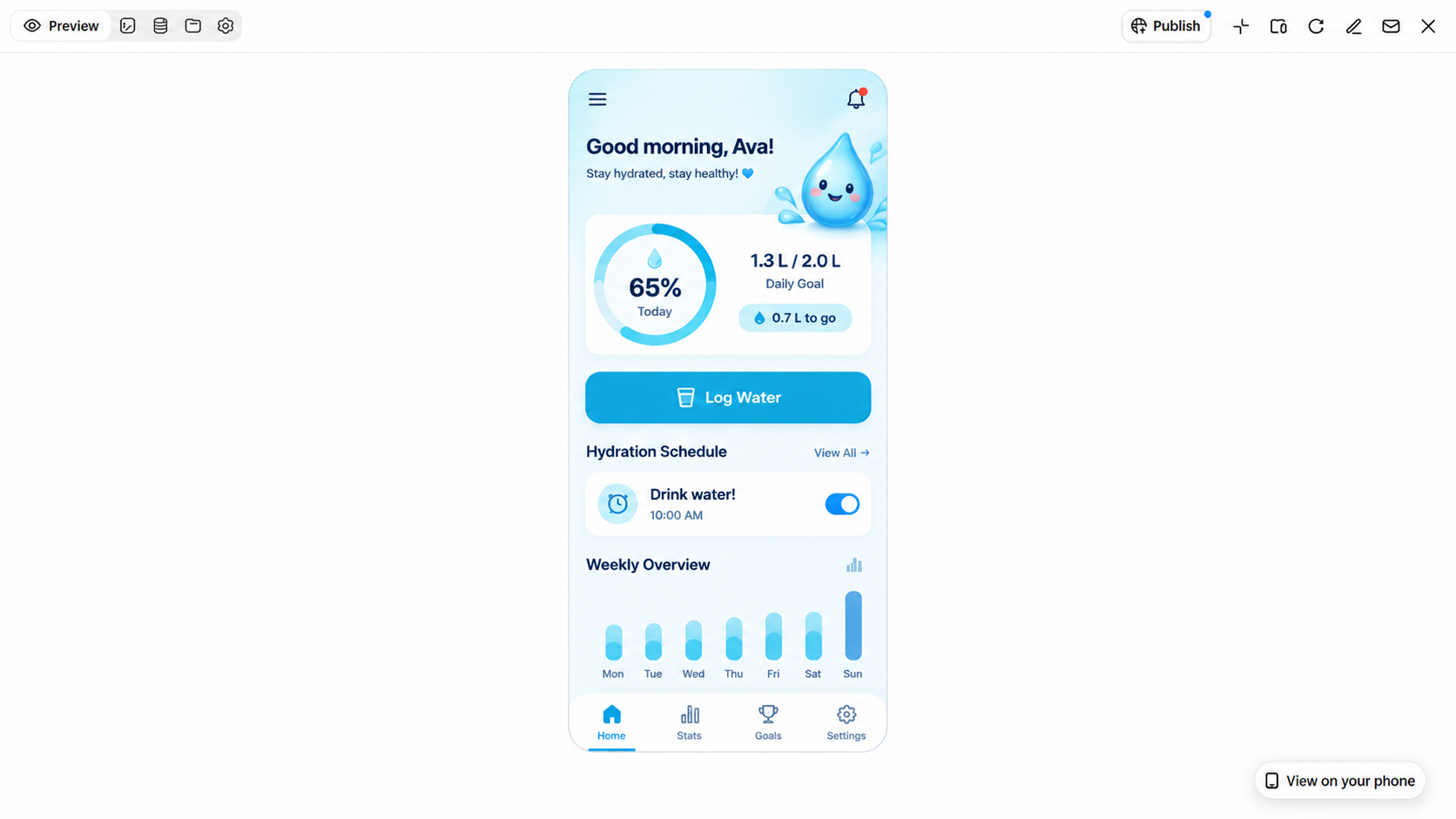
A water intake tracker template offers a practical starting point for designing an app that helps users monitor their daily hydration and develop consistent drinking habits. Mobile app design templates can provide pre-built screens and interactive UI elements, making it easier to organize the interface and streamline development. Useful features include water intake logs, customizable daily goals, drinking reminders, and progress charts. Together, these elements create an easy-to-use app that helps users track their water consumption and stay consistent with their hydration goals.
How to use
Step 1: Enter your prompt
Enter the prompt into Kimi Build to describe the type of water intake tracker mobile app you want to create.
Prompt:
Step 2: Let AI generate your mobile app
The AI will create a water intake tracker featuring daily hydration goals, drinking records, reminder alerts, and progress displays.
Step 3: Review and publish the mobile app
Review the generated app, make adjustments if needed, and publish your mobile app.
Recipe organizer
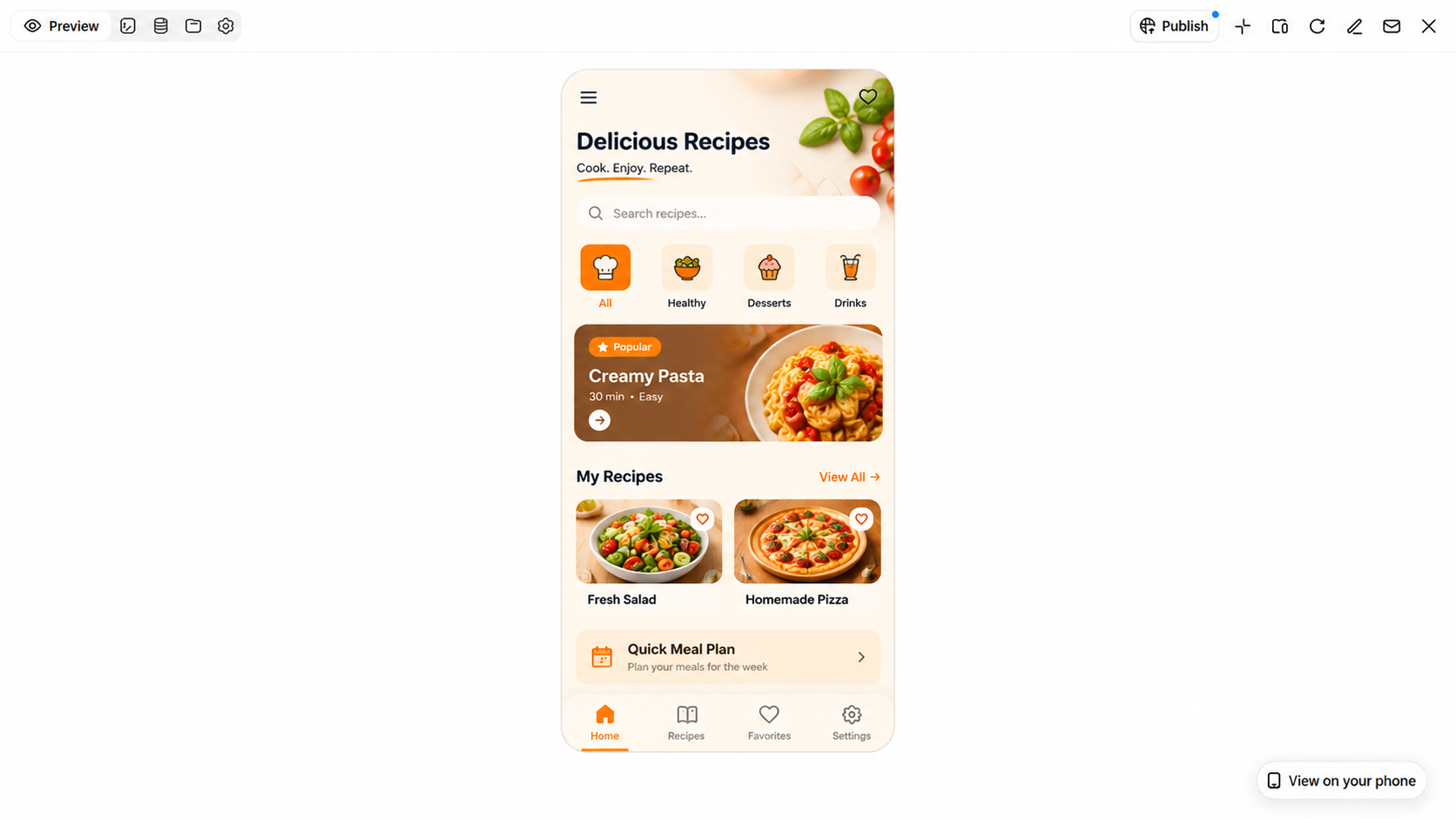
A recipe organizer template offers a practical foundation for creating digital cookbooks and meal-planning apps. Mobile app design templates provide ready-made layouts and UI elements that make it easier to organize recipes, ingredients, and cooking details in a clear, accessible format. Useful features include ingredient lists, step-by-step cooking instructions, food categories, and weekly meal plans. These elements can be customized to build an intuitive app where users can save favorite recipes, organize cooking ideas, and plan meals more efficiently.
How to use
Step 1: Enter your prompt
Enter the prompt into Kimi Build to describe the type of recipe organizer mobile app you want to create.
Prompt:
Step 2: Let AI generate your mobile app
Kimi Build will generate a recipe organizer featuring categorized recipes, ingredient details, cooking steps, and saved favorites based on your prompt.
Step 3: Review and publish the mobile app
Review the generated app, make adjustments if needed, and publish your mobile app.
Travel planner
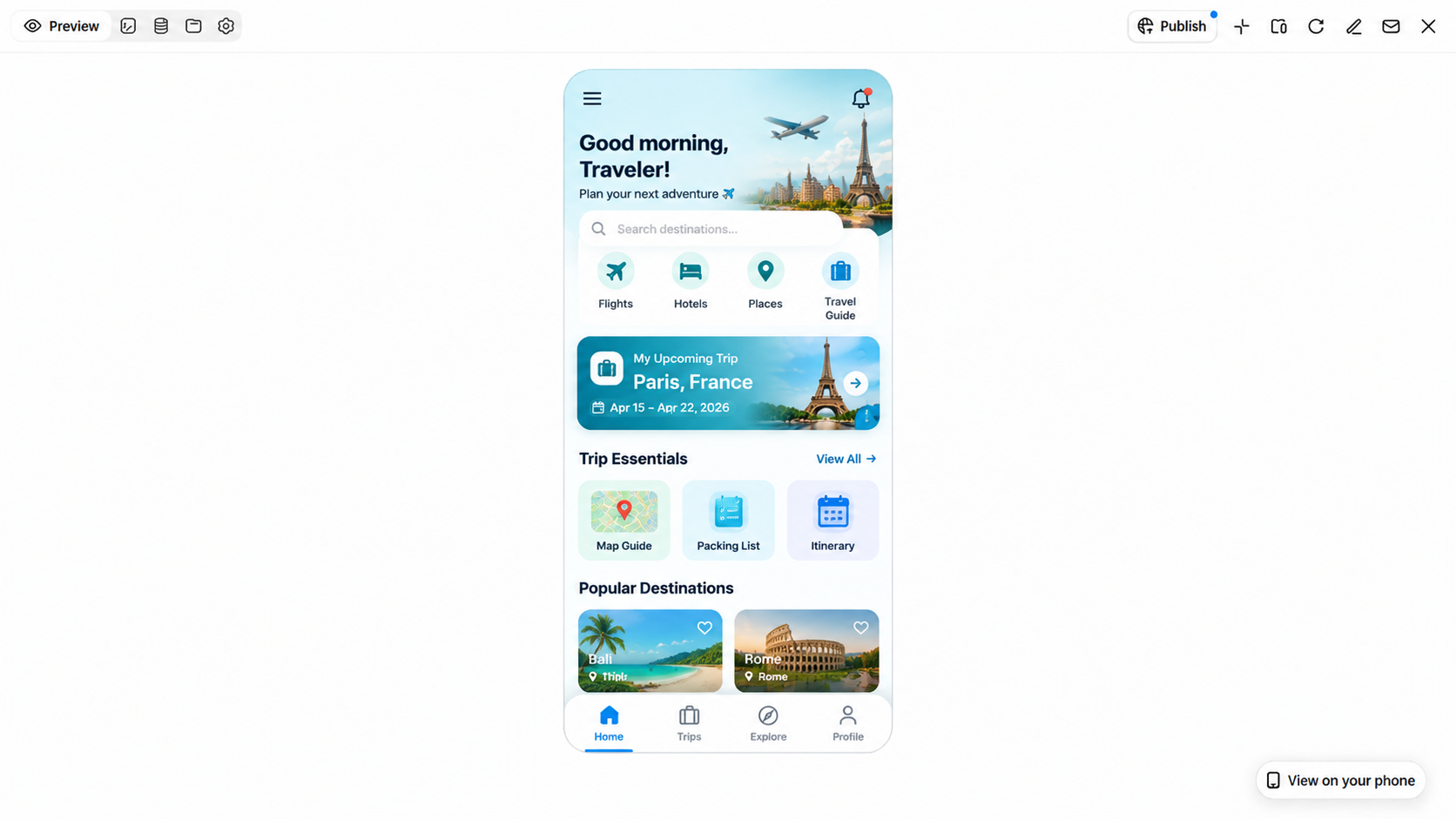
A travel planner template provides a convenient starting point for creating apps that help users organize trips and manage travel arrangements. As a mobile application template, it offers customizable screens for presenting essential travel information in one place. Useful features include destination details, flight and hotel bookings, itinerary schedules, and activity lists. These elements can be tailored to create an easy-to-navigate app that keeps travel plans organized and makes it easier to manage schedules throughout a trip.
How to use
Step 1: Enter your prompt
Add the travel planner mobile app prompt into Kimi Build and tap the "Send" icon.
Prompt:
Step 2: Let AI generate your mobile app
Kimi Build will generate a travel planner app featuring organized itineraries, booking details, destination information, and trip management sections based on your prompt.
Step 3: Review and publish the mobile app
Check the generated app, make adjustments if needed, and publish your mobile app.
Book reading tracker
A book reading tracker template offers a practical starting point for building an app that helps readers organize their books and keep track of reading habits. Android mobile app design templates can provide ready-made layouts for book lists, personal libraries, reading progress, and review sections, making it easier to create a consistent user experience. Additional features such as progress charts, reading goals, and personal notes help users monitor their progress, record their thoughts, and manage completed and ongoing reads in one organized digital library.
How to use
Step 1: Enter your prompt
Enter the book reading tracker app prompt into Kimi Build to describe the type of mobile app you want to create.
Prompt:
Step 2: Let AI generate your mobile app
Kimi Build will create a book reading tracker featuring a digital library, reading progress, personalized goals, and book collections based on your prompt.
Step 3: Review and publish the mobile app
Review the generated app, make small edits if needed, and publish the mobile app.
Pet care tracker
A pet care tracker template provides a ready-made design for building apps that help owners manage their pets' daily needs. Pre-designed screens and useful tools simplify the process of organizing pet care information. Features can include feeding schedules, vaccination records, health details, and appointment reminders. Such layouts make it easier to create an app for keeping track of important pet care routines.
How to use
Step 1: Enter your prompt
Enter the prompt into Kimi Build to describe the type of pet care tracker mobile app you want to create.
Prompt:
Step 2: Let AI generate your mobile app
Kimi Build will create a pet care tracker featuring pet profiles, health records, feeding schedules, and appointment reminders based on your prompt.
Step 3: Review and publish the mobile app
Review the generated app, make small edits if needed, and publish the final version.
Mood journal
A mood journal template offers a useful foundation for creating an app that helps users record their emotions and reflect on daily experiences. This mobile app design template provides customizable screens and interactive UI elements, making it easier to build an intuitive and visually consistent interface. Useful features include daily mood logs, emotion icons, personal journal entries, and progress charts. These elements can be tailored to help users track emotional patterns, document personal reflections, and develop a more consistent journaling habit.
How to use
Step 1: Enter your prompt
Paste the mood journal mobile app prompt into Kimi Build to describe the type of app you want to create.
Prompt:
Step 2: Let AI generate your mobile app
Kimi Build will create a mood journal featuring daily mood entries, emotion tracking, reflection sections, and visual mood summaries based on your prompt.
Step 3: Review and publish the mobile app
Review the generated app, make small adjustments if needed, and publish the mobile app.
Personal fitness tracker
A personal fitness tracker template offers a practical starting point for creating apps that help users monitor workouts and stay on top of their fitness routines. Mobile phone app design templates provide ready-made layouts and customizable UI elements for organizing workout plans, activity records, and fitness reports. Useful features include step counters, exercise logs, fitness goals, and progress charts. These elements can be tailored to create an easy-to-use app that helps users track daily activity, follow workout routines, and monitor their progress over time.
How to use
Step 1: Enter your prompt
Enter the personal fitness tracker app prompt into Kimi Build to describe the type of mobile app you want to create.
Prompt:
Step 2: Let AI generate your mobile app
Kimi Build will create a fitness tracker featuring workout plans, activity records, calorie summaries, and progress reports based on your prompt.
Step 3: Review and publish the mobile app
Check the generated app, make small adjustments if needed, and publish the mobile app.
Why choose Kimi Build to design a mobile app
Designing a mobile app requires a well-organized layout, useful features, and a smooth user experience. Kimi Build simplifies the process by turning text prompts into app designs with ready-made screens, interactive elements, and organized layouts. Here are the key benefits of using Kimi Build to design mobile apps.
Generate mobile app interfaces from prompts and references
Describe your app idea, target audience, core features, and desired interface in a natural-language prompt. You can also upload screenshots, images, or videos as visual references to guide the design. This helps turn concepts such as habit trackers, expense managers, and travel planners into structured app interfaces.
Build interactive app prototypes
Create more than static mobile screen mockups. Kimi Build can generate web-based app experiences with page structures, navigation, buttons, animations, and interactive elements. You can explore how users move between screens and interact with different features before further developing the app.
Customize mobile layouts and visual styles
Refine the app's appearance by describing your preferred colors, typography, spacing, page layouts, and visual elements. Whether you want a minimalist productivity app, a colorful fitness tracker, or a clean expense management dashboard, you can adjust the generated design to suit your intended user experience.
Make targeted edits to individual elements
Fine-tune specific parts of your app without starting over. Kimi Build supports conversational editing, comments on selected elements, and manual adjustments. You can select a button, navigation bar, card, or other interface component in the preview and request changes to its appearance or content.
Explore design variations and manage versions
Mobile app design often requires several rounds of refinement. Kimi Build lets you experiment with different layouts and visual directions through iterative prompts. Its version history also enables you to review previous iterations and roll back to an earlier version when needed.
Preview, publish, and share your app
Preview the generated app to check its layout, navigation, and interactive elements. When ready, you can publish it online and share a public link for others to access. You can also access the project code for further development and customization.
Tips for using mobile app templates effectively
Using mobile app templates effectively involves selecting a layout that fits your needs, customizing features to support your goals, and maintaining a consistent visual style. Thoughtful choices in design, navigation, and functionality can make an app easier to use and navigate. Here are some practical tips for customizing mobile app templates and creating user-friendly applications.
Choose a template that matches your app's purpose
Start by identifying what your app needs to accomplish and who will use it. Select a template with layouts and features that support those goals. A suitable starting point makes customization easier and keeps the design relevant.
Keep the core features simple
Focus on the main functions users need rather than adding too many options. Clear buttons and straightforward screens make everyday tasks easier to complete. Extra features can be introduced later when they add real value.
Customize the layout for mobile screens
Arrange content to fit different screen sizes without making pages feel crowded. Keep important buttons within easy reach and use readable text throughout the interface. A responsive layout also helps maintain a smooth experience across devices.
Maintain consistent visual elements
Use a coordinated color palette, matching fonts, and similar button styles across all screens. Consistent design choices create a familiar appearance as users move between sections. They also make the app look more polished and organized.
Test interactions and navigation
Check buttons, menus, links, and other interactive elements to ensure they work correctly. Move through different screens to identify confusing steps or navigation issues. Testing helps resolve usability problems before the app is released.
Refine the template through iteration
Review the initial design and identify areas that need improvement. Adjust layouts, spacing, colors, or features based on testing and user feedback. Small changes made over several rounds can result in a more effective mobile app.
Conclusion
Mobile app templates simplify the design process with ready-made layouts, useful features, and creative interface elements. Exploring different options helps you find suitable designs and understand how colors, navigation, and functionality shape the user experience. These templates also save development time and provide a flexible starting point for different app ideas. With Kimi Build, you can transform your concepts into modern mobile app designs, customize layouts, and create user-friendly applications with less effort.