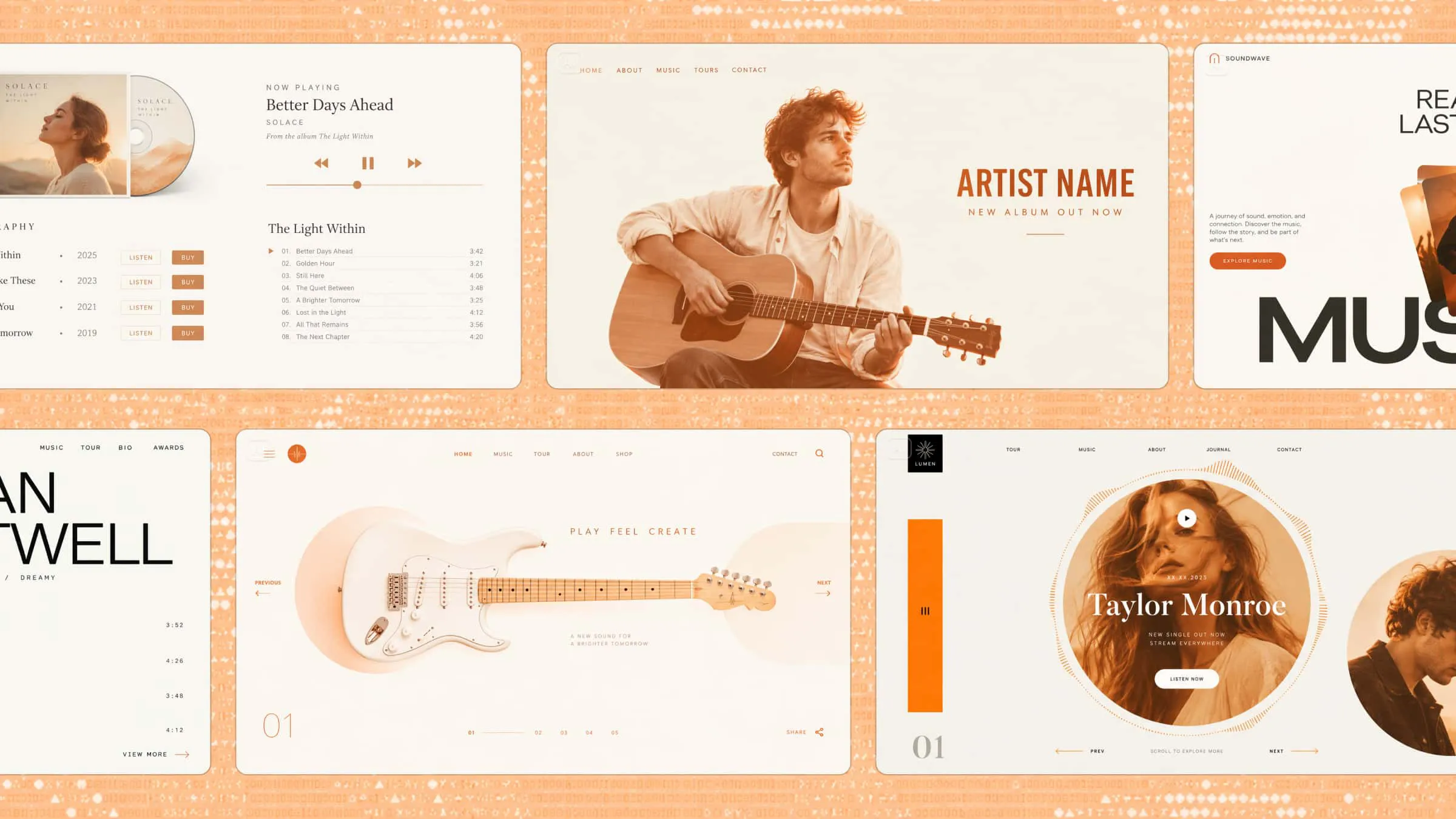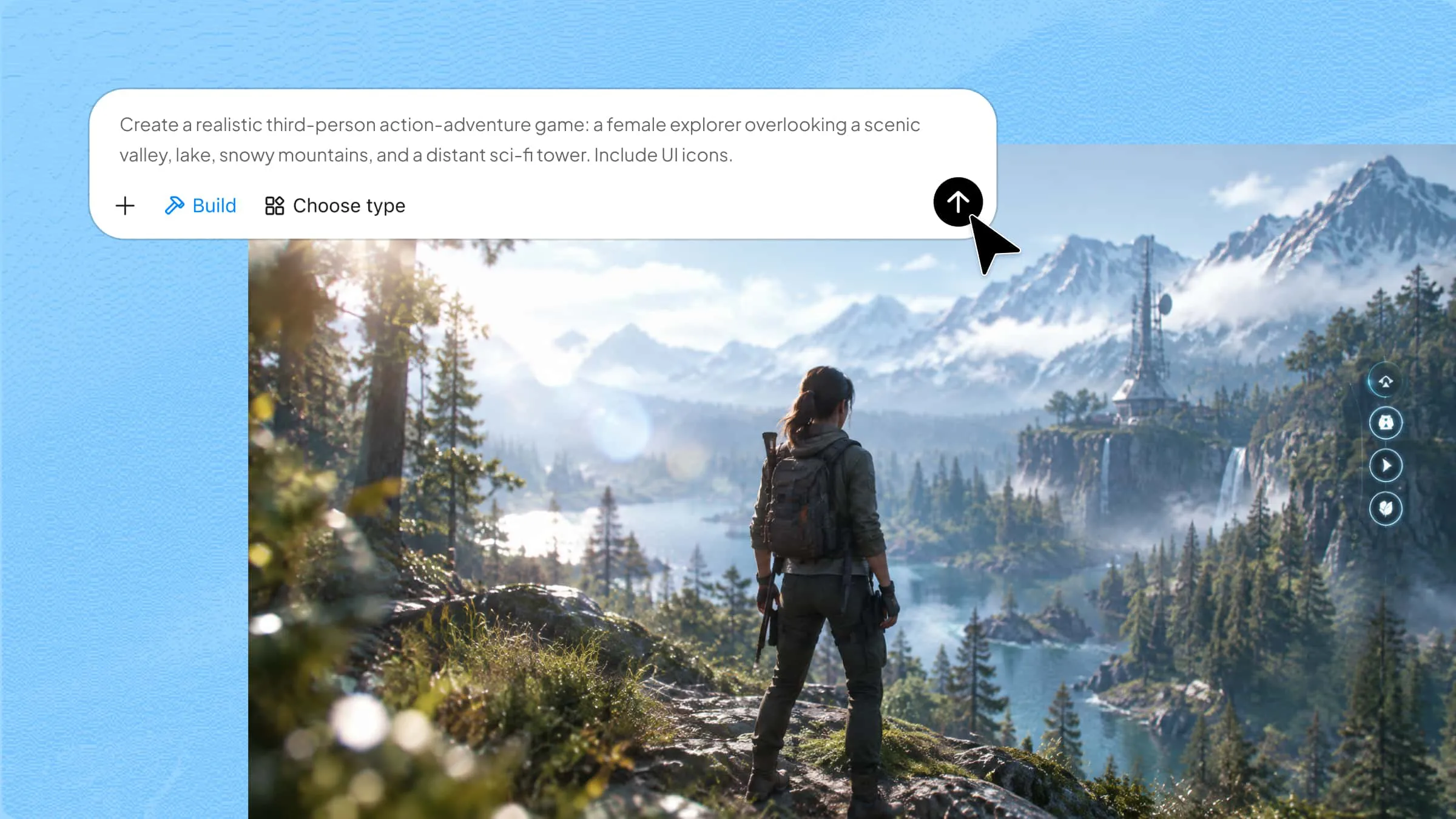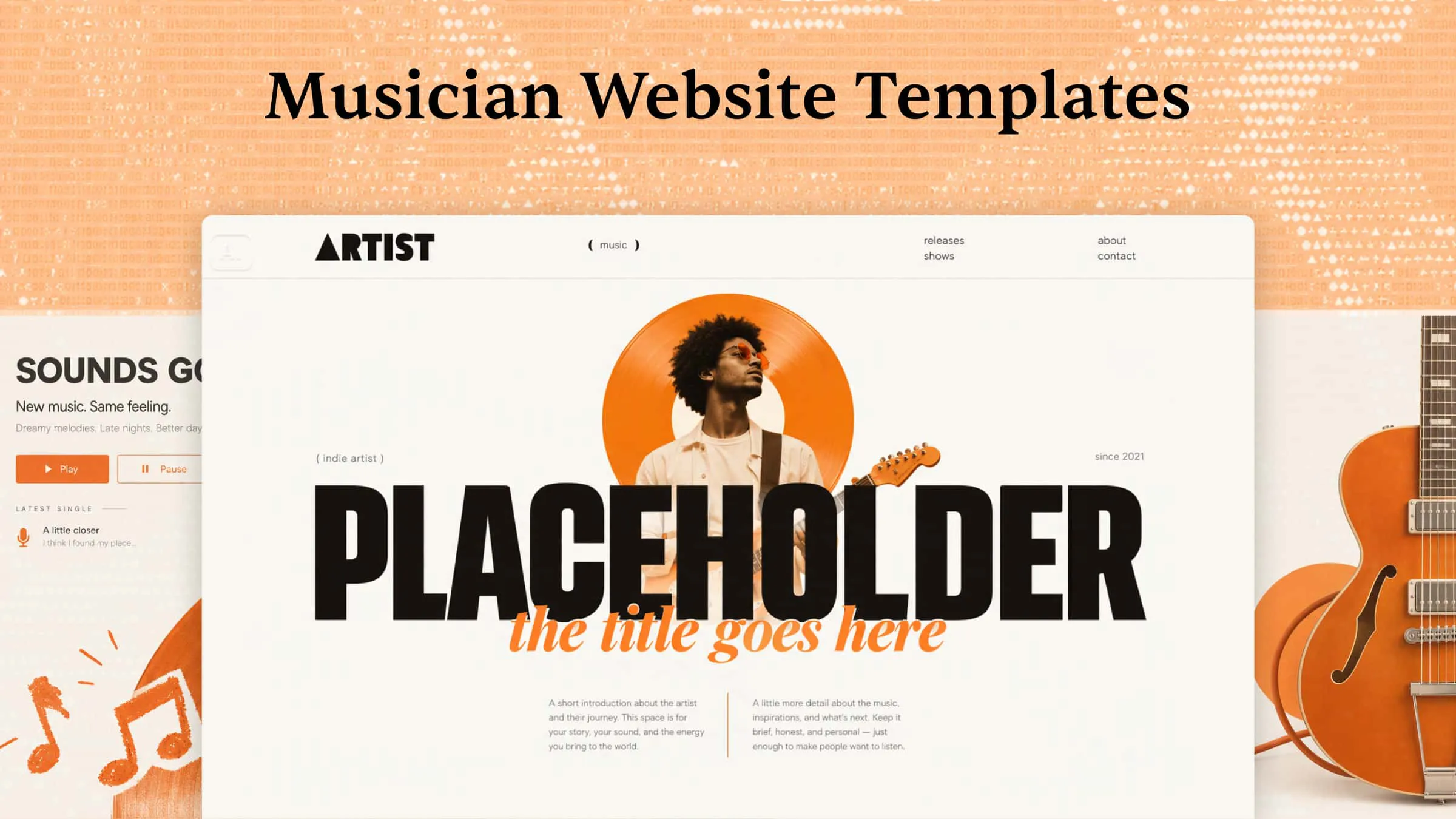
Whether you're an independent artist or part of a band, your website gives fans a place to discover your music, explore upcoming shows, and learn more about you. A well-designed site also makes it easier to share new releases, sell merchandise, and connect with listeners. With inspiring musician website templates, you can create a space that reflects your music and gives visitors a reason to stay. Read this article to find design ideas, or try Kimi Build to create a custom musician website without coding.
A quick glance at 10 website templates for musicians
Each musician has different goals when building an online presence, so the best template depends on what you want your website to achieve. Some designs focus on promoting music and connecting with fans, while others are better suited to showcasing professional work or attracting clients. Here's a table to help you find a music artist website template that matches your needs.
| Website template | Design style | Main purpose | Suitable for |
|---|---|---|---|
| Solo musician | Clean and personal | Build a personal artist identity | Independent artists |
| Band website | Bold and energetic | Promote the band and its music | Music groups |
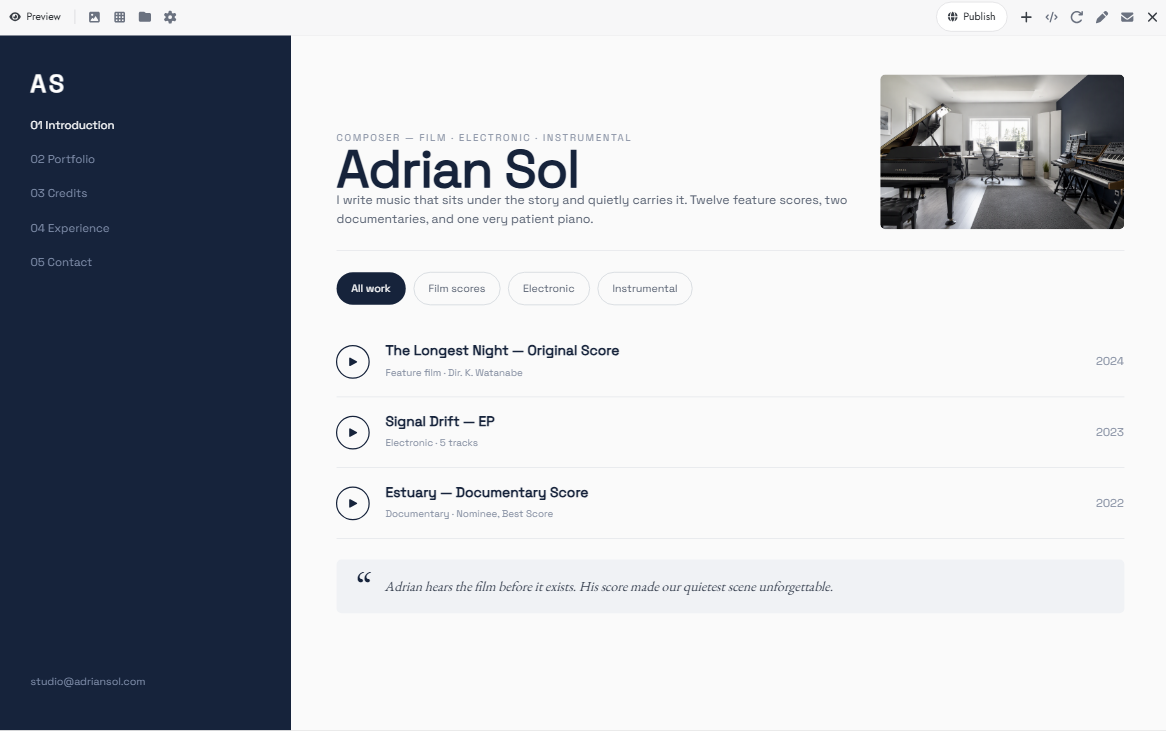
| Music portfolio | Minimal and professional | Showcase creative work | Composers and instrumentalists |
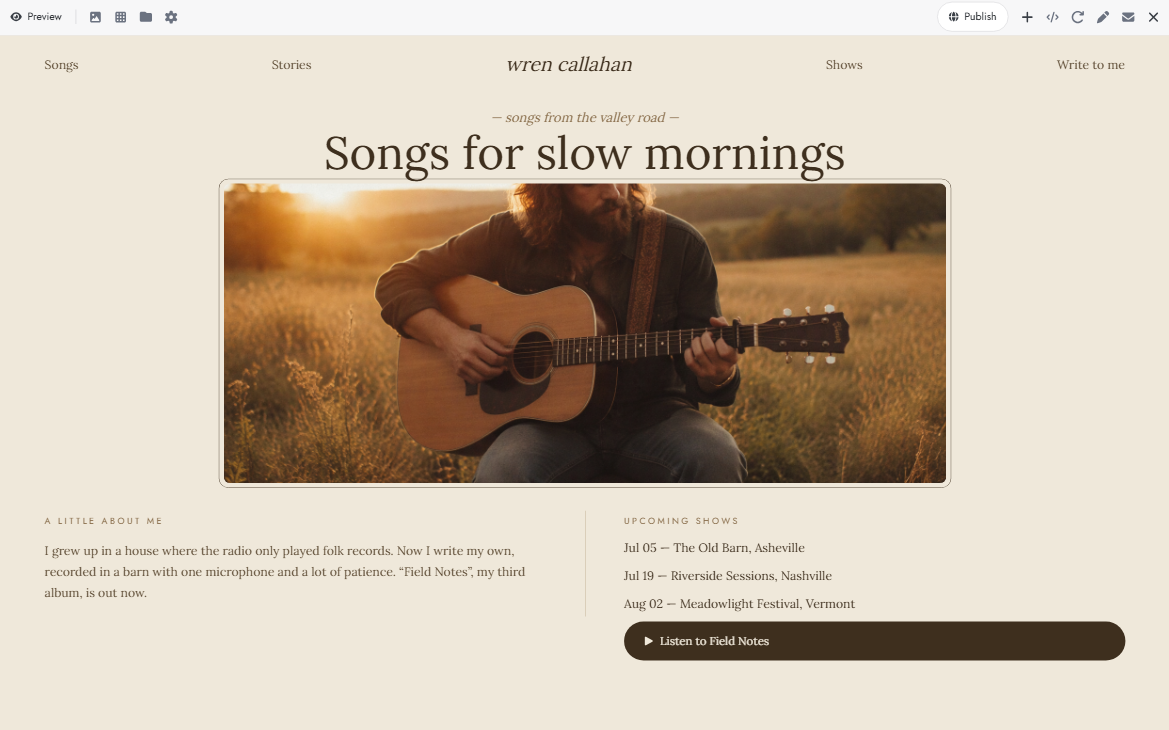
| Singer-songwriter | Warm and artistic | Share music and personal stories | Solo vocalists |
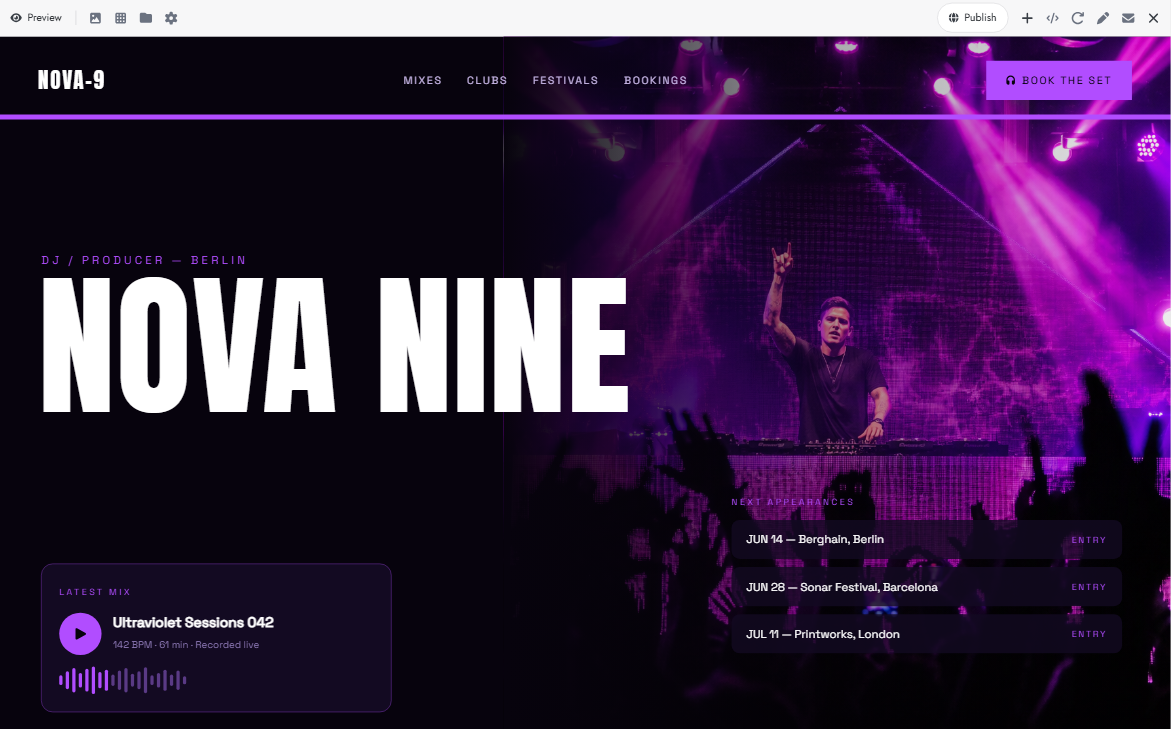
| DJ website | Futuristic and vibrant | Promote sets and live appearances | DJs and electronic artists |
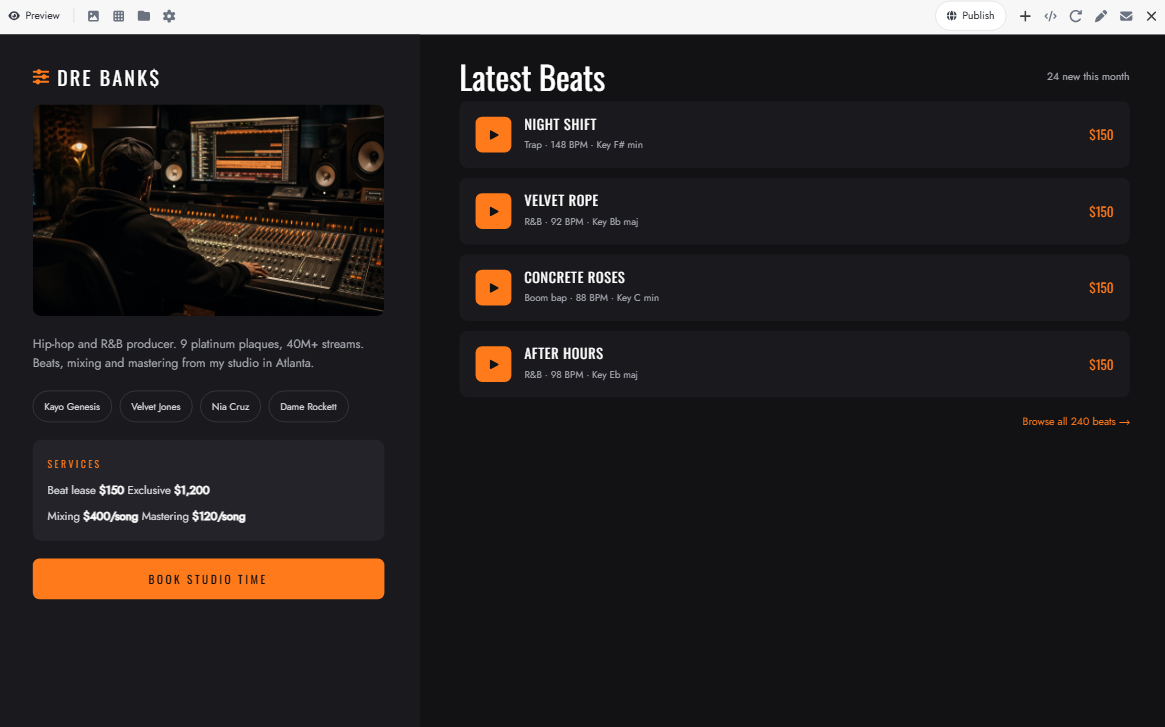
| Music producer | Sleek and modern | Attract clients and sell production services | Beatmakers and producers |
| Classical musician | Elegant and refined | Highlight musical achievements | Classical performers |
| Concert and tour | Dynamic and event-focused | Promote upcoming performances | Touring artists |
| Music teacher | Friendly and welcoming | Attract students and manage lesson inquiries | Instrument instructors |
| Recording artist | Cinematic and polished | Promote releases and grow a fanbase | Professional recording artists |
Explore 10 popular musician website templates
Every musician has a unique sound and visual identity, and their website can reflect both. Created with Kimi Build, an AI website builder, these 10 musician website examples demonstrate how different layouts, visual styles, and interactive features can showcase music, introduce artists, promote upcoming performances, and connect with fans. Explore the examples for design inspiration and ideas for your own musician website.
Solo musician website template
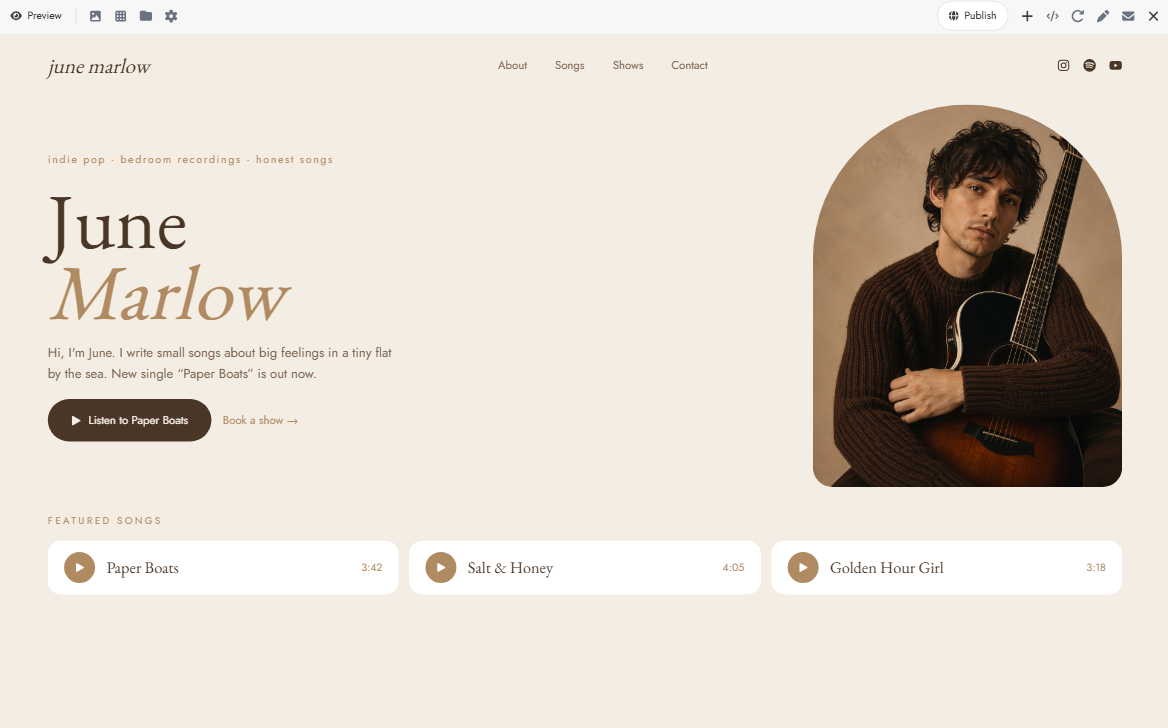
A solo musician website should give visitors a closer look at your music, personality, and creative journey. Use a clean layout with a featured music section, a short artist introduction, and links to your latest releases. You can also add performance dates and social media links so fans can easily follow your work.
How to use
Step 1: Enter your prompt
Describe your music genre, preferred colors, and the sections you want on your website. Mention the style you want, so the design reflects your personality as an artist.
Prompt:
Step 2: Let AI generate your website
Kimi Build will create the layout and add the sections based on your prompt. Review the design and check how the music player, biography, and release sections look.
Step 3: Review and publish the website
Add your artist's name, photographs, biography, and music links. Check the contact details and social media links before publishing.
Band website template
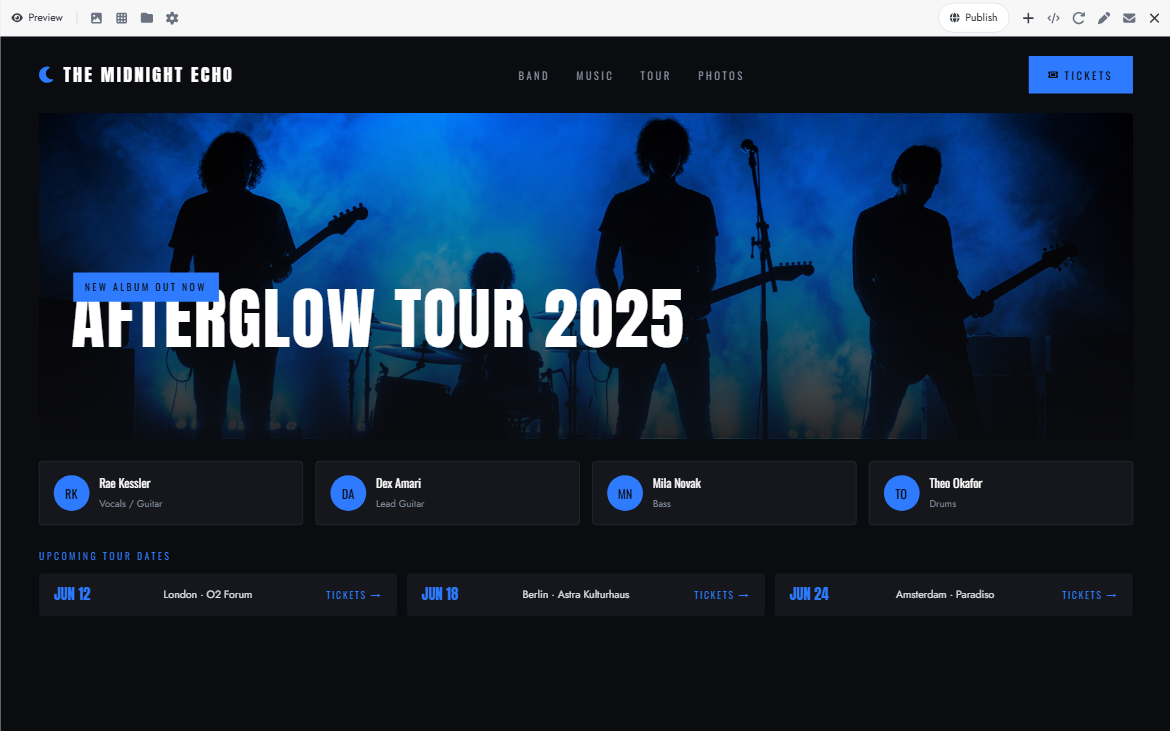
A band website brings the whole group together in one place. It should introduce band members, showcase popular tracks, and give fans a look at upcoming performances. Album artwork and live show photographs can also help visitors connect with your band's identity.
How to use
Step 1: Enter your prompt
Mention your band's genre, visual style, and the sections you want, such as member profiles, albums, and tour dates.
Prompt:
Step 2: Let AI generate your website
Kimi Build will organize your band information into a complete website. Review the member profiles, music sections, and tour layout.
Step 3: Review and publish the website
Upload band photos, member details, and album covers. Add current tour dates and test the music players and ticket links before publishing.
Music portfolio website template
A music portfolio website helps musicians present their creative work in one organized place. It gives you space to highlight your best compositions, recordings, collaborations, and music projects. A simple gallery layout makes it easier for potential clients and collaborators to explore your work.
How to use
Step 1: Enter your prompt
Describe the type of music you create and the projects you want to showcase. Include details about audio samples, collaborations, and your professional experience.
Prompt:
Step 2: Let AI generate your website
Kimi Build will create your portfolio layout with dedicated project and audio sections. Review how the projects are displayed and how easily visitors can explore them.
Step 3: Review and publish the website
Upload your best compositions, add project descriptions and collaboration credits, and test the audio previews and contact form before publishing.
Singer-songwriter website template
A singer-songwriter website should feel personal and connected to the stories behind your music. Use it to introduce yourself, highlight original songs, and share the inspiration behind your lyrics. You can also feature album releases, acoustic performances, and upcoming shows.
How to use
Step 1: Enter your prompt
Describe your musical style and the mood you want your website to create. Mention sections for original songs, albums, your story, and live performances.
Prompt:
Step 2: Let AI generate your website
Kimi Build will turn your description into a personal artist's website. Check the song sections, biography, and visual style to ensure they match your music.
Step 3: Review and publish the website
Add your original songs, album artwork, performance videos, and personal story. Update your show dates and check all links before publishing.
DJ website template
A DJ website needs an energetic design that captures the atmosphere of live sets and electronic music. It should feature mixes, upcoming club appearances, festival dates, and booking information. Bold visuals and a dark color scheme can help create a strong identity.
How to use
Step 1: Enter your prompt
Mention your DJ genre, preferred visual style, and the mixes or events you want to promote.
Prompt:
Step 2: Let AI generate your website
Kimi Build will create the website with dedicated sections for your mixes, events, and artist profile. Review the layout and make sure the event information stands out.
Step 3: Review and publish the website
Upload your DJ mixes, promotional photos, and biography. Add event dates and booking details, then test the audio players and links before publishing.
Music producer website template
A music producer website should highlight your production skills and make it easy for artists to explore your work. Include sample beats, recording projects, mixing and mastering services, and client collaborations. A professional layout can also help attract musicians looking for production support.
How to use
Step 1: Enter your prompt
Describe your production style and the services you offer. Specify the audio samples, project gallery, and booking details you want to include.
Prompt:
Step 2: Let AI generate your website
Kimi Build will organize your services, beats, and projects into a professional website. Review the audio sections and service descriptions.
Step 3: Review and publish the website
Upload your beats, production samples, and project credits. Add your service details and booking information, then test everything before publishing.
Classical musician website template
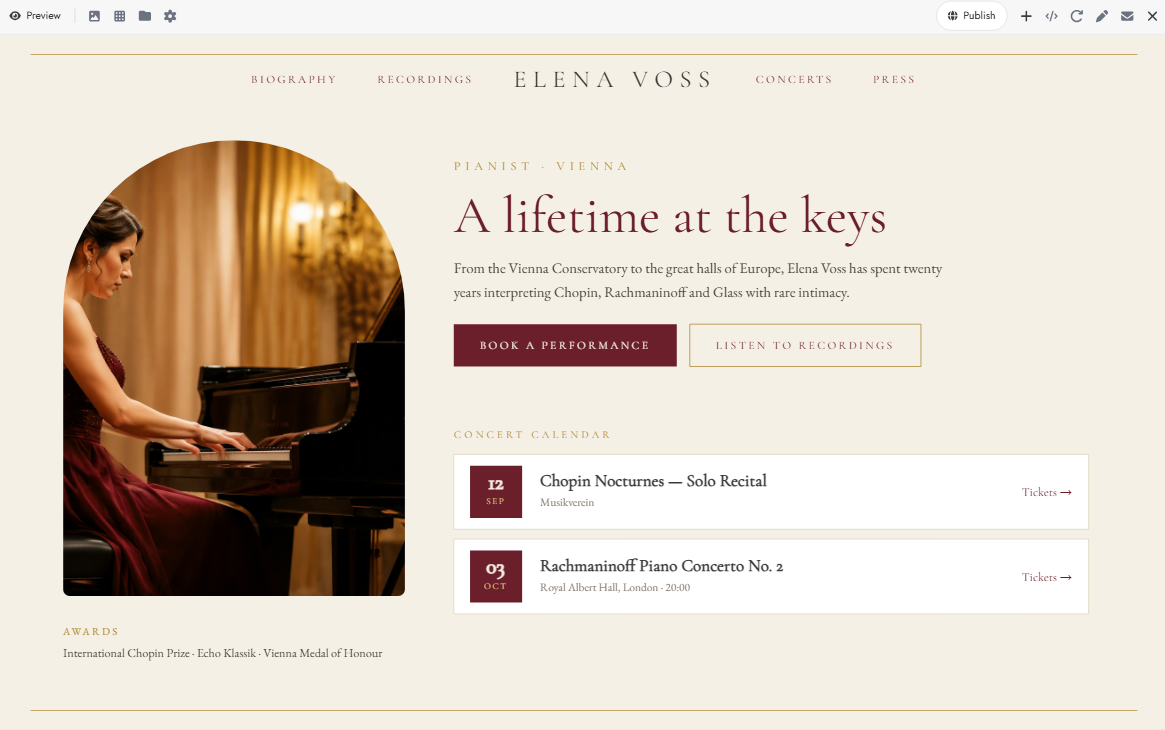
Classical musicians can use their websites to showcase their performances, musical training, and professional achievements. A refined design with concert photographs and recordings helps communicate their artistic style. You can also include upcoming recitals, awards, and booking information.
How to use
Step 1: Enter your prompt
Mention your instrument, musical background, and the performances or achievements you want to highlight.
Prompt:
Step 2: Let AI generate your website
Kimi Build will create an elegant layout with sections for your musical background and performances. Review the design and check how recordings and achievements are presented.
Step 3: Review and publish the website
Add your concert recordings, professional photographs, awards, and upcoming recital dates. Check the booking details and media links before publishing.
Concert and tour website template
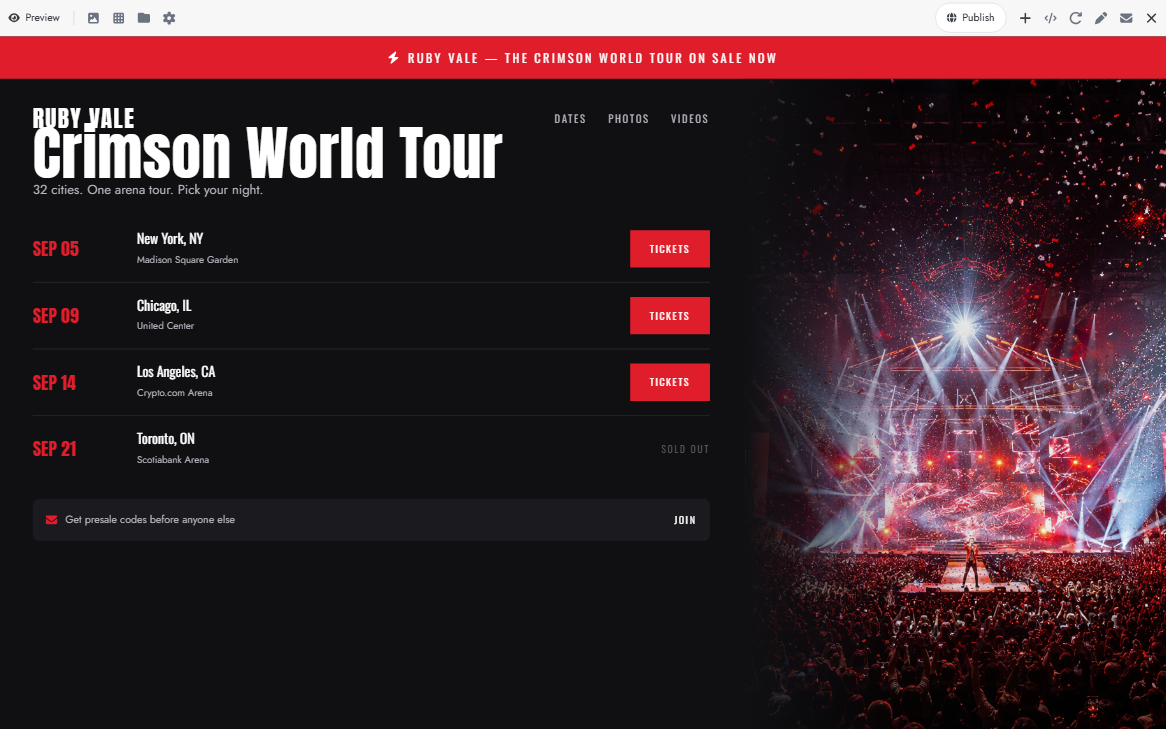
A concert and tour website helps musicians keep fans informed about their upcoming performances. It should make event dates, venues, locations, and ticket information easy to find. You can also feature concert photographs and videos to build excitement around future shows.
How to use
Step 1: Enter your prompt
Describe the type of concerts you organize and the information fans need before attending. Request dedicated sections for tour dates, venues, tickets, and event highlights.
Prompt:
Step 2: Let AI generate your website
Kimi Build will arrange your events and concert information into a dedicated tour website. Review the event listings and ticket sections.
Step 3: Review and publish the website
Add confirmed dates, venue details, ticket links, and concert photos. Test every event link and update the schedule before publishing.
Music teacher website template
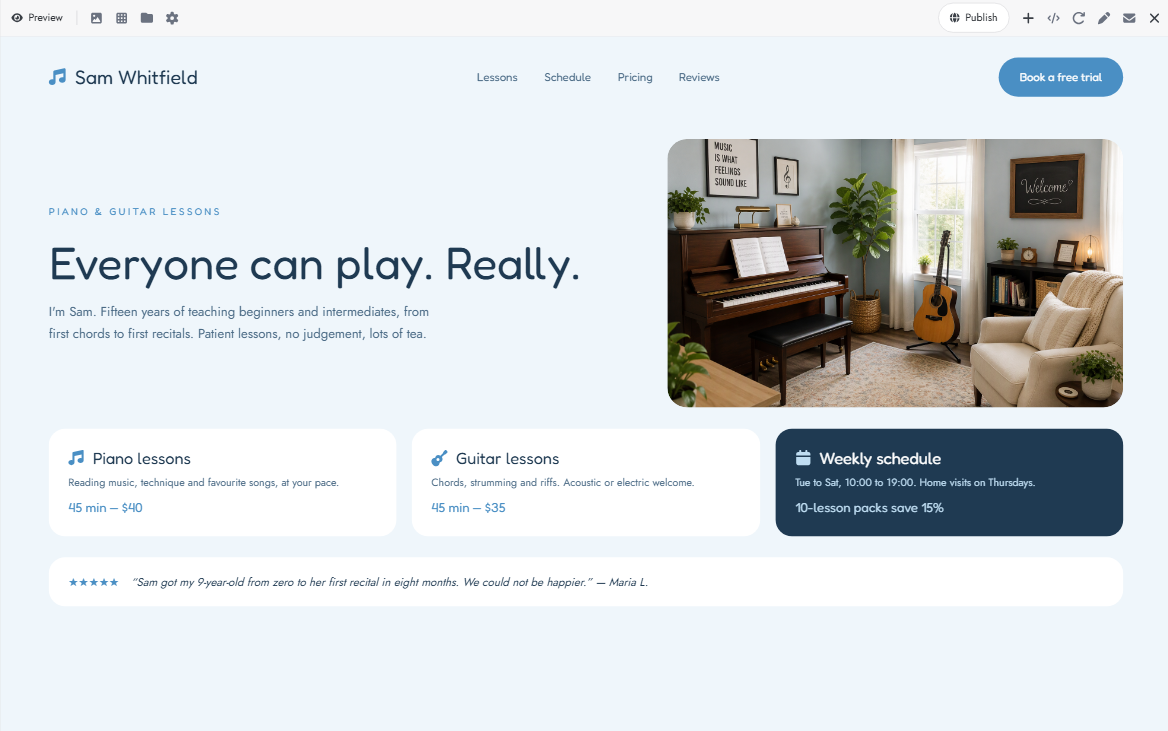
A music teacher website should help students understand what you teach and how they can start learning. Include your instruments, lesson options, teaching experience, and available class schedules. A simple design with a clear booking section makes it easier for students and parents to get in touch.
How to use
Step 1: Enter your prompt
Mention the instruments you teach, your lesson formats, and the type of students you work with. Include sections for courses, schedules, and lesson bookings.
Prompt:
Step 2: Let AI generate your website
Kimi Build will create a website with dedicated sections for lessons, teaching experience, and bookings. Check that students can easily understand the available classes.
Step 3: Review and publish the website
Add your qualifications, lesson prices, schedule, and contact details. Test the booking form and update class availability before publishing.
Recording artist website template
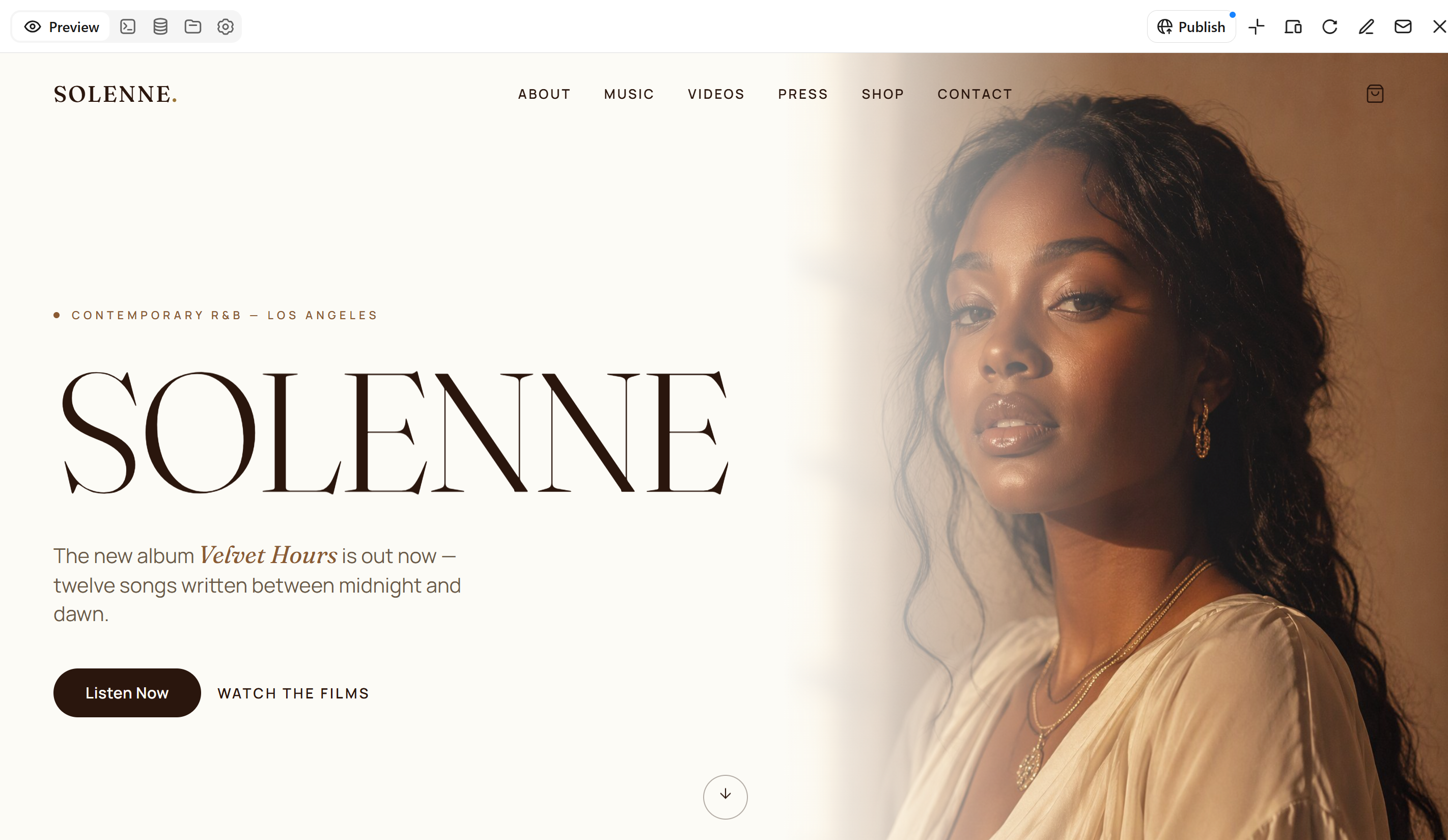
A recording artist website gives listeners a central place to discover your music and follow your career. Feature your latest singles, albums, music videos, and artist biography in an engaging layout. You can also add streaming links, merchandise, and social media profiles to keep fans connected.
How to use
Step 1: Enter your prompt
Describe your artist identity, music genre, and latest releases. Specify the streaming platforms, music videos, and merchandise you want to feature.
Prompt:
Step 2: Let AI generate your website
Kimi Build will create the artist website with sections for releases, videos, and merchandise. Review how the content is arranged and whether the design matches your artistic identity.
Step 3: Review and publish the website
Add your official music links, album artwork, videos, and merchandise details. Check the streaming and shopping links before publishing.
Why choose Kimi Build to create your musician website
A musician's website should feel as unique as their sound. Kimi Build helps you create a custom website from simple text prompts, without writing code. Here's what you can do with it.
Create a musician website from prompts and visual references: Describe your music genre, artistic identity, target audience, and preferred design direction using natural-language prompts. You can also upload album covers, promotional photos, concert posters, screenshots, or other visual references. Kimi Build combines your ideas and uploaded materials to generate a customized musician website without requiring coding skills.
Showcase your music with polished, interactive designs: Present your singles, albums, music videos, live recordings, and upcoming performances through visually engaging layouts. Add interactive elements and multimedia sections to make it easier for fans to explore your releases, learn about your music, and stay connected with your work.
Customize your website with AI-powered editing: Enter prompts in the chat box to update text, adjust layouts, replace images, or add new sections. You can also click Edit to comment on specific elements and request targeted changes, or manually fine-tune individual design details. Version history lets you revisit previous designs and restore earlier versions when needed.
Preview, publish, and share your musician website: Switch between desktop and mobile previews to check how your website adapts to different screen sizes. Once you're satisfied with the design, publish it with a shareable link, so fans, collaborators, and potential clients can easily explore your music and professional profile.
Tips for creating a musician's website
Your website is often one of the first places people visit to learn more about your music. A few simple choices can make it easier for them to find your songs, follow your performances, and stay connected. Keep these tips in mind while designing your site.
Define your musical identity
Start by deciding how you want people to recognize your music and artistic style. Choose colors, fonts, images, and wording that match your genre and personality. Keep these elements consistent across your website to create a recognizable identity.
Feature your music prominently
Make your songs, albums, and latest releases easy to find as soon as visitors land on your website. Add audio players, album artwork, and links to streaming platforms so people can listen without searching through multiple pages. Highlight your most popular or recent work to catch their attention.
Use high-quality photos and visuals
Choose clear, professional photographs that show your personality and give visitors a feel for your music. Use album covers, performance shots, and behind-the-scenes images to make your website more engaging. Keep image quality consistent and avoid overcrowding pages with too many visuals.
Keep your event information up to date
Add upcoming concerts, live performances, and tour dates so fans know where they can see you. Include important details such as dates, venues, locations, and ticket links. Remove past events or move them into a separate section to keep the information useful.
Include clear contact and booking information
Make it easy for event organizers, clients, and fans to reach you. Add a dedicated contact page or booking form with your email address and social media links. If you accept performance or collaboration requests, clearly mention the details people should include in their inquiries.
Optimize the website for mobile devices
Many fans will visit your website using their phones, so make sure every section works well on smaller screens. Use readable text, properly sized images, and buttons that are easy to tap. Test your music players, menus, and booking forms on mobile devices before publishing.
Keep the navigation simple
Organize your website into clear sections such as Home, Music, About, Events, and Contact. Use straightforward menu labels so visitors can quickly find the information they need. Avoid adding too many pages or complicated menus that make browsing difficult.
Conclusion
Your website can become an important part of your music career, helping you build connections and reach new listeners. Musician website templates above offer different ways to present your work and share your story. Choose a design that fits your goals and gives your music room to shine. If you want something more personal, give Kimi Build a try. Turn your ideas into a custom musician website without writing code.