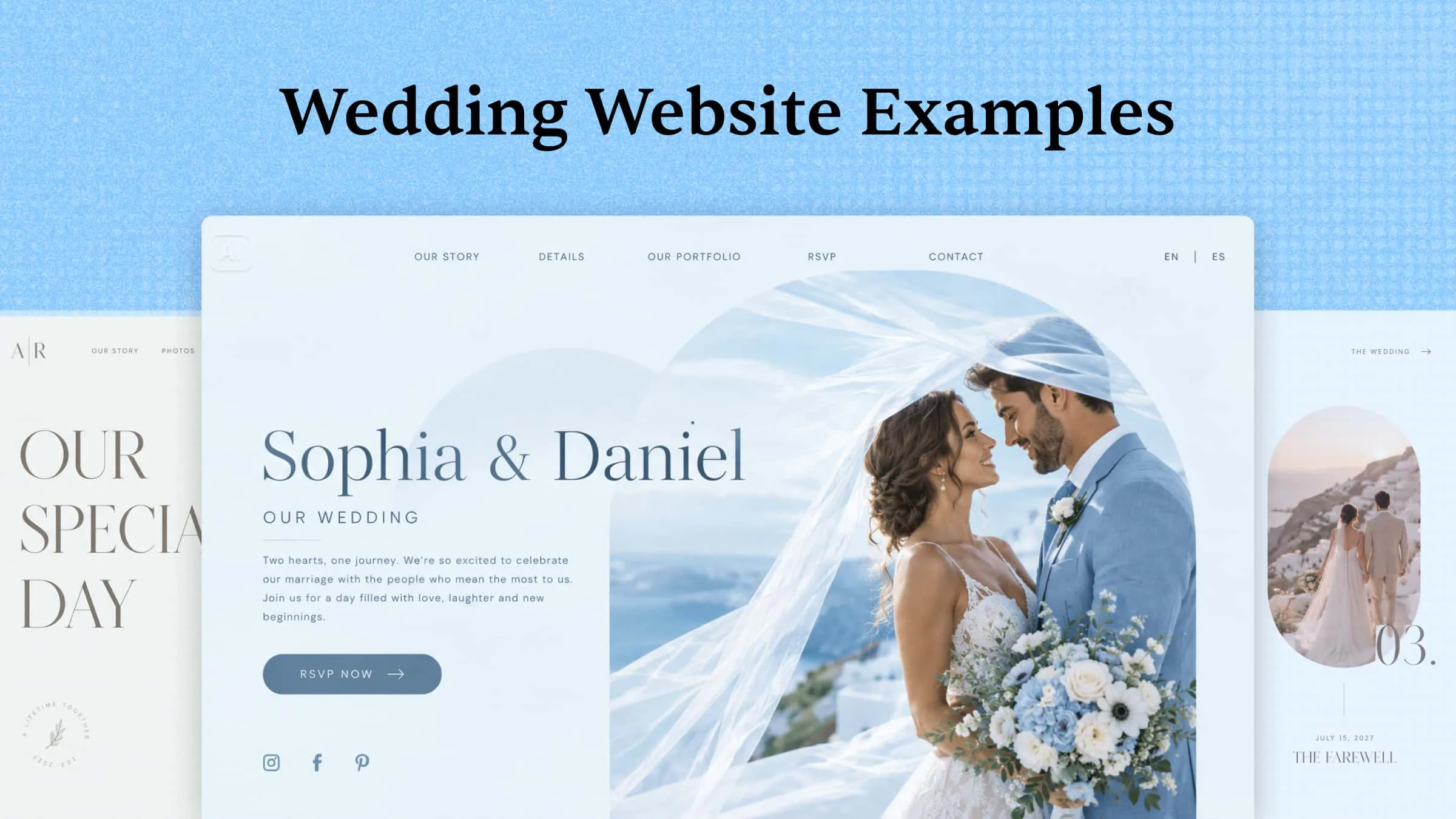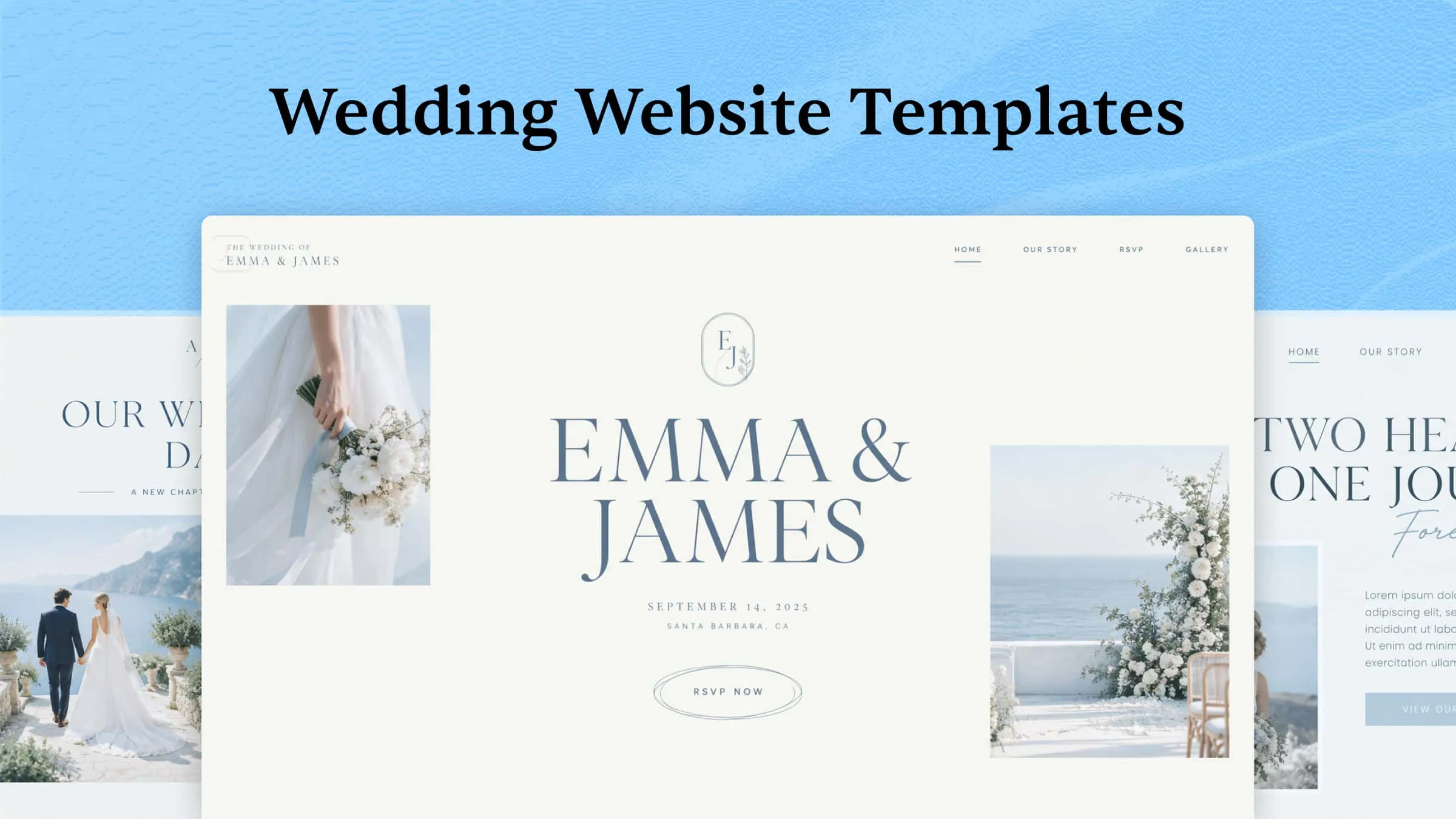
Your wedding website is often the first glimpse guests get of your big day, but building one from scratch can feel like another stressful item on an already packed to-do list. Picking the right wedding website templates saves you hours of design work, and it gives your love story a beautiful home online. The difficult part is that there are thousands of options, and many look alike or miss the mood you want. In this article, you will discover 10 romantic wedding website templates, see what makes each one special, and find the perfect match for your celebration.
Overview of 10 wedding website templates
Every couple has their own style, venue, and guest needs, so the right wedding website template depends on the kind of wedding you're planning. Use the table below to compare these 10 wedding website templates and find the one that best fits your celebration.
| Wedding website template | Key features | Essential sections | Main purpose | Suitable for |
|---|---|---|---|---|
| Rustic | Earthy tones, wood textures | Venue directions, photo gallery | Bring cozy countryside charm online | Barn, farm, and countryside weddings |
| Minimalist | Clean layout, neutral colors | Love story, RSVP form | Keep the design simple and modern | Small, modern, or city weddings |
| Bohemian | Terracotta hues, macramé patterns | Dress code page, music playlist | Show a relaxed, free-spirited vibe | Beach, desert, and outdoor weddings |
| Classic elegant | Serif fonts, navy and gold colors | Event schedule, registry links | Reflect tradition and timeless style | Ballroom, church, and black-tie weddings |
| Beach | Ocean blues, seashell details | Attire tips, accommodation options | Capture a breezy coastal feel | Seaside and tropical resort weddings |
| Destination | Travel photos, location maps | Flight details, hotel options | Help guests plan their trip | Weddings in another city or country |
| Romantic floral | Watercolor flowers, pastel shades | Engagement gallery, love story | Create a soft and dreamy mood | Spring, summer, and garden-style weddings |
| Vintage | Art deco fonts, sepia photos | "How we met" story, family photos | Add nostalgic, old-world charm | Historic mansions and retro-themed venues |
| Modern editorial | Full-width photos, bold headlines | Photo story, couple Q&A | Give the site a magazine-style look | City, rooftop, and gallery weddings |
| Garden | Leafy greens, botanical illustrations | Parking info, rain backup plan | Highlight an open-air setting | Botanical gardens and backyard weddings |
10 popular wedding website templates you need to try
The right wedding website template depends on your wedding theme, guest list, and the details you want to share. Some designs put RSVPs and event schedules first, while others focus on your love story, photo gallery, or travel info for out-of-town guests. Browse these 10 picks to find a layout that fits your celebration.
Kimi Build, an AI website builder, can help you create a wedding website template by turning your ideas into a custom design. Describe your wedding style, color palette, and key pages like RSVP, registry, or venue details in a prompt. The AI generates a template layout that you can review and refine. You only have to adjust the sections, images, and fonts to suit your theme before publishing.
Rustic wedding website template
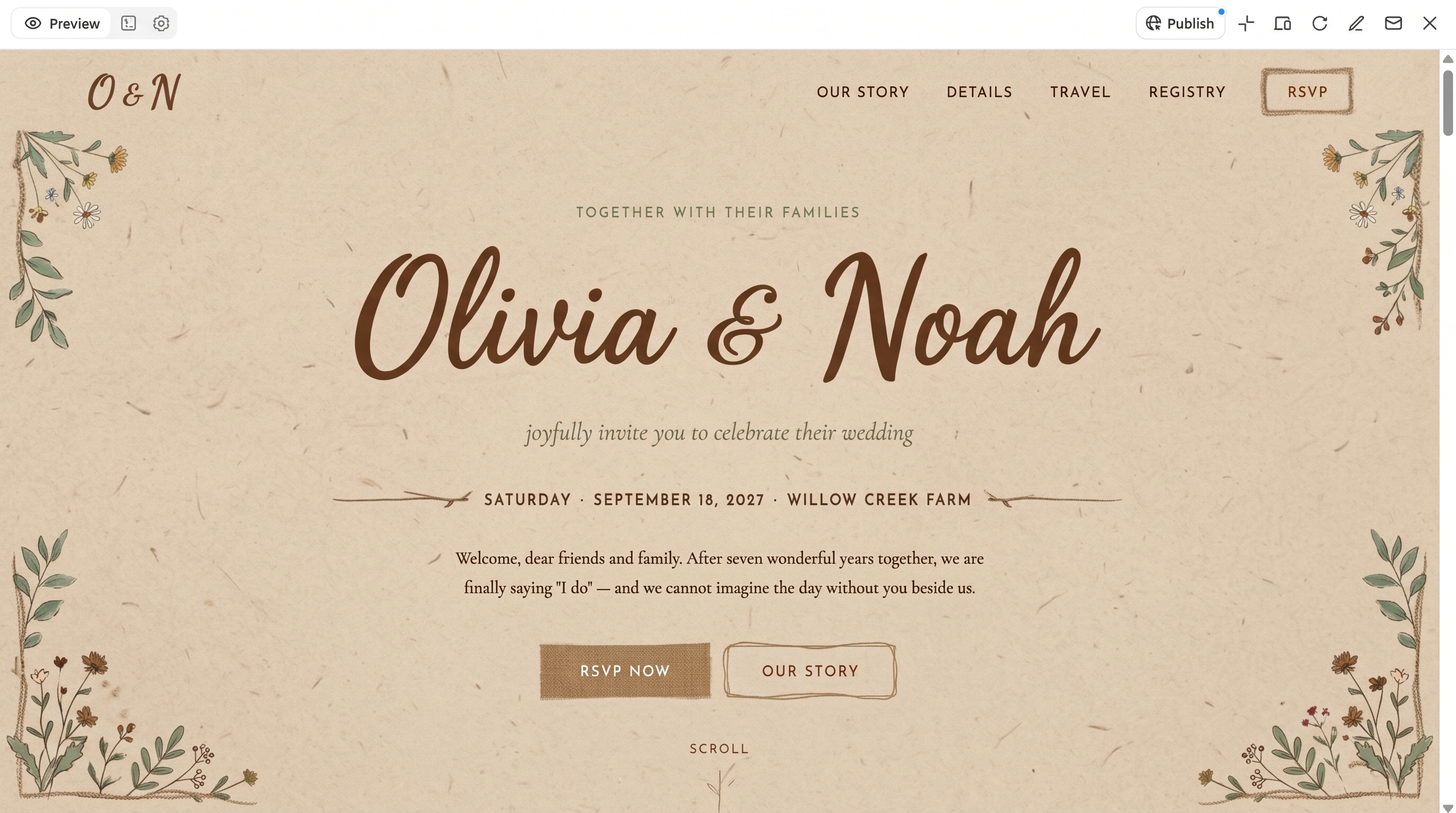
A countryside wedding needs a website that captures warmth, charm, and a love for the outdoors. This rustic wedding event website template suits couples hosting their big day at a barn, farm, vineyard, or garden venue. You should use earthy tones, wood or burlap textures, and hand-drawn floral details to create a cozy feel. You can also include venue directions and local stay options to help guests plan their trip to your rural location.
How to use
Step 1: Enter your prompt
Go to Kimi Build and type a prompt about your barn or countryside wedding theme, earthy colors, and key sections.
Prompt:
Step 2: Let AI generate your website
Kimi Build will build your rustic wedding site. Look over the photo gallery, event schedule, and venue directions.
Step 3: Review and publish the website
Confirm travel and stay details are correct, adjust the text or images, and go live.
Minimalist wedding website template
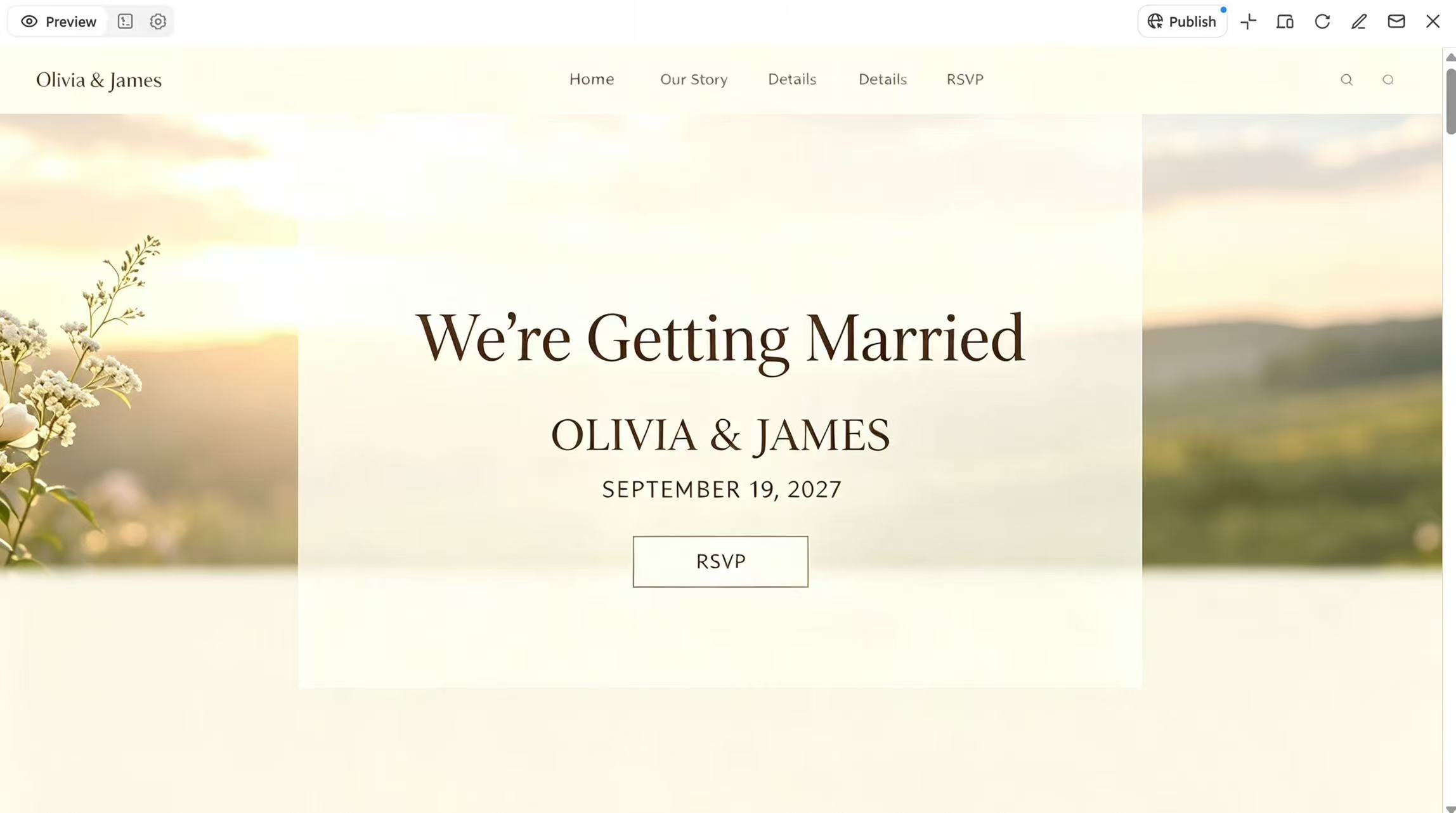
A modern wedding calls for a website that reflects simplicity, elegance, and quiet style. This minimalist wedding website template is a good fit for couples planning small ceremonies, city weddings, or celebrations with a clean, neutral theme. You should use soft colors, plenty of white space, and simple fonts so your names, dates, and photos stand out. You can also add a short timeline of the day and a neat RSVP section to keep every detail easy to find.
How to use
Step 1: Enter your prompt
Open Kimi Build and describe your minimalist wedding style, color palette, and the pages you need.
Prompt:
Step 2: Let AI generate your website
Let Kimi Build create the layout, then check the homepage, love story, and RSVP section.
Step 3: Review and publish the website
Check the names, date, and venue details, make any edits, then publish your website using Kimi Build's publishing options.
Bohemian wedding website template
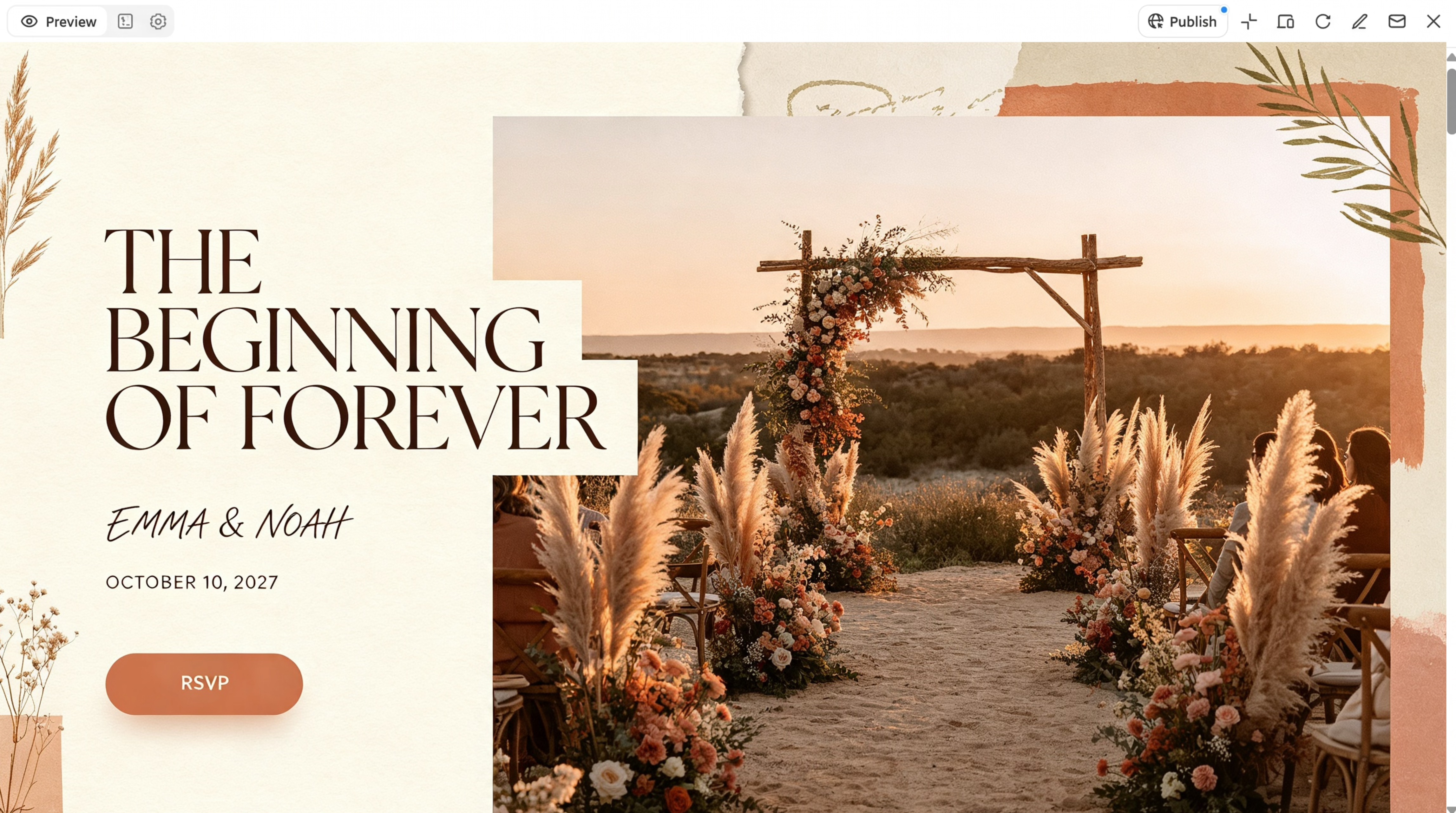
For free-spirited couples, the website should match a relaxed, artistic, and nature-loving vibe. This bohemian wedding website template is ideal for beach ceremonies, desert celebrations, or outdoor gatherings with a carefree feel. Warm terracotta hues, pampas grass, macramé patterns, and playful layouts help show off your laid-back style. Adding a dress code page and a music playlist section can help guests get into the spirit of your boho day.
How to use
Step 1: Enter your prompt
In Kimi Build, write a prompt about your boho wedding vibe, outdoor venue, and must-have pages like dress code and playlist.
Prompt:
Step 2: Let AI generate your website
Kimi Build turns your ideas into a boho-style layout. Check the textures, colors, and event sections.
Step 3: Review and publish the website
Check the dress code, schedule, and RSVP form, make any changes, then share your site online.
Classic elegant wedding website template
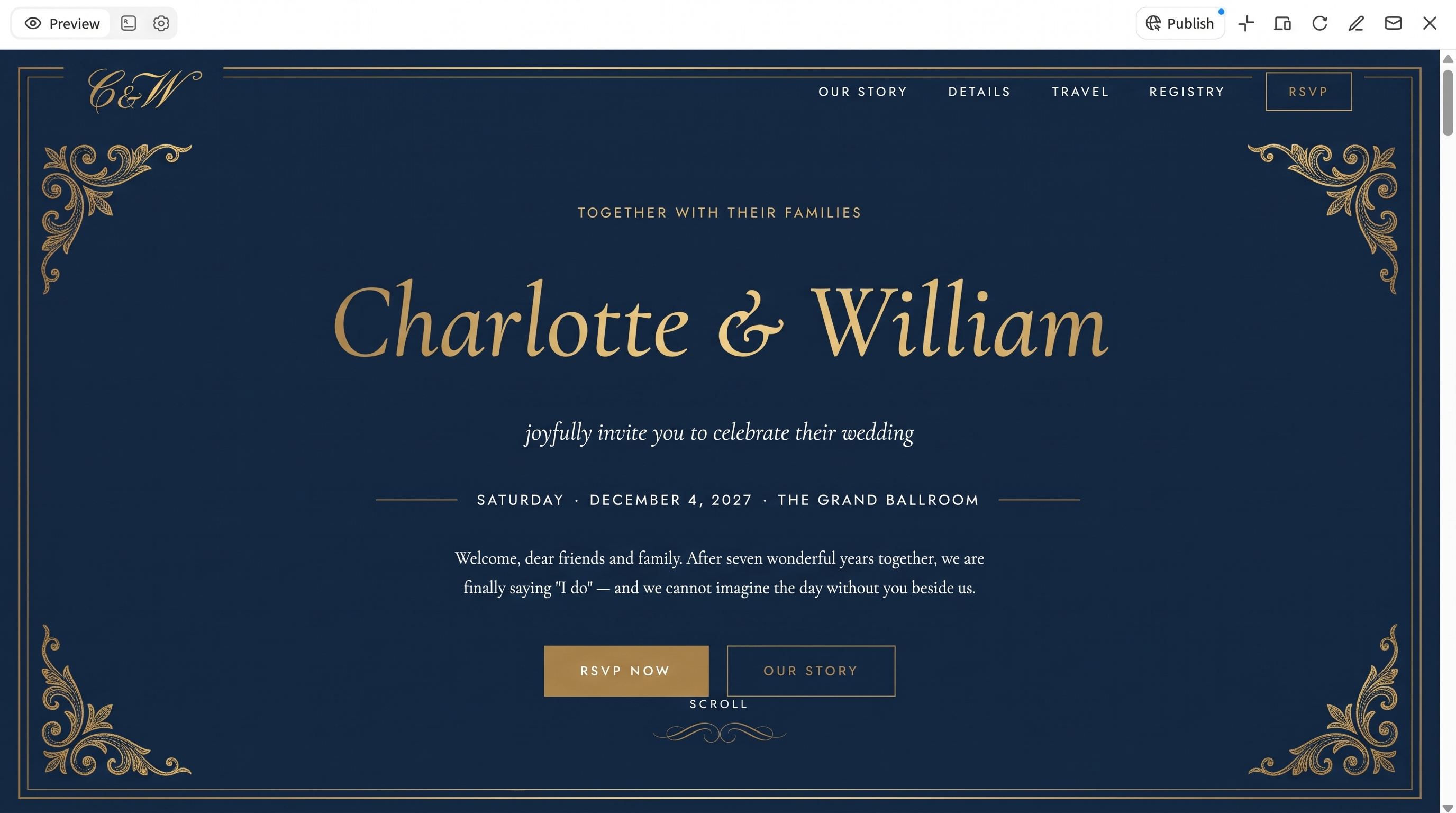
Formal celebrations look best with a website that reflects grace, tradition, and timeless beauty. This classic elegant wedding event website template suits couples planning ballroom receptions, church ceremonies, or black-tie events. Pair rich colors like navy, gold, or ivory with serif fonts and balanced layouts for a refined, polished look. Include a detailed event schedule and registry links, so guests have everything they need in one graceful space.
How to use
Step 1: Enter your prompt
Open Kimi Build and describe your formal wedding, color scheme, and the details guests need, such as dress code and registry.
Prompt:
Step 2: Let AI generate your website
Let Kimi Build build the elegant layout, then review the event schedule, venue info, and registry links.
Step 3: Review and publish the website
Check the timings, dress code, and links, make any changes, then publish using Kimi Build's publishing options.
Beach wedding website template
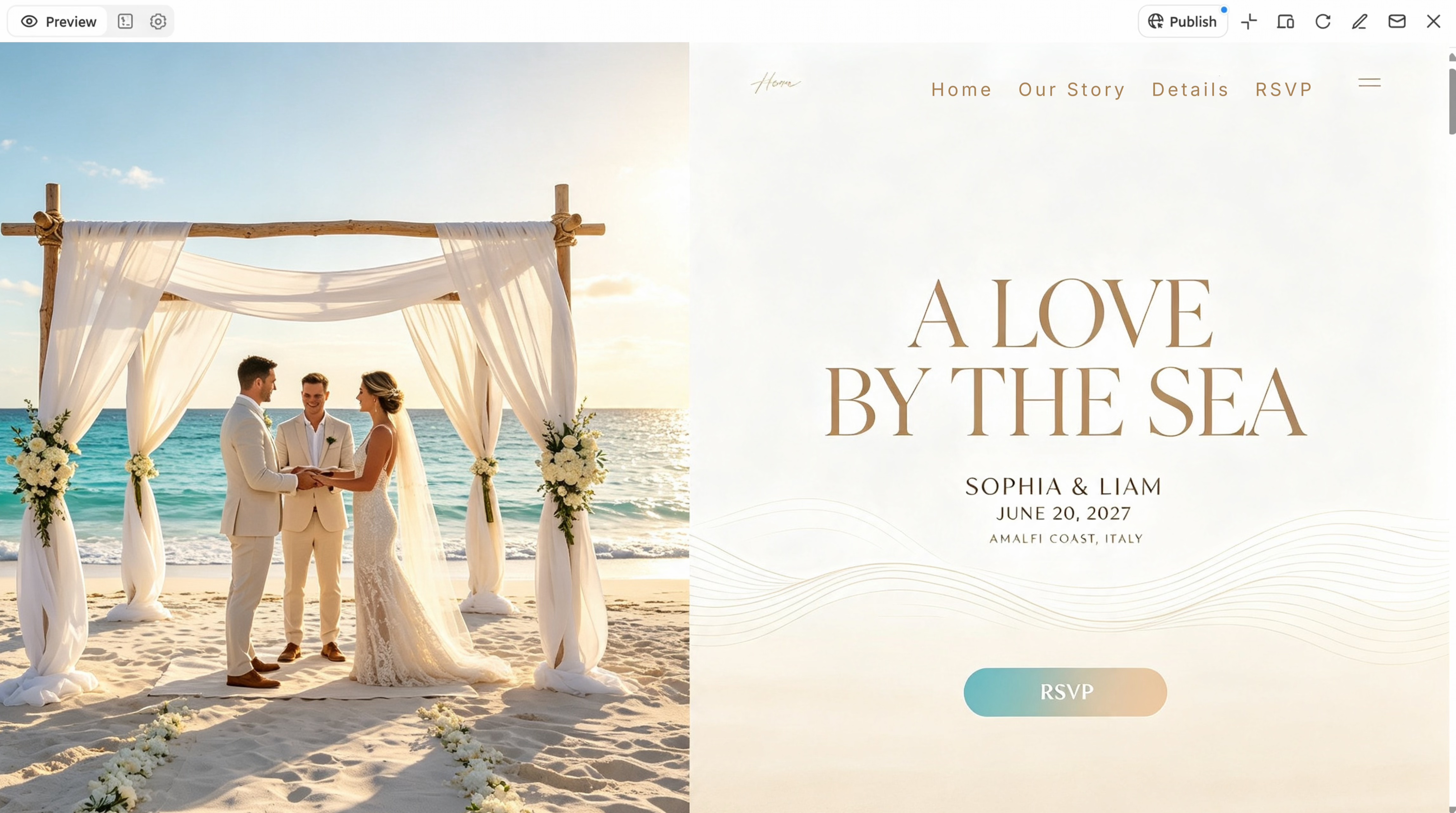
Seaside celebrations need a website that feels breezy, bright, and full of coastal charm. This beach wedding website template is perfect for couples exchanging vows on the sand, at a tropical resort, or along a quiet shoreline. Use ocean blues, sandy beige, and coral accents with seashell or wave details to create a fresh, sunny look. You can also add tips on what to wear and the ceremony time, so guests can enjoy the golden-hour moment.
How to use
Step 1: Enter your prompt
Go to Kimi Build and describe your seaside wedding, coastal colors, and key details like ceremony time and attire tips.
Prompt:
Step 2: Let AI generate your website
Kimi Build generates your beach-themed site. Check the photo gallery, location section, and accommodation options.
Step 3: Review and publish the website
Confirm the ceremony time and venue location, adjust any sections, then launch your website.
Destination wedding website template
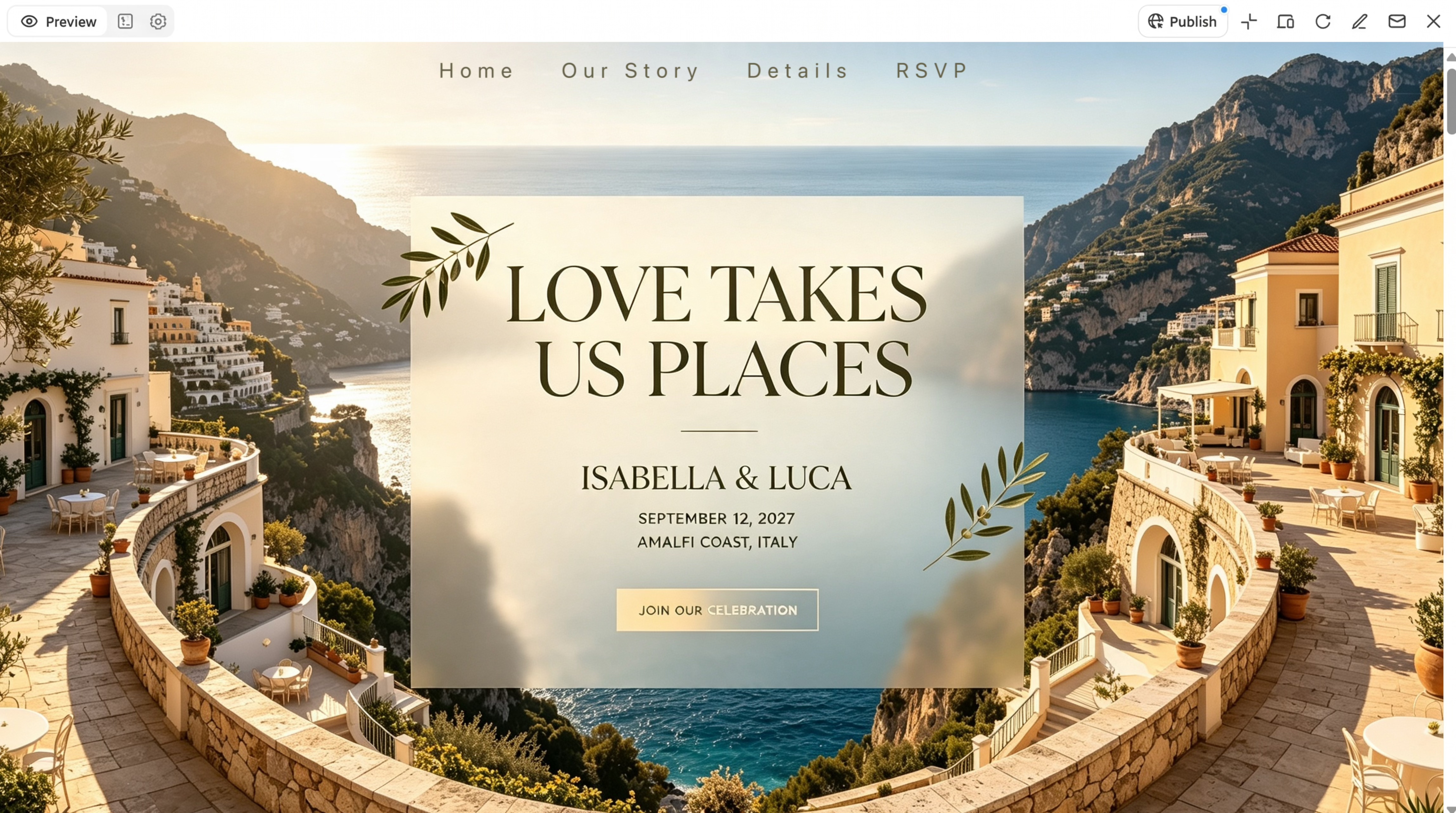
Weddings held far from home call for a website that keeps guests informed, organized, and excited for the trip. This destination wedding website template suits couples tying the knot in another city, country, or island getaway. Choose a clean layout, clear navigation, and bright travel photos to help visitors find details quickly. Including flight info, hotel options, and local attractions makes it easier for everyone to plan their journey.
How to use
Step 1: Enter your prompt
Open Kimi Build and describe your wedding location, travel needs, and the guest info you want to include.
Prompt:
Step 2: Let AI generate your website
Let the AI create your destination wedding site, then review the travel, hotel, and schedule sections.
Step 3: Review and publish the website
Double-check flight details, hotel links, and visa notes, make edits, then publish the site.
Romantic floral wedding website template
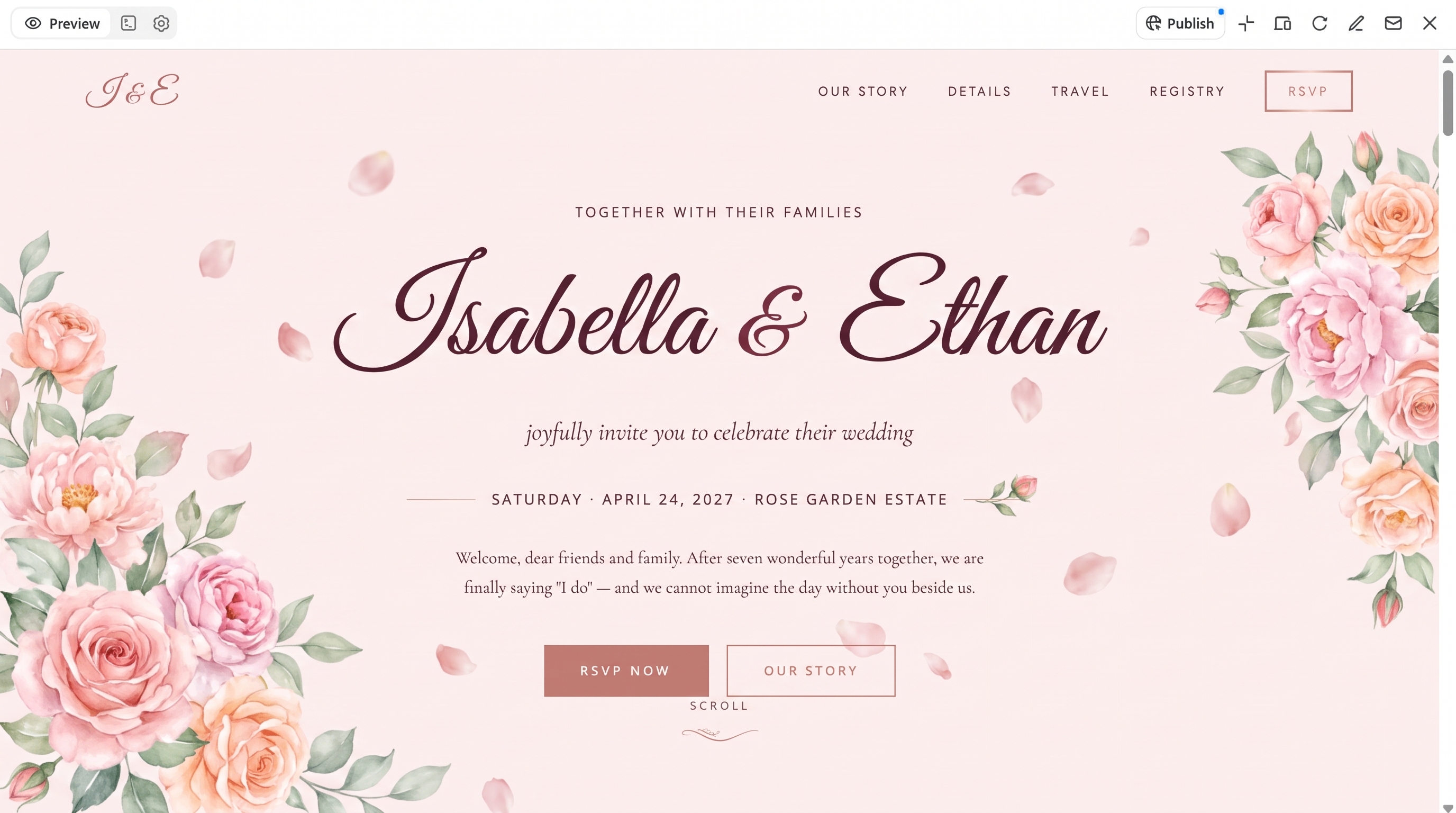
Garden-inspired weddings deserve an online space that feels soft, dreamy, and full of love. This romantic floral wedding website template works well for spring and summer weddings, garden parties, or any couple who adores blooms. Use pastel shades, delicate watercolor flowers, and graceful script fonts to set a tender mood. You can also share your love story and a gallery of engagement photos to give visitors a sweet look at your journey together.
How to use
Step 1: Enter your prompt
Open Kimi Build and describe your floral theme, pastel colors, and the sections you want for your love story.
Prompt:
Step 2: Let AI generate your website
Let the AI create your floral design, then review the engagement gallery and ceremony details.
Step 3: Review and publish the website
Edit the fonts, photos, or wording as needed, then publish your romantic wedding site.
Vintage wedding website template
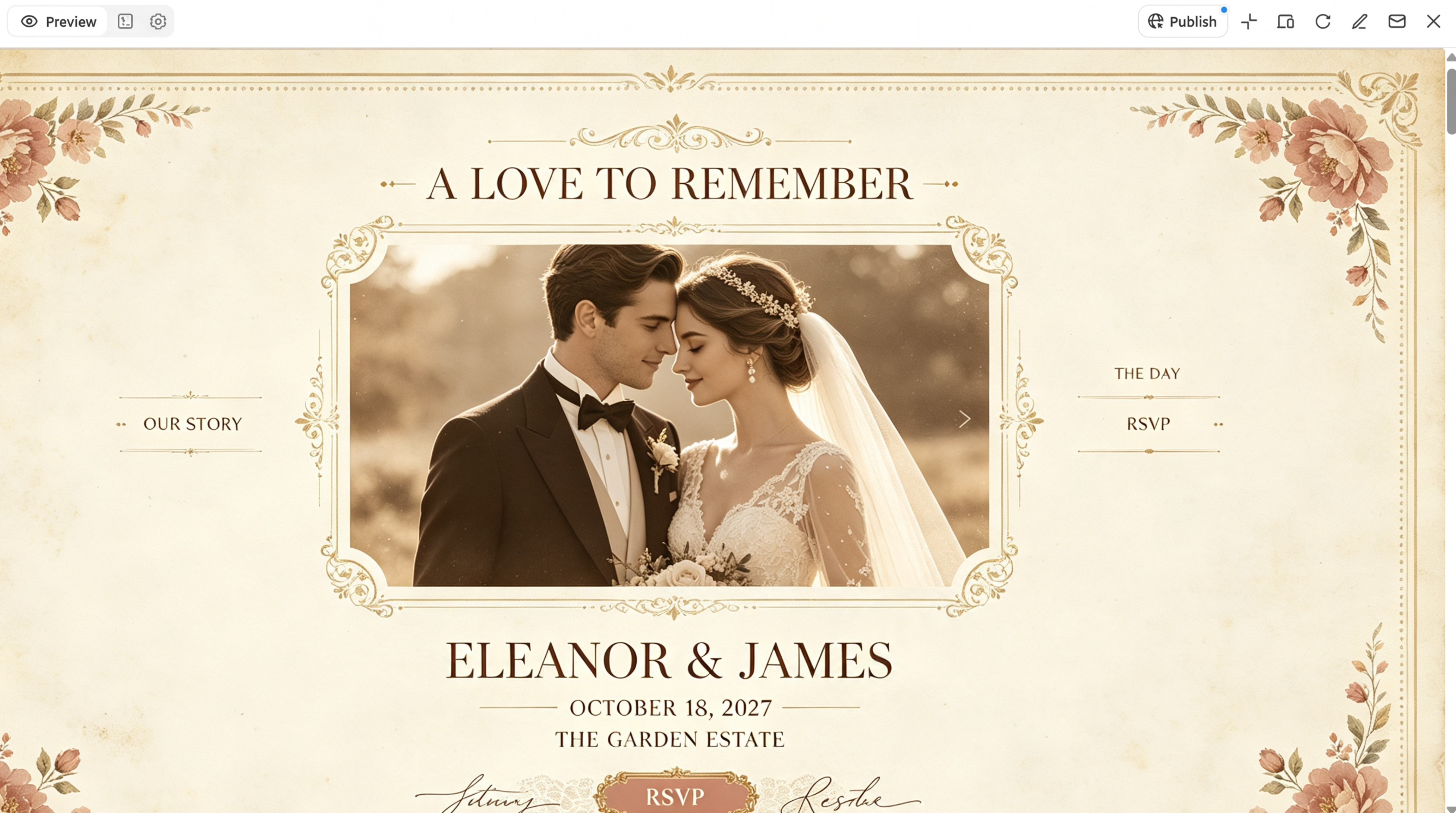
Couples who love old-world charm will want a website that feels nostalgic, warm, and full of character. This vintage wedding website template is a lovely match for weddings at historic mansions, heritage halls, or retro-themed venues. Dusty rose, cream, and antique gold paired with ornate frames and Art Deco fonts give each page a timeless glow. A section for family photos or a "how we met" story can add a sweet personal touch to the design.
How to use
Step 1: Enter your prompt
In Kimi Build, describe your vintage theme, retro color palette, historic venue, and personal story sections.
Prompt:
Step 2: Let AI generate your website
Kimi Build creates a nostalgic layout. Review the ornate design, family photos, and "how we met" story.
Step 3: Review and publish the website
Check the event details and registry link, refine the visuals, then go live.
Modern editorial wedding website template
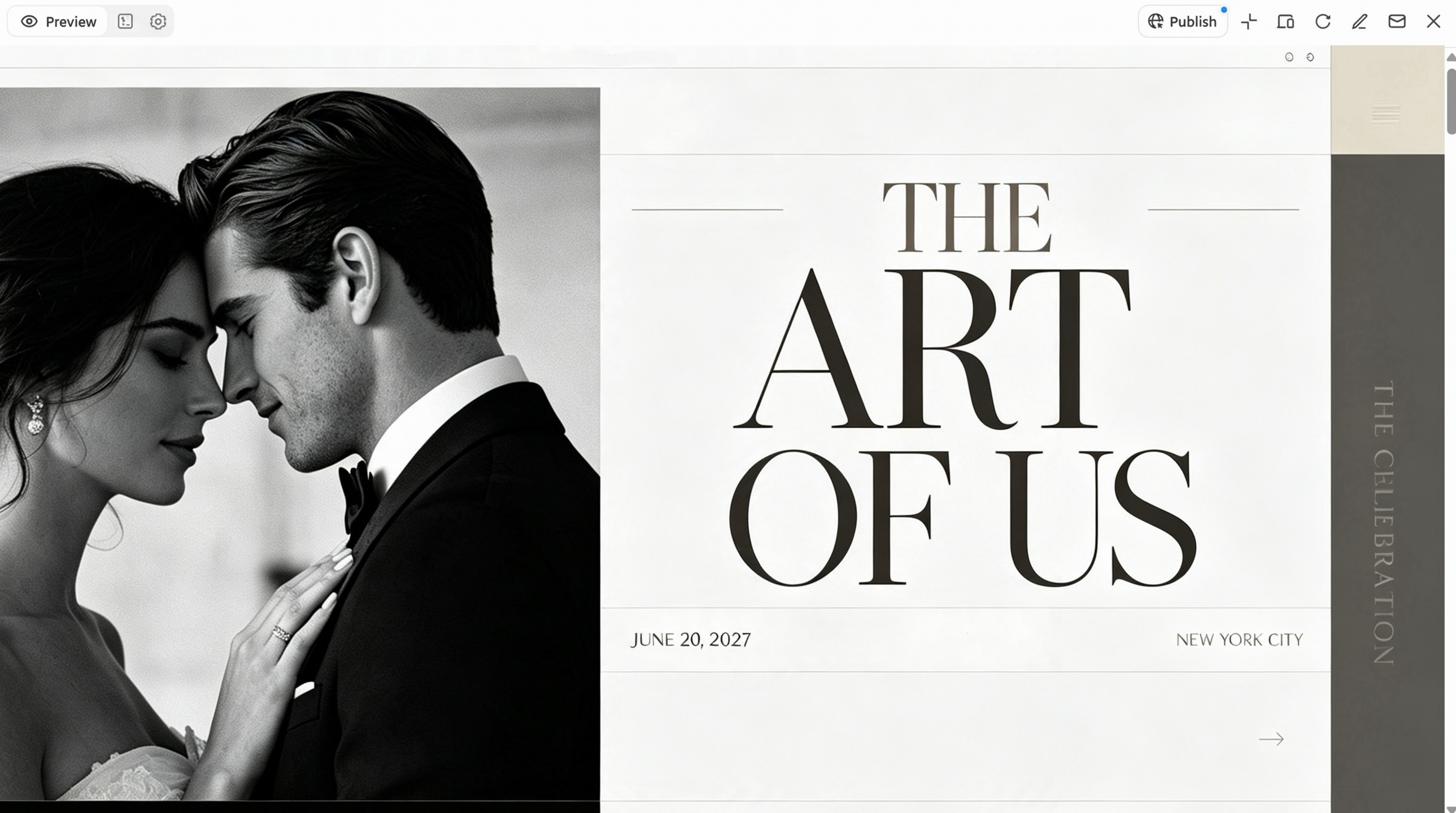
Style-savvy couples often want a website that looks bold, fresh, and straight out of a fashion magazine. This modern editorial wedding website template fits city weddings, rooftop parties, or chic gallery venues. Large full-width photos, striking headlines, and a mix of black, white, and muted tones create a sleek, high-end feel. Try adding a photo-story section or a Q&A about your relationship to give the site a fun, magazine-style twist.
How to use
Step 1: Enter your prompt
Open Kimi Build and describe your magazine-inspired style, bold layout ideas, and fun sections like a couple Q&A.
Prompt:
Step 2: Let AI generate your website
Let Kimi Build build your editorial-style site, then look over the full-width photos, headlines, and photo story.
Step 3: Review and publish the website
Refine the headlines and image placement, confirm event details, then publish your stylish site.
Garden wedding website template
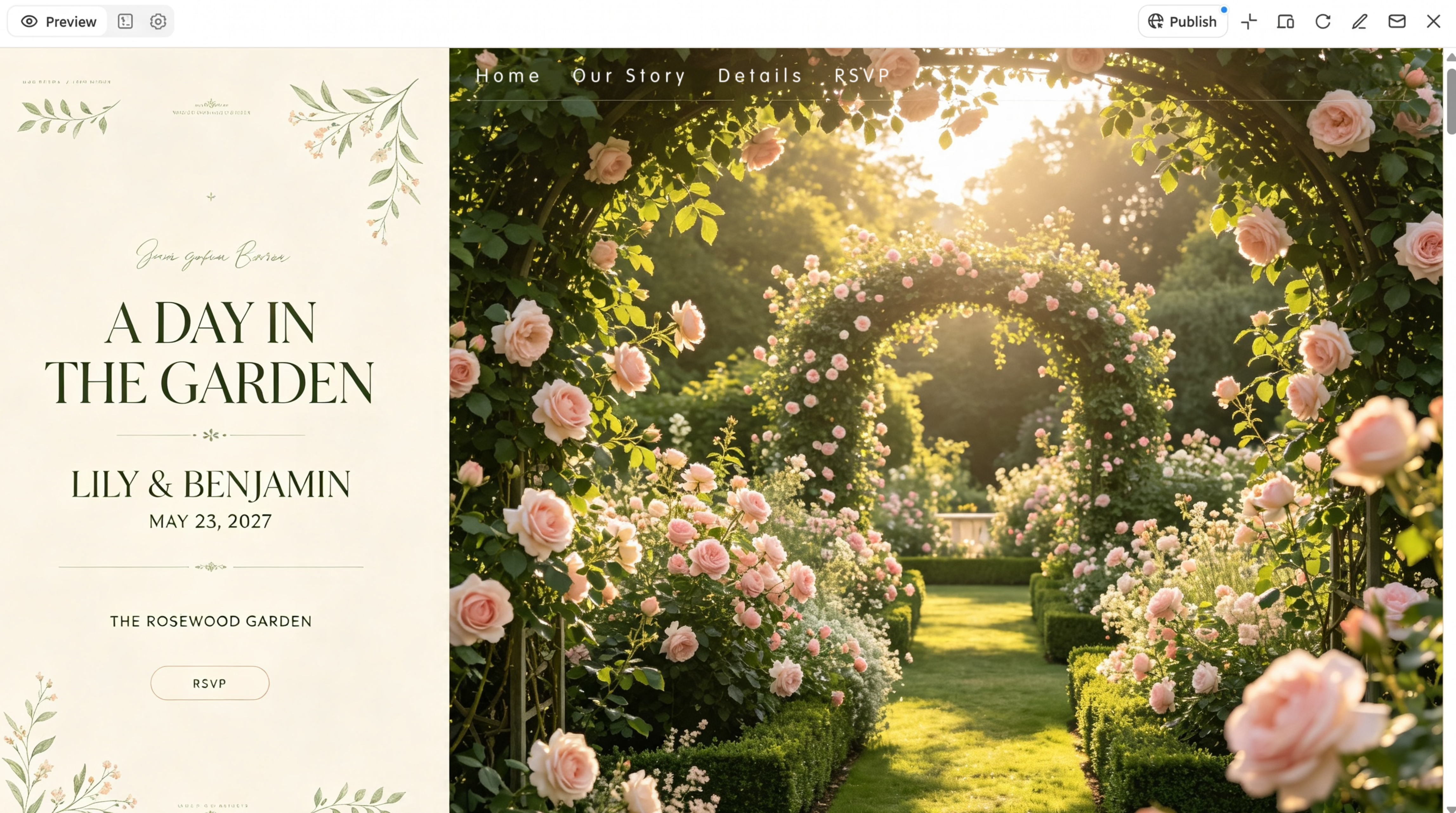
Outdoor ceremonies surrounded by greenery deserve a website that feels fresh, lively, and close to nature. This garden wedding website template works best for couples marrying in botanical gardens, backyard lawns, or estate grounds. Leafy greens, soft whites, and botanical illustrations bring a natural, calm look to each page. You can also share venue details, parking info, and a backup plan for rain so guests feel ready for an open-air day.
How to use
Step 1: Enter your prompt
Go to Kimi Build and describe your garden venue, green color palette, and details like parking and a rain plan.
Prompt:
Step 2: Let AI generate your website
Kimi Build generates your garden wedding layout. Review the greenery visuals, schedule, and venue section.
Step 3: Review and publish the website
Check the parking info, backup plan, and RSVP form, make final tweaks, then publish your site using Kimi Build's publishing options.
Why choose Kimi Build to design a wedding website
Designing a wedding website from scratch can take hours. Kimi Build makes it simple: describe your wedding theme, choose the pages you need, and let AI turn your ideas into a website that fits your style.
Generate wedding website designs from prompts and visual references
Describe your wedding theme, preferred colors, visual style, and website structure in natural-language prompts, or upload reference images to guide the design. Kimi Build uses these inputs to generate a website that matches your preferences. You can create personalized sections featuring couple portraits, engagement photos, your love story, wedding invitations, and event information, giving the entire website a cohesive look.
Build multi-page websites to organize wedding details
A wedding website often needs to communicate more than the date and venue. Kimi Build supports multi-page website structures, so you can organize information into dedicated pages for your relationship story, ceremony and reception schedules, venue details, travel arrangements, accommodation recommendations, gift registries, and guest FAQs. This structure makes it easier for visitors to find relevant information and gives you room to add more content as your wedding plans develop.
Refine website layouts and content through natural-language editing
You can continue improving your wedding website after the initial generation without starting over. Simply describe the changes you want, such as updating the wedding schedule, replacing photos, adjusting page layouts, changing color schemes, or refining typography. Kimi Build also supports element-level comments and manual editing, giving you different ways to customize individual website components and make the design more consistent with your vision.
Design responsive layouts for desktop and mobile visitors
Guests may access your wedding website on phones, tablets, and desktop computers. Kimi Build supports responsive website layouts that adapt to different screen sizes, helping keep navigation, photos, event schedules, and other important information accessible across devices. You can preview the design and refine page elements to improve the browsing experience on different screens.
Publish your wedding website and share it with guests
After reviewing the design and making final adjustments, you can publish your website and generate a shareable link. Send the link through digital invitations, email, or messaging apps so guests can check wedding details whenever they need them. Kimi Build also provides access to generated code, with the output depending on whether the project uses a static website or a full-stack application.
Tips for choosing wedding website templates
The right template makes your wedding website look good and easy to use. Keep these tips in mind so you pick a design that fits both your style and your guests' needs.
Match the template to your wedding theme
Your website should feel like a preview of your big day. A rustic barn wedding pairs well with earthy textures, while a black-tie event calls for a polished, classic look. Picking a template that reflects your theme gives guests a sense of what to expect.
Choose a layout that fits your content
Think about what you want to share before picking a design. If you have lots of engagement photos, look for a template with a large gallery. If your wedding involves travel, choose one with room for hotel, flight, and schedule details.
Prioritize clear navigation and readability
Guests should find the RSVP form, venue address, or dress code within a few clicks. Simple menus, readable fonts, and good color contrast make the site easy for everyone, including older relatives.
Check mobile responsiveness
Most guests will open your website on their phones, often while traveling or on the go. Make sure text, images, and buttons adjust well to smaller screens so nothing looks cramped or broken.
Look for useful customization options
A good template lets you change colors, fonts, photos, and sections without much effort. This flexibility helps you add personal touches, like your love story or family photos, so the site feels truly yours.
Consider practical features and future updates
Features like RSVP forms, registry links, countdown timers, and maps save time for you and your guests. Also pick a design that's easy to update, since plans, timings, or venue details may change before the wedding.
Conclusion
Your wedding website is a place to share your story, keep guests informed, and set the mood for your celebration. Whether you love clean minimalist lines, cozy rustic charm, or bold editorial style, there's a design that fits your vision. Exploring different wedding website templates helps you find the right look for your theme, venue, and guest needs. With Kimi Build, you can turn your ideas into a personalized website without coding or starting from scratch.